
Choosing between ClickUp and Motion for work management comes down to five questions:
Do you want a platform that adapts to your workflow, or one that tells you what to work on next?
Is customization essential, or would you rather the software handle scheduling and prioritization?
Are you managing complex cross-departmental programs, or running repeatable service-based projects?
Do you need a free plan to get started, or are you ready to pay from day one for AI-driven automation?
Is your bigger problem organizing work, or finishing it on time without constant manual coordination?
In short, here's what we recommend:
ClickUp is the platform for teams that want full control over their workflows. With 15+ view types, custom statuses, custom fields, and an eight-level hierarchy that scales from solo use to enterprise deployments, ClickUp lets you model almost any workflow.
At $7/user/month on the Unlimited plan, it undercuts most competitors while delivering tasks, Docs, Chat, Goals, Dashboards, Whiteboards, time tracking, and AI in one workspace. The trade-off is complexity: G2 reviewers consistently cite a learning curve of two to four weeks, and performance complaints persist even after ClickUp 4.0's speed improvements.
Motion is for teams that want the software to do the coordination work. Its scheduling engine monitors deadlines, dependencies, and team capacity, then reprioritizes every team member's day in real time.
Projects complete 32% faster on average because tasks advance automatically when blocking work finishes, without anyone updating a status by hand. At $19/seat/month, Motion costs more per seat and lacks a free tier, but service businesses and agencies report eliminating daily standups entirely and replacing multiple project coordinators.
Both platforms excel at organizing and executing internal work. But for sales and marketing teams, there's a gap neither addresses: knowing which prospects to pursue, when they're ready to buy, and what to say when you reach them. That's where ZoomInfo fits in.
ZoomInfo is a B2B intelligence and GTM platform built on 500M contacts, 100M companies, 135M+ verified phone numbers, and 200M+ verified business emails.
Its GTM Context Graph processes 1.5B + data points daily, unifying this data with your CRM records, conversation transcripts, and behavioral signals to show the full context of your accounts (not just what happened, but why, and what to do next).
Sales teams access that intelligence through GTM Workspace, marketers and RevOps use GTM Studio, and developers connect through the API and MCP. ClickUp or Motion manages how your team works. ZoomInfo determines what your team should be working on.
If adding verified buyer data and AI-driven intelligence sounds like the missing piece, see how ZoomInfo works.
ClickUp vs. Motion at a glance
ClickUp | Motion | ZoomInfo | |
|---|---|---|---|
Core approach | Customizable all-in-one work management | AI-driven auto-scheduling and project execution | B2B intelligence and GTM execution |
Primary audience | Any team needing flexible project management | Service businesses, agencies, and SMBs | Sales, marketing, and RevOps teams |
Customization | Extensive (custom statuses, fields, 15+ views) | Opinionated (AI handles structure) | Configurable GTM plays, audiences, and workflows |
AI philosophy | Knowledge retrieval + agent assistance | Autonomous scheduling + task execution | Buyer intelligence + contextual reasoning |
Learning curve | Steep (2–4 weeks for teams) | Moderate (mindset shift from manual PM) | Moderate (structured onboarding, 30–90 days) |
Integrations | 1,000+ via native + iPaaS | Limited native; Zapier only for iPaaS | 172+ marketplace partners, API, and MCP |
Free plan | Yes (Free Forever, 60 MB storage) | No (trial with card hold) | Yes (ZoomInfo Lite, permanent) |
Starting price | $7/user/month (Unlimited, annual) | $19/seat/month (Pro AI, annual) | Custom-quoted (consumption-based) |
Best for | Teams that want full control over their workflow | Teams that want the software to manage their schedule | Revenue teams that need buyer intelligence to fuel pipeline |
Two fundamentally different philosophies of work management
ClickUp and Motion both claim to be "everything apps," but they mean different things by it.
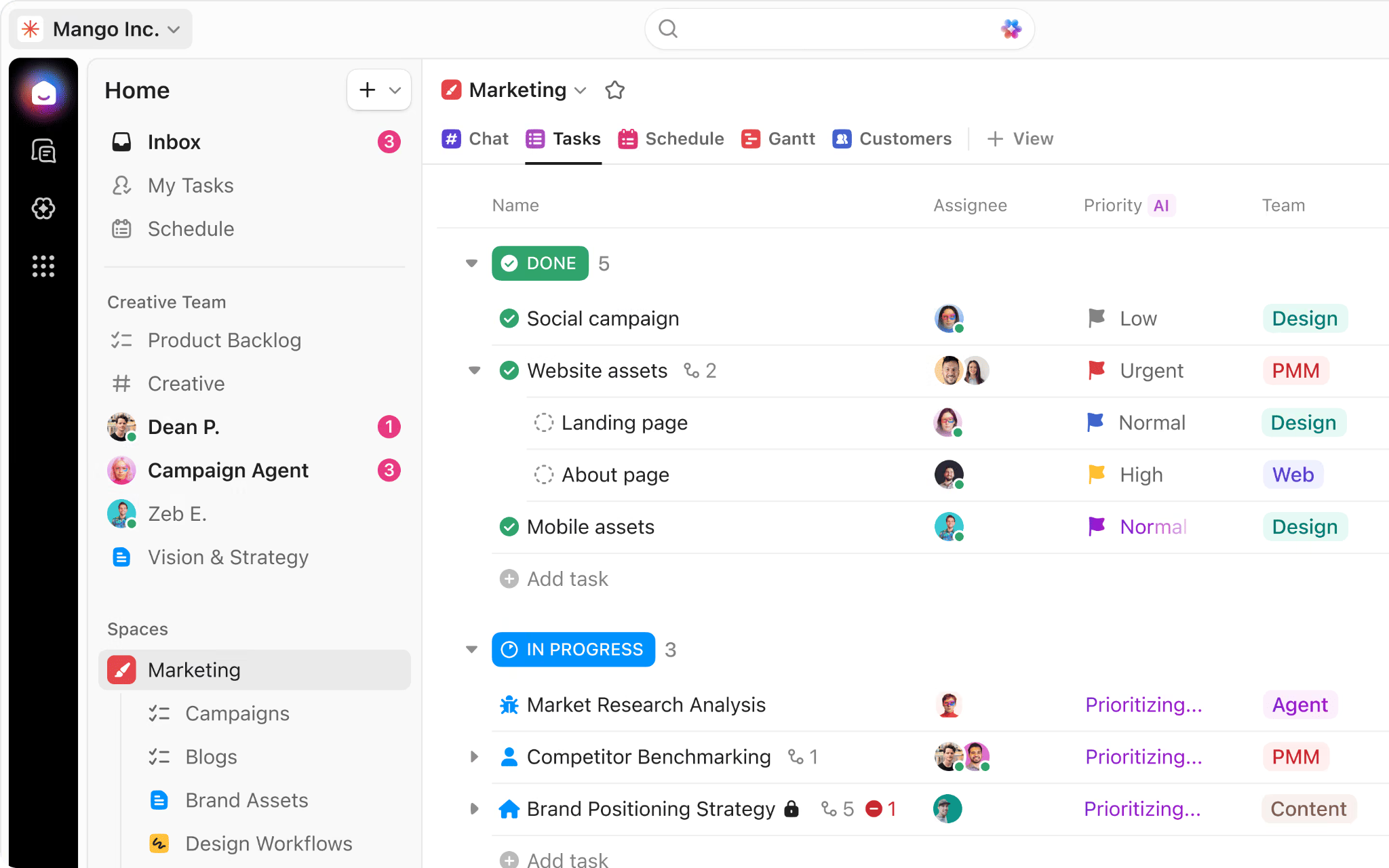
ClickUp's philosophy is consolidation through breadth. The platform offers tasks, Docs, Chat, Goals, Dashboards, Whiteboards, time tracking, Gantt charts, sprints, automations, and AI inside a single workspace.
Source: ClickUp
Its eight-level hierarchy (Workspace, Spaces, Folders, Lists, Tasks, Subtasks, Nested Subtasks, Checklists) can model anything from a personal to-do list to an enterprise program management structure. You decide how to organize, how to visualize, and how to move work forward.
Motion's philosophy is consolidation through intelligence. Instead of giving you fifteen ways to view your tasks, Motion takes your tasks, deadlines, priorities, and calendar events, then builds and revises an optimal schedule for every team member.

Source: Motion
The software decides what each person should work on next. When a meeting runs long or a task takes longer than expected, Motion reshuffles the schedule for the day and week in seconds.
This difference shapes every interaction. In ClickUp, a project manager drags cards between columns, adjusts Gantt chart timelines, and updates statuses. In Motion, when one stage finishes, the next one starts automatically, and the platform tracks status without manual intervention.
The question isn't which approach is better. It's which one matches how your team thinks about work.
ClickUp wins on customization depth
If your team has a specific workflow methodology, ClickUp can almost certainly accommodate it.
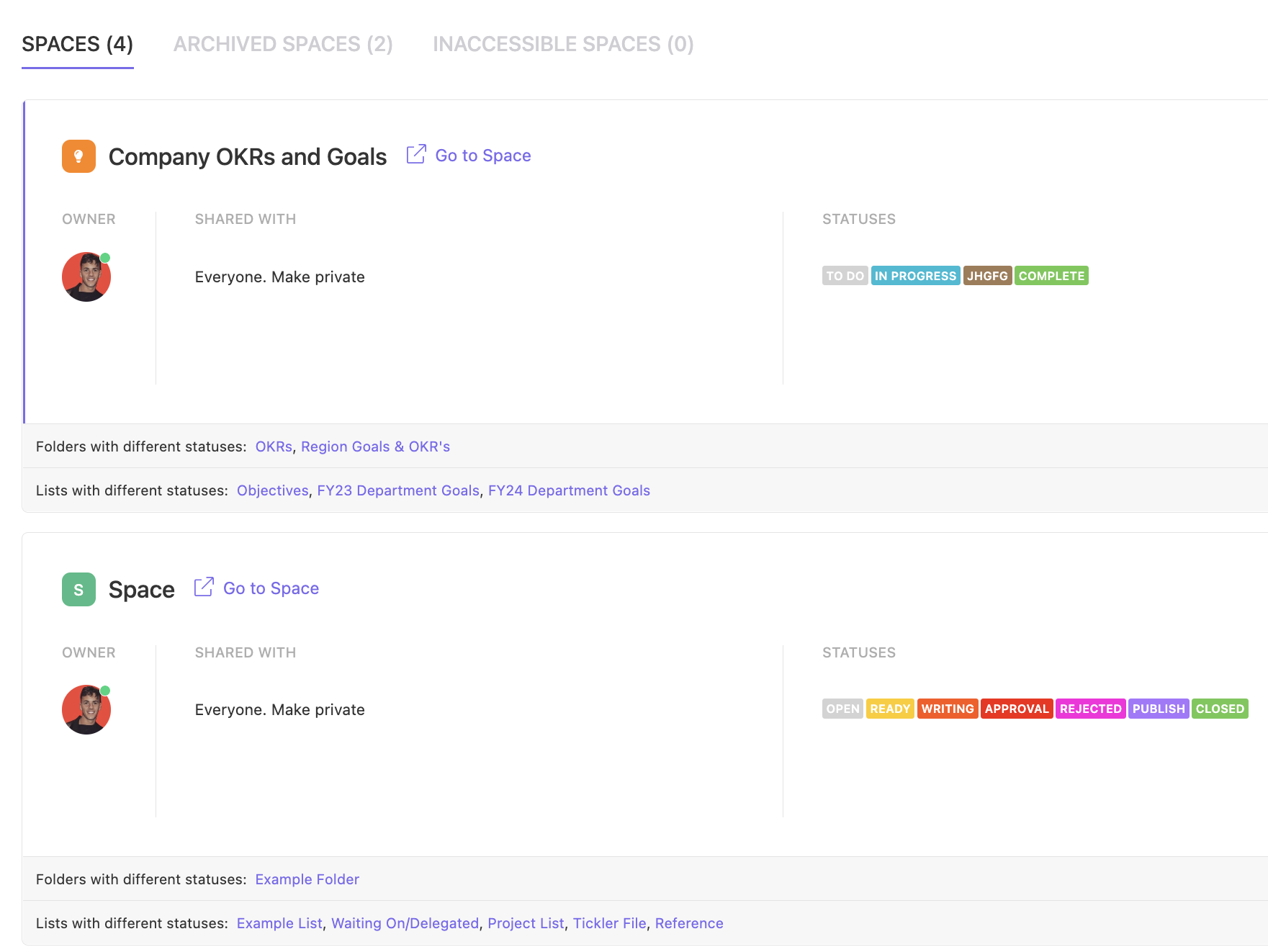
Custom statuses can be created per Space, Folder, or List, with unlimited color-coded stages. Custom Fields support fifteen data types including Text, Number, Currency, Dropdown, Formula, and Rating. Formula Fields calculate values between numeric fields automatically, so a team can build lead scoring, budget tracking, or project health indicators without leaving the platform.
Source: ClickUp
The view system is where ClickUp's flexibility shows most clearly. A single dataset can be visualized as a Kanban board with WIP limits, a Gantt chart with auto-rescheduling dependencies, a spreadsheet-style Table, a Timeline, a Workload capacity view, a Calendar, a Mind Map, or a Map. Switching between these is instant because every view reads from and writes to the same task data.
Motion takes a deliberate step in the opposite direction. Its views (List, Kanban, Gantt) exist but are not the primary interface. Motion assumes you don't want to spend time arranging views and would rather see an auto-prioritized task list telling you what to do next.
For teams migrating from Jira or Monday.com with established Kanban habits, this can feel disorienting. For teams drowning in manual status updates, it feels like relief.
The difference matters most at scale. A 200-person organization managing cross-departmental programs will find ClickUp's hierarchy essential. A 50-person agency running repeatable client projects will often find that Motion's opinionated structure eliminates work they didn't realize they were doing.
Motion wins on autonomous scheduling
Motion's scheduling engine is the single feature that separates it from every traditional project management tool, ClickUp included.
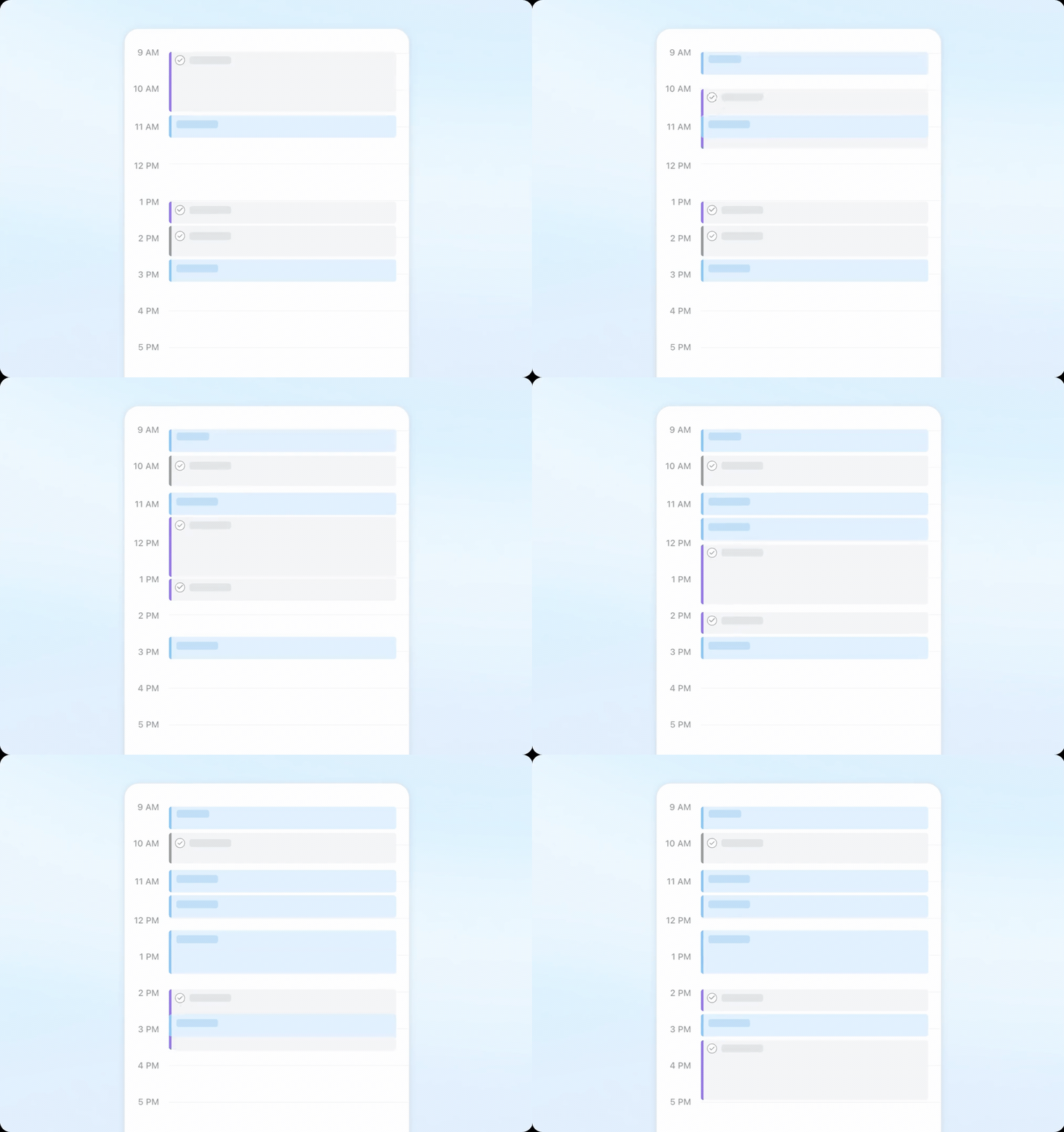
When you create a task in Motion with a deadline, duration, and priority, the software doesn't just record it. It scans for open time blocks and places the task in the most efficient order, respecting working hours, breaks, existing calendar events, and all other tasks across every project in the workspace.
Source: Motion
The system re-optimizes hundreds of times per day, so when a meeting gets added or a task takes longer than expected, the rest of the schedule adjusts automatically.
The "Can't Fit" state is a useful design choice. When more work is assigned than capacity allows, Motion doesn't silently drop tasks or push them past their deadlines. It flags unschedulable tasks with a red indicator pinned at the top of the calendar, forcing a capacity conversation before a deadline is missed.
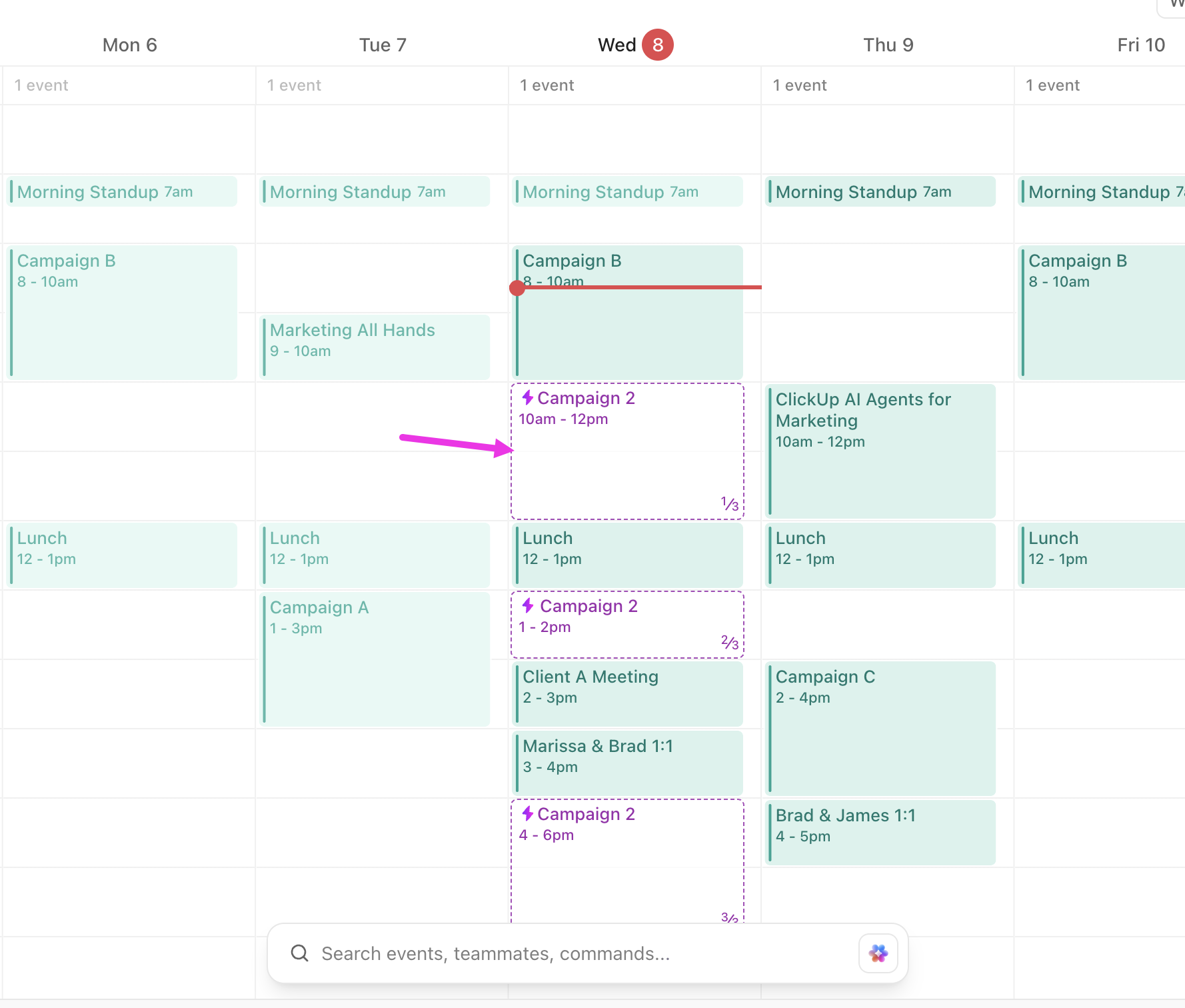
ClickUp offers AI scheduling recommendations and an AI Time Blocking Agent, but these tools suggest time slots. The user still decides. Motion's approach differs: the scheduling engine makes the decision, and the user overrides only when needed.\
Source: ClickUp
For service businesses and agencies, this matters. Motion tracks workload across thousands of tasks company-wide and surfaces capacity conflicts before they become deadline misses.
AI agents: two different definitions
Both platforms have invested in AI, but they use the term "agent" to mean different things.
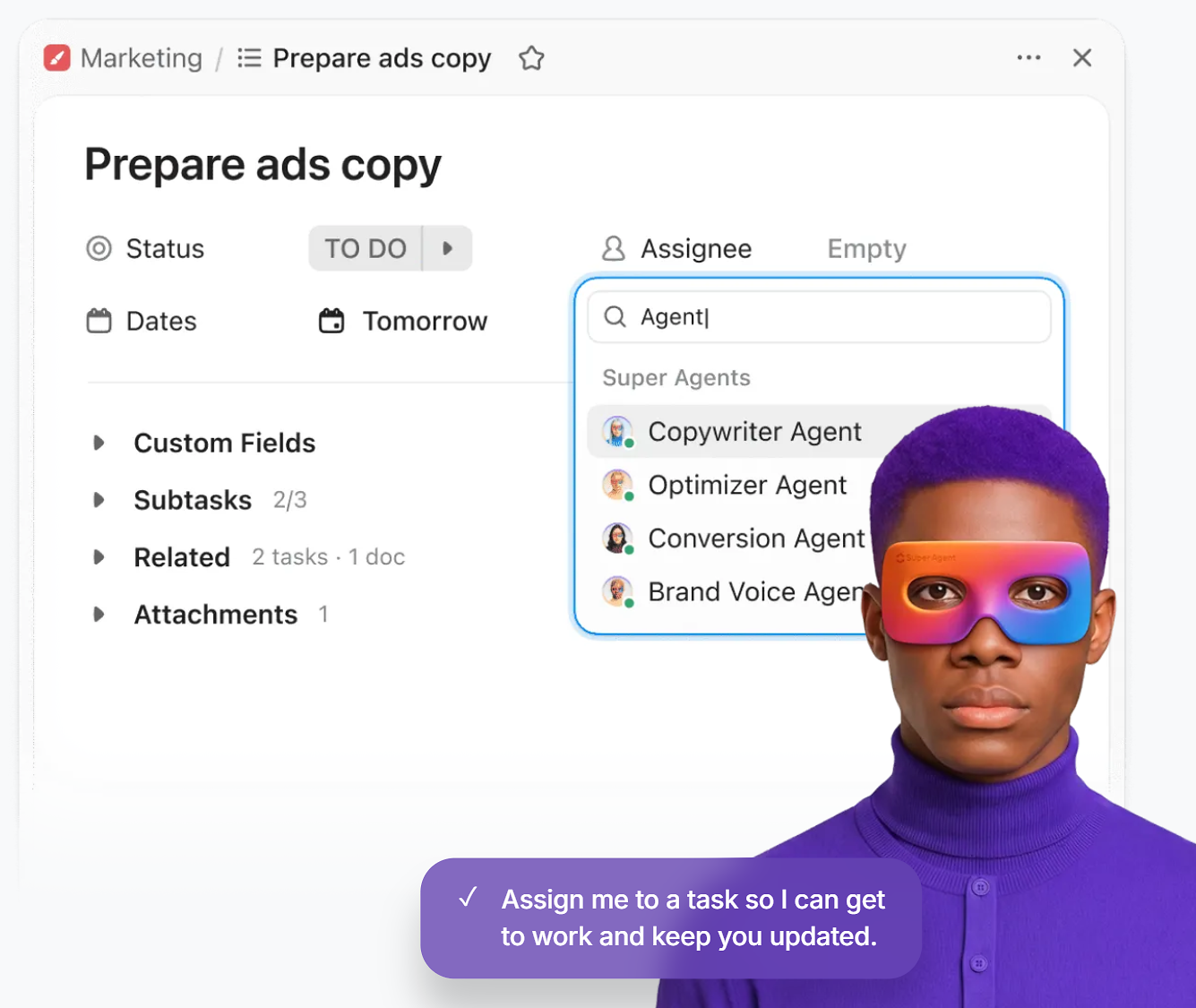
ClickUp's Super Agents are AI teammates that can be @mentioned, assigned tasks, and messaged in Chat. They have 500+ skills, including writing emails, scheduling events, running CRM updates, and managing invoices.
Source: ClickUp
Ambient Agents work in the background, monitoring systems and surfacing insights from connected apps like Google Drive, GitHub, and Salesforce. The Brain2 engine routes queries across multiple AI models (Claude, GPT, Gemini) and draws context from the entire workspace.
Motion's AI agents take the form of named "AI Employees": Alfred the EA, Chip the SDR, Millie the PM, Suki the Marketing Associate, Clide the Support Specialist, and Dot the Recruiter. These agents are trained on a company's specific projects, SOPs, and workflows.
Because all work data lives in Motion, the agents have full business context. Custom AI Employees can be built by anyone without coding. The AI Workflows Builder can take an SOP document and generate a complete project template with stages, task durations, dependencies, and role assignments, including a gap analysis comparing the generated workflow against similar projects.

Source: Motion
ClickUp's AI strength is breadth: it touches every part of the platform, from task creation to document writing to enterprise search across connected apps. Motion's AI strength is execution: it doesn't just assist with tasks, it schedules, re-prioritizes, and advances projects without human intervention.
The integration gap matters more than you think
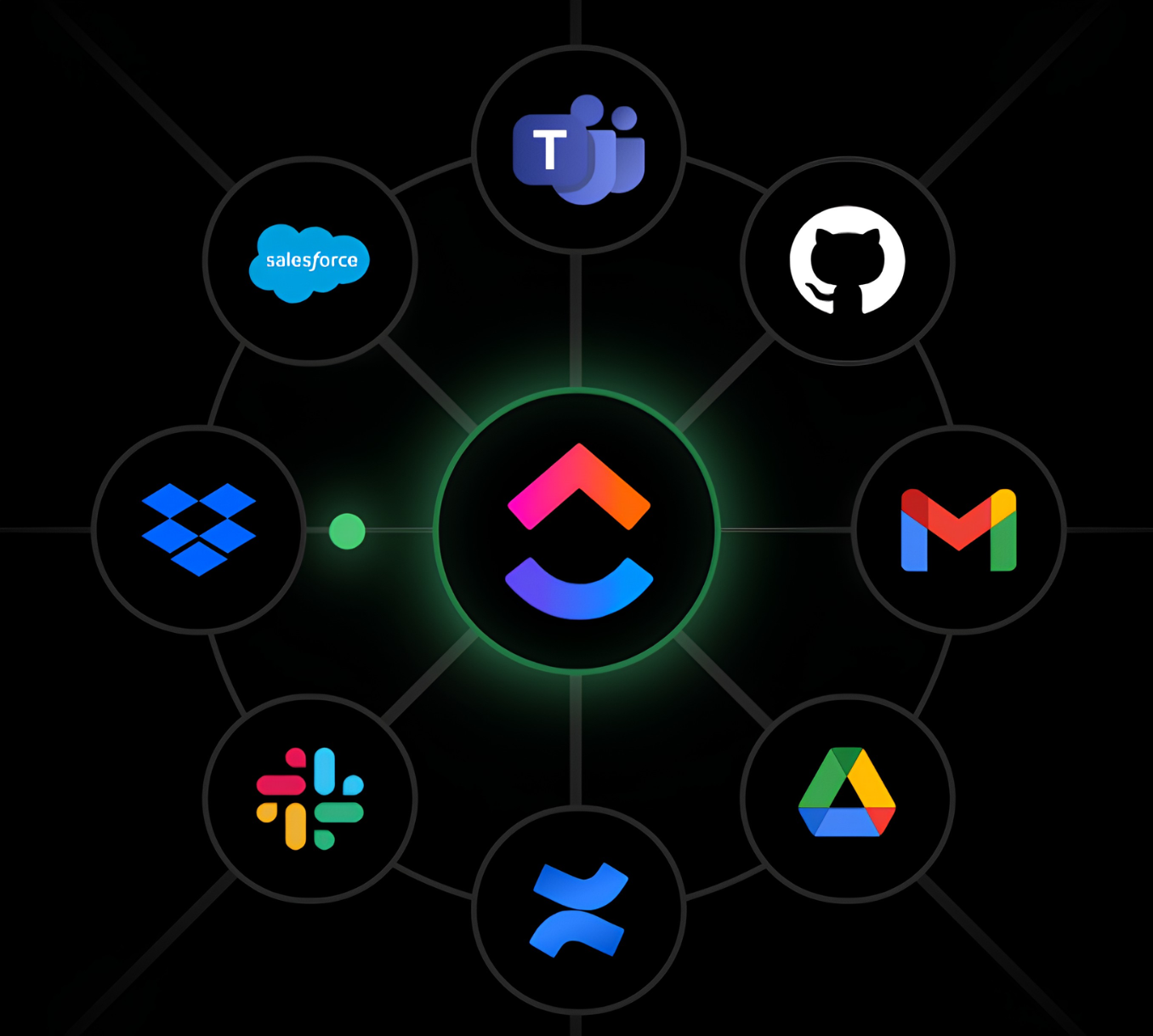
ClickUp's integrations page lists connections to over 1,000 tools, including native integrations with Slack, HubSpot, Google Drive, Salesforce, GitHub, GitLab, and dozens more.
Source: ClickUp
The native Automation builder supports integration-specific triggers and actions for GitHub, GitLab, HubSpot, Slack, Twilio, Google Calendar, and Calendly. For anything else, ClickUp connects through Zapier, Make, n8n, and other iPaaS platforms.
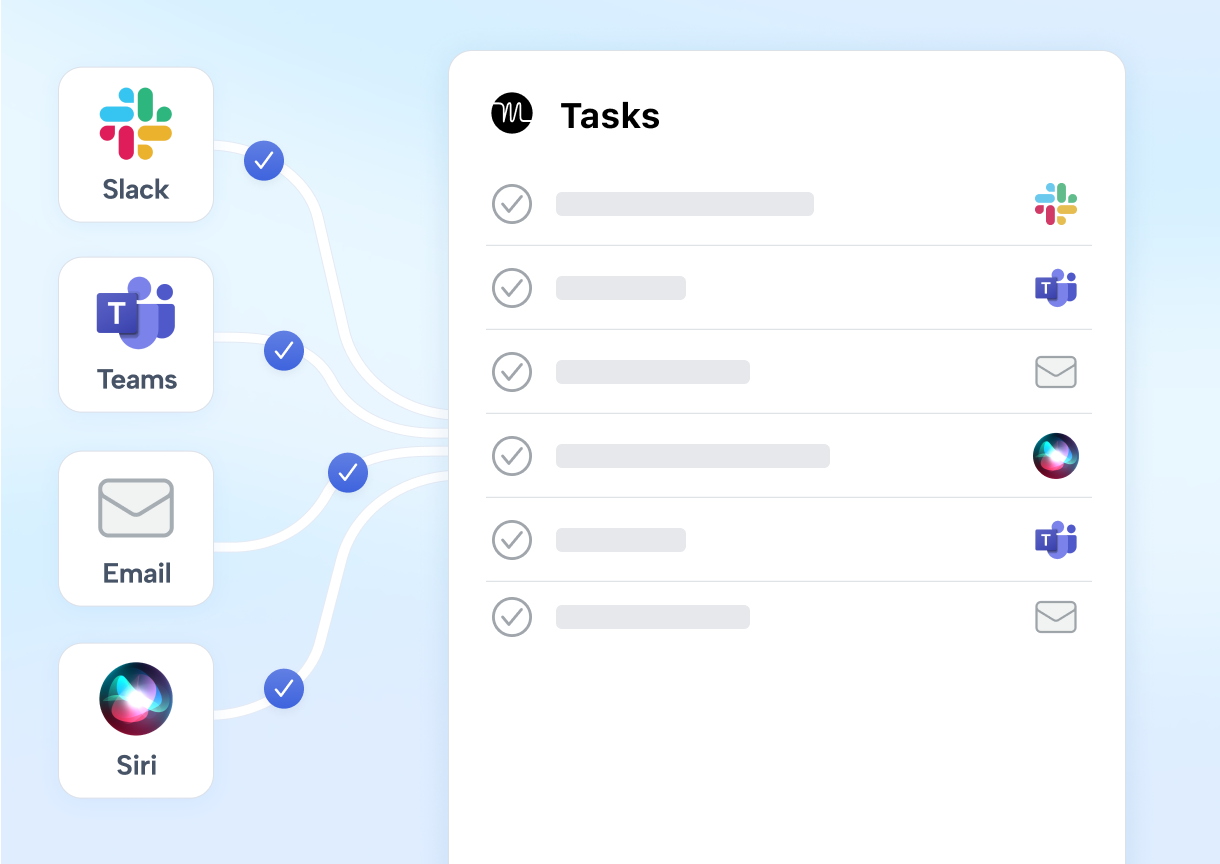
Motion's integration ecosystem is smaller. Native integrations cover Google Calendar, Microsoft Outlook, iCloud Calendar, Zoom, Google Meet, Microsoft Teams, Gmail, HubSpot, Salesforce, and Slack.
Source: Motion
For iPaaS, only Zapier is officially supported, and the connection is one-directional: external app events can create Motion tasks, but Motion does not push events back out. The integrations FAQ states there are no current plans for native integrations with Notion, ClickUp, or Google Sheets. No Make or Workato support is documented.
For teams with complex tool stacks, this matters. A marketing team running HubSpot, Figma, Slack, and a dozen other tools will find ClickUp covers more of their stack. A smaller team running Google Workspace and a CRM may find Motion's focused integrations sufficient.
Where ZoomInfo fits: the intelligence layer neither platform provides
ClickUp and Motion manage how work gets done. Neither helps your sales team figure out which prospects to pursue, when accounts are in-market, or what messaging will resonate.
That's the gap ZoomInfo fills. ZoomInfo operates at a different layer of the business: identifying buyers, enriching your CRM, detecting buying signals, and powering outreach.
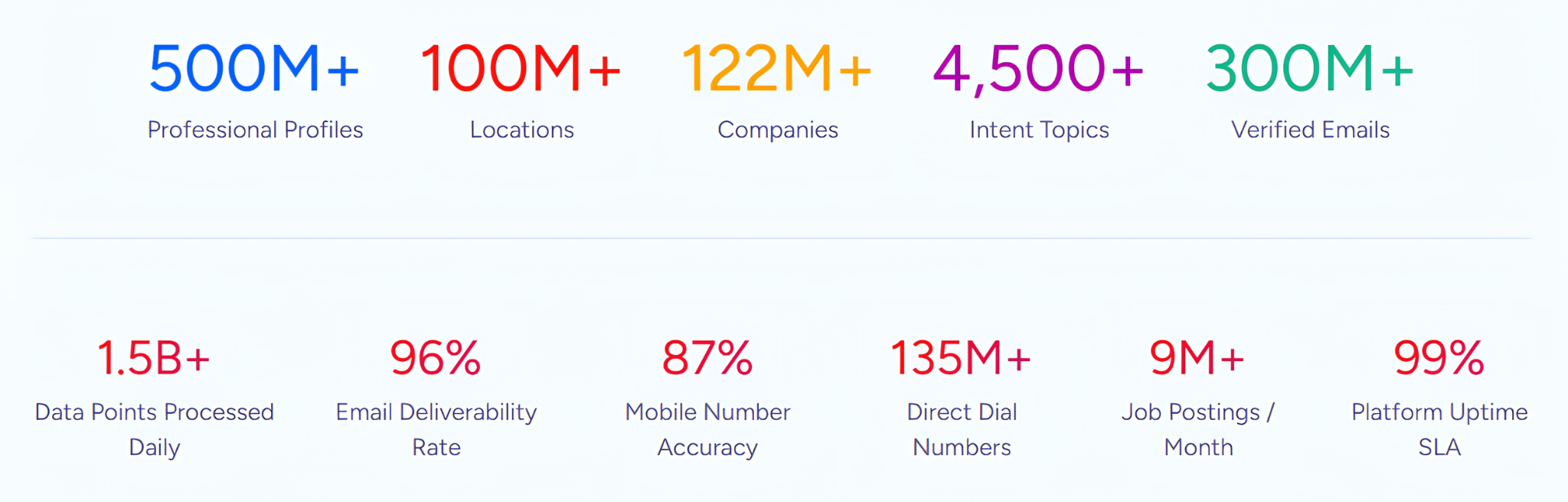
It provides 500M contacts, 100M companies, 135M+ verified phone numbers, and 200M+ verified business email addresses, verified through a pipeline backed by 300+ human researchers and achieving up to 95% accuracy on first-party data.
Source: ZoomInfo
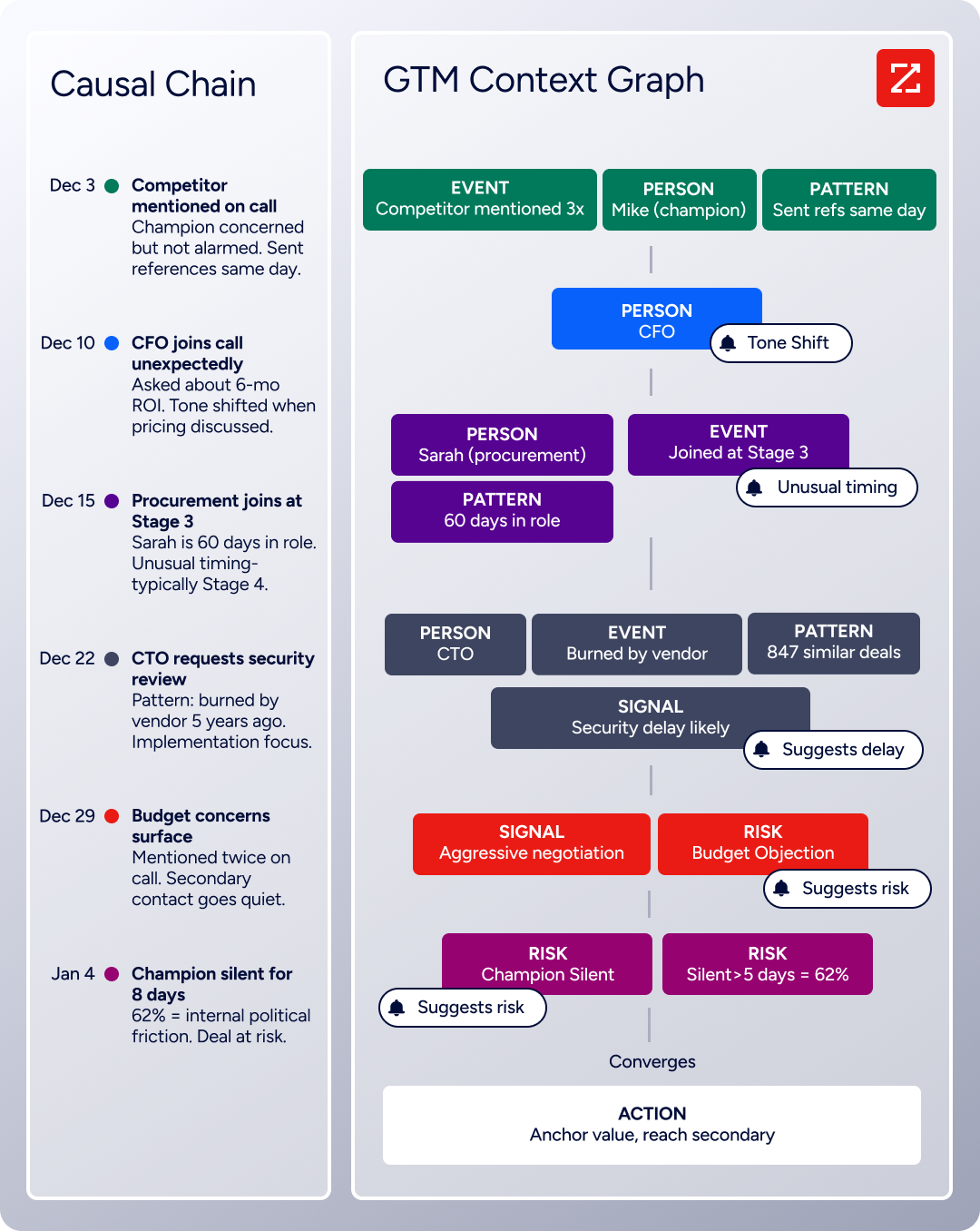
The GTM Context Graph is what sets ZoomInfo apart from a data provider. Processing 1.5B + data points daily, it fuses your CRM records, conversation transcripts from Chorus, email interactions, and behavioral signals with ZoomInfo's third-party intelligence to capture why deals move or stall.
Source: ZoomInfo
A CRM records that a deal advanced to Stage 4. Chorus captures that the CFO joined the last call and asked about six-month ROI. The Context Graph connects those signals and surfaces the pattern: executive sponsorship entering at this stage, combined with ROI-focused questions, matches the trajectory of your closed-won deals.
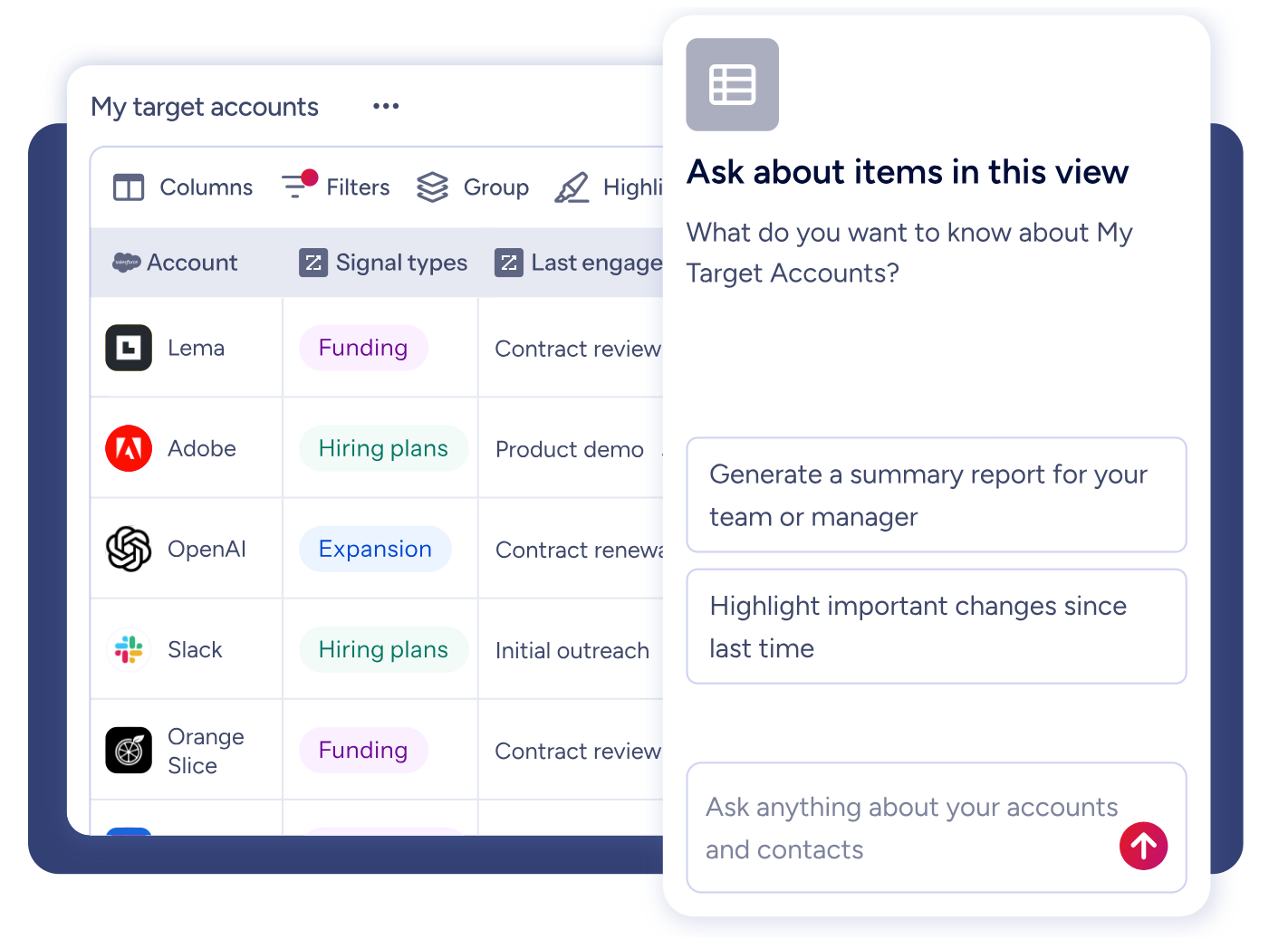
For sales teams, GTM Workspace delivers prioritized accounts, AI-drafted outreach, and deal execution in one place. For marketers and RevOps, GTM Studio lets you describe an audience in plain language, launch a multi-channel play, and watch pipeline impact in real time.
Source: ZoomInfo
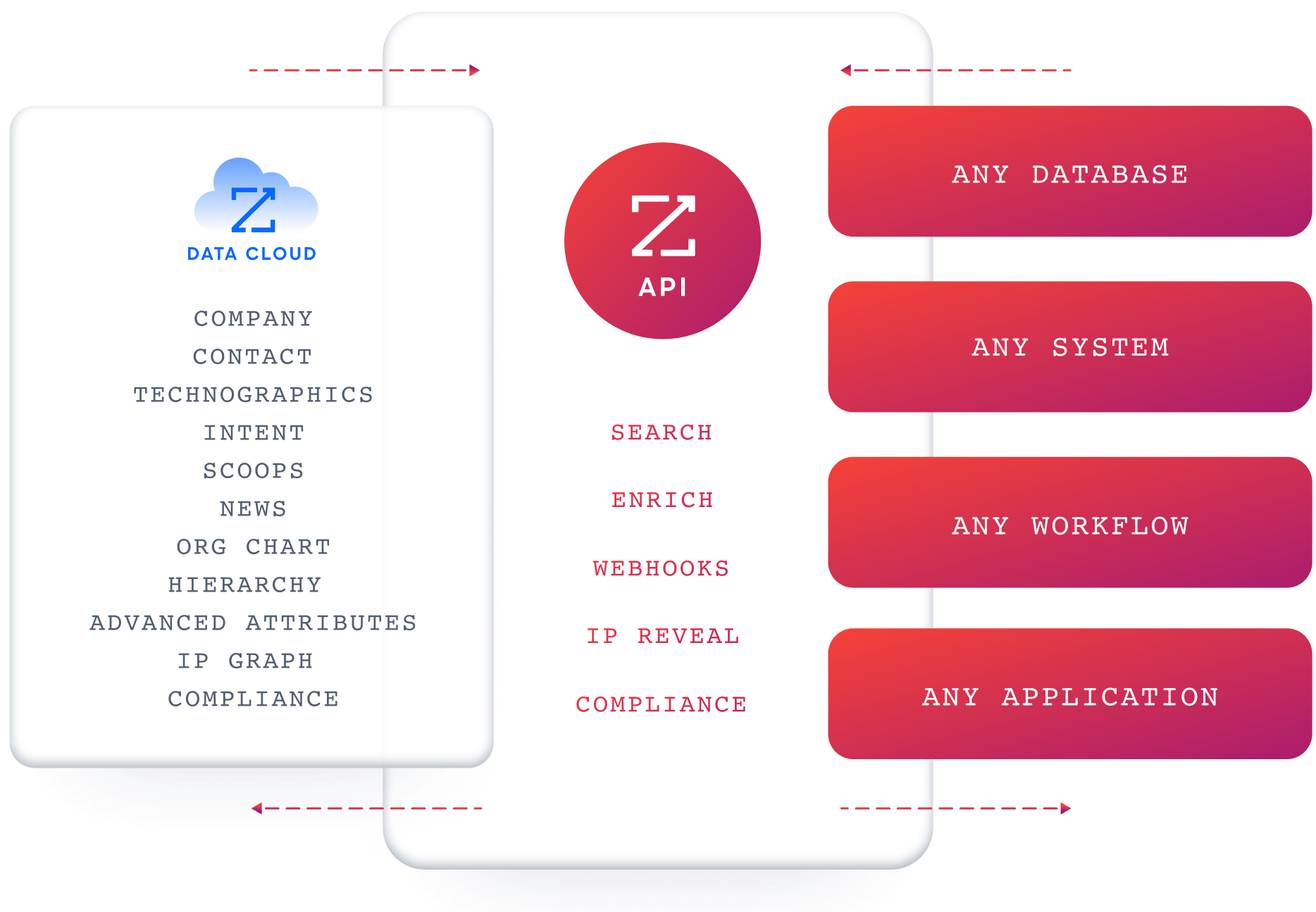
For teams building custom workflows, APIs and MCP expose the same intelligence to any third-party application, including AI agents built in ClickUp or Motion.
Source: ZoomInfo
Seismic's sales team attributed 39% of active pipeline to opportunities identified or influenced by ZoomInfo signals, boosted productivity by 54%, and saved 11.5 hours per week. (Seismic case study)
Your work management platform handles project execution after you win a deal. ZoomInfo ensures you have the right deals to execute on in the first place.
Pricing tells you who each platform is built for
The pricing structures reflect different market strategies.
ClickUp uses entry-level pricing to capture volume:
Plan | Annual Price |
|---|---|
Free Forever | $0 (60 MB storage, limited features) |
Unlimited | $7/user/month |
Business | $12/user/month |
Enterprise | Custom |
AI features are separate. Brain AI costs $9/user/month and Everything AI costs $28/user/month, stacked on top of the platform subscription. A team on the Business plan with Everything AI pays $40/user/month.
Motion bundles AI into every plan but charges more per seat:
Plan | Annual Price |
|---|---|
Pro AI | $19/seat/month |
Business AI | $29/seat/month |
No free plan exists. Motion requires a $1 card hold at signup even for the trial. AI scheduling, meeting notetaker, docs assistant, and chat are included on both tiers. Business AI adds capacity planning, Gantt charts, time tracking, advanced dashboards, and permissions.
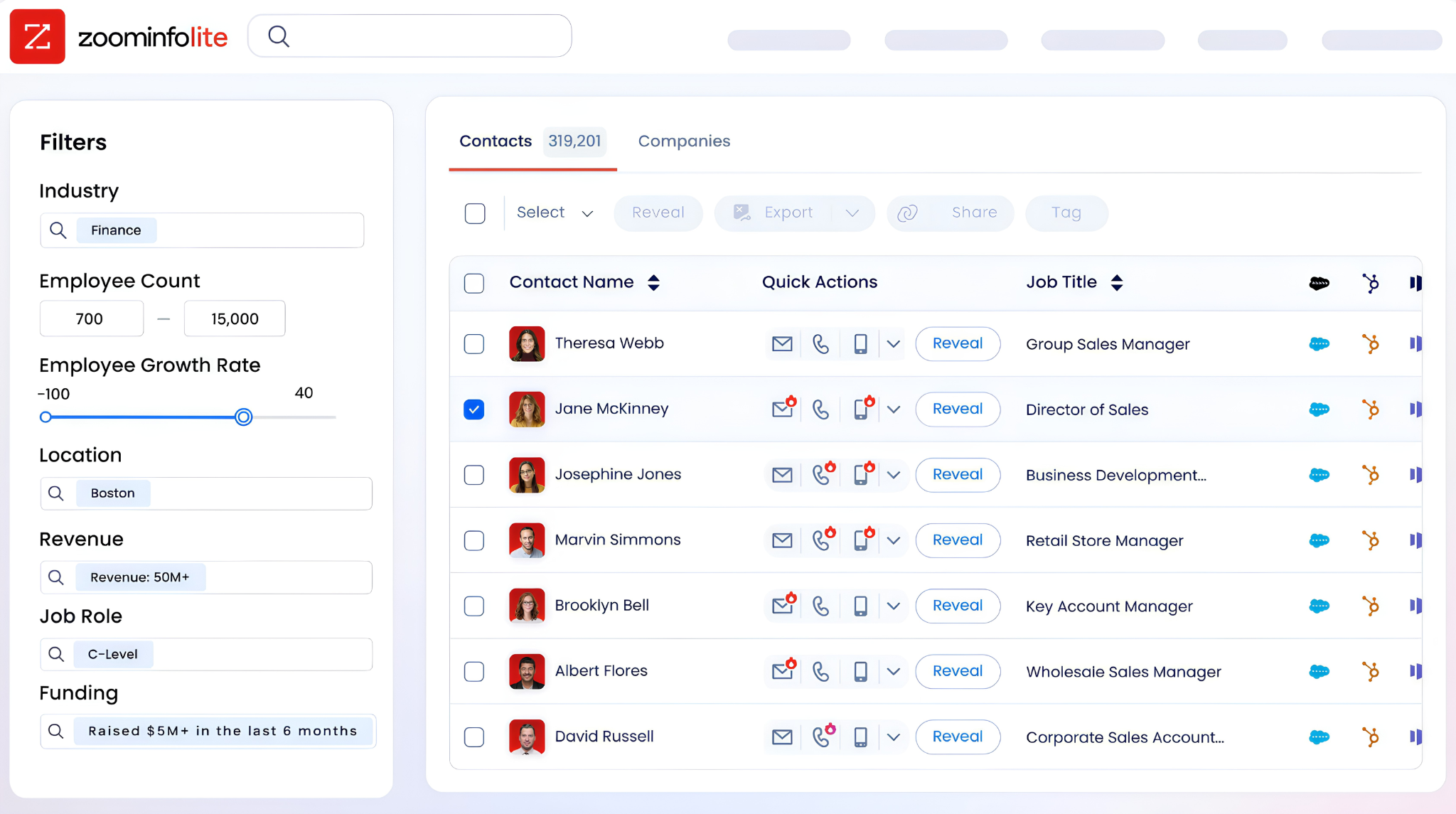
ZoomInfo uses custom-quoted, consumption-based pricing with no publicly listed prices. A permanent ZoomInfo Lite free tier provides access to the B2B database with 10 monthly export credits and no time limit.
Source: ZoomInfo
The math changes depending on what you're replacing. A team using ClickUp ($12/user) plus a separate AI tool plus a meeting scheduler is often paying more per seat than Motion ($19/user), which bundles all three. But ClickUp's free tier gives budget-constrained teams a real starting point that Motion doesn't offer.
Document and knowledge management comparison
Both platforms include native document and wiki capabilities, with different strengths.
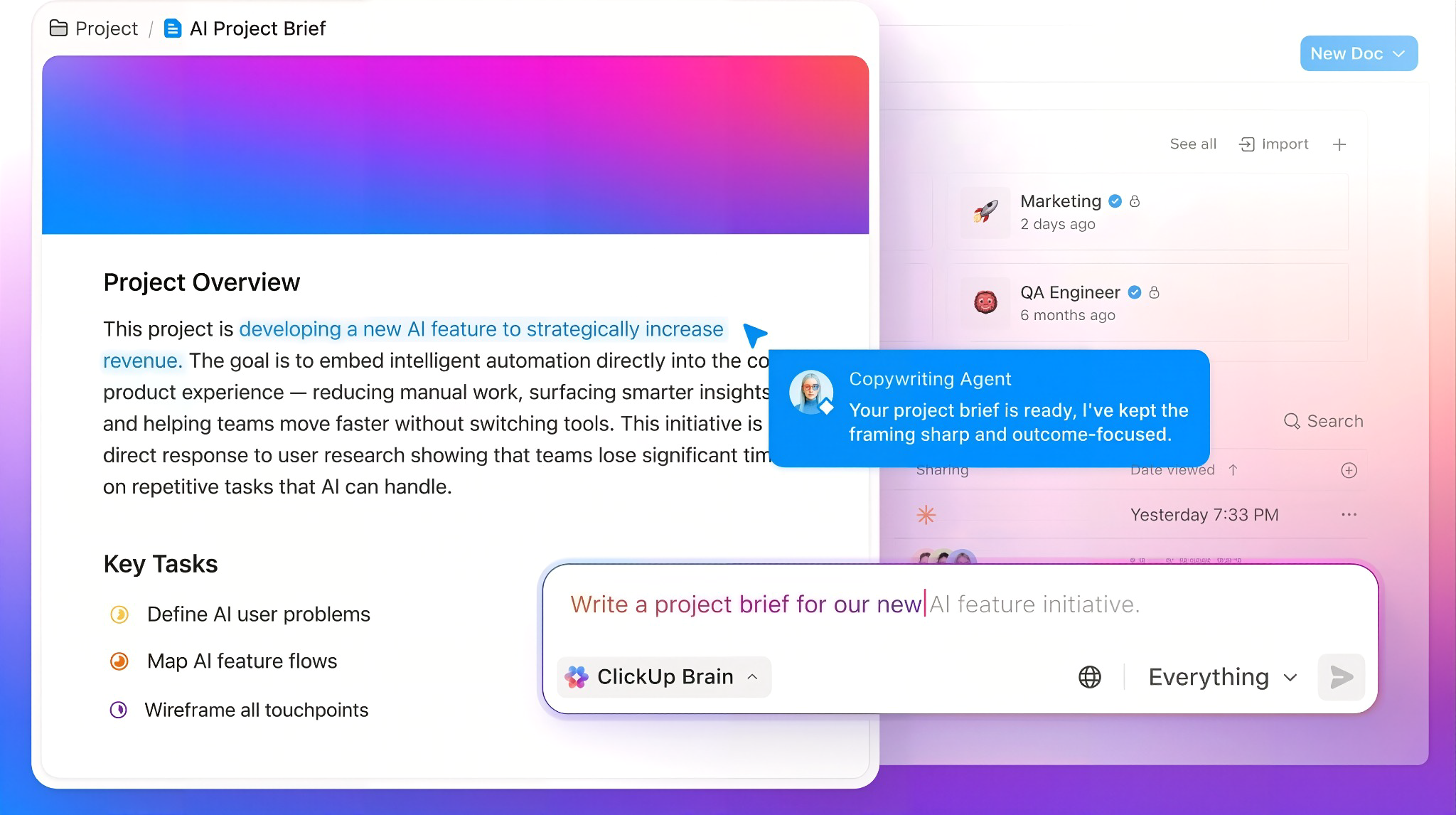
ClickUp Docs provides a block editor with nested pages, real-time co-editing, version history, and a Docs Hub for centralized search. Any Doc can be designated as a verified wiki, and ClickUp Brain prioritizes verified wikis when answering questions.
Source: ClickUp
Inline comments can be converted to tracked tasks in one click. Super Agents can monitor conversations, meetings, and task completions to keep Docs updated without prompting.
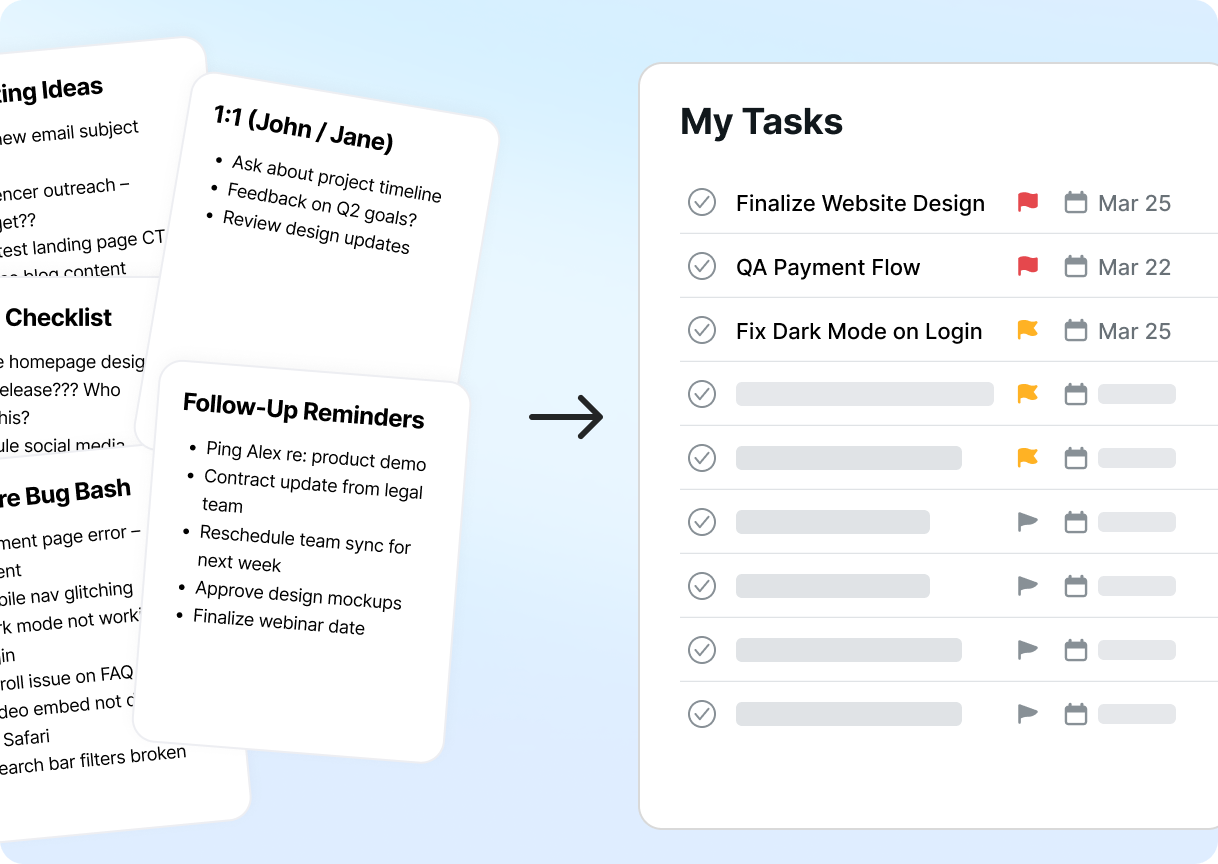
Motion's AI Docs Assistant takes a more action-oriented approach. It scans document content and identifies action items, deadlines, and assignees. Users can convert an entire document into a structured project with scheduled tasks in one click. Docs can be published as shareable links or live websites from Motion. The AI writing capabilities are trained on existing notes and communication style.
Source: Motion
ClickUp's Docs are more mature for teams building knowledge bases or internal wikis. Motion's Docs are coupled more tightly to execution, designed to turn written content into scheduled work right away.
Meeting management takes different paths
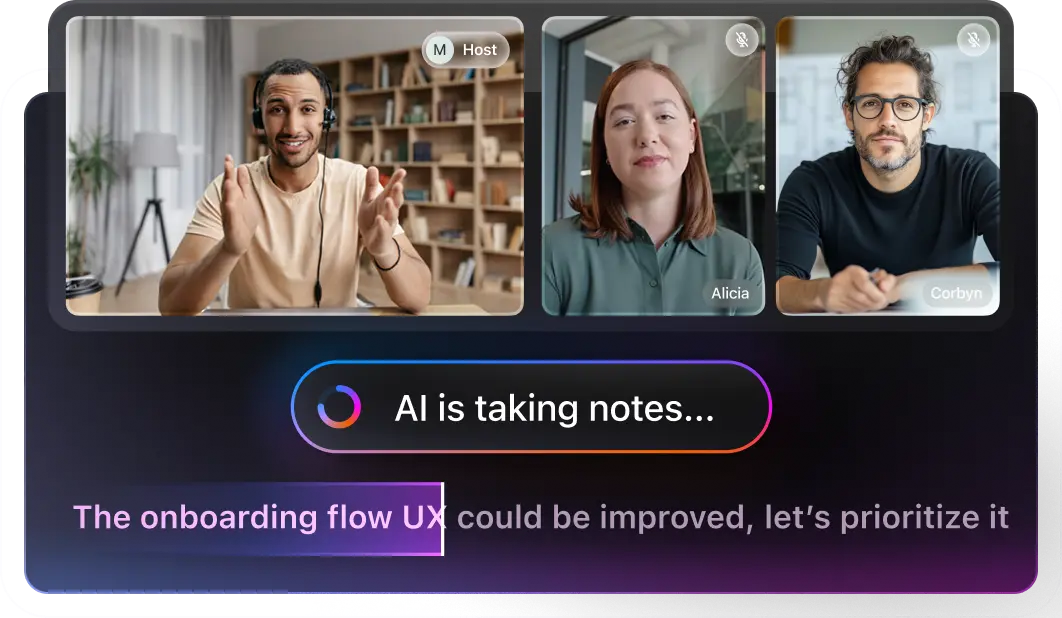
ClickUp's AI Notetaker joins meetings, generates summaries, searchable transcripts, and action items that convert into assigned tasks. It starts at $12/user/month for 60 hours of recording, priced as a separate add-on.
Source: ClickUp
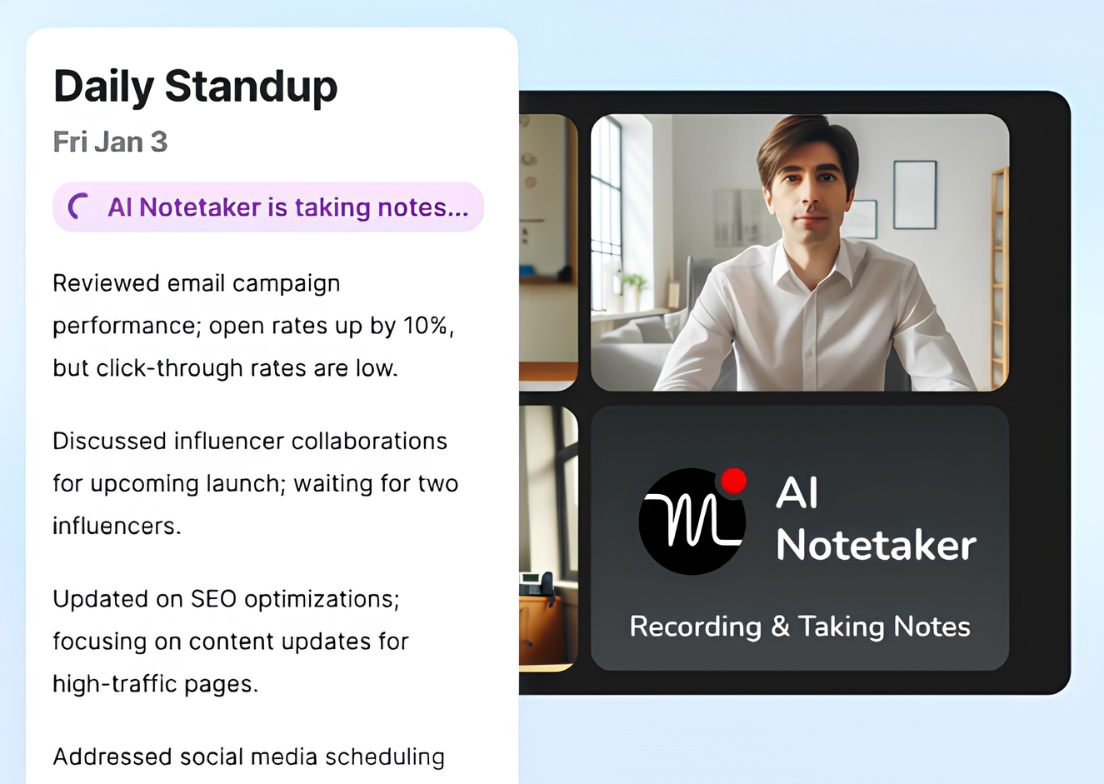
Motion's AI Meeting Notetaker provides similar capabilities, trained on 10,000+ hours of proprietary meeting video data. It claims accuracy equal to or better than human note-taking 80% of the time.
Source: Motion
Where Motion differs is the post-meeting workflow: detected action items are surfaced with deadlines, priorities, and duration pre-filled, and approved tasks are auto-scheduled into the assignee's calendar based on their existing workload. The Notetaker is included on both paid plans.
Motion also includes a built-in AI Meeting Assistant with booking links, buffer times, daily meeting limits, and multi-calendar conflict detection.
Unlike standalone schedulers like Calendly that show any open slot, Motion's booking links route meetings to times that protect focus time. ClickUp integrates with Google Calendar and Outlook but relies on those platforms' native scheduling rather than offering its own booking link system.
Mobile app quality varies
ClickUp's mobile app underwent a 2026 overhaul claiming 90% desktop feature parity, though 1,300+ Canny votes for "Voice to task on mobile" (currently "Building Now") indicate gaps remain.
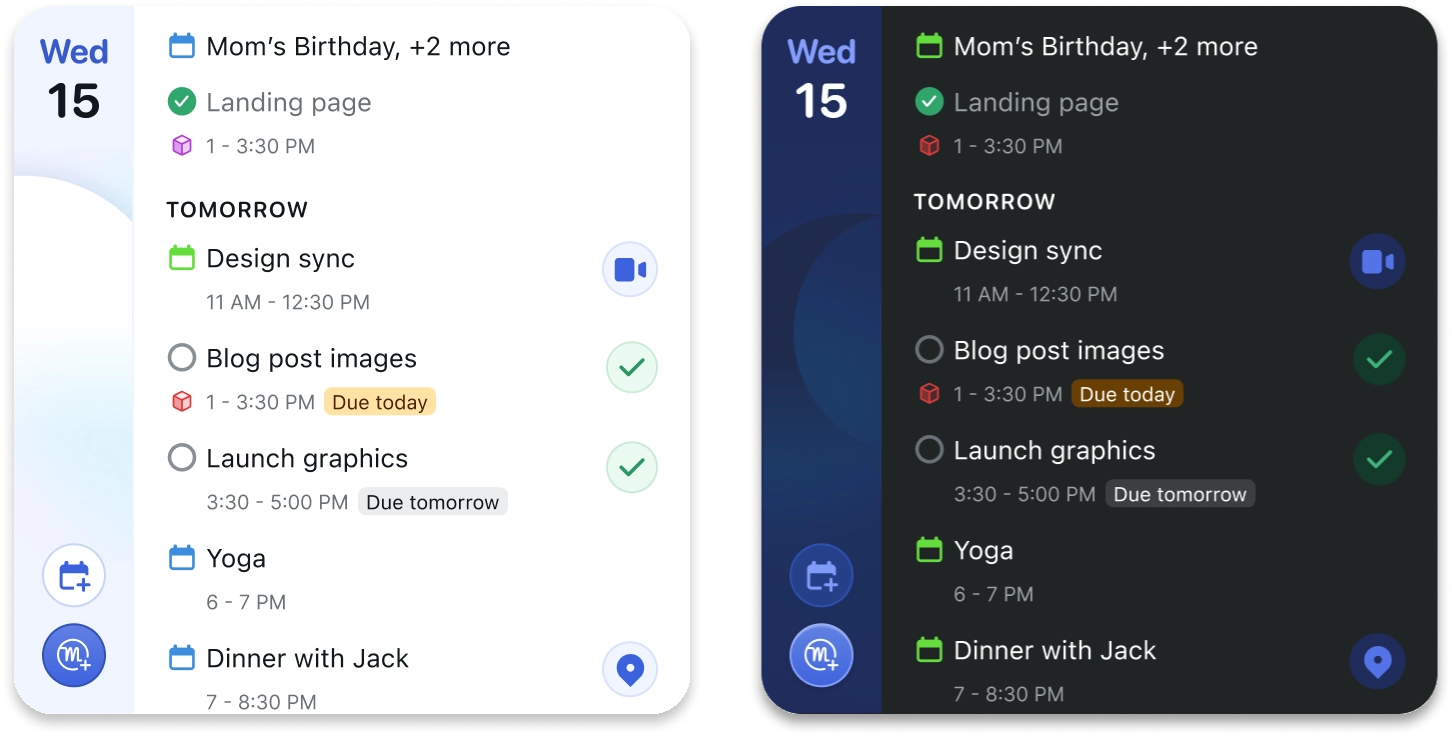
Motion's mobile app is positioned as a "streamlined accompaniment" to the desktop, not a full replacement. Multiple Capterra reviewers flag mobile limitations around notifications and recurring events as a pain point.
Source: Motion
Neither platform has solved mobile work management. Teams that need strong mobile access should evaluate both apps against their specific mobile workflows before committing.
Enterprise readiness and security
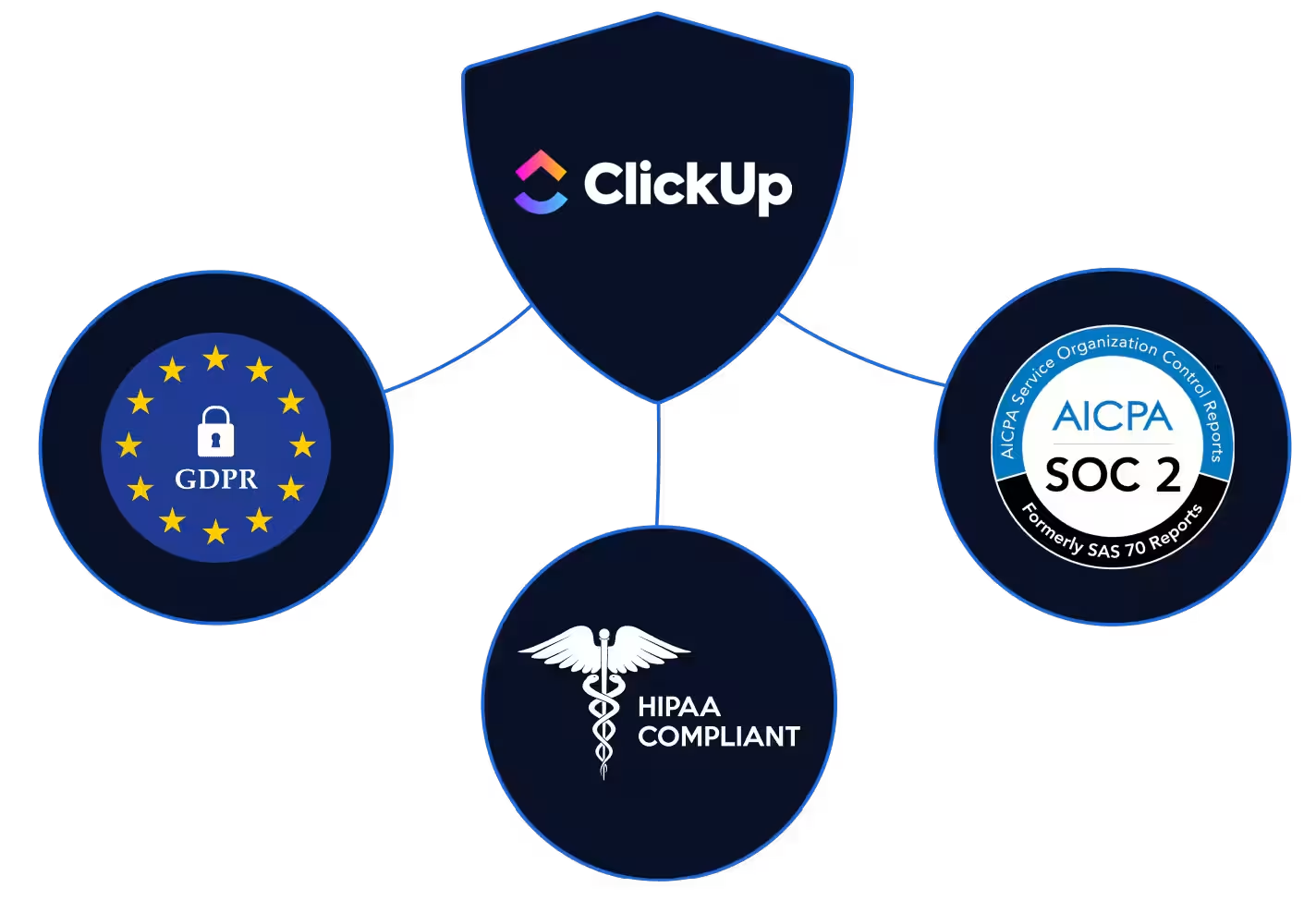
ClickUp has invested more in enterprise compliance. Certifications include SOC 1 Type 2, SOC 2 Type 2, SOC 3, ISO 27001, ISO 27017, ISO 27018, ISO 27701, and ISO 42001 (AI management).
Source: ClickUp
HIPAA compliance with a BAA is available on the Enterprise plan. Data residency options cover the US, Ireland, Australia, and Singapore. Enterprise features include SAML SSO, SCIM provisioning, audit logs, and custom roles.
Motion holds SOC 2 Type II certification and maintains GDPR compliance. All services are hosted on Google Cloud Platform with data encrypted at rest and in transit. Motion's security posture fits SMBs and mid-market teams but lacks the certifications (no ISO, no HIPAA) that enterprise procurement teams typically require.
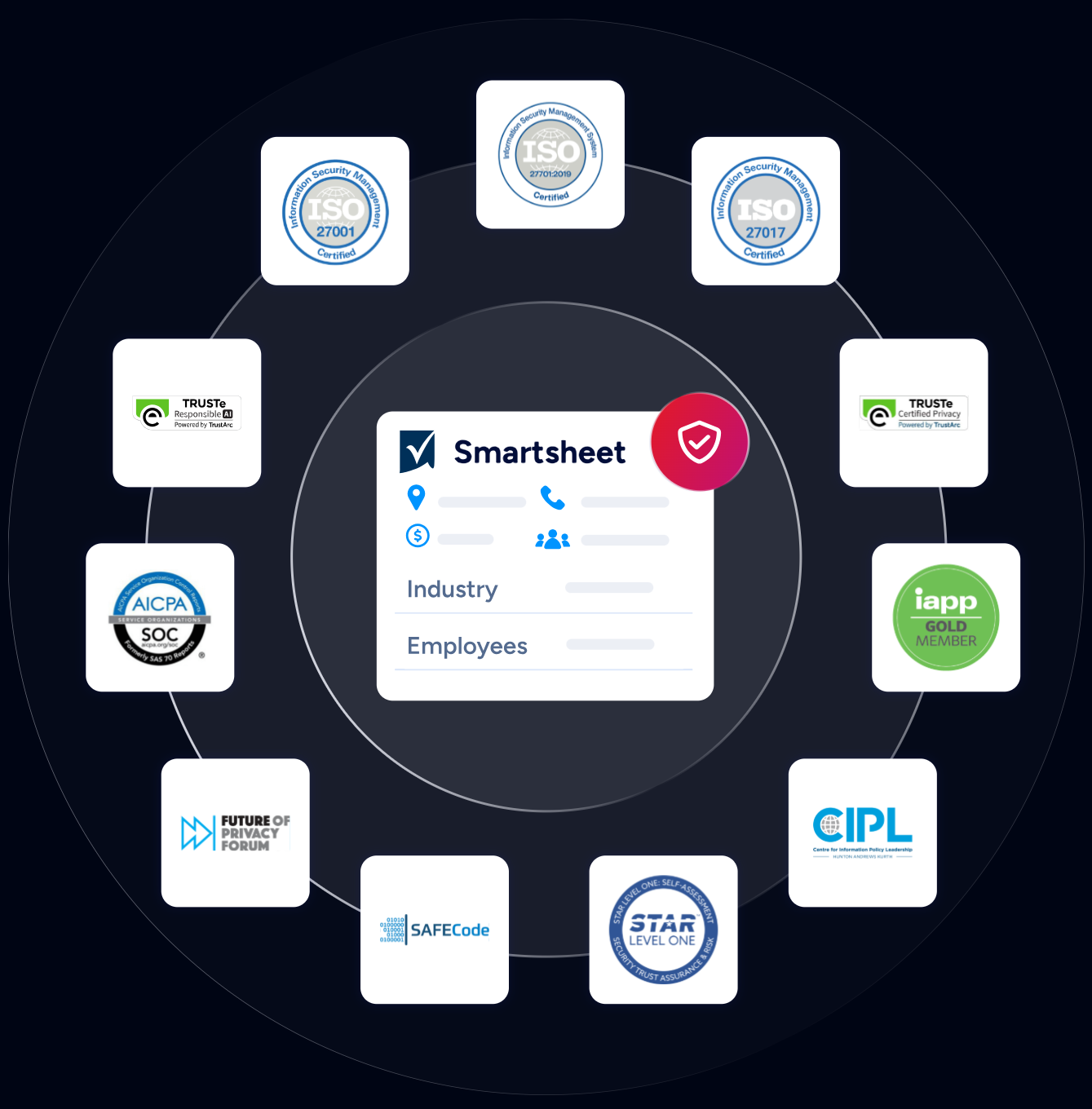
ZoomInfo maintains an enterprise security stack with ISO 27001, ISO 27701, SOC 2 Type II, TRUSTe GDPR and CCPA certifications, all renewed annually. It is a registered data broker in California and Vermont with a dedicated Trust Center.
Source: ZoomInfo
For organizations in regulated industries, ClickUp and ZoomInfo meet enterprise procurement requirements. Motion is suitable for teams where SOC 2 Type II satisfies compliance needs.
ClickUp vs. Motion vs. ZoomInfo: Which should you choose?
The right choice depends on what problem you're solving.
Choose ClickUp if:
You need customization to model complex workflows
Your team includes multiple departments with different project methodologies
A free tier matters for adoption and evaluation
You want 15+ view types for different ways of visualizing the same data
Enterprise compliance requirements (HIPAA, ISO, data residency) are non-negotiable
You're comfortable investing 2–4 weeks in onboarding for long-term flexibility
Choose Motion if:
You want the software to handle scheduling, prioritization, and project coordination
Your team runs repeatable service-based projects where resource allocation is critical
Eliminating daily standups and manual status updates would change your operations
You value AI-driven execution over manual customization
You're a service business, agency, or small team where every hour of project management overhead has a direct cost
Add ZoomInfo if:
Your sales team needs verified B2B contact data to fill pipeline
You want intelligence that reveals why deals move or stall
Your revenue operations depend on accurate, enriched CRM data
You need buyer intent signals to know which accounts are in-market
You want one intelligence layer accessible through your CRM, your AI agents, or any custom tool via API and MCP
See how ZoomInfo powers your go-to-market with a free trial.
Levanta's CEO describes the practical impact: "ZoomInfo's not just a contact data company anymore. They've built a full system of execution. GTM Intelligence actually works the list, writes the outreach, triggers the play, and helps drive predictable growth." (Levanta case study)
ClickUp and Motion each offer a valid answer to "how should we manage work?" ClickUp gives you the tools and lets you build. Motion gives you an engine and lets it run. The better question for revenue teams is whether you also have an answer for "what should we be working on?" That's the question ZoomInfo was built to answer, and it works alongside whichever work management platform you choose.
ClickUp vs. Motion vs. ZoomInfo FAQ
What is the fundamental difference between ClickUp and Motion?
ClickUp is a customizable work management platform where teams build their own workflows using 15+ view types, custom fields, and an eight-level hierarchy.
Motion is an AI-driven scheduling and project execution engine that automatically prioritizes tasks, schedules work on team members' calendars, and advances projects without manual status updates. ClickUp gives you control; Motion gives you automation.
Which platform is cheaper?
ClickUp costs less at entry level, starting with a Free Forever plan and paid plans from $7/user/month. Motion starts at about $19/seat/month on annual billing with no free plan.
However, Motion includes AI scheduling, meeting notetaker, and docs assistant in all paid plans, while ClickUp charges $9–$28/user/month extra for comparable AI features. The total cost depends on which AI capabilities your team needs.
Can ClickUp auto-schedule tasks on my calendar like Motion does?
ClickUp offers AI scheduling recommendations and an AI Time Blocking Agent that suggest time slots, but the user makes the final decision. Motion's auto-scheduling works differently: the engine places tasks on your calendar, re-optimizes hundreds of times per day, and flags tasks that cannot fit within available capacity. ClickUp assists with scheduling; Motion handles it autonomously.
Which platform has better integrations?
ClickUp has a larger integration ecosystem with connections to over 1,000 tools, including native integrations with Slack, HubSpot, GitHub, and GitLab, plus support for multiple iPaaS platforms (Zapier, Make, n8n).
Motion's native integrations cover core calendar and conferencing tools, with Zapier as the only iPaaS option. Motion's integrations FAQ states no plans for native Notion, Google Sheets, or ClickUp integrations.
How does ZoomInfo relate to ClickUp and Motion?
ZoomInfo solves a different problem than either work management platform. ClickUp and Motion manage internal projects and team workflows.
ZoomInfo provides B2B intelligence (500M contacts, buyer intent signals, and account insights) that sales and marketing teams need to identify prospects, prioritize accounts, and execute outreach. ZoomInfo complements either platform by fueling the pipeline that creates the projects those platforms manage.
Which platform is better for software development teams?
Neither is built for engineering. ClickUp offers sprint management with burndown charts, native GitHub/GitLab/Bitbucket integrations, and a hierarchy that can model epics and user stories, though reviewers note it lacks the depth of Jira or Linear for engineering-specific workflows.
Motion's project management is oriented toward service businesses with repeatable workflows and does not emphasize developer-specific features like CI/CD hooks or code review integrations.
Which platform has better AI capabilities?
Both platforms have invested in AI, with different strengths. ClickUp Brain2 routes queries across Claude, GPT, and Gemini with full workspace context, supports Super Agents with 500+ skills, and provides enterprise search across connected apps.
Motion's AI focuses on autonomous scheduling and project execution, with AI Employees trained on company-specific workflows. ClickUp's AI is broader; Motion's AI is more embedded in day-to-day execution decisions like what to work on and when.
Does either platform offer a free plan?
ClickUp offers a Free Forever plan with unlimited tasks, collaborative Docs, and basic features, though storage is capped at 60 MB and features like Gantt charts, integrations, and advanced automations are excluded. Motion does not offer a free plan and requires a card hold at signup for its trial. ZoomInfo offers a permanent free tier called ZoomInfo Lite with access to the B2B database and 10 monthly export credits.
