
Choosing between Doodle and Calendly comes down to five questions:
Do you need to coordinate meetings across organizations where nobody shares a calendar, or are you scheduling one-on-one appointments with people who can see your availability?
Is your main challenge finding a time that works for a group, or routing inbound leads to the right sales rep?
Do you need scheduling that feeds into your CRM and sales pipeline, or is standalone coordination enough?
Are you in a regulated industry where data residency and compliance certifications determine which tools you can use?
Does your team need to know who's researching your product before the meeting happens?
In short, here's what we recommend:
Doodle is the strongest choice for teams that coordinate across organizational boundaries. Its Group Poll lets you propose times to dozens of participants who don't share a calendar, and everyone votes without creating an account. With four scheduling modes (Group Poll, 1:1, Booking Page, and Sign-up Sheet), SOC 2 Type II, HIPAA, and GDPR compliance, and Swiss-hosted infrastructure, Doodle fits universities, healthcare networks, non-profits, and professional services firms that need cross-organization scheduling. However, Doodle has no native CRM integrations, deprecated its public API in 2024, and its newest product (Doodle Time OS) remains in early access.
Calendly dominates when scheduling needs to drive revenue. Its Routing Forms qualify inbound leads and book them with the right sales rep in a single flow. Native Salesforce and HubSpot integrations sync meeting data to your CRM automatically, and Notetaker generates AI meeting recaps with action items. Trusted by 86% of Fortune 500 companies and backed by 100+ integrations, Calendly is built for sales, recruiting, and customer success teams that need scheduling connected to their pipeline. The trade-off: a restrictive free tier (one event type, one calendar) and limited white-labeling options.
Both platforms solve scheduling friction, but from opposite directions. Doodle excels at finding consensus across groups. Calendly excels at converting scheduling into pipeline. Yet neither tells you whether the person booking that meeting is in-market for your product, which contacts at the account are worth engaging, or what signals suggest the deal is ready to move. That context lives upstream of scheduling, and it's where ZoomInfo fits in.
ZoomInfo is an AI go-to-market platform built on a B2B data foundation of 500M contacts, 100M companies, 135M+ verified phone numbers, and 200M+ verified business emails. ZoomInfo's GTM Context Graph combines this data with your CRM records, conversation transcripts, and behavioral signals to show not just what's happening in your pipeline, but why. Before a meeting is booked, ZoomInfo identifies which accounts are researching your category, surfaces the right contacts to engage, and drafts outreach that addresses their situation. Your team accesses this intelligence through GTM Workspace for sellers, GTM Studio for marketers and RevOps, or APIs and MCP in any front-end.
If you want to know who's worth meeting before the calendar link goes out, see how ZoomInfo works.
Doodle vs. Calendly vs. ZoomInfo at a glance
Doodle | Calendly | ZoomInfo | |
|---|---|---|---|
Core strength | Multi-party group scheduling across organizations | Scheduling automation for sales teams | B2B intelligence and go-to-market execution |
Group scheduling | Group Poll with voting | Meeting Polls (propose and vote) | N/A (complements scheduling tools) |
CRM integration | None | Salesforce, HubSpot, Microsoft Dynamics | Salesforce, HubSpot, Dynamics + 120+ marketplace integrations |
Lead routing | None | Routing Forms with CRM lookup | Account prioritization and signal-triggered workflows |
AI features | Time OS in early access | Notetaker (meeting recaps, action items) | GTM Context Graph, AI-drafted outreach, buying group intelligence |
Compliance | SOC 2 Type II, HIPAA, GDPR (Swiss-hosted) | SOC 2 Type II, ISO 27001, GDPR, CCPA | ISO 27001, ISO 27701, SOC 2 Type II, GDPR, CCPA |
API access | Deprecated (June 2024) | REST API v2, Webhook API, MCP Server | Enterprise API, MCP Server, Data Cubes |
Free plan | Yes (ads, limited features) | Yes (1 event type, 1 calendar) | ZoomInfo Lite (permanent, 10 exports/month) |
Pricing model | Per-seat ($8.95–$15/user/month) | Per-seat ($10–$16/user/month) | Custom-quoted, consumption-based |
Best for | Cross-organization coordination | Sales and revenue teams | Teams that need intelligence before the meeting |
They solve different scheduling problems
Doodle and Calendly both eliminate email back-and-forth, but they attack different coordination challenges.
Doodle was built for the hardest scheduling scenario: getting a group of people who don't share a calendar to agree on a time.
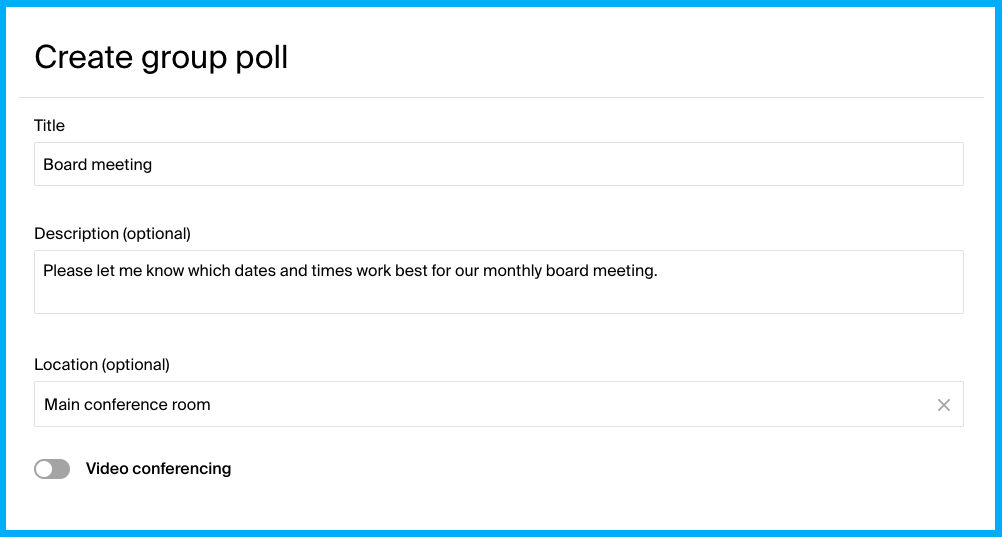
A university department scheduling a panel review with three external examiners, a government research body, and a dean's office doesn't need a booking link. It needs a poll where everyone votes asynchronously, times display in each voter's local time zone, and nobody needs to install anything or create an account.
That's what Group Poll does, and it scales to 1,000 respondents per poll on Professional plans. The three-state voting system (yes, if-need-be, or no) captures secondary preferences that binary tools miss, giving organizers a clearer picture of the best time.
Source: Doodle
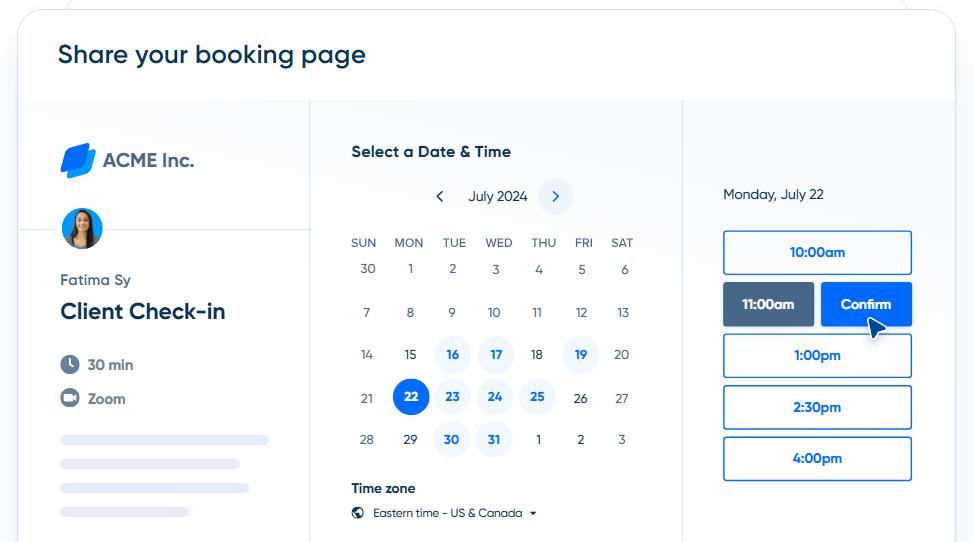
Calendly was built for a different motion: letting someone share their availability and have the other party book instantly.
The invitee picks a time, gets a confirmation, and both calendars update. That simplicity made Calendly the default scheduling tool for sales reps, recruiters, and consultants. But the real power is what happens after the link is shared. Routing Forms qualify the visitor, look up their record in Salesforce or HubSpot, and route them to the assigned rep's calendar, all in one flow.
Source: Calendly
The distinction matters because choosing the wrong tool means fighting its design. If you're coordinating a board meeting with twelve external members, Calendly's one-on-one booking model doesn't fit. If you're converting inbound website traffic into sales meetings, Doodle's polling model adds friction.
Calendly wins for sales and revenue workflows
For teams where scheduling is part of a revenue pipeline, Calendly has a clear advantage.
The Salesforce integration on Teams and Enterprise plans creates or updates leads, contacts, and opportunities when a meeting is booked. No manual CRM entry. HubSpot, Marketo, and Pardot integrations extend this to marketing automation, so a booked meeting can trigger a nurture sequence or update a lead score automatically.
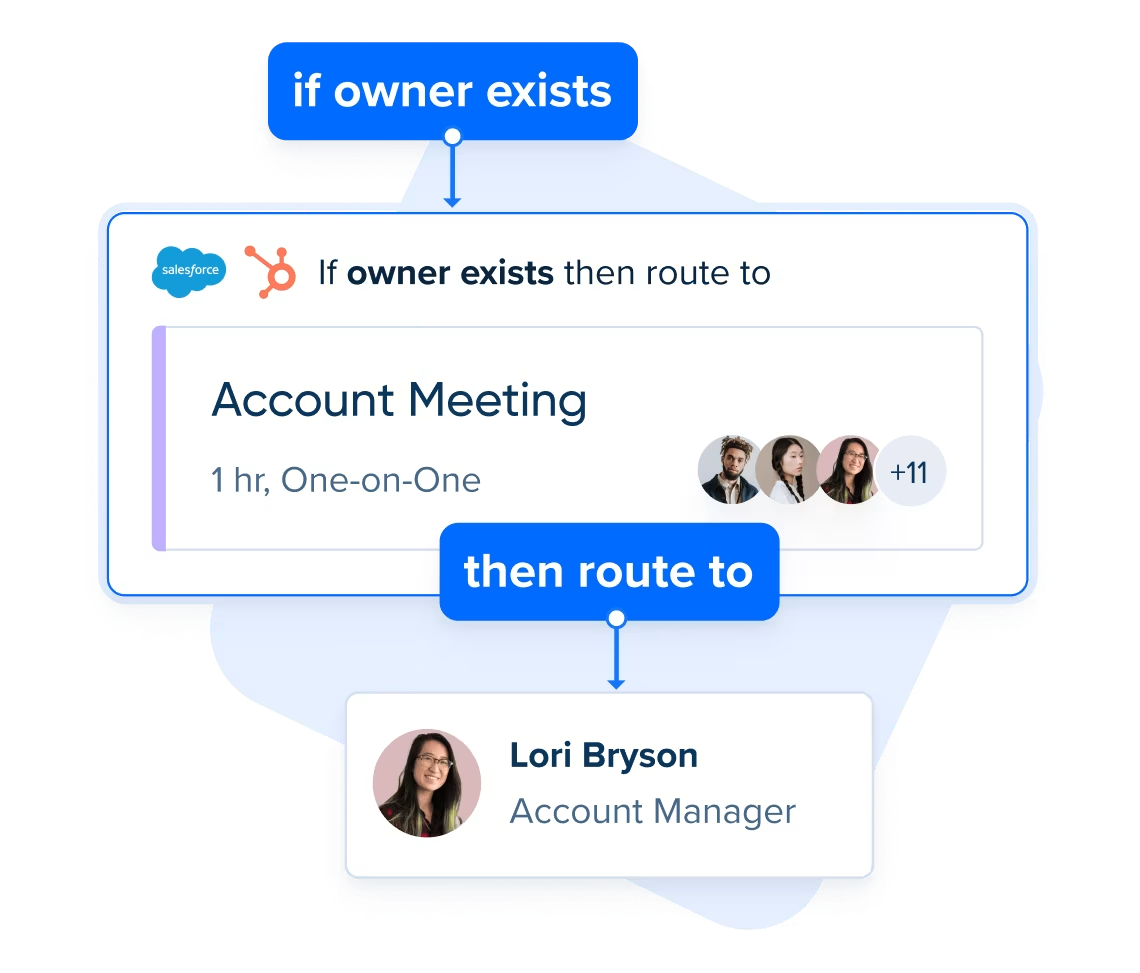
Routing Forms take this further.
A prospect fills out a short form on your website. Calendly checks Salesforce or HubSpot in real time, finds the assigned account owner, and routes the visitor to that rep's booking page. If the visitor doesn't match an existing record, conditional logic routes them by company size, industry, or other qualifying criteria. Hidden fields populated by Clearbit or ZoomInfo enrichment data enable routing by company attributes without asking the visitor additional questions.
The result: inbound scheduling becomes qualified lead capture, not just a calendar convenience.
Source: Calendly
Doodle has no native CRM integration. No Salesforce sync, no HubSpot connection, no lead routing. The Zapier integration (Professional plan only) can trigger downstream actions when a meeting is booked, but it's a workaround, not a native workflow. For teams whose scheduling feeds into a sales process, this is a real gap.
Doodle wins for cross-organization coordination
When the challenge is getting people who don't share tools, calendars, or organizations to agree on a time, Doodle's architecture was built for exactly that.
Group Poll doesn't require participants to have accounts, install software, or share calendar access. An organizer proposes times, shares a link, and participants vote. This works well for scenarios like coordinating volunteer availability across dozens of participants or scheduling inspections across distributed teams where shared calendar access doesn't exist.
Doodle also covers scheduling modes Calendly doesn't.
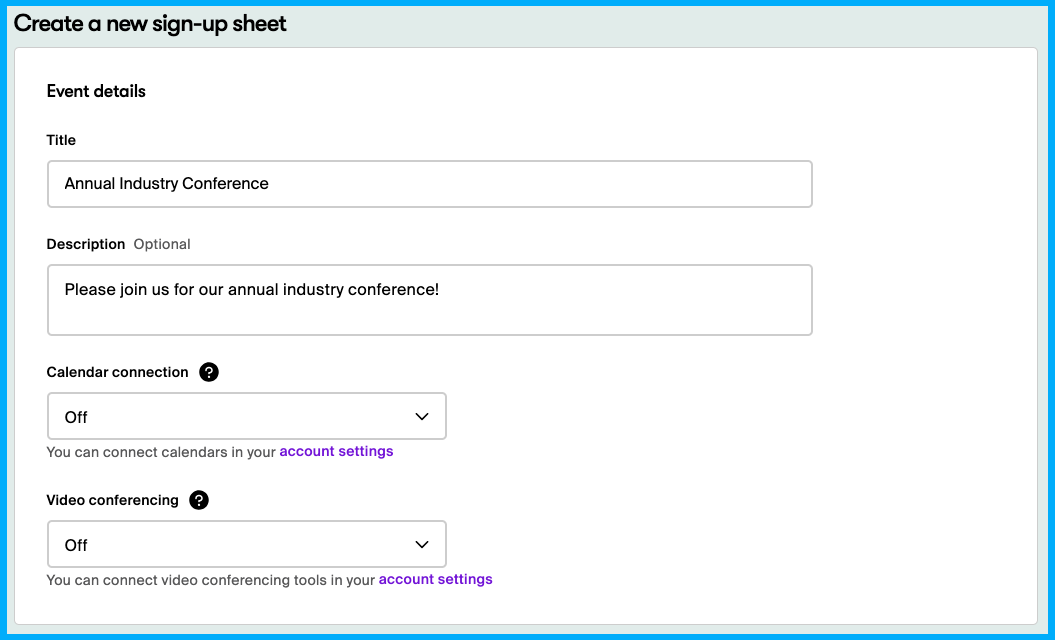
Sign-up Sheet lets organizers publish multi-session events with per-session capacity limits (up to 999 seats per session), custom registration questions, and automatic timezone localization. A university running five parallel workshops at different capacities can enforce different seat caps on each without manual tracking. QR code sharing makes enrollment available from printed flyers and conference signage, not just digital links.
Source: Doodle
Calendly added Meeting Polls to address group scheduling. The host proposes times, holds those slots on their calendar, and participants vote. Calendly books the winning time and releases the holds on the rest automatically. It's a capable feature, but it's an addition to Calendly's one-on-one core, not the foundation of the product.
For a five-person panel interview, it works. For polling forty external stakeholders across twelve time zones, Doodle's polling architecture handles the complexity better.
ZoomInfo adds the intelligence layer scheduling tools can't provide
Both Doodle and Calendly answer the question: "When should we meet?" Neither answers: "Should we be meeting this person at all?"
That's the gap ZoomInfo fills. ZoomInfo operates upstream of scheduling, identifying which accounts are worth pursuing before a calendar link goes out.
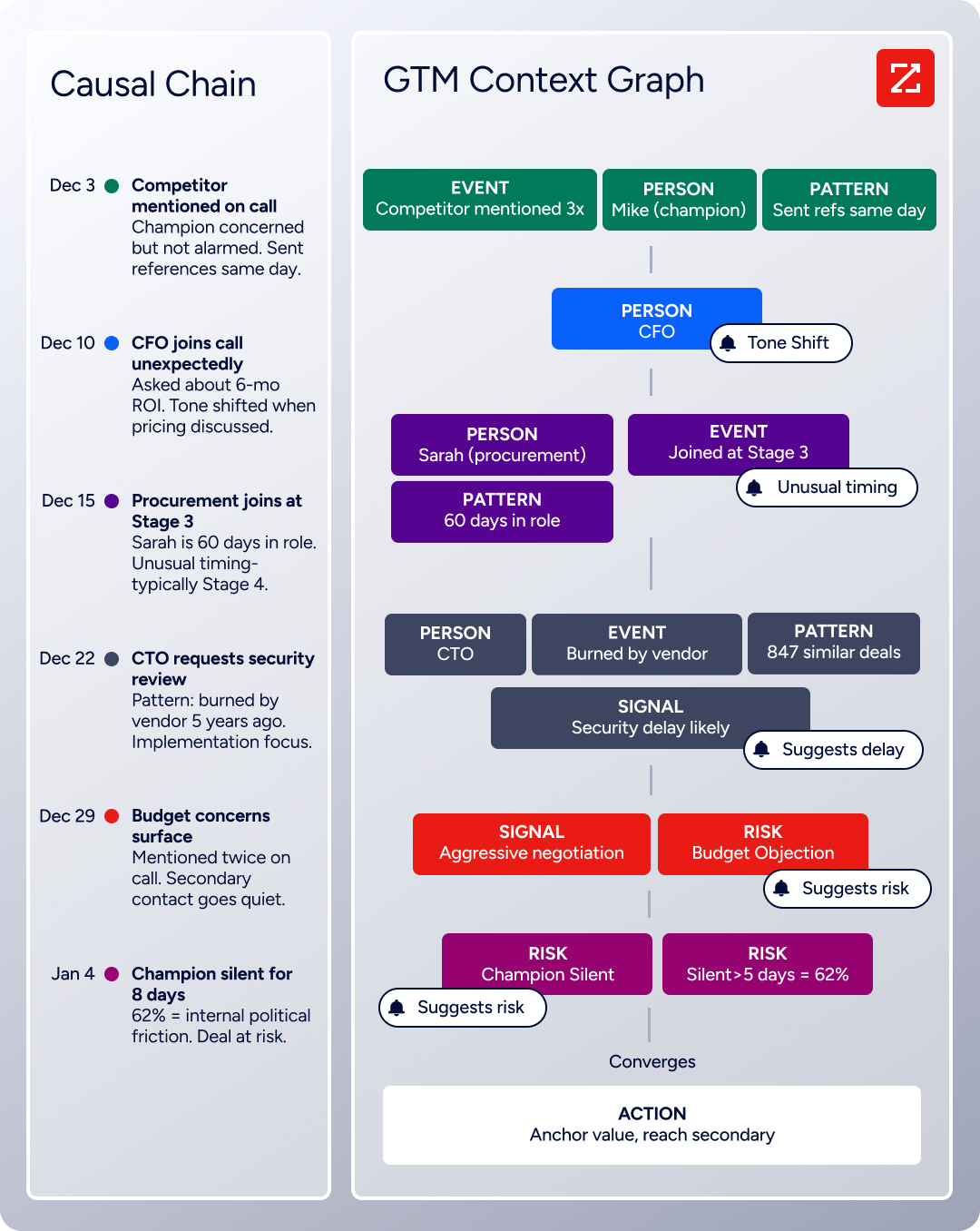
The GTM Context Graph processes 1.5B+ data points daily, combining ZoomInfo's third-party intelligence with your CRM records, conversation transcripts, and behavioral signals. It doesn't just record that a deal moved to stage 3. It captures why: the CFO joined the last call and asked about six-month ROI, the VP went quiet because of an internal budget battle, the company is hiring three new VPs and researching your competitor. That context flows into every action your team takes.
Source: ZoomInfo
In GTM Workspace, a seller sees a prioritized account feed with AI-drafted outreach that addresses the concern identified from the last conversation. No toggling between tools. Seismic's sales team boosted productivity by 54% and attributed 39% of active pipeline to opportunities identified or influenced by ZoomInfo signals.
"That combination of our internal CRM data, external signals, and AI that's given all that context has helped us craft very specific account- and persona-based messages. And people have responded to them right away." (Seismic)
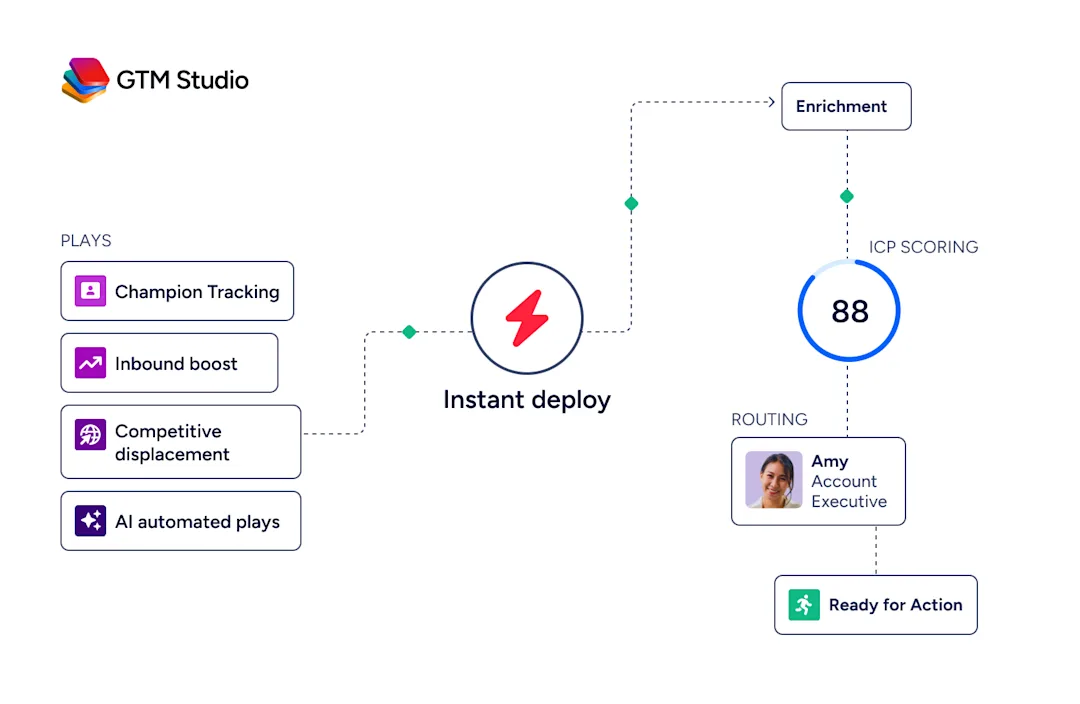
For marketers and RevOps, GTM Studio lets you describe audiences in plain language, launch multi-channel campaigns targeting accounts that match your proven win patterns, and measure pipeline impact in real time. Expansion campaigns that used to take three weeks now launch in 30 minutes.
Source: ZoomInfo
The practical combination: ZoomInfo identifies the right accounts and contacts, your team uses Calendly or Doodle to schedule the meeting, and ZoomInfo's intelligence ensures the rep walks in knowing the full context. The scheduling tool handles logistics. ZoomInfo handles strategy.
The integration and API gap is widening
How each platform connects to the rest of your tech stack reveals where they're headed.
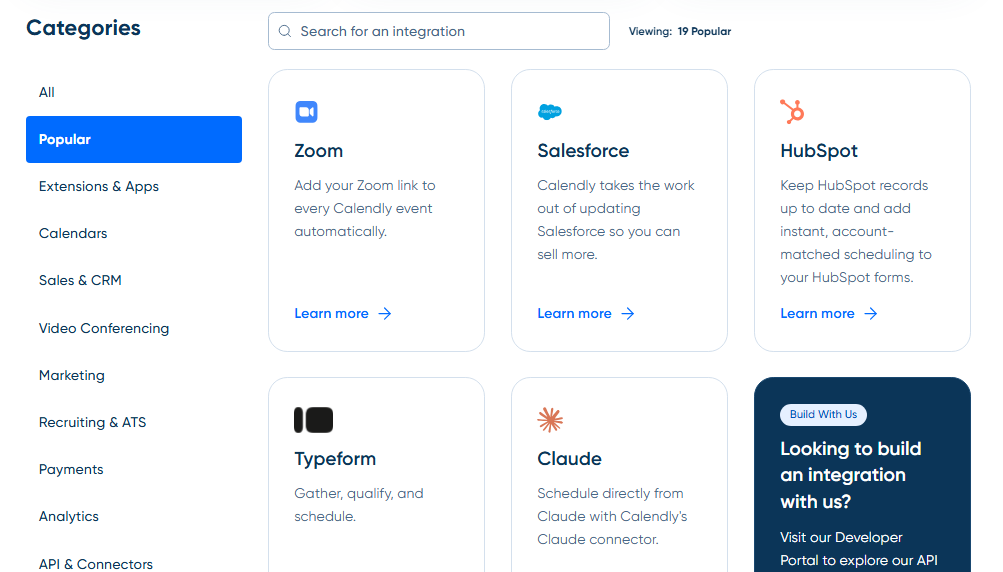
Calendly has the most integrations of the three, with 100+ named connections spanning CRM, marketing automation, video conferencing, payments, and analytics.
Its REST API v2, Webhook API, and new Scheduling API let developers build scheduling into custom applications without redirects or iframes. A Calendly MCP Server enables AI agents to schedule meetings natively. The developer documentation includes interactive endpoint exploration and use-case guides.
Source: Calendly
Doodle moved in the opposite direction.
In June 2024, Doodle officially deprecated its public API. No new integrations can be built against Doodle's data. Automation now runs through Zapier (Professional plan only), which provides triggers for meeting bookings and updates but can't replicate what a direct API enables. For organizations building custom workflows or embedding scheduling into internal tools, this is a real limitation.
ZoomInfo operates at a different layer.
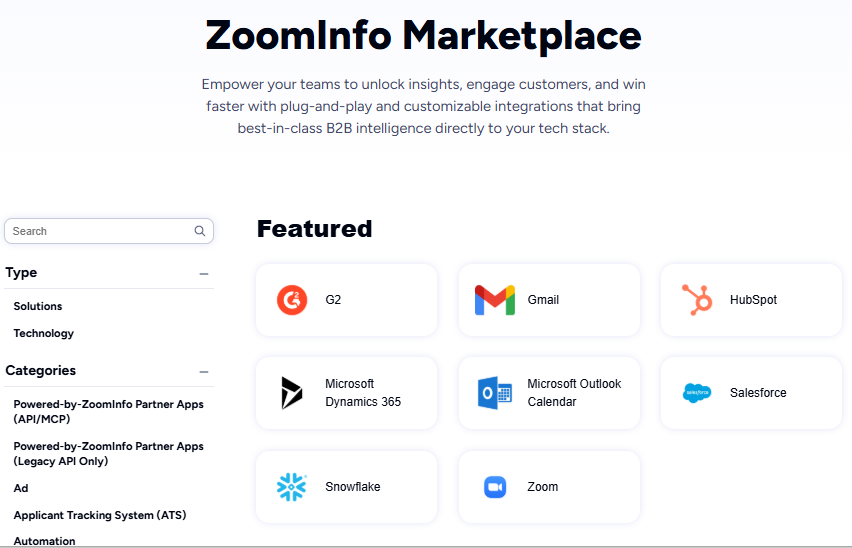
The Enterprise API exposes search, enrichment, intent, and AI intelligence endpoints. The ZoomInfo MCP server connects AI models directly to ZoomInfo's data as a native tool. API access is included in all relevant plans, and the Marketplace lists 172+ integration partners. ZoomInfo is expanding access; Doodle is contracting it.
Source: ZoomInfo
Compliance and security positioning
Both scheduling platforms meet enterprise security requirements, but their certifications and data residency postures differ.
Doodle emphasizes its Swiss heritage. Headquartered in Zürich with all infrastructure hosted on AWS in the EU, Doodle holds SOC 2 Type II and Cyber Verify Level 3 certifications. It markets explicitly to healthcare and education with HIPAA and GDPR compliance. For European enterprises or regulated industries concerned about US-based platforms, Doodle's Swiss hosting is a differentiator.
Calendly holds a broader set of certifications: SOC 2 Type II, SOC 3, ISO/IEC 27001, GDPR, CCPA, CSA STAR Level 1, and PCI DSS. Enterprise features include SAML SSO, SCIM provisioning, audit logs, domain control, and data deletion APIs. The Whistic profile streamlines vendor security assessments. Calendly holds more certifications, but its infrastructure is US-based.
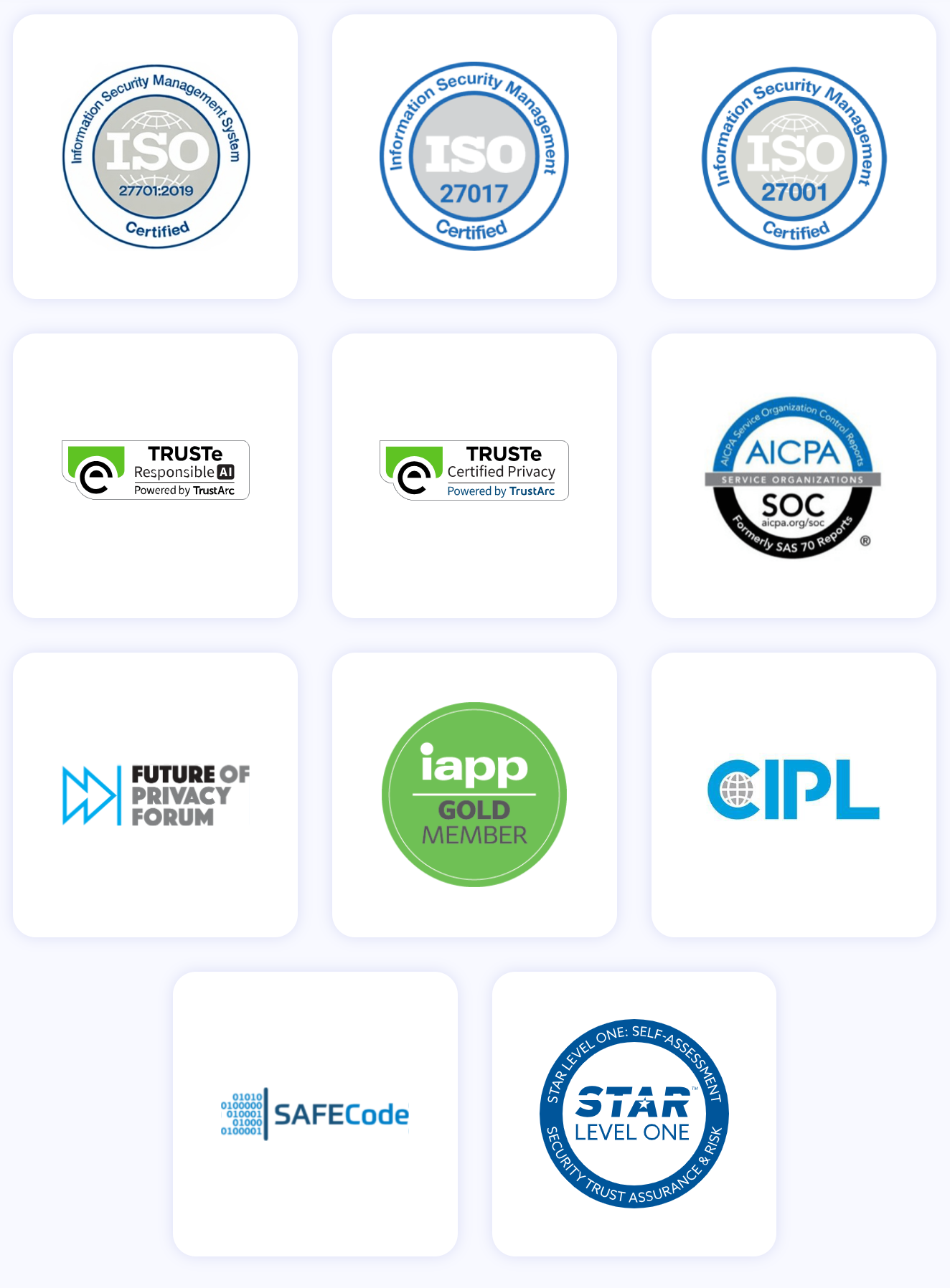
ZoomInfo maintains ISO 27001, ISO 27701, SOC 2 Type II, TRUSTe GDPR, and TRUSTe CCPA certifications, all renewed annually. As a registered data broker in California and Vermont, ZoomInfo's compliance infrastructure supports enterprise data governance.
Pricing structures reflect different buyers
Doodle uses per-seat pricing with a permanent free tier.
The free plan includes Group Polls (capped at 10 time slots), one Booking Page, and one 1:1 page, but displays ads to all participants. Pro costs $15/month (or $11/month billed annually) for a single user. The Team plan runs $8.95/user/month billed annually (minimum two users), adding shared booking pages and admin controls. Annual plans include a 14-day refund window.
Calendly follows a similar per-seat model.
The free plan is limited to one event type and one calendar connection. Standard is $10/seat/month (annual), unlocking unlimited event types, six calendar connections, and payment collection via Stripe and PayPal. Teams is $16/seat/month (annual), adding Salesforce integration, round-robin distribution, and Routing Forms. Enterprise starts at $15,000/year with Salesforce Lookup Routing, SCIM, and dedicated support. One detail worth noting: Calendly's terms include a CPI + 3% price escalation clause on renewal.
ZoomInfo uses custom-quoted, consumption-based pricing with no published prices. Costs scale with data access, API consumption, user seats, and AI activity.
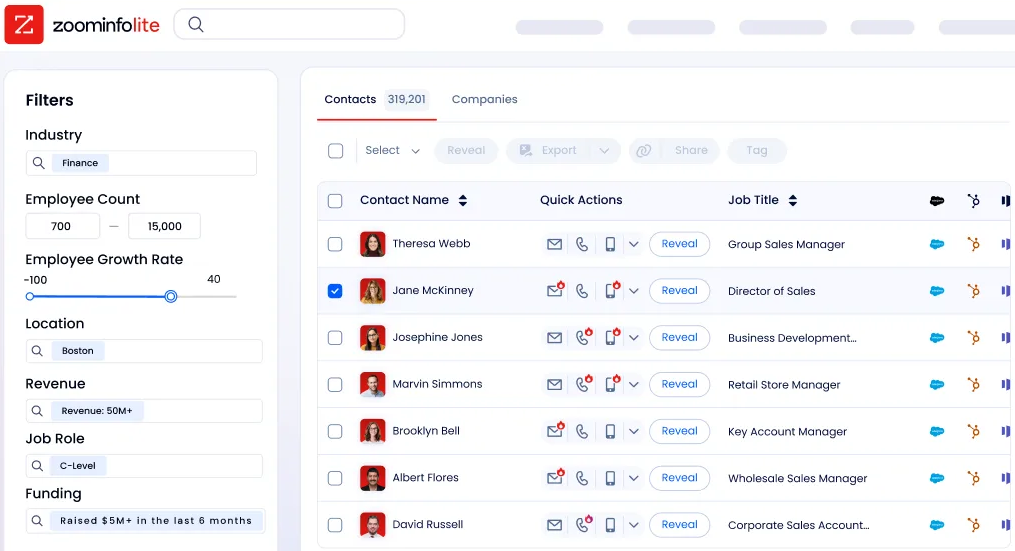
ZoomInfo Lite is a permanent free tier with 10 monthly export credits and access to the B2B database. Paid plans start at the Professional tier and scale through Advanced and Enterprise, each adding more intelligence and automation features.
Source: ZoomInfo
Direct price comparison between ZoomInfo and the scheduling tools isn't meaningful because they solve different problems. The more relevant question is whether the intelligence ZoomInfo provides (identifying the right accounts and contacts before the meeting) justifies the investment alongside your scheduling tool of choice.
The AI roadmap tells you where each platform is heading
Doodle is betting on Doodle Time OS, a scheduling layer that reads across all calendars, enforces time-protection rules, and books meetings automatically.
Features like zero-touch meeting creation, focus hour protection, and preference-aware scheduling represent a different vision for how teams manage time. The challenge: Time OS remains in early access as of mid-2026, and the features driving the marketing narrative aren't available yet. Doodle has also announced an education product for summer 2026 and established the Doodle Time Institute as a research body studying organizational time allocation.
Calendly is evolving from a scheduling utility into a meeting intelligence platform.
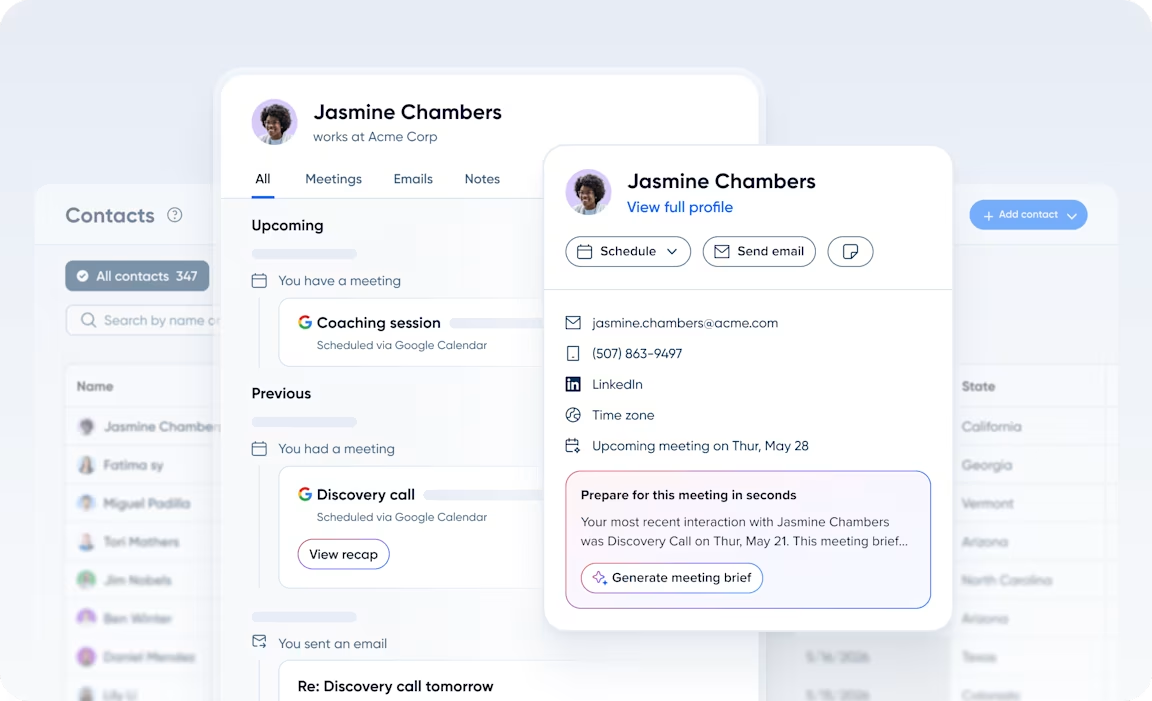
Notetaker, included in all paid plans with unlimited recaps, records meetings, generates AI summaries and action items, and drafts follow-up emails. Contacts builds relationship records automatically from scheduling activity, surfacing past meeting history and AI briefs before each conversation. A new Scheduling API enables AI agents and custom portals to book meetings programmatically without Calendly's hosted UI. Calendly wants to own the meeting lifecycle from booking through follow-up.
Source: Calendly
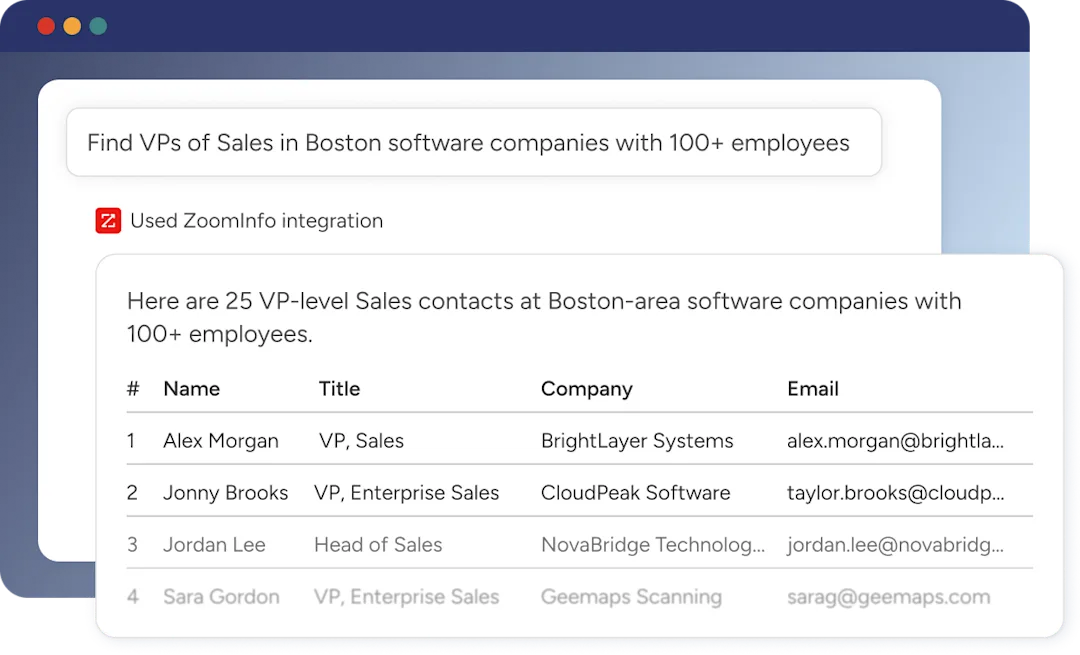
ZoomInfo is deepening the GTM Context Graph with every CRM sync, recorded call, and behavioral signal.
In 2025 alone, ZoomInfo expanded its data foundation by adding 10.2 million contacts, growing international mobile coverage by 1.8 million numbers across six European markets, and launching nine vertical datasets. The MCP server connects AI models directly to ZoomInfo's data, and API access has been added to all relevant plans. ZoomInfo's trajectory points toward becoming the intelligence layer that powers every go-to-market tool in your stack, including your scheduling platform.
Source: ZoomInfo
Doodle vs. Calendly vs. ZoomInfo: Which should you choose?
The right choice depends on what your scheduling challenge is, and whether you need intelligence upstream of the meeting.
Choose Doodle if:
You regularly coordinate meetings across organizations where participants don't share calendars
Group consensus scheduling (five or more participants voting on times) is a frequent workflow
You operate in healthcare, education, non-profit, or government where HIPAA compliance and EU data residency matter
Your scheduling is standalone coordination, not tied to a sales pipeline or CRM
You value easy participant experience above integration depth
Choose Calendly if:
Scheduling is part of your sales, recruiting, or customer success pipeline
You need meetings to create CRM records, trigger marketing automation, or route leads to reps automatically
Your team runs on Salesforce, HubSpot, or Microsoft Dynamics and needs native sync
AI meeting recaps and follow-up drafts would save your team hours per week
You want a large integration ecosystem with 100+ connections and a developer API
Add ZoomInfo if:
You want to know which accounts are in-market before sending a calendar link
Your sales team needs verified direct dials, emails, and buying committee intelligence to fill the pipeline that scheduling converts
You need AI that understands why deals move, not just that they moved
You're building go-to-market workflows where scheduling is one step in a larger motion powered by data and signals
You want intelligence accessible in any tool, from your CRM to your AI agents, via API and MCP
See how ZoomInfo's intelligence powers your go-to-market motion.
Scheduling tools handle logistics. They align two calendars and make a meeting happen. That's valuable, and both Doodle and Calendly do it well from different angles.
But the teams winning the most meetings are the ones who know, before the invite goes out, exactly who to target, why now is the right moment, and what to say when the conversation starts. That intelligence is what ZoomInfo provides, and it compounds the value of whichever scheduling tool you choose.
Doodle vs. Calendly vs. ZoomInfo FAQ
What is the core difference between Doodle and Calendly?
Doodle is built for multi-party group scheduling where participants across different organizations vote on proposed times without needing accounts or shared calendar access. Calendly is built for one-on-one and team scheduling tied to revenue workflows, with native CRM integrations, lead routing, and meeting automation.
Doodle excels at finding consensus across groups; Calendly excels at converting scheduling into pipeline.
Which platform is better for sales teams?
Calendly is the stronger choice for sales teams. Its Routing Forms qualify inbound leads and book them with the assigned CRM owner in a single flow. Native Salesforce and HubSpot integrations sync meeting data automatically, and Notetaker generates post-meeting recaps and follow-up drafts.
Doodle has no CRM integration, making it unsuitable as a sales scheduling tool. ZoomInfo complements Calendly by identifying which accounts to target and providing verified contact data before the scheduling link goes out.
Can Doodle or Calendly tell me which prospects are in-market?
Neither platform provides buyer intent or account intelligence. Both handle scheduling logistics. ZoomInfo fills this gap with buyer intent data tracking signals from 210 million IP-to-Organization pairings, website visitor identification, and the GTM Context Graph, which surfaces why accounts are worth engaging before the meeting is booked.
How does group scheduling compare between Doodle and Calendly?
Doodle's Group Poll is built for group consensus, supporting up to 1,000 respondents per poll with three-state voting (yes, if-need-be, no) and no account requirement for participants. Calendly's Meeting Polls are a capable alternative for smaller groups, with the added benefit of holding proposed times on the host's calendar to prevent double-booking during voting.
For large cross-organization coordination, Doodle is more mature; for small team scheduling within a Calendly-centric workflow, Meeting Polls work well.
Which platform has better integrations and API access?
Calendly leads with 100+ named integrations, a REST API, Webhook API, Scheduling API, and an MCP Server for AI agents. Doodle deprecated its public API in June 2024 and now relies on Zapier for automation. ZoomInfo operates at a different layer, with an Enterprise API, MCP Server, and 172+ marketplace integrations delivering B2B intelligence into any tool or workflow.
Which platform is more affordable?
Doodle and Calendly are priced similarly. Doodle's Team plan costs $8.95/user/month billed annually; Calendly's Standard plan is $10/seat/month billed annually. Both offer permanent free tiers, though both are restricted: Doodle's free plan shows ads on all poll pages, and Calendly's limits users to one event type and one calendar. ZoomInfo's pricing is custom-quoted and higher, reflecting its role as enterprise go-to-market intelligence rather than a scheduling utility.
Do I need both a scheduling tool and ZoomInfo?
ZoomInfo is not a scheduling tool, and scheduling tools are not intelligence platforms. They complement each other. ZoomInfo identifies the right accounts, surfaces verified contacts, and provides the context that makes meetings productive. Calendly or Doodle handles the logistics of booking the meeting. Teams that combine intelligence with scheduling spend less time on meetings that go nowhere and more time on conversations that advance deals.
Which platform has better security and compliance certifications?
All three meet enterprise security standards. Doodle holds SOC 2 Type II, HIPAA, and GDPR certifications with EU-hosted infrastructure, making it strong for European and regulated-industry buyers. Calendly holds SOC 2 Type II, ISO 27001, GDPR, CCPA, and CSA STAR certifications with SAML SSO and SCIM provisioning on Enterprise plans. ZoomInfo maintains ISO 27001, ISO 27701, SOC 2 Type II, and TRUSTe GDPR/CCPA certifications, all renewed annually.
