
Choosing between Dynamics 365 and HubSpot for your CRM comes down to five questions:
Does your company already run on Microsoft 365, Teams, and Azure, or are you platform-agnostic?
Do you need CRM only, or do you also need ERP capabilities like finance, supply chain, and HR?
Is fast implementation more important than enterprise customization?
How much are you willing to invest in implementation before you see results?
Do your sales and marketing teams have the B2B data and buyer intelligence they need to fill the pipeline your CRM manages?
In short, here's what we recommend:
Dynamics 365 is the natural CRM for enterprises already invested in the Microsoft ecosystem. Its native integration with Teams, Outlook, Power BI, and Azure creates a work environment where sales reps pull up CRM data inside the tools they already use.
Beyond CRM, Dynamics 365 extends into ERP territory (finance, supply chain, HR, commerce), making it a single-vendor option for companies that need both front-office and back-office applications on a shared data layer. The tradeoff is complexity: implementations routinely cost $250K–$2M, the licensing model is difficult to navigate, and the learning curve is steeper than most CRM-focused competitors.
HubSpot is built for go-to-market teams that want capable tools without implementation overhead. Its platform connects marketing automation, sales pipeline management, customer service, content creation, and commerce through a single Smart CRM, and most teams are productive within weeks rather than months.
HubSpot's permanent free CRM tier and intuitive interface make it accessible to startups and scaling companies alike. The limitation is scope: HubSpot handles CRM and marketing automation well, but it has no ERP capabilities, and its per-seat, per-hub pricing can escalate as organizations add teams and tiers.
Both platforms give you a place to manage customer relationships. But a CRM is only as good as the data inside it, and neither Dynamics 365 nor HubSpot was built to solve the core challenge facing every B2B sales and marketing team: finding the right buyers, knowing when they're in-market, and reaching them with verified contact information.
ZoomInfo is a B2B data and go-to-market platform that integrates with both Dynamics 365 and HubSpot to provide the data that makes either CRM more effective.
Built on 500M contacts, 100M companies, 135M+ verified phone numbers, and 200M+ verified business email addresses, ZoomInfo's GTM Context Graph (processing 1.5B+ data points daily) combines your CRM records with buyer intent signals, conversation intelligence, and behavioral data to show not just what's happening in your pipeline, but why.
Your team accesses that intelligence through GTM Workspace for sellers, GTM Studio for marketers and RevOps, or API and MCP in any tool.
If building a smarter pipeline on top of your CRM sounds like the missing piece, see how ZoomInfo works with your platform.
Dynamics 365 vs. HubSpot at a glance
Dynamics 365 | HubSpot | ZoomInfo | |
|---|---|---|---|
Primary function | CRM + ERP suite | CRM + marketing/sales/service platform | B2B data and go-to-market intelligence platform |
Ease of use | Steep learning curve | Intuitive, low learning curve | Moderate; GTM Workspace deploys in weeks |
Free plan | 30-day trials only | Permanent free CRM (up to 1M records) | Permanent free tier (ZoomInfo Lite) + 7-day trial |
CRM pricing | $65–$150/user/month (Sales) | $0–$150/seat/month (Sales Hub) | Custom consumption-based pricing |
ERP capabilities | Full (Finance, SCM, HR, Commerce) | None | N/A |
AI capabilities | Copilot + autonomous agents | Breeze AI agents | GTM Context Graph + AI agents |
B2B contact database | None native | Basic enrichment via Breeze | 500M contacts, 135M+ verified phones |
Buyer intent data | None native | Limited | |
Implementation time | 4–12 months typical | Weeks to 90 days | Weeks |
Key integrations | Native Microsoft 365, Azure, Power Platform | 2,000+ app marketplace | Direct integrations with both Dynamics 365 and HubSpot |
Best for | Microsoft-stack enterprises needing CRM and ERP | Scaling companies wanting fast, unified go-to-market tools | Sales and marketing teams needing buyer data, intent signals, and pipeline intelligence |
The scope question separates these platforms immediately
The first and most decisive difference between Dynamics 365 and HubSpot is what they cover.
Dynamics 365 is a CRM and an ERP.
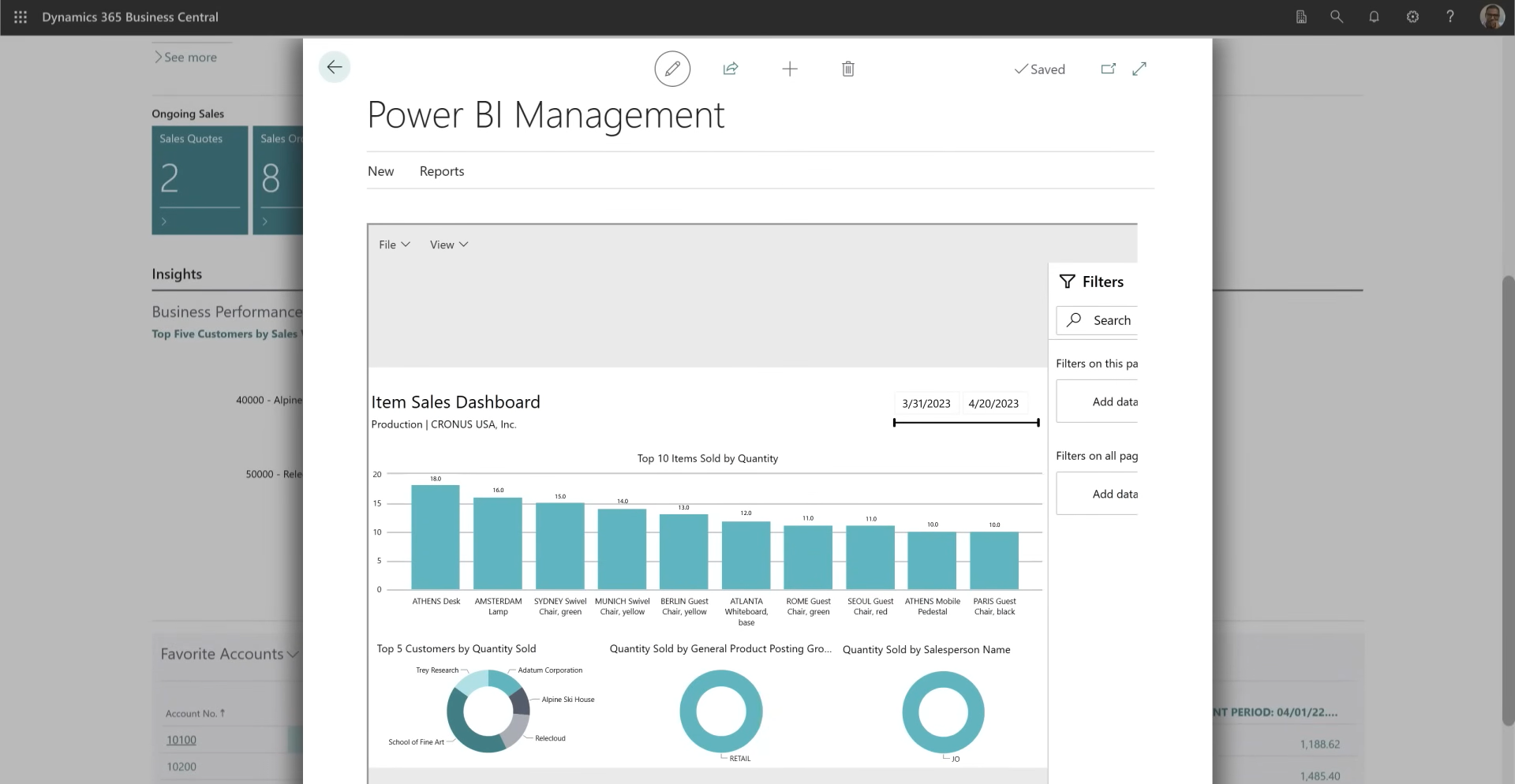
Its eleven applications span sales, customer service, field service, contact center, marketing, finance, supply chain management, commerce, project operations, human resources, and Business Central for SMBs. All share a common data layer called Microsoft Dataverse.
Source: Dynamics 365
If you need to manage the customer relationship and the back-office operations (accounts payable, inventory, manufacturing, HR) under one platform, Dynamics 365 can do both.
HubSpot does not try to be an ERP.
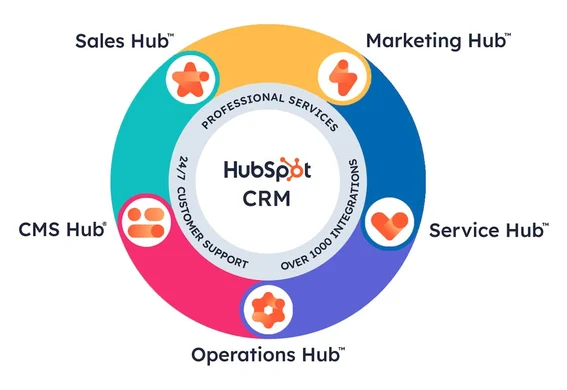
It focuses on the go-to-market side with six Hubs (Marketing, Sales, Service, Content, Data, and Commerce) and a Smart CRM connecting them all. Commerce Hub handles quoting, invoicing, and payments, but that's not the same as managing a general ledger, running payroll, or optimizing a warehouse.
Source: HubSpot
For companies that need CRM plus ERP, the conversation is short: Dynamics 365. For companies that need CRM, marketing automation, and sales enablement without ERP complexity, the question is whether Dynamics 365's depth or HubSpot's speed and simplicity better fits the team.
The Microsoft ecosystem advantage is real, but it cuts both ways
Dynamics 365's greatest strength is its native integration with the rest of Microsoft.
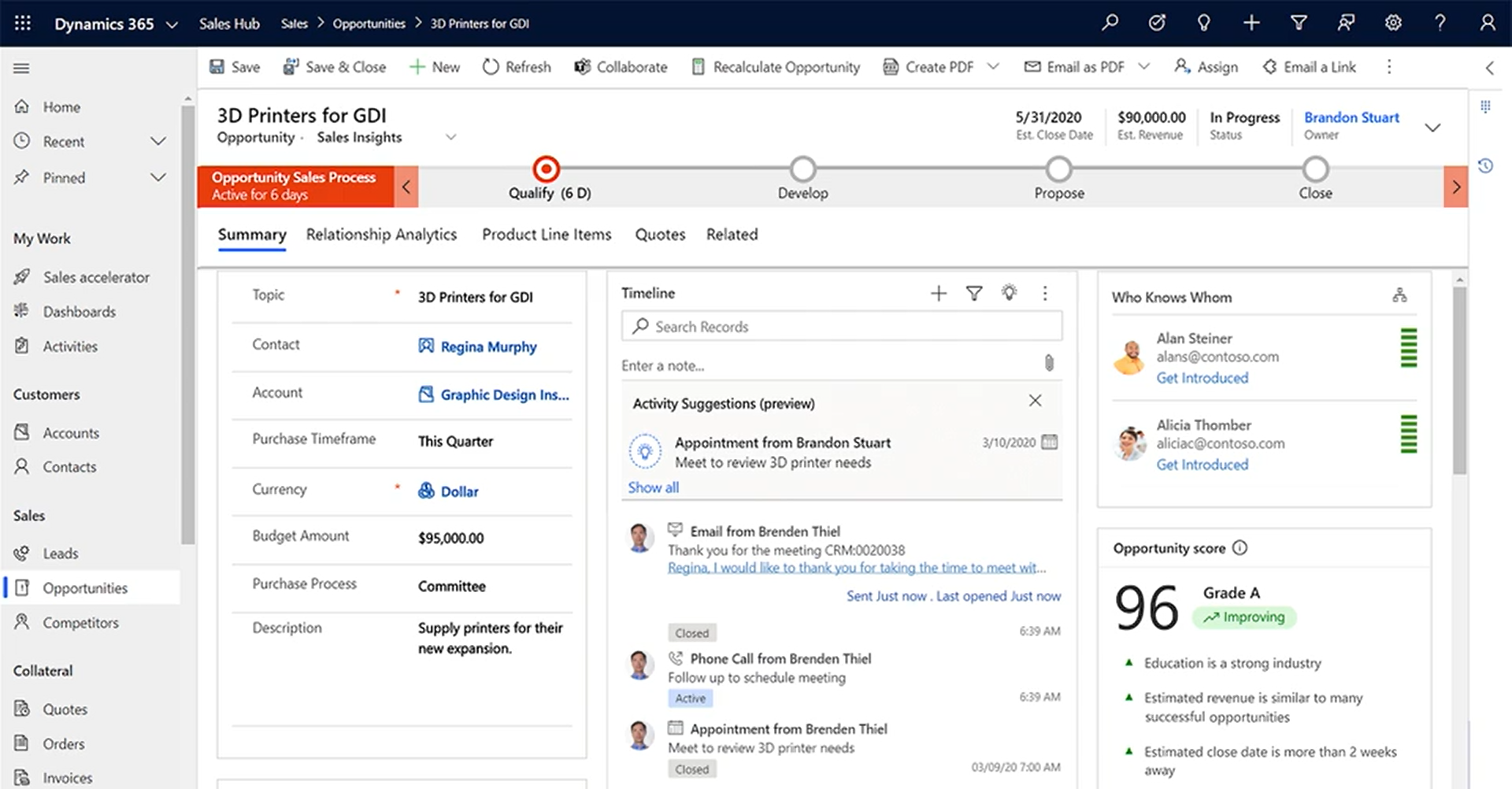
Sales reps surface CRM data inside Teams meetings and chats. Copilot drafts emails from Outlook using CRM context. Reports flow into Power BI without custom connectors. Field service work orders expand inline in Teams. Finance data surfaces inside Microsoft 365 Copilot in Teams and Outlook without opening a separate application.
Source: Dynamics 365
For organizations already running Microsoft 365, Azure, and Teams, this density of connection means less context-switching and fewer third-party integrations to maintain.
The flip side: connecting Dynamics 365 to non-Microsoft systems can be clunky, often requiring middleware or custom development. Organizations running Google Workspace, AWS, or a non-Microsoft tech stack lose most of the integration benefits that make Dynamics 365 compelling.
HubSpot takes the opposite approach.
With 2,000+ app integrations and 2.5 million active installs, the platform connects broadly rather than deeply to any one ecosystem. HubSpot's Salesforce bi-directional sync, native Slack integration, Google Workspace support, and open REST API mean it works regardless of what else your company runs.
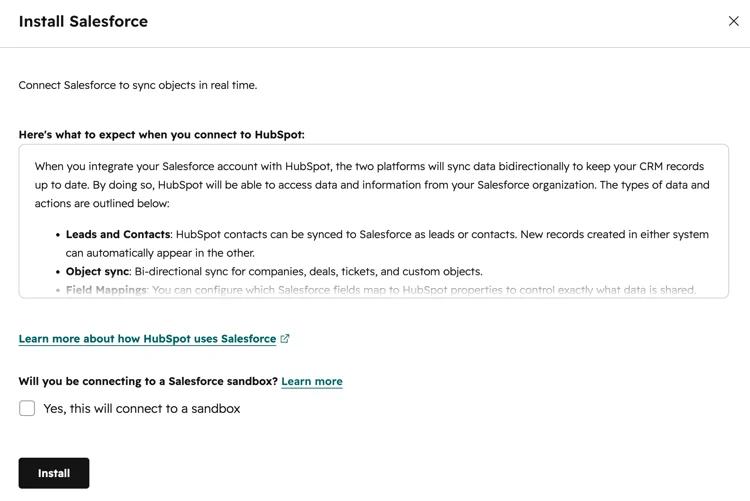
Source: HubSpot
The tradeoff is that none of these integrations match the depth of Dynamics 365's Microsoft-to-Microsoft connection.
Ease of use favors HubSpot by a wide margin
HubSpot was built on the premise that "you don't have to sacrifice power for ease of use."
Its interface shares the same navigation and design language across all Hubs, and most teams are productive within weeks. The permanently free CRM tier serves as a low-friction onboarding ramp: users explore the platform, add paid capabilities as they grow, and avoid the implementation cliff that enterprise platforms demand.
Dynamics 365 is a different story.
G2 and Capterra reviewers describe a steep onboarding curve, clunky navigation between modules, and a user interface that feels complex compared to CRM-focused competitors. Tasks like data entry and workflow configuration are described as time-consuming, especially for teams without dedicated admins.
The platform is built on model-driven Power Apps that mirror the underlying data model, which is useful for customization but adds cognitive overhead for everyday users.
Microsoft has invested in UI modernization and is delivering a reimagined interface for Dynamics 365 Sales, but UX improvement in the ERP modules still lags behind CRM-native competitors.
For organizations with dedicated Dynamics administrators and the time to train teams, the learning curve is a temporary cost. For smaller teams that need their CRM working by next Monday, it's a deal-breaker.
Implementation cost and time reveal different philosophies
HubSpot's claim to deliver meaningful value within 90 days reflects a self-service-first model.
Setup is guided, documentation is extensive, and HubSpot Academy provides free certifications that over 200,000 professionals have earned.
Mandatory onboarding fees apply at Professional and Enterprise tiers ($1,500–$7,000 depending on the Hub), but implementation costs are modest relative to enterprise alternatives.
Dynamics 365 implementations operate on a different scale.
Organizations commonly spend $250,000 to $2 million, and 60% of implementations exceed initial budgets by 20–40%. Software licensing is typically only 15–20% of total implementation cost; consulting, customization, data migration, training, and ongoing support drive the rest.
Enterprise Finance and Operations implementations routinely run $375K–$1.75M or more. Most deployments require a Microsoft implementation partner.
Microsoft offers a Success by Design methodology and FastTrack support, and the twice-yearly release wave model keeps the platform current. But for organizations with hard 90-day deadlines and limited budgets, HubSpot's path to productivity is faster and cheaper.
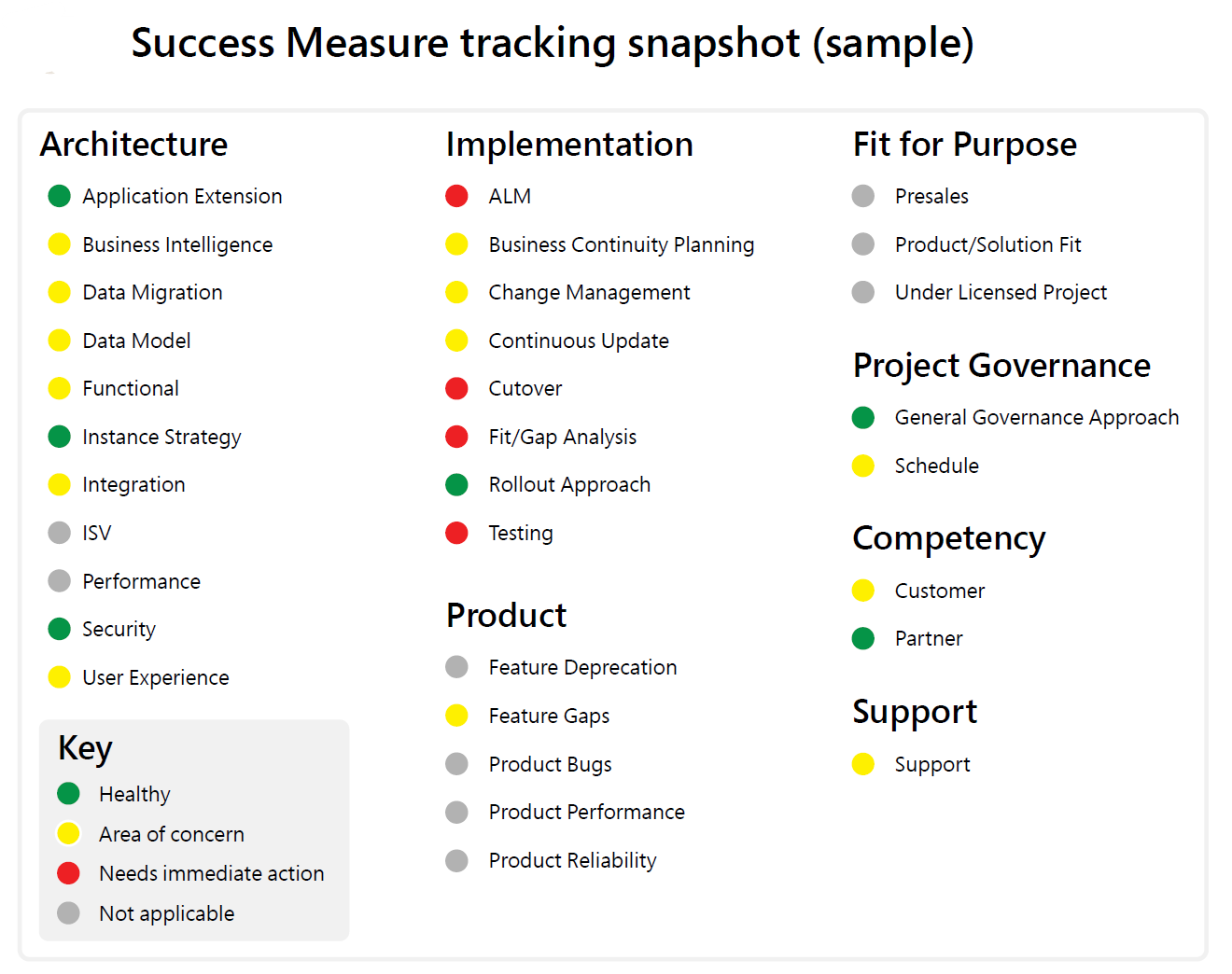
Source: Dynamics 365
AI capabilities are converging, but from different directions
Both platforms are investing heavily in AI, and both now describe themselves as "agentic" platforms.
Dynamics 365 Copilot is embedded across the suite, powered by Azure OpenAI Service.
The Sales Qualification Agent researches leads, generates outreach emails, follows up on replies, and evaluates BANT criteria before handing qualified leads to sellers. The Sales Opportunity Agent analyzes every deal to surface risk.
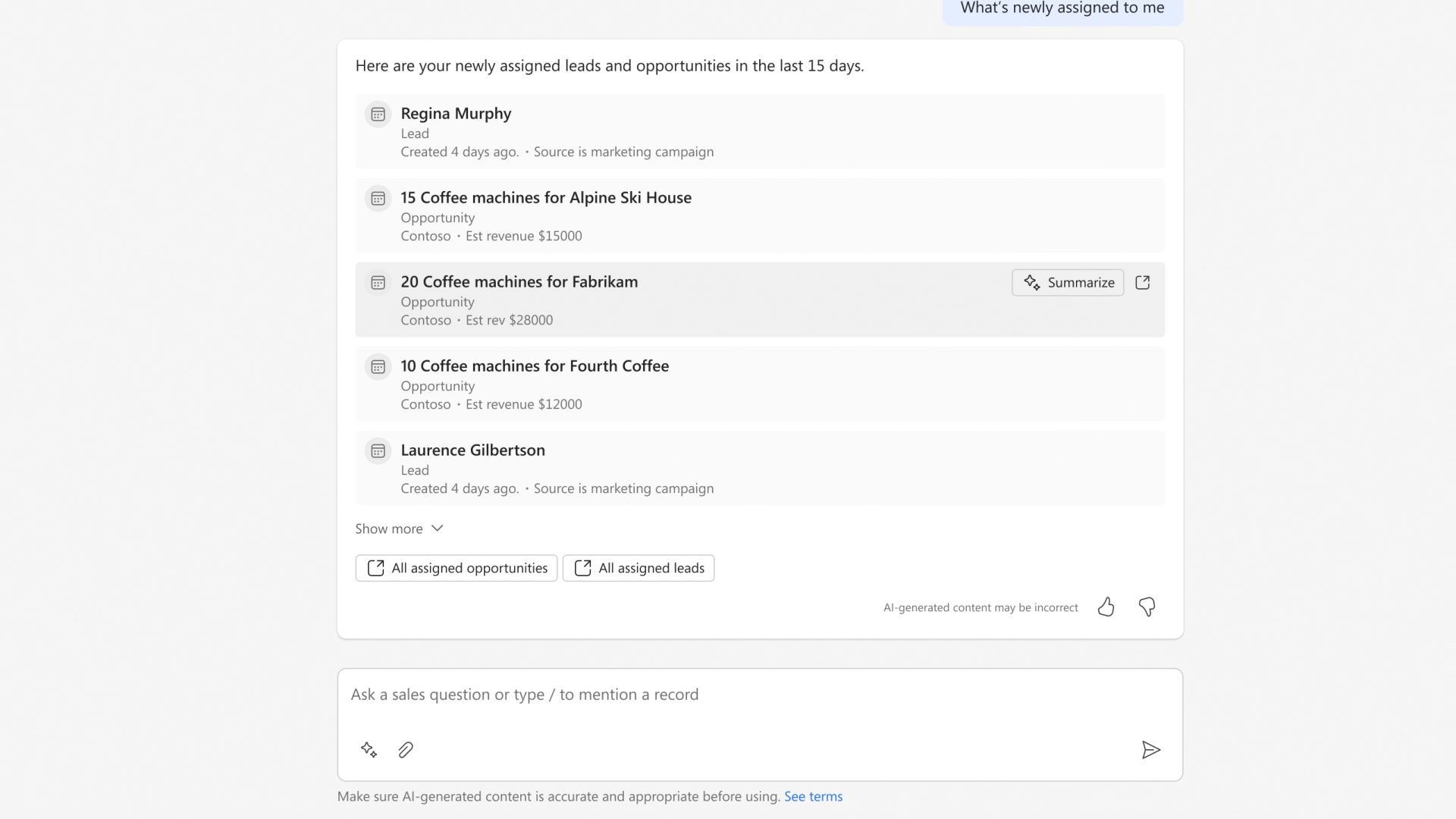
Source: Dynamics 365
Beyond sales, Microsoft has deployed agents across customer service (Case Management Agent, Customer Intent Agent), field service (Scheduling Operations Agent), finance (Account Reconciliation Agent), and supply chain (Supplier Communication Agent), with 25+ planned agents for Finance alone.
HubSpot's Breeze is the AI layer running across all Hubs.
The Breeze Customer Agent resolves over 50% of customer inquiries on its own. The Breeze Prospecting Agent monitors buying signals, drafts personalized outreach, and supports fully autonomous mode. The Data Agent answers natural-language questions across CRM records, call recordings, and emails.
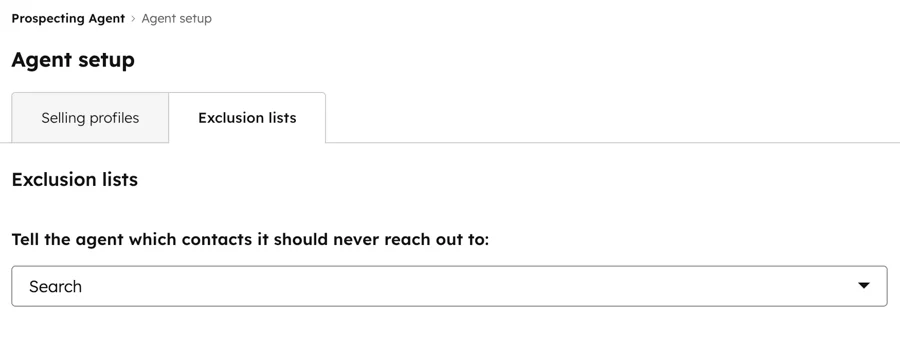
Source: HubSpot
Breeze draws on HubSpot's complete customer interaction history for context, with agents deployed through Breeze Studio and configurable without code.
The difference: Dynamics 365's AI advantage is infrastructure depth (Azure OpenAI, first-party AI agents across CRM and ERP), while HubSpot's advantage is accessibility (Breeze is included at no extra cost in paid plans, and non-technical users can configure agents). Microsoft charges separately for Copilot Credits and requires an Azure subscription for AI agent usage.
HubSpot includes Breeze capabilities with Professional and Enterprise subscriptions, running on HubSpot Credits included by tier.
Neither platform, however, was built to solve the data problem that limits every CRM's AI: you can't run intelligent prospecting, intent-driven outreach, or accurate pipeline predictions without verified B2B buyer data and signals that go beyond what either CRM captures natively.
The data gap neither CRM fills on its own
A CRM records what your team does. It tracks deals, logs emails, and stores contact records. But it doesn't tell you which companies are researching solutions like yours right now. It doesn't give you verified direct-dial phone numbers for the buying committee. It doesn't reveal which target accounts just hired a new VP of the department you sell into, or which competitor's technology they currently run.
Dynamics 365 and HubSpot both offer data enrichment features.
HubSpot's Breeze enriches CRM records by pulling from conversations, third-party sources, and HubSpot's own dataset. Dynamics 365 integrates with Power BI and Dataverse for analytics. But neither platform runs a dedicated B2B data engine at the scale that go-to-market teams require for prospecting, intent monitoring, and TAM analysis.
This is the gap ZoomInfo fills.
With 500M contacts, 100M companies, 135M+ verified phone numbers, 120M direct-dial phone numbers, and 200M+ verified business email addresses, ZoomInfo operates the largest B2B data platform in the industry. The data is verified through a multi-source pipeline backed by 300+ human researchers achieving up to 95% accuracy on first-party data.
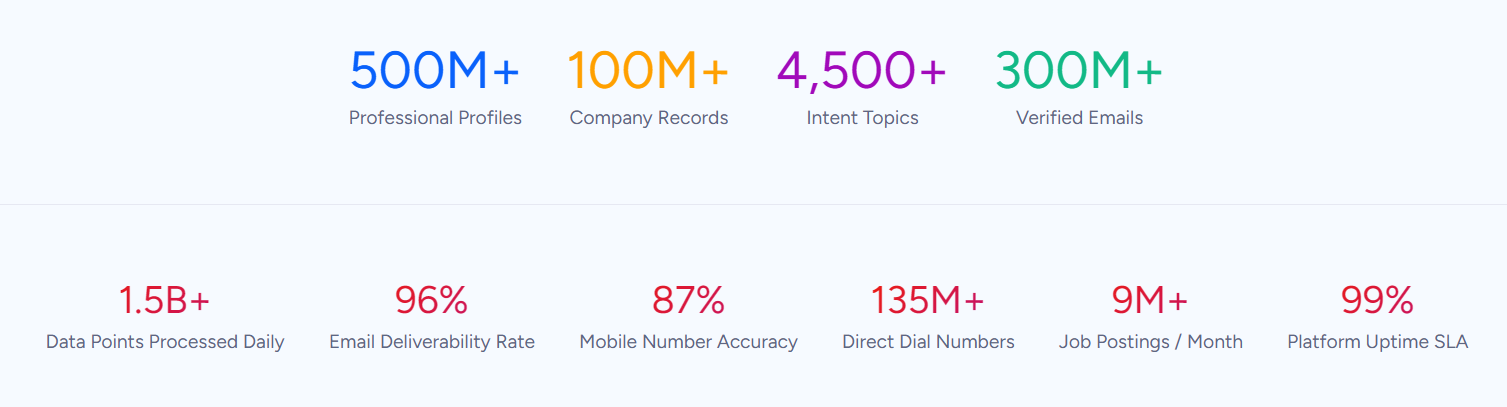
In a Fortune 500 competitive RFP analyzing 25 million contacts across vendors, an independent consultant concluded that "no other competitor came even close."
ZoomInfo integrates directly with both Microsoft Dynamics 365 and HubSpot, enriching CRM records with verified contacts, company attributes, technographics, and org charts. Whichever CRM you choose, ZoomInfo's data flows into it.
Seismic's sales team attributed 39% of active pipeline to opportunities identified or influenced by ZoomInfo signals, while boosting productivity by 54% and saving 11.5 hours per week per seller. (Seismic case study)
Buyer intent and pipeline intelligence change what's possible
Beyond static contact data, ZoomInfo's GTM Context Graph processes 1.5B+ data points daily, combining your CRM records with buyer intent signals, conversation intelligence from Chorus, and behavioral data into a single intelligence layer.
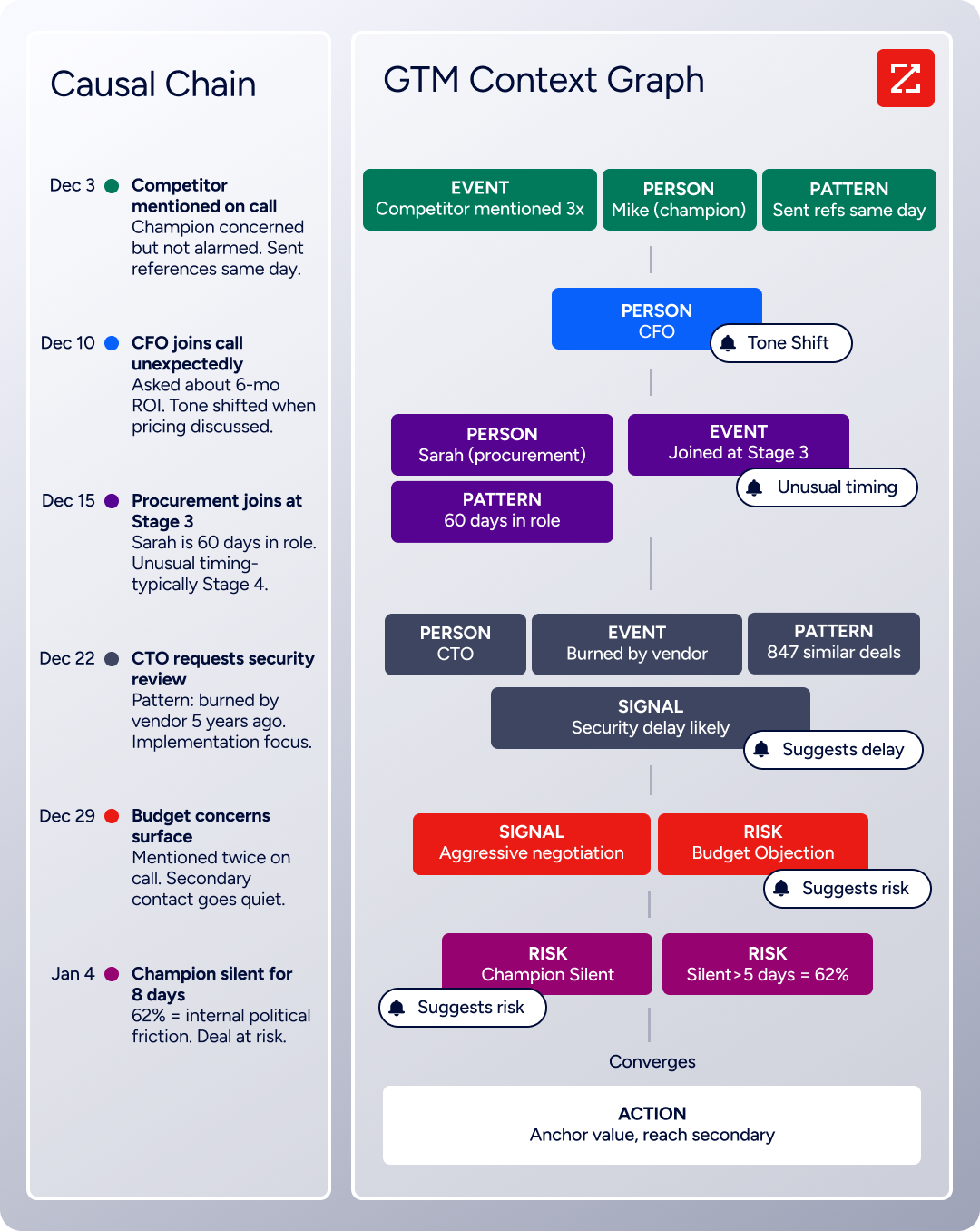
ZoomInfo Intent tracks signals from 210M IP-to-Org pairings and 6 trillion+ new keyword-to-device pairings monthly. Guided Intent, exclusive to ZoomInfo, identifies topics historically correlated with deal success rather than requiring manual topic selection. WebSights resolves anonymous website traffic to companies and buying team contacts.
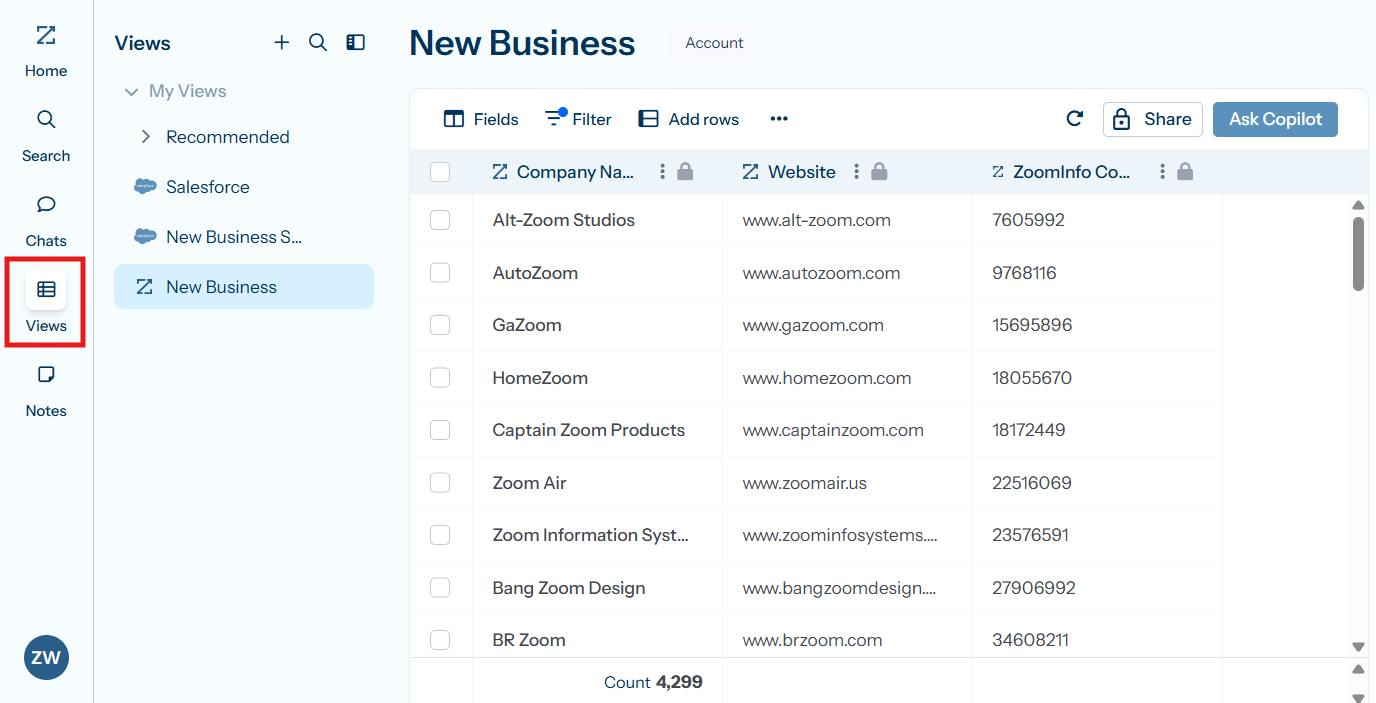
This matters because CRMs record that a deal moved from Stage 3 to Stage 4 and the close date was pushed two weeks. But as ZoomInfo's CPO Dominik Facher writes: "The CRM recorded the state change. It has no record of why it happened."
The GTM Context Graph captures that context: the CFO joined the last call and asked about six-month ROI, or the VP went quiet because of an internal budget battle. That reasoning flows into every downstream action in GTM Workspace for sellers and GTM Studio for marketers and RevOps.
Source: ZoomInfo
Dynamics 365 Copilot and HubSpot Breeze both analyze data inside the CRM.
ZoomInfo adds the intelligence that neither CRM generates on its own: who is in-market right now, who the decision-makers are, how to reach them, and why the deal is moving or stalling.
Redwood Logistics saw a 99% reduction in cost-per-click and a 310% increase in clickthrough rates using ZoomInfo's audience insights. "It's not just the data itself. It's more about the right data at the right time to help us reach out with the right message across that full buyer journey." (Redwood Logistics case study)
Pricing structures reflect different buyers
Dynamics 365 prices each module independently on a per-user, per-month basis billed annually.
Sales Professional starts at $65/user/month; Sales Enterprise at $105; Sales Premium at $150. ERP modules cost more: Finance at $210/user/month, Supply Chain Management at $210/user/month. Business Central for SMBs starts at $80/user/month. Customer Insights is tenant-based at $1,700/tenant/month.
The licensing model is complex, varying by module, user type, storage, add-ons, and Copilot Credits. Organizations frequently underestimate total cost of ownership because licensing is typically only 15–20% of total implementation cost.
HubSpot uses a hybrid model combining seat-based pricing with contact tiers and flat fees depending on the Hub.
Sales Hub Starter is $20/seat/month (monthly) or $9/seat/month (annual). Professional is $100/seat/month. Enterprise is $150/seat/month (annual only). Marketing Hub Professional is $890/month (flat, with 3 Core Seats included).
A notable hidden cost: when subscribing to multiple Hubs at different tiers, all Core Seats are billed at the rate of the highest tier. Mandatory onboarding fees add $1,500–$7,000 at Professional and Enterprise tiers. HubSpot's free CRM provides utility with unlimited contacts (up to 1M records), no time limit, and basic tools across all Hubs.
ZoomInfo uses custom consumption-based pricing without publicly listed prices.
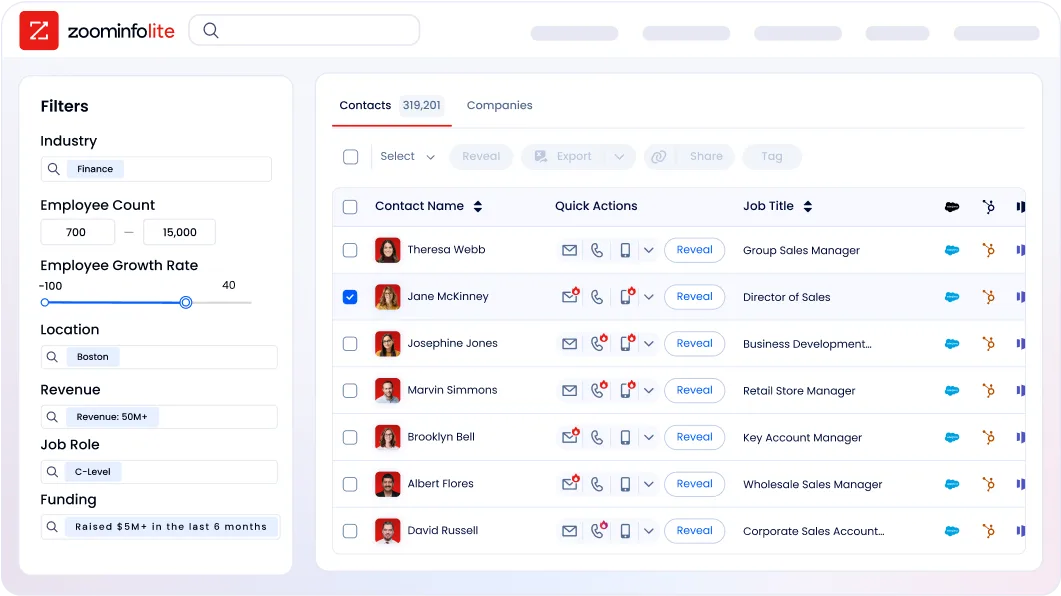
Pricing scales around data access, API consumption, AI activity, and credit volume. ZoomInfo Lite is a permanent free tier with access to the B2B database, 10 monthly export credits, company searches, a Chrome extension, and HubSpot integration. A 7-day free trial provides broader access to paid features.
The practical comparison: a mid-market company running HubSpot Sales Hub Professional for 20 reps pays roughly $24,000/year in seat costs plus onboarding. The same team on Dynamics 365 Sales Enterprise pays approximately $25,200/year in licensing alone, before implementation costs that could multiply that figure several times over.
Adding ZoomInfo to either CRM is an additional investment, but the data it provides can be the difference between a CRM that stores records and a pipeline that fills.
Support and documentation compared
Dynamics 365 includes standard support at no additional cost, covering web and phone incident submission and 24/7 availability for production-down cases.
Professional Direct support costs $9/user/month (minimum 20 users) and adds priority routing and advisory services. Unified Enterprise support is custom-priced. Documentation on Microsoft Learn is extensive, with implementation guides, reference architectures, and certification tracks. The partner ecosystem for implementation support is large but variable in quality.
HubSpot ties support to subscription tier: free users get community-only support, Starter adds email and chat, Professional and Enterprise add phone support.
HubSpot Academy is free and has certified over 200,000 professionals. The Knowledge Base is available in 17+ languages. HubSpot's thin professional services revenue ($67.3 million out of $3.13 billion total 2025 revenue) means complex implementations lean heavily on the Solutions Partner ecosystem.
ZoomInfo provides support through a Help Center, ZoomInfo University with role-specific learning paths and certifications, and professional services through ZoomInfo Labs.

The company redesigned its onboarding from 30 to 90 days, producing a 25% improvement in customer satisfaction scores. Enterprise customers get dedicated service managers.
Security and compliance
All three platforms maintain compliance portfolios suitable for regulated industries.
Dynamics 365 is covered under Microsoft's enterprise compliance portfolio with more than 90 compliance offerings, including ISO 27001, SOC 1/2/3, HIPAA, FedRAMP, GDPR, PCI-DSS, and DORA.
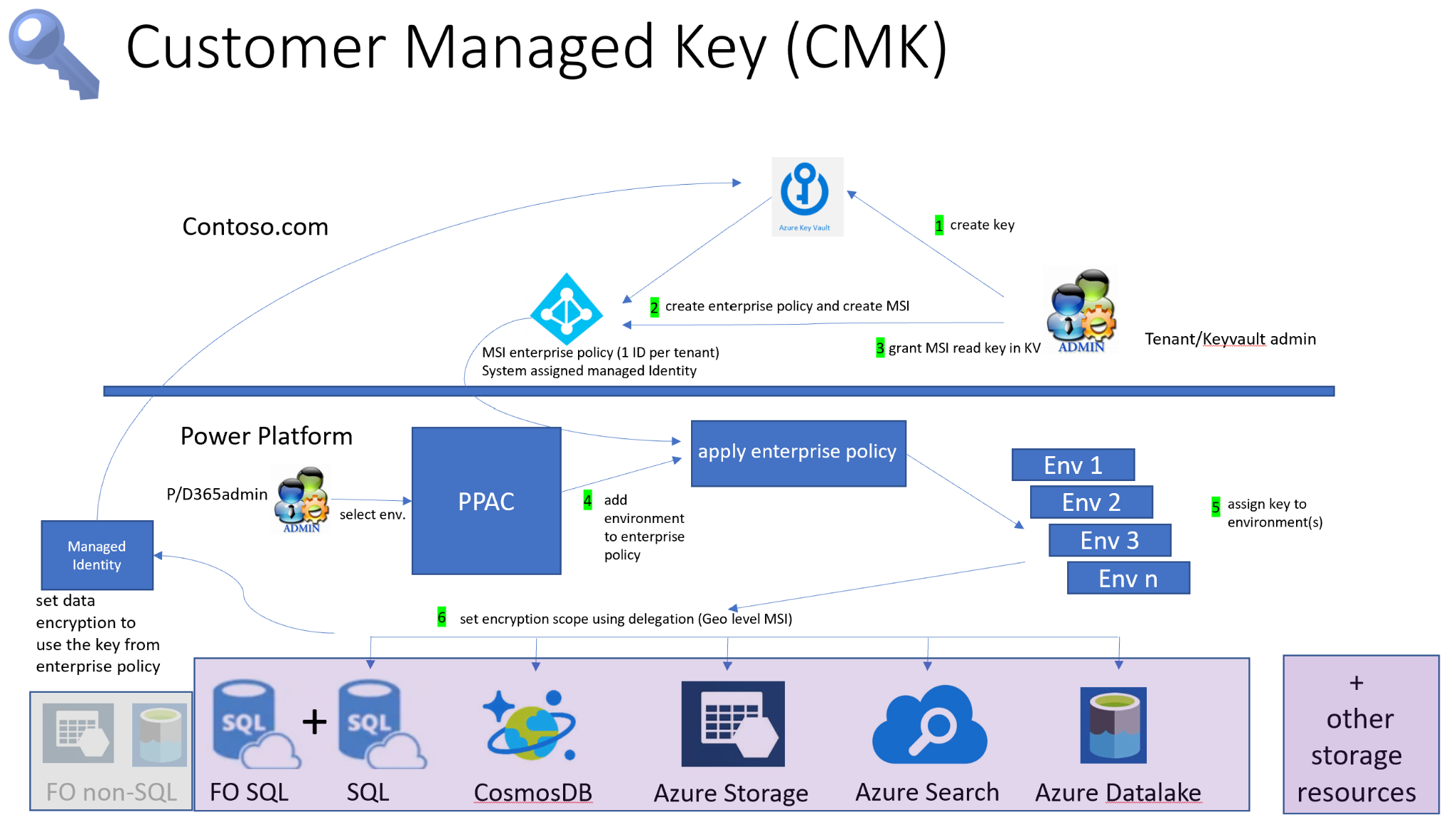
Customer-managed encryption keys and Customer Lockbox provide additional data control.
Source: Dynamics 365
HubSpot holds SOC 2 Type II, SOC 3, HIPAA attestation, GDPR and CCPA compliance, and EU Cloud Code of Conduct Level 2.
Data encryption uses AES-256 at rest and TLS 1.2/1.3 in transit. An EU Data Center is available for data residency requirements.
ZoomInfo maintains ISO 27001, ISO 27701, SOC 2 Type II, TRUSTe GDPR and CCPA certifications, all renewed annually.

Source: ZoomInfo
ZoomInfo is a registered data broker in California and Vermont.For enterprises in financial services, healthcare, or the public sector, Dynamics 365's compliance breadth (especially FedRAMP and HIPAA) is the widest. HubSpot and ZoomInfo both meet the compliance requirements most B2B companies face.
Dynamics 365 vs. HubSpot vs. ZoomInfo: Which should you choose?
The choice between Dynamics 365 and HubSpot is about matching the platform to your organization's needs and existing infrastructure. ZoomInfo is the intelligence layer that makes either CRM work harder.
Choose Dynamics 365 if:
Your organization already runs Microsoft 365, Teams, and Azure
You need CRM and ERP capabilities under one vendor (finance, supply chain, HR, commerce)
You have the budget and timeline for a multi-month enterprise implementation
You're a mid-market or enterprise company with dedicated IT and admin resources
Compliance requirements demand Microsoft's breadth of certifications
Choose HubSpot if:
You need CRM, marketing automation, and sales enablement without ERP complexity
Fast time-to-value matters more than enterprise customization
Your team values intuitive tools that don't require dedicated administrators
You want a generous free tier to get started before committing
You're a scaling company (20–2,000 employees) focused on go-to-market growth
Add ZoomInfo to either platform if:
Your CRM has contacts but your pipeline needs verified buyers with direct-dial phone numbers and business emails
You want to know which target accounts are researching solutions before they contact you
Your sales team spends too much time on manual research instead of selling
You need intent data, technographics, and org charts that neither CRM provides natively
You want AI that understands why deals move, not just what changed in the CRM
"ZoomInfo's not just a contact data company anymore. They've built a full system of execution. GTM Intelligence actually works the list, writes the outreach, triggers the play, and helps drive predictable growth." (Levanta case study)
Try ZoomInfo free to see how it strengthens your CRM.
The CRM decision (Dynamics 365 vs. HubSpot) and the intelligence decision (ZoomInfo) are separate questions with separate answers. Dynamics 365 and HubSpot manage your customer relationships. ZoomInfo finds and qualifies the customers worth having those relationships with. The most effective go-to-market teams use both: a CRM for execution and an intelligence platform for direction.
Dynamics 365 vs. HubSpot vs. ZoomInfo FAQ
What is the core difference between Dynamics 365 and HubSpot?
Dynamics 365 is a combined CRM and ERP suite covering sales, service, finance, supply chain, HR, and commerce across eleven applications sharing a common data layer. HubSpot is a CRM and go-to-market platform covering marketing automation, sales, service, content, and commerce, but with no ERP capabilities.
Dynamics 365 favors enterprises already in the Microsoft ecosystem; HubSpot favors scaling companies that prioritize ease of use and fast deployment.
Which platform is easier to implement?
HubSpot is faster to implement, with most teams reaching productivity within weeks and HubSpot claiming meaningful value within 90 days.
Dynamics 365 implementations typically take 4 to 12 months for enterprise deployments, with total costs ranging from $250,000 to $2 million. Implementation costs for Dynamics 365 typically represent 80–85% of total spend, with licensing only 15–20%.
Do I need ZoomInfo if I already have Dynamics 365 or HubSpot?
Dynamics 365 and HubSpot manage the customer records you already have. ZoomInfo provides the B2B data, buyer intent signals, and intelligence that neither CRM generates on its own.
ZoomInfo's database of 500 million contacts with 135 million verified phone numbers, combined with intent data tracking 210 million IP-to-Organization pairings, gives sales and marketing teams the ability to find in-market buyers and reach verified decision-makers. ZoomInfo integrates directly with both platforms.
For a detailed look at how HubSpot and ZoomInfo complement each other, see our HubSpot vs. ZoomInfo comparison.
How does pricing compare between Dynamics 365 and HubSpot?
Dynamics 365 Sales ranges from $65 to $150 per user per month for licensing alone, with ERP modules costing $210 per user per month or more. Total cost of ownership is much higher due to implementation, consulting, and customization.
HubSpot Sales Hub ranges from free to $150 per seat per month, with mandatory onboarding fees of $1,500 to $3,500 at Professional and Enterprise tiers. HubSpot's free CRM tier provides real utility; Dynamics 365 offers only 30-day trials.
Which platform has better AI capabilities?
Both platforms are investing heavily in AI. Dynamics 365 Copilot benefits from Azure OpenAI infrastructure and has deployed autonomous agents across sales, service, field service, finance, and supply chain.
HubSpot Breeze includes AI agents for customer service, prospecting, and data queries, with capabilities included in paid plan pricing. Dynamics 365 charges separately for Copilot Credits and requires an Azure subscription for AI agent usage.
Neither platform's AI solves the foundational data problem for B2B prospecting, which is where ZoomInfo's GTM Context Graph adds a distinct layer of intelligence.
Can ZoomInfo replace my CRM?
No. ZoomInfo is not a CRM replacement. It is a B2B data and go-to-market platform that integrates with your CRM. ZoomInfo provides the buyer data, intent signals, and pipeline intelligence that feed into your CRM, while the CRM manages the resulting deals, contacts, and customer interactions.
ZoomInfo's GTM Workspace provides a seller execution layer and GTM Studio offers marketing orchestration, but both work alongside your CRM, not instead of it.
Which platform is best for a company already using Microsoft 365?
Dynamics 365 extracts the most value from existing Microsoft investments, with native integration into Teams, Outlook, Power BI, and Azure that no competing CRM can match.
HubSpot integrates with Microsoft tools through its marketplace but cannot replicate the depth of the native connection.
ZoomInfo also integrates directly with Microsoft Dynamics 365 and works within the Microsoft ecosystem.
How does each platform handle global operations?
Dynamics 365 Finance supports 57 countries and regions natively with 67 languages, making it the strongest choice for multinational operations requiring local compliance, multi-currency, and multi-entity support.
HubSpot serves customers in 135 countries with localized platforms in major languages, but lacks ERP-grade global financial compliance.
ZoomInfo provides global B2B data with 34 million company profiles and 200 million professional profiles outside North America.
