
Choosing between Front and Salesforce for your B2B customer operations usually comes down to five questions:
Are you managing complex, multi-team customer conversations, or do you need a full CRM that covers sales, marketing, service, and commerce under one roof?
Does your team work primarily through email and messaging, or do you need telephony, field service, and omnichannel contact center capabilities?
Is your priority fast deployment with minimal IT overhead, or are you prepared to invest in a platform that can run your entire business?
Do you want AI that automates multi-step operational workflows, or AI agents that work autonomously across sales, service, and marketing?
How important is it that your customer operations platform connects to verified B2B intelligence (contact data, intent signals, and buying committee insights) so your team knows who they're talking to and why it matters right now?
In short, here's what we recommend:
Front is built for B2B operations and support teams that run on email, messaging, and cross-team coordination. Its collaborative shared inbox brings email, SMS, WhatsApp, live chat, and Slack into one workspace where every message has an owner, teammates can draft replies together, and no conversation gets lost. Front's AI layer includes Autopilot for multi-step workflow automation, Copilot for real-time agent assist, and Smart QA for automated quality scoring on every ticket. These tools handle the complex, multi-stakeholder issues that simple chatbots can't. But it's a customer operations platform, not a CRM. It won't manage your pipeline, run marketing campaigns, or serve as your system of record.
Salesforce is the world's #1 AI CRM, serving over 150,000 companies with a platform that spans sales, service, marketing, commerce, analytics, and custom app development. Its Service Cloud competes directly with Front on customer operations, but Salesforce wraps it in an ecosystem where every interaction (from first lead to long-term account management) lives on the same data model. Agentforce deploys autonomous AI agents across every cloud, and the platform's depth shows in 19 consecutive years as a Gartner MQ Leader for Sales Force Automation. The trade-off is proportional: Salesforce requires dedicated administrators, significant implementation investment, and a pricing structure that compounds quickly across clouds, add-ons, and consumption tiers.
Both platforms handle customer operations well, but from opposite ends of the spectrum. Front gives you speed and simplicity for the coordination work that B2B teams do every day. Salesforce gives you the enterprise infrastructure to run your entire go-to-market engine. Neither, however, solves a problem that sits upstream of both: knowing who your customers and prospects are, what they care about, and when they're ready to act.
ZoomInfo is a B2B intelligence and GTM platform that powers both Front and Salesforce with data they can't generate on their own. With 500M contacts, 100M companies, 135M+ verified phone numbers, and 200M+ verified business emails, ZoomInfo runs the largest B2B data platform in the industry. Its GTM Context Graph processes 1.5B+ data points daily, fusing this data with your CRM records, conversation transcripts, and behavioral signals to reveal not just what's happening in your accounts, but why. That intelligence reaches your team through the GTM Workspace for sellers, GTM Studio for marketers and RevOps, or APIs and MCP in any front-end, including Salesforce and the tools your Front-powered teams already use.
If giving your customer-facing teams verified intelligence on every account and contact sounds like the missing layer in your stack, see how ZoomInfo works.
Front vs. Salesforce at a glance
Front | Salesforce (Service Cloud) | ZoomInfo | |
|---|---|---|---|
Core purpose | Collaborative B2B customer operations | Full CRM: sales, service, marketing, commerce | B2B data intelligence and GTM execution |
Primary buyer | Ops and support leaders at B2B companies | CIOs, VPs of Sales/Service/Marketing | Sales, marketing, and RevOps leaders |
Enterprise price | $175–$350/user/month (before add-ons) | Consumption-based pricing | |
AI capabilities | Autopilot, Copilot, Smart QA, Smart CSAT | Agentforce autonomous agents across all clouds | GTM Context Graph, AI-powered account research |
Implementation time | Weeks | Months to a year | |
CRM included | No | Yes | Integrates with your CRM |
Free plan | Free Suite (2 users) | ZoomInfo Lite (permanent) | |
Starting price | $25/seat/month (Starter) | $25/user/month (Starter Suite) | Consumption-based pricing; free tier available |
Best for | B2B teams running on email, chat, and Slack | Enterprises needing a unified CRM platform | Teams that need verified B2B data and signals |
Front is designed for B2B coordination; Salesforce is built for everything
Front and Salesforce solve customer operations from different starting points.
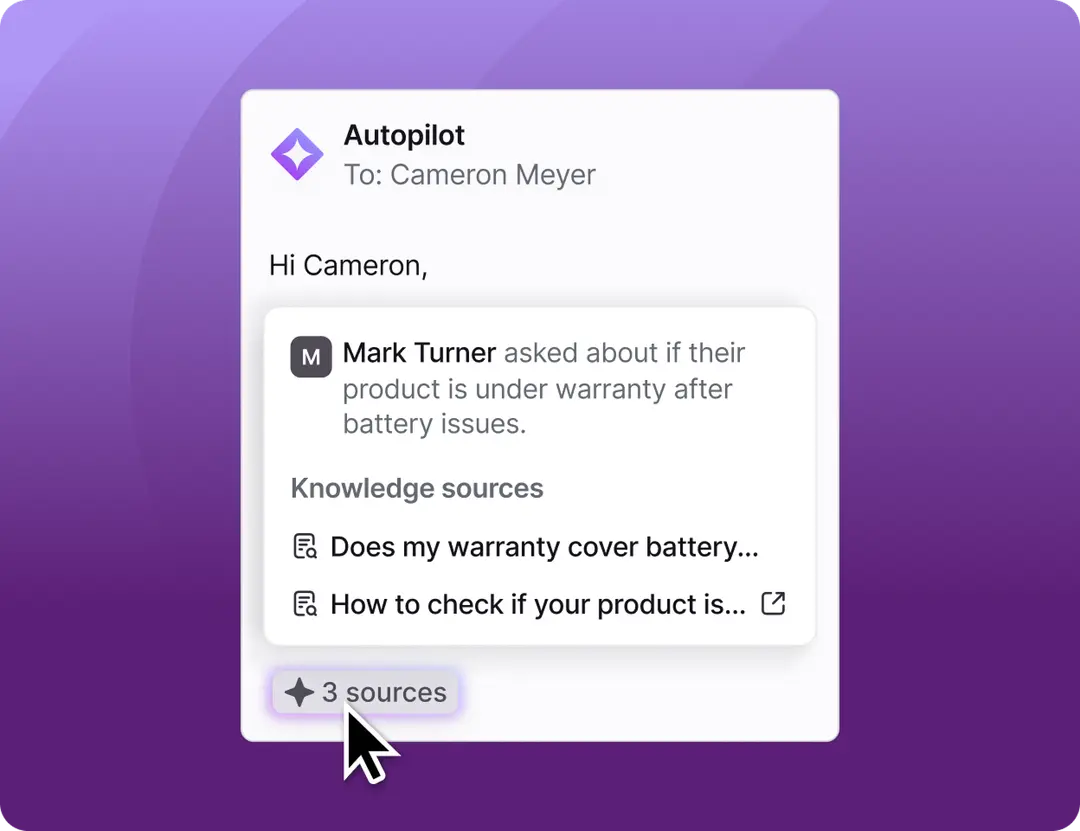
Front began as a collaborative shared inbox and evolved into an AI customer operations platform for complex B2B environments. Its architecture assumes that most B2B customer work involves multiple people, multiple teams, and multiple systems. Front's own Coordination Tax research found that B2B companies spend nearly 3 hours coordinating for every 1 hour solving customer problems. Front attacks that ratio directly: shared drafts, threaded internal comments, cross-team routing, and AI that runs multi-step workflows end to end.
Source: Front
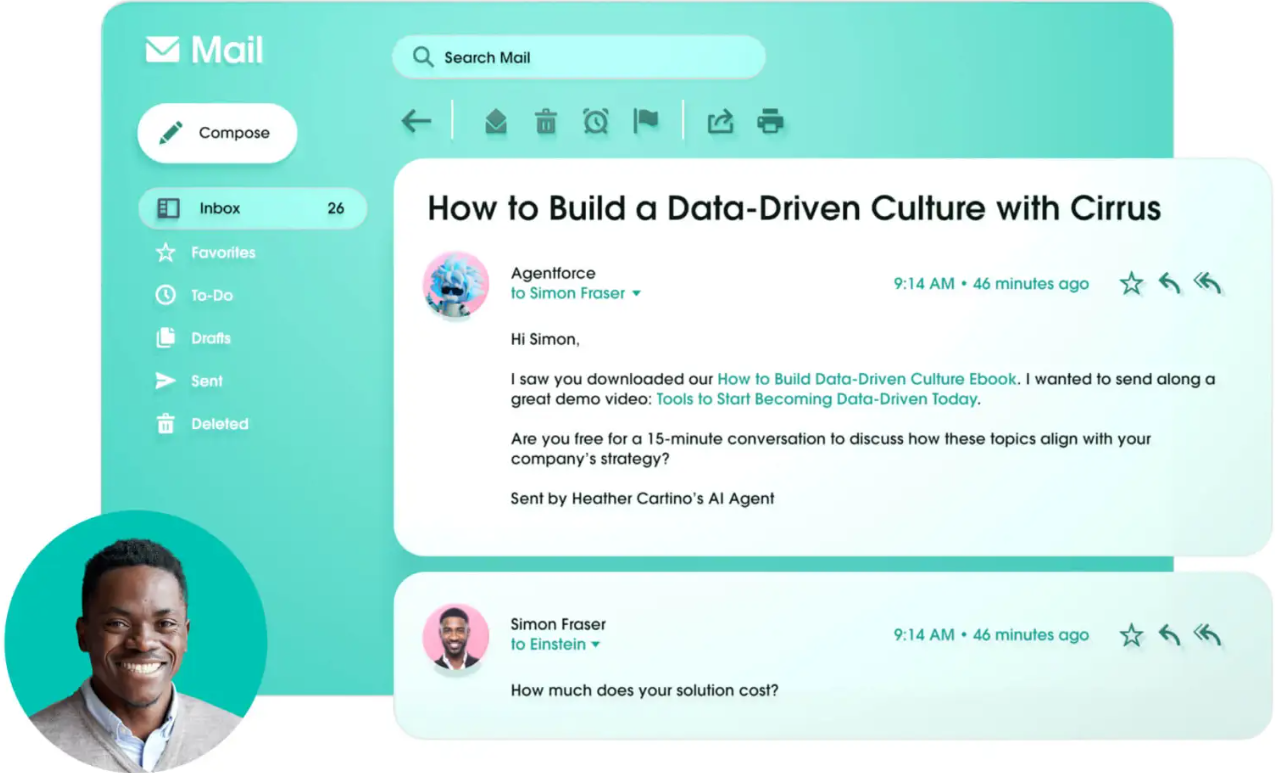
Salesforce approaches the same problem from the other direction. Service Cloud is one module in a platform that covers sales, marketing, commerce, analytics, field service, and custom app development. The advantage is that a service agent sees the full customer lifecycle (the deal that closed in Sales Cloud, the campaign that generated the lead in Marketing Cloud, the order in Commerce Cloud) without integration work. The cost is complexity. Meaningful Salesforce configuration requires trained administrators, and over 70% of implementations are partner-led.
Source: Salesforce
For a 50-person operations team that manages customer relationships primarily through email and Slack, Front gets them running in weeks with minimal IT involvement. For a 500-person organization that needs sales, service, marketing, and commerce on a single data model, Salesforce scales across all of those functions, but plan for months of implementation and ongoing administration.
AI approaches reflect different philosophies
Both platforms have invested heavily in AI, but their designs reveal what each company thinks the real problem is.
Front's AI keeps humans in control of complex work. Autopilot Playbooks let teams define multi-step workflows once (what data to collect, what actions to take, when to escalate) and then let AI execute them end to end, adapting to variation without requiring every edge case to be mapped in advance.
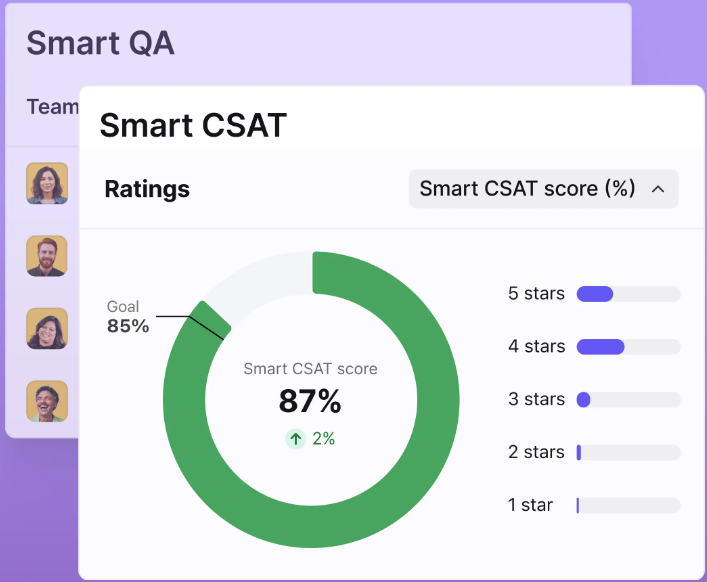
Copilot sits inside the inbox and surfaces CRM data, past conversation history, and knowledge base content so agents can draft replies without switching tools. Smart QA scores every closed ticket automatically against custom criteria, and Smart CSAT infers satisfaction on every conversation, not just the ones where customers filled out a survey.
Source: Front
The philosophy is clear: Front's AI handles the operational overhead so humans can focus on the judgment calls that complex B2B issues demand.
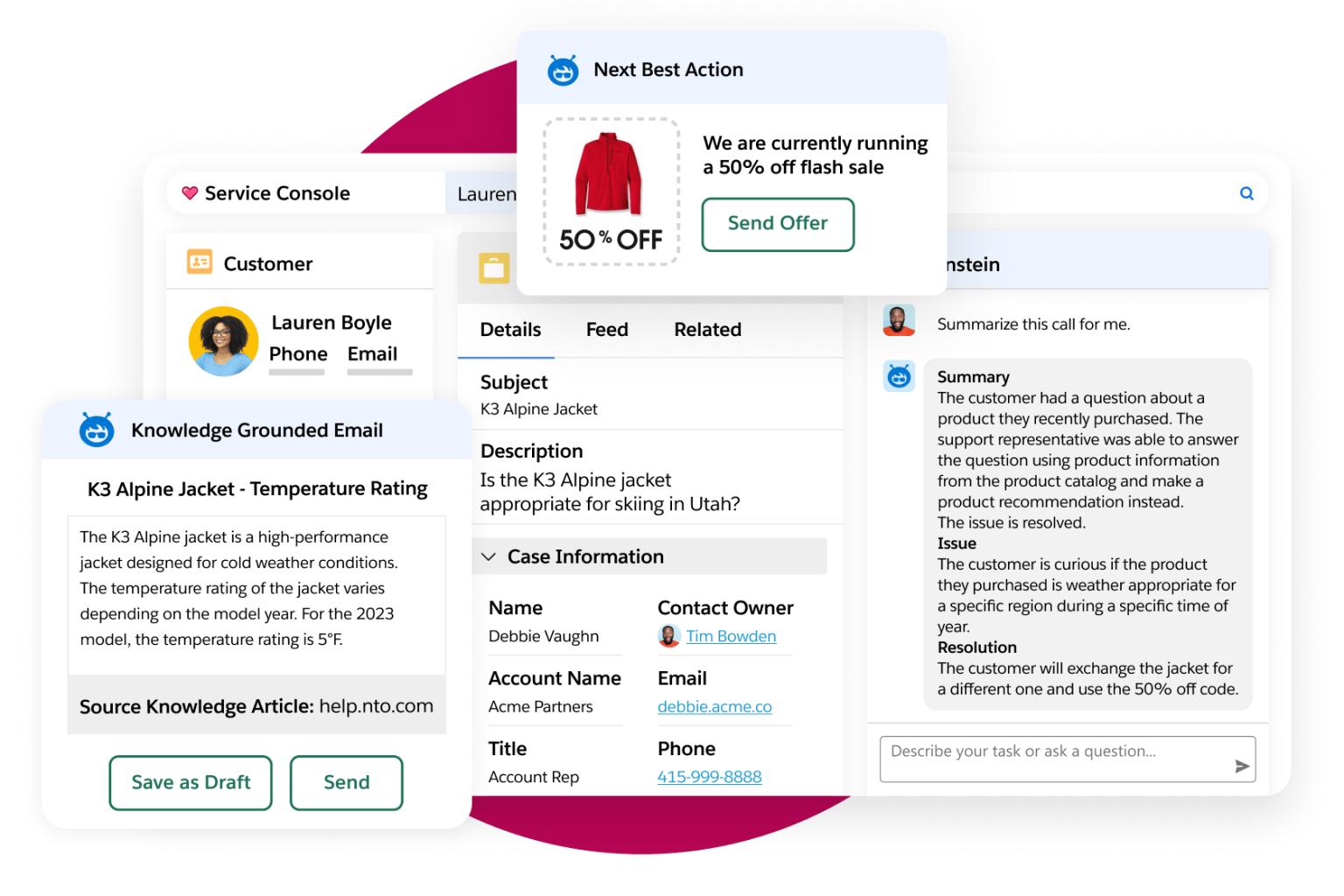
Salesforce's Agentforce operates at a different scale and with a different ambition. Rather than assisting agents, Agentforce deploys autonomous AI agents that can perceive, plan, and execute across the full platform: resolving service cases, engaging inbound leads, coaching sales reps, and running marketing campaigns. The Atlas Reasoning Engine uses a reason-act-observe-adapt loop, and the Einstein Trust Layer enforces zero data retention with LLM partners, PII masking, and audit trails.
But Agentforce requires Salesforce's data model, its integrations, and its pricing structure. The AI works because it sits on top of a unified platform, and that platform is what you're buying into.
Source: Salesforce
Pricing scales very differently
Front's pricing is straightforward for enterprise software. Three tiers, per-seat, annual billing:
Starter: $25/seat/month (max 10 seats, single channel, 10 rules)
Professional: $65/seat/month (max 50 seats, omnichannel, macros, SSO)
Enterprise: $105/seat/month (unlimited seats, smart rules, AI Copilot/Smart QA/Smart CSAT included)
AI add-ons on lower tiers carry additional costs: Copilot at $20/seat/month, Smart QA at $20/seat/month, Smart CSAT at $10/seat/month. Autopilot charges $0.05 per conversation on all plans. These compound for high-volume teams, but the Enterprise tier bundles everything except Autopilot.
Salesforce Service Cloud matches the entry price but scales steeply:
Starter Suite: $25/user/month
Pro Suite: $100/user/month
Enterprise: $175/user/month
Unlimited: $350/user/month
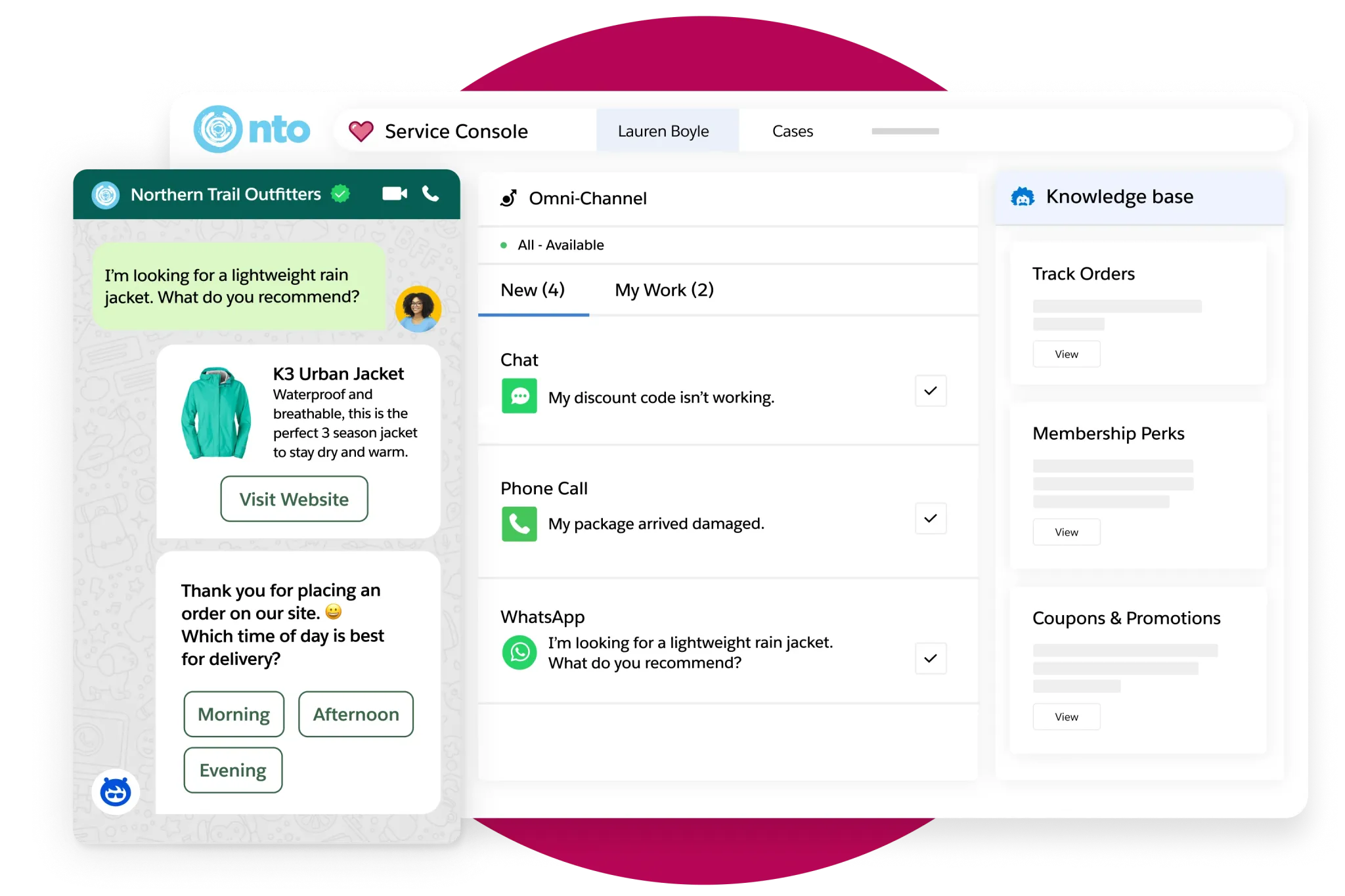
But Service Cloud is the starting line. Digital Engagement (omnichannel messaging) adds $75/user/month. Contact Center (voice and supervisor dashboard) adds $150/user/month. Agentforce for Service adds $125/user/month. Premier Success (guaranteed support SLAs) costs 30% of net license fees. An enterprise deployment with the full AI and omnichannel stack can exceed $500/user/month before implementation costs.
Source: Salesforce
The pricing reflects the platforms' scope. A 30-person support team on Front Enterprise pays roughly $37,800/year. The same team on Salesforce Enterprise with Digital Engagement and Agentforce pays roughly $171,000/year, nearly five times more. But if that team also needs Sales Cloud, Marketing Cloud, and Data Cloud, Salesforce consolidates what would otherwise be five separate vendors.
The shared inbox vs. the service console
The day-to-day experience for agents differs significantly.
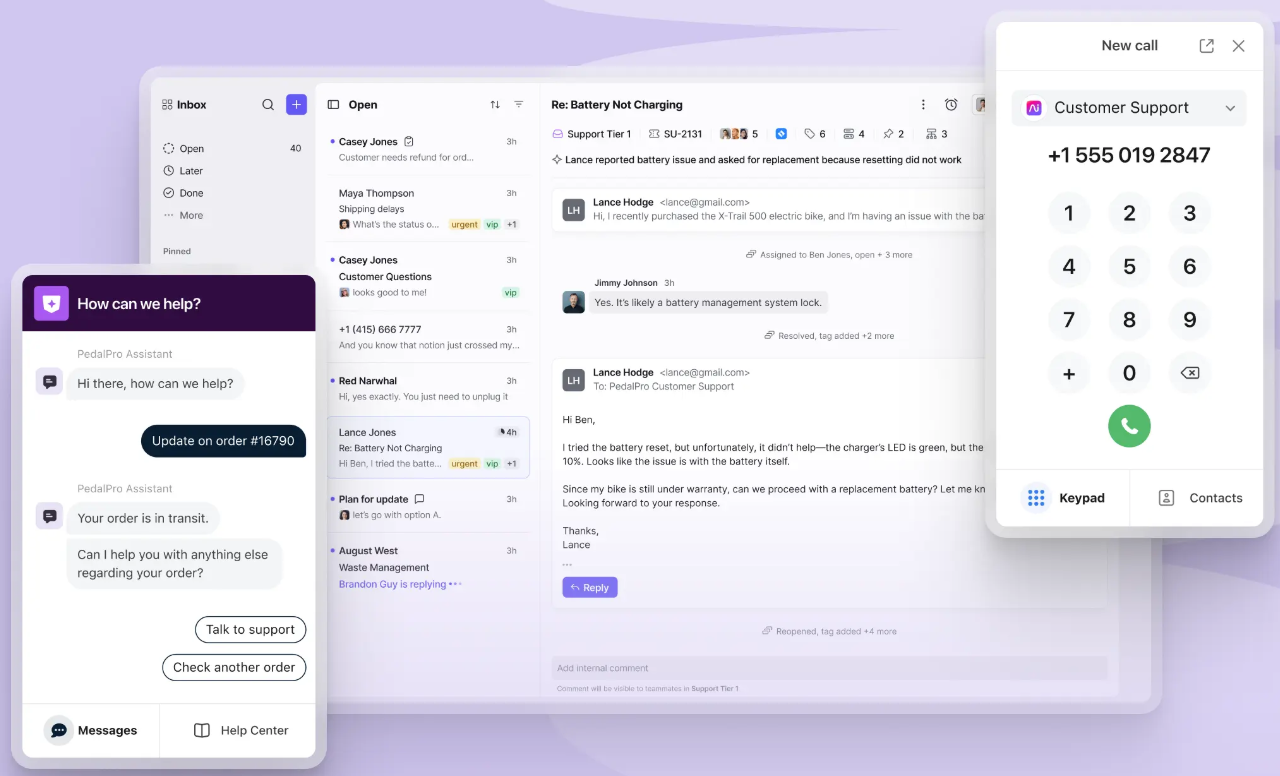
Front's workspace looks and feels like a modern email client. Agents see conversations in a shared inbox that behaves like Gmail or Outlook, but with assignment ownership, collision detection (see when a teammate is already replying), internal comments threaded on conversations, and shared drafts that multiple people can edit before sending. The interface is deliberately familiar. G2 recognizes Front for Easiest to Use Enterprise, a signal that teams adopt it without extensive training.
Source: Front
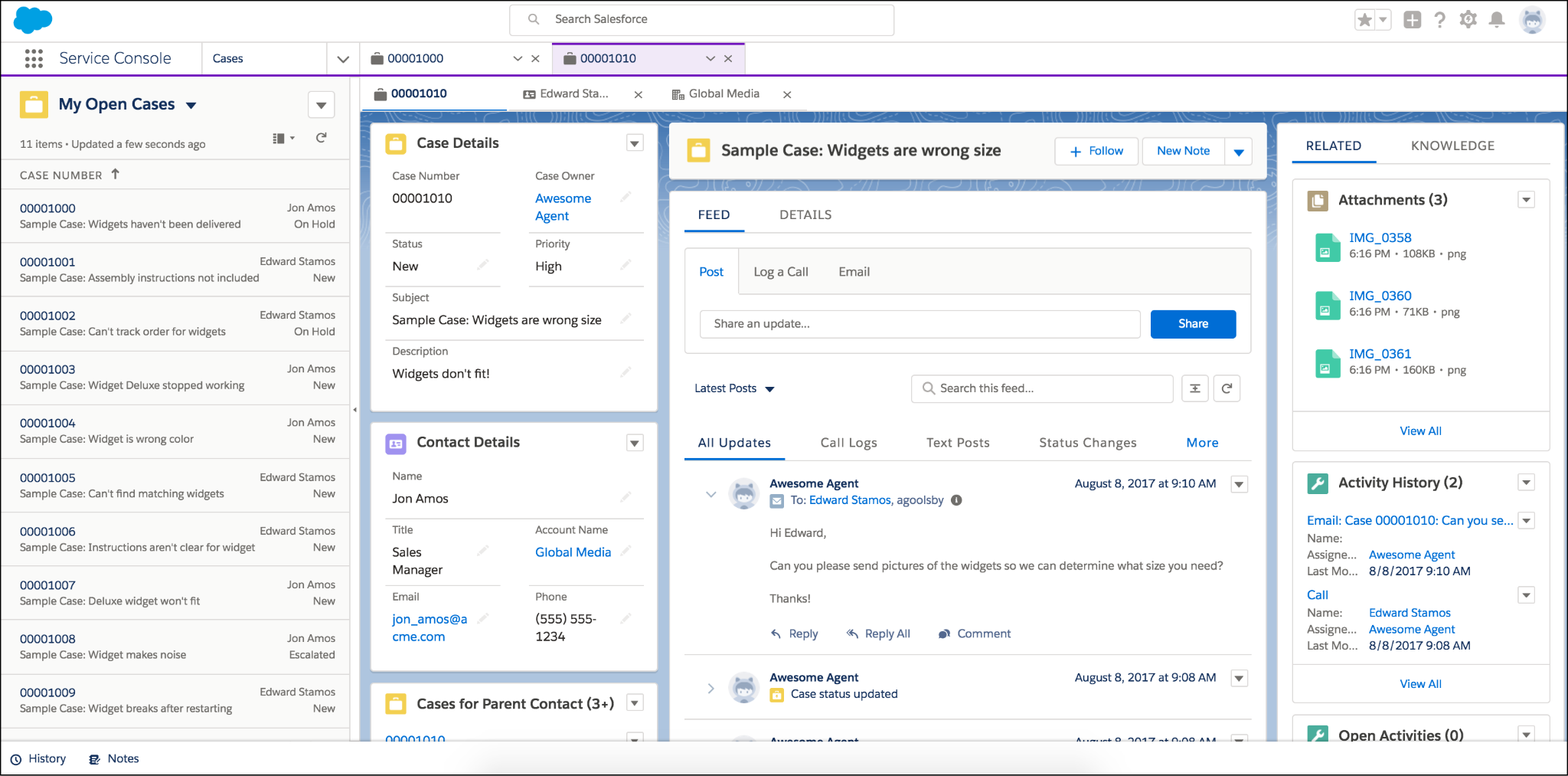
Salesforce's Service Console is a different experience. It's a workspace where agents see case details, customer history across clouds, AI-recommended actions, knowledge articles, and swarming tools via Slack, all in one view. The console does more than Front's inbox for agents who need sales records, order history, or billing data alongside the service case. But it's also more complex. New agents need training on the Lightning Experience, and the breadth of options can slow down teams that primarily handle email-based operations.
Source: Salesforce
For B2B teams where most customer communication happens through email, SMS, and Slack Connect, Front's inbox-native design reduces the time agents spend navigating the tool. For teams where every service case needs context from sales, billing, and field service records, Salesforce's console provides that depth natively.
Integrations reveal different ecosystem strategies
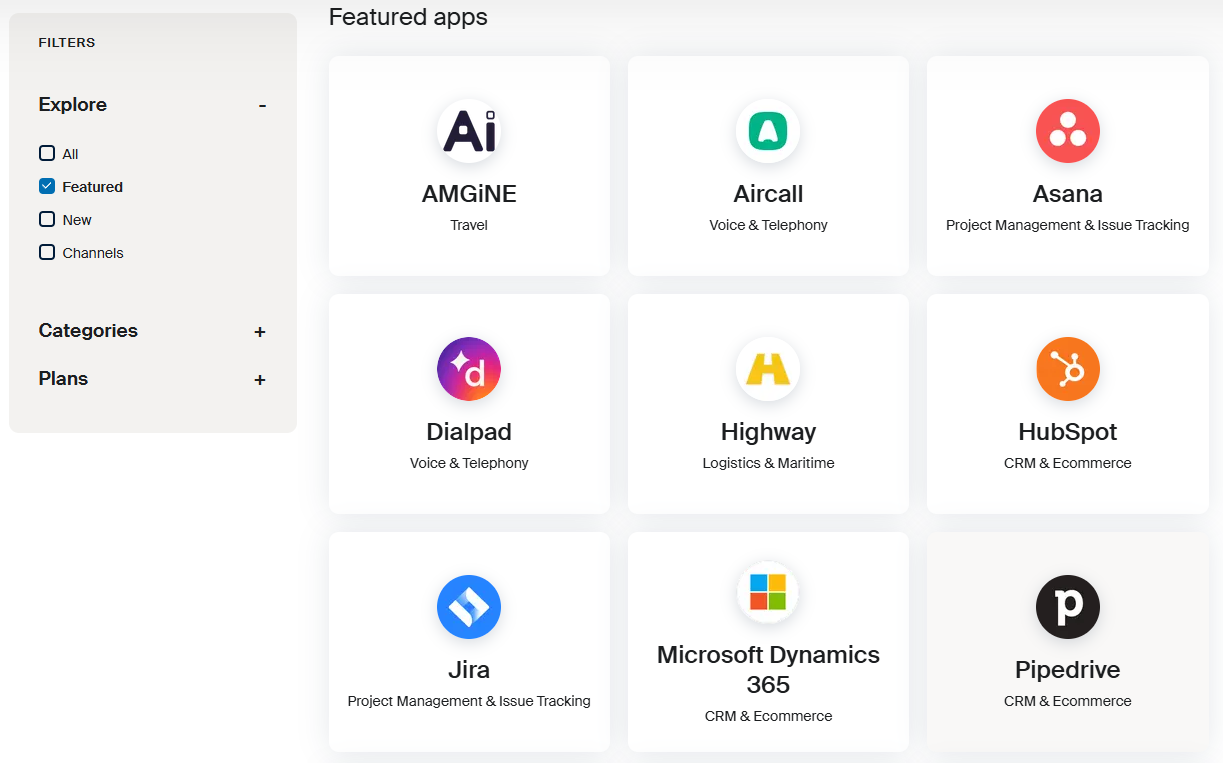
Front's integrations directory lists 160+ connectors spanning CRMs (Salesforce, HubSpot), project management tools (Jira, Asana), and communication platforms. The redesigned Salesforce integration supports one-click contact sync, conversation logging to custom objects, and admin controls. Front's open API provides six developer surfaces: Core API, Plugin SDK, Channel API, Connectors, Chat Widget SDK, and an MCP Server for AI agent interoperability.
Source: Front
Salesforce plays in a different league. AppExchange hosts 9,000+ apps with 14+ million installs, and 91% of customers use at least one AppExchange app. MuleSoft provides API management and integration with hundreds of pre-built connectors for systems like SAP, Oracle, and Workday. Native integrations with Google Workspace, Microsoft Teams, and Slack are built in. The ecosystem is roughly five times larger than Salesforce itself.
The difference matters when your tech stack grows. Front integrates well with the tools most B2B operations teams already use. Salesforce integrates with nearly everything in the enterprise software landscape, but configuring and maintaining those integrations often requires dedicated technical resources.
ZoomInfo fills the intelligence gap both platforms leave open
Here's what neither Front nor Salesforce does on its own: tell your team who they're talking to, what those people care about, and whether they're in a buying cycle right now.
Front gives agents a shared inbox. Salesforce gives them a CRM record. But the quality of both depends on the data inside them. If your CRM has incomplete contact records, stale job titles, and no visibility into buying signals, your agents are working blind, regardless of how good the platform is.
ZoomInfo solves this with the largest B2B data platform in the industry: 500M contacts, 100M companies, 135M+ verified phone numbers, 120M direct-dial phone numbers, and 200M+ verified business emails. A multi-source verification pipeline backed by 300+ human researchers delivers up to 95% accuracy on first-party data. In a Fortune 500 competitive RFP analyzing 25 million contacts across vendors, an independent consultant concluded that "no other competitor came even close."
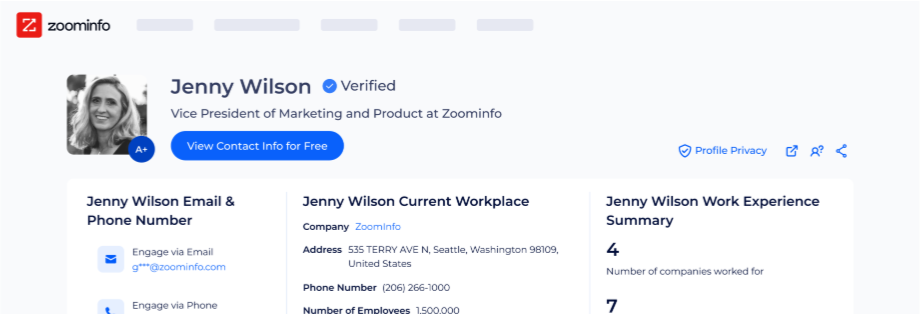
But data alone isn't the differentiator. The GTM Context Graph processes 1.5B+ data points daily, fusing ZoomInfo's third-party intelligence with your CRM records, conversation transcripts from Chorus, and behavioral signals. A CRM records that a deal moved to Stage 3. The GTM Context Graph captures why it moved: the CFO joined the last call and asked about ROI timelines, which matches the pattern behind closed-won deals in your segment. That intelligence flows into every downstream action.
"ZoomInfo's not just a contact data company anymore. They've built a full system of execution. GTM Intelligence works the list, writes the outreach, triggers the play, and helps drive predictable growth." (Ian Brodie, CEO & Co-Founder, Levanta)
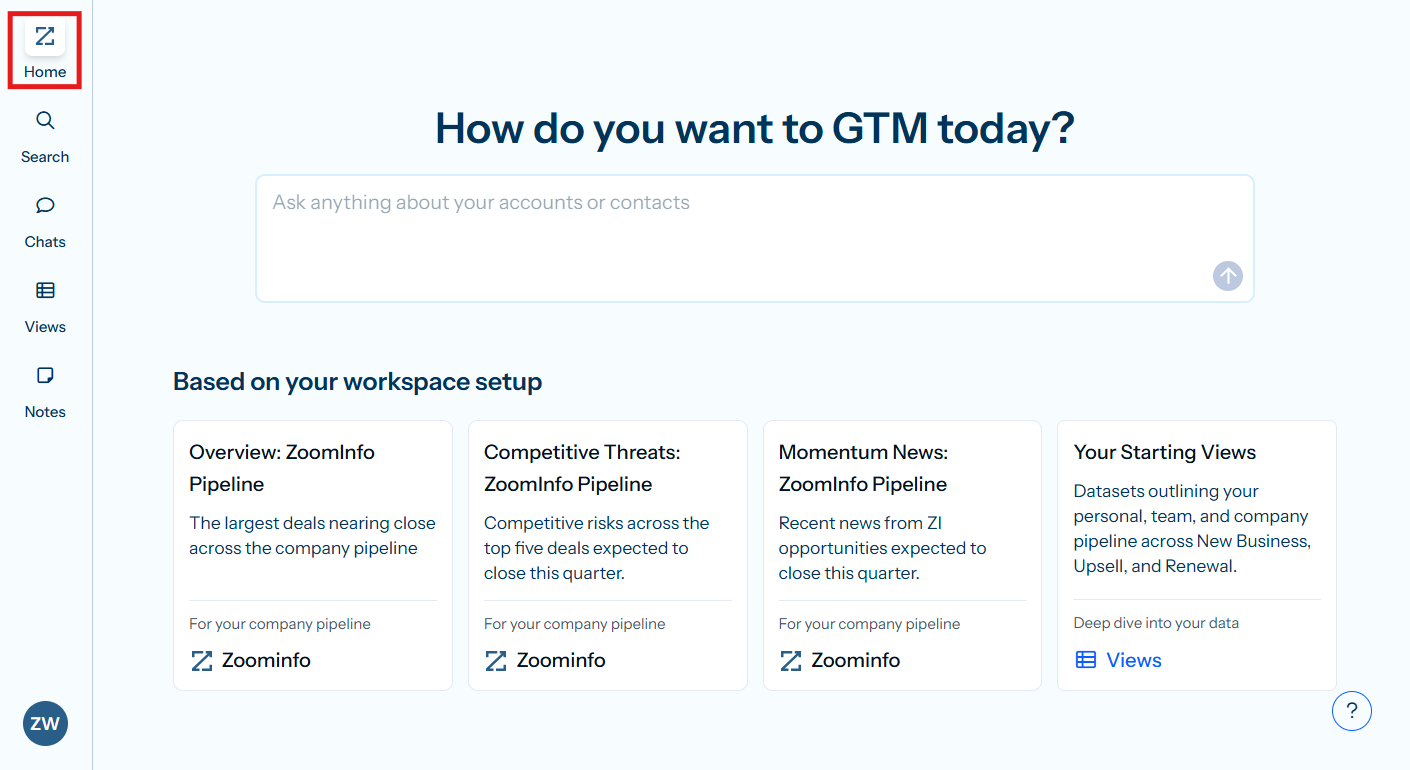
For teams using Front, ZoomInfo's data means that when an account manager opens a conversation, the context isn't limited to what's in the email thread. It includes verified org charts, intent signals, and relationship history. For teams using Salesforce, ZoomInfo's native integration enriches CRM records automatically, and the GTM Workspace gives sellers a prioritized view of accounts with AI-drafted outreach grounded in real buying signals, not guesswork.
"That combination of our internal CRM data, external signals, and AI that's given all that context has helped us craft very specific account- and persona-based messages. And people have responded to them right away." (Toby Carrington, Chief Business Officer, Seismic)
For a direct look at how Salesforce and ZoomInfo stack up on data, pricing, and GTM capabilities, see our Salesforce vs. ZoomInfo comparison.
Knowledge base and self-service comparison
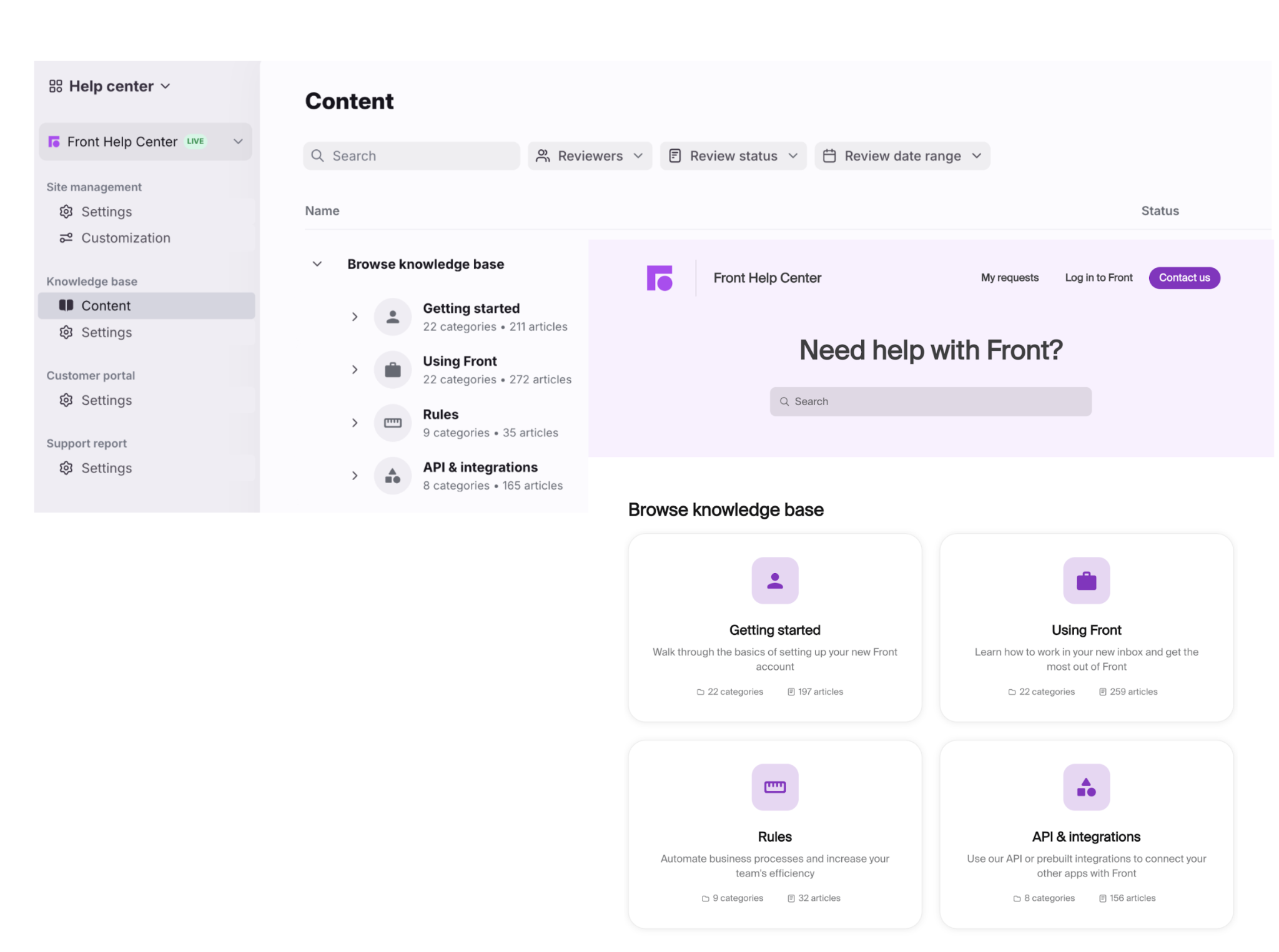
Front includes a built-in knowledge base on all plans: dual internal/external bases, AI Compose for drafting articles from bullet points, and multi-language support on Enterprise. Articles are accessible inside the inbox via a sidebar plugin or quick command (/article), so agents can search and insert links without leaving the conversation. The knowledge base also serves as the content source that trains Front's Copilot and Autopilot AI features.
Source: Front
Salesforce's knowledge management is more extensive. Enterprise Knowledge includes AI-powered search, AI-generated articles, and knowledge that improves over time. The self-service portal offers a help center, authenticated portal, community forums, and a service catalog with Agentforce agents embedded. For organizations that need community-driven support at scale, Salesforce's self-service capabilities go well beyond what Front offers.
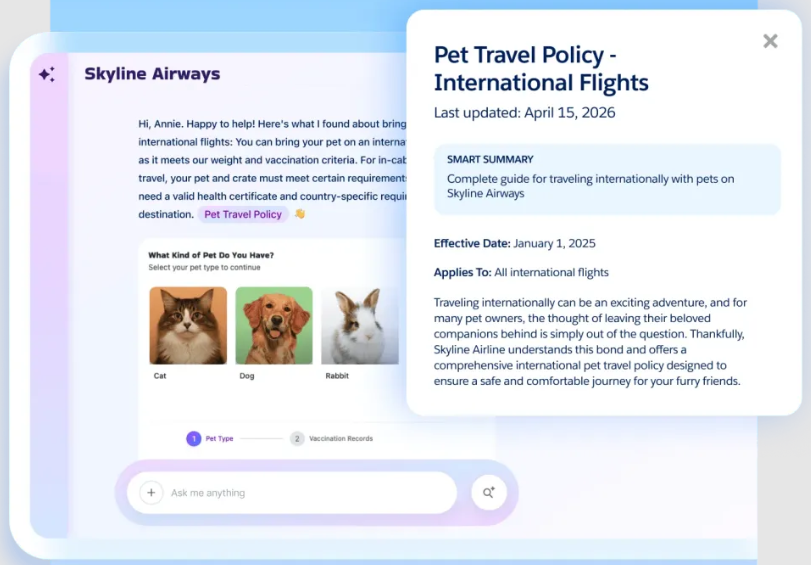
Source: Salesforce
Front's knowledge base is simpler to set up and manage, and its integration with the inbox and AI layers makes it effective for teams that need to arm agents with answers. Salesforce's knowledge management is for organizations that need AI-powered self-service to handle thousands of customer interactions autonomously.
Analytics and reporting
Front's analytics suite includes a live dashboard, workload reports, team performance breakdowns, resolution tracking by ticket status, SLA monitoring, and CSAT reporting. Every metric drills down to the individual conversations behind it. Reports can be scheduled for automatic email delivery to internal or external stakeholders. Smart QA and Smart CSAT add AI-scored quality and satisfaction data across the full conversation volume.
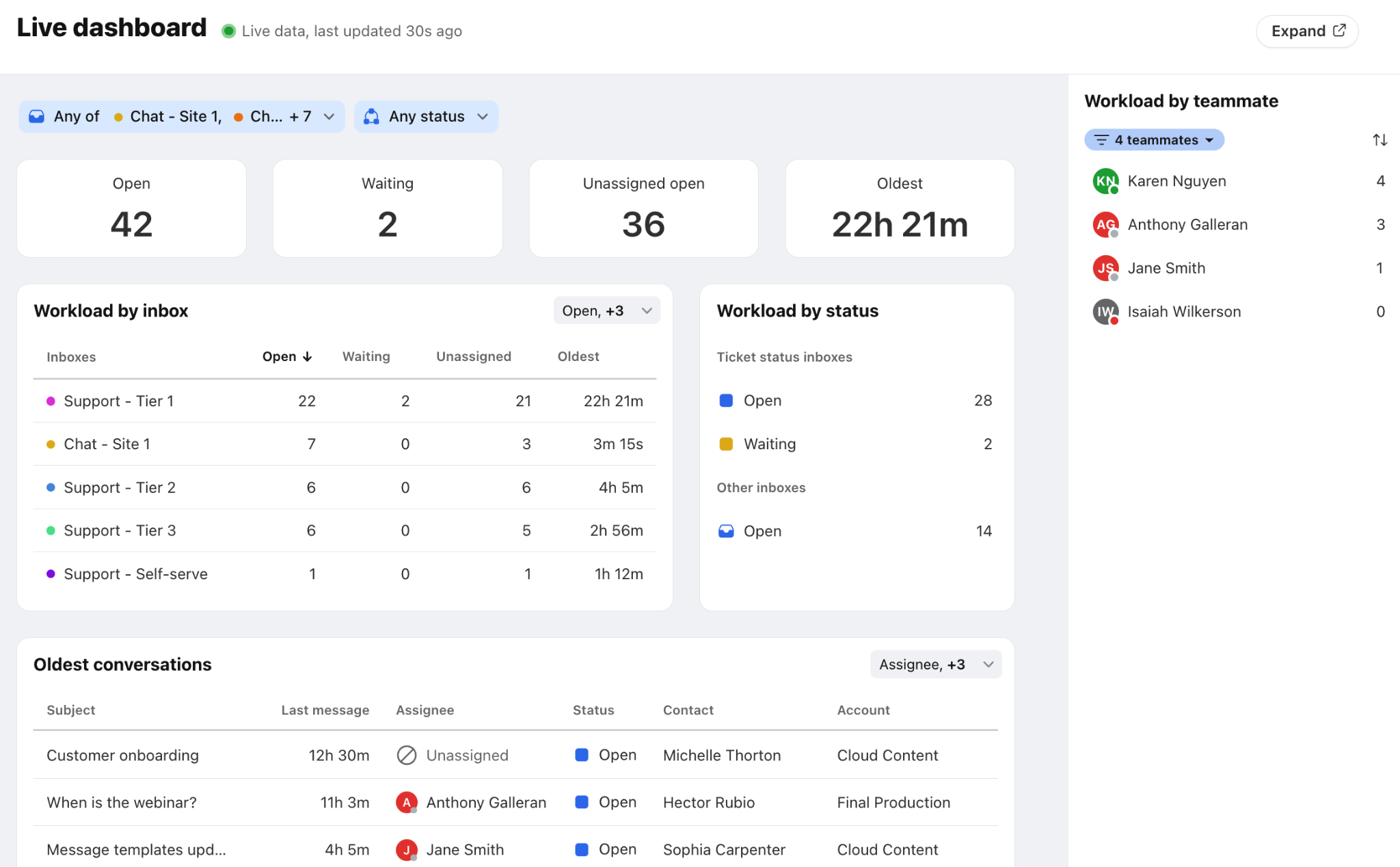
Source: Front
Salesforce's reporting is in a different category. Tableau provides analytics with Tableau Pulse for AI-powered insights and Tableau Next for agentic analytics. CRM Analytics embeds visualizations directly in Salesforce records. For Service Cloud, reporting covers case volume, agent productivity, SLA compliance, customer effort scores, and predictive forecasting.
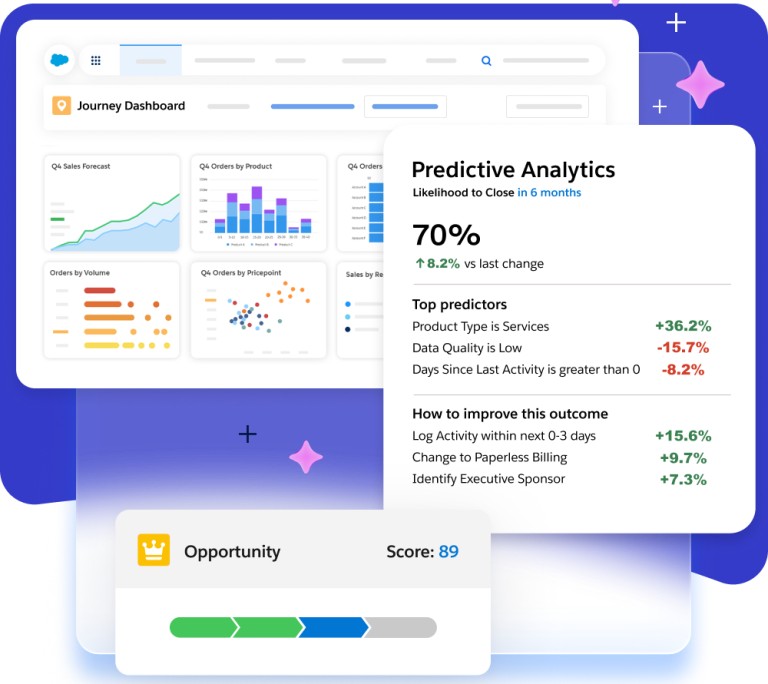
Source: Salesforce
Front's analytics are practical and accessible. They answer the questions a support manager asks daily without requiring a BI team. Salesforce's analytics are a platform unto themselves, capable of connecting service data to sales pipeline, marketing attribution, and financial metrics. If your analytics needs stay within customer operations, Front covers them. If you need to connect service performance to revenue outcomes across the business, Salesforce and Tableau are the stronger path.
Security and compliance
Both platforms meet enterprise security requirements, though Salesforce's certifications run deeper.
Front holds SOC 2 Type II and ISO 27001 certifications, with controls aligned to GDPR and CCPA. Data encryption uses AES-256 at rest and TLS 1.2 in transit. US and EU data residency options are available. SAML-based SSO is supported on Professional plans and above, and IP restrictions, 2FA, and custom roles are available on Enterprise.
Salesforce holds ISO 27001/27017/27018, SOC 1/2/3, FedRAMP, and HITRUST certifications. Salesforce Shield adds event monitoring, platform encryption with BYOK, and indefinite field audit trails, though it's a paid add-on. The Einstein Trust Layer for AI includes zero data retention with LLM partners, PII masking, and toxicity detection. Hyperforce enables deployment on public cloud infrastructure with regional data residency across multiple countries.
For regulated industries that require FedRAMP, HITRUST, or advanced data governance, Salesforce is the more established choice. For B2B companies that need strong security without the overhead of managing Shield and Hyperforce configurations, Front's security posture covers the standard enterprise requirements.
Front vs. Salesforce vs. ZoomInfo: Which should you choose?
The choice depends on where your team spends its time and what problems you're solving first.
Choose Front if:
Your B2B team manages customer relationships primarily through email, chat, and Slack
Cross-team coordination, not ticket volume, is your biggest operational bottleneck
You want fast deployment without dedicated administrators
AI-powered workflow automation for complex, multi-step processes matters more than autonomous agent capabilities
Your budget for customer operations is under $100/seat/month
Choose Salesforce if:
You need a single platform for sales, service, marketing, and commerce
Your organization has the resources to implement and administer an enterprise CRM
Autonomous AI agents that work across your entire customer lifecycle are a strategic priority
You operate in a regulated industry requiring FedRAMP, HITRUST, or advanced compliance certifications
You need the AppExchange ecosystem and MuleSoft integrations
Add ZoomInfo if:
You need verified B2B contact data, direct dials, and business emails to power your outbound and account management
Intent signals and buying committee intelligence would help your team prioritize the right accounts at the right time
Your CRM data is incomplete, stale, or unreliable, and you need a data layer that fixes that automatically
You want AI-powered GTM execution through GTM Workspace for sellers, GTM Studio for marketers and RevOps, or APIs and MCP in any front-end
You want one intelligence layer that enriches whichever customer operations platform you choose
See how ZoomInfo's data and intelligence layer powers your GTM stack.
Front and Salesforce are both strong platforms for customer operations. They serve different organizations at different stages. Front gives mid-market B2B teams a fast, collaborative workspace that tackles the coordination problems other tools ignore. Salesforce gives enterprises a CRM that ties every customer interaction together across the business. ZoomInfo sits underneath both, ensuring that the data your teams depend on (contacts, companies, signals, and context) is accurate, verified, and continuously updated.
The teams that win aren't choosing between platforms. They're choosing the right combination, and making sure the intelligence layer connecting them is the strongest it can be.
If verified B2B data and AI-powered GTM intelligence sound like the foundation your stack is missing, start with ZoomInfo Lite for free or request a demo.
Front vs. Salesforce vs. ZoomInfo FAQ
What is the core difference between Front and Salesforce?
Front is an AI customer operations platform built around a collaborative shared inbox for B2B teams managing email, chat, SMS, and Slack. Salesforce is a full enterprise CRM covering sales, service, marketing, commerce, and custom applications. Front solves cross-team coordination for customer-facing work; Salesforce provides unified customer data and autonomous AI agents across every business function.
Which platform is more affordable for a mid-sized support team?
Front costs significantly less for teams focused on customer operations. A 30-person team on Front Enterprise pays roughly $37,800/year with AI features included. The same team on Salesforce Enterprise with Digital Engagement and Agentforce for Service pays roughly $171,000/year. However, Salesforce consolidates multiple functions (sales, marketing, service) that would otherwise require separate tools.
Can Front replace Salesforce as a CRM?
No. Front is a customer operations platform, not a CRM. It handles inbound communication, ticket management, and cross-team coordination, but it does not manage sales pipelines, marketing campaigns, commerce, or serve as a system of record for customer data. Many teams use Front alongside a CRM (Front integrates natively with Salesforce and HubSpot) rather than as a replacement.
How does ZoomInfo fit with Front or Salesforce?
ZoomInfo is a complementary intelligence layer, not a competitor to either platform. It enriches CRM records with verified B2B contact data, intent signals, and buying committee insights. For Salesforce users, ZoomInfo's native integration automates CRM enrichment and surfaces account intelligence directly in the sales workflow. For Front users, ZoomInfo data provides verified context on the contacts and companies behind every conversation, helping agents prioritize and personalize their responses.
Which platform has better AI capabilities?
Both have strong AI, but with different designs. Front's AI (Autopilot, Copilot, Smart QA, Smart CSAT) focuses on automating operational workflows while keeping humans in control of decisions. Salesforce's Agentforce deploys autonomous AI agents that can resolve cases, engage leads, and run campaigns without human intervention. Front's AI is more accessible and deploys faster; Salesforce's AI is more ambitious and reaches across the entire CRM platform.
Which platform is easier to implement?
Front deploys in weeks with minimal IT overhead. Uber Freight launched 250 users in three weeks. Salesforce implementations typically take 4-12 months depending on scope, and over 70% are partner-led. For teams that need to move fast, Front's faster time-to-value is a clear advantage. For organizations making a long-term platform commitment, Salesforce's implementation investment pays back through depth and scale.
Which platform is better for managing B2B customer relationships over email and Slack?
Front is the stronger choice for email-centric and Slack-based customer operations. Its shared inbox was designed for multi-team email collaboration, with features like shared drafts, collision detection, and internal comments that Salesforce's Service Console does not replicate as naturally. Front also supports Slack as a first-class support channel, with all AI features (Autopilot, Copilot, Smart QA, CSAT) available within Slack conversations.
How do the platforms handle quality assurance and customer satisfaction measurement?
Front's Smart QA automatically scores every closed ticket against customizable criteria, and Smart CSAT infers satisfaction on 100% of conversations, including customers who never respond to surveys. Both are native to Front and available on all plans (bundled with Enterprise, add-on otherwise). Salesforce offers feedback management and sentiment intelligence through its Contact Center add-on, with more sophisticated analytics via Tableau, but these require additional licensing and configuration.
