
Choosing between HoneyBook and HubSpot comes down to a question most comparison articles skip: what kind of business are you running?
These two platforms were built for different worlds. HoneyBook serves a solo wedding photographer juggling contracts, invoices, and scheduling. HubSpot serves a 50-person SaaS company running marketing campaigns and managing a sales pipeline. Comparing them feature-for-feature misses the point. The real questions are:
Are you an independent service professional managing a handful of clients, or a B2B team selling to dozens or hundreds of accounts?
Do you need proposals, contracts, and invoices in one place, or marketing automation, sales pipelines, and customer service?
Is your biggest challenge getting paid on time, or finding and qualifying new prospects?
Are you a one-person operation, or do you have dedicated sales and marketing roles?
Do you need to manage existing client relationships, or do you need intelligence about who to target next?
In short, here's what we recommend:
HoneyBook is the right choice for independent service professionals who need one platform to replace their patchwork of contracts, invoices, scheduling, and client communication tools.
Photographers, event planners, designers, coaches, and consultants get a workspace where a single Smart File can present services, collect a signature, process payment, and book a meeting.
With 28M+ client relationships managed and 90% on-time invoice payment, HoneyBook has earned its reputation among independent service businesses. But it's built for that economy specifically. If you have a sales team, run marketing campaigns, or sell B2B, you'll outgrow it.
HubSpot serves growing businesses that need a full go-to-market platform. Its six connected hubs (Marketing, Sales, Service, Content, Data, and Commerce) share a single Smart CRM, giving marketing, sales, and service teams one view of every customer interaction.
With 288,706 customers across 135+ countries and a generous free tier, HubSpot scales from startups to enterprises.
The tradeoff is complexity: per-seat pricing across multiple hubs, mandatory onboarding fees at Professional and Enterprise tiers, and a feature set that can overwhelm small teams who don't need heavy marketing automation.
Both platforms handle what happens after a prospect becomes a client. But for B2B businesses, there's a critical step before that: finding the right prospects and understanding when they're ready to buy. Neither HoneyBook nor HubSpot was built to solve that on its own.
ZoomInfo is an AI-powered go-to-market platform built on a large B2B dataset: 500M contacts, 100M companies, 135M+ verified phone numbers, and 200M+ verified business email addresses.
It integrates directly with HubSpot, feeding verified contact data, buyer intent signals, and AI-generated account intelligence into HubSpot's CRM so sales and marketing teams act on real buying signals rather than guesswork.
For B2B businesses comparing HoneyBook and HubSpot, ZoomInfo paired with HubSpot creates a go-to-market stack where the intelligence layer identifies who to target and the CRM layer manages the relationship from first touch to closed deal.
If powering your HubSpot CRM with verified B2B intelligence sounds like the missing piece, see how ZoomInfo works.
HoneyBook vs. HubSpot vs. ZoomInfo at a glance
HoneyBook | HubSpot | ZoomInfo | |
|---|---|---|---|
Built for | Independent service professionals | Growing B2B and B2C businesses | B2B sales and marketing teams |
Core function | Client management, proposals, contracts, payments | CRM, marketing automation, sales, service | B2B data intelligence, prospecting, intent signals |
AI capabilities | Predictive lead scoring, email drafts, meeting notes | Breeze AI agents across all hubs | GTM Context Graph with AI-powered account intelligence |
Contracts & invoicing | Native Smart Files with e-signature and payment | Commerce Hub with CPQ and invoicing | Not applicable (intelligence layer, not transaction layer) |
Payment processing | Built-in (2.9% + 25¢ card; 1.5% ACH) | HubSpot Payments or Stripe integration | Not applicable |
B2B data & prospecting | Not applicable | Basic contact enrichment via Breeze | 135M+ verified phones, buyer intent, technographics |
Integrations | Zapier + curated native connectors | 120+ marketplace integrations, native HubSpot/Salesforce connectors, | |
Pricing | $29–$109/month | Free tier; paid from $15/seat/month, scaling to $3,600+/month | Custom-quoted; free tier (ZoomInfo Lite) available |
Free plan | 30-day trial (no permanent free tier) | Permanent free CRM | Permanent free tier (ZoomInfo Lite) |
Best for | Solo practitioners and small service teams | Companies scaling across marketing, sales, and service | B2B teams that need verified data and buying signals |
These platforms solve fundamentally different problems
The most important thing to understand about HoneyBook and HubSpot is that they share the word "CRM" but diverge on almost everything else.
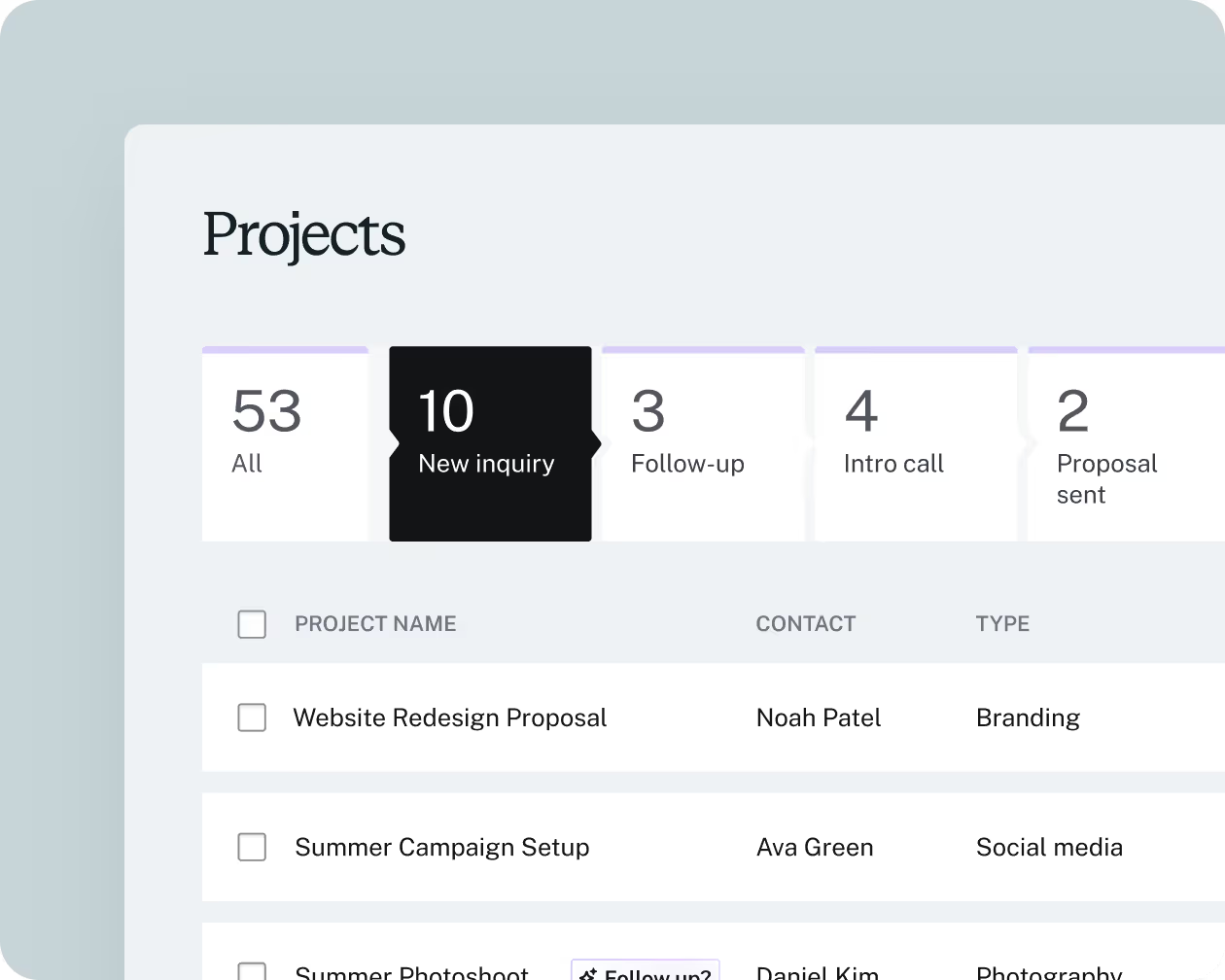
HoneyBook's CRM is organized around projects. A wedding photographer creates a project for the Smith wedding, and that project becomes the container for every proposal, contract, invoice, message, and file related to that job. The pipeline tracks where each project stands in the booking process.
Source: HoneyBook
The system assumes a one-to-one relationship between a business owner and their clients, with workflows built around the service delivery cycle: inquiry, proposal, contract, payment, delivery.
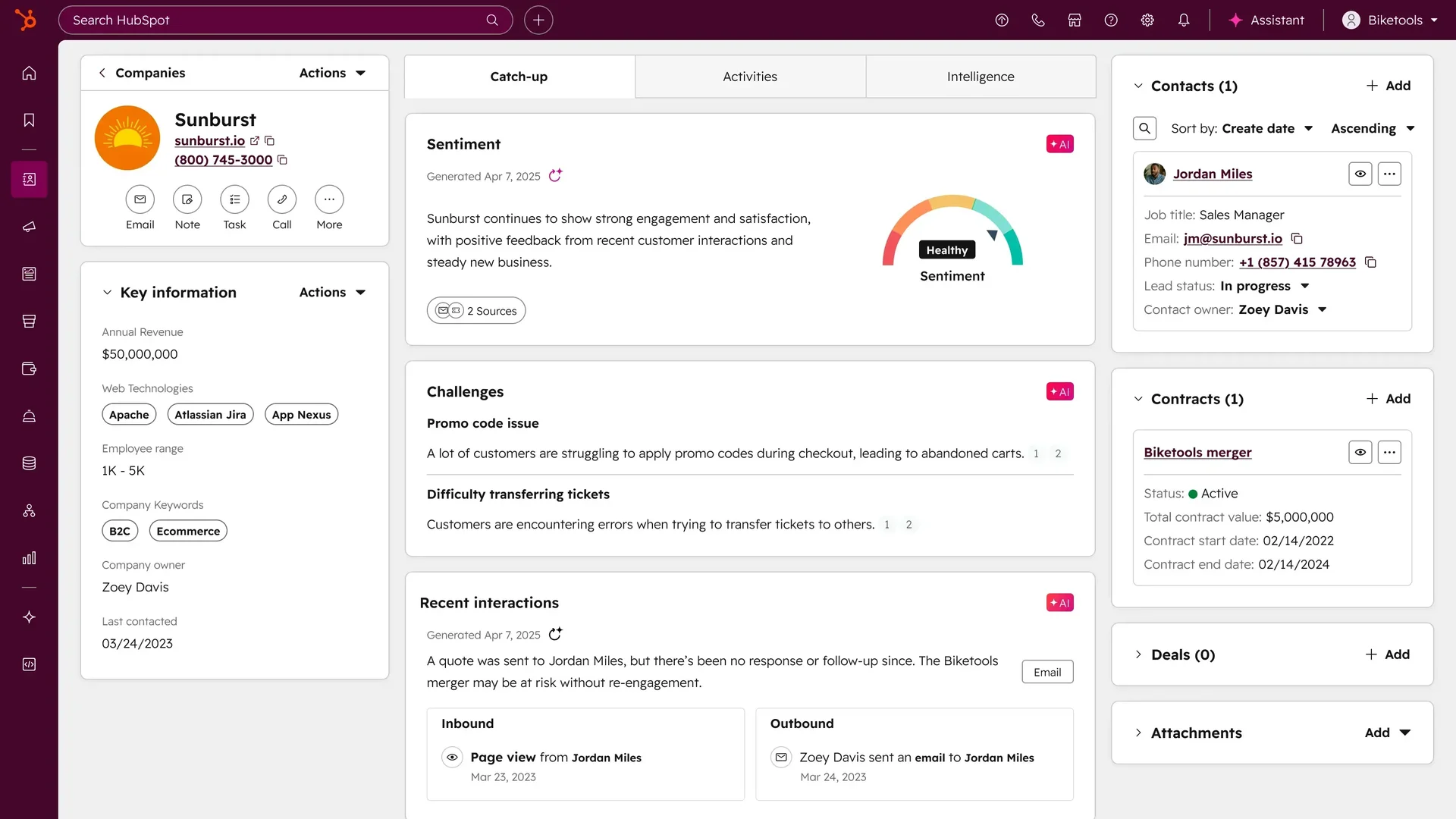
HubSpot's CRM is organized around contacts, companies, and deals. A SaaS company tracks thousands of contacts across hundreds of companies, with multiple deals progressing through a sales pipeline at once.
Source: HubSpot
Marketing campaigns generate leads that flow into sales sequences. Service tickets connect back to the same contact records.
The system assumes teams of people working different stages of the customer lifecycle, with automation connecting the handoffs.
ZoomInfo sits upstream of both. Its CRM integration feeds verified B2B data (contacts, company attributes, org charts, intent signals) into platforms like HubSpot, so sales and marketing teams don't start from an empty database or stale spreadsheets.
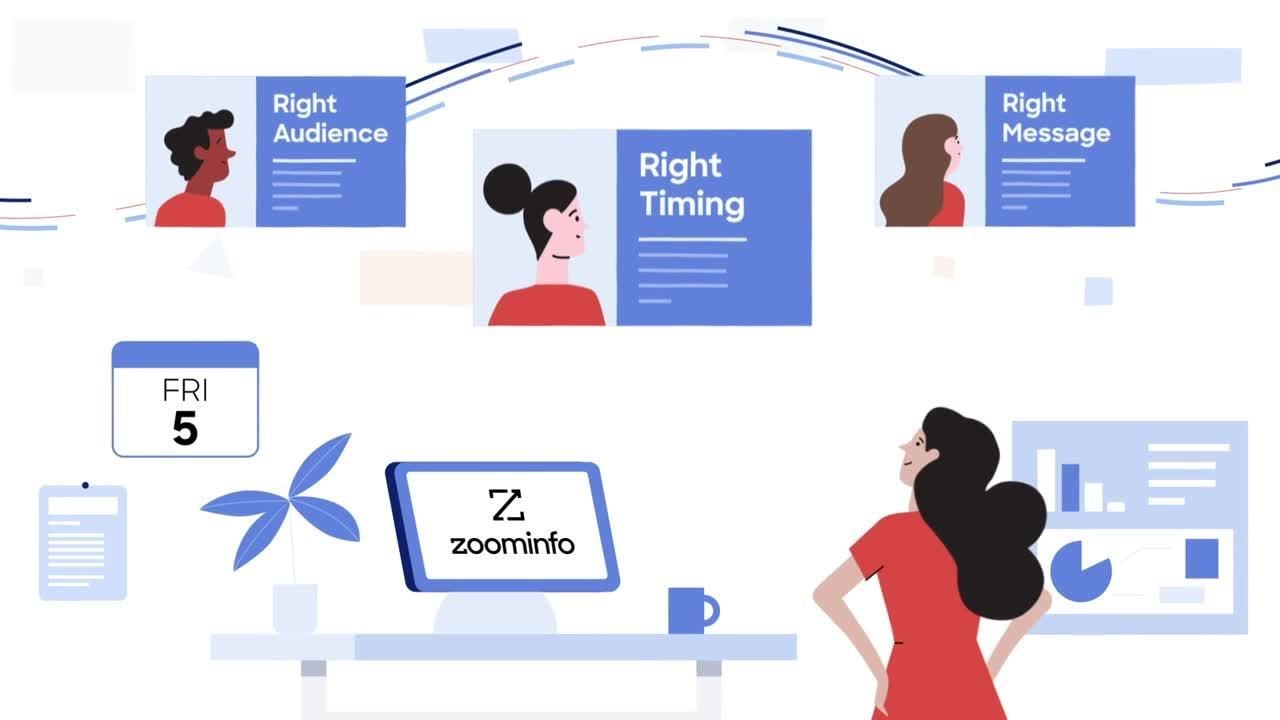
Where HoneyBook assumes the client already found you and HubSpot assumes you'll attract them with inbound content, ZoomInfo provides the intelligence to find and prioritize prospects before they raise their hand.
HoneyBook excels at the client-to-cash workflow
For independent service professionals, HoneyBook's greatest strength is eliminating the gap between winning a client and getting paid.
The platform's signature feature, Smart Files, combines what would normally require four or five separate tools into a single interactive document.
A photographer can send one link that walks the client through a branded welcome, a selectable service menu (where client choices automatically update the total), a binding contract with e-signature, an invoice with payment processing, and a scheduling block to book the session.
The client doesn't need a HoneyBook account.
This matters because every handoff between separate tools is a point where clients drop off. When a proposal lives in one system, the contract in DocuSign, the invoice in QuickBooks, and the scheduling link in Calendly, each transition introduces friction.
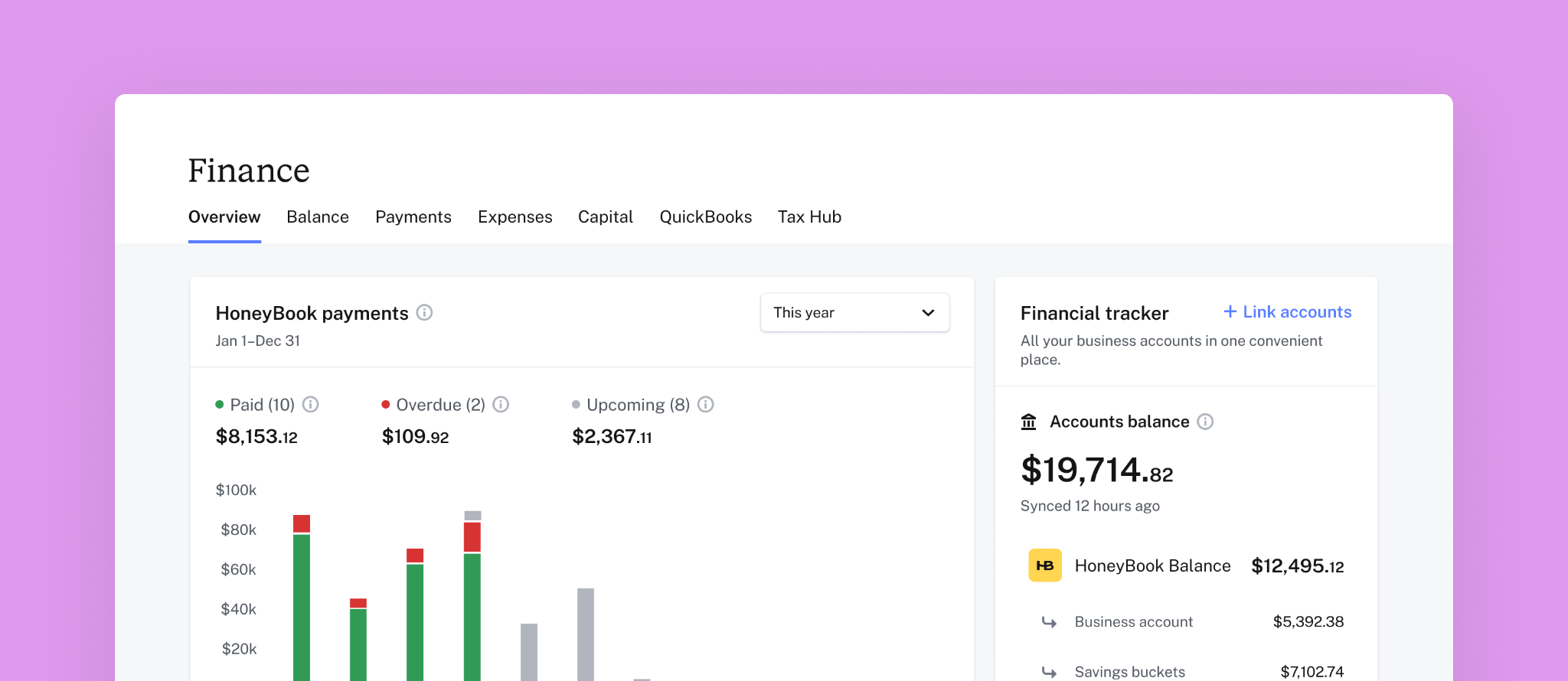
HoneyBook Finance takes this further by building a business checking account, Visa debit card, savings automation, and business loans directly into the platform.
Source: HoneyBook
The checking account receives client payments with instant deposits at no extra charge for Balance members, and configurable savings buckets automatically set aside a percentage of each payment for taxes before the rest becomes spendable.
For a solo operator who previously managed a separate bank account, a tax savings app, and an invoicing tool, this consolidation matters.
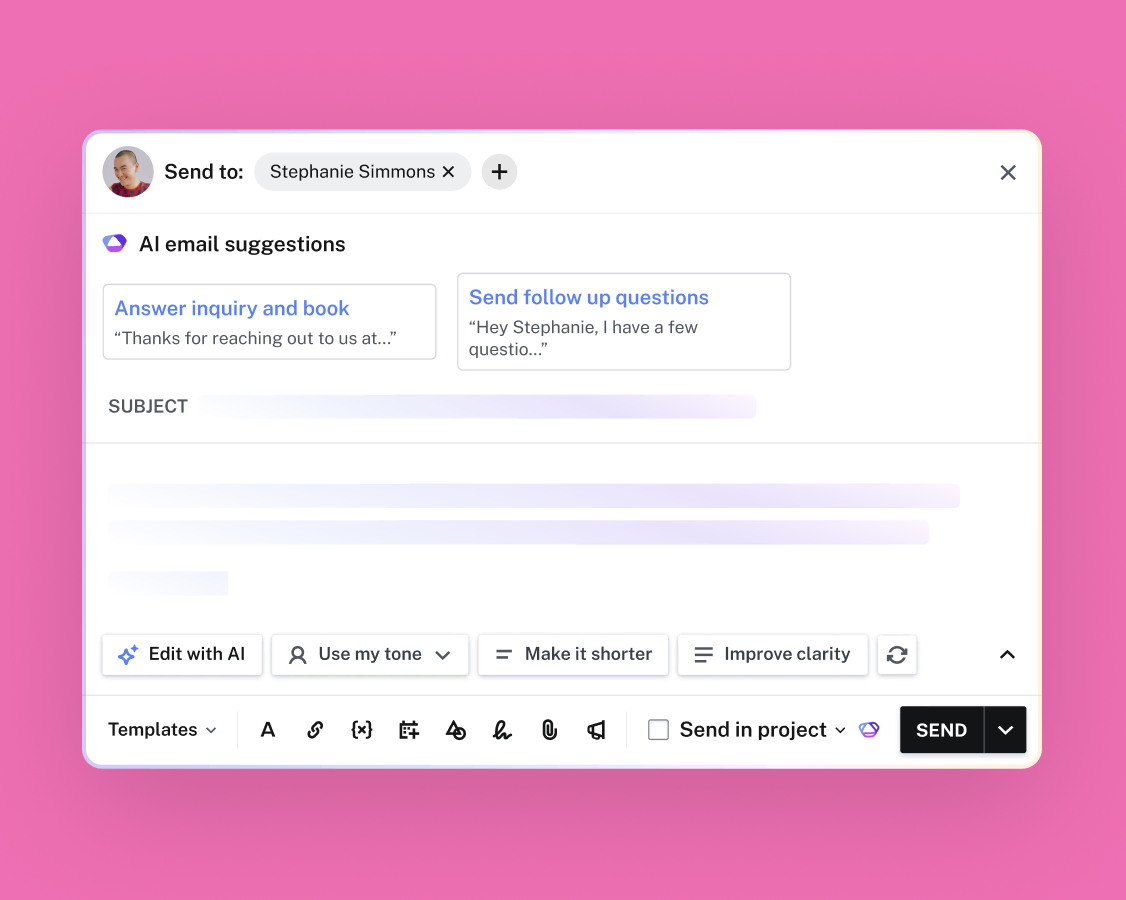
The AI layer reinforces the same workflow. HoneyBook AI scores incoming leads against historical booking data to flag which inquiries deserve immediate attention, generates email drafts based on project context, and compiles project recaps five days before an event so a photographer who booked a wedding 14 months ago doesn't walk in having forgotten the details.
Source: HoneyBook
But HoneyBook's focus is also its ceiling. There's no marketing automation beyond basic email templates. No multi-channel campaign management. No sales pipeline for teams. No B2B prospecting tools. No public API for custom integrations (only Zapier on Essentials and Premium plans). And the platform is only available in four markets: the US, Canada, UK, and Australia.
HubSpot scales across the entire go-to-market cycle
Where HoneyBook handles one workflow well, HubSpot covers the entire go-to-market cycle.
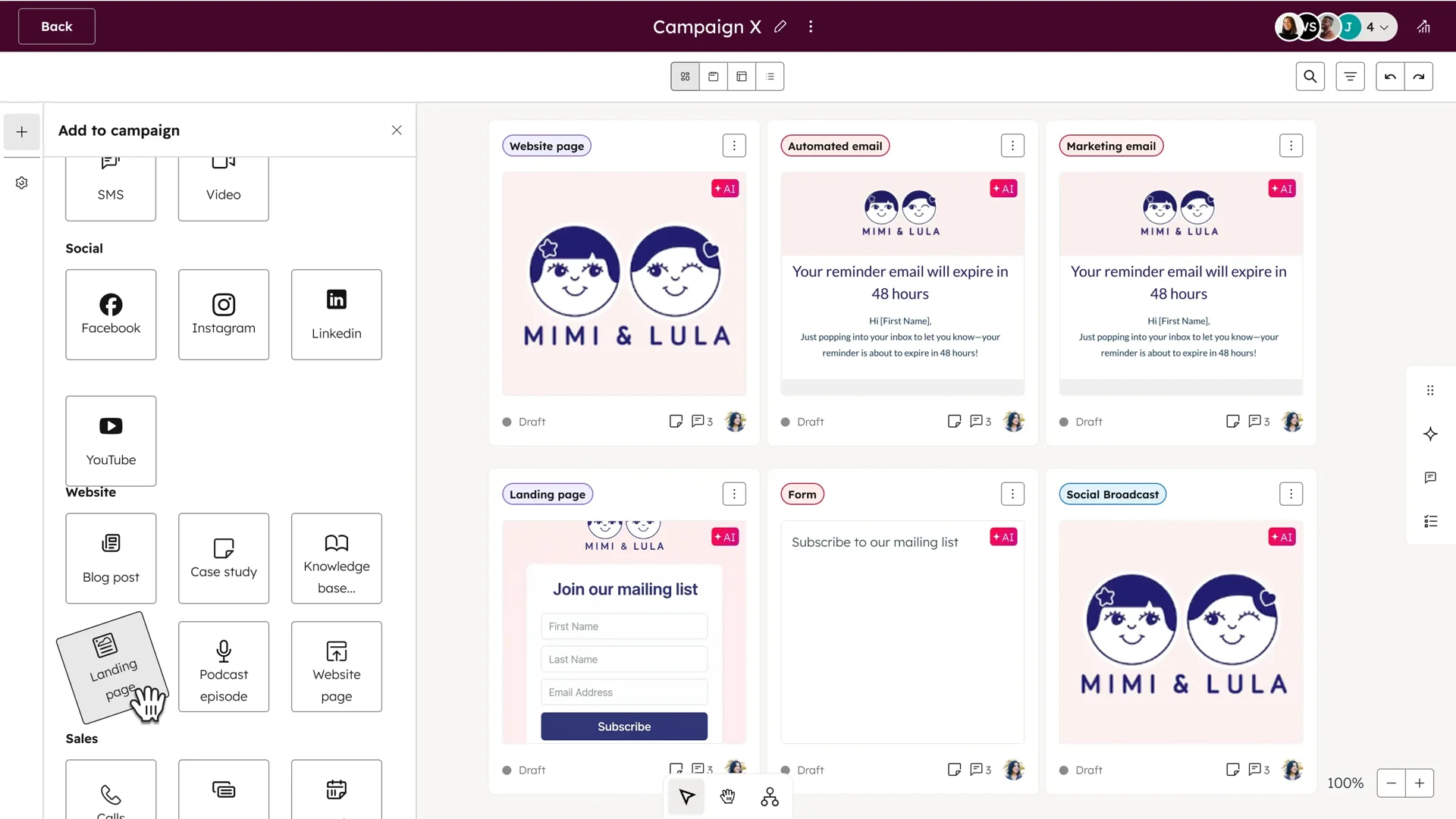
Marketing Hub runs email campaigns, manages social media, builds landing pages, tracks SEO, and measures multi-touch attribution.
Source: HubSpot
Sales Hub manages deal pipelines, automates outreach sequences, records and transcribes sales calls, and generates AI-powered quotes.
Service Hub handles customer support tickets across email, chat, phone, WhatsApp, and Facebook Messenger, with a Breeze Customer Agent that resolves over 50% of inquiries on its own.
Content Hub, Data Hub, and Commerce Hub round out the platform with content marketing, data operations, and quote-to-cash capabilities.
The structural advantage is the shared Smart CRM underneath. When a marketing lead fills out a form, that data is immediately available to the sales rep who picks up the deal, the service agent who later handles a support ticket, and the AI that enriches the record with company data.
Because all hubs share one data layer, teams avoid the synchronization problems that plague companies running separate marketing, sales, and service tools.
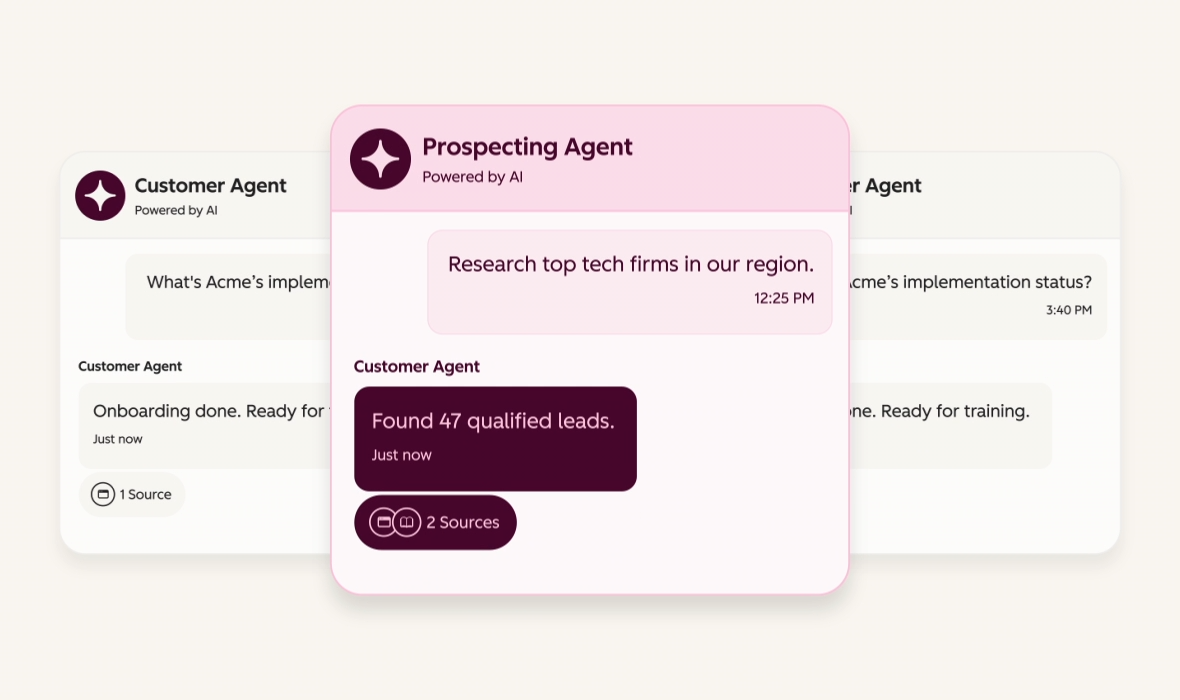
HubSpot's AI layer, Breeze, runs across the entire platform. The Prospecting Agent monitors buying signals and drafts personalized outreach using the full customer history. The Customer Agent handles support conversations around the clock. The Data Agent answers natural-language questions about CRM data.
Source: HubSpot
These agents draw context from the shared CRM, so a prospecting email can reference a previous support interaction or marketing engagement without the rep knowing it happened.
The free tier is genuinely useful: unlimited contacts (up to 1M records), basic CRM, email tracking, forms, and landing pages, with no time limit. This makes HubSpot the lower-risk entry point for businesses unsure how much platform they need.
But HubSpot's breadth introduces cost complexity. Marketing Hub Professional runs $800/month with a $3,000 mandatory onboarding fee. Sales Hub Professional is $90/seat/month with a $1,500 onboarding fee.
When subscribing to multiple hubs at different tiers, all Core Seats bill at the rate of the highest tier, a detail that catches many buyers off guard. A mid-sized company running Professional editions of Marketing, Sales, and Service can easily spend $2,000–$3,000/month before adding contacts or extra seats.
ZoomInfo provides the intelligence layer that makes HubSpot more effective
HubSpot is a good engine, but an engine needs fuel. That fuel, for B2B businesses, is knowing who to target, when they're ready to buy, and how to reach them. This is what ZoomInfo provides.
ZoomInfo's GTM Context Graph combines a large B2B dataset with a customer's own CRM records, conversation transcripts, and behavioral signals.
Processing 1.5B+ data points daily, it captures not just what happened in a deal but why it happened, turning CRM field changes into intelligence about buying committee dynamics, deal momentum, and competitive positioning.
The integration with HubSpot is direct. ZoomInfo feeds verified contacts, company data, intent signals, and AI-generated insights into HubSpot's Smart CRM.
A marketing team running an ABM campaign in HubSpot can target accounts that ZoomInfo's intent data identifies as actively researching their category.
A sales rep working a deal in HubSpot can pull up a ZoomInfo account brief showing org chart changes, funding events, and technology stack details, all without leaving HubSpot.
Three access points deliver this intelligence. GTM Workspace gives sellers a place where prioritized accounts, AI-drafted outreach, and deal execution come together.
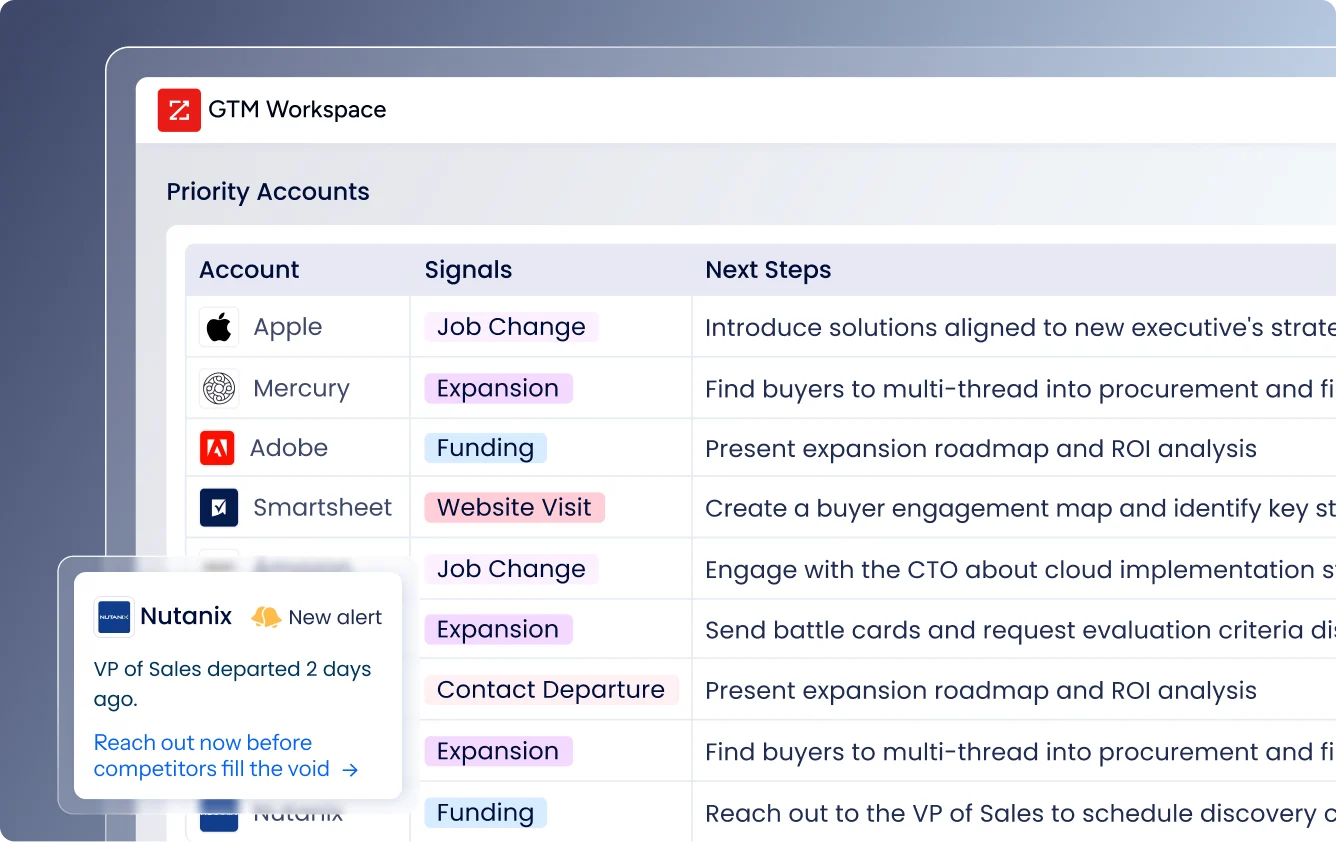
Source: ZoomInfo
GTM Studio gives marketers and RevOps teams an AI-powered canvas for designing, enriching, and activating go-to-market plays. And APIs and MCP expose the same intelligence to any tool, workflow, or AI agent, including HubSpot and custom internal systems.
The practical difference: a B2B consulting firm using HubSpot alone might capture inbound leads through forms and content marketing, then manually research each prospect.
The same firm using ZoomInfo with HubSpot starts with a verified database of target accounts, receives alerts when those accounts show buying intent, and has AI-drafted outreach ready before the prospect ever visits the website.
Seismic attributed 39% of active pipeline to opportunities identified or influenced by ZoomInfo signals, and their sales team reported 54% higher productivity.

Source: ZoomInfo
"It's bringing data together faster than anyone could. It's both a time saving and a quality improvement." (Toby Carrington, Chief Business Officer, Seismic)
For a closer look at how HubSpot and ZoomInfo stack up as standalone platforms, see our HubSpot vs. ZoomInfo comparison.
AI takes three different approaches
All three platforms invest in AI, but each applies it to a different problem.
HoneyBook AI focuses on the solo operator's daily workflow. Priority lead notifications score incoming inquiries against the user's own booking history, sending an alert when a high-probability lead arrives.
The meeting notetaker joins Zoom, Google Meet, or Teams calls and generates transcripts, summaries, and action items stored directly in the project workspace.
An AI-powered automation builder lets non-technical users describe a workflow in plain language and get a ready-to-use automation. The AI trains on data from 45+ industries and billions of client interactions, so its suggestions reflect patterns specific to service businesses rather than generic advice.
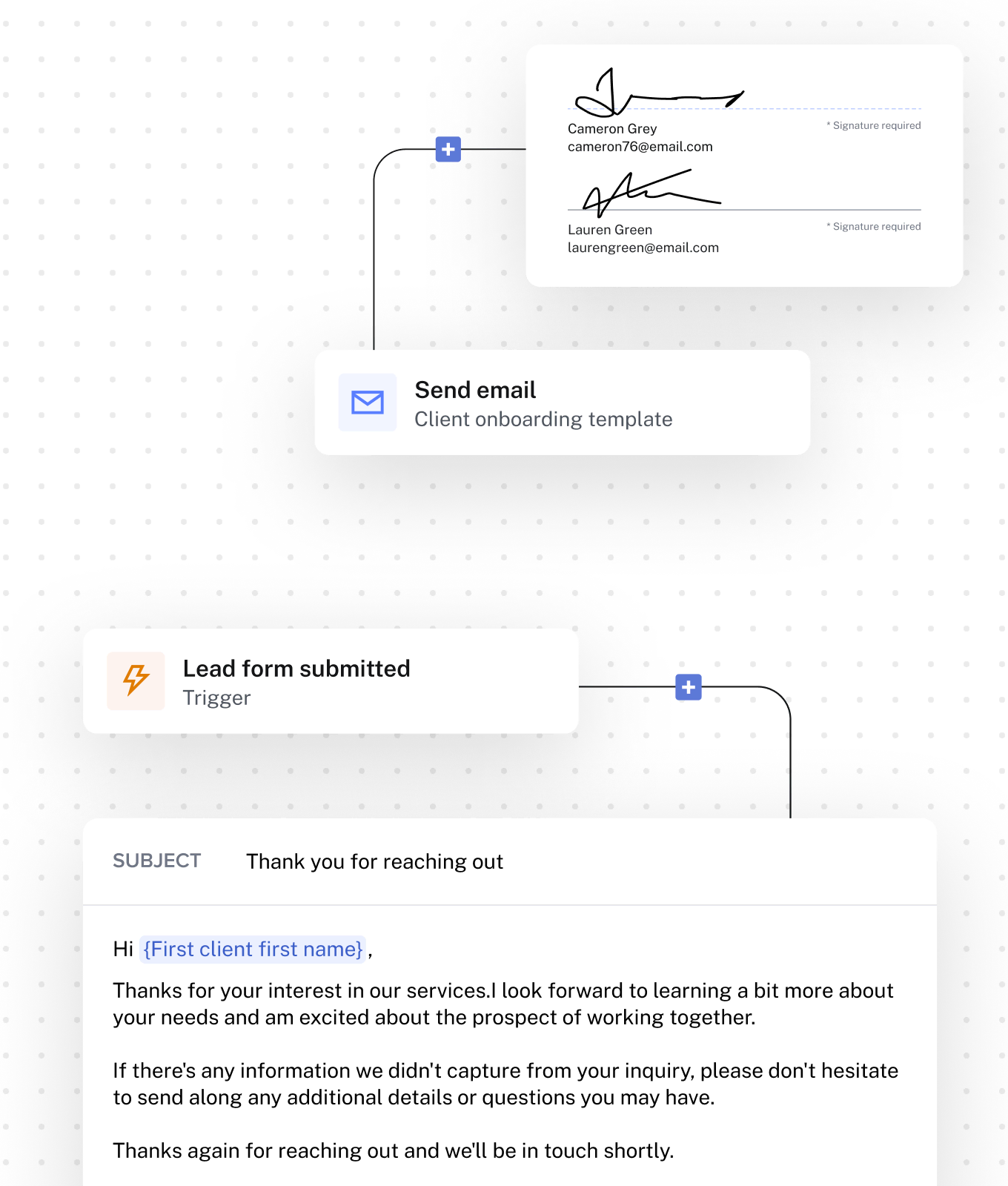
Source: HoneyBook
HubSpot's Breeze AI operates as a team of specialized agents across the full platform. The Prospecting Agent researches prospects, monitors buying signals (leadership changes, funding rounds, engagement spikes), and drafts personalized outreach using the complete HubSpot customer history.
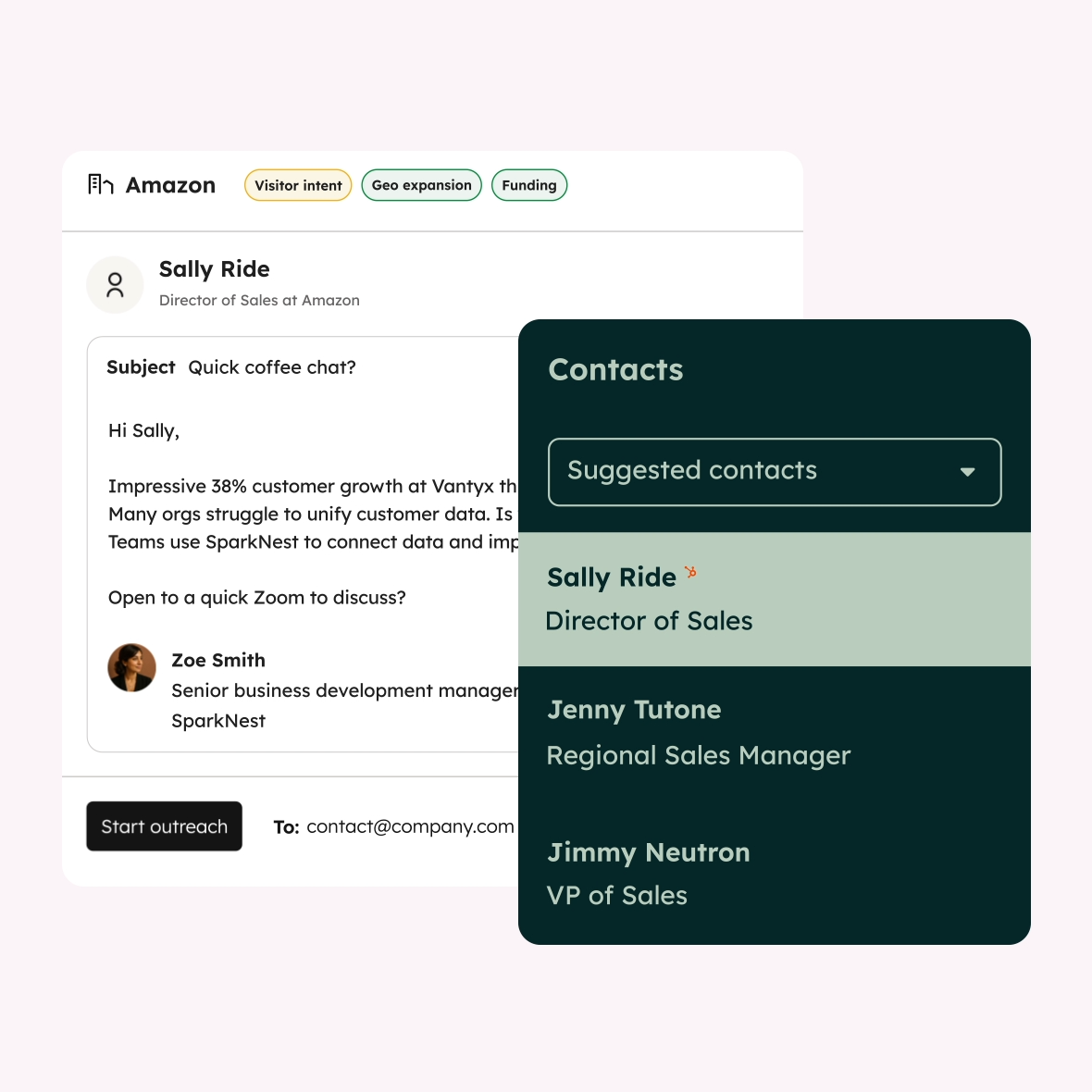
Source: HubSpot
The Customer Agent handles support inquiries across chat, email, WhatsApp, and voice. The Data Agent answers natural-language questions about CRM data.
The key advantage is cross-functional context: because all agents share the Smart CRM, a prospecting email can reference a buyer's previous marketing engagement or support interaction without manual research.
ZoomInfo's GTM Context Graph takes a different approach. Rather than adding AI features to an existing platform, ZoomInfo built an intelligence layer that reasons across first-party CRM data, conversation transcripts, and a large third-party B2B dataset.
A CRM records that a deal moved to Stage 3. Conversation intelligence captures that the CFO joined the last call and asked about ROI timelines. Intent data shows the company is researching competitors.
The GTM Context Graph connects these signals to identify why the deal accelerated and what should happen next. That reasoning flows into AI-drafted outreach, deal risk alerts, and account prioritization across GTM Workspace, GTM Studio, and any connected tool.
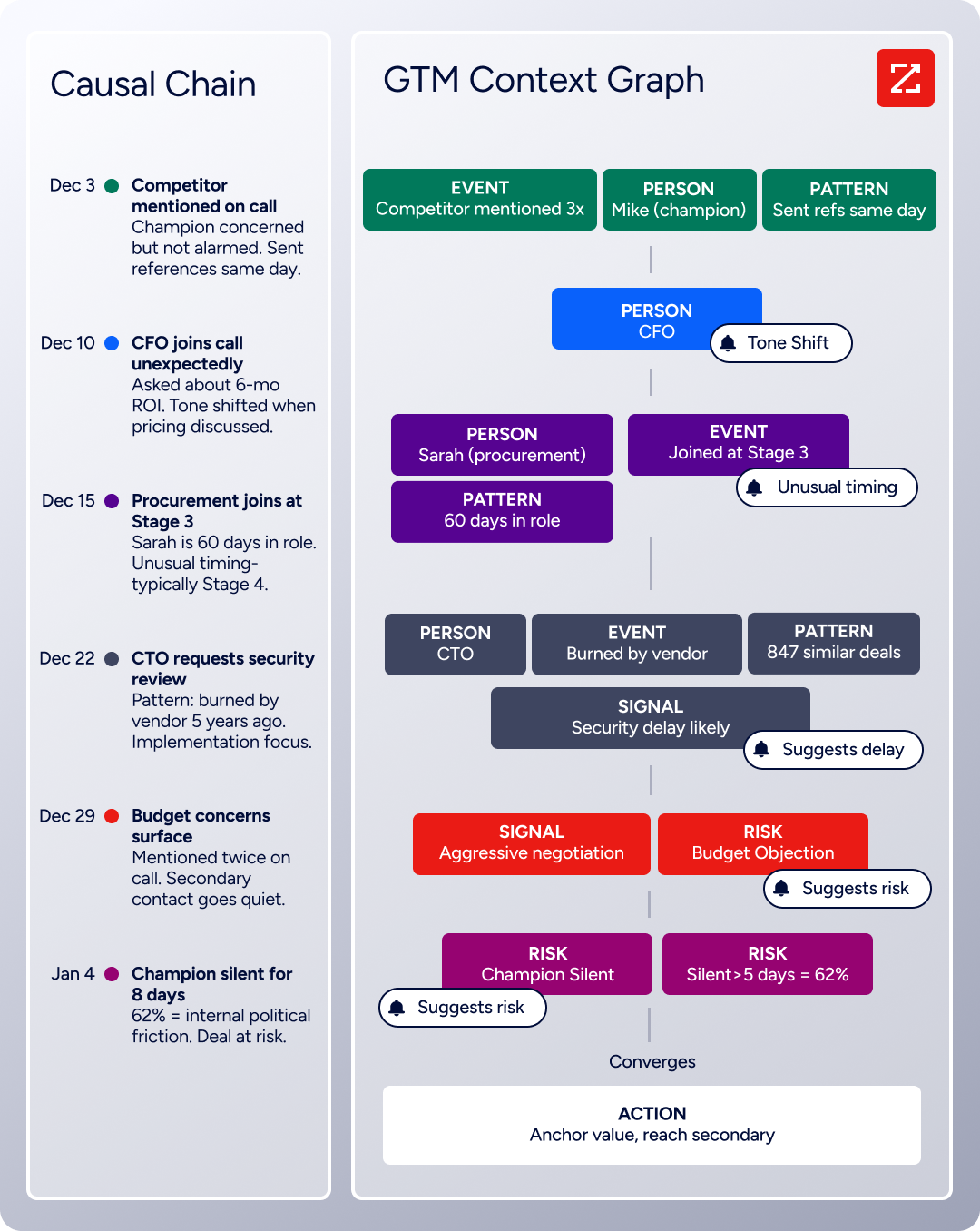
Source: ZoomInfo
"That combination of our internal CRM data, external signals, and AI that's given all that context has helped us craft very specific account- and persona-based messages. And people have responded to them right away." (Toby Carrington, Chief Business Officer, Seismic)
Pricing tells you who each platform was built for
The pricing structures are as different as the platforms themselves.
HoneyBook charges a flat monthly fee with no per-seat complexity at the lower tiers. Starter costs $29/month (annual billing) for one user with unlimited clients and projects, core CRM, invoices, contracts, and HoneyBook AI.
Essentials at $49/month adds the Scheduler, Automations, QuickBooks integration, and up to two team members. Premium at $109/month removes limits: unlimited team members, unlimited lead forms, priority support, and advanced reports.
A 30-day free trial (no credit card required) lets users test before committing, with a 60-day money-back guarantee.
Payment processing fees sit on top of the subscription: 2.9% + 25¢ per card, 1.5% for ACH. For a photographer processing $100,000/year in client payments, that's roughly $3,150 in processing fees plus $588–$1,308 in subscription costs.
HubSpot's pricing requires more calculation. The free CRM is a genuine starting point. The Starter Customer Platform bundles all hubs at $15/seat/month (annual). But the real costs arrive at Professional and Enterprise tiers, where hubs are priced independently and onboarding fees are mandatory:
Marketing Hub Professional: $800/month + $3,000 onboarding
Sales Hub Professional: $90/seat/month + $1,500 onboarding
Service Hub Professional: $90/seat/month + $1,500 onboarding
Marketing Hub Enterprise: $3,600/month + $7,000 onboarding
Contact-based overage charges apply to Marketing Hub. HubSpot Credits power AI features, with included monthly allotments that vary by tier. And the mixed-tier seat rule (where all Core Seats bill at your highest hub tier) adds a layer of cost that's easy to overlook.
ZoomInfo uses custom-quoted, consumption-based pricing with no publicly listed prices. Costs scale around seats, data credits (1 credit = 1 contact or company export), and AI activity.
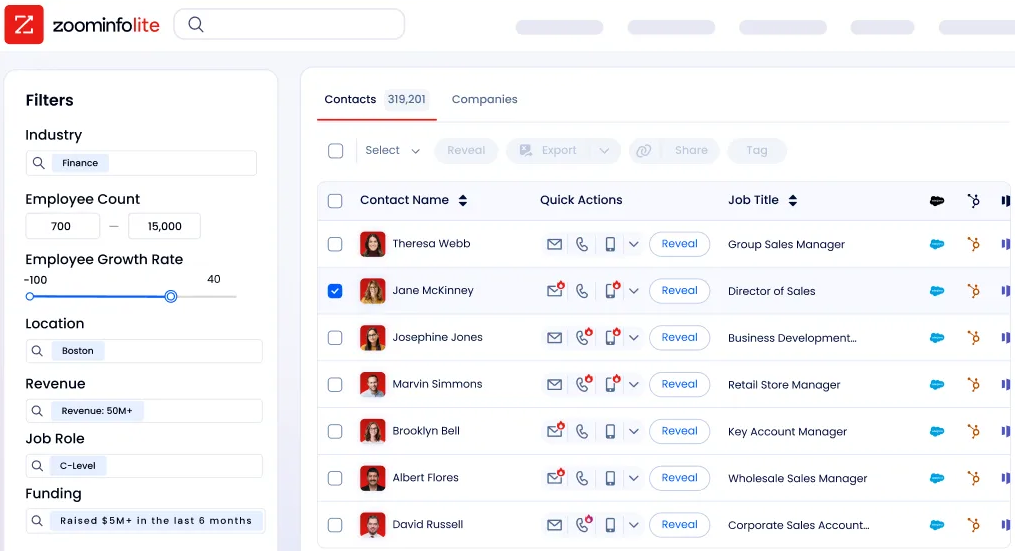
ZoomInfo Lite, the permanent free tier, provides access to ZoomInfo's B2B database with 10 monthly export credits, website visitor identification, a Chrome extension, and HubSpot integration at no cost.
Source: ZoomInfo
A 7-day free trial offers fuller access. Paid plans are tiered (Professional, Advanced, Enterprise), with each tier unlocking additional capabilities like intent signals, advanced workflows, and AI-generated account summaries.
The pricing logic reflects each platform's audience. HoneyBook's flat pricing works because a solo photographer has predictable needs. HubSpot's modular pricing works because a 200-person company needs different capabilities across departments. ZoomInfo's consumption-based pricing works because B2B intelligence usage scales with pipeline activity, not headcount.
Integration ecosystems reflect platform maturity
How easily each platform connects to other tools matters for businesses that don't want to replace their entire stack.
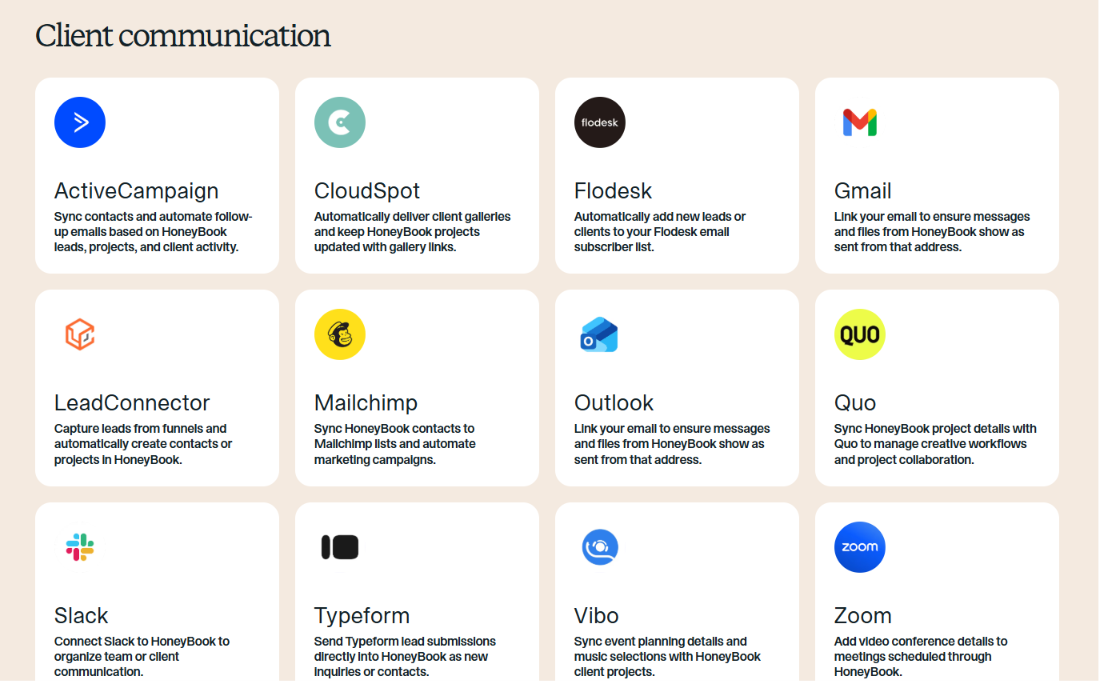
HoneyBook offers a curated set of native integrations organized by function: Gmail and Outlook for email, Google Calendar for scheduling, QuickBooks Online for accounting, Zoom for video, and specialized tools like Pic-Time for photographer galleries.
Source: HoneyBook
Zapier (available on Essentials and Premium plans) extends connectivity to apps not natively listed.
But HoneyBook does not publish a public developer API. No REST endpoints, no SDKs, no webhook system. For businesses with custom integration needs, this is a hard constraint.
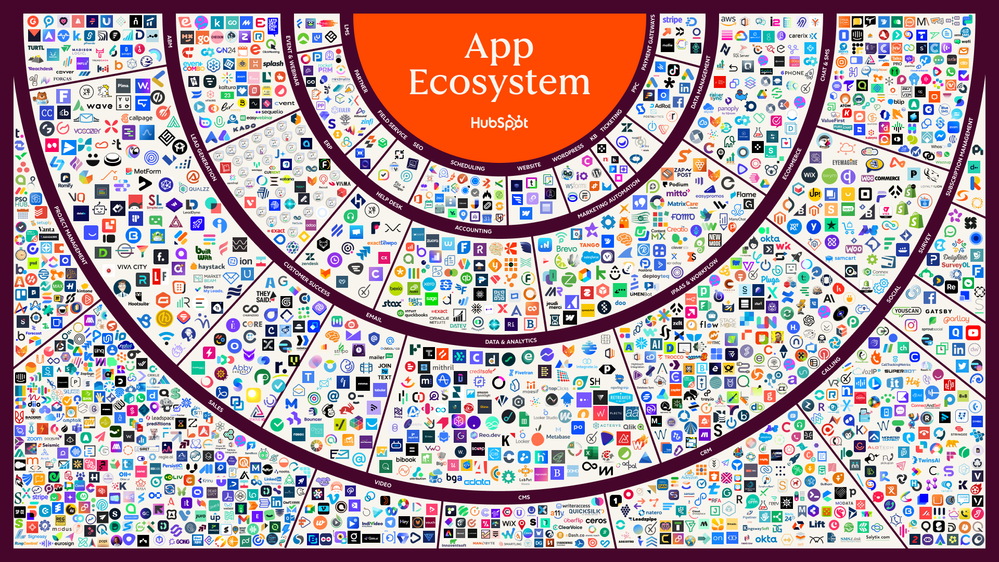
HubSpot has the deepest integration ecosystem of the three. The App Marketplace offers over 2,000 integrations with 2.5 million active installs.
Source: HubSpot
The public REST API covers the full CRM data model with date-based versioning and an 18-month support window per version. Official SDKs exist for PHP, Java, Ruby, Go, TypeScript, and Python. A Remote MCP server (GA as of April 2026) gives AI agents read/write access to HubSpot CRM data.
For businesses building custom workflows or connecting niche tools, HubSpot's developer platform is mature.
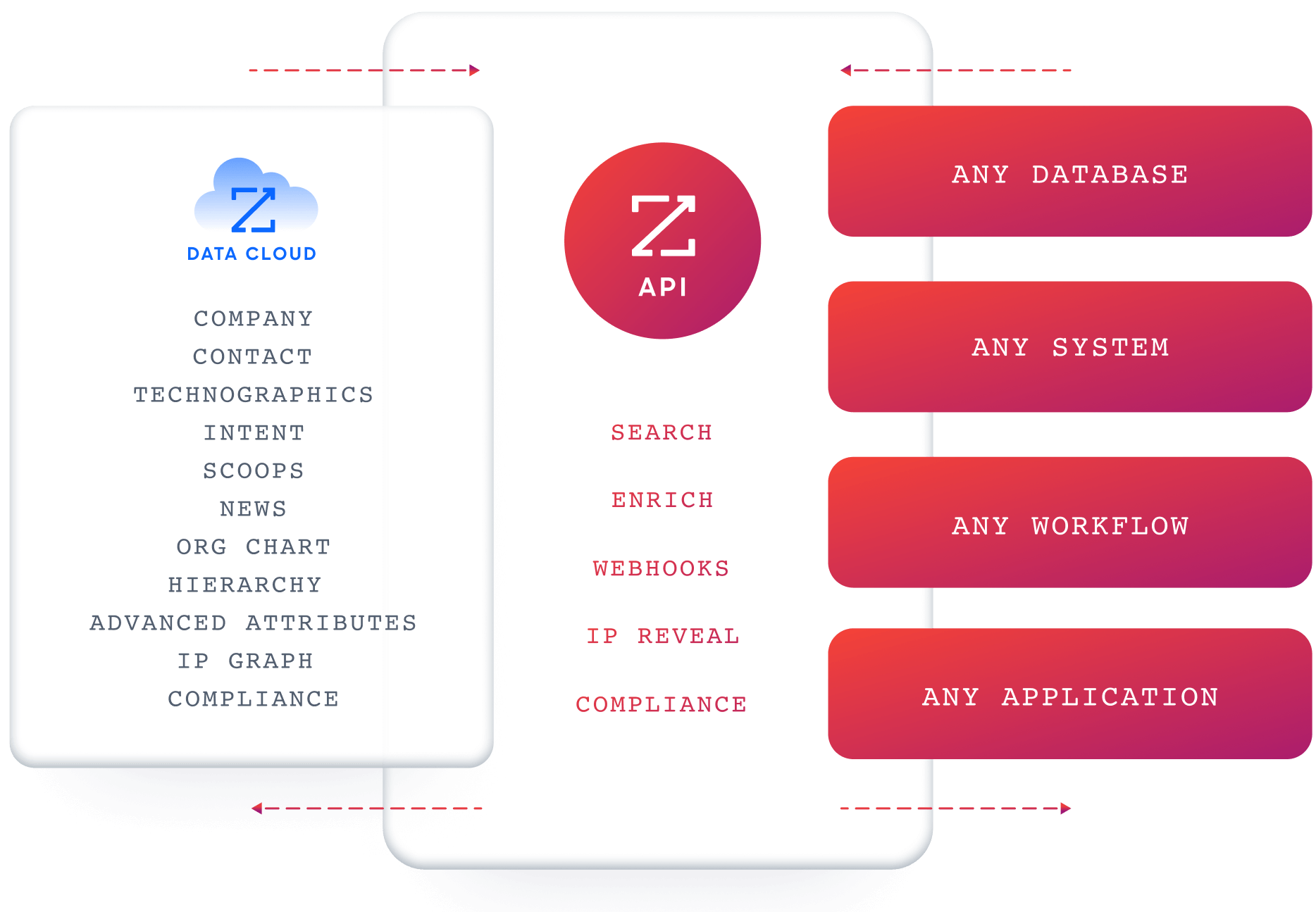
ZoomInfo takes an infrastructure-grade approach to integration. The Enterprise API provides structured access to search, enrich, intent, and AI intelligence endpoints.
Source: ZoomInfo
The ZoomInfo MCP server connects AI models directly to ZoomInfo's B2B data as a native tool, currently supporting Claude and ChatGPT.
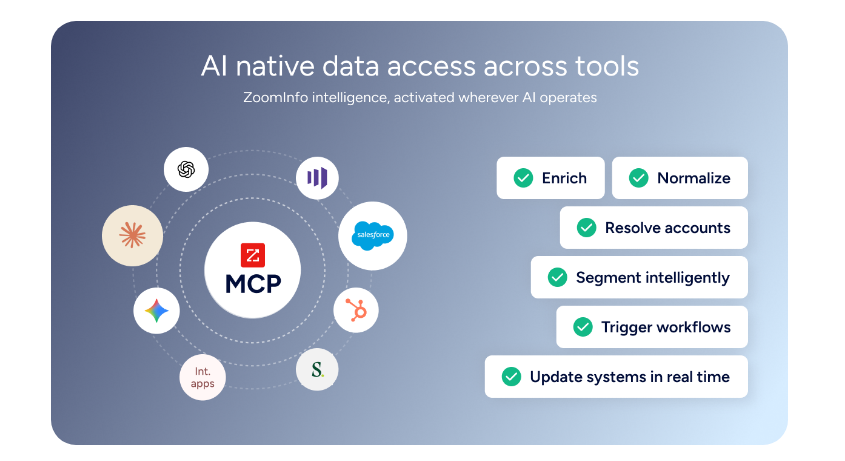
Source: ZoomInfo
The Marketplace lists 120+ integrations including native connectors for Salesforce, HubSpot, Microsoft Dynamics, Snowflake, and cloud data platforms (AWS, Google Cloud, Databricks). API access is included in all relevant plans, so ZoomInfo's intelligence is available everywhere, not locked inside one UI.
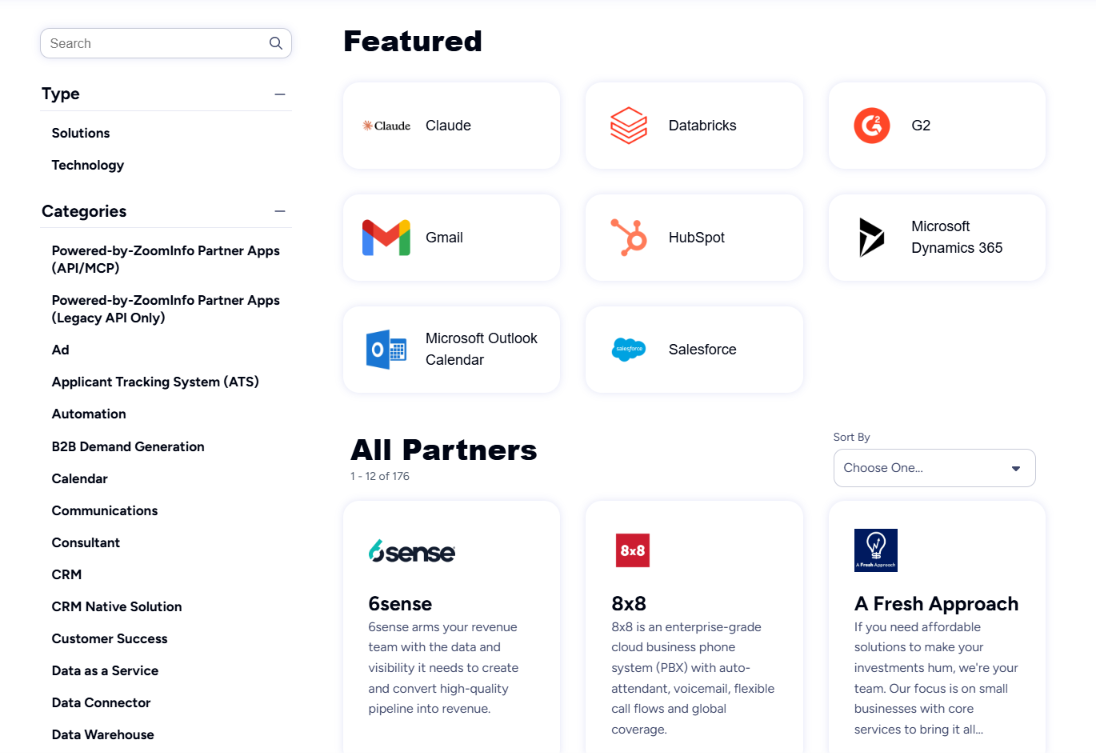
Source: ZoomInfo
"The plug-and-play aspect of the API means I can integrate it very easily into any process and get information at a moment's notice." (Jerry Wilson, Senior Marketing Intelligence Analyst, BDO Canada)
Data quality and prospecting are where the gap widens
For B2B businesses, the ability to find and verify prospects isn't a feature. It's the foundation of revenue growth.
HoneyBook doesn't attempt this. It's designed for businesses where clients come to you (through referrals, social media, or word of mouth), not businesses that prospect outbound. The CRM tracks relationships that already exist.
There's no contact database, no company intelligence, no intent signals, and no way to identify anonymous website visitors.
HubSpot provides basic contact and company enrichment through Breeze AI, pulling information from emails, calls, and web sources to fill in CRM records. The Data Quality Software identifies duplicates and formatting issues. The Prospecting Agent can research accounts and draft outreach.
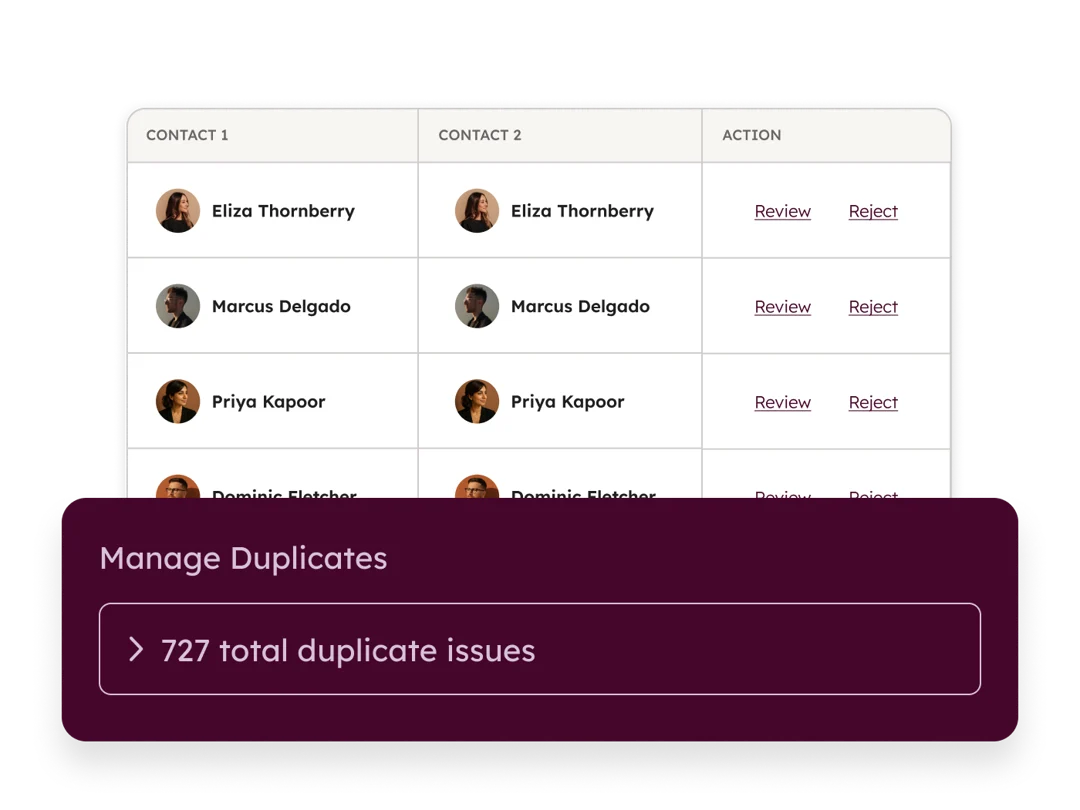
Source: HubSpot
But HubSpot does not operate its own B2B contact database. Its enrichment depends on data gathered through interactions and third-party sources, which means coverage and accuracy vary.
ZoomInfo was built for this problem. The platform maintains 500M contacts, 100M companies, 135M+ verified phone numbers, 120M direct-dial phone numbers, and 200M+ verified business email addresses, processed through a verification pipeline backed by 300+ human researchers and reaching up to 95% accuracy on first-party data.
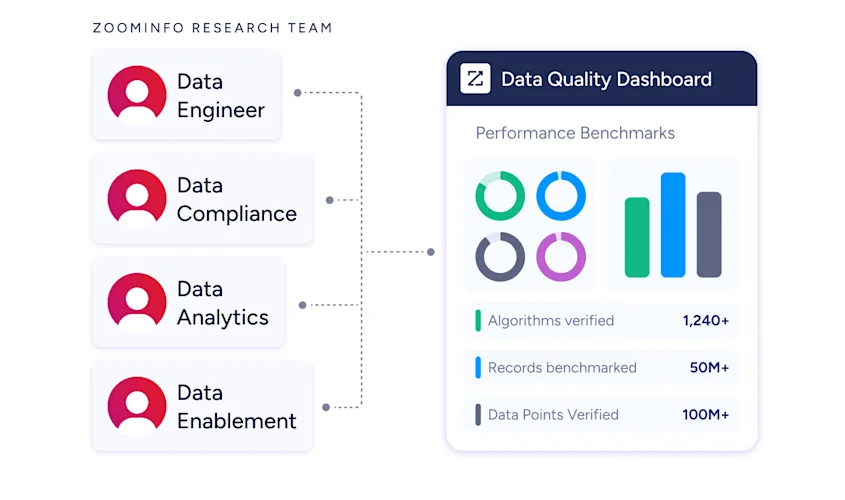
Source: ZoomInfo
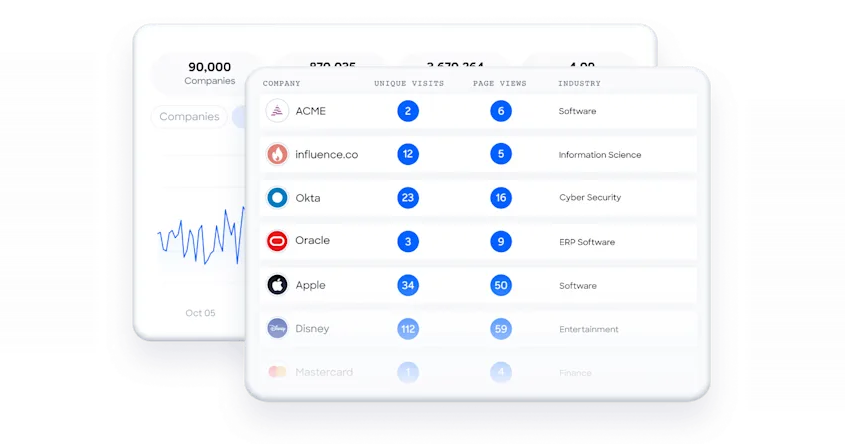
Buyer Intent data tracks signals from 210 million IP-to-Organization pairings. WebSights identifies companies behind anonymous website visits. Technographics profiles the tech stacks of 30+ million companies.
Source: ZoomInfo
In a Fortune 500 competitive RFP analyzing 25 million contacts across vendors, an independent consultant concluded that "no other competitor came even close." Analyst recognition confirms the position: Gartner Magic Quadrant Leader for ABM Platforms (2024 and 2025), Forrester Wave Leader for Intent Data Providers, and 133 No. 1 rankings on G2.
"ZoomInfo gives us the information we need to execute. We don't have to go through and spend our time digging. It's already there, so we can be three steps ahead." (William Kenimer, VP of Revenue Operations, Vensure)
This is the clearest signal for which platform fits your business. If your clients find you, HoneyBook manages those relationships well. If you need to find your clients, ZoomInfo provides the intelligence and HubSpot provides the workflow.
HoneyBook vs. HubSpot vs. ZoomInfo: Which should you choose?
The right choice depends on your business model, team size, and growth stage.
Choose HoneyBook if:
You're an independent service professional (photographer, planner, designer, coach, consultant)
Your clients come to you through referrals, social media, or directories
You need proposals, contracts, invoices, and scheduling in one place
You work solo or with a very small team (under 5 people)
You want simple, flat pricing without per-seat calculations
You're based in the US, Canada, UK, or Australia
Choose HubSpot if:
You have a growing team with dedicated marketing, sales, or service roles
You need marketing automation, sales pipelines, and customer service in one platform
You want a free CRM to start with and the ability to scale as your team grows
You value a large integration ecosystem and developer platform
You're ready for the pricing complexity that comes with a full-suite platform
Add ZoomInfo if:
You sell B2B and need verified contact data, direct dials, and business emails
You want to know which accounts are actively researching your category before they contact you
You need intelligence about buying committees, org charts, and technology stacks
You want AI that understands why deals move or stall, not just what changed in the CRM
You're ready to power your HubSpot CRM (or any tool) with a large, verified B2B dataset
Explore ZoomInfo Lite for free or request a demo of the full platform.
For many B2B service businesses, the answer isn't one of these three. It's recognizing that each solves a different problem. HoneyBook manages client delivery. HubSpot manages the customer lifecycle. ZoomInfo provides the intelligence that makes the lifecycle productive from the first contact. The businesses that grow fastest tend to be the ones that match the right tool to the right job.
HoneyBook vs. HubSpot vs. ZoomInfo FAQ
What is the main difference between HoneyBook, HubSpot, and ZoomInfo?
HoneyBook is a client management platform for independent service professionals, combining proposals, contracts, invoices, payments, and scheduling in a single workspace.
HubSpot is a CRM platform with six connected hubs covering marketing automation, sales pipelines, customer service, content, data operations, and commerce.
ZoomInfo is a B2B data intelligence platform providing verified contact data, buyer intent signals, and AI-powered account intelligence that integrates with CRMs like HubSpot.
Which platform is cheapest for a small business?
HoneyBook offers the most predictable pricing for solo operators, starting at $29/month with no per-seat charges at the Starter tier.
HubSpot's free CRM is genuinely useful at no cost, with paid plans starting at $15/seat/month for the Starter bundle.
ZoomInfo Lite is a permanent free tier with 10 monthly export credits and HubSpot integration.
For a solo service professional, HoneyBook is the most cost-effective paid option. For a small B2B team, HubSpot's free CRM combined with ZoomInfo Lite provides a starting point at no cost.
Can I use ZoomInfo with HubSpot?
Yes. ZoomInfo integrates directly with HubSpot, feeding verified contact data, company attributes, buyer intent signals, and AI-generated account intelligence into HubSpot's Smart CRM. ZoomInfo is also listed in HubSpot's App Marketplace as a featured integration.
The ZoomInfo MCP server also enables AI agents to access ZoomInfo data alongside HubSpot data for automated workflows.
Does HoneyBook work for B2B businesses?
HoneyBook can work for B2B service businesses where client relationships are one-to-one (a consultant managing a handful of engagements, for example).
However, it lacks marketing automation, multi-user sales pipelines, B2B prospecting tools, and a public API. Businesses with dedicated sales and marketing teams, or those that need to find prospects outbound rather than manage inbound clients, will find HubSpot and ZoomInfo better suited to their needs.
How do the AI capabilities compare?
HoneyBook AI focuses on the solo operator's workflow: predictive lead scoring, email drafts, meeting transcription, and project recaps. It draws on data from over 45 industries served on the platform.
HubSpot's Breeze AI operates as specialized agents across marketing, sales, and service, with the advantage of cross-functional CRM context.
ZoomInfo's GTM Context Graph reasons across CRM data, conversation intelligence, and a large B2B dataset to capture why deals move or stall and what actions to take next.
Which platform has the best integrations?
HubSpot has the broadest integration ecosystem with over 2,000 apps in its marketplace, official SDKs in six languages, and a mature REST API with date-based versioning.
ZoomInfo offers 120+ marketplace integrations, an Enterprise API, and an MCP server for AI agent connectivity, with native connectors for major CRMs and cloud data platforms.
HoneyBook has the most limited integration options, relying on curated native connectors and Zapier (available only on Essentials and Premium plans) with no public developer API.
Is HubSpot overkill for a solo business owner?
It depends on what you need. HubSpot's free CRM provides basic contact management, email tracking, and forms that any business can use. But the platform's real value emerges when you have teams across marketing, sales, and service that benefit from shared data and automation.
A solo photographer or event planner will find HoneyBook's workflow (built for exactly their use case) far more relevant than HubSpot's multi-hub architecture. A solo B2B consultant, however, might prefer HubSpot's free CRM for its scalability and integration ecosystem.
What if I need both client management and B2B prospecting?
For B2B service businesses that need to both find prospects and manage client delivery, the combination of HubSpot and ZoomInfo covers both sides.
ZoomInfo identifies and verifies target accounts, surfaces buying intent, and provides AI-generated outreach.
HubSpot manages the pipeline, automates follow-ups, and handles the ongoing customer relationship.
HoneyBook could still handle the delivery side (contracts, invoices, payments) for businesses that prefer its client-facing workflow, though running it alongside HubSpot means maintaining two systems.
