
If you're comparing HubSpot vs. Jobber, you're trying to answer a more basic question: does your business need a CRM that manages marketing and sales, or an operations platform that manages jobs and crews?
HubSpot and Jobber both help businesses run better, but they solve different problems. Comparing them is less about picking between two CRMs and more about deciding whether your biggest bottleneck is acquiring customers or delivering the work you already have.
The questions worth asking first:
Are you dispatching field crews to job sites, or managing a sales pipeline from a desk?
Is your growth limited by not enough leads, or by an inability to handle the work coming in?
Do you serve residential homeowners, commercial accounts, or both?
Do you need scheduling, route optimization, and on-site invoicing, or marketing automation, email sequences, and deal tracking?
Are you willing to combine specialized tools, or do you need everything in one platform?
In short, here's what we recommend:
HubSpot is the CRM and marketing automation platform for businesses that grow through inbound marketing, sales pipeline management, and relationship building. Its suite spans marketing, sales, service, content, data, and commerce, all connected through a single Smart CRM.
With 288,706 customers across 135+ countries and an AI layer called Breeze running through every hub, HubSpot turns strangers into leads and leads into customers. However, it has no scheduling, dispatching, route optimization, or field-specific invoicing. If your business runs on sending crews to job sites, HubSpot leaves an operational gap you'll need to fill elsewhere.
Jobber is the field service management platform built for home service businesses (plumbers, HVAC technicians, landscapers, cleaners, electricians) that need to quote, schedule, dispatch, and collect payment on-site. 400,000+ service professionals across 50+ industries use it to manage the full job lifecycle, from online booking to invoicing to getting paid before the crew leaves the driveway.
A growing AI suite (AI Receptionist, AI Voice, Copilot) tackles field-specific challenges like missed calls and hands-free job updates. But Jobber's marketing tools are modest compared to a dedicated CRM, and its client management is built around jobs, not complex sales pipelines.
Both platforms help businesses manage clients and grow. But for service companies eyeing commercial contracts, neither answers a harder question: how do I find the facility managers, property management companies, and enterprise buyers who could transform my revenue? That's a prospecting intelligence problem.
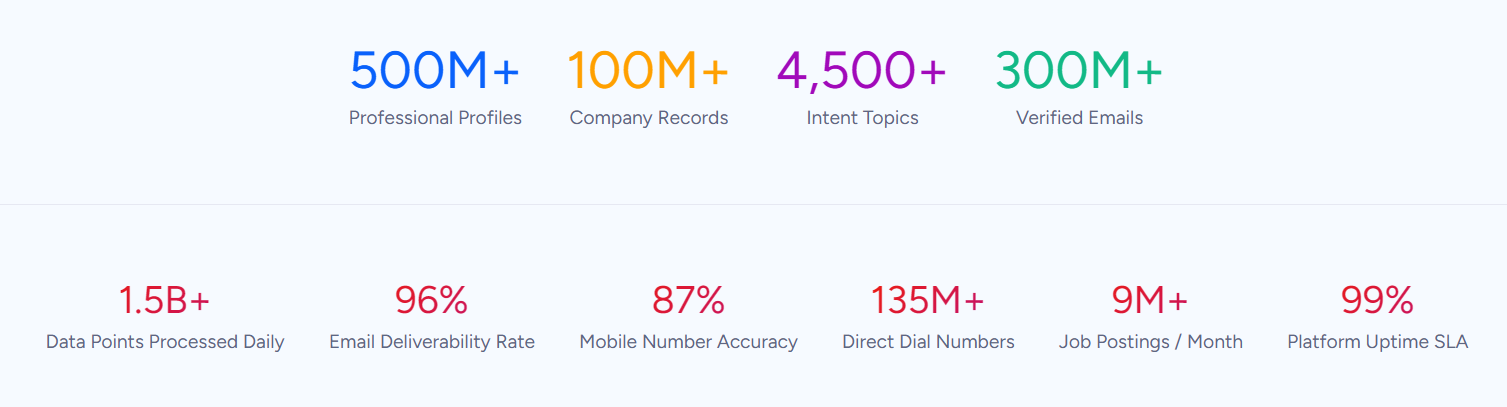
ZoomInfo is an AI-powered go-to-market platform built on a large B2B dataset: 500M contacts, 100M companies, 135M+ verified phone numbers, and 200M+ verified business emails. For service businesses expanding into commercial accounts, ZoomInfo identifies who to target, when they're ready to buy, and how to reach the decision-maker directly. It integrates natively with HubSpot, feeding verified contact data and buyer intent signals into your CRM.
Its GTM Context Graph processes 1.5B+ data points daily, combining third-party intelligence with your own CRM and conversation data to show which accounts to pursue and why now. Whether you access that intelligence through ZoomInfo's own GTM Workspace, GTM Studio, or via API and MCP in any third-party tool, ZoomInfo turns commercial prospecting from cold outreach into signal-driven selling.
If finding and reaching commercial decision-makers could accelerate your growth, see how ZoomInfo works with a free trial.
HubSpot vs. Jobber vs. ZoomInfo at a glance
HubSpot | Jobber | ZoomInfo | |
|---|---|---|---|
Primary function | CRM + marketing automation | Field service management | B2B prospecting intelligence |
Client management | Full CRM with custom objects, lifecycle tracking, and 360-degree contact records | Field service CRM with job history, property details, and Client Hub portal | 500M contact profiles with verified emails, direct dials, org charts, and buying signals |
Scheduling & dispatch | Not available | Drag-and-drop calendar with route optimization and GPS tracking | Not applicable |
Marketing tools | Email, social, content, ads, SEO, marketing automation workflows | Automated reviews, email campaigns, referral program, website builder | Account-based marketing, intent data, display advertising, multi-channel orchestration |
Invoicing & payments | Commerce Hub with CPQ, e-signatures, and subscription billing | Tap-to-Pay, auto-invoicing, instant payouts, consumer financing | Not applicable |
AI capabilities | Breeze AI across all hubs (Customer Agent, Prospecting Agent, Data Agent) | AI Receptionist, AI Voice, AI Chat, smart automations | GTM Context Graph with AI-powered account research, outreach, and signal monitoring |
Integrations | 2,000+ apps in marketplace | 100+ apps in marketplace | 172+ marketplace partners; native HubSpot and Salesforce integrations |
Free plan | Permanent free CRM tier | 14-day free trial (no credit card) | ZoomInfo Lite (permanent free tier) |
Starting price | $15/seat/month (Starter, annual) | $21/month (Core, annual) | Custom-quoted |
Best for | B2B marketing and sales teams managing leads through a pipeline | Home service businesses scheduling crews and collecting payment on-site | Commercial prospecting and B2B account acquisition |
These platforms solve fundamentally different problems
HubSpot and Jobber both manage client data and help businesses grow, but the resemblance ends there. Comparing them is like comparing a marketing department to a dispatch office. They share a goal (more revenue) but differ in how they get there.
HubSpot starts with the question: Who should we be talking to, and how do we move them toward a purchase?
The platform organizes around a sales pipeline. Contacts enter through forms, ads, or content. Marketing automation nurtures them with email sequences. Sales reps track deals through stages. The whole system converts interest into revenue through structured relationship management.
Jobber starts with a different question: What work do we have today, who's doing it, and have we been paid?
The platform organizes around jobs. A customer requests service. A quote goes out. The job gets scheduled and assigned to a crew. The technician arrives, completes a checklist, and collects payment with their phone. Jobber's workflow mirrors how a field service business operates, hour by hour.
ZoomInfo starts with a question neither platform answers directly: Which companies should we be selling to, and who makes the decision?
For businesses that rely on inbound leads and referrals, this question might not come up. But for service companies targeting commercial accounts (managed properties, office buildings, restaurant chains, retail locations), identifying decision-makers and monitoring buying signals is the difference between reactive growth and proactive pipeline building.
The choice between HubSpot and Jobber depends on your daily operations. ZoomInfo enters the picture when you need to build a commercial book of business that neither word-of-mouth nor inbound marketing can deliver alone.
Client management: CRM depth vs. field-service context
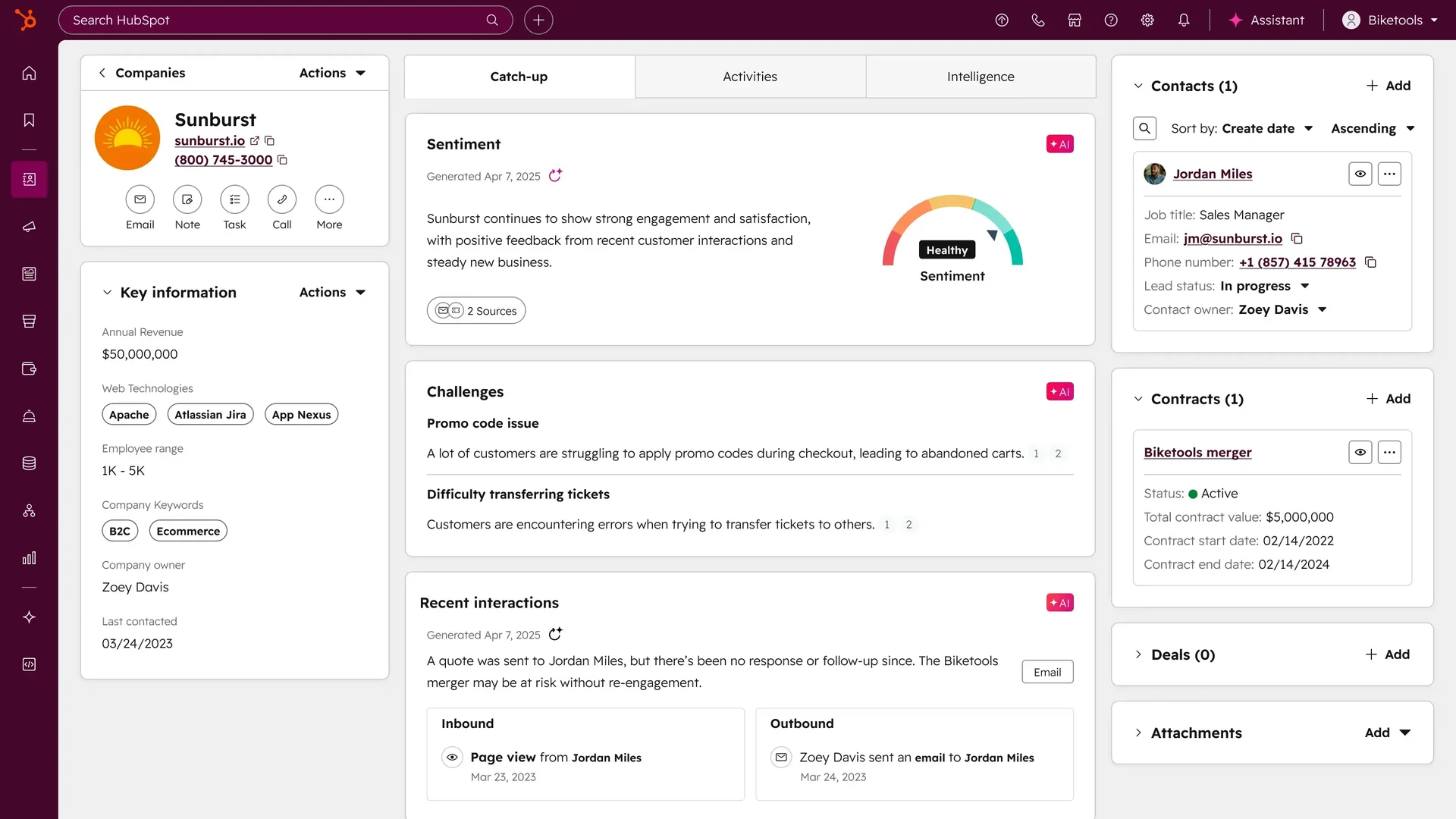
HubSpot's Smart CRM is built for the long game.
Source: HubSpot
Every interaction (emails, calls, form submissions, website visits, ad clicks) lands in a unified contact record. Custom objects let teams model any data structure. Lifecycle stages track a contact's journey from stranger to evangelist. With support for up to 15 million contacts, expandable to 50 million, the CRM handles organizations managing complex, multi-touch relationships over months or years.
The depth shows up in deal pipelines (customizable stages, AI-powered forecasting, weighted probability), marketing attribution (multi-touch revenue attribution connecting content to closed deals), and customer health scores (configurable across up to 10 dimensions at the Enterprise tier).
This is a system built for companies where a single deal might involve six stakeholders, three months of nurturing, and a dozen touchpoints.
Jobber's CRM is built for a different kind of relationship.
Every client gets a searchable profile with contact details, property-specific information, complete job history, past quotes, invoices, and a full log of every email and text sent. Staff can tag contacts as leads and manage a Sales Pipeline without a separate tool.
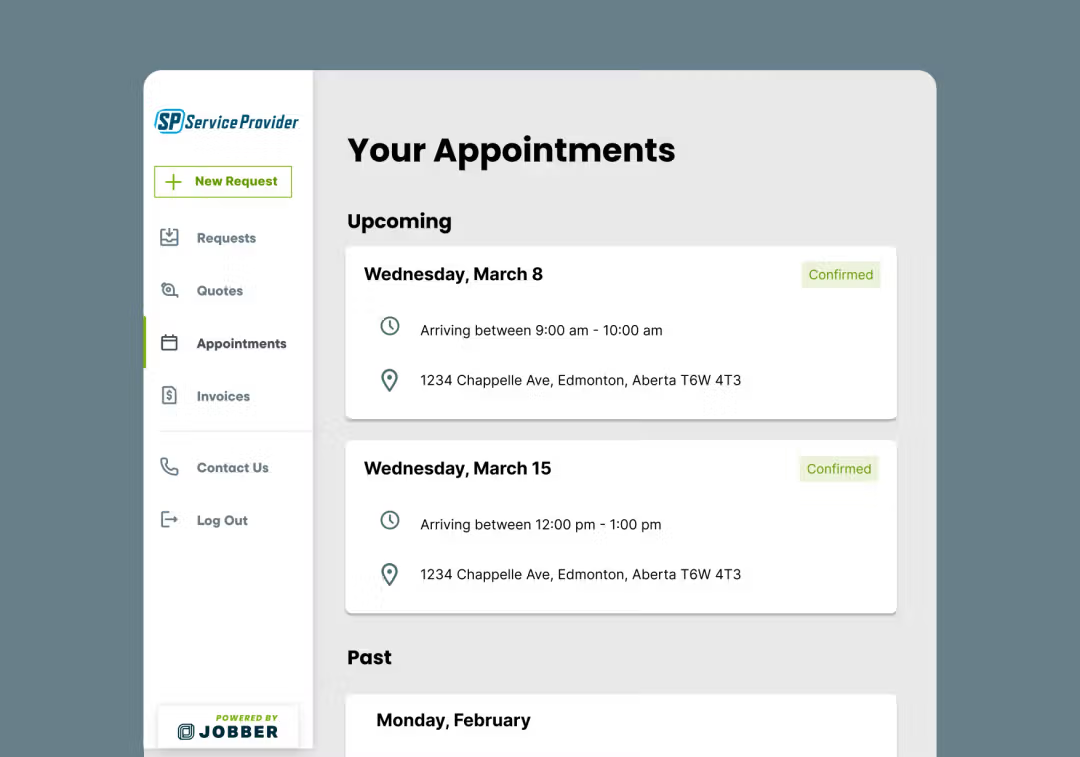
Jobber's CRM excels in field-specific context. A technician pulls up a client's profile on their phone and sees the property address, gate code, previous job notes, and special instructions (everything they need to do the work without calling the office). The Client Hub extends this to the customer, who can approve quotes, view upcoming appointments, pay invoices, and refer friends from a branded self-service portal.
Source: Jobber
ZoomInfo operates at a different level.
Rather than managing existing client relationships, it provides intelligence on prospects you haven't met yet. The platform profiles 100M companies with 300+ attributes, including org charts with direct-dial phone numbers and verified business emails.
For a commercial HVAC company trying to reach the facilities directors at every hospital system in their state, or a landscaping firm targeting property management companies, ZoomInfo provides the contact data and company intelligence that HubSpot and Jobber assume you already have.
"ZoomInfo gives us the information we need to execute. We don't have to spend our time digging. It's already there, so we can be three steps ahead." (Vensure)
Scheduling and field operations belong to Jobber
This is where HubSpot doesn't compete.
HubSpot has no scheduling calendar, no dispatch tools, no route optimization, no GPS tracking, and no work order management. If your business involves sending people to job sites, HubSpot expects you to handle that elsewhere.
Jobber built its entire product around this workflow.
The scheduling tool offers day, week, and month views with color-coding, conflict detection, and drag-and-drop rescheduling. Find a Time calculates open windows based on each crew member's existing schedule, working hours, and estimated drive time between locations. Route optimization (rebuilt in October 2025) reorders daily visits to minimize backtracking.
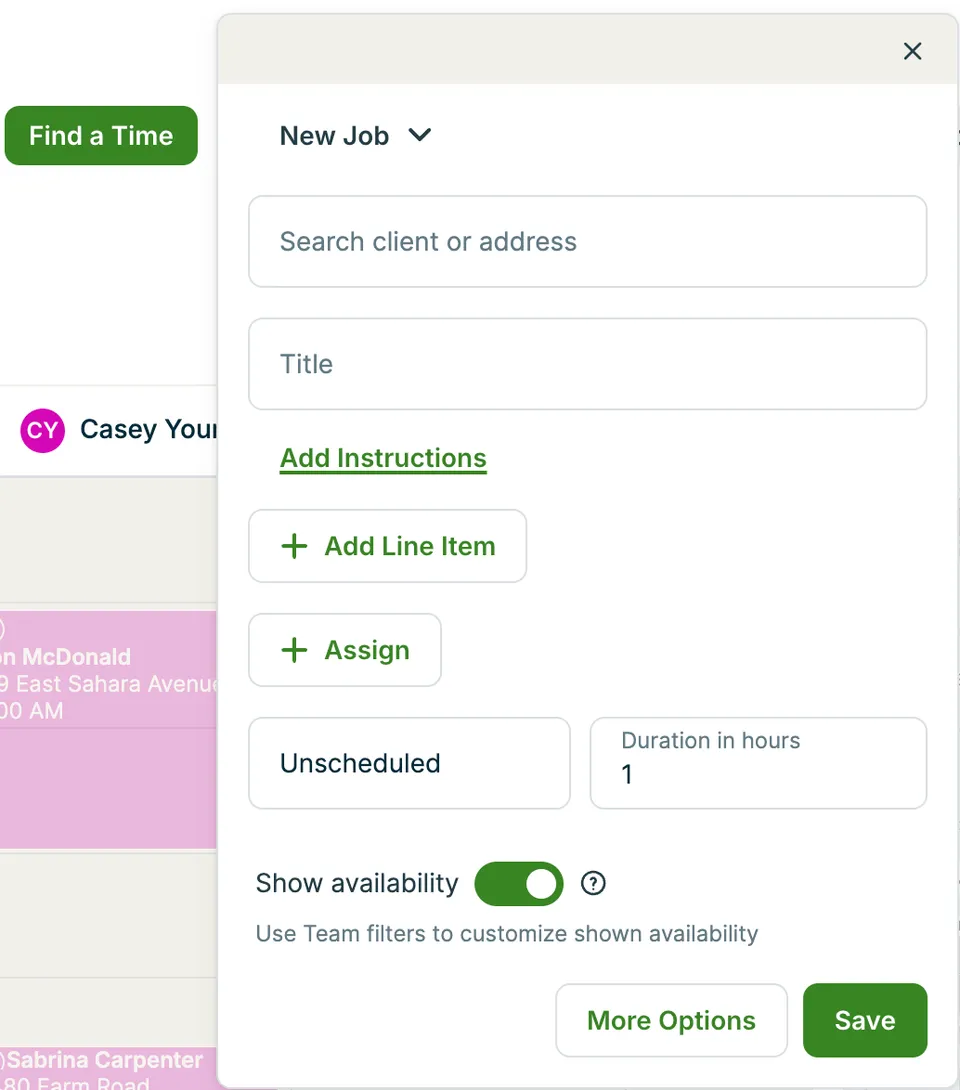
Source: Jobber
In the field, technicians work from the Jobber mobile app.
They receive push notifications for new assignments, view job instructions and checklists, and track time automatically via location-based timers that use geofencing to start the clock when they arrive at a job site. GPS waypoints record crew locations at each workflow moment (clock-in, visit completion, note added) without continuous surveillance. Dispatchers see all crew locations on a map in real time.
Work orders travel with the technician: job instructions, reference photos, customizable checklists (up to 100), and a one-click "on-my-way" text to the customer. When the job is done, the technician marks it complete, and an invoice generates instantly.
ZoomInfo doesn't play in field operations, and it doesn't try to. Its value here is upstream: helping you fill the schedule with commercial jobs worth scheduling in the first place.
Marketing and customer acquisition take different approaches
This is where the platforms diverge most in philosophy.
HubSpot treats marketing as a science of conversion.
Marketing Hub provides the full stack: email automation with A/B testing and send-time optimization, landing pages with drag-and-drop builders, social media management across multiple accounts, ad management for Google and LinkedIn, SEO tools, and multi-touch revenue attribution that ties each campaign to pipeline and revenue.
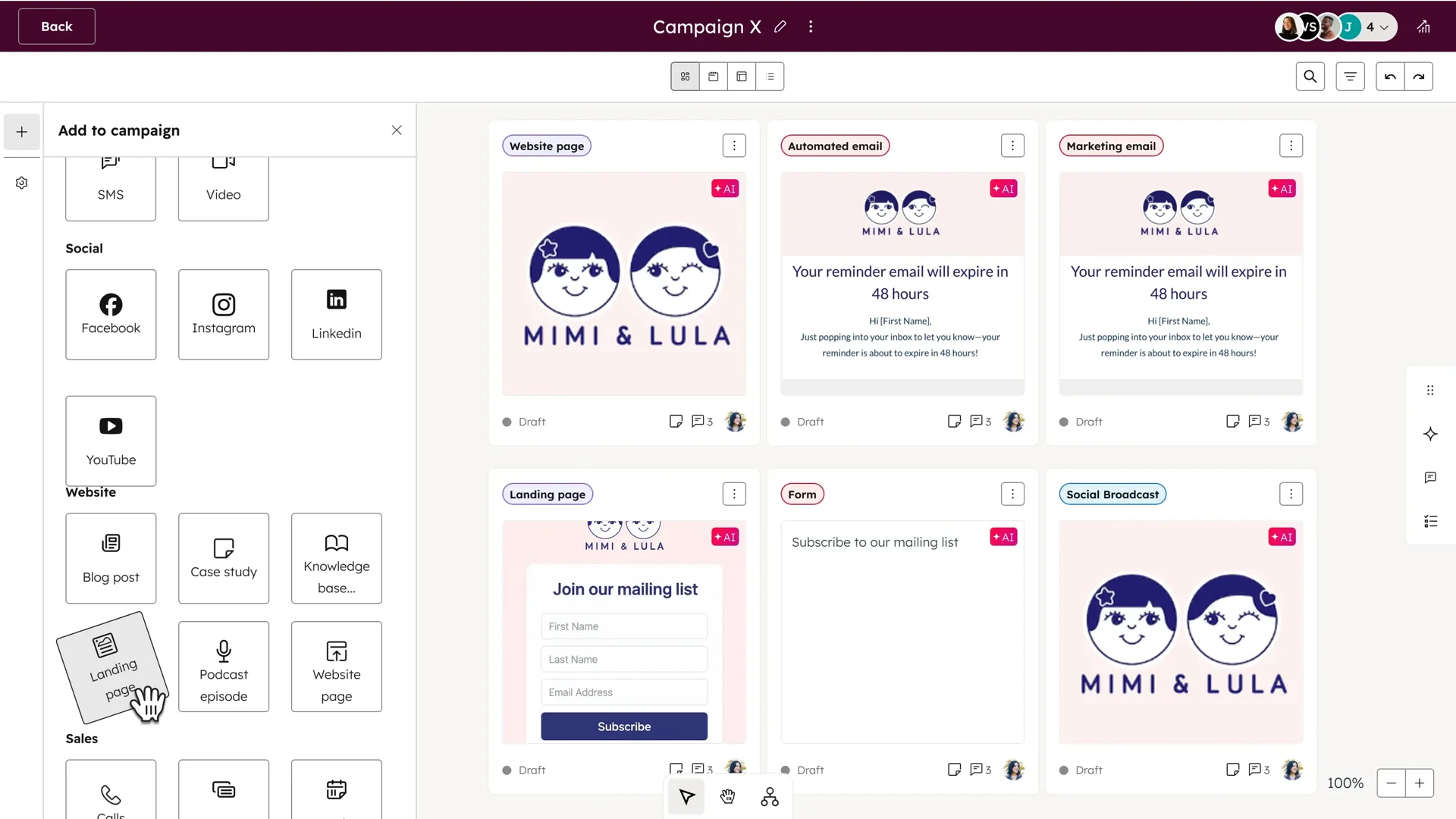
Source: HubSpot
Workflows can trigger personalized email sequences based on behavior (what a contact clicked, which pages they visited, what content they downloaded). For businesses that grow through content marketing and digital demand generation, HubSpot is built for it.
HubSpot also claims an early lead on Answer Engine Optimization (AEO), with tools designed to help content appear in AI-generated search results. The AEO Grader and an AEO Strategy tool (in beta) address the shift in how buyers research before purchasing.
Jobber treats marketing as something an owner-operator should finish in 15 minutes between jobs.
The Marketing Suite ($79/month or included with Plus) bundles four tools: automatic review requests after job completion (collecting 800,000+ reviews platform-wide), a website builder that auto-generates SEO-optimized pages from your service data, email campaigns with AI-drafted content, and a referral program where 70% of campaigns result in new booked work.
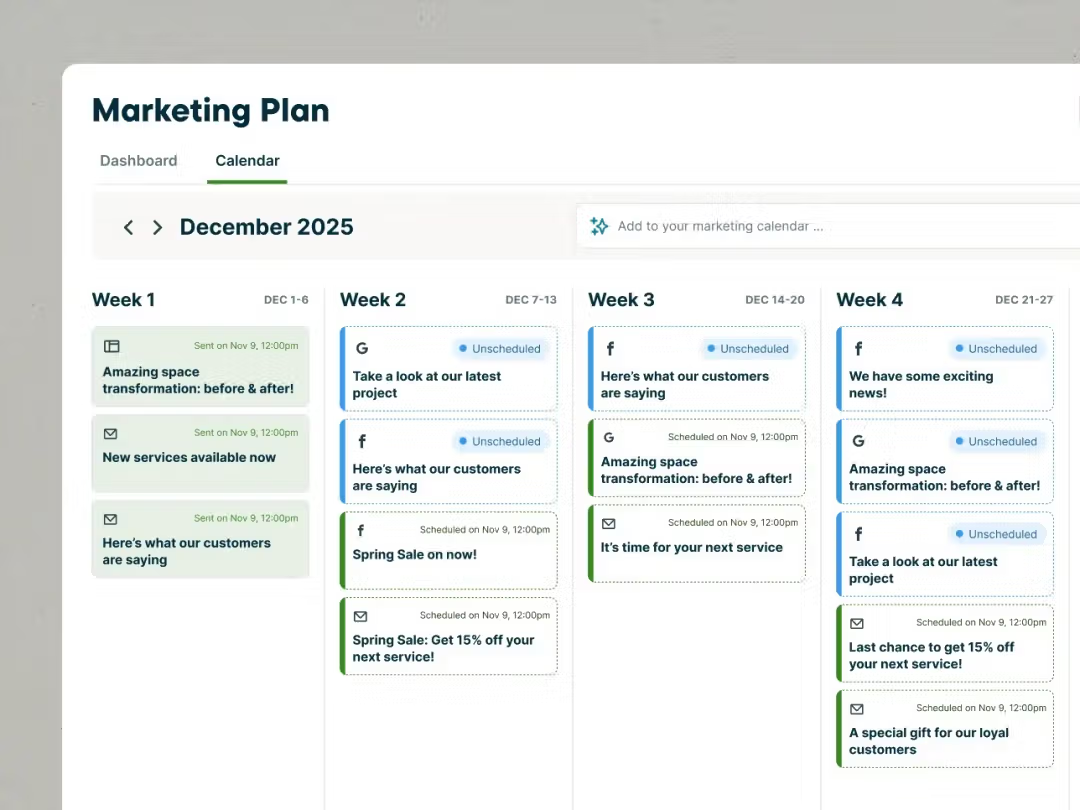
Source: Jobber
The difference is depth vs. accessibility. HubSpot can orchestrate a multi-channel nurture campaign targeting specific buyer personas with dynamic content. Jobber can send a follow-up email after a completed job and automatically ask for a Google review.
For a two-person lawn care crew, Jobber's approach is exactly right. For a company with a dedicated marketing team, HubSpot provides the infrastructure they need.
ZoomInfo approaches customer acquisition from the intelligence side.
Its Buyer Intent data tracks signals from 210 million IP-to-Organization pairings, identifying companies actively researching topics related to your services. WebSights resolves anonymous website visitors to specific companies.
GTM Studio lets marketing teams describe audiences in natural language and launch multi-channel campaigns (display ads, email sequences, SDR outreach) targeting companies that match proven win patterns, without engineering tickets or week-long setup.
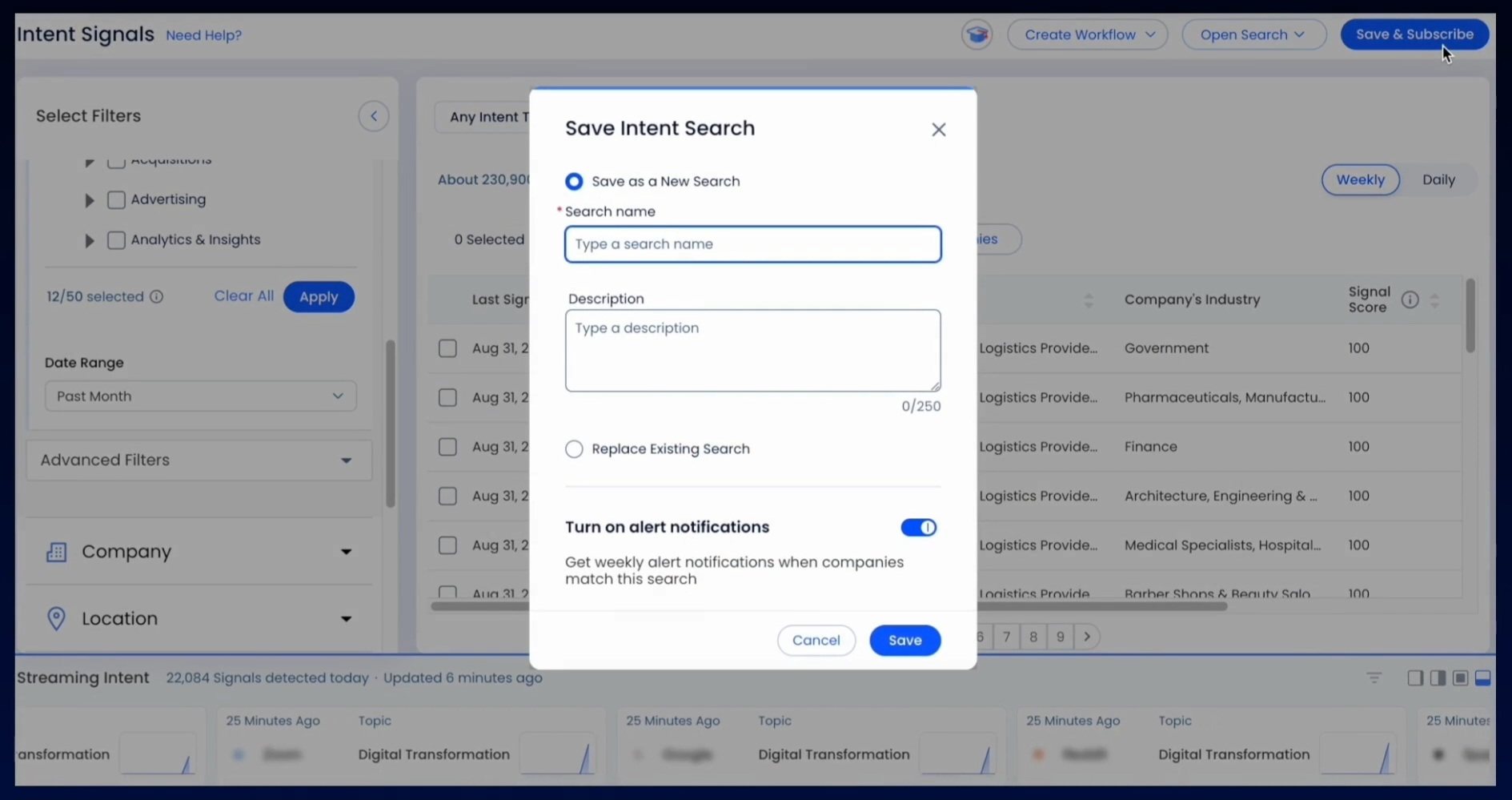
Source: ZoomInfo
For a commercial cleaning company, that means knowing when a 50-location retail chain starts researching janitorial services, who manages their facilities, and being the first to reach out with a relevant message. That kind of targeting is beyond what either HubSpot's inbound approach or Jobber's review-and-referral model can deliver on its own.
"It's not just the data itself. It's more about the right data at the right time to help us reach out with the right message across that full buyer journey." (Redwood Logistics)
Invoicing and payments: Jobber's strongest advantage
Getting paid is where Jobber's field-first design pays off most literally.
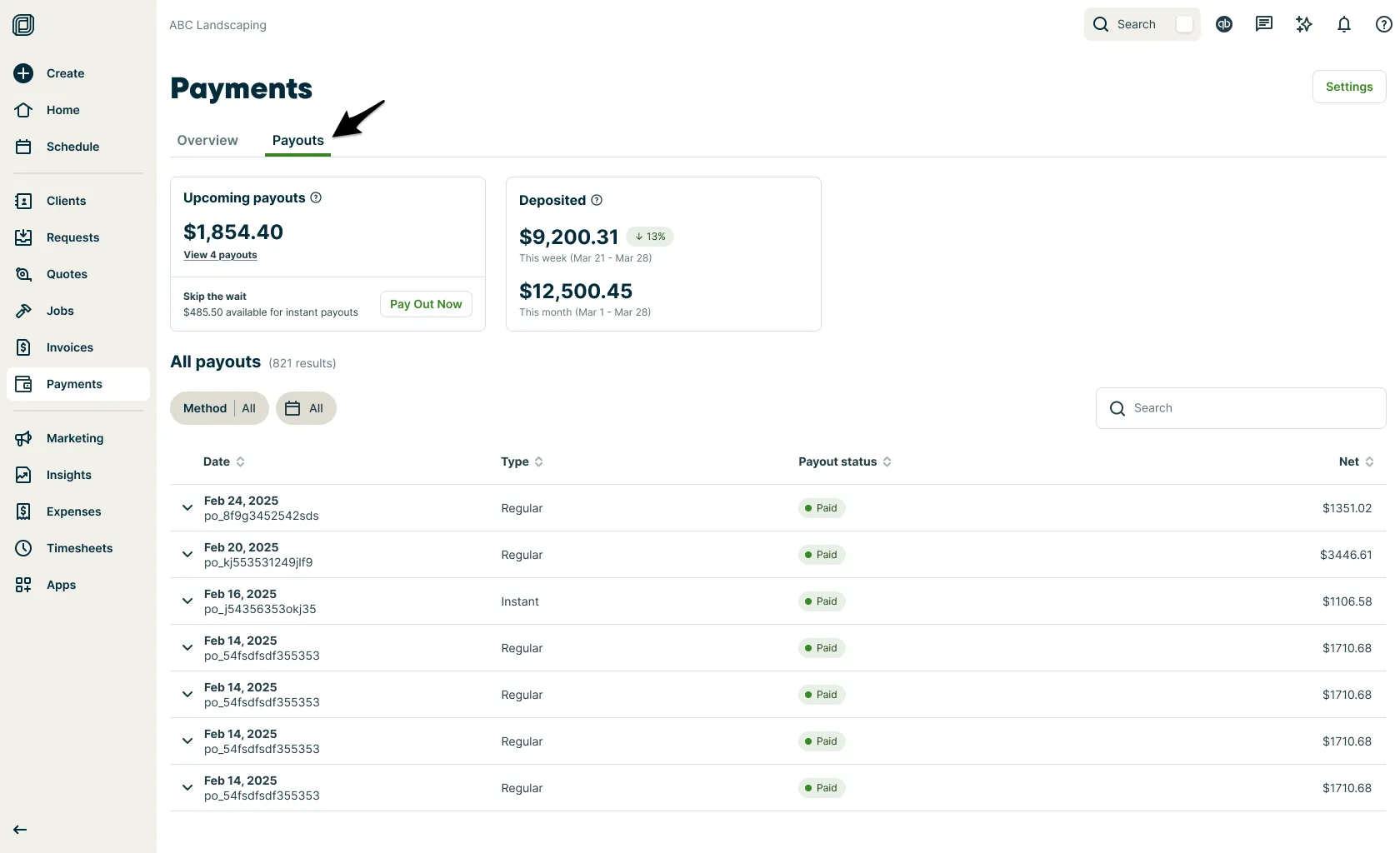
The platform closes the gap between completing a job and collecting payment to near zero. Once a technician marks a job complete, Jobber generates an invoice with the correct details automatically. The invoice goes to the client by text or email with a payment link.
Clients pay by credit card, debit card, or ACH through the Client Hub. If they have a card on file, automatic charging settles the invoice at job completion with no client action required.
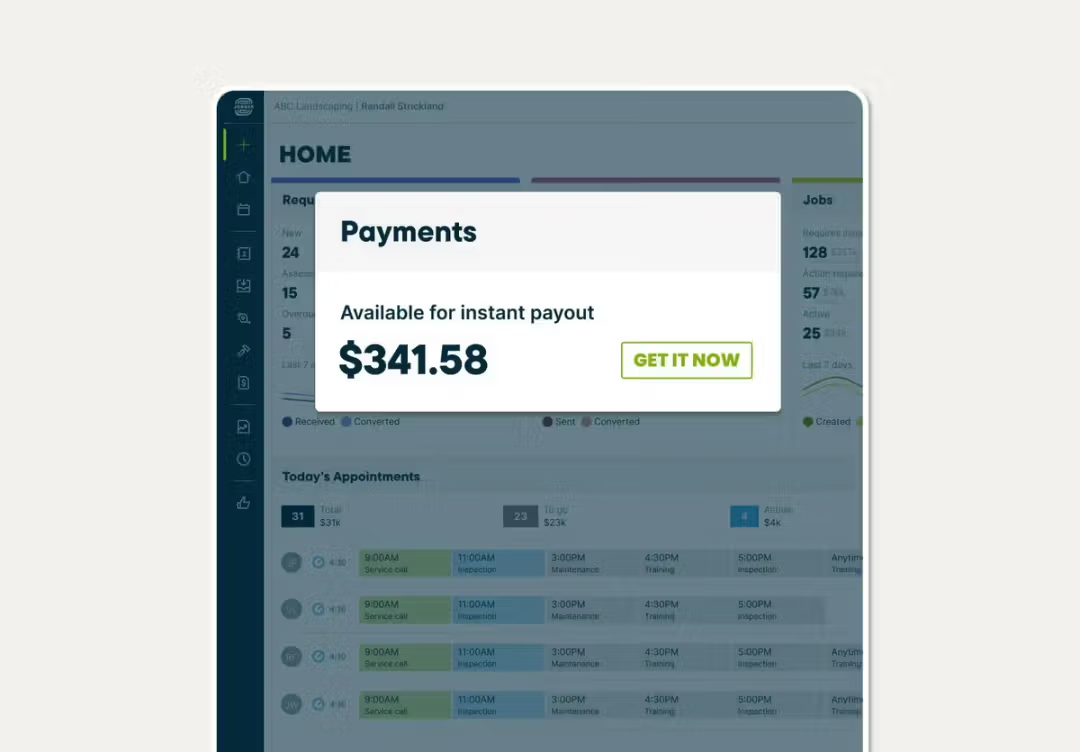
In the field, technicians collect payment using Tap to Pay, turning any NFC-enabled iPhone or Android phone into a card terminal at 2.7% + 30 cents per transaction. Instant Payouts make collected funds available within seconds (for an additional 1% fee), including weekends and holidays. For larger projects, Progress Invoicing enables milestone-based billing.
Source: Jobber
For customers who balk at the upfront cost, embedded consumer financing via Wisetack lets homeowners pay over 3-60 months while the business receives immediate payment.
Jobber claims businesses using its payment tools get paid 4x faster than those relying on traditional methods.
HubSpot's Commerce Hub handles payments differently.
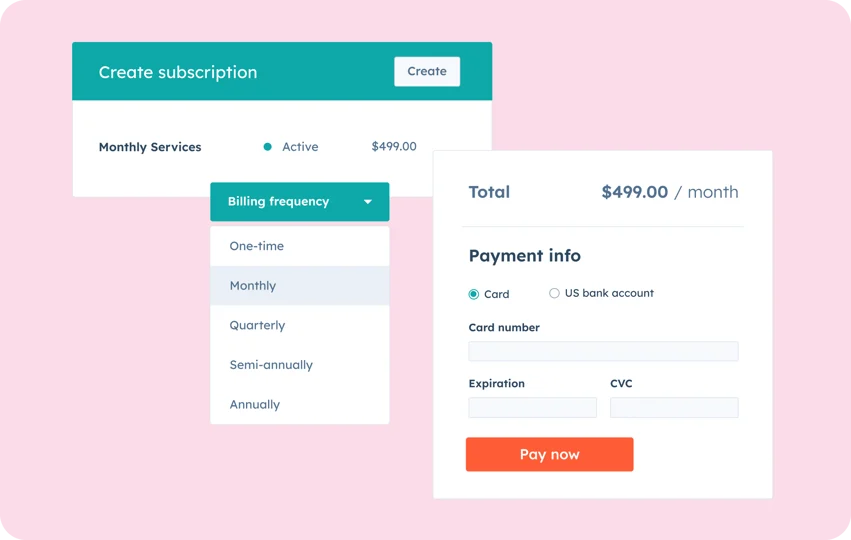
It's designed around B2B deal flow: AI-powered CPQ generates branded quotes from deal data, integrated e-signatures enable digital contract signing, and payment processing runs through either HubSpot Payments (US, UK, Canada) or a connected Stripe account.
Subscription management automates recurring billing. HubSpot reports a 29% increase in deals closed within 12 months for customers who activate payments.
Source: HubSpot
But Commerce Hub is built for B2B transactions, not field service. There's no tap-to-pay for technicians, no on-site card reader, no instant payout to the business owner's bank account. If your revenue comes from closing deals over email and invoice, HubSpot handles it well. If your revenue comes from work completed at a customer's property, Jobber's workflow is faster.
AI capabilities reflect each platform's priorities
All three platforms have invested in AI, but each applies it to a different problem.
HubSpot's Breeze is an AI layer that runs across the entire platform.
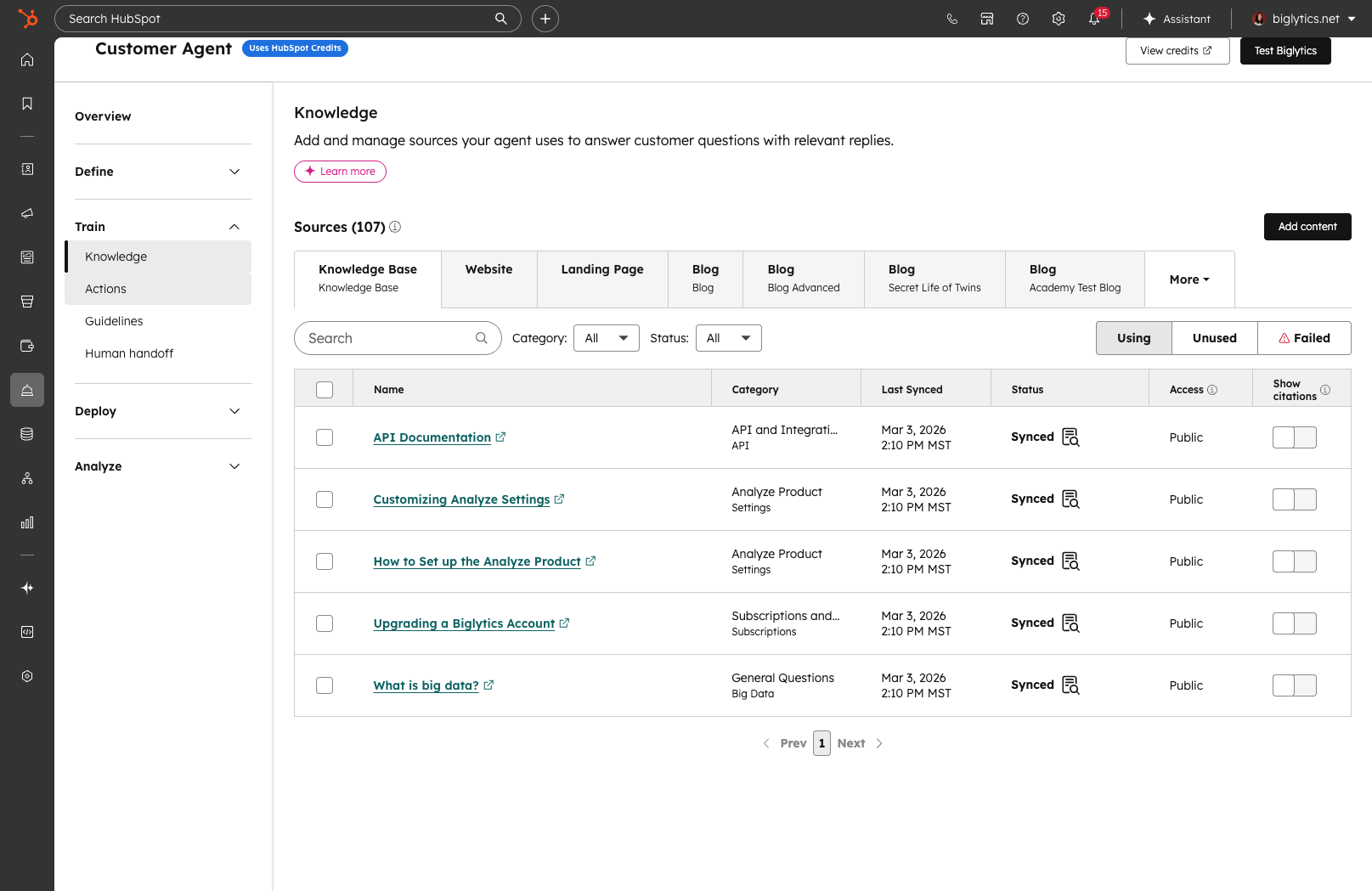
The Customer Agent resolves customer inquiries across chat, email, WhatsApp, and voice, reportedly handling 65%+ of inquiries autonomously. The Prospecting Agent monitors enrolled prospects for buying signals and drafts personalized outreach.
Source: HubSpot
The Data Agent answers natural-language questions about customer data across CRM records, call recordings, and email threads. These agents draw on the full HubSpot data layer, so a follow-up email references specific interactions from the customer's history, not generic templates.
Jobber's AI is tuned to field service realities.
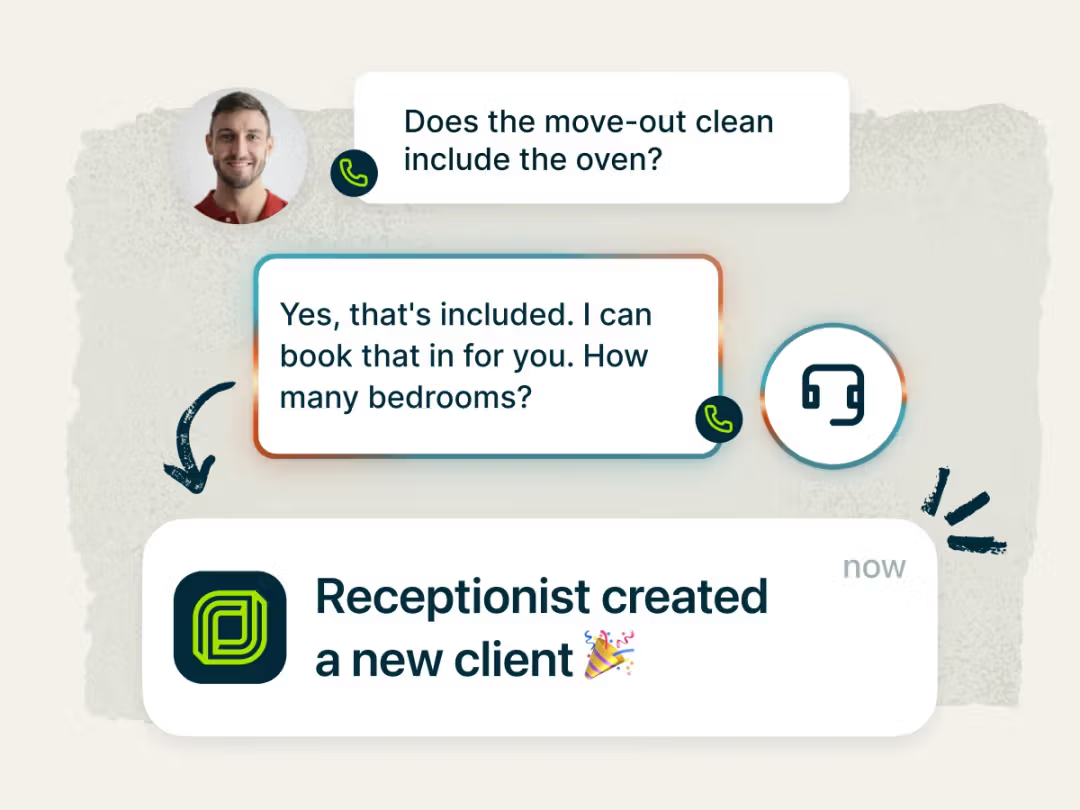
The AI Receptionist answers calls and texts 24/7, handling 200,000+ conversations since launch. It greets returning customers by name, books jobs into the calendar, filters spam, and texts back customers who hang up, all at $29/month for 30 conversations (unlimited on the Plus plan).
Source: Jobber
AI Voice lets field workers speak commands to create quotes, reschedule jobs, or add notes hands-free (useful when your hands are covered in grease). AI Chat acts as a business coach, drawing on the company's own revenue, job history, and client patterns to offer pricing and growth guidance.
ZoomInfo's AI operates through the GTM Context Graph, which combines ZoomInfo's third-party data with a customer's CRM records, conversation transcripts, and behavioral signals.
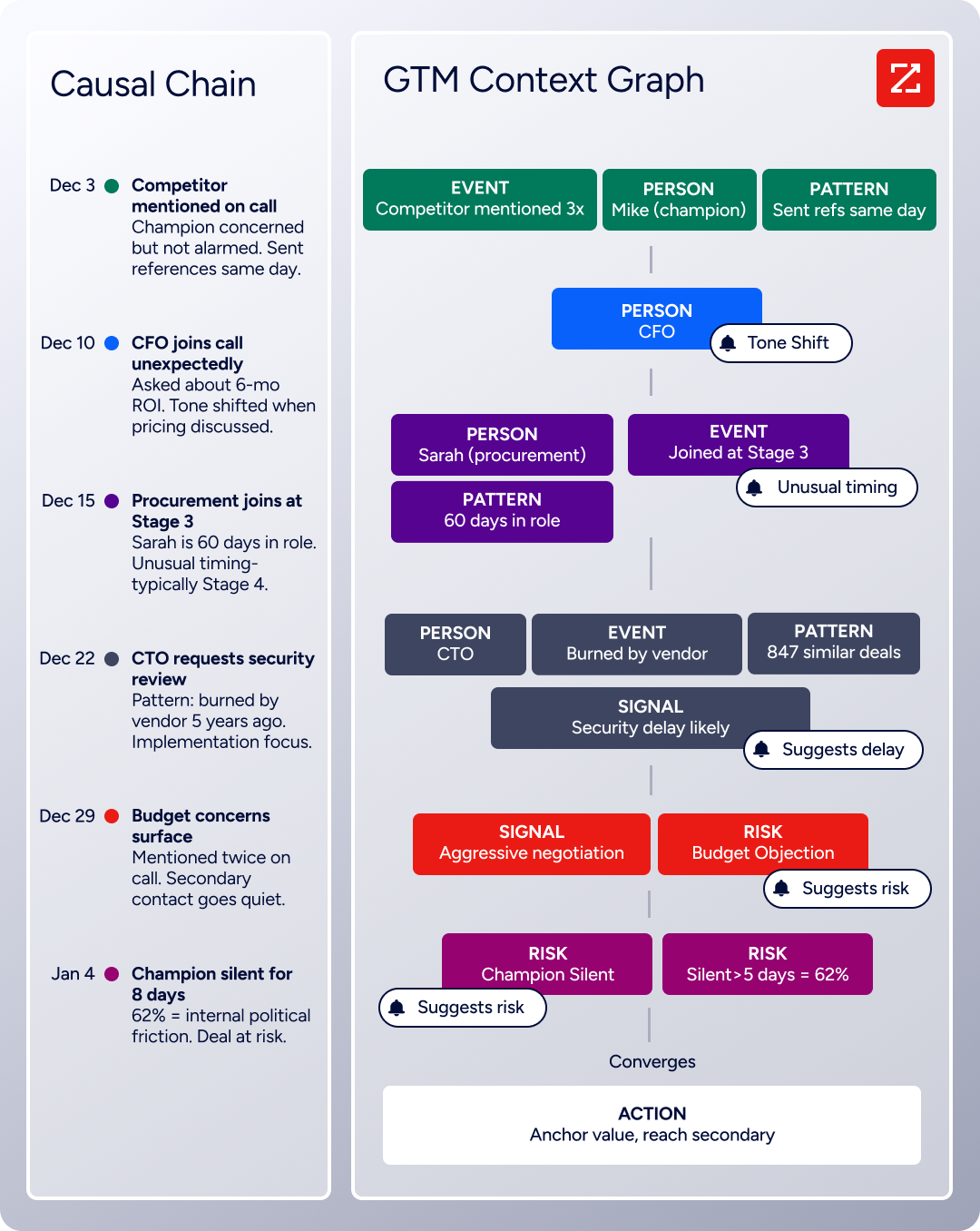
The result: AI that doesn't just know a contact's title and email but understands why a deal is moving, who's championing it, and what signals preceded your last ten closed-won deals. GTM Workspace gives sellers an AI-powered feed of prioritized accounts with pre-drafted outreach that addresses specific deal context.
"That combination of our internal CRM data, external signals, and AI that's given all that context has helped us craft very specific account- and persona-based messages. And people have responded to them right away." (Seismic)
Integrations determine how well each platform plays with your existing tools
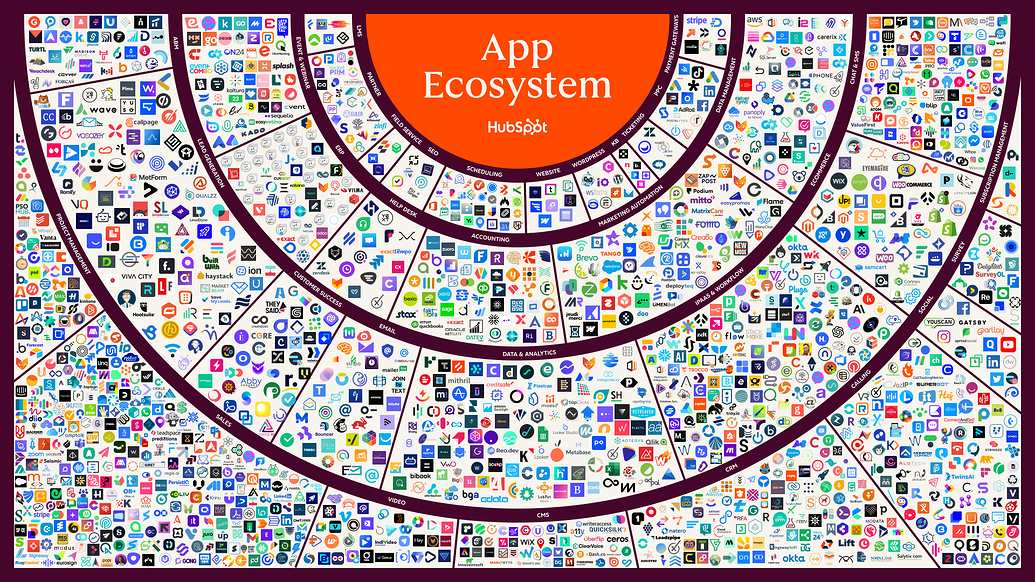
HubSpot's ecosystem is the largest of the three.
The App Marketplace offers over 2,000 integrations with 2.5 million active installs, connecting to virtually every CRM, marketing, sales, and service tool a business might already use: Salesforce, Slack, Zoom, Google Workspace, LinkedIn, Jira, Shopify, and hundreds more.
Source: HubSpot
The REST API supports full CRM data access with date-based versioning, official SDKs in six languages, and a developer platform for custom apps. For businesses building an integrated tech stack, HubSpot's connectivity is hard to match.
Jobber's ecosystem is smaller but growing.
The App Marketplace crossed 100 integrations in May 2026, covering the tools field service businesses actually use: QuickBooks Online for accounting, Stripe for payments, CompanyCam for photo documentation, Gusto for payroll, Mailchimp for email marketing, and Google Calendar for schedule sync.
Source: Jobber
Zapier (on Connect and Grow plans) extends the reach to 7,000+ apps. The integrations are practical rather than expansive, but the persistent unreliability of the QuickBooks sync (the most-cited complaint across G2 and Capterra reviews) is a real risk for businesses that depend on clean accounting data.
ZoomInfo's integration strategy is different: it feeds intelligence into whatever tools a business already uses.
The Marketplace lists 172+ partners, with native integrations into HubSpot, Salesforce, and Dynamics as the flagship CRM connections. Cloud Partners deliver ZoomInfo data into AWS, Snowflake, Google Cloud, and Databricks.
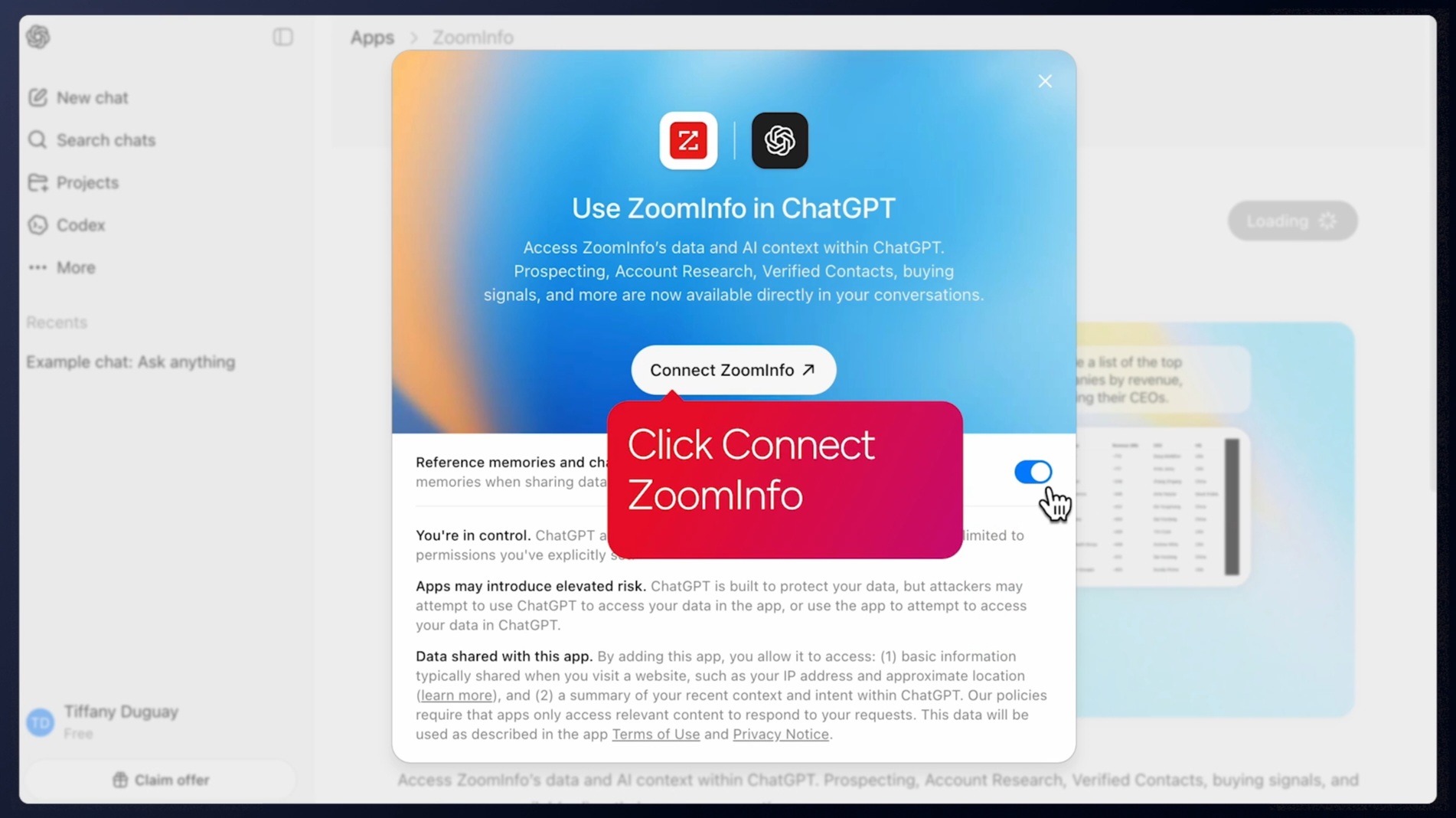
The ZoomInfo MCP server connects AI models (Claude, ChatGPT) to ZoomInfo's B2B data as a native tool, so businesses building custom AI agents can access the same intelligence programmatically. API access is included in all relevant plans.
Source: ZoomInfo
"The plug-and-play aspect of the API means I can integrate it very easily into any process and get information at a moment's notice." (BDO Canada)
If you're weighing HubSpot and ZoomInfo specifically, see our HubSpot vs. ZoomInfo comparison for a direct breakdown of how the two platforms stack up as standalone choices.
Pricing reflects each platform's target market
Jobber offers the most straightforward pricing of the three:
Plan | Annual Price | Included Users |
|---|---|---|
Core | 1 | |
Connect | 1 (up to 5) | |
Grow | 1 (up to 10) | |
Plus | 15 |
Additional users cost $29/month each across all plans. The 14-day free trial gives full Grow plan access without a credit card. The AI Receptionist ($29/month), Pipeline CRM ($49/month), and Marketing Suite ($79/month) are paid add-ons on lower tiers but bundled into Plus. Payment processing fees (2.9% + 30 cents for online, 2.7% + 30 cents for Tap to Pay) apply on top.
HubSpot pricing gets complicated quickly. Each Hub (Marketing, Sales, Service, Content, Data, Commerce) has its own tier structure, and costs vary by Hub:
Starter Customer Platform: $15/seat/month annual (bundles Starter editions of all Hubs)
Marketing Hub Professional: $800/month annual (3 Core Seats included) plus a $3,000 one-time onboarding fee
Sales Hub Professional: $90/seat/month annual plus a $1,500 one-time onboarding fee
The critical hidden cost: when subscribing to multiple Hubs at different tiers, all Core Seats are billed at the rate of the highest tier. A company running Marketing Hub Professional and Sales Hub Starter pays the Professional seat rate for every user. The free CRM tier is genuinely useful (unlimited contacts up to 1M records, basic tools, no time limit), but the jump from free to Professional is steep.
ZoomInfo uses custom-quoted, consumption-based pricing with no publicly listed prices.
Pricing scales based on the number of users, monthly credit volume, features, and contract length. ZoomInfo Lite provides a permanent free tier with access to the B2B database, 10 monthly export credits, the Chrome extension, and HubSpot integration. A 7-day free trial is also available for the full platform.
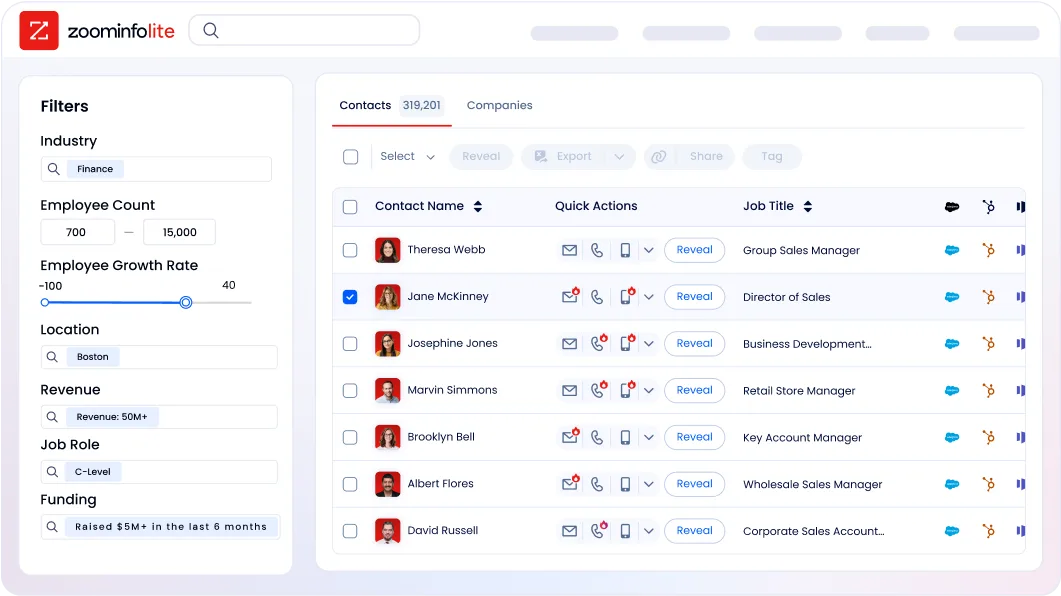
ZoomInfo is premium-priced, positioned for enterprise and upper mid-market buyers where the ROI justifies the investment.
For a five-person field service business, Jobber's Grow plan at $105/month (plus four additional users at $29 each = $221/month total) is the clear value winner. HubSpot's Starter plan at $15/seat/month ($75/month for five users) is affordable but lacks the field operations tools the business needs. ZoomInfo fits the budget discussion only when commercial revenue potential justifies the investment.
HubSpot vs. Jobber vs. ZoomInfo: Which should you choose?
The right platform depends on what problem you're solving. These tools aren't interchangeable, and the choice often isn't one or the other.
Choose HubSpot if:
Your business grows through inbound marketing, content, and digital demand generation
You need a full CRM with pipeline management, sales automation, and marketing workflows
Your team manages complex, multi-touch sales cycles
You want a single platform connecting marketing, sales, and customer service
Your work doesn't involve dispatching crews to job sites
Choose Jobber if:
You run a field service business dispatching technicians to customer locations
You need quoting, scheduling, route optimization, and on-site payment collection
Your crew needs a mobile app that works in the field without a desktop
You want to get paid the moment work is done
Your team is under 50 people and needs software built for trades, not adapted from a general CRM
Choose ZoomInfo if:
You're targeting commercial or B2B accounts and need to identify and reach decision-makers
Your growth depends on outbound prospecting, not just inbound leads or referrals
You want verified contact data, intent signals, and company intelligence at scale
You need a data and intelligence layer that feeds into your CRM (HubSpot, Salesforce, or Dynamics)
You're building AI-powered workflows that require B2B data via API or MCP
Try ZoomInfo free and see how B2B intelligence accelerates your pipeline.
The most effective approach for many growing service businesses isn't choosing just one. A commercial HVAC company might use Jobber for daily operations, HubSpot for managing its sales pipeline, and ZoomInfo to identify which office buildings and hospitals to target next. Each platform does one thing well. The question is which problems you need solved first.
HubSpot vs. Jobber vs. ZoomInfo FAQ
What is the core difference between HubSpot, Jobber, and ZoomInfo?
HubSpot is a CRM and marketing automation platform for managing leads, sales pipelines, and customer relationships. Jobber is a field service management platform for scheduling crews, dispatching technicians, and collecting payment on-site.
ZoomInfo is a B2B data and intelligence platform that provides verified contact data, company profiles, and buying signals to power prospecting and account-based outreach. The three serve different functions and can work independently or together.
Can I use HubSpot and Jobber together?
Yes, though there's no deep native integration between them. Businesses can connect them via Zapier or custom API work. In practice, many service businesses choose one as their primary system: Jobber for field operations and basic client management, or HubSpot for marketing-led growth with a separate scheduling tool.
The overlap is in client management, where both store contact information and communication history, but each organizes that data differently.
Which platform is best for a home service business with 5-10 employees?
Jobber is the strongest fit. It's built for this exact business size, with scheduling, dispatching, invoicing, and payment tools designed for field crews. Its Grow plan at $105/month (annual) supports up to 10 users and includes job costing, two-way SMS, and workflow automation. HubSpot's CRM is capable but lacks field-specific operations tools.
ZoomInfo serves a different need and is relevant only if the business is actively pursuing commercial accounts.
Which platform is most affordable for a small business?
Jobber's Core plan starts at $21/month (annual) for a solo operator. HubSpot's free CRM tier costs nothing with no time limit, but meaningful marketing and sales features require the Starter plan at $15/seat/month or Professional tiers starting at $800/month. ZoomInfo Lite is permanently free with limited exports, but paid plans are custom-quoted and positioned for enterprise budgets.
Does Jobber have CRM capabilities?
Yes, but they're built around field service workflows rather than complex sales pipelines. Jobber stores client contact details, property information, complete job history, quotes, invoices, and communication logs in searchable profiles. A Sales Pipeline tool (available as an add-on or included in Plus) tracks leads from inquiry to closed job.
For businesses managing ongoing service relationships with residential customers, Jobber's CRM is sufficient. For businesses running multi-stage B2B sales cycles, HubSpot provides more depth.
When would a service business need ZoomInfo?
When the business targets commercial accounts and needs to identify decision-makers proactively.
A residential plumber relying on Google Ads and word-of-mouth referrals likely doesn't need ZoomInfo. A commercial cleaning company trying to win contracts with property management firms, a managed HVAC provider targeting hospital systems, or a landscaping company pursuing corporate campus accounts would benefit from ZoomInfo's ability to surface verified contacts, org charts, and buying signals for target companies.
How do the platforms handle client communication?
Jobber sends automated messages at seven workflow milestones (booking confirmation, visit reminder, on-my-way text, job follow-up, invoice reminder) and offers two-way SMS on Grow plans and above. HubSpot provides full marketing automation with email sequences, behavioral triggers, live chat, and chatbot builders, plus integration with WhatsApp and Facebook Messenger through Service Hub.
ZoomInfo facilitates outbound prospecting communication through AI-generated outreach in GTM Workspace and multi-channel orchestration (email, phone, display ads) through GTM Studio. Each platform handles communication at a different stage of the customer relationship.
Which platform has better reporting and analytics?
HubSpot is the strongest of the three for reporting, with customizable dashboards, multi-touch revenue attribution, customer journey analytics, and AI-powered forecasting across marketing, sales, and service.
ZoomInfo provides analytics through GTM Studio dashboards tracking engagement, funnel progression, and campaign performance. Jobber offers a real-time Business Dashboard with revenue forecasting and job profitability tracking, but the absence of a custom report builder is its most commonly cited limitation across user reviews on G2 and Capterra.
