

Choosing between Motion vs. Asana for your team's work management usually comes down to these five questions:
Do you want AI to plan your team's day automatically, or do you prefer choosing how to organize and view work yourself?
Is your priority managing projects across dozens of departments, or getting a smaller team's tasks done faster with less overhead?
Do you need enterprise-grade compliance (FedRAMP, HIPAA) and integrations with hundreds of tools?
Would you rather consolidate your calendar, meeting scheduler, notetaker, and docs into one platform, or use a dedicated project management tool alongside your existing stack?
Are you willing to pay for every seat from day one, or do you need a free plan to get started?
In short, here's what we recommend:
Motion is built for small and mid-sized teams that want AI to handle the coordination work humans shouldn't be doing. Its scheduling engine plans each person's day, moves projects forward when blocking tasks complete, and predicts when deadlines are at risk, all without anyone opening a status meeting or dragging a card across a board. Motion also bundles meeting scheduling, AI notetaking, and docs into one platform, replacing several point solutions. The trade-off: no free plan, a smaller integration ecosystem, and enterprise features like SSO and advanced permissions are limited to the Business AI tier.
Asana is the enterprise work management platform designed for organizations that need to coordinate work across many teams, departments, and strategic goals. Its Work Graph connects every task to the project, portfolio, and company objective it supports, giving leaders visibility from daily execution to annual strategy. With 170,000+ customers in 200+ countries, five project views, a broad integration ecosystem, and compliance certifications including FedRAMP Moderate and HIPAA, Asana handles organizational complexity that smaller tools cannot. The trade-off: features like goals, portfolios, and workload management require upgrading to the $24.99/user/month Advanced plan, and the platform still relies on humans to decide what to work on and when.
Both platforms solve the coordination problem, but from opposite directions: Motion automates the planning so your team can focus on execution, while Asana provides the structure so large organizations can align execution to strategy. Neither, however, addresses a different challenge: finding and winning the customers whose work you're managing.
ZoomInfo is an AI GTM platform that powers the revenue engine feeding your project pipeline. Built on a B2B dataset of 500M contacts, 100M companies, 135M+ verified phone numbers, and 200M+ verified business email addresses, ZoomInfo's GTM Context Graph processes 1.5B+ data points daily. It fuses this data with your CRM records, conversation transcripts, and behavioral signals to reveal not just what's happening in your deals, but why. Your team accesses this intelligence through GTM Workspace for sellers, GTM Studio for marketers and RevOps, or APIs and MCP in any tool. ZoomInfo works alongside whichever project management platform you choose, ensuring your team always has deals to manage.
If you want to see how ZoomInfo's intelligence can fuel your team's pipeline, start a free trial.
Motion vs. Asana vs. ZoomInfo at a glance
Motion | Asana | ZoomInfo | |
|---|---|---|---|
Core approach | AI auto-schedules and prioritizes work | Structured work management with multiple views | B2B intelligence powering revenue generation |
AI capabilities | Auto-scheduling, task prioritization, meeting notes, project generation | AI Teammates (30 prebuilt agents), AI Studio automations, Dash briefings | GTM Context Graph, AI-drafted outreach, intent signals |
Project views | List, Kanban, Gantt | List, Board, Calendar, Timeline, Gantt | N/A (GTM Workspace for sellers, GTM Studio for ops) |
Calendar integration | Built-in AI calendar with task timeblocking | Calendar view of tasks; no native calendar product | N/A |
Goal/OKR tracking | Not available | Full goal hierarchy with automatic progress updates | N/A |
Compliance | SOC 2 Type II, GDPR | SOC 2 Type II, ISO 27001, HIPAA, FedRAMP Moderate | ISO 27001, ISO 27701, SOC 2 Type II, GDPR, CCPA |
Integrations | Google/Outlook calendar, Slack, HubSpot, Salesforce, Zapier | 100+ native integrations, Zapier, API, MCP server | 172+ marketplace integrations, Enterprise API, MCP |
Starting price | $19/seat/month | $10.99/user/month (Starter) | Custom-quoted (Lite is free) |
Free plan | No (trial only) | Yes (up to 2 users) | Yes (ZoomInfo Lite, permanent) |
Best for | SMBs wanting AI-driven execution | Enterprises needing cross-functional coordination | Revenue teams needing B2B intelligence |
Two fundamentally different philosophies on managing work
Motion and Asana both want to eliminate wasted time. They disagree on where the waste comes from.
Motion believes the waste is in planning itself. Every minute a manager spends shuffling task priorities, running standup meetings, or rebuilding a schedule after a meeting overruns is a minute nobody does real work.
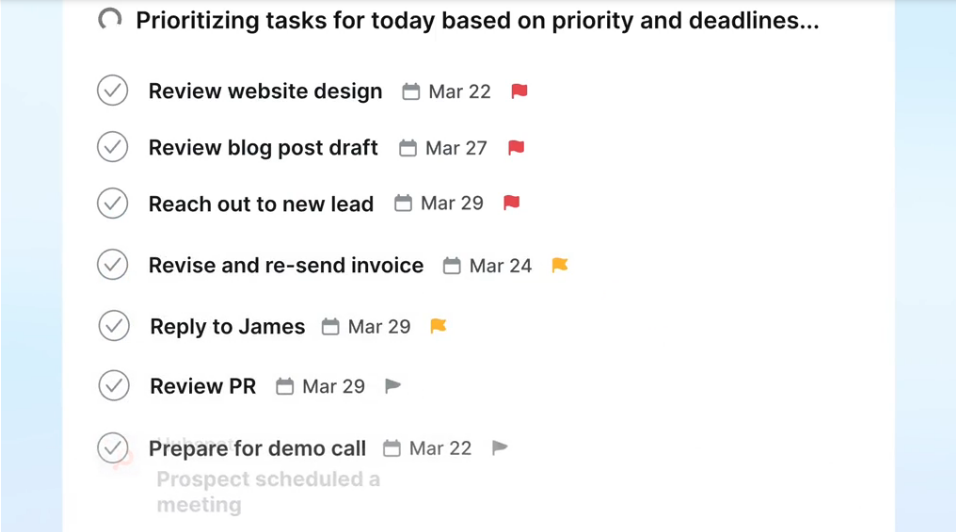
Motion's answer: remove the human from the planning loop. The AI evaluates every task's deadline, priority, duration, and dependencies across every person and project in the workspace, then builds each team member's day automatically. When something changes, it reschedules in seconds.
Source: Motion
Asana believes the waste is in misalignment. When teams can't see how their daily tasks connect to company goals, when departments duplicate work because they can't see what others are doing, and when executives chase status updates across email and chat, the organization loses far more than a few hours of scheduling overhead.
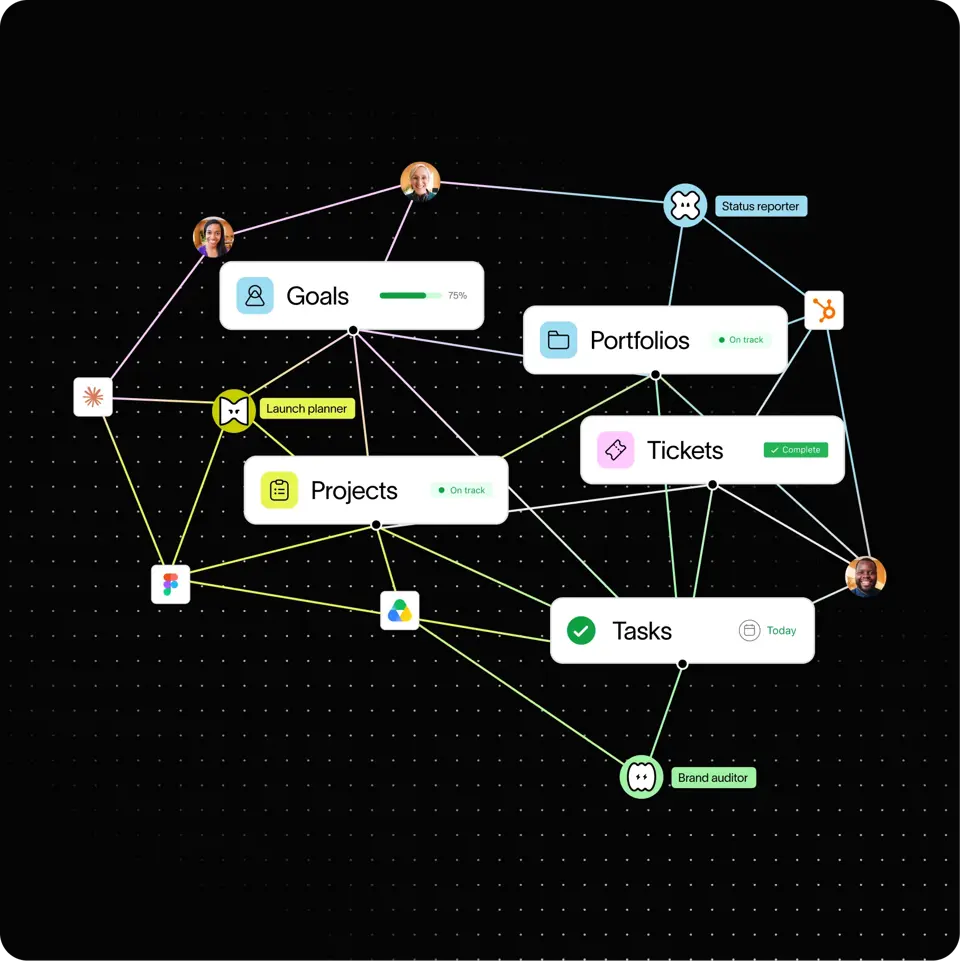
Asana's answer: build a Work Graph that connects every person, task, project, goal, and dependency in a single data model, then let teams choose how to view and interact with that data.
Source: Asana
These aren't just product differences. They reflect different beliefs about what makes teams effective. Motion optimizes for individual and small-team throughput. Asana optimizes for organizational alignment and visibility. The right choice depends on which problem costs your team more.
Motion's auto-scheduling changes how teams operate
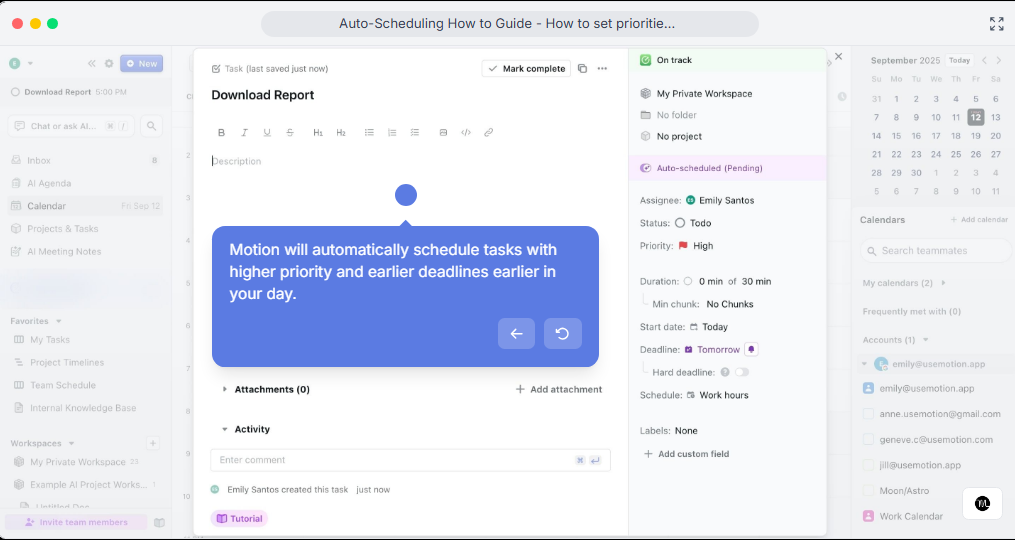
Motion's defining feature is that it makes scheduling decisions for you.
Add a task with a deadline and a priority level, and Motion places it on your calendar as a time-blocked work session. Add a meeting, and Motion moves affected tasks to different slots. Mark a blocking task complete, and downstream tasks unlock and land on the next person's calendar automatically. No one drags a card, updates a status, or asks "what should I work on next?"
Source: Motion
The practical impact is measurable.
Teams that replace manual standup meetings with Motion's auto-scheduling report reclaiming hours per week that previously went to status updates and task shuffling. Because Motion handles dependency chains automatically (finishing one stage triggers the next without manual status changes) project coordinators can manage larger workloads with less overhead than they could in tools like Jira, Monday, or Trello.
The auto-scheduling also produces a side benefit that's easy to overlook: individual contributors actually use it. Instead of opening a project board with dozens of cards and choosing what to work on, each person sees a simple, AI-prioritized task list. The complexity is hidden from them, which reduces the resistance that often accompanies rolling out new project management tools.
Asana gives leaders visibility that smaller tools can't match
Motion excels at getting tasks done faster. Asana excels at making sure your organization is doing the right tasks.
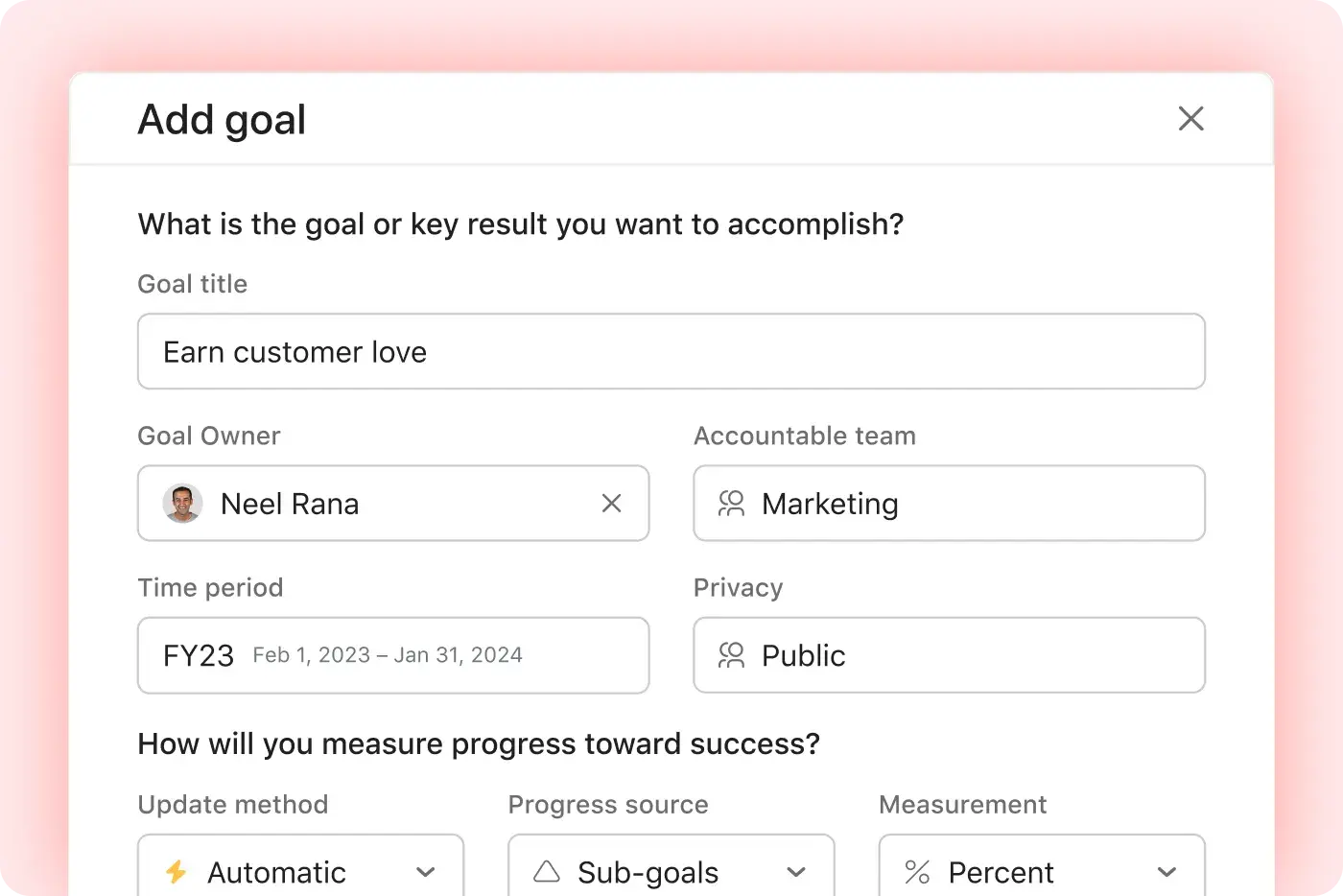
Asana's Goals feature connects company-level objectives to the team projects and individual tasks executing against them. Progress updates automatically as connected work completes. A VP can open a portfolio dashboard and see, in real time, which initiatives are on track and which are at risk, without sending a single "how's it going?" message. This strategy-to-execution thread is something Motion doesn't attempt.
Source: Asana
The structural advantage runs deeper than reporting.
Asana's Work Graph means a single task can live in multiple projects with one canonical record. Marketing sees a launch task in their campaign project; Engineering sees the same task in their sprint project. Update it once, and both views reflect the change. For organizations where a product launch touches four or more departments, this eliminates the duplication and drift that spreadsheets and siloed tools create.
Asana also provides five project views from a single data model: List, Board, Calendar, Timeline, and Gantt, switchable with a click. A project manager working in Timeline view sees the same data a team member browses in Board view. G2 reviewers rate Asana 8.9/10 for ease of use, citing this flexibility as easier to navigate than alternatives like Jira or Notion.
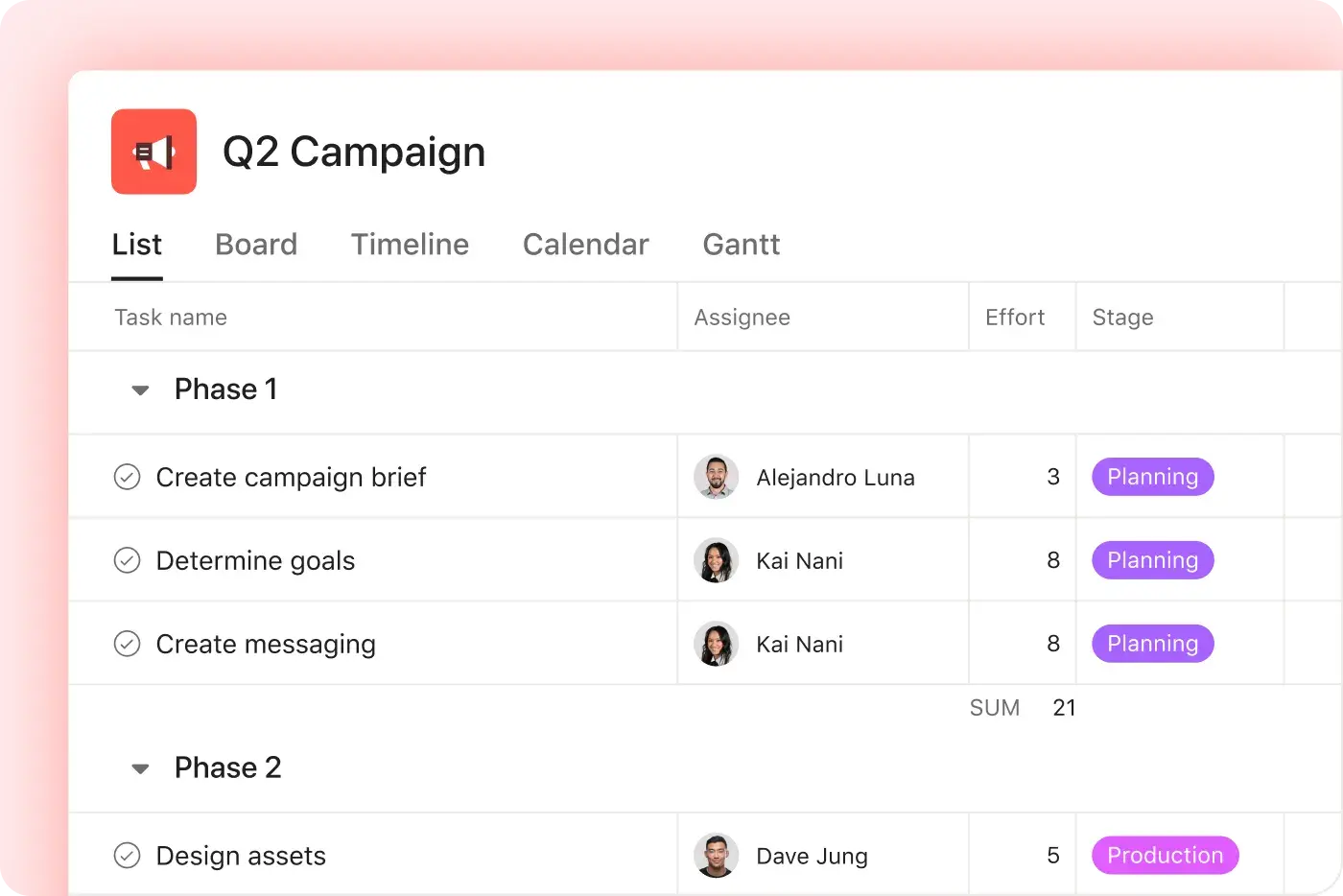
Source: Asana
For regulated industries, Asana's compliance posture is a decisive factor. FedRAMP Moderate Authorization (achieved June 2026) opens the U.S. federal government market. HIPAA compliance is available on Enterprise plans. Data residency options cover the US, Europe, Japan, and Australia. Motion holds SOC 2 Type II and GDPR compliance, which covers most SMB requirements, but cannot match Asana's enterprise security stack.
AI capabilities take different forms
Both platforms invest in AI, but they deploy it in different ways.
Motion's AI is structural: it's the scheduling engine itself.
Every task placement, every deadline prediction, every capacity alert is an AI decision. The system reschedules continuously as conditions change. Motion also embeds AI across its bundled tools: the AI Meeting Notetaker (trained on 10,000+ hours of proprietary meeting data) transcribes calls, extracts action items, and converts them into scheduled tasks automatically.
The AI Workflows Builder converts SOP documents into structured project templates in seconds. AI Chat answers questions grounded in live workspace data, with citations linking to specific docs, tasks, and meeting transcripts.
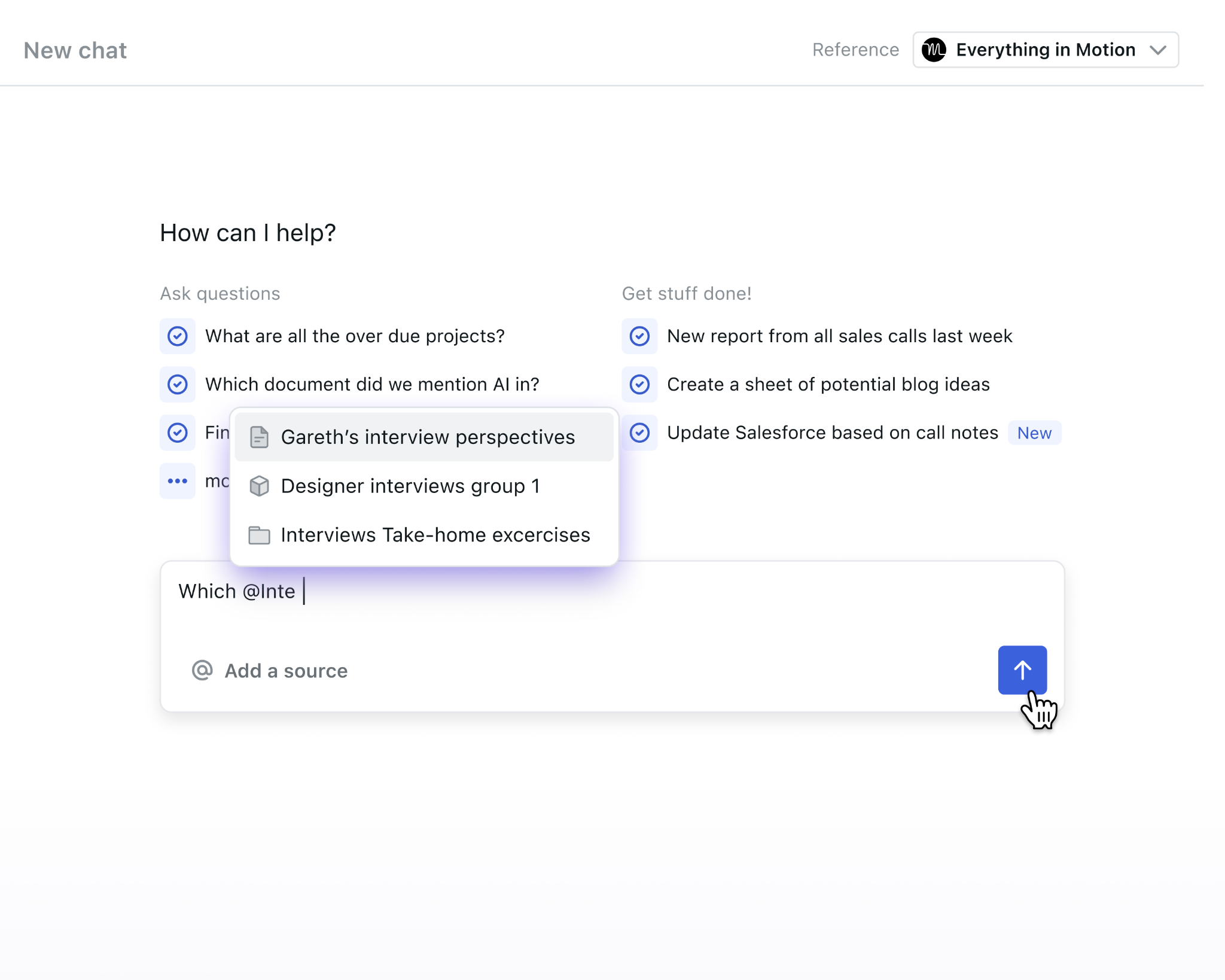
Source: Motion
Asana's AI operates on top of the work structure rather than replacing it.
AI Teammates are agents assigned to projects like human team members. They handle specific roles: Campaign Brief Writer, Compliance Specialist, Status Reporter, Launch Planner, among 30 prebuilt agents. These Teammates draw on the Work Graph for context, learn from team feedback, and maintain an audit trail of every action. Beta testing across 200+ organizations showed task completion was 2x faster with AI Teammates, and teams using them were 3.2x more likely to have clear task ownership.
AI Studio provides no-code workflow automation: set a trigger (form submission, Slack message, task event), define what should happen in plain language, and let it run. Asana Dash acts as a daily AI briefing, synthesizing information across projects, meetings, emails, and Slack to surface blocked items and pending decisions before you go looking for them.
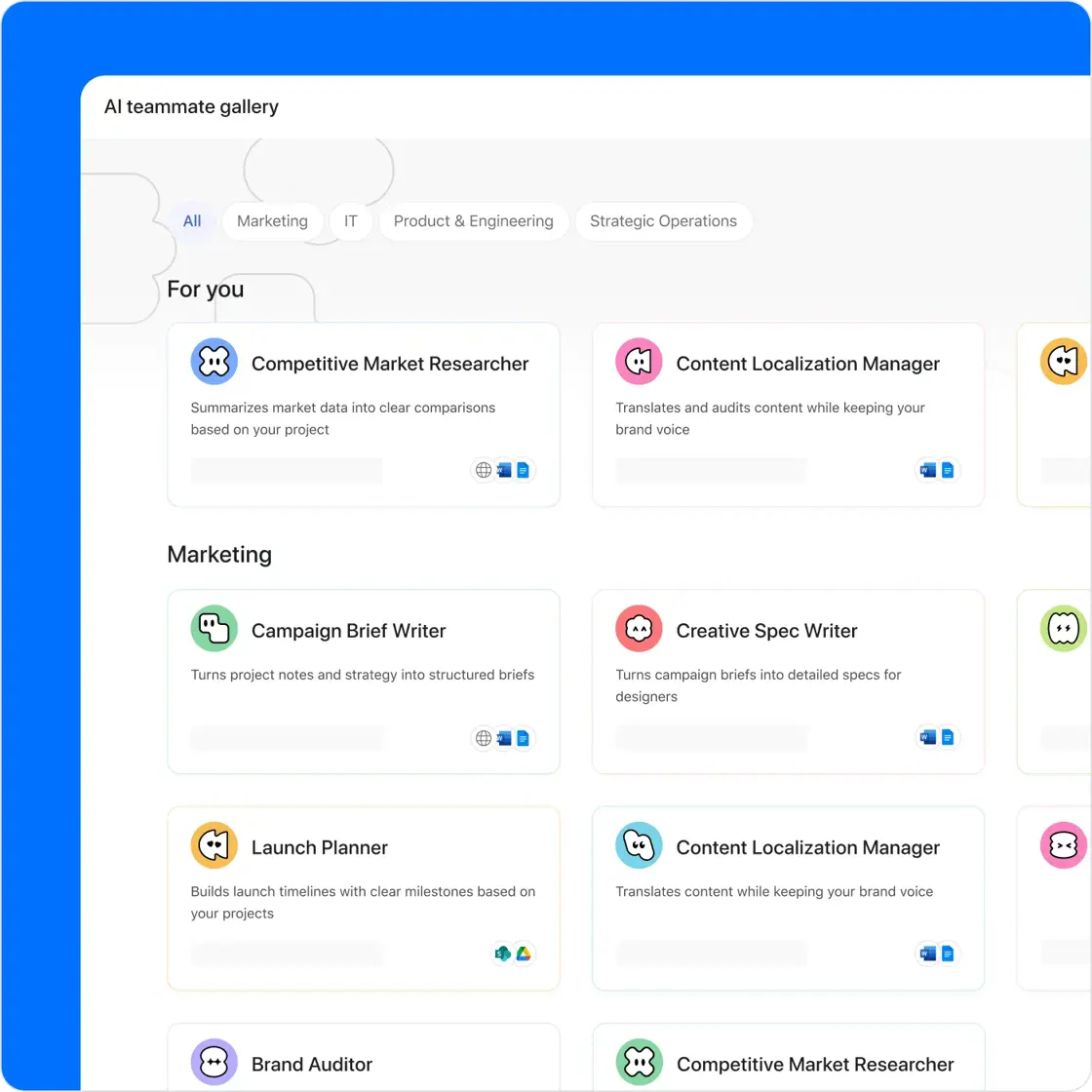
Source: Asana
The distinction matters: Motion's AI makes decisions for you (what to work on, when to work on it). Asana's AI does work for you (writing briefs, routing requests, surfacing risks) while leaving the structural decisions to humans.
The all-in-one question: consolidation vs. best-of-breed
Motion bundles calendar, meeting scheduling, AI notetaking, and docs into a single platform alongside project and task management. The pitch: replace Calendly, Otter.ai, Notion, and Asana with one $19-29/seat subscription.
This consolidation has real benefits.
When a meeting ends, action items flow directly into the task manager and onto calendars without copy-paste. When a booking link is shared, it checks task timeblocks as well as calendar events, protecting focus time in a way standalone schedulers cannot. Documents, projects, and meetings share a single search index.
Asana takes the opposite approach: do project management well and integrate with specialized tools for everything else. The App Directory lists integrations with Google Drive, Figma, Jira, Miro, Clockwise, Okta, Zapier, and dozens more. Asana also offers an MCP server for AI agents and a full REST API with JavaScript and Python SDKs. The integration depth means Asana fits into an existing tool stack rather than replacing it.
The choice depends on your team's size and setup.
If you're a 20-person agency juggling Calendly, Todoist, Otter, and Monday.com, Motion's consolidation eliminates real overhead. If you're a 500-person organization with established Jira, Salesforce, and Slack workflows, Asana's integration ecosystem connects to what you already have.
ZoomInfo powers the pipeline that fills your project boards
While Motion and Asana manage the work your team does, ZoomInfo helps ensure there's always work to do.
ZoomInfo operates a B2B data platform spanning 500M contacts, 100M companies, 135M+ verified phone numbers, and 200M+ verified business email addresses. This isn't a static database. A multi-source verification pipeline backed by 300+ human researchers and automated ML scanning of 28 million site domains daily achieves up to 95% accuracy on first-party data.
In a Fortune 500 competitive RFP analyzing 25 million contacts across vendors, the independent consultant concluded that "no other competitor came even close."
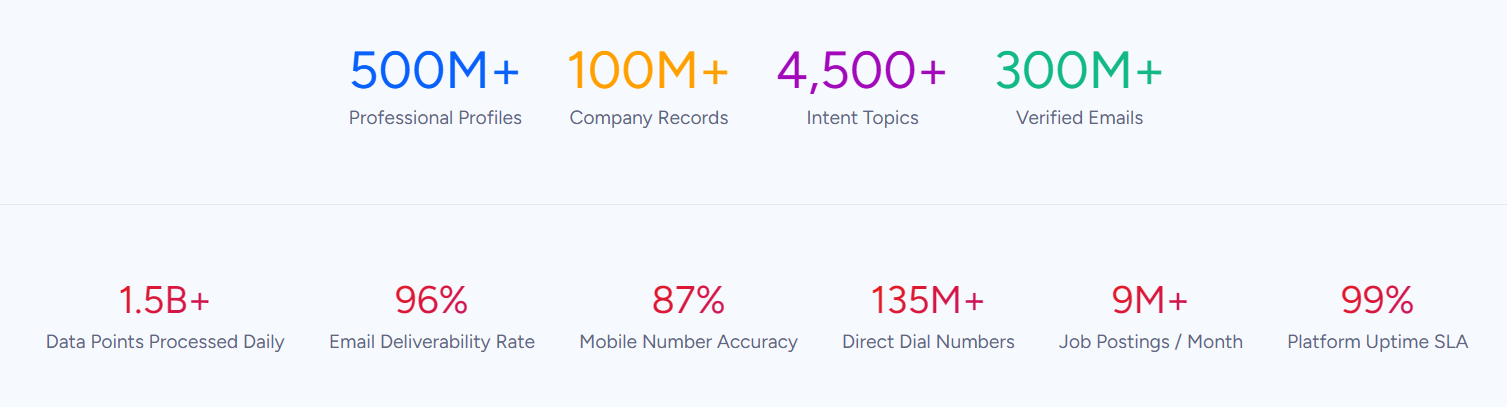
Source: ZoomInfo
That data foundation fuels ZoomInfo's GTM Context Graph, which processes 1.5B+ data points daily by combining ZoomInfo's B2B intelligence with your CRM records, conversation transcripts, and behavioral signals.
The result: an intelligence layer that captures why deals move or stall, not just that they did. The AI drafting your next follow-up understands the concern behind the conversation, and your next play targets accounts matching your actual win patterns.
Your team accesses this intelligence three ways.
GTM Workspace gives sellers a single screen where prioritized accounts, AI-drafted outreach, and deal execution converge. GTM Studio lets marketers and RevOps describe audiences in natural language, launch multi-channel plays, and watch pipeline impact in real time. APIs and MCP expose the same intelligence to any custom agent, internal tool, or partner platform, including Claude and ChatGPT.
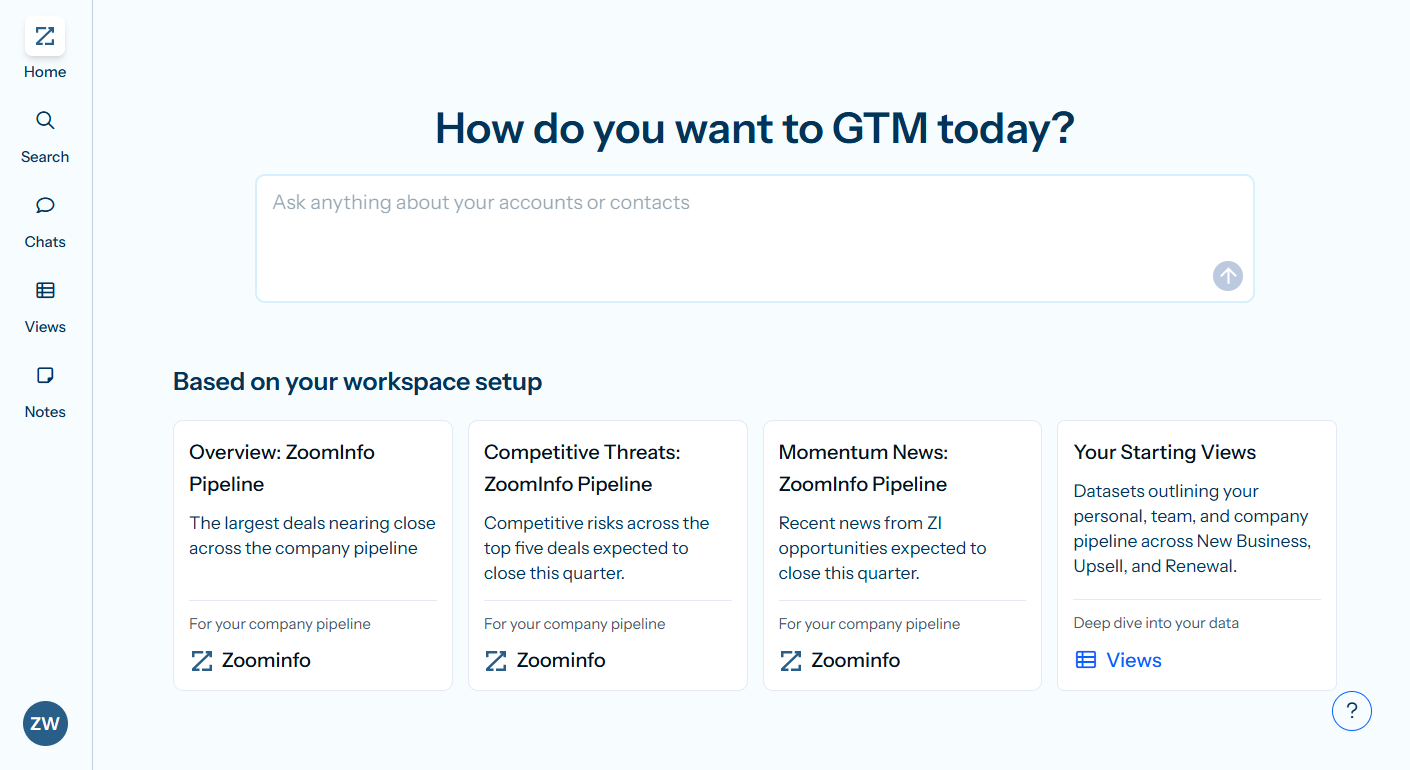
Seismic's sales team attributed 39% of active pipeline to opportunities identified or influenced by ZoomInfo signals, boosted productivity by 54%, and saved 11.5 hours per week per seller. (Seismic case study)
ZoomInfo integrates with the CRM systems (Salesforce, HubSpot, Microsoft Dynamics) that feed into project management workflows and the cloud data platforms (Snowflake, AWS, Databricks) where enterprise data lives. Whether your team runs Motion or Asana for execution, ZoomInfo ensures the revenue intelligence powering your pipeline is current and accurate.
Pricing structures reflect different market targets
Motion's pricing is straightforward: two plans, per-seat, no free tier.
Plan | Monthly | Annual |
|---|---|---|
Pro AI | $29/seat/month | $19/seat/month |
Business AI | $49/seat/month | $29/seat/month |
Pro AI covers AI calendar, task planner, projects, meeting notetaker, docs, and 7,500 AI credits per seat per month. Business AI adds capacity planning, Gantt charts, dashboards, time tracking, and permissions. Both plans include a trial period (a $1 card hold is required at signup), but there is no permanently free plan.
Asana offers more pricing tiers with a permanent free option:
Plan | Annual (per user/month) | Monthly (per user/month) |
|---|---|---|
Personal | Free | Free |
Starter | $10.99 | $13.49 |
Advanced | $24.99 | $30.49 |
Enterprise | Contact sales | Contact sales |
The free Personal plan supports up to 2 users with unlimited tasks, projects, and List/Board/Calendar views. Starter adds Timeline/Gantt, automations, forms, and custom fields. Advanced unlocks goals, portfolios, workload management, proofing, and integrations with Salesforce, Tableau, and Jira Cloud. Enterprise adds SAML SSO, HIPAA, view-only licenses, and workflow bundles.
G2 and Capterra reviewers consistently flag Asana's tier jumps: portfolios, goals, workload management, and meaningful reporting all require upgrading from Starter to Advanced, more than doubling the per-seat cost. Motion's two-tier structure means fewer surprises.
Asana also charges $5.99/user/month for its Timesheets and Budgets add-on, and AI Studio Plus costs $135/month for 100K AI credits beyond the included allotment. Motion includes time tracking on Business AI and bundles AI credits into both plans (with overages at $0.19-0.25 per 100 credits).
ZoomInfo uses custom-quoted, consumption-based pricing with no published prices. ZoomInfo Lite is a permanent free tier with access to the B2B database, 10 monthly export credits, and basic search. A 7-day free trial of the full platform is also available.
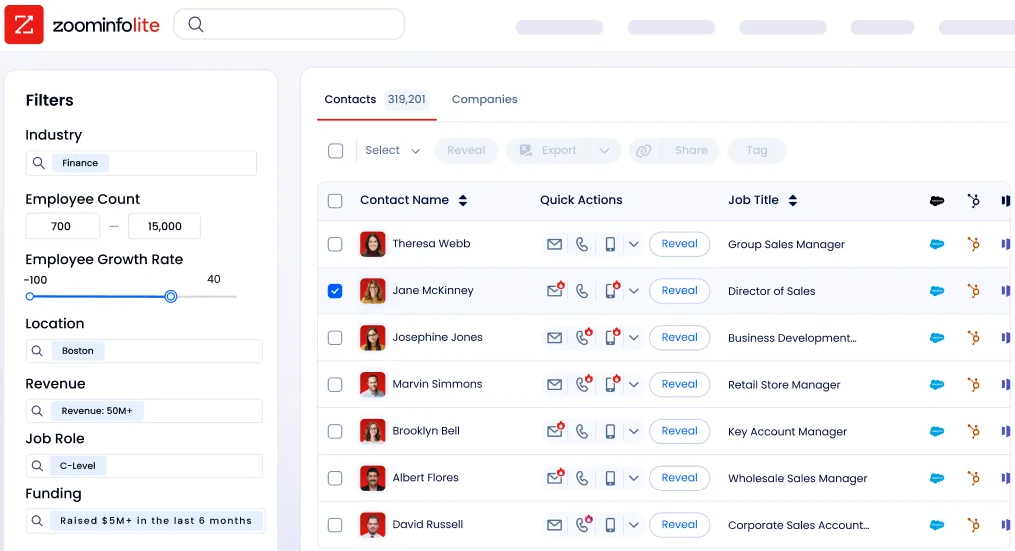
Source: ZoomInfo
Support and onboarding take different shapes
Motion's support model is lean.
Email support targets 24-48 hour response times, with in-app live chat for faster triage. Priority Support is reserved for Business AI subscribers. A GitBook-powered help center covers feature guides and onboarding walkthroughs. There are no published SLA commitments for response times.
Asana invests more in structured support.
Enterprise and Enterprise+ subscribers get 24/7 live support with a two-hour response commitment and a 99.9% uptime SLA. The Asana Academy offers learning paths and two certificate programs (Workflow Specialist and Administrator). A public Community Forum provides peer support. For large deployments, Asana offers dedicated customer success teams, an Ambassador Program, and paid onboarding services.
The difference maps to their markets. Motion's SMB buyers expect to be productive within a week, given the platform's streamlined onboarding and AI-driven setup. Asana's enterprise buyers expect a 90-day rollout with dedicated implementation support.
ZoomInfo redesigned its onboarding from 30 to 90 days, structured across planning, technical implementation, education, and adoption phases. The result: a 25% improvement in customer satisfaction scores. ZoomInfo University provides role-specific learning paths, certifications, and live webinars.
Source: ZoomInfo
Security and compliance determine enterprise readiness
Asana's compliance posture goes further.
Beyond SOC 2 Type II and ISO 27001, Asana holds ISO 27017, ISO 27018, ISO 27701, HIPAA eligibility (Enterprise plan with BAA), and FedRAMP Moderate Authorization. Enterprise features include SAML 2.0 SSO, SCIM provisioning, Enterprise Key Management, audit log API for SIEM integration, IP allowlisting, and data residency options across four regions.
For government agencies, healthcare organizations, and financial services companies, these certifications are prerequisites, not nice-to-haves.
Motion holds SOC 2 Type II and GDPR compliance, with data hosted on Google Cloud Platform and encrypted at rest and in transit. Annual penetration testing, least-privilege access controls, and quarterly access reviews round out the security program. For most SMBs, law firms, and consulting firms, this is sufficient. For regulated enterprises, it is not.
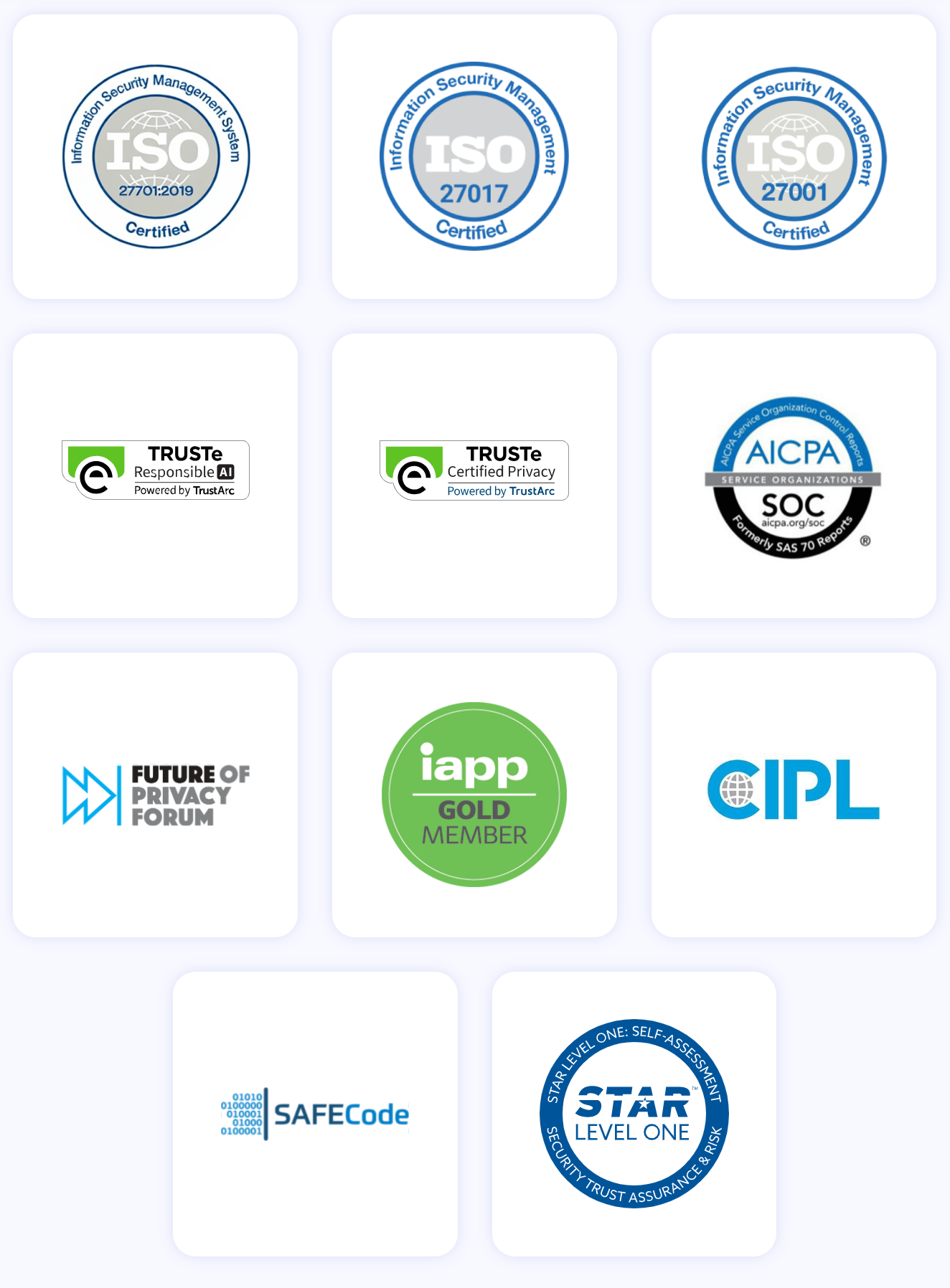
ZoomInfo maintains ISO 27001, ISO 27701, SOC 2 Type II, TRUSTe GDPR and CCPA certifications, all renewed annually. As a registered data broker in California and Vermont, ZoomInfo's compliance infrastructure extends to data privacy at the collection layer itself.
Motion vs. Asana vs. ZoomInfo: Which should you choose?
The right platform depends on what's actually slowing your team down.
Choose Motion if:
Your team spends more time planning work than doing it
You want AI to handle scheduling, prioritization, and project progression automatically
You're a service business (agency, consultancy, IT provider, law firm) with repeatable project workflows
You want to replace your calendar app, meeting scheduler, notetaker, and project management tool with one platform
Your team is under 200 people and doesn't require FedRAMP or HIPAA compliance
Choose Asana if:
Cross-departmental visibility and goal alignment are your biggest challenges
You need to connect strategic objectives to the tasks executing against them
Your organization has 200+ people coordinating work across multiple teams
Enterprise compliance (FedRAMP, HIPAA, data residency) is a requirement
You want integrations with your existing Salesforce, Jira, and Slack stack
Add ZoomInfo if:
Your revenue depends on finding and winning B2B customers
You need verified contact data, intent signals, and deal intelligence to feed your pipeline
You want AI that understands why deals move, not just that they moved
You need intelligence that works in your CRM, your AI agents, and your custom tools via API and MCP
Start with ZoomInfo Lite for free, or request a demo to see the full platform.
Motion and Asana each solve a real problem well. Motion eliminates the planning overhead that drains small teams. Asana provides the structural alignment that keeps large organizations moving in the same direction. They are not interchangeable, and the choice between them is less about features and more about what kind of coordination problem your organization actually has.
Whichever you choose, the quality of work your team manages depends on the quality of opportunities feeding your pipeline. ZoomInfo provides the B2B intelligence that ensures your sales and marketing teams are working the right accounts, with the right context, at the right time.
Motion vs. Asana vs. ZoomInfo FAQ
What is the core difference between Motion and Asana?
Motion is an AI-powered execution platform that automatically schedules, prioritizes, and re-prioritizes every team member's day based on deadlines, dependencies, and capacity. Asana is an enterprise work management platform built around a Work Graph that connects tasks, projects, portfolios, and company goals into a single data model with five switchable views.
Motion optimizes for getting tasks done faster; Asana optimizes for organizational alignment and cross-functional visibility.
Which platform is better for small teams?
Motion is designed for small and mid-sized teams, typically 5 to 200 people. Its auto-scheduling engine, bundled calendar, meeting scheduler, and notetaker consolidate multiple tools into one platform.
Asana's free plan supports only 2 users, and its most valuable coordination features (goals, portfolios, workload management) require the Advanced plan at $24.99/user/month. For teams under 50 people, Motion's all-in-one approach tends to deliver more immediate value.
Which platform is better for enterprise organizations?
Asana is the stronger enterprise choice. It serves 170,000+ customers including 85% of Fortune 100 companies, holds FedRAMP Moderate Authorization and HIPAA eligibility, and supports deployments of up to 200,000 users in a single instance. Asana has been named a Gartner Magic Quadrant Leader for Collaborative Work Management for three consecutive years and a Forrester Wave Leader.
Motion targets SMBs and mid-market teams and lacks enterprise compliance certifications beyond SOC 2 Type II and GDPR.
Does either platform offer a free plan?
Asana offers a permanent free Personal plan for up to 2 users, including unlimited tasks and projects with List, Board, and Calendar views. Motion does not have a free plan. It requires a paid card at signup (with a $1 hold) for a time-limited trial.
ZoomInfo offers ZoomInfo Lite, a permanent free tier with access to the B2B database, 10 monthly export credits, and basic prospecting tools.
How do Motion and Asana handle AI differently?
Motion's AI is the core scheduling engine. It makes planning decisions automatically: what to work on, when to work on it, and what's at risk of missing a deadline. Asana's AI takes the form of AI Teammates (30 prebuilt agents that handle tasks like writing briefs, routing requests, and surfacing risks), AI Studio (no-code workflow automations), and Dash (proactive daily briefings).
Motion's AI replaces human decision-making in scheduling; Asana's AI augments human work within the existing project structure.
Can I use ZoomInfo alongside Motion or Asana?
Yes. ZoomInfo is a B2B intelligence platform, not a project management tool. It integrates with the CRM systems (Salesforce, HubSpot, Microsoft Dynamics) that connect to both Motion and Asana.
ZoomInfo powers the pipeline generation and deal intelligence side of your business, while Motion or Asana manages the execution of the resulting work. Teams commonly use ZoomInfo for prospecting, intent monitoring, and account intelligence alongside their project management platform of choice.
Which platform has better integrations?
Asana has the larger ecosystem, with 100+ native integrations in its App Directory, a full REST API with JavaScript and Python SDKs, an MCP server for AI agents, and iPaaS support through Zapier.
Motion supports Google and Outlook calendar sync, Slack, HubSpot, Salesforce, and Zapier, but states there are no current plans for native integrations with tools like Notion, ClickUp, or Google Sheets. ZoomInfo maintains a marketplace with 172+ integration partners, an Enterprise API, and an MCP server compatible with Claude and ChatGPT.
How does pricing compare across the three platforms?
Motion starts at $19/seat/month (annual) or $29/seat/month (monthly) for Pro AI. Asana starts at $10.99/user/month (annual) for Starter, with the feature-rich Advanced plan at $24.99/user/month.
ZoomInfo uses custom-quoted, consumption-based pricing, with a permanent free ZoomInfo Lite tier. For a team of 15 needing project management with Gantt charts and capacity planning, Motion Business AI and Asana Advanced land within $60/month of each other annually, though Motion includes meeting scheduling and notetaking that Asana does not.
