
Teams that run OnceHub for scheduling and LeadConnector for CRM and marketing automation usually hit the same problems within a quarter:
Leads who book through OnceHub never appear in LeadConnector's pipeline, so reps follow up manually or not at all.
Contacts who cancel or reschedule in OnceHub stay in active nurture sequences inside LeadConnector, sending messages to people who already changed plans.
Appointment data lives in one system while deal stages and communication history live in another, so nobody has a full picture of where a lead stands.
However, the two platforms ended up coexisting (an agency deploying LeadConnector for client management while using OnceHub for compliant scheduling, a sales team adopting OnceHub's routing forms alongside an existing LeadConnector CRM, or different departments choosing tools independently), the longer both run without a connection, the wider the gap between scheduling activity and sales follow-through.
Connecting OnceHub and LeadConnector closes that gap.
New bookings in OnceHub can create or update contacts in LeadConnector so every scheduled meeting has a matching CRM record. Cancellations and reschedules can trigger pipeline updates so reps stop working stale opportunities. Booking form data (name, email, phone, qualifying answers) flows into LeadConnector's contact fields so the CRM record is populated before the first conversation.
There is no native integration between the two platforms. OnceHub and LeadConnector do not offer a direct connector to each other. Teams connecting them rely on third-party automation tools (primarily Zapier) or custom API development using each platform's REST API. Each method differs in setup complexity, data coverage, sync direction, and cost.
One problem no connection method solves: the sync moves booking data into the CRM, but it does not verify whether the contact information behind those bookings is accurate, complete, or current.
That is where ZoomInfo comes in. ZoomInfo integrates with LeadConnector through Zapier and offers API and MCP access that can feed verified, enriched contact and company data into any system, so the records flowing between OnceHub and LeadConnector are accurate and complete before a rep picks up the phone.
This article covers the OnceHub-LeadConnector integration: which methods are available, what data each one handles, how to set them up, the use cases that justify connecting both platforms, and the limitations to plan for. It also covers how ZoomInfo fits in as a data enrichment layer for the records moving between both systems.
Integration Overview
Does a native integration exist?
No. OnceHub and LeadConnector do not offer a built-in connector to each other. OnceHub's integrations directory lists native CRM connectors for Salesforce, HubSpot, and Keap, but not LeadConnector. LeadConnector connects natively with payment processors, accounting tools, and social platforms, but not OnceHub. Every connection method requires a third-party tool or custom development.
What data can sync?
Booking events (new, canceled, rescheduled), contact details captured through OnceHub's booking forms (name, email, phone, custom field responses), and appointment metadata (date, time, meeting type, assigned host). The specific fields depend on the method.
Zapier handles individual event-triggered syncs with configurable field mapping. Custom API integrations can access anything both platforms expose through their REST APIs.
Is the sync bidirectional?
Not by default. Data flows one direction: from OnceHub (where bookings originate) to LeadConnector (where contacts and deals are managed). Bidirectional sync (where changes in LeadConnector trigger updates in OnceHub) would require a separate automation or custom development, though the use case for reverse sync is limited since LeadConnector is not a scheduling tool.
Is it real-time or batch?
Near real-time. Zapier processes triggers within 1 to 15 minutes depending on plan tier. Custom webhook-based integrations using OnceHub's webhook system fire on booking events as they occur.
What are the available methods?
Third-party automation (Zapier), additional iPaaS platforms (Make, Integrately), and custom API development.
Source: Zapier
Method | Setup Difficulty | Data Flow | Real-time? | Cost |
|---|---|---|---|---|
Zapier | Low | OnceHub to LeadConnector (per Zap) | Near real-time (1-15 min) | From $19.99/mo |
Make | Medium | Configurable per scenario | Near real-time or scheduled | From $10.59/mo |
Custom API | High | Fully customizable | Real-time via webhooks | Developer time + hosting |
One distinction worth settling upfront: Zapier and Make handle ongoing event-triggered sync (new bookings, cancellations) as they occur after activation. Neither migrates historical booking data. A custom API integration can do both: backfill past bookings and keep new events flowing in real time.
Integration Methods
Zapier (Most Practical Starting Point)
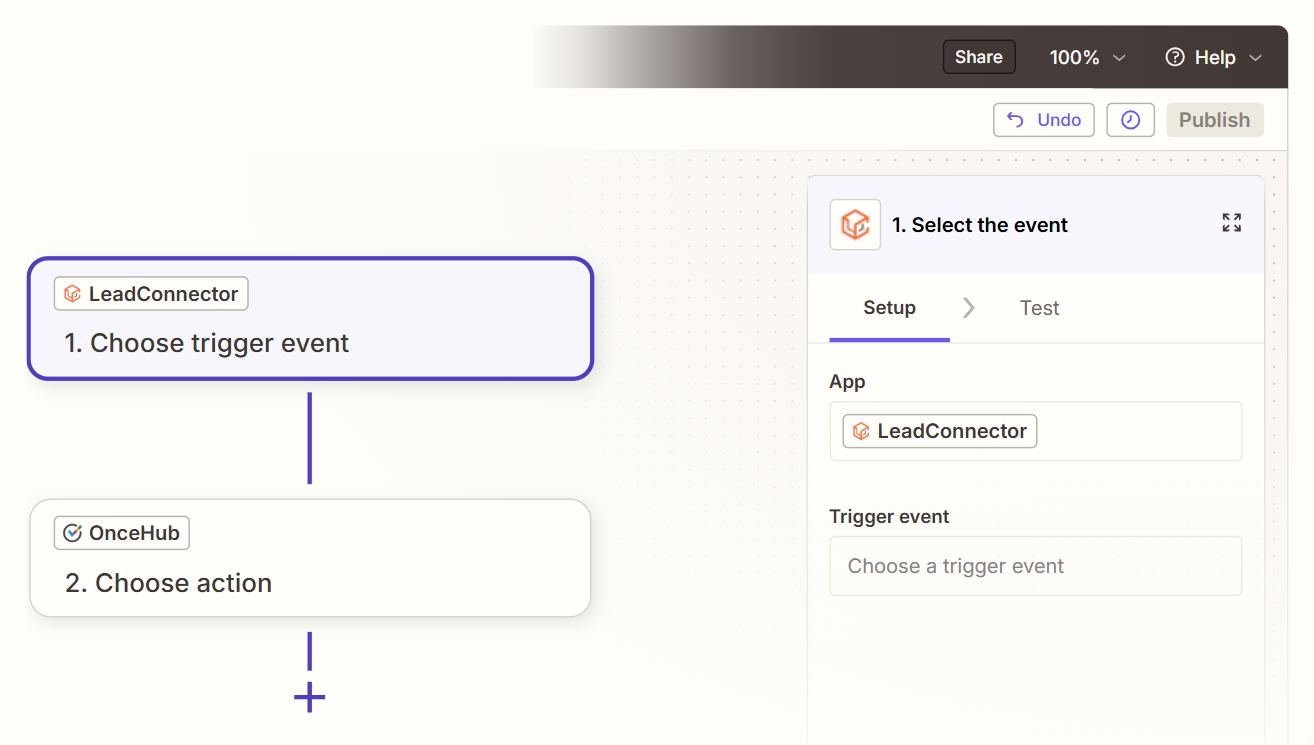
How it works: Zapier connects OnceHub and LeadConnector through event-driven automations called Zaps. Each Zap pairs a trigger (an event in OnceHub, such as a new booking) with one or more actions (what happens in LeadConnector, such as creating a contact or updating an opportunity). Both platforms are available as Zapier connectors.
What it syncs: Booking events (new bookings, cancellations, reschedules) from OnceHub, along with contact data captured in OnceHub's booking forms: name, email, phone number, and custom field responses. On the LeadConnector side, Zapier can create or update contacts, create or update opportunities, add tags, and trigger workflows. Each sync scenario requires its own Zap.
Fits: Ongoing sync of new booking events. Not a migration tool for historical data.
Setup process:
Create a Zapier account and connect both your OnceHub and LeadConnector accounts (OnceHub uses API key authentication; LeadConnector uses OAuth).
Create a new Zap. Choose OnceHub as the trigger app and select the trigger event (e.g., "Booking Scheduled" or "Booking Canceled").
Choose LeadConnector as the action app and select the action (e.g., "Create Contact," "Update Opportunity," or "Add Tag").
Map fields from the OnceHub trigger to LeadConnector fields. Zapier displays all available data from the booking event (guest name, email, phone, booking time, meeting type, form responses) and lets you place each value into the corresponding LeadConnector field.
Test the Zap with a sample booking to verify data flows correctly into LeadConnector and creates or updates the expected record.
Turn the Zap on. For additional sync scenarios (e.g., handling cancellations separately from new bookings), create additional Zaps with different trigger-action pairs.
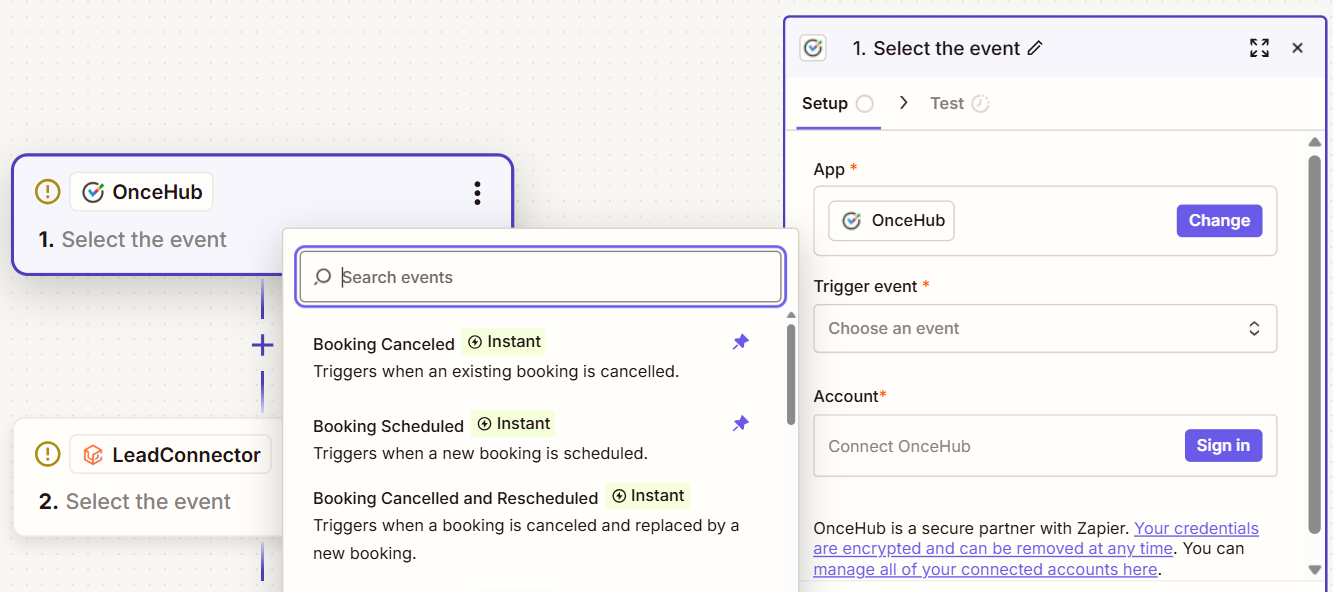
Strengths: Fastest setup, no technical knowledge required. Pre-built OnceHub-LeadConnector Zap templates cover common workflows like updating opportunities when bookings are canceled. Reliable for single-event, single-action syncs.
Limitations: Each Zap handles one trigger-action pair, so syncing new bookings, cancellations, and reschedules requires separate Zaps (each counting against your plan's task allocation). No built-in deduplication: if a guest books twice with the same email, Zapier may create duplicate contacts unless you add a "Search" step before the "Create" step.
Historical bookings made before the Zap was activated do not sync. Detailed engagement data from either platform (LeadConnector conversation history, OnceHub routing form responses beyond what the booking form captures) does not transfer through standard triggers.
Best for: Small teams and agencies that need a quick, low-cost connection between OnceHub bookings and LeadConnector's CRM. Teams testing whether the integration adds enough value before investing in something more complex.
Make (Formerly Integromat)
How it works: Make uses a visual scenario builder where modules (app actions) connect in a flowchart. Each module represents a step: watch for a trigger in OnceHub, transform data, create or update a record in LeadConnector.
Scenarios can branch, filter, loop, and handle errors, offering more control than Zapier's linear structure. Both OnceHub and LeadConnector (through the HighLevel/GoHighLevel connector) are available as Make modules.
What it syncs: The same booking event data as Zapier (contacts, appointments, form responses), with more flexibility in how data transforms between platforms. Make supports iterators for batch processing, routers for conditional paths, and aggregators for combining records before writing. This lets you route different booking types to different LeadConnector pipelines based on meeting category.
Fits: Ongoing sync with conditional logic. Not a migration tool for historical data.
Setup process:
Create a Make account and add OnceHub and LeadConnector as connections via their respective authentication methods.
Build a new scenario. Add the OnceHub module and select a trigger (e.g., "Watch Bookings").
Add a LeadConnector module and select an action (e.g., "Create/Update Contact" or "Create Opportunity").
Connect the two modules and map fields. Make provides functions for transforming data between platforms (e.g., formatting phone numbers, concatenating booking form answers into a LeadConnector note field).
Add error-handling modules to catch failures (e.g., log to a spreadsheet or send a Slack notification when a sync fails).
Set the scenario to run on every trigger event or on a time-based schedule, and activate it.
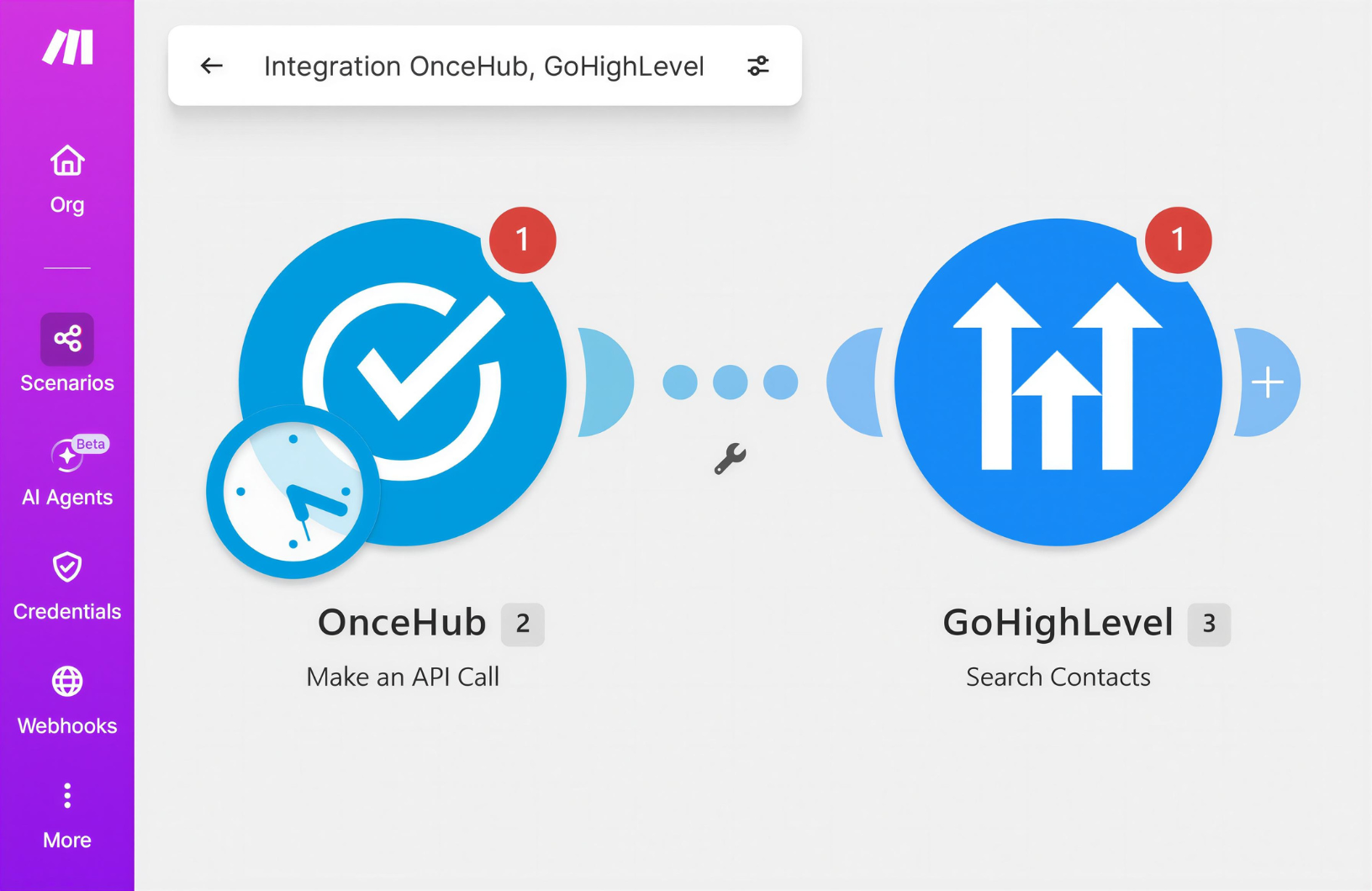
Strengths: Fine-grained control over data transformation and conditional routing. The visual builder makes complex workflows easier to follow than code. Error handling is built in. Per-operation pricing is lower than Zapier at higher volumes. A single scenario can route different meeting types to different LeadConnector actions.
Limitations: Steeper learning curve than Zapier. The LeadConnector connector on Make operates through the HighLevel/GoHighLevel API layer, so available triggers and actions may differ from what Zapier's LeadConnector connector exposes. Both platforms' APIs impose rate limits (OnceHub allows 5 requests per second and 200 requests per 5 minutes), and high-volume scenarios may need throttling.
Best for: Teams with conditional sync requirements (e.g., syncing bookings only from specific calendars, routing different meeting types to different pipelines, or applying different tags based on form answers). Mid-size agencies whose sync volumes make Zapier's per-task pricing expensive.
Custom API Integration
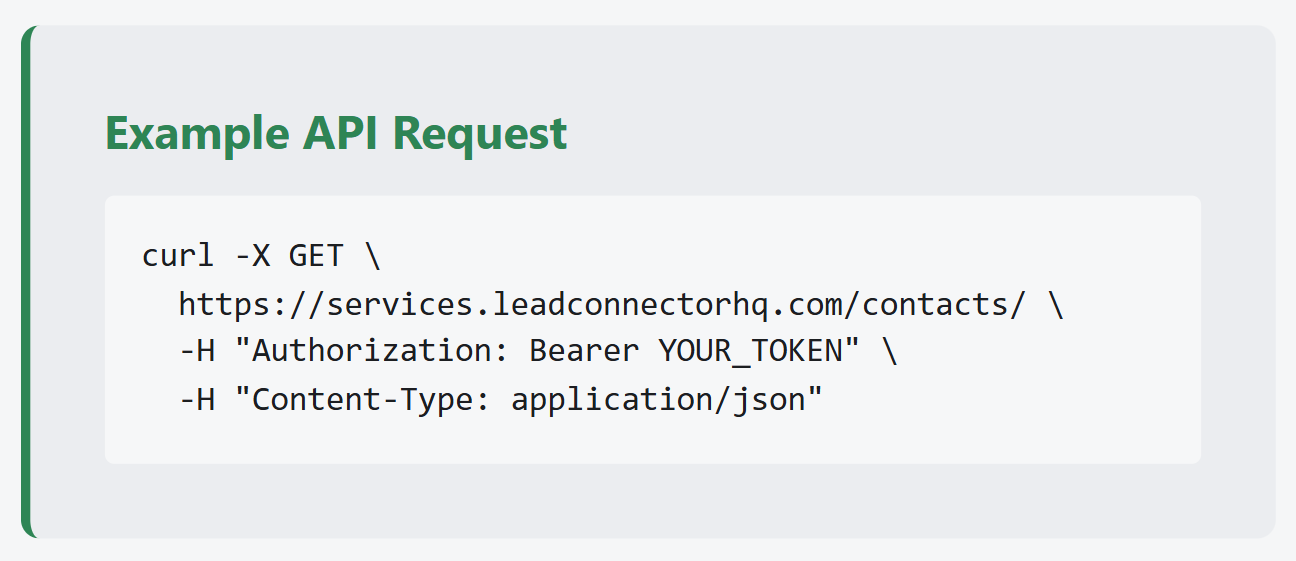
How it works: Both OnceHub and LeadConnector provide REST APIs for programmatic access to their core data. OnceHub's REST API (base URL: https://api.oncehub.com, current version v2.0.0) covers bookings, booking calendars, event types, users, teams, and webhooks.
LeadConnector's API operates through the HighLevel REST API (base URL: https://services.leadconnectorhq.com/) and covers contacts, conversations, calendars, opportunities, and webhooks. A custom integration connects these APIs directly, with your own middleware handling authentication, field mapping, transformation, and error recovery.
Source: HighLevel
What it syncs: Anything both APIs expose. This is the only method that supports complex sync scenarios like backfilling historical booking data, syncing custom objects, or enforcing business rules beyond field mapping (e.g., qualifying leads based on booking form answers before creating them in LeadConnector).
Fits: Both one-time migration of historical data and ongoing real-time sync. The only method with no ceiling on either.
Setup process:
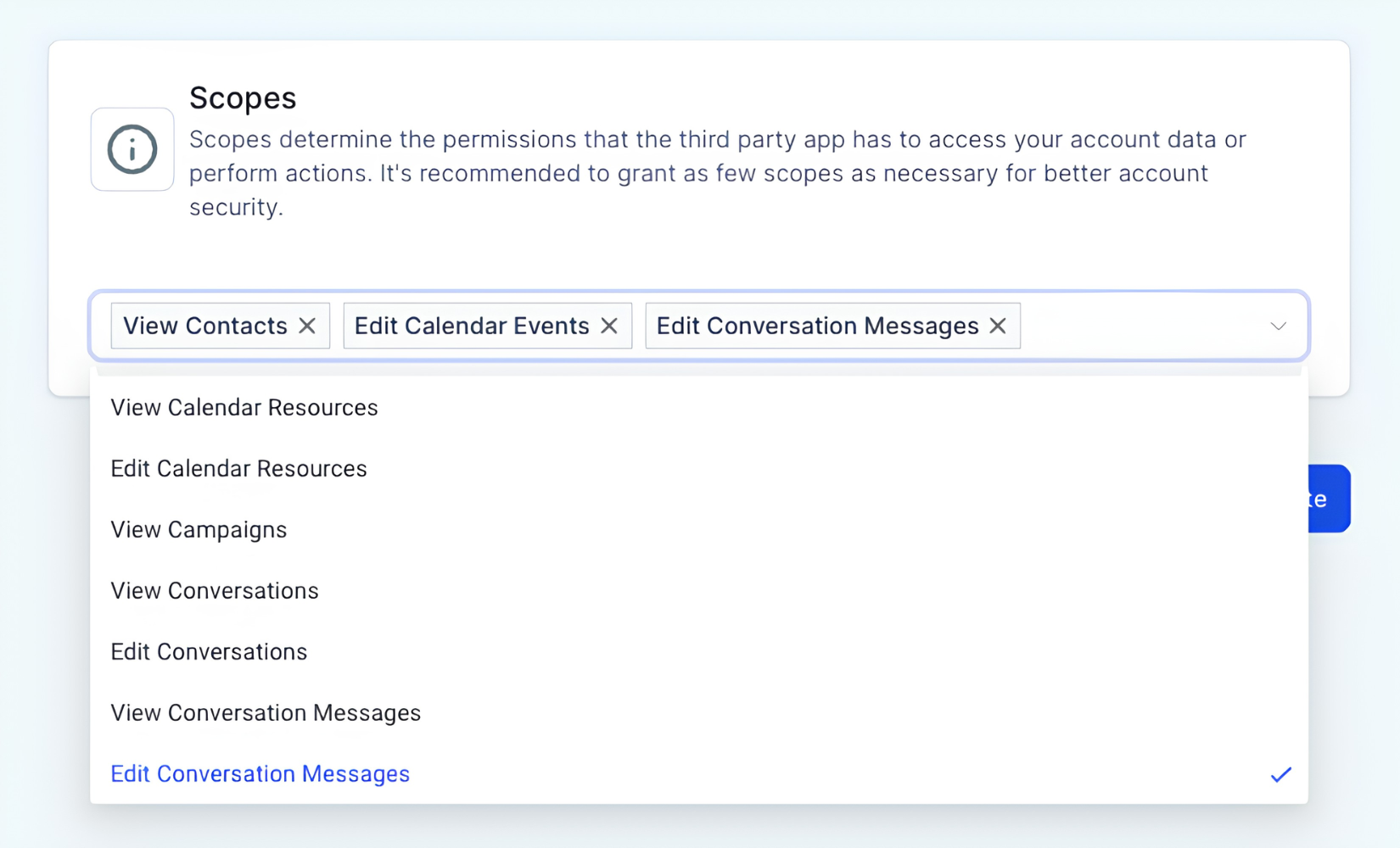
Generate API credentials for both platforms. In OnceHub, navigate to Account Integrations and create an API key, selecting the appropriate scopes. In LeadConnector, create a Private Integration Token under Settings, selecting scopes for contacts, opportunities, and any other resources you need.
Design the data model mapping between OnceHub booking objects and LeadConnector contact/opportunity objects, including field-level transformations and a cross-reference table for matching record IDs.
Build a sync service that listens for OnceHub webhooks (booking events signed with HMAC-SHA256), transforms the booking data according to the mapping, and writes to LeadConnector via the HighLevel API.
Implement deduplication using email address as a matching key. Before creating a contact in LeadConnector, query whether a matching record already exists and update it instead.
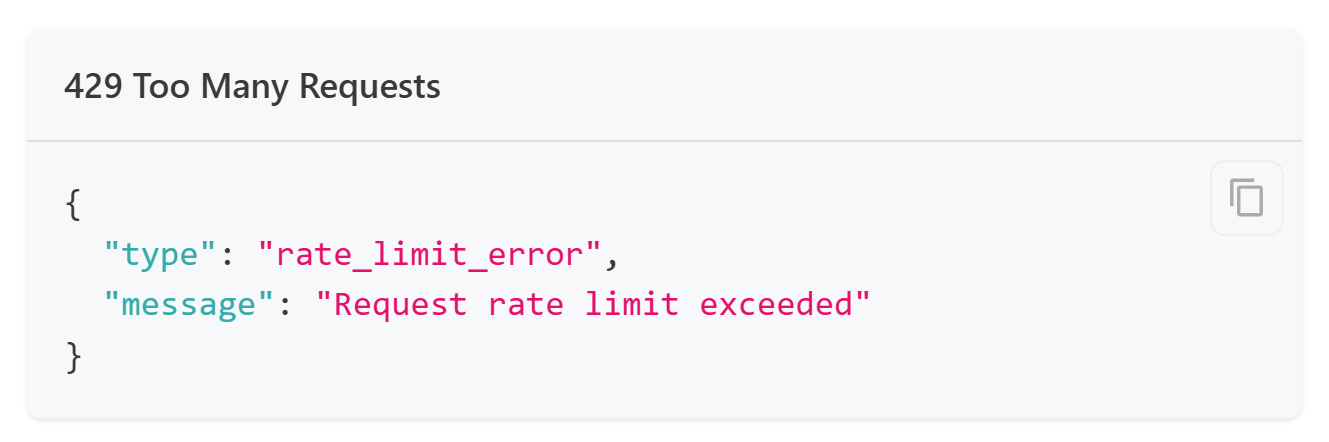
Add logging, error handling, and retry logic. OnceHub's rate limits are 5 requests per second and 200 per 5 minutes; LeadConnector's v2 API allows 100 requests per 10 seconds per resource.
Deploy, monitor, and maintain the integration over time.
Strengths: Full control over what syncs, when, and how. Real-time sync via webhooks on both sides. Can implement complex business logic (e.g., qualifying leads based on routing form answers before creating CRM records). Can backfill historical booking data. No per-record or per-operation fees from a third-party connector.
Limitations: Requires development resources to build and maintain. You own the infrastructure, monitoring, and error recovery. OnceHub's API rate limit of 5 requests per second constrains high-volume sync. LeadConnector's API is versioned through HighLevel's release cycle (currently v2, with v1 out of support as of December 2025), requiring ongoing maintenance. The initial build takes weeks, not hours.
Source: OnceHub
Best for: Organizations with in-house development resources and sync requirements that no off-the-shelf automation tool can satisfy. Teams that need historical data migration alongside ongoing sync. Companies with complex routing or lead qualification rules that must be enforced during the sync.
Key Use Cases
1. Inbound Lead Capture from Booking to CRM
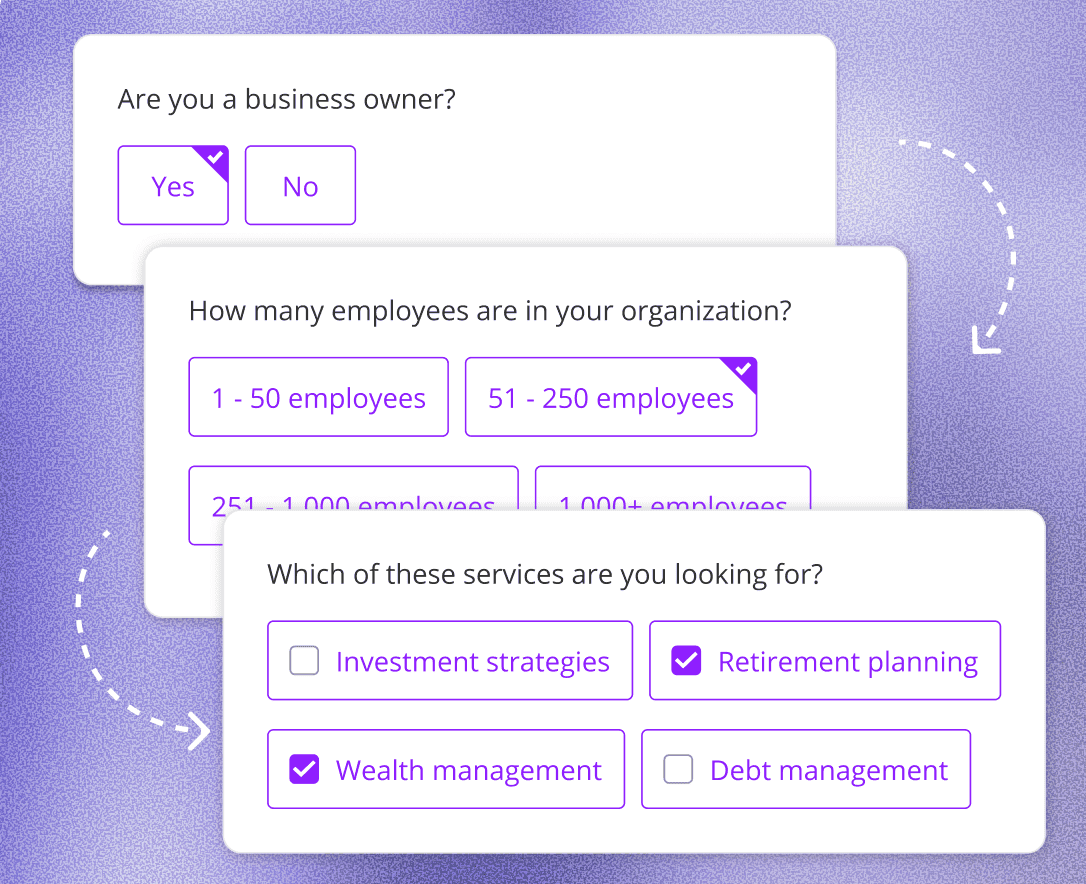
A prospect visits a website, qualifies through an OnceHub routing form, and books a consultation. A Zap triggered by the new booking creates a contact in LeadConnector with the prospect's name, email, phone, and qualifying answers. The contact enters LeadConnector's pipeline at the appropriate stage. A workflow sends an automated confirmation sequence while the assigned rep receives a notification.
Best integration method: Zapier (one-directional, event-triggered).
Source: OnceHub
2. Canceled Booking Pipeline Cleanup
When a prospect cancels a booking in OnceHub, a Zap updates the corresponding opportunity in LeadConnector, moving it to a "Canceled" stage or adding a "booking-canceled" tag. This prevents reps from following up on meetings that no longer exist and keeps pipeline reports accurate without manual data entry.
Best integration method: Zapier (one-directional, event-triggered; pre-built templates exist for this workflow).
3. Multi-Service Agency Routing
An agency uses OnceHub Booking Hubs to offer clients a single scheduling link across multiple services (SEO consultation, PPC audit, social media strategy).
A Make scenario watches for new bookings, reads the meeting type, and routes the contact into the correct LeadConnector pipeline with the appropriate tags and assigned team member. Different services trigger different nurture workflows in LeadConnector automatically.
Best integration method: Make (conditional routing based on booking type).
Source: OnceHub
4. Compliant Scheduling with CRM Follow-Through
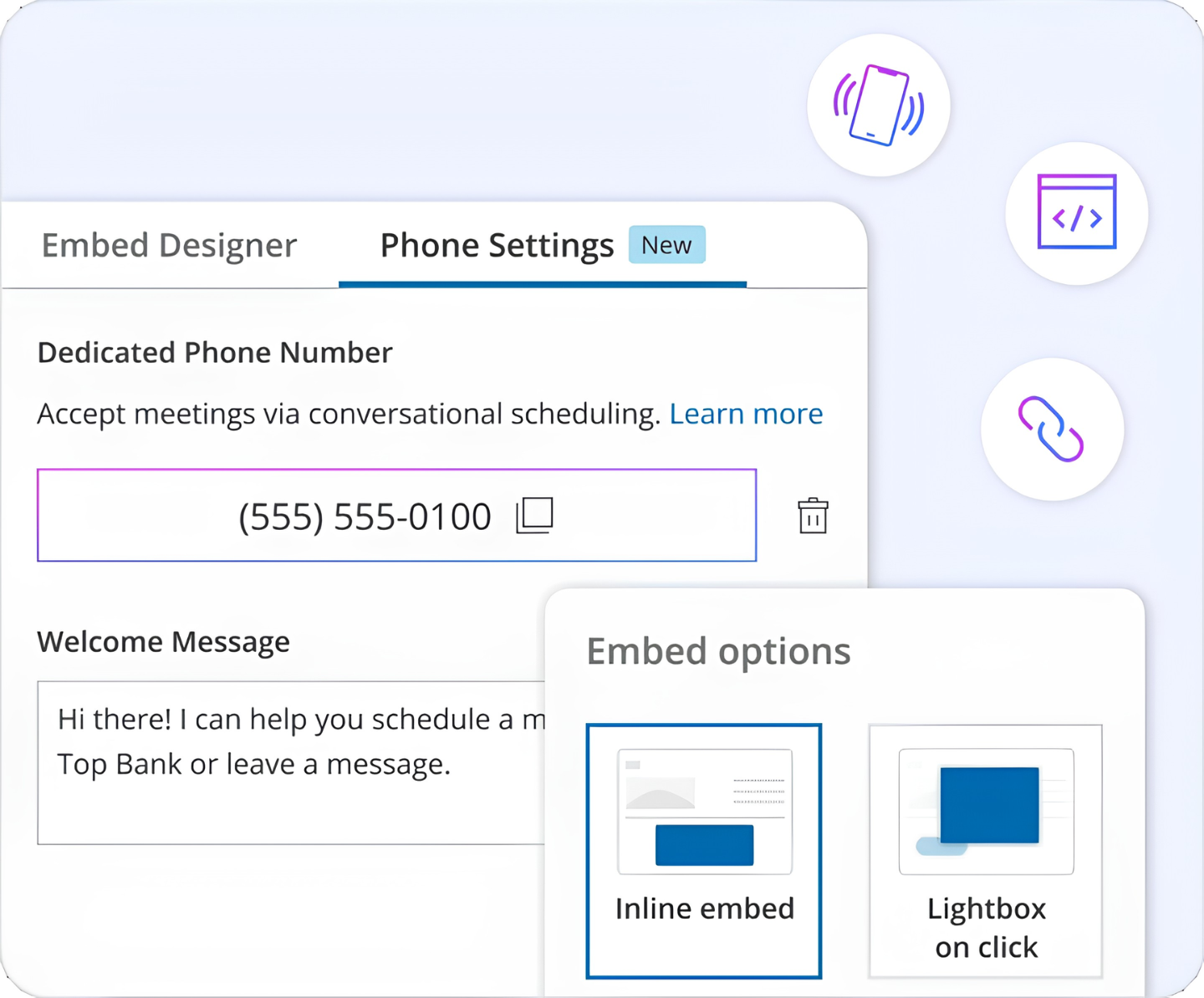
A financial advisory firm uses OnceHub for client scheduling because of its HIPAA, FINRA, and SOC 2 compliance certifications. After each new client booking, a custom API integration pushes the appointment details and intake form responses into LeadConnector, where the firm's automated follow-up sequences handle post-meeting nurture, review requests, and referral campaigns.
Scheduling stays in the compliant environment while marketing automation runs in LeadConnector.
Best integration method: Custom API (for firms with strict compliance requirements and the development resources to maintain the integration).
5. No-Show Follow-Up Automation
When a scheduled meeting passes without the prospect joining, the integration triggers a LeadConnector workflow that sends a rescheduling link via SMS and email. A Zap watching for cancellation or no-show events in OnceHub tags the contact in LeadConnector and enrolls them in a recovery sequence, recapturing leads that would otherwise go cold.
Best integration method: Zapier or Make (event-triggered with conditional logic for no-show identification).
Limitations and Considerations
Data That Doesn't Sync Easily
OnceHub and LeadConnector model data differently. OnceHub organizes around booking calendars, booking pages, and routing forms with guest records tied to scheduling events. LeadConnector organizes around contacts, opportunities, conversations, and pipelines. Mapping between these models requires manual field configuration in whatever tool bridges them.
OnceHub's AI chatbot conversation transcripts, routing form decision paths, and Phone Agent call recordings do not transfer through standard Zapier triggers. On the LeadConnector side, conversation history across SMS, email, and social channels does not flow back to OnceHub. Each system keeps its own activity history.
No Bidirectional Sync by Default
Data flows from OnceHub (bookings) to LeadConnector (CRM). There is no standard configuration for pushing LeadConnector contact updates back into OnceHub. If a rep updates a phone number in LeadConnector, that change does not reach OnceHub's contact record.
For most teams this is fine since OnceHub is the booking system, not the contact database. But teams relying on OnceHub's smart prefill for known contacts will need to update records in both places.
Pricing Implications
OnceHub's API and webhook access requires the Schedule plan ($10/seat/month annually) or higher. The free Basic plan does not include API access. LeadConnector's API access is available on paid plans, with advanced API access (including OAuth for marketplace apps) requiring the Agency Pro plan.
Third-party tools carry their own costs. Zapier charges by task (each synced booking counts as one). Make charges by operation. For agencies syncing hundreds of bookings per month across multiple client sub-accounts, these costs add up.
OnceHub's API enforces rate limits of 5 requests per second and 200 requests per 5 minutes per account. LeadConnector's API allows 100 requests per 10 seconds per resource. High-volume sync scenarios (agencies managing dozens of sub-accounts) may hit these limits.
Permissions and Access
Setting up the integration requires admin access on both sides. In OnceHub, API keys are generated from Account Integrations and require account admin rights. OnceHub allows up to 25 active API keys per account. In LeadConnector, Private Integration Tokens are created under Settings with granular scope selection. LeadConnector recommends rotating tokens every 90 days.
Source: LeadConnector
Maintenance
Both platforms evolve independently. OnceHub maintains a public changelog with API versioning (v2.0.0 is current; v1 is deprecated). LeadConnector's underlying HighLevel API is on v2, with v1 out of support as of December 2025 and v3 in development.
Zapier Zaps may need updating if either platform changes its available triggers or actions. Custom integrations require monitoring and maintenance as both APIs evolve.
What No Method Fixes: The Data Itself
Every method above moves booking data from OnceHub into LeadConnector. None of them checks whether the contact information behind those bookings is accurate, complete, or current. A prospect who books with a personal email enters LeadConnector without a business email, a direct dial, a job title, or company data. The integration delivers the booking. It does not enrich the record.
Where ZoomInfo Fits In
Every method in this guide moves booking data from OnceHub into LeadConnector. None improves the contact data being moved. When the integration is live but pipeline data is still incomplete (no business email, no direct dial, no company data, no sense of whether the prospect's company is in-market), the bottleneck is no longer the connector. That is the gap ZoomInfo closes.
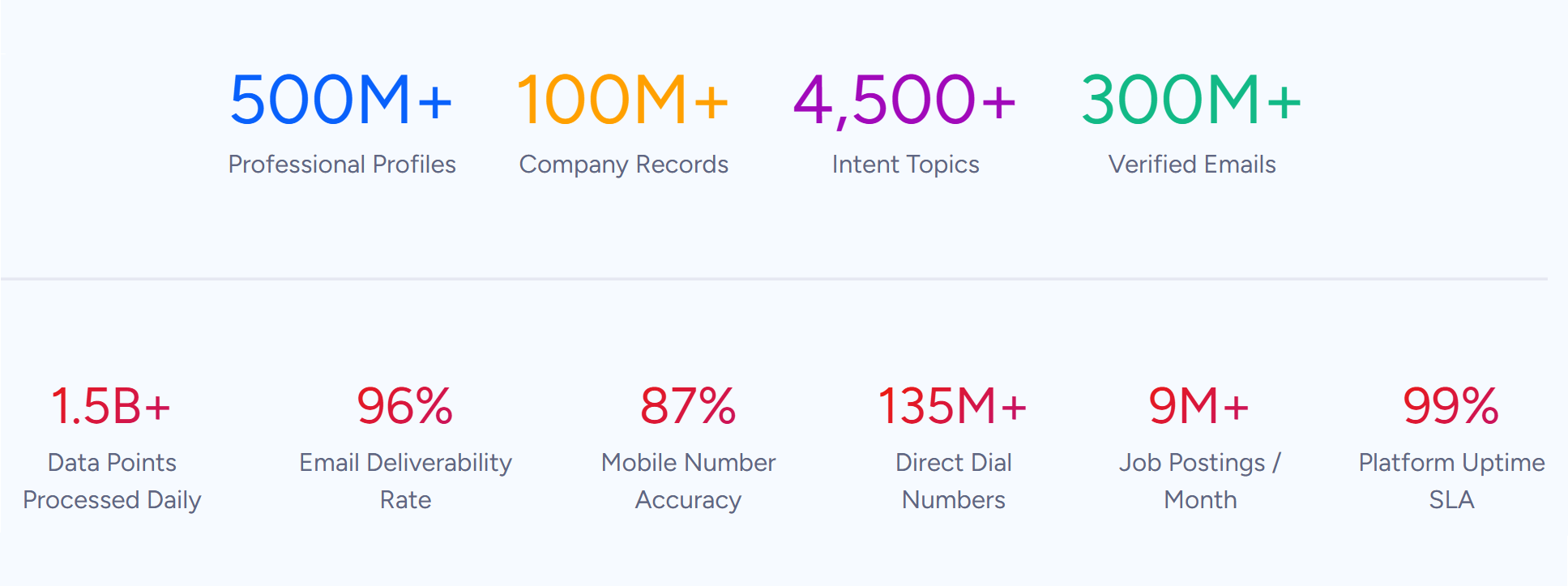
ZoomInfo is a B2B data and go-to-market platform covering 500M contacts, 100M companies, 135M+ verified phone numbers, and 200M+ verified business emails. That data is verified through a multi-source process backed by 300+ human researchers and reaching up to 95% accuracy on first-party data.
Source: ZoomInfo
For teams running an OnceHub-LeadConnector integration, ZoomInfo handles the data quality layer that no booking connector touches.
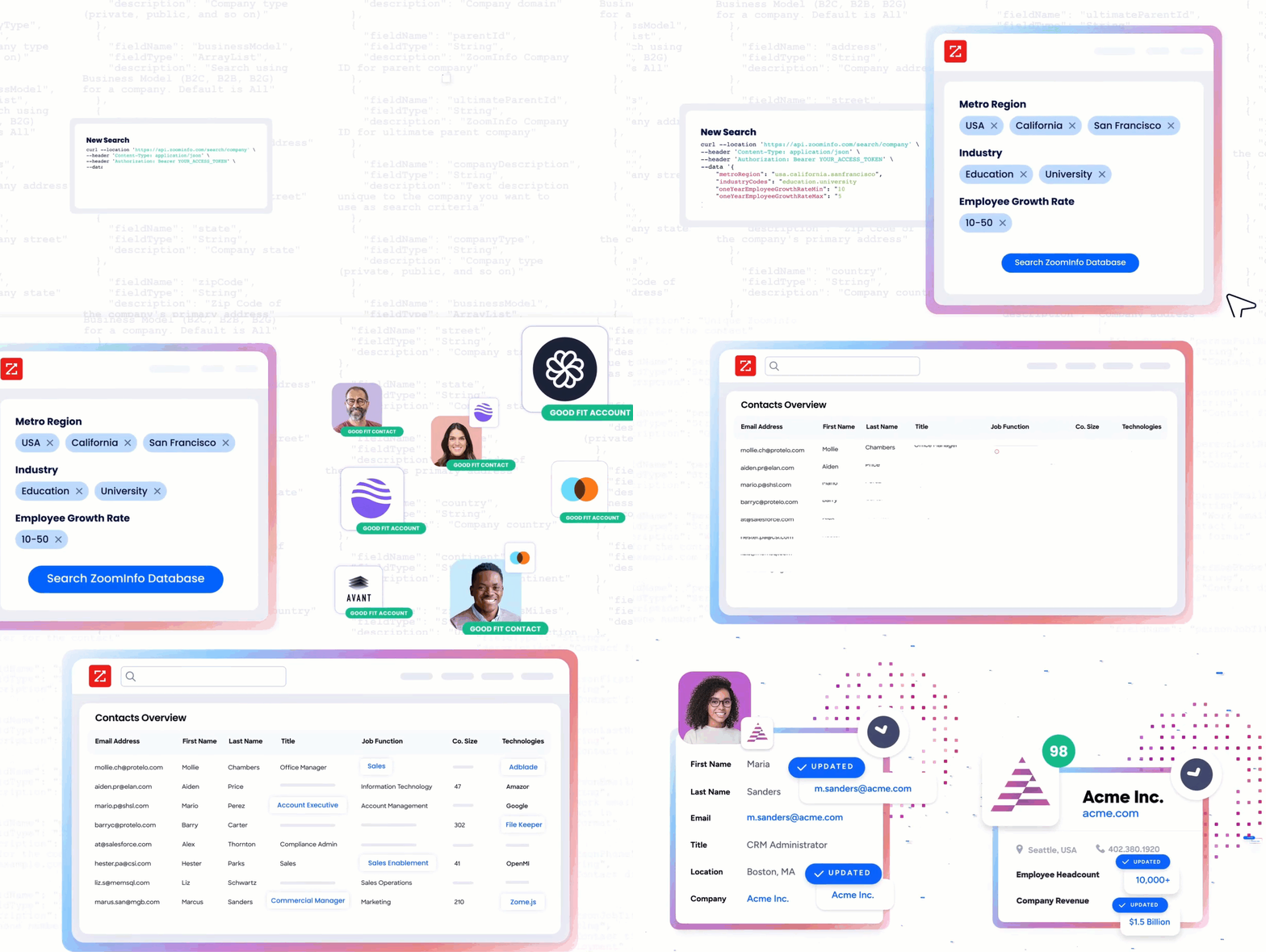
ZoomInfo integrates with LeadConnector through Zapier, enabling automated workflows that enrich contact records when new leads enter the CRM. ZoomInfo's Enterprise API and MCP server can also push enriched data into any system through custom integrations or workflow automation tools, covering platforms like OnceHub that lack a direct ZoomInfo connector.
Source: ZoomInfo
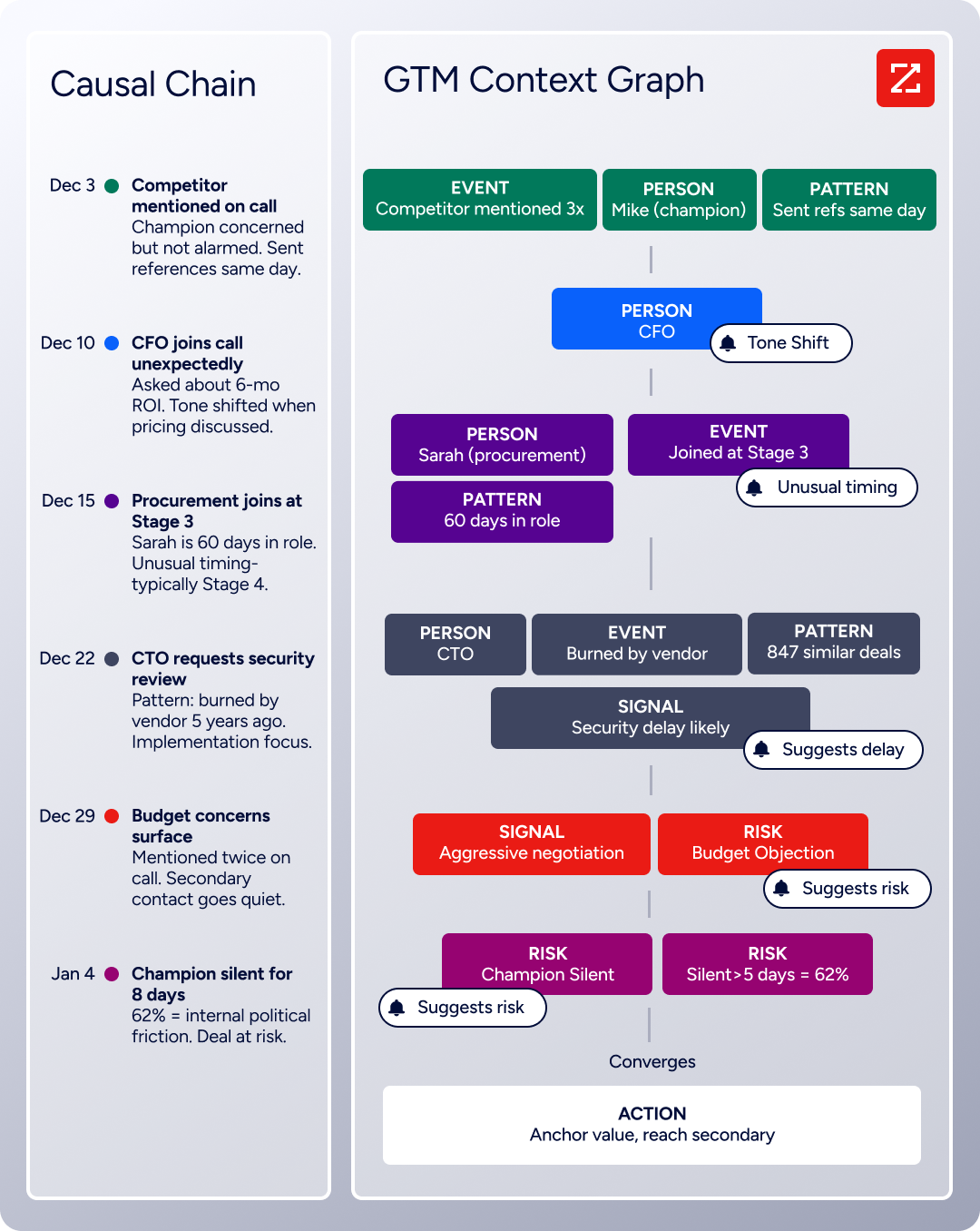
The same data feeds ZoomInfo's GTM Context Graph, which processes 1.5B + data points daily and combines third-party intelligence with CRM records, conversation transcripts, and behavioral signals to show not just what happened in a deal, but why.
Source: ZoomInfo
In practice, a team running both platforms can use ZoomInfo to enrich LeadConnector contact records as soon as a booking creates them. A prospect who booked through OnceHub with just a name and email now has a verified business email, a direct dial, a job title, company data, and technographic data in LeadConnector. The rep gets a complete picture before the scheduled meeting.
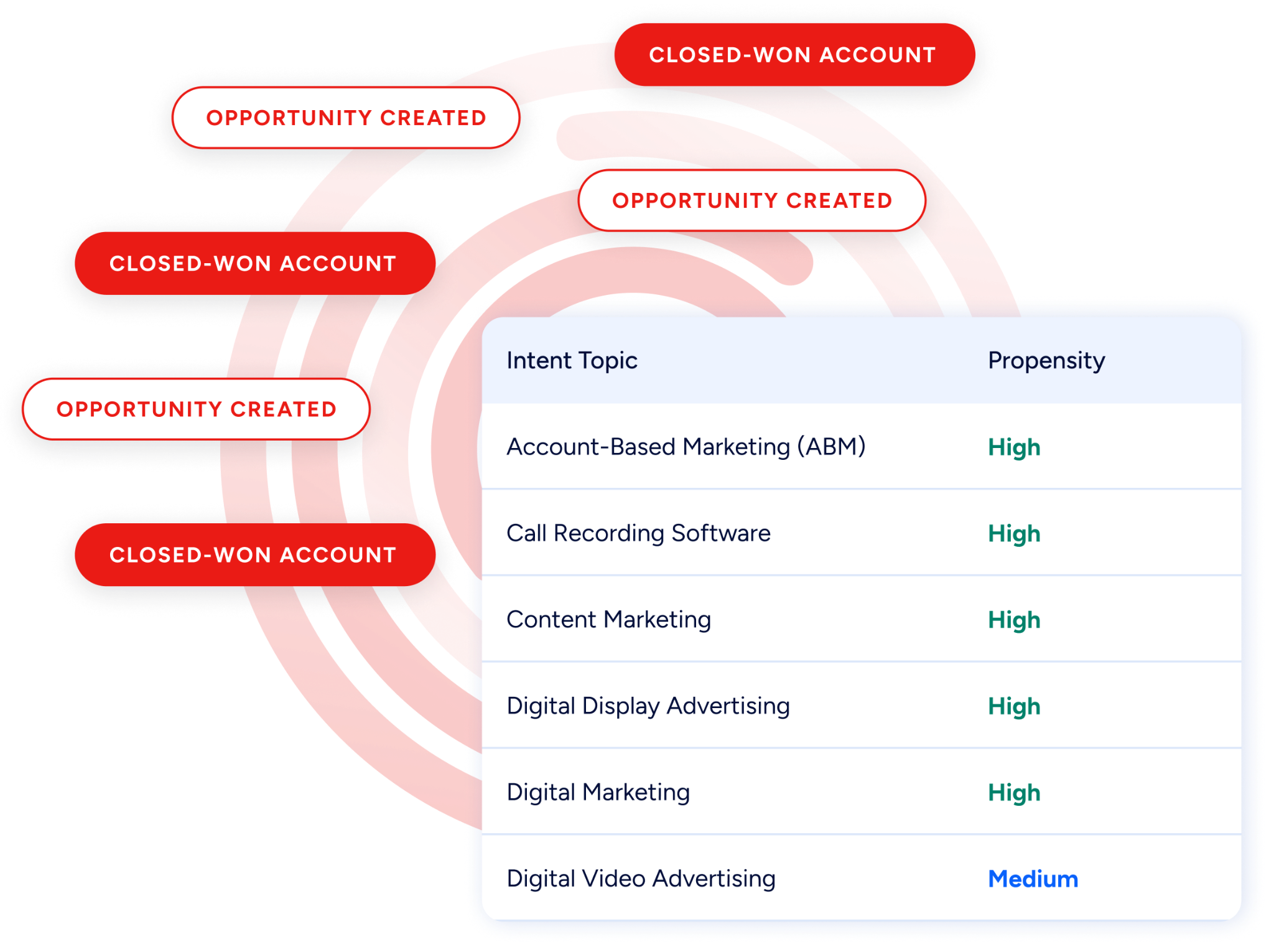
Buyer Intent data from ZoomInfo, tracking signals from 210 million IP-to-Organization pairings, can flow into LeadConnector to prioritize which booked meetings deserve the most preparation, so reps focus pre-call research on prospects whose companies are actively evaluating relevant solutions.
Source: ZoomInfo
Enriched records also make the integration itself more useful. Sparse records (name and email only) are harder to deduplicate and easier to lose in a growing CRM.
When every record flowing from OnceHub into LeadConnector arrives with verified company and contact data, pipeline reports are more accurate, lead scoring is more meaningful, and automated nurture sequences can personalize on title, company size, and industry rather than treating every booking as identical.
Seismic's sales team attributed 39% of active pipeline to opportunities identified or influenced by ZoomInfo signals, while boosting productivity by 54%. (Seismic)
Final Verdict
There is no native integration between OnceHub and LeadConnector. Every connection method runs through a third-party automation tool or custom development. For most teams, the right choice depends on scale and complexity.
Small teams and agencies syncing a handful of booking types should start with Zapier. Pre-built templates cover the most common OnceHub-to-LeadConnector workflows, setup takes minutes, and no engineering resources are required.
Teams with conditional routing needs (different booking types to different pipelines, different tags based on form answers) should look at Make, which offers more control over data transformation and branching logic at a lower per-operation cost.
Organizations with complex data models, historical data migration needs, or strict compliance requirements should invest in a custom API integration using OnceHub's REST API and LeadConnector's HighLevel API.
Before committing to a method, clarify why both platforms need to coexist.
If the answer is functional (OnceHub handles compliant scheduling with HIPAA and FINRA compliance, routing forms, and AI Phone Agents while LeadConnector handles CRM, marketing automation, and multi-channel communication), the integration is structural and worth investing in properly. If the overlap is temporary, keep the sync simple and plan for consolidation.
Either way, the quality of the data flowing between both systems determines whether the integration delivers value or just copies incomplete records from one platform to another. ZoomInfo, with its Zapier integration for LeadConnector and API and MCP access for any platform, is the data enrichment layer that keeps both systems accurate while the connector keeps them aligned.
FAQ
Can I connect OnceHub and LeadConnector without writing code?
Yes. Zapier offers a no-code connector for both platforms with pre-built templates for common workflows like creating LeadConnector contacts from new OnceHub bookings and updating opportunities when bookings are canceled. You can configure basic syncs entirely through Zapier's visual interface. Make also provides a no-code scenario builder with more conditional logic for teams that need it.
Does either platform offer a built-in connector to the other?
No. OnceHub's native CRM integrations cover Salesforce, HubSpot, and Keap, but not LeadConnector. LeadConnector's native integrations span payments, accounting, and social platforms, but do not include OnceHub. All connections require a third-party tool or custom development.
Can I sync historical booking data between the two platforms?
Zapier and Make only process events that occur after activation. For historical data, use OnceHub's REST API to query past bookings and LeadConnector's API to write the corresponding contact and opportunity records. This requires development resources but is the only path for backfilling existing data.
What OnceHub plan do I need for the integration?
OnceHub's free Basic plan does not include API or webhook access. The Schedule plan ($10/seat/month on annual billing) is the minimum tier that supports APIs, webhooks, and automation platform integrations like Zapier. Routing forms require the Route plan ($19/seat/month annually) and chatbots require the Engage plan ($39/seat/month annually).
What happens if a booking is rescheduled in OnceHub?
If a Zap or Make scenario watches for reschedule events, the integration can update the corresponding LeadConnector record with the new date and time. Without this automation configured, the original booking data stays in LeadConnector and the reschedule only appears in OnceHub. Each event type (new booking, cancellation, reschedule) requires its own trigger-action configuration.
How do I avoid creating duplicate contacts in LeadConnector?
Use email address as a matching key. Before creating a contact in LeadConnector, check whether a matching record already exists.
In Zapier, add a "Search Contact" step before the "Create Contact" step, using the guest's email from OnceHub as the lookup field. If a match exists, update the existing record instead of creating a new one. In custom API integrations, query LeadConnector's contact search endpoint before writing.
How does ZoomInfo improve an OnceHub-LeadConnector workflow?
ZoomInfo solves the data quality problem that no booking connector addresses. Prospects who book through OnceHub typically provide a name, email, and phone number. ZoomInfo enriches those records in LeadConnector with verified business emails, direct dials, job titles, company data, technographics, and intent signals.
Reps walk into booked meetings with complete context on the prospect and their company, and automated sequences in LeadConnector can personalize based on title, industry, and company size rather than treating every booking the same way.
Is the OnceHub-LeadConnector integration affected by API version changes?
Potentially. OnceHub's API is on version 2.0.0, with version 1 deprecated. LeadConnector's underlying HighLevel API is on v2, with v1 out of support as of December 2025 and v3 in development.
Zapier and Make handle most API version changes on your behalf, but breaking changes on either platform could temporarily disrupt automations. Custom API integrations require monitoring both platforms' changelogs and updating as needed.
