
OnceHub spent two decades growing from an appointment scheduler into an engagement platform where screening, qualification, routing, and booking happen in one flow. For organizations where every inbound meeting carries revenue or compliance weight (financial advisors, healthcare providers, coaches, educators), that matters. A missed call or a misrouted lead isn't an inconvenience. It's lost business.
To write this OnceHub review, we analyzed the platform extensively. We believe it's the right choice if:
You operate in a regulated industry (finance, healthcare, education) and need HIPAA, FINRA, or SOC 2 compliance built into your scheduling
You want to screen and qualify inbound leads before they reach a calendar slot
You need to route meetings across a team using round-robin, attribute-based, or priority logic
You want AI phone and web agents that handle booking conversations 24/7
You value a bootstrapped, customer-funded vendor whose roadmap isn't shaped by investor exits
However, OnceHub might not be the best choice if:
You need a scheduling link up and running in five minutes
Your team prioritizes the broadest integration ecosystem
You want simple admin settings without a learning curve
Your primary challenge is finding the right prospects, not managing inbound bookings
That last gap is where ZoomInfo fits. OnceHub handles what happens once a prospect wants to meet. ZoomInfo handles the step before that: identifying your best prospects, surfacing buying signals that tell you when they're ready, and giving your team the intelligence to make every meeting count. The two platforms serve different stages of the same revenue workflow, and together they cover both ends.
We've included a look at ZoomInfo later in this review as the natural complement to OnceHub for teams that want to fill their scheduling pipeline with the right prospects. If you're ready to explore ZoomInfo's B2B intelligence, you can start with ZoomInfo Lite for free here.
What is OnceHub?
Source: OnceHub
OnceHub was founded in 2006 by Rami Goraly as a scheduling startup. The first five years produced no revenue. In 2008, his brother Gilad Goraly joined the company, and together they pivoted from group scheduling to one-on-one scheduling, a shift that produced the first paying customers and compounding growth.
The company originally operated under the brand ScheduleOnce before rebranding to OnceHub in March 2019 to reflect its expansion beyond a single product.
Today, OnceHub positions itself as an engagement platform for expert-led, high-stakes customer interactions. The product suite spans Booking Pages, Booking Hubs, Phone Agents, Routing Forms, and Web-Based Chatbots, all connected through a scheduling engine that handles meeting distribution, conversational scheduling, and contact management.
The company is entirely customer-funded and bootstrapped with zero venture capital. OnceHub employs approximately 160 to 176 people distributed across India, South Africa, Israel, and the US, and serves 60,000+ professionals worldwide. Its target industries are financial services, healthcare, coaching and therapy, academic services, and high-ticket sales.
OnceHub Pros & Cons
Pros | Cons |
|---|---|
Compliance certifications (SOC 2 Type 2, HIPAA, FINRA, PCI DSS Level I, GDPR) | Steep learning curve and non-intuitive admin interface |
Screening, qualification, and routing built into the scheduling flow | No phone support; live chat and email only |
AI Phone Agents that handle voice-based booking without human involvement | Advanced features gated behind higher-tier plans |
Bootstrapped company with no investor pressure on roadmap | Cannot override settings for individual one-off appointments |
Well-rated customer support (4.6/5 on Capterra) | Limited built-in reporting and export capabilities |
CRM integrations with Salesforce, HubSpot, and Keap | Smaller brand presence compared to Calendly |
14-day free trial of the top-tier plan with no credit card required | SMS credits purchased separately |
OnceHub Review: How It Works & Key Features
Booking Pages & Booking Hubs: OnceHub turns scheduling links into branded, qualification-aware experiences.
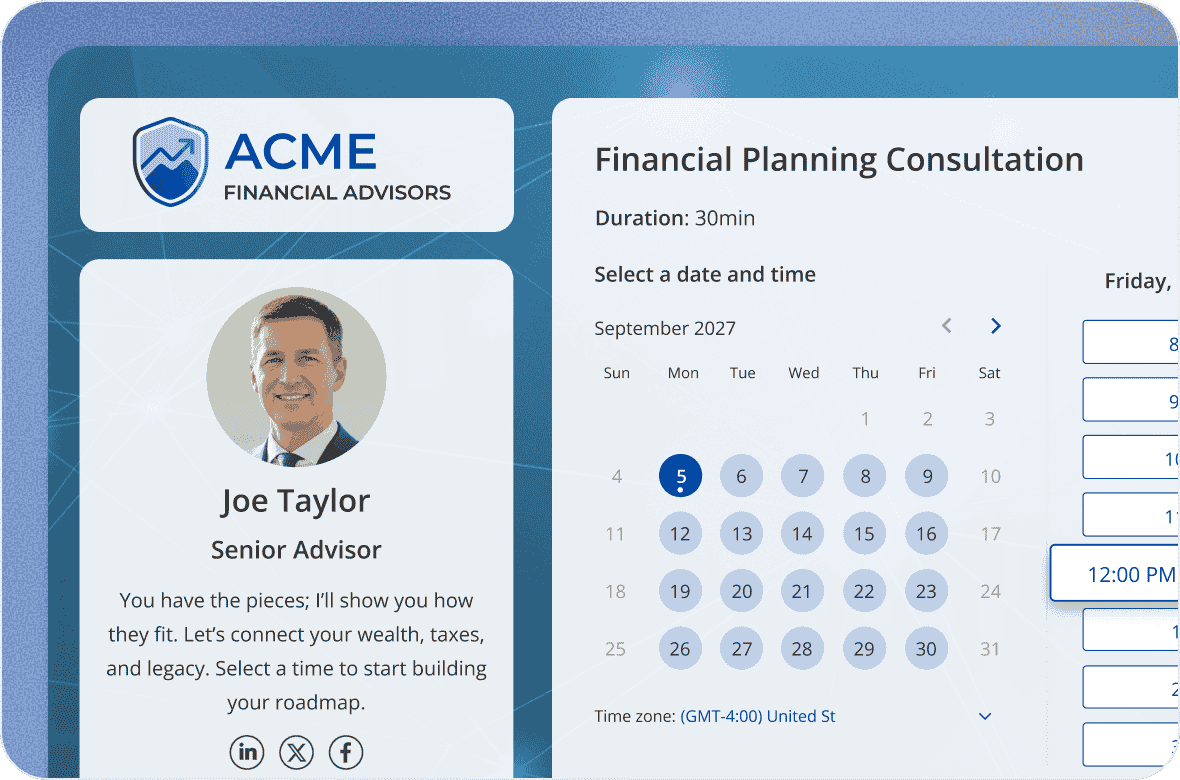
OnceHub's Booking Pages go beyond a basic calendar link. Each page is built around one or more Booking Calendars, where each calendar represents a distinct meeting type with its own availability rules, booking form, and notification settings.
Source: OnceHub
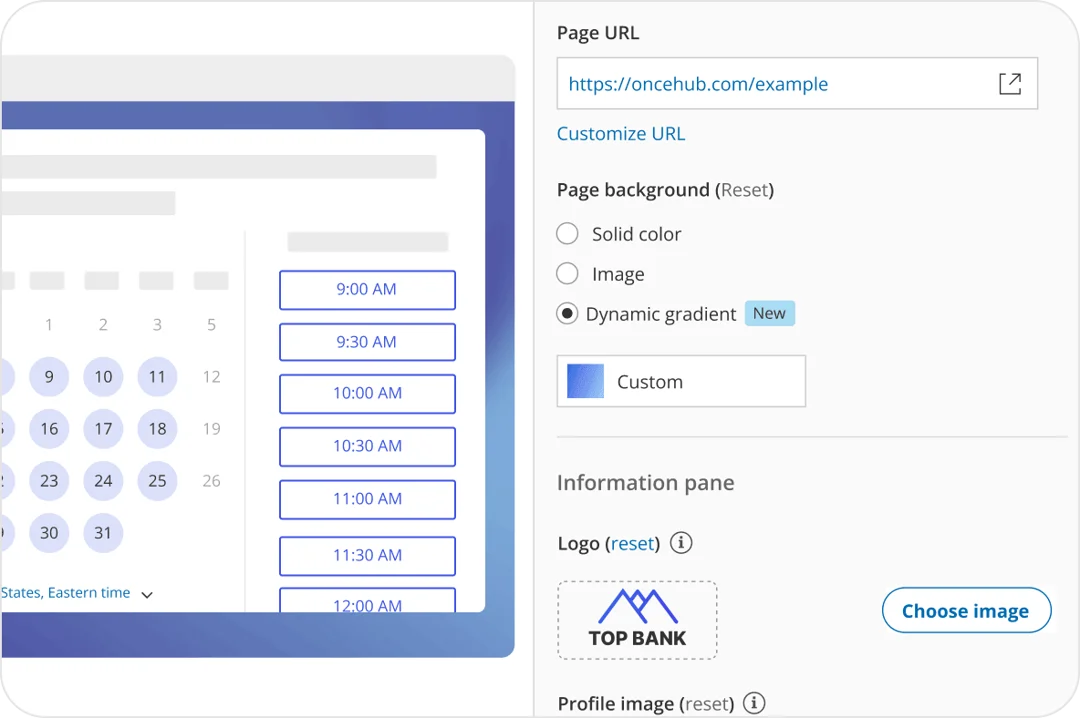
A WYSIWYG Page Designer gives visual control over logos, colors, imagery, and messaging without writing code.
What sets these apart from simpler scheduling tools is how much qualification happens before a time slot appears. Booking forms support custom questions, hidden fields for campaign tracking, CRM property mapping, and smart prefill for known contacts. The platform detects the guest's local time zone automatically and filters available slots based on the selected meeting location and duration.
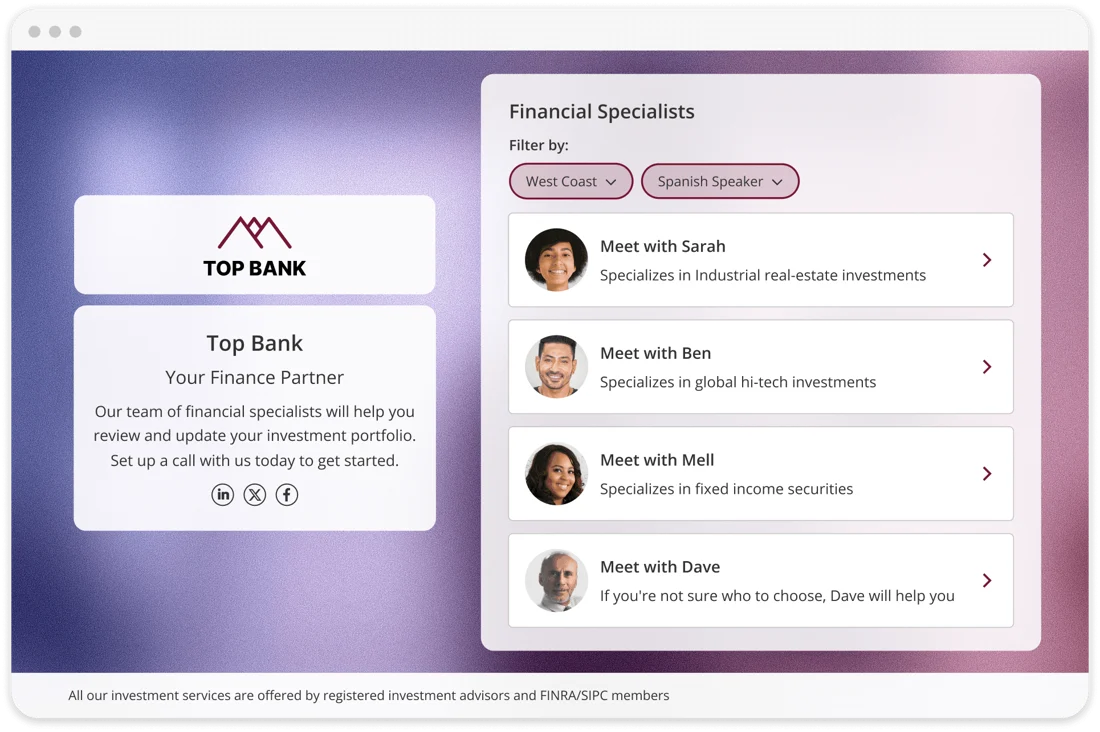
For organizations managing multiple team members, meeting types, or locations, Booking Hubs consolidate everything into a single branded URL. Instead of sending different links for different purposes, a business shares one link, and the Hub guides each visitor through a multi-step navigation flow that narrows options based on their selections.
Source: OnceHub
A client might first choose a location, then a service type, then a specific advisor, with each step filtering the available calendars.
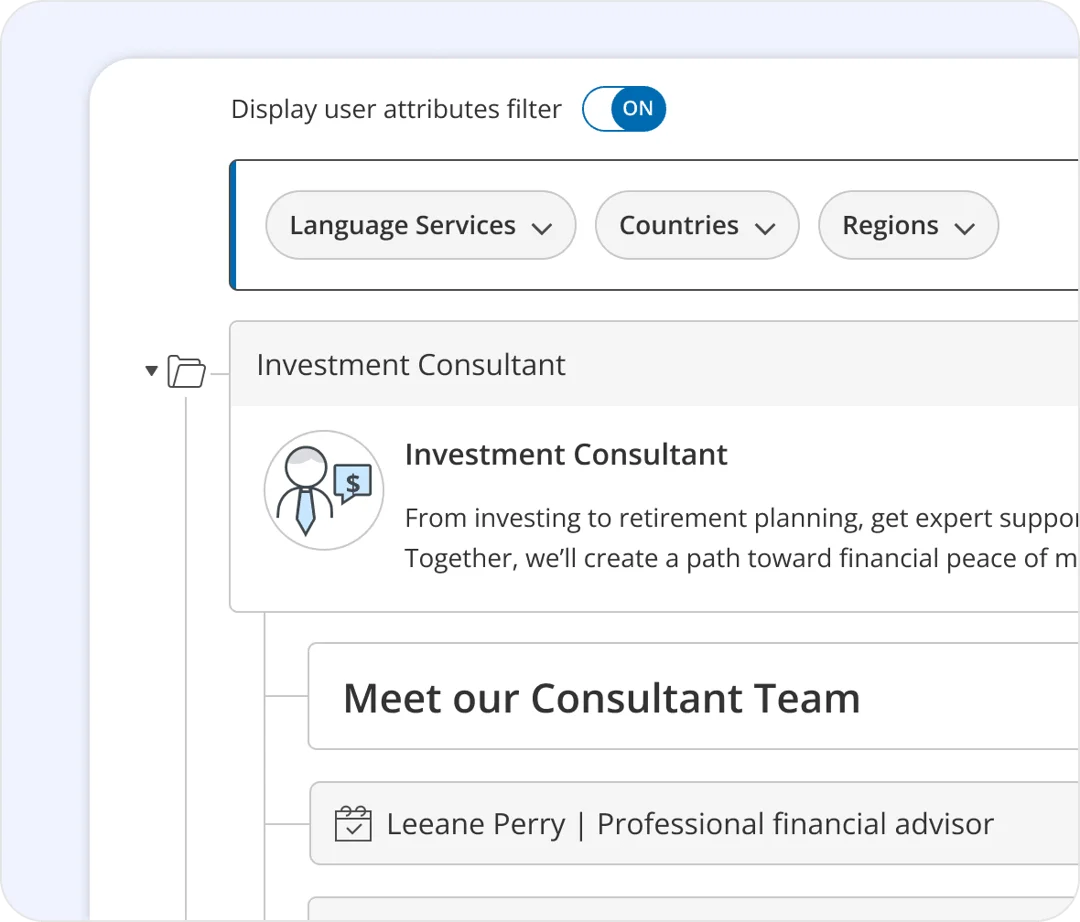
Booking Hubs also support Dynamic Attribute Filtering, where the system uses guest-declared attributes (service type, region, language) to surface only the relevant calendars and hosts. Administrators can reuse a single Booking Calendar across different Hubs without duplicating it, and template-based centralized control lets locked settings propagate automatically when templates are updated.
Source: OnceHub
Routing Forms: OnceHub merges lead qualification and scheduling into one continuous experience.
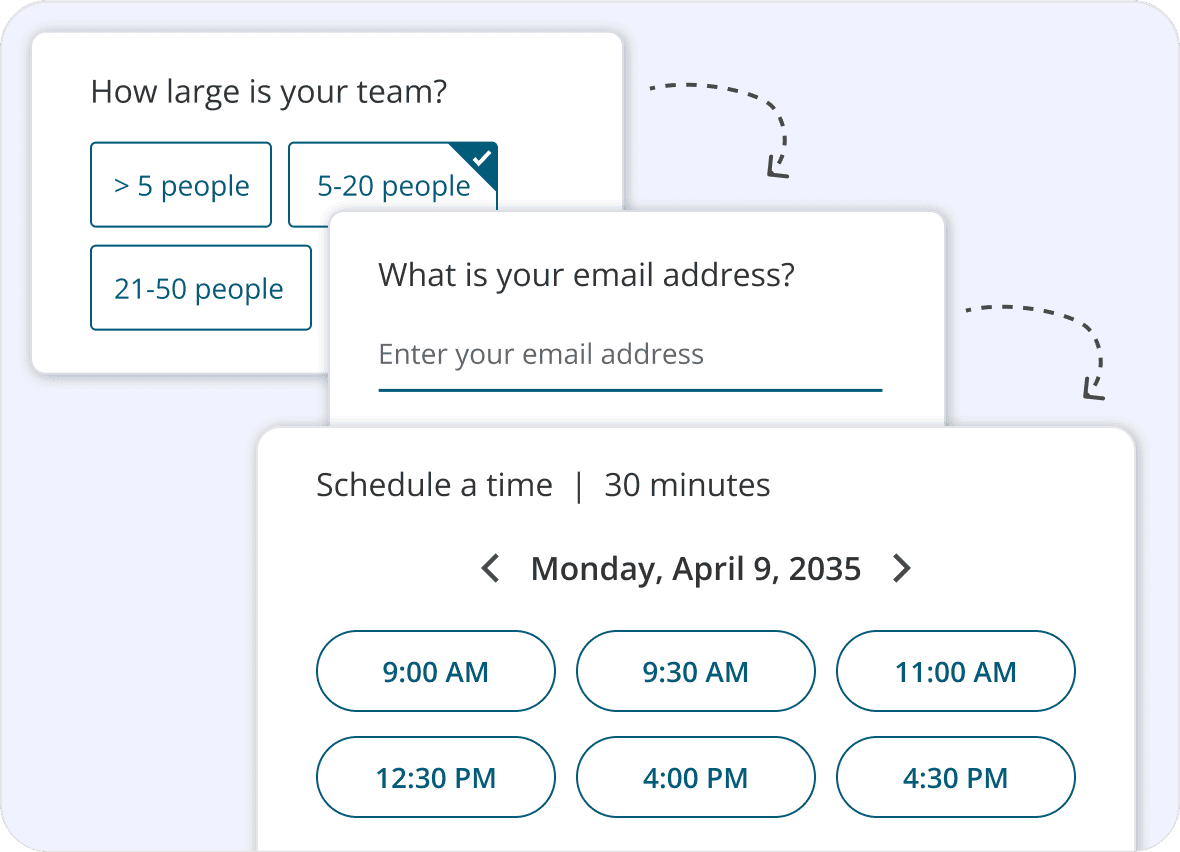
Routing Forms are where OnceHub diverges most from simpler scheduling tools. Rather than offering a calendar and hoping the right person shows up, Routing Forms screen visitors first, route them based on their answers, and then surface the appropriate scheduling option, all without the visitor leaving the form.
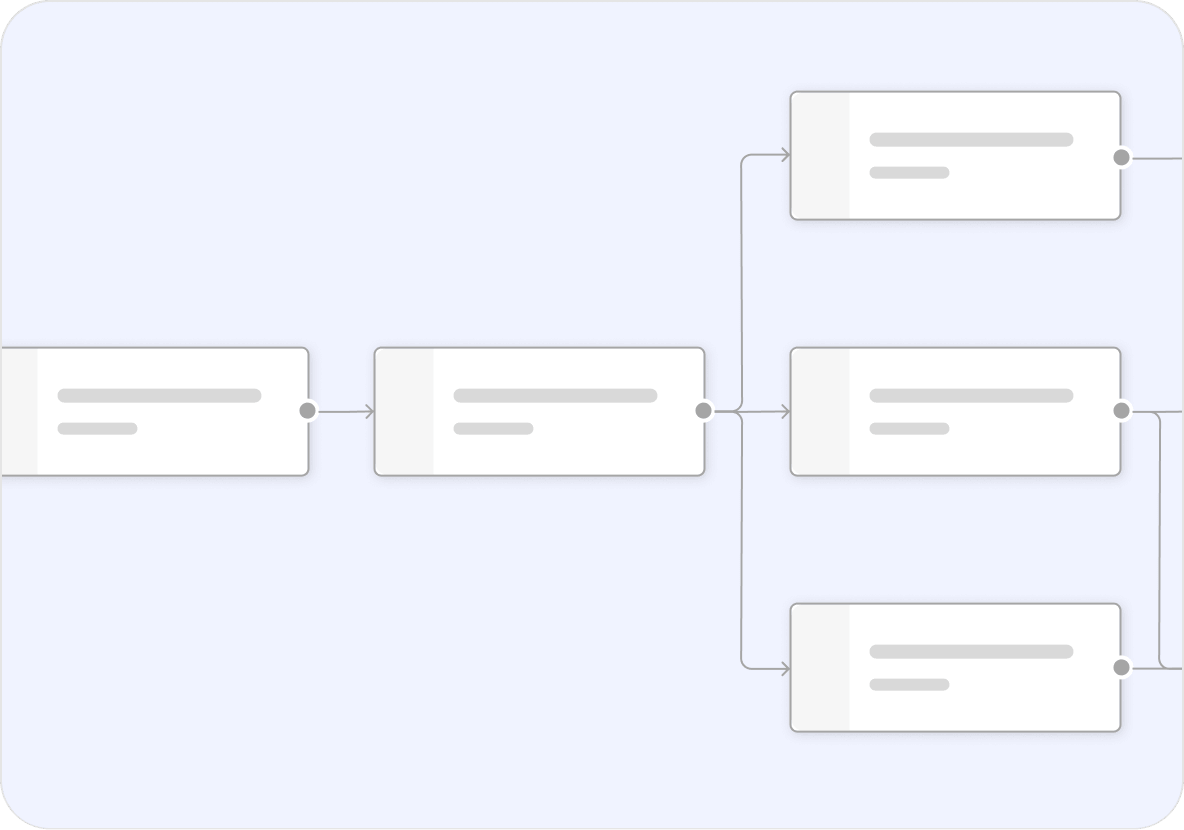
The setup uses a Visual Routing Map Editor, a drag-and-drop, no-code environment where administrators define multi-path branching logic. Routing decisions can fire based on the visitor's current form answers, previous answers, and stored Contact Properties that OnceHub already holds for that contact. A returning client can be routed differently from a new prospect without re-asking questions.
Source: OnceHub
Progressive Form Capture saves answers as the guest types, so even if a visitor abandons the form partway through, their partial data is preserved. When the routing logic resolves, the visitor lands on the right outcome: a scheduled meeting, a live engagement, or an online resource, all completed inside the form through what OnceHub calls the In-Form Scheduling Experience.
Source: OnceHub
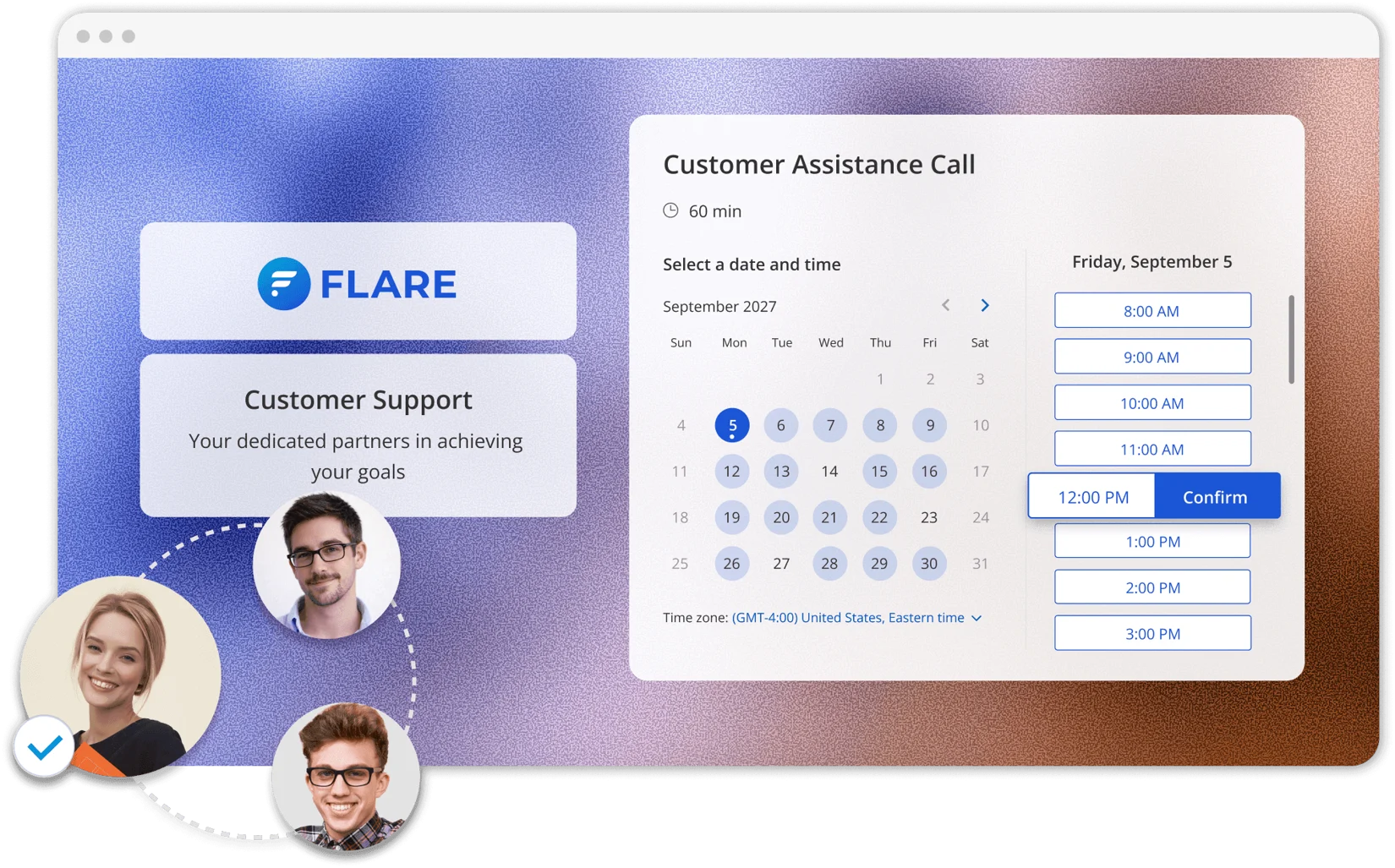
On the host assignment side, the system integrates with OnceHub's Meeting Distribution engine to apply round-robin, maximum-availability, or priority-based distribution across teams. These same routing forms can also run as phone experiences on the Route plan and above, meaning the same qualification logic works across web and voice channels.
Source: OnceHub
Phone Agents: OnceHub extends scheduling to inbound calls with AI voice booking.
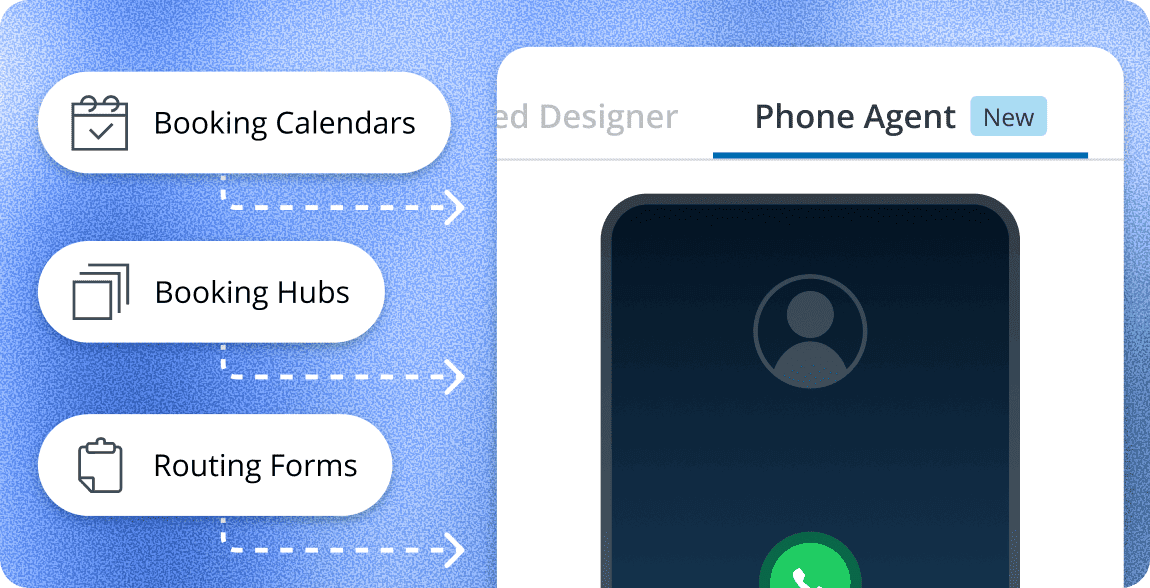
Launched in early 2026, Phone Agents may be OnceHub's most distinctive feature. The product answers inbound phone calls using AI, screens callers, qualifies leads, and books appointments without any human receptionist.
Source: OnceHub
The setup requires no custom scripts or AI training. The agent reads from whatever scheduling logic is already configured in OnceHub (booking calendars, booking hubs, or routing forms) and translates that logic into a natural conversation. Users write a branded greeting, generate a dedicated phone number with a single click, and distribute that number on their website, business cards, or email signature.
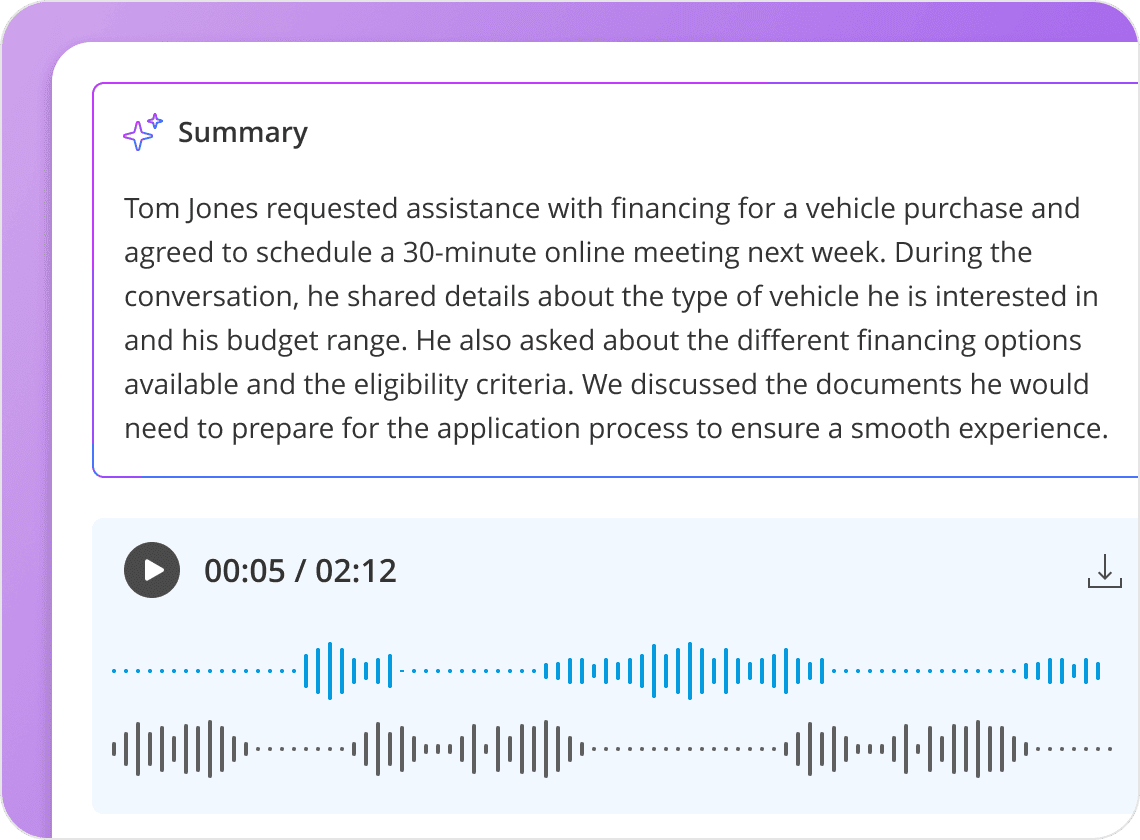
When a caller dials, the agent answers immediately. It understands open-ended requests without forcing callers through touch-tone menus. The agent checks live calendar availability, negotiates a time slot verbally, collects required booking-form data in conversation, and confirms the appointment. After each call, the platform generates a recording and an AI-generated summary of booking outcomes.
Source: OnceHub
This addresses a real operational problem. According to OnceHub's own research, small and mid-sized businesses miss an estimated 25% to 60% of inbound calls, and up to 80% of callers who don't reach someone never leave a voicemail. For financial advisors, healthcare providers, and other professionals whose clients still prefer to schedule by phone, this fills a gap that web-only scheduling tools cannot.
Each plan includes a set number of dedicated phone numbers (1 on Schedule, 2 on Route, 3 on Engage), with additional numbers at $4/month each.
Web-Based Chatbots: OnceHub puts AI assistants trained on your content directly on your website.
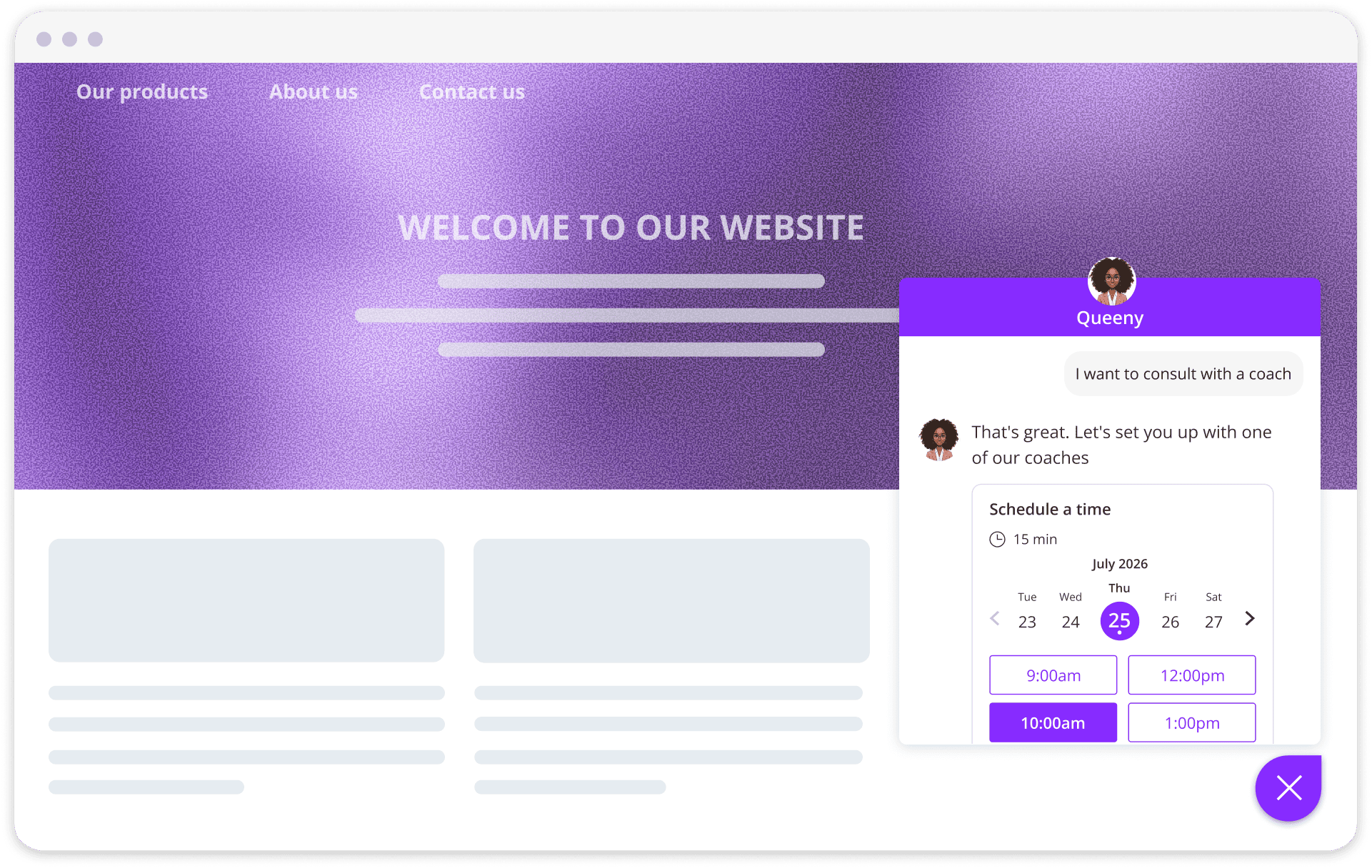
OnceHub's Web-Based Chatbots combine AI-driven Q&A with native scheduling and live human handoff in a single conversation thread.
Source: OnceHub
The AI trains on the company's own content through four knowledge source types: website sitemaps (auto-synced daily), webpage URLs, direct text input, and uploaded PDF documents. Custom AI instructions define the chatbot's tone, goals, and guardrails, with pre-built templates available for finance, consulting, coaching, education, wellness, and real estate.
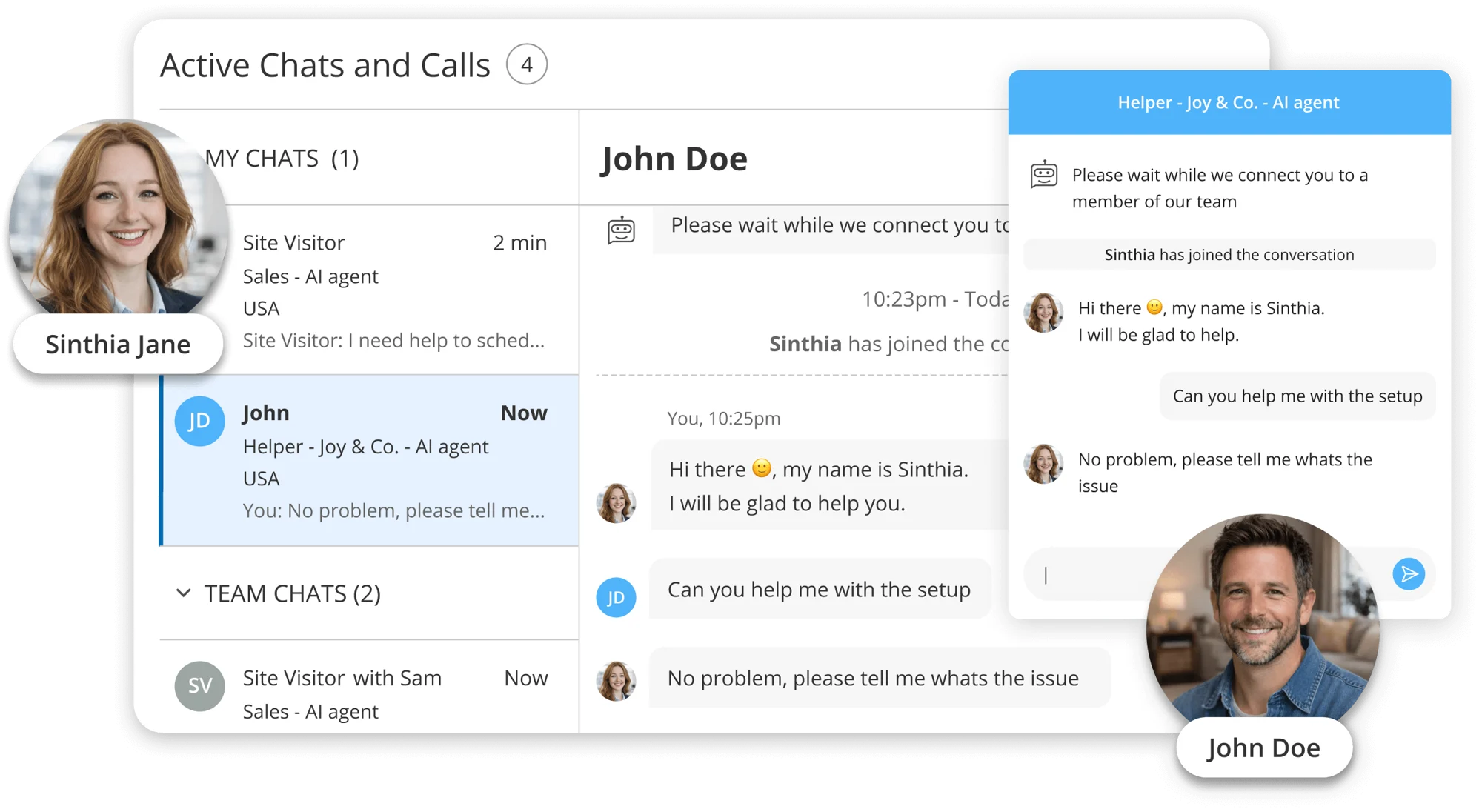
Meetings are scheduled inside the chat itself. The chatbot collects booking data during dialogue and only presents viable time slots once qualifications are met. When a visitor needs human help, Instant Human Engagements transfer the conversation to a live agent along with the full transcript and session history. Supervisors can monitor active sessions and intervene when needed.
Source: OnceHub
Proactive audience-targeting rules automatically start chatbot conversations with visitors on specific pages or campaigns, turning the widget from a passive tool into an active one.
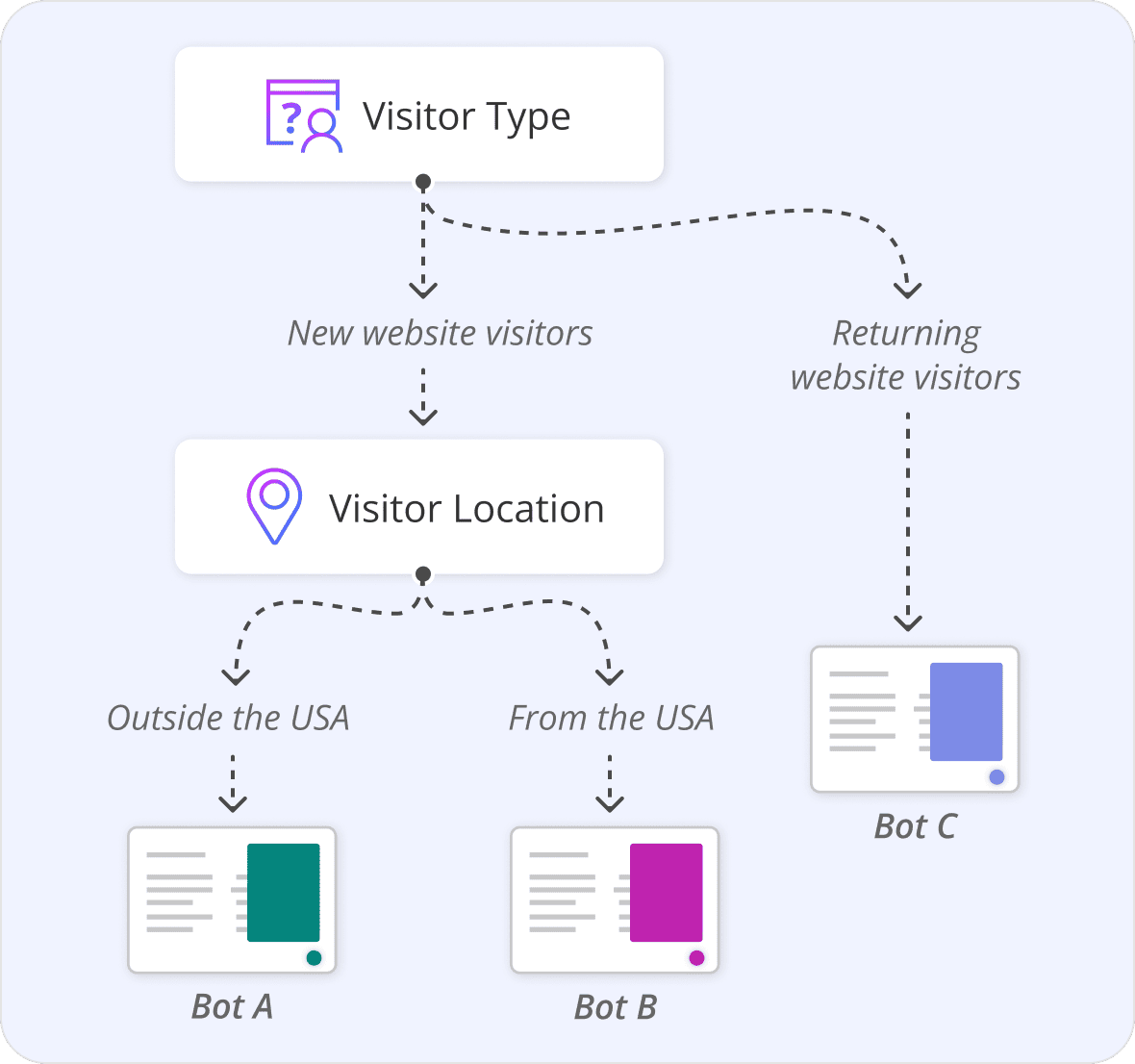
Source: OnceHub
Pricing: OnceHub uses per-seat pricing with four tiers and a security add-on.
OnceHub's pricing follows a per-seat, per-month model with annual billing discounts of up to 18%.
Basic (Free): One user, one connected calendar, one booking link, WYSIWYG designer, multi-location availability, and integrations with Google, Microsoft 365, Exchange, iCloud, Zoom, Google Meet, Teams, and Webex. No CRM integrations, APIs, or live support.
Schedule ($12/seat/month, $10 annually): Unlimited booking links, connected calendars, and meetings. Adds CRM integrations (Salesforce, HubSpot), Stripe payment collection, APIs, webhooks, branded booking hubs, and 24/7 email and live chat support. One dedicated phone number included.
Route ($23/seat/month, $19 annually): Everything in Schedule plus unlimited routing forms, progressive response capture, in-form scheduling, round-robin and priority-based meeting distribution, concurrent sessions, room scheduling, and centralized template control. Two phone numbers included.
Engage ($47/seat/month, $39 annually): Everything in Route plus unlimited web-based chatbots and conversations, AI-driven routing, live chat, instant meeting handoff, and audience-specific targeting. Three phone numbers included.
Security and Compliance Add-On ($6/seat/month, $5 annually): SSO, corporate calendar connection, corporate mailbox email, HIPAA BAA, spam protection, and custom security policies. Required for HIPAA compliance on non-Enterprise plans.
Enterprise (Custom, 30+ users): Bundles the security add-on, includes a dedicated success manager, priority support, and custom agreement terms.
A 14-day free trial of the Engage plan is available with no credit card required. After the trial, accounts automatically move to the free Basic plan if no paid plan is selected. SMS credits are purchased separately, starting at $15 for 100 credits.
One cost-saving detail: account administrators do not require a paid seat unless they also need to receive meetings, which can reduce costs for operations-heavy teams.
Where OnceHub Falls Short
OnceHub works well for organizations that need compliance-grade scheduling with built-in qualification. But several limitations surface with sustained use.
Steep Learning Curve. This is the most consistent complaint across review platforms. Capterra rates Ease of Use at only 4.1/5, and reviewers are direct: "Setting everything up can be confusing...different names for things."
The platform's modular architecture (Booking Calendars, Booking Hubs, Routing Forms, Chatbots, Phone Agents) gives teams flexibility, but it also means more surface area to learn than a single-product scheduling tool.
The help center still splits documentation between a "Booking Calendars [New]" track and a "Booking Pages [Classic]" track, a sign that two interface paradigms still coexist.
No Phone Support. For a platform targeting financial advisors, healthcare providers, and other professionals accustomed to calling their vendors, this is a friction point. Capterra reviewers flag it directly: "If you have any problems, good luck getting someone on the phone." Support relies on live chat and email, available 24/7 on paid plans.
Feature Gating Adds Up. The features that distinguish OnceHub from simpler tools (routing forms, round-robin distribution, chatbots, AI conversations, live chat) all require the Route or Engage tiers. At $39 to $47/seat/month for Engage, plus $5/seat/month for the security add-on required for HIPAA compliance, costs rise quickly for larger teams. A 20-person team on Engage with the security add-on would pay $880 to $1,060 per month.
Limited Reporting and Export. Capterra feedback cites limited built-in analytics and export options as a gap. Teams that want to analyze scheduling patterns, routing form conversion rates, or chatbot-to-booking metrics without pushing data to a separate BI tool will find the native reporting thin.
No Per-Appointment Overrides. A specific but repeatedly mentioned limitation: reviewers want the ability to create one-time exceptions to booking settings without changing global calendar rules. As one Capterra reviewer in financial services put it: "I hate that you cannot override the settings for one off appointments."
Smaller Brand Presence. Calendly serves 20 million+ users globally; OnceHub reports 60,000+ professionals. For buyers whose clients recognize the scheduling interface as a trust signal, OnceHub's lower name recognition can create friction.
These limitations follow naturally from building a compliance-first, qualification-focused platform for regulated industries. But they reveal a clear tradeoff: OnceHub prioritizes depth and governance over simplicity and speed.
The Natural Complement to OnceHub: ZoomInfo
OnceHub solves the problem of what happens when a prospect wants to meet: screening, qualifying, routing, and booking. But it doesn't address the question that comes before: how do you identify the right prospects, know when they're ready to buy, and give your team the context to make every meeting productive?
That's where ZoomInfo fits. ZoomInfo operates at the prospecting and intelligence layer, providing the data, signals, and insights that feed qualified opportunities into scheduling tools like OnceHub. The two platforms serve different stages of the same revenue workflow: ZoomInfo fills the top of the funnel with the right accounts, and OnceHub converts those accounts into booked meetings.
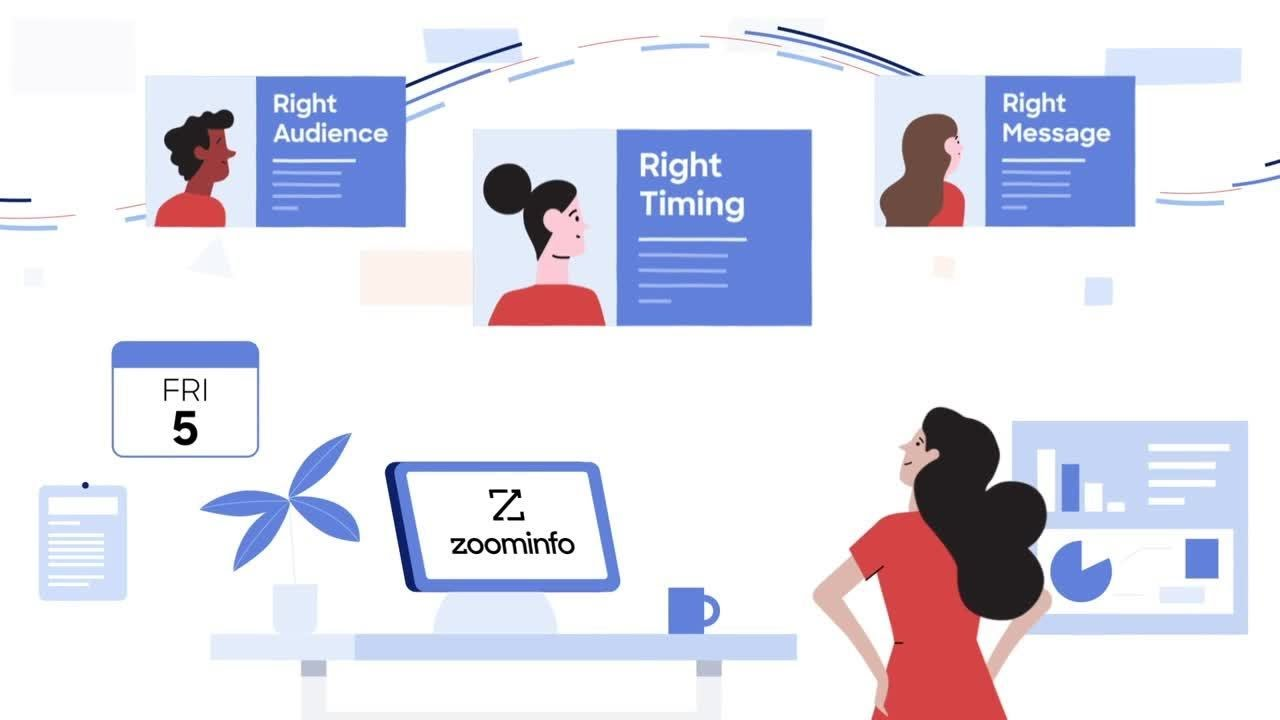
B2B Data: ZoomInfo provides the prospecting intelligence that scheduling tools can't.
OnceHub handles inbound engagement well, but it assumes the prospect has already found you. For teams running outbound motions or wanting to prioritize inbound leads by account quality, ZoomInfo's data foundation makes that possible.
The platform covers 500M contacts, 100M companies, 135M+ verified phone numbers, and 200M+ verified business email addresses. That data runs through a multi-source verification pipeline backed by 300+ human researchers, achieving up to 95% accuracy on first-party data.
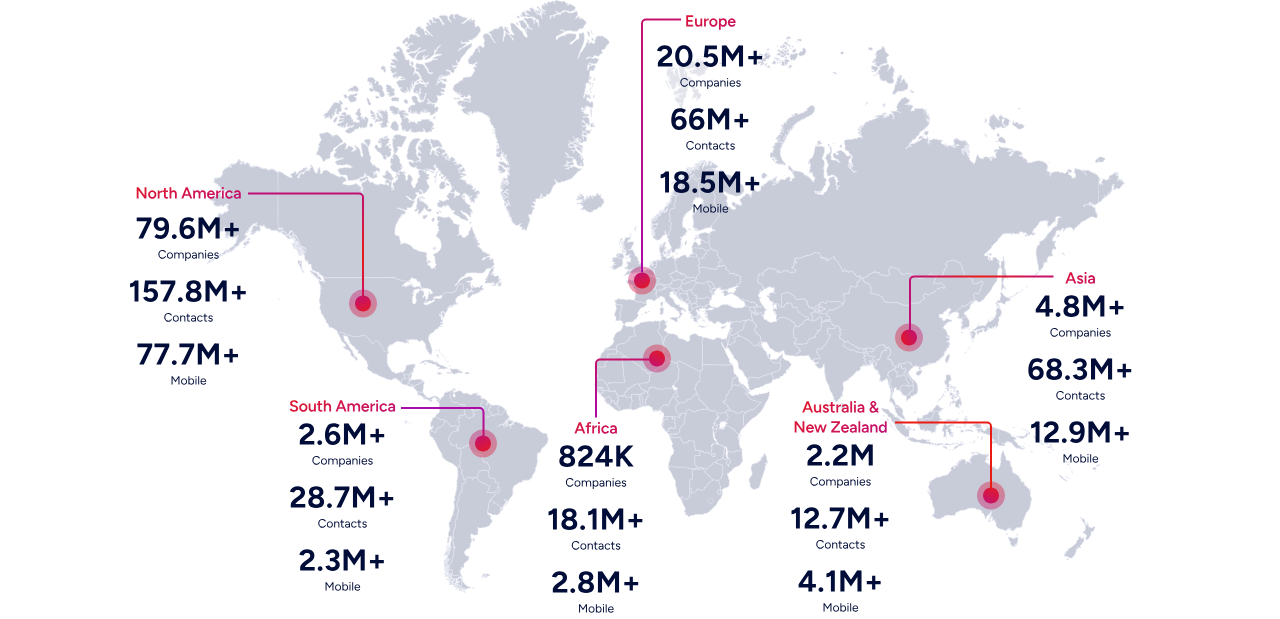
In a Fortune 500 competitive RFP analyzing 25 million contacts across vendors, an independent consultant concluded that "no other competitor came even close."
For OnceHub users, this means the meetings flowing into your routing forms and booking pages are backed by accurate contact data, company context, and org chart intelligence rather than incomplete CRM records. ZoomInfo's Buyer Intent data tracks signals from 210 million IP-to-Organization pairings, surfacing which accounts are actively researching solutions before they reach your website.
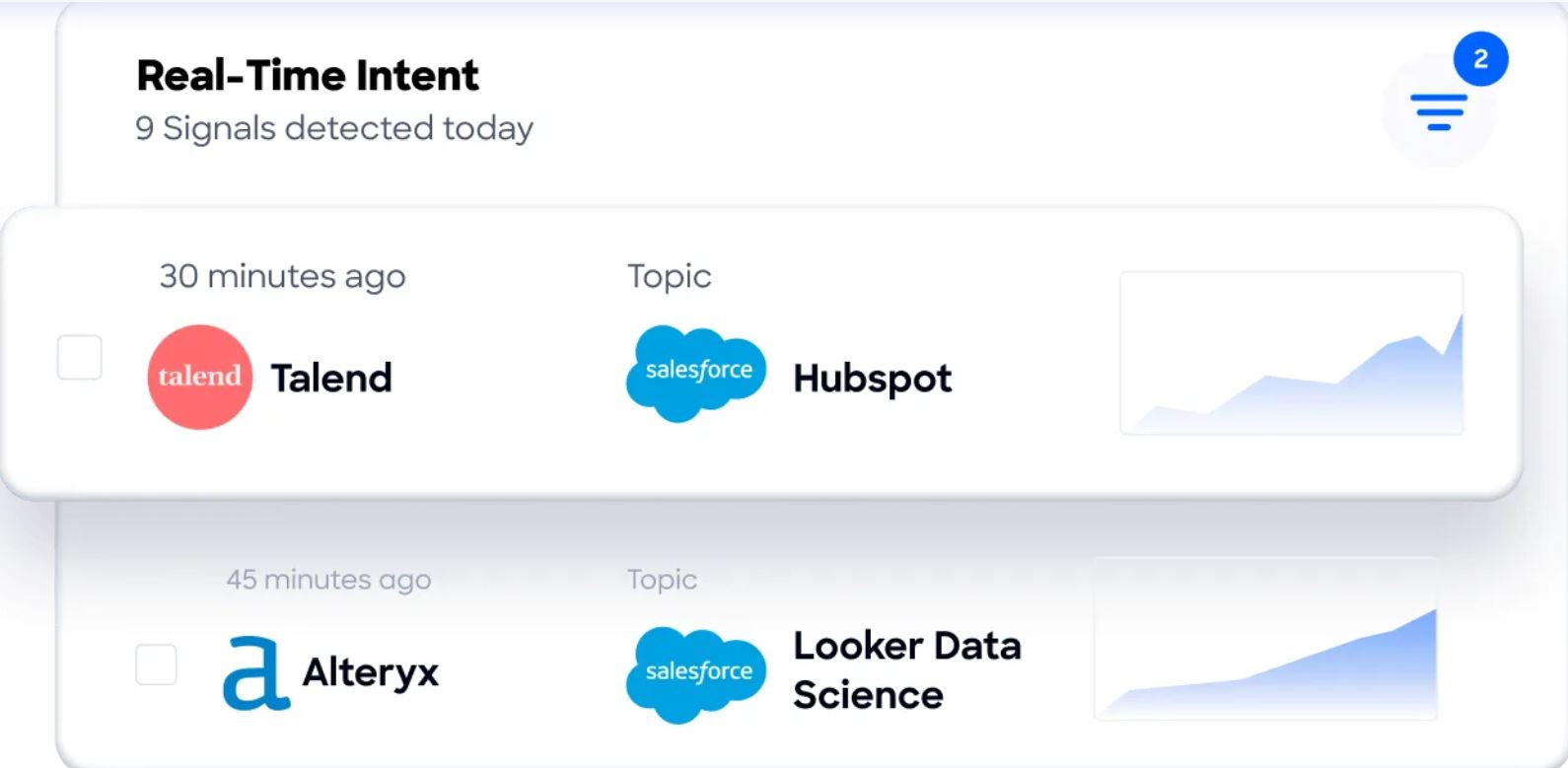
"ZoomInfo gives us the information we need to execute. We don't have to go through and spend our time digging. It's already there, so we can be three steps ahead." (Vensure)
GTM Context Graph: ZoomInfo tells your team why accounts are moving, not just that they are.
Beyond raw data, ZoomInfo's GTM Context Graph fuses B2B data with a customer's own CRM records, conversation transcripts, email interactions, and behavioral signals into an intelligence layer that processes 1.5B+ data points daily.
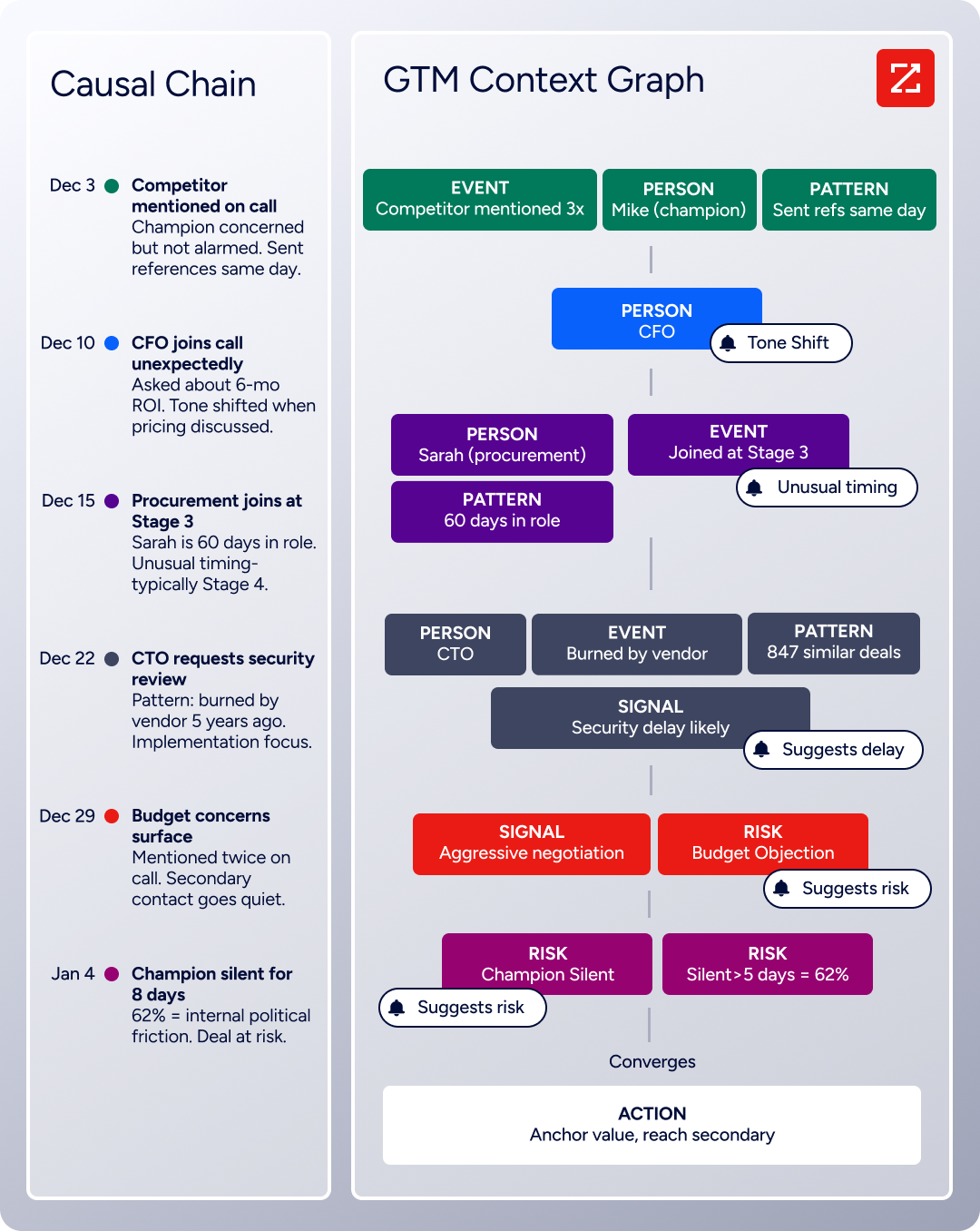
Where a CRM records that a deal changed stage, the GTM Context Graph captures why: the CFO joined the last call and asked about six-month ROI, or a champion went quiet for eight days during an internal budget review.
For teams using OnceHub's routing forms to qualify inbound leads, this context changes the conversation. A sales rep walking into a meeting scheduled through OnceHub knows not just who the prospect is, but what signals triggered their interest, which competitors they're evaluating, and what patterns from similar closed-won deals suggest should happen next.
"That combination of our internal CRM data, external signals, and AI that's given all that context has helped us craft very specific account- and persona-based messages. And people have responded to them right away." (Seismic)
Access: ZoomInfo's intelligence works in any tool your team already uses.
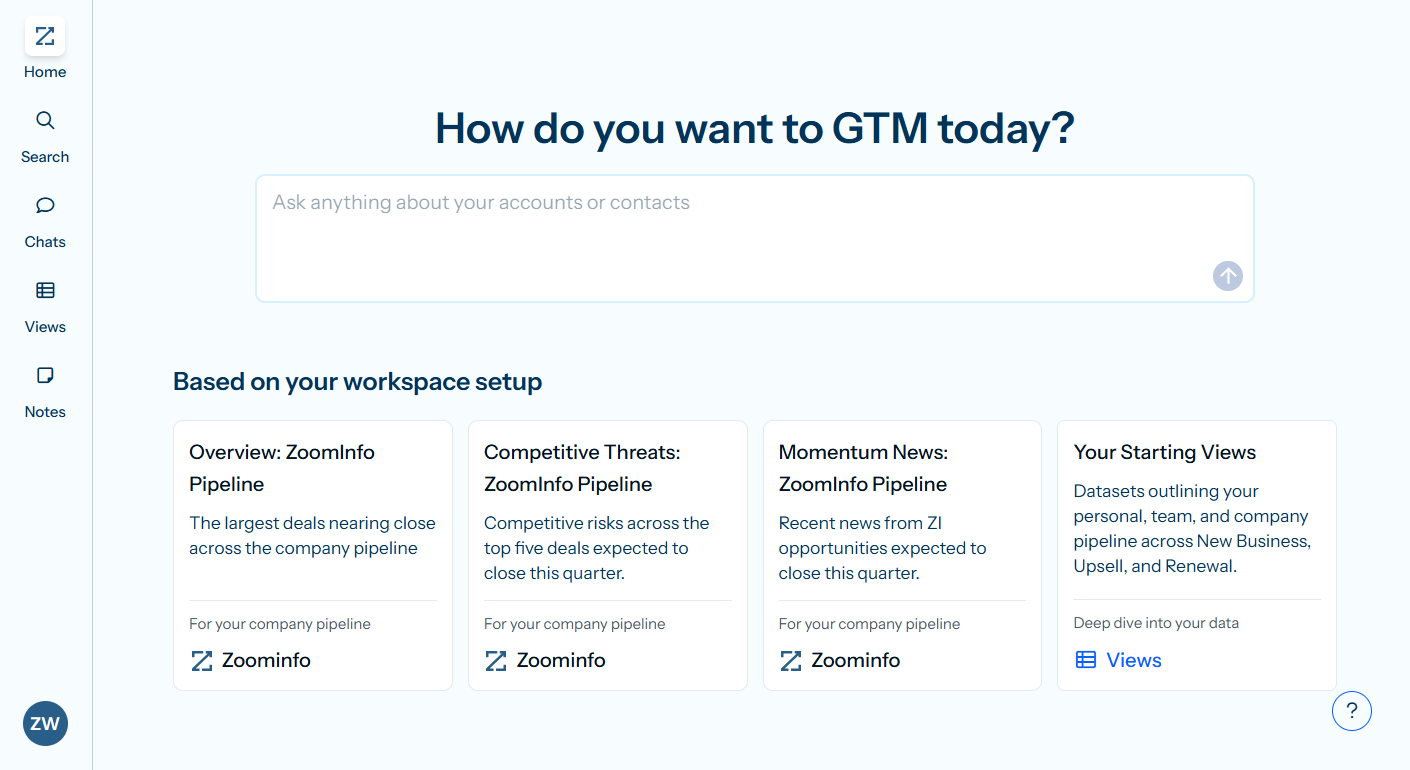
ZoomInfo delivers its intelligence through three channels. GTM Workspace gives sellers a single place where prioritized accounts, AI-drafted outreach, and deal execution converge.
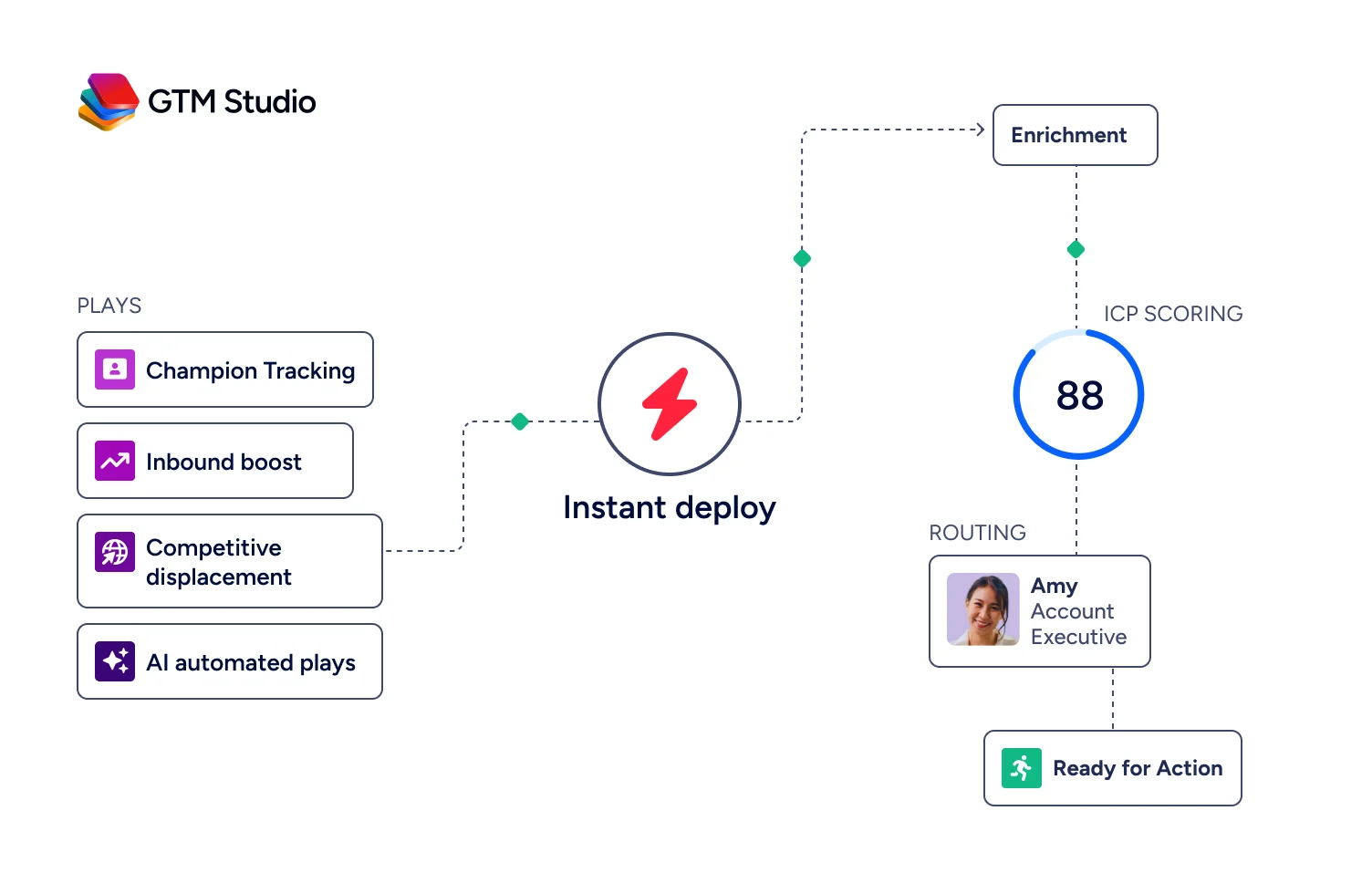
GTM Studio gives marketers, RevOps, and GTM engineers a builder environment for audience definition, campaign orchestration, and pipeline measurement.
And for teams building custom workflows, APIs and MCP expose the same intelligence to any application or AI agent.
That matters for OnceHub users specifically. ZoomInfo integrates with Salesforce, HubSpot, and Microsoft Dynamics, the same CRMs that OnceHub connects to for scheduling data. When ZoomInfo enriches a contact record in your CRM and OnceHub pulls that record during a routing form flow, the guest experience improves without any manual data entry.
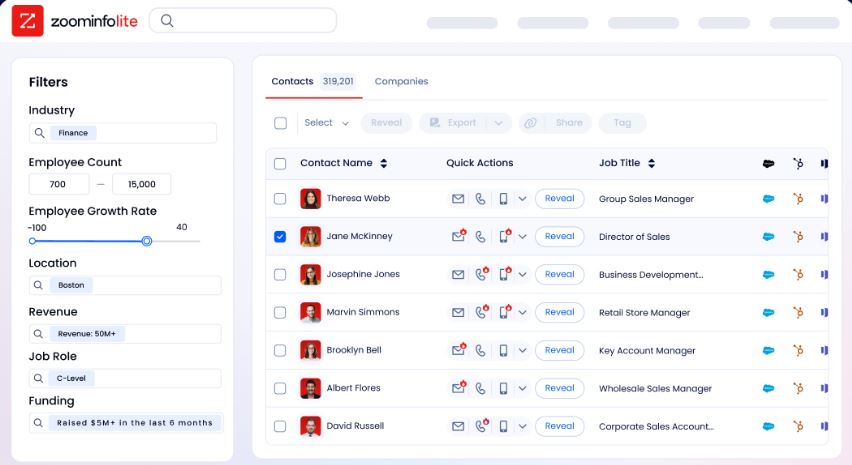
ZoomInfo also offers a permanent free tier, ZoomInfo Lite, with access to the B2B database, 10 monthly export credits, individual and company searches, a Chrome extension, and HubSpot integration. No credit card or time limit.
"The plug-and-play aspect of the API means I can integrate it very easily into any process and get information at a moment's notice." (BDO Canada)
OnceHub and ZoomInfo: Comparison Summary
Aspect | OnceHub | ZoomInfo |
|---|---|---|
Primary purpose | Inbound scheduling, screening, and engagement | B2B prospecting intelligence and GTM execution |
Core strength | Compliance-grade booking with built-in qualification | B2B data and account intelligence |
Target users | Financial advisors, healthcare, coaches, educators, sales teams | Sales, marketing, RevOps, and GTM engineers |
Workflow position | After the prospect wants to meet | Before and during prospect identification |
AI capabilities | Phone Agents, web chatbots, conversational scheduling | GTM Context Graph, AI-drafted outreach, predictive intent |
CRM integrations | Salesforce, HubSpot, Keap | Salesforce, HubSpot, Microsoft Dynamics, 172+ Marketplace partners |
Compliance | SOC 2 Type 2, HIPAA, FINRA, PCI DSS Level I, GDPR | ISO 27001, ISO 27701, SOC 2 Type II, TRUSTe GDPR/CCPA |
Free tier | Basic plan (1 user, 1 booking link) | ZoomInfo Lite (permanent, 10 export credits/month) |
Pricing model | Per-seat, published tiers ($10 to $47/seat/month) | Consumption-based, custom-quoted |
Best for | Managing and converting inbound meeting requests | Identifying and reaching the right prospects |
Final Verdict
OnceHub and ZoomInfo are not competitors. They address different halves of the same problem: getting the right people into the right meetings.
Choose OnceHub if you need a scheduling platform that goes beyond calendar links. OnceHub is built for organizations where every meeting has revenue or compliance implications, where inbound leads need screening before a time slot is offered, and where regulatory requirements make a generic scheduling tool insufficient.
Its routing forms, AI phone agents, and compliance certifications (HIPAA, FINRA, SOC 2) serve financial advisors, healthcare providers, educators, and coaches who need control over every step of the booking experience. The bootstrapped, customer-funded model means the product roadmap serves your needs, not investor exit timelines.
Choose ZoomInfo if your challenge isn't managing meetings but filling your pipeline with the right ones. ZoomInfo's B2B data, GTM Context Graph, and execution tools ensure your team knows who to contact, when to engage, and what to say before a scheduling link is ever shared.
For teams already using OnceHub, ZoomInfo adds the prospecting and intelligence layer that turns inbound scheduling into a data-informed revenue operation.
Get started with ZoomInfo Lite for free here.
The strongest revenue teams don't choose between finding prospects and managing meetings. They invest in both: intelligence to identify the right opportunities, and engagement infrastructure to convert them.
OnceHub FAQ
What is OnceHub used for?
OnceHub is a scheduling and inbound engagement platform built for organizations where meetings carry high revenue or compliance stakes. It combines booking pages, routing forms, AI phone agents, and web-based chatbots to screen, qualify, route, and schedule inbound prospects automatically. Primary users include financial advisors, healthcare providers, coaches, educators, and sales teams that need more than a basic calendar link.
Does OnceHub offer a free plan?
Yes. OnceHub has a permanently free Basic plan that includes one user, one connected calendar, one booking link, and integrations with Google, Microsoft 365, Exchange, iCloud, Zoom, Google Meet, Teams, and Webex. The free plan does not include CRM integrations, APIs, routing forms, or chatbots. OnceHub also offers a 14-day free trial of the Engage plan (the highest self-serve tier) with no credit card required.
How much does OnceHub cost?
Paid plans start at $10/seat/month (annual billing) for Schedule and go up to $39/seat/month for Engage. The Security and Compliance add-on, required for HIPAA and SSO, adds $5/seat/month. SMS credits are purchased separately starting at $15 for 100 credits. Additional dedicated phone numbers cost $4/month each. Enterprise pricing is custom for organizations with 30 or more users.
Is OnceHub HIPAA compliant?
OnceHub offers HIPAA compliance through its Security and Compliance add-on, which includes a Business Associate Agreement (BAA), SSO, corporate calendar connection, and custom security policies. The add-on costs $5/seat/month on annual billing and can be added to any paid plan. Enterprise customers receive the security add-on bundled at no extra charge.
What integrations does OnceHub support?
OnceHub natively integrates with Google Calendar, Microsoft 365, Exchange, iCloud (calendars), Zoom, Google Meet, Microsoft Teams, GoTo Meeting, Webex (video), Salesforce, HubSpot, Keap (CRM), and Stripe (payments). Additional integrations are available through Zapier, Make.com, n8n, and ViaSocket.
Financial services CRMs like Redtail and Wealthbox connect via Zapier. OnceHub also publishes a REST API and an MCP server for custom integrations.
What are OnceHub's Phone Agents?
Phone Agents are AI voice assistants that answer inbound calls, screen callers, and book appointments using natural language conversation.
They read from existing OnceHub scheduling logic and require no custom scripts or AI training to deploy. Each paid plan includes one to three dedicated phone numbers, with additional numbers available at $4/month each. Phone Agents operate 24/7 and generate call recordings with AI-generated summaries.
How does OnceHub compare to Calendly?
OnceHub differentiates from Calendly through its compliance certifications (HIPAA, FINRA, SOC 2, PCI DSS Level I), built-in lead qualification via routing forms, AI phone and web agents, and multi-tiered Booking Hubs with attribute-based filtering. Calendly serves 20 million+ users and offers a broader integration library with a simpler setup experience.
OnceHub targets regulated industries and teams that need screening before scheduling; Calendly targets broader adoption and ease of use.
Can OnceHub and ZoomInfo work together?
Yes. Both platforms integrate with the same major CRMs (Salesforce, HubSpot), meaning ZoomInfo's enriched contact data flows into the CRM records that OnceHub pulls during routing form and booking flows.
ZoomInfo identifies and prioritizes the right prospects using its B2B data and intent signals; OnceHub manages the scheduling, qualification, and engagement once those prospects are ready to meet. The combination covers both ends of the revenue workflow.
