
Choosing between OnceHub and Calendly for your team's scheduling comes down to five questions:
Do you need a simple booking link that anyone can use in minutes, or a platform that screens and qualifies visitors before offering a time slot?
Is regulatory compliance (HIPAA, FINRA, FERPA) a hard requirement for your industry?
Are your prospects booking by phone as well as web, or is web-only sufficient?
Do you want branded, multi-step guided flows, or clean simplicity with the widest integration ecosystem?
Does your team have the data intelligence to route the right leads to the right reps before a calendar link is ever shared?
In short, here's what we recommend:
OnceHub is built for organizations where every meeting carries real stakes. Financial advisors, healthcare providers, educators, and high-ticket sales teams use it because it goes beyond calendar coordination into full engagement: screening visitors with routing forms, qualifying leads through AI chatbots, and answering inbound calls with Phone Agents that book appointments on their own.
Its compliance certifications (SOC 2 Type 2, HIPAA BAA, PCI DSS Level I, FINRA, FERPA) are the broadest in the scheduling category. The trade-off is a steeper learning curve and a smaller brand footprint than Calendly.
Calendly is the scheduling platform that 20 million individuals and businesses already know. Its strength is removing friction: connect a calendar, share a link, let invitees book. That simplicity extends to teams with round-robin distribution, CRM-based lead routing, and 100+ integrations spanning Salesforce, HubSpot, Zoom, and LinkedIn.
Calendly also offers Notetaker for AI meeting recaps and a Contacts module for lightweight relationship management. Where it falls short is branding customization, regulatory compliance, and phone-based booking.
Both platforms handle the mechanics of scheduling well. But the quality of any scheduling workflow depends on what happens before the booking link is shared. Which leads should reach your calendar? Which rep should they meet? What context should that rep have walking into the call? That's a data problem, not a scheduling problem.
ZoomInfo is a B2B intelligence platform that feeds verified data into your scheduling stack. With 500M contacts, 100M companies, 135M+ verified phone numbers, and 200M+ verified business email addresses, ZoomInfo tells your team who to target and when they're ready to buy.
Its GTM Context Graph combines this B2B data with your CRM records, conversation transcripts, and behavioral signals to reveal not just what happened in a deal, but why. And because Calendly's routing forms can use ZoomInfo enrichment data for hidden field routing, the intelligence flows into your scheduling workflow without extra steps.
ZoomInfo isn't a replacement for OnceHub or Calendly. It's the foundation that makes either platform convert at a higher rate.
If building scheduling workflows on top of verified buyer intelligence sounds like the missing piece, see how ZoomInfo works.
OnceHub vs. Calendly at a glance
OnceHub | Calendly | ZoomInfo | |
|---|---|---|---|
Primary focus | Engagement platform for high-stakes interactions | Scheduling automation | B2B intelligence powering GTM workflows |
Ease of use | Capable but steeper learning curve | Low friction, fast setup | Moderate (90-day structured onboarding) |
Lead qualification | Routing forms, AI chatbots, Phone Agents | Routing forms with CRM lookup | Buyer intent, contact enrichment, account scoring |
AI capabilities | Phone Agents, web chatbots, trained AI conversations | Notetaker (meeting recaps), AI Assistant (beta) | GTM Context Graph, AI-drafted outreach, GTM Workspace AI agents |
Compliance | SOC 2 Type 2, HIPAA, PCI DSS Level I, FINRA, FERPA | SOC 2 Type 2, ISO 27001, GDPR, CCPA | ISO 27001, ISO 27701, SOC 2 Type II, GDPR, CCPA |
Calendar support | Google, Microsoft 365, Exchange, iCloud | Google, Outlook, Office 365, Exchange | N/A (integrates with scheduling tools) |
Team distribution | Round-robin, max availability, priority-based | Round-robin, collective, managed events | AI-prioritized account routing |
Integration count | Native + Zapier/Make/n8n ecosystem | 100+ native integrations | 172+ marketplace partners |
Free plan | 1 booking link, 1 calendar | 1 event type, 1 calendar | ZoomInfo Lite (permanent, 10 credits/month) |
Starting price | $10/seat/month (annual) | $10/seat/month (annual) | Custom-quoted |
Pricing model | Per-seat, tiered by feature set | Per-seat, tiered by feature set | Consumption-based (seats + credits) |
Best for | Regulated industries and high-stakes engagement | B2B teams prioritizing adoption speed | Teams that need verified buyer intelligence before the meeting |
Calendly wins on adoption speed, OnceHub wins on engagement depth
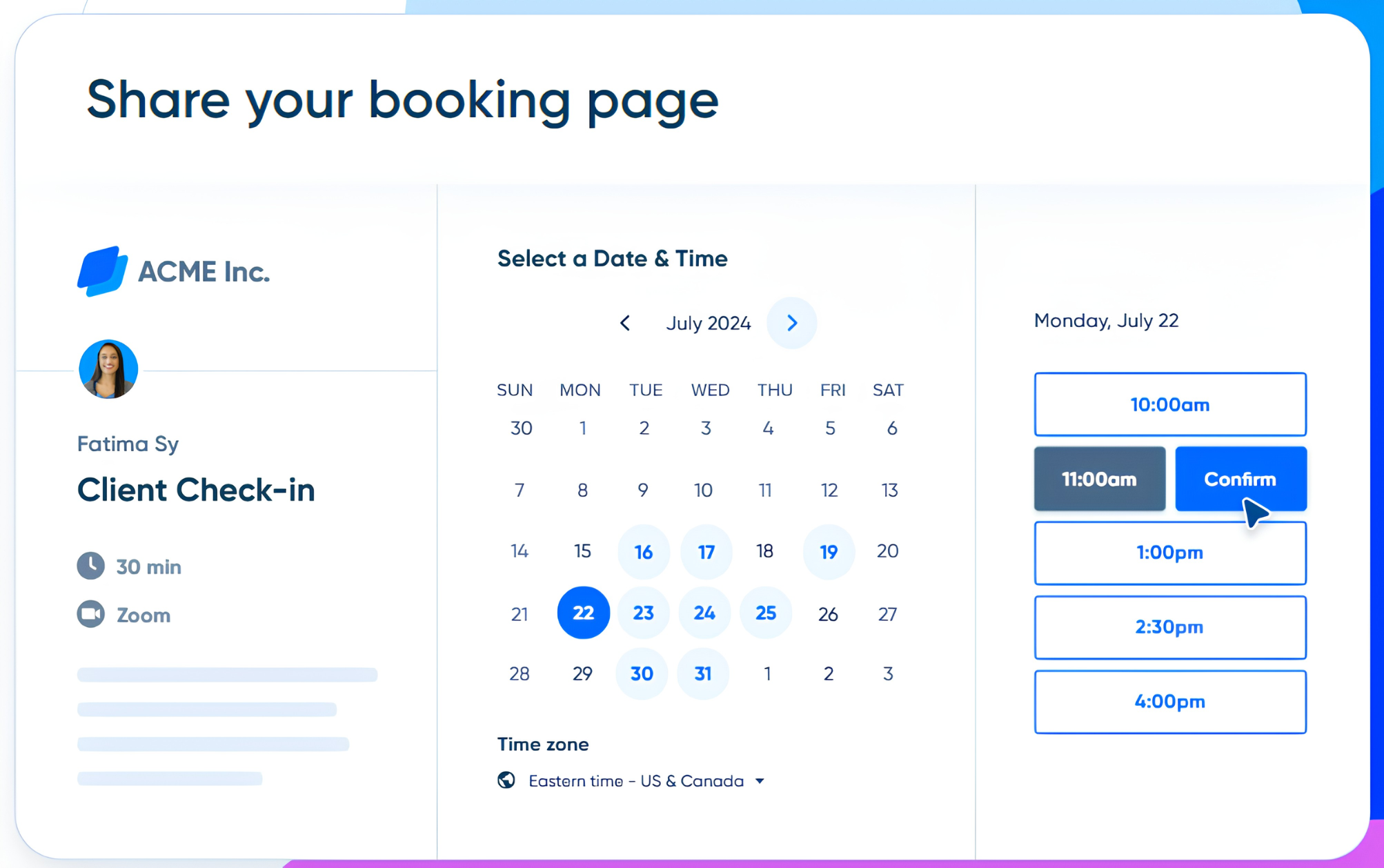
Calendly's design philosophy is "scheduling simplified," and it delivers. A new user can connect a calendar, set availability, create an event type, and share a booking link in under 20 minutes. Calendly condenses its entire onboarding into a 17-minute, four-lesson video course.
Source: Calendly
Invitees don't need an account. The booking page loads in the visitor's time zone. The confirmation email goes out automatically. This low-friction experience is why "send a Calendly link" has entered professional vocabulary.
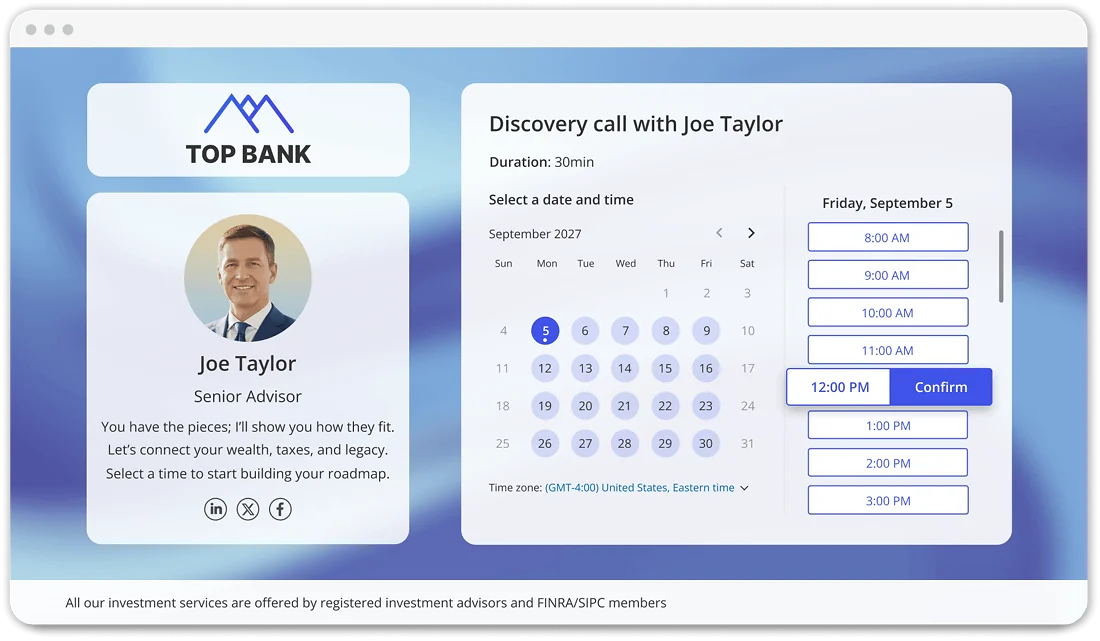
OnceHub asks more of its users upfront because it does more on the backend. The platform separates Booking Pages, Booking Hubs, Routing Forms, and Chatbots into distinct product areas, each with its own configuration layer.
Source: OnceHub
Capterra reviewers rate ease of use at 4.1 out of 5 and call out the learning curve directly: "Setting everything up can be confusing...different names for things." The help center still maintains parallel documentation tracks for "Booking Calendars [New]" and "Booking Pages [Classic]," which signals a platform mid-migration.
That complexity exists because OnceHub treats scheduling as an engagement workflow, not a standalone utility. A visitor hitting an OnceHub Booking Page can be screened through a routing form, qualified by an AI chatbot, and routed to the right team member before a time slot is ever shown.
Calendly's routing forms offer similar logic, but OnceHub's in-form scheduling (where the visitor qualifies, routes, and books without leaving the form) collapses more steps into a single interaction.
For teams that need a booking link live by end of day, Calendly is the clear choice. For teams that need every interaction screened and qualified before a human spends time on it, the setup investment in OnceHub pays off.
Lead qualification and routing take different approaches
Both platforms offer routing forms that qualify visitors before showing available times. The implementation differs enough to matter.
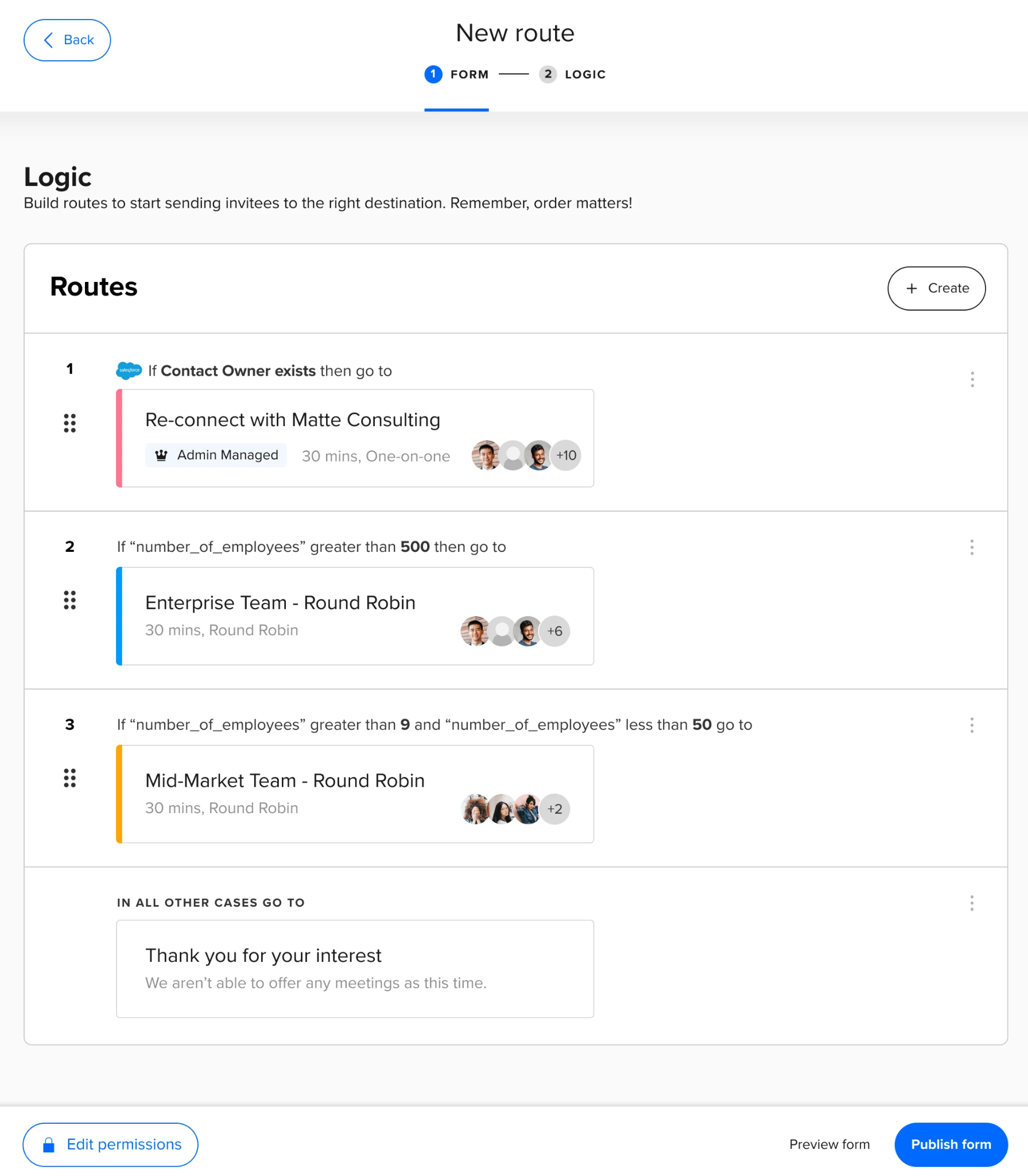
Calendly's routing follows a three-step flow: a visitor answers screening questions, conditional logic evaluates the answers, and the visitor lands on the right booking page or receives a custom message. On the Teams plan, routing forms perform real-time Salesforce or HubSpot lookups to match visitors to their assigned account owner. Enterprise adds field-level filtering on custom Salesforce fields.
Source: Calendly
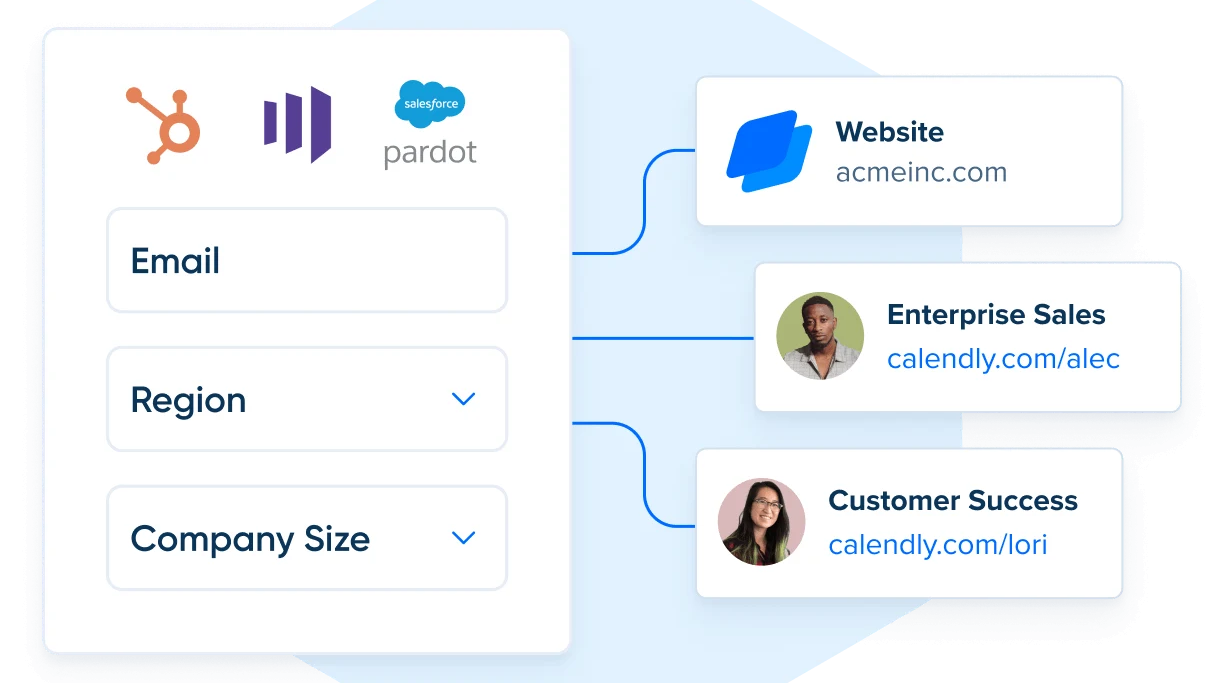
For teams using enrichment providers, routing logic can run on hidden fields populated by Clearbit or ZoomInfo through HubSpot, Marketo, or Pardot, presenting shorter visible forms while executing company-attribute routing behind the scenes.
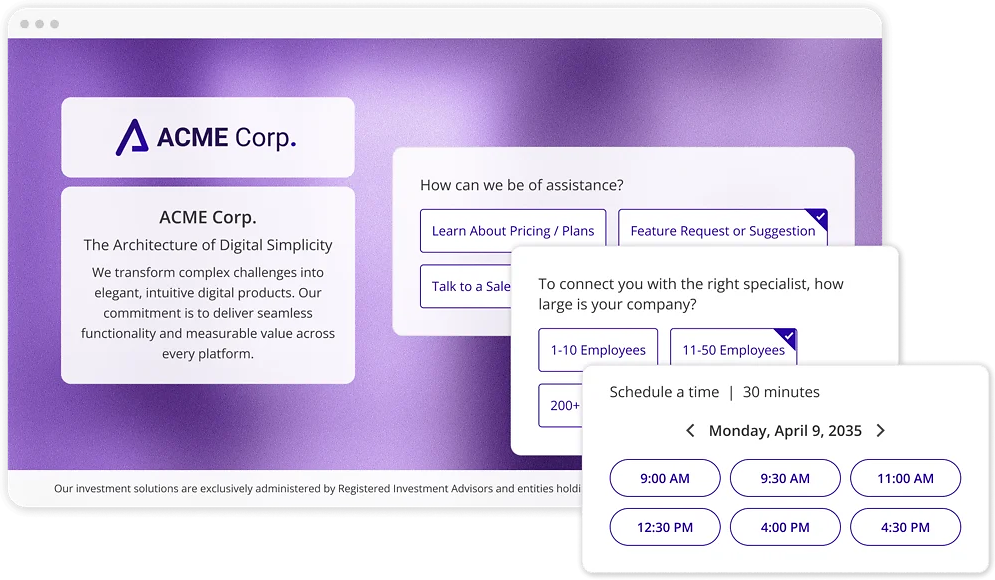
OnceHub's routing adds several layers. The visual routing map editor lets administrators build multi-path branching logic through drag-and-drop without code. Routing decisions combine real-time form answers with stored contact properties already in OnceHub, so returning visitors or known CRM contacts route differently from new prospects without re-answering questions.
Source: OnceHub
Progressive form capture saves answers as the visitor types, so partial submissions still produce usable data even if the visitor drops off. And routing forms can be deployed as phone experiences through Phone Agents, running the same qualification logic over a voice call.
The practical difference: Calendly's routing is faster to set up and works well for teams whose CRM already holds the qualification data. OnceHub's routing is stronger for teams that need to screen prospects across multiple criteria and channels before a calendar slot opens.
Compliance separates the two for regulated industries
This is OnceHub's strongest differentiator. Financial advisors operating under FINRA, healthcare providers bound by HIPAA, and educational institutions subject to FERPA need scheduling tools that meet specific regulatory requirements, not just general security certifications.
OnceHub holds SOC 2 Type 2, HIPAA BAA, PCI DSS Level I, GDPR, FINRA, FERPA, and TX-RAMP Level II compliance. For FINRA, meeting invitations and email communications are automatically saved and can be output to a system of record. For HIPAA, OnceHub executes Business Associate Agreements and provides technical controls including encryption at rest, TLS 1.2+ in transit, audit trails, SSO, and 2FA.

Source: OnceHub
The compliance and security features are available as a paid add-on at $5/seat/month (annual) on any paid plan, or bundled into the Enterprise tier.
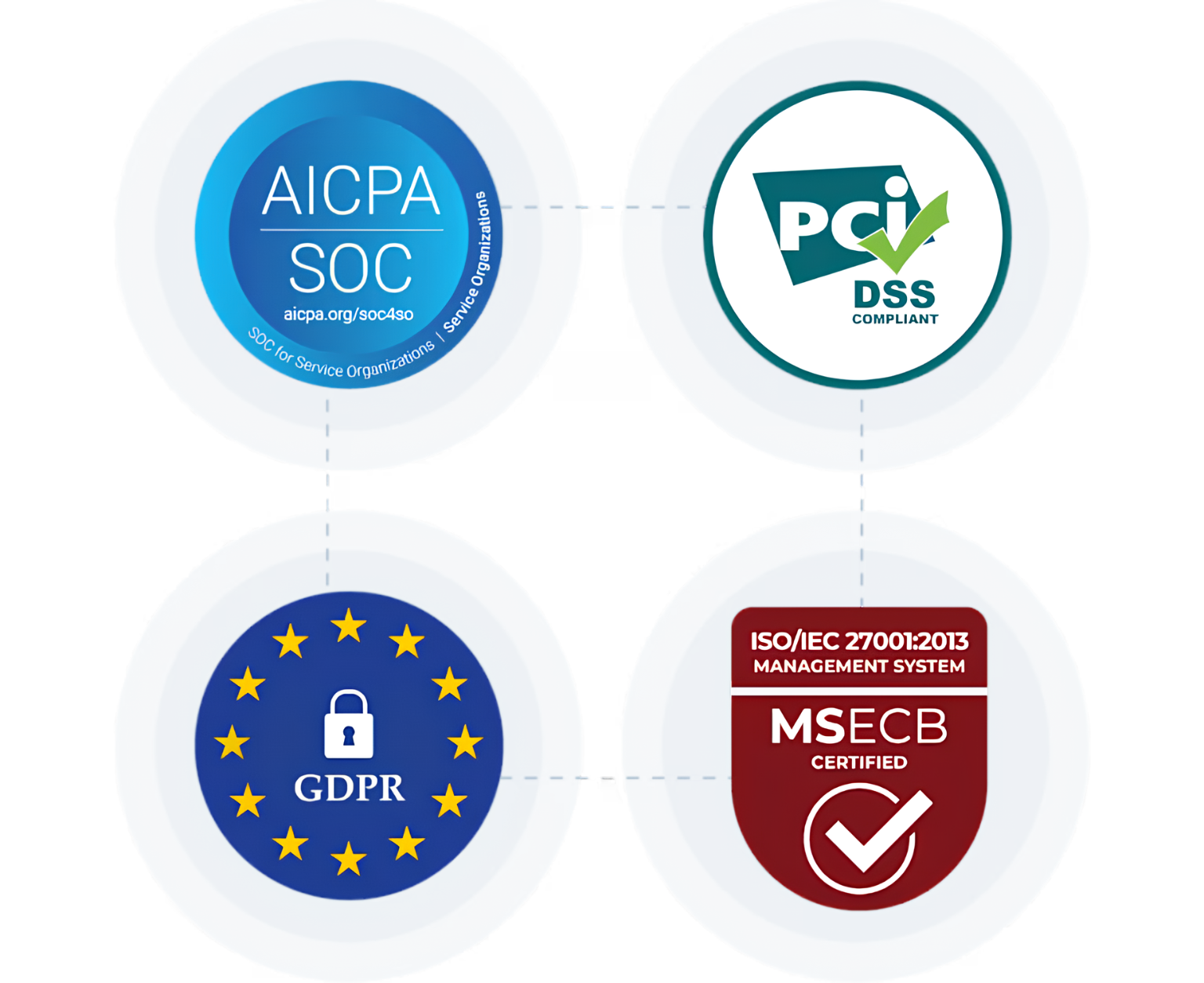
Calendly holds SOC 2 Type 2, ISO 27001, GDPR, CCPA, CSA STAR Level 1, and PCI DSS certifications. Enterprise features include SAML SSO, SCIM provisioning, audit logs, domain control, and data deletion APIs.
Source: Calendly
These are solid credentials for general enterprise procurement, but Calendly does not offer HIPAA BAAs, FINRA archiving compliance, or FERPA certification. For a wealth management firm or a healthcare provider, that gap is a dealbreaker.
If your organization operates under industry-specific regulatory mandates, OnceHub is one of the few scheduling platforms that can pass the compliance review. If your compliance requirements stop at general enterprise security (SOC 2, GDPR), either platform works.
AI features point in different directions
OnceHub and Calendly are both investing in AI, but solving different problems.
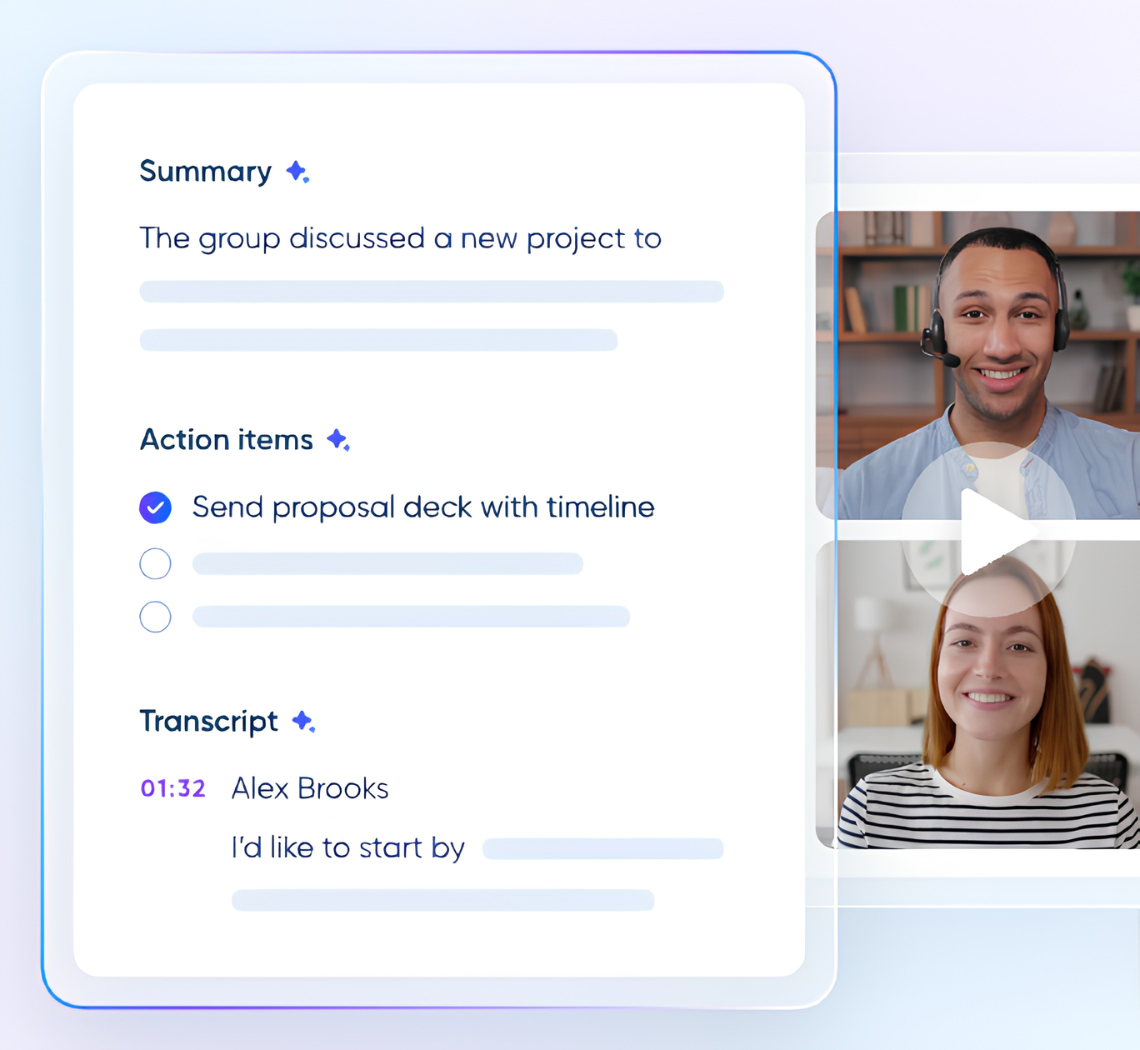
Calendly's AI focuses on the meeting itself. Notetaker joins meetings on Zoom, Google Meet, or Microsoft Teams, records the conversation, and generates AI summaries with action items. It surfaces client details and past meeting recaps before the next meeting begins, and can push recaps to Salesforce, HubSpot, or Zapier-connected apps.
Source: Calendly
Notetaker is included on all paid plans with unlimited recaps. An AI Assistant in beta allows natural-language questions about scheduled meetings and contacts. This is meeting intelligence: making every conversation more informed and cutting post-meeting admin work.
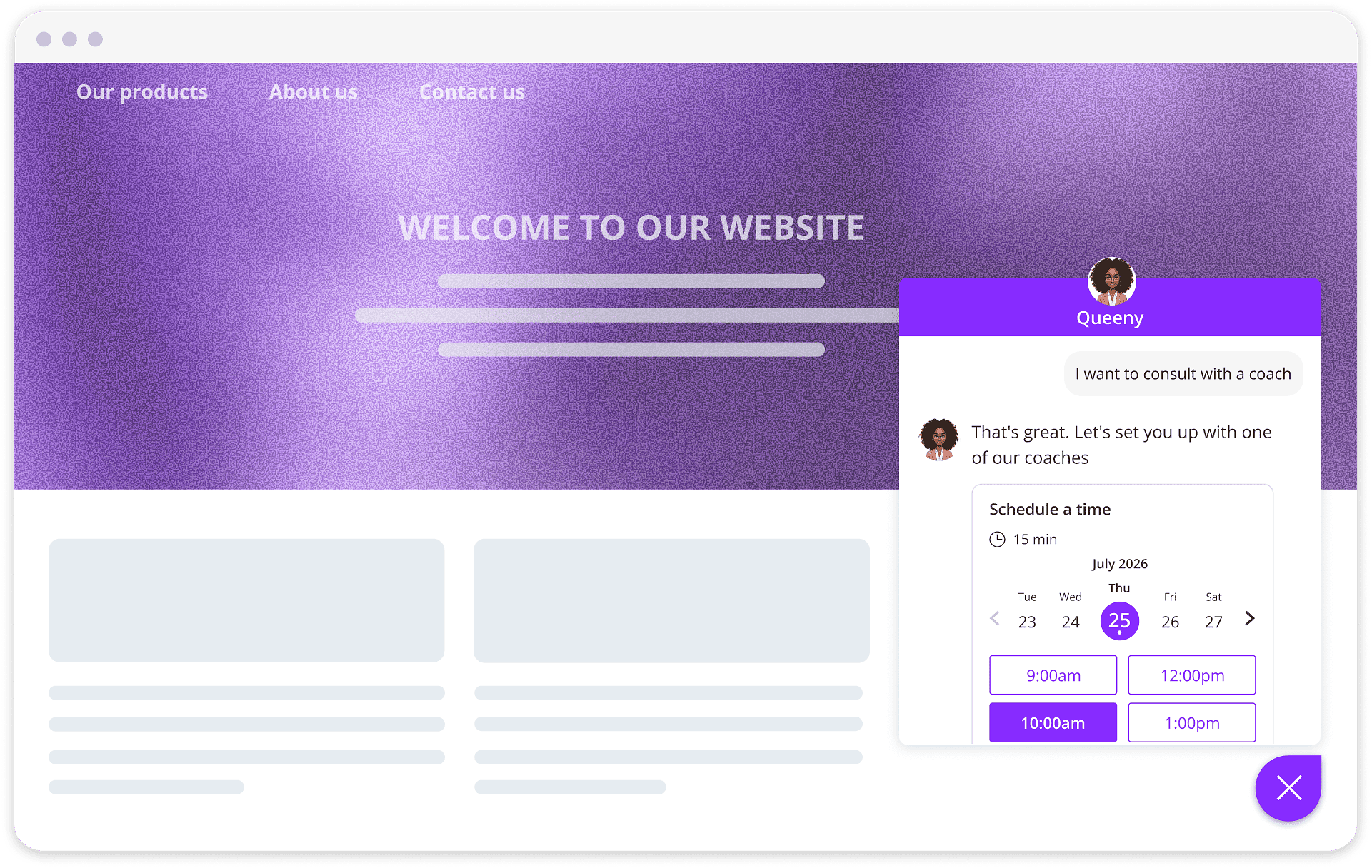
OnceHub's AI focuses on the engagement before the meeting. Web-Based Chatbots trained on a company's own content answer visitor questions 24/7, qualify leads conversationally, and schedule meetings inside the chat. Phone Agents extend this to voice, answering inbound calls and booking appointments through natural language without a human on the line.
Source: OnceHub
The AI reads from whatever scheduling logic already exists in OnceHub, so no custom scripts or training are required. For organizations where 25% to 60% of inbound calls go unanswered and up to 80% of callers who don't reach someone never leave a voicemail, Phone Agents solve a missed-revenue problem that no calendar link can address.
The distinction is clear: Calendly's AI makes meetings more productive after they happen. OnceHub's AI captures meetings that would otherwise never happen.
Better scheduling starts with better data
OnceHub and Calendly both assume the prospect already knows they want to book a meeting. But for B2B sales teams, the harder question isn't how to schedule. It's whom to schedule with, and when.
A routing form can qualify visitors based on the answers they provide. But prospects don't always self-identify accurately, and website visitors stay anonymous until they fill out a form.
The scheduling workflow breaks down at the data layer: stale CRM records route leads to the wrong rep, missing contact information forces manual research before outreach, and teams pursue accounts with no buying intent while in-market prospects slip to competitors.
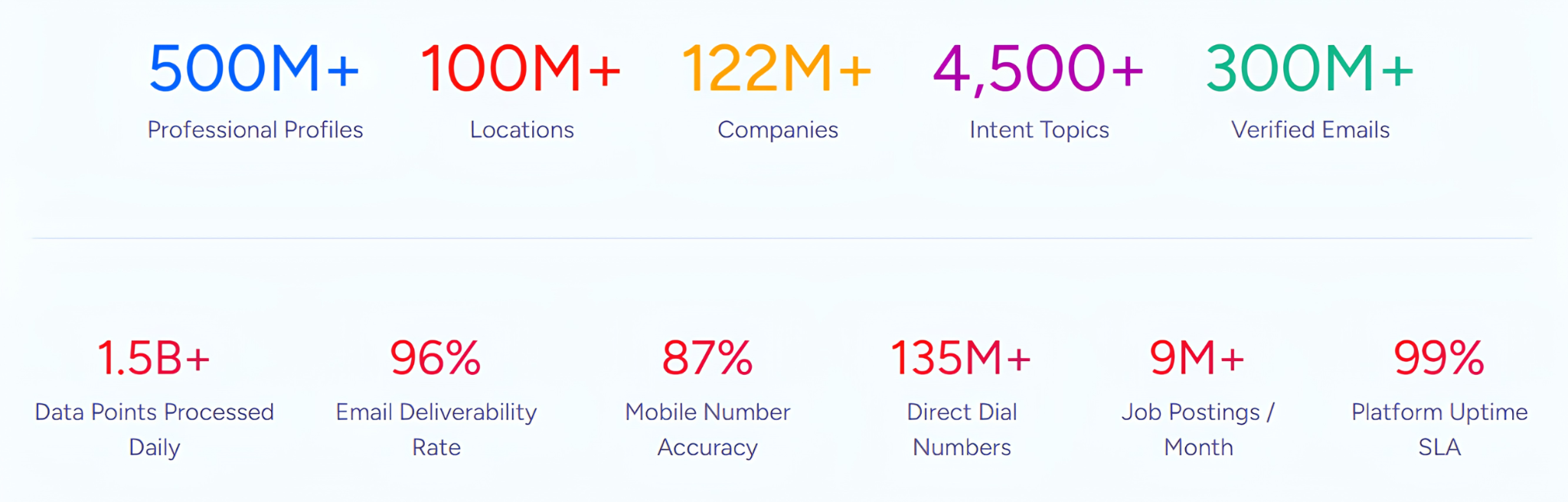
ZoomInfo addresses this gap. Its B2B data platform covers 500M contacts and 100M companies, verified through a multi-source pipeline backed by 300+ human researchers with up to 95% accuracy on first-party data.
Source: ZoomInfo
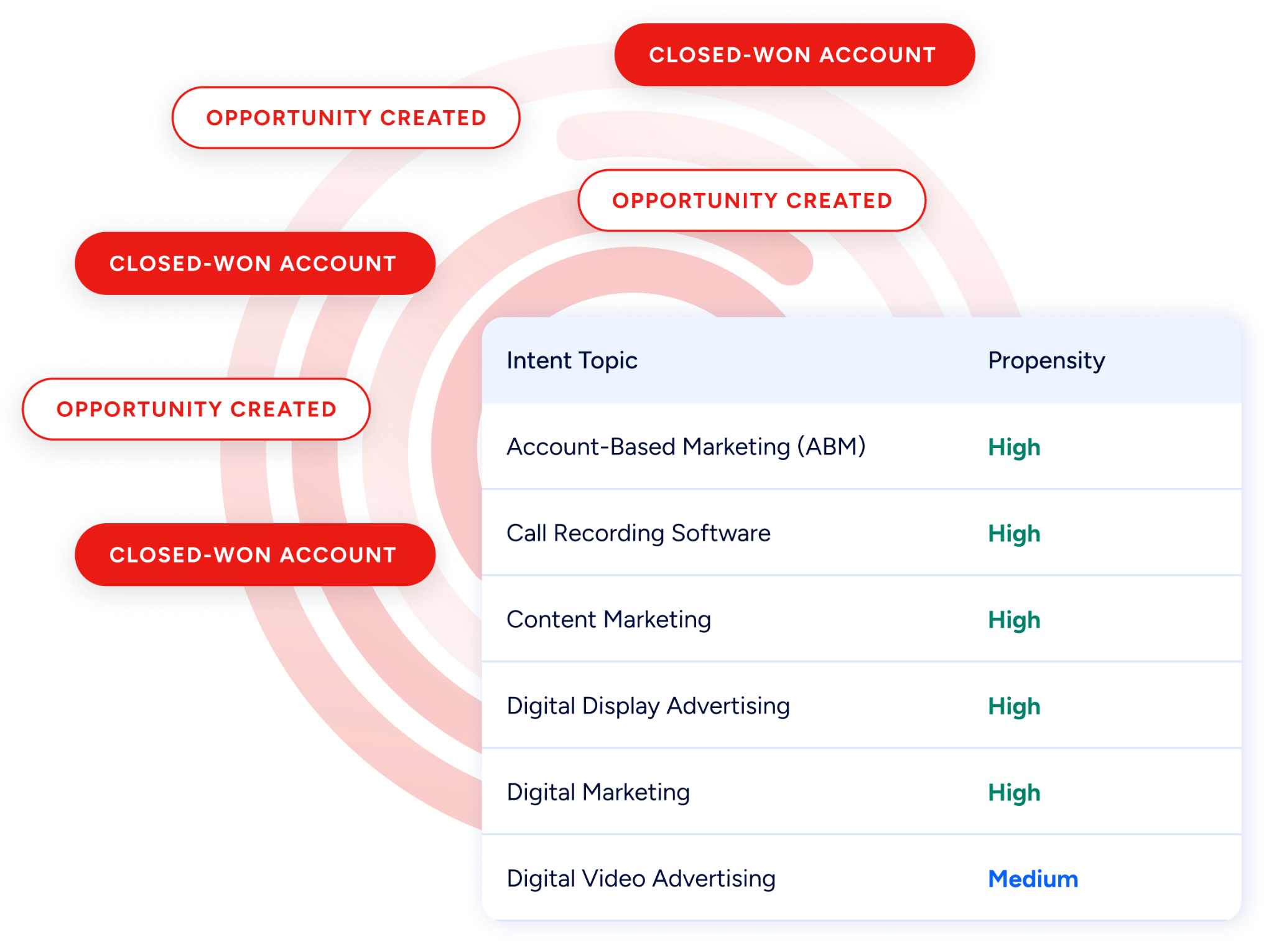
Buyer Intent data tracks signals from 210 million IP-to-Organization pairings, surfacing accounts that are actively researching your category before they visit your booking page.
Source: ZoomInfo
This intelligence flows into scheduling workflows. Calendly's routing forms support hidden field routing using ZoomInfo enrichment data through HubSpot, Marketo, or Pardot.
A visitor fills in their email, the enrichment tool appends company attributes (size, industry, revenue), and the routing form directs them to the right rep instantly, with no additional questions. The visitor sees a shorter form. The rep gets a qualified meeting.
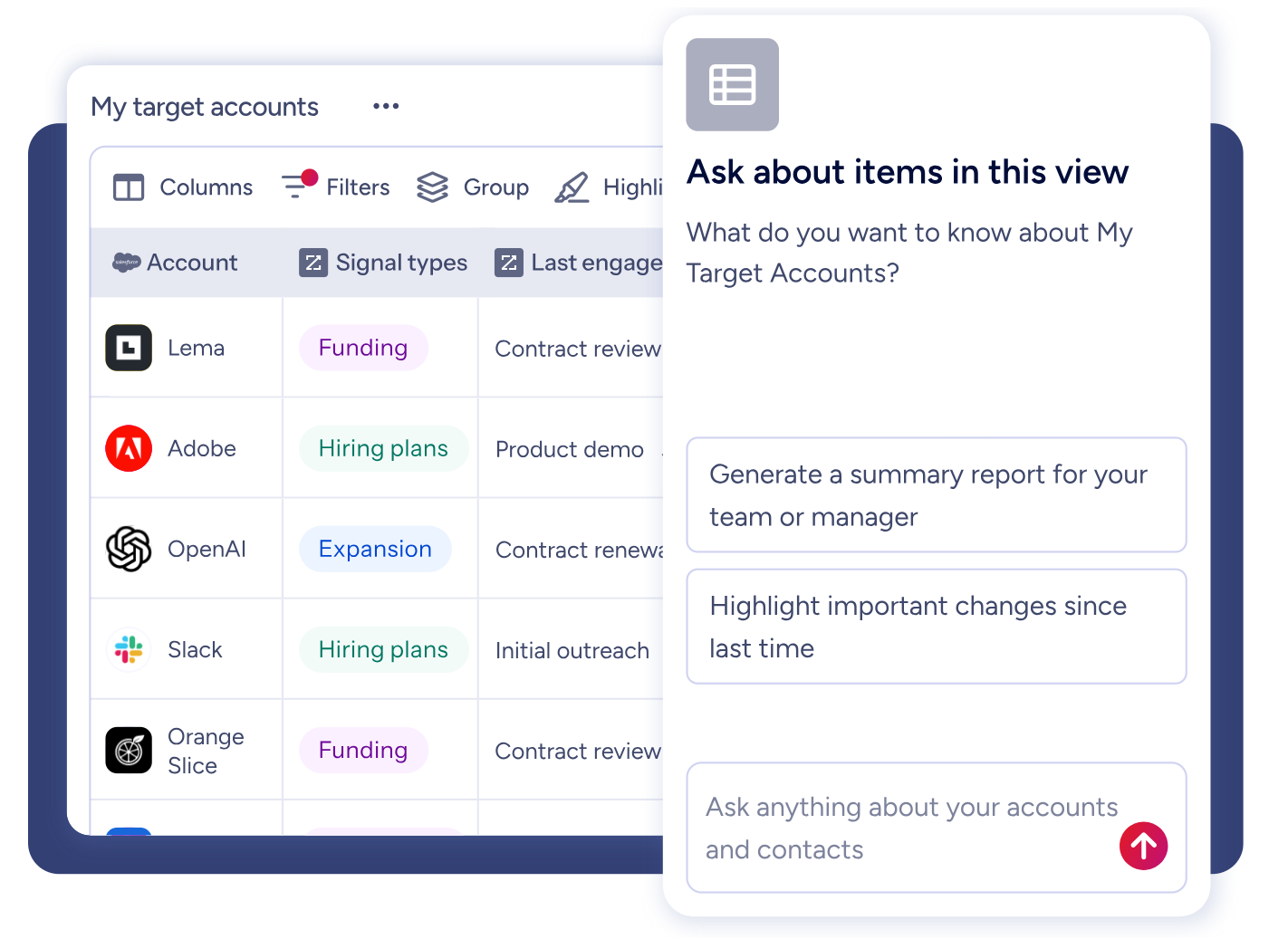
For teams using GTM Workspace, ZoomInfo's AI agents surface prioritized accounts based on intent signals, draft personalized outreach, and provide full account context before the meeting happens. The same intelligence is accessible through APIs and MCP in any tool or AI agent.
Source: ZoomInfo
Seismic's sales team attributed 39% of active pipeline to opportunities identified or influenced by ZoomInfo signals, while productivity increased by 54%. (Seismic case study)
The scheduling tool books the meeting. ZoomInfo makes sure it's the right meeting.
Booking Hubs vs. team pages: managing multi-calendar complexity
As teams grow, a single booking link stops being enough. Different services, locations, team members, and durations all need their own scheduling flows. How each platform handles this reveals different design philosophies.
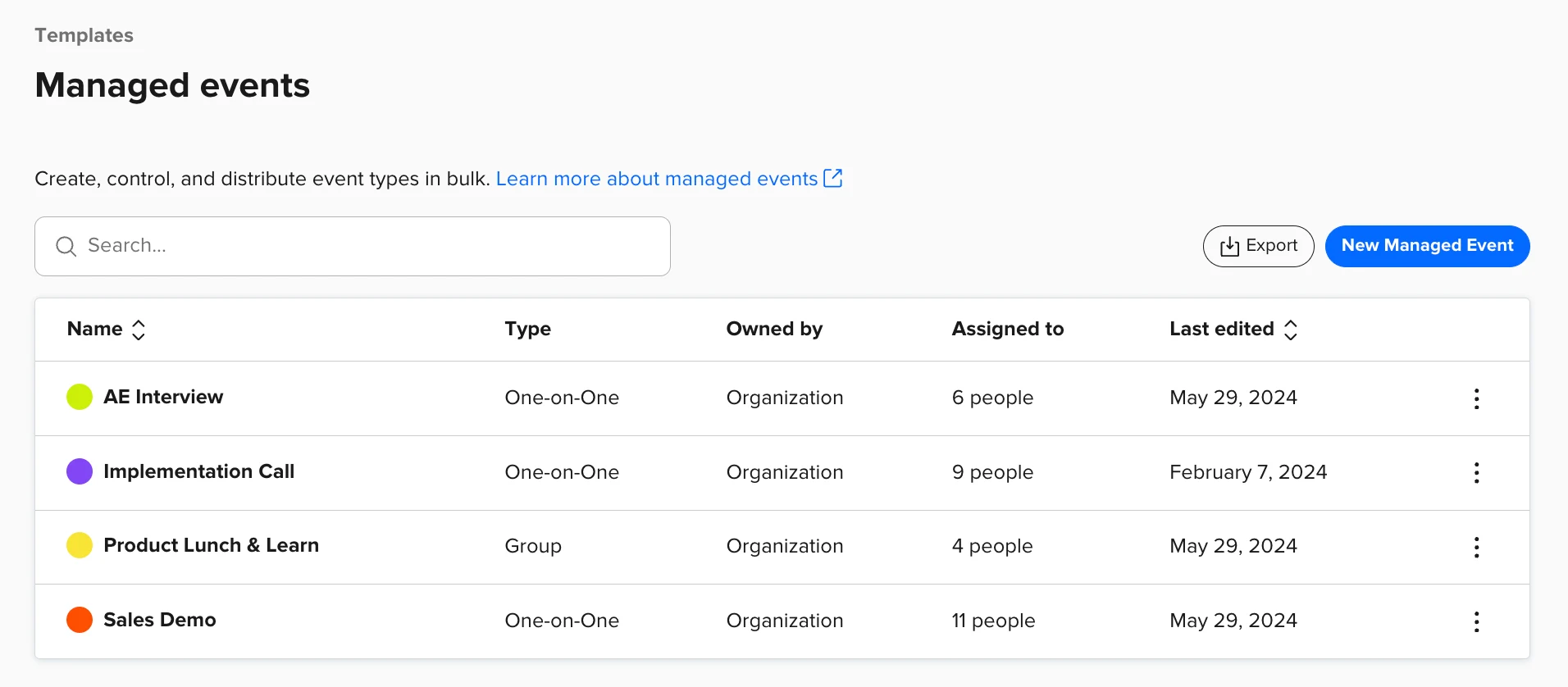
Calendly organizes team scheduling through team pages that work as a directory of event types. A prospect visits the team's page, selects an event type, and books with an available rep. Round-robin distribution balances the load. Managed Events let admins create locked templates that every rep uses, keeping brand and workflow consistent across a team. It's straightforward and works well for teams with a flat structure.
Source: Calendly
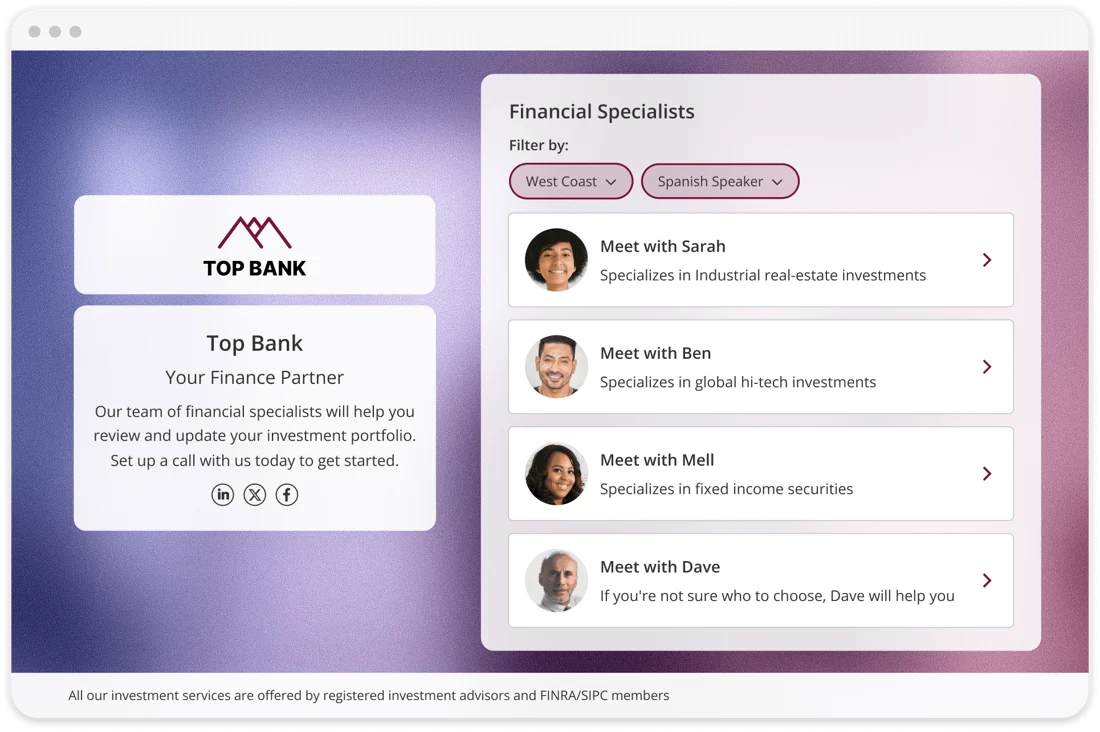
OnceHub takes a more structured approach with Booking Hubs. Instead of showing all options at once, a Booking Hub guides visitors through a multi-step flow where each selection narrows the options.
Source: OnceHub
A visitor might first choose a location, then a service type, then a specific advisor, with the Hub filtering available calendars at each step using user attributes like language, specialization, or region. Individual booking calendars can be created once and reused across different Hubs without duplication.
OnceHub also offers three distribution algorithms (round-robin, maximum availability, and priority-based) compared to Calendly's round-robin. For teams managing multi-advisor practices (wealth management firms, therapy offices, admissions departments), the guided Hub approach handles complexity that a flat directory cannot.
Pricing comparison
Both platforms start at the same entry point but diverge quickly as features scale up.
Calendly keeps pricing simple. The free plan includes one event type and one calendar connection. Standard at $10/seat/month (annual) unlocks unlimited event types, up to six calendars, automated reminders, and integrations with HubSpot, Mailchimp, Zapier, and Stripe.
Teams at $16/seat/month (annual) adds round-robin, Salesforce integration, routing forms, and managed events. Enterprise starts at $15,000/year with dedicated support, SCIM provisioning, and Microsoft Dynamics integration. A notable clause: each renewal may include a price increase equal to CPI + 3%.
OnceHub gates features more aggressively by tier. Schedule at $10/seat/month (annual) covers core booking with CRM integrations, Stripe payments, and one phone number. Route at $19/seat/month (annual) adds routing forms, round-robin distribution, concurrent sessions, and room scheduling. Engage at $39/seat/month (annual) unlocks chatbots, AI conversations, live chat, and instant meetings.
The security and compliance add-on at $5/seat/month (annual) is required for SSO, HIPAA BAA, and corporate mailbox email on any non-Enterprise plan. For a team of 20 users needing chatbots and compliance, OnceHub's monthly cost ($39 + $5 = $44/seat) is nearly triple Calendly's Teams tier.
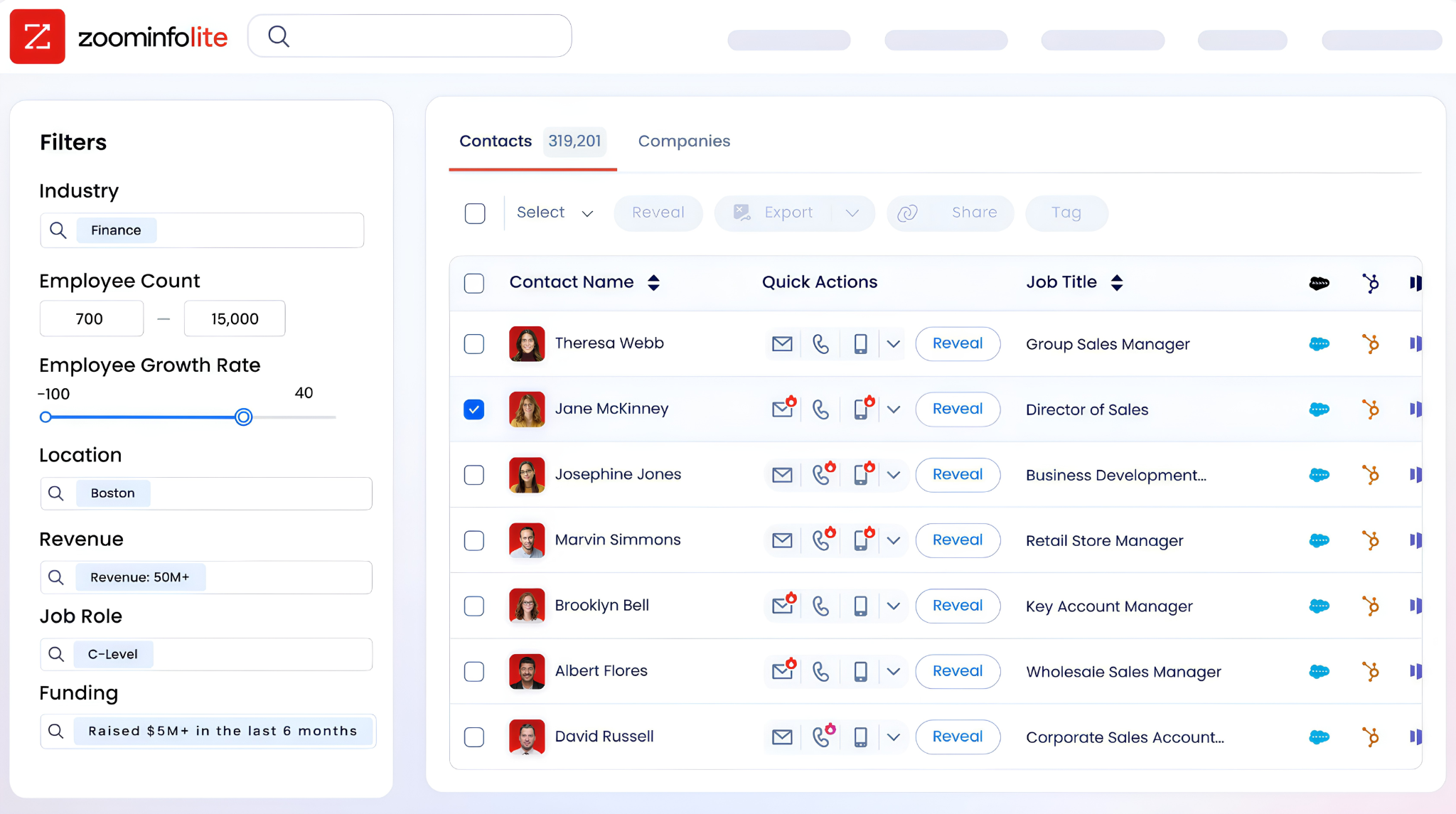
ZoomInfo uses consumption-based pricing that is custom-quoted based on seats, credit volume, features, and contract length. No prices are published publicly. ZoomInfo Lite is a permanent free tier with access to the B2B database and 10 monthly export credits. A 7-day free trial is also available.
Source: ZoomInfo
ZoomInfo is priced as enterprise infrastructure, not a per-seat scheduling tool, so the comparison isn't apples-to-apples. The relevant question is whether the intelligence ZoomInfo adds to your scheduling workflow generates enough pipeline to justify the investment alongside your scheduling platform.
SpringDB, using ZoomInfo for enriched data targeting, achieved 2x to 3x increases in campaign conversions, a 300% increase in database usability, and 30-50% uplift in average deal size. (SpringDB case study)
Integration ecosystems reflect different priorities
Calendly has the broadest native integration library in the scheduling category. The integrations directory covers 100+ tools across calendars, video conferencing, CRM, marketing automation, payments, analytics, and AI assistants.
Native connections to Salesforce, HubSpot, Marketo, Pardot, Zoom, Google Meet, Microsoft Teams, Slack, Stripe, LinkedIn, and more are built into the platform. For teams that need scheduling to slot into an existing tech stack without middleware, Calendly offers the most paths. Calendly also offers connectors for Claude and a Calendly MCP Server for AI agent workflows.
Source: Calendly
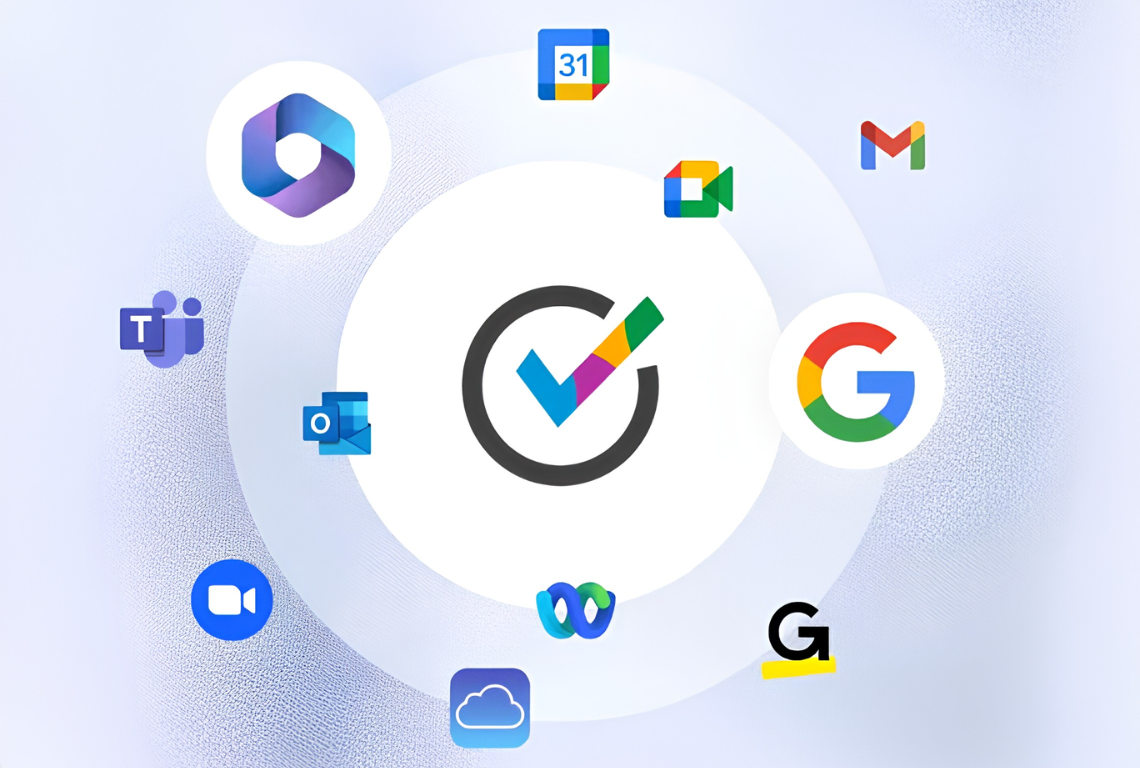
OnceHub's native integration set is smaller but covers the essentials: Google Calendar, Microsoft 365, Exchange, iCloud for calendars; Zoom, Google Meet, Microsoft Teams, GoTo Meeting, Webex for video; and Salesforce, HubSpot, Keap for CRM. Stripe handles payments natively..
Source: OnceHub
Where OnceHub makes up ground is in iPaaS breadth: Zapier, Make.com, n8n, ViaSocket, and Keragon (the last being HIPAA-compliant, targeting healthcare EHR integrations) are all supported as native connections. An OpenAPI Developer Center and MCP server extend access for custom and AI workflows. OnceHub also supports iCloud Calendar natively, which Calendly does not.
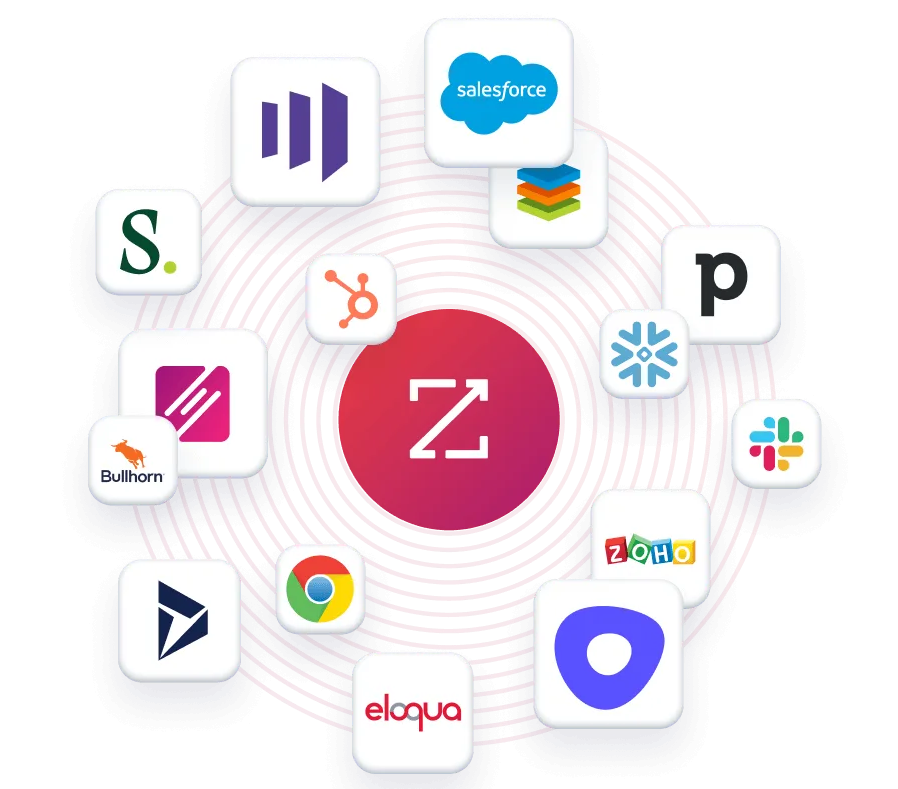
ZoomInfo operates at a different scale. The ZoomInfo Marketplace lists 172+ integration partners across CRM, marketing automation, sales engagement, data warehouses, and AI/LLM platforms.
Source: ZoomInfo
The ZoomInfo MCP server works with Claude, ChatGPT, and any MCP-compatible client. Cloud Partners deliver data into AWS, Google Cloud, Snowflake, and Databricks. This means ZoomInfo's intelligence can feed into scheduling platforms, CRMs, marketing tools, and custom AI agents at the same time.
Support models match each platform's audience
Calendly scales support by tier. Free users get self-service only (help center, community forum). Standard and Teams users receive 24/7 chat and email support. Enterprise adds dedicated account support, onboarding, phone support, and personalized success metrics. Capterra reviewers note that support quality varies by plan, with free and standard users reporting slower responses.
OnceHub offers 24/7 email and live chat support on all paid plans, with the Basic free tier limited to the knowledge base. Enterprise customers receive priority support and a dedicated success manager.
Capterra reviewers rate OnceHub's customer service at 4.6 out of 5, with specific praise for personalized solutions. The consistent complaint is the lack of phone support for complex setup issues: "If you have any problems, good luck getting someone on the phone."
ZoomInfo provides support through a Help Center, ZoomInfo University with role-specific learning paths and certifications, and direct phone support at +1 866-904-9666. Enterprise customers can access ZoomInfo Labs for professional services.

Source: ZoomInfo
ZoomInfo's onboarding program runs 30 to 90 days, structured across planning, implementation, education, and adoption phases, and won Rocketlane's Golden Comet award for Best Customer Onboarding Team of 2024.
OnceHub vs. Calendly vs. ZoomInfo: Which should you choose?
The right answer depends on what problem you're solving.
Choose OnceHub if:
You operate in a regulated industry requiring HIPAA, FINRA, or FERPA compliance
You need AI phone agents answering inbound calls and booking appointments
Your workflow demands screening and qualification before any calendar slot is offered
You manage complex multi-advisor or multi-location scheduling through guided flows
Branding control and white-labeled booking pages matter to your client experience
Choose Calendly if:
Adoption speed matters most, and you need your team booking meetings today
Your tech stack demands broad native integrations with CRM, marketing, and sales tools
You want AI meeting recaps and a lightweight CRM built into your scheduling platform
Your team values simplicity and a booking experience that invitees instantly understand
Enterprise security (SOC 2, ISO 27001) covers your compliance needs
Add ZoomInfo to either if:
You need verified contact data and direct dials to reach the right prospects before sharing a booking link
Buyer intent signals should determine which accounts your team prioritizes for meetings
Your routing forms need enrichment data to qualify and assign leads without asking extra questions
You want AI-drafted outreach informed by account context, not generic templates
Your scheduling workflow should run on the same intelligence driving your entire GTM strategy
See how ZoomInfo's data and intelligence layer works alongside your scheduling platform.
OnceHub and Calendly both solve scheduling well, from different directions. OnceHub invests in depth: compliance, engagement, and qualification logic that keeps unqualified meetings from reaching your team.
Calendly invests in breadth: adoption speed, integration coverage, and a frictionless experience that gets meetings booked faster. The choice between them is a question of which dimension matters more to your business.
But regardless of which scheduling tool you choose, the meetings that move the pipeline are the ones where the right rep meets the right prospect at the right time with the right context. That's the layer ZoomInfo provides, and it's what turns a scheduling tool into a revenue engine.
OnceHub vs. Calendly vs. ZoomInfo FAQ
What is the core difference between OnceHub and Calendly?
Calendly is a scheduling automation platform focused on eliminating friction in booking meetings. Its strength is ease of use, broad integrations (100+), and a frictionless invitee experience used by 20 million individuals and businesses globally.
OnceHub is an engagement platform that adds screening, qualification, AI chatbots, and phone agents to the scheduling workflow. It is built for regulated industries (HIPAA, FINRA, FERPA compliance) and organizations where meetings require qualification before a time slot is offered.
How does ZoomInfo fit into a scheduling workflow?
ZoomInfo is not a scheduling tool. It is a B2B intelligence platform that provides the data layer feeding into your scheduling workflow. ZoomInfo's contact data, buyer intent signals, and account intelligence help teams identify who to target and when prospects are ready to buy.
Calendly's routing forms can use ZoomInfo enrichment data for automated lead qualification and routing, so a visitor's company profile determines which rep they see without the visitor answering extra questions.
Which platform is cheaper for a team of 20 users?
Calendly's Teams plan costs $16/seat/month (annual billing), totaling $320/month for 20 users. OnceHub's comparable Route plan costs $19/seat/month (annual), totaling $380/month.
For OnceHub's chatbot and AI features (Engage plan at $39/seat/month), the cost rises to $780/month. Adding OnceHub's security and compliance add-on ($5/seat/month) brings it to $880/month. Calendly is the more affordable option at every tier for teams that do not need OnceHub's compliance or engagement features.
Which platform has better lead routing capabilities?
Both offer routing forms with conditional logic and CRM-based routing. Calendly's routing forms perform real-time Salesforce and HubSpot lookups and support hidden field routing using enrichment data from Clearbit or ZoomInfo.
OnceHub's routing forms add a visual drag-and-drop logic builder, progressive form capture (partial submissions save automatically), in-form scheduling (visitors book without leaving the form), and the ability to deploy routing forms as phone agent experiences. OnceHub's routing is stronger for complex qualification flows; Calendly's is faster to configure for teams already using CRM assignment data.
Which platform is better for HIPAA compliance?
OnceHub is the clear choice for HIPAA compliance. It offers a Business Associate Agreement, encryption at rest (AES-256), TLS 1.2+ in transit, audit trails, SSO, 2FA, and account lockout policies as part of its security and compliance add-on. Calendly does not offer HIPAA BAAs or HIPAA-specific compliance features.
Can OnceHub handle phone-based scheduling?
Yes. OnceHub's Phone Agents use AI to answer inbound calls, screen callers, qualify leads, and book appointments through natural-language conversation, with no human receptionist required. Each paid plan includes dedicated phone numbers (1 on Schedule, 2 on Route, 3 on Engage), and additional numbers cost $4/month each. Calendly does not offer phone-based scheduling.
Does Calendly have AI meeting notes?
Yes. Calendly's Notetaker joins meetings on Zoom, Google Meet, or Microsoft Teams, records the conversation, and generates AI summaries with action items. It works on meetings not scheduled through Calendly and is included on all paid plans with unlimited recaps. Notetaker can push recaps to Salesforce, HubSpot, or Zapier-connected apps. It is currently available in English only.
What does ZoomInfo's buyer intent data add to scheduling?
ZoomInfo's buyer intent data tracks signals from 210 million IP-to-Organization pairings, identifying companies actively researching topics in your category. This tells your team which accounts to prioritize before a booking link is ever shared.
When intent data pairs with scheduling tools, reps focus on prospects who are actively in-market rather than treating every inbound booking equally. Teams using ZoomInfo's intelligence for prioritization have reported booking nearly 60% more meetings per week and being first to engage with an account in over half of cases.
