
You're evaluating PandaDoc, or already using it, and you want to know what the platform does before you commit deeper. Not a review with a verdict, but a map: every feature, how it works, who it serves, and which plan unlocks it.
PandaDoc is a document automation platform that covers document creation, eSignature, CPQ, deal rooms, workflow automations, and payment collection from a single workspace. It serves 68,000+ customers and ranks #1 on G2 in proposals, eSignature, and contract management. This breakdown covers its full feature set, from the drag-and-drop editor through enterprise compliance, so you finish with a complete picture of what PandaDoc can and cannot do.
PandaDoc's feature set has you covered if:
You need to create, send, track, and collect signatures on proposals, contracts, and quotes in one platform
You want CPQ with guided selling and pricing rules embedded in your Salesforce, HubSpot, or Pipedrive CRM
You collect payment at the moment of signing through Stripe, Square, or PayPal
You run structured approval workflows where documents route to reviewers automatically before reaching the signer
You want shared deal rooms that give buying committees a single space for proposals, action plans, and signatures
You need eSignature compliance across US (ESIGN, UETA), EU (eIDAS, QES), and regulated industries (HIPAA, 21 CFR Part 11)
You'll reach the edges of its capabilities if:
You need a B2B contact and company database to identify and reach the buyers those documents go to
You want intent signals showing which companies are researching your category before you send the first proposal
You need conversation intelligence that records, transcribes, and coaches from sales calls
You want account-based marketing orchestration, display advertising, or multi-channel campaign management
You need to identify who visits your website and trigger outreach based on that visit
For those needs, the reference point is ZoomInfo: a go-to-market platform built on 500M contacts, 100M companies, and 135M+ verified phone numbers. Its GTM Context Graph combines B2B data with CRM records, conversation intelligence, and behavioral signals into a single intelligence layer. Access runs through APIs, MCP, GTM Workspace, and GTM Studio.
After the feature breakdown, this article covers where PandaDoc stops and how ZoomInfo fills those gaps.
PandaDoc Platform Overview
Source: PandaDoc
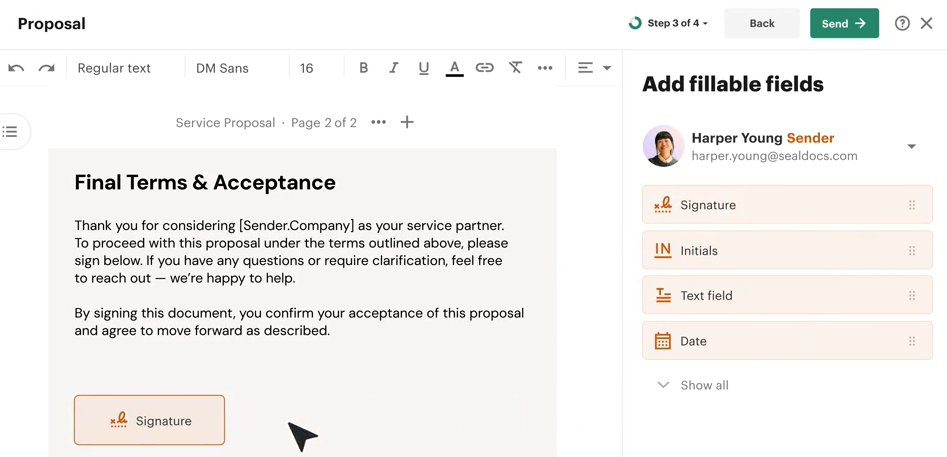
PandaDoc is a document management and automation platform built for sales, legal, HR, and operations teams at SMB and mid-market companies. Its tagline: "Create, Approve, Track & eSign Docs 40% Faster."
The company has expanded beyond its early identity as an e-signature tool into CPQ, deal rooms, and payment collection. Named customers include Autodesk, Boeing, PepsiCo, and Sysco, and the platform reached $100M ARR in August 2024.
The platform organizes around six capability areas:
Module | What It Does | Plan |
|---|---|---|
Drag-and-drop editor, templates, content library, Smart Content, AI writing, bulk send | All plans (advanced fields on paid plans) | |
Legally binding signatures with signing order, identity verification, audit trail, QES | Free (basic); full suite on paid plans | |
Configure-price-quote with guided selling, rules engine, product catalog, CRM-native variants | Enterprise only | |
Shared buyer-seller spaces with action plans, document sharing, and engagement insights | Business (3 published rooms); unlimited on Enterprise | |
Status-triggered actions, approval routing, auto reminders, CRM sync, cloud storage archiving | Business and Enterprise (advanced automations on Enterprise) | |
Embedded Stripe, Square, and PayPal checkout at time of signing | All plans (expanded to Free and Starter in March 2026) |
Pricing runs across four tiers: Free ($0, unlimited seats, eSign only), Starter ($19/user/month annual), Business ($49/seat/month annual), and Enterprise (custom pricing). Annual billing saves up to 46% versus monthly. CRM integrations, approval workflows, and custom quotes start at Business; CPQ, SSO, custom roles, and data residency require Enterprise. Here is the full tour.
PandaDoc Document Creation and Templates
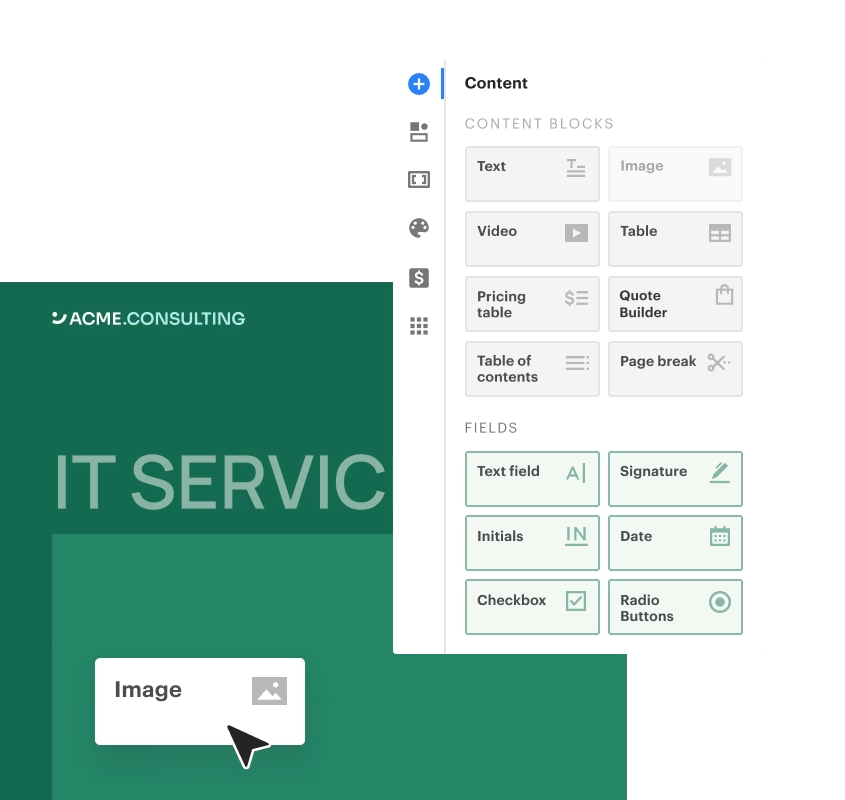
Document generation is the foundation everything else sits on. PandaDoc's browser-based drag-and-drop editor uses a block-based system where users assemble text, images, videos, pricing tables, and signature fields in a live-rendering environment.
Source: PandaDoc
You start from a blank canvas, import a DOCX file, or choose from 1,000+ pre-built templates. The editor is available on all paid plans.
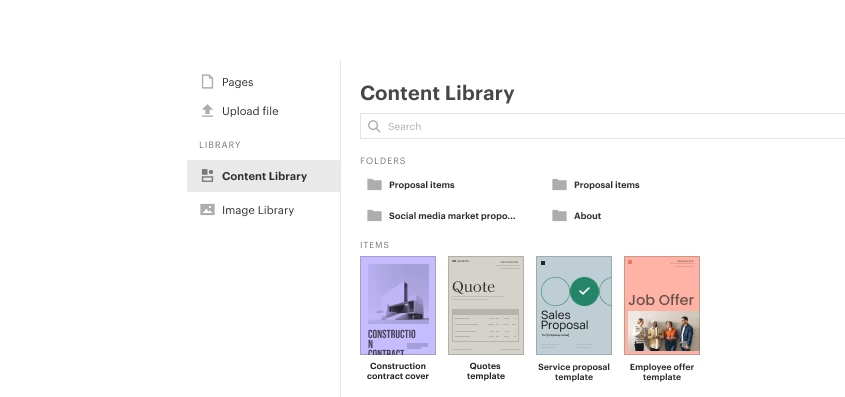
The Content Library stores reusable components: templates, text snippets, legal clauses, logos, images, and videos in a centralized repository. Content can be scoped to specific workspaces so each team sees only relevant assets.
Source: PandaDoc
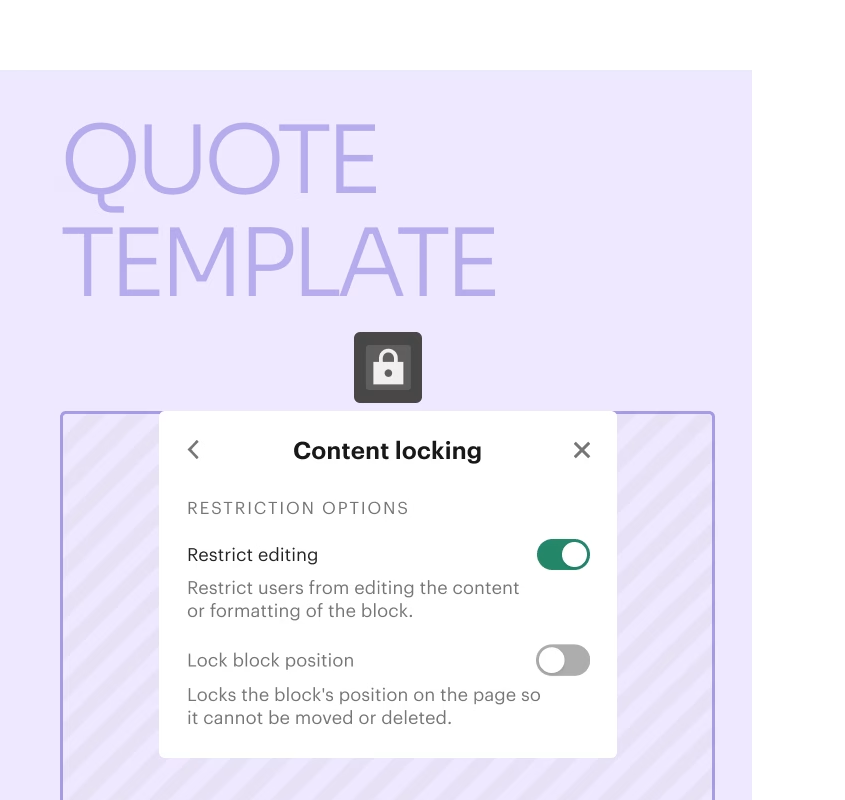
Content locking lets admins freeze specific blocks within templates, preventing reps from editing approved language, pricing, or legal terms.
Source: PandaDoc
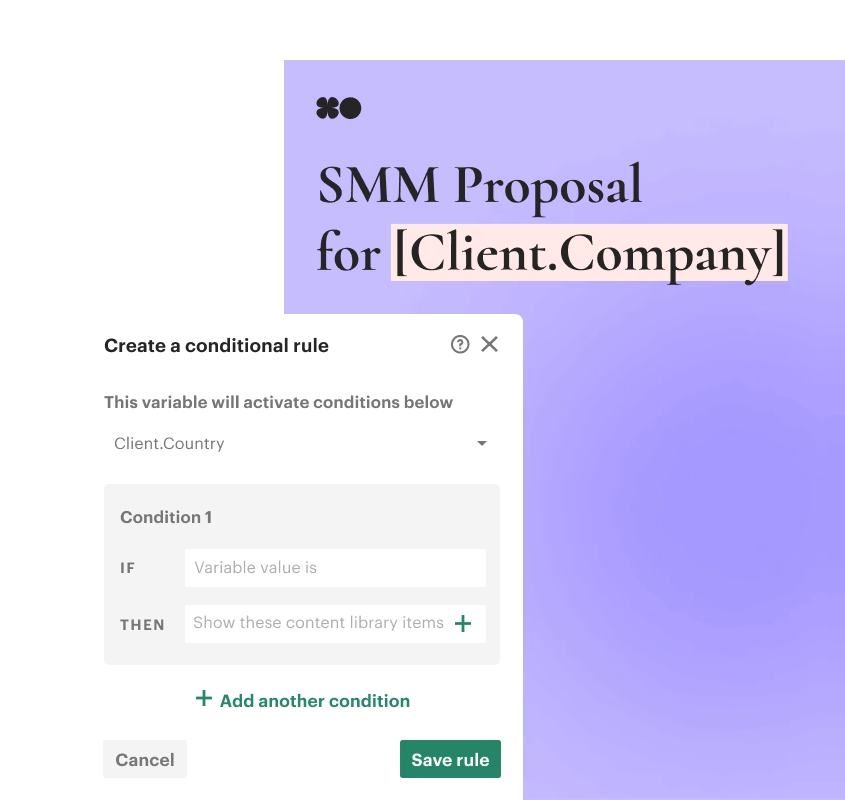
Smart Content adds rules-based conditional logic in three modes. Placeholders are temporary slots filled at document creation time. Conditional content (Enterprise only) shows or hides entire sections based on variables like company size, geography, or industry, so a single template produces jurisdiction-specific contracts without manual editing.
Source: PandaDoc
Pre-selected collateral (Business and above) lets admins curate content options that reps choose from when building a document.
The template system supports template roles as generic signer placeholders and variables as dynamic data fields for names, addresses, pricing, and deal details.
When someone generates a document from a template, variables fill automatically from a connected CRM (Salesforce, HubSpot, Pipedrive, and 15+ others) or manually by the sender. Two-way sync with Salesforce and HubSpot writes document status back into the CRM pipeline.
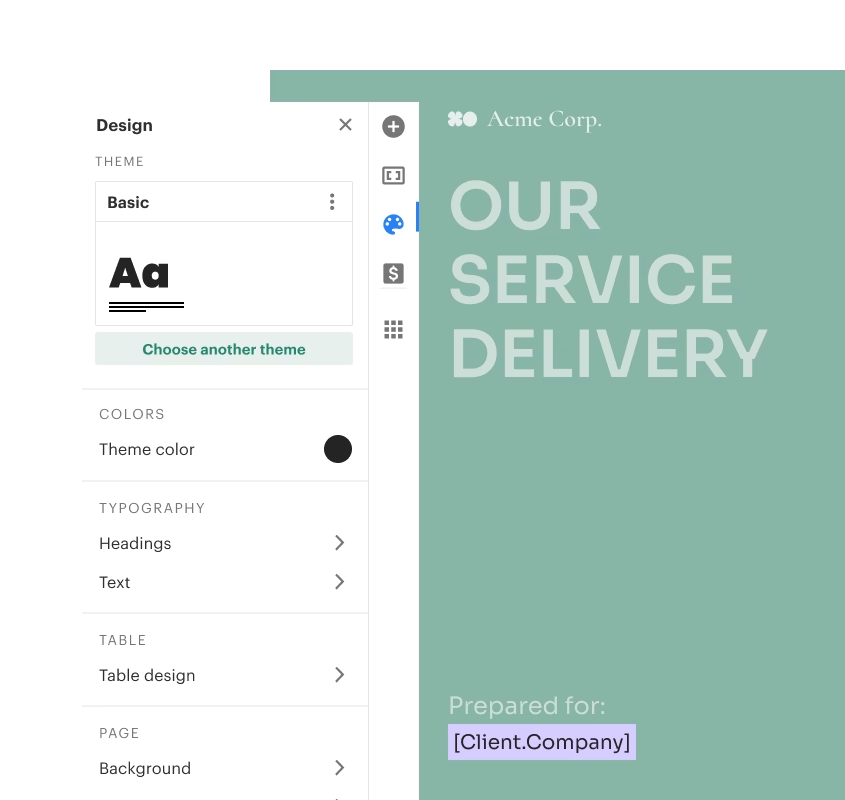
Custom branding and document themes let teams define colors, fonts, and logos once, then propagate them across all future documents. Document bundling combines multiple documents into a single package for delivery. Version history tracks changes, and sent documents can be edited after dispatch.
Source: PandaDoc
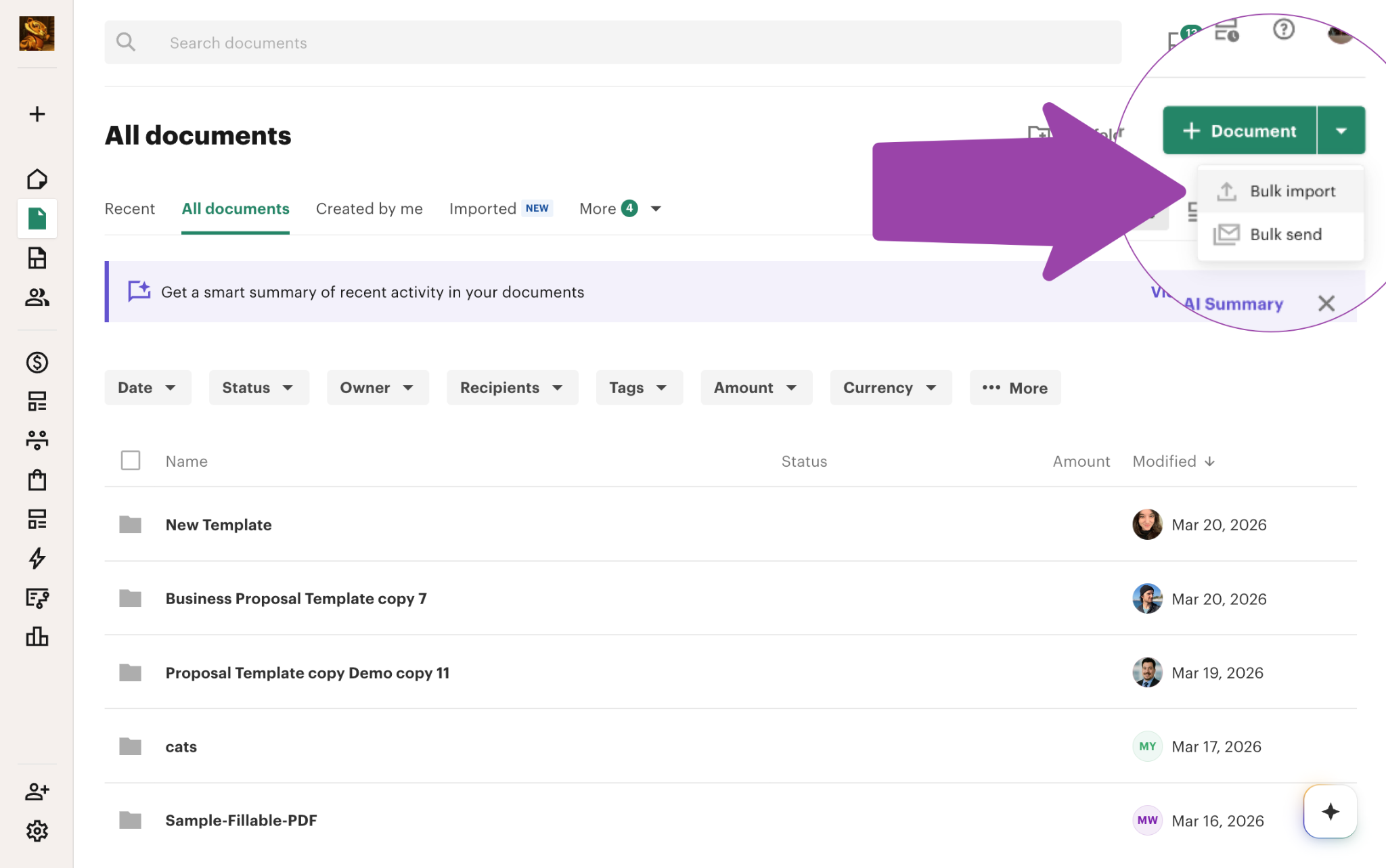
For teams generating documents at scale, the API triggers document creation programmatically in response to business events. Bulk import handles up to 50MB per file and 2,000 pages per PDF, and bulk send dispatches large volumes at once (Business and above).
Source: PandaDoc
Built-in AI helps draft and refine copy within text blocks. The PandaDoc MCP server extends this further, letting AI agents like Claude Desktop and Cursor create documents and send them for signature through natural language prompts.
PandaDoc announced in March 2026 that it is "rebuilding the editing experience from the ground up", aiming for faster performance and a simpler interface.
PandaDoc eSignature
PandaDoc's eSignature capability is built into the document creation platform, so the same tool that builds and tracks a document also handles signing.
Source: PandaDoc
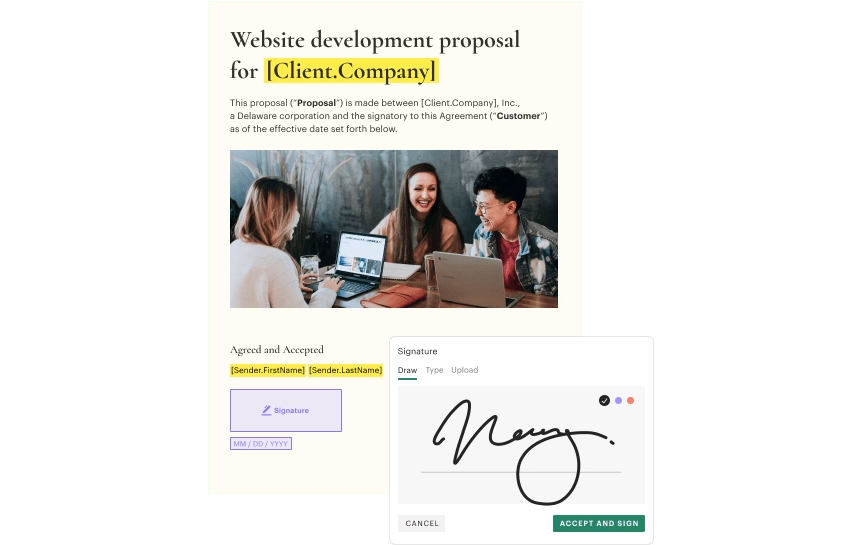
The platform supports three tiers of electronic signature under the eIDAS framework: Basic (typed, drawn, or scanned), Advanced Electronic Signature (AES, with additional verification), and Qualified Electronic Signature (QES), the highest legal standard, equivalent to a handwritten signature across all 27 EU member states. PandaDoc claims documents get signed 3x faster than traditional methods.
Signing order routes documents sequentially: each recipient receives the document only after the previous signer finishes.
You can toggle signing order off for simultaneous distribution. Recipients sign on any device (desktop, tablet, mobile) without creating a PandaDoc account or downloading an app. In-person signing supports face-to-face scenarios on a shared device (Business and Enterprise).
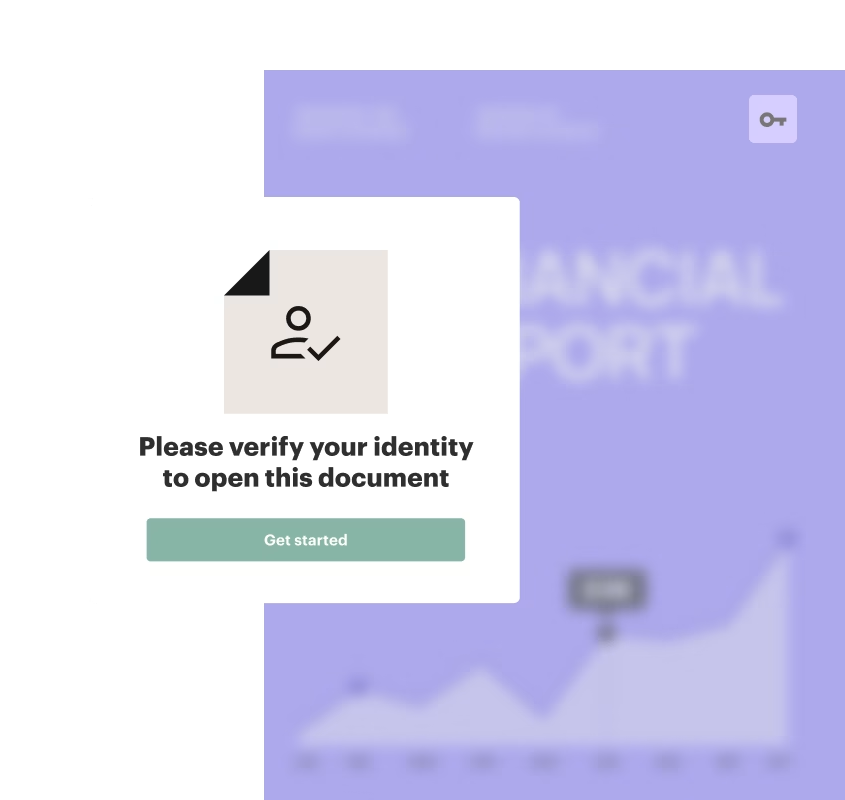
Identity verification offers five methods before a recipient can access or sign: passcode, SMS one-time code, email one-time code, Knowledge-Based Authentication (KBA, US only), and government ID check via biometric facial scanning across 200+ countries. PandaDoc does not store identity documents or biometric data. KBA and ID verification are Enterprise-only.
Source: PandaDoc
Once all parties sign, PandaDoc generates a digital signature certificate using Public Key Infrastructure (PKI) in partnership with Entrust. The certificate, appended to the completed PDF, captures signer names, verified email addresses, IP addresses, geographic location, document reference number, and timestamps. A detailed audit trail records every document interaction with timestamps and IP logging.
PandaDoc offers unlimited signature requests on paid plans with no per-transaction caps, unlike envelope-based billing models.
The platform complies with ESIGN (US), UETA (US), eIDAS (EU), GDPR, HIPAA, SOC 2, and AICPA standards, and added 21 CFR Part 11 compliance in October 2025 for FDA-regulated industries.
The Free plan caps document sends at 60 per calendar year with a maximum of 2 recipients per document and 5 saved templates. Advanced fields (radio buttons, dropdowns, file uploads, pricing tables) are unavailable on Free.
PandaDoc CPQ: Configure, Price, Quote
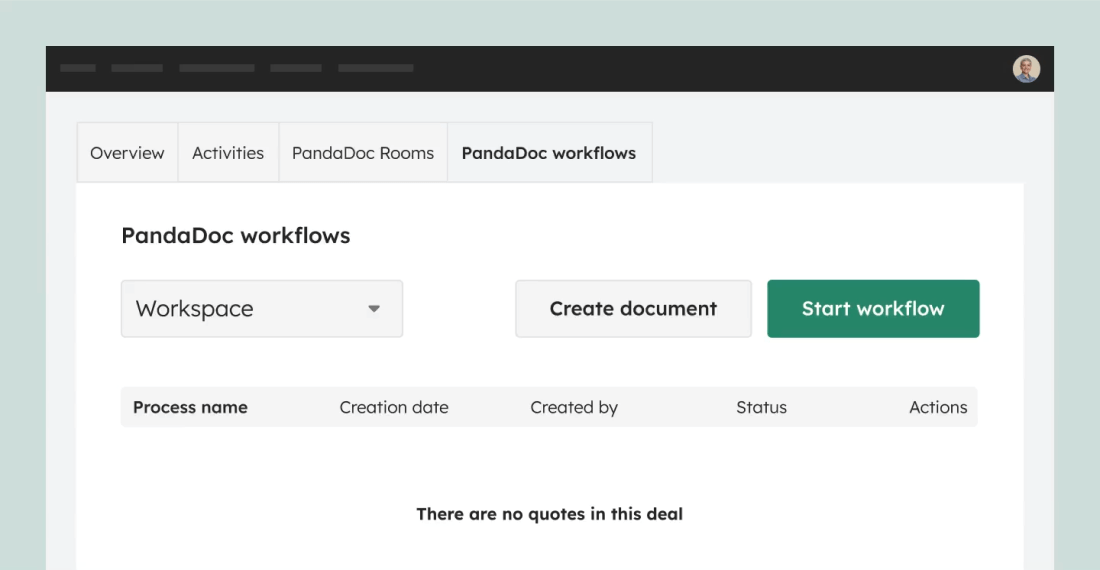
CPQ automates the full configure-price-quote workflow, from product selection and pricing rules through document generation and buyer delivery. It is available only on the Enterprise plan, with CRM-specific variants for Salesforce, HubSpot, and Pipedrive.
Source: PandaDoc
The system uses a workflow-based architecture with distinct stages. At its core is a rules engine built on WHEN/THEN conditional logic: WHEN clauses accept multiple filter conditions; THEN clauses update quote components by adjusting quantities, applying discounts, swapping configurations, or enforcing pricing guardrails. Rules execute in a defined sequence.
A guided selling questionnaire walks reps through product selection with structured playbooks, translating their choices into a configured quote automatically. This reduces the paralysis reps face when they don't know the full product lineup.
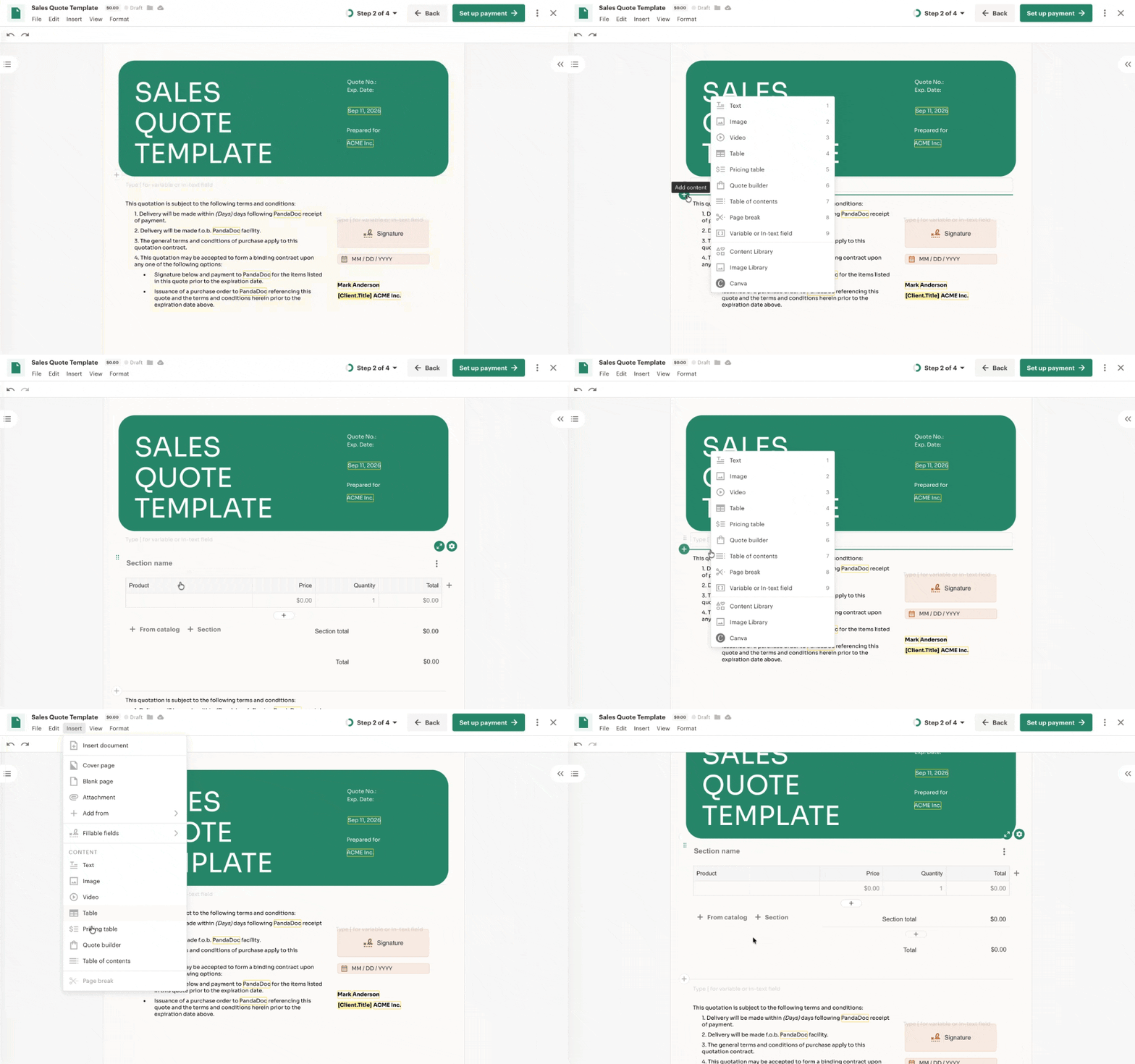
The Quote Builder block assembles products from the Product Catalog, a centralized repository storing SKUs, images, descriptions, and pricing. Each Quote Builder block holds up to 500 products, with customizable columns, section grouping, optional items, and role-based column locking.
Source: PandaDoc
The Product Catalog supports fixed, volume-based, and recurring/subscription pricing, with volume discounts configurable by order quantity.
Pricing tables handle discounts (flat or percentage), taxes, one-time fees, recurring charges, and multi-option packages, calculating final costs automatically. Recipients can select optional line items, adjust quantities, and choose from multiple pricing packages within the quote.
Conditional approval workflows trigger automatically when conditions are met (discount thresholds exceeded, document value breached). When no conditions trigger, documents reach "approved" status without manual intervention.
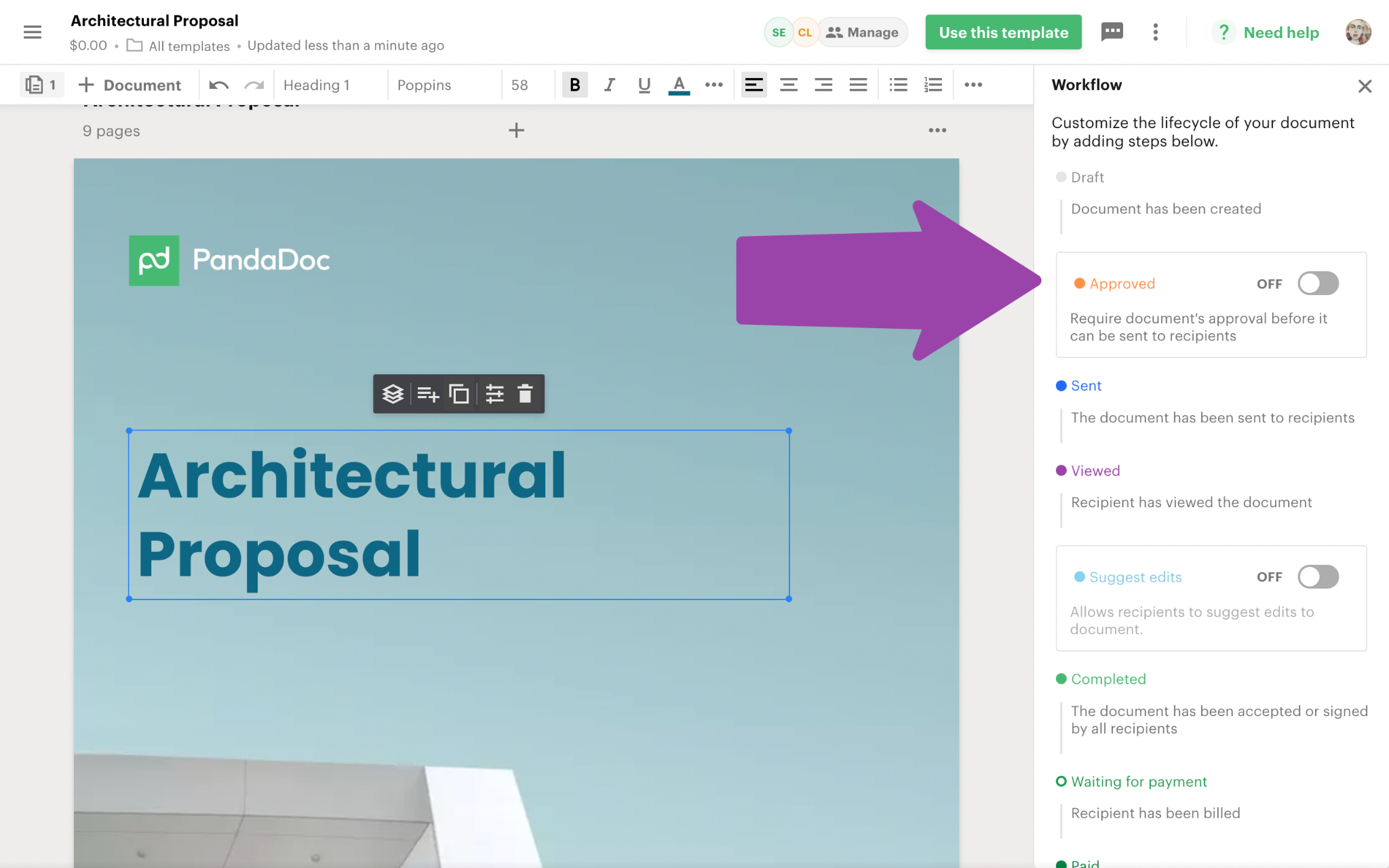
Source: PandaDoc
The completed quote flows into a branded document, gets sent, tracked, e-signed, and paid, all within PandaDoc.
PandaDoc frames CPQ as requiring "no coding or expensive consultants" to deploy. For teams not ready for full CPQ, Pricing Tables and Product Catalog on lower plans provide simpler quoting, so companies can start basic and scale into CPQ without switching platforms.
PandaDoc Deal Rooms
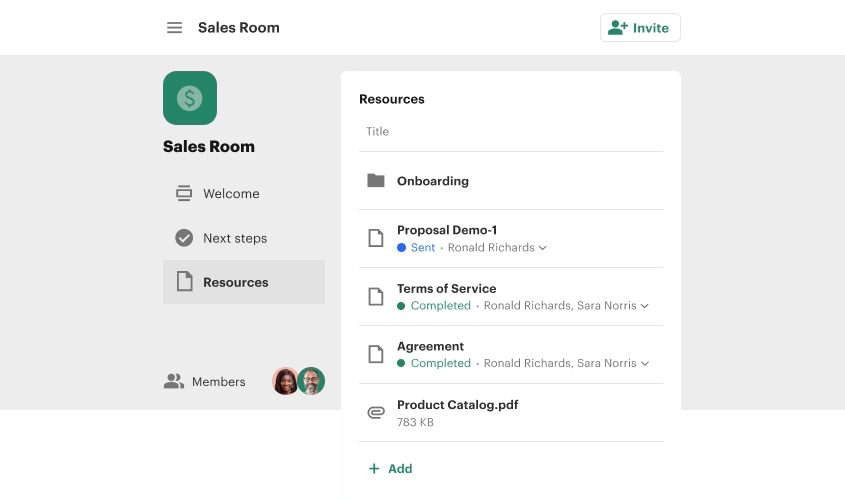
Deal Rooms consolidates document sharing, stakeholder communication, task management, and e-signature workflows into a single branded space. Instead of proposals, contracts, and supporting materials scattered across email attachments and shared drives, sellers publish everything to a persistent hub both sides of a deal can access.
Source: PandaDoc
Every room has three core sections.
The Home page is a customizable landing page built from content blocks (text, images, videos, tables). The Action plan works as a mutual action plan: sellers create tasks, assign them to individuals or all members, set due dates, and attach files, with a progress bar showing completion in real time.
Documents and files is the repository for PandaDoc documents, uploaded files up to 2GB, and embedded public links.
Access controls are fine-grained. Documents and folders carry individual access settings: "All in the room," selected users, or no one. PandaDoc documents can be restricted to signers only, all room members, or internal members only. Member permissions ("Can invite members," "Can add content") are granted independently.
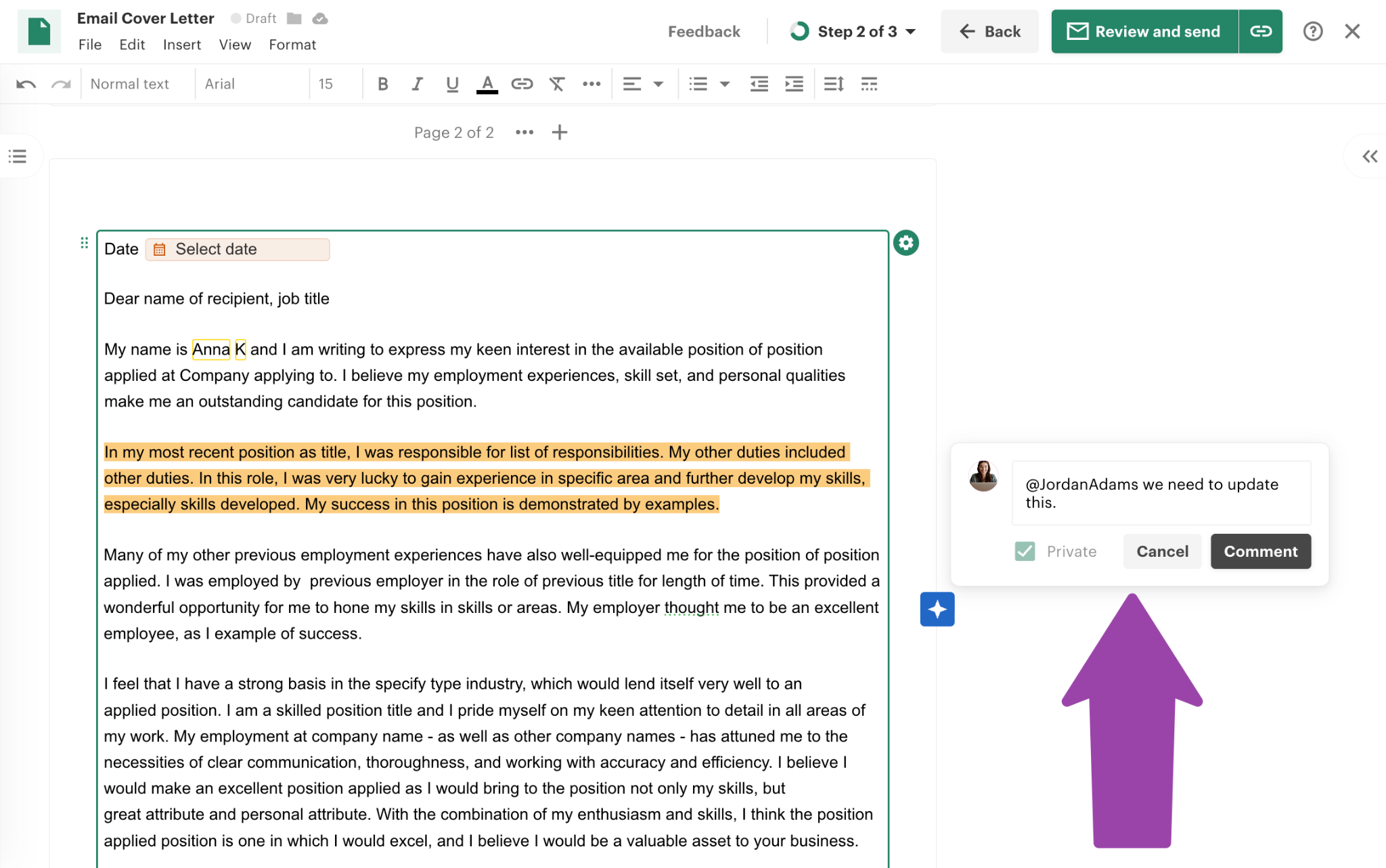
The Insights dashboard tracks room views, open rates per user, task completion as a pie chart, and per-item content engagement. Inline comments allow both private (internal) and public (buyer-visible) notes on specific text or content blocks.
Source: PandaDoc
For draft documents, collaborators can suggest edits as guest users without a paid PandaDoc seat.
Room templates let teams standardize structure by pre-loading documents, action plan tasks, and folder layouts so each new deal follows the same process. Any live room can become a template. Rooms integrate with HubSpot, where sellers can create them directly within deals, contacts, or companies.
Business plan users can create unlimited rooms but publish a maximum of three; Enterprise users publish unlimited rooms.
PandaDoc Workflow Automations and Approvals
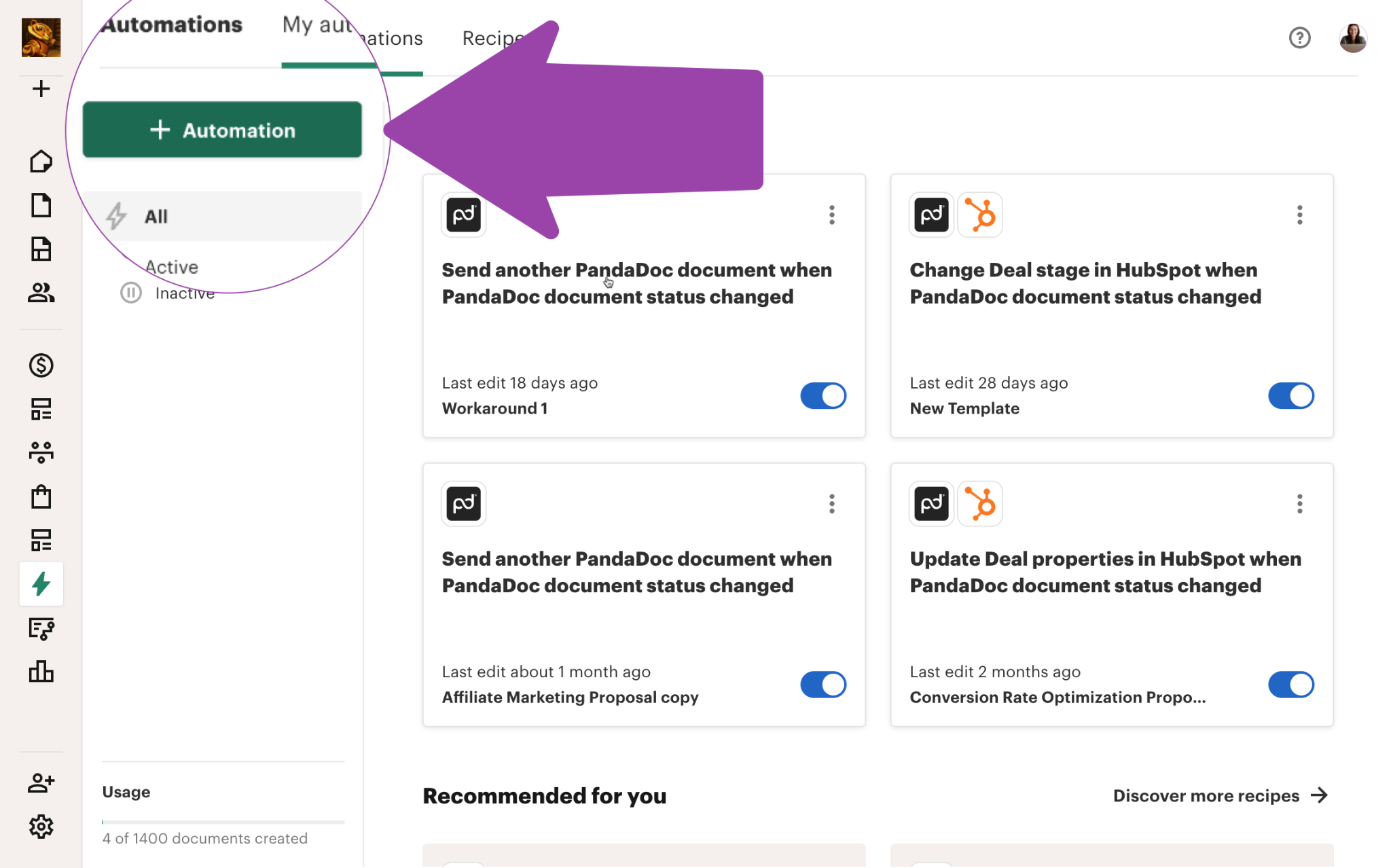
PandaDoc's automation capabilities cover two related systems: status-triggered automations that fire when a document's status changes, and approval workflows that route documents to internal reviewers before they reach the signer.
Source: PandaDoc
Automations run on a trigger-action model: when a document status changes to "Sent" or "Completed," PandaDoc fires a pre-configured action. Teams set automations at the template level, so every document created from that template inherits the automation. Available actions include:
Changing the deal stage in HubSpot, Salesforce, Microsoft Dynamics, Zoho, or Zendesk Sell
Saving completed PDFs to Google Drive, Microsoft OneDrive, Dropbox, Box, or SharePoint
Generating and sending a follow-up document from another template
Creating or updating records in BambooHR and Greenhouse
Moving documents to designated PandaDoc folders
Each workspace supports up to 300 active automations. External Automations (CRM/cloud connections) are a paid add-on for Business and included in Enterprise.
Approval Workflows route documents to reviewers in sequence. Approvers are assigned at the template level with an approval order, and each receives an email notification.
They can approve or reject with inline comments. Conditional approval logic triggers review only when specific conditions are met (discount thresholds, document value), so routine documents move forward without manual sign-off. Approval Workflows start at the Business tier.
Auto Reminders fire on a configurable schedule (default: every 5 days after send) via email or SMS, capped at 10 per recipient per document.
Auto Expirations change a document's status to "Expired" after a set period (default 60 days; Business and Enterprise can set any duration up to 3,650 days).
Contract renewal notifications use AI to capture renewal dates from contracts and set reminders in advance.
PandaDoc Tracking, Analytics, and Payments
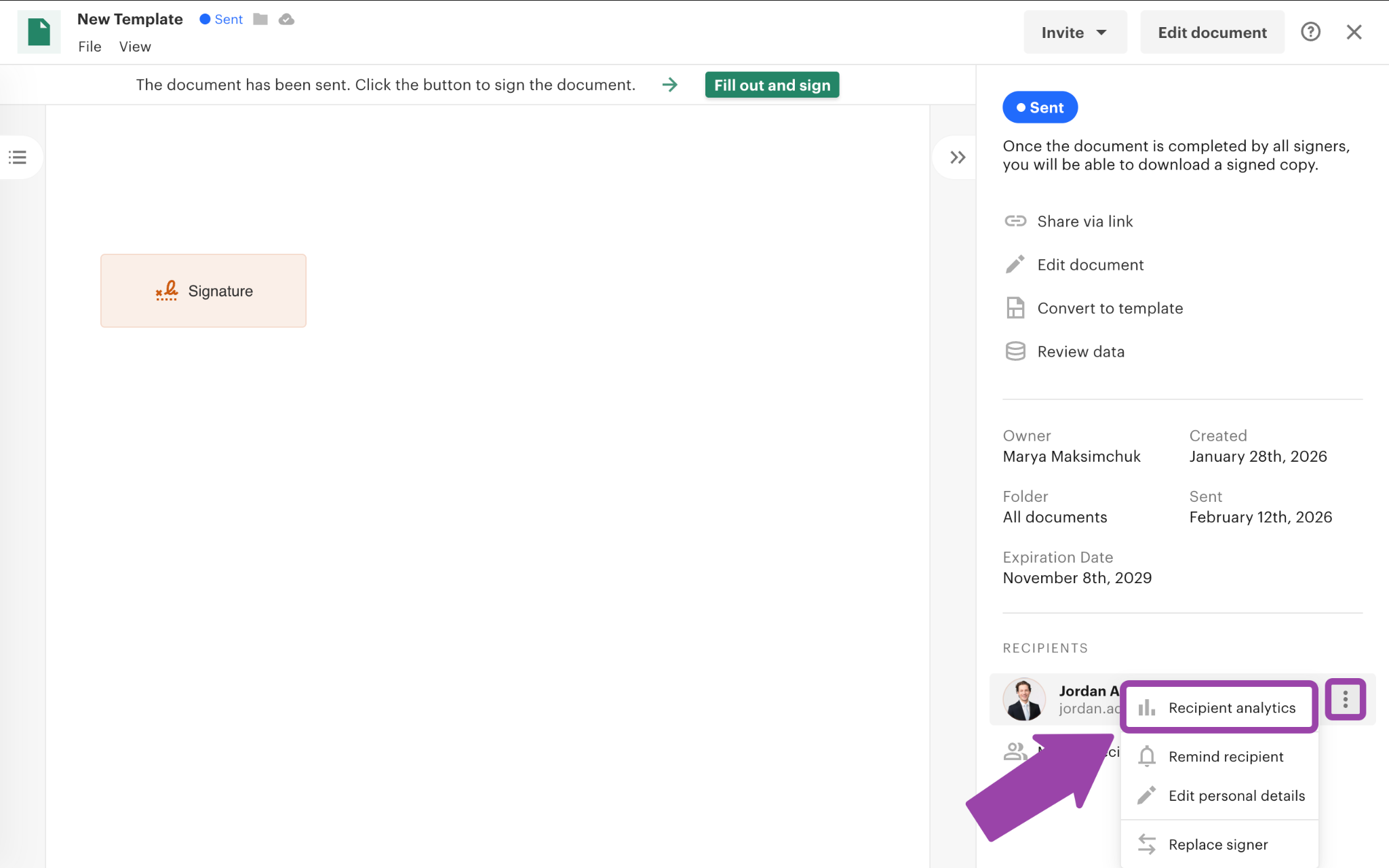
Document Insights shows page-by-page engagement data: who viewed the document, how long they spent on each section, and who they forwarded it to.
Source: PandaDoc
This goes beyond open/click tracking. You see which parts of a proposal a buyer studied and which they skipped. Rooms Insights extends the same visibility into Deal Rooms, tracking per-item engagement and per-user open rates.
Real-time tracking and notifications are available on all plans: senders receive alerts when recipients open, view, or complete documents.
The audit trail provides a tamper-evident record of all interactions with timestamps and IP logging.
AI data extraction (beta) captures contract dates, terms, and values from documents for searchable repository analytics, turning PandaDoc's document store into a queryable contract database.
Payments close the loop from signed contract to collected revenue. PandaDoc embeds checkout through Stripe, Square, Authorize.net, PayPal, QuickBooks Payments, and FreshBooks inside the document, so customers sign and pay in one session.
Recurring Stripe billing and Stripe invoicing extend payment collection to subscription models and formal invoicing. Payment collection expanded to Free and Starter plans in March 2026.
PandaDoc Integrations, API, and Security
PandaDoc's integrations catalogue spans CRM, payment, HR, productivity, and storage. The deepest integrations are with CRM systems: HubSpot, Salesforce, Pipedrive, and Monday.com all offer native, bidirectional data sync. Zapier serves as the primary iPaaS connector for broader automation. Slack handles notifications, and HR integrations include Greenhouse and BambooHR.
The REST API gives programmatic access to documents, templates, forms, content library items, webhook subscriptions, folders, and members. SDKs are published for Python, Node.js, Java, and PHP, and a JavaScript SDK (pandadoc.js) supports three embed modes: Editor Embed, Form Embed, and Signing Session Embed.
The API is priced separately: a free tier provides a sandbox and 60 documents/year, the API Developer Plan ($40/month) provides 40 documents/month, and Enterprise offers custom volume with CRM integrations. Rate limits range from 100 to 2,000 requests per minute depending on the endpoint, with a sandbox cap of 10 RPM.
The MCP server lets AI tools like Claude Desktop and ChatGPT interact with PandaDoc directly. MCP access is available on the free API tier.
PandaDoc's security credentials cover SOC 2 Type II, HIPAA, GDPR, eIDAS, ESIGN, UETA, CCPA/CPRA, FERPA, EU-U.S. Data Privacy Framework, and 21 CFR Part 11. Production infrastructure runs on Amazon AWS with auto-scaling and 24/7 monitoring.
Enterprise customers can choose US or EU data residency. SSO via SAML 2.0 supports Okta, Azure Active Directory, and OneLogin (Enterprise only). Two-factor authentication via authenticator app or SMS is available on all plans, though 2FA is configured per user, not enforced organization-wide (SSO with an IdP handles org-level MFA enforcement on Enterprise).
Where PandaDoc Stops: The Gaps
PandaDoc centers on the document lifecycle: creating, sending, tracking, signing, and collecting payment. That focus shapes its strengths, but it also means the platform does not reach into the go-to-market layers that sit before and around the document.
No B2B contact or company database. PandaDoc has no database of contacts, companies, phone numbers, or email addresses. It creates and delivers the document, but someone else must supply the buyer. A sales team using PandaDoc needs a separate data source to know who to send proposals to.
No buyer intent signals. PandaDoc tracks engagement after a document is sent (who opened it, how long they read each page), but it does not track which companies are researching your category across the web before you reach out. Engagement signals tell you who responded to your document; intent signals tell you who is in-market before you send one.
No website visitor identification. PandaDoc does not identify who visits your website. Document analytics show what happens after a buyer receives a proposal, but the platform gives no insight into anonymous website traffic.
No conversation intelligence. PandaDoc does not record, transcribe, or analyze sales calls. The platform captures what happens in the document (views, signatures, payments), but it provides no analysis of what was said on calls, no objection detection, and no coaching scorecards.
No marketing orchestration or ABM capabilities. PandaDoc is a document tool, not a campaign management or advertising platform. It offers no display advertising, audience management, account-based marketing, or multi-channel campaign orchestration.
No native redlining for contract negotiation. Teams negotiating contract terms back and forth cannot do so natively in PandaDoc. Negotiation-heavy deals require exporting to Word, marking up externally, and reimporting.
How ZoomInfo Covers the Gaps
The gaps above share a common thread: PandaDoc manages what happens inside the document, but depends on external tools for the intelligence, signals, and execution that surround it. ZoomInfo is a go-to-market platform that supplies those layers.
ZoomInfo's B2B Data Platform: The contacts PandaDoc documents are addressed to
ZoomInfo operates the largest B2B data platform in the market: 500M contacts, 100M companies, 135M+ verified phone numbers, 120M direct-dial phone numbers, and 200M+ verified business email addresses. The data flows through a verification pipeline backed by 300+ human researchers and automated ML scanning of 28 million site domains daily, reaching up to 95% accuracy on first-party data.
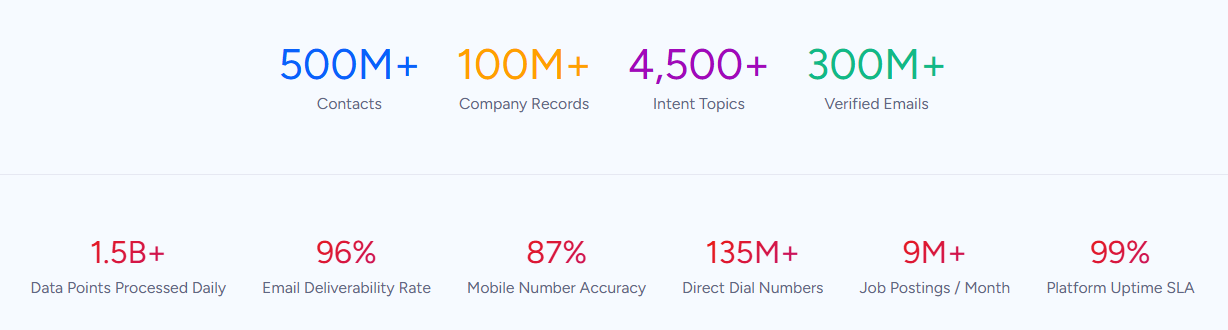
For a team using PandaDoc, this fills the upstream gap. PandaDoc can create a proposal in minutes, but it cannot tell you who should receive it.
ZoomInfo provides department org charts with decision-makers' direct dials and emails, 300+ company attributes for segmentation, and contact tracking with job-change alerts. In a Fortune 500 competitive RFP analyzing 25 million contacts across vendors, an independent consultant concluded that "no other competitor came even close."
ZoomInfo Intent and WebSights: Signals that identify in-market buyers before the first proposal
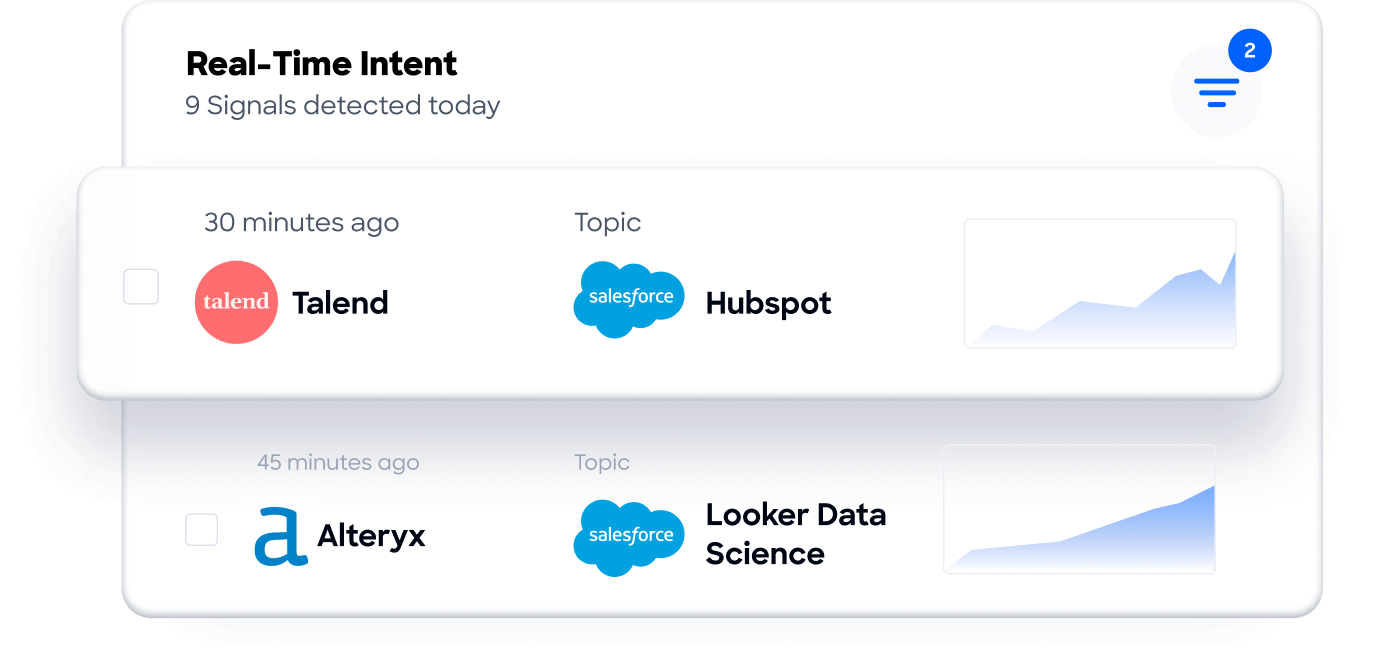
ZoomInfo Intent tracks signals from 210 million IP-to-Organization pairings and 6 trillion+ new keyword-to-device pairings sourced monthly. PandaDoc's document analytics show who engaged with a sent proposal; ZoomInfo's intent data reveals which companies are researching your category before you contact them.
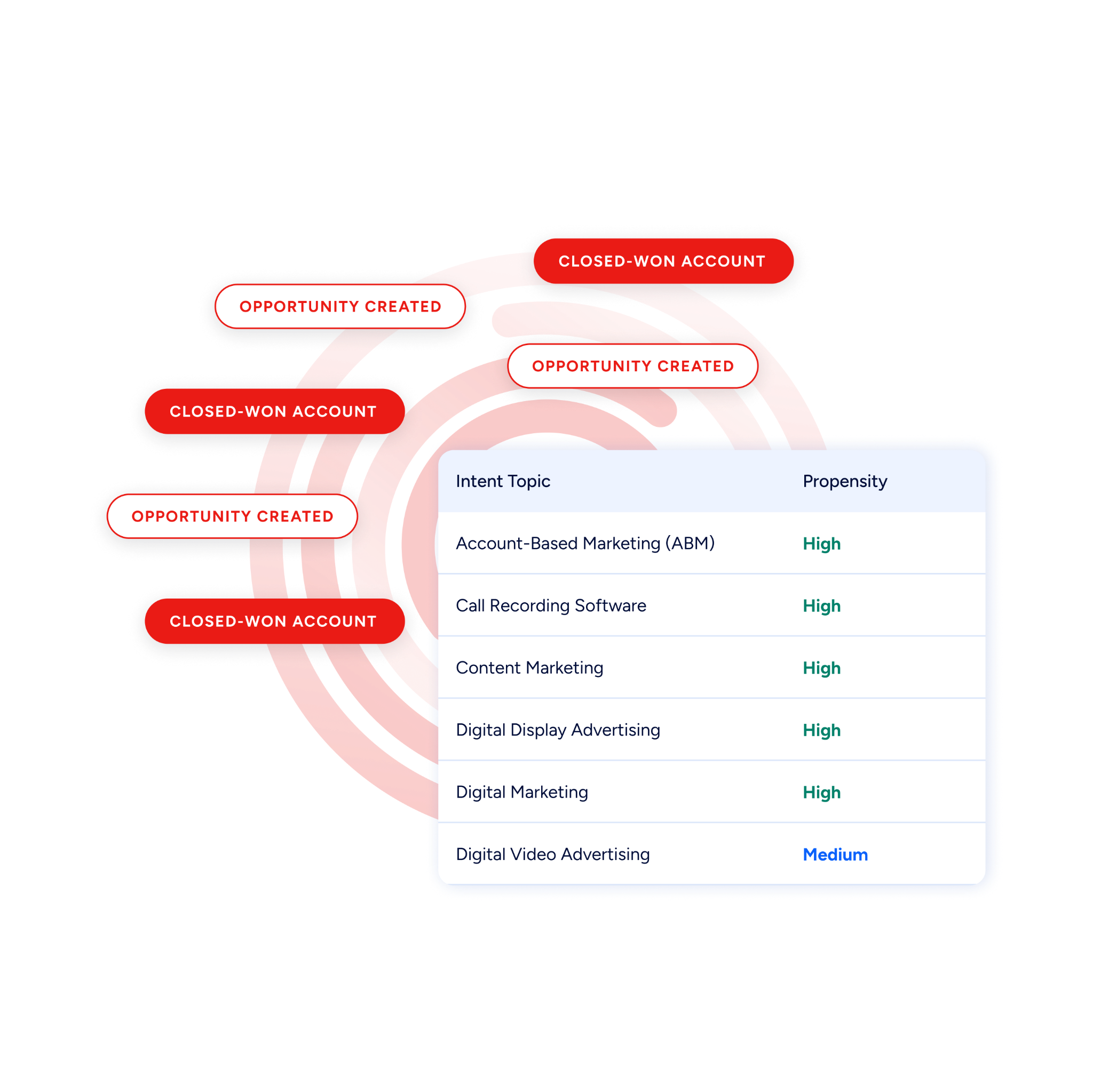
Guided Intent, exclusive to ZoomInfo, identifies topics historically correlated with deal success rather than requiring manual topic selection.
On the website side, WebSights resolves anonymous website traffic to companies, with Automatic Traffic Filtering separating real visitors from bots.
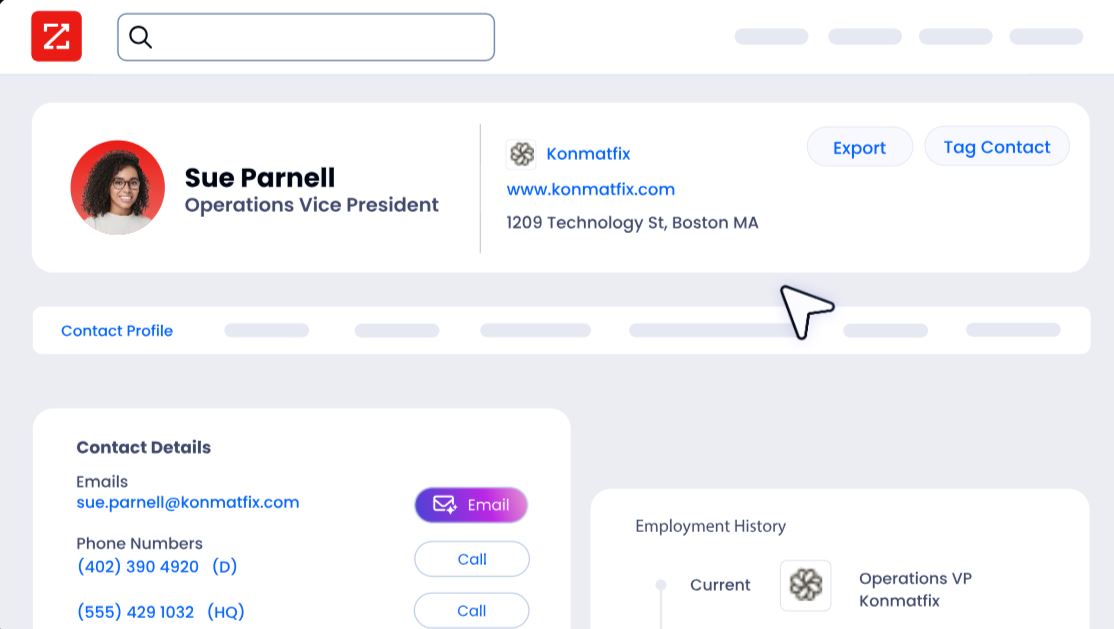
ZoomInfo Marketing extends this with contact-level site visitor identification, showing who specifically visited and triggering personalized outreach.
ZoomInfo's GTM Context Graph and Chorus: Intelligence from calls and deals, not just documents
PandaDoc captures what happens in the document: views, signatures, payments.
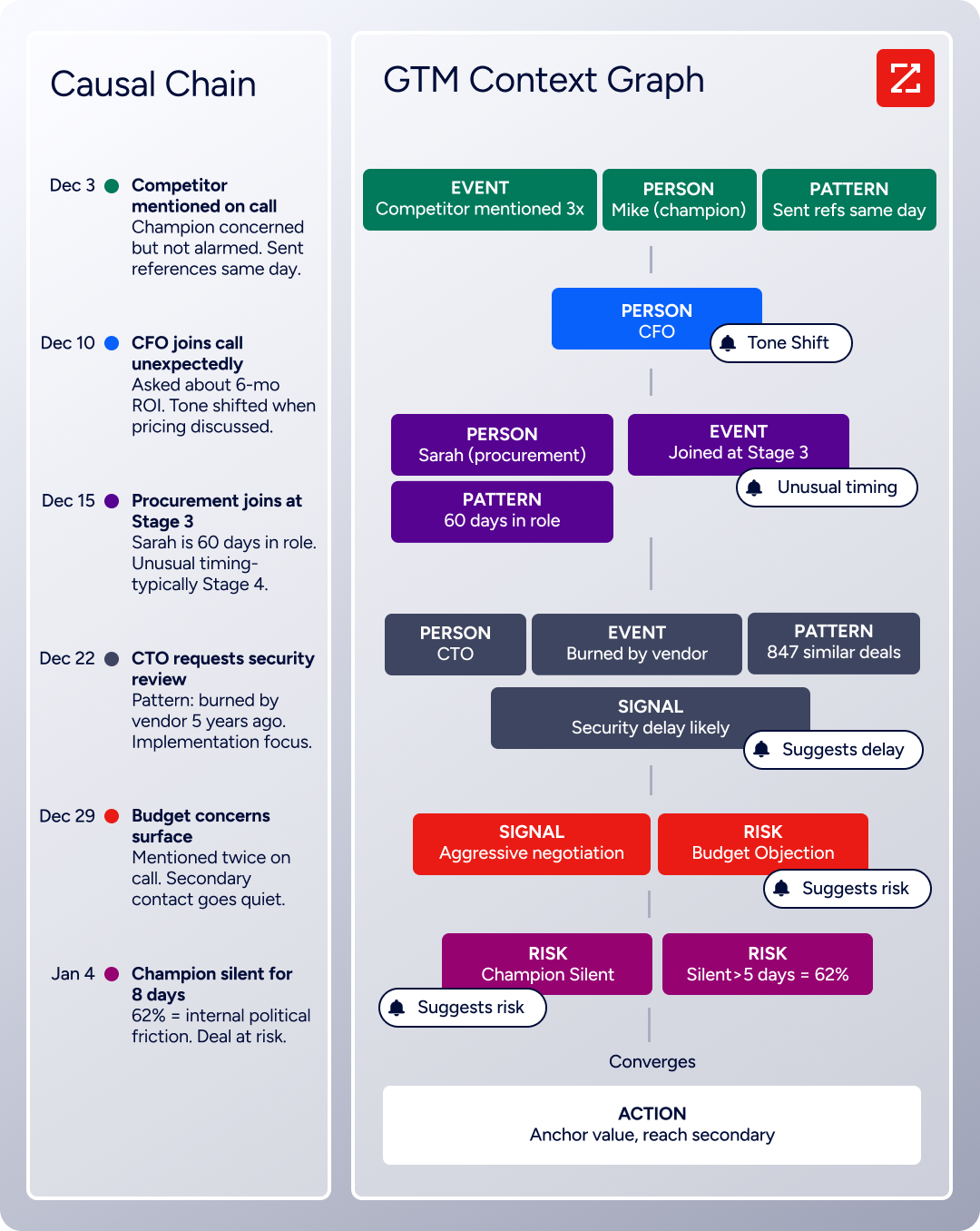
ZoomInfo's GTM Context Graph captures why deals move or stall by processing 1.5B+ data points daily, combining B2B data with CRM records, conversation intelligence from Chorus, email interactions, and behavioral signals.
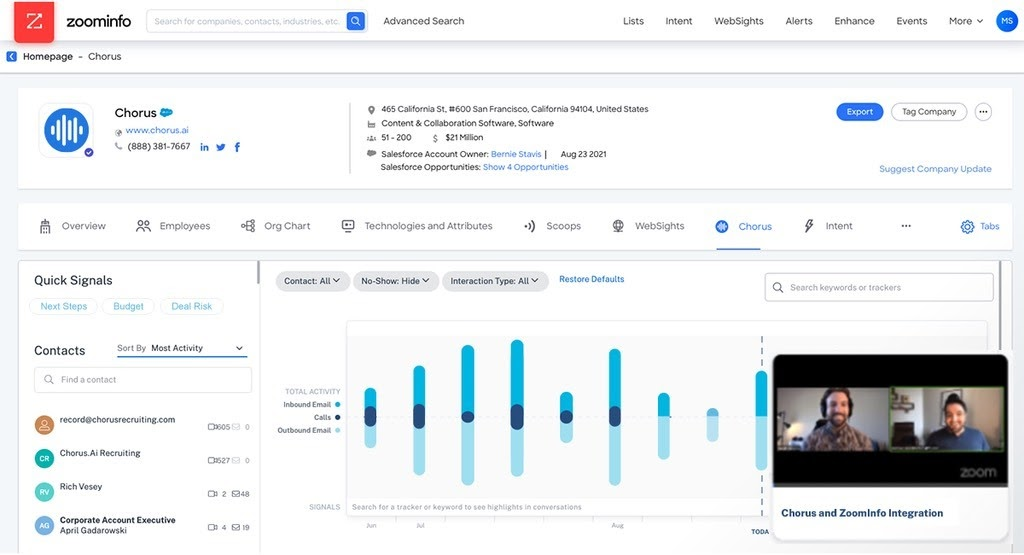
Chorus, backed by 14 technology patents, records and transcribes sales calls, surfaces AI-generated insights (talk ratios, sentiment, objection detection), auto-syncs deal intelligence to the CRM, and provides coaching scorecards and clip sharing.
It captures what document analytics cannot: why a champion went quiet, what a competitive mention means for deal risk, and which objection patterns predict closed-lost outcomes.
ZoomInfo GTM Studio: Marketing orchestration and ABM that document tools cannot provide
GTM Studio addresses the marketing orchestration gap directly. Marketers, RevOps teams, and GTM engineers can build audiences using natural language, enrich with first- and third-party data, define triggers, and activate plays across channels (email, calls, display ads, direct mail, LinkedIn, Meta, Connected TV) without engineering support.
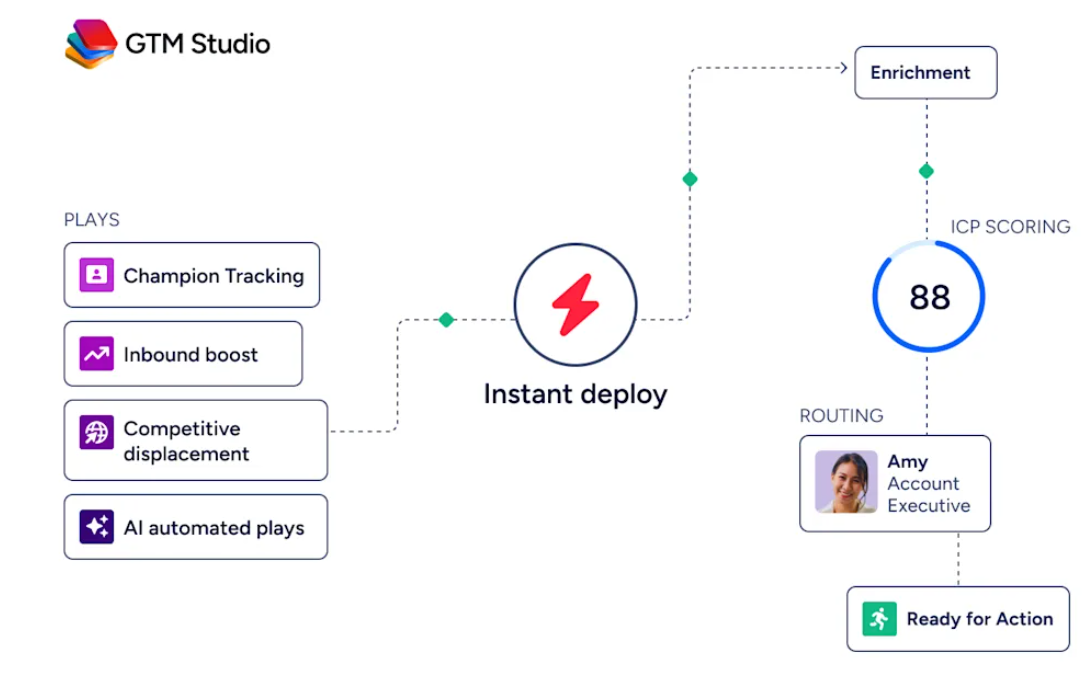
Pre-built GTM plays cover inbound acceleration, champion tracking, competitive displacement, and ICP targeting. Expansion plays that used to take 3 weeks now launch in 30 minutes.
ZoomInfo Marketing includes a native Demand-Side Platform that deploys display ads based on 300+ company attributes and FormComplete, which reduces forms to a single field while auto-appending data.
ZoomInfo GTM Workspace: AI-powered seller execution from signal to outreach
GTM Workspace is ZoomInfo's seller front-end, built on the GTM Context Graph. It gives sellers a full Book of Business view across CRM, ZoomInfo data, conversation history, and market intelligence, with AI agents that automate account research, outreach drafting, CRM updates, and signal monitoring.
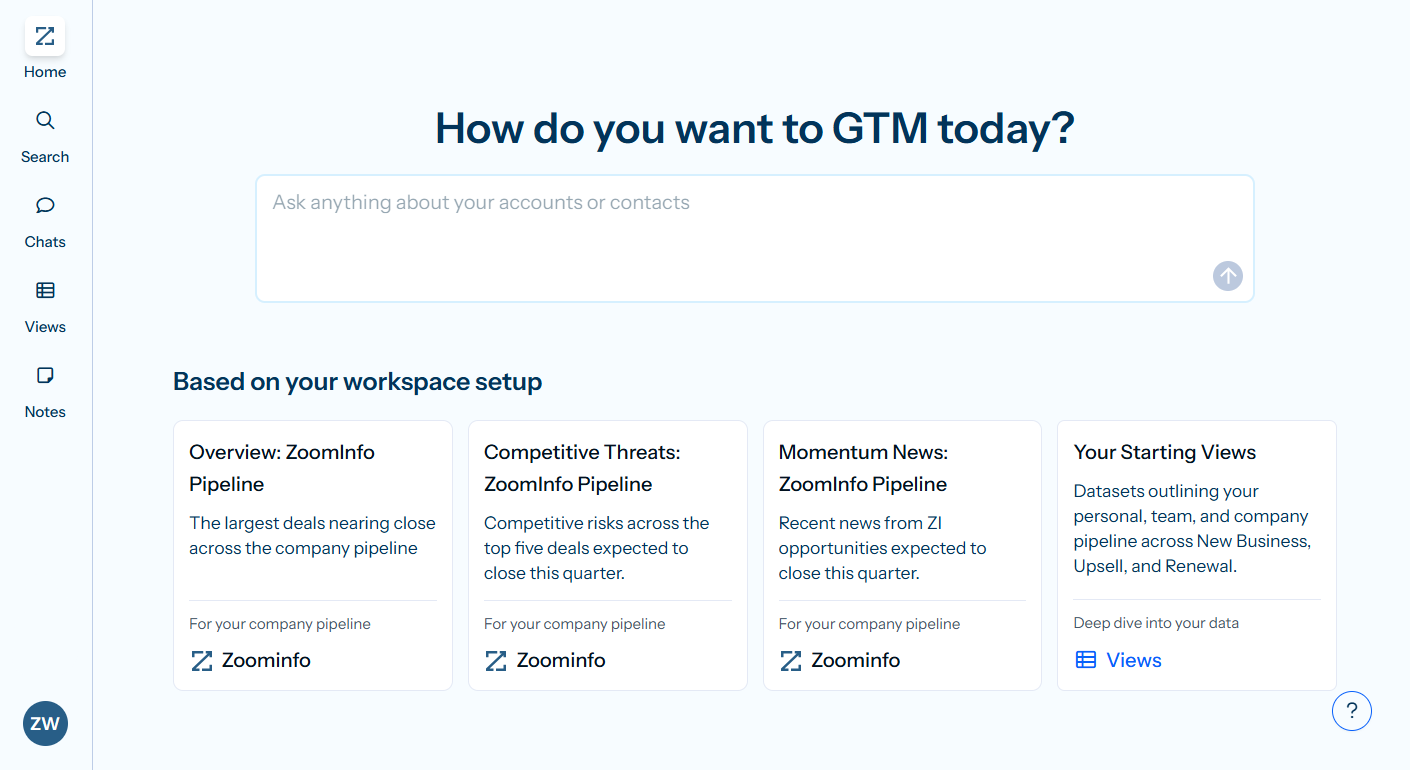
An Action Feed streams in-market buyers matched to target criteria with pre-drafted actions on every signal.
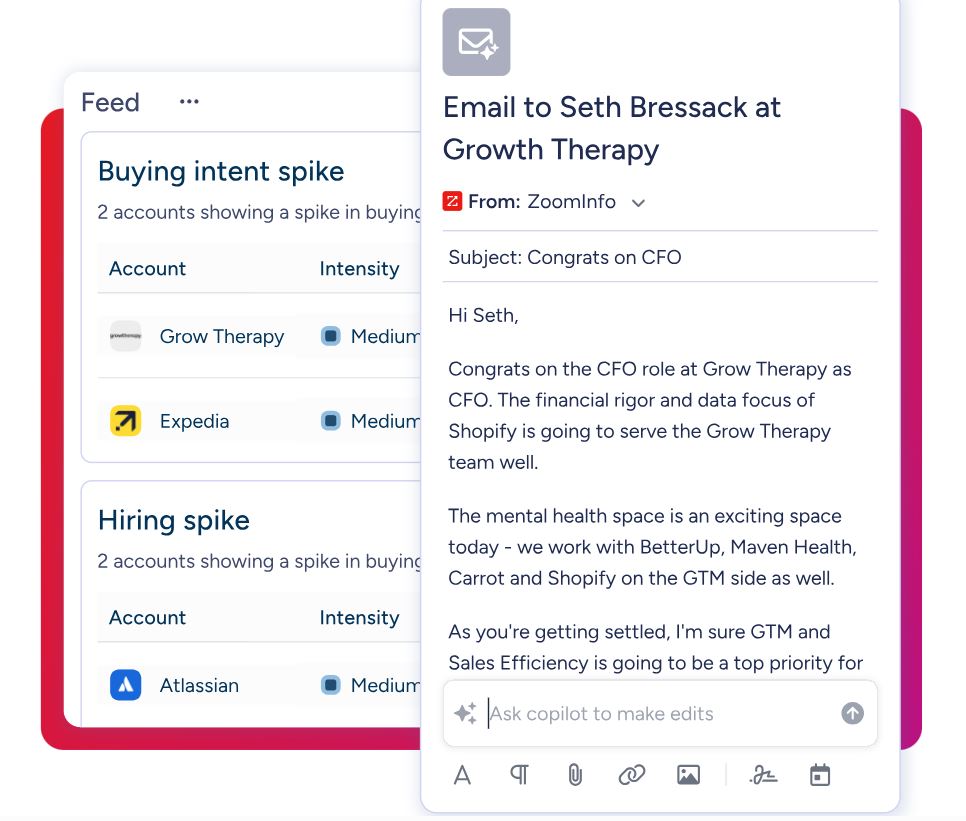
PandaDoc handles what happens after a seller decides to send a document. GTM Workspace helps the seller decide who to engage, when, and what to say, drawing on ZoomInfo's data and the GTM Context Graph to prioritize the accounts and contacts most likely to convert.
Seismic's sales team attributed 39% of active pipeline to opportunities identified or influenced by ZoomInfo signals, boosted productivity by 54%, and saved 11.5 hours per week per seller. (Seismic Case Study)
Final Summary
PandaDoc covers the document lifecycle: a drag-and-drop editor with Smart Content and conditional logic, eSignature compliance from basic through QES across 27 EU member states, CPQ with guided selling and a rules engine for Salesforce, HubSpot, and Pipedrive, Deal Rooms for multi-stakeholder collaboration, workflow automations that keep documents moving, and embedded payment collection at the moment of signing.
It fits sales, legal, and HR teams that need to create, route, sign, and close documents faster, particularly at mid-market companies using CRM workflows.
It does not cover the layers that surround the document: no B2B contact database, no buyer intent signals, no website visitor identification, no conversation intelligence, and no marketing orchestration.
If your bottleneck is upstream of the document (knowing which companies are in-market, who the decision-makers are, and what they care about), that is the ground ZoomInfo covers.
Its 500M-contact, 100M-company database supplies the verified contacts PandaDoc's documents are addressed to. ZoomInfo Intent surfaces accounts researching your category from 6 trillion+ keyword-to-device pairings monthly. Chorus captures and analyzes every sales conversation. GTM Studio gives marketing teams multi-channel orchestration and ABM.
And the GTM Context Graph combines all of it into a single intelligence layer that tells your team not just that a deal moved, but why.
See what that adds to your document workflow: start with ZoomInfo Lite for free, or request a demo to see verified contacts and live intent signals connected to your pipeline.
FAQ
Does PandaDoc support Qualified Electronic Signatures (QES)?
Yes. PandaDoc supports QES on the Enterprise plan, covering all 27 EU member states through accredited Trust Service Providers. QES is the highest eIDAS-compliant signature tier, legally equivalent to a handwritten signature. The platform also supports Basic and Advanced Electronic Signatures on lower tiers, making it one of the few platforms offering all three levels in a single subscription.
Which PandaDoc plan includes CPQ?
CPQ is available only on the Enterprise plan (custom pricing). It includes the rules engine, guided selling questionnaire, Quote Builder, and conditional approval workflows. CRM-native variants exist for Salesforce, HubSpot, and Pipedrive with bidirectional data sync. Teams on the Business plan can use Pricing Tables and the Product Catalog for simpler quoting, but the full CPQ workflow requires Enterprise.
Can you edit a PandaDoc document after sending it?
Yes. PandaDoc supports editing sent documents, though the workflow has historically been a friction point. The platform tracks changes via version history. For negotiation-heavy contracts requiring back-and-forth markup, PandaDoc does not offer native redlining or track-changes; those workflows typically require exporting to Word and reimporting.
How many documents can you send on PandaDoc's free plan?
The Free plan allows 60 documents per calendar year, with a maximum of 2 recipients per document and 5 saved templates. Advanced document fields (radio buttons, dropdowns, file uploads, pricing tables) are unavailable. Third-party integrations require a paid plan. The Free plan supports unlimited seats.
Does PandaDoc integrate with Salesforce?
Yes. PandaDoc offers a native integration with Salesforce that includes bidirectional data sync (document status writes back into Salesforce pipeline stages) and a dedicated Salesforce CPQ variant on the Enterprise plan. CRM integrations require the Business plan or above; Starter and Free do not include CRM connectivity.
What payment gateways does PandaDoc support?
PandaDoc supports embedded payment collection through Stripe, Square, Authorize.net, PayPal, QuickBooks Payments, and FreshBooks. Payments are collected at signing inside the document itself. Stripe integration extends to recurring billing and formal invoicing. Payment collection is available on all plans, including Free and Starter, as of March 2026.
Does PandaDoc have an API?
Yes. PandaDoc offers a REST API with SDKs for Python, Node.js, Java, and PHP, plus a JavaScript SDK for embedding editor, form, and signing experiences. The API supports programmatic document creation, webhook subscriptions, and embedded editing.
A free tier provides sandbox access and 60 documents/year; the API Developer Plan costs $40/month. CRM integrations via API require Enterprise. PandaDoc also offers an MCP server for AI agent workflows.
Does PandaDoc include a B2B contact database or buyer intent data?
No. PandaDoc is a document automation platform, not a data provider. It has no database of contacts, companies, phone numbers, or email addresses, and it does not track buyer intent signals. Teams that need to identify and reach buyers before creating a document pair PandaDoc with a data platform like ZoomInfo, whose 500M contacts, 100M companies, and 120M direct dials supply the contacts documents are addressed to, while ZoomInfo Intent identifies which accounts are researching your category.
