
PandaDoc serves 68,000+ customers and has reached $100M in ARR by making it faster to create, send, track, and sign proposals, contracts, and quotes.
Rated #1 by G2 in proposals, eSignature, and contract management, PandaDoc handles the document lifecycle from first draft through legally binding signature and payment collection.
But documents don't exist in isolation.
A proposal pulls its data from a CRM record. A signed contract needs to trigger an invoice in your accounting system. An offer letter depends on candidate data stored in an applicant tracking system.
When these connections are manual, your team copies data between tools, updates pipeline stages by hand, and chases payment after a contract is already signed.
The right integrations close those gaps. They feed CRM data into document templates, sync signing events back to your pipeline, collect payment at signature, and push notifications to the channels where your team already works.
This guide covers the strongest integration for each of the jobs PandaDoc users most commonly need done:
Generate proposals and contracts from Salesforce records with CPQ and bidirectional deal sync
Automate deal-driven document workflows with HubSpot pipeline triggers and in-CRM quoting
Collect payment at the moment of contract signing with automatic subscription billing and invoicing
Receive real-time document event alerts in Slack without leaving your team workspace
Connect PandaDoc document events to 8,000+ apps with no-code automation
Create accounting invoices automatically when signed contracts close
Automate the full offer letter lifecycle from candidate data to signed PDF archiving
Each section covers how the integration connects with PandaDoc, what data flows between the platforms, pricing, and who benefits most.
Best PandaDoc Integrations at a Glance |
|---|
Best PandaDoc Integration for CRM-Driven Document Generation and Two-Way Deal Sync Generates proposals, quotes, and contracts from Salesforce Opportunity records with auto-populated fields, writes document status back to the CRM in real time, and embeds a CPQ engine with guided selling inside Salesforce. |
Best PandaDoc Integration for Deal-Driven Document Automation Syncs deal data bidirectionally between HubSpot and PandaDoc, surfaces document events on deal timelines, and triggers HubSpot workflow automation when contracts are signed, viewed, or declined. |
Best PandaDoc Integration for Combining Sign-and-Pay into a Single Buyer Session Embeds a Stripe-powered payment field in PandaDoc documents so buyers sign and pay in one session, with automatic subscription creation and invoice generation in Stripe. |
Best PandaDoc Integration for Real-Time Document Event Notifications Surfaces document views, signatures, and payment events as personal DM alerts inside Slack, with per-user notification controls and in-Slack document creation. |
Best PandaDoc Integration for No-Code Document Workflow Automation Connects PandaDoc document events to 8,000+ downstream apps, enabling automated CRM updates, cloud storage archiving, and multi-step workflows without writing code. |
Best PandaDoc Integration for Bridging Signed Contracts and Issued Invoices Creates QuickBooks invoices automatically when PandaDoc documents are completed, syncs product catalog data, and embeds QuickBooks Payments as a native gateway inside documents. |
Best PandaDoc Integration for Automated Offer Letter Workflows and Hiring Status Sync Pulls candidate data from Greenhouse to auto-populate offer letter templates, archives signed PDFs to candidate profiles, and updates application status in Greenhouse when offers are accepted or declined. |
What Is PandaDoc?
Source: PandaDoc
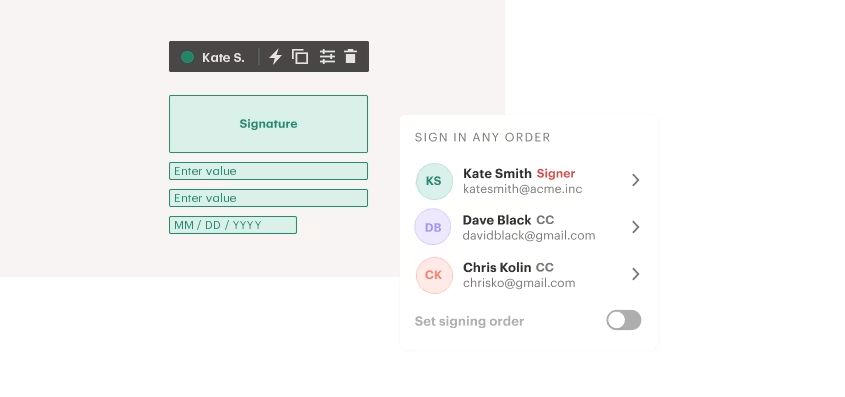
PandaDoc is a document automation platform that combines document generation, eSignature, CPQ (configure-price-quote), Deal Rooms, workflow automation, and payment collection in a single workspace.
The company calls itself "360-degree document management software," with a tagline of "Create, Approve, Track & eSign Docs 40% Faster".
PandaDoc primarily serves sales teams at SMB and mid-market companies, particularly revenue operations leaders who work inside CRM tools like HubSpot, Salesforce, and Pipedrive. Secondary buyers include HR, legal, marketing, and customer success teams served through dedicated team-specific solutions.
PandaDoc's integration ecosystem is one of the platform's core strengths.
The integrations catalog spans eight categories: Admin, CPQ, CRM, Design, Integration Platforms, Payment, Productivity, and Storage.
Native CRM integrations with Salesforce, HubSpot, and Pipedrive include bidirectional data sync and embedded CPQ capabilities, while payment gateways (Stripe, Square, PayPal) let buyers pay inside documents.
On the developer side, PandaDoc offers a REST API with SDKs in Python, Node.js, Java, and PHP, webhooks for real-time event notifications, and a Model Context Protocol (MCP) server for AI agent workflows.
The integration categories available to PandaDoc users include:
CRM and sales: Salesforce, HubSpot, Pipedrive, Monday.com, Microsoft Dynamics
Payment processing: Stripe, Square, PayPal, QuickBooks Payments, Authorize.net
Workflow automation: Zapier, API-driven workflows, webhook subscriptions
Team communication: Slack notifications and document creation
HR and recruiting: Greenhouse, BambooHR
Cloud storage: Google Drive, OneDrive, Dropbox, Box, SharePoint (via automations)
Accounting: QuickBooks Online, FreshBooks
With that ecosystem as context, here are the seven integrations we selected as the best options for extending PandaDoc across the categories that matter most.
1. Salesforce: Best PandaDoc Integration for CRM-Driven Document Generation and Two-Way Deal Sync
Source: Salesforce
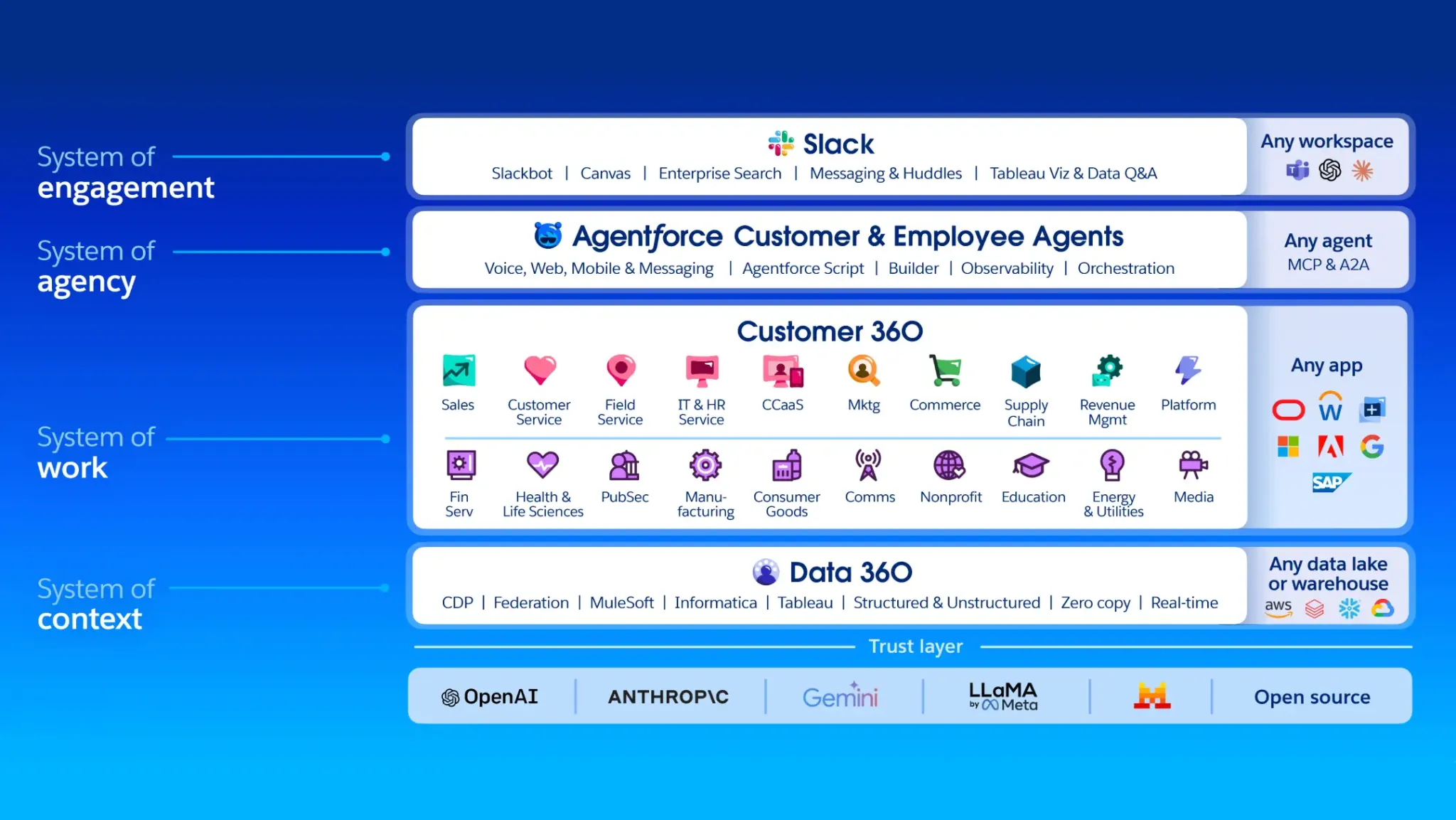
Salesforce is the world's #1 CRM by IDC market share, and its native integration with PandaDoc turns the CRM into a contract engine where proposals, quotes, and agreements are generated from Opportunity and Account records.
This is a first-party connector available through Salesforce's AppExchange, with CPQ capabilities running as a native app inside the CRM.
Key integration capabilities include:
Document generation from Salesforce Opportunity, Account, Contact, and Quote records, with CRM data auto-populating PandaDoc templates through mapped field connections
Two-way status sync that writes PandaDoc document events back to the linked Salesforce Opportunity record
PandaDoc CPQ for Salesforce with guided selling questionnaires, pricing rules, and conditional approval routing
Dual Salesforce CPQ connection modes: pushing a Salesforce-generated PDF into PandaDoc as a static document, or pulling Salesforce CPQ line items into an editable PandaDoc pricing table
How Salesforce Integrates with PandaDoc
The Salesforce integration is a native, bidirectional connection accessible from Salesforce records. It operates at two levels: the standard document generation and sync flow (available on PandaDoc Business plan), and the deeper CPQ for Salesforce layer (requiring PandaDoc Enterprise).
1. Document Generation from Salesforce Records.
When a rep works inside a Salesforce Opportunity, they can launch PandaDoc, select a template, and have every relevant field (company name, contact details, deal amount, product line items, custom Opportunity fields) auto-populate through pre-configured field mappings.
Admins map Salesforce object fields to PandaDoc template variables once, and every document inherits the mapping automatically. The integration supports population from Opportunity, Account, Contact, and Quote objects.
2. Bidirectional Status Sync.
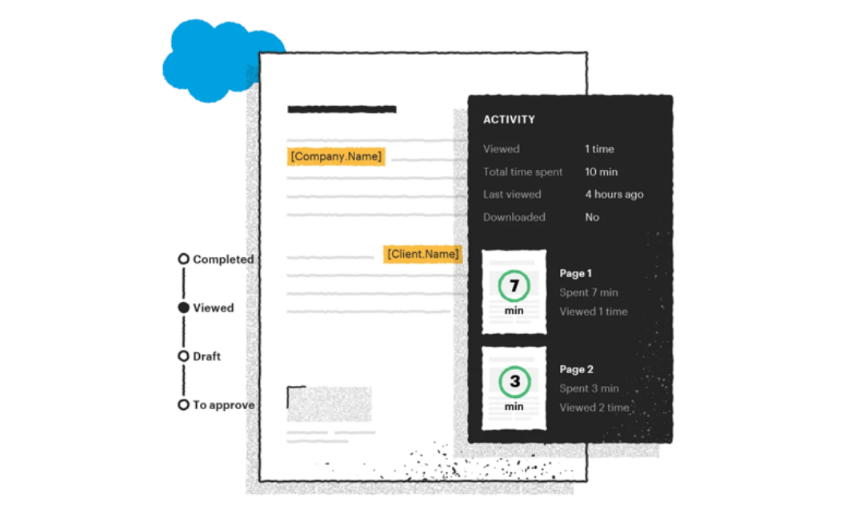
When a PandaDoc document changes status (sent, viewed, signed, completed), those events appear on the linked Salesforce Opportunity record. Sales managers reviewing pipeline in Salesforce can see which proposals have been opened and which have completed without logging into PandaDoc.
Source: Salesforce
In the reverse direction, Opportunity stage changes in Salesforce can trigger PandaDoc workflow automations that generate and send documents automatically.
3. Native CPQ with Guided Selling and Conditional Approval Routing.
PandaDoc CPQ for Salesforce runs as a native application inside the CRM. A guided selling questionnaire walks reps through product selection and pricing configuration.
The rules engine applies WHEN/THEN conditional logic for volume discounts, bundle pricing, required add-ons, and discount guardrails. Conditional approval workflows fire automatically when discount thresholds are breached, while quotes below those thresholds advance to approved status immediately.
4. Salesforce CPQ Compatibility.
For teams already using Salesforce Revenue Cloud, PandaDoc supports two connection modes: pushing the Salesforce-generated PDF into PandaDoc for eSignature and tracking, or pulling Salesforce CPQ line items into an editable PandaDoc pricing table where reps can adjust quantities before sending.
Salesforce Pricing
Salesforce uses per-user annual contracts. The editions most relevant to the PandaDoc integration:
Pro Suite: $100/user/month (annual); includes AppExchange access required to install the PandaDoc integration
Enterprise: $175/user/month (annual); adds advanced workflow automation and API access
Unlimited: $350/user/month (annual); full AI suite and Premier Success bundled
On the PandaDoc side, the standard document generation and sync integration requires the Business plan ($49/seat/month). CPQ for Salesforce requires PandaDoc Enterprise (custom pricing). Teams should budget for both platforms when evaluating total cost.
Who Should Use the Salesforce Integration?
Sales teams that live in Salesforce and want proposals generated from Opportunity records with CRM data auto-populating templates, eliminating manual data transfer between systems.
Revenue operations teams that need real-time document visibility at the CRM level, so managers can track which proposals are pending signature without opening PandaDoc separately.
Organizations selling complex or configurable products that need a rules-based CPQ engine with guided selling and conditional approval routing to produce accurate, policy-compliant quotes.
2. HubSpot: Best PandaDoc Integration for Deal-Driven Document Automation
Source: HubSpot
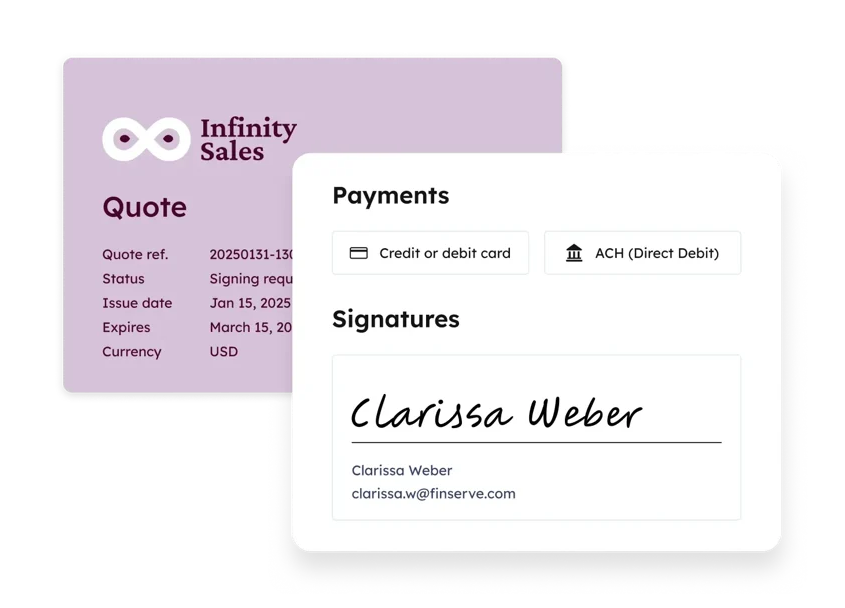
HubSpot is a CRM and marketing automation platform that integrates with PandaDoc to automate the quote-to-signature workflow from deal records. This is a native, bidirectional connection that syncs contact and deal data into documents and writes document activity back to deal timelines without middleware.
Key integration capabilities include:
Bidirectional deal data sync that auto-populates PandaDoc templates from HubSpot contact, company, deal, and product line item data
Document events (sent, viewed, signed) written back to the HubSpot deal record as activity timeline entries
HubSpot workflow triggers based on PandaDoc document outcomes for automated pipeline progression
PandaDoc CPQ for HubSpot for in-CRM quoting with guided selling (requires PandaDoc Enterprise)
How HubSpot Integrates with PandaDoc
The integration installs from PandaDoc's Extensions marketplace and authenticates via OAuth. HubSpot deal records gain a dedicated PandaDoc panel where reps can initiate documents, view status, and create Deal Rooms without leaving HubSpot.
1. Bidirectional Deal Data Sync and Timeline Updates.
When a document is created from a HubSpot deal record, PandaDoc pulls the contact name, company name, deal value, and product line items into the template's variable placeholders.
When a document is sent, viewed, or signed, PandaDoc writes those events back as deal timeline entries, giving managers a chronological audit trail of the deal lifecycle in a single record.
One limitation to plan around: price overrides made inside a PandaDoc pricing table do not write back to the HubSpot deal amount field. Reps must update the deal value separately after any in-document price adjustment.
2. CPQ for HubSpot with Guided Quoting.
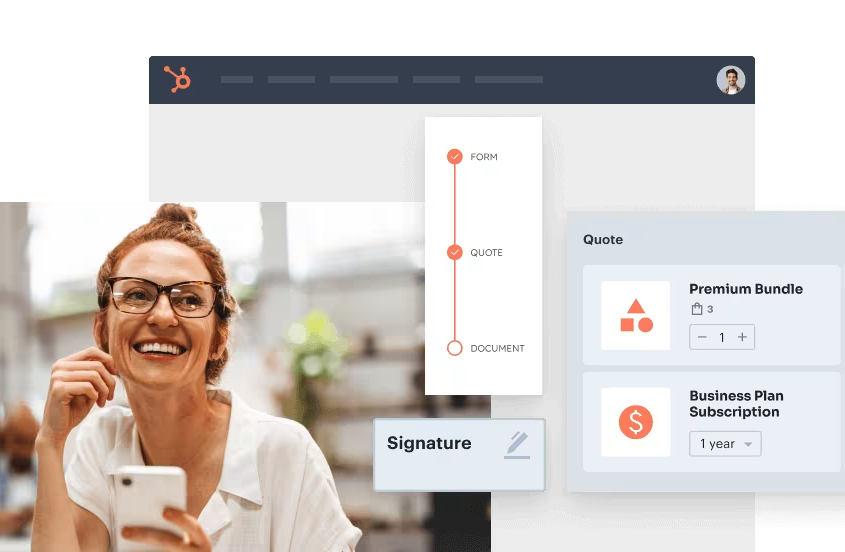
PandaDoc CPQ for HubSpot embeds PandaDoc's configure-price-quote engine in the HubSpot deal view. Reps select products through a guided selling questionnaire, and the CPQ rules engine enforces pricing guardrails and bundle requirements set by admins.
Source: HubSpot
The quote feeds into a branded PandaDoc document and routes through approval workflows before sending. CPQ for HubSpot requires PandaDoc Enterprise.
3. HubSpot Workflow Automation from Document Events.
HubSpot's workflow automation engine (available on Professional and Enterprise tiers) can trigger on PandaDoc document outcomes. A completed document can advance the deal stage, create a follow-up task, and enroll the contact in a post-sale nurture sequence.
A viewed but unsigned document can trigger re-engagement emails. A declined document can notify the deal owner and move the stage back. This removes the manual step of updating CRM pipeline stages after each signing event.
HubSpot Pricing
HubSpot uses modular, tier-based pricing. The tiers most relevant to this integration:
Free CRM: $0 (up to 2 seats); supports basic data sync but not workflow automation
Sales Hub Starter: $9/seat/month (annual); adds email tracking and sequences, no workflow automation
Sales Hub Professional: $90/seat/month (annual), plus $1,500 one-time onboarding; unlocks workflow automation required for document-event triggers
Sales Hub Enterprise: $150/seat/month (annual only), plus $3,500 onboarding; adds custom objects and advanced permissions
PandaDoc's native HubSpot integration requires PandaDoc Business ($49/seat/month). To get the full workflow automation value, teams need both PandaDoc Business and HubSpot Professional at minimum.
Who Should Use the HubSpot Integration?
Sales teams managing deals in HubSpot that want documents auto-populated from deal data and document milestones reflected on deal timelines without manual CRM updates.
Operations teams that want pipeline stages to advance automatically based on real document outcomes (signatures, views, declines) rather than rep self-reporting.
Teams generating multi-line-item quotes that want to avoid switching to a standalone quoting tool by using PandaDoc CPQ from the HubSpot deal view.
3. Stripe: Best PandaDoc Integration for Combining Sign-and-Pay into a Single Buyer Session
Source: Stripe
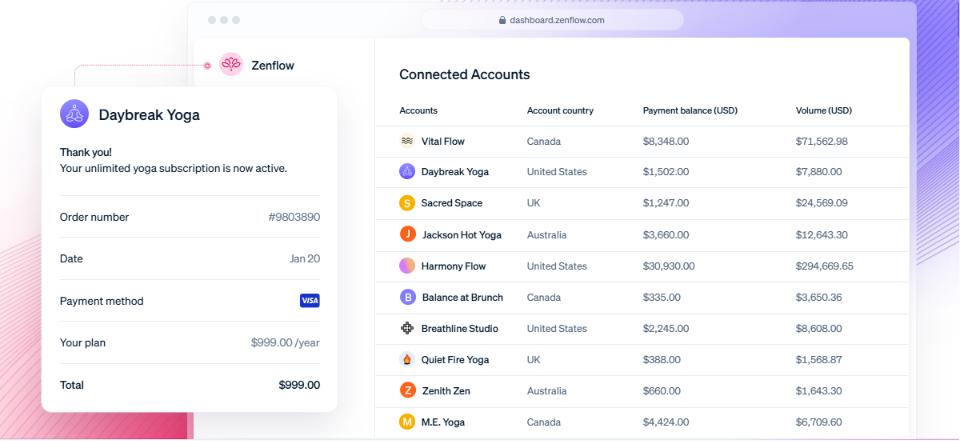
Stripe is a financial infrastructure platform that integrates with PandaDoc to embed payment collection inside the document signing experience, turning a signed contract into a paid contract without any handoff between systems.
This is a native, direct connection configured within PandaDoc's payment settings, requiring no middleware or third-party connectors.
Key integration capabilities include:
A Stripe-powered payment field embedded in PandaDoc documents for same-session sign-and-pay
Automatic Stripe subscription creation for recurring charges at the moment of signing
Automatic Stripe invoice generation upon document completion for both one-time and recurring charges
Payment collection available on all PandaDoc plans including Free
How Stripe Integrates with PandaDoc
An admin connects an existing Stripe account via OAuth from PandaDoc's payment settings. The connection then applies across the entire workspace; any document can include a payment block from the editor.
The integration supports three payment scenarios: one-time payments, recurring subscriptions, and automatic invoicing.
1. Embedded Payment Collection at Signing.
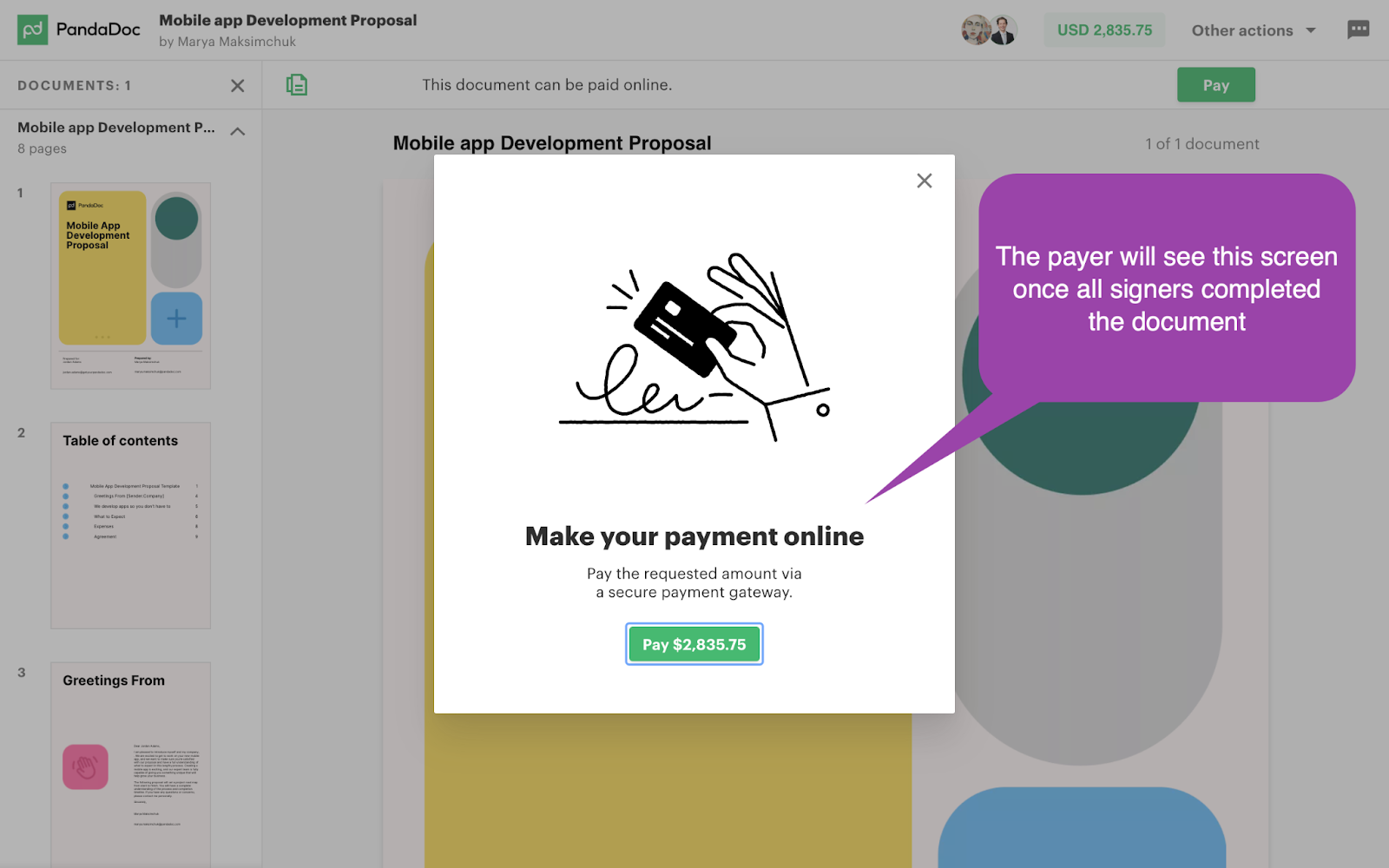
When a buyer opens a PandaDoc document configured with Stripe Checkout payments, they see a card entry form on the same page where they review terms and sign.
Source: Stripe
The buyer completes both actions in a single browser session. This eliminates the sign-then-invoice-then-pay sequence that can delay cash collection by days or weeks.
For one-time deals, cash is collected at contract execution; for subscription deals, the billing relationship activates immediately rather than waiting for manual setup in Stripe.
2. Recurring Billing with Automatic Subscription Creation.
For subscription products, the sender configures the billing interval (weekly, monthly, or annual) and duration inside PandaDoc. When the buyer completes the embedded payment, PandaDoc creates the corresponding Stripe subscription automatically. No manual setup in the Stripe Dashboard is required.
The subscription inherits Stripe's billing lifecycle, including Smart Retries that recover an average of 41% of failed recurring charges.
3. Automatic Invoice Generation on Completion.
When a PandaDoc document with Stripe payments is completed, PandaDoc creates a Stripe invoice with customer details, line item amounts, and payment status already populated.
Finance teams find the payment charge, subscription object (for recurring deals), and invoice all present in Stripe by the time the PandaDoc completion notification fires.
Stripe Pricing
Stripe uses a pay-as-you-go model with no setup fees, monthly minimums, or contracts. PandaDoc charges no additional fee for the integration:
Standard: 2.9% + $0.30 per successful domestic card transaction; 0.8% for ACH Direct Debit (capped at $5.00); additional 1.5% surcharge for international cards
Custom: available for large payment volumes with interchange-plus pricing and volume discounts; requires contacting Stripe sales
Who Should Use the Stripe Integration?
SaaS and subscription businesses that want the billing relationship to activate at contract signing rather than as a manual step in the Stripe Dashboard.
Teams already using Stripe as their payment infrastructure that want PandaDoc to write into the same system rather than introducing a second payment processor.
Finance teams that need invoices generated automatically on document completion without manual creation after each deal closes.
4. Slack: Best PandaDoc Integration for Real-Time Document Event Notifications
Source: Slack
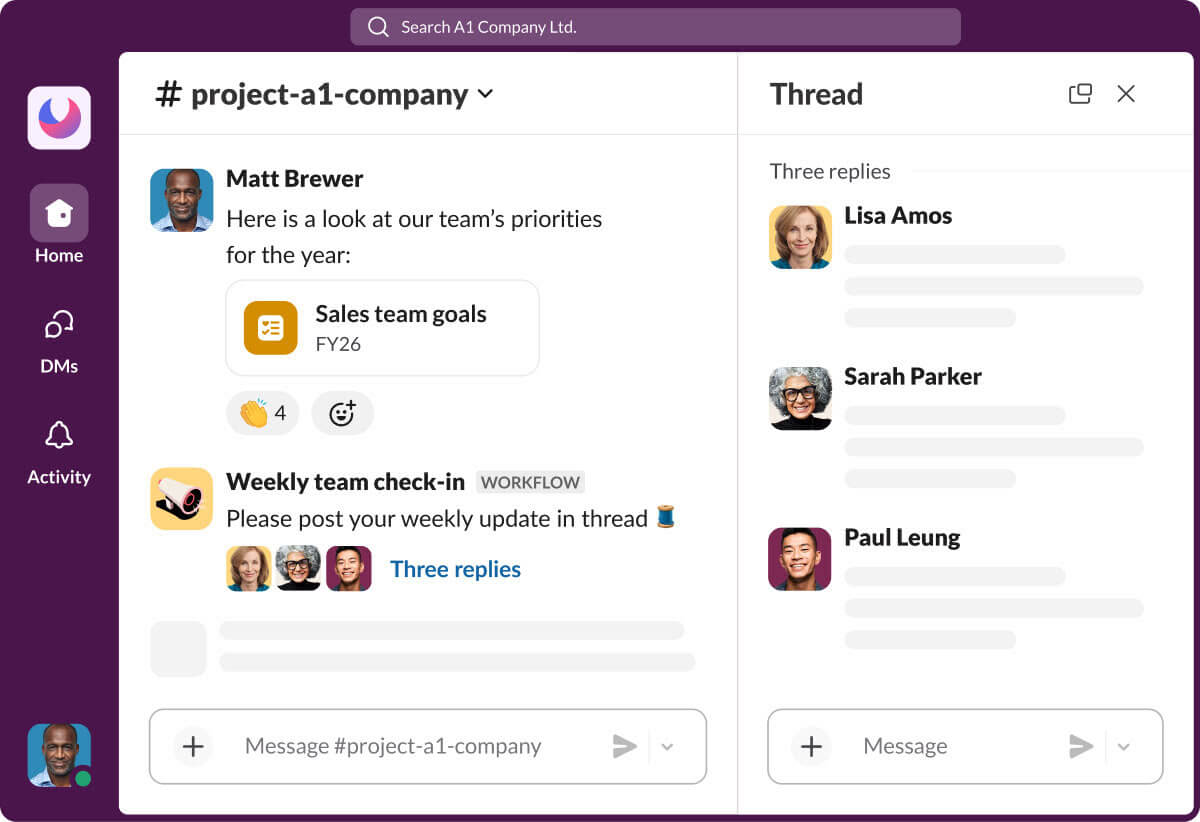
Slack is a team communication platform with 200,000+ paid customers that connects to PandaDoc via a native Slack Marketplace app, surfacing document event alerts inside the workspace where sales reps already communicate.
This is a native marketplace app requiring no API keys or third-party connectors for the core notification and document-creation workflow.
Key integration capabilities include:
Real-time personal notifications when a PandaDoc document is viewed, signed, declined, or paid
Document creation initiated from within Slack to reduce context-switching
Per-user notification control via the /pandadoc manage command
Extended channel-level posting for team-wide visibility, available by layering a Zapier workflow on top of the native integration
How Slack Integrates with PandaDoc
Installation follows Slack's standard app authorization flow. Individual users connect their PandaDoc accounts to their Slack identity, and each rep's document events route to their personal PandaDoc app DMs in Slack.
For team-wide channel posting (where an AE, SE, and CSM all need to see contract execution), the native integration does not support this; that use case requires a Zapier workflow layered on top.
1. Real-Time Document Event Notifications.
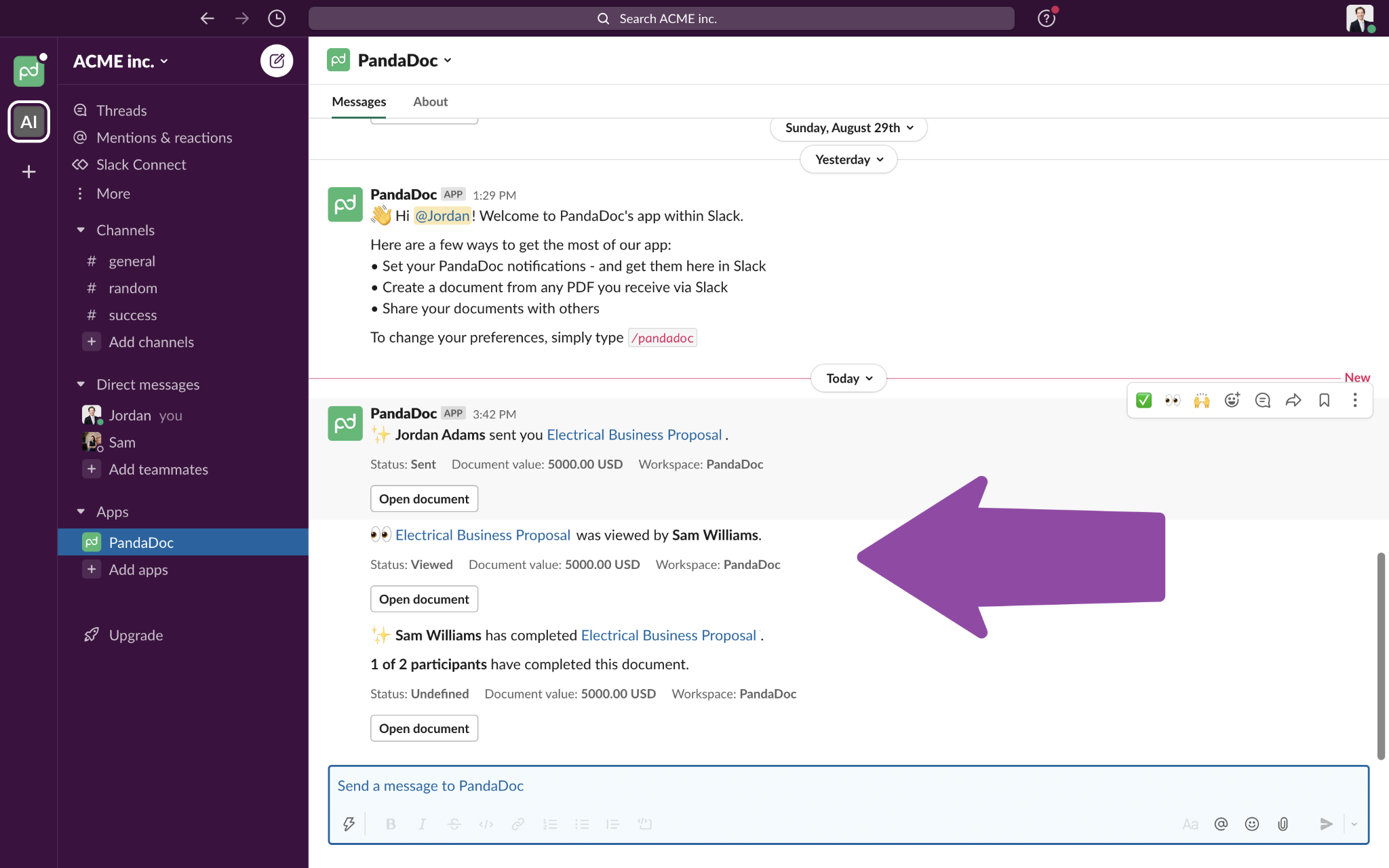
When a PandaDoc document is viewed, signed, declined, or paid, the integration delivers a direct message to the sending rep's PandaDoc app DM thread in Slack.
Source: Slack
View events are particularly time-sensitive: when a prospect opens a proposal, the rep's best follow-up window is within minutes while the content is fresh.
Getting that alert in Slack, where the rep is already coordinating deals, means the follow-up signal arrives where it can be acted on immediately.
2. Document Creation from Slack.
The PandaDoc Slack app lets reps start a new document from within Slack using the app command, so they can begin a proposal or agreement without leaving an active conversation.
The full editing experience takes place in PandaDoc's web interface; the Slack command serves as an entry point that shortens the gap between deciding to create a document and taking the first step.
3. Per-User Notification Preferences.
Each rep configures which document events trigger Slack alerts using the /pandadoc manage command. A senior AE managing 40 active proposals can filter down to only signed and paid events, while a junior rep with fewer simultaneous deals might opt into view notifications as an early-engagement signal.
All notifications arrive in the PandaDoc app's personal DM thread, keeping deal information out of public channels by default.
Slack Pricing
Slack uses per-seat pricing with a Fair Billing Policy that credits inactive users. The PandaDoc integration works on all paid plans:
Free: $0 (10-app integration limit; PandaDoc counts against this cap; 90-day message history)
Pro: $7.25/user/month (annual); unlimited apps and message history
Business+: $15/user/month (annual); adds SAML SSO and compliance features
Enterprise+: custom pricing
For teams already using Slack, the PandaDoc integration adds no incremental cost. The Zapier layer required for channel-level document posting adds a separate cost if deal volume exceeds Zapier's free task tier.
Who Should Use the Slack Integration?
Sales teams that live in Slack and want document milestones surfaced where they spend their day, rather than in an email inbox they may not monitor during active selling hours.
Teams managing high concurrent document volume that need per-user notification controls to keep alerts meaningful rather than overwhelming.
5. Zapier: Best PandaDoc Integration for No-Code Document Workflow Automation
Source: Zapier
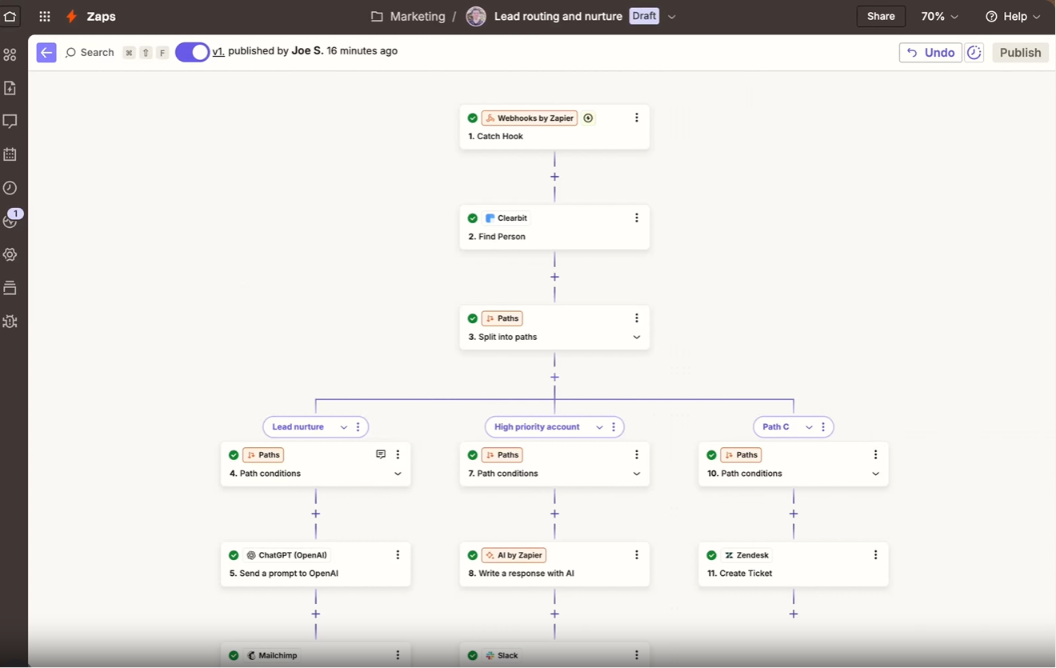
Zapier is a no-code automation platform that integrates with PandaDoc to connect document lifecycle events to automated actions across 8,000+ applications. Both accounts are authenticated inside Zapier's dashboard, and workflows are built within Zapier's Zap editor rather than inside PandaDoc.
PandaDoc lists Zapier in its official integration catalog as the primary no-code automation pathway.
Key integration capabilities include:
PandaDoc events (Completed, Sent, Viewed, Paid, Status Changed) exposed as Zap triggers
A "Create Document from Template" action that lets external events generate PandaDoc documents automatically
Multi-step Zaps chaining multiple downstream actions from a single trigger
AI-assisted Zap creation via Zapier Copilot for building workflows from plain-language descriptions
How Zapier Integrates with PandaDoc
Zapier connects to PandaDoc through a native integration using OAuth. PandaDoc works as both a trigger source and an action destination, enabling bidirectional automation. The integration requires PandaDoc Business plan or above.
1. Document-Event Triggers for Downstream Automation.
PandaDoc surfaces Document Completed, Sent, Viewed, Paid, and Status Changed events as Zap triggers. A completed document can fire a CRM deal stage update, a Slack channel notification, a Google Drive PDF archive, and a spreadsheet row entry at the same time.
Trigger speed depends on plan tier: the Free plan polls every 15 minutes; Professional polls every 2 minutes.
2. Automated Document Creation from External Events.
The "Create Document from Template" action allows any Zapier-compatible trigger to generate a PandaDoc document. A new deal entering a specific CRM stage can populate a template with deal data and send the resulting document to the prospect, with no rep opening PandaDoc.
The same pattern applies to HR onboarding, subscription renewals, and client intake workflows where document dispatch should be automatic.
3. Pre-Built Zap Templates.
PandaDoc and Zapier publish ready-made templates covering the most common workflows: Slack notifications on document completion, Google Drive PDF archiving, Salesforce opportunity creation on proposal send, and HubSpot deal stage updates on signing.
Teams with no prior Zapier experience can have a working PandaDoc automation running within minutes of authenticating both accounts.
Zapier Pricing
Zapier uses task-based pricing where each action step counts as one task:
Free: $0 (100 tasks/month, single-step Zaps only, 15-minute polling)
Professional: starts at $19.99/month (annual) for 750 tasks; multi-step Zaps, conditional logic with Paths and Filters, 2-minute polling
Team: starts at $69/month for 2,000 tasks; shared workspaces and app connections
Enterprise: custom pricing
Most PandaDoc automation workflows require Professional or above to unlock multi-step Zaps. On the PandaDoc side, the Zapier integration requires Business ($49/seat/month) or above.
Who Should Use the Zapier Integration?
Teams using tools that PandaDoc doesn't natively connect to (niche CRMs, project management platforms, internal databases) that need document events to trigger updates automatically without code.
Non-technical operations teams that need to build and modify document workflow automations without engineering tickets or custom API development.
Organizations where a signed contract must cascade through multiple downstream systems at once: a CRM update, a Slack alert, a cloud storage save, and a project task creation, all from a single PandaDoc event.
6. QuickBooks Online: Best PandaDoc Integration for Bridging Signed Contracts and Issued Invoices
Source: PandaDoc
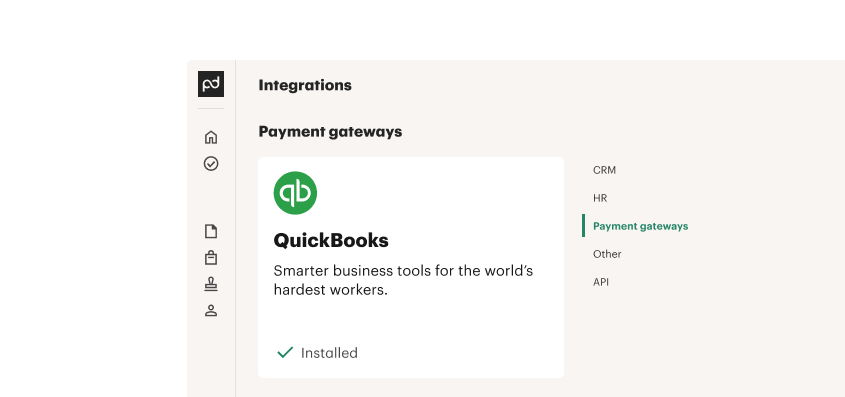
QuickBooks Online is a cloud-based small business accounting platform that integrates with PandaDoc through two paths: a native QuickBooks Payments gateway embedded in PandaDoc documents, and a Zapier-based automation path for post-signature invoice creation.
Key integration capabilities include:
Automatic invoice or estimate creation in QuickBooks Online when a PandaDoc document reaches "Completed" status (via Zapier)
Product catalog data transfer from PandaDoc pricing tables to corresponding QuickBooks invoice line items
Native QuickBooks Payments gateway for in-document credit card collection
Dual integration architecture serving both payment collection and accounting record-keeping
How QuickBooks Online Integrates with PandaDoc
The integration operates along two paths. The payment path is a native, direct connection: QuickBooks Payments is configured as a payment gateway inside PandaDoc. The accounting path runs through Zapier: document completion triggers invoice creation in QuickBooks.
Both paths can work independently or together. Note that the integration requires QuickBooks Online specifically; QuickBooks Desktop is not supported.
1. Automatic Invoice Creation via Zapier.
When a PandaDoc document reaches "Completed" status, Zapier triggers QuickBooks Online to create an invoice populated with customer details and line items from the PandaDoc pricing table.
This eliminates manual invoice entry after each closed deal, closing the gap between when a contract is signed and when the accounting record is created. The Zapier workflow requires a paid Zapier plan for multi-step automation.
2. Product Catalog Synchronization.
PandaDoc's product catalog can sync with QuickBooks Online items, keeping pricing consistent across both platforms. When products are updated in QuickBooks, PandaDoc documents reflect current pricing rather than requiring manual updates in two systems.
This prevents the discrepancies that arise when line items in a PandaDoc quote drift from what gets invoiced in QuickBooks.
3. Native QuickBooks Payments Gateway.
QuickBooks Payments works as a native payment gateway inside PandaDoc. Buyers pay by credit card within the document, and the transaction records in QuickBooks where invoicing and bookkeeping already happen.
This keeps payment activity inside the accounting system rather than generating records in a separate processor. Processing rates are 2.99% for credit card and digital wallet transactions and 1% (max $10) for ACH bank payments.
QuickBooks Online Pricing
QuickBooks Online uses tiered monthly subscriptions:
Simple Start: $38/month (1 user + 2 accountants; automated bookkeeping and invoicing)
Essentials: $75/month (3 users; adds accounts receivable/payable reports)
Plus: $115/month (5 users; adds inventory management and project tracking)
Advanced: $275/month (25 users; adds workflow automation and custom dashboards)
No QuickBooks plan tier restricts the PandaDoc integration. The Zapier-based invoice automation requires a paid Zapier subscription, and PandaDoc's Zapier integration requires Business plan ($49/seat/month) or above. QuickBooks Payments processing fees are charged on each transaction through the embedded gateway.
Who Should Use the QuickBooks Online Integration?
Small to mid-size businesses using QuickBooks Online as their accounting system that want signed contracts to generate invoices automatically without manual re-entry from sales or finance teams.
Teams that want payment activity consolidated inside QuickBooks rather than routed through a separate processor that creates records outside the accounting system.
Organizations with high deal volume where manual invoice creation after each signed PandaDoc document has become a bottleneck between sales and accounting.
7. Greenhouse: Best PandaDoc Integration for Automated Offer Letter Workflows and Hiring Status Sync

Source: Greenhouse
Greenhouse is the #1-ranked applicant tracking system on G2 across overall, enterprise, mid-market, and EMEA categories as of Spring 2026. It integrates with PandaDoc to automate the offer letter lifecycle through PandaDoc's External Automations engine using pre-built automation recipes.
Key integration capabilities include:
Offer letter auto-population from Greenhouse candidate data (name, title, compensation, hiring manager, recruiter)
Automatic recipient assignment from Greenhouse records
Signed PDF archiving to the Greenhouse candidate profile upon document completion
Application status sync that marks candidates as hired or declined based on document outcomes
How Greenhouse Integrates with PandaDoc
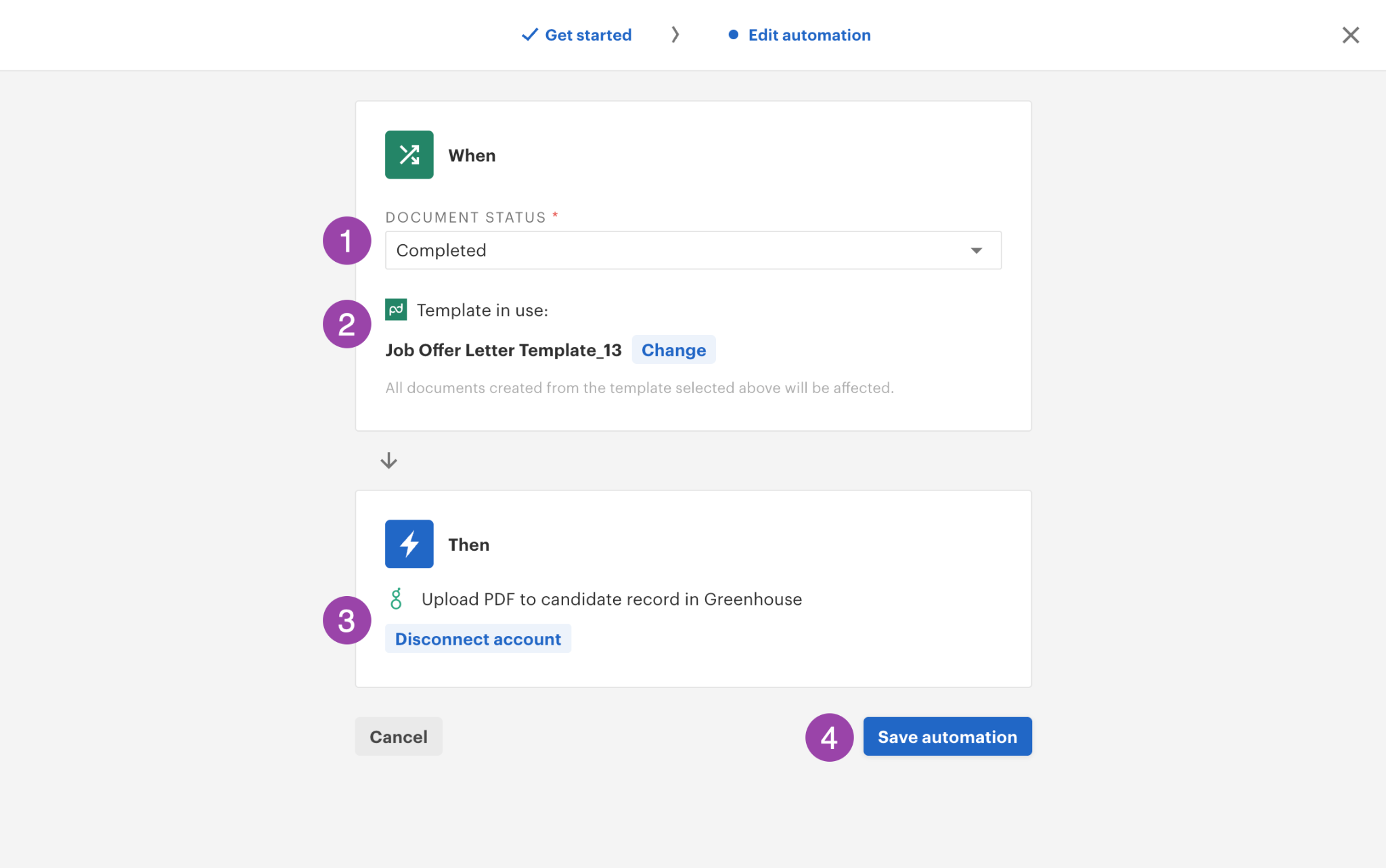
Setup requires enabling the External Automations extension from PandaDoc's Extensions store and selecting the Greenhouse recipe.
Because automations are configured at the template level, every offer letter generated from the configured template inherits the Greenhouse connection automatically, scaling with hiring volume without per-document configuration.
Data flows in two directions: Greenhouse pushes candidate data into PandaDoc at document creation, and PandaDoc pushes document outcomes back to Greenhouse.
1. Offer Letter Auto-Population from Candidate Data.
PandaDoc pulls candidate name, job title, department, compensation details, hiring manager, and recruiter information from Greenhouse into the template.
This eliminates manual transcription and the data-entry errors that come with copying compensation figures under deadline pressure. The offer letter that reaches the candidate reflects exactly what Greenhouse contains.
2. Automatic Recipient Assignment.
The integration sets document recipients automatically using Greenhouse's stored candidate and hiring manager information, assigning the correct signers with appropriate email addresses and roles from Greenhouse data.
This removes the lookup step and eliminates the risk of routing an offer letter to a stale or incorrect address.
3. Signed PDF Archiving to Candidate Profiles.
When a candidate signs the offer letter and the document reaches Completed status, an automation uploads the signed PDF to the corresponding Greenhouse candidate profile.
The executed offer letter is stored alongside application materials, interview scorecards, and pipeline activity without manual file transfer.
4. Application Status Sync Based on Document Outcome.
When a PandaDoc offer letter is Completed, an automation marks the candidate as hired in Greenhouse. When a document is Declined, the automation updates the application status accordingly.
Source: Greenhouse
These updates fire in real time based on the document event, keeping the ATS pipeline accurate without recruiter intervention.
Greenhouse Pricing
Greenhouse pricing is custom and headcount-based across three tiers: Core, Plus, and Pro. No public price list is available; cost depends on plan selection, hiring volume, and organizational complexity. A sales conversation is required for pricing figures. No free trial or free plan is offered.
On the PandaDoc side, External Automations (which power the Greenhouse integration) are available as a paid add-on for Business plan accounts and included in the Enterprise plan. No Greenhouse plan tier restricts the candidate record fields or application status endpoints the integration touches.
Who Should Use the Greenhouse Integration?
Talent acquisition teams that create offer letters manually today and want to eliminate transcription errors by auto-populating documents from Greenhouse candidate data at scale.
HR operations teams processing significant hiring volume that need signed PDFs archived to candidate profiles and application statuses updated automatically, rather than as manual coordinator tasks after each offer.
Also Worth Considering: ZoomInfo

ZoomInfo is an AI-powered go-to-market platform built on a B2B data foundation of 500M contacts, 100M companies, 135M+ verified phone numbers, and 200M+ verified business email addresses.
While ZoomInfo does not integrate with PandaDoc directly, the two platforms serve overlapping audiences and complement each other through shared CRM connections.
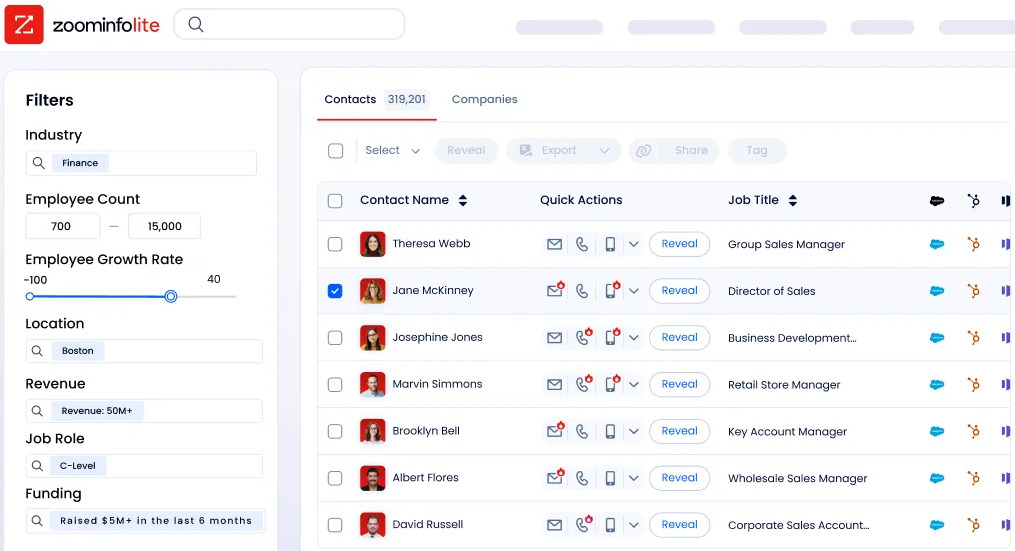
The connection works like this: ZoomInfo enriches your CRM (Salesforce, HubSpot, Pipedrive, or Microsoft Dynamics) with verified contact data, company attributes, technographic profiles, and buyer intent signals.
PandaDoc then pulls that enriched data from the same CRM to auto-populate proposals, contracts, and quotes. The more complete your CRM data, the more reliable your PandaDoc documents become.
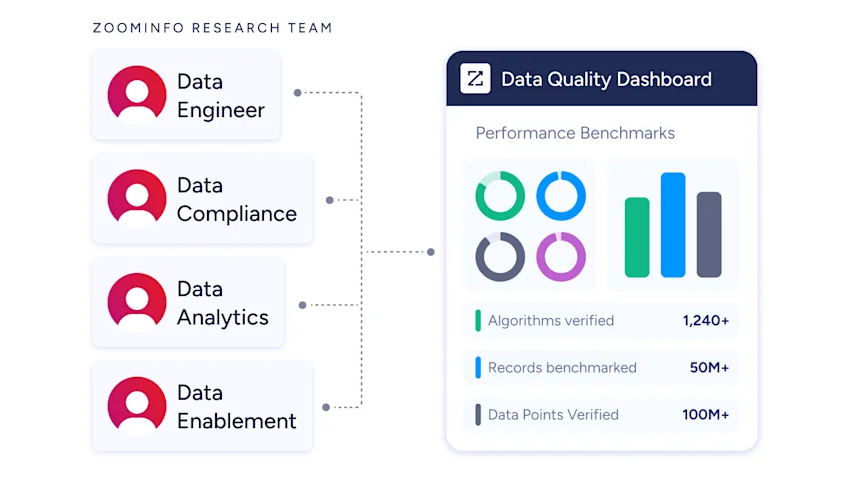
Instead of reps verifying a prospect's title, phone number, or company details before sending a proposal, the enrichment has already happened upstream through a verification pipeline backed by 300+ human researchers and reaching up to 95% accuracy on first-party data.
Source: ZoomInfo
For B2B sales teams using PandaDoc to close deals, data quality in the CRM is the foundation every downstream document depends on. A proposal auto-populated with a stale job title or an incorrect company name undermines the buyer experience.
ZoomInfo solves this at the source, keeping the CRM layer accurate so PandaDoc documents reflect current, verified information.
ZoomInfo Lite is a permanent free tier with CRM integrations, making it a practical way to evaluate the data quality before committing.
Smartsheet's Senior Manager of Sales Technology Enablement called ZoomInfo "our one source of truth for account data, and even more so for contact data," noting "there's no other provider in the market that provides you with that level of detail." (Smartsheet Case Study)
Final Verdict
The best PandaDoc integrations connect your document workflows to the systems where your data lives, your team communicates, and your revenue gets recognized:
Salesforce: the deepest CRM integration, with native CPQ, guided selling, conditional approvals, and bidirectional Opportunity sync
HubSpot: deal-driven document automation with pipeline triggers, timeline visibility, and in-CRM quoting
Stripe: sign-and-pay in a single buyer session, with automatic subscription creation and invoice generation
Slack: real-time document alerts delivered to the workspace your team already uses
Zapier: no-code reach into 8,000+ apps where PandaDoc's native connectors stop
QuickBooks Online: automatic invoicing and payment collection routed into your accounting system
Greenhouse: offer letter automation with bidirectional candidate data sync and hiring status updates
These integrations also compound: you might connect Salesforce for document generation, Stripe for payment, Slack for notifications, and Zapier for cloud storage archiving on the same PandaDoc workspace, each extending the value of the others.
The documents PandaDoc generates are only as good as the data that feeds them. If your sales team runs on Salesforce or HubSpot, the accuracy of the contact and company data in your CRM shapes the quality of every proposal and quote your reps send. ZoomInfo enriches that CRM layer with verified B2B data from 500M contacts and 135M+ verified phone numbers, buyer intent signals, and technographic intelligence, so the information PandaDoc pulls into your documents is current and complete. ZoomInfo Lite is free and includes CRM integrations, so you can see what verified data does for your document accuracy before spending anything.
Frequently Asked Questions
How many integrations does PandaDoc support?
PandaDoc's integrations catalog spans eight categories: CRM, Payment, CPQ, Admin, Design, Integration Platforms, Productivity, and Storage. Native integrations include Salesforce, HubSpot, Pipedrive, Monday.com, Stripe, Square, PayPal, QuickBooks, Slack, Greenhouse, and BambooHR.
Beyond native connections, PandaDoc's REST API supports custom integrations with any system that can make HTTP requests, and Zapier extends connectivity to 8,000+ additional apps.
PandaDoc also publishes a Model Context Protocol (MCP) server that enables AI agents to create, route, and execute documents programmatically.
Do PandaDoc integrations work on the free plan?
PandaDoc's free plan supports eSignatures and payment collection (including Stripe and QuickBooks Payments), but most integrations require a paid plan. CRM integrations with Salesforce, HubSpot, and Pipedrive require the Business plan ($49/seat/month) or above.
The Zapier and Slack integrations also require Business tier. Greenhouse and other External Automations are available as a paid add-on on Business or included in Enterprise. CPQ requires Enterprise (custom pricing).
Can I use PandaDoc with a CRM other than Salesforce or HubSpot?
Yes. PandaDoc offers native integrations with Pipedrive (including CPQ) and Monday.com, plus documented developer guides for Microsoft Dynamics.
For CRMs without native support, Zapier connects PandaDoc document events to virtually any CRM with a Zapier connector. PandaDoc's REST API also supports custom CRM integrations for development teams that need deeper control over data flow and field mapping.
How does PandaDoc's two-way CRM sync work?
PandaDoc's bidirectional sync with Salesforce and HubSpot operates in both directions. Outbound: CRM deal data (contact name, company, pricing, custom fields) auto-populates PandaDoc templates at document creation.
Inbound: document status events (sent, viewed, signed, completed) write back to the CRM deal record as timeline entries. This keeps the CRM pipeline accurate without reps manually updating deal stages after document events.
One limitation: price overrides made inside PandaDoc pricing tables do not write back to CRM deal amounts; that update must be made manually.
Can PandaDoc collect payments at the time of signing?
Yes. PandaDoc supports embedded payment collection through Stripe, Square, PayPal, QuickBooks Payments, and Authorize.net. The payment field is added to the document body, and buyers complete payment in the same browser session where they sign.
Stripe's integration goes furthest, supporting automatic subscription creation for recurring charges and automatic invoice generation upon document completion. Payment collection is available on all PandaDoc plans, including the free tier.
Is PandaDoc secure enough for regulated industries?
PandaDoc holds SOC 2 Type II certification, supports HIPAA compliance with Business Associate Agreements, and is GDPR and CCPA compliant. The platform supports eIDAS across all three EU signature tiers including Qualified Electronic Signatures (QES).
In 2025, PandaDoc added 21 CFR Part 11 compliant workspaces for FDA-regulated industries. Enterprise features include SSO via SAML 2.0, custom user roles, data residency (US or EU), and a 30-day audit log. Digital signature certificates use Public Key Infrastructure in partnership with Entrust.
What is the best way to ensure accurate B2B contact data in your PandaDoc documents?
The proposals and contracts PandaDoc generates are only as accurate as the CRM data feeding them. Integrating a B2B data platform with your CRM ensures the contact names, job titles, phone numbers, and company details that auto-populate your documents are current and verified.
ZoomInfo enriches Salesforce, HubSpot, Pipedrive, and Microsoft Dynamics with data from 500 million contacts and 100 million companies, verified through a pipeline backed by 300+ human researchers reaching up to 95% accuracy on first-party data.
Because PandaDoc pulls from CRM fields, ZoomInfo's enrichment flows into every document your team generates. ZoomInfo Lite is a permanent free tier with CRM integrations, so you can test how verified data improves your document accuracy without any upfront cost.
