
Choosing between Pipedrive vs. Capsule CRM for your sales team often comes down to five questions:
Do you need a CRM built for dedicated sales teams, or one that covers sales, projects, and client delivery in a single tool?
Is your priority pipeline speed and deal closing, or managing the full client relationship from first contact through project delivery?
How important are automations with conditional logic versus simple, process-driven workflows?
Are you a small service business that wants simplicity, or a growing sales organization that needs prospecting and outreach tools inside the CRM?
Does your team need verified B2B contact data and buyer intent signals to fill the pipeline, or are your leads already coming to you?
In short, here's what we recommend:
Pipedrive is the CRM built by salespeople, for salespeople. Its visual pipeline is the center of everything: drag deals between stages, spot stalled opportunities through color-coded rotting alerts, and schedule the next activity without leaving the board. With 500+ marketplace integrations, if/else automation branching, a built-in meeting scheduler, and AI-powered email drafting, Pipedrive gives growing sales teams the tools to move deals faster. The trade-off is clear: Pipedrive focuses on pre-sale pipeline execution. Once the deal closes, you'll need separate tools for project delivery, and you won't find native B2B prospecting data inside the platform.
Capsule CRM is the single tool for small service businesses that need sales tracking, project management, and client relationship history in one place. With G2 ease-of-use scores of 9.4/10, built-in project boards, and a free plan that includes task management, Capsule lets consultants, agencies, and professional services firms manage the full client lifecycle without juggling multiple subscriptions. The limitation: Capsule's automation engine lacks conditional branching, email sync requires the Growth plan, and teams running high-volume outbound sales will find it too lightweight.
Both platforms help you manage deals once prospects are in your pipeline. But neither solves the problem that comes before pipeline management: finding the right accounts, identifying the right contacts, and knowing when those contacts are ready to buy. That's where ZoomInfo comes in.
ZoomInfo is a B2B intelligence and GTM platform built on 500M contacts, 100M companies, 135M+ verified phone numbers, and 200M+ verified business email addresses. Its GTM Context Graph processes 1.5B+ data points daily and unifies this data with your CRM records, conversation transcripts, and behavioral signals to reveal the full context of your accounts. That context gives AI the fuel to show not just what happened, but why it happened, and which actions your team should take next. Your team accesses this intelligence through GTM Workspace for sellers, GTM Studio for marketers and RevOps, or APIs and MCP that pipe the same intelligence into any tool you already use, including Pipedrive and Capsule CRM.
If finding the right buyers and knowing when to engage them matters as much as managing the deal itself, see how ZoomInfo works.
Pipedrive vs. Capsule CRM vs. ZoomInfo at a glance
Pipedrive | Capsule CRM | ZoomInfo | |
|---|---|---|---|
Primary strength | Sales pipeline execution | CRM + project management in one tool | B2B data, buyer intelligence, and GTM orchestration |
Pipeline management | Advanced (rotting alerts, forecasting, multiple views) | Solid (kanban, stale alerts, milestones) | AI-prioritized account feeds via GTM Workspace |
Project management | Add-on (Premium+) | Built into all plans including Free | Not a project management tool |
Automation | If/else branching, delays, multi-step workflows | Stage-triggered actions, no conditional logic | Signal-triggered plays, AI-generated outreach |
B2B contact data | No native database | AI enrichment (limited quotas) | 500M contacts, 135M+ verified phone numbers |
Buyer intent signals | None | None | Intent data from 210M IP-to-org pairings |
Free plan | No (14-day trial) | Yes (2 users, 250 contacts) | ZoomInfo Lite (permanent free tier) |
Starting price | ~$14/seat/month | ~$21/seat/month | Custom pricing (consumption-based) |
Best for | Sales-focused SMBs | Small service businesses | Revenue teams that need to find and prioritize buyers |
Pipedrive is built for pipeline velocity
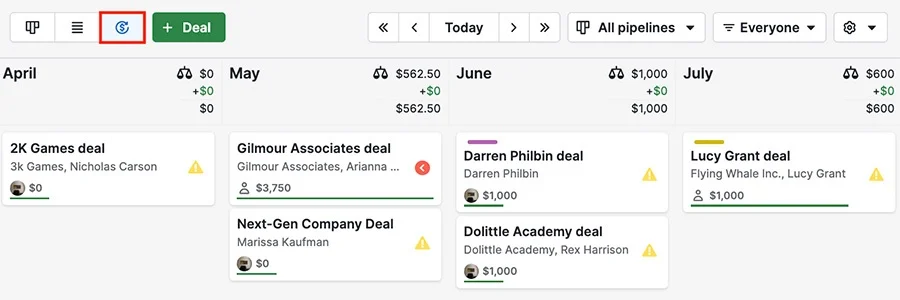
Pipedrive treats the sales pipeline as the command center, not a reporting afterthought. When you log in, you see your deals on a kanban board. Each card shows the deal value, expected close date, and next scheduled activity. Deals without upcoming activities stand out immediately. Deals that sit untouched past a threshold you set turn color-coded through deal rotting alerts, a visual nudge that keeps opportunities from slipping through the cracks.
The pipeline supports three views: kanban, list, and forecast. The forecast view shows projected revenue by close date, giving managers a week-by-week picture of incoming revenue. Custom fields (including auto-calculated and formula types) let teams track deal-specific data without leaving the CRM. Multi-currency support handles international sales without manual conversion.
Source: Pipedrive
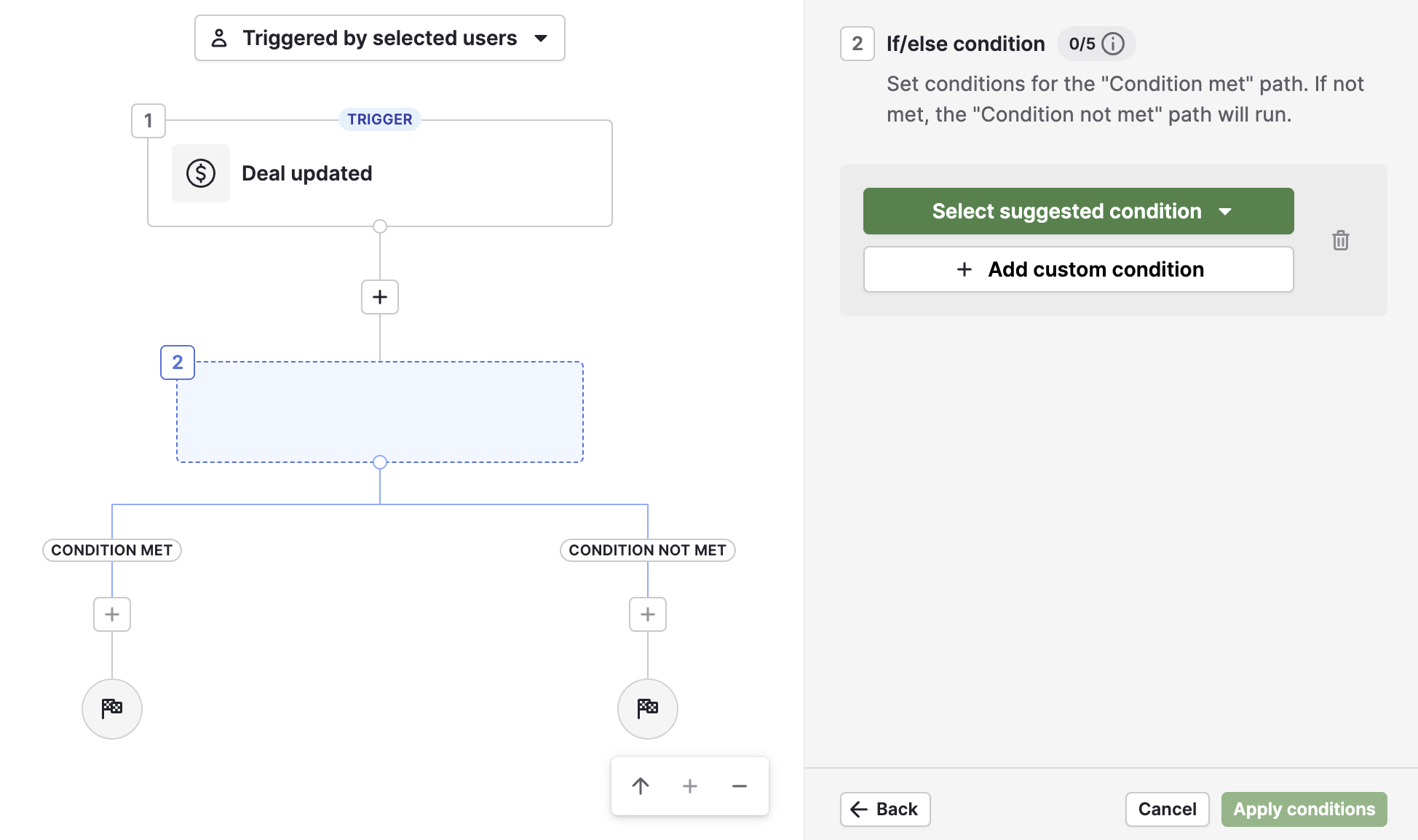
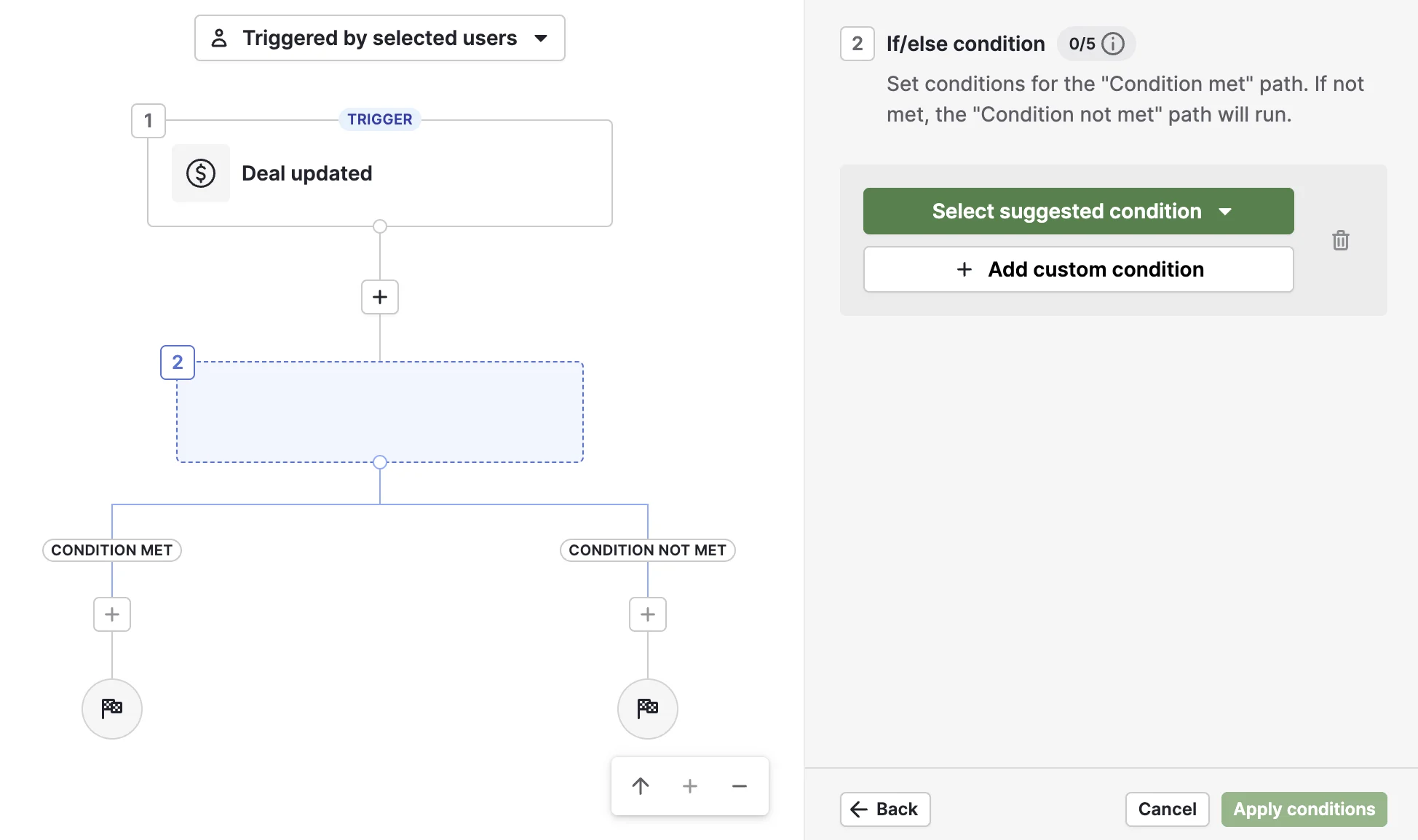
Where Pipedrive pulls ahead of Capsule is automation depth. Pipedrive's workflow engine supports if/else branching, delay steps, and "wait until event" conditions, creating multi-path sequences that respond to what actually happens in the deal. A deal moving to "Proposal Sent" can trigger an email to the prospect, assign a follow-up task to the rep, and notify the sales manager in Slack, all in one automation. If the prospect opens the email, one path fires. If they don't, another does. This logic runs natively without Zapier.
Source: Pipedrive
Pipedrive also includes a Leads Inbox that keeps unqualified contacts separate from active pipeline deals. Labels (hot, warm, cold) help reps triage before converting a lead to a deal. This two-tier design prevents early-stage contacts from cluttering the pipeline.
For teams that need outbound prospecting tools, the LeadBooster add-on bundles a chatbot, live chat, web forms, and a Prospector database with over 400 million profiles and 10 million companies. The newer Pulse toolkit adds data enrichment, custom lead scoring, and automated multi-step sequences that pause on engagement signals.
Capsule CRM covers the full client lifecycle
Capsule CRM takes a different approach. Instead of optimizing one stage of the customer relationship, it covers the entire arc: from first contact through deal closing, project delivery, and ongoing account management.
The sales pipeline works on a kanban board where deals (called Opportunities) carry value, expected close date, and milestone-based probability weighting that feeds into revenue forecasting. Capsule's stale Opportunity detection flags deals that haven't seen activity within a configurable timeframe, similar to Pipedrive's rotting alerts but set per milestone rather than globally.
Source: Capsule CRM
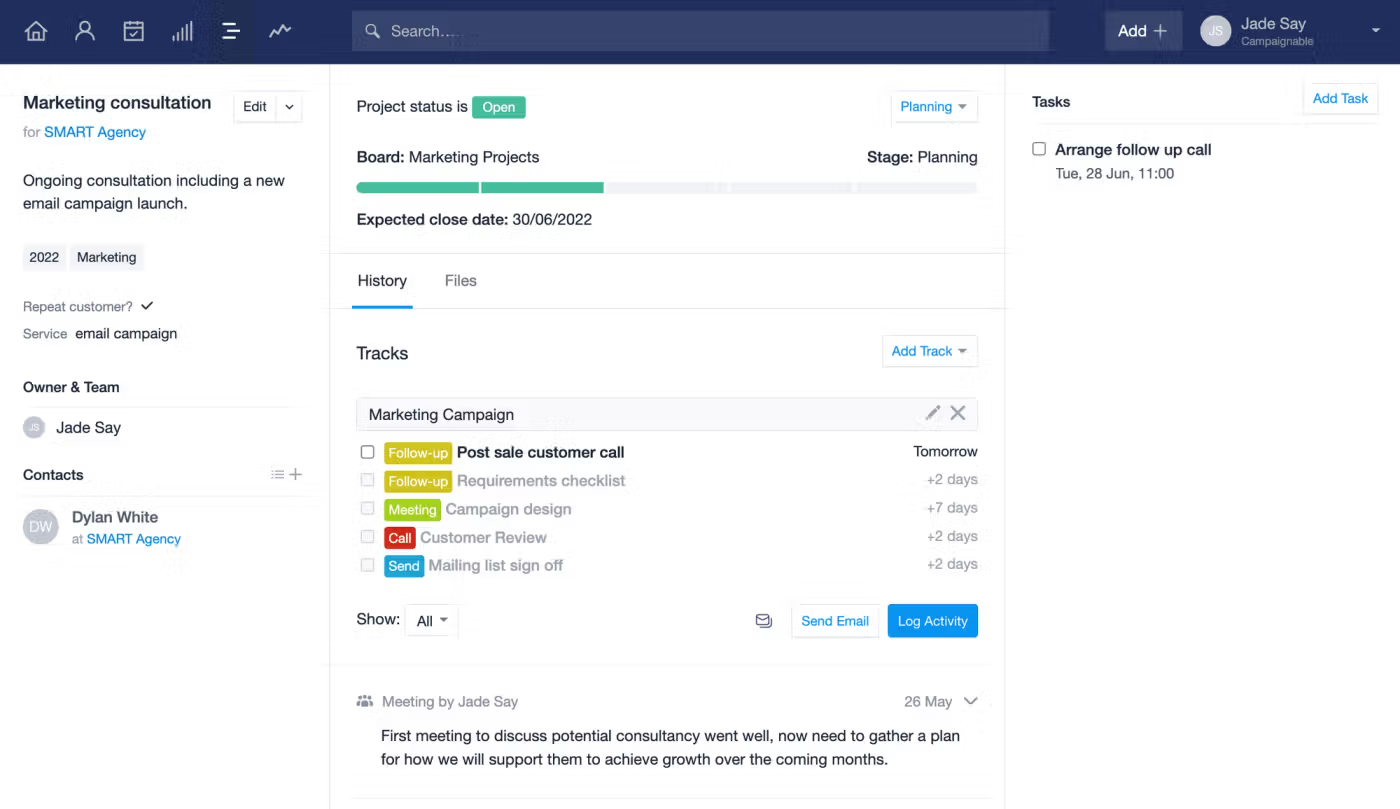
What sets Capsule apart is what happens after the deal closes. Projects are built into every plan, including Free. A project board uses the same kanban layout as the pipeline, with stages representing delivery milestones. Capsule's workflow automations can create a linked Project the moment an Opportunity is marked Won, carrying the full deal history into the delivery phase. The delivery team sees every pre-sale conversation, every email, every note, without switching tools.
Tracks (sequenced task templates) let administrators codify repeatable processes. An accounting firm onboarding a new client applies a Track and gets a pre-built task list with auto-calculated due dates. A construction company starting a new project applies a different Track for their workflow. Tasks within Tracks fire sequentially, and Capsule's automation engine can gate stage progression on Track completion, ensuring nothing gets skipped.
Source: Capsule CRM
Contact management runs deep for a CRM at this price point. DataTags go beyond simple labels: applying a tag like "Member" instantly prompts for structured fields (member number, membership level), enforcing consistent data capture at the moment of categorization. Tracks on Contacts, shipped in late 2025, apply task sequences directly to relationship records for use cases like recurring check-ins and contract renewals, outside the sales pipeline entirely.
The trade-off for this breadth is automation depth. Capsule's workflow engine handles only stage-change triggers and terminal events (Won/Lost/Closed). There is no conditional branching, no time-delay scheduling, and no activity-triggered automations. Teams needing multi-path logic will depend on Zapier or Capsule's API.
ZoomInfo fills the gap both CRMs leave open
Pipedrive and Capsule CRM help you manage the deals you already have. ZoomInfo helps you find the deals you're missing.
The distinction matters because no CRM improves outcomes if the pipeline is underfed or filled with the wrong accounts. A well-managed pipeline of poorly qualified leads still produces poor results. ZoomInfo operates at the layer beneath the CRM: identifying who to sell to, when they're ready, and why they're likely to buy.
ZoomInfo's GTM Context Graph makes this possible. It unifies ZoomInfo's B2B data (500M contacts, 100M companies, 135M+ verified phone numbers, 200M+ verified business email addresses) with a customer's own CRM records, conversation transcripts, email interactions, and behavioral signals to capture why deals move or stall, not just that they moved.
In practice, a sales rep in GTM Workspace opens to a prioritized account feed where AI has already identified which accounts match the patterns behind past closed-won deals. The Action Feed surfaces real-time buying signals (G2 comparisons, funding events, executive hires) with pre-drafted outreach attached to each signal. A marketer in GTM Studio describes an audience in plain language and launches a multi-channel play targeting those accounts without an engineering ticket.
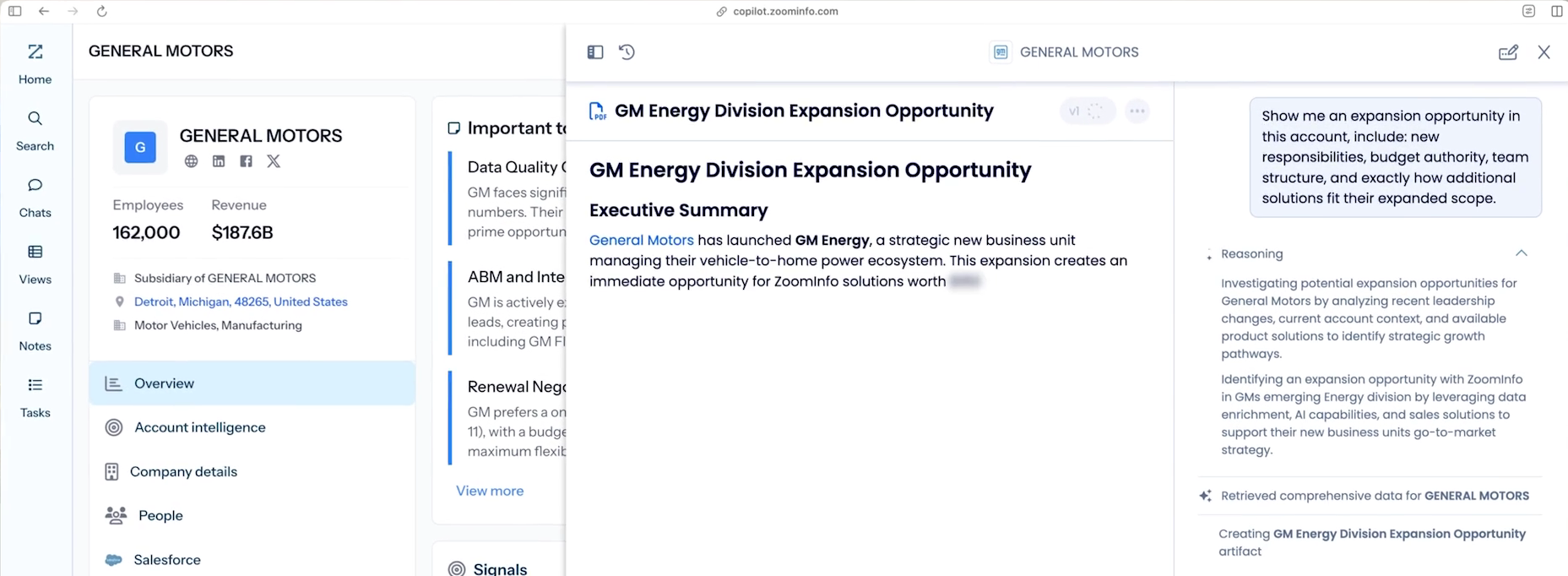
For teams using Pipedrive or Capsule, ZoomInfo integrates with both through its API and MCP access, delivering verified contacts and account intelligence directly into the CRM. The same data powering ZoomInfo's native products flows into any third-party tool. Teams don't have to choose between their preferred CRM and ZoomInfo's intelligence. They work together.
Seismic's sales team attributed 39% of active pipeline to opportunities identified or influenced by ZoomInfo signals, boosted productivity by 54%, and saved 11.5 hours per week. (Seismic)
Automation depth separates Pipedrive from Capsule
The gap between Pipedrive and Capsule in automation is structural, not incremental.
Pipedrive's automation engine operates on two trigger categories: event-based (a deal is created, a field is updated, a lead is converted) and date-based (a custom date field reaches a value). From there, if/else conditions split the workflow into multiple paths. A "wait until event" condition pauses the automation until a specific action occurs. Actions chain in sequence with delays between steps. The engine sends emails, creates deals, updates fields, fires webhooks, and pushes notifications to Slack, Teams, Trello, or Asana natively. A library of pre-built templates covers common patterns like lead nurture, deal progression, and post-sale handoffs.
Source: Pipedrive
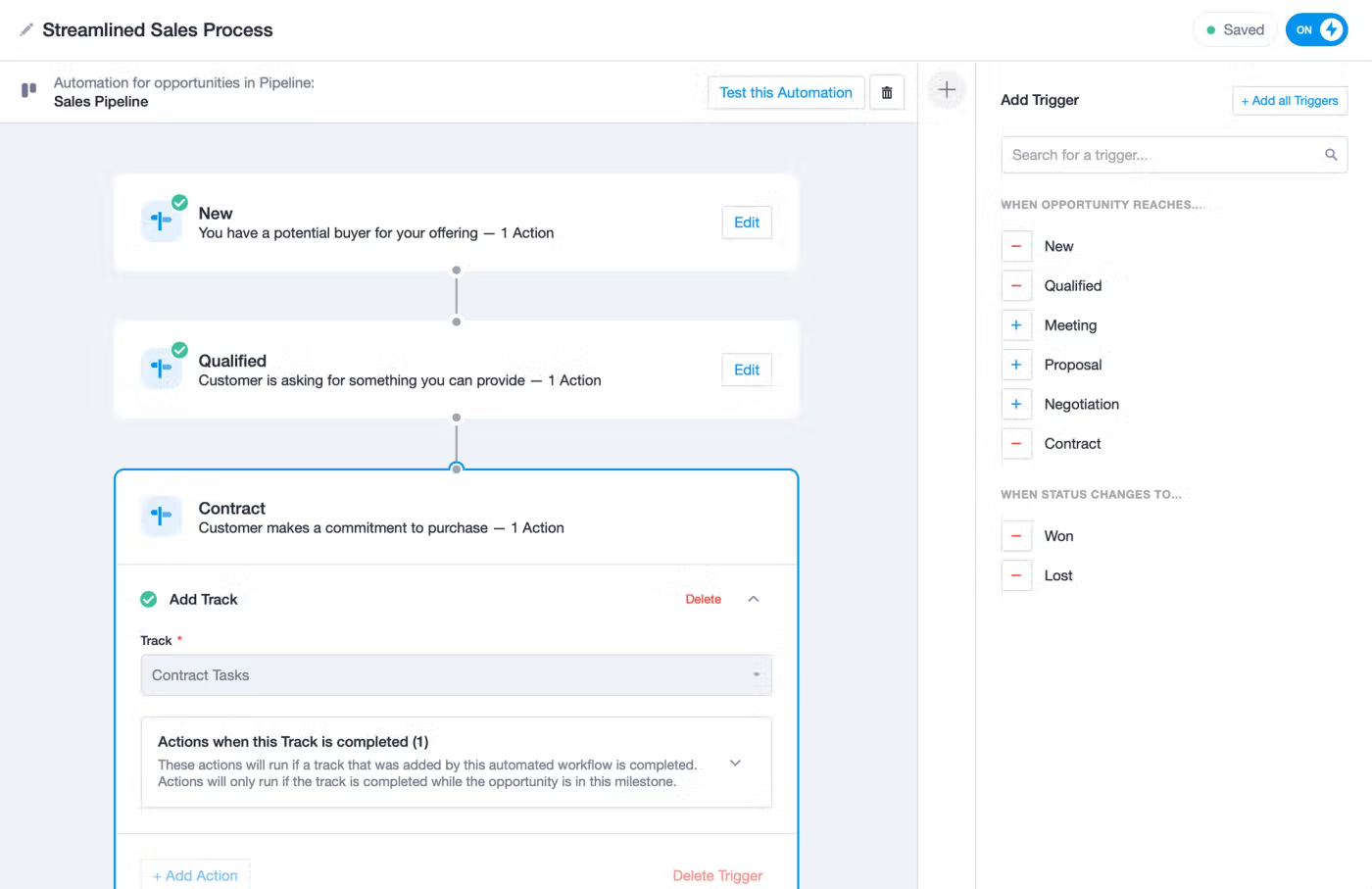
Capsule's automation follows a simpler Trigger, then Action model. Triggers fire when an Opportunity reaches a milestone or a Project reaches a stage. Actions include assigning to a user or team, applying a Track, sending an email template, or creating a linked Project. Multiple actions can stack per trigger, and Track-completion gating prevents deals from advancing until all checklist items are done. Capsule includes a built-in test mode that simulates automations before activation.
Source: Capsule CRM
The difference is clear: Pipedrive's automation can model branching sales processes with conditional logic. Capsule's automation enforces consistent, linear workflows. For a five-person consulting firm that needs every new client to follow the same onboarding steps, Capsule's approach is simpler and sufficient. For a 20-person sales team where different deal types require different follow-up sequences, Pipedrive's branching logic avoids the need for external automation tools.
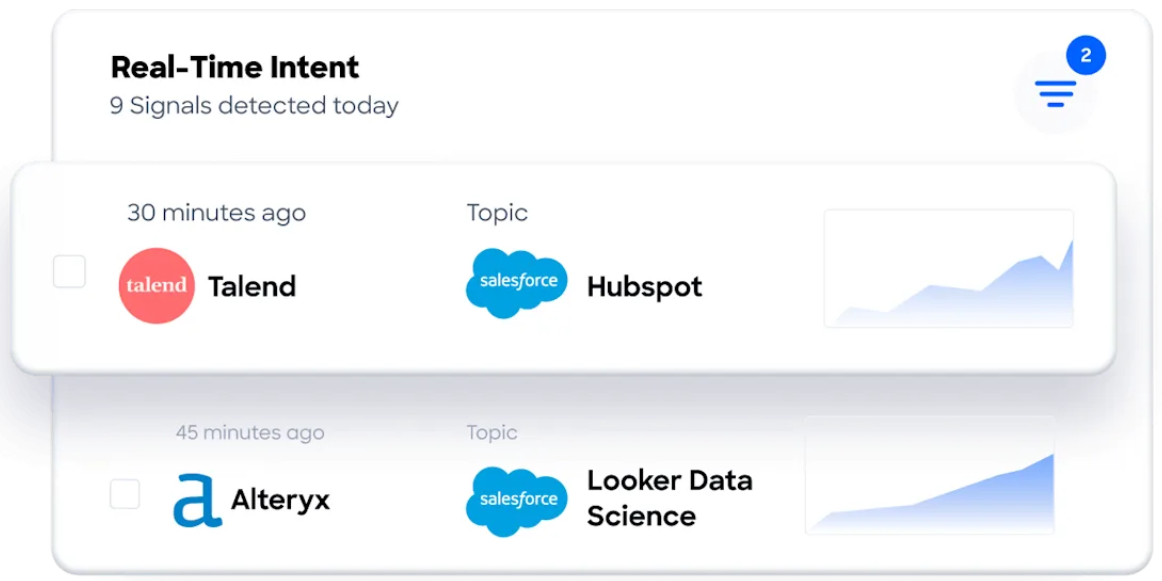
ZoomInfo operates at a different level entirely. Its automations are signal-driven: when Buyer Intent data detects that a target account is actively researching a relevant topic, GTM Studio can trigger a play that routes the account to the right rep, launches personalized outreach, and activates advertising, all without manual intervention. The triggers aren't CRM events. They're market signals.
Email and communication capabilities compared
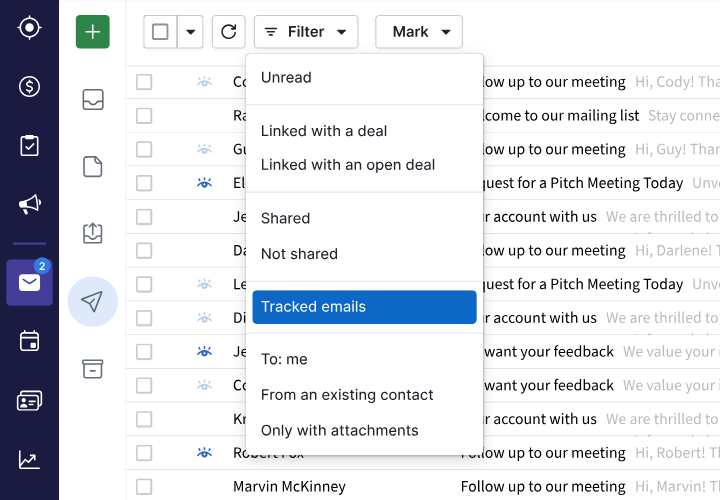
Pipedrive treats email as a core workflow surface. Two-way email sync connects Gmail, Outlook, or any IMAP account to the Sales Inbox, a dedicated email client inside the CRM. Emails link automatically to deals, leads, or projects. Open and click tracking sends real-time notifications.
Source: Pipedrive
Group email sends personalized messages to up to 100 contacts at once. The AI email writer generates drafts from prompts with configurable tone and length, while AI email summarization condenses long threads into key themes, sentiment, and a readiness-to-buy score. The Scheduler generates shareable booking links connected to Zoom, Teams, or Google Meet. Smart Docs lets reps create, send, track, and sign proposals and contracts with merge fields that auto-populate from CRM data. Email sync starts on the Growth plan.
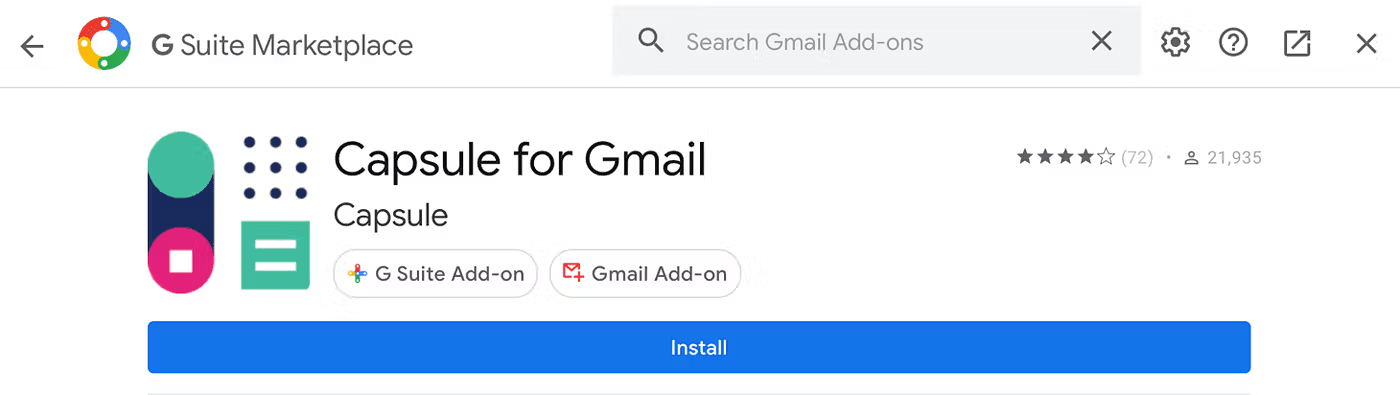
Capsule handles email differently. Rather than a built-in email client, Capsule connects to Gmail and Outlook through add-ons and a Mail Drop Box (BCC a special address to log emails on contact records). The Gmail Add-on with automatic email logging shipped in November 2025, but only for Growth plan and above.
Source: Capsule CRM
AI Email Assist drafts emails from prompts within the compose window. Capsule does not include a meeting scheduler, and email templates require the Starter plan. For marketing email campaigns, the Transpond add-on (starting from $11/month) adds email campaigns, social posting, and customer service chat.
Source: Capsule CRM
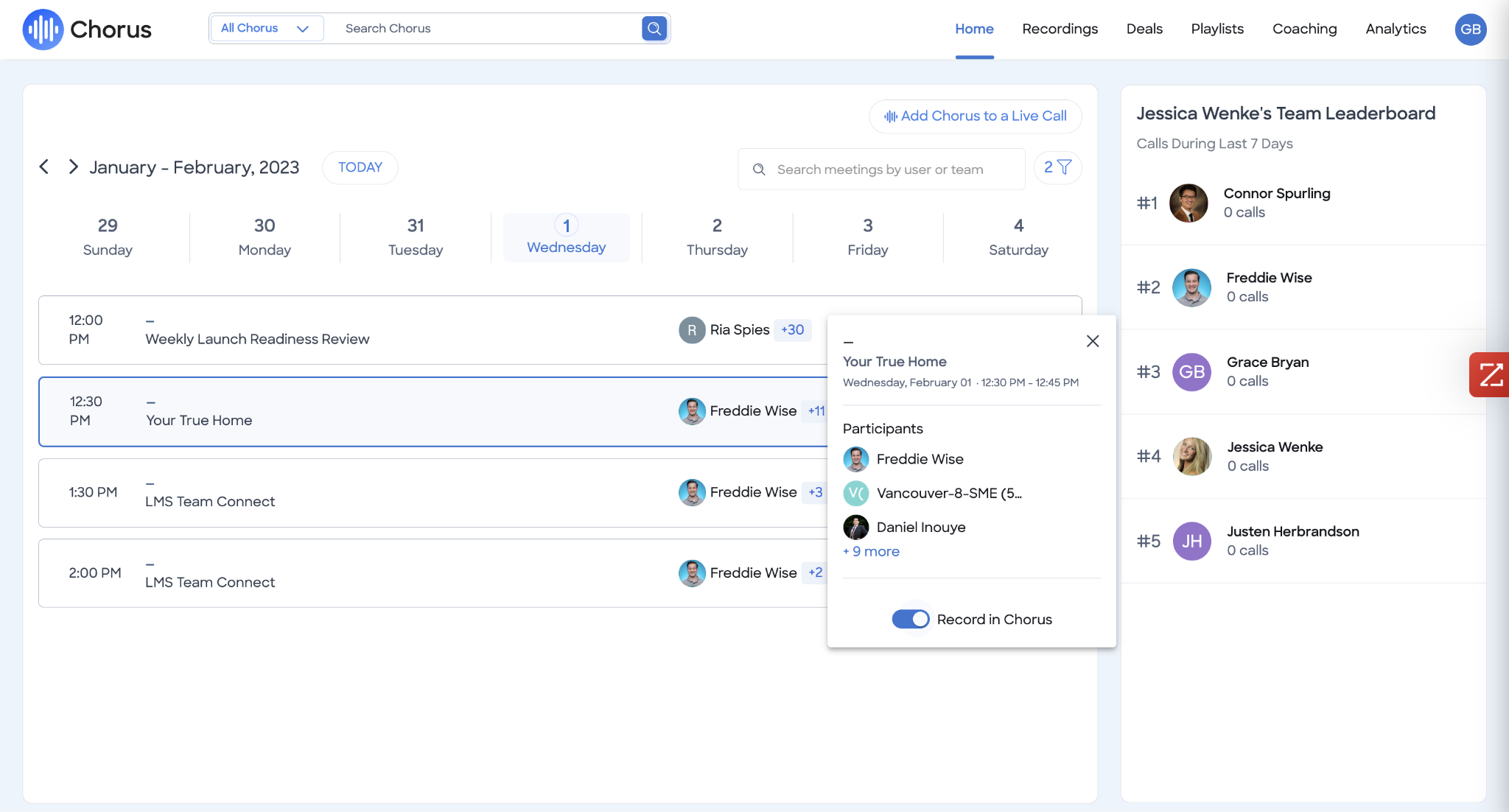
ZoomInfo's communication capabilities center on intelligence-powered outreach. GTM Workspace generates personalized emails from full account context, drawing on the GTM Context Graph to address specific concerns raised in previous conversations. Chorus captures and analyzes every customer call and meeting, extracting insights that inform the next touchpoint. The platform doesn't replace your email client; it makes every message you send from it smarter.
Reporting and analytics compared
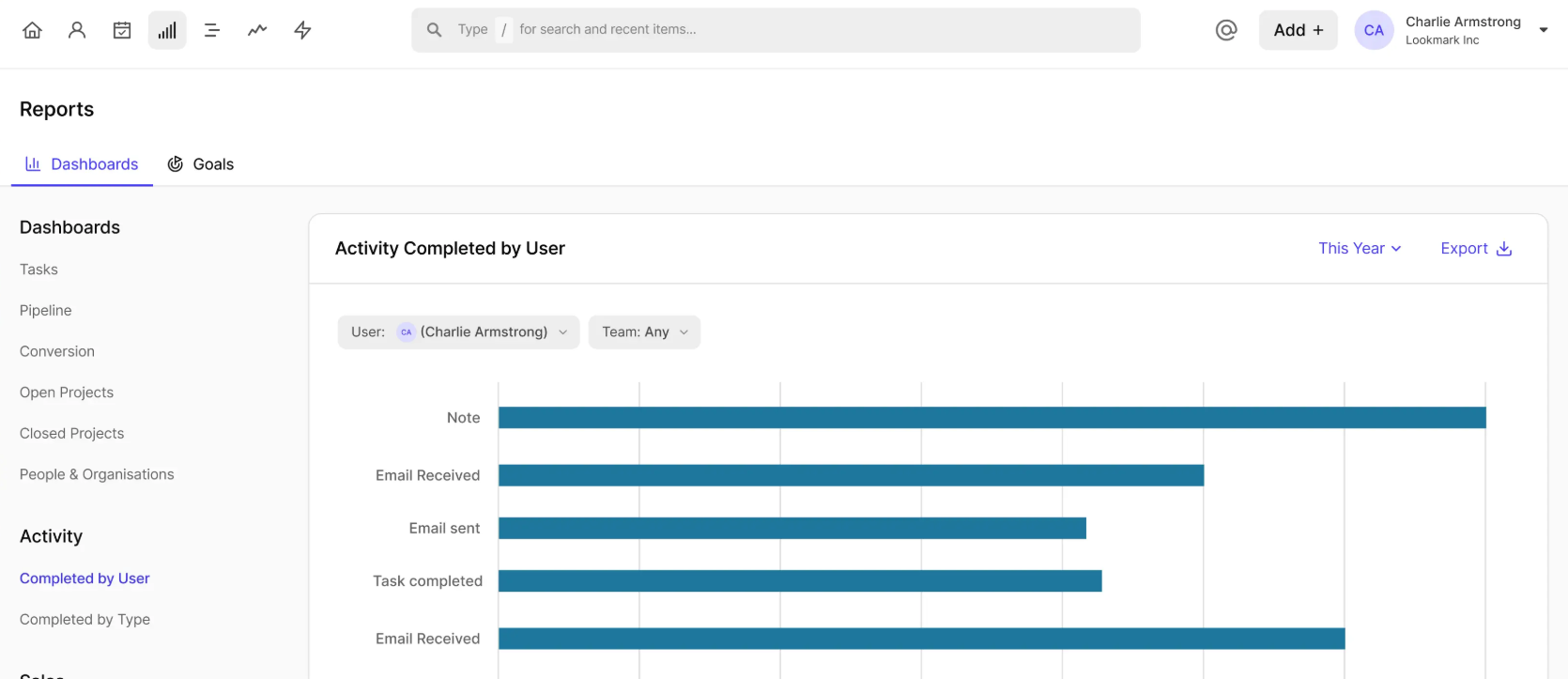
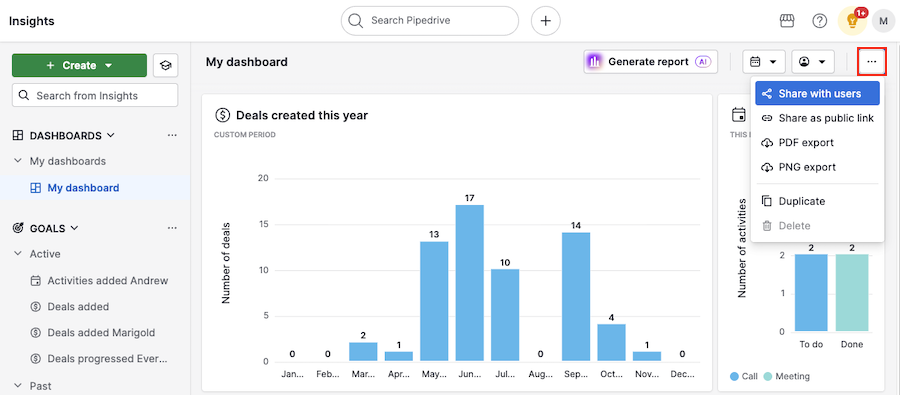
Pipedrive offers customizable reports organized into Reports, Dashboards, and Goals. Revenue forecasts project expected revenue by close date. Conversion reports track win rates. Team performance reports break down activity by rep. The AI report generator builds reports from natural-language prompts on all plans. Dashboards are shareable via link, including with non-Pipedrive users. Goals track revenue targets or activity counts with visual progress indicators.
Source: Pipedrive
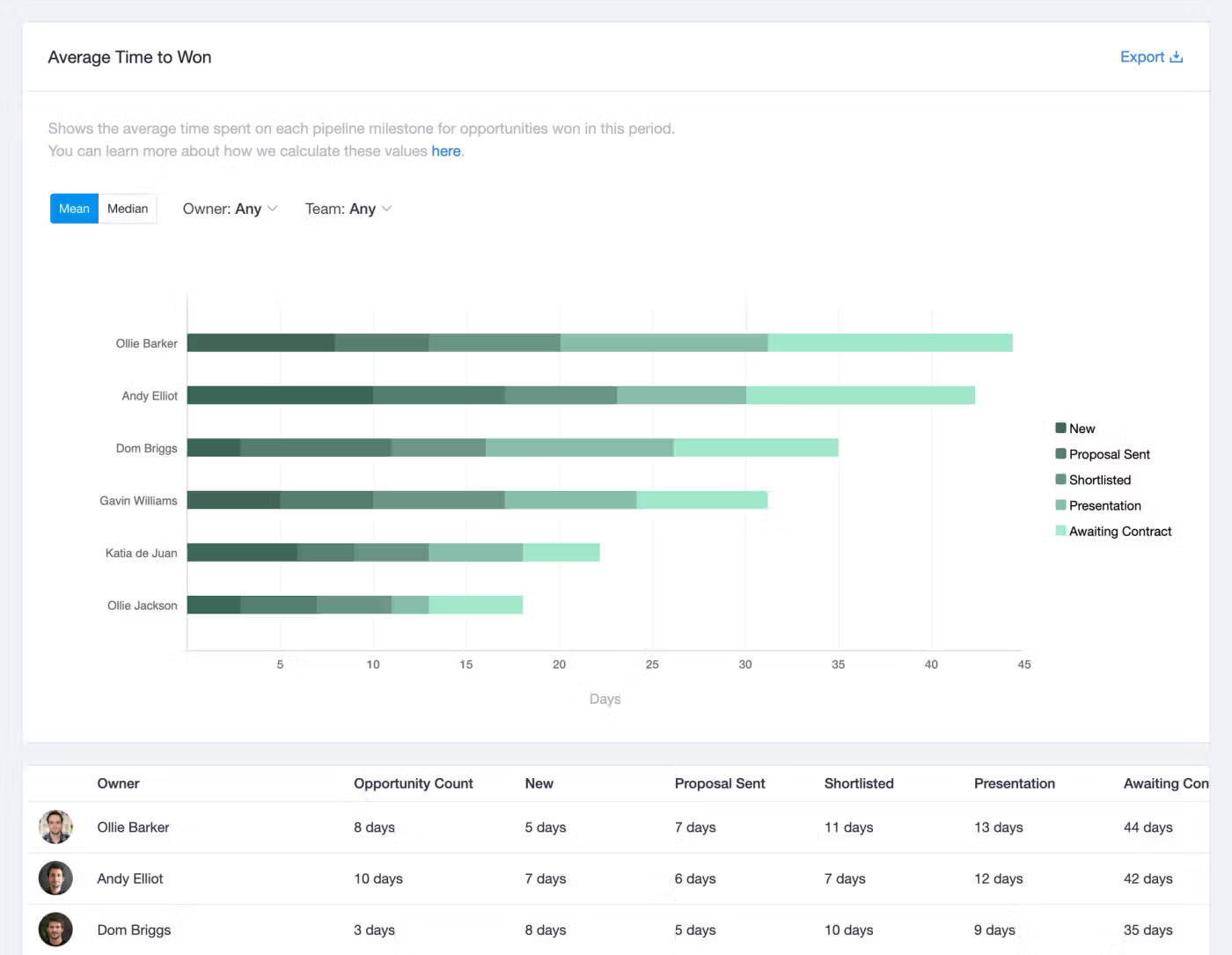
Capsule provides a Reports tab with a default Sales Dashboard (Pipeline Forecast, Pipeline by Milestone, Conversion Rate gauges) on all plans. Growth plan and above unlock Advanced Sales Reports: Won/Lost over time, Lost Reasons by Owner/Team, Leaking Pipeline (percentage lost at each stage), and Average Time to Won (mean/median per milestone, per user). Capsule extends reporting beyond sales into project delivery (Open Projects, Closed Projects dashboards) and contact health (Months Since Last Contacted). Custom dashboards let users build named views from a shared report library, exportable as PDF, Word, or PowerPoint.
Source: Capsule CRM
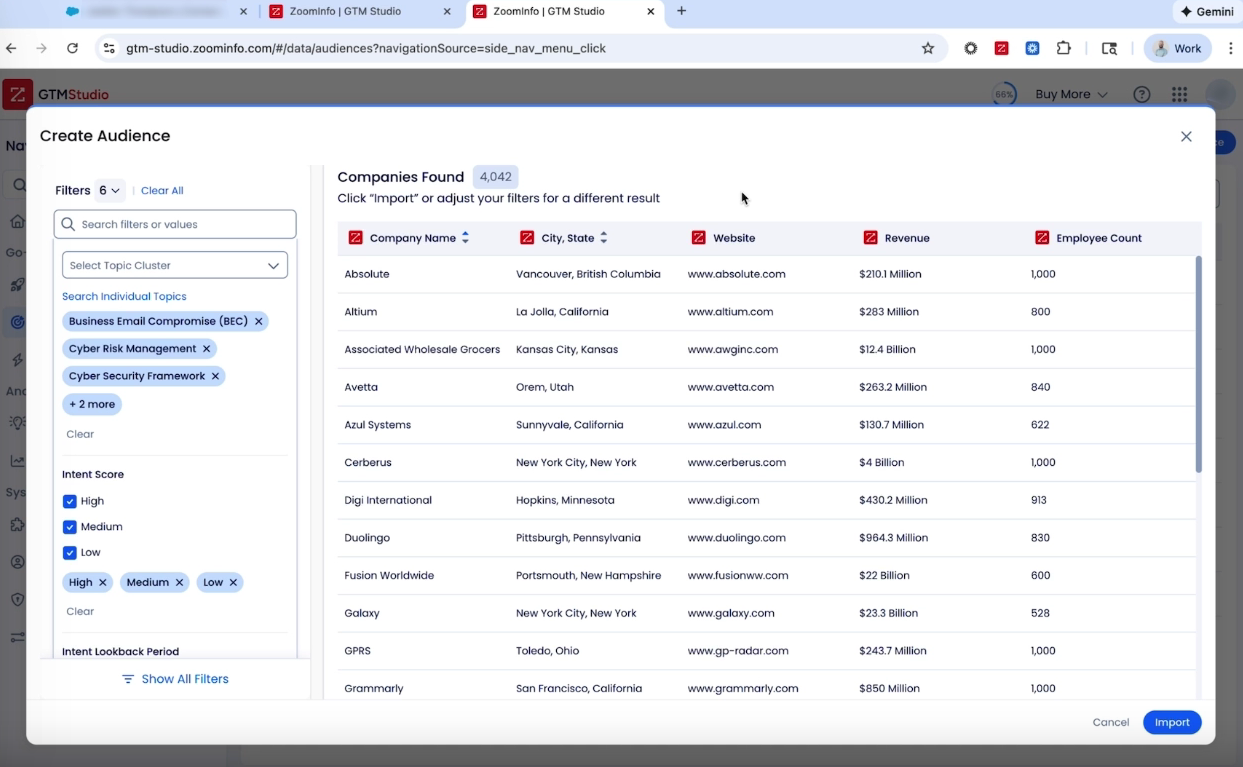
ZoomInfo provides analytics that reach beyond CRM data. AI-powered dashboards in GTM Studio track engagement, funnel progression, and top-performing segments across multi-channel plays. The intelligence layer surfaces patterns across thousands of deals, identifying which signal combinations predict closed-won outcomes and which indicate deal risk.
Pricing reflects different markets
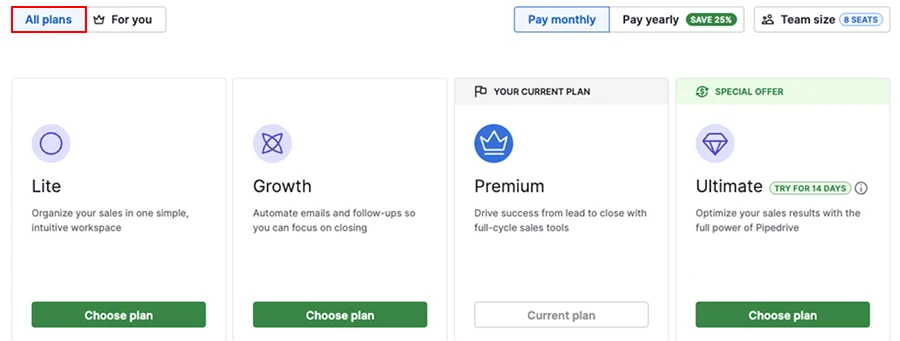
Pipedrive uses per-seat, per-month pricing across four plans: Lite, Growth, Premium, and Ultimate. Entry starts at $14/seat/month. Annual billing saves up to 42%. Key gating: email sync, automations, and sequences require Growth. Smart Docs, Projects, and LeadBooster are included on Premium and above (or available as paid add-ons on lower plans). The Campaigns email marketing add-on is always separate, priced by subscriber count. No free plan exists; the 14-day trial requires no credit card.
Source: Pipedrive
Capsule CRM uses per-seat pricing with a permanent free plan (2 users, 250 contacts). Paid plans scale from Starter through Growth, Advanced, and Ultimate. Workflow automations, advanced reporting, and multiple pipelines require the Growth plan. AI enrichment and summaries also require Growth or above. The Transpond marketing add-on starts at $11/month. Annual billing saves up to 15%. No setup fees, no onboarding fees, cancel anytime.
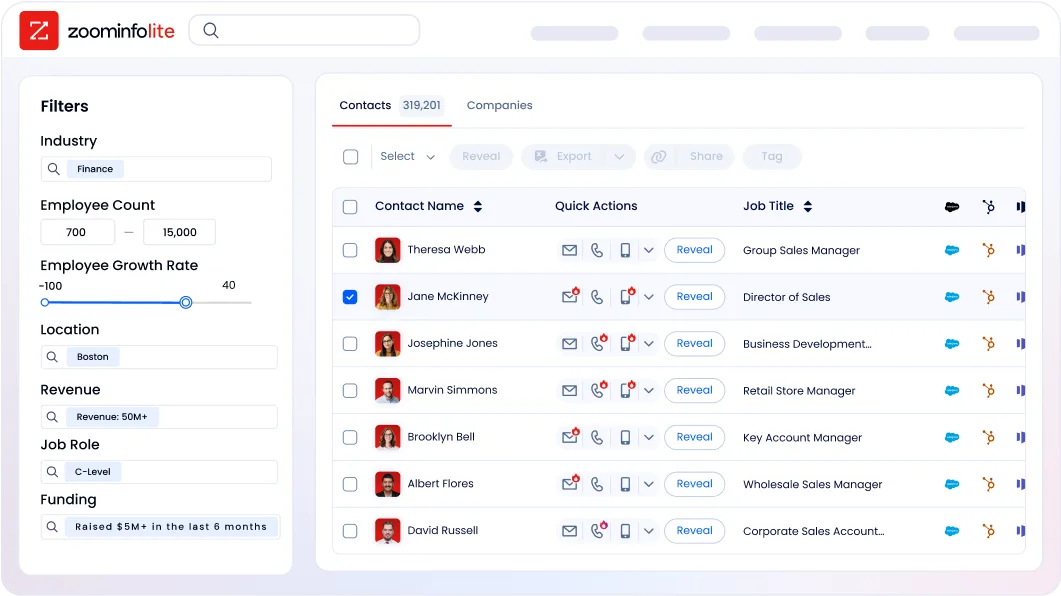
ZoomInfo uses consumption-based pricing with custom quotes and no publicly listed prices. Costs scale based on seats, credit volume, features, and contract length. ZoomInfo Lite provides a permanent free tier with access to the B2B database and 10 monthly export credits. A separate 7-day free trial offers broader access. ZoomInfo costs more, but the ROI calculation is different: verified contacts that convert, intent signals that identify ready buyers, and AI that automates research and outreach. Snowflake achieved 200% higher conversion rates on accounts scored using ZoomInfo data.
The pricing comparison requires context. Pipedrive and Capsule charge for CRM functionality. ZoomInfo charges for the intelligence that feeds the CRM. A five-person sales team might spend $70-170/month on Pipedrive or Capsule for pipeline management, while ZoomInfo addresses the upstream problem of finding and qualifying the accounts that enter that pipeline.
AI capabilities comparison
All three platforms have invested in AI, but the scope differs.
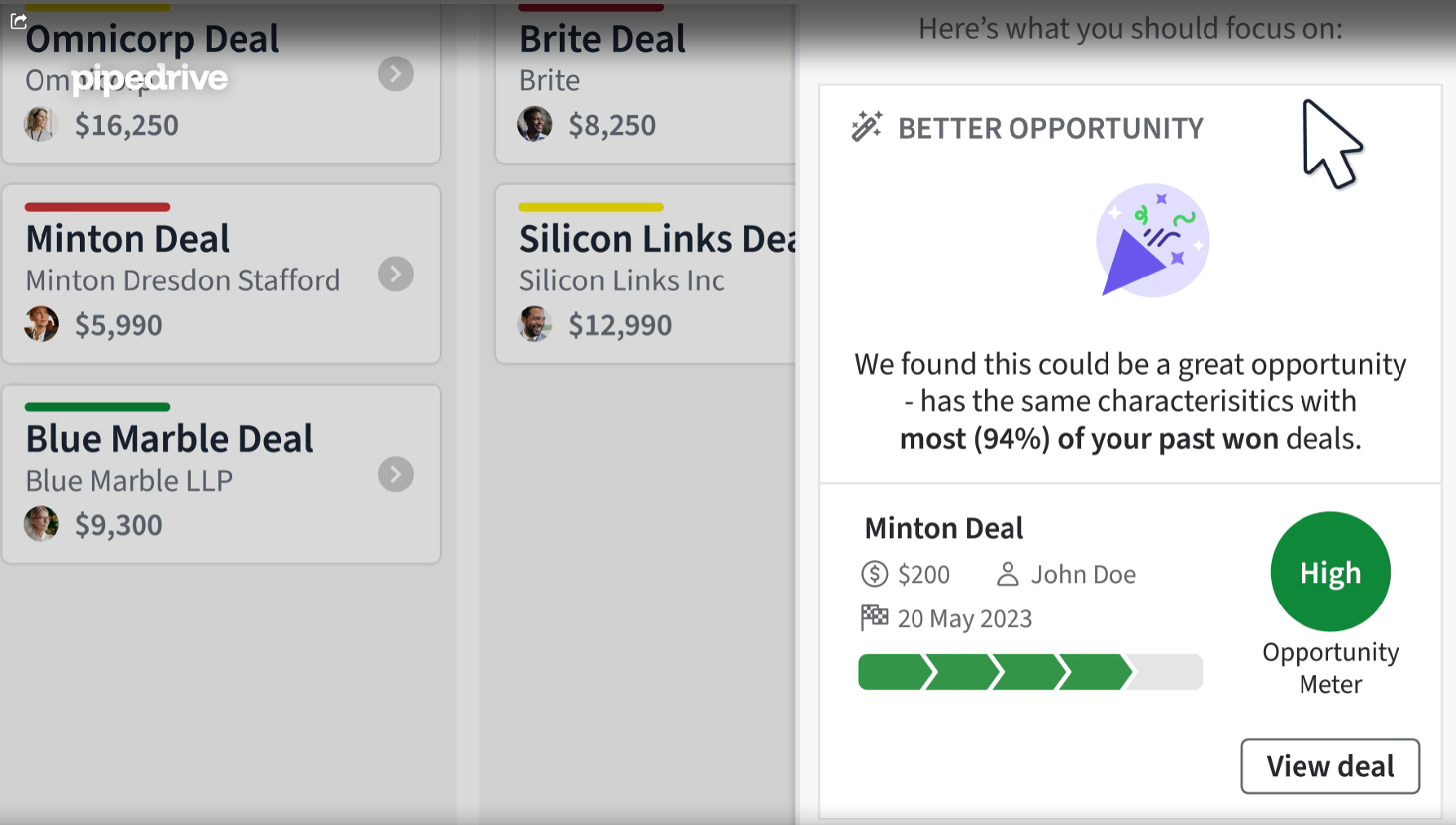
Pipedrive's AI CRM suite includes an AI Sales Assistant that surfaces win probability predictions, deal activity reminders, and feature suggestions. The AI email writer generates drafts with configurable type, tone, and length. AI email summarization (currently in beta) condenses threads into key themes with sentiment analysis and a readiness-to-buy score. The AI report generator creates reports from natural-language prompts. A ChatGPT integration lets reps query CRM data directly in ChatGPT. Pipedrive states it does not permit third parties to use client data to train AI models.
Source: Pipedrive
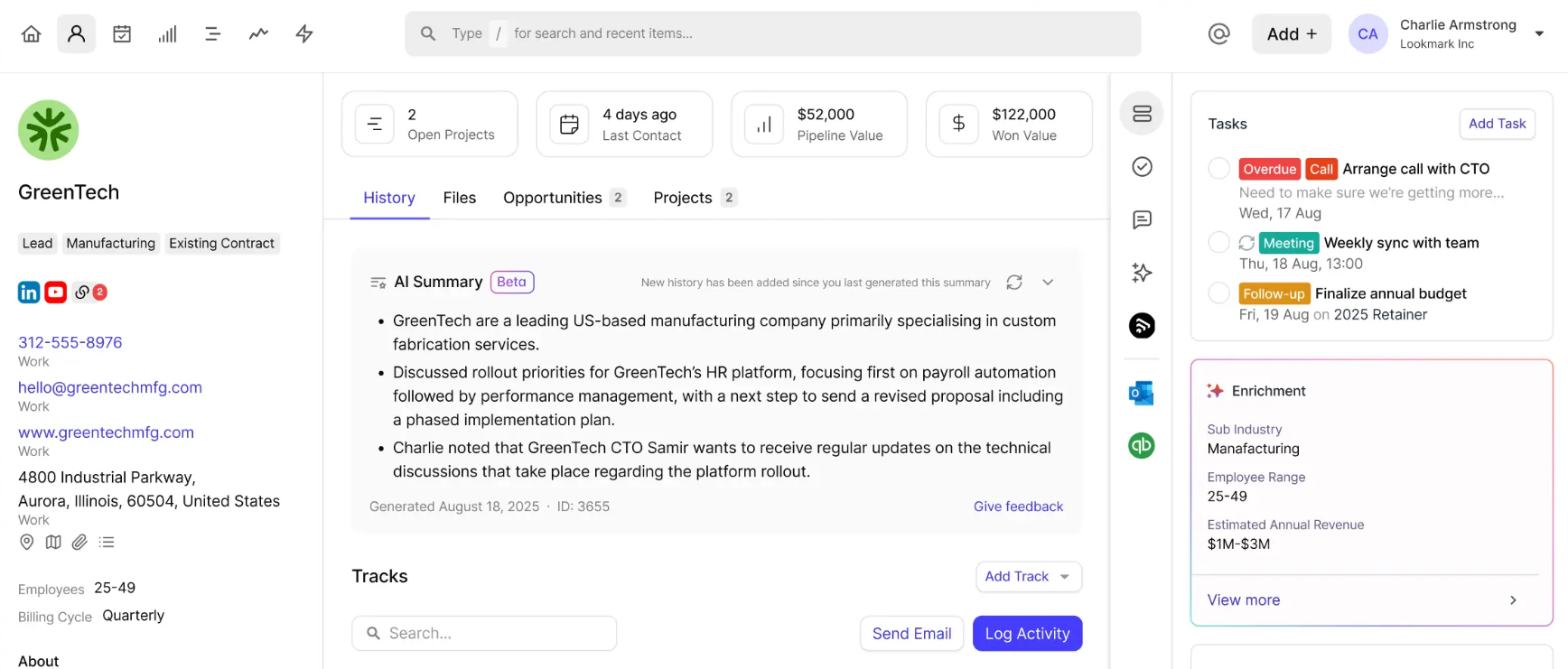
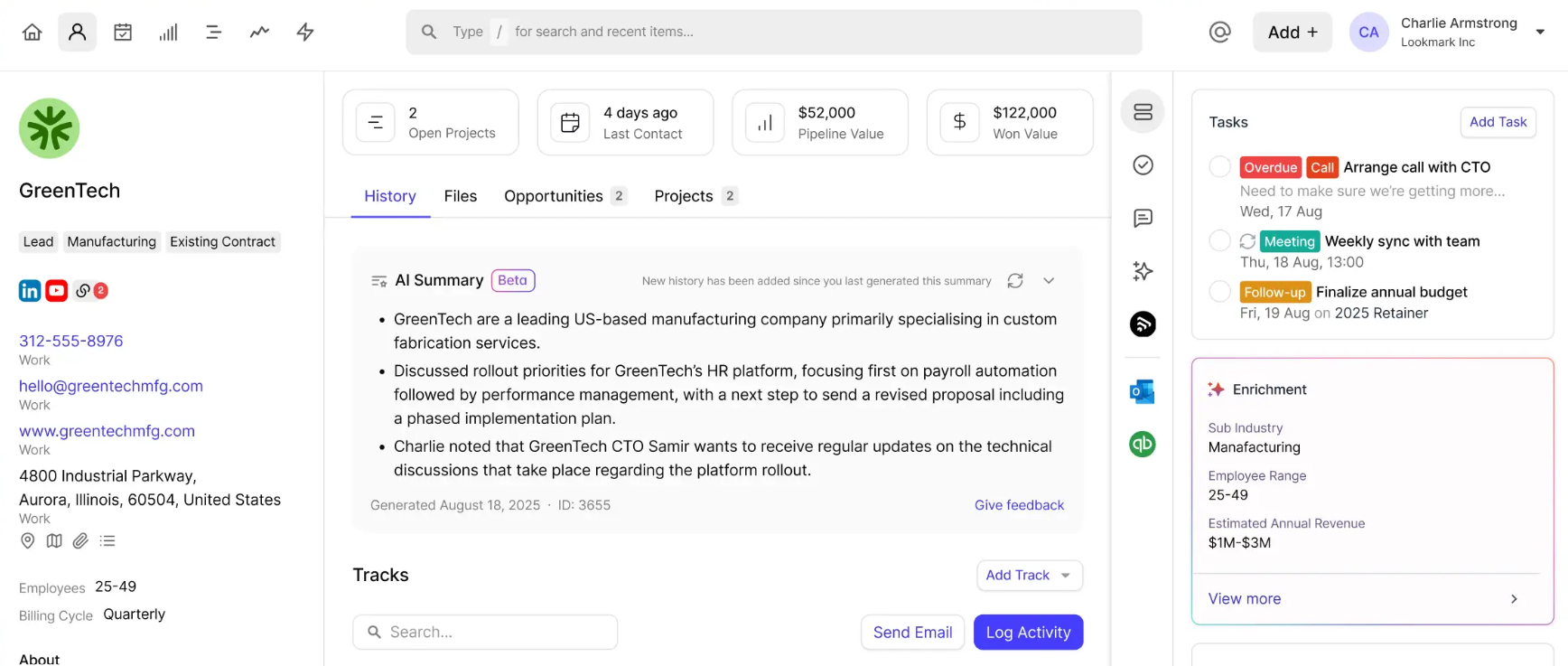
Capsule's AI features take a practical approach. AI Summaries compile the last 50 activities on any contact, deal, or project into a readable brief (20 summaries per user per 30 days on Growth+). AI Email Assist drafts emails from prompts.
The AI Pipeline Generator builds pipeline stages from a plain-language business description. AI Business Enrichment auto-populates company records, while AI Contact Enrichment surfaces contact details, job roles, and LinkedIn profiles (100 enrichments per user on Growth, 200 on Advanced/Ultimate). Capsule's stated philosophy: "AI should remove admin burden rather than add complexity" (source). All AI features are optional and can be disabled account-wide, and customer data is not used to train AI models.
Source: Capsule CRM
ZoomInfo's AI operates on a different data layer. While Pipedrive and Capsule apply AI to CRM records, ZoomInfo's AI agents draw on the GTM Context Graph, which combines 500M contacts, 100M companies, conversation intelligence, intent signals, and behavioral data into a single intelligence layer.
The AI doesn't just draft an email; it drafts an email that addresses the specific concern a CFO raised on the last call, references the competitive displacement signal the system detected this week, and targets the account because its signal combination matches patterns behind past wins. Guided Intent, exclusive to ZoomInfo, identifies topics historically correlated with deal success rather than requiring manual topic selection.
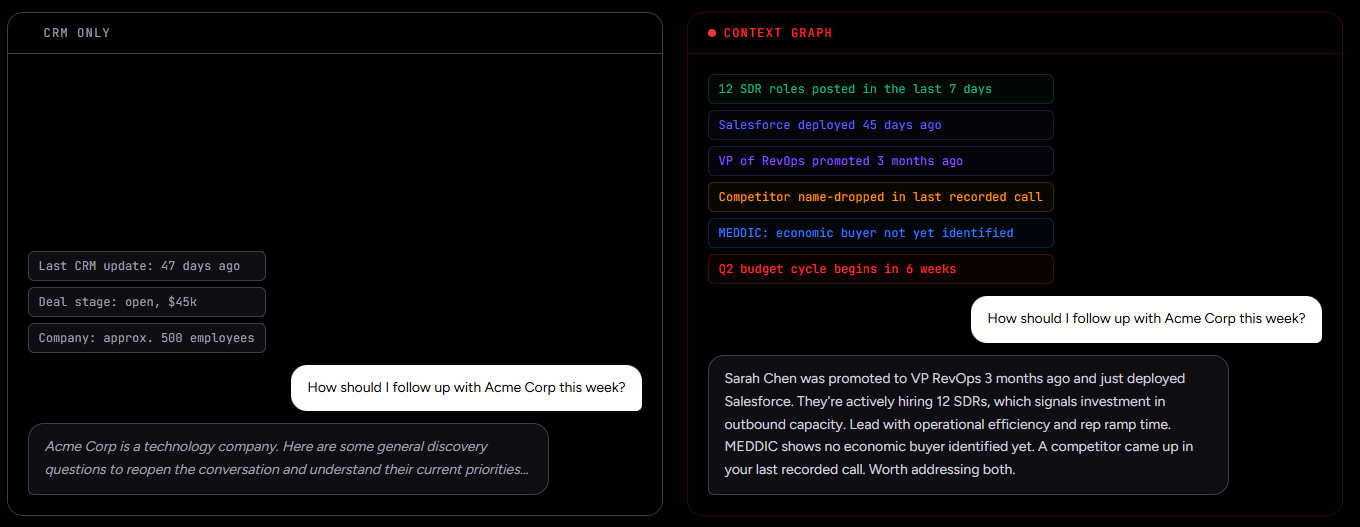
"It's not just the data itself. It's more about the right data at the right time to help us reach out with the right message across that full buyer journey." — Chelsea Kenyon, Senior Director of Digital Strategy, Redwood Logistics (Redwood Logistics)
Security and compliance comparison
For businesses in regulated industries, platform security matters.
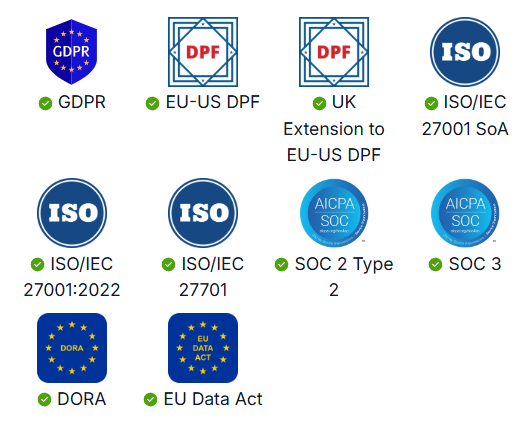
Pipedrive holds certifications including ISO/IEC 27001:2022, ISO/IEC 27701:2019, SOC 2 Type 2, and SOC 3. Data is hosted on AWS with separate databases per customer, encrypted in transit and at rest. Single Sign-On via SAML 2.0 works on all plans, supporting Okta and Microsoft Entra ID. Two-factor authentication, IP allowlisting, and time-based access restrictions are managed through the Security Center. Pipedrive is GDPR compliant with a dedicated Data Protection Officer and compliance with DORA and the EU Data Act.
Source: Pipedrive
Capsule CRM is hosted on AWS with real-time replication and continuous backup. Data is encrypted in transit and at rest. Two-factor authentication is available and can be enforced account-wide. SSO works through Google Workspace, Microsoft 365, and QuickBooks. Capsule publishes a thorough GDPR compliance page with a Data Processing Agreement and sub-processor list. 99.99% uptime is tracked publicly. Regular third-party security testing and source code reviews are conducted. Capsule references AWS-level certifications (ISO 27001, SOC 1/2/3) but does not claim independent Capsule-level ISO or SOC certification.
ZoomInfo maintains the broadest certification stack of the three: ISO 27001, ISO 27701, SOC 2 Type II, TRUSTe GDPR and CCPA validations, all renewed annually. ZoomInfo is a registered data broker in California and Vermont. The compliance infrastructure is built into the data layer itself, which matters when the platform processes 500M+ contact records across global markets.
Pipedrive vs. Capsule CRM vs. ZoomInfo: Which should you choose?
The right choice depends on what problem you're solving.
Choose Pipedrive if:
Your team's primary job is closing deals, and you want a CRM designed around pipeline execution
You need automation with conditional branching and multi-step workflows
Email sync, meeting scheduling, and document signing inside the CRM matter to your process
You're willing to add separate tools for project delivery and B2B prospecting data
You want a large marketplace of integrations and an open API on all plans
Choose Capsule CRM if:
You run a small service business (consulting, accounting, agency, financial advisory) and need sales, projects, and client management in one tool
Simplicity and fast onboarding matter more than automation power
You want a free plan that works for solo practitioners or two-person teams
Moving from deal-won to project delivery without switching platforms saves you real time
Your automation needs are linear and process-driven, not conditionally branched
Choose ZoomInfo if:
Your biggest bottleneck isn't managing deals, it's finding the right accounts and contacts to fill the pipeline
You need verified B2B data (direct dials, business emails, org charts, technographics) at scale
Buyer intent signals that tell you which accounts are actively researching solutions would change how you prioritize
You want AI that draws on market intelligence, conversation history, and CRM data to automate research and outreach
Your team builds on APIs and wants ZoomInfo's intelligence inside whatever tools they already use
See ZoomInfo in action with a free trial or explore ZoomInfo Lite at no cost.
Pipedrive and Capsule CRM both do the job they were built for: managing the deals and relationships your team is already working. ZoomInfo solves the problem that sits upstream of both: knowing which accounts to pursue, when to reach them, and what to say when you do. For revenue teams serious about pipeline generation, the strongest stack combines a CRM that fits your workflow with the intelligence layer that feeds it.
Pipedrive vs. Capsule CRM vs. ZoomInfo FAQ
What is the core difference between Pipedrive, Capsule CRM, and ZoomInfo?
Pipedrive is a sales-focused CRM built around visual pipeline management and deal execution for SMBs. Capsule CRM combines sales pipeline, project management, and client relationship tracking in one tool designed for small service businesses. ZoomInfo is a B2B intelligence platform with 500M contacts and 100M companies that identifies target accounts, surfaces buyer intent signals, and powers AI-driven outreach. It feeds the pipeline that Pipedrive or Capsule then manages.
Which platform is cheapest for a small team?
Capsule CRM offers a permanent free plan for up to 2 users and 250 contacts, making it the lowest-cost entry point. Pipedrive starts at approximately $14/seat/month with no free plan. ZoomInfo Lite is a permanent free tier with 10 monthly export credits and access to the B2B database. For paid plans, Pipedrive and Capsule are the more affordable CRM options; ZoomInfo's custom pricing reflects its role as an intelligence platform rather than a basic CRM.
Can I use ZoomInfo with Pipedrive or Capsule CRM?
Yes. ZoomInfo's API and MCP access deliver verified contacts, company data, and buyer intelligence into any third-party tool. Teams commonly use ZoomInfo to enrich and prioritize accounts, then manage the resulting deals in their CRM of choice. The intelligence that powers ZoomInfo's native products (GTM Workspace, GTM Studio) is the same intelligence available through the API.
Which platform is best for managing projects after a deal closes?
Capsule CRM is the clear choice, with kanban-style project boards built into every plan including Free. Workflow automations can create a linked project the moment a deal is won, carrying the full pre-sale history into the delivery phase. Pipedrive offers project management as an add-on included on Premium and Ultimate plans. ZoomInfo does not include project management. It focuses on the intelligence layer before and during the sales process.
Which CRM has better automation capabilities?
Pipedrive offers more capable automation with if/else conditional branching, date-based triggers, delay steps, and native integrations with Slack, Teams, Trello, and Asana. Capsule CRM's automation is limited to stage-triggered actions without conditional logic, though it includes Track-completion gating that ensures required steps finish before deals advance. ZoomInfo's automations are signal-driven rather than CRM-event-driven. They trigger based on buyer intent data and market signals.
Do any of these platforms include B2B contact data for prospecting?
ZoomInfo provides the largest B2B dataset: 500M contacts, 135M+ verified phone numbers, 120M direct-dial phone numbers, and 200M+ verified business email addresses, backed by 300+ human researchers and up to 95% accuracy on first-party data. Pipedrive's LeadBooster add-on includes a Prospector database with over 400 million profiles, available on Premium and above (or as a paid add-on). Capsule CRM offers AI Contact Enrichment with limited quotas (100-200 enrichments per user depending on plan) but no built-in prospecting database.
Which platform is best for a service business that needs both CRM and project delivery?
Capsule CRM was built for this use case. It combines contact management, sales pipeline, and project boards in a single tool with sales-to-delivery continuity, all at a price point that won't strain a small business budget. Pipedrive can cover both with its Projects add-on (Premium and above), but project management was not its original design focus. ZoomInfo serves a different need and would complement either CRM as the intelligence layer.
How do the platforms handle data privacy and security?
Pipedrive holds ISO 27001, ISO 27701, SOC 2 Type 2, and SOC 3 certifications with GDPR compliance and DORA alignment. Capsule CRM is hosted on AWS with encryption in transit and at rest, GDPR compliance, and regular third-party penetration testing, though it does not claim independent ISO or SOC certification beyond AWS-level coverage. ZoomInfo maintains the broadest certification stack: ISO 27001, ISO 27701, SOC 2 Type II, plus TRUSTe GDPR and CCPA validations, all renewed annually, with registered data broker status in California and Vermont.
