
Reclaim.ai has earned a 4.8-star rating on G2 and attracted 600,000 users across 70,000 companies including GitHub, Zapier, and Zendesk. Unlike calendar apps that wait for you to act, Reclaim defends your time, scheduling focus blocks, rearranging habits, and rescheduling meetings when conflicts arise.
To write this Reclaim.ai review, we analyzed it thoroughly. We believe it's the right choice if:
You need automatic protection for focus time in a meeting-heavy calendar
You want recurring routines (lunch, exercise, email processing) that flex around meetings instead of conflicting with them
You manage recurring one-on-ones or team syncs that constantly need rescheduling
You use Asana, Jira, ClickUp, Linear, or Todoist and want tasks auto-scheduled into your calendar
You need team-level visibility into meeting load and focus time across your organization
However, Reclaim focuses entirely on scheduling. It tells you when to work and how to protect that time, but it can't tell you who to spend that time on. For sales and go-to-market teams, a well-organized calendar is only as valuable as the intelligence behind each meeting and prospecting block.
This is where ZoomInfo complements the picture: a B2B data and GTM platform with 500M contacts, 135M+ verified phone numbers, and 200M+ verified business emails that helps teams spend their protected time reaching the right buyers.
We've included a brief look at ZoomInfo later in this Reclaim.ai review as the intelligence that makes protected sales time productive. If you're ready to explore what ZoomInfo can do for your go-to-market team, you can start with a free trial here.
What is Reclaim.ai?
Reclaim.ai is an AI-powered calendar management platform founded in 2019 in Portland, Oregon by Patrick Lightbody and Henry Shapiro, both former New Relic executives. The idea came from managing large distributed teams and watching organizations lose track of where focus time went. As Shapiro described it: "We started Reclaim by focusing on the calendar because we believed, and still do, that it's perhaps the most critical system that individuals, teams, and companies have for both understanding what's being worked on and for taking action."
In August 2024, Dropbox acquired Reclaim.ai for $40.2 million, with approximately 22 employees joining Dropbox and both co-founders continuing with the product. The platform now operates as "Reclaim.ai from Dropbox" and supports both Google Calendar and Microsoft Outlook, sitting on top of existing calendars rather than replacing them.
The product covers a wide range of scheduling functions: AI Focus Time, AI Habits, AI Tasks, AI Smart Meetings, AI Scheduling Links, AI Calendar Sync, AI Buffer Time, AI Planner, AI Time Tracking, and Workforce Analytics. Named enterprise customers include GitHub, Salesforce, Zapier, Indeed, Miro, 1Password, Zendesk, and Instacart.
Reclaim.ai Pros & Cons
Pros | Cons |
|---|---|
- Broad automation suite under a single subscription | - No native mobile app (still in planning) |
- Strong free tier with no time limits | - Outlook integration is newer and less mature than Google |
- Native two-way sync with Asana, Jira, ClickUp, Linear, Todoist | - Setup complexity for newcomers |
- Priority-aware scheduling links (not just free/busy) | - Key team features gated to paid tiers |
- Automatic buffer time around meetings | - Weak deadline escalation alerts |
- Workforce Analytics for team-level insights | - No recurring tasks (Habits workaround only) |
- SOC 2 Type II, GDPR, SSO, SCIM (Enterprise) | - Limited reporting depth beyond high-level summaries |
Reclaim.ai Review: How It Works & Key Features
Focus Time & Habits: Reclaim defends time for deep work and daily routines without manual calendar blocking.
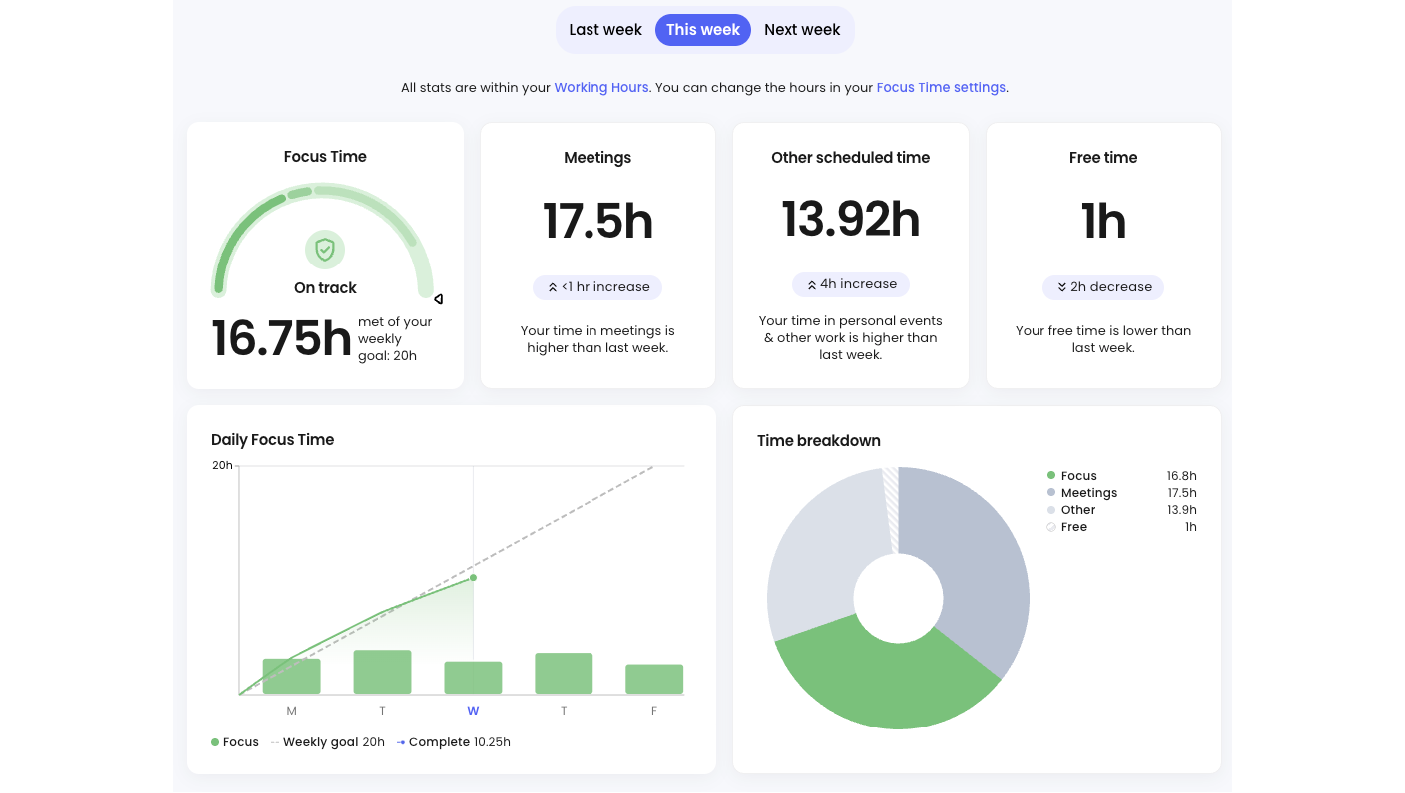
AI Focus Time is the feature most users adopt first. You set a weekly Focus Time goal, and Reclaim schedules and defends blocks to meet it. Two scheduling modes control how aggressively this happens: Proactive Mode fills the calendar ahead of time to guarantee the weekly goal, while Reactive Mode only starts blocking when meetings threaten the target.
Source: Reclaim.ai
When a meeting displaces a Focus block, Reclaim reschedules it to the next best time. If you manually move a block, Reclaim locks it in place and stops rescheduling it. An optional auto-decline setting rejects meeting requests that would interrupt Focus Time and sends a message to the organizer. Work Tasks, Habits, and natively created Google Calendar Focus Time events all count toward the weekly Focus goal, so the platform shows an accurate picture of actual focused work time.
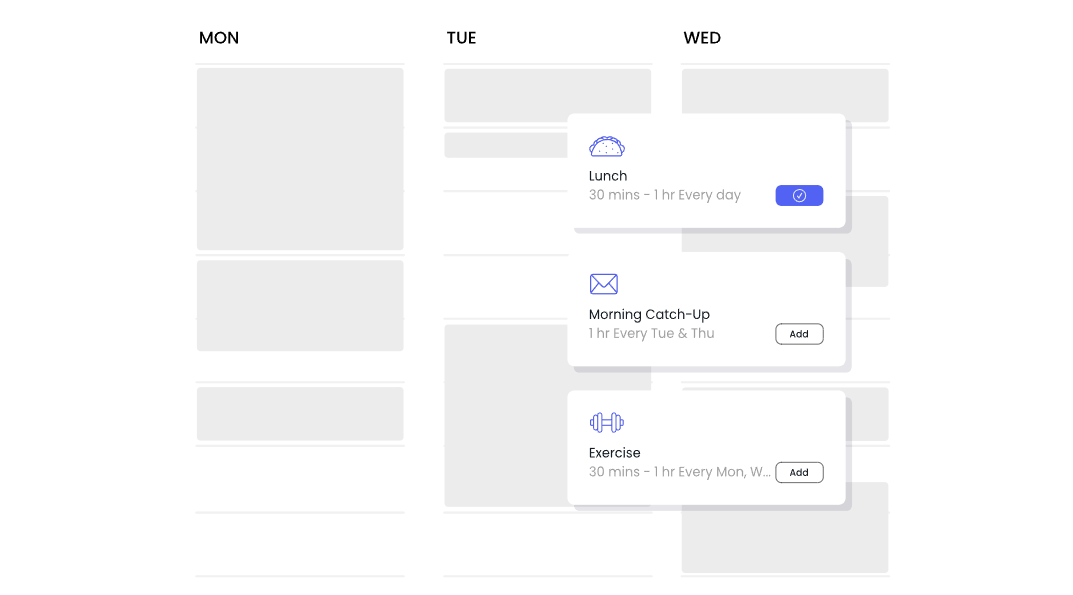
AI Habits work similarly for recurring routines. Instead of a fixed recurring block (lunch at 12pm every day), you define scheduling rules: lunch Monday through Friday, between 11:30am and 2pm, for 30 to 60 minutes, ideally at noon. Reclaim toggles Habits between Free and Busy depending on calendar pressure, and reschedules them when higher-priority events take their slot. Frequency options include daily, specific weekdays, monthly, or custom patterns like "2nd Friday of each month." Over 100 templates cover common routines from daily standups to weekly reviews.
Source: Reclaim.ai
AI Tasks: Reclaim bridges the gap between your to-do list and your calendar.
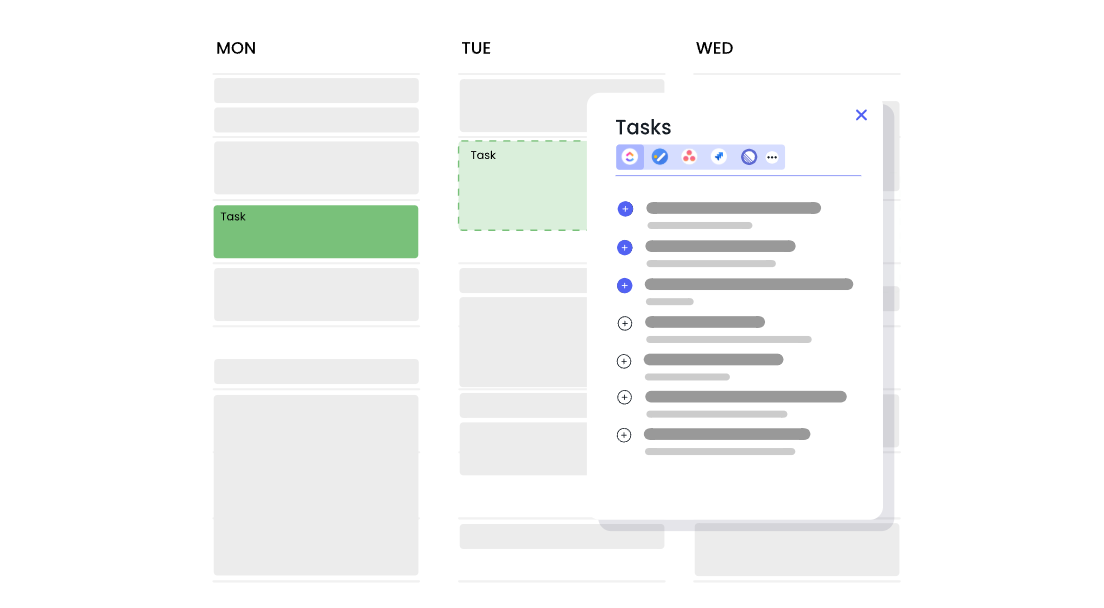
AI Tasks blocks time on your calendar before due dates, working around everything else already scheduled. When you create a Task, you supply a name (the only required field) and optionally set priority, total duration, due date, and session length. Reclaim finds open slots and splits longer tasks into manageable sessions.
Source: Reclaim.ai
The scheduler uses a four-level priority system: Critical (P1), High (P2), Medium (P3), and Low (P4). What makes it more nuanced than simple priority ordering is that priority and due date are weighed together, so an urgent medium-priority task can schedule before a non-urgent high-priority one. The "Up Next" feature lets you override all priority levels and schedule a specific task immediately through drag-and-drop stack ranking.
The real payoff is the native integration with task managers: Asana, ClickUp, Todoist, Jira, Linear, and Google Tasks all sync bidirectionally. Tasks from those systems become calendar blocks without manual effort. You can also create tasks from Slack, the Google Calendar add-on, Gmail, and Raycast without opening Reclaim.
Smart Meetings & Scheduling Links: Reclaim automates recurring meeting logistics and external booking.
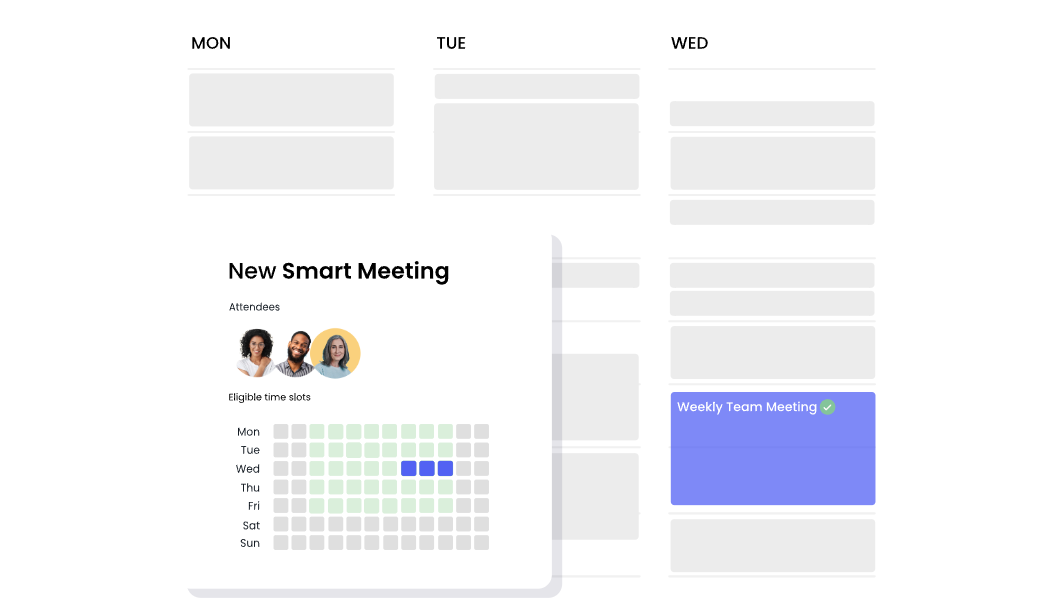
AI Smart Meetings eliminates the back-and-forth of recurring meeting scheduling. You define rules (attendees, frequency, duration range, ideal time, priority) and Reclaim finds the best recurring time across all calendars. When a conflict arises, the meeting reschedules to the next available time without anyone sending an email. Timezones are detected automatically, and the other person does not need a Reclaim account.
Source: Reclaim.ai
Smart Meetings are initially placed as Free events that flip to Busy when less than 12 hours remain or only one viable slot is left. If a lower-priority meeting is repeatedly skipped, Reclaim escalates its priority: Medium missed once becomes High; missed twice becomes Critical. Zoom or Google Meet links are auto-generated and attached to each instance.
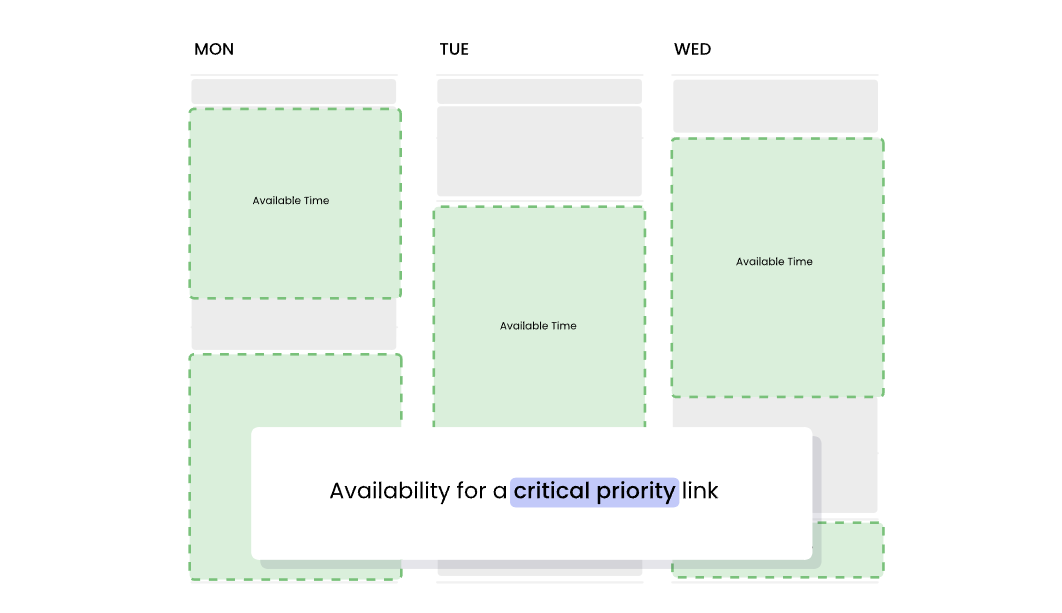
AI Scheduling Links is Reclaim's answer to Calendly. The key difference: availability is priority-aware, not just free/busy aware. A high-priority booking link can surface lower-priority events as open slots, and when someone books over a low-priority event, Reclaim reschedules that displaced event automatically. Three link types cover different coordination patterns: Individual (one-on-one), Team Links (all organizers must attend), and Round Robin (one pool member attends). Buffer time settings are enforced at the availability layer, so attendees only see times that already account for breaks and travel gaps.
Source: Reclaim.ai
Buffer Time & Calendar Sync: Reclaim prevents back-to-back overload and keeps multiple calendars aligned.
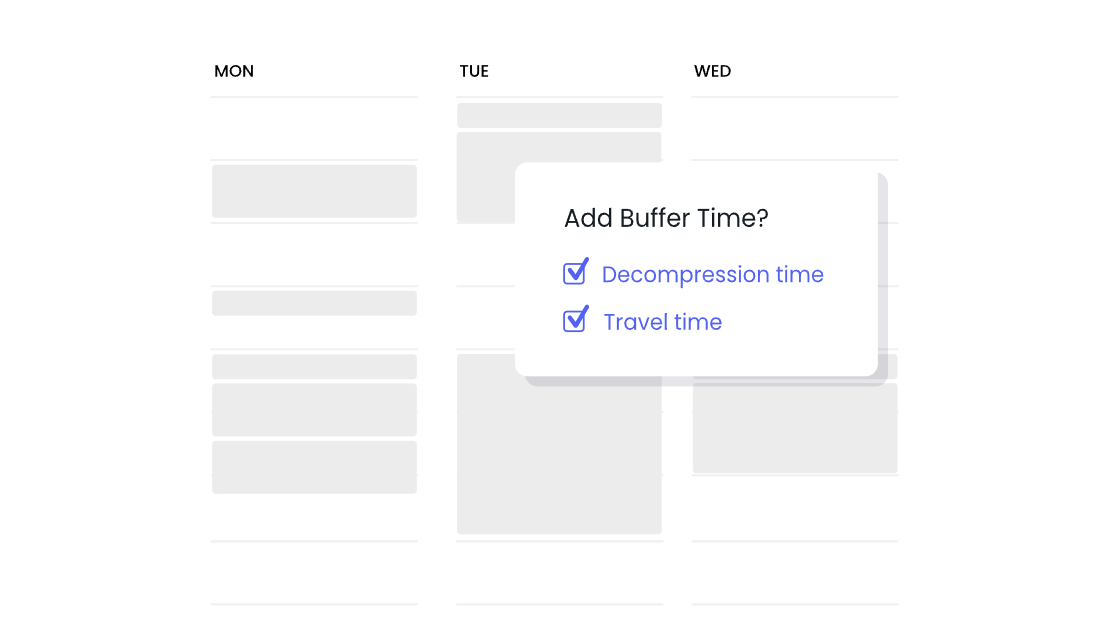
AI Buffer Time inserts gaps around calendar events through three mechanisms. Travel Time detects events with locations and adds travel blocks before and after them, including automatic 2-hour pre-flight and 1-hour post-flight buffers for detected flight events. Decompression Time adds breathing room after meetings for notes and mental recovery. Task and Habit Breaks add gaps between consecutive focused work sessions without creating calendar clutter.
Source: Reclaim.ai
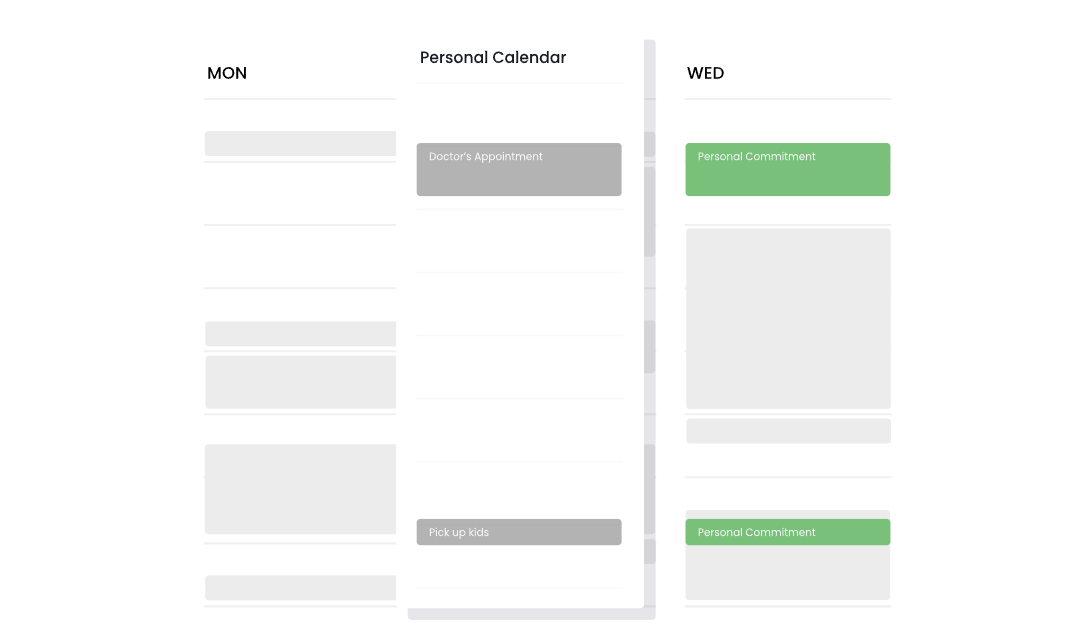
AI Calendar Sync keeps multiple calendar accounts in sync by creating and maintaining copies of events across calendars. If you have both a personal and work calendar, Calendar Sync ensures colleagues see your true availability across both. It works across Google Calendar and Outlook accounts, including cross-platform sync. Privacy controls let you share context like "Personal Commitment" without exposing event names, and a #nosync tag exempts individual events.
Source: Reclaim.ai
AI Planner, AI Assistant & Reclaim 2.0: The scheduling command center.
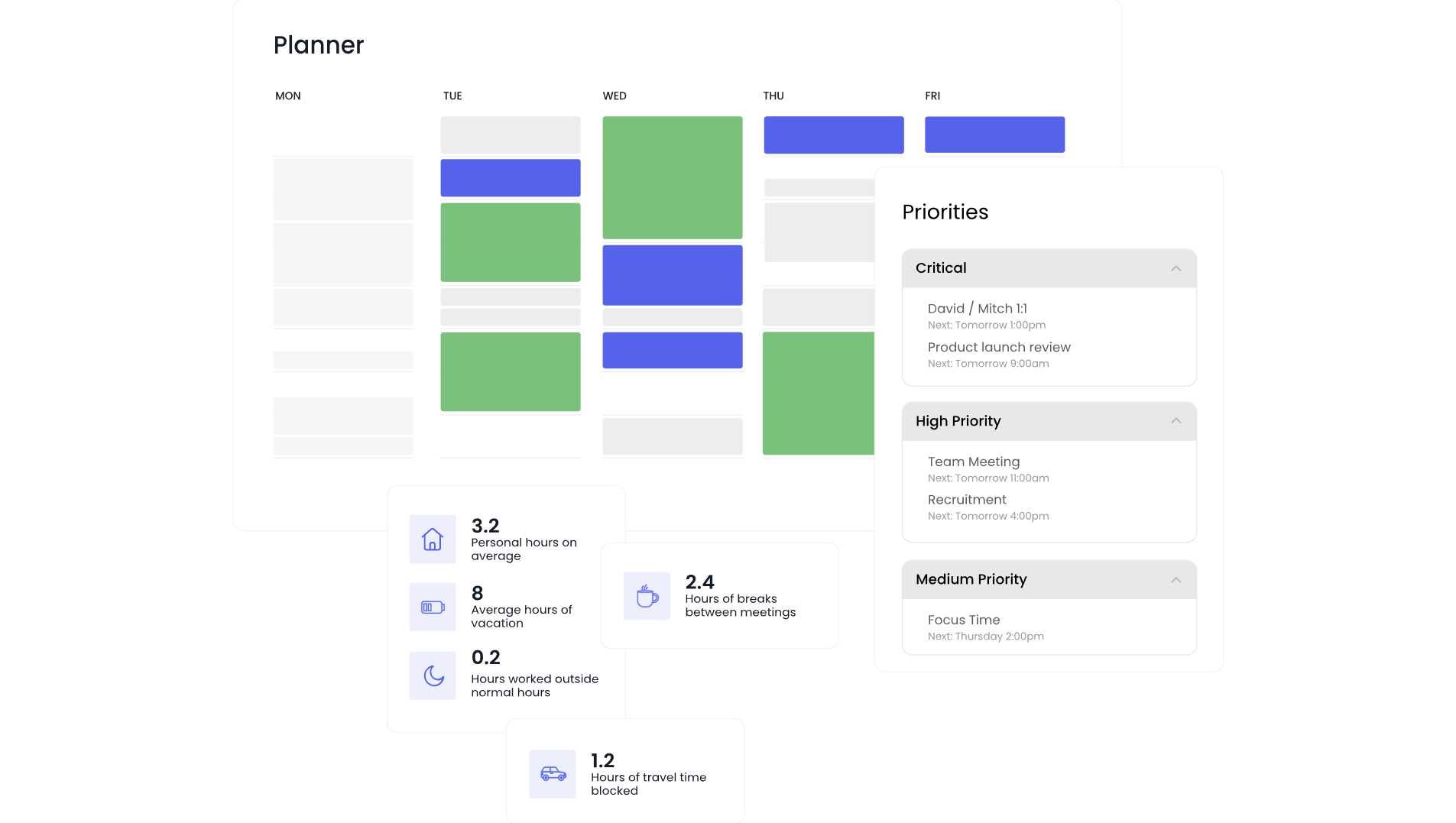
The AI Planner displays all connected calendars in a single view, adding controls that Google Calendar and Outlook lack: marking tasks complete, adjusting priorities with drag-and-drop, locking events, and previewing your calendar as colleagues see it. Dashed outlines indicate flexible events; solid outlines indicate fixed ones, making it clear at a glance which blocks can still move.
Source: Reclaim.ai
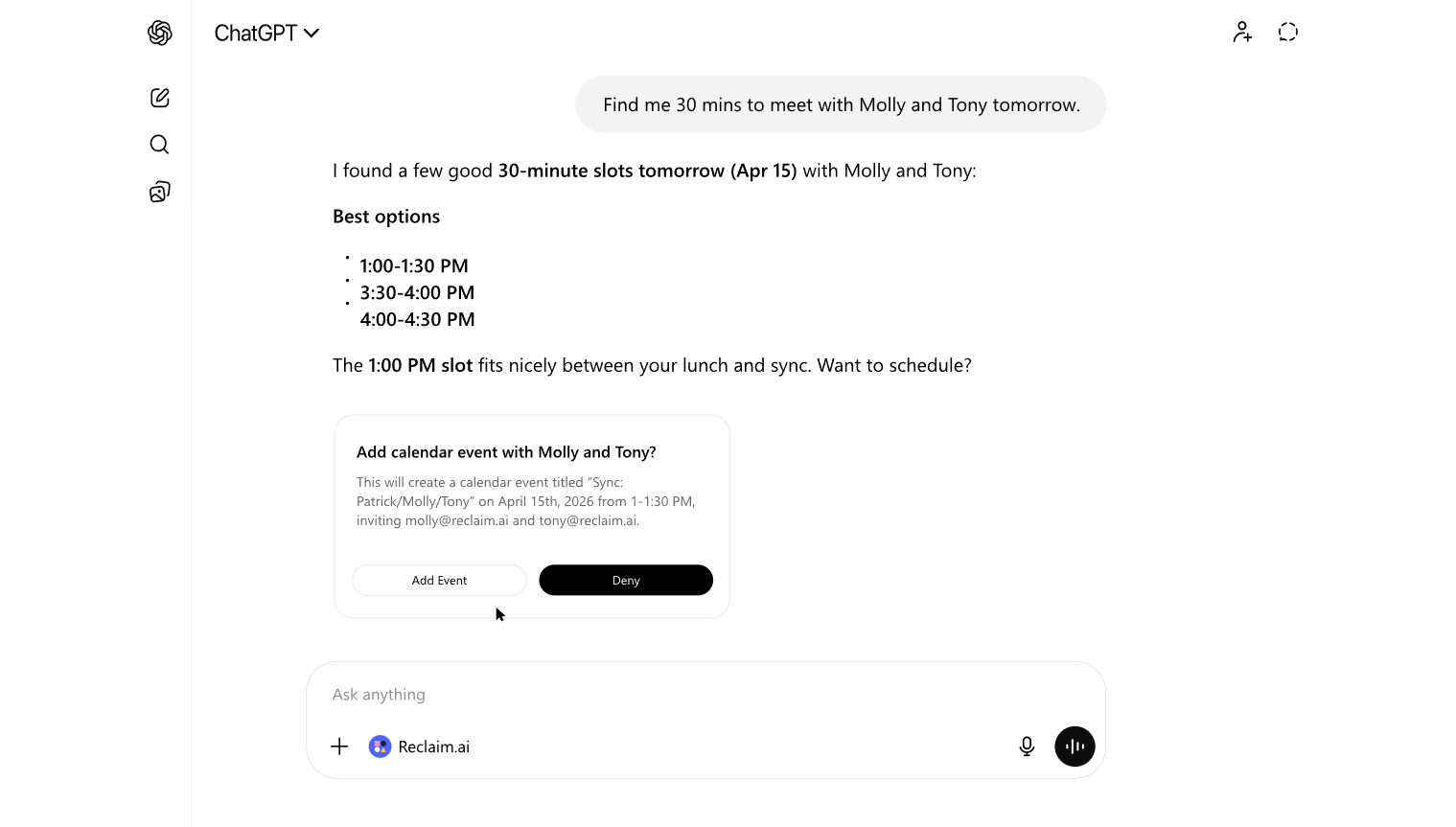
Reclaim 2.0 introduced the AI Assistant, a chat interface for natural-language scheduling commands ("Clear my afternoon, I'm out sick" or "Find 30 minutes to meet with Bob this week"). The assistant proposes changes in Preview Mode, a calendar sandbox where you review what will move before anything is applied. It also flags conflicts, overloaded days, missing focus time, and meetings without agendas.
Source: Reclaim.ai
MCP (Model Context Protocol) support connects Reclaim to ChatGPT, Claude, Cursor, and other AI tools, making it a scheduling layer within broader AI workflows.
Time Tracking & Workforce Analytics: Automatic productivity insights for individuals and teams.
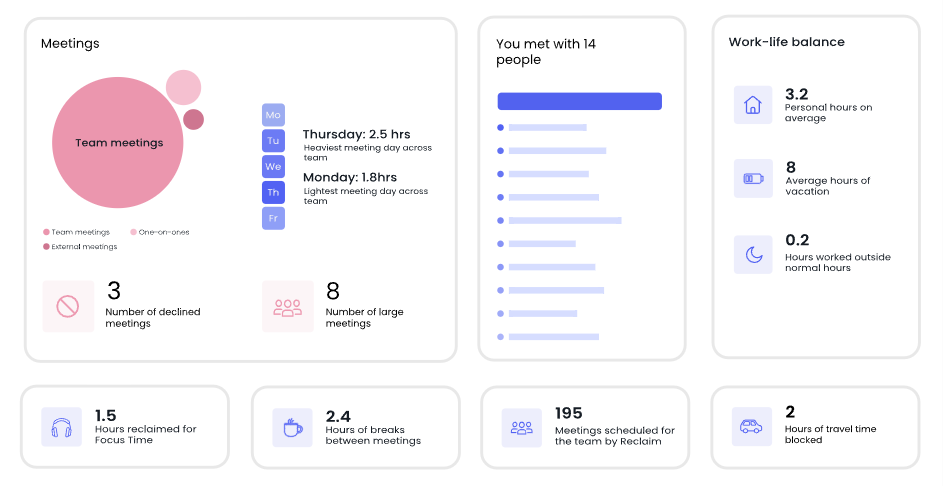
AI Time Tracking measures how time is spent without manual timers or timesheets. Reclaim categorizes every calendar event into Team Meetings, External Meetings, One-on-Ones, Deep Work (sessions over 2 hours), Shallow Work (under 2 hours), Personal, and Travel. The Stats dashboard aggregates this into daily and weekly averages across up to 12 weeks of historical data, and can project forward into future weeks for capacity planning.
Source: Reclaim.ai
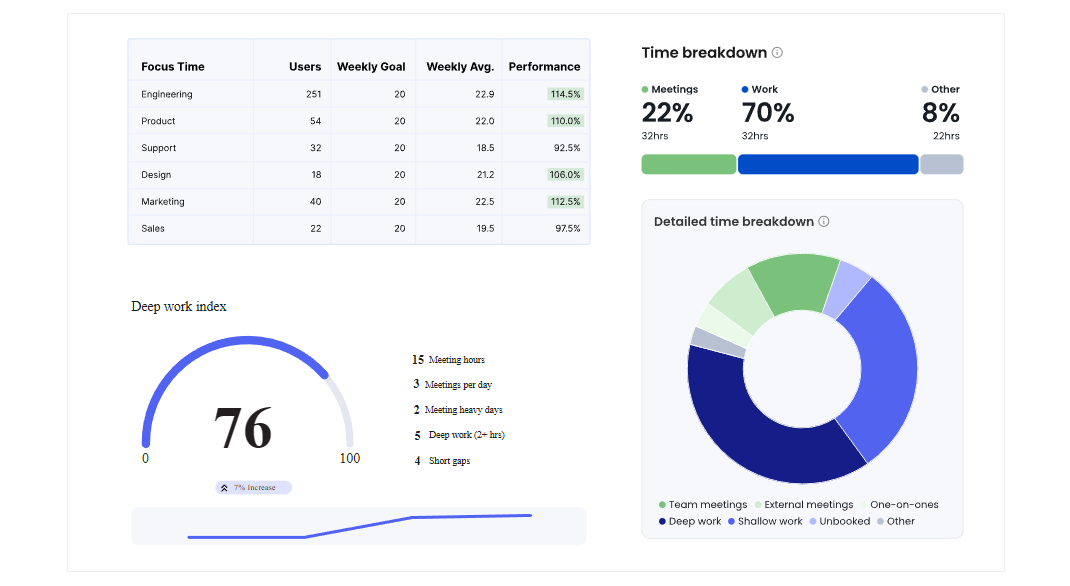
Workforce Analytics extends this to the team level, giving managers visibility into collective meeting load, focus time, and work-life balance. Reports are averaged across all team members rather than displaying per-person breakdowns, a privacy design that protects individual data while giving leaders the organizational signal they need. The feature includes focus time heatmaps by day of week to inform no-meeting day policies, and ROI metrics showing total hours of focus time defended, breaks protected, and scheduling link meetings booked across the team.
Source: Reclaim.ai
Pricing: A usable free tier, with paid plans starting at $10/month.
Reclaim offers four tiers:
Lite (Free Forever): 1 user, 5 AI Agents, AI Tasks, AI Planner, 1 Calendar Sync, 1 Scheduling Link, Google Calendar and Outlook support, limited integrations (Google Tasks, Slack, Zoom, Google Meet). No time limit, no credit card required.
Starter ($10/seat/month annual, $12 monthly): Up to 10 seats. Adds 10 AI Agents, 8-week scheduling range, 3 Calendar Syncs, unlimited connected calendars, 3 Scheduling Links with team and round-robin support, full task integrations (Todoist, Asana, ClickUp, Jira, Linear), and No-Meeting Days.
Business ($15/seat/month annual, $18 monthly): Up to 100 seats. Adds 100 AI Agents, 12-week scheduling range, unlimited Calendar Syncs and Scheduling Links, webhooks, Team OOO Calendar, Delegated Access for executive assistants, and branding removal from booking pages.
Enterprise ($22/seat/month, annual only): Minimum 100 seats. Unlimited AI Agents, SSO and SCIM user provisioning, org-chart-aware scheduling, Focus Time company OKRs, and enterprise reports.
Every new account receives a free 14-day trial of the Business plan, no credit card required. At trial end, accounts downgrade to Lite. Discounts are available for education (50% off), nonprofits (20% off), startups (20% off), and users switching from Calendly, Clockwise, or Motion (20% off).
Where Reclaim.ai Falls Short
Reclaim's limitations stem from its design choices, not from poor execution. They're worth understanding before committing.
No Mobile App: A native iOS app is listed as "In Planning" on the public roadmap but has not shipped. For professionals who manage their schedules from a phone, this is a real gap. The web app works on mobile browsers, but it lacks native notifications and quick actions.
Outlook Integration Maturity: Outlook Calendar support launched in May 2025 as a beta. Google Calendar users get the full experience. Enterprise buyers running Microsoft 365 should expect rough edges compared to the Google-first experience Reclaim has had years to refine.
Setup Complexity: Reclaim's power comes from many interacting settings: scheduling hours, priority levels, focus time modes, habit rules, buffer configurations. G2 reviewers note a learning curve, particularly when configuring task integrations and habits. Simpler tools like Calendly require less upfront investment, though they offer less automation in return.
Team Features Behind Paywalls: Workforce Analytics, Team OOO Calendar, SCIM, SSO, and delegated access for executive assistants all require Business or Enterprise plans. Teams evaluating Reclaim through the free Lite tier won't see the features that deliver organizational value, which can slow bottom-up adoption.
Limited Reporting Depth: G2 reviewers note that Time Tracking and Workforce Analytics reports provide high-level summaries but lack detail on how to adjust working patterns. The data shows you're spending too many hours in meetings; it doesn't prescribe what to change.
No Recurring Tasks: Recurring Tasks is in the Backlog on the public roadmap. Users who need true recurring to-do items (not time-blocked routines) must use Habits as a workaround, which isn't the same thing. Task Dependencies and Projects are also in the backlog.
These gaps follow naturally from a product that has prioritized scheduling intelligence over breadth. For teams that fit Reclaim's model, the automation more than compensates.
Making Protected Time Productive: ZoomInfo
Reclaim.ai solves the scheduling problem. It protects focus time, automates meeting logistics, and gives teams visibility into how hours are spent. But for sales, marketing, and revenue teams, a well-organized calendar raises a harder question: who should fill those meeting slots, and what should you know about them before the call starts?
This is a different problem from scheduling, and it's where ZoomInfo fits into the workflow.
The Intelligence Layer for Go-to-Market Teams
ZoomInfo is a B2B data and GTM platform built on a large data foundation: 500M contacts, 100M companies, 135M+ verified phone numbers, and 200M+ verified business emails. This data goes through a multi-source verification pipeline backed by 300+ human researchers and reaches up to 95% accuracy on first-party data. In a Fortune 500 RFP analyzing 25 million contacts across vendors, the independent consultant concluded that "no other competitor came even close."
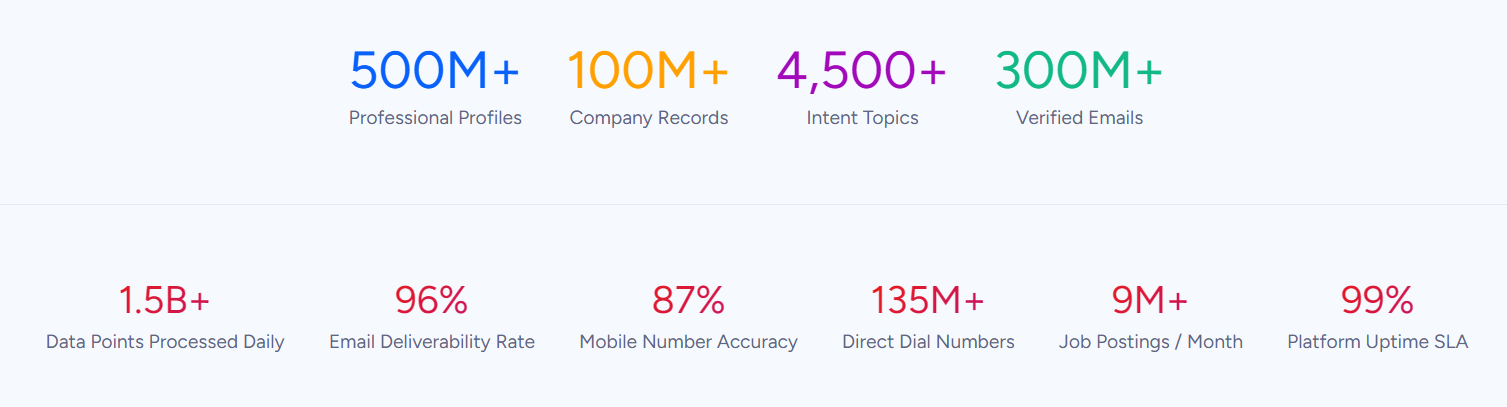
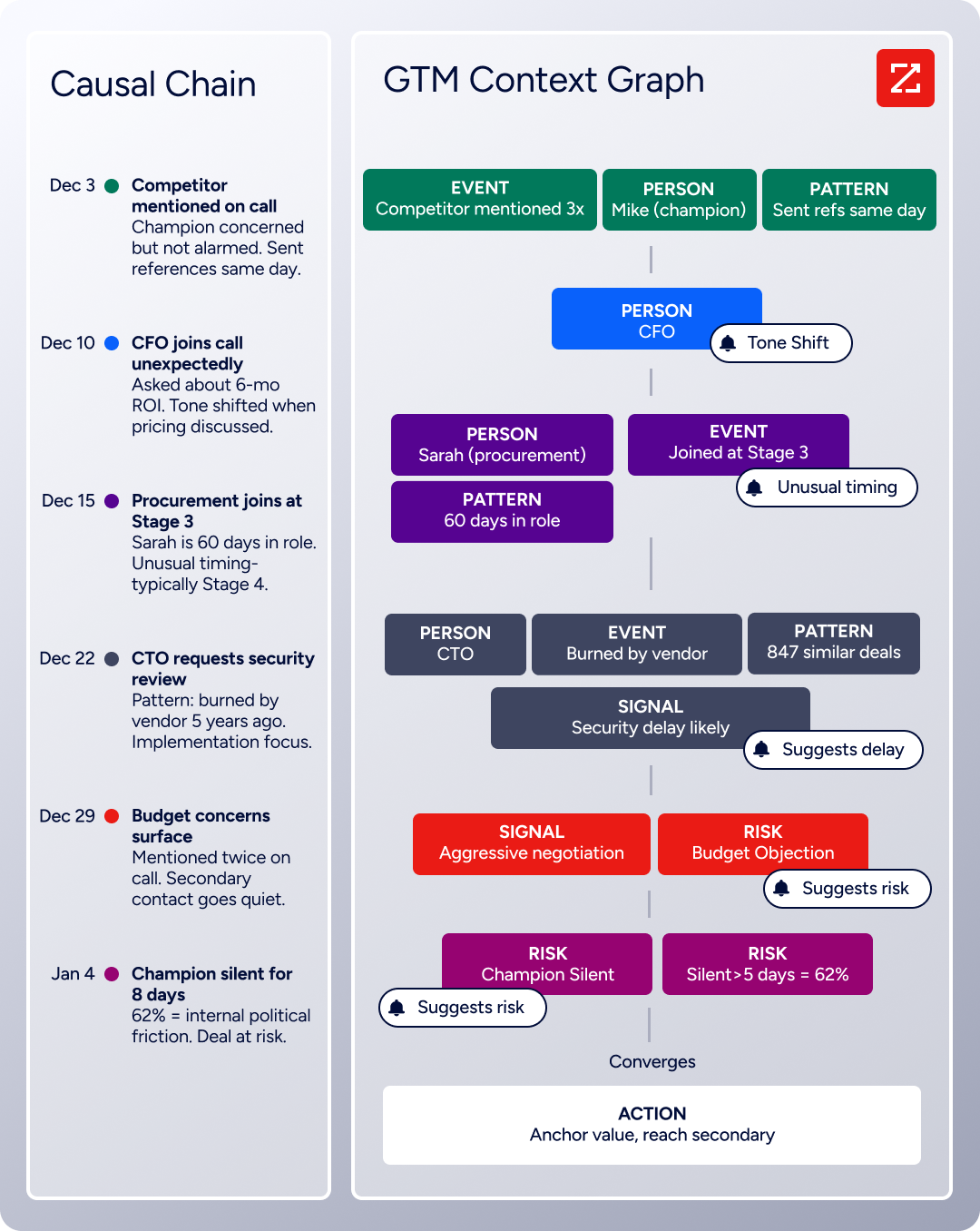
The data becomes more than a database through ZoomInfo's GTM Context Graph, which processes 1.5B+ data points daily by combining ZoomInfo's B2B intelligence with a customer's own CRM records, conversation transcripts, and behavioral signals. The result is a layer that captures not just what happened in a deal, but why it happened, so that AI can recommend who to contact, when to engage, and what to say.
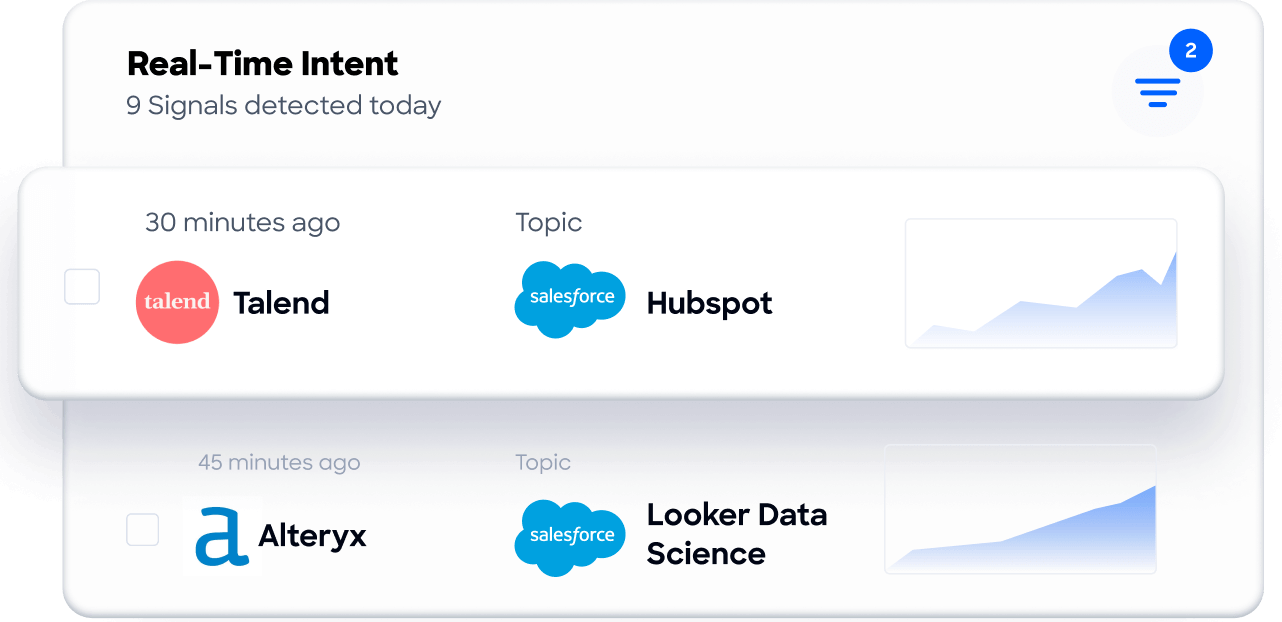
For sales teams using Reclaim to protect prospecting blocks, ZoomInfo provides the intelligence that makes those blocks count. Buyer Intent data tracks signals from 210 million IP-to-Organization pairings, identifying which accounts are actively researching solutions. Guided Intent, exclusive to ZoomInfo, identifies topics historically correlated with deal success rather than requiring manual topic selection.
Seismic's sales team attributed 39% of active pipeline to opportunities identified or influenced by ZoomInfo signals, reporting 54% productivity gains and saving 11.5 hours per week per seller. (Seismic Case Study)
How Sales Teams Access the Intelligence
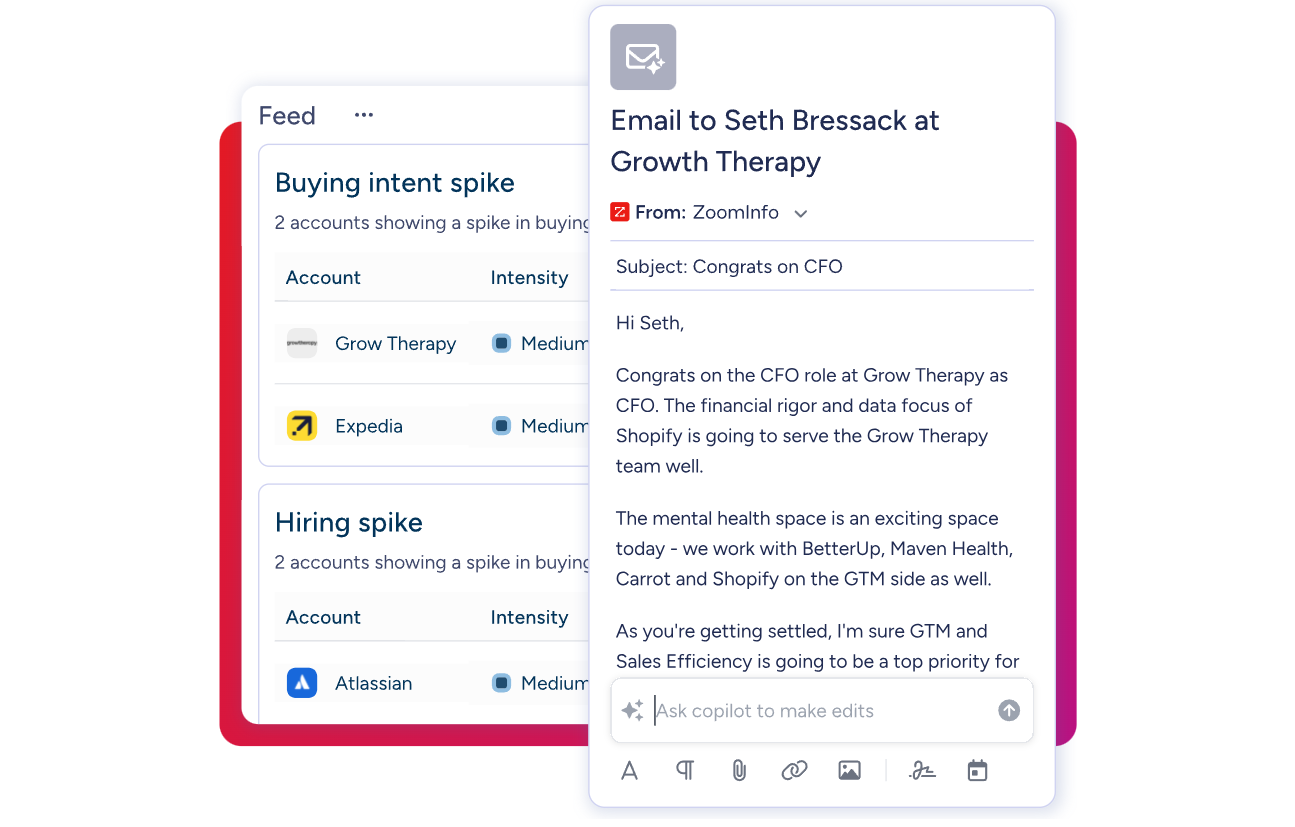
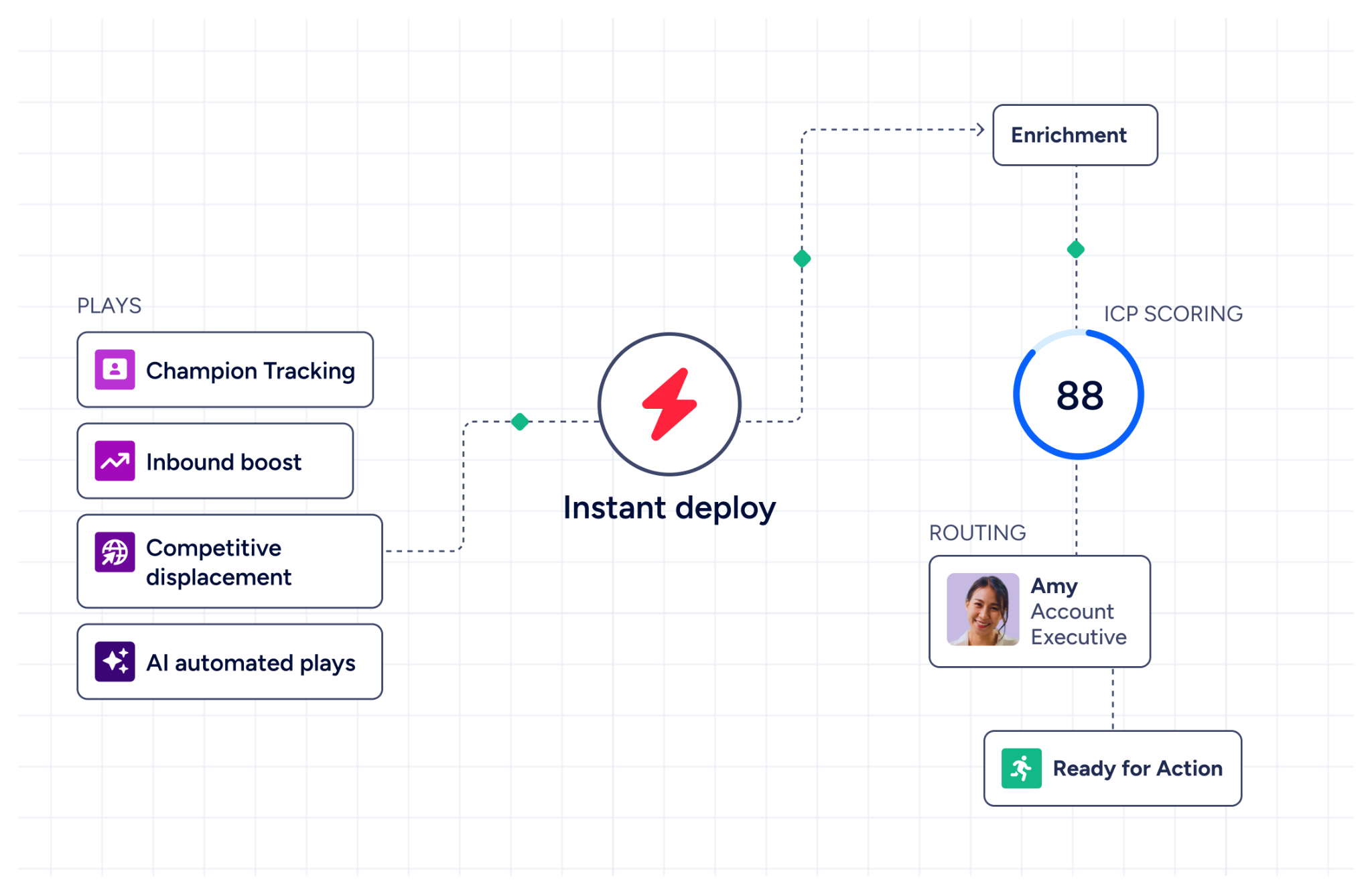
ZoomInfo delivers its intelligence through three channels. GTM Workspace gives sellers a single view where prioritized accounts, AI-drafted outreach, and deal execution come together without toggling between tools. The AI Assistant generates account briefs that pull CRM history, company news, and stakeholder context into a summary in seconds. The Action Feed streams in-market buyers matched to target criteria, with pre-drafted actions on every signal.
GTM Studio serves marketers, RevOps, and GTM engineers with an AI-powered canvas for building audiences in natural language, launching multi-channel campaigns, and tracking pipeline impact. APIs and MCP expose the same intelligence to any custom agent, internal tool, or partner platform.
"ZoomInfo is our one source of truth for account data, and even more so for contact data. There's no other provider in the market that provides you with that level of detail." (Thor Sanderson, Senior Manager of Sales Technology Enablement, Smartsheet. Smartsheet Case Study)
ZoomInfo is recognized as a Gartner Magic Quadrant Leader for ABM Platforms (2024 & 2025), a Forrester Wave Leader for Intent Data Providers B2B (Q1 2025), and holds 133 No. 1 rankings on G2 across Sales Intelligence, Buyer Intent, and Data Quality categories. The platform includes a permanent free Lite tier for individual users and a 7-day free trial of the full platform.
The Workflow: Scheduling Meets Intelligence
The combined workflow is straightforward. ZoomInfo identifies which accounts show buying intent and surfaces the contacts worth reaching. Reclaim protects the prospecting time needed to act on those signals and handles the scheduling logistics when meetings are booked. ZoomInfo's account briefs prepare reps for each conversation, while Reclaim's buffer time ensures they have space to decompress and prepare between calls.
Neither tool replaces the other. Reclaim doesn't have buyer intelligence, and ZoomInfo doesn't manage your calendar. Together, they address two sides of the same problem: making sure sales teams have both the time and the targets to work effectively.
Reclaim.ai and ZoomInfo: Comparison Summary
Aspect | Reclaim.ai | ZoomInfo |
|---|---|---|
Primary function | AI calendar optimization & scheduling | B2B data intelligence & GTM execution |
Core problem solved | Defending focus time and automating scheduling | Identifying the right buyers and powering outreach |
Target users | Knowledge workers, managers, sales teams | Sales, marketing, RevOps, GTM engineers |
Calendar management | Full AI-powered scheduling suite | Not a calendar tool |
B2B contact data | Not a data platform | 500M contacts, 200M+ verified emails, 135M+ verified phones |
Buyer intent signals | Not available | 210M IP-to-Org pairings, Guided Intent |
Task integrations | Asana, Jira, ClickUp, Linear, Todoist | Salesforce, HubSpot, Dynamics 365, 120+ integrations |
AI assistant | Natural-language calendar commands | AI-drafted outreach, account briefs, deal intelligence |
Analytics | Focus time, meeting load, work-life balance | Pipeline attribution, buyer signals, account scoring |
Free tier | Lite plan (free forever, 1 user) | ZoomInfo Lite (free forever, 10 monthly exports) |
Best for | Protecting time and automating meeting logistics | Filling that time with the right targets and intelligence |
Final Verdict
Reclaim.ai and ZoomInfo serve different roles in a go-to-market team's workflow. Choosing between them is the wrong framing, because they don't compete.
Choose Reclaim.ai if your calendar is a mess. If meetings consume your week, focus time disappears, and recurring syncs constantly need rescheduling, Reclaim handles all of it with minimal manual effort. The free Lite plan is usable for individual contributors, and the Business tier unlocks the team-level features (Workforce Analytics, OOO Calendar, Delegated Access) that give managers organizational visibility. The 14-day Business trial is the fastest way to see if the automation payoff justifies the setup investment.
Add ZoomInfo if you're in sales, marketing, or revenue operations and need the intelligence to make your time productive. Reclaim can protect two hours of prospecting time every morning, but those hours are only valuable if you know which accounts are in-market, who the decision-makers are, and what to say to them. ZoomInfo provides that intelligence through the GTM Context Graph, delivered through GTM Workspace for sellers, GTM Studio for marketers and RevOps, or APIs and MCP in any tool.
Get started with ZoomInfo here.
One tool manages when you work. The other tells you who to work on. For go-to-market teams, both problems need solving.
Reclaim.ai FAQ
Is Reclaim.ai free?
Yes. Reclaim.ai offers a permanent free Lite plan with no time limit or credit card required. It includes 5 AI Agents, AI Tasks, AI Planner, 1 Calendar Sync, 1 Scheduling Link, and support for both Google Calendar and Outlook. The Lite plan is limited to 1 user and excludes integrations with Asana, Jira, ClickUp, Linear, and Todoist, which require the Starter plan or above. Every new account also receives a free 14-day trial of the full Business plan.
Does Reclaim.ai work with Outlook?
Yes. Reclaim added full Outlook Calendar support in May 2025. The integration enables the same AI scheduling features available on Google Calendar, including Focus Time, Habits, Smart Meetings, and Calendar Sync across Google and Outlook accounts. That said, the Outlook integration is newer and may have rough edges compared to the more mature Google Calendar experience Reclaim has refined since 2019.
Does Reclaim.ai have a mobile app?
No. A native iOS mobile app is listed as "In Planning" on Reclaim's public roadmap but has not shipped as of July 2026. The web app is accessible from mobile browsers, but there is no native app with push notifications or quick actions. This is the most frequently cited gap in user feedback on G2.
How does Reclaim.ai compare to Calendly?
Reclaim's Scheduling Links compete with Calendly for meeting booking, but the two products differ in scope. Reclaim's availability is priority-aware, meaning a high-priority booking link can show lower-priority events as available time, and displaced events are rescheduled automatically. Reclaim also bundles scheduling links with focus time protection, habit scheduling, task management, and workforce analytics under a single subscription. Calendly is a dedicated scheduling tool with broader booking page customization and a larger integration ecosystem. Reclaim offers a 20% switching discount for Calendly users.
What task managers does Reclaim.ai integrate with?
Reclaim offers native two-way sync with Asana, ClickUp, Todoist, Jira, Linear, and Google Tasks. Tasks from these tools are pulled into Reclaim's scheduler and blocked on your calendar based on priority and due date. These integrations require the Starter plan or above; the free Lite plan only supports Google Tasks. Trello, Monday.com, and Notion are not currently supported.
How much does Reclaim.ai cost for teams?
The Starter plan costs $10 per seat per month (annual billing) and supports up to 10 seats with full task integrations, team scheduling links, and No-Meeting Days. The Business plan costs $15 per seat per month and is the most popular tier, supporting up to 100 seats with Team OOO Calendar, Workforce Analytics, webhooks, and delegated access. Enterprise costs $22 per seat per month (annual only) and adds SSO, SCIM, and org-chart-aware scheduling for deployments of 100 seats or more.
Is Reclaim.ai secure for enterprise use?
Reclaim holds SOC 2 Type II certification (renewed annually), is GDPR compliant with a Data Processing Addendum and Standard Contractual Clauses, and is certified under the US-EU Data Privacy Framework. All data is hosted on AWS with AES-256 encryption at rest and TLS/HTTPS in transit. Enterprise plan customers get SSO via OIDC (Okta, OneLogin, Microsoft Entra ID) and SCIM for automated user provisioning. Reclaim states it does not train AI models on user data.
Who owns Reclaim.ai?
Dropbox acquired Reclaim.ai in August 2024 for a reported $40.2 million. The product operates as "Reclaim.ai from Dropbox" with both co-founders (Patrick Lightbody and Henry Shapiro) continuing with the company. Reclaim maintains its own product, pricing, and roadmap under the Dropbox umbrella, and the acquisition has given it access to Dropbox's enterprise sales infrastructure and customer base.
