
Choosing between Reclaim and Motion for your productivity stack comes down to five questions:
Do you want to enhance your current calendar with AI, or replace your tool stack with a single platform?
Is personal scheduling your main problem, or do you need project management with dependencies and capacity planning?
Are you already invested in tools like Asana, Jira, or ClickUp that you want to keep?
How important is a free tier for evaluating the tool before committing?
Are you an individual professional optimizing your own day, or a team leader managing workloads across a group?
Here's what we recommend:
Reclaim works for professionals and teams who want smarter scheduling without abandoning their existing tools. It sits on top of Google Calendar and Outlook, using AI to find and defend time for focus work, tasks, habits, and meetings. Two-way integrations with Asana, Jira, ClickUp, Todoist, and Linear put your tasks on your calendar without migrating your workflow to a new platform. A free Lite plan and paid tiers starting at $10/seat/month make it accessible for individuals and small teams. The trade-offs: no project management, no built-in document tools, and no native mobile app.
Motion is built for teams that want one platform to handle projects, tasks, calendar, meetings, documents, and reporting. Its AI Project Manager advances tasks through dependencies, predicts completion dates based on team capacity, and eliminates the manual status updates that slow down tools like Asana or Jira. Motion claims projects finish 32% faster on its platform and users save 4 hours per project. The trade-off is cost and commitment: there is no free plan, pricing starts at $19/seat/month, and adopting Motion means moving your workflow onto a new platform.
Both platforms help you organize your time. But for sales and revenue teams, the harder question isn't how to schedule your day. It's knowing which accounts and contacts deserve your attention.
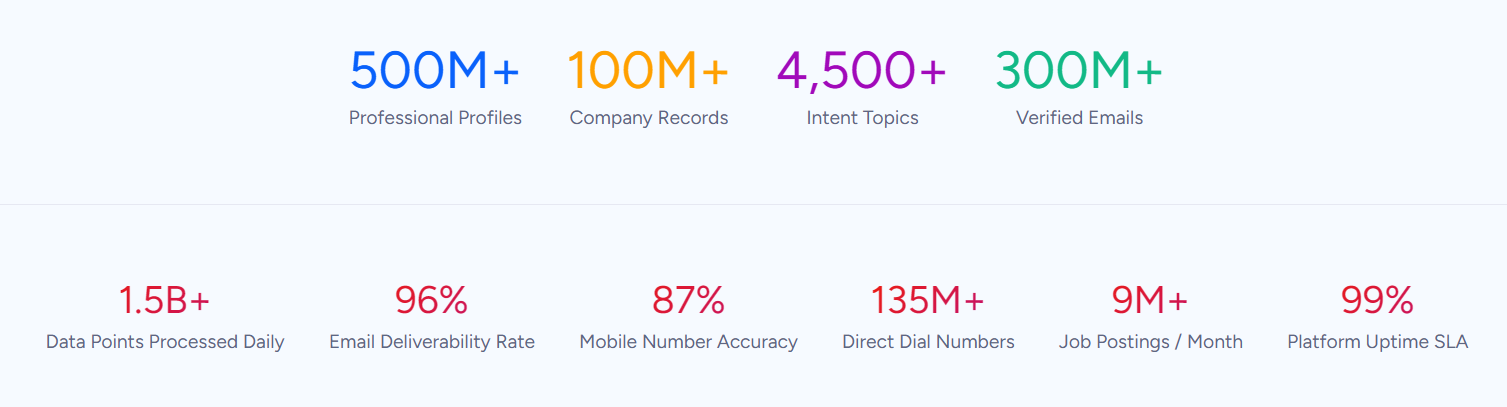
ZoomInfo is a B2B go-to-market platform built on 500M contacts, 100M companies, 135M+ verified phone numbers, and 200M+ verified business emails. ZoomInfo's GTM Context Graph processes 1.5B+ data points daily, combining this data with your CRM records, conversation transcripts, and behavioral signals to show which accounts are in-market and why deals are moving or stalling. Its GTM Workspace gives sellers one screen with prioritized accounts, AI-drafted outreach, and deal context. While Reclaim and Motion optimize how you schedule your day, ZoomInfo makes sure the time you free up goes to the right accounts and contacts.
If knowing which accounts deserve your time sounds like what's missing from your productivity stack, see how ZoomInfo works.
Reclaim vs. Motion vs. ZoomInfo at a glance
Reclaim | Motion | ZoomInfo | |
|---|---|---|---|
Core approach | AI calendar assistant | AI work suite | B2B go-to-market intelligence |
Task management | Syncs from Asana, Jira, ClickUp, others | Built-in with continuous auto-scheduling | Surfaces which accounts and contacts to prioritize |
Project management | None | Full (AI Gantt, workflows, capacity planning) | GTM play orchestration via GTM Studio |
Meeting tools | Smart Meetings + Scheduling Links | AI Meeting Assistant + AI Notetaker | - |
Calendar integration | Google Calendar, Outlook | Google, Outlook, iCloud | Integrates with CRM and engagement tools |
Integrations | Asana, Jira, ClickUp, Todoist, Linear, Slack | HubSpot, Salesforce, Slack, Zapier | 172+ integrations, API, MCP |
Security | SOC 2 Type II, GDPR, CCPA | SOC 2 Type II, GDPR | ISO 27001, ISO 27701, SOC 2 Type II, GDPR, CCPA |
Free plan | Yes (Lite, forever free) | No (trial only, requires card) | Yes (ZoomInfo Lite, forever free) |
Starting price | $10/seat/month (annual) | $19/seat/month (annual) | Custom (quote-based) |
Best for | Professionals who want AI scheduling on top of existing tools | Teams who want one AI platform for projects, tasks, and calendar | Sales and GTM teams who need account intelligence to prioritize their time |
Calendar assistant vs. all-in-one work suite
The difference between Reclaim and Motion is not which features they offer. It's what they assume about your existing workflow.
Reclaim assumes you already have tools you like (Google Calendar for scheduling, Asana or Jira for project management, Slack for communication) and that your problem is finding time to do the work those tools track.
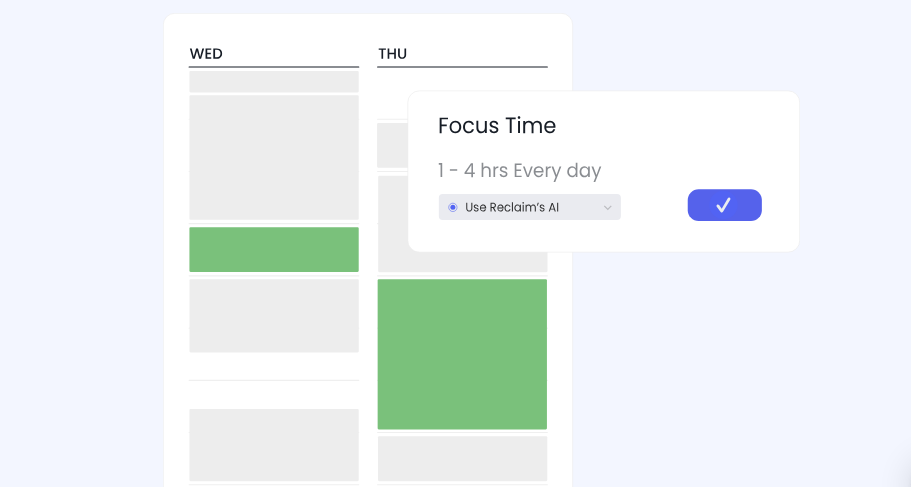
It operates as a layer on top of your calendar, blocking and defending time for tasks, habits, focus work, and meetings. When a meeting gets scheduled over your focus block, Reclaim finds another slot. When a task's deadline approaches, Reclaim locks down the time. Your tools stay the same; your calendar gets smarter.
Source: Reclaim
Motion assumes those separate tools are the problem.
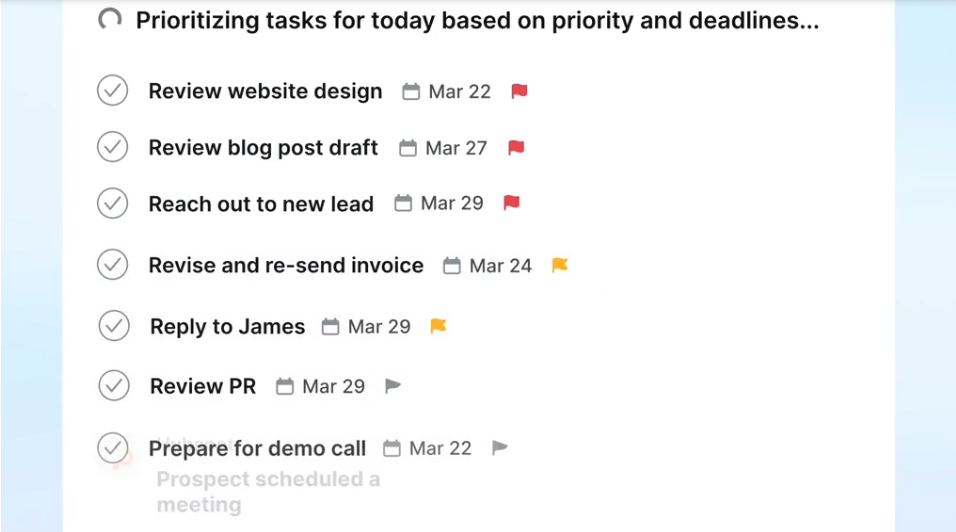
Instead of adding intelligence to a scattered stack, Motion replaces it. Projects, tasks, calendar, documents, meeting notes, and scheduling live in one platform. The AI doesn't just find time for your tasks. It decides the order you should work on them, factors in every team member's capacity across concurrent projects, and advances work through dependencies when blocking tasks finish.
Source: Motion
For an individual who wants their calendar to protect focus time and schedule their Asana tasks, Reclaim does that without disruption. For a project-based team buried in coordination overhead (status meetings, manual updates, capacity guesswork), Motion replaces those rituals with automation.
How their AI scheduling compares
Both Reclaim and Motion use AI to schedule tasks on your calendar. The similarity ends there.
Reclaim's scheduling engine is built around defense and flexibility.
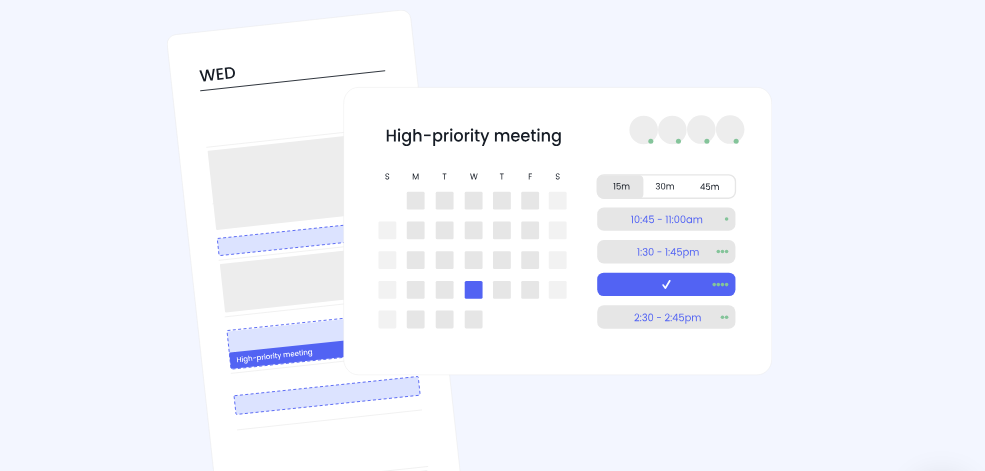
Tasks start as "free" blocks on your calendar, visible to you but appearing available to colleagues. As a deadline approaches or your schedule fills, Reclaim switches those blocks to "busy," defending the time. If a meeting gets booked over a task, Reclaim reschedules the task. The system uses four priority levels (Critical, High, Medium, Low), and higher-priority items can displace lower-priority ones. This preserves your availability for collaboration while ensuring work gets done.
Source: Reclaim
Reclaim's Habits feature extends this logic to recurring routines like lunch breaks, exercise, or weekly reviews. Habits flex across a time window you define and toggle between free and busy states, a design that acknowledges real schedules are rarely predictable. Over 100 templates help users get started quickly.
Motion takes scheduling further by connecting it to project dependencies.
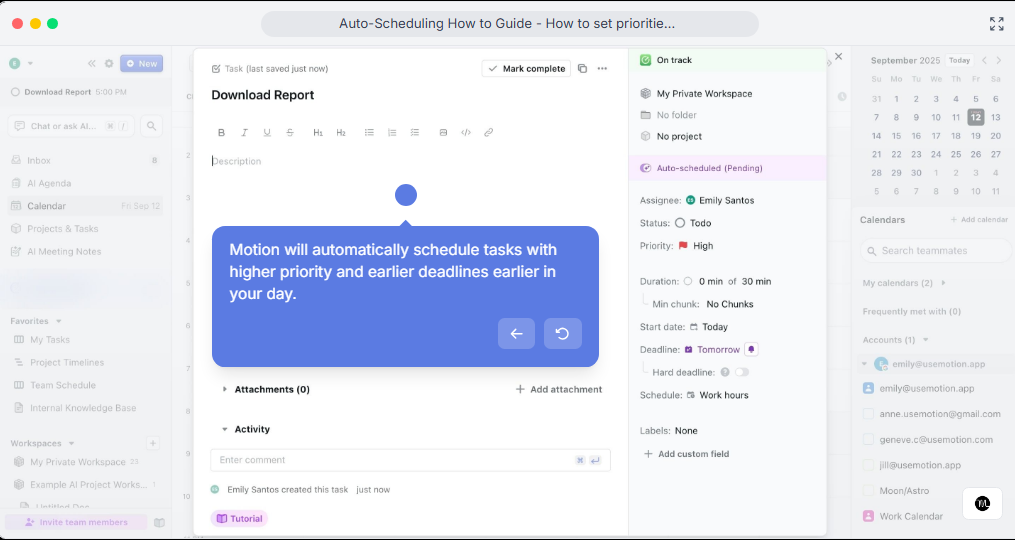
When a project task is completed, dependent tasks unlock, get assigned, and land on the next person's calendar. The scheduling engine evaluates start dates, durations, deadlines, priority levels, chunking settings, and calendar events for every task across every project in a workspace at once. Motion claims to reschedule hundreds of times a day as conditions change.
Source: Motion
Where Reclaim says "here's a good time to work on this task," Motion says "this is the most important thing you should do right now, and here's when it fits." Reclaim gives you flexibility; Motion gives you direction.
The "Can't Fit" indicator shows the difference.
When Motion determines a task can't be completed by its deadline given the current workload, it flags it with a red alert pinned at the top of the calendar, forcing a conversation about capacity before a deadline is missed. Reclaim keeps rescheduling until the work finds a slot, which is gentler but can hide an overloaded schedule.
Motion also includes an AI Meeting Notetaker that joins Zoom, Google Meet, and Microsoft Teams calls to transcribe, summarize, and extract action items, then converts those items into scheduled tasks. Reclaim handles meeting scheduling through Smart Meetings (auto-scheduling recurring meetings around attendees' availability) and Scheduling Links (shareable booking pages with priority-based availability), but has no transcription or note-taking.
Reclaim integrates; Motion consolidates
How each platform handles your existing tools reveals a deeper split.
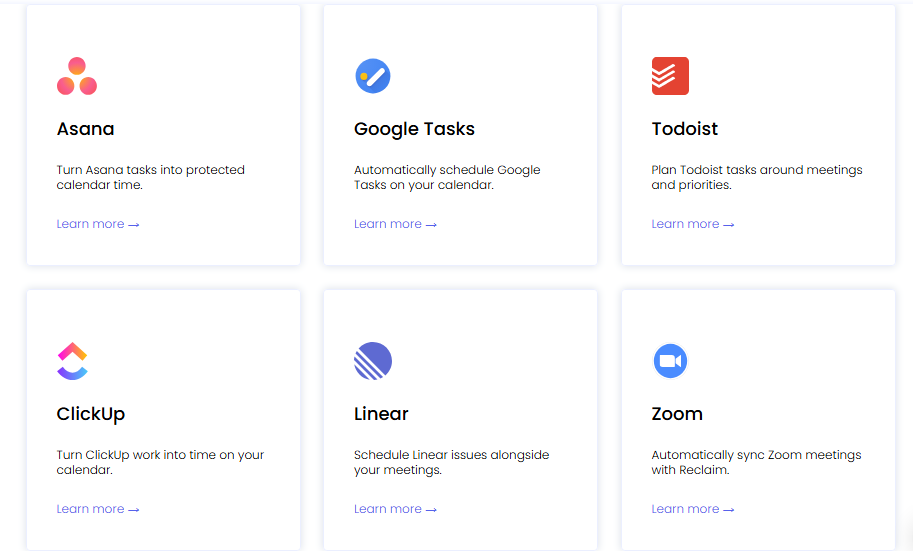
Reclaim offers native two-way syncs with Asana, Jira, ClickUp, Todoist, Linear, and Google Tasks, so tasks flow from your project management tool to your calendar and back.
Changes in one system update the other. Reclaim also integrates with Slack (automatic status updates during focus time), Zoom (meeting link insertion), and Raycast (quick task creation from the launcher). The philosophy: meet users where they already work.
Source: Reclaim
Motion's integration list is narrower by design.
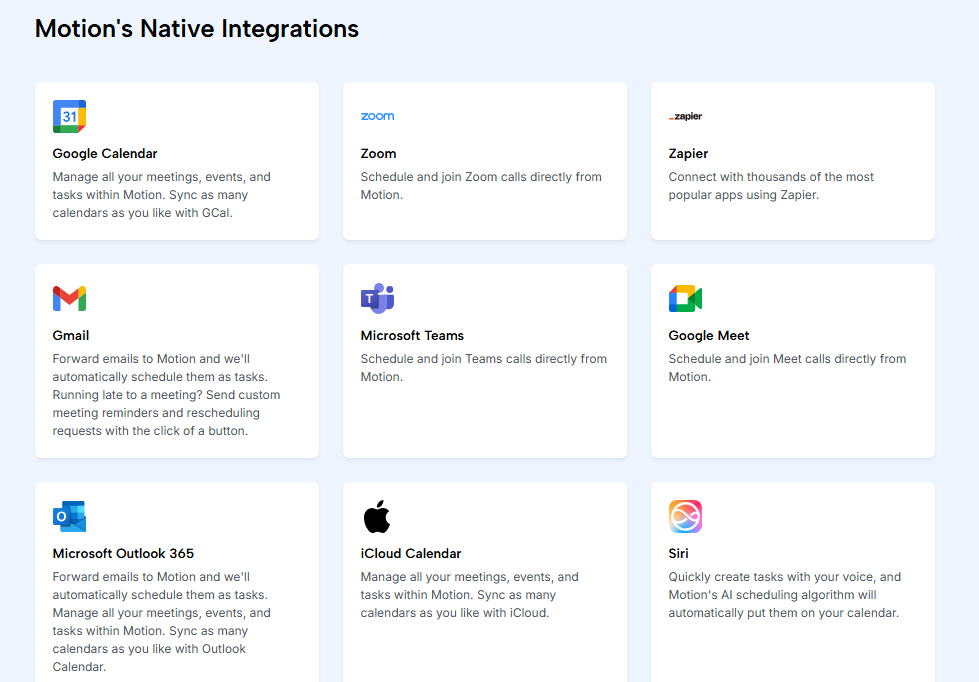
It connects to Google Calendar, Outlook, iCloud, Zoom, Google Meet, Microsoft Teams, HubSpot, Salesforce, and Slack, plus Zapier for third-party automation. But Motion has said there are no plans for native integrations with Notion, ClickUp, or Google Sheets. No Make or Workato support is documented. Motion wants to be the platform, not a participant in a larger stack.
Source: Motion
This matters most during adoption. Adding Reclaim to your workflow takes about 20 to 30 minutes: connect your calendar, sync your task manager, set your habits, and the AI starts scheduling. You can evaluate it alongside everything else you're using.
Adopting Motion means migrating. Projects, tasks, and workflows need to move into Motion's system for the AI to schedule across them. The AI Workflows Builder can convert existing SOP documents into project templates with tasks, dependencies, and role assignments to speed this transition.
Still, the upfront investment is real. Teams evaluating Motion face a harder question than "Is this tool better?" They're asking "Is it better enough to justify replacing what we have?"
The question neither tool answers
Reclaim and Motion both make you more efficient with your time. Neither tells you whether you're spending it on the right things.
For sales and revenue teams, this is the gap that determines whether a well-organized calendar produces a pipeline or just looks productive. A sales rep with a perfectly scheduled day (focus blocks protected, meetings batched, tasks auto-prioritized) can still waste hours on accounts that aren't in-market, contacts who've left the company, or outreach that misses the prospect's actual situation.
ZoomInfo fills this gap.
As a B2B go-to-market platform, it tells sellers which accounts to prioritize and why. ZoomInfo's GTM Context Graph processes 1.5B+ data points daily, combining your CRM records, conversation transcripts, and behavioral signals with ZoomInfo's B2B data to surface not just what happened in a deal, but why it happened.
Source: ZoomInfo
In practice, GTM Workspace shows sellers their prioritized accounts with pre-drafted outreach tailored to each deal's context. Buyer Intent data identifies which accounts are actively researching solutions, tracked through 210 million IP-to-Organization pairings and 6 trillion+ keyword-to-device pairings sourced monthly. Contact & Company Search provides verified direct dials and emails for decision-makers, with up to 95% accuracy on first-party data.
The connection to scheduling tools is straightforward.
A seller using Reclaim or Motion to protect focus time for outreach gets more from that time when ZoomInfo has already identified which accounts show buying signals and provided verified contact information for the right people. The calendar tool manages the when; ZoomInfo manages the who, what, and why.
For teams that build their own workflows, APIs and MCP expose the same intelligence to any custom agent, CRM, or partner platform. For marketers and RevOps, GTM Studio provides a canvas to design, enrich, and activate GTM plays without engineering support.
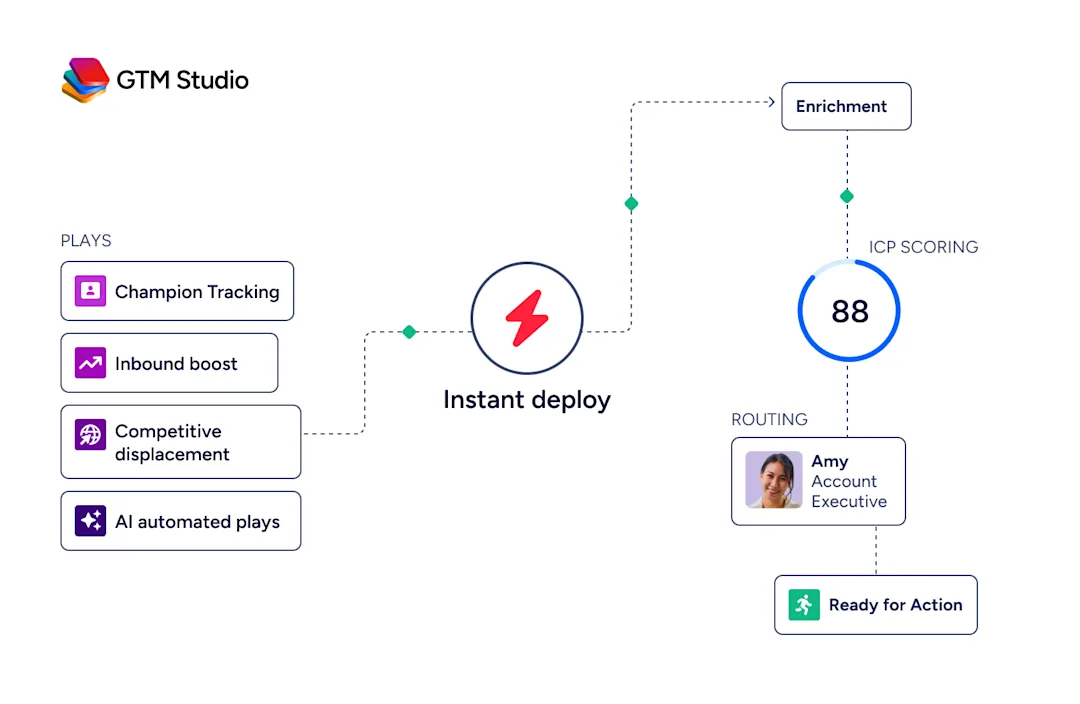
Source: ZoomInfo
Seismic's sales team attributed 39% of active pipeline to opportunities identified or influenced by ZoomInfo signals and boosted productivity by 54%, saving 11.5 hours per week per seller. (Seismic case study)
Pricing reflects different ambitions
The pricing gap between Reclaim and Motion tells you who each platform serves.
Reclaim offers four tiers, including a permanent free plan:
Lite (free): 1 user, 1 scheduling link, 1 habit, basic integrations (Google Tasks, Slack, Zoom)
Starter: $10/seat/month (annual), unlimited habits, 3 scheduling links, 3 Smart Meetings, all task integrations
Business: $15/seat/month (annual), unlimited scheduling links and Smart Meetings, webhooks, branding removal
Enterprise: $22/seat/month (annual), SSO/SCIM, dedicated support, company onboarding
The free Lite plan is usable: unlimited tasks, buffer time, and one calendar sync. Most individuals and small teams will find what they need on the Starter plan. Annual billing gives a 20% discount over monthly.
Motion has two published tiers and no free plan:
Pro AI: $19/seat/month (annual), $29/seat/month on monthly billing. AI projects, tasks, calendar, docs, meeting notetaker, 7,500 AI credits/seat/month.
Business AI: $29/seat/month (annual), $49/seat/month on monthly billing. Adds capacity planning, Gantt charts, time tracking, advanced dashboards, permissions, 15,000 AI credits/seat/month.
Motion requires a card at signup with a $1 hold. You cannot evaluate the product without payment information. AI credit overages add cost beyond the base subscription: $0.25 per 100 credits on Pro AI, $0.19 per 100 on Business AI.
ZoomInfo uses custom, consumption-based pricing with no published per-seat rates. ZoomInfo Lite is a permanent free tier with access to the B2B database, 10 monthly export credits, and basic search. A 7-day free trial of the full platform is available without a credit card.
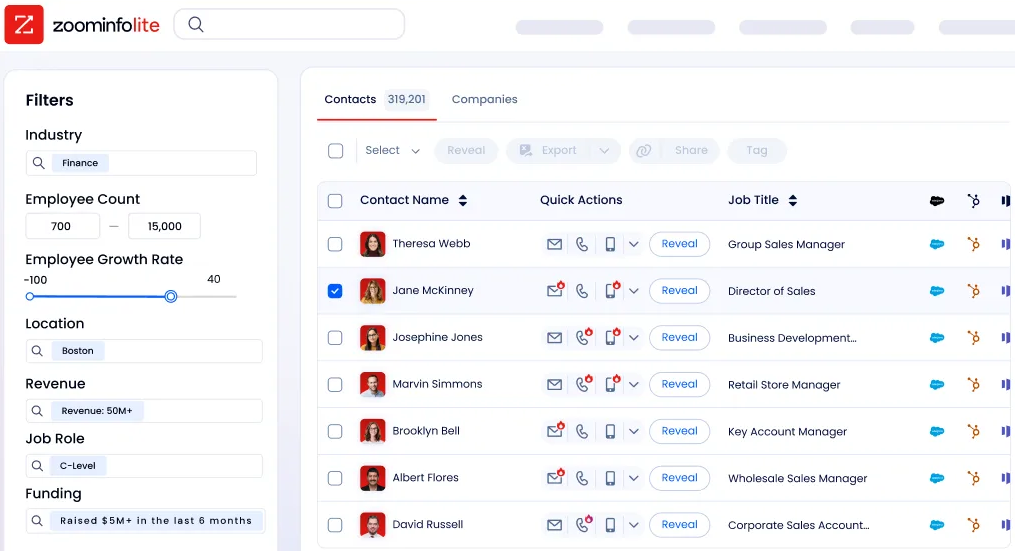
Source: ZoomInfo
The pricing comparison between Reclaim and Motion isn't just about dollars per seat. It's about what you're paying for.
Reclaim at $10-15/seat/month buys scheduling intelligence for your existing calendar. Motion at $19-29/seat/month (annual) buys a work management platform. If Motion replaces separate subscriptions for project management, meeting scheduling, and note-taking, the net cost may be lower than the combined stack it replaces.
Reclaim vs. Motion vs. ZoomInfo: Which should you choose?
The right choice depends on what problem you're solving and how much you're willing to change.
Choose Reclaim if:
Your existing tools (calendar, project management, task manager) work and you want to keep them
Protecting focus time and building consistent habits are your main goals
You need a free plan to start or have a limited budget
You're an individual professional or small team that values scheduling flexibility
You want to evaluate without entering payment information
Choose Motion if:
You want one platform to replace your project management, task management, calendar, and docs tools
Your team spends more time coordinating work than doing it
You need automatic dependency tracking, capacity planning, and project ETAs
You're willing to migrate your workflow for a different approach to work management
You run a service business with repeatable project workflows that could benefit from AI Workflows
Use ZoomInfo alongside either if:
Your team is in sales, business development, or revenue operations
You need to know which accounts are in-market before scheduling outreach
You want verified contact data so the calls you make and emails you send actually land
You want AI that understands the context of your deals, not just the structure of your calendar
See how ZoomInfo fits your GTM workflow.
Reclaim and Motion both solve real productivity problems from different angles. Reclaim is the lighter lift: it improves your calendar without disrupting anything else. Motion is the bigger commitment with a bigger payoff, one platform that handles what three or four separate tools currently do.
For revenue teams, the real productivity lever isn't how you organize your day. It's whether the accounts and contacts filling your schedule are worth the time. That's the layer ZoomInfo provides.
Reclaim vs. Motion vs. ZoomInfo FAQ
What is the fundamental difference between Reclaim and Motion?
Reclaim is an AI calendar assistant that works on top of your existing Google Calendar or Outlook, scheduling and defending time for tasks, habits, focus work, and meetings.
Motion is a single AI work platform that replaces your project management, task management, calendar, docs, and meeting note tools with one system where AI handles scheduling, prioritization, and project advancement.
Which platform is cheaper?
Reclaim is more affordable at every tier. It offers a free Lite plan and paid plans starting at $10/seat/month on annual billing. Motion has no free plan; its Pro AI tier starts at $19/seat/month on annual billing, and a credit card is required to start the trial.
However, if Motion replaces multiple separate tools you're currently paying for, the net cost may be lower than your combined stack.
Can I use Reclaim or Motion with my existing project management tool?
Reclaim integrates directly with Asana, Jira, ClickUp, Todoist, Linear, and Google Tasks through native two-way syncs. Motion does not integrate with these tools and has stated there are no plans for native integrations with platforms like Notion, ClickUp, or Google Sheets. Motion is designed to replace those tools, not work alongside them.
Does either platform have a native mobile app?
Motion offers iOS, Android, and desktop apps, though some users note the mobile app has limitations around notifications and recurring events compared to the desktop experience. Reclaim does not have a native mobile app, which is one of the most frequently requested features from its user base.
How does ZoomInfo fit into a Reclaim or Motion workflow?
ZoomInfo is not a competitor to either platform. It is a B2B intelligence platform that tells sales and revenue teams which accounts to prioritize, who the decision-makers are, and what signals suggest those accounts are ready to buy.
Used alongside Reclaim or Motion, ZoomInfo ensures the work you schedule (outreach calls, follow-up emails, account research) targets the right prospects at the right time, backed by verified contact data and buyer intent signals.
Which platform has better AI capabilities?
Both use AI extensively but for different purposes. Reclaim's AI focuses on schedule optimization: finding time for tasks, defending focus blocks, and rescheduling when conflicts arise.
Motion's AI covers a broader scope: generating project plans from plain-language descriptions, auto-advancing tasks through dependencies, predicting project completion dates, transcribing and summarizing meetings, and drafting documents. Motion also offers named AI agents for functions like sales development, executive assistance, and project management.
Which platform is better for teams vs. individuals?
Reclaim serves both well, with scheduling intelligence that works for solo professionals and team coordination features like Smart Meetings. Motion is more team-oriented, with capacity planning, cross-project dependency tracking, and workload views that are most valuable when multiple people share a workspace.
For solo users who want better calendar management, Reclaim's lighter approach and free tier make it the natural starting point.
Do Reclaim or Motion integrate with CRMs like Salesforce or HubSpot?
Motion lists HubSpot and Salesforce as native integrations. Reclaim does not currently offer CRM integrations, though HubSpot and Salesforce are listed as coming soon. ZoomInfo offers native integrations with Salesforce, HubSpot, and Microsoft Dynamics 365, plus over 172 additional integrations through its marketplace and programmatic access via API and MCP.
