
If you're comparing Salesforce vs. TaskRay, you're probably trying to answer one of these questions:
Do you need a full CRM platform that handles the entire customer lifecycle, or a specialized tool that perfects one phase of it?
Is your biggest bottleneck closing deals or delivering on them after the close?
Do you need project management that lives inside your CRM, or are you willing to manage it separately?
How important is it that your delivery team sees the same customer data your sales team uses?
Are you looking for a platform, an app, or both?
Here's what we recommend:
Salesforce ranks #1 in CRM by IDC market share, serving over 150,000 companies with a cloud platform spanning sales, service, marketing, commerce, and analytics. Its Customer 360 suite gives every team a shared view of the customer, and Agentforce adds AI agents that handle case deflection, lead engagement, and quoting. Salesforce runs large-scale customer operations. But that scale brings complexity: configuration requires dedicated administrators, implementation can stretch months, and pricing layers (per-user licenses, add-ons, consumption credits, support tiers) demand careful planning.
TaskRay is a Salesforce-native project management and onboarding app that runs inside your Salesforce org. It solves a problem Salesforce doesn't address out of the box: what happens after the deal closes. With template-driven project creation, resource capacity planning, and customer collaboration portals that don't require Salesforce licenses, TaskRay helps delivery teams standardize onboarding and get customers live faster. The limitation: TaskRay requires Salesforce. It doesn't replace it, so you're paying for both.
Both platforms focus on managing the customer relationship. But neither addresses a gap that sits upstream of both CRM and project delivery: knowing which customers to pursue in the first place, and arriving at every deal with complete intelligence about the buyer, their organization, and their intent.
ZoomInfo is an AI GTM platform built on a B2B database of 500M contacts, 100M companies, 135M+ verified phone numbers, and 200M+ verified business email addresses. Its GTM Context Graph (an intelligence layer processing 1.5B+ data points daily) combines this data with your CRM records, conversation transcripts, and behavioral signals to show not just what happened in your pipeline, but why it happened and what your team should do next. That intelligence reaches sellers through GTM Workspace, marketers and RevOps through GTM Studio, and any tool in your stack (including Salesforce) through APIs and MCP.
If better data and deal intelligence sound like what's missing from your GTM stack, see how ZoomInfo works.
Salesforce vs. TaskRay vs. ZoomInfo at a glance
Salesforce | TaskRay | ZoomInfo | |
|---|---|---|---|
Primary function | Full CRM and enterprise platform | Salesforce-native project management and onboarding | AI GTM platform |
Deployment | Standalone cloud platform | Runs inside Salesforce (requires Salesforce licenses) | Standalone platform with native Salesforce integration |
AI capabilities | Agentforce AI agents across sales, service, and marketing | TaskRay AI via Agentforce (task prioritization, meeting-to-task conversion, summaries) | GTM Context Graph with AI account intelligence, outreach, and signal detection |
Starting price | $25/user/month (Starter Suite) | Quote-only (no public pricing) | Consumption-based; free tier (ZoomInfo Lite) available |
Learning curve | Steep; requires dedicated administration | Moderate; inherits Salesforce's interface | Moderate; structured onboarding program |
Free option | Free Suite (max 2 users) | 30-day trial (sandbox only) | ZoomInfo Lite (permanent, no credit card) |
Best for | Managing the entire customer lifecycle | Standardizing post-sale delivery inside Salesforce | Identifying, prioritizing, and engaging the right buyers |
What Salesforce does well (and where it stops)
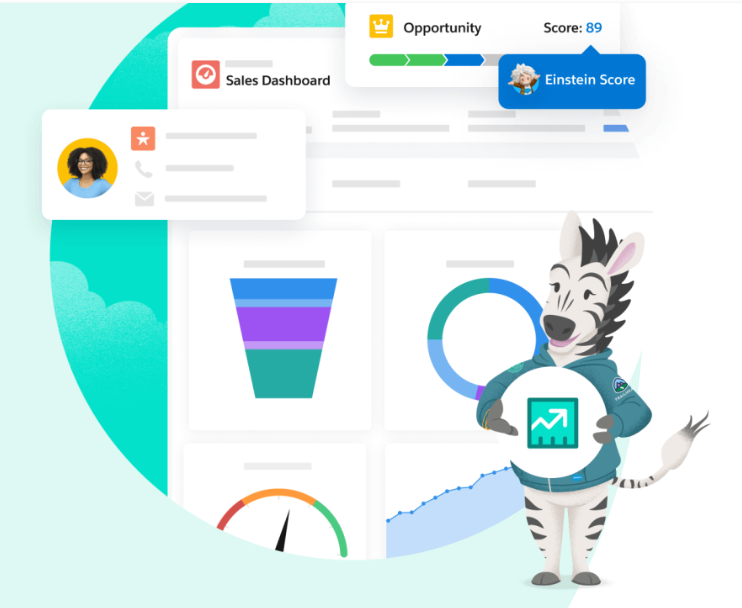
Salesforce is the broadest CRM platform available. Sales Cloud manages pipelines, forecasts, and deal execution.
Source: Salesforce
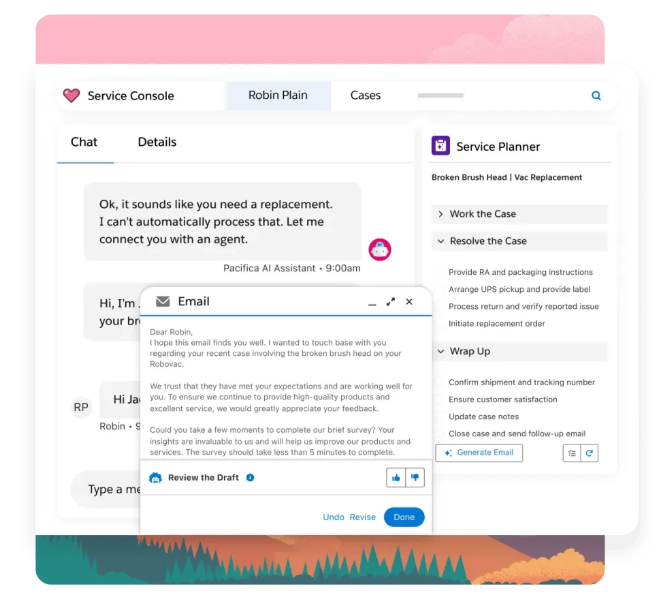
Service Cloud handles customer support across every channel. Marketing Cloud orchestrates campaigns and personalization.
Source: Salesforce
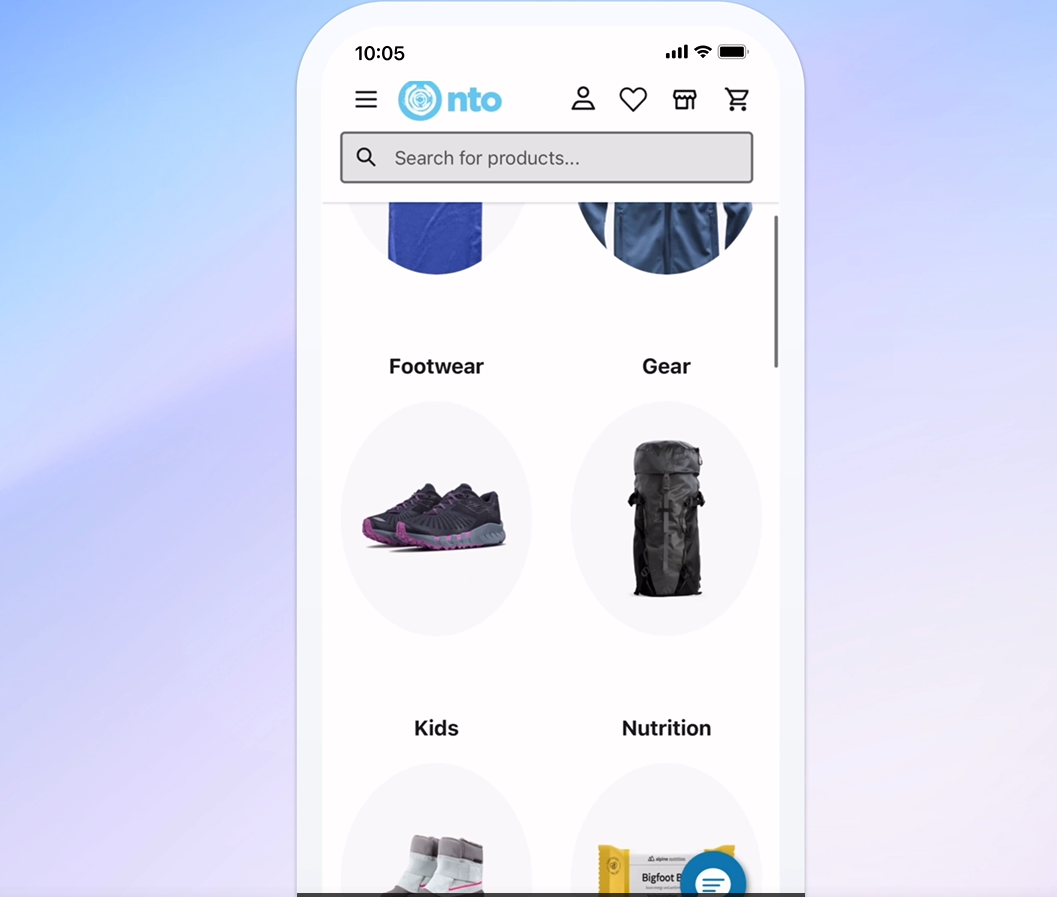
Commerce Cloud runs B2C and B2B storefronts. Data Cloud unifies customer records across systems. And Agentforce deploys AI agents that resolve support cases, engage inbound leads, draft quotes, and coach sales reps.
Source: Salesforce
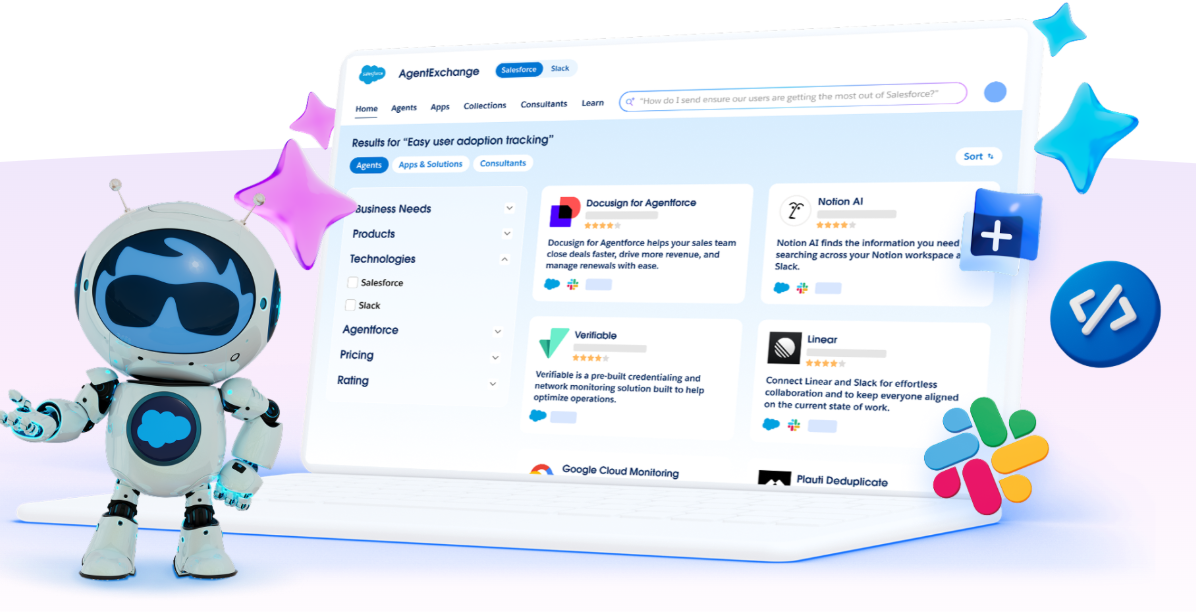
The breadth is real. Salesforce has held the Gartner Magic Quadrant Leader position for Sales Force Automation for 19 consecutive years. Its AppExchange marketplace hosts 9,000+ partner apps with 14+ million installs. The Trailblazer Community spans 20 million members.
Source: Salesforce
But Salesforce's strength is also its gap. The platform records what happened in a deal: stage changes, activity logs, email timestamps. It does not capture why a deal moved forward or stalled. And while Salesforce tracks customer records from lead to close to renewal, it has no native project management for post-sale delivery. When a deal closes, the handoff from sales to implementation typically means exporting data to spreadsheets, emailing project plans, or bolting on a third-party tool.
That's the gap TaskRay was built to fill.
TaskRay fills Salesforce's post-sale blind spot
TaskRay exists because of a pattern every Salesforce customer recognizes: the deal closes, and then the process fragments.
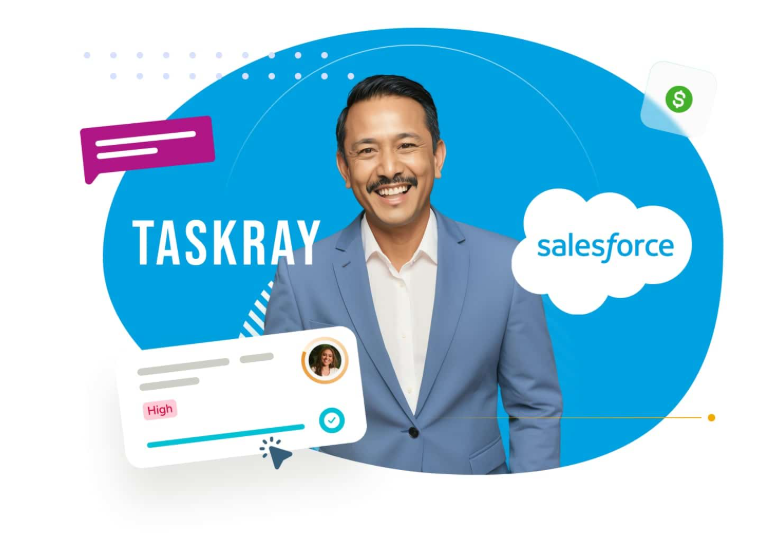
As a Salesforce-native application, TaskRay runs inside the customer's own Salesforce org. Project data shares the same data model as Opportunities, Accounts, and Contacts.
Source: TaskRay
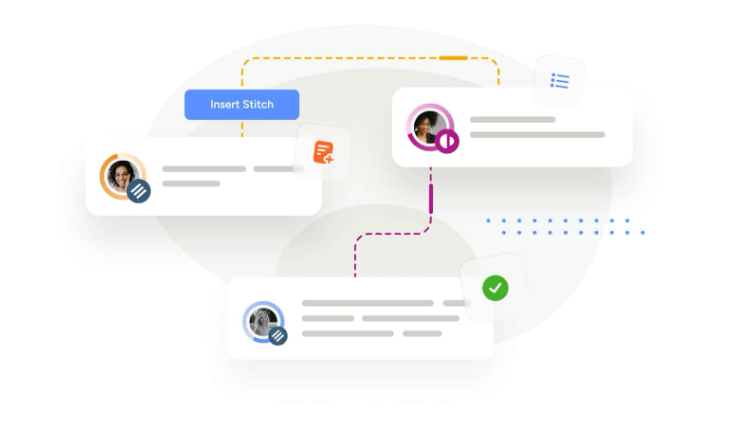
There is no external sync, no middleware, and no separate login. When a rep marks an Opportunity Closed Won, Salesforce Flow can trigger TaskRay's Stitcher to build a delivery project from the right template combination based on products sold.
Source: TaskRay
This Salesforce nativeness has a practical security consequence: TaskRay cannot access or view any data your company creates or stores in the app. All data lives in the customer's Salesforce instance, inheriting the same encryption, sharing rules, and field-level security controls already in place.
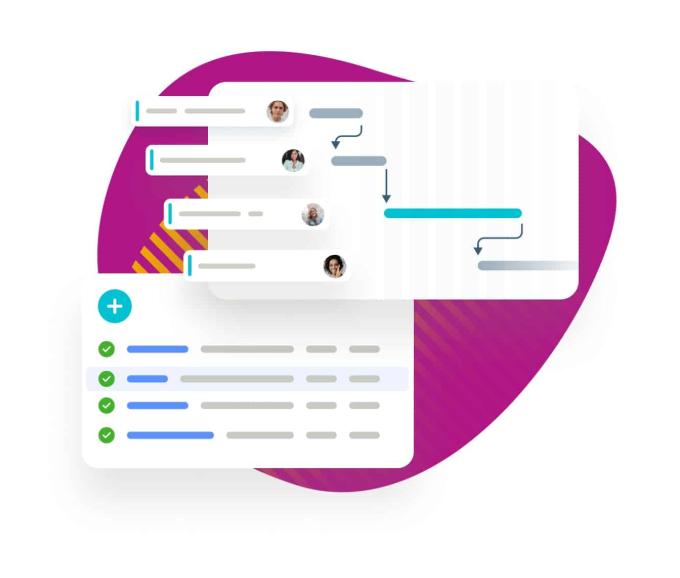
TaskRay's Template Hub lets teams encode their delivery methodology once (hierarchical task structures, dependencies, milestones, and team assignments) then clone it for every customer.
Source: TaskRay
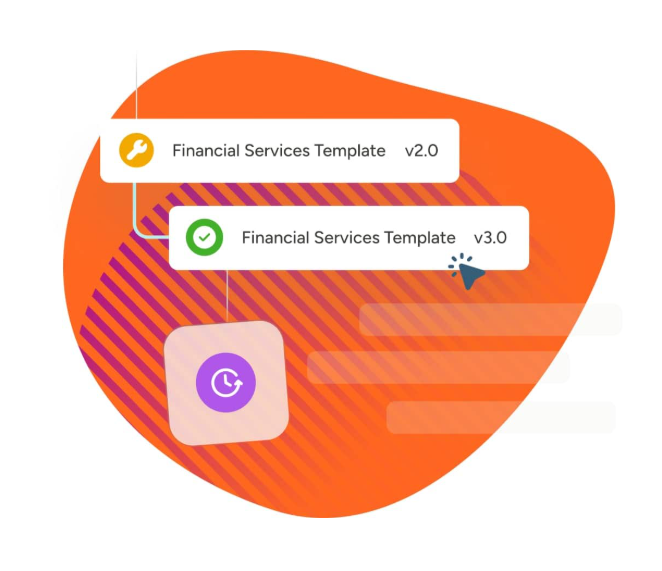
Template Versioning uses addressable IDs that stay constant across versions, so Flow automations never break when a template is updated. For teams managing active projects when a process change rolls out, Template Sync pushes updates to every in-flight project created from that template.
Source: TaskRay
But TaskRay only works if you're already on Salesforce. And it only addresses what happens after the sale. The question of which deals to pursue, and how well your team understands the buyer before engaging, sits outside both Salesforce's and TaskRay's scope.
ZoomInfo provides the intelligence layer both platforms lack
Salesforce tells you what happened in a deal. TaskRay tells you what needs to happen next in delivery. ZoomInfo tells you what drives deal outcomes, who's involved, and which accounts are worth pursuing.
The foundation is data. ZoomInfo's B2B database covers 500M contacts, 100M companies, 135M+ verified phone numbers, 120M direct-dial phone numbers, and 200M+ verified business email addresses.

Source: ZoomInfo
A verification system backed by 300+ human researchers and automated ML scanning of 28 million site domains daily maintains up to 95% accuracy on first-party data. In a Fortune 500 competitive RFP analyzing 25 million contacts across vendors, an independent consultant concluded that "no other competitor came even close."
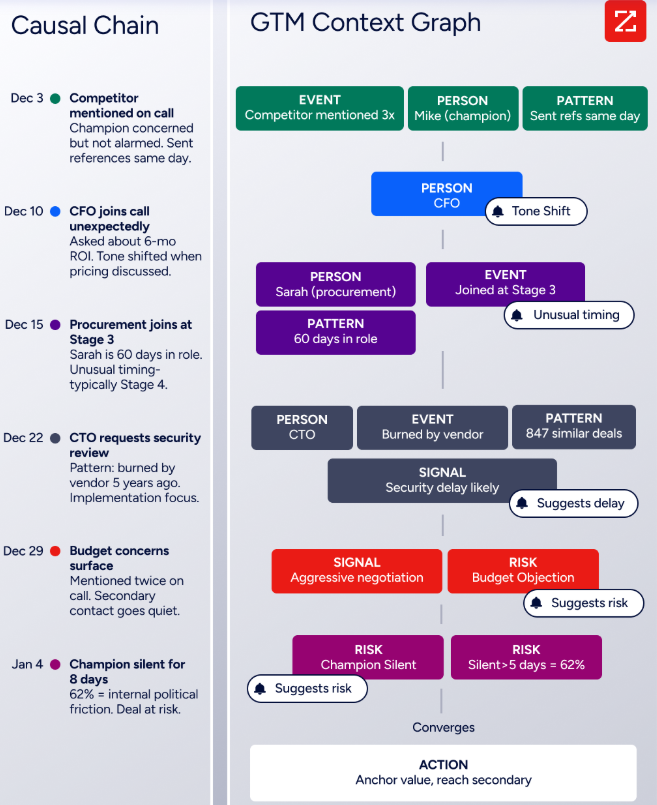
But data alone isn't enough. ZoomInfo's GTM Context Graph (processing 1.5B+ data points daily) combines this third-party intelligence with a customer's own CRM records, conversation transcripts from Chorus, email interactions, and behavioral signals to capture the context behind deal outcomes.
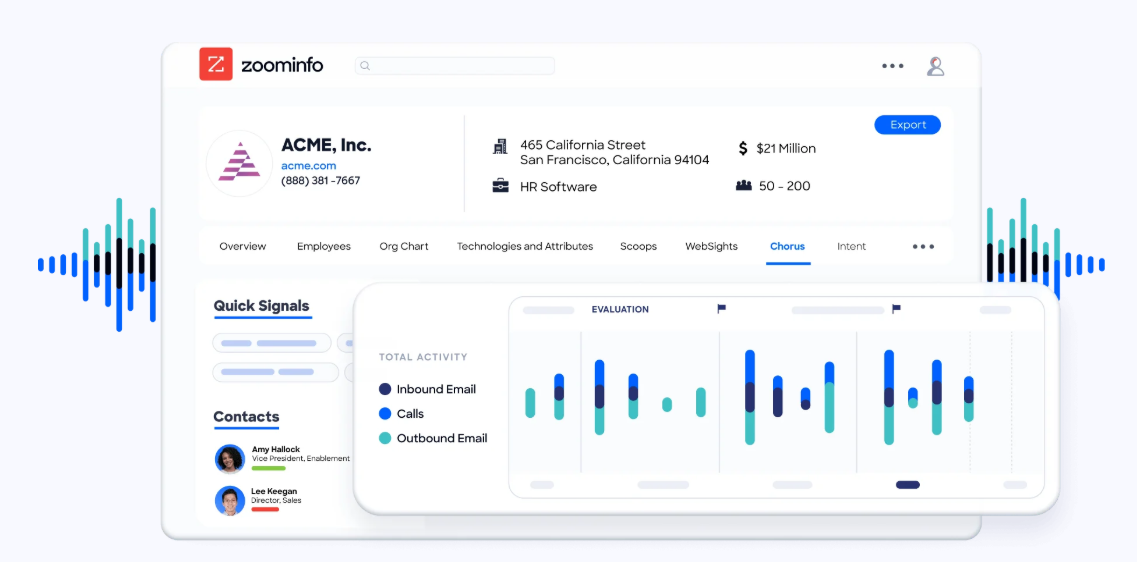
A CRM records that a deal's stage changed. The GTM Context Graph surfaces that the CFO joining a call and asking about six-month ROI is what accelerated the deal, and that this pattern matches closed-won deals in the same segment.
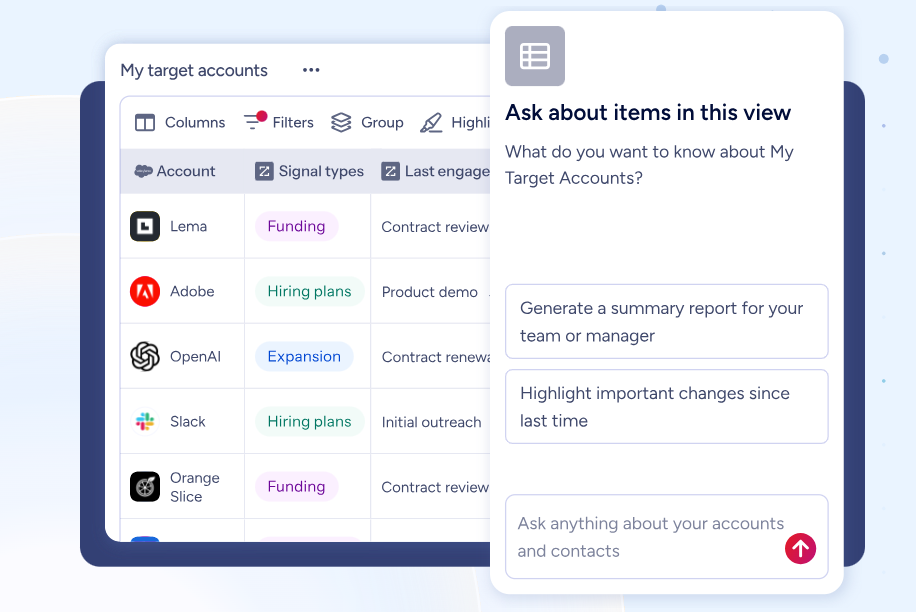
This intelligence reaches teams three ways. GTM Workspace gives sellers AI-drafted outreach, prioritized accounts, and deal signals in one place. GTM Studio gives marketers and RevOps a builder for audience targeting, campaign orchestration, and pipeline analytics in natural language.
Source: ZoomInfo
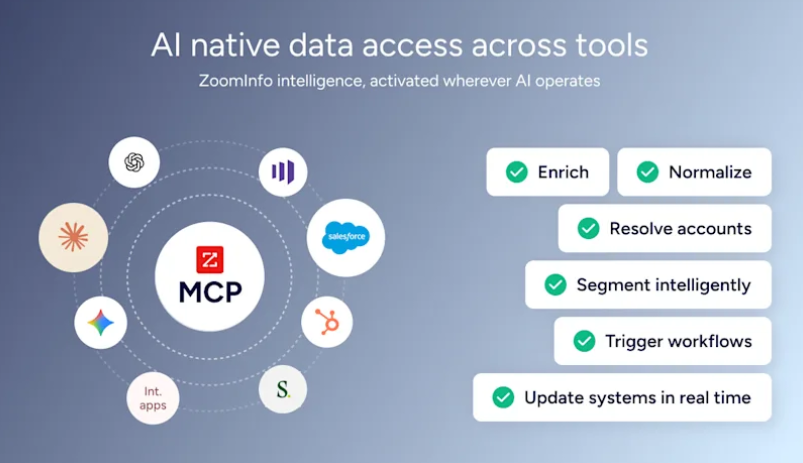
And APIs and MCP expose the same intelligence to any tool (including Salesforce), so data flows wherever teams already work.
Source: ZoomInfo
Seismic's sales team attributed 39% of active pipeline to opportunities identified or influenced by ZoomInfo signals, boosted productivity by 54%, and saved 11.5 hours per week per seller. (Seismic)
For a deeper look at how Salesforce and ZoomInfo compare as standalone platforms, see our Salesforce vs. ZoomInfo comparison.
How the three platforms fit different stages of the customer lifecycle
The clearest way to understand Salesforce, TaskRay, and ZoomInfo is to map them against the customer journey.
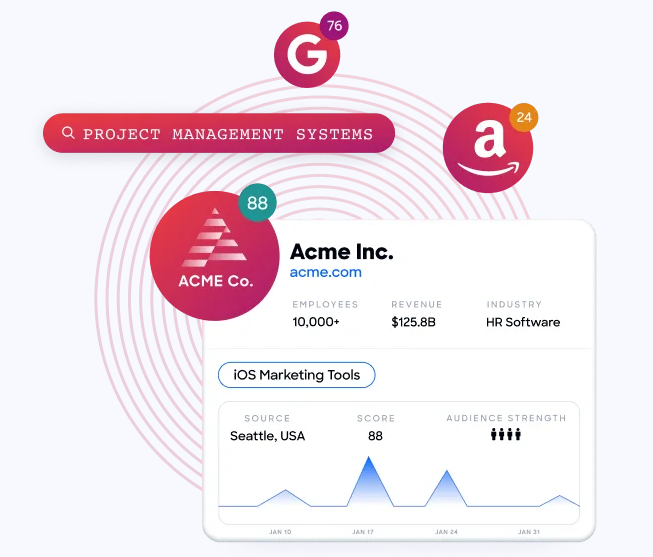
Before the deal: identifying and engaging buyers. Salesforce can store leads and contacts, but someone has to put them there. TaskRay has no role at this stage. ZoomInfo identifies which companies are actively researching your category (via Buyer Intent data tracking 210 million IP-to-Organization pairings), surfaces the right contacts within those organizations, and drafts personalized outreach based on full account context. This is ZoomInfo's primary domain.
Source: ZoomInfo
During the deal: managing pipeline and closing. Salesforce is the system of record. Pipeline stages, forecasts, quoting, and activity tracking live here. TaskRay may begin pre-boarding activities on complex deals. ZoomInfo enriches deals with real-time intelligence: who else sits on the buying committee, what competing solutions the account is evaluating, and whether the company's hiring patterns or funding signals indicate urgency.
After the deal: delivering on the promise. Salesforce records that a deal closed. TaskRay takes over, launching templated delivery projects, assigning resources, tracking milestones, and giving customers visibility into progress. ZoomInfo can surface churn risk signals and expansion opportunities on existing accounts, feeding those back into the CRM for account management.
These are different jobs, not competing solutions. The most effective GTM organizations use all three layers: ZoomInfo for intelligence, Salesforce for the operational backbone, and TaskRay (or a tool like it) for post-sale execution.
Project management: TaskRay's depth vs. Salesforce's absence
Salesforce does not include native project management. You can build custom objects and flows that approximate it, but you're building from scratch.
TaskRay offers six project view modes: Kanban, Plan (Gantt), Row, My Work, Calendar, and Spreadsheet. All sync in real time.

Source: TaskRay
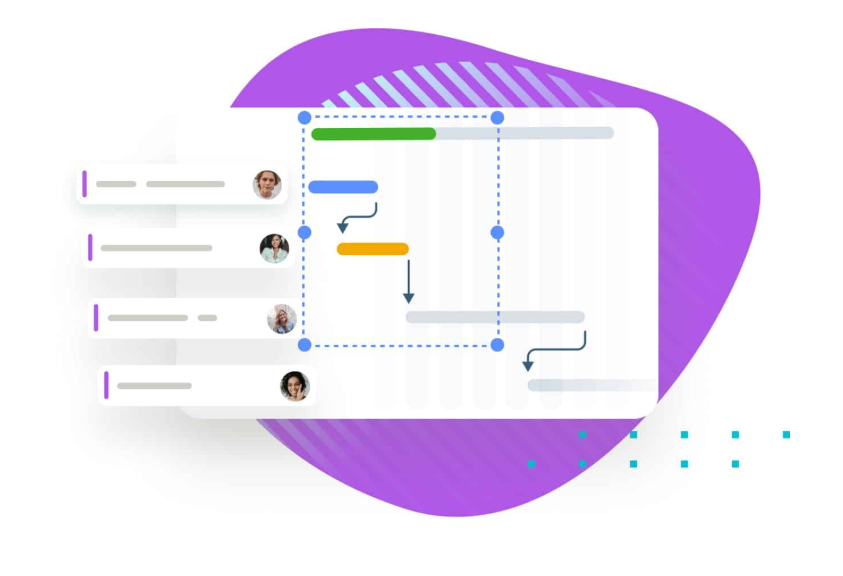
The Advanced Scheduler previews downstream date cascades before committing changes, so teams see the full impact of a timeline shift before it happens. When projects are paused, Advanced On-Hold creates a formal record capturing reasons, proposed resume dates, and notes, building an auditable delay history.
Source: TaskRay
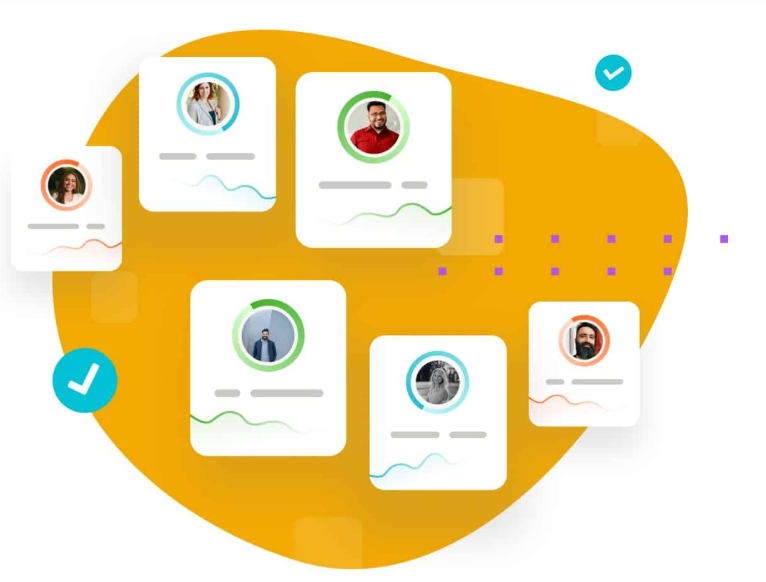
Resource management goes deeper at the Premium tier. The Resource Planner shows team capacity with workload breakdowns and overallocation highlighting.
Source: TaskRay
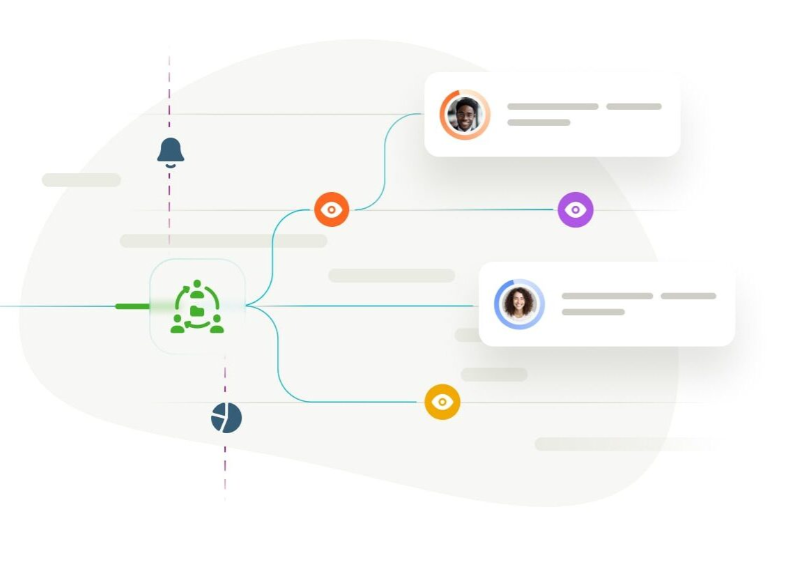
Resource Forecasting connects to the Salesforce pipeline via out-of-the-box flows, so teams can staff against anticipated demand before deals close. Resource Attributes let admins tag resources with software proficiencies, certifications, and language capabilities, then filter them during team assembly.
Source: TaskRay
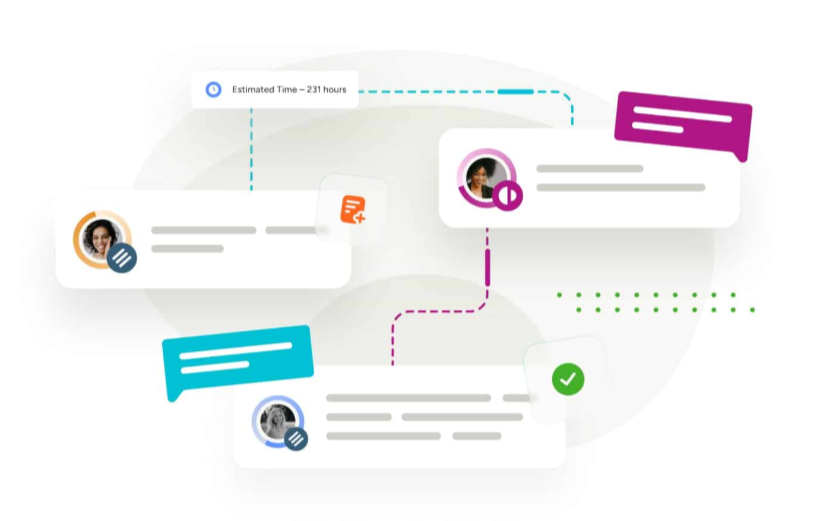
For customer collaboration, TaskRay offers a tiered access model. Collaboration View gives external stakeholders read-only project visibility with no Salesforce license required. Collaboration Connect lets customers mark tasks complete via email. Collaboration Hub provides portal access without a Salesforce Digital Experiences license. This solves a real cost problem: buying Salesforce licenses for every external stakeholder who needs project visibility would be prohibitively expensive.
Source: TaskRay
AI capabilities reflect different missions
All three platforms have invested in AI, but each applies it to a different problem.
Salesforce Agentforce deploys AI agents across the customer lifecycle. These agents can resolve 85% of support requests without human escalation (on Salesforce's own help site), engage inbound leads, generate account plans with SWOT analysis, and automate quoting.
The Atlas Reasoning Engine uses a reason-act-observe loop, and the Einstein Trust Layer enforces zero data retention with LLM partners, PII masking, and toxicity detection. Agentforce spans sales, service, marketing, commerce, and IT service management.
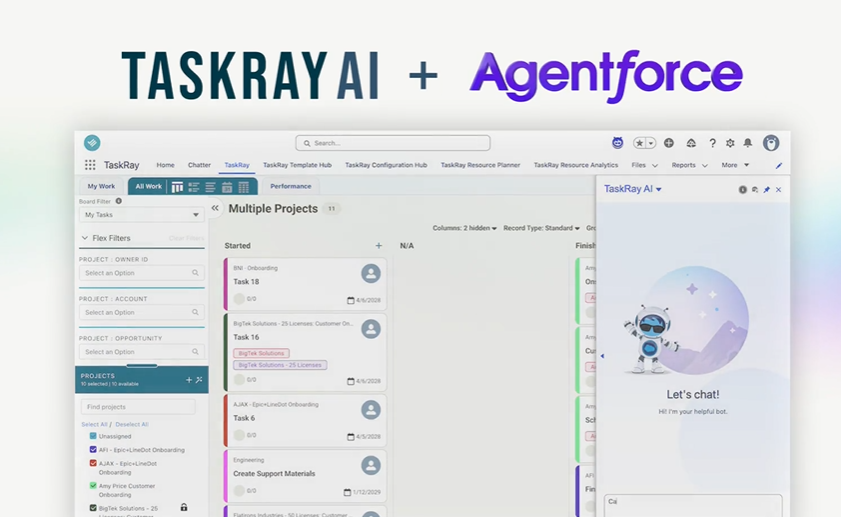
TaskRay AI operates through Agentforce integration, applying AI to project administration. It can prioritize tasks via conversational prompts, convert meeting notes into assigned project tasks, generate project summaries covering progress, risks, and milestones, suggest staffing based on capacity and skills, and prompt guided time tracking based on recent activity.
Source: TaskRay
The AI reads from the same Salesforce data model TaskRay uses, so context is native rather than integrated. AI-Powered Flexible Scheduling (auto-adjusting linked work when dates shift) is listed as coming soon.
ZoomInfo's GTM Context Graph applies AI to the intelligence problem upstream of both CRM operations and project delivery.
Source: ZoomInfo
It processes 1.5B+ data points daily to understand what accelerates or stalls pipeline movement, drawing on conversation intelligence from Chorus, CRM data, intent signals, and behavioral patterns.

Source: ZoomInfo
GTM Workspace's AI agents (built on Anthropic's Claude) translate that intelligence into action: drafting outreach that addresses the specific concern a prospect raised, surfacing hidden stakeholders in a buying committee, and flagging accounts whose signal patterns match proven wins.
"It's not just the data itself. It's more about the right data at the right time to help us reach out with the right message across that full buyer journey." (Chelsea Kenyon, Redwood Logistics)
Pricing structures differ by design
Salesforce publishes tiered per-user pricing. Sales Cloud and Service Cloud both range from $0 (Free Suite, max 2 users) through $25 (Starter), $100 (Pro), $175 (Enterprise), $350 (Unlimited), to $550 (Agentforce 1) per user per month. Most plans require annual contracts. Beyond per-user fees, costs accumulate through add-ons: Digital Engagement ($75/user/month), Contact Center ($150/user/month), Agentforce AI ($125/user/month), Data Cloud consumption credits, and the Premier Success Plan (30% of net license fees). Agentforce consumption adds Flex Credits at $500 per 100,000 credits or $2 per conversation. Marketing Cloud starts at $1,500/org/month and scales to $30,000+. Implementation typically requires partners (over 70% partner-led), adding significant cost.
TaskRay uses quote-only pricing with no public numbers. Three tiers (Starter, Standard, Premium) gate access to progressively deeper features. Several capabilities require additional licensing beyond the base plan: Collaboration Hub, Collaboration Experience, and Template Sync.
Support upgrades (Standard Plus and Elite) are separate annual fees. The critical cost consideration: TaskRay requires Salesforce licenses for all users, so total cost of ownership is always TaskRay plus Salesforce. For organizations whose delivery staff outnumber salespeople, this combined cost can significantly exceed standalone project management tools.
ZoomInfo uses consumption-based pricing organized into Sales, Marketing, and standalone product tiers (Chorus, Chat).
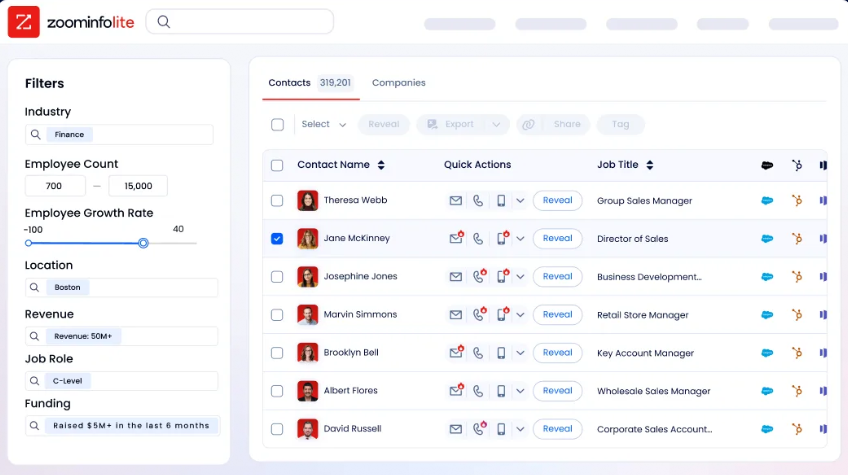
No public prices are listed. However, ZoomInfo offers two free entry points: ZoomInfo Lite, a permanent free tier with access to the B2B database and 10 monthly export credits, and a 7-day free trial of the full platform. API access comes included in all relevant plans.
Source: ZoomInfo
Integration philosophies reveal priorities
Salesforce is the integration hub of enterprise software. Its developer APIs (REST, SOAP, Bulk, GraphQL, and Pub/Sub) connect to virtually any system. MuleSoft (acquired for $6.5B) provides API management and pre-built connectors for SAP, Oracle, Workday, and hundreds more.
Native integrations with Google Workspace and Microsoft Outlook and Teams cover the most common productivity workflows. Slack (acquired for $27.7B) serves as the collaboration layer, with Salesforce Channels bringing CRM data into conversations bidirectionally. The AppExchange ecosystem (9,000+ apps, 91% customer adoption) means there's likely a pre-built solution for any integration need.
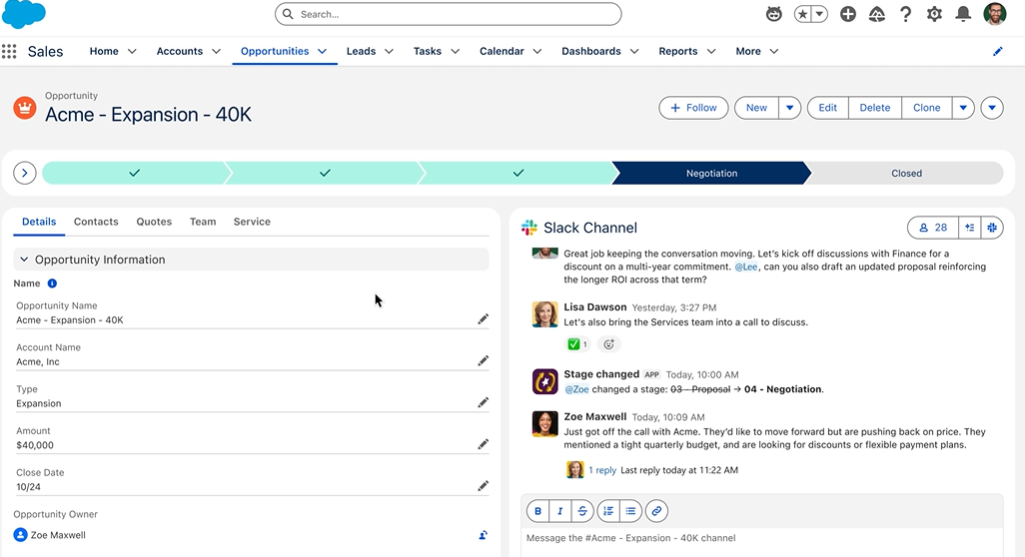
Source: Salesforce
TaskRay takes a different approach: if you can integrate with Salesforce, you can integrate with TaskRay. Since TaskRay objects are standard Salesforce custom objects, any Salesforce-compatible API, Flow, or tool can access them.
Named integration partners include Formstack (onboarding forms), Gainsight (customer health), and Conga (document generation and mass updates). A dedicated Revenue Cloud Advanced integration connects delivery projects to quote-to-cash workflows. The trade-off: TaskRay has no standalone API or integration surface. Its entire integration story depends on Salesforce.
Source: TaskRay
ZoomInfo integrates natively with Salesforce, HubSpot, and Microsoft Dynamics 365 for CRM enrichment and lead routing. The ZoomInfo App Marketplace lists 172+ integration partners. For programmatic access, the Enterprise API exposes search, enrichment, intent, and AI intelligence endpoints.
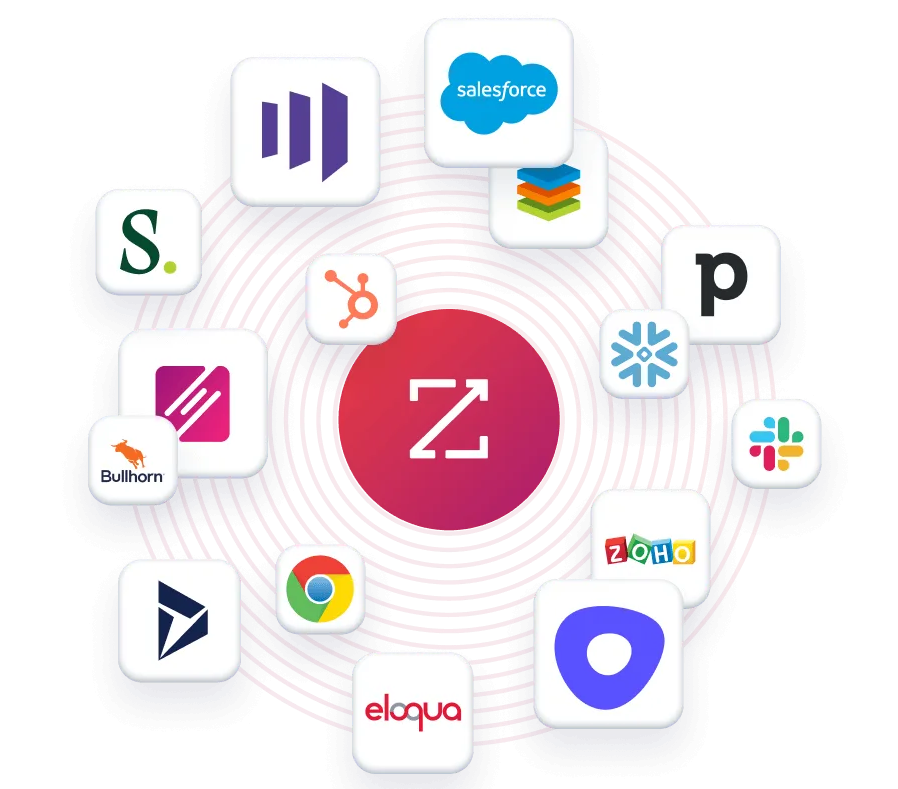
The MCP server connects AI models directly to ZoomInfo data as a native tool, currently supporting Claude and ChatGPT. Cloud Partners delivers data directly into AWS, Snowflake, Google Cloud, and Databricks. ZoomInfo's intelligence is not locked inside its own UI.
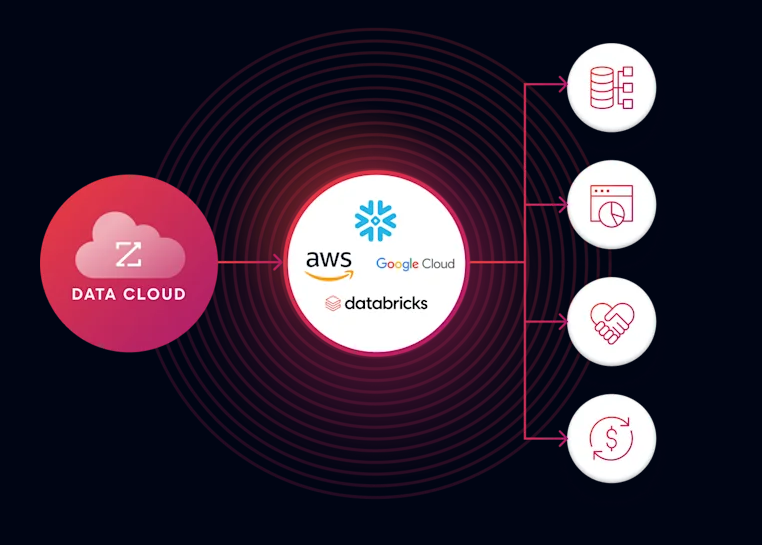
Source: ZoomInfo
"The plug-and-play aspect of the API means I can integrate it very easily into any process and get information at a moment's notice." (87% reduction in dashboard update time.) (Jerry Wilson, BDO Canada)
Who each platform is built for
The platforms serve different buyer profiles, but the audiences overlap more than you'd expect.
Salesforce serves companies of every size and industry, from the free CRM for small teams to global enterprises.
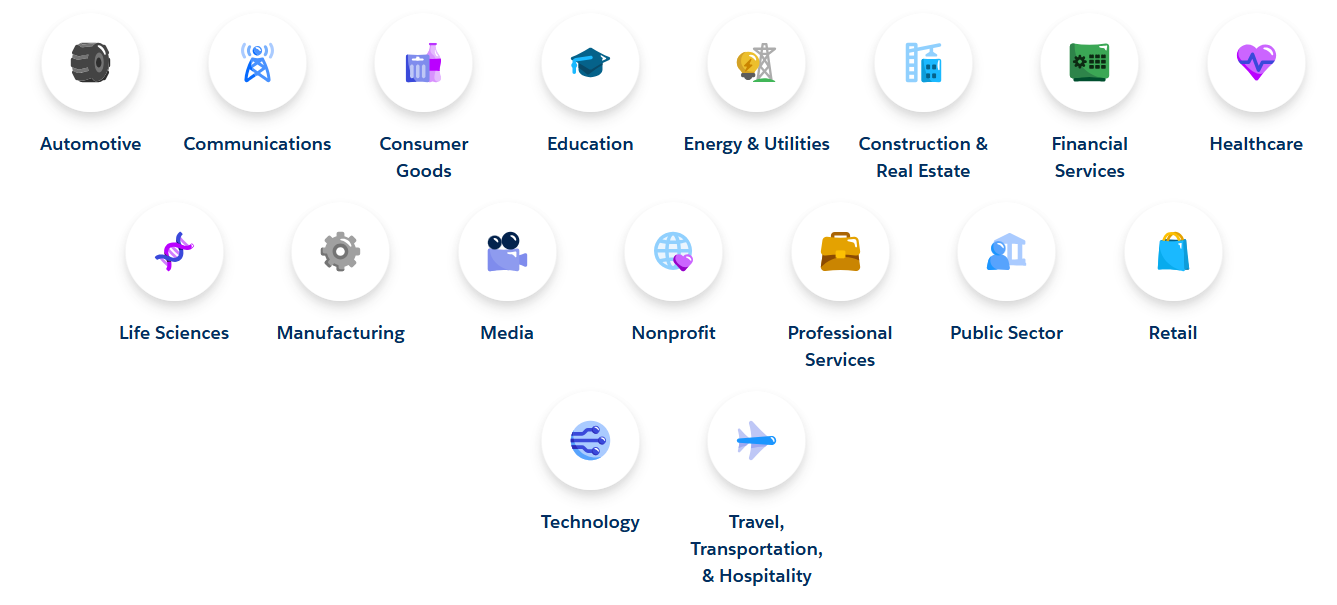
The platform delivers the most value to mid-market and enterprise organizations with dedicated Salesforce administrators and the budget for multi-cloud deployments. Industry clouds across 17 verticals (Financial Services, Healthcare, Manufacturing, Retail, and others) provide industry-specific data models and workflows.
Source: Salesforce
TaskRay delivers the strongest ROI for organizations that meet three conditions: they already use Salesforce, they run a repeatable post-sale delivery motion (customer onboarding, software implementation, managed services), and they need cross-team visibility between sales and delivery.
The customer base spans multiple industries including Technology and SaaS, Healthcare, Financial Services, Telecommunications, Manufacturing, and Real Estate, with users including Toast, MCG Health, and Fortis. TaskRay is not viable for companies not on Salesforce, and teams with highly unstructured, ad-hoc work may find its template-driven approach rigid.

Source: TaskRay
ZoomInfo is built for B2B go-to-market teams across sales (prospecting, pipeline), marketing (ABM, demand generation, advertising), and RevOps (data quality, lead routing, workflow automation).
The platform concentrates on enterprise and upper mid-market, with named customers including Adobe, Snowflake, PayPal, Deloitte, and JPMorgan. ZoomInfo is not for B2C companies, and organizations with no outbound motion or data enrichment need would see limited value.
Salesforce vs. TaskRay vs. ZoomInfo: Which should you choose?
These platforms address different problems. The right choice depends on which problem is most urgent.
Choose Salesforce if:
You need a CRM to manage sales, service, marketing, and commerce
You're building the operational backbone for customer lifecycle management
You have the budget and administrative capacity for enterprise software
You want the broadest ecosystem of apps and integrations
You need industry-specific data models and compliance features
Choose TaskRay if:
You're already on Salesforce and need to standardize post-sale delivery
Repeatable customer onboarding is a core business process
You want project data, resource capacity, and customer collaboration inside Salesforce
You need to scale delivery volume without proportional headcount growth
Keeping all data in your Salesforce org is a compliance or security requirement
Choose ZoomInfo if:
You need high-quality B2B data to identify and engage the right buyers
You want AI intelligence that reveals the signals behind deal outcomes
Your sales and marketing teams need real-time intent signals and account prioritization
You want your GTM intelligence accessible in any tool (Salesforce, custom agents, or ZoomInfo's own products)
You're ready to move from reactive pipeline management to proactive deal execution
Start with ZoomInfo Lite for free or request a demo here.
The strongest GTM organizations don't choose one. They use Salesforce as the system of record, TaskRay (or a similar tool) to deliver on what they sell, and ZoomInfo to ensure they're pursuing the right opportunities with complete intelligence. The platform that manages your CRM data, the app that standardizes your delivery, and the intelligence layer that tells you which deals are worth winning: each solves a distinct problem, and the combination is greater than any single tool.
Salesforce vs. TaskRay vs. ZoomInfo FAQ
What is the core difference between Salesforce, TaskRay, and ZoomInfo?
Salesforce is a full CRM platform for managing the customer lifecycle across sales, service, marketing, and commerce. TaskRay is a Salesforce-native app that adds project management and customer onboarding inside a Salesforce org, filling a gap Salesforce doesn't address natively. ZoomInfo is an AI GTM platform that identifies the right buyers, provides verified contact information and intent signals, and delivers AI deal intelligence to help teams prioritize and engage accounts.
Can I use TaskRay without Salesforce?
No. TaskRay is 100% Salesforce-native. It runs inside a Salesforce org and requires active Salesforce licenses for all users. There is no standalone version, no web app outside Salesforce, and no alternative deployment option. This is by design: Salesforce nativeness is TaskRay's primary differentiator, ensuring all project data inherits the same security, sharing rules, and reporting capabilities as CRM data.
Does ZoomInfo integrate with Salesforce?
Yes. ZoomInfo has a native Salesforce integration for CRM enrichment, lead routing, and data synchronization. ZoomInfo data (contacts, companies, intent signals, and technographics) flows directly into Salesforce records. The integration is a featured partner on the ZoomInfo App Marketplace. ZoomInfo also exposes its intelligence through APIs and MCP, so it can power custom Salesforce Flows, Agentforce agents, or any other tool in the Salesforce ecosystem.
How does pricing compare across the three platforms?
Salesforce publishes tiered per-user pricing starting at $25/user/month (Starter Suite), with Enterprise at $175 and Unlimited at $350. Add-ons, consumption credits, and implementation costs can push total spending significantly higher. TaskRay uses quote-only pricing with no published numbers, and its total cost always includes Salesforce licenses on top. ZoomInfo uses consumption-based pricing but offers a permanent free tier (ZoomInfo Lite) with access to the B2B database and 10 monthly export credits.
Which platform helps with customer onboarding?
TaskRay is built for customer onboarding inside Salesforce. Its template engine, resource planning, and customer collaboration portals are designed for repeatable post-sale delivery. Salesforce does not include native project management for onboarding. ZoomInfo does not address onboarding directly, but its account intelligence and intent signals can identify expansion and renewal opportunities during the onboarding and post-sale period.
What AI features does each platform offer?
Salesforce Agentforce deploys AI agents across the customer lifecycle, handling support case resolution, lead engagement, quoting, and sales coaching. TaskRay AI, built on Agentforce, applies AI to project administration: task prioritization, meeting note conversion, staffing suggestions, and project summaries. ZoomInfo's GTM Context Graph uses AI to analyze buying patterns, draft personalized outreach, identify buying committee members, and surface accounts whose signal patterns match proven wins.
Which platform is best for a company just starting to build its sales process?
Salesforce's Free Suite or Starter Suite ($25/user/month) provides a functional CRM for small teams. ZoomInfo Lite offers free, permanent access to B2B contact and company data for prospecting. TaskRay only makes sense once you have an established Salesforce instance and a repeatable post-sale delivery process to standardize. For early-stage teams, starting with Salesforce for CRM and ZoomInfo Lite for prospecting data is the most practical combination.
Do I need all three platforms?
Not necessarily, but each addresses a distinct gap. Salesforce manages customer records and operations. TaskRay standardizes what happens after the sale closes. ZoomInfo ensures you're pursuing the right deals with complete buyer intelligence. Companies with a mature GTM motion often use all three because no single platform covers the full cycle from prospect identification through post-sale delivery.
See how Salesforce compares to other platforms:
