
Comparing Sunsama and Motion comes down to a philosophical divide: do you want a planning tool that guides you through daily decisions, or one that makes those decisions for you?
Five questions will point you toward the right choice:
Do you prefer a structured morning ritual to set your priorities, or an AI engine that auto-schedules your day?
Are you primarily managing your own time, or coordinating work across a team?
Do you need project management with dependencies and capacity planning, or a focused daily planner?
Is consolidating your existing tools into one platform important, or do you want a lightweight layer on top of them?
For sales and GTM roles: does your planning tool need to connect to buyer intelligence, or is it purely about task execution?
In short, here's what we recommend:
Sunsama is the right choice for individual knowledge workers who want a deliberate, ritual-based approach to daily planning. Each morning, Sunsama walks you through a structured sequence: importing tasks from connected tools (Asana, Linear, GitHub, Gmail, Notion, and more), selecting what to focus on, estimating time, and building a realistic daily timeline.
The evening shutdown ritual prompts reflection on what you accomplished and what to carry forward. Professionals who struggle with overcommitment value this design because it forces realistic daily planning.
At $22/month, Sunsama is priced for individual investment, but it has no project management capabilities, no team coordination features, and no AI auto-scheduling. It's a planning practice, not a productivity platform.
Motion takes the opposite approach: it removes planning decisions entirely. Motion's AI scheduling engine evaluates your tasks, deadlines, priorities, and calendar, then builds and rebuilds your daily plan automatically, hundreds of times a day. Beyond individual scheduling, Motion offers AI project management with automatic dependency progression, capacity planning, and ETA prediction for teams.
It replaces not just your task manager but your calendar scheduler, meeting notetaker, and docs tool in a single platform at $29/seat/month. The tradeoff: there's no free tier, the mobile app trails the desktop experience, and the integration ecosystem is narrower than competitors like Asana or ClickUp.
Both platforms help you organize and execute work. But for sales and go-to-market professionals, knowing what to work on matters as much as how you organize it. Neither Sunsama nor Motion can tell you which accounts are in-market, which contacts to prioritize, or what message will resonate. That intelligence gap is where deals slip through the cracks.
ZoomInfo is an AI GTM platform built on a B2B data foundation of 500M contacts, 100M companies, 135M+ verified phone numbers, and 200M+ verified business emails.
Its GTM Context Graph (an intelligence layer processing 1.5B + data points daily) fuses that data with your CRM records, conversation transcripts, and behavioral signals to reveal which accounts to pursue, when to engage, and why deals are moving or stalling.
Sales teams access this intelligence through GTM Workspace, where AI agents handle account research, draft outreach, and surface prioritized actions. For GTM professionals using Sunsama or Motion for daily planning, ZoomInfo provides the signal-driven priorities that make that planning count.
If your daily plan would improve with AI-prioritized accounts and buyer intent signals, see how ZoomInfo works.
Sunsama vs. Motion at a glance
Sunsama | Motion | ZoomInfo | |
|---|---|---|---|
Core approach | Guided daily planning ritual | AI auto-scheduling engine | AI-powered GTM intelligence |
Target user | Individual knowledge workers | SMB teams (5–200 people) | Sales, marketing, and RevOps teams |
Daily planning | Manual, ritual-guided | Fully automated | AI-prioritized account actions |
Project management | None | Full (dependencies, Gantt, capacity) | GTM plays and pipeline management |
AI capabilities | Sunny AI (task entry, suggestions) | Auto-scheduling, project generation, AI agents | GTM Context Graph, buyer intent, AI outreach |
Meeting tools | None | AI Notetaker, booking links | Chorus conversation intelligence |
Integrations | 10+ tools (Asana, Linear, GitHub, Gmail, etc.) | Calendar, CRM, Slack, Zapier | 120+ marketplace integrations, API, MCP |
Mobile app | Available (limited vs. web) | Available (limited vs. desktop) | Mobile app and Chrome extension |
Free plan | No (14-day trial, no credit card) | No (trial, credit card required) | ZoomInfo Lite (free, permanent) |
Pricing | $22/month ($17/month annual) | $29/seat/month | Custom-quoted |
Best for | Individuals seeking intentional daily focus | Teams needing AI-driven task and project execution | GTM teams needing buyer intelligence and signal-driven priorities |
Planning philosophy: guided ritual vs. autonomous engine
Sunsama and Motion hold different beliefs about how productivity works.
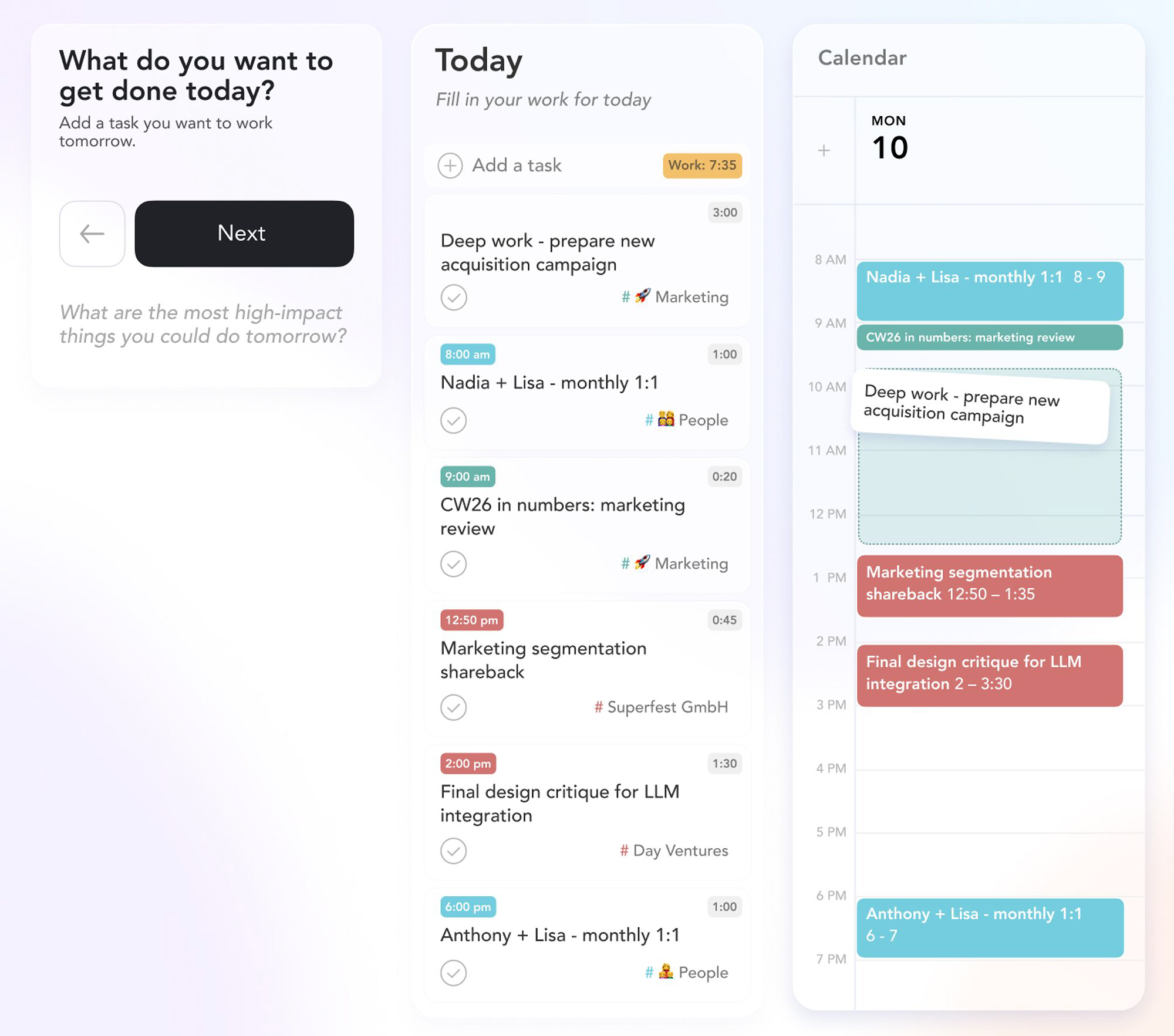
Sunsama believes planning is a practice. The product is built around a daily ritual: each morning, you sit down and work through a structured sequence.
You review your calendar. You pull in tasks from your connected tools (Asana tickets, Linear issues, GitHub PRs, emails) and decide which ones belong to today. You estimate how long each will take. Sunsama tallies the hours and warns you when you've overcommitted.
Source: Sunsama
This is deliberate friction. Sunsama wants you to slow down and think about your day before starting it. The founders, Travis Meyer and Ashutosh Priyadarshy, built the product around the idea that most productivity tools fail not because they lack features, but because they don't force users to confront the reality of limited time.
The evening shutdown ritual closes the loop, prompting reflection on what you completed, what to carry forward, and what to release.
Motion believes planning is waste. If AI can evaluate your tasks, deadlines, priorities, and calendar better than you can, why spend 15 minutes each morning doing it yourself? Motion's scheduling engine scans for open time blocks and places tasks in the optimal order, reprioritizing automatically when meetings run long or new work arrives.

Source: Motion
Every task gets a scheduled time block on your calendar. If something can't fit, Motion surfaces it as a "Can't Fit" alert rather than silently dropping it.
The philosophical split has practical consequences. Sunsama users report that the ritual itself creates value: choosing what matters today reduces anxiety and improves focus. Motion users report that eliminating the planning step frees hours for actual work. Neither is wrong. The question is whether you find clarity in reflection or in automation.
Individual focus vs. team coordination
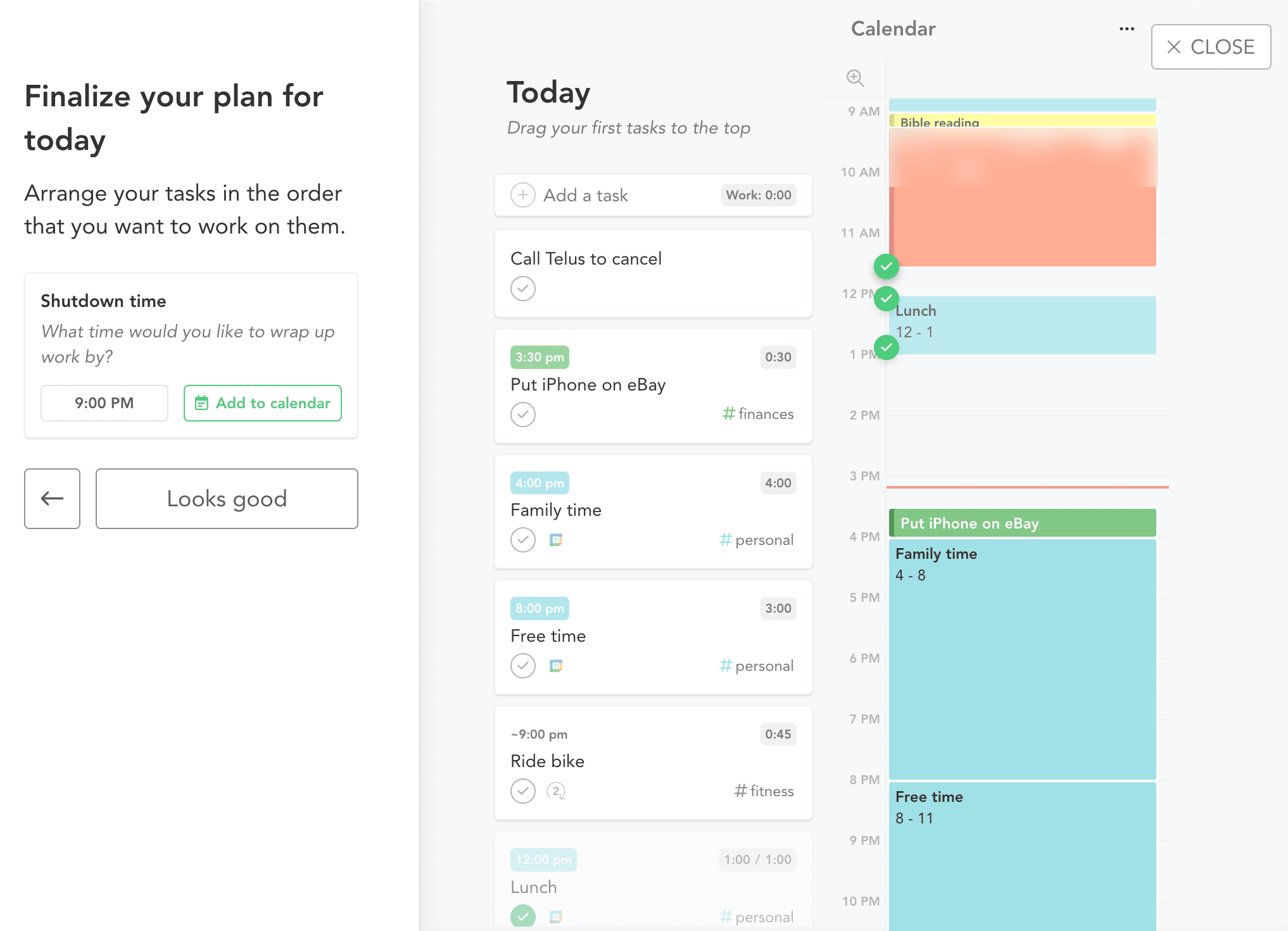
Sunsama is built for one person. You plan your day, track your time, and review your week. There are no team views, no shared dashboards, no assignment features. Sunsama once had collaborative standup-style features; the team deliberately removed them to focus on the individual experience.,
Source: Sunsama
This constraint is intentional. Sunsama assumes your team already has project management tools (Asana, Linear, ClickUp) and that what's missing isn't another place to track team work, but a personal system to decide which of those tasks actually belongs on today's plan.
Motion starts with the individual (the AI Task Manager and AI Calendar work for solo users) but extends into team territory. The AI Project Manager handles dependencies, automatic task progression between team members, and real-time ETA prediction across concurrent projects. Capacity planning shows managers how loaded each person is over a 7–90 day window.

Source: Motion
When one team member finishes a blocking task, the next person's work unlocks and schedules automatically, without anyone manually advancing it.
For small service businesses (marketing agencies, IT providers, consulting firms) this team layer is the primary draw.
Motion's automatic task progression lets teams reduce or eliminate daily status meetings because the system surfaces progress on its own. Capacity planning removes the manual work of compiling resource reports, telling managers instantly whether the team can take on new work and when it will fit.
If you're managing only your own work, both tools can serve you well. If you're coordinating a team, Motion is the clear choice. Sunsama doesn't try to compete here.
How each platform handles the daily workflow
Sunsama's morning: Open the app. Sunsama walks you through each connected integration channel (your Asana queue, your Linear backlog, your Gmail inbox), presenting unplanned tasks one channel at a time.
You drag items onto today's plan or defer them. You set time estimates. The day view renders your calendar events alongside task time blocks, and the total planned hours appear at the top. If you've stacked eight hours of tasks into five hours of available time, Sunsama flags the overcommitment before you start.
The ritual takes 10-20 minutes. Users who skip it consistently report getting less value from the product. This isn't a flaw; it's the design. The planning process is the product.
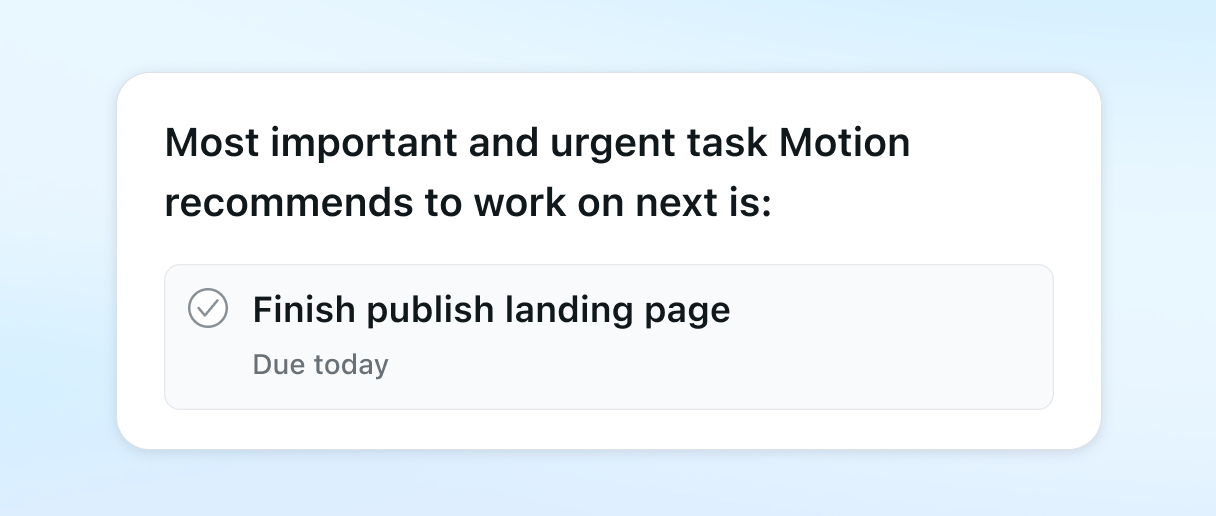
Motion's morning: Open the app. Your day is already planned. Motion has evaluated every task's deadline, priority, duration, and dependencies against your calendar and placed each one in an optimal time block. If a 9 AM meeting was added overnight, Motion already reshuffled your tasks around it. Your highest-priority task sits at the top. Start working.
Source: Motion
If something changes mid-day (a meeting runs long, an urgent request arrives), Motion reschedules your entire day and week in seconds. Sunsama leaves re-planning to you.
Sunsama's evening: The shutdown ritual prompts review. What did you finish? What carries forward? What do you release? The weekly review extends this into longer-term trends: planned vs. actual time, completion rates, and ritual consistency scores.
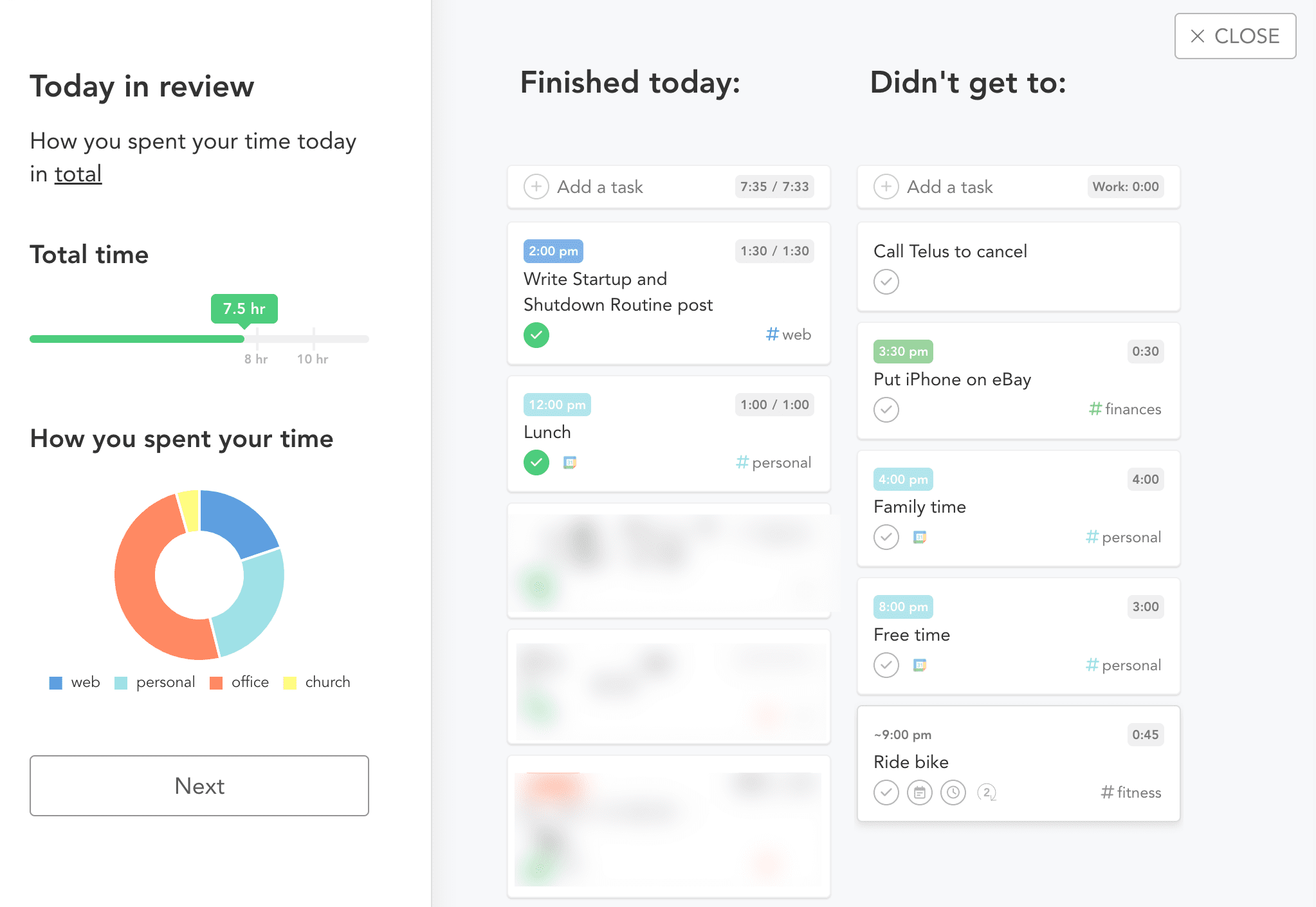
Source: Sunsama
Motion's evening: No ritual. Completed tasks are marked done. Incomplete tasks automatically carry forward and reschedule. Analytics on the Business AI plan show workload distribution and project progress through AI dashboards.
The AI divide: assistance vs. automation
Sunsama's AI feature, Sunny AI, works as an assistant. It parses natural language task descriptions ("write up the Q3 review doc, probably takes 90 minutes") into structured entries with time estimates. It suggests priorities and flags overcommitment during the morning planning flow. But it never decides on its own. Every task, time estimate, and scheduling choice requires human confirmation.
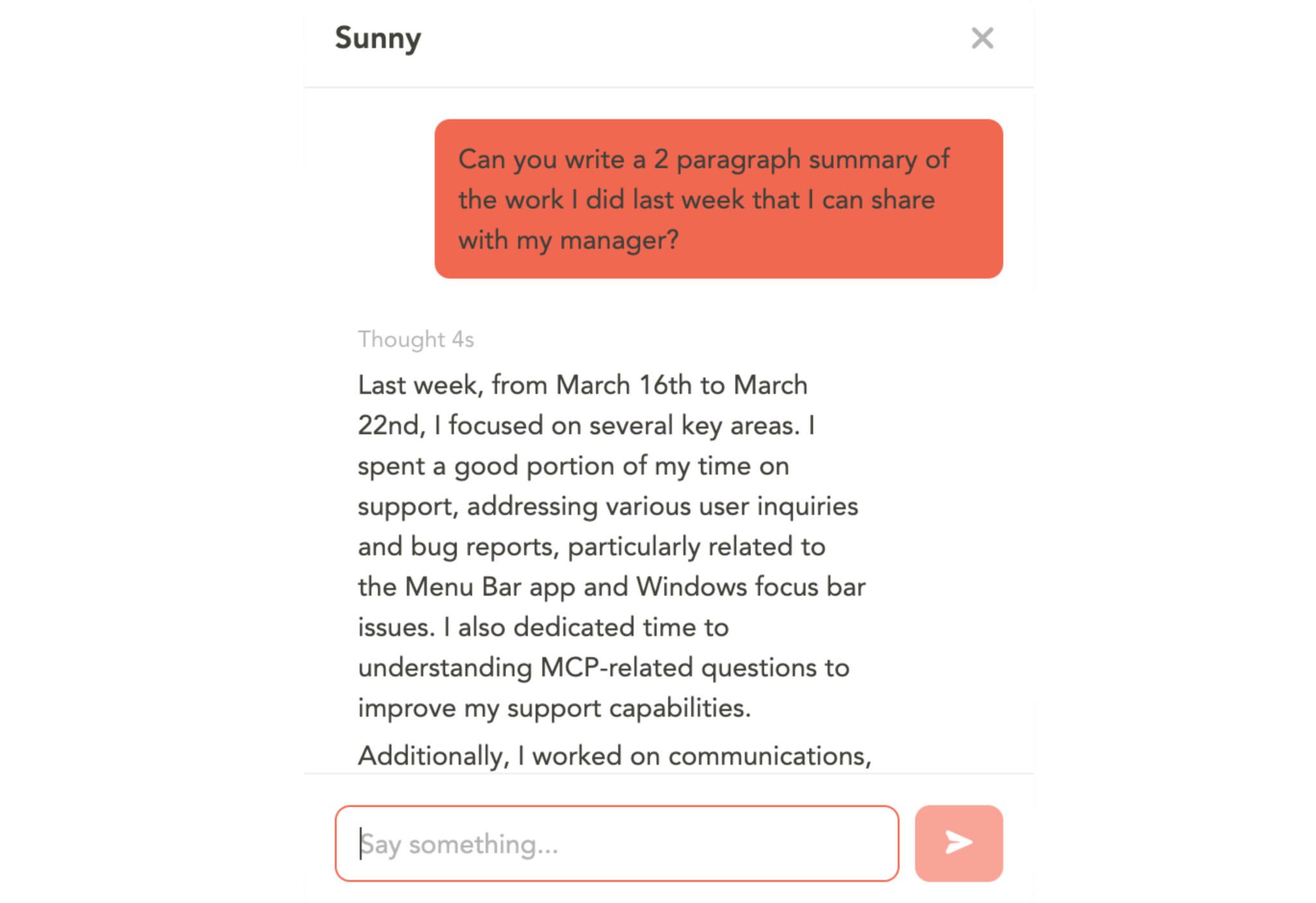
Source: Sunsama
Motion's AI works as an engine. The scheduling system evaluates multiple factors (start dates, durations, deadlines, priority levels, chunking settings, defined schedules, breaks, calendar events, and recurrence rules) for every task, then optimizes across all of them simultaneously. It doesn't suggest where a task should go; it places it. When a task overruns, the engine re-optimizes every remaining task automatically.
Motion's AI extends well beyond scheduling. The AI Workflows Builder converts SOP documents into structured, auto-assigned project templates with gap analysis against similar projects.
The AI Meeting Notetaker, trained on over 10,000 hours of meeting video data, transcribes calls, generates summaries, extracts action items, and converts them into auto-scheduled tasks. The AI Docs Assistant scans notes and documents to identify action items, then schedules them on team members' calendars based on role and capacity.
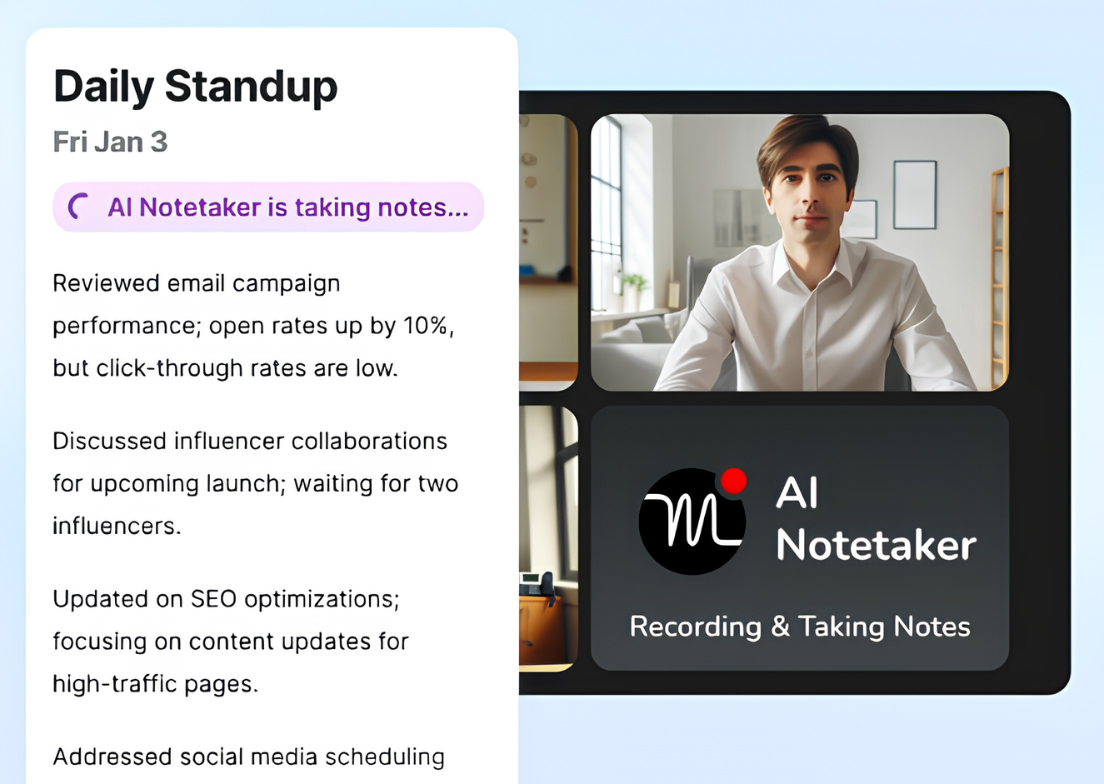
Source: Motion
Motion also offers named AI Employees (Alfred the EA, Chip the SDR, Millie the PM, and others) trained on a company's specific projects and workflows. These agents handle tasks from executive assistance to client communication to recruiting.
Sunsama has no equivalent. It's not trying to automate your work. It's trying to help you think about your work more clearly.
Integration approach: aggregation layer vs. replacement platform
Sunsama and Motion have opposite integration philosophies.
Sunsama is an aggregation layer. It connects to your existing tools (Asana, Todoist, ClickUp, Trello, Notion, Linear, GitHub, Gmail, Outlook) and pulls their tasks into a single daily planning view. Tasks remain in their source systems; Sunsama fetches and displays them as references.
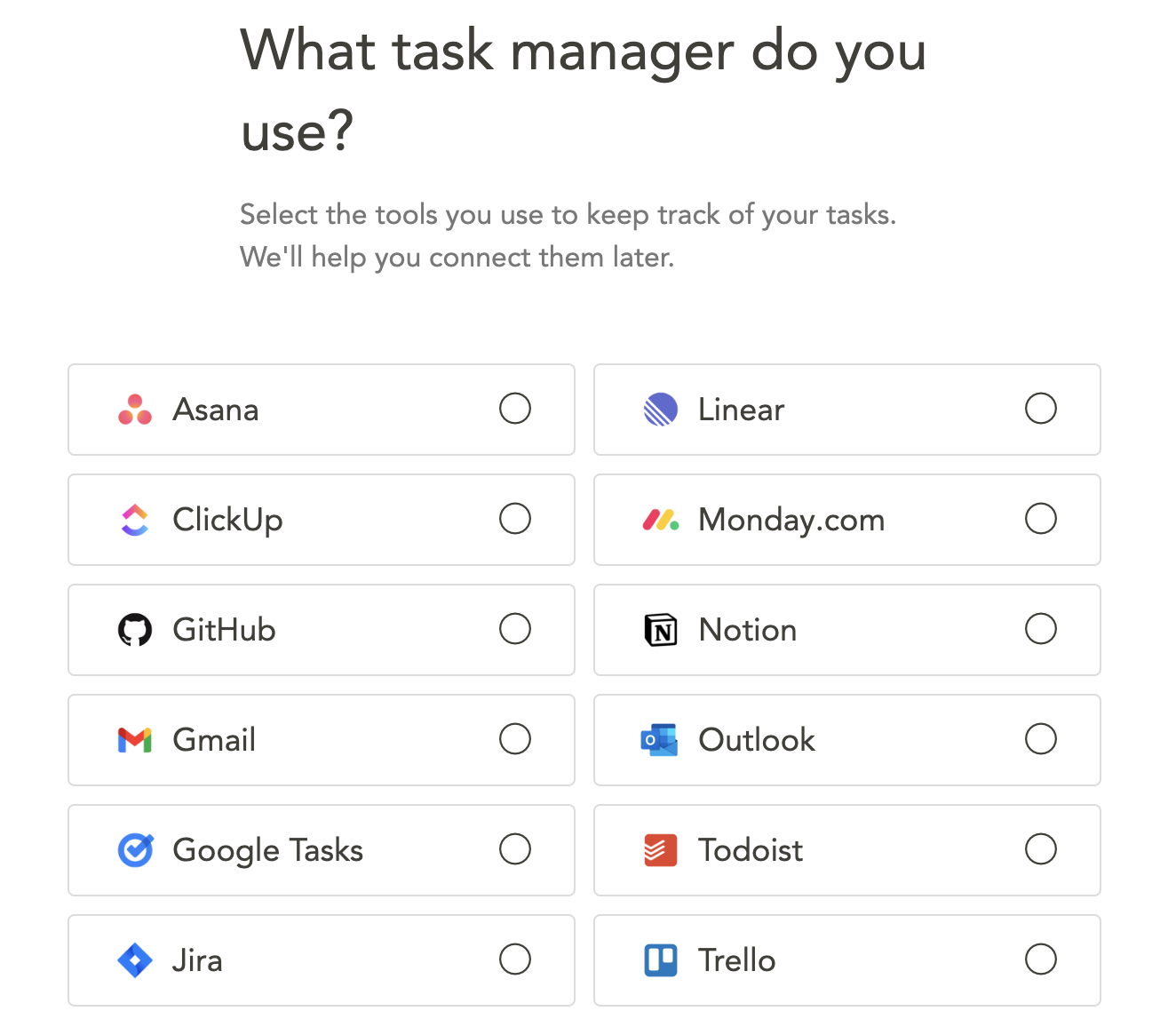
Source: Sunsama
When you mark a task complete in Sunsama, it writes the completion status back to the source tool for most integrations. Sunsama doesn't replace these tools. It sits on top of them.
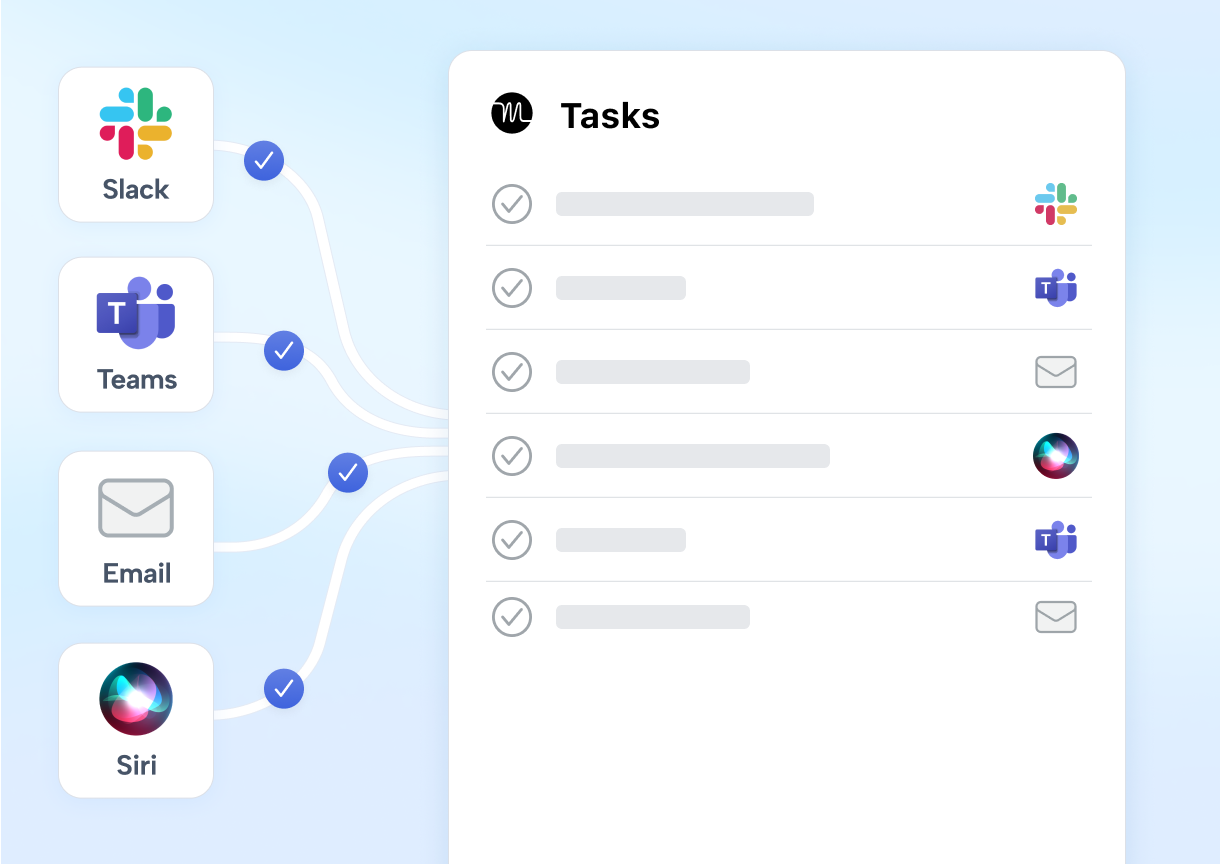
Motion is a replacement platform. Its pitch is that it replaces multiple tools (Todoist, TickTick, Asana, Monday, ClickUp, Jira, Wrike, Calendly, Otter.ai, Fireflies, Notion, Coda, and Confluence) with a single subscription.
It integrates with calendars (Google, Outlook, iCloud), video conferencing (Zoom, Google Meet, Teams), CRMs (HubSpot, Salesforce), and messaging (Slack, Teams), but it expects to be your primary work management system, not a layer on top of another one.
Source: Motion
This difference matters when evaluating switching costs. Adopting Sunsama means adding a tool. Your team keeps using Asana for project tracking and Linear for engineering; individuals add Sunsama for daily planning. Adopting Motion means migrating. Your Asana boards, Monday workflows, and Calendly booking links move into Motion.
For integration depth beyond native connections, both platforms rely primarily on Zapier, and both have limitations. Sunsama's Zapier integration supports only one action (create task) with no trigger events. Motion's Zapier connection is one-directional: external events can create Motion tasks, but Motion doesn't push events back out. Neither platform supports Make or Workato.
Both platforms also have limited programmatic access for custom integrations. Motion offers a REST API covering tasks and projects, but it does not expose calendar or AI scheduling controls. Sunsama has no public REST API at all (a feature request open since December 2019), though it does offer an MCP server in beta for LLM-based integrations.
For sales and GTM teams: the intelligence gap
Both Sunsama and Motion help you organize and execute tasks. Neither can tell you which tasks matter most for revenue.
A sales rep using Sunsama might start the morning ritual and pull in tasks from their CRM: follow-up calls, proposal drafts, demo prep.
But the ritual can't tell them that one of those accounts just started researching a competitor, or that a key contact changed jobs, or that a dormant account's intent signals spiked overnight. The rep prioritizes based on what they know, which is always less than what's happening in the market.
A sales rep using Motion gets an auto-scheduled day optimized for deadlines and priorities. But those priorities reflect what the rep or their manager manually set, not what buyer behavior suggests is most urgent. The AI is excellent at scheduling known work. It has no visibility into buying signals.
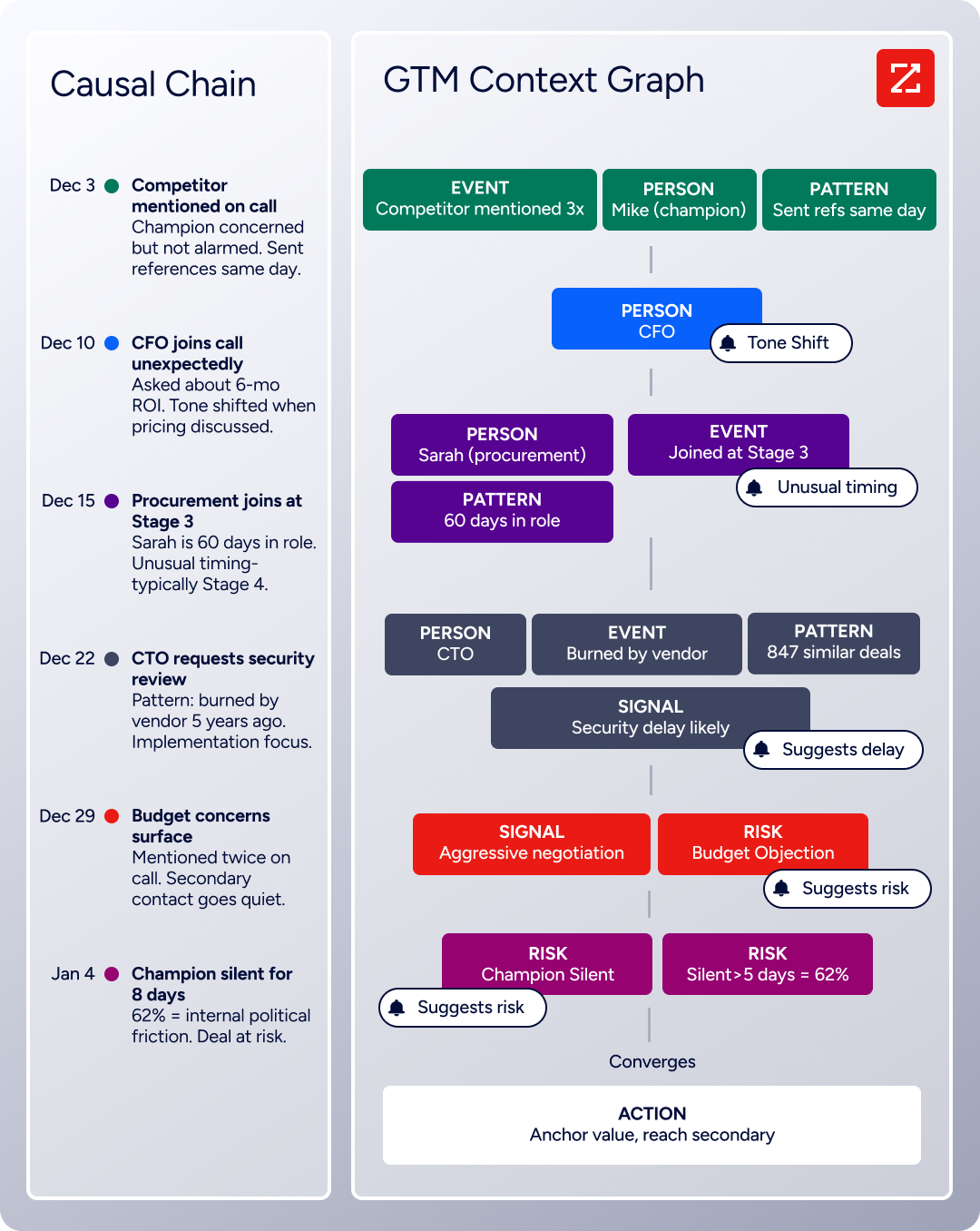
This is where ZoomInfo fills a different role. ZoomInfo's GTM Context Graph (an intelligence layer that processes 1.5B + data points daily) fuses third-party B2B intelligence with CRM records, conversation transcripts, and behavioral signals to surface not just what happened in a deal, but why it happened.
Source: ZoomInfo
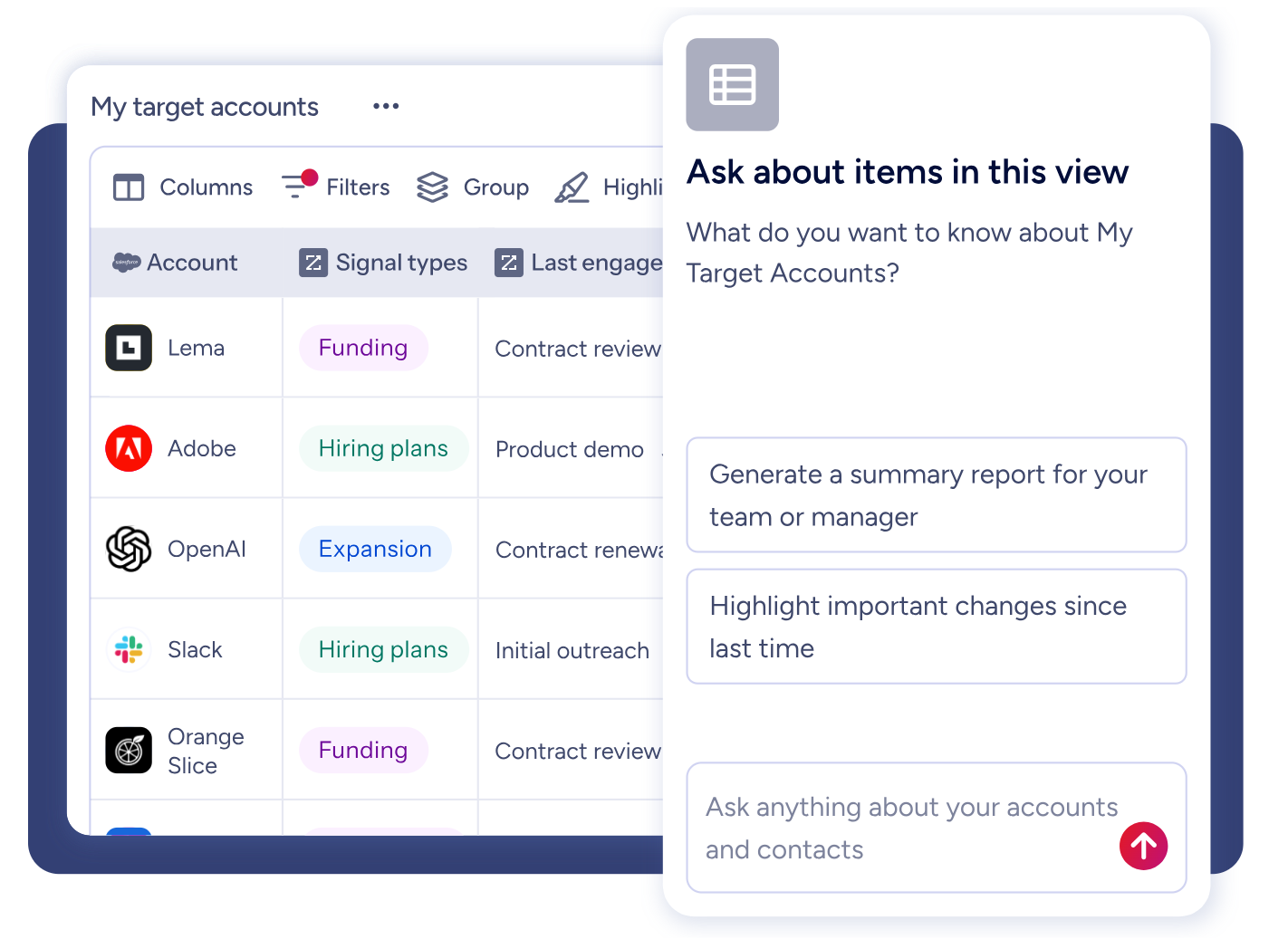
The AI inside GTM Workspace translates this intelligence into daily actions: which accounts to engage, what message to send, and which deals need attention now.
Source: ZoomInfo
The practical difference: instead of manually pulling CRM tasks into your daily planner and guessing at priority, ZoomInfo's Action Feed delivers a live stream of in-market buyers matched to your target criteria, with pre-drafted actions on every signal (G2 comparisons, funding events, executive hires). The intelligence arrives pre-prioritized.
"ZoomInfo's not just a contact data company anymore. They've built a full system of execution. GTM Intelligence actually works the list, writes the outreach, triggers the play, and helps drive predictable growth." - Ian Brodie, CEO & Co-Founder (Levanta case study)
For GTM teams, the decision isn't really Sunsama vs. Motion vs. ZoomInfo. ZoomInfo operates at a different layer entirely. The question is whether your planning tool connects to the intelligence that drives your revenue, and ZoomInfo provides that intelligence through its API and MCP server, accessible from any front-end.
Meeting management and scheduling
Sunsama has no meeting management features. It reads events from Google Calendar and Outlook to display them on your day view, but it doesn't schedule meetings, generate booking links, or record calls. You need separate tools (Calendly for scheduling, Otter or Fireflies for transcription) to cover these functions.
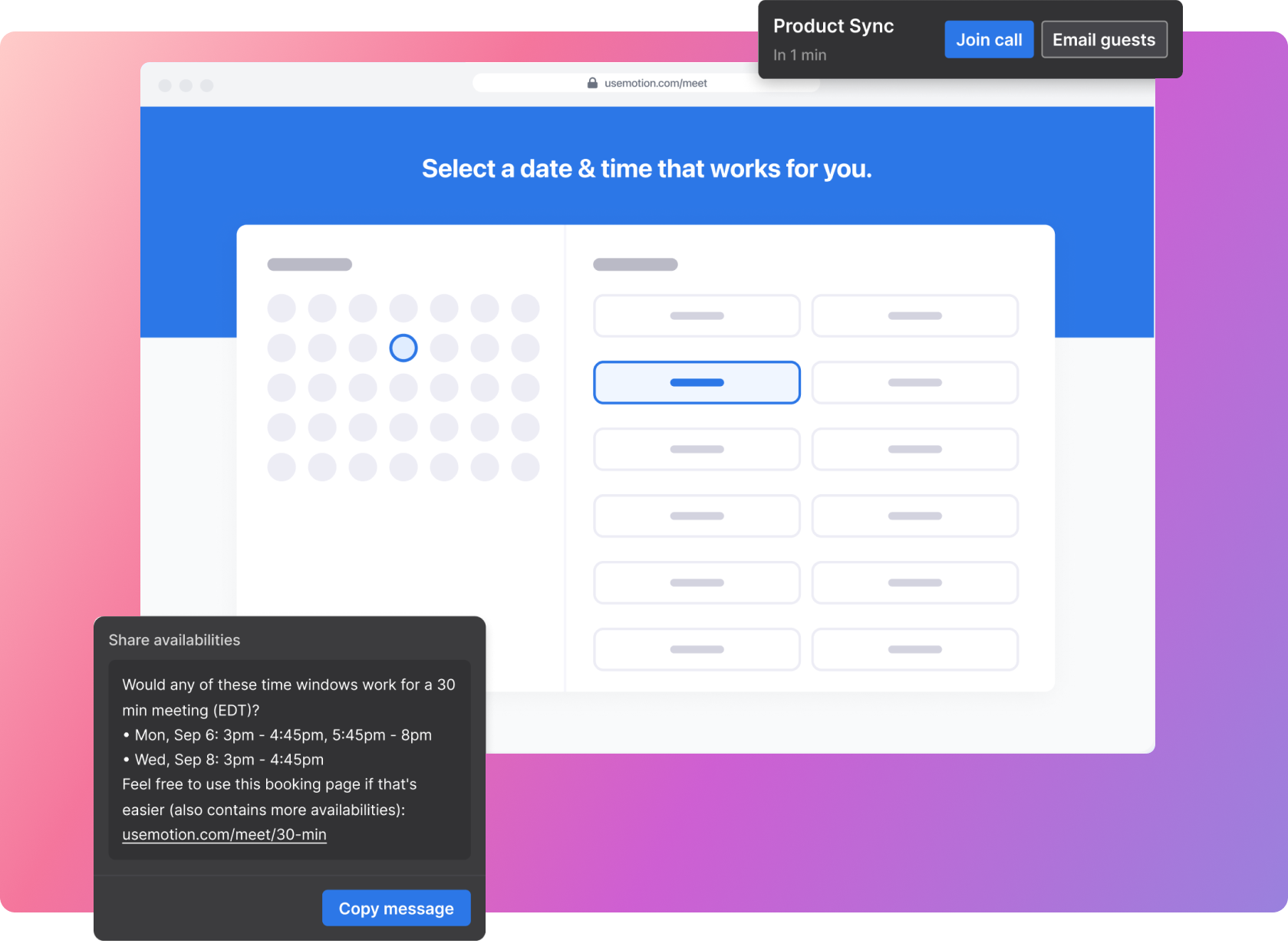
Motion covers both. The AI Meeting Assistant generates booking links with real-time availability checks across all connected calendars.
Source: Motion
Unlike standalone schedulers like Calendly that show open slots, Motion's booking links protect your existing task time blocks and enforce daily meeting limits, routing bookings toward times that preserve deep work. You can create one-time booking links by dragging time slots on the calendar; they expire automatically once booked.
The AI Meeting Notetaker joins Zoom, Google Meet, and Teams calls automatically, transcribing and summarizing conversations. It extracts action items for one-click approval, then auto-schedules them onto assignees' calendars with deadlines and priorities set. The notetaker understands 102 languages but transcribes in English and supports meetings up to six hours long.
For sales teams specifically, ZoomInfo's Chorus goes further than transcription. Chorus captures every customer call and email, then analyzes the conversation: extracting talk ratios, sentiment, objection patterns, competitive mentions, and deal momentum signals.

Source: ZoomInfo
These insights feed the GTM Context Graph, meaning a conversation with a prospect on Tuesday informs the AI-drafted follow-up email on Wednesday. The conversation layer doesn't just record what was said; it interprets what the conversation means for the deal.
"That combination of our internal CRM data, external signals, and AI that's given all that context has helped us craft very specific account- and persona-based messages. And people have responded to them right away." (Seismic case study)
Pricing reflects the design philosophy
Sunsama's pricing is simple: $22/month (monthly) or $204/year ($17/month). One plan. All features included. No tiers, no add-ons, no seat minimums. A 14-day free trial requires no credit card. Enterprise pricing with SSO and centralized billing is available on request.
Motion charges per seat across two tiers:
Monthly | Annual (per seat/month) | |
|---|---|---|
Pro AI | $29/seat | $19/seat |
Business AI | $49/seat | $29/seat |
Pro AI covers individuals and small teams: AI scheduling, projects, tasks, calendar, docs, and 7,500 AI credits per seat per month. Business AI adds capacity planning, Gantt charts, advanced dashboards, time tracking, and permissions (the features team leaders need), plus 15,000 AI credits per seat per month. A free trial requires a credit card ($1 hold). There is no free tier on either plan.
At comparable scale (one user, annual billing), Sunsama costs $17/month and Motion costs ~$19/month. But the comparison isn't straightforward. Sunsama is only a daily planner.
Motion replaces multiple tools: a task manager, calendar scheduler, meeting notetaker, and docs workspace. If you're currently paying for Calendly, a meeting transcription service, and a project management tool alongside your daily planner, Motion's all-in-one pricing looks different.
Both platforms lack a permanent free plan. Sunsama's 14-day trial with no credit card required is the lower-friction entry point. Motion's trial requires a card on file with a $1 hold. This matters for evaluation: Sunsama lets you test the full ritual experience risk-free, while Motion asks for payment commitment upfront.
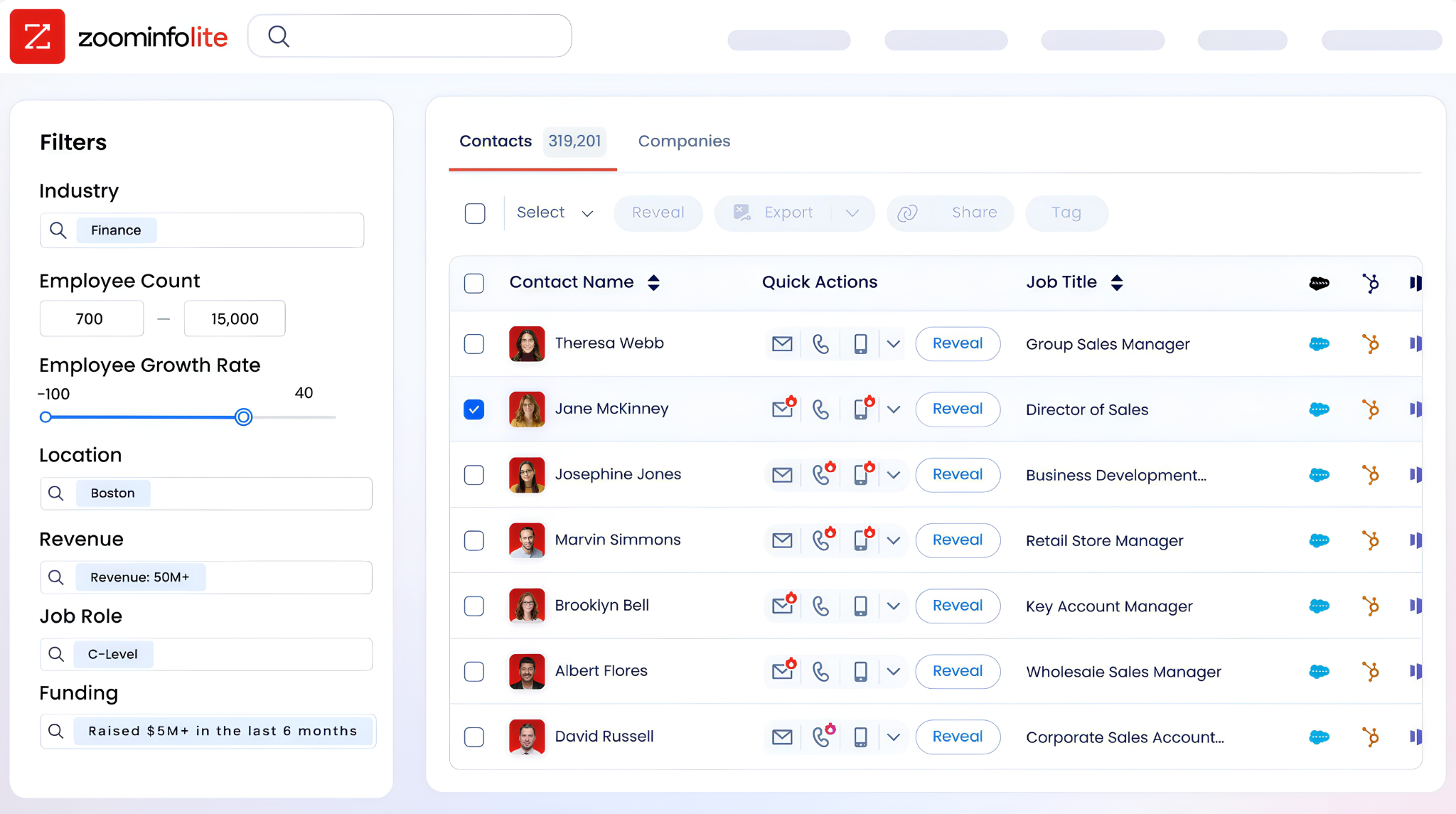
ZoomInfo uses custom-quoted, consumption-based pricing with no publicly listed prices, reflecting its enterprise positioning. For individuals and small teams who want to explore the data, ZoomInfo Lite offers a permanent free tier with access to the B2B database, 10 monthly export credits, and built-in email sending. A separate 7-day free trial provides access to the full platform.
Source: ZoomInfo
Mobile experience and platform availability
Both Sunsama and Motion treat mobile as a secondary experience.
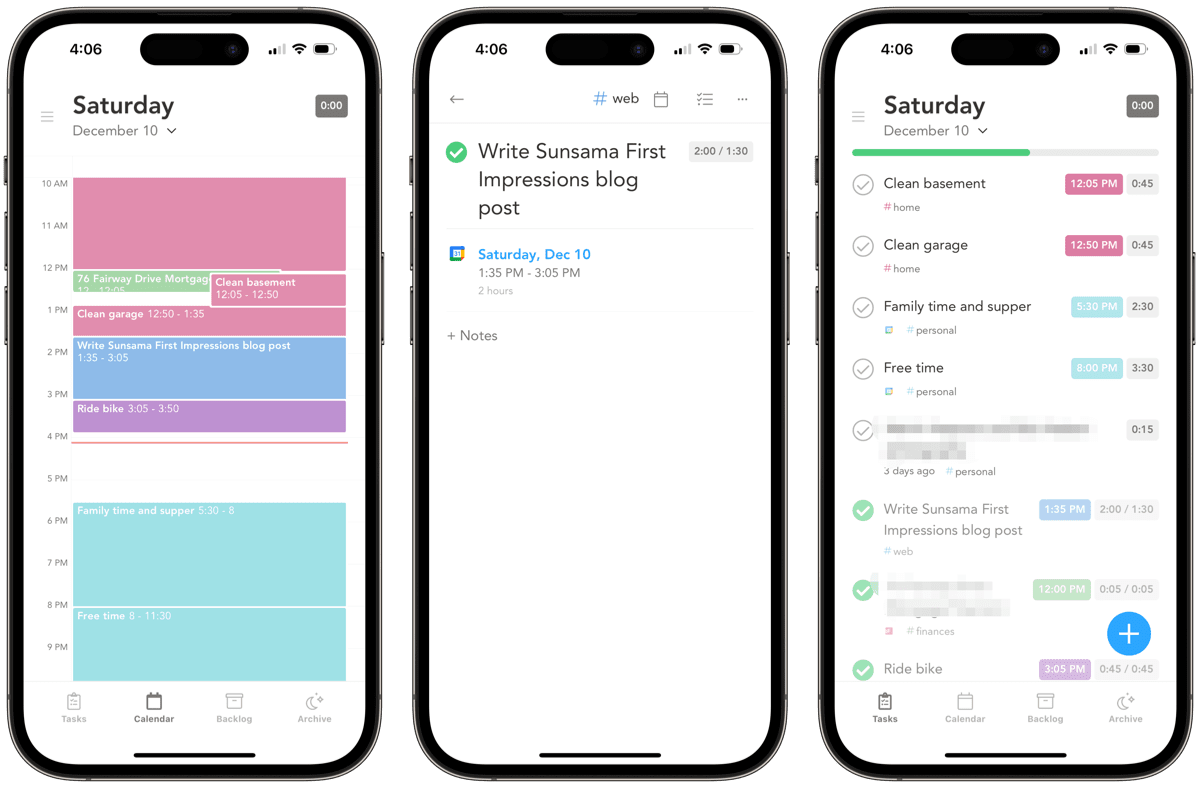
Sunsama runs as a web app (Chrome, Firefox, Safari, Edge) with iOS and Android apps that offer a lighter feature set. There is no native desktop application. The morning planning ritual and focus mode work best on desktop; reviewers on Capterra consistently cite the mobile experience as a limitation.
Source: Sunsama
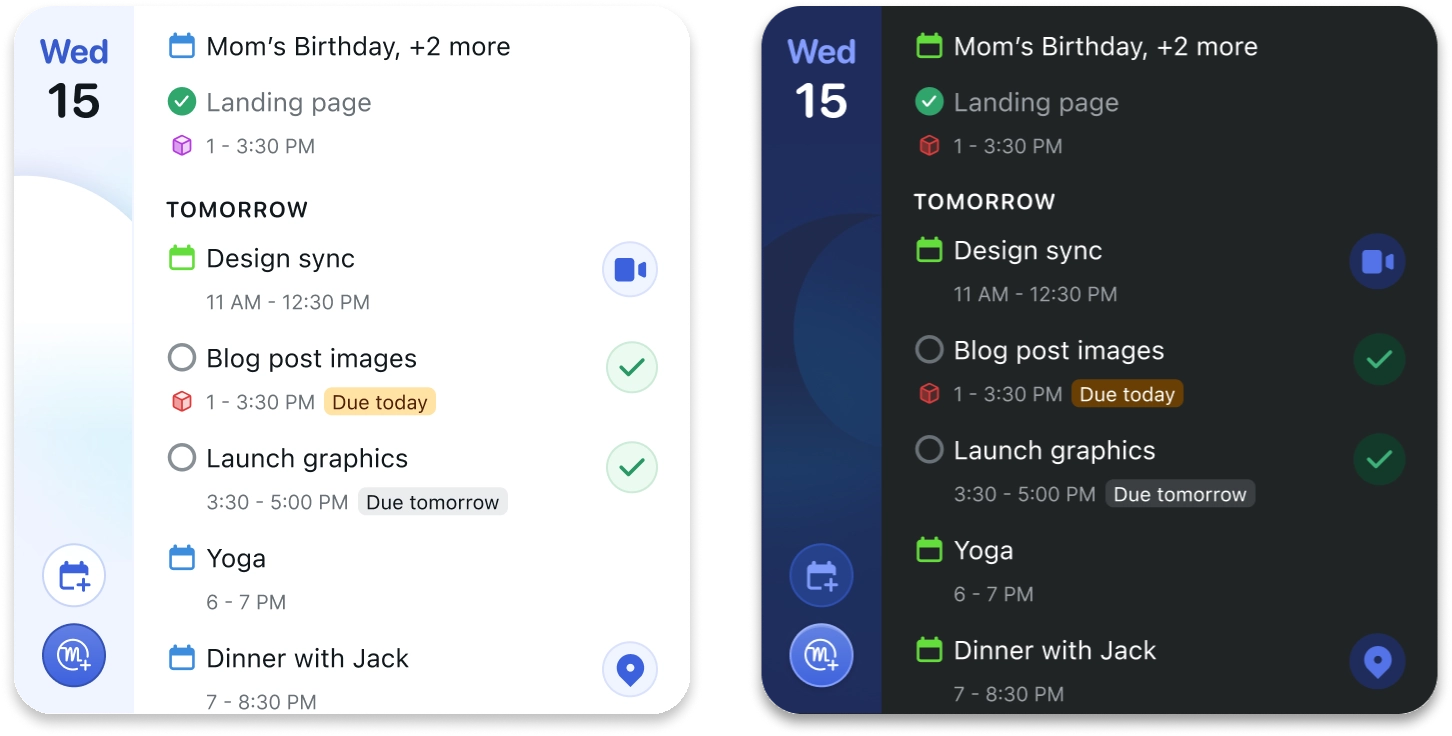
Motion provides a desktop app as the primary experience, plus iOS and Android apps positioned as a "streamlined accompaniment" rather than a feature-equivalent alternative. Reviewers on Capterra flag mobile limitations around notifications and recurring event handling.
Source: Motion
Neither platform offers offline access. Both require internet connectivity.
For professionals who need to work on the go, neither tool provides a complete mobile-first experience. Sunsama's ritual-based workflow is inherently desktop-centric. Motion's auto-scheduling works in the background regardless of device, but managing projects and reviewing dashboards on mobile is limited. If mobile productivity is a priority, both platforms will feel constrained.
Sunsama vs. Motion vs. ZoomInfo: Which should you choose?
The right choice depends on how you work and what problems you're solving.
Choose Sunsama if:
You want a structured daily planning practice, not automation
You already use project management tools and need a personal planning layer on top of them
You value reflection and intentional work over speed
You work solo or don't need team coordination features
You're willing to invest 10–20 minutes each morning in a planning ritual
Choose Motion if:
You want AI to handle scheduling, re-planning, and priority decisions automatically
You manage a team and need project management with dependencies and capacity planning
You want to consolidate your task manager, calendar scheduler, meeting notetaker, and docs tool into one platform
You run a service business with repeatable project workflows
You want time back from planning, not a planning practice
Add ZoomInfo if:
You're in a sales, marketing, or RevOps role where knowing who to engage and when drives your results
You want your daily priorities informed by buyer intent signals, not just task deadlines
You need AI-drafted outreach grounded in real account intelligence, not generic templates
You want your CRM data enriched and combined with market signals in one intelligence layer
See how ZoomInfo's GTM intelligence works, or start with ZoomInfo Lite for free.
Spekit's RevOps Manager noted: "Anything that minimizes our team's need to switch contexts is beneficial. ZoomInfo offers a single view, eliminating the need to navigate between systems." (Spekit case study)
Sunsama and Motion solve the same problem (organizing your workday) with opposite philosophies. Sunsama makes you a more intentional planner. Motion makes planning invisible.
For most knowledge workers, either approach will improve how they spend their time. For go-to-market professionals, the more important question is whether the work you're planning is the work that drives revenue. That's the layer ZoomInfo provides, and it works alongside whichever planning tool fits your style.
Sunsama vs. Motion vs. ZoomInfo FAQ
What is the core difference between Sunsama and Motion?
Sunsama is a guided daily planner built around a structured morning ritual where you manually select, estimate, and schedule your day's tasks from connected tools.
Motion is an AI-powered work management platform that auto-schedules your tasks, manages team projects with dependencies, and replaces multiple tools (task manager, calendar scheduler, meeting notetaker, docs) in one subscription. Sunsama emphasizes intentional planning; Motion emphasizes automated execution.
Which platform is better for teams?
Motion is the clear choice for teams. It offers AI project management with automatic task progression, capacity planning across team members, ETA prediction, and Gantt chart views on the Business AI plan. Sunsama is designed for individual use with no team coordination, shared views, or assignment features.
Does either platform offer a free plan?
Neither offers a permanent free plan. Sunsama provides a 14-day free trial with no credit card required. Motion offers a free trial that requires a credit card ($1 hold). ZoomInfo, for comparison, offers ZoomInfo Lite as a permanent free tier with 10 monthly export credits and access to its B2B database.
How do the AI capabilities compare?
Sunsama's Sunny AI assists with natural language task entry and suggests priorities, but the user confirms every decision.
Motion's AI makes scheduling decisions on its own, re-optimizing the calendar hundreds of times per day. Motion also generates project plans from SOP documents, transcribes and summarizes meetings, and offers named AI agents for business functions like executive assistance, sales development, and recruiting.
ZoomInfo's AI operates at a different level: its GTM Context Graph reasons across buyer signals, CRM data, and conversation intelligence to prioritize accounts and draft outreach for sales teams.
Can Sunsama or Motion replace my project management tool?
Sunsama cannot. It's designed as a personal planning layer that sits on top of project management tools like Asana, Linear, or ClickUp.
Motion can replace project management tools for many teams, offering AI-driven project planning, automatic dependency progression, capacity planning, and multiple views (List, Kanban, Gantt). Teams with established Kanban or agile sprint workflows may find Motion's approach a significant shift from tools like Jira.
Which integrations does each platform support?
Sunsama natively connects to Google Calendar, Outlook, Asana, Todoist, ClickUp, Trello, Notion, Linear, GitHub, Gmail, and Slack. Motion natively integrates with Google Calendar, Outlook, iCloud Calendar, Zoom, Google Meet, Microsoft Teams, Gmail, HubSpot, Salesforce, and Slack.
Both support Zapier with significant limitations: Sunsama offers only one Zapier action (create task) with no triggers, and Motion's Zapier connection is one-directional only.
How does ZoomInfo fit into this comparison if it's not a planning tool?
ZoomInfo complements Sunsama and Motion rather than competing with them. While Sunsama and Motion organize how you execute your work, ZoomInfo provides the intelligence that determines what work matters most for sales, marketing, and RevOps teams.
Its GTM Context Graph surfaces buyer intent signals, prioritized accounts, and AI-drafted outreach, feeding the daily priorities that a planning tool then helps you execute. ZoomInfo connects to CRMs like Salesforce and HubSpot, which both Motion and Sunsama can also access, creating a workflow where intelligence flows from ZoomInfo into the CRM and then into your daily planning tool.
Which platform is the most affordable for a single user?
On annual billing, Motion's Pro AI plan is the least expensive at approximately $19 per month per seat. Sunsama costs $17 per month on its annual plan. On monthly billing, Motion's Pro AI costs $29 per month compared to Sunsama's $22 per month. However, Motion's price includes features (meeting scheduling, notetaking, docs) that Sunsama users would need to purchase separately from other tools.
