
If you're comparing UserGuiding vs. WalkMe, the answer depends on a question most comparisons skip: who exactly are you trying to help?
UserGuiding is built for product teams at B2B SaaS companies who want their customers to adopt features faster. WalkMe is built for IT and change management teams at large enterprises who need their employees to adopt internal tools like SAP, Salesforce, and Workday. Same category, different missions.
The real questions you should be asking are:
Are you onboarding external customers to your own product, or training internal employees on enterprise software?
Do you need a product team to deploy in-app guidance in an afternoon, or an IT organization to manage a company-wide adoption program?
Is your budget measured in hundreds of dollars per month or in six-figure annual contracts?
Does your application run in a web browser, or do you need guidance across desktop, mobile, and multiple enterprise platforms?
How well do you actually know the users you're trying to onboard, and could better data make every adoption flow more effective?
In short, here's what we recommend:
UserGuiding fits B2B SaaS product teams that need to onboard customers without developer involvement. Its no-code Chrome Extension builder lets non-technical team members create product tours, onboarding checklists, tooltips, surveys, and resource centers on top of a live web application, with a 15-minute one-time setup. Pricing starts at $174/month on annual billing (MAU-based), and the company reports 20 consecutive quarters as a G2 Leader. The tradeoff: UserGuiding works only on web applications, has no native mobile SDK, and its analytics focus on guide-level performance rather than full product behavioral analysis.
WalkMe serves large enterprises that need to drive employee adoption across complex software stacks. Now a wholly-owned SAP subsidiary (acquired in September 2024 for approximately $1.5 billion), WalkMe operates at a different scale. Its DeepUI technology automatically adapts guidance when application UIs change, and its analytics extend to workflow completion tracking, app discovery, and license optimization. The tradeoff: no published pricing, a steep learning curve for administrators, multi-month implementations, and a cost structure built for organizations with dedicated digital adoption teams.
Both platforms help people use software more effectively. But the effectiveness of any adoption program depends on something neither platform provides on its own: understanding who your users actually are. For B2B companies, a product tour shown to every user the same way converts worse than a targeted flow based on the user's role, company size, and buying stage.
ZoomInfo is an AI-powered go-to-market platform that provides the B2B data both adoption platforms need for targeting. Both UserGuiding and WalkMe use segmentation to deliver personalized in-app experiences, and that segmentation is only as good as the data behind it. ZoomInfo enriches user and account profiles with company attributes, technographics, org charts, and intent signals drawn from 500M contacts and 100M companies. Through shared CRM connections with Salesforce, HubSpot, and Microsoft Dynamics, that data flows into whichever adoption platform you use, so your onboarding reflects who each user is and what they need.
If better user data sounds like the missing piece in your adoption strategy, see how ZoomInfo works.
UserGuiding vs. WalkMe at a glance
UserGuiding | WalkMe | ZoomInfo | |
|---|---|---|---|
Primary use case | External customer onboarding | Internal employee digital adoption | B2B data intelligence and user enrichment |
Target buyer | Product teams at B2B SaaS companies | IT leaders and change managers at enterprises | Sales, marketing, and RevOps teams |
Best fit by company size | SMB to mid-market (50–500 employees) | Large enterprise (1,000–100,000+ employees) | Enterprise and upper mid-market |
Setup time | 15 minutes (no-code) | Weeks to months | Deploys in weeks |
Platform support | Web apps only | Web, desktop, and mobile | Any tool via API, MCP, or native UI |
Published pricing | Starts at $174/month (annual) | No published pricing | Consumption-based pricing |
Free option | Free forever plan + 14-day trial | No free tier or public trial | ZoomInfo Lite (free forever) + 7-day trial |
AI capabilities | GPT-powered AI Assistant | Contextual AI across all applications | GTM Context Graph + AI agents |
Content resilience | Manual updates + Custom Alerts | DeepUI auto-adapts to UI changes | N/A |
Key certifications | SOC 2 Type II, ISO 27001, HIPAA | SOC 2 Type II, ISO 27001, FedRAMP Ready | ISO 27001, ISO 27701, SOC 2 Type II |
Two platforms built for different adoption problems
The most important distinction between UserGuiding and WalkMe is not features or pricing. It's who they're designed for.
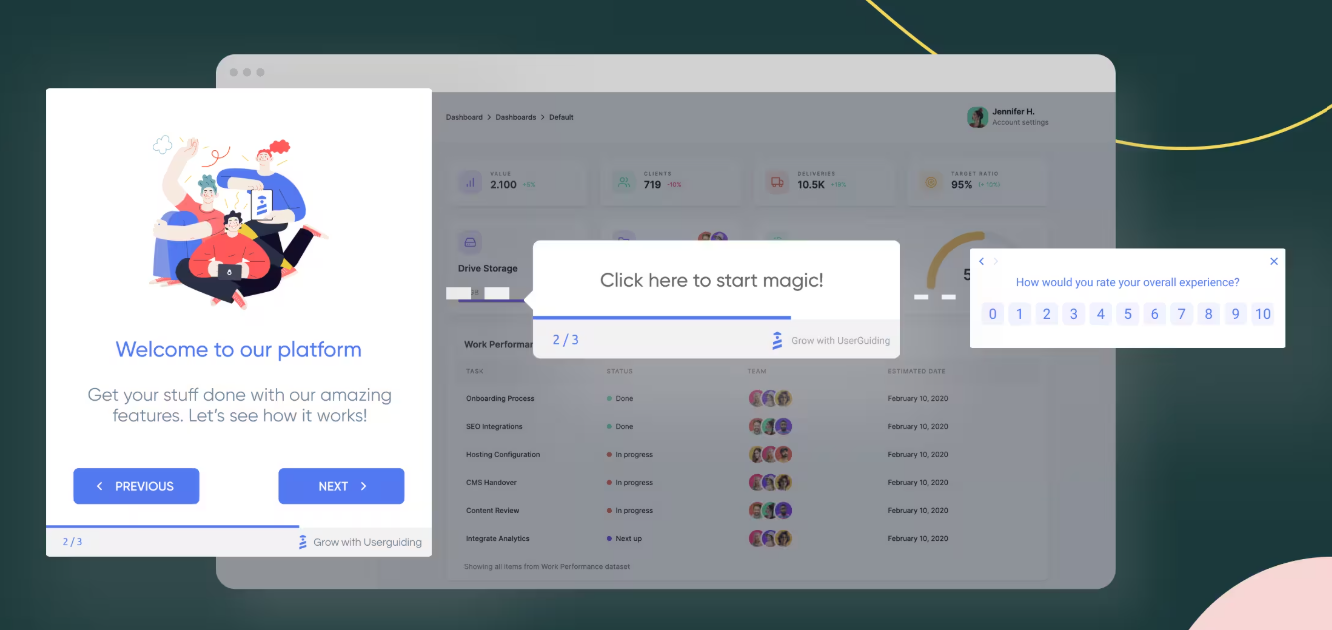
UserGuiding exists because B2B SaaS product teams needed a way to create in-app guidance without filing engineering tickets. Founded in 2017 by a team that had repeatedly hit onboarding walls while building products through a startup studio, UserGuiding was built for a specific scenario: a product manager at a SaaS company who needs to onboard paying customers, help them find value, and reduce support volume. The platform's Chrome Extension builder lets that PM create a product tour in minutes, segment it by user type, and publish it without touching code.
Source: UserGuiding
This shows up in every design choice. The feature set (product tours, onboarding checklists, hotspots, tooltips, in-app surveys, resource centers, knowledge base, AI assistant, session replay, product updates, and banners) is focused on helping external users find value. The analytics track guide completions and step drop-offs. The pricing scales by Monthly Active Users, which is how SaaS companies think about their customer base.
WalkMe solves a different problem at a different scale. Founded in 2011 in Tel Aviv and named a Gartner Cool Vendor by 2013, WalkMe is credited with creating the Digital Adoption Platform category. But the category it created focused on enterprises adopting internal software, not SaaS companies onboarding customers.
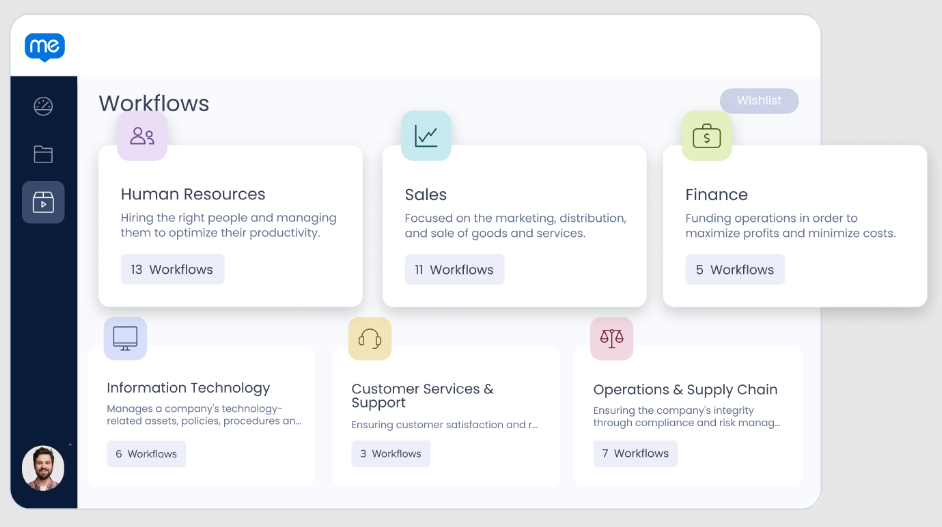
WalkMe's feature set reflects this: App Discovery & Analytics tracks which applications employees actually use across the tech stack. Form Analytics captures field-level data quality issues. Discovery License Optimization identifies unused software licenses. Workflow Accelerators provide pre-built adoption content based on best practices from over 2,000 enterprise implementations. These features make no sense for a startup onboarding free trial users. They make sense for an IT leader managing digital transformation across 50,000 employees.
Source: WalkMe
The SAP acquisition in 2024 deepened this enterprise focus. WalkMe is now embedded natively into SAP applications, with a WalkMe Standard tier built into SAP subscriptions. It is also the designated successor to SAP Enable Now, which reaches end of maintenance in November 2030.
Setup and implementation: minutes vs. months
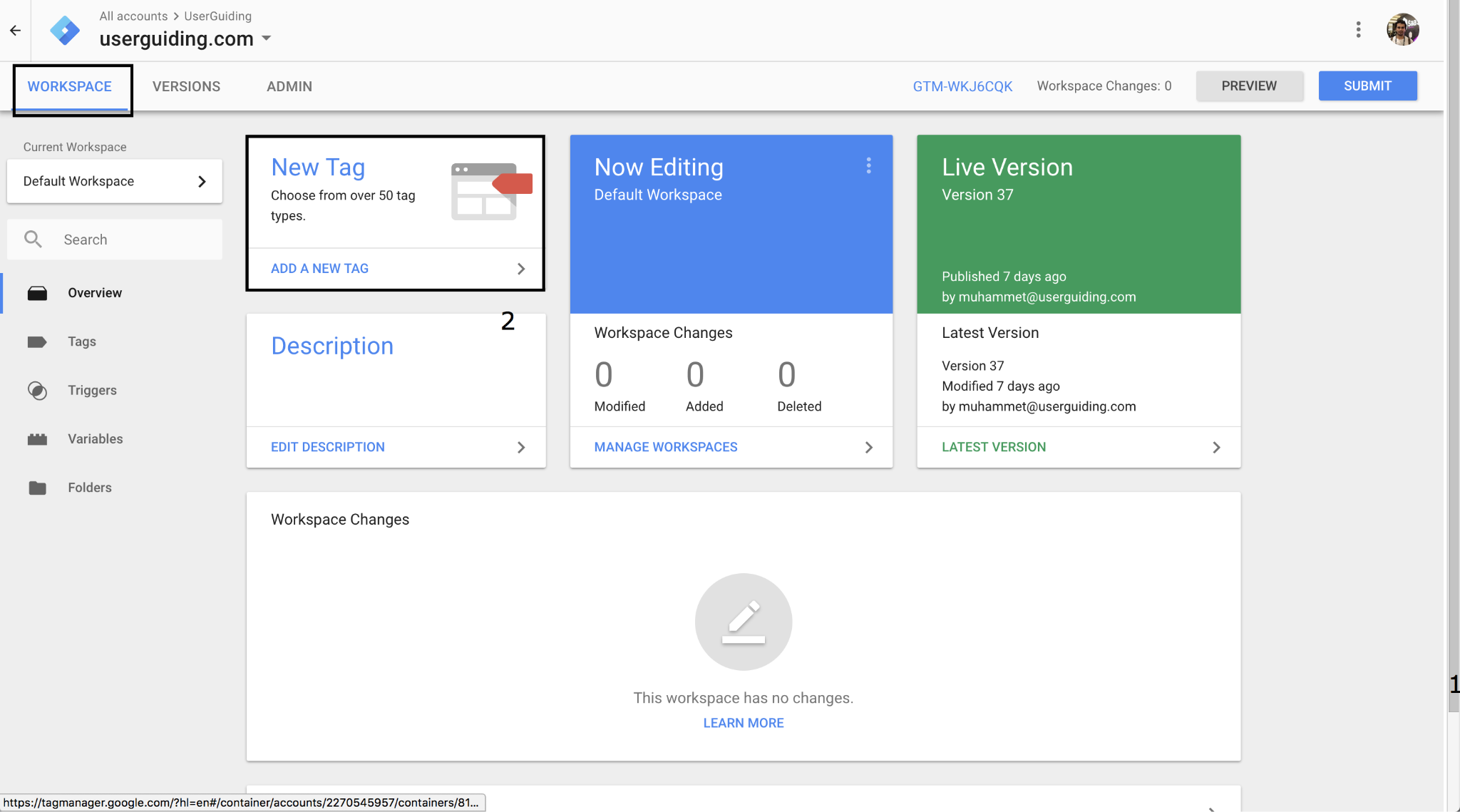
UserGuiding's installation requires embedding a single JS snippet into your web application. The company claims a 15-minute one-time setup. Installation paths include direct code embed, Google Tag Manager, and WordPress. An npm package is available for teams that prefer package-managed dependencies.
Source: UserGuiding
Once installed, content creation is self-serve. A product manager opens the Chrome Extension, navigates to the live product, clicks elements to annotate, and builds multi-step guides on top of the real UI. No developer queue. No staging environment. No QA cycle. For a 10-person product team at a Series B SaaS company, this speed is the main draw.
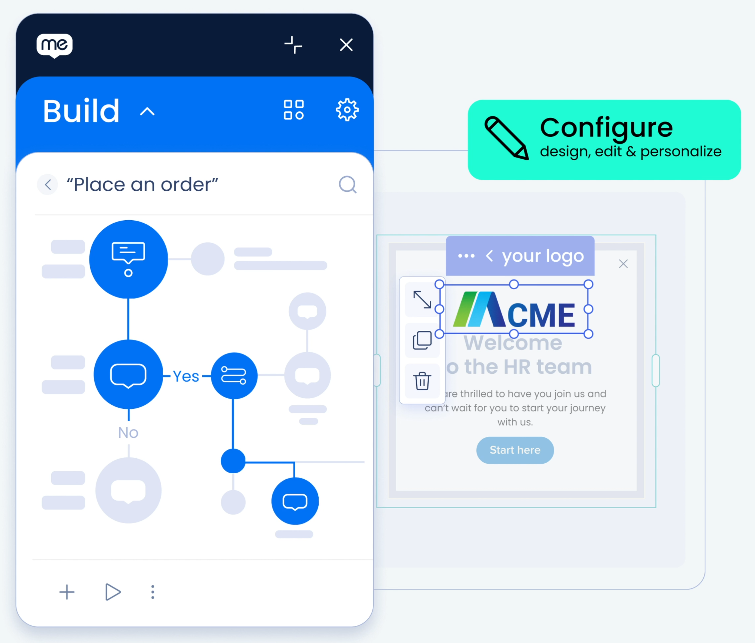
WalkMe's implementation operates on a different timeline. The WalkMe Editor is an Electron-based desktop application paired with a browser extension. While WalkMe's installation documentation is aimed at non-technical employees, the platform itself has a learning curve. G2 reviewers flag complexity with advanced configurations (34 mentions of high learning curve), particularly around selectors and dynamic elements for complex enterprise workflows.
Source: WalkMe
WalkMe recommends a Center of Excellence approach for scaling adoption programs, and its own training ecosystem reflects the investment required: WalkMe Fundamentals (30 minutes), WalkMe Essentials (foundational course), and Builder Basics Bootcamp (5-week cohort with weekly live instructor sessions). Organizations deploying WalkMe across SAP or Workday environments need real setup time before production-ready content exists.
This is not a flaw. It's a consequence of building for different scales. A tool that works across any web or desktop application, detects UI changes automatically, and supports enterprise governance controls cannot also be set up in 15 minutes. At this level, complexity is the cost of enterprise capability.
When applications change, content breaks
Every adoption platform faces the same maintenance challenge: when the underlying application updates its UI, in-app guidance that references specific buttons, menus, or fields can silently break. A tooltip pointing to a button that no longer exists just disappears. A product tour that expects a dropdown in position A fails when it moves to position B.
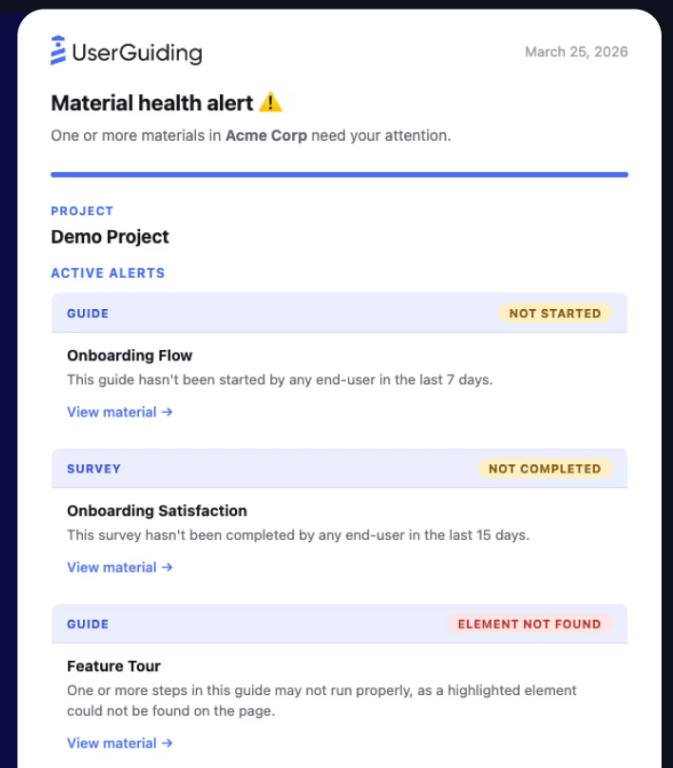
UserGuiding addresses this with Custom Alerts, a notification system that detects failing guide content. The key alert type is "Element Not Found," which fires when a guide step's target DOM element is missing from the page. Teams configure threshold windows (1 to 90 days) and receive notifications via email or Slack. It is a reactive approach: the system tells you something broke so you can fix it manually. For a SaaS product where the same team controls both the product UI and the adoption content, this works. The people who changed the button are two desks away from the people who built the guide.
Source: UserGuiding
WalkMe takes a structural approach with DeepUI, an AI system that interprets application UIs the way a human would. Rather than relying on brittle DOM paths or hardcoded element IDs, DeepUI reads visual elements, layout structure, text, and interaction patterns to understand what each element is. When an application updates, DeepUI re-identifies elements by their meaning and visual context, and guidance adapts automatically.
Analytics serve different operational questions
What each platform measures tells you what problems it was built to solve.
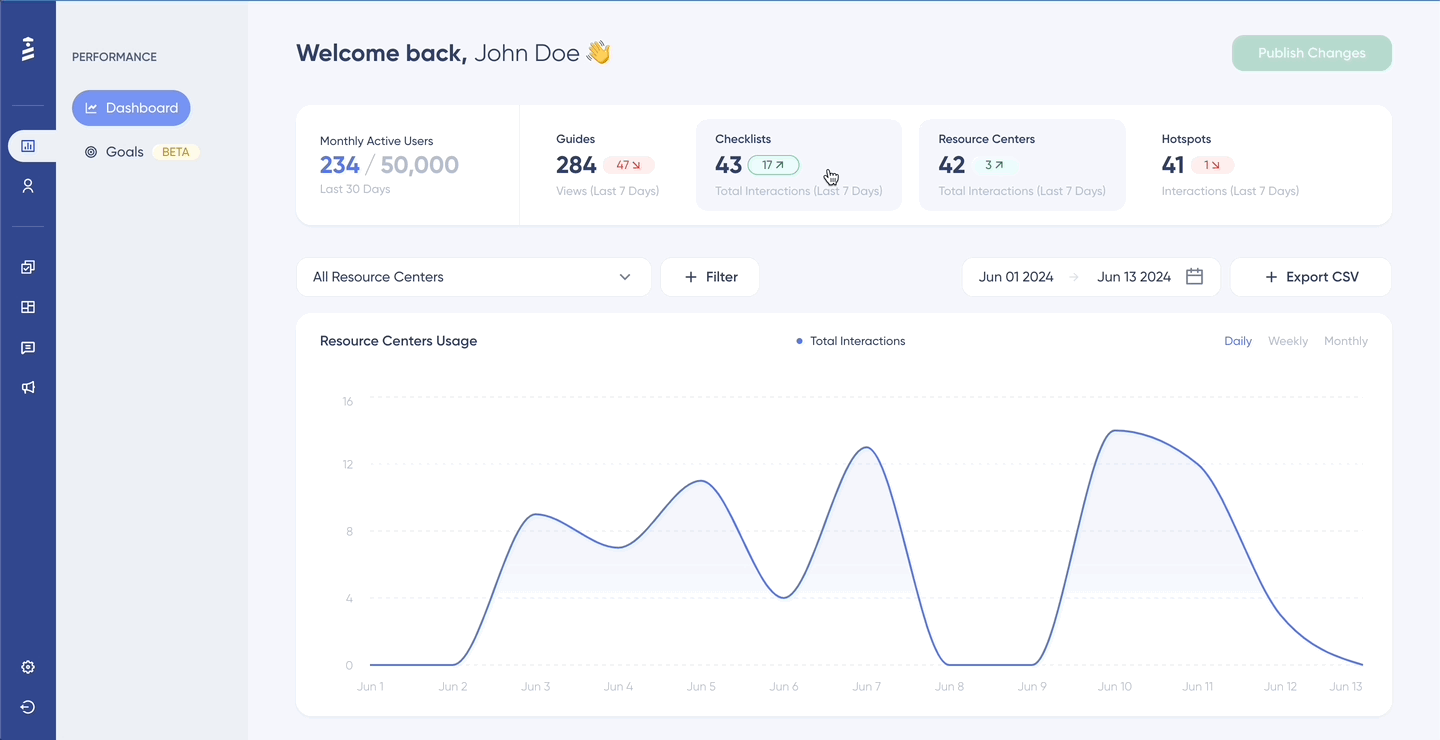
UserGuiding's analytics dashboard tracks guide-level performance: views, completions, step-level drop-offs, and button click rates. The data model is built for product adoption content, and metrics like "completion rate" and "step-level drop-off" are built-in rather than custom configurations. A no-code event tracking tool lets non-technical users visually select UI elements and track interactions without writing code, and the company claims event tracking setup takes 60 seconds. For a product team trying to answer "where are users dropping off in our onboarding flow?", this is the right level of visibility.
Source: UserGuiding
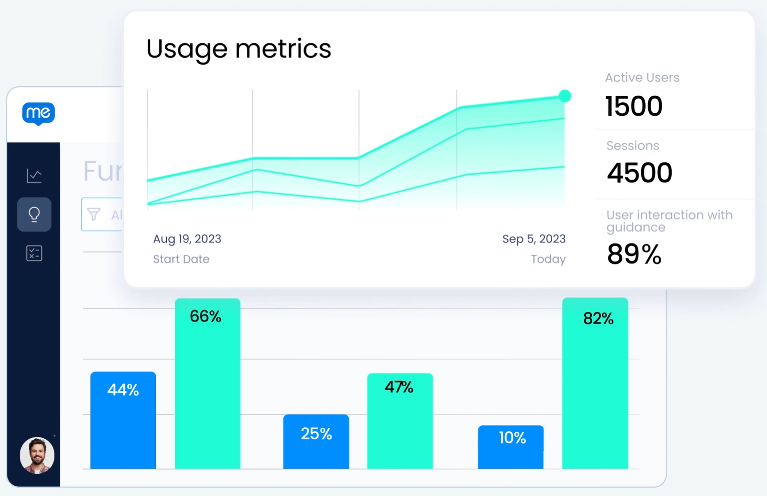
WalkMe's analytics operate at a deeper level. WalkMe Insights maps user interactions against defined workflows, identifying where people get stuck, stall, or make mistakes across single and multi-application tasks. Form Analytics captures completion rates, time on field, errors, and drop-off points at the individual form field level, then uses AI to generate recommendations. App Discovery & Analytics automatically discovers all web-based applications employees use (including shadow IT and unsanctioned AI tools) without requiring per-app integrations.
Source: WalkMe
The most commercially significant analytics feature is Discovery License Optimization, which overlays license cost data on actual usage patterns to produce financial summary reports showing which licenses to reallocate, eliminate, or expand. WalkMe's own research estimates that enterprises wasted $104M on underused tech in 2024. For a CIO justifying a WalkMe contract, identifying $2M in recoverable license spend is the ROI argument that closes the deal.
UserGuiding's analytics are guide-centric. WalkMe's analytics are organization-centric. Both are appropriate for their respective audiences.
AI takes different forms in each platform
UserGuiding's AI Assistant is a GPT-powered chatbot that answers user questions from connected knowledge sources (knowledge base articles, external URLs, sitemaps, PDFs, and plain text). Its most notable capability is Guide Triggering, which lets the AI launch interactive product tours from a chat response, turning a question into a hands-on walkthrough. Pricing is per completed resolution ($0.69 each), not per message, with 50 free resolutions included on all plans. The AI Assistant is available on UserGuiding's free Support Essentials plan.
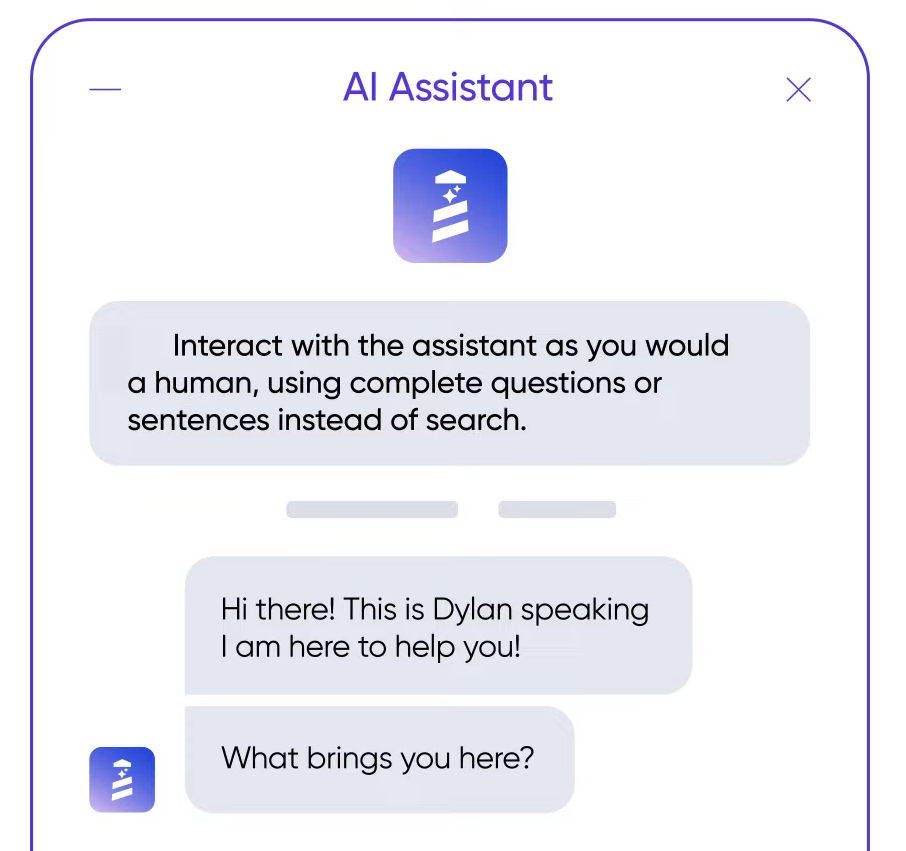
Source: Userguiding
WalkMe AI operates at a different level. Rather than a standalone chatbot, WalkMe AI is contextual AI embedded in employees' existing applications. Powered by DeepUI's screen-reading capability, it reads what is happening on the user's screen across any web or desktop application and offers help proactively. Its seven modules include next best actions, memory (learning from user preferences over time), automations that execute multi-step workflows via natural language, conversational chat grounded in company data, input validation inside form fields, and reading and writing assistance embedded in any text field.
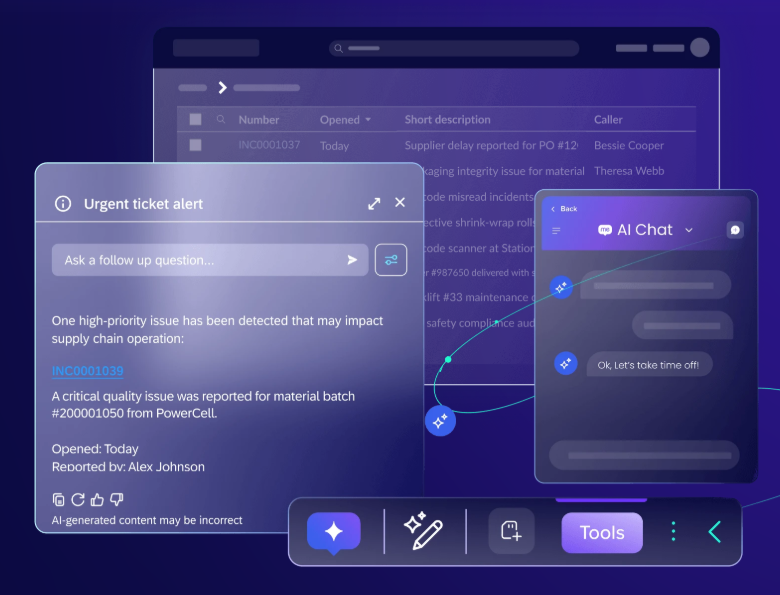
Source: WalkMe
WalkMe processes over 7 billion annual interactions between people and software, giving its AI a usage dataset larger than any other adoption platform's.
The gap reflects market positioning. UserGuiding's AI helps users find answers faster. WalkMe's AI helps employees work across their entire software stack. For a SaaS product team, the chatbot is sufficient. For an enterprise IT leader, the contextual AI is the feature that justifies the platform.
Pricing: published tiers vs. enterprise negotiation
UserGuiding publishes its pricing openly. Four tiers, all MAU-based:
Plan | Annual Price | What You Get |
|---|---|---|
Support Essentials | Free forever | Knowledge Base, AI Assistant (50 resolutions), 1 Resource Center, Product Updates |
Starter | 25 active Guides, 20 Hotspots, 2 Checklists, 5 Surveys, 5 seats | |
Growth | Unlimited Hotspots/Checklists, NPS, Session Replay, A/B Testing, CSS customization, 15 seats | |
Enterprise | Custom | Unlimited everything, SAML SSO, Activity Logs, SLA, SOC 2/HIPAA documentation |
Monthly Active Users count only unique user IDs that have signed in within the previous 30 days. If usage exceeds the MAU quota, content stops displaying until the quota resets or is increased, with no surprise overage charges. The 30-day money-back guarantee reduces risk, though the Terms of Service state that payments are nonrefundable, so confirm the terms before you buy.
WalkMe publishes no pricing at all. The pricing page is a contact-sales form. Signed Ordering Documents set the commercial terms, referencing the WalkMe Master License Agreement. The model is a subscription license based on a negotiated number of End Users, Builders, and Target Applications.
What is known about WalkMe's commercial terms: contracts are non-cancelable for the full commitment term. Fees paid are non-refundable. Overage mechanisms exist for usage above contracted limits. No free trial or freemium tier is publicly available. TrustRadius reviewers call WalkMe expensive, citing custom quotes, multi-year contracts, and add-ons that make budgeting difficult.
This pricing divide is the clearest signal of the two platforms' intended audiences. A product manager at a 100-person SaaS company can evaluate, purchase, and deploy UserGuiding with a credit card. A CIO at a 10,000-person enterprise needs procurement, legal, and a dedicated vendor relationship to deploy WalkMe. Both models are rational for their respective markets.
Better user data makes every adoption flow more effective
Both UserGuiding and WalkMe rely on segmentation. UserGuiding lets you segment users by attributes, events, company-level data, content interaction history, and even CSS selectors on the page. WalkMe offers role-based, department-based, and behavioral personalization across every guided experience. Both platforms know that showing every user the same onboarding flow drives users away.
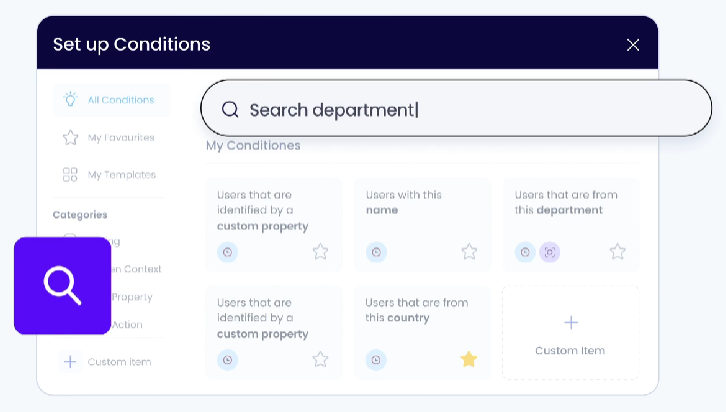
Source: WalkMe
But segmentation is only as good as the data feeding it. If all you know about a user is their email address and sign-up date, your targeting options are limited. You can segment by "signed up this week" or "has not completed onboarding," but you cannot segment by "VP of Engineering at a 500-person FinTech company currently evaluating your competitor."
This is the gap ZoomInfo fills. As an AI-powered go-to-market platform built on a B2B dataset covering 500M contacts and 100M companies, 135M+ verified phone numbers, and 200M+ verified business emails, ZoomInfo provides the data that makes adoption targeting precise. Through CRM integrations with Salesforce, HubSpot, and Microsoft Dynamics, ZoomInfo enriches user profiles with company attributes (size, industry, revenue), technographic data (what tools the account already uses), org chart data (the user's role and reporting structure), and buyer intent signals (whether the account is actively researching solutions).
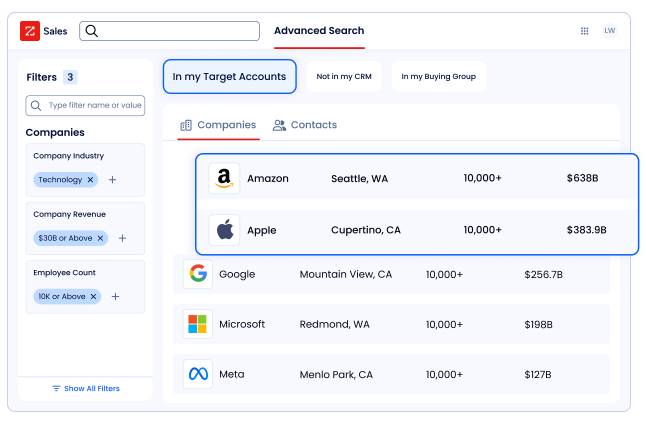
That enrichment changes what your adoption platform can do. Instead of a generic product tour for all trial users, you show enterprise prospects a different onboarding path than SMB self-serve signups. Instead of the same checklist for every new account, you prioritize features relevant to the user's industry. Instead of a one-size-fits-all resource center, you surface content matched to the user's role and technical sophistication.
ZoomInfo's GTM Context Graph, which processes 1.5B+ data points daily, goes further by fusing B2B data with your CRM records, conversation transcripts, and behavioral signals to capture not just who your users are, but why they signed up and what outcomes they're pursuing. That context, delivered through APIs and MCP, can flow into any system in your stack, including the adoption platform powering your onboarding.
"That combination of our internal CRM data, external signals, and AI that's given all that context has helped us craft very specific account- and persona-based messages. And people have responded to them right away." (Toby Carrington, CBO at Seismic)
The same principle applies to adoption: specific, data-informed experiences outperform generic ones. ZoomInfo handles the intelligence. Your adoption platform handles the delivery.
UserGuiding vs. WalkMe vs. ZoomInfo: Which should you choose?
The choice is not between three alternatives. It is between two adoption platforms built for different markets, plus a data layer that makes whichever you choose more effective.
Choose UserGuiding if:
You're a B2B SaaS company onboarding external customers to your own product
Your product runs as a web application (React, Angular, Vue, or server-rendered)
Your product team needs to create and iterate on guides without developer involvement
Your budget is in the $174–$349/month range, not six figures
You want published pricing, a free tier to evaluate, and a 14-day trial
Speed to value matters more than enterprise governance
Choose WalkMe if:
You're an enterprise driving employee adoption of internal tools (SAP, Salesforce, Workday, ServiceNow)
You need guidance across web, desktop, and mobile applications
Automatic content resilience via DeepUI is worth a premium for your scale of content
Workflow analytics, app discovery, and license optimization are business requirements
You have the budget and organizational structure for a dedicated digital adoption program
FedRAMP compliance or deep SAP integration is a requirement
Add ZoomInfo when:
You want to personalize adoption experiences based on who users actually are, not just what they've clicked
Your onboarding effectiveness depends on segmenting users by company size, industry, role, or buying stage
You're a B2B company that needs the same intelligence powering your go-to-market strategy to also power your product adoption targeting
You want your CRM data enriched with verified company attributes, technographics, and intent signals that flow into every downstream system
See how ZoomInfo works to strengthen your go-to-market stack.
Digital adoption and go-to-market intelligence work together. UserGuiding or WalkMe gets the right guidance in front of your users. ZoomInfo ensures you know enough about those users to make that guidance count.
UserGuiding vs. WalkMe vs. ZoomInfo FAQ
What is the core difference between UserGuiding and WalkMe?
UserGuiding is built for B2B SaaS product teams who need to onboard external customers to their own web application without developer involvement. WalkMe is built for enterprise IT and change management teams who need to drive employee adoption of internal software like SAP, Salesforce, and Workday at scale. Despite being in the same Digital Adoption Platform category, they serve different audiences, operate at different price points, and solve different organizational problems.
Which platform is more affordable?
UserGuiding is more affordable, with published pricing starting at $174/month on annual billing and a free-forever Support Essentials plan. WalkMe does not publish pricing and requires enterprise contract negotiation. TrustRadius reviewers call WalkMe expensive, citing custom quotes, multi-year commitments, and add-ons. UserGuiding charges no overage fees. If usage exceeds the MAU quota, content stops displaying until the next cycle.
Can UserGuiding work for internal employee adoption?
UserGuiding can technically be deployed on internal web applications, but it was designed for external customer-facing onboarding. It lacks the enterprise features WalkMe provides for internal adoption: cross-application workflow analytics, desktop and mobile app support, app discovery and license optimization, FedRAMP compliance, and DeepUI's automatic content resilience across enterprise software updates. For internal adoption at enterprise scale, WalkMe is built for that job.
How does WalkMe's DeepUI technology differ from UserGuiding's approach to content maintenance?
WalkMe's DeepUI uses AI to interpret application UIs semantically, automatically adapting guidance when applications update without manual intervention. ENGIE reported eliminating the need to test and correct over 100 digital adoption solutions per Salesforce release. UserGuiding takes a reactive approach through Custom Alerts, which notify teams when a guide step's target element is missing from the page. UserGuiding's approach requires manual fixes; WalkMe's approach handles most updates automatically.
How does ZoomInfo relate to UserGuiding and WalkMe?
ZoomInfo is not a digital adoption platform. It is an AI-powered go-to-market platform that provides B2B data intelligence. Both UserGuiding and WalkMe use segmentation to target the right users with the right guidance, and that targeting improves with better user data. ZoomInfo enriches user profiles with company attributes, technographics, org charts, and intent signals through shared CRM integrations, enabling more precise adoption experiences based on who users actually are rather than just their in-app behavior.
Which platform has better AI capabilities?
WalkMe's AI is more advanced. WalkMe AI delivers contextual assistance inside any application, powered by DeepUI's screen-reading technology and over 7 billion annual software interactions. It includes next-best-action recommendations, workflow automation via natural language, and writing and reading assistance across applications. UserGuiding's AI Assistant is a GPT-powered chatbot that answers questions from connected knowledge sources, with the added ability to trigger interactive product tours from chat responses. UserGuiding's AI is a support tool; WalkMe's AI helps employees work across their entire software stack.
Does either platform offer a free trial?
UserGuiding offers both a free-forever Support Essentials plan (with Knowledge Base, AI Assistant, Resource Center, and Product Updates) and a 14-day free trial of paid features, with no credit card required. WalkMe does not offer a publicly available free trial or free tier. Pilot engagements may be arranged case by case, but no standard self-serve trial exists.
Which platform is better for a company using SAP?
WalkMe is the clear choice for SAP environments. As a wholly-owned SAP subsidiary, WalkMe is embedded natively into SAP applications, with a WalkMe Standard tier built into SAP subscriptions. It is also the designated successor to SAP Enable Now. WalkMe's DeepUI provides dedicated support for SAP S/4HANA, SAP SuccessFactors, SAP Concur, and SAP Ariba. UserGuiding has no SAP-specific integration or deployment capabilities.
See how UserGuiding and WalkMe compare to other platforms:
