

Choosing between UserGuiding and Whatfix comes down to five questions most buyers skip:
Are you onboarding external customers to your own SaaS product, or training internal employees on enterprise software like Salesforce and SAP?
Do you need a tool your product managers can set up in an afternoon, or one that handles desktop apps, VDI environments, and multi-application deployments?
Is transparent, published pricing important, or are you prepared for quote-based enterprise contracts?
Does your team need guide-level analytics, or behavioral analytics with funnels, cohorts, and session replay?
Are you confident you're reaching the right users to begin with, or is your adoption problem actually a targeting problem?
In short, here's what we recommend:
UserGuiding fits B2B SaaS product teams that need to build in-app onboarding without writing code or waiting on developers. Its Chrome Extension builder lets product managers create product tours, onboarding checklists, hotspots, surveys, and resource centers in minutes, with pricing starting at $174/month on an annual plan.
The trade-off: it works only on web applications, its analytics track guide performance rather than full-product behavior, and customization can hit ceilings for enterprise needs.
Whatfix serves large enterprises where employees need to learn and use mission-critical software across multiple applications. Its Digital Adoption Platform covers web, desktop, mobile, and VDI/Citrix environments and pairs in-app guidance with a separate Product Analytics module and a simulation training tool called Mirror.
The trade-off: no published pricing, a steeper learning curve for setup, and implementation effort that matches enterprise complexity.
Both platforms solve adoption challenges within their target markets. But neither addresses whether the people arriving at your onboarding flows are the right people. For B2B companies, the most polished product tour won't save a mismatched customer relationship. That's where ZoomInfo fits in.
ZoomInfo is an AI go-to-market platform that helps sales, marketing, and RevOps teams identify, engage, and win the right customers before adoption begins.
Built on a B2B data foundation of 500M contacts, 100M companies, 135M+ verified phone numbers, and 200M+ verified business emails, ZoomInfo's GTM Context Graph fuses this data with your CRM records, conversation transcripts, and behavioral signals to reveal which prospects are in-market and a good fit for your product.
For B2B SaaS companies investing in adoption platforms like UserGuiding or Whatfix, ZoomInfo helps you acquire customers likely to succeed, so your onboarding efforts pay off instead of covering for a targeting gap.
If you want adoption that starts with reaching the right buyers, see how ZoomInfo works.
UserGuiding vs. Whatfix vs. ZoomInfo at a glance
UserGuiding | Whatfix | ZoomInfo | |
|---|---|---|---|
Primary function | Customer-facing product adoption | Enterprise employee digital adoption | B2B go-to-market intelligence |
Setup time | 15-minute one-time setup | Weeks to months (enterprise deployment) | Deploys in weeks |
Platform coverage | Web apps only | Web, desktop, mobile, VDI/Citrix | Web platform + API/MCP access |
AI capabilities | GPT-powered AI Assistant | ScreenSense engine + 3 AI Agents | GTM Context Graph + AI agents |
Analytics | Guide-level completion and drop-off | Product Analytics (separate product) | GTM intelligence and signal tracking |
Key certifications | SOC 2 Type II, ISO 27001, HIPAA | SOC 2, ISO 27001 | ISO 27001, ISO 27701, SOC 2 Type II |
Published pricing | Yes ($174/mo Starter, annual) | No (quote-only) | Consumption-based (quote-only); free tier available |
Free option | Free forever plan + 14-day trial | Free trial (sales-assisted) | ZoomInfo Lite (permanent free) + 7-day trial |
Best for | B2B SaaS product teams | L&D, IT, and change management teams | Sales, marketing, and RevOps teams |
Customer onboarding vs. enterprise enablement: the core divide
UserGuiding and Whatfix solve related but different problems for different buyers.
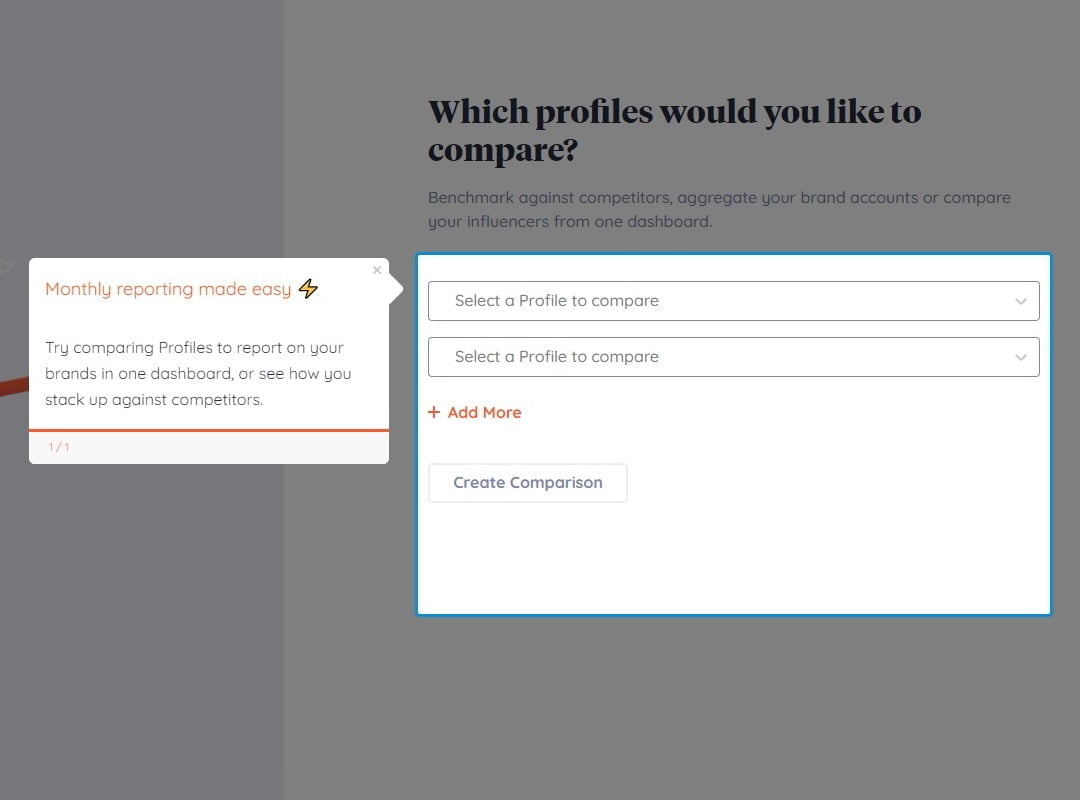
UserGuiding is built for product teams at B2B SaaS companies who need to onboard their own customers.
The typical user is a product manager at a Series A to C company who wants to create interactive walkthroughs, checklists, and tooltips without filing engineering tickets.
The platform targets early-stage to mid-market SaaS companies (50 to 500 employees) with web applications built on React, Angular, or Vue.
Source: UserGuiding
Whatfix is built for L&D professionals, HR teams, and IT leaders at large enterprises who need to drive employee adoption of mission-critical software.
The typical buyer runs Salesforce, SAP, Workday, or Oracle across thousands of employees and needs to reduce support tickets, compress onboarding timelines, and enforce workflow compliance.
This distinction shapes everything: feature design, pricing model, deployment complexity, and what "success" looks like. UserGuiding measures trial-to-paid conversion rates and feature adoption percentages. Whatfix measures time-to-proficiency on ERP systems and IT support ticket deflection. Choosing the wrong one isn't a bad fit. It's solving the wrong problem.
Adoption outcomes depend on who adopts your product
UserGuiding and Whatfix both assume the user is already inside the application.
They guide, train, and support from that point forward. But for B2B companies, adoption success takes shape long before the first tooltip appears.
Consider a SaaS company that deploys UserGuiding's onboarding checklists and product tours across its entire user base. If 40% of those users were poor-fit prospects who should never have been acquired, no amount of in-app guidance will move them to activation. The onboarding content works fine. The pipeline that filled the funnel does not.
This is where ZoomInfo operates.
As an AI go-to-market platform, ZoomInfo helps sales, marketing, and RevOps teams identify, reach, and engage buyers who fit the product they're selling.
The platform's GTM Context Graph processes 1.5B+ data points daily, combining ZoomInfo's B2B data with a customer's CRM records, conversation transcripts, and behavioral signals to reveal which accounts are in-market and why they're likely to buy and succeed.
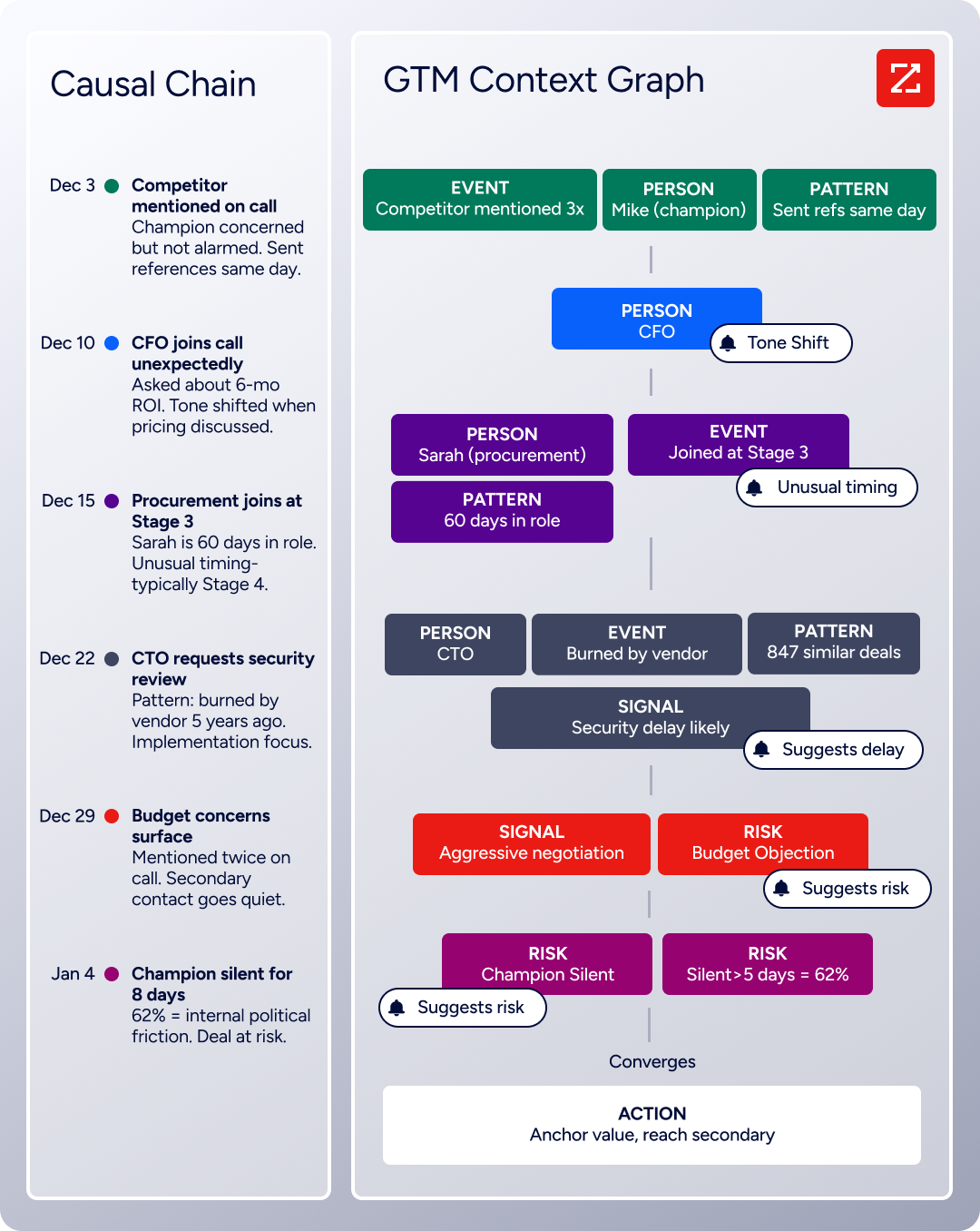
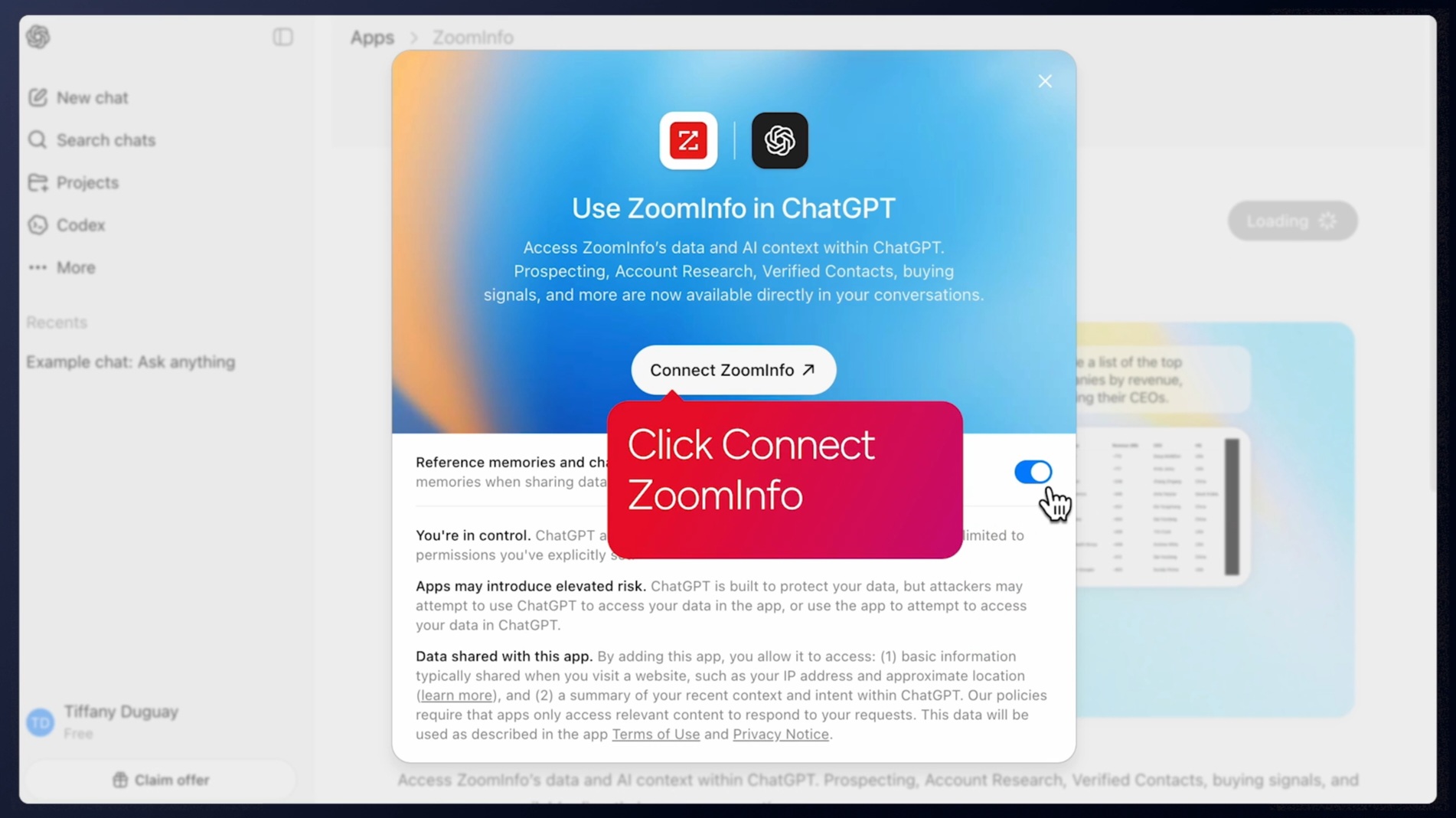
For sales teams, GTM Workspace surfaces prioritized accounts with AI-drafted outreach tied to buying signals. For marketers and RevOps, GTM Studio enables natural-language audience building and multi-channel campaign management. For technical teams, APIs and MCP deliver the same data into any custom agent or third-party tool.
Source: ZoomInfo
The result: a pipeline filled with better-fit customers. Better-fit customers adopt products faster, generate fewer support tickets, and churn less, making every dollar spent on UserGuiding or Whatfix more productive.
"That combination of our internal CRM data, external signals, and AI that's given all that context has helped us craft very specific account- and persona-based messages. And people have responded to them right away." (Toby Carrington, CBO, Seismic)
ZoomInfo doesn't replace either adoption platform. It sits upstream, making sure the users reaching your onboarding flows are the ones most likely to succeed.
Setup speed reflects each platform's audience
UserGuiding claims a 15-minute one-time setup, and for web applications that's credible.
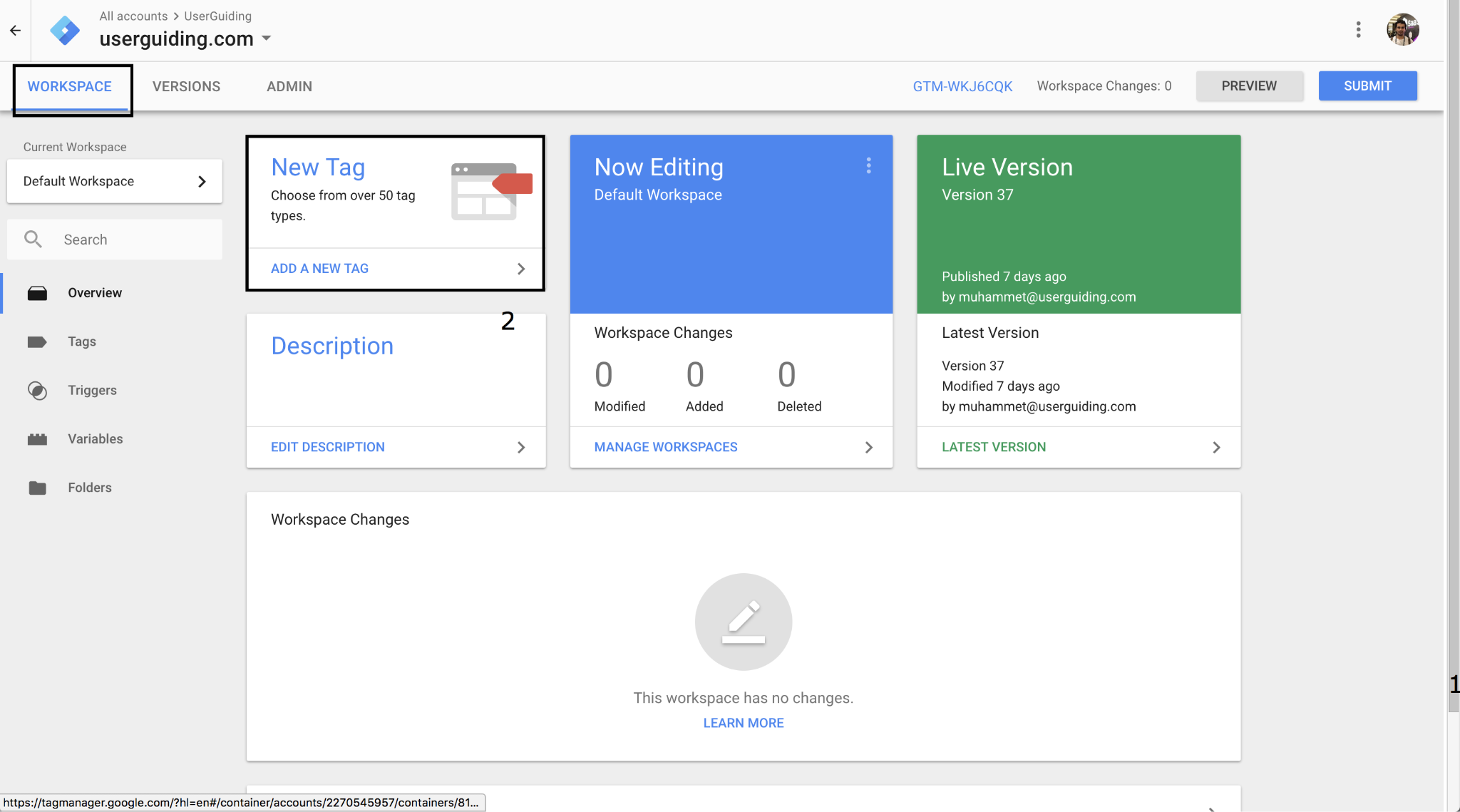
Installation requires embedding a single JavaScript snippet into the host product, with documented paths for direct code embed, Google Tag Manager, and WordPress.
Source: UserGuiding
An npm package is also available. Once installed, you build content through a Chrome Extension that overlays on the live application. No staging environment, no approval workflow, no IT tickets.
Whatfix's implementation takes weeks, not minutes.
The platform supports web, desktop (Windows/Mac), mobile, and VDI/Citrix environments, and each requires its own deployment path. Content is authored in Whatfix Studio, a browser-based editor that records interactions on live applications.
But enterprise deployments involve environment planning, SSO configuration, content governance workflows, and multi-application coordination. SoftwareReviews (InfoTech) scores ease of setup at 8.2 versus a category-leader benchmark of 9.0, and G2 reviewers flag that initial installation lacks guidance.
Neither approach is wrong. A product manager deploying onboarding guides on a single web app needs speed. An IT team rolling out Whatfix across Salesforce, SAP, and a custom ERP for 10,000 employees needs governance. The question is which profile matches yours.
Feature breadth at different price points
UserGuiding packs a wide feature set into its SMB-priced tiers.
The full feature list includes product tours, onboarding checklists, hotspots, tooltips, announcement modals, banners, NPS surveys, in-app surveys, resource centers, a knowledge base, an AI assistant, a product updates changelog, segmentation, analytics, custom alerts, and session replay. For a platform starting at $174/month, that range is uncommon.
Several features stand out. Conditional guides support branching logic based on user attributes, a capability usually gated behind premium tiers on competing platforms. Custom Alerts include an "Element Not Found" alert that fires when a UI change breaks a guide step's DOM target, addressing the most common failure mode for in-app guides.
Source: UserGuiding
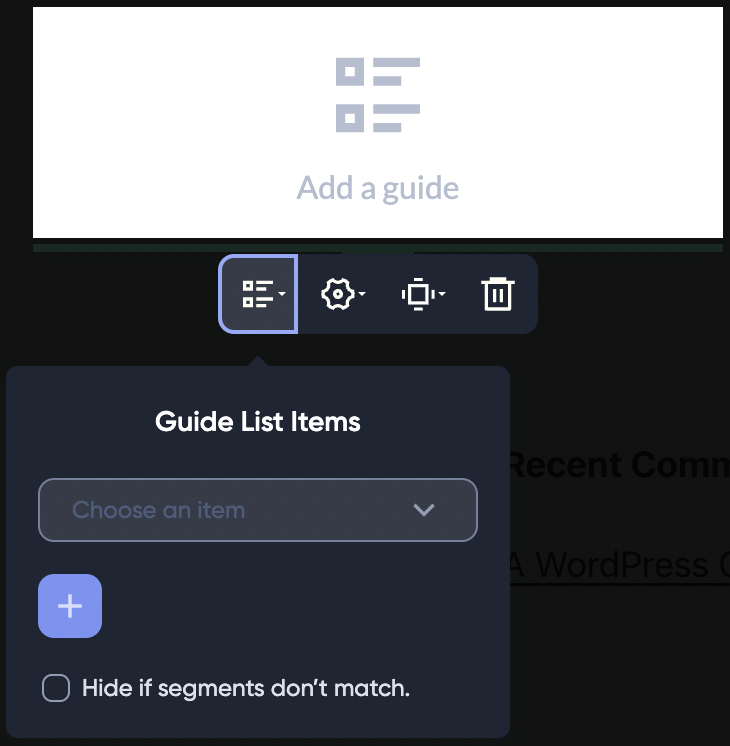
The Resource Center aggregates guides, checklists, the AI assistant, knowledge base articles, and product updates into a single floating widget, with search that queries 20+ third-party help desk providers including Zendesk, Intercom, and Freshdesk.
Whatfix's feature set is structured differently.
Rather than bundling everything into one product, Whatfix operates three distinct products: the DAP (in-app guidance), Product Analytics (behavioral tracking), and Mirror (application simulation for risk-free training). Each has its own pricing tier.
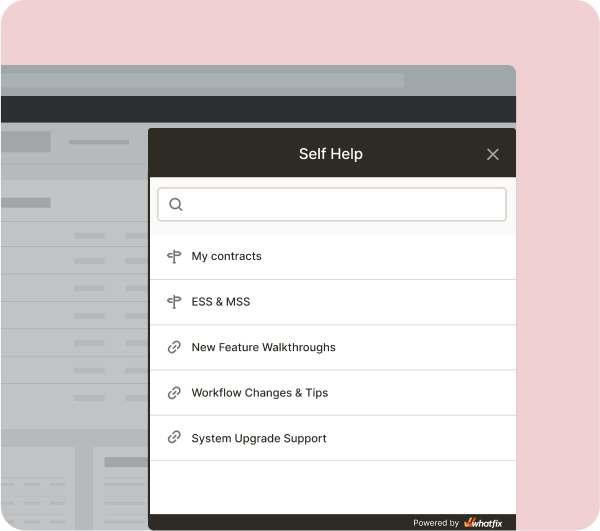
The DAP alone includes Flows (step-by-step walkthroughs), Smart Tips, Beacons, Task Lists, Pop-Ups, and a Self Help widget with AI-powered search.
Source: Whatfix
Whatfix also generates guidance in multiple output formats from a single authoring session: interactive walkthroughs, videos, PDFs, slide decks, and articles (via a feature called Adoption Everywhere). This matters for organizations that feed both an LMS and in-app guidance from one content library.
The biggest feature gap between the two is environmental coverage. UserGuiding works only on web applications and does not support mobile apps or mobile websites. Whatfix supports web, desktop, mobile, and VDI/Citrix. For enterprises running legacy desktop applications or Citrix environments, this alone can disqualify UserGuiding.
AI capabilities take different paths
Both platforms have invested in AI, but their approaches reflect their different audiences.
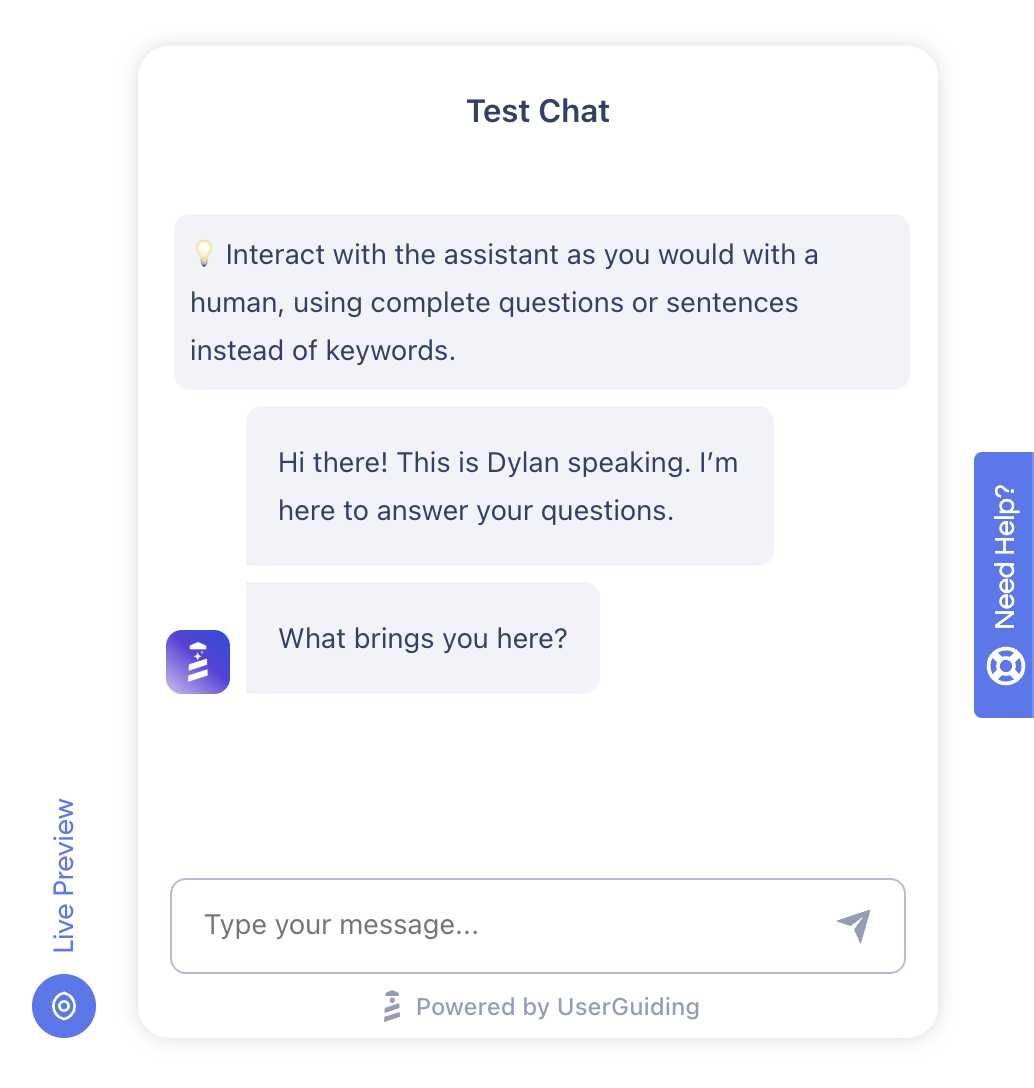
UserGuiding's AI Assistant is a GPT-powered chatbot that sits inside the product and answers user questions from a knowledge base, external URLs, sitemaps, and uploaded PDFs.
Source: UserGuiding
It charges $0.69 per completed resolution (a conversation counts as resolved only when the user confirms satisfaction), with 50 free resolutions included across all tiers. The standout capability is Guide Triggering: the assistant can launch interactive product tours directly from a chat response, turning a Q&A exchange into a walkthrough.
The AI Assistant is included in UserGuiding's free Support Essentials plan. AI Insights also auto-summarizes survey responses and surfaces key themes as a built-in feature.
Whatfix has made a larger bet on AI.
ScreenSense, unveiled in February 2025, is a patented context engine trained on GUI interactions. It detects what screen a user is on, interprets whether they are stuck or exploring, and triggers guidance accordingly.
On top of ScreenSense sit three AI Agents: the Authoring Agent generates content from natural-language prompts, the Guidance Agent surfaces contextual answers in the flow of work, and the Insights Agent accepts natural-language questions about behavioral data and returns charts and recommendations.
Whatfix's AI also includes Auto Testing+, which validates existing Flows against UI changes and notifies content owners when something breaks. This solves the same "guide breakage" problem that UserGuiding addresses with its Element Not Found alert, but from the AI side rather than the alerting side.
The scope difference reflects the buyer difference. UserGuiding gives product managers an AI chatbot they can configure in minutes. Whatfix gives enterprise L&D teams an AI layer that reduces the manual work of maintaining adoption content across dozens of applications.
Analytics: guide performance vs. behavioral intelligence
UserGuiding's analytics center on content performance.
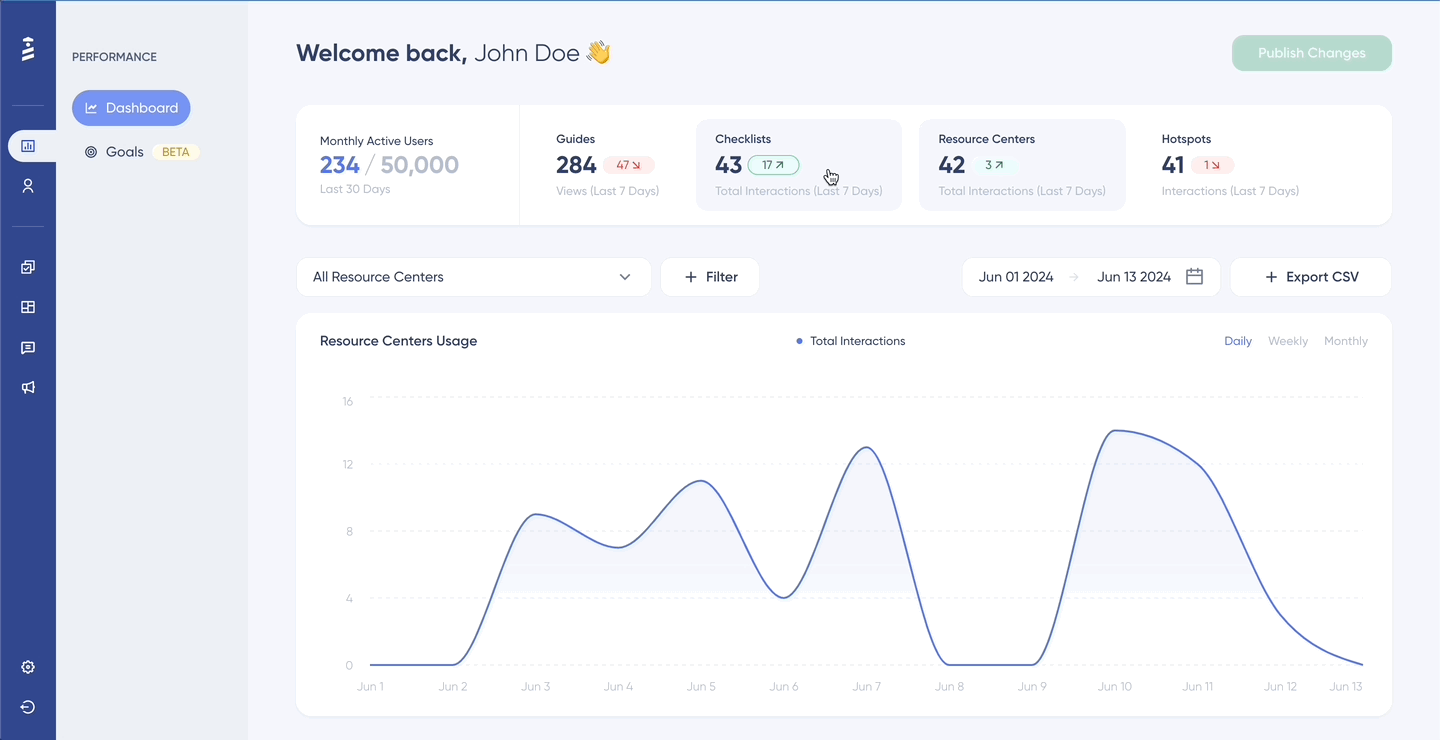
The analytics dashboard tracks views, completions, and step-level drop-offs for every guide, checklist, survey, hotspot, banner, and resource center. Data collection begins automatically when content is published.
Source: UserGuiding
A no-code event tracking layer lets non-technical users select UI elements visually and track clicks, hovers, and form inputs without engineering work (setup takes about 60 seconds). Session Replay was recently added, capturing clicks, scrolls, rage clicks, and JavaScript errors with three privacy masking levels.
This answers "is this onboarding checklist working?" and "where do users drop off in this product tour?" It does not answer "how do different user cohorts navigate our product?" or "what is the retention curve for users who complete onboarding versus those who don't?" UserGuiding's analytics remain guide-centric, not full-product behavioral.
Whatfix's Product Analytics is a separate product with deeper capabilities.
Source: Whatfix
AutoCapture logs every user interaction without engineering instrumentation. The analysis layer includes funnels, User Journey maps, and cohorts, plus session replay and customizable dashboards. The Insights Agent analyzes behavioral data in real time and surfaces recommendations.
The key distinction: Whatfix Product Analytics connects directly to the DAP, so a funnel drop-off you identify can trigger creation and deployment of in-app guidance within the same platform. This analytics-to-intervention loop is native, not bolted on through an integration.
The catch: Product Analytics is a separate paid product. The Standard tier comes free with any DAP purchase, but Premium and Enterprise tiers cost extra. For enterprises that need this depth, it's worth the investment. For SaaS product teams that just need to know whether their onboarding checklist works, it's more than they need.
Pricing: published tiers vs. enterprise quotes
UserGuiding publishes its pricing. Whatfix does not. That single fact tells you more about each platform's buyer than any feature comparison.
UserGuiding uses MAU-based pricing (Monthly Active Users), defined as unique user IDs that are signed into the customer's platform in the previous 30 days. Dormant users don't count.
Plan | Annual Price | Key limits |
|---|---|---|
Support Essentials | Free forever | Knowledge base, AI assistant (50 resolutions), 1 resource center |
Starter | 25 guides, 20 hotspots, 2 checklists, 5 surveys, 5 seats | |
Growth | 100 guides, unlimited hotspots/checklists, A/B testing, NPS, session replay, 15 seats | |
Enterprise | Custom | Unlimited everything, SAML SSO, SLA, HIPAA/SOC2 documentation |
A notable pricing detail: if a customer exceeds their MAU quota, UserGuiding stops showing content until the quota is increased rather than charging overage fees. Combined with a 30-day money-back guarantee, this creates a low-risk entry point. Annual billing saves 30% over monthly.
Some users have flagged a downside: G2 reviewers report subscription prices doubling without clear justification, suggesting published pricing can shift between renewal cycles.
Whatfix uses a hybrid flat-fee plus per-user license model.
For employee-facing apps, licenses are based on headcount with application access. For customer-facing apps, licenses use MAUs. No pricing figures are published. All plans require a demo or sales conversation.
Whatfix's cost is further complicated by its multi-product structure. The DAP, Product Analytics, and Mirror are each priced separately. The Standard Product Analytics plan comes free with any DAP purchase, but Premium analytics, Mirror, mobile DAP, and desktop overlay cost extra. The Standard plan also caps integrations at two and content aggregation at 2,000 articles.
For a 500-person SaaS company comparing the two, UserGuiding's total cost is knowable before a single sales call. Whatfix's total cost requires multiple conversations, scoping exercises, and likely a procurement cycle. Neither pricing model is better by default. They reflect different buying processes for different organizational sizes.
UserGuiding vs. Whatfix vs. ZoomInfo: Which should you choose?
The right tool depends on which problem you're solving and where you are in the customer lifecycle.
Choose UserGuiding if:
You're a B2B SaaS company onboarding external customers to your web application
Your product team needs to create in-app guides without developer involvement
Transparent, published pricing matters to your budget process
You want a full adoption toolkit (tours, checklists, surveys, knowledge base, AI assistant) at an SMB-friendly price
Speed to value matters more than enterprise governance
Choose Whatfix if:
You're a large enterprise driving employee adoption across mission-critical software (Salesforce, SAP, Workday, Oracle)
You need coverage across web, desktop, mobile, and VDI/Citrix environments
Behavioral analytics (funnels, cohorts, journey maps) matter for measuring adoption ROI
You need simulation training (Mirror) for pre-go-live practice on enterprise systems
Your organization has the budget and implementation capacity for an enterprise platform
Add ZoomInfo if:
You're a B2B company that wants adoption investments to pay off, not cover for acquisition gaps
Your sales and marketing teams need data to identify and engage well-fit buyers
You want context behind your pipeline, not just names and email addresses
You're ready to connect go-to-market data with customer success outcomes
Try ZoomInfo free, or explore ZoomInfo Lite at no cost.
The real point isn't about features or pricing. It's that adoption is a full-lifecycle problem. UserGuiding and Whatfix handle the in-product experience. ZoomInfo determines who reaches that experience. For B2B companies serious about reducing churn and driving expansion, both layers matter.
UserGuiding vs. Whatfix vs. ZoomInfo FAQ
What is the core difference between UserGuiding and Whatfix?
UserGuiding is a product adoption platform built for B2B SaaS product teams to onboard their own customers on web applications. Whatfix is an enterprise digital adoption platform built for L&D and IT teams to train employees on internal software like Salesforce, SAP, and Workday.
UserGuiding focuses on customer-facing adoption with no-code simplicity. Whatfix focuses on employee-facing enablement with coverage across web, desktop, mobile, and VDI environments.
How does ZoomInfo relate to UserGuiding and Whatfix?
ZoomInfo is not a digital adoption platform. It is an AI go-to-market platform that helps B2B teams identify and engage well-fit buyers.
ZoomInfo operates upstream of both UserGuiding and Whatfix in the customer lifecycle: it helps companies acquire the right customers, so the onboarding and adoption experiences those customers encounter are more likely to succeed. Think of ZoomInfo as the targeting layer that feeds the adoption layer.
Which platform is more affordable?
UserGuiding is more affordable, with published pricing starting at $174/month on an annual plan and a free-forever Support Essentials tier.
Whatfix does not publish pricing and requires a sales conversation for quotes; its enterprise positioning and multi-product structure (DAP, Product Analytics, and Mirror are priced separately) place it at a higher cost.
ZoomInfo offers a permanent free tier (ZoomInfo Lite with 10 monthly export credits) and a 7-day trial, with consumption-based pricing on paid plans.
Which platform is easier to set up?
UserGuiding is the fastest to deploy, with a 15-minute setup via a single JavaScript snippet and Chrome Extension.
Whatfix requires a longer implementation cycle measured in weeks, reflecting the complexity of deploying across multiple enterprise applications and environments.
ZoomInfo deploys in weeks and integrates with existing CRM and sales tools.
Can UserGuiding or Whatfix work on mobile apps?
UserGuiding works only on web applications and does not support native mobile apps or mobile websites.
Whatfix supports web, desktop, mobile, and VDI/Citrix environments, making it the only option of the two for organizations that need mobile adoption support.
Which platform has stronger AI capabilities?
Whatfix has invested more in AI, with its patented ScreenSense context engine (which detects user intent and triggers guidance accordingly) and three AI Agents for content authoring, user guidance, and analytics insights.
UserGuiding offers a GPT-powered AI Assistant with guide triggering and AI-powered survey insights, but at a smaller scale.
ZoomInfo's AI operates in a different domain, using its GTM Context Graph and AI agents to help sales and marketing teams identify and engage the right buyers.
Does either platform offer a free plan?
UserGuiding offers a free-forever Support Essentials plan that includes a knowledge base, product updates page, AI assistant (50 free resolutions), and one resource center.
Whatfix does not have a free plan; it offers a sales-assisted free trial.
ZoomInfo offers ZoomInfo Lite, a permanent free tier with access to its B2B database and 10 monthly export credits, plus a 7-day free trial of paid features.
Which platform provides better analytics?
Whatfix offers deeper analytics through its separate Product Analytics product, which includes funnel analysis, user journey maps, cohort segmentation, session replay, and an AI Insights Agent.
UserGuiding's analytics are guide-centric, tracking content views, completions, and step-level drop-offs, with no-code event tracking and session replay as recent additions. Whatfix's Standard Product Analytics plan comes free with any DAP purchase, but advanced tiers cost extra.
More UserGuiding and Whatfix comparisons:
