
You run a service business that monetizes time, and you need a scheduling platform that does more than stick a calendar on your website. You need intake forms collected before the appointment, payments secured at booking, no-shows reduced through deposits and reminders, and a branded experience that matches your business. Acuity Scheduling is an online appointment scheduling platform built for that workflow, covering booking, payments, client management, and class scheduling from a single subscription. This breakdown covers every feature, how it works, who it serves, and which plan unlocks it.
Acuity Scheduling's feature set has you covered if:
You run an appointment-based service business (salon, wellness practice, fitness studio, coaching, consulting) and need clients to self-schedule 24/7
You want deposits, prepayments, or full payment collected at booking through Stripe, Square, or PayPal
You need automated email and SMS reminders working alongside cancellation policies to reduce no-shows
You sell session packages, recurring memberships, or gift certificates and want the booking page to handle all of it
You manage multiple staff calendars, each with different services, availability, and time zones
You run group classes or workshops with capacity limits, waitlists, and resource assignments
You'll reach the edges of its capabilities if:
You need to find new clients through prospecting, contact databases, or outbound campaigns rather than wait for inbound bookings
You want to know which companies or buyers are researching services like yours before they visit your booking page
You need a CRM with pipeline management, deal tracking, and revenue forecasting beyond basic client profiles
You require marketing automation, audience building, or multi-channel campaign orchestration to drive demand
For those needs, the reference point is ZoomInfo: a go-to-market platform built on 500M contacts, 100M companies, 135M+ verified phone numbers, and 200M+ verified business email addresses. Its GTM Context Graph processes 1.5B+ data points daily, combining this data with CRM records and behavioral signals to show not just what happened, but why. Teams reach that data through APIs, MCP, GTM Workspace, and GTM Studio.
After the feature breakdown, this article covers where Acuity Scheduling's capabilities end and how ZoomInfo fills those gaps for service businesses that also need to generate demand.
Acuity Scheduling Platform Overview
Acuity Scheduling is a Squarespace company, acquired in 2019 as Squarespace's first-ever acquisition. It processes over 15 million appointments per month across 280,000+ businesses, primarily serving solo practitioners and small service businesses in beauty, wellness, fitness, education, and professional services. The platform runs as a standalone product (no Squarespace website required) while also offering native Squarespace integration for businesses that use both. 6sense estimates Acuity holds approximately 18.98% market share in the appointments-and-scheduling software category.
The platform is organized around nine capability areas:
Module | What It Does | Plan Availability |
|---|---|---|
Branded self-scheduling pages with custom appointment types | All plans | |
Working hours, buffers, gap minimization, "Look Busy" | All plans | |
Two-way sync, multi-staff views, drag-and-drop rescheduling | All plans | |
Email reminders (all plans); SMS reminders (Standard+) | Tiered | |
Stripe, Square, PayPal; deposits; tap-to-pay; invoicing | All plans (POS: U.S. only) | |
Intake forms, profiles, appointment history, private notes | All plans | |
Packages, subscriptions, gift certificates, coupons | Standard+ | |
Group classes with capacity limits and resource management | All plans | |
Individual calendars, permissions, multi-timezone | Tiered by calendar count |
Acuity Scheduling's Online Booking and Appointment Types
The booking page is where everything starts.
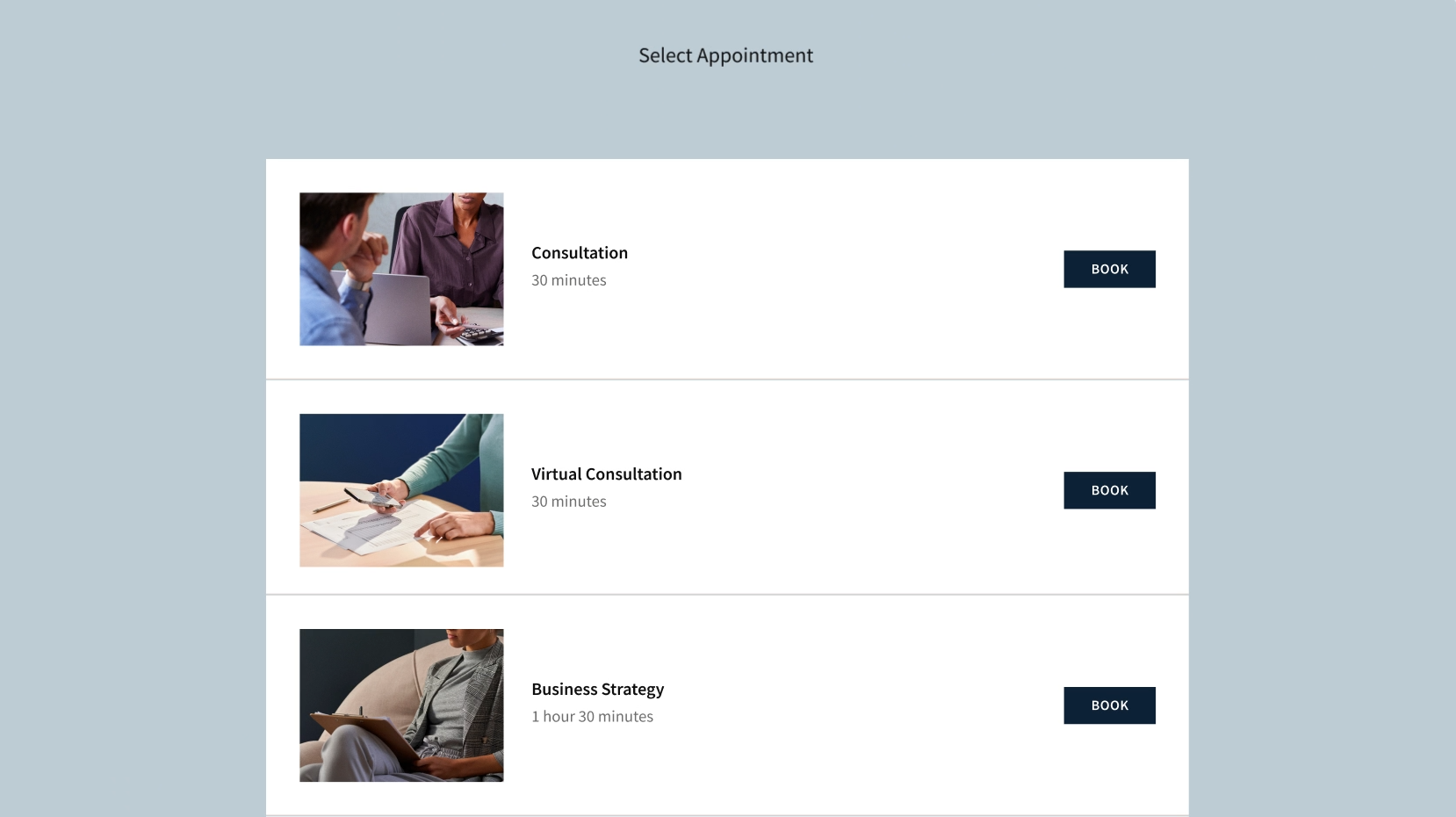
Acuity generates a branded scheduling page where clients choose a service, pick an available time slot, complete intake questions, and confirm. Both parties receive an automatic confirmation. The page reflects real-time availability and prevents double-booking by checking Acuity's internal calendar and any synced external calendars before showing open slots.
Source: Acuity
Businesses create appointment types with custom names, durations, prices, and descriptions. Each appointment type carries its own availability windows, intake forms, and pricing, so a massage therapist can offer 60-minute deep tissue sessions on weekdays and 30-minute consultations any day, each with different intake questions and deposits.
Source: Acuity
Custom intake forms collect client information, preferences, health history, or waivers before the appointment is confirmed. Add-on upselling lets businesses attach optional extras (a materials fee alongside a class registration, for example) at the point of booking.
Clients can reschedule or cancel from their confirmation email within whatever time window the owner sets, and returning clients can log in for faster re-booking, a feature Acuity highlights as absent from Calendly. Virtual appointments automatically generate Zoom, Google Meet, or GoToMeeting links when booked (Standard plan and above).
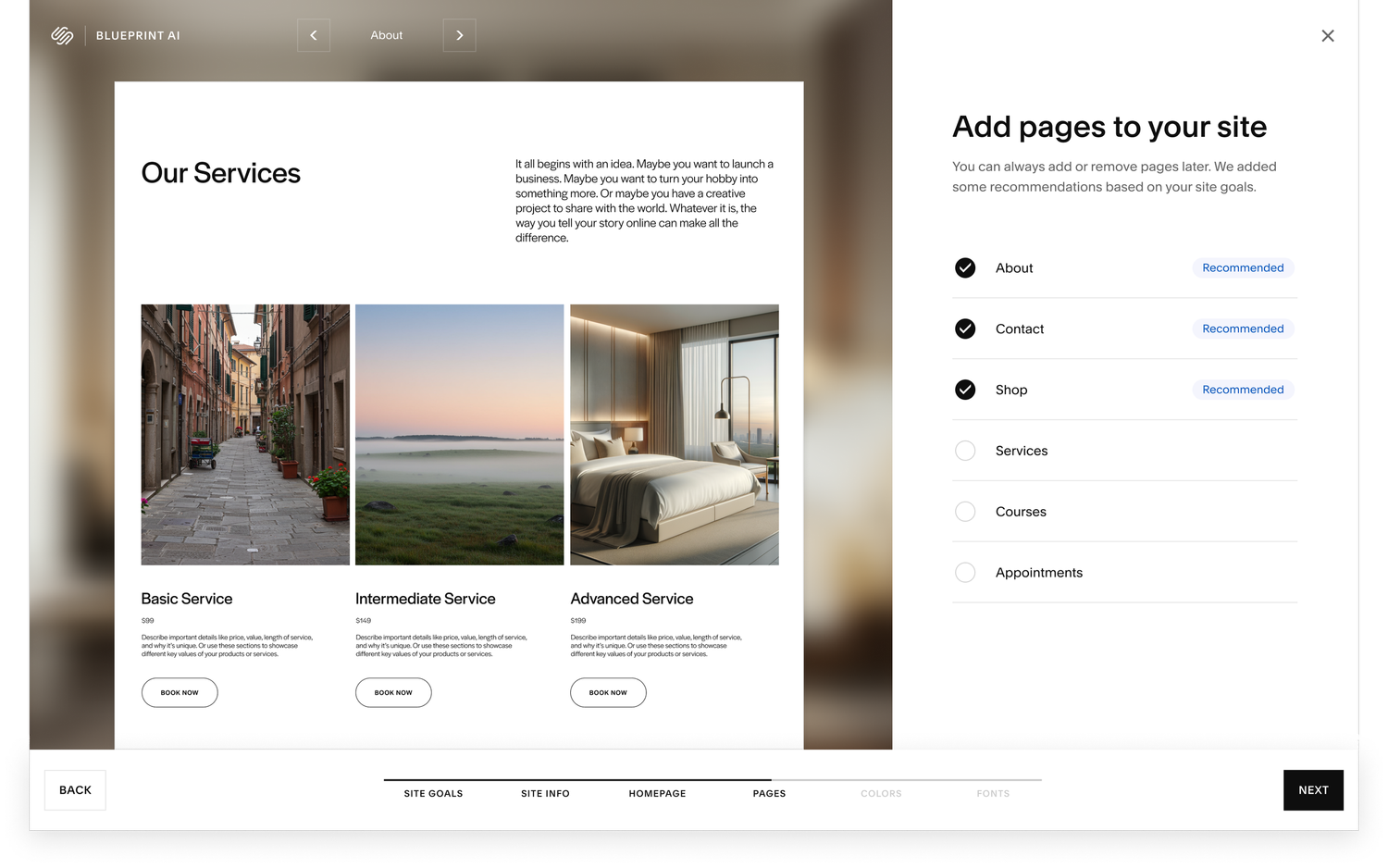
The booking page can be shared as a direct link, embedded on any website with a two-line iframe snippet, or hosted as a standalone booking site for businesses without a separate web presence. For Squarespace users, the integration is native: Blueprint AI can generate a personalized website in minutes with the Acuity scheduler connected, and a floating "Book Now" bar can persist across all pages. Premium plan subscribers get custom CSS control over the scheduler's appearance.
Source: Acuity
The booking page also extends to social channels. Facebook Business and Instagram integrations let clients book directly from social profiles, and the Airbnb Services marketplace integration (launched September 2025) lets beauty, wellness, fitness, and photography businesses list their services on Airbnb with two-way calendar sync. ClassPass integration syncs availability for fitness class providers.
Acuity Scheduling's Availability Controls and Calendar Management
Availability controls determine when clients can book, and they go deeper than working hours. Business owners define daily or weekly recurring availability, override specific dates for vacations or holidays, and set buffer times before and after appointments for preparation or recovery. Each setting can be configured per appointment type: a massage therapist might need 15-minute buffers between deep tissue sessions but none between consultations.
Appointment volume limits cap how many bookings a provider accepts per day, per week, or per service type, preventing burnout without manual monitoring. Gap minimization restricts new bookings to slots adjacent to existing appointments, clustering the schedule to eliminate scattered downtime. Minimum advance notice periods prevent last-minute bookings, and start-time interval controls let businesses standardize when appointments begin.
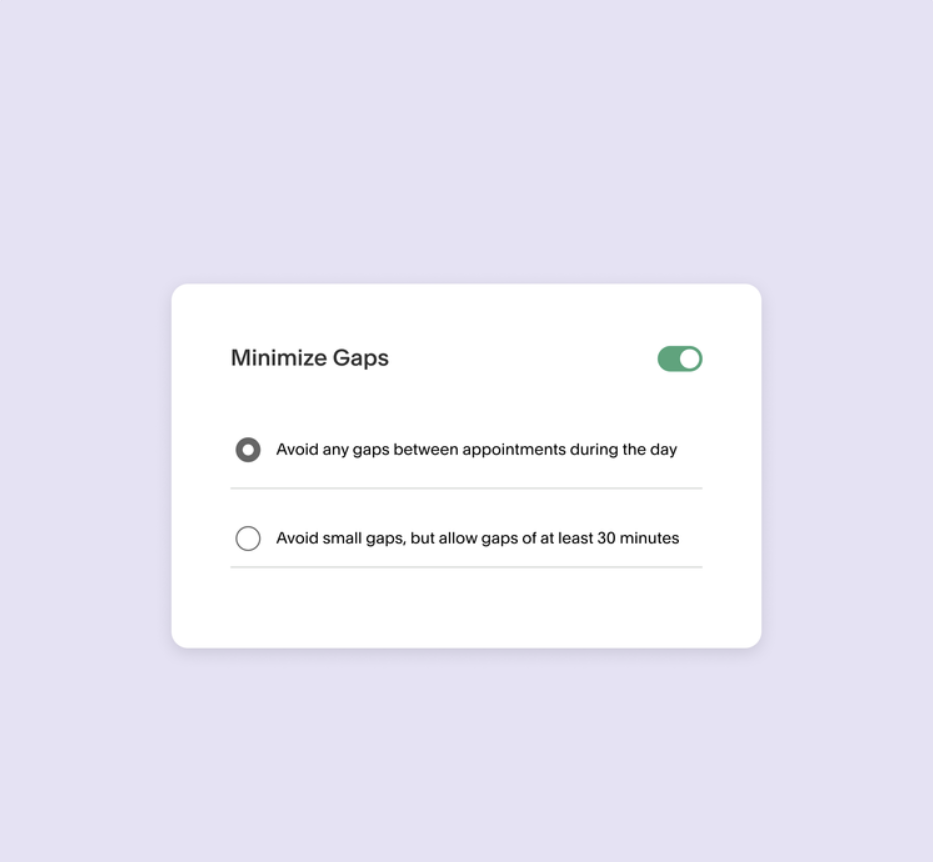
Source: Acuity
One uncommon capability is the "Look Busy" setting, which hides a portion of open availability from clients to create the appearance of higher demand. A new practitioner with mostly empty days can show only a few open slots, signaling that their time is scarce.
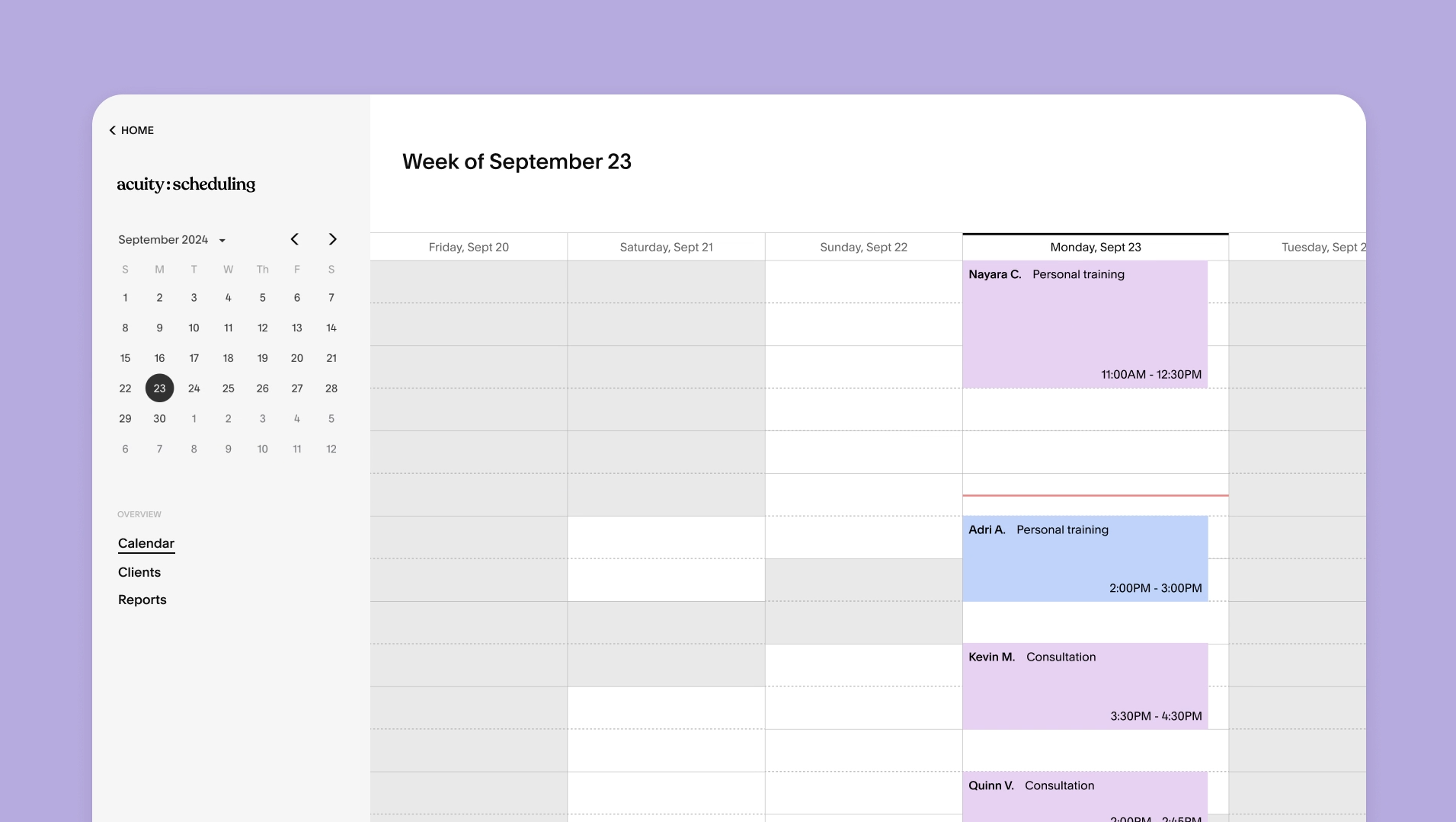
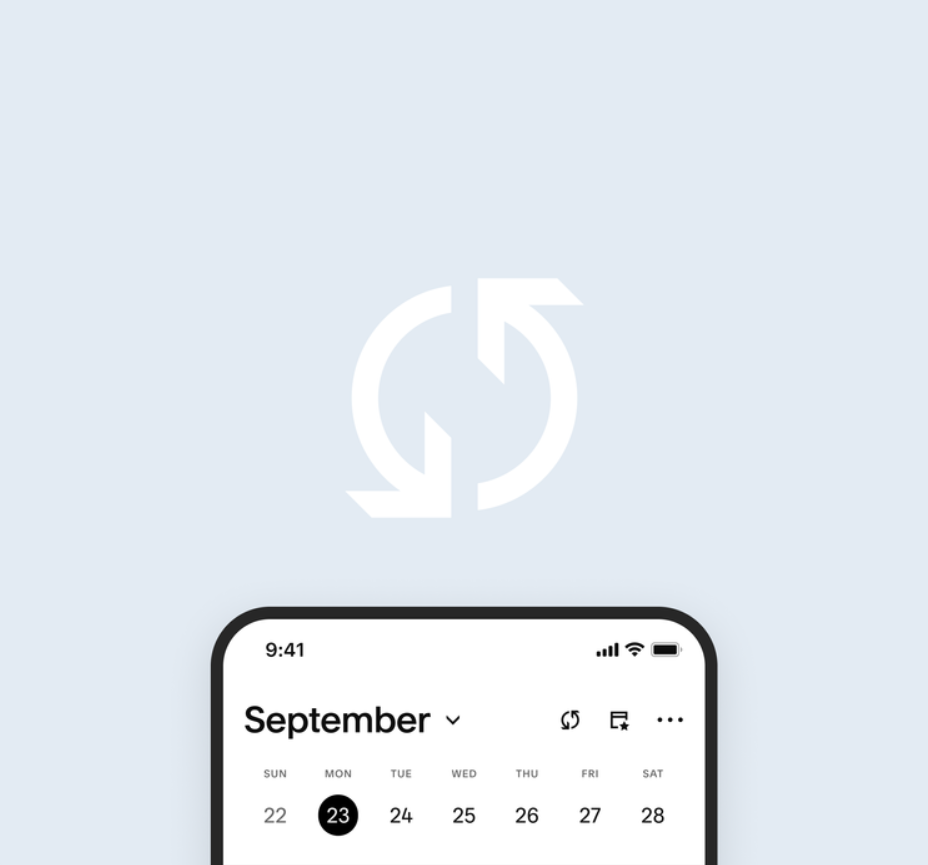
On the calendar side, Acuity provides two-way sync with Google Calendar, Outlook Calendar, iCloud Calendar, and Office 365. Events in an external calendar block corresponding time in Acuity, and new Acuity appointments push to the connected calendar. The sync runs in real time, so a personal dinner booked in Google Calendar immediately prevents clients from booking that slot.
Source: Acuity
The Acuity calendar supports daily, weekly, and monthly views with color-coded appointments for visual navigation and drag-and-drop rescheduling that sends automatic notifications to the client. For multi-staff businesses, the calendar shows all team members' schedules from a single dashboard, with shareable booking links per staff member for accurate routing.
Acuity Scheduling's No-Show Prevention System
No-shows are the costliest failure for service businesses: a missed appointment means lost revenue you cannot recover. Acuity stacks three mechanisms against them, and the combination works. Acuity's 2025 customer survey of 500 businesses found that 75% reduced no-shows after adopting the platform.
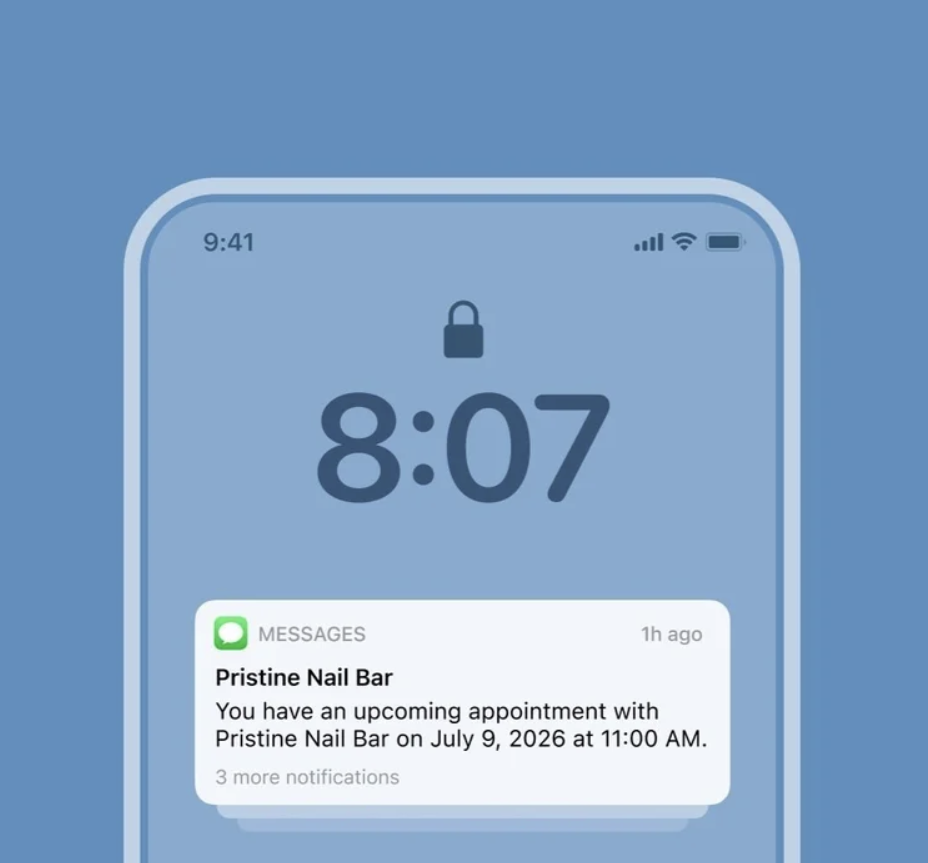
Automated reminders are the first layer. Businesses configure when reminders fire (one week, 24 hours, or one hour before, for example) and can set multiple reminders per appointment type at different intervals. Email reminders are available on all plans; SMS text message reminders require the Standard plan ($27/month annual) or above. Reminder content is customizable with dynamic fields (client name, appointment type, date, time, location, meeting link), and each appointment type can carry its own reminder template.
Source: Acuity
Reminders also extend to staff. Push notifications, email, or SMS alerts fire for new, rescheduled, and cancelled bookings, plus optional daily and weekly appointment summaries. Client-facing rescheduling links embedded in reminder messages let clients move an appointment rather than skip it, and calendar sync prompts encourage clients to add appointments to their own calendar apps.
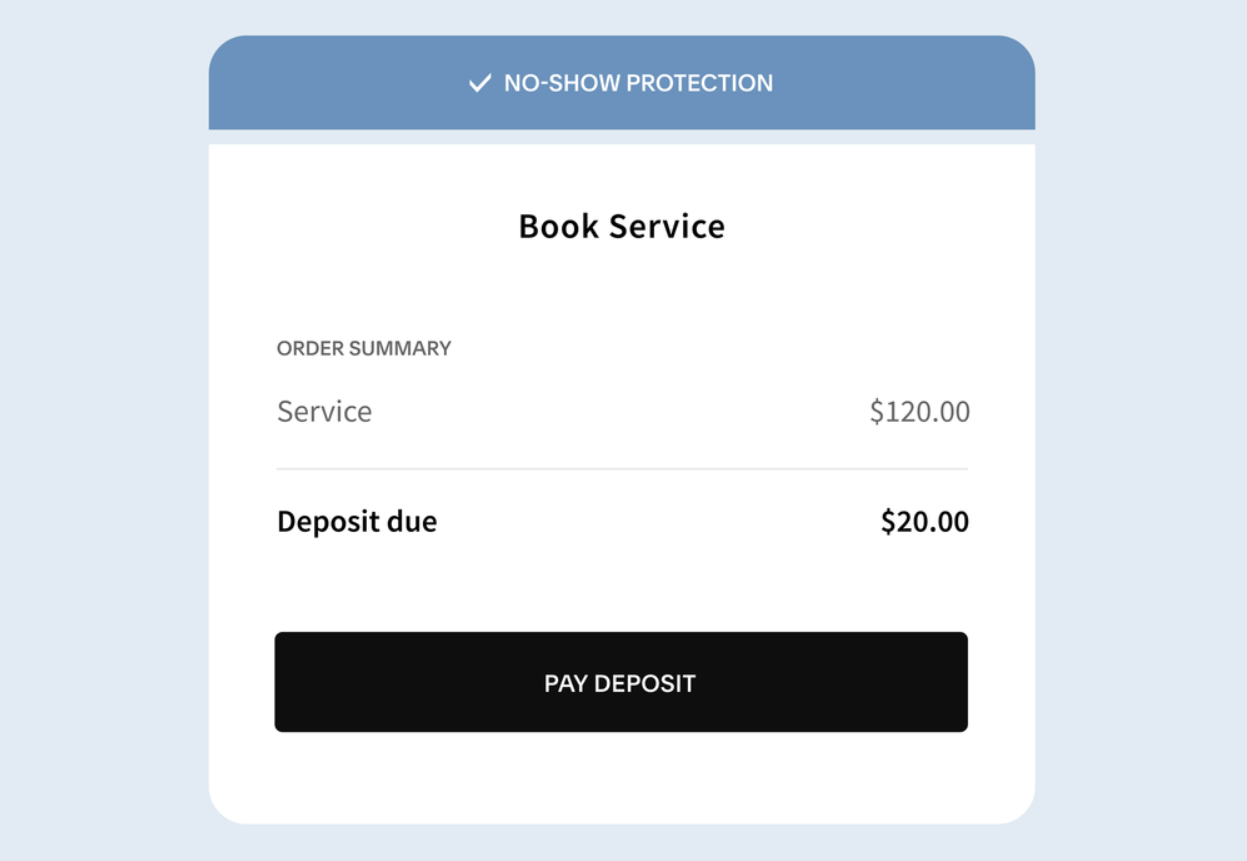
Deposits and prepayments are the second layer. Businesses can require a fixed deposit, a percentage deposit, or full prepayment at booking, configured per service. A client who has already paid is far less likely to skip the appointment. Card-on-file storage holds payment details for post-appointment charging, including cancellation and no-show fees.
Source: Acuity
Cancellation policies are the third layer. Businesses define time windows within which clients can cancel or reschedule without penalty, and charge stored cards for violations. Combined with deposits and reminders, the policy turns no-shows from a revenue leak into a managed risk.
Acuity Scheduling's Payments, Point of Sale, and Invoicing
Acuity embeds payment collection directly into the scheduling workflow through three payment processors: Stripe, Square, and PayPal. Businesses choose their processor in Payment Settings and configure payment logic per service. Acuity charges no additional transaction fees; fees come entirely from the chosen processor. Supporting three processors (rather than locking users into one) gives businesses real choice.
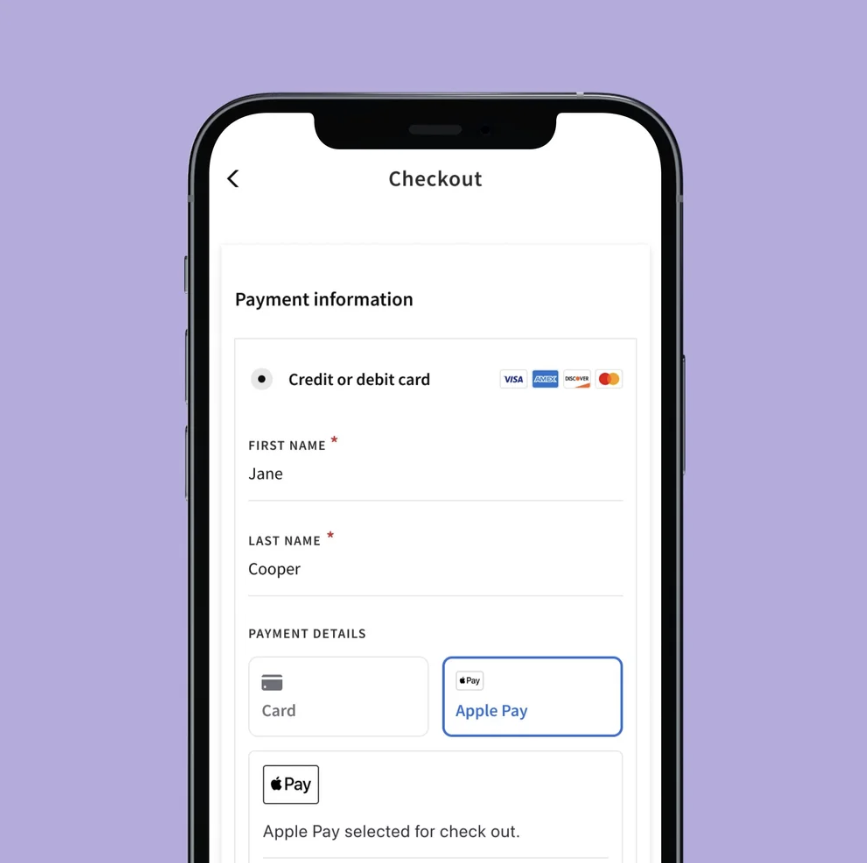
Payment options include full prepayment, fixed or percentage deposits, card-on-file for post-appointment charging, Apple Pay and Google Pay through Stripe, and sliding-scale (pay-what-you-want) pricing. Tipping is built in, with preset options during online booking and after in-person transactions. Cash, card, and online payments appear in a single dashboard, with every transaction linked to the corresponding appointment.
Source: Acuity
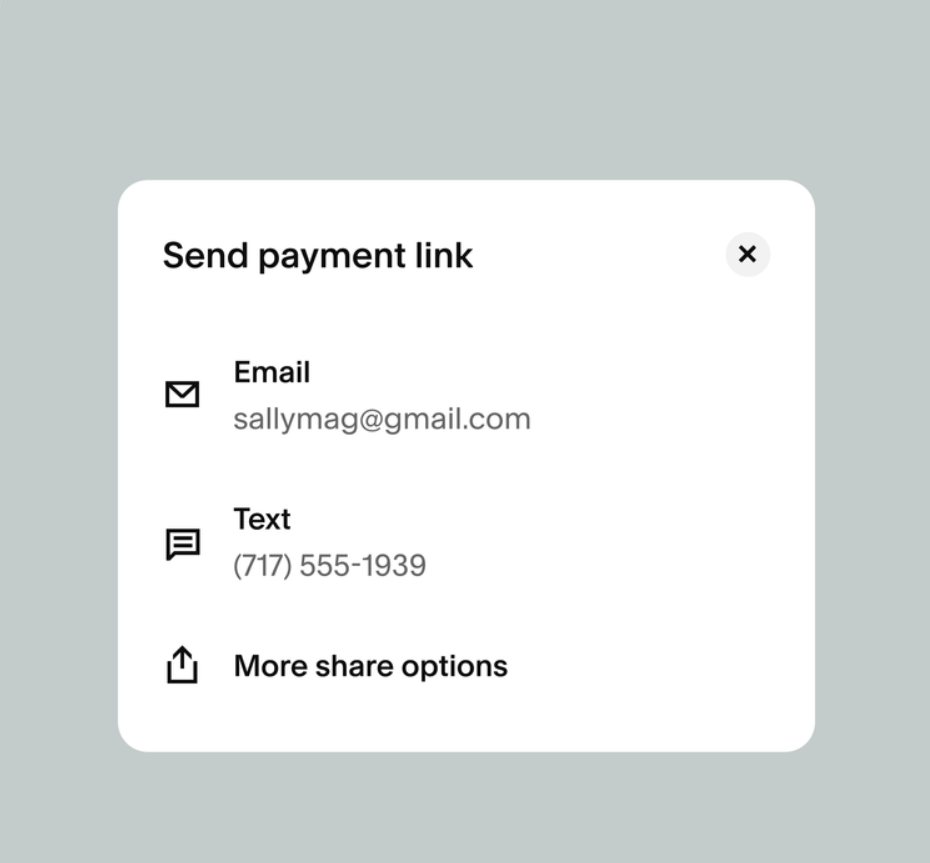
The Point of Sale (launched November 2025) turns Acuity into a checkout system for in-person appointments. Two channels are available: Square or Stripe-compatible card readers accepting swipe, chip, and tap payments, and hardware-free tap-to-pay from the Acuity mobile app through Stripe. A dedicated "Checkout" tab shows outstanding balances per client, and staff can charge saved cards, initiate new payments, or send payment links via text or email for remote collection. The POS is currently U.S.-only.
Source: Acuity
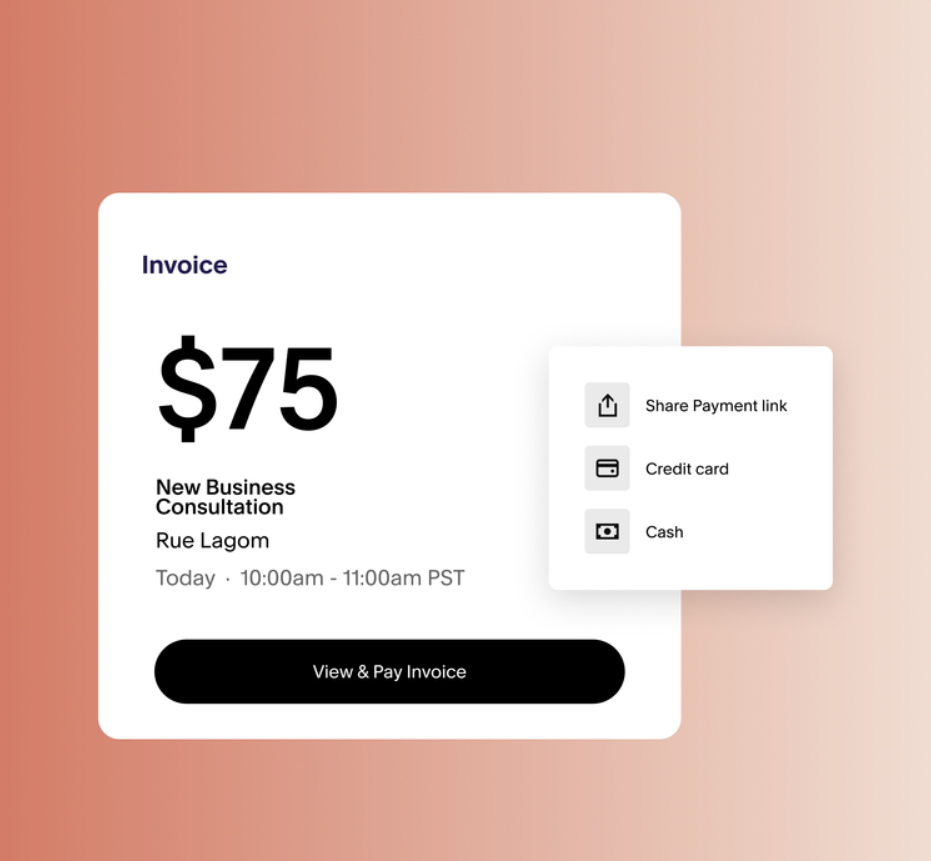
Invoicing handles cases where payment is not collected at booking or in person. Businesses create invoices within Acuity, customized with logo, branding colors, and service descriptions. Clients pay directly from the invoice via the connected processor, and Acuity tracks each invoice's status (paid, pending, or overdue) in a central dashboard. Automated payment reminders chase unpaid invoices without manual follow-up.
Source: Acuity
Acuity Scheduling's Client Management and Loyalty Tools
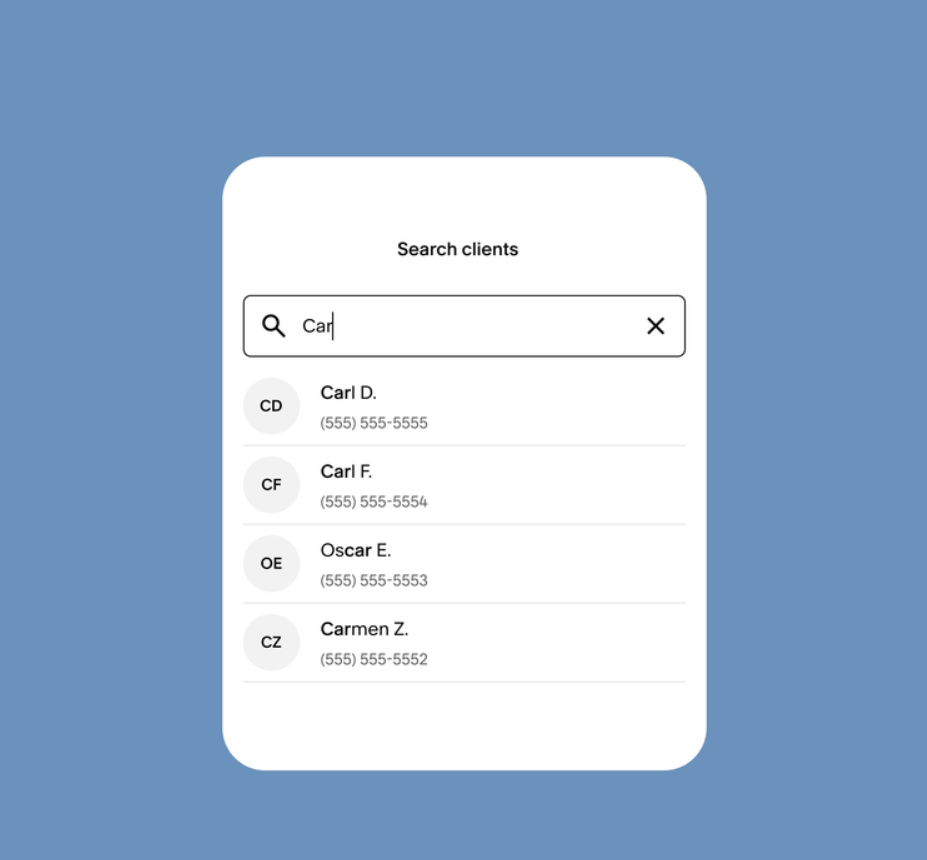
When a client books, Acuity captures their information in a centralized client profile holding contact data, intake form responses, appointment history, and private staff-only notes. Intake forms are tied to appointment types, so a wellness practitioner collects health history for massage bookings and different questions for consultations, each enforced at the point of booking. Client search and filtering locates specific clients instantly, and a built-in import tool migrates existing client data.
Source: Acuity
The client loyalty suite (Standard plan and above) adds four retention and revenue tools directly into the booking workflow:
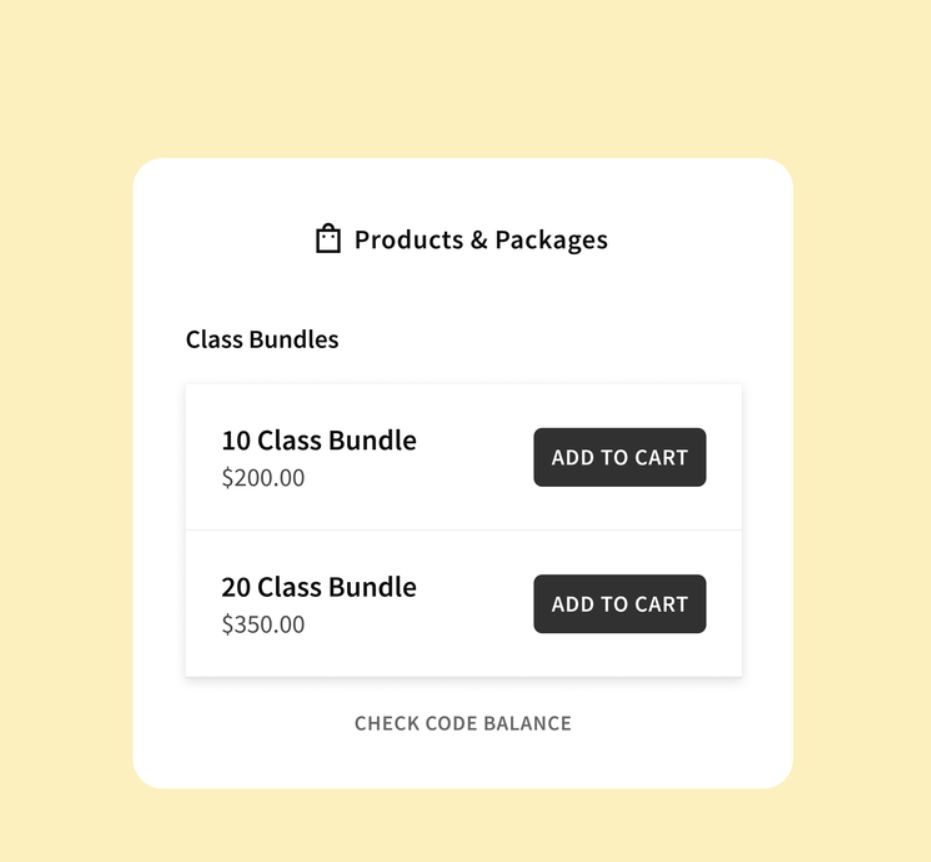
Packages: Discounted bundles of sessions (a 10-pack of yoga classes, for example) purchasable from the booking page. Acuity tracks how many sessions a client has used and supports expiration dates to encourage timely booking.
Subscriptions and memberships: Recurring billing plans with automatic monthly charges and multiple membership tiers.
Gift certificates: Digital gift certificates sold from the booking page and redeemable for any applicable appointment, functioning as a client acquisition channel.
Coupons: Percentage or fixed-amount discount codes for seasonal promotions or loyalty rewards.
The key differentiator: the entire loyalty flow (discovery, purchase, and redemption) happens within the booking page itself, no separate storefront or payment portal required. Compared to Calendly, Acuity's loyalty and revenue features are cited as one of six standout differentiators that Calendly does not match.
Acuity Scheduling's Class and Group Scheduling
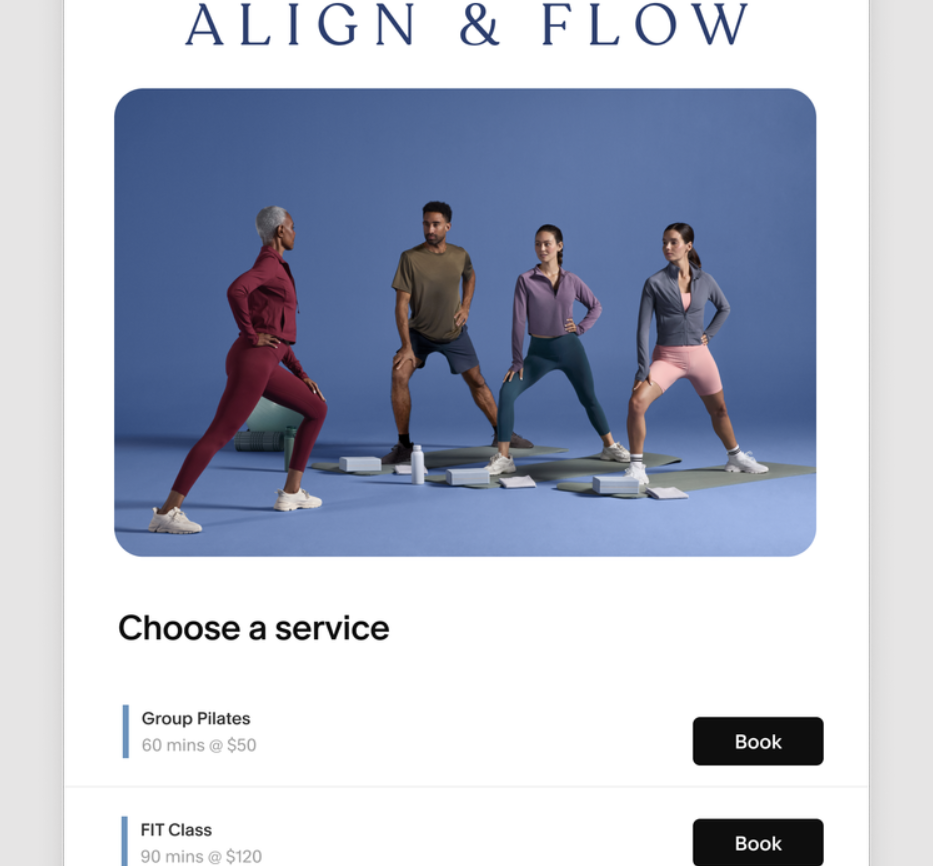
Class scheduling extends Acuity's appointment engine into group settings where multiple clients book into the same time slot. Yoga studios, fitness gyms, pottery classes, dog training programs, and online educators use it to manage capacity, collect payment from multiple participants, and communicate with an entire roster at once.
Source: Acuity
Business owners create group class appointment types and define capacity limits so booking closes automatically when the class fills. Classes can be one-time events or recurring series, and a duplicate class function speeds creation of new instances.
Class packages and subscriptions (5-for-1 bundle deals, monthly memberships) are available, and add-on upselling at booking (a materials fee for a ceramics class, for example) increases average transaction value. Intake forms capture participant details, experience levels, and waivers per class type.
Source: Acuity
The resource management feature assigns rooms, mats, or equipment to specific classes and prevents overlapping bookings of shared physical assets. A studio with two rooms and three instructors can let Acuity enforce that Room A is not double-booked at 10 AM even if two different instructors are available. This level of resource-aware scheduling is typically found only in more specialized studio management systems.
A business that offers both individual appointments and group classes (a personal trainer who sees private clients and also runs boot camp sessions) manages the entire operation in one Acuity account, with the same payment, reminder, and intake form infrastructure serving both.
Acuity Scheduling's Staff Management and Enterprise Features
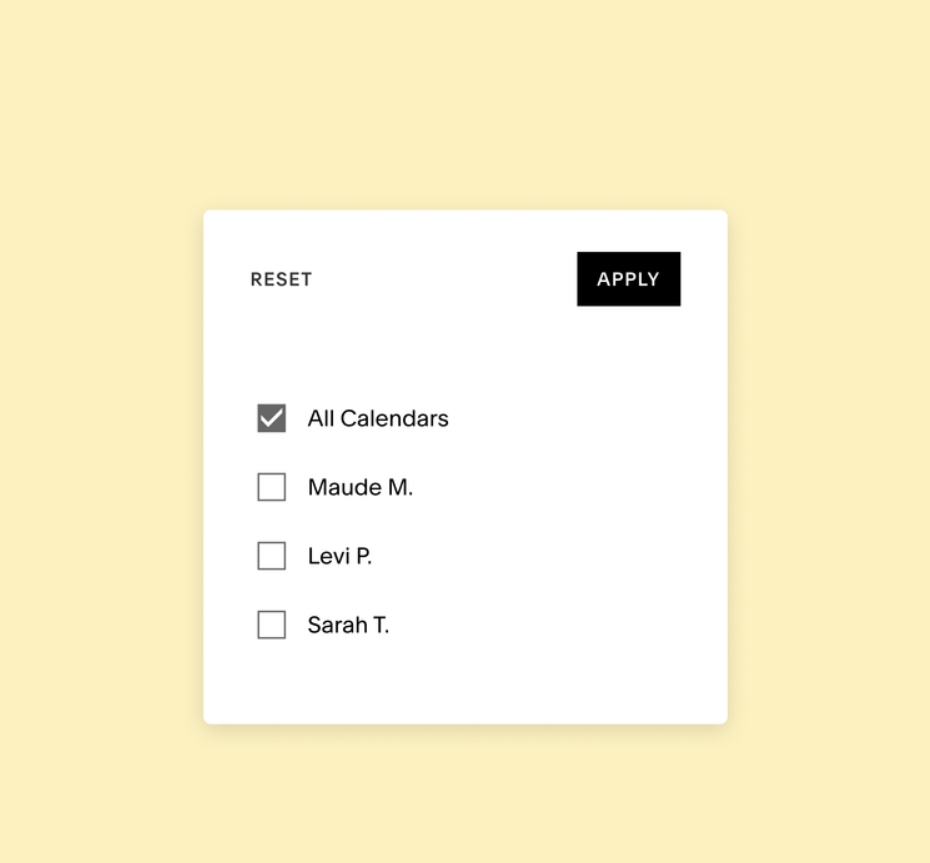
Staff management matters the moment a service business adds a second provider. Each staff member gets their own calendar inside the Acuity account, with the plan tier determining capacity:
Starter: 1 calendar
Standard: Up to 6 calendars
Premium: Up to 36 calendars
Enterprise: Unlimited calendars
Source: Acuity
Clients can book with a specific staff member via an individual booking link or select their preferred team member from a shared page. Owners assign which services each staff member provides and control what actions staff can take and what client data they can access through permission roles. Staff can be granted permission to set their own working hours, and automated alerts fire for new bookings, reschedules, and cancellations.
Source: Acuity
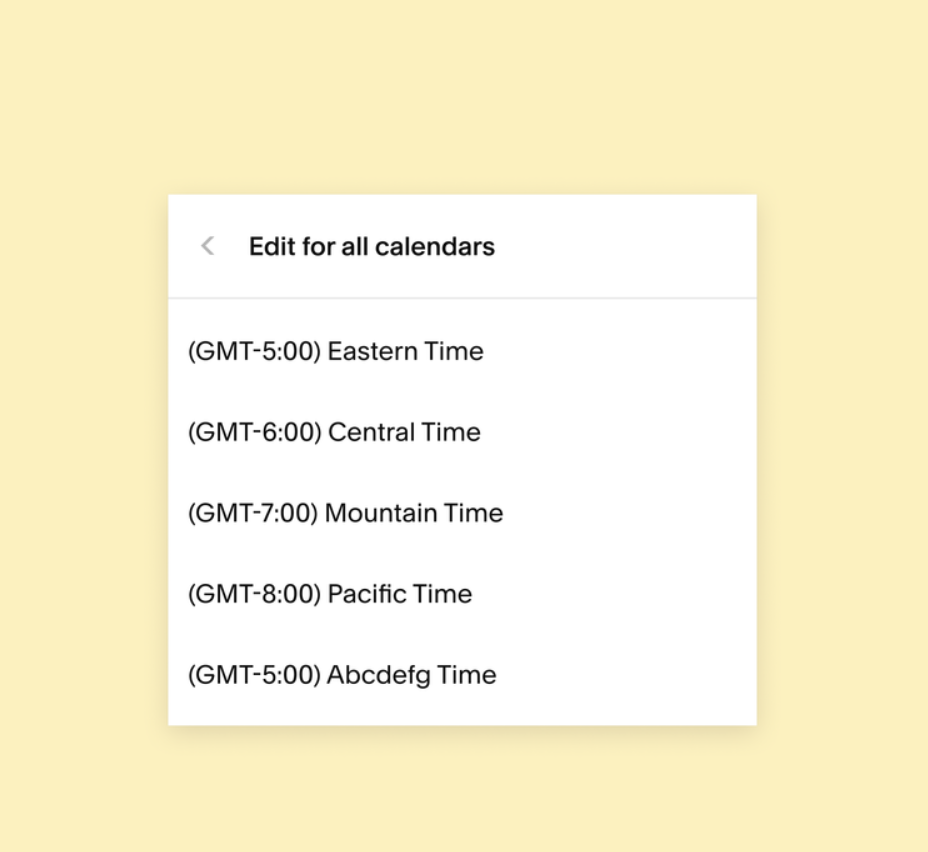
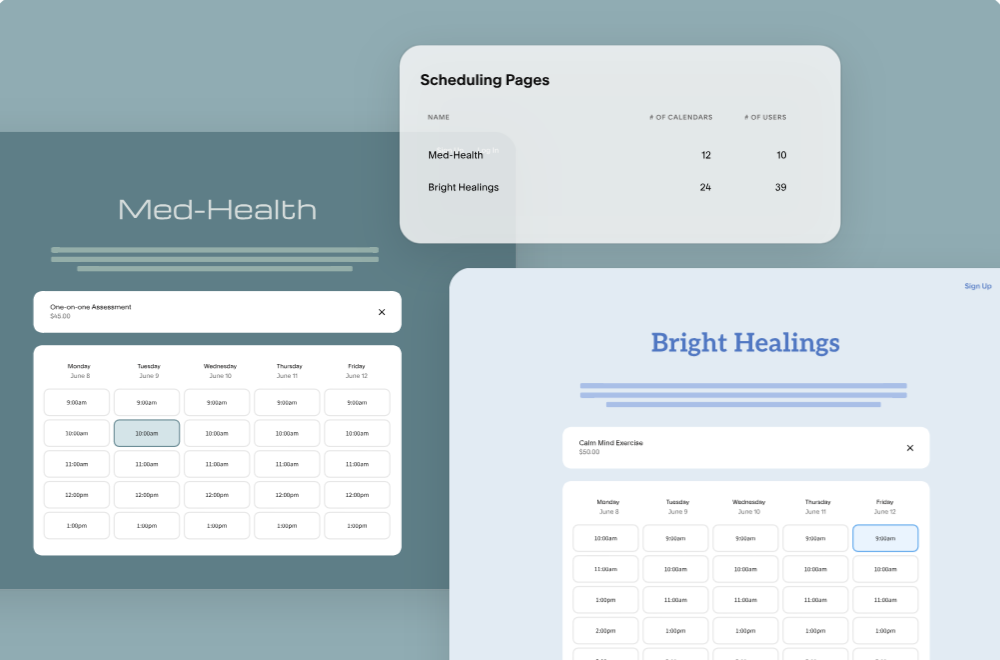
For businesses operating across time zones, the Premium plan allows different time zones per staff member or location. At the enterprise level, all calendars and booking pages across multiple locations are managed under a single dashboard, with additional capabilities for scale:
Customizable roles and permissions
Aggregated appointment data and centralized reporting
Unlimited scheduling instances (multiple sub-accounts)
VIP account management with personalized onboarding
HIPAA compliance with BAA (also available on Premium)
Data hosted on Amazon Web Services in the United States
The MedPlum SSO integration (a FHIR-based healthcare platform) signals deliberate expansion into clinical and healthcare-adjacent workflows. The Enterprise page cites "global brands in retail, healthcare, and education" as the target.
Source: Acuity
Acuity Scheduling's Mobile App
The mobile app (iOS and Android) is included on all plans, including during the free trial. It provides the full range of scheduling and payment operations, not a read-only companion view.
Source: Acuity
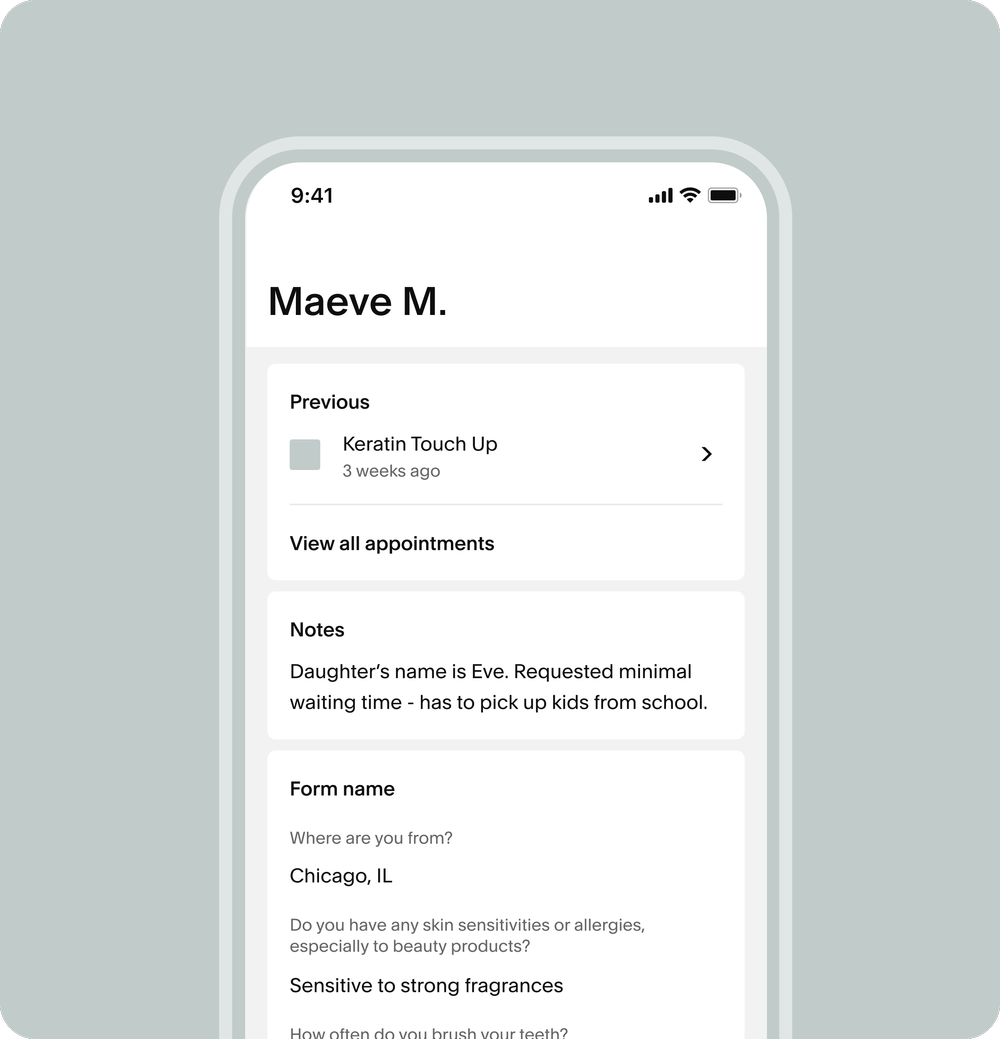
The home screen shows the day's appointments in real time with navigation to any date and controls to filter by calendar.
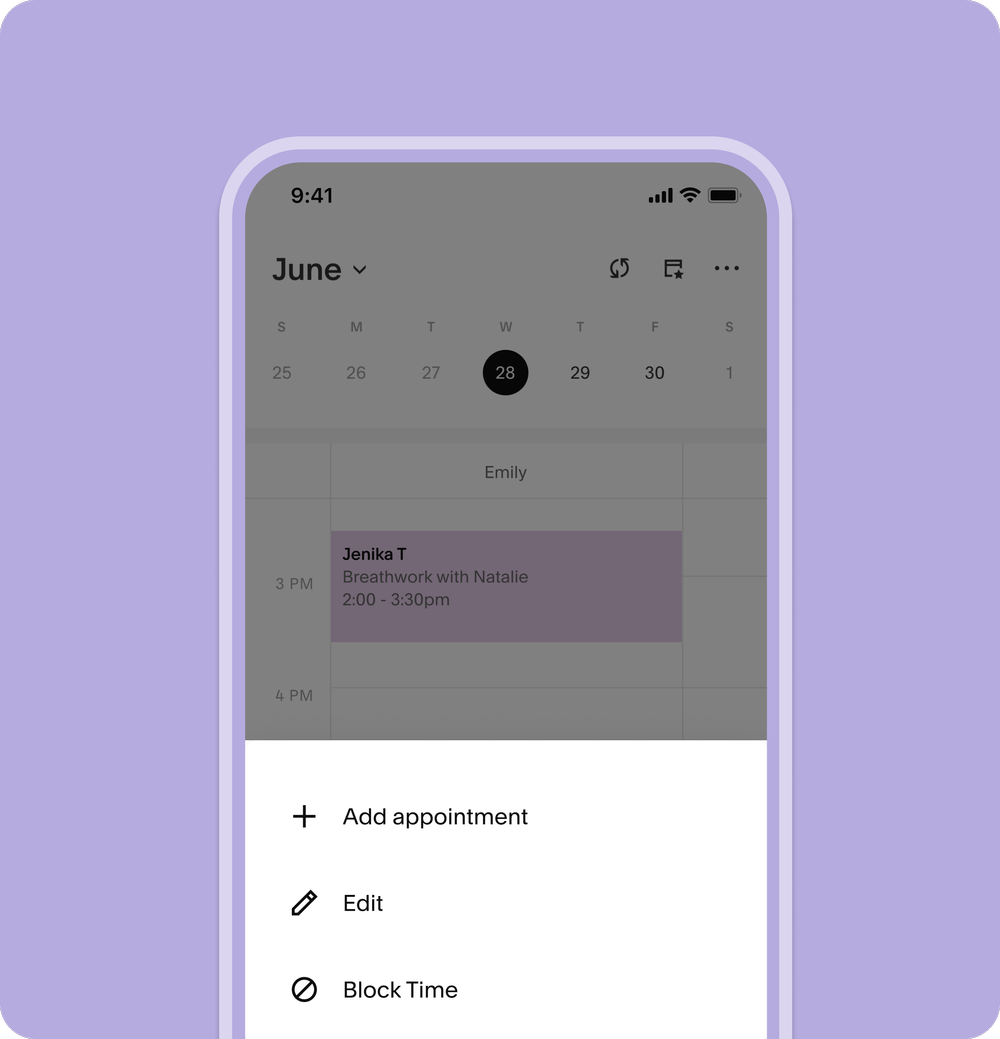
Drag-and-drop rescheduling moves appointments directly on screen, and confirmation emails fire automatically. Staff can review appointment history, notes, and intake form responses before each session. Push notifications alert staff to every booking, reschedule, or cancellation.
Source: Acuity
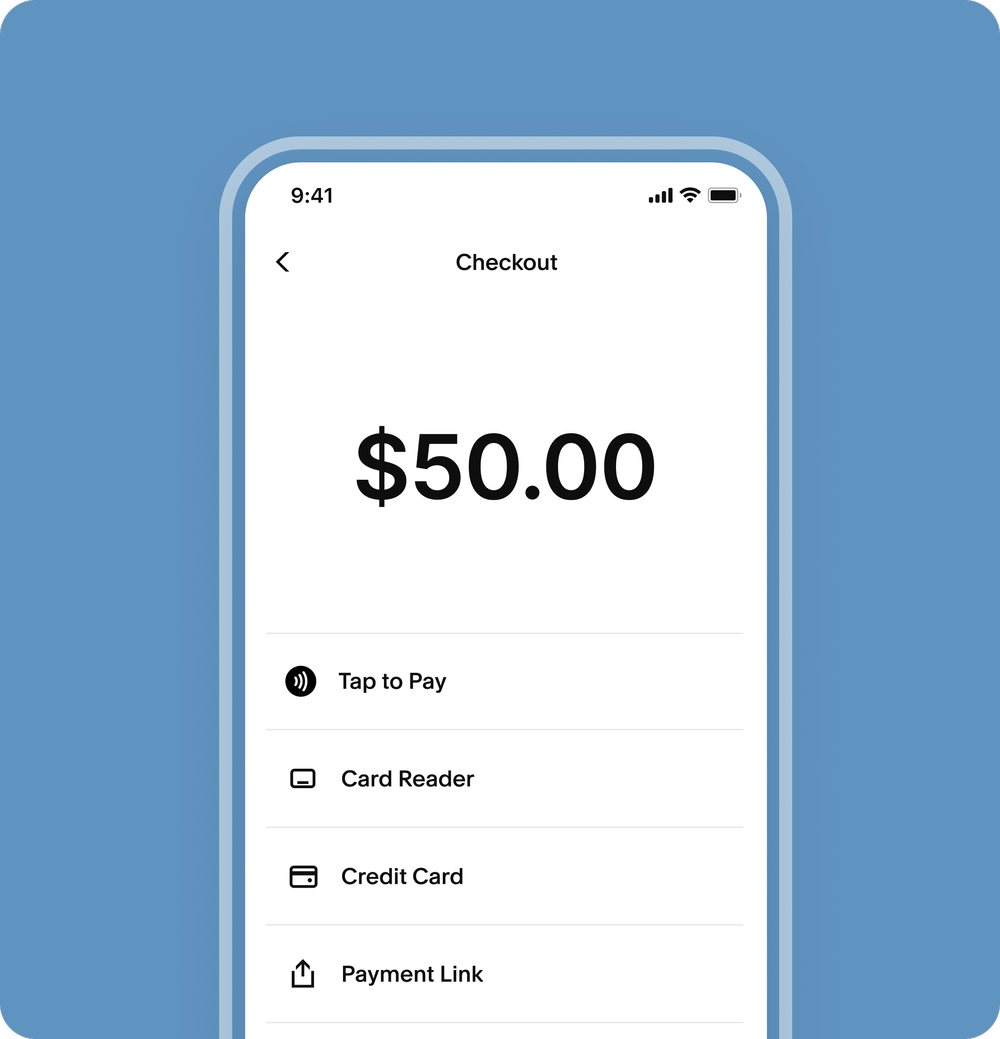
The mobile experience stands out in its financial operations. Tap-to-pay, contactless card reader connections, card-on-file charges, payment link sending, Apple Pay, Google Pay, invoice creation, tip collection, and no-show fee enforcement are all native to the app. A solo practitioner can check a client's intake form, perform the service, collect payment with tap-to-pay, and note follow-up items without touching a computer.
Source: Acuity
Acuity Scheduling's Integrations and Developer Tools
Acuity connects to the broader business stack through native integrations, an API, webhooks, and Zapier.
Calendar syncing (all plans) covers Google Calendar, iCloud, and Microsoft Outlook with two-way sync. Video conferencing (Standard plan and above) integrates with Zoom, Google Meet, GoToMeeting, and Join.me. Email marketing connections include Squarespace Email Campaigns, Mailchimp, ActiveCampaign, Constant Contact, ConvertKit, Drip, and Simplero, enabling post-appointment email sequences and list segmentation.
Source: Acuity
Accounting links to FreshBooks and QuickBooks. CRM connections are lighter: Zoho CRM and Daylite are native; Salesforce requires Zapier. Analytics integrations cover Google Analytics and Meta Pixel with custom conversion tracking support.
Source: Acuity
Zapier integration connects Acuity to 500+ apps, with highlighted connections to Google Contacts, Salesforce, Infusionsoft (Keap), and Google Sheets. Zoho Flow is available as a separate native workflow automation option.
The REST API (Premium and Enterprise plans only) supports appointment creation, availability browsing, calendar blocking, and full CRUD operations on appointment data. Authentication uses HTTP Basic Auth for single-account integrations and OAuth 2.0 for multi-tenant applications. Two official SDKs are maintained: Node.js and PHP, both supporting Basic Auth, OAuth2, and webhook signature verification.
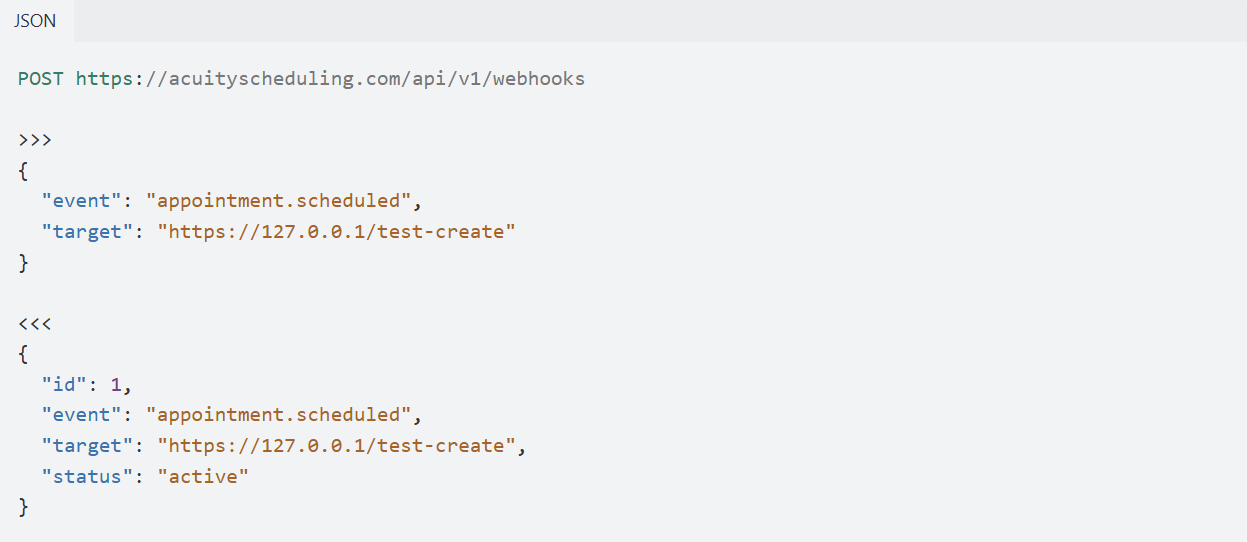
Webhooks fire on five event types: scheduled, rescheduled, canceled, changed (catch-all), and order.completed (packages, gift certificates, subscriptions).
Source: Acuity
Requests are signed using HMAC-SHA256 for authenticity verification, and failed deliveries are retried with exponential backoff over 24 hours. Webhooks can be configured through the admin UI or created dynamically via the API. Developer documentation lives at developers.acuityscheduling.com, with code samples in Bash, JavaScript, and PHP, and a status page for monitoring platform uptime.
Where Acuity Scheduling Stops: The Gaps
Acuity Scheduling manages the appointment lifecycle for service businesses that already have clients or inbound demand. That focus produces a thorough, well-integrated product, but the platform's scope ends where demand generation and business development begin.
No prospecting, lead generation, or outbound capabilities. Acuity manages clients who find you, but it provides no tools to find new clients. There is no contact database, no way to build prospect lists, and no outbound campaign functionality. For B2B service providers (consultants, agencies, professional services firms) whose growth depends on reaching decision-makers at target companies, the entire top-of-funnel workflow lives outside Acuity.
No buyer intent or market intelligence. Acuity has no visibility into which companies or individuals are researching services like yours before they visit your booking page. There are no intent signals, no market research tools, and no way to identify in-market buyers. A business consultant has no way of knowing that a company in their target vertical is evaluating consulting engagements right now.
Client profiles, not a CRM. Acuity stores client contact information, intake form responses, appointment history, and private notes. This is useful for appointment context, but it is not pipeline management. There is no deal tracking, no revenue forecasting, no lead scoring, and no sales stage progression. The Acuity-Salesforce connection requires Zapier; there is no native CRM integration beyond Zoho CRM and Daylite.
No marketing automation or campaign orchestration. Email marketing integrations (Mailchimp, ActiveCampaign, ConvertKit) sync contact data for post-appointment campaigns, but Acuity itself does not build audiences, run multi-channel campaigns, or manage advertising. Demand generation is entirely delegated to external tools.
No website visitor identification. Acuity does not identify who visits your website before they book. Anonymous traffic stays anonymous. Businesses that want to know which companies are browsing their services page need a separate tool.
How ZoomInfo Covers the Gaps
The gaps above share a common thread: Acuity Scheduling manages the relationship once a client arrives, but it cannot find, reach, or qualify new business before the first booking. For B2B service providers, consultants, agencies, and professional services firms whose revenue depends on proactive business development, ZoomInfo is the go-to-market platform that covers that ground.
ZoomInfo's B2B Data Platform: The contact and company database for finding new clients
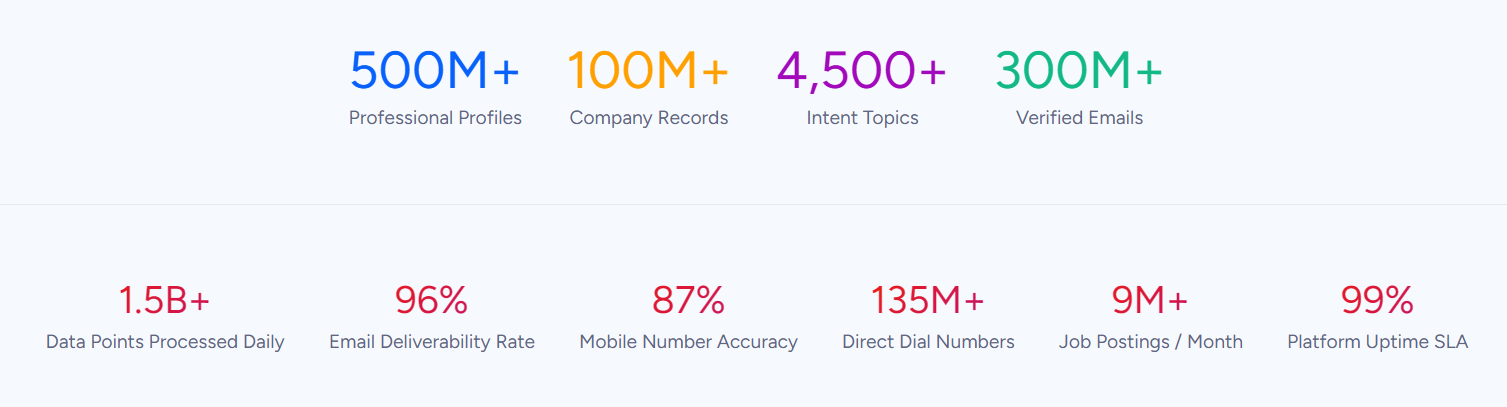
ZoomInfo operates a B2B data platform spanning 500M contacts, 100M companies, 135M+ verified phone numbers, 120M direct dials, and 200M+ verified business email addresses. The data flows through a verification pipeline backed by 300+ human researchers and automated ML scanning 28M site domains daily, reaching up to 95% accuracy on first-party data.
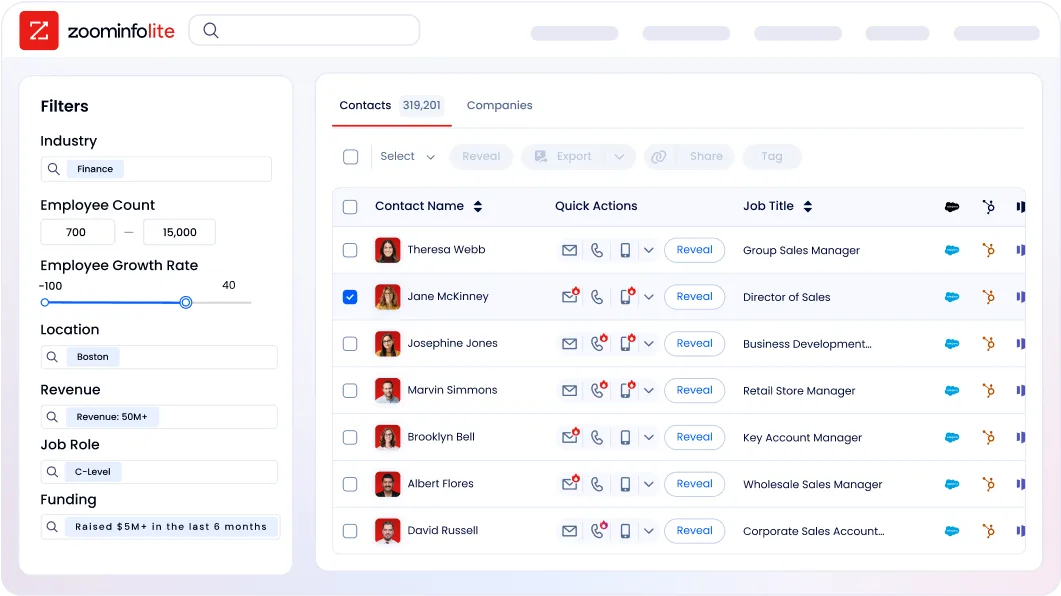
For a consultant or agency using Acuity to schedule client meetings, ZoomInfo fills the prospecting gap. Contact & Company Search provides 300+ company attributes for market segmentation, department org charts with decision-makers' direct dials and emails, contact tracking with job-change alerts, and one-click CRM export. Instead of waiting for inbound inquiries, a service business can identify every company in their target vertical, find the right decision-maker, and reach out directly.
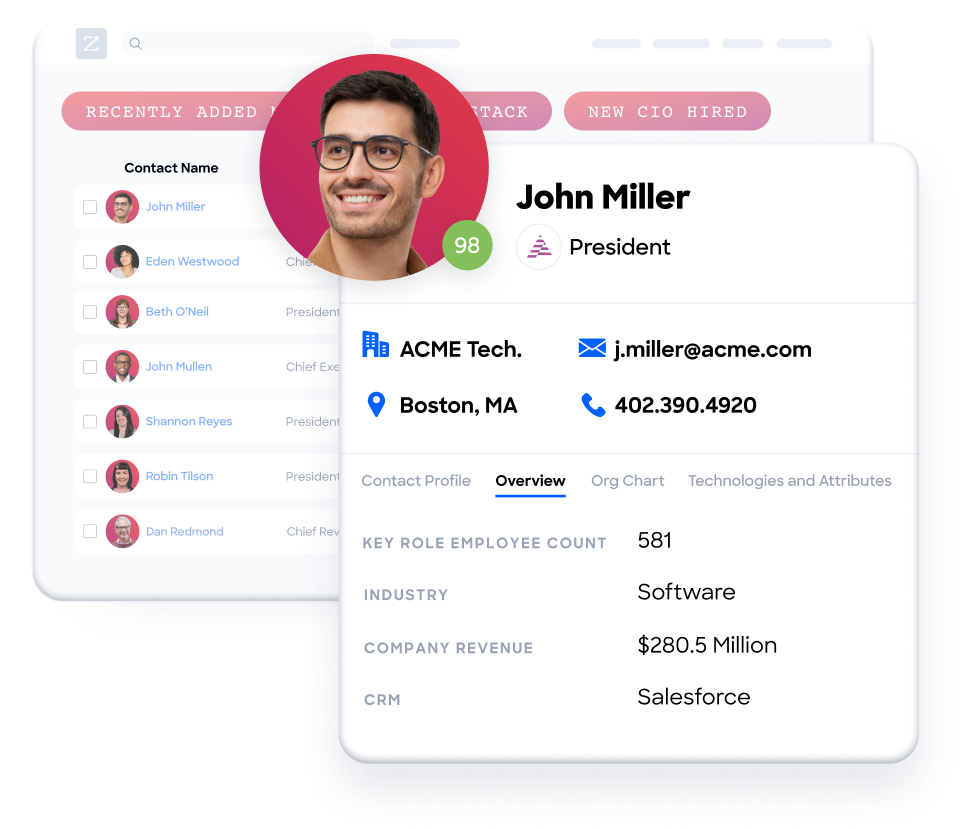
In a Fortune 500 competitive RFP analyzing 25 million contacts across vendors, an independent consultant concluded that "no other competitor came even close."
ZoomInfo Intent and WebSights: Knowing who needs your services before they reach out
ZoomInfo Intent tracks signals from 210M IP-to-Organization pairings and 6 trillion+ new keyword-to-device pairings sourced monthly, revealing which companies are researching topics related to your services across the web. A management consulting firm can see which companies are researching "digital transformation consulting" or "operational efficiency" before those companies ever visit a booking page.
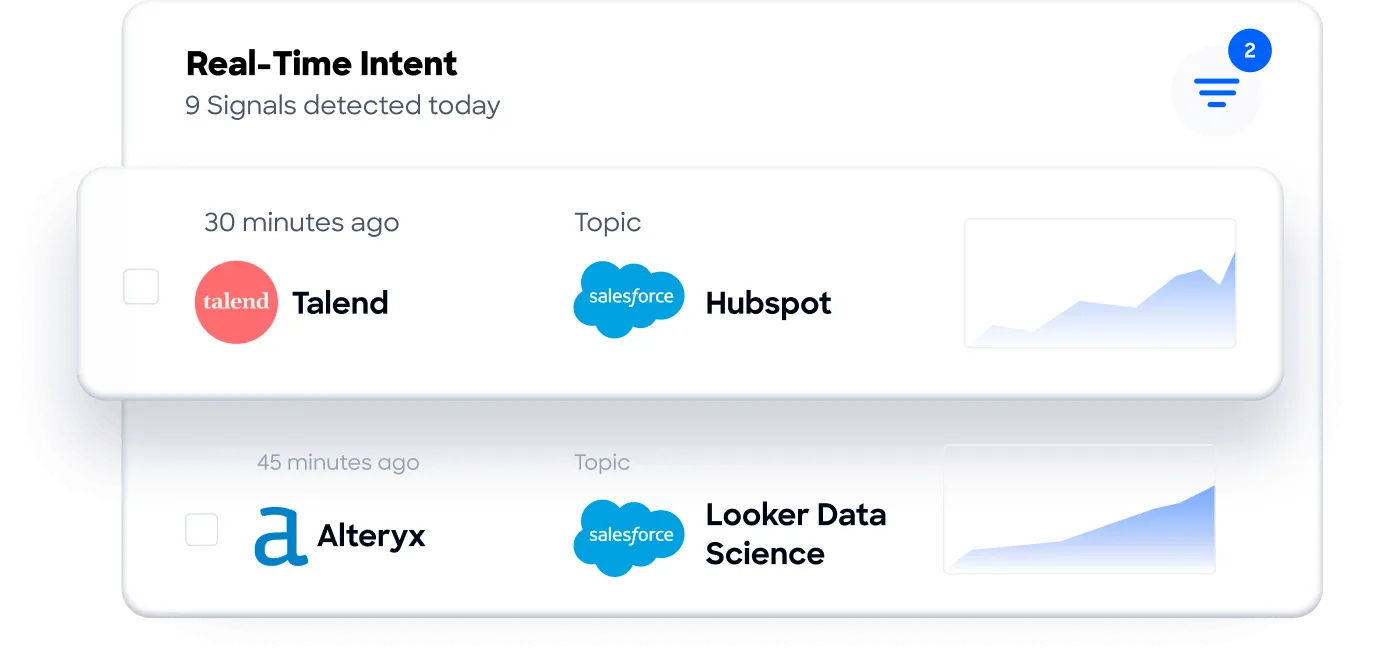
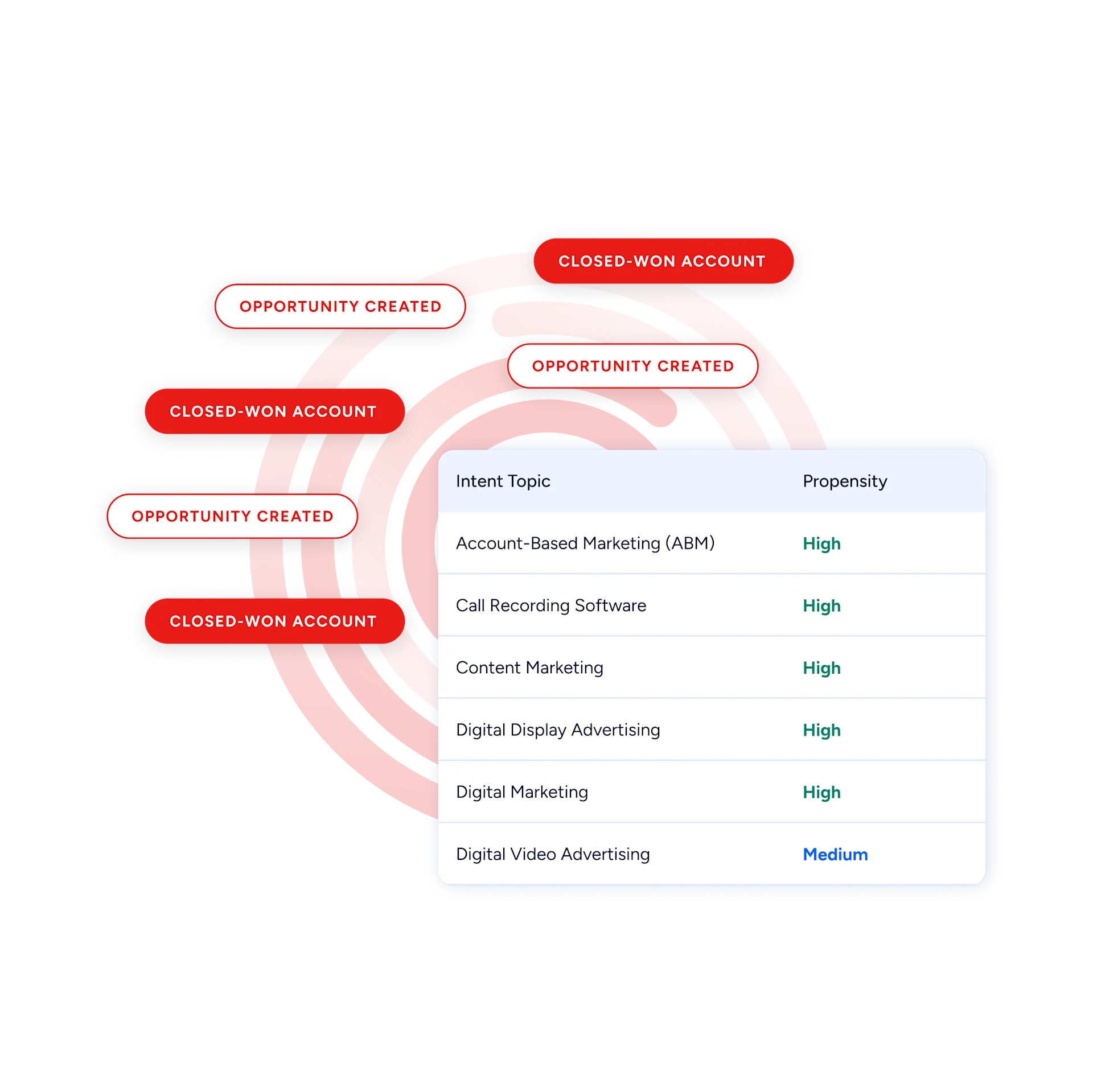
Guided Intent, exclusive to ZoomInfo, identifies the topics historically correlated with deal success rather than requiring manual topic selection.
WebSights resolves anonymous website traffic to companies, with Automatic Traffic Filtering that separates real visitors from bots.
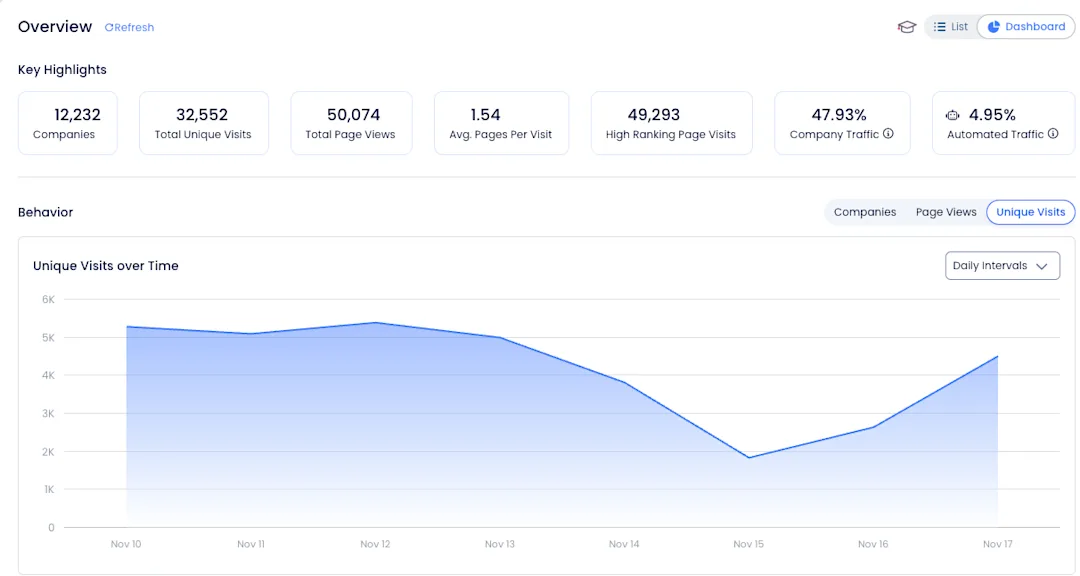
ZoomInfo Marketing extends this to contact-level site visitor identification, identifying the specific person visiting your site and triggering personalized outreach. Where Acuity has zero visibility into pre-booking website traffic, ZoomInfo turns anonymous visits into qualified opportunities.
GTM Workspace and GTM Studio: From identified prospect to booked client
GTM Workspace is ZoomInfo's seller interface, built on the GTM Context Graph. It provides a complete Book of Business view across CRM, ZoomInfo data, and market intelligence, with AI agents that automate account research, outreach drafting, CRM updates, and signal monitoring. An Action Feed streams in-market buyers matched to target criteria with pre-drafted actions on every signal.
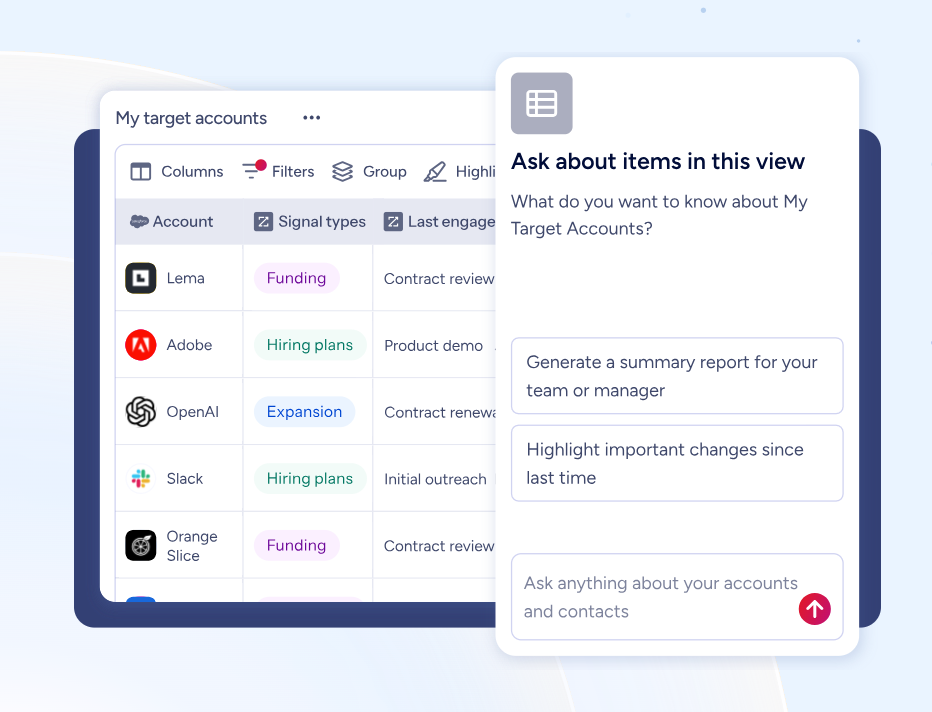
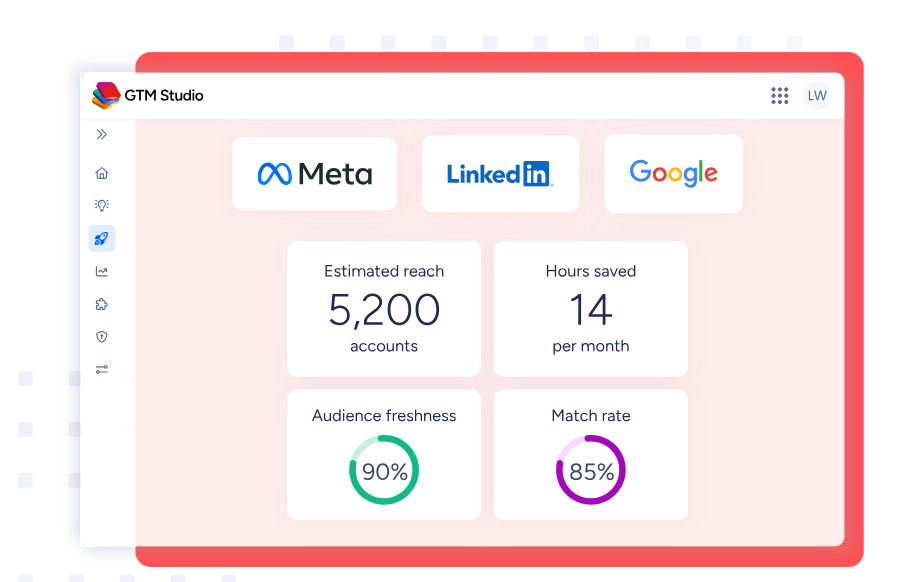
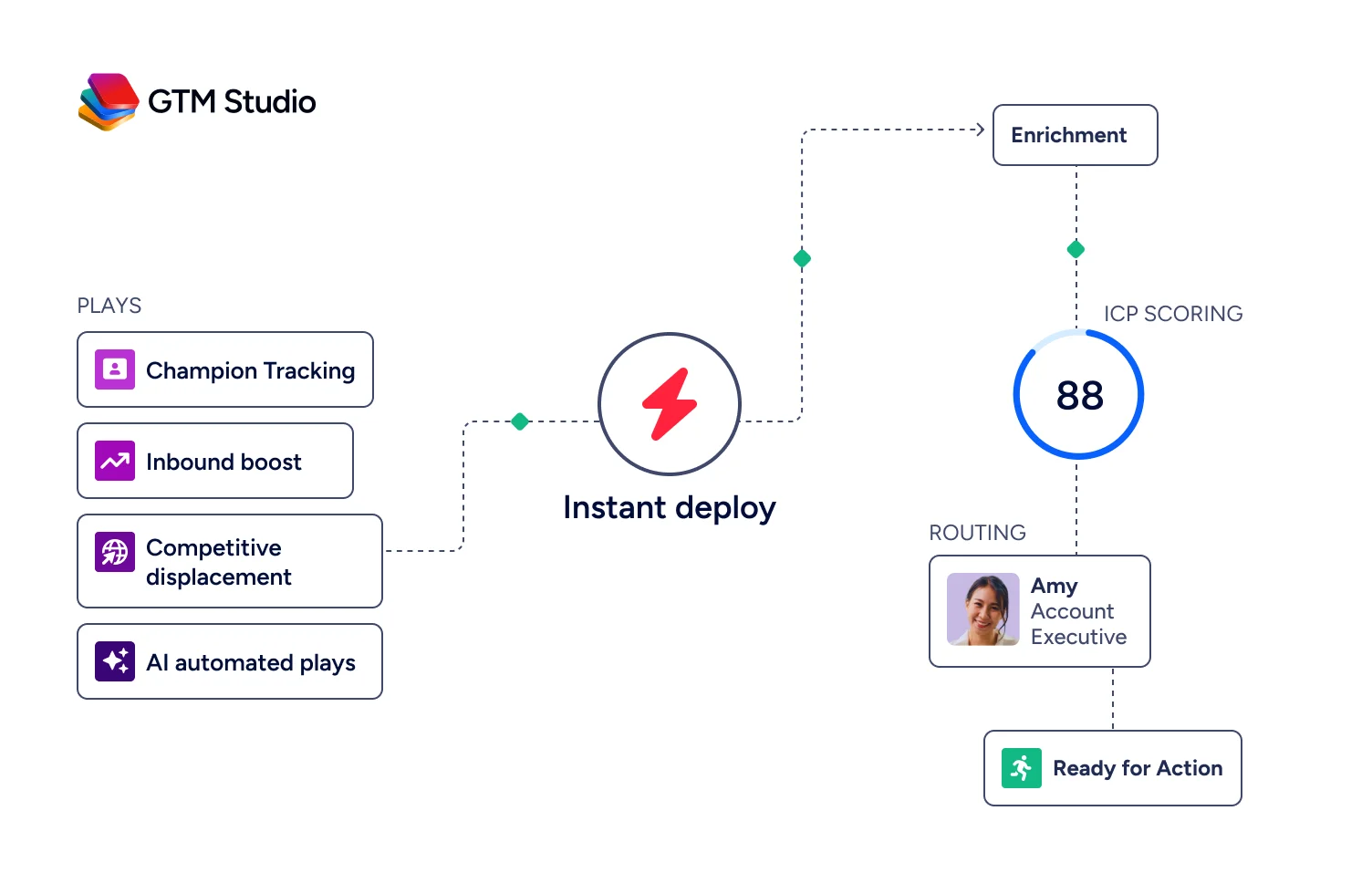
GTM Studio addresses the marketing automation gap directly. Marketers and RevOps teams can build audiences using natural language, enrich with first- and third-party data, define triggers, and activate plays across channels without engineering support.
Pre-built GTM plays cover inbound acceleration, champion tracking, competitive displacement, and ICP targeting. Expansion plays that used to take 3 weeks now launch in 30 minutes.
ZoomInfo's Free Entry Points: Start before committing
ZoomInfo Lite is a permanent free tier with access to ZoomInfo's B2B database, 10 monthly export credits, individual and company searches, a Chrome extension, and WebSights Lite with up to 10 website visitor reveals per day. A separate 7-day free trial provides broader access with no credit card required.
Seismic's sales team attributed 39% of active pipeline to opportunities identified or influenced by ZoomInfo signals, boosted productivity by 54%, and saved 11.5 hours per week per seller. (Seismic Case Study)
Final Summary
Acuity Scheduling covers the appointment lifecycle: branded self-scheduling pages, per-service availability controls with gap minimization and "Look Busy," a dual-channel reminder system backed by deposits and cancellation policies that has reduced no-shows for 75% of its users, built-in payments and POS through three processors, packages, subscriptions, gift certificates, class scheduling with resource management, and multi-staff calendars scaling to enterprise. It handles what happens from the moment a client decides to book through the appointment and payment, with 15 million appointments per month proving the workflow.
It does not cover the step before that: finding clients, reaching decision-makers, identifying who is in-market, or running outbound campaigns.
If your bottleneck is upstream of the booking page (knowing which companies need your services, reaching the right person, and generating demand before anyone clicks "Schedule"), that is the ground ZoomInfo covers. Its 500M-contact, 100M-company database supplies verified emails and direct dials for targeted outreach. ZoomInfo Intent surfaces companies researching your category from 6 trillion+ keyword-to-device pairings monthly. GTM Workspace puts AI-drafted outreach and prioritized accounts into a single workspace. And GTM Studio gives marketing teams multi-channel orchestration to drive demand directly to your booking page.
Start with ZoomInfo Lite for free, or request a demo to see how verified contacts and intent signals fit into your outreach.
FAQ
Does Acuity Scheduling include SMS reminders on all plans?
No. Email reminders are available on all plans, but SMS text message reminders require the Standard plan ($27/month annual) or above. Starter-tier users are limited to email-only reminders, which reduces the no-show prevention stack for the most price-sensitive buyers.
Can Acuity Scheduling handle HIPAA compliance?
Yes, but only on higher tiers. A Business Associate Agreement (BAA) for HIPAA compliance is available on the Premium plan ($49/month annual) and Enterprise. Starter and Standard plans do not offer a BAA and should not be used for protected health information. For solo healthcare practitioners who need compliance but only one or two calendars, the Premium plan's price may not match their scale.
Which plan includes API access?
API access is restricted to the Premium plan and Enterprise. Starter and Standard plans do not include API access. The API supports appointment creation, availability browsing, and full CRUD operations, with official SDKs for Node.js and PHP. Enterprise includes additional API capabilities beyond the standard set.
Does Acuity Scheduling work outside the United States?
The core scheduling, payment, and reminder features work globally. Calendar sync, online payments through Stripe/Square/PayPal, and SMS reminders are available worldwide. Two features are U.S.-only: the Point of Sale (Tap to Pay and card readers) and the Airbnb Services marketplace integration. Enterprise data is hosted on AWS in the United States; no separate EU data residency option is documented.
Can you use Acuity Scheduling without a Squarespace website?
Yes. Acuity operates as a standalone product with its own branded booking page shareable as a direct link. It can be embedded on any website (WordPress, Wix, Shopify, GoDaddy) with a two-line iframe snippet. The Squarespace integration helps businesses already on that platform, but it is not a requirement.
What is the "Look Busy" feature?
"Look Busy" hides a portion of open availability from clients, creating the appearance of higher demand. A practitioner with a mostly empty schedule can show only a few open slots rather than revealing wide-open days. This is uncommon among scheduling platforms and particularly useful for new businesses building their client base.
Does Acuity Scheduling have a free plan?
No. Acuity offers a 7-day free trial with no credit card required, but there is no permanently free plan. Paid plans start at $16/month (annual) for the Starter tier. ZoomInfo, by contrast, offers ZoomInfo Lite as a permanent free tier for businesses that need B2B prospecting data, with 10 monthly export credits, contact and company search, a Chrome extension, and WebSights Lite for website visitor identification.
Can Acuity Scheduling help find new clients or generate leads?
No. Acuity manages the appointment workflow for clients who have already found you, but it includes no prospecting, lead generation, or outbound campaign tools. It has no contact database, buyer intent signals, or marketing automation capabilities. For B2B service providers who need to find and reach new clients proactively, ZoomInfo provides a 500M-contact database, buyer intent data showing which companies are researching relevant topics, website visitor identification, and GTM Studio for multi-channel campaign orchestration.
