
Choosing between Akiflow and Motion for your daily workflow comes down to five questions:
Do you want to decide when to work on each task, or let AI schedule your day?
Do you need team project management with dependencies and capacity planning, or just personal productivity tools?
How many existing tools (Slack, Asana, Notion, Gmail) does your productivity platform need to pull from?
Is direct control over your calendar more important than having software optimize it?
Beyond organizing your schedule, do you need intelligence about which prospects to engage and when they're ready to buy?
In short, here's what we recommend:
Akiflow is built for individuals who want full control over their schedule. Its time-blocking approach lets you pull tasks from over 3,000 connected tools into a single inbox, then drag each one onto your calendar where it fits. A keyboard-first command bar, structured daily and weekly planning rituals, and an AI assistant called Aki make capturing and scheduling tasks fast. Akiflow earns a 4.8/5 on G2 and a 4.7/5 on Capterra, with reviewers praising its integration breadth and time-blocking depth. The trade-off: it's a personal planning tool with few team features, its mobile app lags the desktop, and at $34/month (or $19/month billed annually) with no free plan, the price is steep for an individual tool.
Motion takes the opposite approach: it schedules your day for you. Its AI engine evaluates every task's deadline, priority, duration, and dependencies across your team, then places each one on the calendar automatically, re-optimizing hundreds of times a day as meetings shift or new work arrives. For teams, Motion adds project management with AI Gantt charts, capacity planning, and booking links that replace standalone scheduling tools. The trade-off: you give up manual control, the mobile experience has acknowledged gaps, and there's no free plan.
Both platforms help you organize your time. But for sales and GTM teams, a well-organized schedule built around the wrong priorities produces nothing. The harder question isn't when to do the work. It's knowing which accounts deserve your attention right now.
ZoomInfo is a B2B intelligence and GTM platform that provides what neither productivity tool offers. With 500M contacts, 100M companies, 135M+ verified phone numbers, and 200M+ verified business emails, ZoomInfo tells sales teams who to contact. Its buyer intent data surfaces which accounts are actively researching solutions. And GTM Workspace drafts personalized outreach based on the full context of each account: what the buyer said on the last call, what signals they triggered, and what patterns predict a deal will move. For sales professionals comparing Akiflow and Motion, ZoomInfo isn't a replacement. It's the intelligence feed that makes either productivity tool worth using.
If knowing which accounts to prioritize and what to say to them sounds like the missing piece in your workflow, see how ZoomInfo works.
Akiflow vs. Motion at a glance
Akiflow | Motion | ZoomInfo | |
|---|---|---|---|
Core approach | Manual time-blocking planner | AI auto-scheduling engine | B2B intelligence and GTM execution |
Primary use case | Personal daily planning | Team project and task management | Sales prospecting and pipeline generation |
AI philosophy | AI assists, user decides | AI schedules, user approves | AI identifies targets and drafts outreach |
Calendar integration | Google Calendar, Outlook (two-way sync) | Google, Outlook, iCloud (auto-scheduling) | Integrates with CRM and sales tools |
Project management | None | Full (Gantt, dependencies, capacity planning) | GTM plays and workflows via GTM Studio |
Native integrations | Asana, ClickUp, Notion, Todoist, Linear, Jira, GitHub, Slack, Gmail, Microsoft To Do, Trello | Google Calendar, Outlook, iCloud, Zoom, Google Meet, Teams, Slack, HubSpot, Salesforce | 120+ marketplace partners including Salesforce, HubSpot, Snowflake |
Meeting tools | AI Meeting Assistant (transcription, action items) | AI Notetaker + booking links | Chorus conversation intelligence |
Team features | Minimal | Full (capacity planning, dashboards, permissions) | Full (GTM Workspace, GTM Studio, API/MCP) |
Security | Privacy policy, DPA on request | SOC 2 Type 2, GDPR | ISO 27001, ISO 27701, SOC 2 Type 2, GDPR/CCPA |
Free plan | No (7-day trial, no card required) | No (trial, $1 card hold) | ZoomInfo Lite (permanent free tier) |
Starting price | $19/month (annual) | $19/seat/month (annual) | Custom-quoted, consumption-based |
Best for | Individual power users who want full schedule control | Teams that want AI to handle scheduling and project management | Sales and GTM teams that need prospect intelligence and outreach |
Manual planning vs. AI autopilot
The core difference between Akiflow and Motion isn't features. It's philosophy.
Akiflow believes you should design your day.
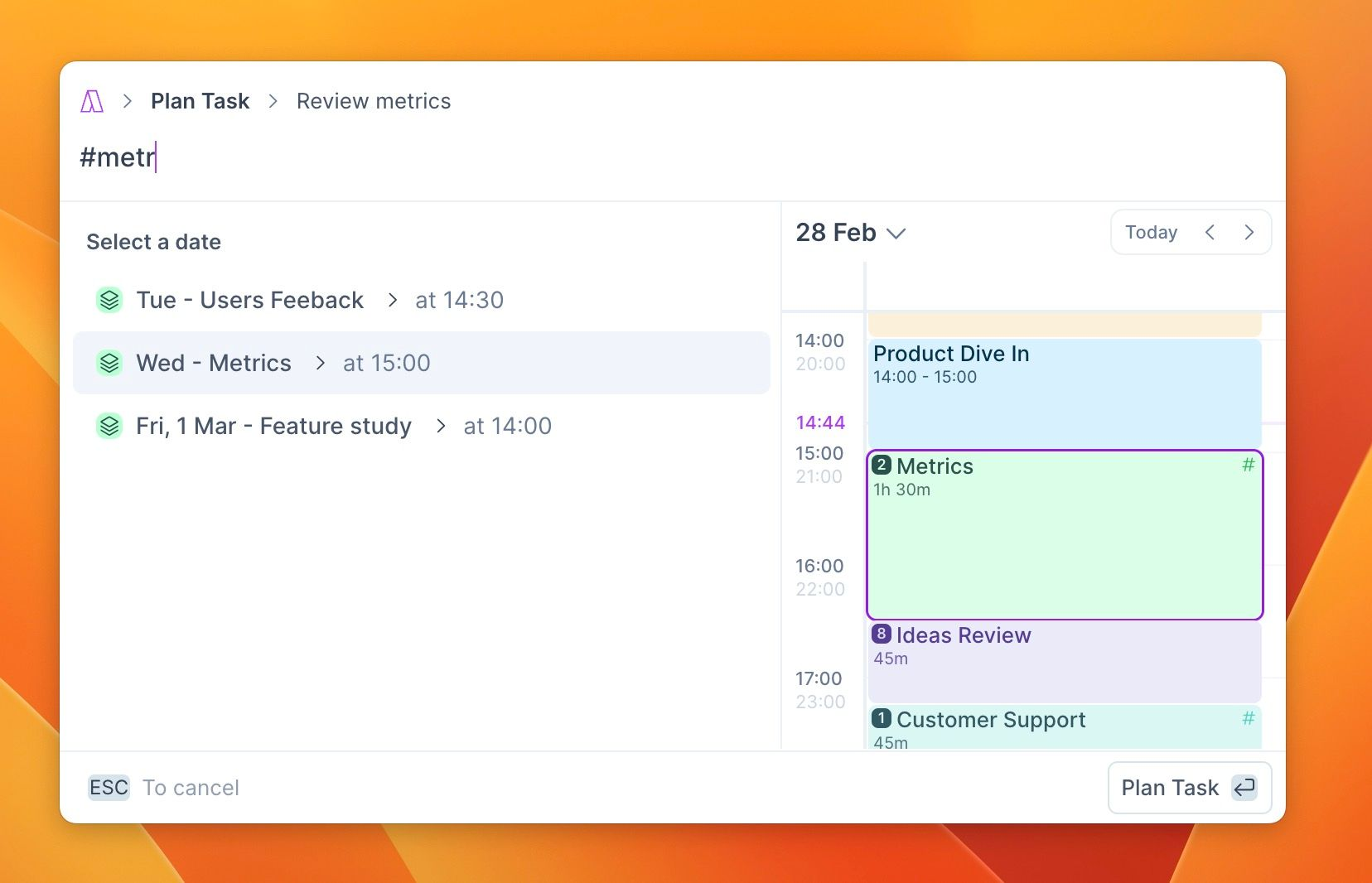
The product is built around The Method, a structured time-blocking framework where you capture tasks, process your inbox, plan your week, then execute by dragging tasks onto calendar time blocks. Time Slots let you create recurring containers on your calendar ("Deep Work," "Admin," "Marketing"), then fill them with specific tasks each day. A Schedule Optimizer can reflow tasks after a conflict, but only when you click the button. You are the scheduler. The tool gives you speed and structure.
Source: Akiflow
Motion believes you shouldn't have to design your day at all.
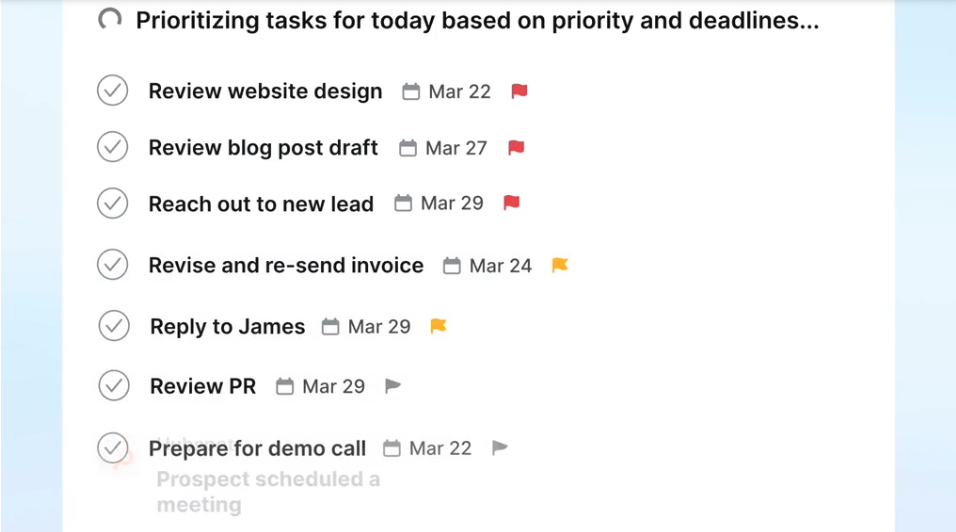
The AI engine scans open time blocks and places tasks by deadline and importance, splitting long tasks into chunks when needed and respecting working hours and calendar events. When a meeting runs long or a new task arrives, Motion reshuffles the day in seconds. If a task can't fit within the scheduling window, it flags a "Can't Fit" alert rather than dropping it silently. You set deadlines and priorities. The AI handles placement.
Source: Motion
The choice maps to how you think about control.
If you treat daily planning as a thinking exercise (a morning ritual where you decide what matters and commit time to it), Akiflow gives you the tools without getting in the way. Akiflow's daily planning ritual codifies this: review yesterday, check your inbox, decide what to focus on, defer the rest. Five minutes of deliberate scheduling.
If you'd rather spend those five minutes on actual work, Motion schedules for you. The system sometimes places a task in a slot you wouldn't have chosen, but it also catches overcommitments before they happen and warns days, weeks, or months in advance when a deadline is at risk.
Integration breadth shapes the daily experience
How tasks enter your system matters. If you use six tools and your productivity platform only connects to two, you're back to manual copying.
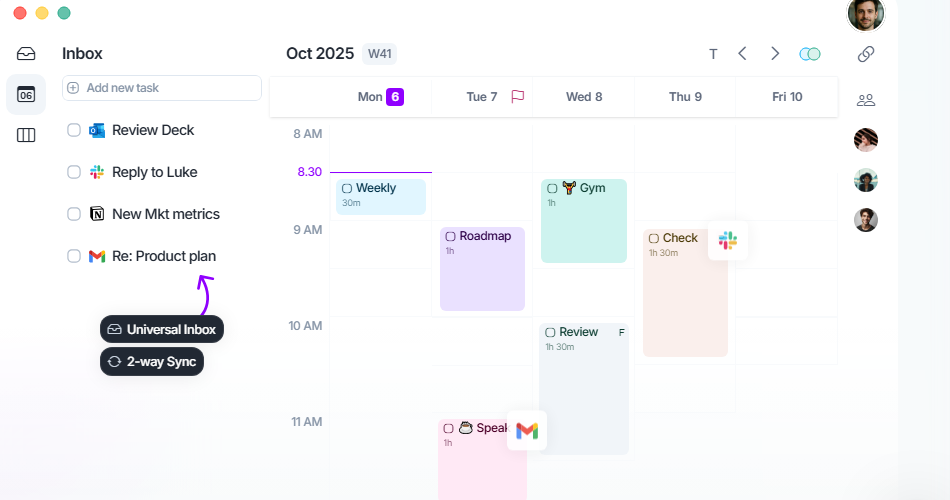
Akiflow's standout feature is its Universal Inbox.
It pulls tasks from Asana, ClickUp, Linear, Notion, Todoist, Gmail, Slack, Jira, GitHub, Microsoft To Do, Trello, and more, plus 3,000+ additional tools via Zapier and IFTTT. A Slack message becomes a task. A Gmail thread becomes a task. A Linear issue shows up in the same inbox as a Todoist item. The Command Bar captures tasks from anywhere on the desktop with ALT/OPTION + SPACE, and Aki accepts task creation via WhatsApp, voice, email forwarding, and Siri.
Source: Akiflow
That said, some integrations aren't fully bidirectional. G2 reviewers note that "some of the third-party integrations can act wonky sometimes," and a Capterra reviewer flagged that "the sync with Notion is limited."
Motion takes a different approach.
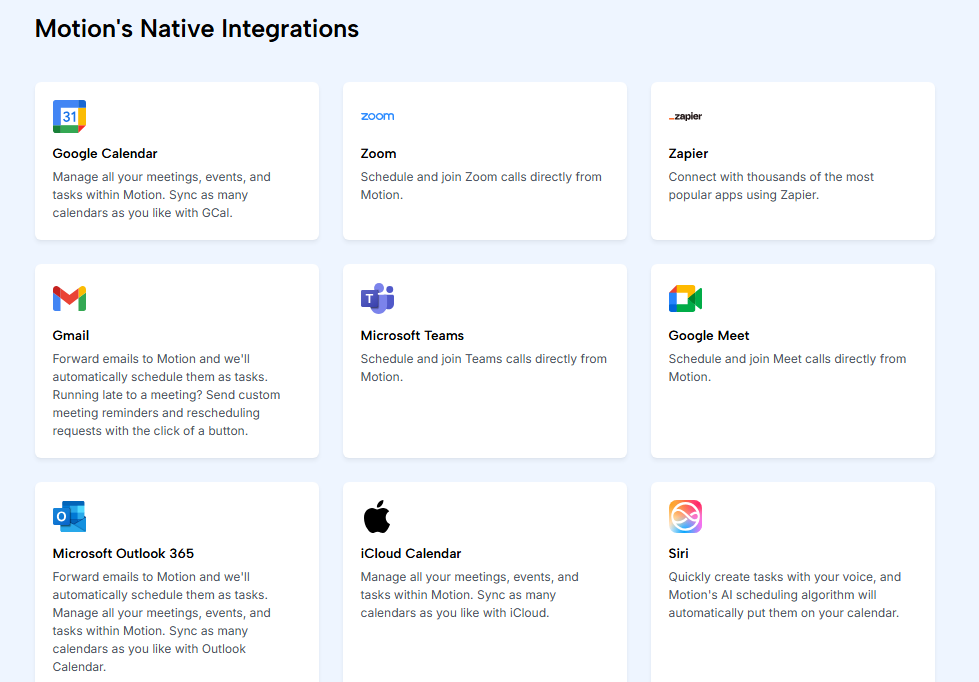
Rather than connecting to dozens of external task tools, it builds most functionality in-house: its own task manager, project manager, docs, meeting notetaker, and booking links. Native integrations cover Google Calendar, Outlook, iCloud, Zoom, Google Meet, Teams, Gmail, Slack, HubSpot, and Salesforce, with Zapier as the only documented connector. Motion's integrations FAQ states there are no current plans for native integrations with Notion, ClickUp, or Google Sheets.
Source: Motion
If you already live in multiple project management tools and need them all feeding into one view, Akiflow is stronger. If you want one platform to replace most of those tools, Motion's consolidation approach may eliminate the integration question altogether.
Motion leads in team project management
This is where the comparison stops being close.
Motion's AI Project Manager handles project planning, task assignment, dependency tracking, and automatic status progression.
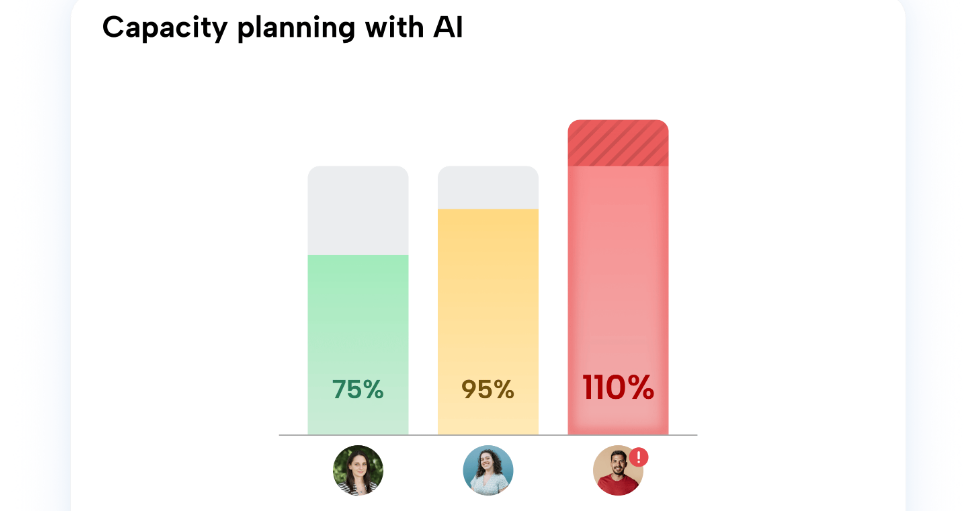
When a blocking task completes, downstream tasks unlock and get assigned automatically, with nothing stuck waiting for a human to advance it. The AI Gantt Chart provides a live timeline view that updates in real time. Capacity Planning shows per-person workload across a 7-to-90-day window, and the AI Workflows Builder converts standard operating procedures into structured project templates. Motion reports that projects finish 32% faster on average.
For managers, Motion also provides AI Dashboards with charts, capacity alerts, and ETA predictions (available on the Business AI plan at $29/seat/month).
Source: Motion
Akiflow doesn't compete here.
It's a personal planning layer, not a project management platform. There is no task assignment, no dependencies, no Gantt view, no capacity planning. A Teams plan exists (contact sales for pricing) with collaborator features like availability sharing and timezone scheduling, but Akiflow has not built shared task assignment or project-level views.
If you're evaluating these tools for a team running client projects with dependencies and delivery timelines, Motion is the only option. If you're an individual contributor who wants to plan your own day without anyone else's workflow getting in the way, Akiflow's personal focus is a feature, not a limitation.
Productivity tools organize work, they don't identify it
Both Akiflow and Motion assume you already know what to work on. They help you schedule it, time-block it, and protect deep-work hours for it. For designers, developers, and project managers, that's the right problem to solve.
But for sales teams, the critical decision happens before scheduling.
Which of the 500 accounts in your territory are worth calling this week? Which prospects just started researching your category? Which deal has a new stakeholder who needs to be mapped? A time-blocked day spent calling cold accounts produces nothing. A loosely organized day spent on the right accounts at the right time produces pipeline.
Neither Akiflow nor Motion answers these questions. They organize execution. They don't touch intelligence.
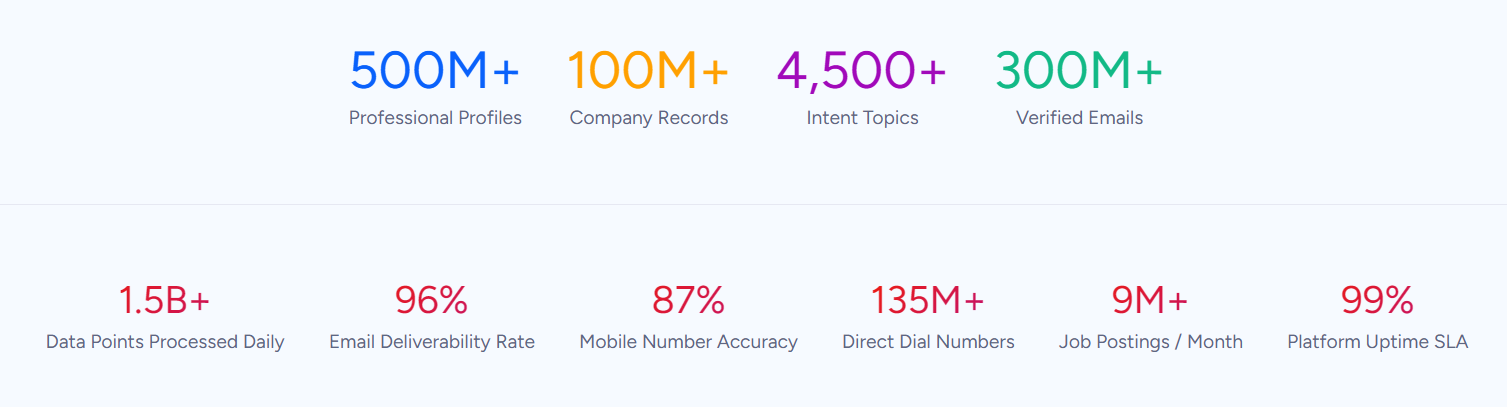
ZoomInfo fills this gap with a B2B data platform covering 500M contacts, 100M companies, 135M+ verified phone numbers, and 200M+ verified business emails. Buyer intent data tracks signals from 210 million IP-to-Organization pairings to surface which accounts are actively researching solutions. WebSights identifies which companies visit your website, resolving anonymous traffic to real buyers.
Source: ZoomInfo
For sellers, GTM Workspace brings this intelligence to the point of action: a single view of prioritized accounts, AI-drafted outreach, and buying signals. Instead of opening ZoomInfo in one tab, a CRM in another, and Akiflow or Motion in a third, GTM Workspace puts intelligence and execution in one place.
For marketers and RevOps, GTM Studio lets teams define audiences in plain language and launch multi-channel plays without engineering support. For teams building beyond ZoomInfo's own products, APIs and MCP push the same intelligence into any custom agent or third-party platform.
For sales professionals choosing between Akiflow and Motion, ZoomInfo doesn't replace either tool. It answers the question that comes first: where should your effort go today?
Seismic's sales team boosted productivity by 54%, saved 11.5 hours per week, and attributed 39% of active pipeline to opportunities identified or influenced by ZoomInfo signals. (Seismic)
AI features take different paths
All three platforms use AI, but for different purposes.
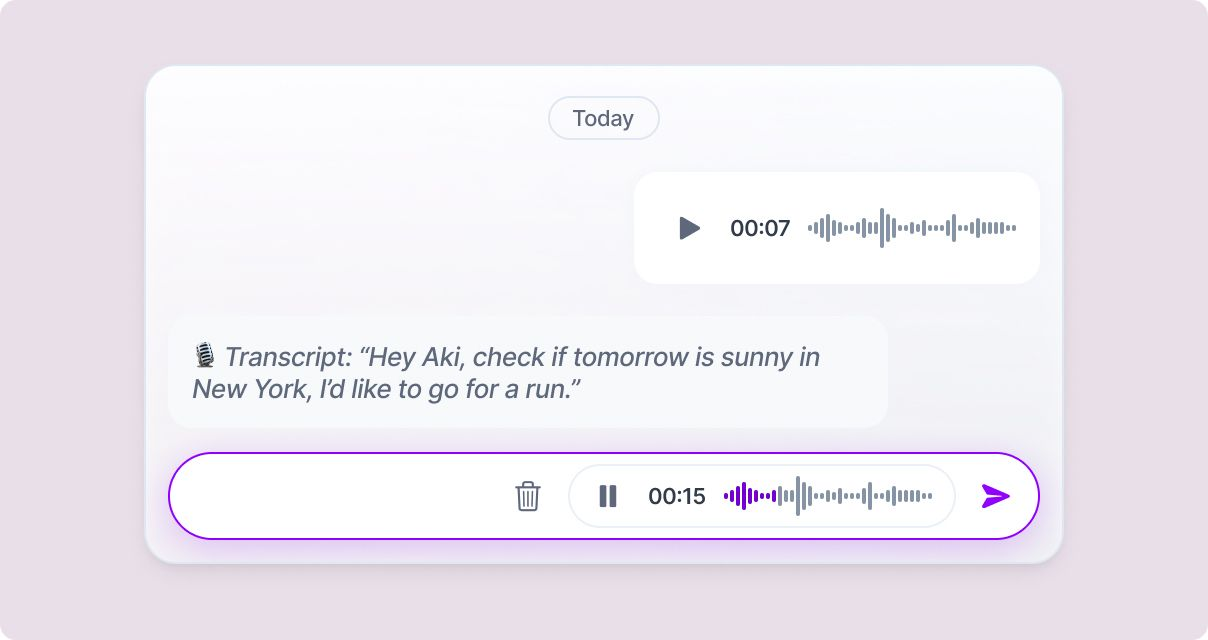
Akiflow's Aki is a conversational assistant that creates tasks, schedules events, and answers questions about your day. You can reach it via in-app chat, WhatsApp, voice, email forwarding, and Siri.
AI Workflows turn recurring prompts into scheduled automations (a daily schedule briefing, an overdue task review) that run without manual triggering. The Meeting Assistant records and transcribes calls on Zoom, Google Meet, and Microsoft Teams, then surfaces action items you can convert to tasks with one click. The MCP Connector lets external AI tools like Claude and ChatGPT read and write your Akiflow data directly.
Akiflow's AI is assistive. It helps you work faster but doesn't make scheduling decisions for you.
Source: Akiflow
Motion's AI is autonomous. The auto-scheduling engine runs continuously, placing and re-placing tasks across calendars based on deadlines, priorities, and capacity.
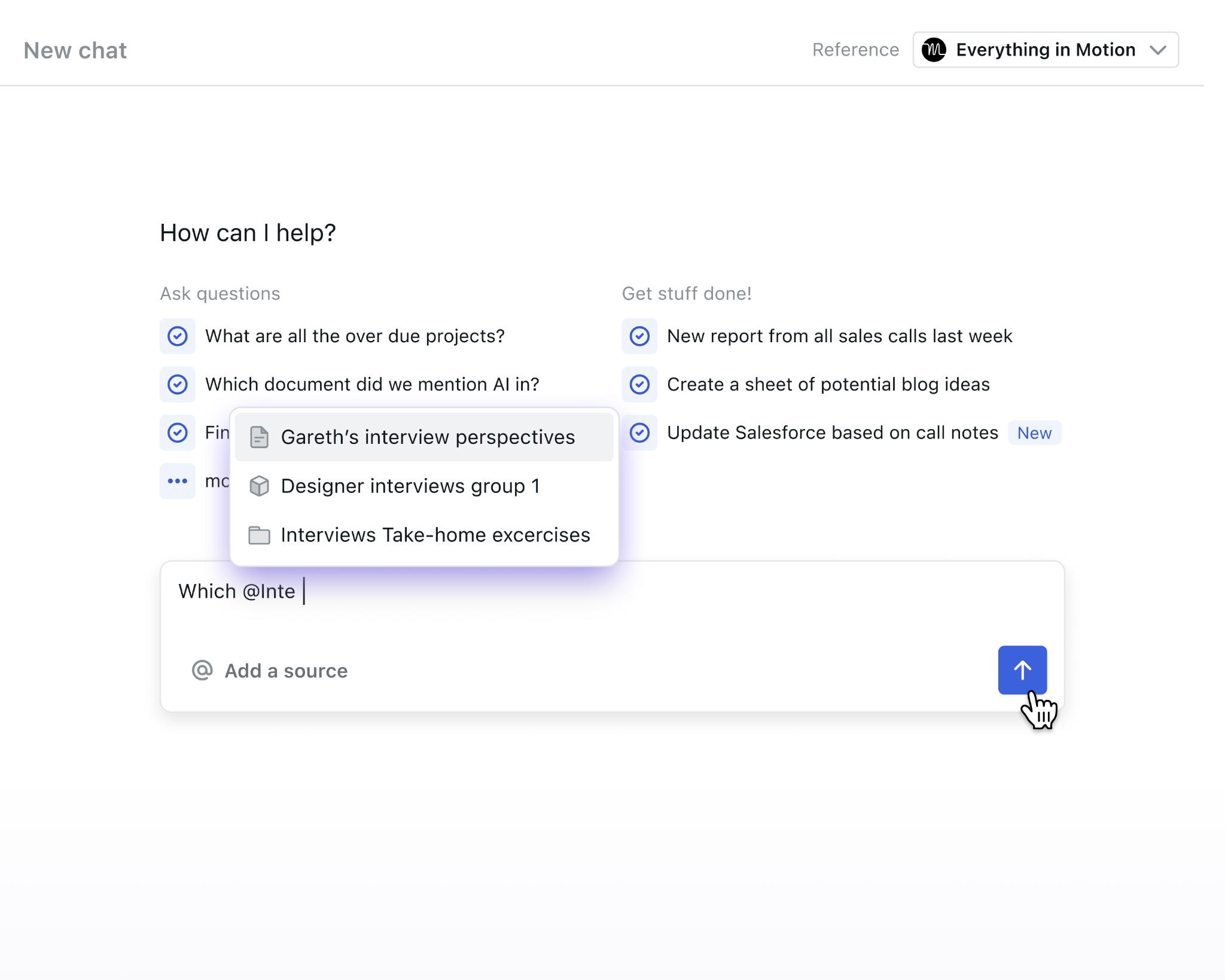
Beyond scheduling, AI Chat answers questions grounded in your workspace data (project status, meeting notes, sheets) and can create tasks, assign owners, and schedule meetings from a single prompt. The AI Meeting Notetaker transcribes calls and converts action items into auto-scheduled tasks, claiming accuracy better than human note-taking 80% of the time. AI Docs Assistant extracts tasks from written documents and schedules them automatically.
Motion also offers AI Employees, named agents for functions like sales development, marketing, and recruiting.
Motion's AI makes decisions. It chooses when you work on what, and it can execute multi-step workflows without asking permission first (though a human-in-the-loop gate exists for key actions).
Source: Motion
ZoomInfo's AI operates on a different axis entirely.
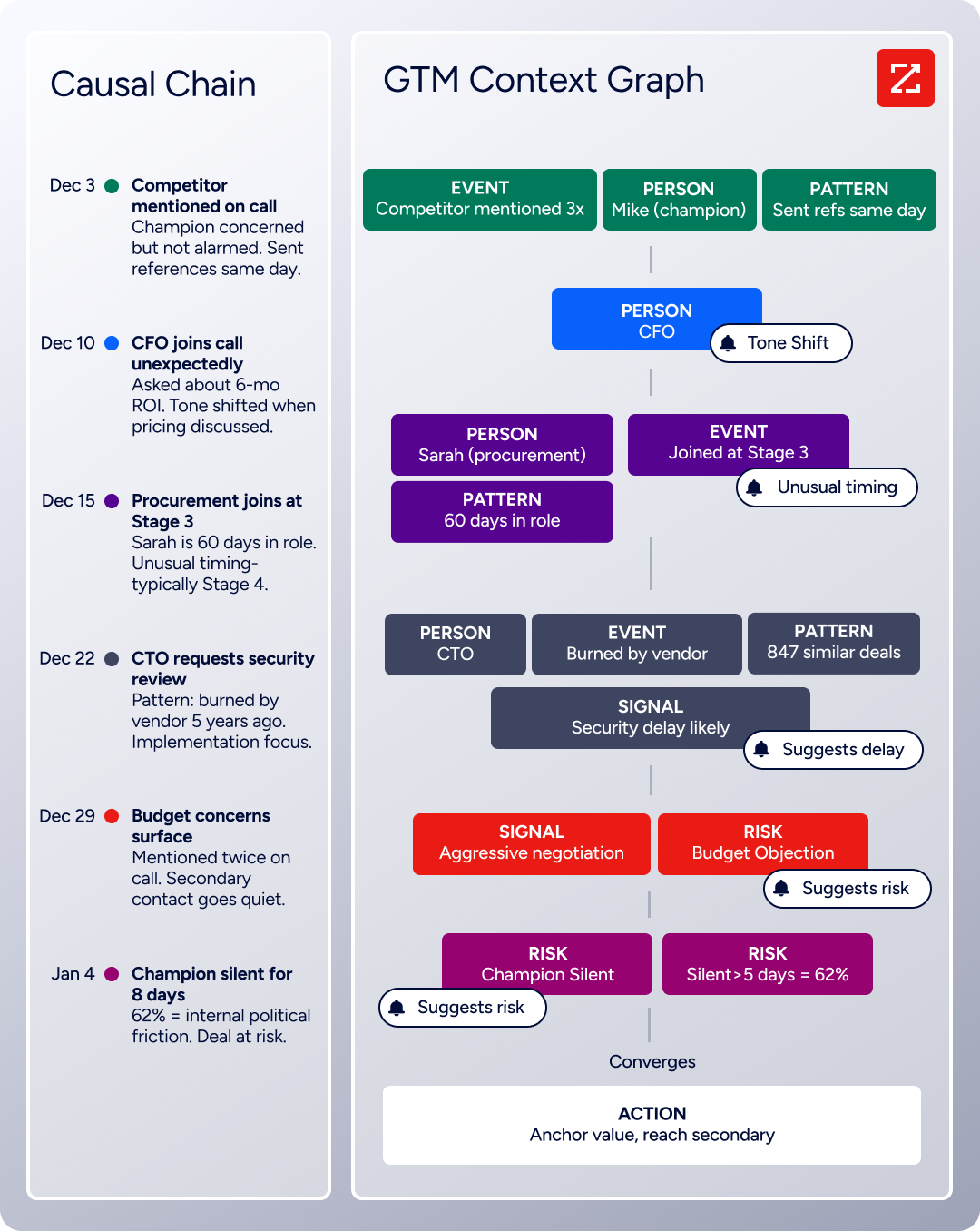
The GTM Context Graph processes 1.5B+ data points daily, combining ZoomInfo's B2B data with CRM records, conversation transcripts, and behavioral signals to capture not just what happened in a deal, but why it happened. GTM Workspace's AI agents research accounts, draft personalized outreach, monitor signals, and update CRM, all powered by intelligence no productivity tool can replicate.
ZoomInfo also offers its own MCP server, meaning AI tools like Claude can access both ZoomInfo data and Akiflow data simultaneously if both MCP connectors are configured.
Source: ZoomInfo
Levanta used ZoomInfo's intent data to prioritize high-value opportunities, with their CEO calling it "a full system of execution" that works the list, writes the outreach, and helps drive predictable growth. (Levanta)
Pricing reflects different models
The three platforms charge for different things.
Akiflow uses flat individual subscription pricing.
$34/month on monthly billing, $19/month on annual billing (a 44% discount). Both plans include the full feature set: Aki AI, Meeting Assistant, MCP, all integrations. A 7-day free trial requires no credit card. Team pricing requires contacting sales. There is no permanent free plan. Users can earn $25 in account credits per referral, capped at $300 total.
Motion charges per seat across two tiers.
Pro AI costs $19/seat/month (annual), or $29/seat/month billed monthly. Business AI costs $29/seat/month (annual), or $49/seat/month monthly, and adds Gantt charts, capacity planning, dashboards, time tracking, and priority support. Both plans include AI credits (7,500/seat on Pro AI, 15,000/seat on Business AI). Overage costs $0.25 per 100 credits on Pro AI and $0.19 per 100 credits on Business AI. A trial requires a $1 card hold. No permanent free plan.
ZoomInfo uses custom-quoted, consumption-based pricing scaled around data access, API consumption, and AI activity. No public dollar amounts.
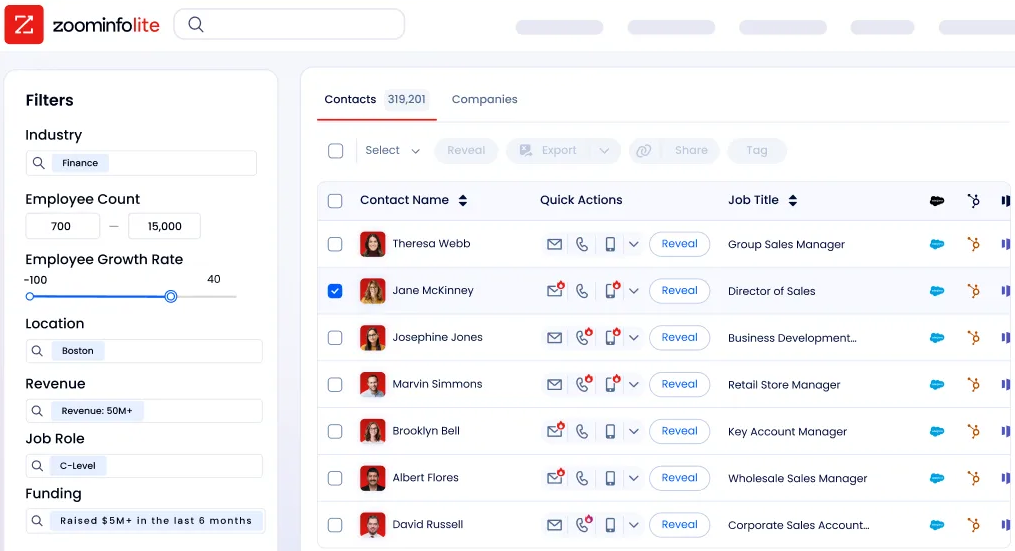
However, ZoomInfo offers what neither Akiflow nor Motion does: a permanent free tier called ZoomInfo Lite with access to 100M+ verified profiles, 10 monthly export credits, basic search filters, and a Chrome extension. No credit card, no time limit. A separate 7-day free trial unlocks more of the platform.
Source: ZoomInfo
Akiflow vs. Motion vs. ZoomInfo: Which should you choose?
The right platform depends on what problem you're solving.
Choose Akiflow if:
You want full control over when you work on what
You use multiple tools (Asana, ClickUp, Notion, Slack, Gmail) and need them all in one inbox
Your planning ritual (daily review, weekly goals, deliberate time blocking) is how you stay productive
You work primarily solo or with minimal team coordination
Keyboard shortcuts and command-bar speed matter to how you work
Choose Motion if:
You'd rather AI schedule your day than do it yourself
You manage team projects with dependencies, deadlines, and capacity constraints
You want to consolidate project management, task management, meeting scheduling, and docs into one platform
Auto-scheduling and deadline risk alerts would reduce your coordination overhead
You need booking links and meeting management without a separate scheduling subscription
Add ZoomInfo if:
You're in sales, marketing, or any GTM role where identifying the right prospects matters
You need verified contact data, direct dials, and business emails for outreach
Buyer intent signals would help you prioritize which accounts to pursue this week
You want AI-drafted outreach grounded in real account context, not generic templates
Your productivity tool organizes the work, but something needs to identify the right work
Start with ZoomInfo Lite for free, or request a demo to see the full platform.
Akiflow and Motion both answer the scheduling problem well. Akiflow gives you the discipline of manual planning. Motion gives you the efficiency of AI automation. For professionals whose challenge is organizing existing work, pick the philosophy that matches how you think.
For sales and GTM teams, the larger question is whether your productivity tool knows where effort should go. ZoomInfo answers that with data, intent signals, and AI-powered execution that neither Akiflow nor Motion was built to provide. The most productive sales rep isn't the one with the best-organized calendar. It's the one whose calendar is organized around the right accounts.
Vensure scaled its prospecting with ZoomInfo's data, with their VP of Revenue Operations noting it "brings time back to our day" and helps reach company goals and acquire clients faster. (Vensure)
Akiflow vs. Motion vs. ZoomInfo FAQ
What is the core difference between Akiflow and Motion?
Akiflow is a personal time-blocking tool where you manually schedule tasks onto your calendar. Motion is an AI auto-scheduling platform that places tasks on your calendar based on deadlines, priorities, and available time. Akiflow gives you control over every scheduling decision. Motion delegates those decisions to its AI engine, which re-optimizes continuously as your day changes.
Which platform is better for teams?
Motion is stronger for teams. It includes project management with AI Gantt charts, task dependencies, automatic status progression, capacity planning, and dashboards. Akiflow is designed for individual productivity. Its Teams plan exists but lacks project management features like shared task assignment and dependency tracking.
How does ZoomInfo relate to Akiflow and Motion?
ZoomInfo is not a productivity or scheduling tool. It's a B2B intelligence platform that provides the data, intent signals, and AI-powered outreach that sales and GTM teams need to identify and engage the right prospects. It complements either Akiflow or Motion by answering the question of who to engage and when they're ready, while the productivity tool handles scheduling the actual work.
Which platform is cheapest for an individual user?
Motion's Pro AI plan on annual billing costs $19/month. Akiflow's annual plan also costs $19/month. Both include full features on their respective base plans, though Motion gates Gantt charts, capacity planning, and dashboards behind the Business AI tier. ZoomInfo Lite is permanently free but serves a different purpose: B2B data access rather than task management.
Do Akiflow or Motion offer a free plan?
Neither offers a permanent free plan. Akiflow provides a 7-day free trial with no credit card required. Motion offers a trial that requires a $1 card hold for verification. ZoomInfo is the only one of the three with a permanent free tier (ZoomInfo Lite), though it serves a different function than task or calendar management.
Which platform has better integrations with other tools?
Akiflow connects to more task and project management tools natively, including Asana, ClickUp, Notion, Todoist, Linear, Jira, GitHub, Slack, Gmail, Microsoft To Do, and Trello, plus 3,000+ apps through Zapier and IFTTT.
Motion has fewer native integrations and has stated no plans for Notion, ClickUp, or Google Sheets support, though it integrates natively with HubSpot, Salesforce, Slack, and major calendar and video conferencing tools. ZoomInfo offers 120+ marketplace integrations focused on CRM, sales engagement, and data platforms.
Can I use Akiflow or Motion alongside ZoomInfo?
Yes. ZoomInfo identifies prospects and provides buyer intelligence, while Akiflow or Motion helps you schedule the outreach and follow-up activities. Both Akiflow and ZoomInfo support MCP (Model Context Protocol), meaning AI tools like Claude can access data from both platforms simultaneously, connecting prospect intelligence with daily scheduling.
Which platform is best for sales professionals specifically?
For organizing sales tasks and follow-ups, Motion's auto-scheduling and CRM integrations (HubSpot, Salesforce) make it the stronger productivity tool for sales teams.
For identifying which accounts to target and generating personalized outreach, ZoomInfo is the standard. Its GTM Workspace combines prospect intelligence, buyer signals, and AI-drafted communication in one place. Many sales teams use a productivity tool alongside ZoomInfo rather than choosing one over the other.
