
Clay has earned real loyalty from RevOps engineers and GTM builders, and for good reason. Its strengths include:
Waterfall enrichment across a marketplace of 200+ data providers
Claygent for custom web research, plus a new global agent that plans and builds plays from a goal
An MCP server for AI assistants and public pricing that shows which provider supplies each data point
It also asks a lot of the teams that use it. Clay reviews point to three recurring trade-offs: credits that are hard to forecast, data quality that depends on which providers a waterfall reaches, and workflows that need a dedicated builder to run.
The right alternative depends on which of those trade-offs you want to remove. ZoomInfo replaces the waterfall with its own verified data and adds AI agents that run whole GTM motions end to end, while lighter tools trade depth for simpler, lower-cost prospecting. Here’s how 11 options compare, based on G2 reviews and vendor documentation as of October 2026.
Clay Alternatives at a Glance
Tool | Best for | Starting price | G2 rating | AI agents or workflows |
ZoomInfo | Verified data, intelligence and AI agents in one platform | Free to start with consumption credits based on usage | 4.5/5 | Yes (Agent Teams and GTM.AI the headless layer for agents) |
Apollo | SMB and mid-market outbound | Free plan, then $49/seat/month (billed annually) | 4.7/5 | Partial (sequences and AI agents) |
Cognism | EMEA-focused, phone-verified mobiles | Quote-based | 4.5/5 | No |
SalesIntel | Human-verified data and signals | Quote-based | 4.3/5 | Partial (signal queue) |
Seamless | Individual reps and SMB lookups | Free plan, then $147/month for Basic (billed annually) | 4.4/5 | No |
UpLead | Accuracy guarantee, no contract | $99/month (billed annually) | 4.7/5 | No |
Lead411 | Trigger-based territory prospecting | 7-day trial, then priced by export volume | 4.5/5 | No |
HubSpot Breeze Intelligence | HubSpot-native CRM enrichment | Included in HubSpot Starter and above | 4.4/5 (Clearbit) | Partial (HubSpot workflows) |
D&B Hoovers | Corporate hierarchies and firmographics | $49/month (Essentials) | 4.1/5 | No |
LeadIQ | LinkedIn-led SDR prospecting | Free plan, then Pro | 4.2/5 | No |
Lusha | Self-serve prospecting | Free plan, then $52.45/month for Pro (billed annually) | 4.3/5 | Partial (Plays) |
How We Evaluated These Clay Alternatives
Clay is an orchestration layer over third-party providers, so the evaluation bar is different from a typical data shootout. We assessed every alternative against seven criteria:
Data ownership. Does the platform own and verify its own dataset, or does it aggregate other vendors’ data? Ownership decides whether data quality stays consistent or depends on whichever provider a waterfall reaches.
Intelligence. Does the platform reason across CRM, conversation and buying signals to explain why an account matters now, or does it only look up records?
AI agents. Can AI sales agents run complete plays from a trigger to an outcome, inside the tools your team already uses?
Workflow fit. Does your team suit a build-it-yourself canvas like Clay’s, or pre-built plays and plain-English sales automation?
Pricing predictability. Is there one consumption unit that’s easy to forecast, or two meters, such as Clay’s data credits and actions, that can compound at volume?
CRM integration. Does the tool sync natively with Salesforce and HubSpot to protect CRM hygiene, or does it need middleware such as Zapier?
Governance. Are SOC 2 Type II, ISO 27001, GDPR support, SSO and admin controls available at your tier?
1. ZoomInfo
G2 rating: 4.5/5
ZoomInfo is an all-in-one AI GTM Platform built on three layers: its own data foundation, GTM Context Graph and Universal Access across every tool your team uses. For teams moving off Clay, the difference starts with the data. ZoomInfo maintains 500M contacts and 100M companies, including 135M+ verified phone numbers, 120M+ direct dials and 200M+ verified business emails, checked by 300+ human researchers with up to 95% accuracy on first-party data. It's why 37 of the top 40 AI companies run their GTM on ZoomInfo.
The GTM Context Graph is the intelligence layer on top. It processes 1.5B+ data points daily and fuses ZoomInfo’s data with your CRM records, conversation intelligence and behavioral signals, so teams see why an account matters now along with who to contact.
Teams use that data and intelligence in three ways. Sellers work in GTM Workspace. RevOps, marketing and GTM engineering teams use GTM Studio, ZoomInfo’s audience-building and data orchestration workspace. Developers and AI agents connect through GTM.AI, ZoomInfo’s API and MCP layer.
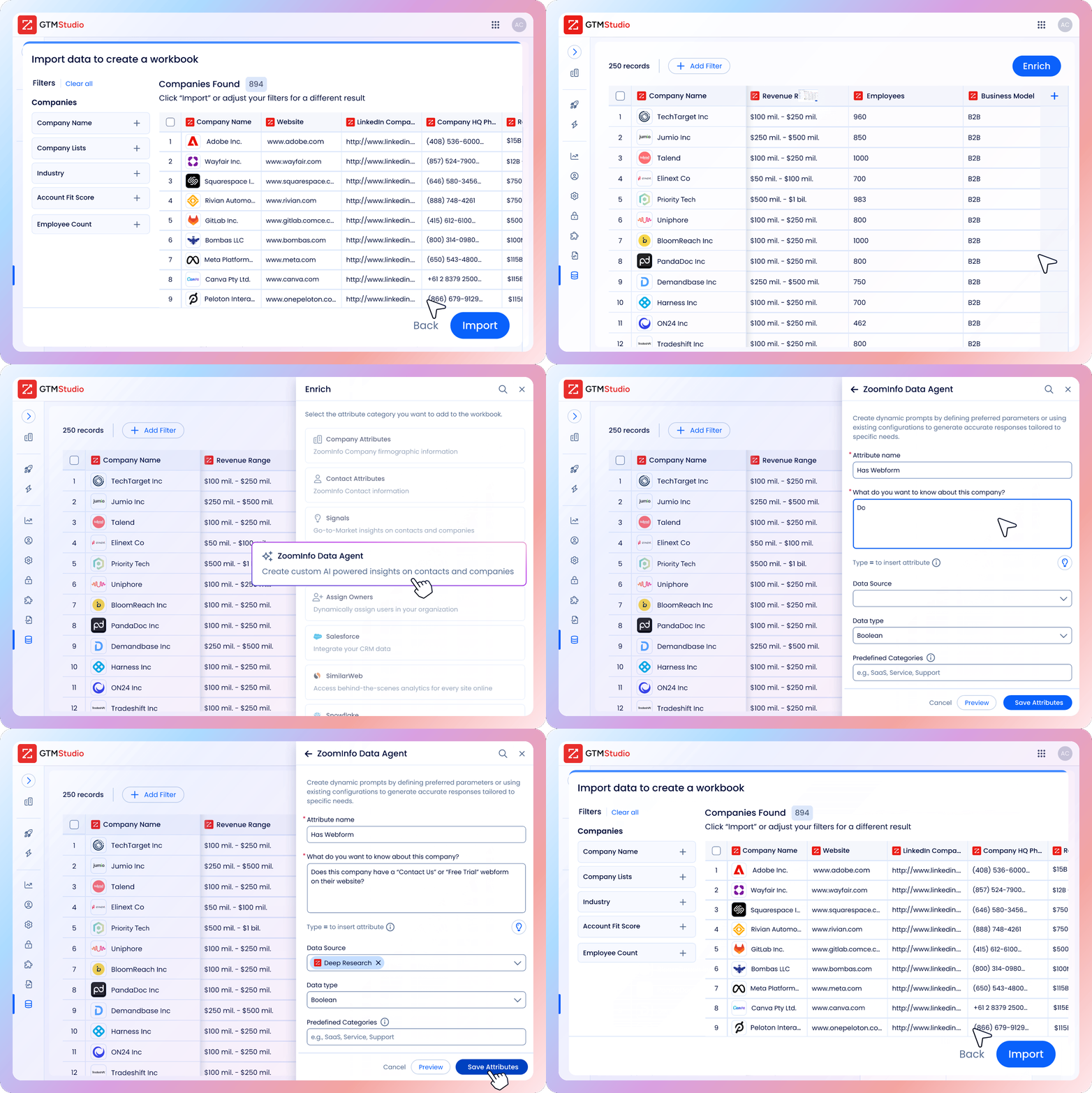
GTM Studio covers the work most teams use Clay for. It runs a pre-built, QA’d waterfall enrichment across 25+ vendors, and its Records Under Management model lets you pay for a record once, then re-enrich it free for up to a year. Teams can layer in buyer intent and technographics, build audiences in plain English and send them to ad platforms, sales engagement tools, CRMs or Snowflake, while CRM data enrichment keeps existing records current.

"ZoomInfo is as much a data company as it is a go-to-market company. And so it just made perfect sense to stick with ZoomInfo for that reason."
Agent Teams: AI agents that run whole GTM motions
ZoomInfo also has Agent Teams inside GTM Studio, available through GTM.AI. Give it an outcome, not a task: describe the play in plain language or code, or start from one of 50+ ready-made agents for plays such as champion activation, inbound lead activation or closed-won lookalikes, and it can be live in a day.
Specialized agents share context across every step, with a supervisor agent checking each one against your rules. Each play works from the account's current state rather than a fixed workflow, so new evidence resumes it instead of starting over, and agents decide the next best action as conditions change. They research accounts, update CRM records, enroll prospects in sequences and brief reps in Slack, working natively in Salesforce, HubSpot, Slack, Gmail, Salesloft and Outreach. Plays start from signals such as job changes, form fills and intent spikes, as well as CRM events, website visits and completed meetings, and every step is written back to the CRM.
Clay’s agent, still in alpha, helps GTM engineers plan and build work inside Clay, and you launch campaigns yourself. Agent Teams runs the finished play for every rep, grounded in ZoomInfo’s context layer for AI agents, and acts directly in the CRM and sales tools.
Key features:
Owned data foundation of 500M contacts and 100M companies, plus waterfall enrichment across 25+ vendors
GTM Context Graph reasoning across CRM, conversation and behavioral data
Agent Teams for whole GTM motions, with 50+ ready-made agents and built-in governance
Built-in buyer intent, technographics, job postings and website visitor signals
Custom AI columns and natural-language audience building in GTM Studio
Activation to ad platforms, CRMs, sales engagement tools, CSV and Snowflake
Pros:
Owns and verifies its primary dataset, so quality doesn’t depend on which provider a waterfall reaches
Agents act inside the CRM and sales tools reps already use, with every step written back to the CRM
One credit per record with free re-enrichment for up to a year makes costs easier to forecast
Native Salesforce, HubSpot and Microsoft Dynamics sync without middleware
SOC 2 controls and ISO 27001 and 27701 certification
Cons:
Consumption credits still need scoping against your team’s real volume
No public per-provider rate card of the kind Clay’s marketplace shows
Plain-English building is less configurable from first principles than Clay’s tables for teams that want to hand-build custom logic
Best for: RevOps, GTM engineering and marketing teams that want verified data, an intelligence layer and AI agents that run whole GTM motions end to end, without stitching together hundreds of providers.
Pricing: Free to start with consumption credits based on usage.
For a side-by-side walkthrough, read our GTM Studio vs. Clay overview or the full Clay vs. ZoomInfo comparison.
2. Apollo
G2 rating: 4.7/5
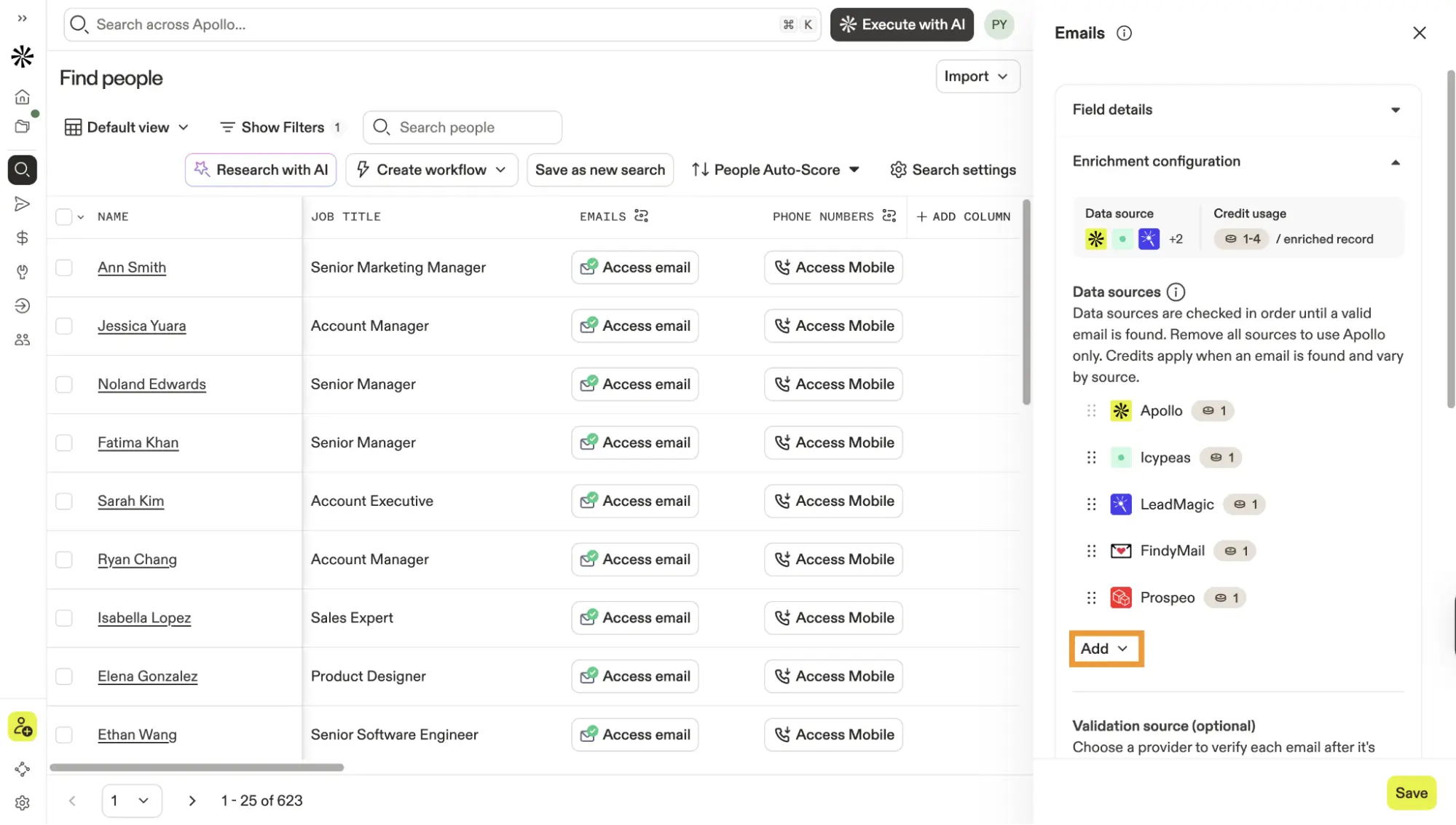
Apollo calls itself an AI GTM system. It lists 240M+ contacts and 30M+ companies, with sales engagement sequencing, a parallel dialer, deal management and waterfall enrichment in one workspace. Its newer AI agents research accounts, prioritize leads and write outreach in the background.
Apollo is a Clay alternative for teams that want owned data and outbound lead generation in one license. One platform can replace a separate prospecting database, outreach tool and dialer, and the free plan makes it easy to start.
Key features:
Database of 240M+ contacts and 30M+ companies with detailed search filters
Email, phone and LinkedIn sequencing
Parallel dialer for high-volume calling
AI agents and an AI assistant for research and outreach
Waterfall enrichment and 200+ integrations, including Salesforce and HubSpot
Pros:
Data, sequencing and dialing bundled in one platform
Permanent free plan
Accessible per-seat pricing for SMB and mid-market teams
Cons:
Per-seat pricing adds up as teams grow, and credits vary by plan
SSO and advanced security sit on higher tiers
No intelligence layer that reasons across CRM, conversation and behavioral data
Best for: Outbound sales teams that want data, multichannel sequencing and a dialer in one platform at SMB to mid-market price points.
Pricing: Free plan available. Basic starts at $49 per seat per month billed annually, with Professional at $79 and Organization at $119 (three-seat minimum), according to our Apollo pricing breakdown.
See how it stacks up in Apollo vs. ZoomInfo and Clay vs. Apollo, or browse more Apollo alternatives.
3. Cognism
G2 rating: 4.5/5
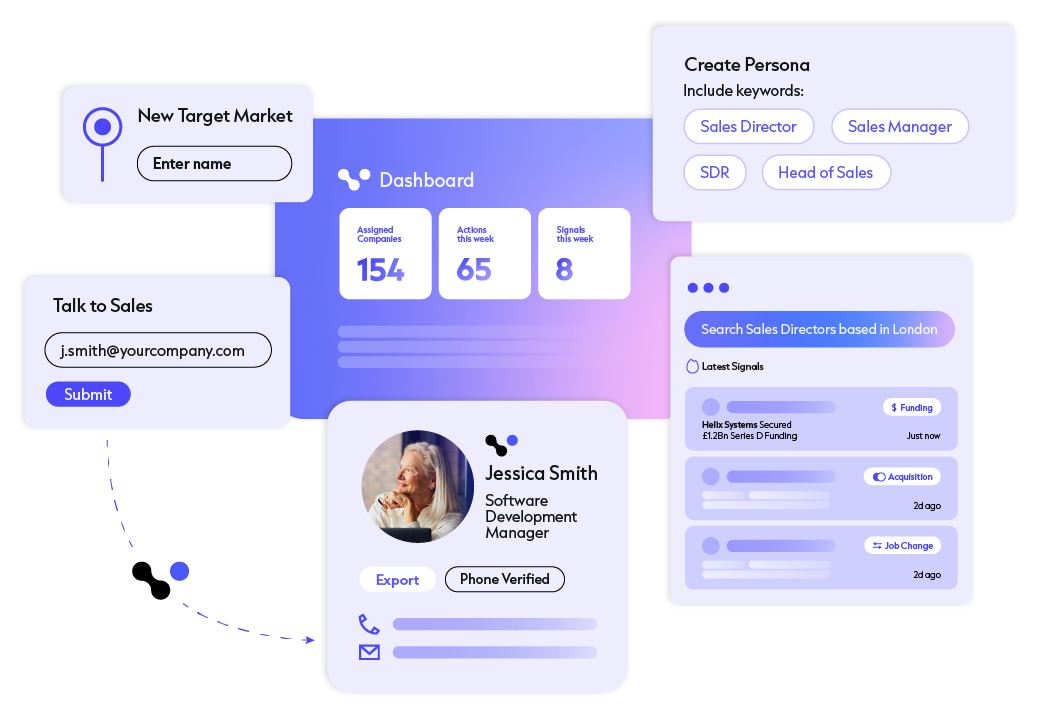
Cognism is a sales data platform built around phone-verified mobile numbers. Its Diamond Data program calls numbers to confirm the right person answers, and Cognism says it has more than 10M phone-verified contacts globally. It also screens data against 16 do-not-call lists worldwide, which helps teams calling into regulated markets.
It’s a Clay competitor for teams that value data ownership over provider flexibility, especially where EMEA coverage matters. Phone verification closes a quality gap that phone number enrichment waterfalls can’t fully address. The Pro plan adds Bombora intent data, and Standard includes AI search and CSV enrichment.
Key features:
Diamond Data phone-verified mobiles, with on-request verification in under 48 hours
Screening against 16 do-not-call lists globally
Bombora intent data on the Pro plan
AI search and CSV enrichment
CRM Enrichment as an add-on or standalone product
Pros:
Phone verification for higher connect rates
Strong compliance focus for EMEA calling
One owned data source to manage
Cons:
Reviewers report thinner coverage outside Europe
No public pricing
No visual workflow canvas comparable to Clay’s
Best for: RevOps and sales teams with strong EU and UK coverage needs that want phone-verified mobiles from one source.
Pricing: Quote-based, with Standard and Pro plans and a CRM Enrichment add-on.
ZoomInfo, our Cognism reviews roundup and the top Cognism alternatives.
4. SalesIntel
G2 rating: 4.3/5
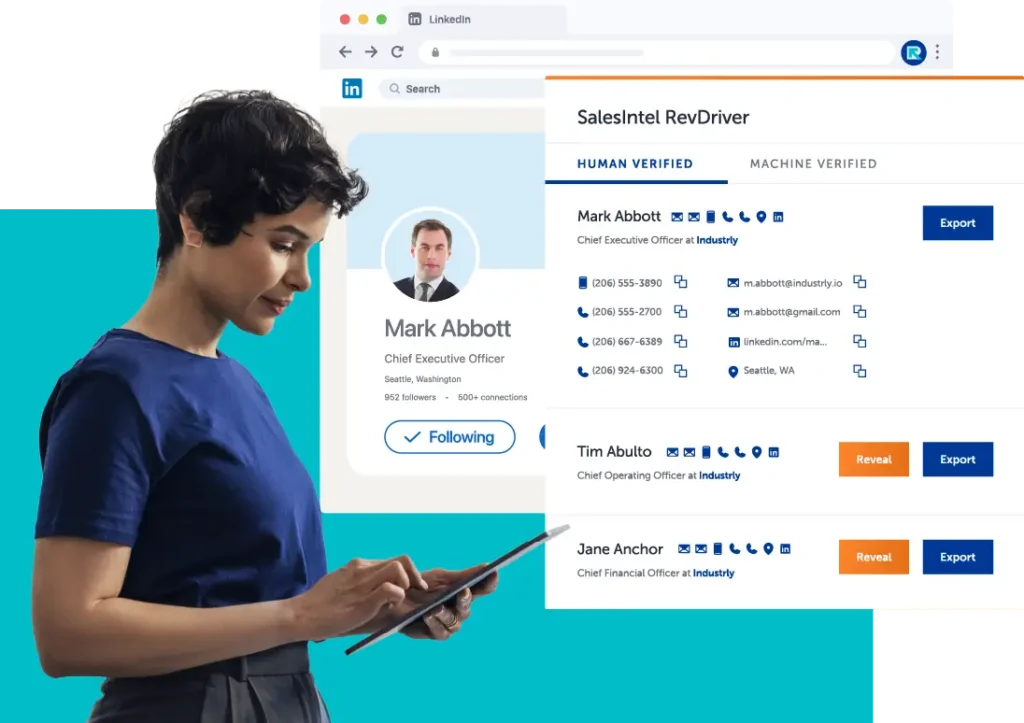
SalesIntel describes itself as a pipeline generation platform for GTM teams. It lists 200M+ verified B2B contacts and 54M+ verified mobile numbers, refreshed on a 90-day cycle by 2,000+ researchers, and it guarantees 95% accuracy on its AI- and human-verified contacts.
Teams moving off Clay usually choose SalesIntel for mobile accuracy without waterfall variability. It also brings 30+ signal categories into one prioritized queue, with add-ons for intent data and VisitorIntel for website visitor tracking, so reps can act on in-market accounts without building signal workflows.
Key features:
200M+ verified contacts and 54M+ verified mobiles
95% accuracy guarantee on AI- and human-verified contacts
90-day re-verification cycle
30+ signal categories in one prioritized queue
Add-ons for intent, AdsIntel, VisitorIntel, FormsIntel and retargeting ads
Pros:
Strong human-verified mobile coverage
Unlimited data and enrichment at a single price
Signals included without custom workflow building
Cons:
No public pricing
Smaller overall dataset than ZoomInfo
No workflow orchestration canvas or AI agents that run plays
Best for: Sales teams that prioritize human-verified contact accuracy and want signals and enrichment at a single price.
Pricing: Quote-based, with one all-inclusive platform price and optional add-ons.
Compare it with more options in our roundup of prospect research tools.
5. Seamless (Formerly Seamless.AI)
G2 rating: 4.4/5
Seamless, formerly Seamless.AI, replaces the waterfall with real-time search. It finds and verifies contact details when you search, and its Chrome extension lets reps pull emails and phone numbers while browsing LinkedIn, company sites or the CRM, then push them into outreach cadences. Seamless says its platform covers 1.7B+ contacts and 150M company profiles, with buyer intent, job changes and enrichment built in.
That speed suits individual sellers doing LinkedIn prospecting, though teams at enterprise scale should test accuracy on their own accounts first.
Key features:
Real-time email and direct-dial search
Chrome extension for prospecting on LinkedIn, CRMs and company pages
List building with role, industry and location filters
Integrations with Salesforce, HubSpot, Salesloft, Outreach and Pipedrive
Pros:
Fast in-context prospecting for individual reps
Free plan for getting started
Large, active G2 review base
Cons:
Limited enterprise governance
Pro and Enterprise pricing isn’t public
Data consistency varies, so test accuracy on your own accounts
Best for: Individual reps and SMB teams that want fast contact lookups from LinkedIn and company websites.
Pricing: Free plan available. Basic is listed at $147 a month billed annually, and Pro and Enterprise are quote-based, per our Seamless.AI pricing guide.
See Seamless.AI vs. ZoomInfo, or browse more Seamless.AI alternatives.
6. UpLead
G2 rating: 4.7/5
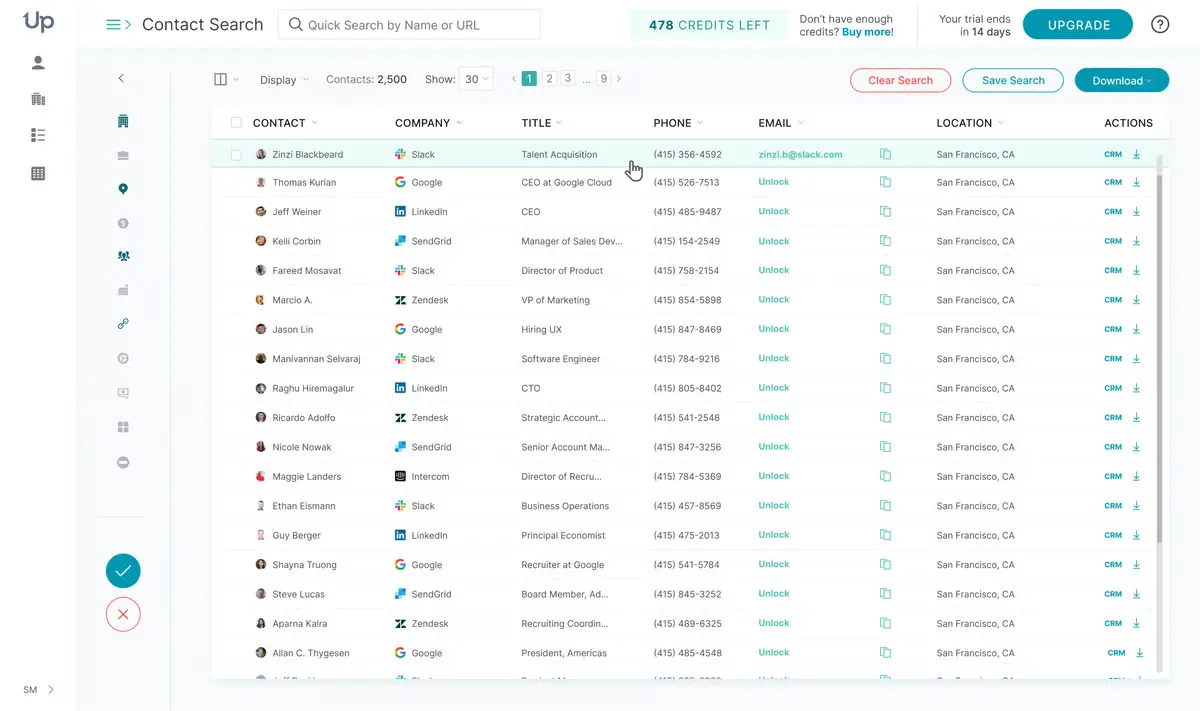
UpLead builds its pitch around accuracy. It offers a 95%+ accuracy guarantee and refunds credits for bounces and poor data, which speaks directly to the credit-burn complaints that push teams to look beyond Clay. Its database covers 200M+ leads, checked as you search.
Users filter by revenue, employee count, firmographic data or intent topics, then push verified contacts to a CRM or outreach tool. It’s a strong fit for teams that mainly need email enrichment with transparent costs.
Key features:
Real-time email verification
Credit refunds for bounces and poor data
Firmographic, technographic and intent filters
Native CRM and outreach integrations
Pros:
95%+ accuracy guarantee
Transparent, published pricing
Monthly plans with no annual contract
Cons:
Smaller dataset than ZoomInfo
No sequencing, workflow orchestration or AI agents
Limited enterprise governance
Best for: SMB and mid-market teams that want transparent pricing, an accuracy guarantee and no long-term contract.
Pricing: Essentials costs $99 a month for 170 credits, Plus costs $199 a month for 400 credits, and Professional is custom-priced with annual billing only. A seven-day free trial includes five credits.
Compare it in our guides to email finder and verification tools and lead intelligence software.
7. Lead411
G2 rating: 4.5/5
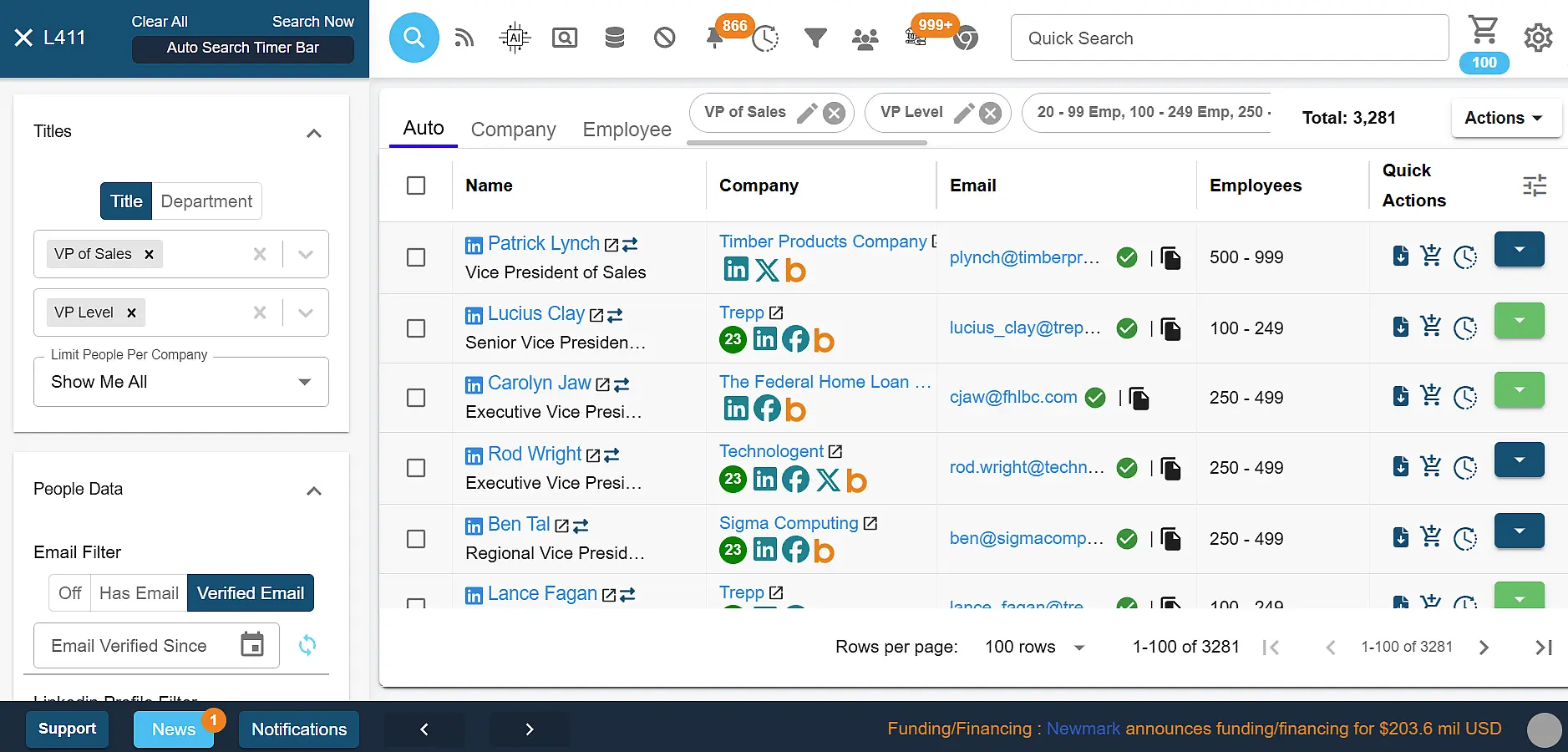
Lead411 competes with Clay on triggers. Custom trigger alerts, company news updates and lead scoring based on funding or hiring come built in, so teams don’t need to build a Clay workflow to replicate them.
It triple-verifies emails with SMTP checks, human review and open validation, and re-verifies them every three to six months. Bombora intent data is available on Pro and Enterprise annual plans, a useful add-on if you’re building out intent data for sales.
Key features:
Custom trigger alerts and company news on followed accounts
Triple-verified emails, re-verified every three to six months
Unlimited email and phone views on Basic Plus
Bombora intent data on annual Pro and Enterprise plans
Pros:
Strong trigger-based prospecting for territory sales
No-commitment monthly plan
Unlimited exports on the top plan
Cons:
Smaller dataset than enterprise platforms
No conversation intelligence, workflow orchestration or AI agents
Intent data requires an annual plan
Best for: SMB sales teams that prospect by territory using funding, hiring and company-news triggers.
Pricing: A seven-day free trial with 50 exports, then plans priced by export volume, from Basic Plus (200 exports a month, no commitment) to Unlimited.
For more options in this category, see our roundup of sales prospecting tools.
8. HubSpot Breeze Intelligence (Formerly Clearbit)
G2 rating: 4.4/5 (Clearbit listing)
HubSpot acquired Clearbit in late 2023 and folded it into its CRM as Breeze Intelligence, HubSpot’s native data enrichment. It fills in contact and company records automatically and shortens forms by hiding fields HubSpot can already complete, so HubSpot-only teams don’t need a separate orchestration layer. Clearbit’s standalone free tools have been retired.
ZoomInfo also works alongside HubSpot, and its data now powers HubSpot’s Breeze Prospecting Agent. Our guide to HubSpot data enrichment covers the options in more depth.
Key features:
Automatic contact and company enrichment inside HubSpot
Form shortening with enriched data
Native use in HubSpot workflows and reports
Contact matching by name and work email, and company matching by domain
Pros:
Deep HubSpot-native integration
No extra vendor contract for HubSpot customers
Enrichment doesn’t use HubSpot Credits
Cons:
Only useful inside HubSpot
Less depth on direct dials and verified mobiles than dedicated platforms
Clearbit’s standalone tools are gone
Best for: Marketing and RevOps teams that run on HubSpot and want CRM enrichment without adding another vendor.
Pricing: Included with HubSpot Starter, Professional and Enterprise subscriptions for most hubs. HubSpot says data enrichment doesn’t consume HubSpot Credits, though related features such as smart properties do.
Teams that still run Clay with Clearbit data can follow our Clay Clearbit integration guide, or compare more Clearbit alternatives.
9. D&B Hoovers
G2 rating: 4.1/5
D&B Hoovers covers ground Clay doesn’t. It maps corporate family trees using D-U-N-S Numbers from Dun & Bradstreet, a company whose data heritage dates to 1841. Segmentation by revenue, ownership and corporate linkage helps enterprise teams map parent and subsidiary accounts in ways a waterfall of contact vendors can’t.
The trade-off is that it’s built for account research more than outbound speed, and CRM connectors start on higher tiers. It sits closer to firmographic data providers than to Clay’s workflow model.
Key features:
Dun & Bradstreet’s global business database
Corporate family trees and ultimate-parent linkages
Firmographic segmentation and SmartSearch AI on Enterprise tiers
Intent data and audience building as add-ons
Pros:
Strong global corporate hierarchy data
Trusted D-U-N-S identifiers for compliance and procurement
Low-cost Essentials entry point
Cons:
Some reviewers raise data freshness concerns
Less suited to SMB outbound prospecting
No workflow orchestration comparable to Clay or GTM Studio
Best for: Enterprise and financial services teams that need global corporate hierarchies and compliance-grade firmographics.
Pricing: Essentials from $49 a month or $529 a year, with custom Enterprise tiers, per our D&B Hoovers pricing guide.
Read our full D&B Hoovers review for more detail.
10. LeadIQ
G2 rating: 4.2/5
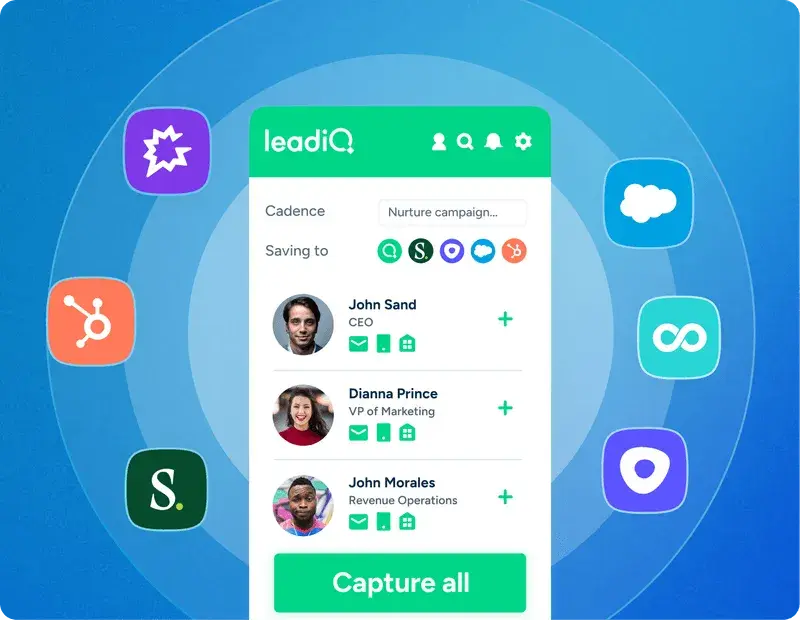
LeadIQ suits reps who want speed over configurability. Its Chrome extension captures contacts from LinkedIn and company pages, adds emails and phone numbers and syncs them to the CRM or sequencer, with no workflow canvas to build. It works as a LinkedIn email finder first and an enrichment tool second.
Its AI outbound message writer drafts personalized emails, and job-change tracking flags champions who move, a play we cover in our guide to champion tracking software.
Key features:
One-click capture from LinkedIn through a Chrome extension
AI outbound message writer
Job-change tracking for champions
CRM and webform enrichment
Native sync to Salesforce, Outreach and Salesloft
Pros:
Fast LinkedIn-to-CRM workflow
Free plan to start
Well-reviewed AI message writing
Cons:
Smaller dataset than ZoomInfo
Phone numbers cost 10 credits each
No workflow orchestration or AI agents that run plays
Best for: SDRs doing LinkedIn-led prospecting who want one-click contact capture and AI-written outreach.
Pricing: Free plan for one user with 50 credits, then Pro and Enterprise plans. Every plan can be tried free for 30 days.
For similar tools, see our LinkedIn Sales Navigator alternatives and AI prospecting tools.
11. Lusha
G2 rating: 4.3/5
Lusha now positions itself as a data and intelligence layer for GTM teams and AI agents. It lists 515M+ contacts and 29M+ companies, 26 buying signals refreshed weekly and AI recommendations that score the market against your ICP. Its Chrome extension remains the main way reps use it.
Lusha’s published, self-serve pricing is its clearest difference from Clay’s two-meter model, which makes it easy for small teams to start and scale.
Key features:
Verified email and phone lookups through a Chrome extension
26 buying signals, including job changes, funding and hiring surges
AI recommendations scored against your ICP
CRM integrations including Salesforce, HubSpot and Pipedrive
Pros:
Transparent, published pricing
Free plan with 40 credits a month
Easy browser workflow for individual reps
Cons:
Company coverage of 29M+ is well below ZoomInfo’s 100M
No intelligence layer that reasons across CRM and conversation data
Limited enterprise governance on lower tiers
Best for: SMB sales teams that want self-serve pricing and quick contact lookups from a browser extension.
Pricing: Free plan with 40 credits a month. Pro starts at $52.45 a month and Premium at $299.95 a month, both billed annually, with custom Scale plans, per our Lusha pricing guide.
See what users say in our Lusha reviews, compare Lusha vs. ZoomInfo and Clay vs. Lusha, or browse more Lusha alternatives.
How to Choose the Right Clay Alternative
Every Clay alternative solves a different problem, so start by naming the gap your team is hitting with Clay. These five questions cover the most common ones.
Is data quality the problem? Stale records add to B2B data decay and still cost credits, so prioritize platforms that own and re-verify their data. Ask every vendor how often contacts are re-verified, and test a sample against your own pipeline using the checks in our guide to data enrichment tools.
Do you have a builder? Clay suits teams with a GTM engineer who wants to design workflows from first principles. Without that role, pre-built enrichment, plain-English building and AI agents that run plays are usually the faster path to value. Our roundup of GTM engineering tools covers both approaches.
Do you want agents that run plays? Many AI sales agent platforms now promise this. Check whether they act in your CRM and sales tools, start from live signals and write results back, whether risky steps wait for your approval and whether you can see the cost before a play runs.
How predictable does cost need to be? Model a month of real usage on each shortlisted tool, including failed lookups and re-runs. Models with one credit per record and free re-enrichment are easier to forecast than separate meters for data and workflow steps, as our roundup of waterfall enrichment tools shows.
What do your CRM and security teams require? Native connectors for Salesforce data enrichment and HubSpot mean fewer sync failures than middleware, and they help with improving data quality in your CRM. If your security team requires SOC 2 Type II, ISO 27001, GDPR support or SSO, confirm they’re available at your license tier.
Whichever way you lean, run trials where you can and validate data quality against your current pipeline before committing. For more head-to-heads, see 6sense vs. Clay and Attio vs. Clay, or browse our Kaspr alternatives.
Move From Building Plays to Running Them
Clay is a strong choice for teams with a GTM engineer who wants full control over every step. If your team would rather spend its time selling than maintaining waterfalls and workflows, ZoomInfo gives you verified data, the intelligence to know which accounts matter now and Agent Teams to run whole GTM motions for every rep. Give your agents an outcome, not a task.
See how ZoomInfo handles the same work on your own accounts. Book a demo.
Frequently Asked Questions
Why are people looking for Clay alternatives?
The most common reasons are credit costs that are hard to predict at scale, since Clay charges separately for data credits and Actions, and data quality that depends on which third-party providers a waterfall reaches. Clay also takes real technical skill, so many teams need a dedicated GTM engineer to build and maintain workflows. Teams that want verified data and agents that run plays out of the box often look elsewhere.
What is the best Clay alternative?
It depends on your team. ZoomInfo is the strongest choice for teams that want verified data, the GTM Context Graph and AI agents that run whole GTM motions end to end in one platform. Apollo suits SMB and mid-market teams that want data, sequencing and a dialer bundled, Cognism suits EU- and UK-heavy pipelines that need phone-verified mobiles, and LeadIQ, Lusha and UpLead are fast, low-cost options for individual reps.
Is ZoomInfo a good alternative to Clay?
Yes, though the two work differently. ZoomInfo is an all-in-one AI GTM Platform with its own verified data on 500M contacts and 100M companies, an intelligence layer and Agent Teams for running plays. Clay orchestrates data from a marketplace of 200+ providers and gives builders maximum flexibility. You can compare Clay vs. ZoomInfo directly here.
Does Clay have AI agents, and how do they compare with Agent Teams?
Yes. Claygent researches one row at a time, and Clay’s global agent, announced at Sculpt in October 2026, plans and builds workflows, segments, signals and campaigns inside Clay from a goal you describe. It’s in alpha on paid plans. ZoomInfo Agent Teams, available now in GTM Studio or GTM.AI, runs whole GTM motions end to end on ZoomInfo’s verified data, acts natively in the CRM and sales tools and shows a credit estimate before each play runs.
How does Clay pricing compare to ZoomInfo?
Clay publishes its pricing, with a Free plan, Launch from $167 a month and Growth from $446 a month, both billed annually, plus custom Enterprise pricing. Each plan bundles Actions and data credits, and monthly billing costs about 10% more. ZoomInfo is free to start with consumption credits based on usage, and GTM Studio lets you pay for a record once and re-enrich it free for up to a year.
What does Clay do better than ZoomInfo?
Clay’s advantage is flexibility. Builders can combine 200+ providers in one waterfall, run Claygent for custom web research, design logic from scratch in a spreadsheet-style canvas and use Clay inside AI assistants through its MCP server. ZoomInfo gives up some of that hand-built control in exchange for verified data, a pre-built waterfall and agents that run plays without building them.