
Choosing between Craft CMS and HubSpot often comes down to five questions:
Do you need creative control over your website, or do you want marketing tools built into the CMS?
Does your team include developers who will build and maintain the site, or do marketers need to create and edit pages on their own?
Are you managing content only, or do you need content, leads, deals, and customer relationships in one system?
How important is it to know which companies visit your website and what they're researching?
Is your priority a custom brand experience, or a pipeline from first page view to closed deal?
In short, here's what we recommend:
Craft CMS is the developer's CMS for organizations that won't compromise on how their content is structured, designed, or delivered.
Built by Pixel & Tonic as a bootstrapped, independently owned product, Craft ships with no themes, no default content types, and no assumptions about what your site should look like. Your development team defines every field, section, and template from scratch, shaping the content experience around your organization.
The trade-off: Craft requires developers for everything from the initial build to adding marketing features, and tools like forms, SEO, and email automation live in third-party plugins.
HubSpot is an all-in-one customer platform where content management is one piece of a larger system. Content Hub includes a drag-and-drop website builder, AI writing tools, and built-in SEO, all connected to the same Smart CRM that powers HubSpot's marketing automation, sales pipeline, and customer service.
For B2B teams that want marketers publishing pages, nurturing leads, and tracking deals without switching tools, HubSpot consolidates the workflow. The trade-off: less creative control than a developer-first CMS, a pricing model that compounds across hubs and seats, and a platform that works best when you commit to the HubSpot ecosystem.
Both platforms help you build and manage a website. But for B2B companies, the website is just the starting line. The real question is: who's visiting those pages, what are they researching, and when should your team reach out? Neither Craft CMS nor HubSpot can answer that alone. That's where ZoomInfo comes in.
ZoomInfo is a B2B intelligence and go-to-market platform built on 500M contacts, 100M companies, 135M+ verified phone numbers, and 200M+ verified business email addresses.
Whether you build your site on Craft CMS or HubSpot, ZoomInfo's WebSights identifies the companies visiting your pages, its buyer intent data reveals what topics prospects are researching, and its contact database gives your sales team direct dials and emails to reach decision-makers.
Through the GTM Context Graph, ZoomInfo combines your CRM data with third-party intelligence to show not just who visited, but why they're in-market and what to do next. It integrates natively with HubSpot and works with any website through WebSights.
If turning anonymous website traffic into qualified pipeline is what's missing from your stack, see how ZoomInfo works with a free trial.
Craft CMS vs. HubSpot vs. ZoomInfo at a glance
Craft CMS | HubSpot Content Hub | ZoomInfo | |
|---|---|---|---|
Core approach | Developer-first CMS with content modeling freedom | All-in-one marketing platform with built-in CMS | B2B intelligence platform that identifies visitors and powers outreach |
Content flexibility | Every field, section, and template defined from scratch | Template-based drag-and-drop builder with AI writing tools | N/A (complements either CMS) |
Marketing tools | Requires third-party plugins | Built-in: email, automation, SEO, social, ads | Built-in: buyer intent, visitor ID, contact enrichment, AI-drafted outreach |
CRM integration | Connects via plugins (Salesforce, HubSpot, Mailchimp) | Native Smart CRM shared across all Hubs | Native integrations with HubSpot, Salesforce, Microsoft Dynamics |
Multi-site/localization | Unlimited sites and locales on every tier including free | Multi-site management at Enterprise tier only | 34M+ international company profiles, 200M+ international professional profiles |
Learning curve | Steep for developers; intuitive for editors once built | Moderate; marketers productive quickly | Moderate; 90-day structured onboarding |
Ecommerce | Craft Commerce ($1,199 one-time license) | Commerce Hub (CPQ, invoicing, payments) | N/A |
Starting price | Free (Solo, self-hosted) | Free (1 user, 30 pages) | Free (ZoomInfo Lite, 10 monthly credits) |
Paid starting price | $279/project (one-time) or $120/month (Cloud) | $15/seat/month (Starter) | Custom-quoted |
Best for | Agencies and organizations needing custom web experiences | B2B teams wanting content, marketing, and CRM in one platform | B2B companies that need to know who's visiting their site and reach them |
Two opposite philosophies of content management
Craft CMS and HubSpot Content Hub start from opposite assumptions about what a CMS should do.
Craft assumes nothing.
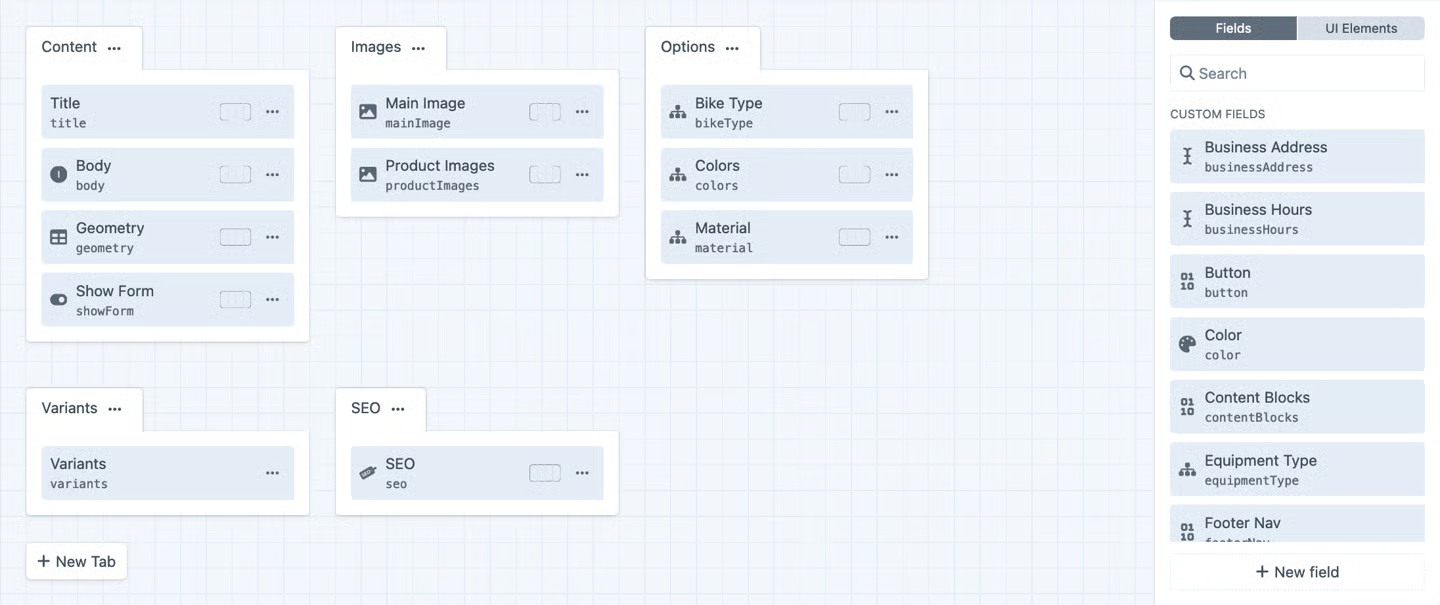
A fresh installation is a blank canvas: no default page types, no blog template, no header-footer-sidebar layout waiting to be filled. The developer defines every content type, every field relationship, and every template from scratch.
As Craft's documentation puts it, the system is "adamantly agnostic about your content model." A recipe site, a media newsroom, and a product catalog all look equally natural in Craft because none of them were an afterthought.
Source: Craft CMS
Craft works well for organizations with complex or unusual content structures. A24 Films, Bob's Red Mill, the Bezos Earth Fund, and the AP Multimedia Newsroom all run on Craft because their content doesn't fit a blog-and-pages model. The W3C chose Craft CMS for its website redesign on accessibility grounds.
HubSpot assumes you want to publish and convert.
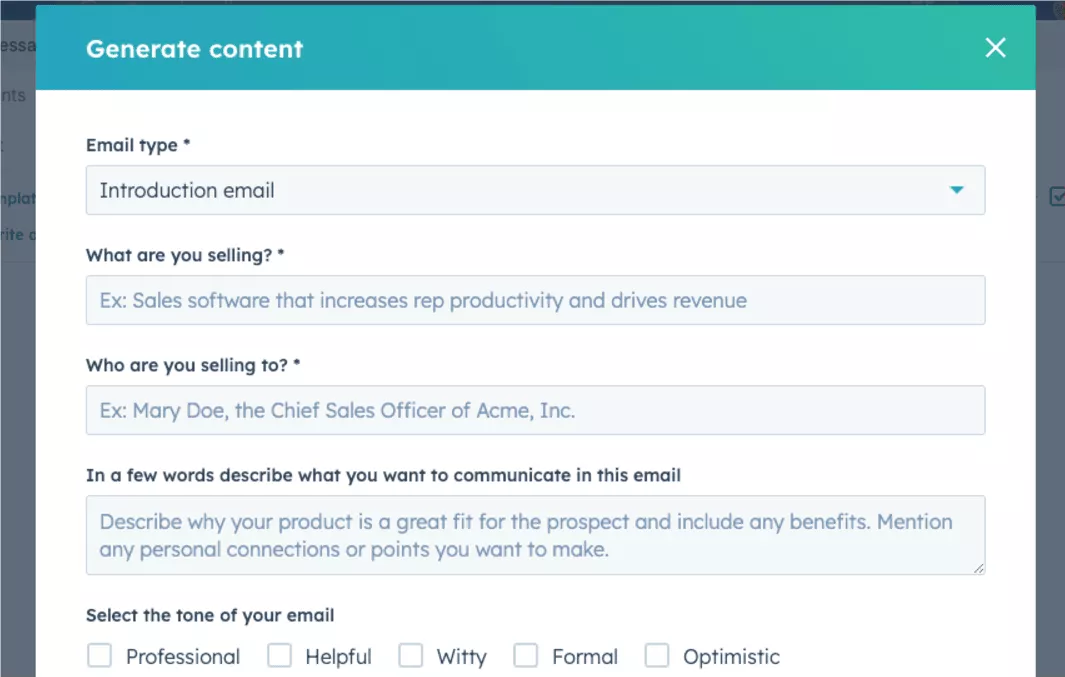
Content Hub's drag-and-drop website builder ships with pre-built themes, templates, and modules. Marketers can create landing pages, blog posts, and website pages without writing code. The platform includes an AI Content Writer that drafts blogs, meta descriptions, and social posts from prompts, and Content Remix that repurposes a single piece across channels.
Source: HubSpot
The key distinction: every page in HubSpot connects to the same Smart CRM that tracks contacts, deals, and support tickets. A lead captured on a landing page is immediately available to sales workflows, with no additional configuration. In Craft, connecting content to a CRM requires third-party plugins and deliberate integration work.
Developer control vs. marketer independence
Who builds and edits your site matters as much as what the CMS can do.
Craft CMS is built for developers who build for editors.
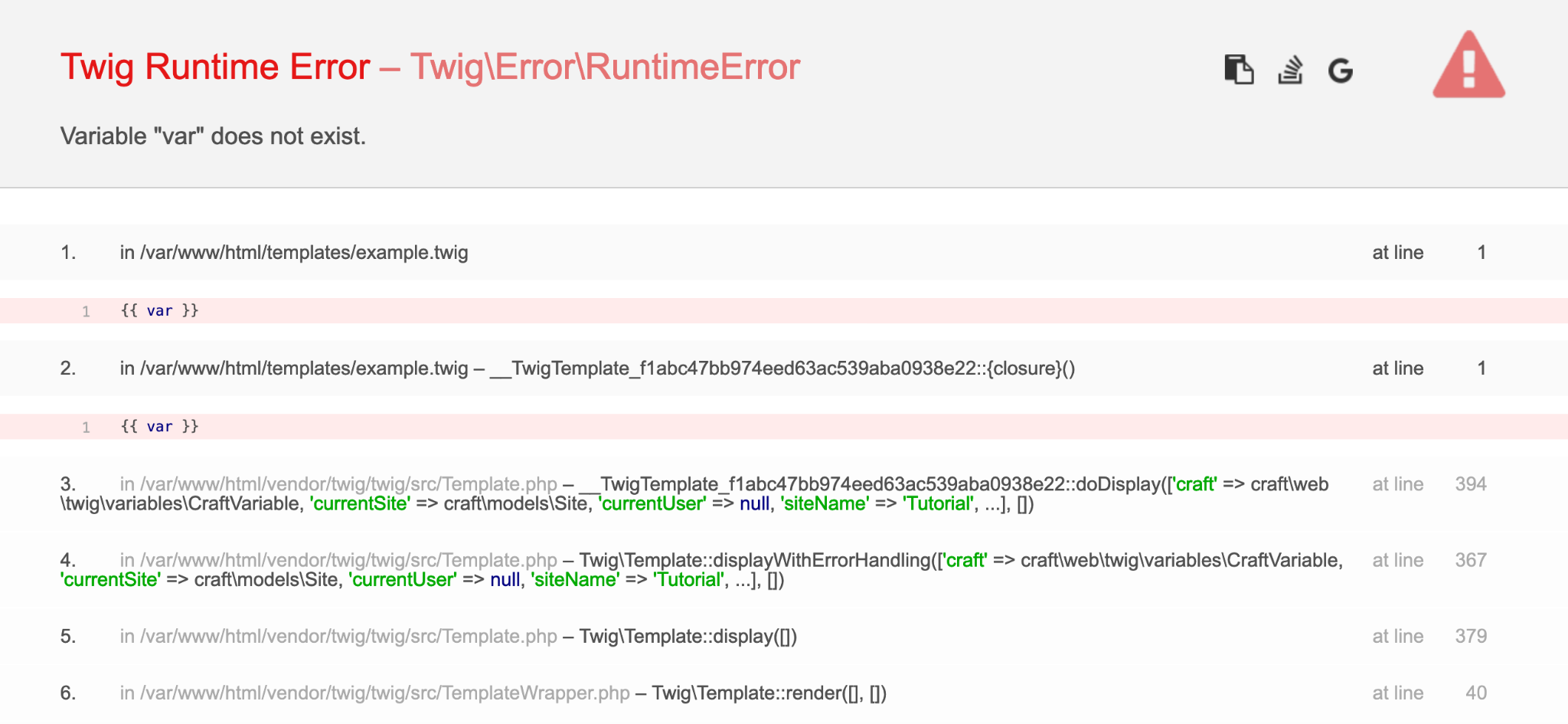
The developer creates the content architecture using Twig templates (server-rendered) or a built-in GraphQL API (headless), defining every field type, validation rule, and presentation layer.
Source: Craft CMS
Once built, the control panel is clean and intuitive because it shows editors only the fields relevant to their content type. Craft excludes PHP from templates for security. The GraphQL schema auto-generates from the content model, with no manual SDL authoring required.
This architecture gives developers full control. Need a headless CMS feeding a Next.js or Astro front end? Craft's GraphQL API handles it natively, with official starters for both frameworks. Need server-rendered pages with precise markup?
Twig templates produce exactly the HTML you write, with no forced wrapper divs or class names. But every change to the content model or site structure requires a developer.
HubSpot takes the opposite approach.
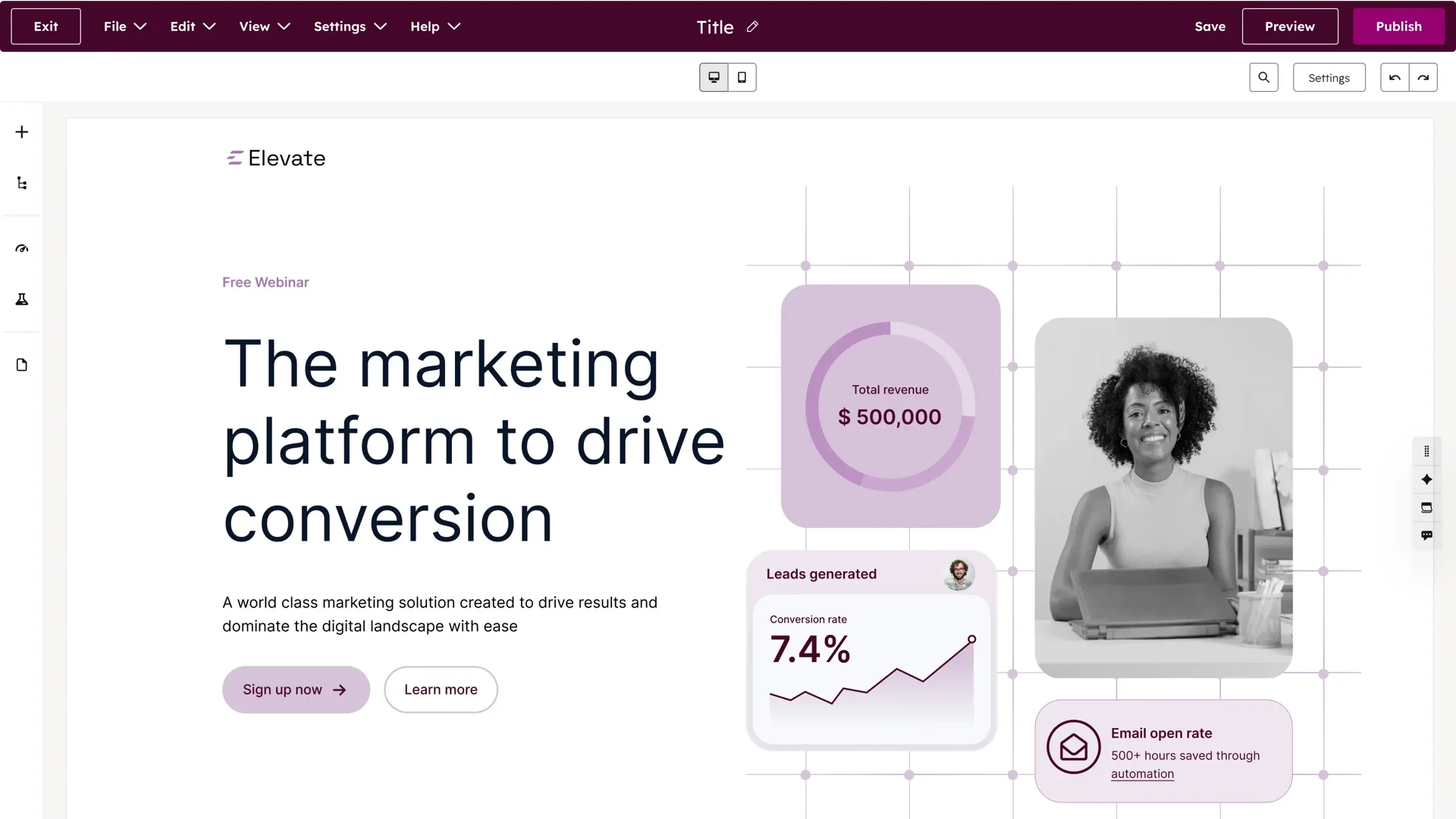
Marketers build pages by dragging modules onto templates, editing text inline, and publishing without developer involvement. The AI Website Generator creates page designs from text prompts.
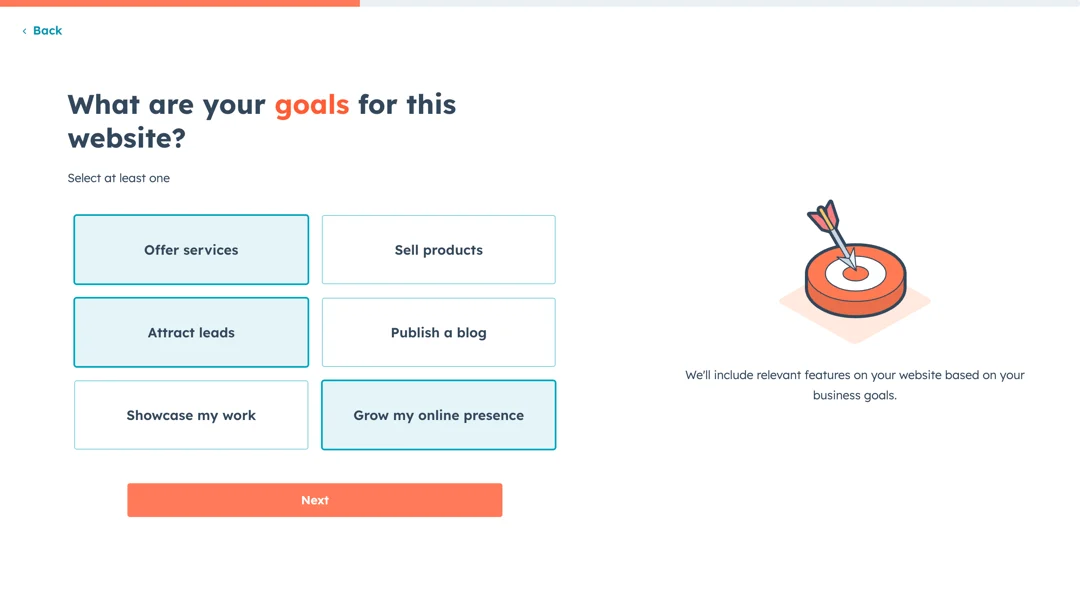
Source: HubSpot
The AI Blog Writer outlines and drafts long-form content. Developers can build custom themes, modules, and serverless functions using HubSpot's developer tools, but the platform is designed to minimize how often they're needed.
For B2B companies with small marketing teams and no developers, HubSpot removes a bottleneck. For organizations with development resources and strict design standards, Craft delivers precision that template-based builders cannot match.
Marketing tools: built-in vs. build-your-own
This is where the comparison shifts from content management to go-to-market capability.
HubSpot Content Hub doesn't exist in isolation.
It sits inside a platform that includes Marketing Hub (email, automation, landing pages, social, ads, SEO), Sales Hub (pipeline, sequences, CPQ), Service Hub (ticketing, knowledge base, customer portal), and Breeze AI agents across all of them. When you use two or more Hubs together, data connects automatically, giving you visibility from first website visit to closed deal.
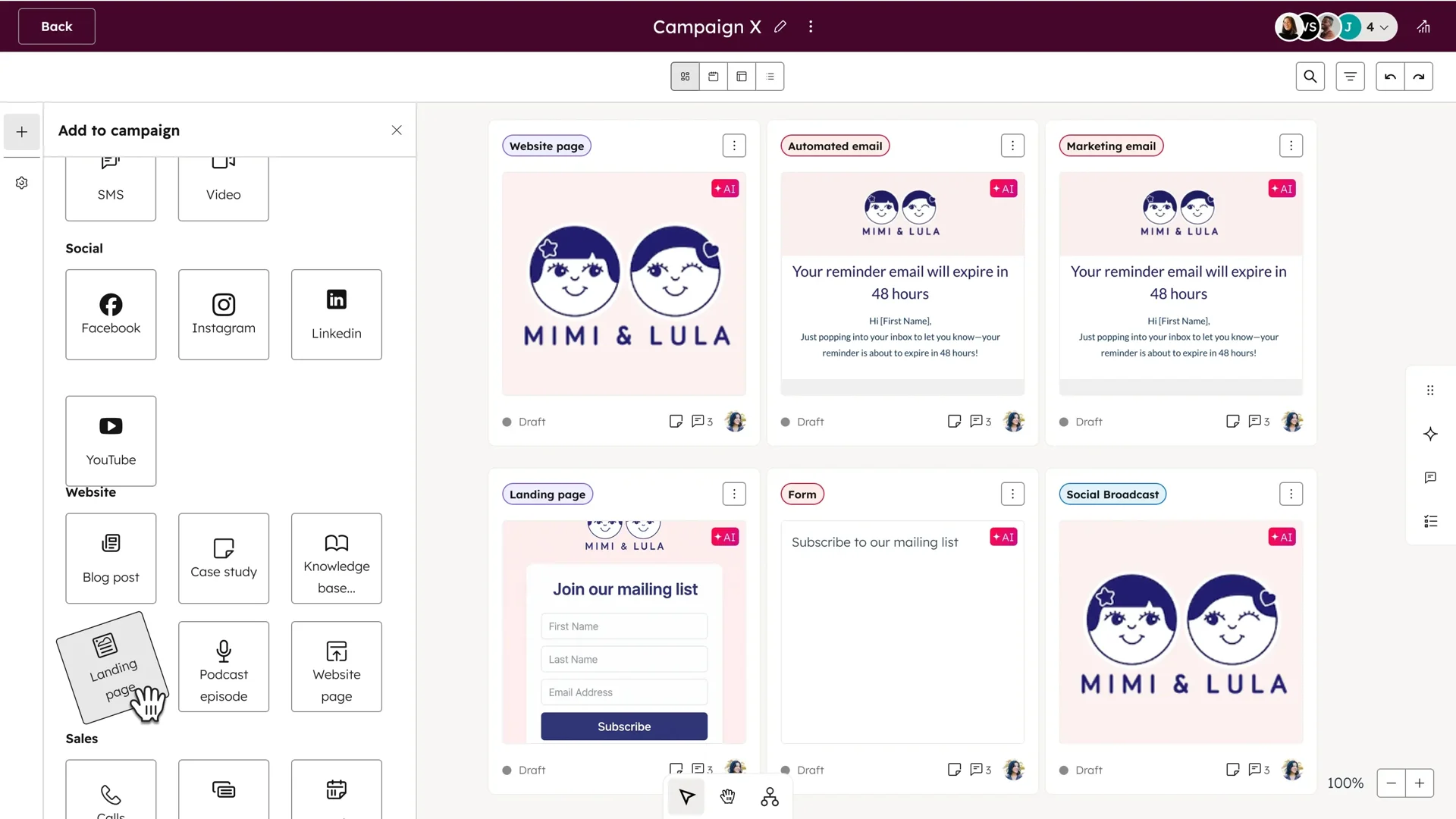
Source: HubSpot
The platform's Breeze Customer Agent can resolve customer conversations. These capabilities exist because the CMS, CRM, and automation share one data layer.
Craft CMS has no built-in marketing tools.
No email marketing, no lead scoring, no social media scheduling, no ad management. Every marketing function requires a third-party plugin from the Plugin Store or a separate platform. SEOmatic ($99) handles SEO. Formie ($99) handles forms. Email marketing means integrating with Mailchimp, ActiveCampaign, or another provider through a plugin.
For organizations that already have a marketing stack they like (Mailchimp for email, Google Analytics for tracking, Salesforce for CRM), Craft's neutrality is a feature. You pick the best tool for each job and connect them. But this modularity means managing multiple subscriptions, troubleshooting integrations, and accepting that data won't flow between tools as naturally as it does in HubSpot.
The visitor intelligence gap both platforms leave open
Here's what most CMS comparisons miss: neither Craft CMS nor HubSpot tells you which companies visit your website, what they're researching across the web, or when their buying committee is ready for a conversation.
HubSpot tracks individual contacts already in your CRM.
If a known lead visits your pricing page, HubSpot records it. But most B2B website visitors never fill out a form. They research, compare, and leave without identifying themselves. HubSpot's analytics show traffic patterns, but they don't resolve anonymous visitors to specific companies or provide the direct contact data your sales team needs.
Craft CMS has even less visibility. Without plugins, there's no visitor tracking beyond what you wire up through Google Analytics or a similar tool.
ZoomInfo was built to solve this problem.
WebSights resolves anonymous website traffic to companies, identifies the buying team at those companies, and surfaces their direct contact information. It includes Automatic Traffic Filtering that distinguishes real company visits from bot traffic. WebSights works on any website, regardless of CMS, because it identifies visitors through IP-to-organization matching across 210 million pairings.
Visitor identification is only the beginning. ZoomInfo's buyer intent data tracks signals from 6 trillion+ keyword-to-device pairings sourced monthly, revealing when companies are researching topics related to your products. Guided Intent, exclusive to ZoomInfo, identifies the topics historically correlated with your closed-won deals rather than requiring manual topic selection.
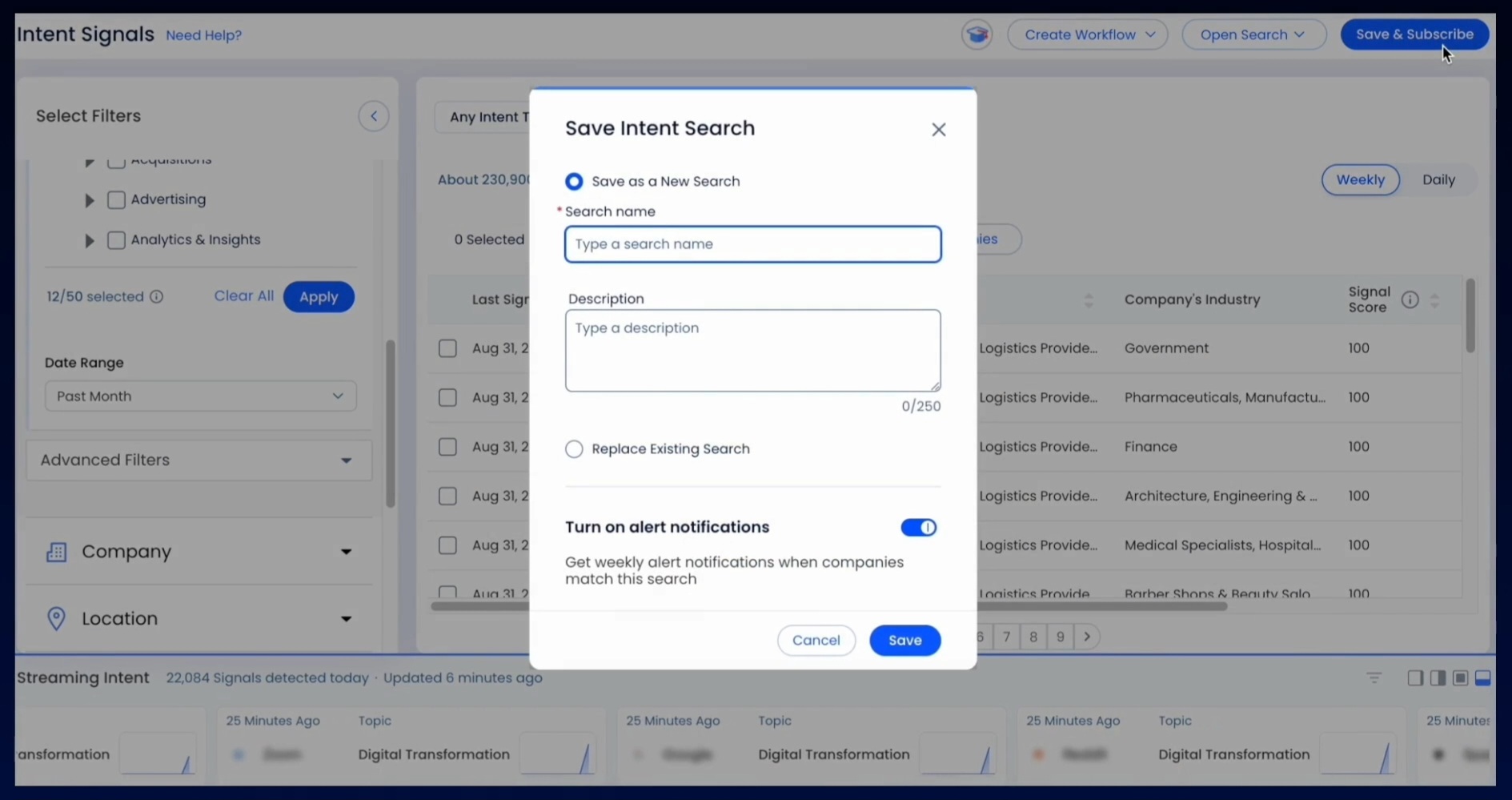
Source: ZoomInfo
The GTM Context Graph ties this together, combining ZoomInfo's third-party data with your CRM records, conversation transcripts, and engagement history. It captures not just what happened, but why.
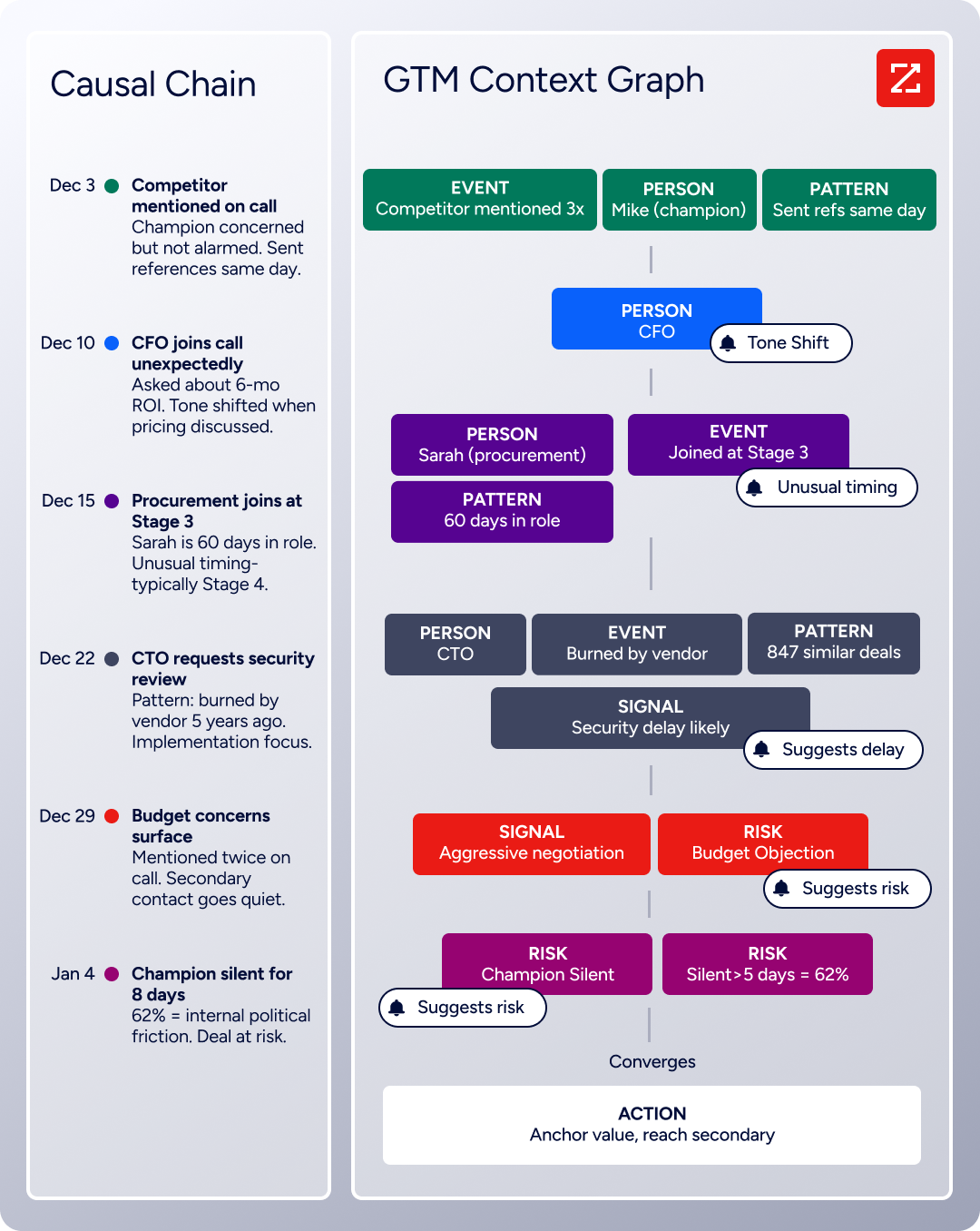
When a company visits your site, the Context Graph can show that they also just hired three new VPs, completed a funding round, and have been researching your competitor's pricing. That combination of signals (not just the site visit) tells your team when and how to engage.
"It's not just the data itself. It's more about the right data at the right time to help us reach out with the right message across that full buyer journey." (Chelsea Kenyon, Senior Director of Digital Strategy, Redwood Logistics)
For a deeper look at how HubSpot and ZoomInfo compare on data, integrations, and go-to-market features, see our HubSpot vs. ZoomInfo comparison.
Multi-site and localization capabilities
Organizations publishing across multiple brands, regions, or languages need a CMS that handles complexity without multiplying overhead.
Craft CMS leads here.
Multi-site and unlimited localization are included on every pricing tier, including the free Solo plan. A single Craft installation can power any number of websites, each with its own domain, language, templates, and content rules. Five propagation modes control which sites an entry appears on. Five translation methods per field control which values are shared versus translated.
The control panel is translated into 25 languages and supports hundreds of locales. This depth is why organizations like Polartec and Genpact chose Craft for multinational sites.
HubSpot handles multi-language content through AI-powered translation and per-language page variants.
Source: HubSpot
But multi-site management (running distinct websites from a single account) is reserved for the Enterprise tier ($1,500/month). Organizations managing five regional sites on HubSpot would need the most expensive plan. On Craft, they could run the same setup on the free Solo tier.
For B2B companies with international markets, ZoomInfo complements either CMS with 34M+ company profiles outside North America, 200M+ international professional profiles, and 45M+ mobile numbers outside NA.
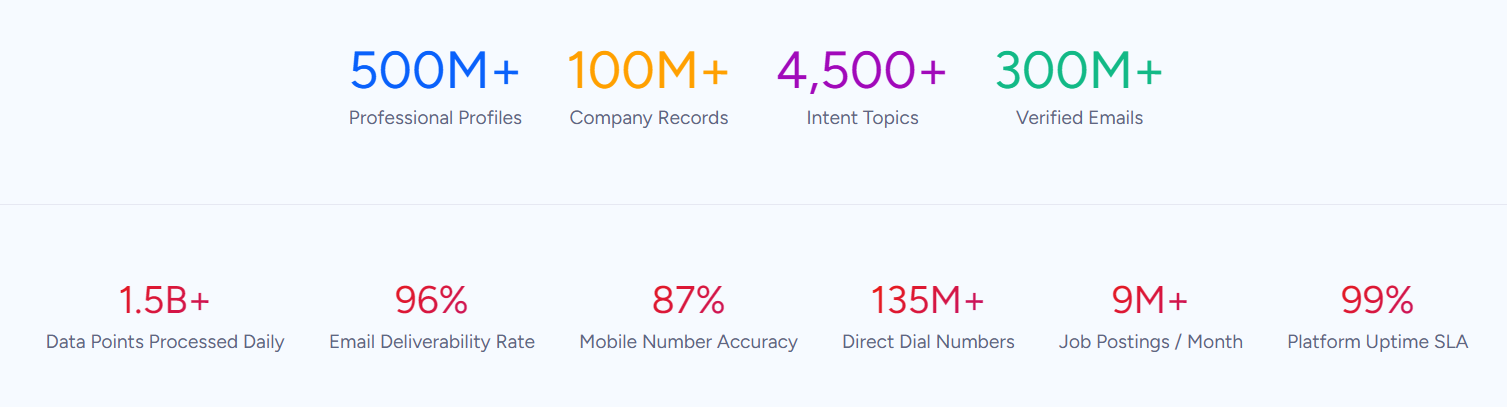
Your CMS handles the localized content; ZoomInfo handles identifying and reaching the buyers who consume it.
Ecommerce takes different forms
If your organization sells products alongside content, the platforms diverge again.
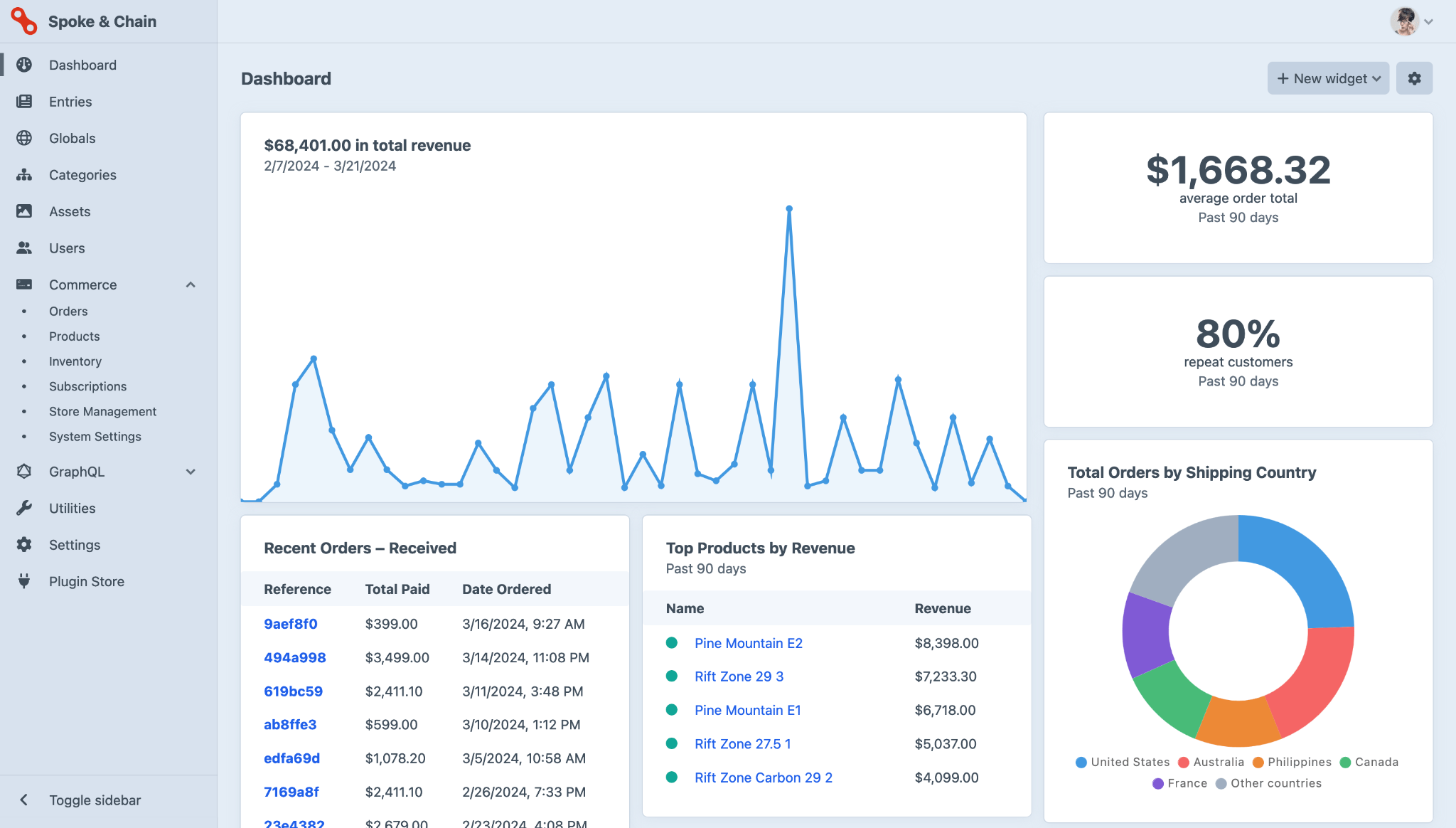
Craft Commerce is a first-party ecommerce plugin that extends Craft's content modeling into a full storefront.
Source: Craft CMS
Products get the same editorial treatment as any other content type: drafts, autosaving, versioning, live preview, and custom field layouts. The checkout flow is built in Twig templates on your own server, giving you full control over the buying experience. Multi-store (up to 5 stores) and multi-warehouse inventory (up to 5 locations) are supported on the Pro license.
Payment gateways include Stripe, PayPal Checkout, Mollie, and others through a plugin-based gateway architecture that avoids locking you into one processor. The Pro license costs a one-time $1,199 plus $299/year for continued updates.
HubSpot Commerce Hub solves a different problem.
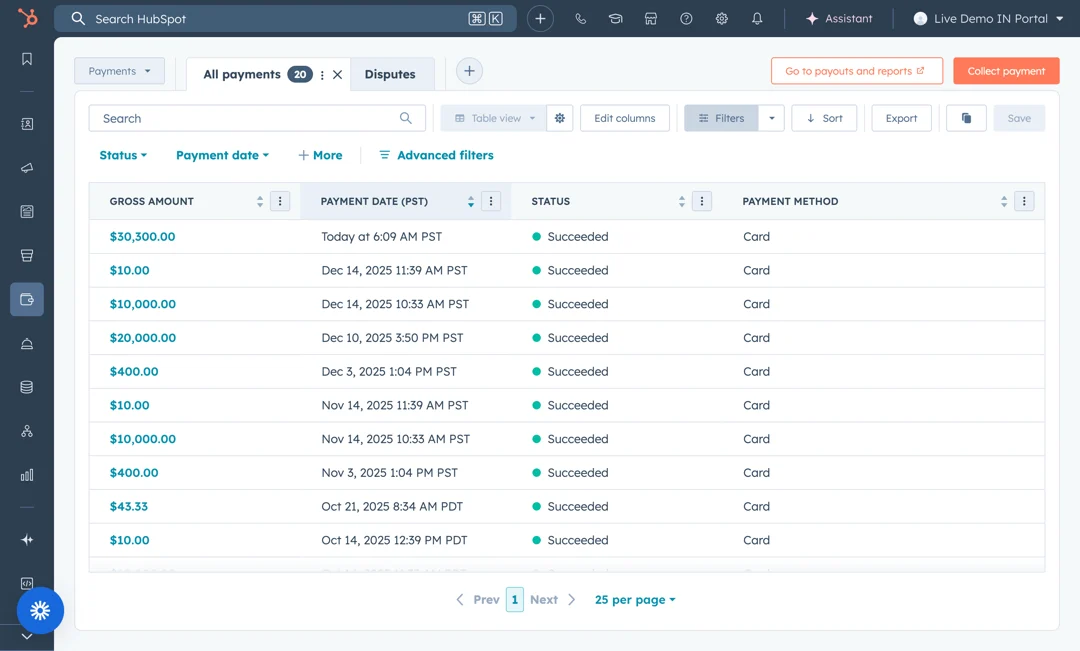
It handles B2B quote-to-revenue, not storefront commerce. AI-powered quote generation pulls deal data from the CRM. Integrated e-signature enables digital signing. Invoicing is free for all HubSpot users. Payment processing supports credit cards, ACH, and Apple Pay through HubSpot Payments or a connected Stripe account, with payments in 130+ currencies.
Source: HubSpot
This isn't a replacement for Shopify or WooCommerce; it's a CPQ and billing system for sales-led transactions.
Pricing reflects who each platform is for
The pricing models are as different as the platforms themselves.
Craft CMS uses perpetual licensing for self-hosted deployments.
Solo is free forever (1 user). Team costs $279 per project (up to 5 users). Pro costs $399 per project (unlimited users). Each paid license includes one year of updates; continuing updates costs an optional $99/year. If a renewal lapses, no back-payments are required.
Craft Cloud (managed hosting) runs $120–$240/month per project with the CMS license included. The model is simple: one project, one price, no per-seat escalation.
HubSpot uses a hybrid model combining per-seat pricing, contact-based pricing, and flat-fee tiers.
Content Hub Starter begins at $15/seat/month, Professional at $450/month (3 seats included), and Enterprise at $1,500/month. But Content Hub is rarely purchased alone. Most B2B teams need Marketing Hub Professional ($890/month with a $3,000 mandatory onboarding fee) or Sales Hub Professional ($100/seat/month with a $1,500 onboarding fee).
When subscribing to multiple Hubs at different tiers, all Core Seats are billed at the rate of the highest tier, a hidden cost for mixed deployments. HubSpot's permanent free tier includes a CRM with unlimited contacts and basic tools, making it a useful starting point.
ZoomInfo uses consumption-based pricing with no publicly listed prices.
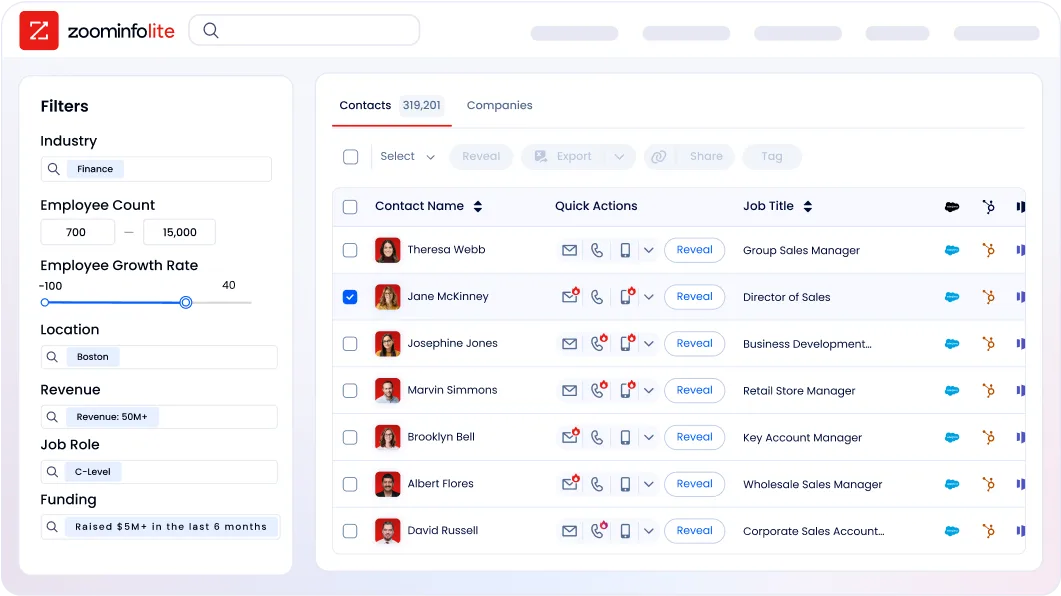
ZoomInfo Lite is a permanent free tier with access to the B2B database and 10 monthly credits. Paid plans scale based on seats, monthly credit volume, features, and contract length. A 7-day free trial of the full platform is also available with no credit card required.
The total cost comparison depends on your setup. A single Craft Pro site with SEOmatic and Formie runs roughly $600 in year one and $99/year after. A comparable HubSpot setup (Content Hub Professional plus Marketing Hub Professional) starts above $16,000/year before onboarding fees.
But comparing those numbers in isolation misses the point: HubSpot includes CRM, marketing automation, and sales tools that Craft would require separate subscriptions to replicate. The real question is whether you need those tools integrated or prefer to assemble your own stack.
Integration ecosystems reflect different architectures
Craft CMS, HubSpot, and ZoomInfo each take a distinct approach to connecting with other tools.
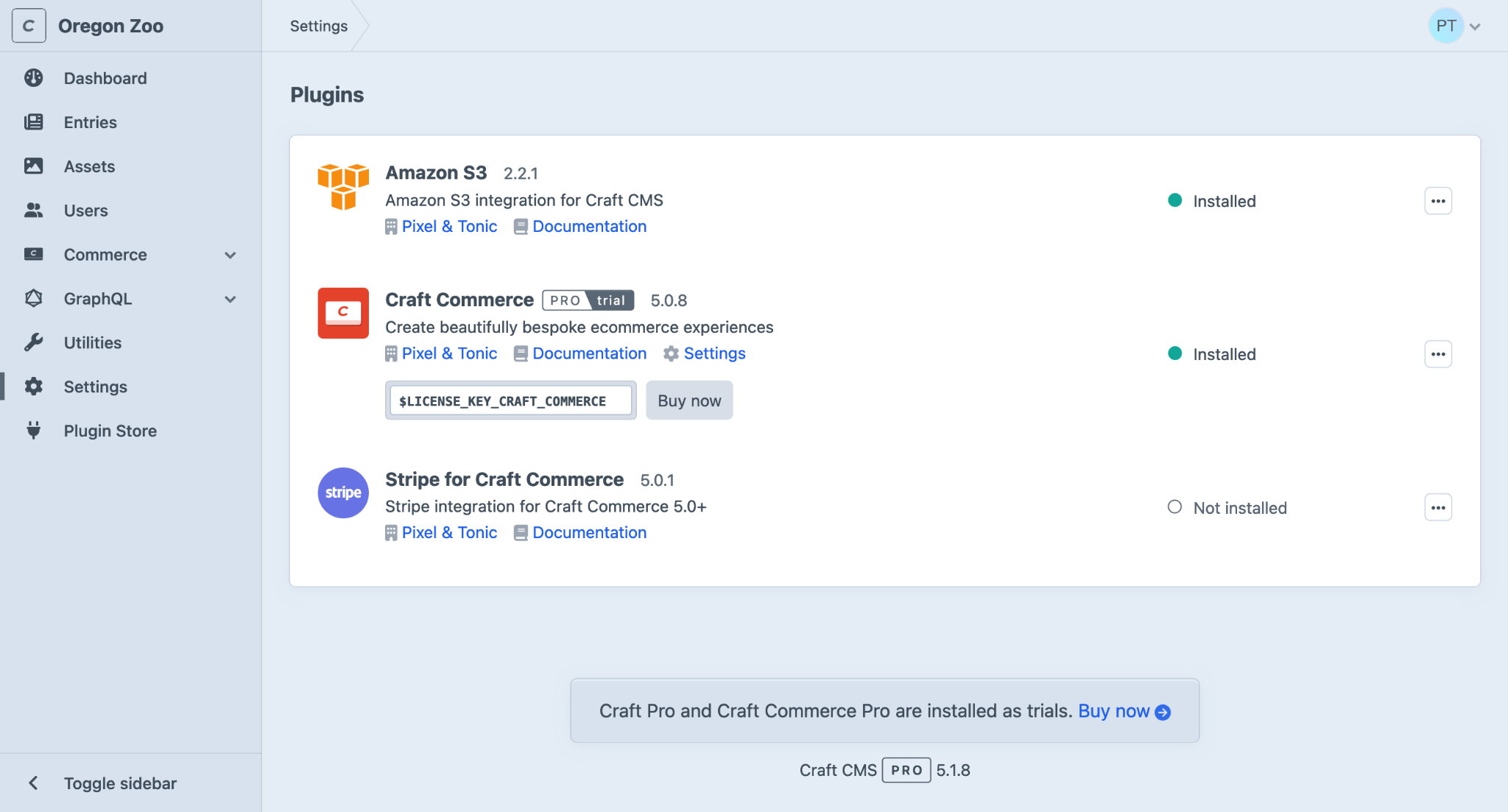
Craft's Plugin Store offers extensions across 17+ categories, with every plugin managed as a Composer package using standard PHP dependency management.
Source: Craft CMS
Notable plugins include SEOmatic for SEO, Formie for forms, Blitz for static caching, and Scout for Algolia search. Craft also ships first-party plugins for Shopify, Stripe, and Amazon S3. The ecosystem is smaller than WordPress's (Craft acknowledges this), meaning teams reliant on specific functionality may face custom development costs.
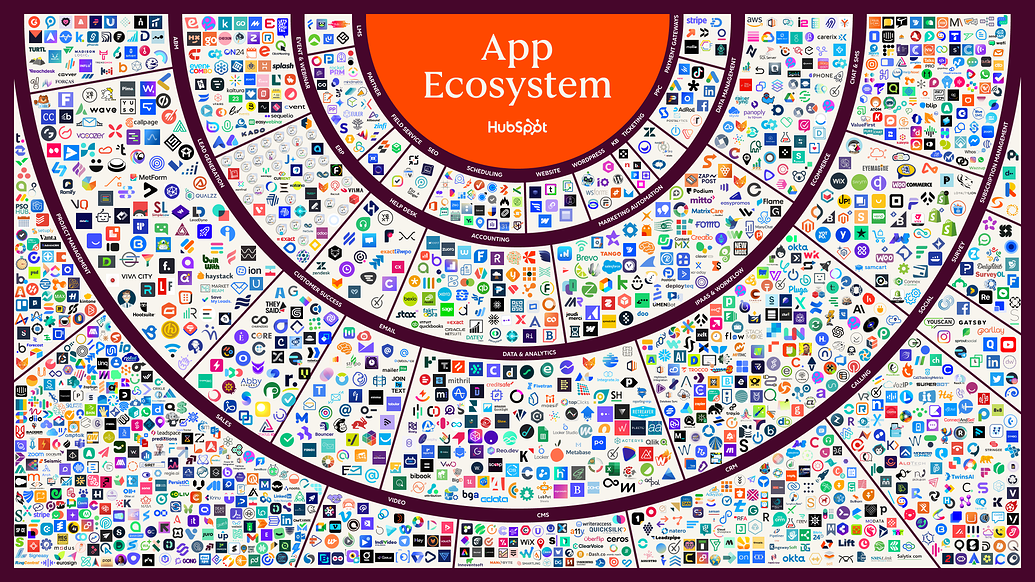
HubSpot operates the App Marketplace with more than 2,000 integrations and 2.5 million active installs.
Source: HubSpot
Salesforce, Slack, Zoom, Gmail, Google Ads, LinkedIn, Jira, Snowflake, and hundreds more connect natively. HubSpot's REST API covers the full CRM data model with official SDKs in six languages. A remote HubSpot MCP server (GA as of April 2026) gives AI agents read/write access to CRM data.
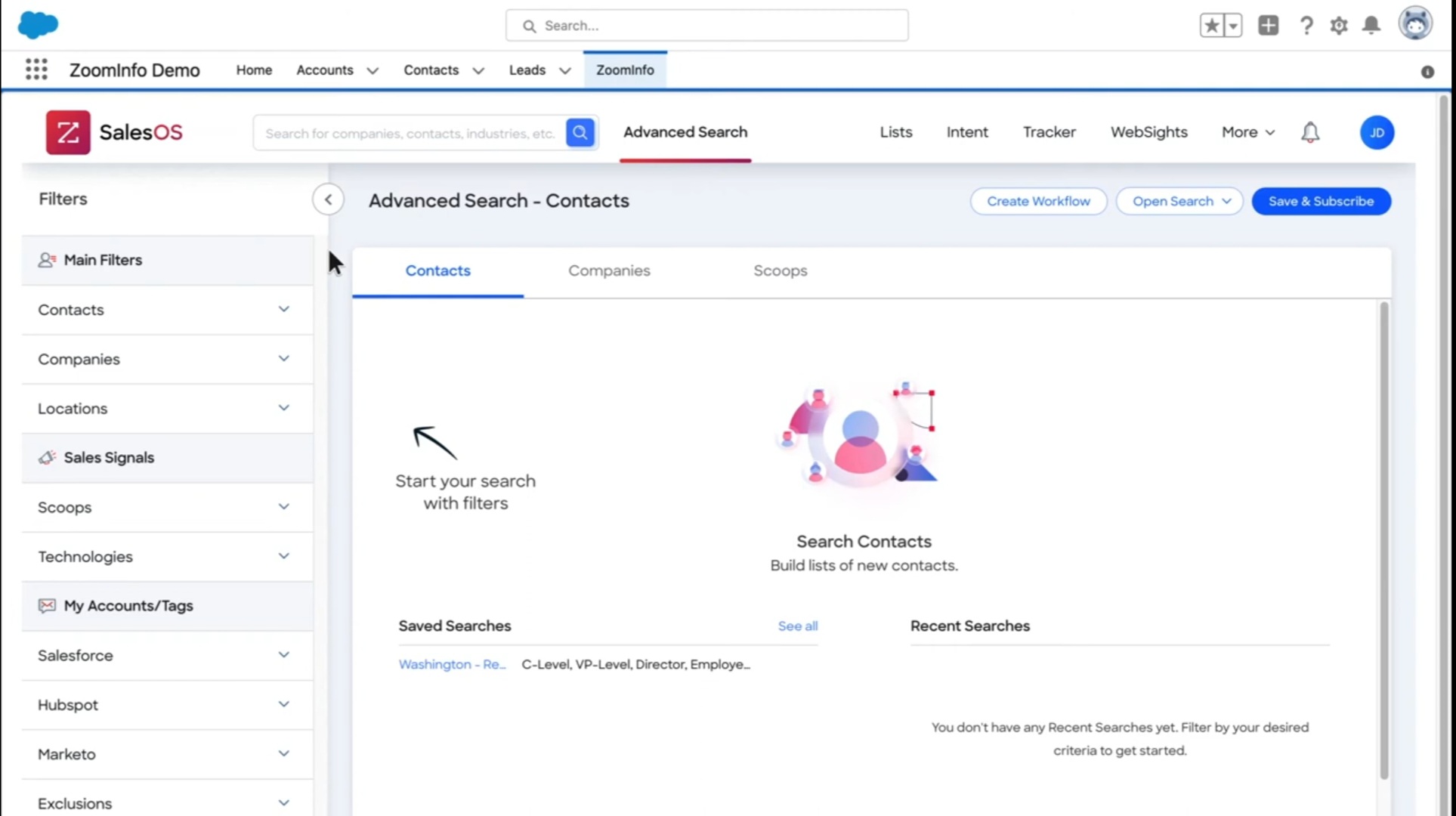
ZoomInfo's Marketplace lists 172+ integration partners, with native connectors for Salesforce, HubSpot, Microsoft Dynamics 365, and Snowflake.
Source: ZoomInfo
The Enterprise API provides programmatic access to ZoomInfo's data and intelligence, organized into four areas: Data API (search and enrich), Copilot API (AI intelligence), Marketing API (audience management), and Platform API (engagement data).
The ZoomInfo MCP server connects AI models to ZoomInfo's B2B data as a native tool, currently supporting Claude and ChatGPT. API access is included in all relevant plans.
The integration story matters because it determines what's possible beyond the core platform. Craft gives you a clean CMS that connects to whatever you choose. HubSpot gives you a connected platform that may reduce the number of tools you need. ZoomInfo gives you the B2B intelligence layer that makes the other tools in your stack more effective.
"ZoomInfo is our one source of truth for account data, and even more so for contact data. There's no other provider in the market that provides you with that level of detail." (Thor Sanderson, Senior Manager of Sales Technology Enablement, Smartsheet)
Craft CMS vs. HubSpot vs. ZoomInfo: Which should you choose?
The right choice depends on what your organization needs most.
Choose Craft CMS if:
You have developers who will build and maintain your site
Content modeling freedom is non-negotiable (you need content structures that don't fit templates)
You manage multiple sites or languages and want localization included at every tier
You prefer to assemble your own marketing stack from best-in-class tools
You value an independently owned, bootstrapped platform with a transparent roadmap
Your site demands precise design control with no CMS-imposed constraints
Choose HubSpot if:
Your marketing team needs to build and publish pages without developer help
You want CRM, email marketing, automation, and analytics connected to your CMS
Speed to launch matters more than custom design precision
You're consolidating multiple tools into one platform
AI-powered content creation and personalization are priorities
Your sales team benefits from seeing which known contacts visit which pages
Add ZoomInfo to either if:
You need to know which companies visit your website, not just that someone visited
Your sales team needs verified direct dials and business emails to reach decision-makers
Buyer intent data (knowing when prospects are researching) would change how you prioritize outreach
You want AI that understands why deals move, not just what happened in the CRM
You're building or scaling outbound sales alongside your content strategy
You want the same intelligence available in your CRM, your AI agents, or your custom tools through APIs and MCP
See how ZoomInfo identifies your website visitors and turns them into pipeline with a free trial.
The CMS you choose shapes how your website looks and how your team manages content. ZoomInfo shapes what happens after someone visits. For B2B organizations, a strong content platform paired with a strong intelligence platform is what turns a web presence into a revenue engine.
Craft CMS vs. HubSpot vs. ZoomInfo FAQ
What is the core difference between Craft CMS and HubSpot?
Craft CMS is a developer-first content management system that gives you freedom over content structure, design, and delivery, with no built-in marketing tools.
HubSpot is an all-in-one customer platform where the CMS (Content Hub) connects to marketing automation, a CRM, sales tools, and customer service. Craft prioritizes creative control; HubSpot prioritizes an integrated marketing-to-sales workflow.
How does ZoomInfo fit into a CMS comparison?
ZoomInfo is not a CMS. It solves a different problem: identifying which companies visit your website, what topics they're researching, and providing verified contact data to reach decision-makers.
It works alongside either Craft CMS or HubSpot, integrating natively with HubSpot and identifying visitors on any website through WebSights. For B2B companies, ZoomInfo fills the gap between content publishing and pipeline generation.
Which platform is more affordable for a small team?
Craft CMS offers the lowest starting cost for content management. The Solo plan is free forever, and the Pro license is a one-time $399 fee with optional $99/year renewals.
HubSpot's free CRM tier is useful, but Content Hub Professional ($450/month) and Marketing Hub Professional ($890/month with a $3,000 mandatory onboarding fee) cost significantly more. HubSpot does include CRM, marketing automation, and sales tools that Craft would require separate subscriptions to replicate.
Can Craft CMS handle marketing automation and lead generation?
Not natively. Craft CMS has no built-in email marketing, lead scoring, marketing automation, or social media tools. All marketing functionality comes from third-party plugins (Formie for forms, SEOmatic for SEO) or separate platforms (Mailchimp, ActiveCampaign, HubSpot). Organizations that want marketing tools in their CMS will need HubSpot or a similar platform alongside Craft.
Which platform is better for multi-site and multilingual websites?
Craft CMS is stronger here. Unlimited sites, languages, and locales are included on every pricing tier, including the free Solo plan. The admin panel is translated into 25 languages.
HubSpot supports multi-language pages but limits multi-site management to its Enterprise tier ($1,500/month). For organizations managing multiple regional or brand sites, Craft offers this capability at a fraction of the cost.
What does ZoomInfo's WebSights do that HubSpot's analytics does not?
HubSpot tracks known contacts already in your CRM when they visit your site. ZoomInfo's WebSights identifies the companies behind anonymous visitors using 210 million IP-to-organization pairings, even when the visitor never fills out a form.
It also surfaces the buying team at those companies with verified direct dials and business emails, and layers in buyer intent data showing what topics those companies are researching beyond your website.
Does ZoomInfo integrate with both Craft CMS and HubSpot?
ZoomInfo has a native integration with HubSpot listed in both the HubSpot App Marketplace and ZoomInfo's Marketplace. For Craft CMS sites, WebSights works independently of the CMS, identifying companies visiting any website.
ZoomInfo's data and intelligence can also be accessed through its Enterprise API or MCP server, enabling integration with any tool or application regardless of which CMS you use.
Which platform requires the least technical expertise?
HubSpot requires the least technical expertise for daily use. Marketers can build pages, write blog posts, send emails, and manage campaigns without developer involvement. Craft CMS requires a developer for the initial build and any structural changes, though editors find the resulting interface intuitive once configured.
ZoomInfo requires moderate onboarding (the company offers a structured 90-day program) but is designed for sales and marketing teams rather than developers.
