
Choosing between Doodle and Google Calendar comes down to five questions:
Do you need to coordinate meetings with people outside your organization who don't share your calendar system?
Is your team already in Google Workspace, or do you work across multiple platforms?
Are you scheduling internal meetings, or do you regularly coordinate with external clients, partners, and candidates?
Do you need group polling to find a time that works for 10, 20, or 50 people, or is one-on-one booking your primary use case?
How important is it that your scheduling tool knows not just when to meet, but who you should meet and why?
In short, here's what we recommend:
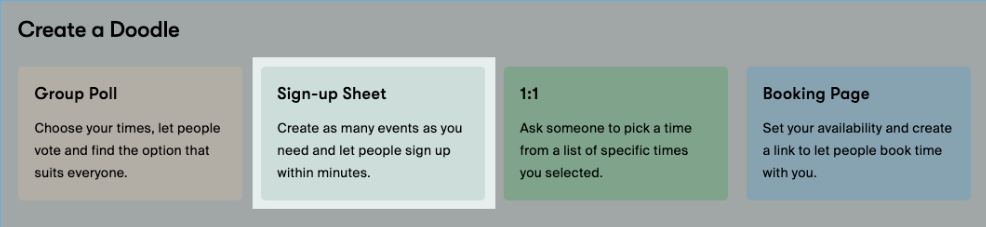
Doodle is the tool for teams that regularly coordinate across organizations. Its Group Poll lets you propose times and have participants vote, no shared calendar or Doodle account required. With four scheduling modes (Group Poll, Sign-up Sheet, 1:1, and Booking Page), GDPR, HIPAA, and SOC2 compliance, and Swiss-based privacy practices, Doodle handles the coordination problems that calendar apps were never designed to solve. The trade-off: Doodle doesn't replace your calendar. It sits alongside it, adding another tool and another subscription.
Google Calendar is the default for teams already in Google Workspace. It handles internal scheduling, shared calendars, room booking, and appointment pages from the same interface where you manage your day. Gemini AI can now suggest meeting times from Gmail, and the built-in appointment scheduling pages compete with standalone booking tools. But Google Calendar works best when everyone involved uses Google. Cross-organization scheduling with people on Outlook, Apple Calendar, or no calendar system is where it struggles.
Both tools solve the logistics of when to meet. But for B2B teams, scheduling is only half the problem. The other half is knowing who to meet, when they're ready to buy, and what to say when you get in front of them. That gap is where meetings become pipeline, or don't.
ZoomInfo is a B2B intelligence and GTM platform that solves the intelligence side of scheduling. Its data foundation covers 500M contacts, 100M companies, 135M+ verified phone numbers, and 200M+ verified business email addresses. ZoomInfo tells your team who to target. Its GTM Context Graph processes 1.5B+ data points daily, combining your CRM records, conversation transcripts, and behavioral signals to reveal when accounts are in-market and why deals are moving. GTM Workspace puts AI-drafted outreach and prioritized accounts in front of sellers, while GTM Studio gives marketers and RevOps teams a builder for audience definition and campaign orchestration. Teams that build beyond ZoomInfo's own products can access the same intelligence through APIs and MCP. Use Doodle or Google Calendar for the calendar logistics. Use ZoomInfo to make sure every meeting on that calendar counts.
If making every meeting count sounds like the missing piece, see how ZoomInfo works.
Doodle vs. Google Calendar vs. ZoomInfo at a glance
Doodle | Google Calendar | ZoomInfo | |
|---|---|---|---|
Core function | Multi-party scheduling coordination | Calendar management and scheduling | B2B intelligence and GTM execution |
Cross-org scheduling | Built for it (no account required for participants) | Limited (best within Google ecosystem) | Identifies who to schedule with across organizations |
Group scheduling | Group Poll with up to 1,000 participants | "Find a Time" grid for invited guests | Surfaces buying committees and decision-makers |
Booking pages | Yes (always-on, Stripe payments) | Yes (native, Stripe on paid tiers) | Identifies prospects ready to book |
AI capabilities | Time OS in early access | Gemini scheduling in Gmail (paid Workspace) | GTM Context Graph + AI-drafted outreach |
Calendar integration | Syncs with Google, Outlook, iCloud | Is the calendar | Integrates with Google, Outlook via marketplace |
Compliance | SOC 2 Type II, HIPAA, GDPR | Google Workspace security infrastructure | ISO 27001, ISO 27701, SOC 2 Type II |
Free plan | Yes (limited features, ads shown) | Yes (personal Google Account) | ZoomInfo Lite (permanent free tier) |
Starting price | $15/month (Pro) | $7/user/month (Workspace Business Starter) | Custom-quoted |
Best for | Teams coordinating across organizations | Google Workspace-native teams | B2B teams that need to book the right meetings, not just any meetings |
Different tools for different scheduling problems
Doodle and Google Calendar look like competitors, but they solve different problems.
Google Calendar is a calendar. It stores your events, shows your day, and lets colleagues see when you're free. It's the system of record for your time. When you need to schedule an internal team meeting, you open Google Calendar, check availability with "Find a Time," and send the invite. Done.
Doodle is a coordination layer. It doesn't store your calendar or manage your day. It solves the problem Google Calendar can't: finding a time when people who don't share a calendar system can all meet. A university scheduling a panel interview with five external reviewers. A non-profit coordinating a board meeting with twelve volunteer directors. A consulting firm setting up a client workshop with attendees from three companies. These are Doodle problems.
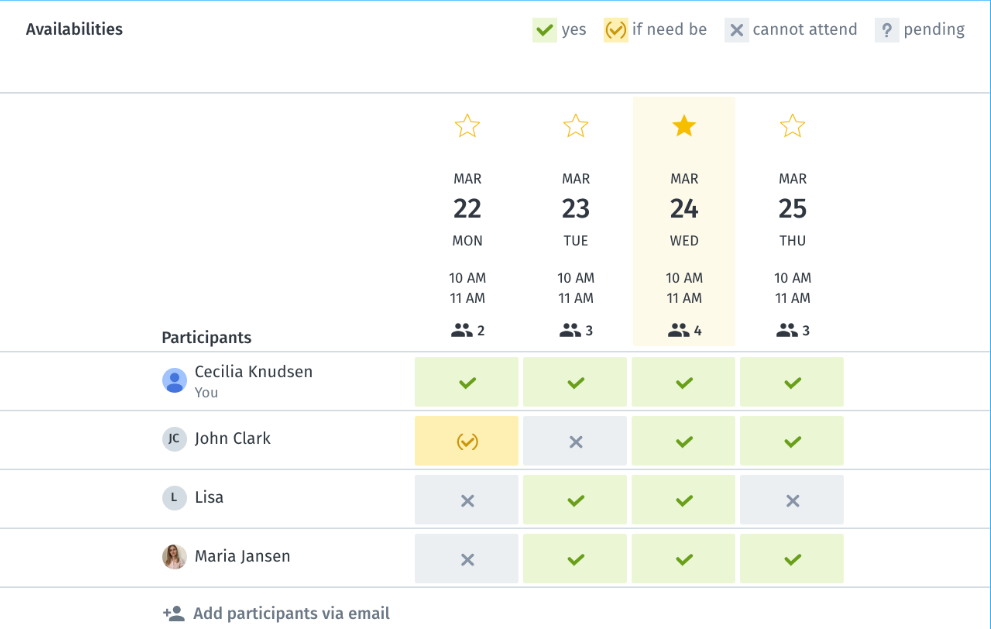
Doodle's Group Poll lets the organizer propose times and share a link. Participants vote without creating an account, marking times as available, "if-need-be," or unavailable. The organizer sees the results, picks the winner, and clicks "Book it." Each poll saves users an average of an hour of back-and-forth.
Google Calendar's "Find a Time" works well when all participants are on Google Workspace and the organizer can see everyone's free/busy status. But when participants are external, on different calendar systems, or not on any shared system at all, "Find a Time" doesn't help. That's Doodle's territory.
Booking pages: native convenience vs. dedicated control
Both platforms offer booking pages (always-on links where someone can pick a time and book a meeting). The implementations reflect each platform's priorities.
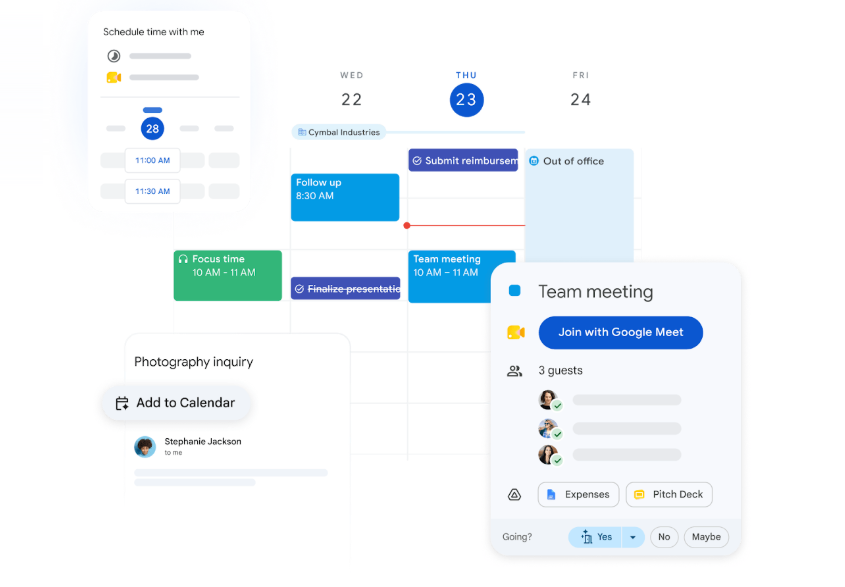
Google Calendar's appointment scheduling is built into the calendar app. No separate tool, no additional subscription for basic use. A free Google Account gets one booking page.
Paid Workspace plans (Business Standard at $14/user/month and above) unlock unlimited booking pages, Stripe payment collection, co-host support, and multi-calendar availability checking. The booker doesn't need a Google Account. For teams already on Google Workspace, this eliminates the need for a separate Calendly or Acuity subscription for simple use cases.
Source: Google
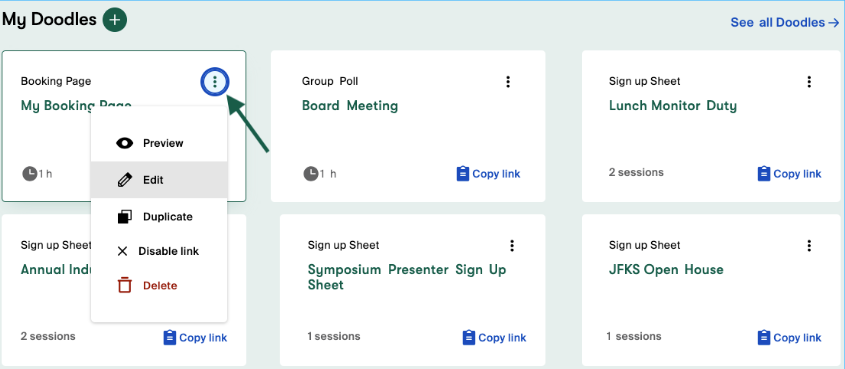
Doodle's Booking Page operates as a separate product alongside the calendar. It requires a connected Google or Microsoft calendar, syncs availability in real time, and offers configurable booking intervals, buffer times, daily booking caps, and Stripe payment collection. The Team plan adds multi-host availability pooling (up to 5 hosts) and book-on-behalf mode, useful for executive assistants scheduling for multiple people.
Source: Doodle
The practical difference: Google Calendar's booking pages live where you already manage your time, so they're easier to set up and maintain. Doodle's booking pages offer finer control over slot density and team routing, but require a separate platform.
Where Doodle stands alone: group polling and sign-up sheets
Google Calendar has no equivalent to Doodle's Group Poll or Sign-up Sheet.
When you need to find a time for a large group across organizations, Google Calendar offers no built-in solution. You'd fall back on email chains, Google Forms, or a third-party tool. Doodle was built for this. A single Group Poll can collect up to 1,000 participant responses, with the "if-need-be" option capturing secondary preferences that binary yes/no polls miss.
Source: Google
Doodle's Sign-up Sheet fills another gap: event enrollment with per-session capacity tracking. An organizer publishes sessions with independent seat caps (up to 999 per session), and participants self-register without creating an account. Times display in each participant's local timezone automatically. This covers workshops, training sessions, volunteer shifts, and webinars. Google Calendar handles event invitations, but it has no enrollment system with capacity management.
Source: Doodle
Where Google Calendar stands alone: ecosystem depth
Google Calendar's advantage isn't any single feature. It's the ecosystem.
Gmail auto-imports flight confirmations, hotel bookings, and event invitations into Calendar. Google Meet generates a one-click video link on any event. Google Drive files attach to events as agendas or pre-reads. Google Tasks with due dates appear on the Calendar grid. Focus Time blocks silence Google Chat notifications and optionally auto-decline incoming invites. Working Location shows whether you're in-office or remote.

Source: Google
None of these features exist in Doodle. They can't: Doodle is a scheduling coordination tool, not a calendar platform. While Doodle integrates with Google Calendar, Outlook, and iCloud for availability checking, it relies on those calendar platforms for everything after the meeting is booked.
For teams committed to Google Workspace, Calendar reduces the need for separate tools. Shared calendars with five permission levels, conference room and resource booking, and organization-wide free/busy visibility all work without additional software.
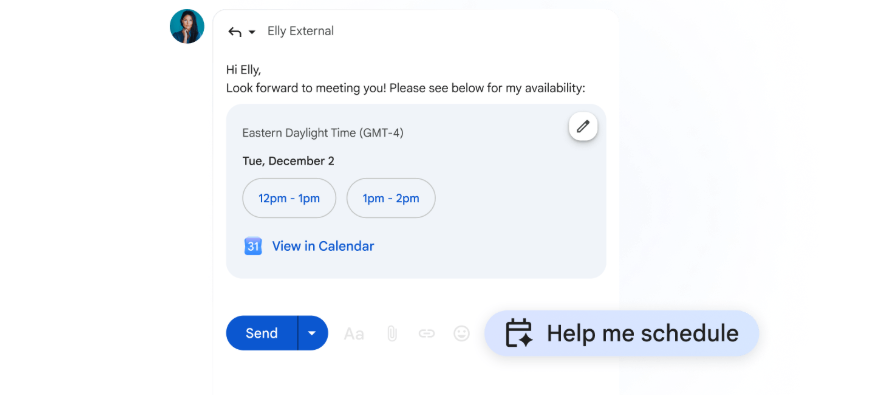
Gemini AI adds another layer for paid Workspace subscribers: "Help me schedule" analyzes email context and calendar availability to propose meeting times from Gmail. This closes the scheduling loop inside the email thread without requiring a separate scheduling link.
Source: Google
Scheduling the meeting is only half the job
Doodle and Google Calendar answer the question "when can we meet?" Neither answers the questions that matter more for revenue teams: Who should we be meeting with? Are they ready to buy? What should we say?
This is the gap ZoomInfo fills.
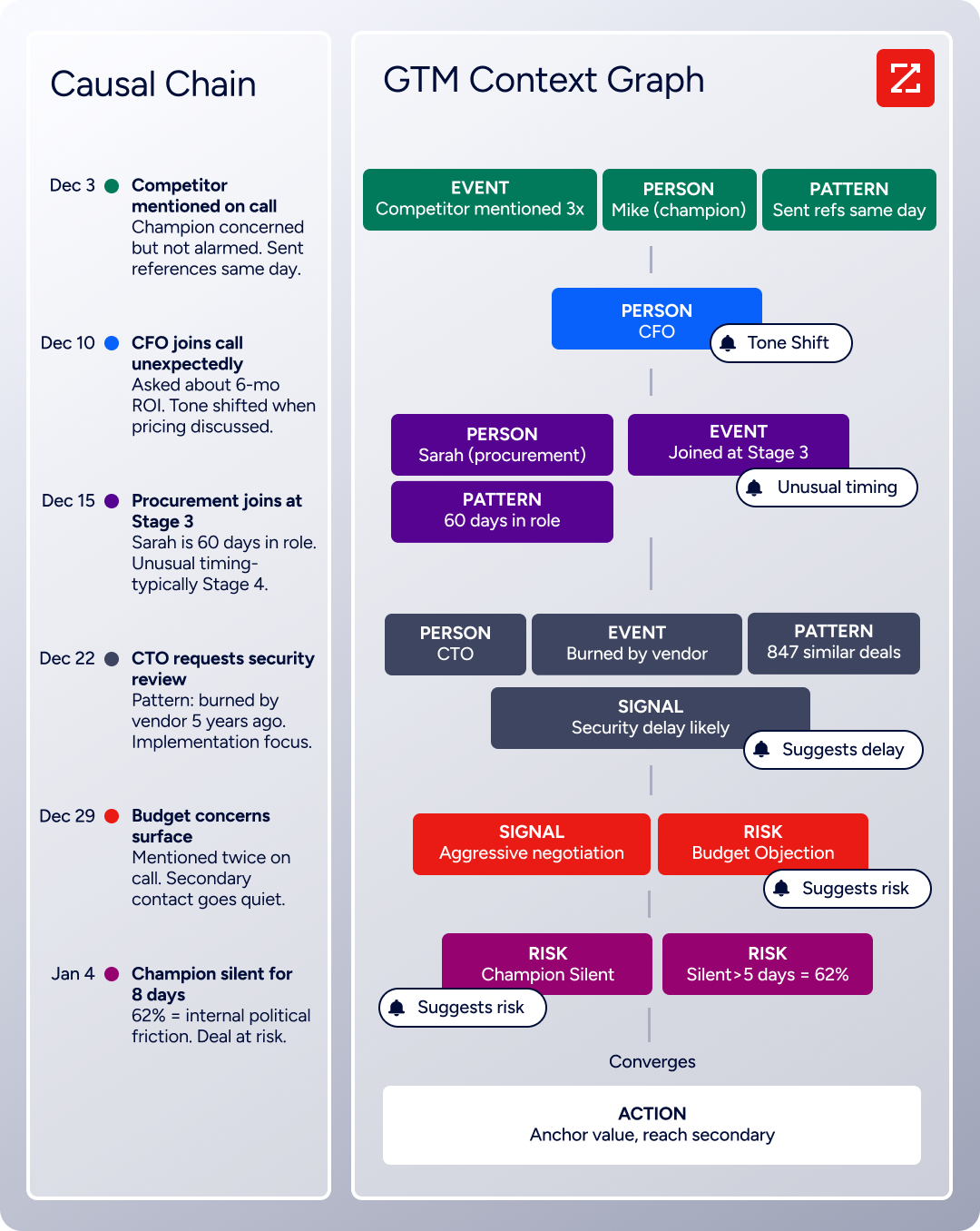
ZoomInfo's GTM Context Graph processes 1.5B+ data points daily, combining B2B contact data with CRM records, conversation transcripts, and behavioral signals. It doesn't just tell you a company exists. It reveals that the VP of Engineering just joined, the company is researching your competitor's product category, and the CFO who attended last quarter's call asked about six-month ROI. That context turns scheduling from a logistics exercise into a strategic one.
Source: ZoomInfo
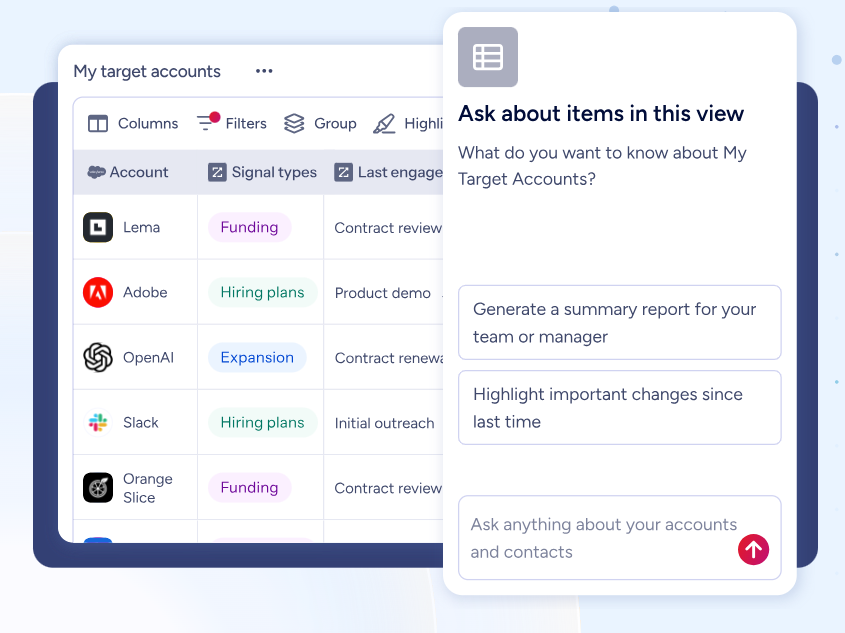
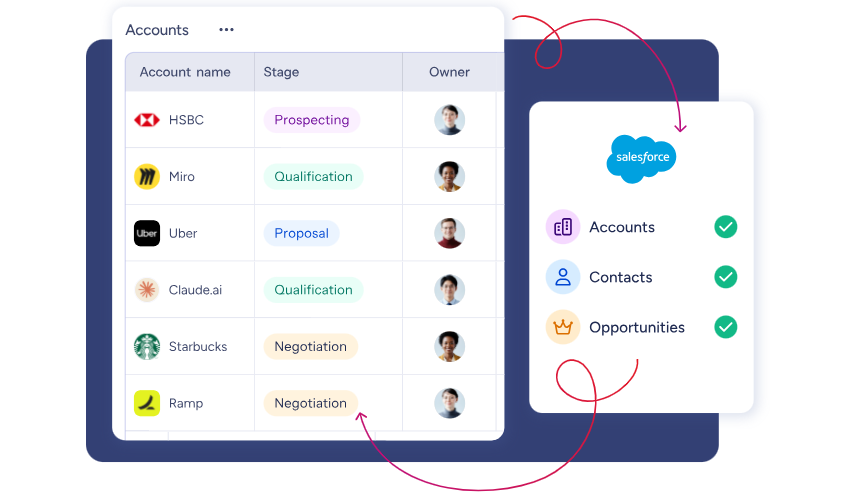
GTM Workspace delivers this intelligence to sellers in a single view. Instead of toggling between a CRM, a data tool, and a calendar, reps see prioritized accounts, AI-drafted outreach, and deal context in one place. The AI agents handle the research; the rep handles the relationship. When it's time to book the meeting, they use whatever scheduling tool their organization prefers.
Source: ZoomInfo
"ZoomInfo's not just a contact data company anymore. They've built a full system of execution. GTM Intelligence actually works the list, writes the outreach, triggers the play, and helps drive predictable growth." (Levanta)
Compliance and security comparison
For teams in regulated industries, security certifications are requirements, not nice-to-haves.
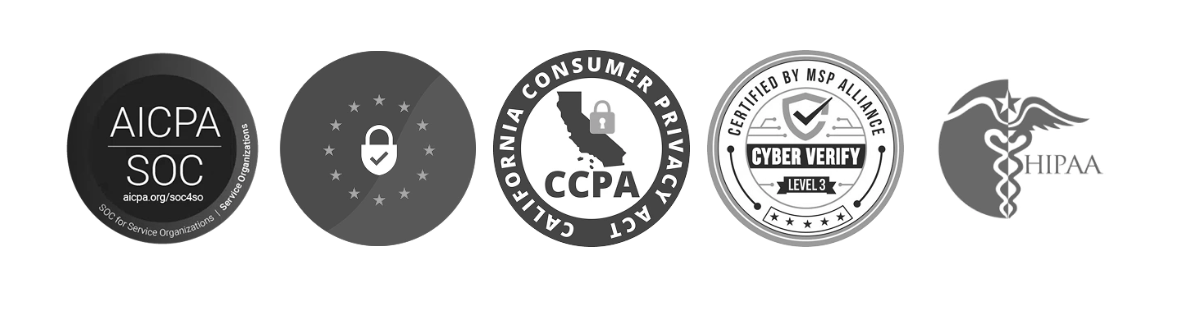
Doodle is headquartered in Switzerland and hosts all infrastructure on AWS in the EU. It holds SOC 2 Type II certification covering security, availability, processing integrity, confidentiality, and privacy, plus Cyber Verify Level 3 certification from a third-party audit.
HIPAA compliance covers healthcare organizations, and GDPR compliance includes a Data Protection Officer and automatic deletion of inactive poll data after 90 days. For European organizations with data residency requirements, Doodle's Swiss base and EU-hosted infrastructure matter.
Source: Doodle
Google Calendar inherits Google Workspace's enterprise security infrastructure: data encrypted at rest and in transit, OAuth 2.0 for API access, admin-controlled data retention, and context-aware access policies on Enterprise plans. Google Vault for archiving and eDiscovery is available on Business Plus and Enterprise. Google does not market Calendar-specific compliance certifications; the security posture comes from the Workspace platform.
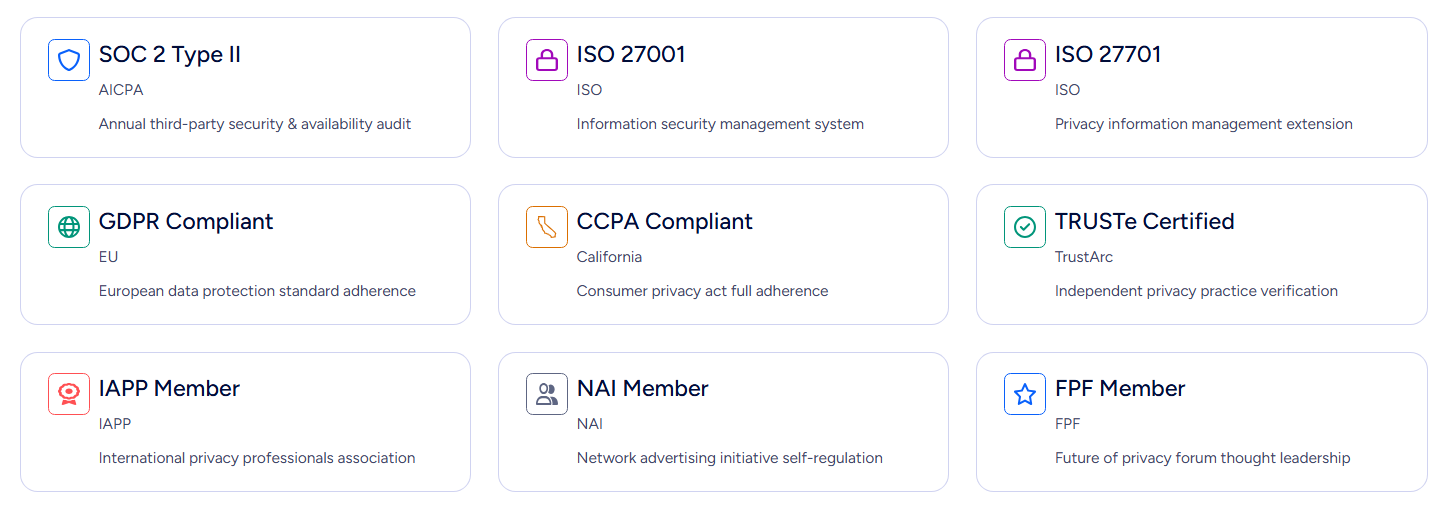
ZoomInfo carries ISO 27001, ISO 27701, SOC 2 Type II, TRUSTe GDPR, and TRUSTe CCPA certifications, all renewed annually. It's a registered data broker in California and Vermont and maintains a dedicated Trust Center. For enterprise buyers evaluating data providers alongside scheduling tools, ZoomInfo's compliance stack meets the bar for regulated industries.
Pricing reflects each tool's scope
The pricing models tell you what each platform considers its core value.
Doodle uses per-seat subscription pricing. The free plan includes basic Group Polls (capped at 10 time slots), one booking page, and one 1:1 page, but shows ads to all participants.
The Pro plan costs $15/month (or $11/month billed annually) for a single user, unlocking unlimited polls, ad removal, custom branding, and Microsoft Teams and Webex integrations. The Team plan runs $8.95/user/month billed annually for 2-100 users, adding admin controls and shared booking pages.
Google Calendar is free for personal Google Accounts. One booking page is included. For teams, Calendar is bundled into Google Workspace: Business Starter at $7/user/month, Business Standard at $14/user/month, and Business Plus at $22/user/month (annual billing).
Appointment booking pages require Business Standard or above. The key distinction: you're not paying for Calendar alone. The subscription includes Gmail, Drive, Meet, Chat, and the full Workspace suite.
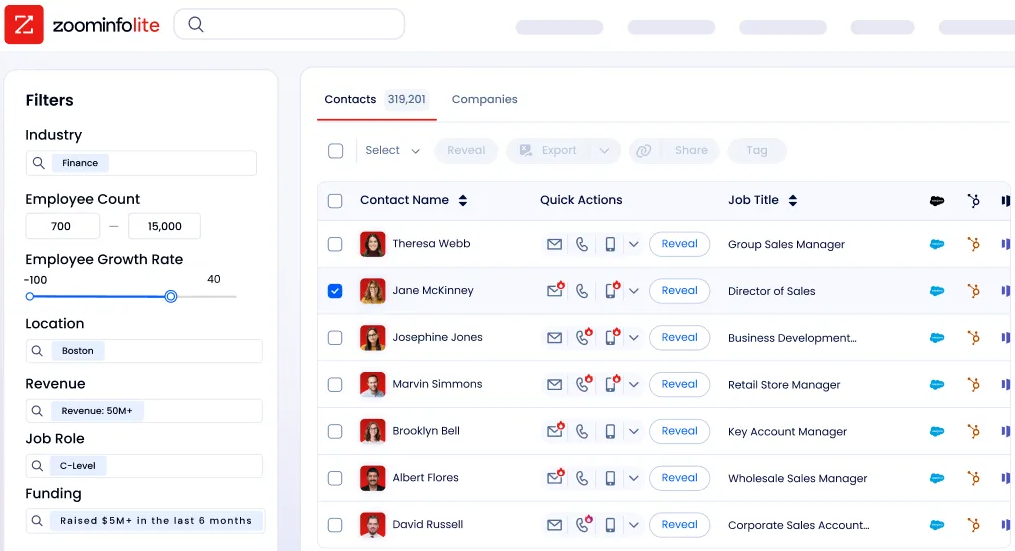
ZoomInfo uses custom-quoted, consumption-based pricing with no published prices. ZoomInfo Lite is a permanent free tier with access to the B2B database and 10 monthly export credits. Paid plans scale around seats, credits, and feature access.
The pricing reflects a different category: ZoomInfo isn't a scheduling tool competing on per-seat calendar pricing. It's GTM infrastructure where the ROI comes from pipeline generated, not meetings booked.
Source: ZoomInfo
The intelligence layer that makes scheduling strategic
When a sales rep opens their calendar, they see time slots. When they open ZoomInfo's GTM Workspace, they see which accounts to prioritize, what signals those accounts are sending, and AI-drafted messages that address concerns surfaced from conversation history and market intelligence.
The Action Feed streams in-market buyers matched to target criteria with pre-drafted actions on every signal: G2 comparisons, funding events, executive hires.
Views combine CRM data with real-time buying signals so reps can filter for intent spikes, technology changes, or personnel movements. The AI doesn't just find contacts. It recommends who to contact based on the motion (prospecting, deal acceleration, or renewal) and drafts outreach that reflects full account context.
Source: ZoomInfo
For marketing and RevOps teams, GTM Studio provides a builder where audience definition, campaign orchestration, and pipeline measurement happen in natural language. Pre-built GTM plays for inbound acceleration, champion tracking, and competitive displacement launch in one click. The outputs flow into GTM Workspace for seller execution.
For teams that build beyond ZoomInfo's own products, APIs and the MCP server expose the same intelligence to any custom agent, CRM, or partner platform.
"That combination of our internal CRM data, external signals, and AI that's given all that context has helped us craft very specific account- and persona-based messages. And people have responded to them right away." (Seismic)
Doodle vs. Google Calendar vs. ZoomInfo: Which should you choose?
These three tools serve different purposes, and many teams will use more than one.
Choose Doodle if:
You regularly coordinate meetings with external parties who don't share your calendar system
Group polling (finding a time for 5-50 people across organizations) is a frequent need
You need sign-up sheets for workshops, trainings, or volunteer coordination
HIPAA or GDPR compliance for scheduling is a hard requirement
Cross-organization, cross-timezone coordination is your primary scheduling challenge
Choose Google Calendar if:
Your team is already on Google Workspace
Most scheduling is internal or with people who also use Google
You want calendar management, booking pages, and AI scheduling assistance in one app
Shared calendars, room booking, and working location features matter to your workflow
You prefer not to add a separate scheduling tool to your stack
Choose ZoomInfo if:
Your team needs to identify the right people to meet with, not just find an open time slot
Intent data and buying signals should drive which meetings get scheduled
You want AI that drafts outreach based on full account context, not just availability
Your sales or marketing team needs a single view of accounts, signals, and recommended actions
You're building a GTM motion where every meeting ties back to pipeline and revenue
See how ZoomInfo turns scheduling into pipeline.
Doodle and Google Calendar both solve scheduling logistics well, each with different strengths. Doodle is the coordination tool for complex, cross-organizational scheduling. Google Calendar is the integrated calendar for Google-native teams. But for B2B organizations where the goal isn't just to fill a calendar but to fill it with the right meetings, ZoomInfo provides the intelligence that makes every slot on that calendar count.
Doodle vs. Google Calendar vs. ZoomInfo FAQ
What is the core difference between Doodle and Google Calendar?
Doodle is a scheduling coordination tool designed for finding meeting times across organizations, even when participants don't share a calendar system. Its Group Poll lets up to 1,000 people vote on proposed times without creating an account. Google Calendar is a full calendar management platform integrated into Google Workspace, with shared calendars, room booking, and appointment scheduling built into the same app where you manage your day. Doodle sits alongside your calendar; Google Calendar is your calendar.
Can Google Calendar replace Doodle?
For internal scheduling within a Google Workspace organization, Google Calendar's "Find a Time" and appointment scheduling features handle most needs. But Google Calendar has no equivalent to Doodle's Group Poll for cross-organizational, multi-party scheduling where participants aren't on Google. If you regularly coordinate with external parties on different calendar systems, Doodle fills a gap Google Calendar doesn't cover.
Do participants need an account to use Doodle or Google Calendar booking pages?
Neither requires participants to create an account to book a meeting. Doodle participants can vote on Group Polls or book via Booking Pages without a Doodle account. Google Calendar booking page visitors can select a time and book without a Google Account.
How does ZoomInfo relate to scheduling tools like Doodle and Google Calendar?
ZoomInfo is not a scheduling tool. It's a B2B intelligence platform that helps sales and marketing teams identify who to meet with, when they're ready to buy, and what to say. It complements scheduling tools by providing the contact data, intent signals, and account intelligence that determine which meetings are worth booking. Teams use ZoomInfo to find and prioritize prospects, then use Doodle or Google Calendar to handle the meeting logistics.
Which platform is best for scheduling in regulated industries like healthcare?
Doodle holds SOC 2 Type II, HIPAA, and GDPR certifications and hosts all infrastructure in the EU, making it a strong fit for healthcare, government, and academic institutions with strict compliance requirements. Google Calendar inherits Google Workspace's enterprise security infrastructure but doesn't market Calendar-specific HIPAA compliance. For scheduling in regulated environments, Doodle's dedicated compliance certifications give it an edge.
How do the free plans compare across Doodle and Google Calendar?
Doodle's free plan includes Group Polls with up to 10 time slots, one booking page, and one 1:1 page, but shows ads to all participants and excludes Microsoft Teams and Webex integrations, automated reminders, and custom branding. Google Calendar is free with any personal Google Account, including one appointment booking page, full event management, Gmail auto-import, and mobile apps. Google Calendar's free tier is more generous, but Doodle's free plan includes Group Poll, a feature Google Calendar doesn't offer at any price.
What is ZoomInfo's GTM Context Graph and why does it matter for meeting preparation?
The GTM Context Graph is ZoomInfo's intelligence layer that combines B2B contact data with a customer's CRM records, conversation transcripts, and behavioral signals. It processes 1.5 billion data points daily to reveal not just what's happening in an account, but why. For meeting preparation, this means a sales rep can walk into a call knowing the prospect's org structure, recent hiring patterns, competitor research activity, and the specific concerns raised in previous conversations, instead of spending an hour researching before every meeting.
Can Doodle and Google Calendar be used together?
Yes, and many teams do this. Doodle integrates with Google Calendar for availability checking, meaning your Doodle polls and booking pages respect your Google Calendar commitments. You use Google Calendar as your system of record for events and daily scheduling, and Doodle as the coordination layer when you need to schedule across organizations or poll a large group.
