
Evaboot does one thing well: it extracts clean, email-verified lead lists from LinkedIn Sales Navigator. Instead of building a broad sales intelligence platform, Evaboot works as a Chrome Extension inside Sales Navigator, letting users export prospects with cleaned data and verified professional emails in a single click. For teams whose prospecting starts and ends with LinkedIn, it cuts the manual work of copying contacts into spreadsheets and scrubbing messy data.
To write this Evaboot review, we analyzed the platform in depth. We believe it's the right choice if:
You already pay for LinkedIn Sales Navigator and want to export leads quickly
You need clean, structured CSV files from Sales Navigator searches without manual data entry
You want email finding and verification built into your export workflow
You value simplicity and a minimal learning curve over feature depth
Your prospecting workflow starts and ends with LinkedIn
However, Evaboot might not be the best choice if:
You need a proprietary B2B database independent of LinkedIn
You require intent data, technographics, or buying signals to prioritize accounts
You want direct-dial phone numbers alongside email addresses
You need conversation intelligence, marketing automation, or CRM capabilities in one platform
Your team has outgrown single-channel LinkedIn prospecting
In this case, consider ZoomInfo: a go-to-market platform built on a proprietary database of 500M contacts and 100M companies. Where Evaboot extracts what LinkedIn happens to contain, ZoomInfo provides its own verified contacts with direct-dial phone numbers and business emails, layered with intent signals that reveal when accounts are actively in-market, and an intelligence layer that helps your team decide who to contact, when to engage, and what to say.
We've included a detailed look at ZoomInfo later in this Evaboot review, as the natural next step for teams that need more than LinkedIn scraping. If you're ready to explore a full go-to-market platform, you can start with ZoomInfo's free plan.
What is Evaboot?
Evaboot is a Chrome Extension and B2B lead generation tool founded in 2021 in Paris, France, by JB Jézéquel and Robin Zouein. The company was built to solve a specific problem: LinkedIn Sales Navigator does not let users export their search results.
Evaboot fills that gap. It lets Sales Navigator users export lead lists to CSV with automatic data cleaning (removing emojis, fixing capitalization, stripping legal suffixes) and email finding and verification in a single workflow. The tool also re-verifies each exported lead against the original search filters, flagging false positives that Sales Navigator's own search returns.
The company reached $2M+ ARR through bootstrapping, with roughly five employees as of late 2024. JB Jézéquel drove growth through LinkedIn content marketing (30,000+ followers), an SEO-focused blog, and a YouTube channel with 7,000+ subscribers.
Evaboot now serves 200,000+ users and 3,500+ companies, including Brevo, Airtable, Uber, Amazon, Databricks, and MongoDB. It holds a 4.6-star rating on both G2 and Capterra.
The typical Evaboot user is an SDR, sales manager, or growth marketer who already pays for Sales Navigator and needs a faster path from a targeted search to a CRM-ready prospect list.
Evaboot Pros & Cons
Pros | Cons |
|---|---|
One-click export from Sales Navigator with automatic data cleaning | Requires a paid LinkedIn Sales Navigator subscription (~$99/month) |
Email finding and verification in a single workflow | No proprietary contact database (depends entirely on LinkedIn data) |
Lead filter re-verification catches Sales Navigator false positives | Email discovery rate of 60–80%, leaving gaps in some segments |
4.6-star ratings on both G2 and Capterra | Salesforce and Pipedrive integrations still listed as "Coming Soon" |
2,500 leads/day export limit protects LinkedIn accounts | No intent data, technographics, or buying signals |
Unlimited seats and Sales Navigator accounts on all plans | No direct-dial phone numbers |
GDPR-compliant live data extraction with no stored database | Subscription-only model replaced one-time credit purchases |
Evaboot Review: How it Works & Key Features
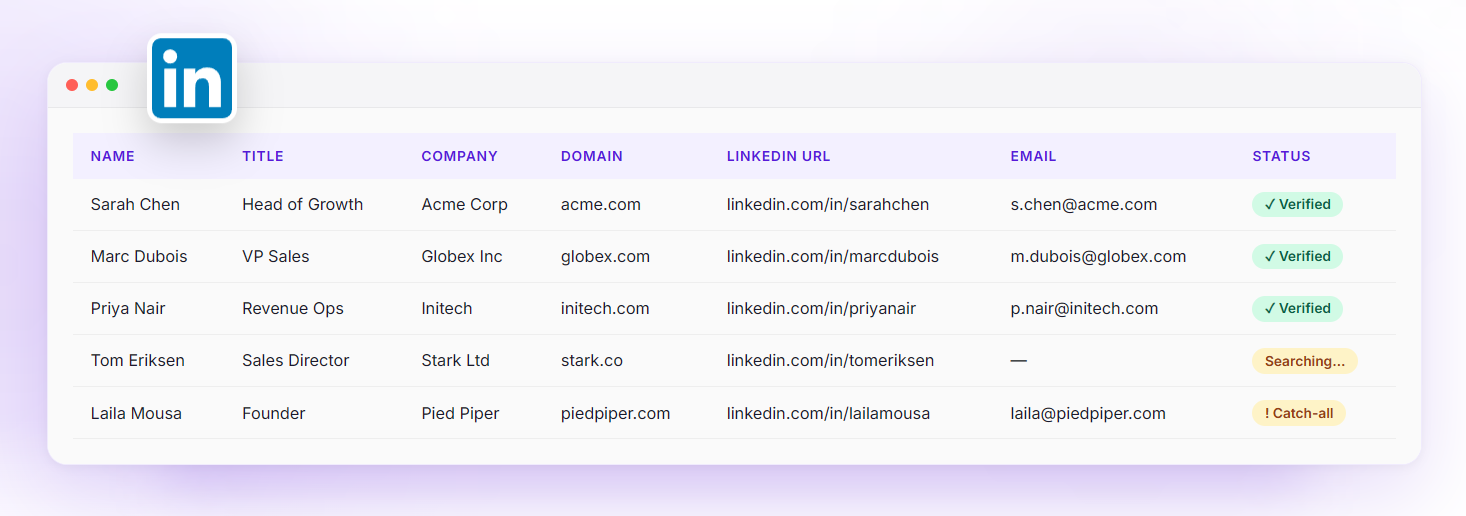
Sales Navigator Scraper: Evaboot exports, cleans, and filters Sales Navigator leads in one click.
LinkedIn Sales Navigator is a strong prospecting tool, but it has a structural limitation: there is no native export for lead lists or searches to a CSV or Excel file. Evaboot's Sales Navigator Scraper solves this as a Chrome Extension that adds an export button inside the Sales Navigator interface.
Source: Evaboot
When a user triggers an export, Evaboot visits each profile rather than scraping only the search results page. This produces a fuller dataset, including LinkedIn profile headlines, job descriptions, company website, company LinkedIn URL, lead location, industry, company size, exact employee count, years in position, and connection count.
Three operations run automatically on every export:
Data cleaning: Evaboot cleans first names, last names, and company names by removing emojis, correcting typos, normalizing capitalization, and stripping legal suffixes like "Ltd" or "Inc."
Filter verification: Evaboot re-checks every lead against the original Sales Navigator search criteria. Sales Navigator returns false positives in roughly 20–30% of results, so Evaboot flags each mismatch with specific reasons (wrong job title, wrong company size, wrong industry).
Selective download: Users can choose to download all leads or only those confirmed as matching their filters.
To protect users' LinkedIn accounts, Evaboot caps exports at 2,500 leads per day per Sales Navigator account. Teams can scale by connecting multiple accounts: two accounts allow 5,000 leads per day, three allow 7,500.
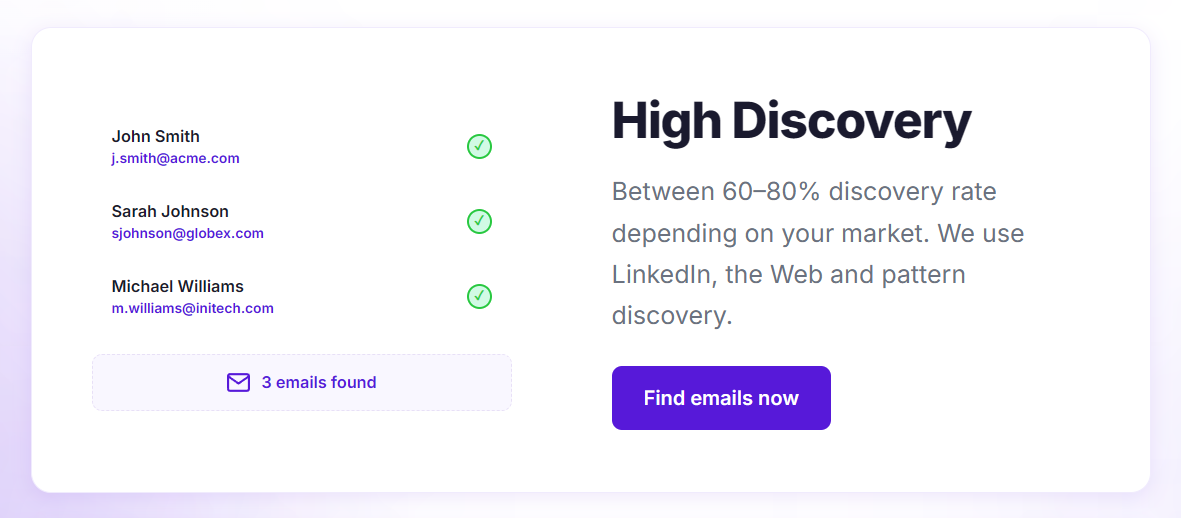
Email Finder & Verifier: Evaboot discovers and validates professional email addresses in the same export step.
Sales Navigator does not expose professional email addresses. Evaboot bridges this gap with a combined Email Finder and Verifier that runs as part of the lead export workflow.
Source: Evaboot
The Email Finder uses three techniques in sequence: LinkedIn scraping, web scraping of company domains, and pattern matching (applying known corporate email formats like firstname.lastname@company.com). The discovery rate sits at 60–80%, meaning some contacts will not return a usable email address, particularly in niche industries or regions with thinner LinkedIn data.
Evaboot automatically verifies every found email through a nine-layer verification stack: SMTP validation, MX record checks, catch-all detection, domain verification, spam trap detection, disposable email filtering, syntax checks, graylist handling, and risk validation. It scores emails into two categories: safe (97% deliverability) or riskier (83% average deliverability) for catch-all domains. Evaboot guarantees a 3% maximum bounce rate on safe emails.
Users can download only safe emails, and credits are only charged per found email. Evaboot provides only professional emails, not personal addresses.
The Email Finder and Email Verifier also work as standalone tools outside the Sales Navigator export workflow, and the verifier accepts CSV uploads of existing email lists from any provider.
Integrations, API & Bulk Tools: Evaboot connects to automation platforms and offers programmatic access for technical teams.
Beyond the Chrome Extension, Evaboot provides a REST API covering four functions: Sales Navigator extraction, LinkedIn profile enrichment, email finding, and email verification. All operations are asynchronous, returning a job ID immediately and delivering results via webhook callback.
Source: Evaboot
Five native integrations are live: Make, Zapier, n8n, Clay, and HubSpot. Each supports two modes: automatic (fires on export completion) and manual (user triggers from the dashboard). Google Sheets, Pipedrive, and Salesforce are listed as coming soon. Any custom webhook URL is also supported.
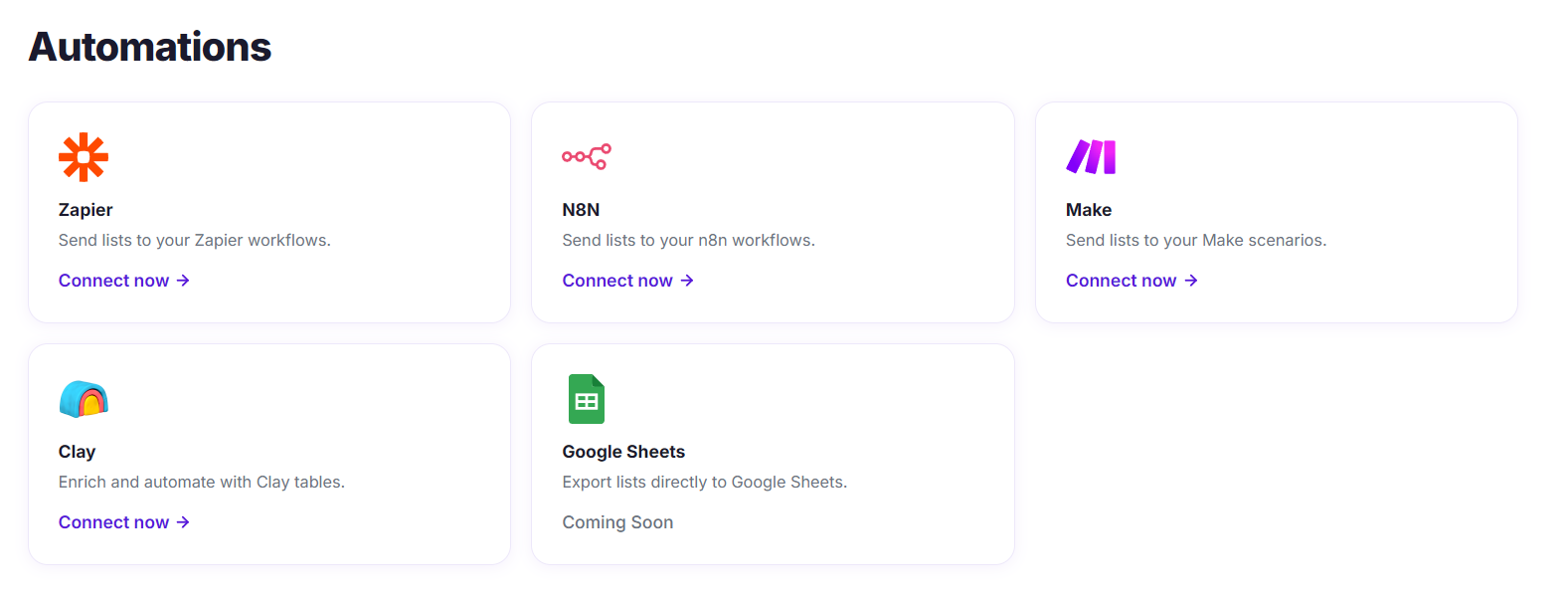
Source: Evaboot
For AI workflows, Evaboot publishes an MCP server with 14 tools covering search building, email finding, email validation, and LinkedIn extraction. Compatible environments include Claude Desktop, Claude Code, Cursor, VS Code Copilot, and Windsurf.
The Bulk Upload feature accepts CSV files of LinkedIn URLs for enrichment at scale. Evaboot enriches profiles using Sales Navigator data rather than the public LinkedIn graph, returning 20+ fields per contact including job title, company details, years in position, and company specialties. Users can also add verified emails to the enrichment output.
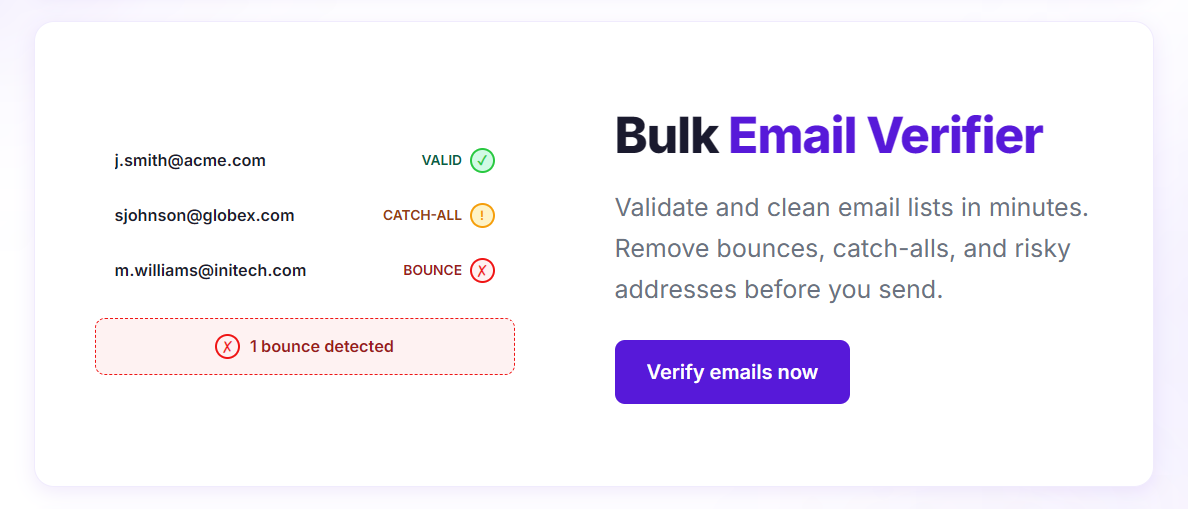
Source: Evaboot
Pricing: Credit-based subscriptions starting at $9/month, with all features included on every plan.
Evaboot operates on a credit-based subscription model with no feature gating by tier. Credits work as follows:
1 lead or account exported = 1 credit
1 email found + verified = 1 credit
1 email verified only = 0.5 credit
1 lead exported with verified email = 2 credits
Pricing starts at $9/month for 100 credits. All plans include Sales Navigator export, data cleaning, lead filtering, email finder, email verifier, LinkedIn URL enrichment, unlimited seats, unlimited linked Sales Navigator accounts, credit rollover, integrations, and API access.
Two billing options exist: monthly or yearly (which saves two months). Subscriptions can be cancelled anytime with no lock-in, and users keep 30 days to spend remaining credits after cancelling. Subscriptions can also be paused for 1, 2, or 3 months.
The caveat: Evaboot requires an active Sales Navigator subscription, which costs roughly $99/month separately. The combined minimum cost for Evaboot plus Sales Navigator is about $108/month before exporting a single lead.
Where Evaboot Falls Short
Evaboot does its core job well, but several constraints surface as teams grow beyond basic LinkedIn prospecting. These follow naturally from building a tool scoped to one platform.
Complete Dependence on LinkedIn Sales Navigator. Evaboot requires Sales Navigator, not free LinkedIn or LinkedIn Recruiter. Users must maintain a separate Sales Navigator subscription (~$99/month) before Evaboot becomes usable at all. Any change to LinkedIn's policies or terms of service directly affects the product's viability. Your entire prospecting data source is controlled by a third party.
No Proprietary Data. Evaboot does not maintain its own contact database. Every export is a live extraction from LinkedIn, which means you can only find contacts who have LinkedIn profiles and whose information is current on the platform. If a prospect hasn't updated their LinkedIn profile, or doesn't have one, they don't exist in your export. There are no direct-dial phone numbers, no technographic data, no org charts, and no company financial data beyond what LinkedIn surfaces.
Email Coverage Ceiling. With a 60–80% discovery rate, roughly one in four exported contacts may not return a usable email address. One user on the testimonials page reported finding email addresses for only 40–60% of contacts in certain target groups. For teams running high-volume outbound campaigns, these gaps add up fast.
No Buying Signals or Intent Data. Evaboot tells you who a prospect is and how to reach them by email. It cannot tell you whether that prospect is actively researching solutions, evaluating competitors, or showing signs of purchase readiness. Without intent data, every lead on your export list looks the same, and your team has no way to prioritize accounts showing real buying activity.
CRM Integration Gaps. HubSpot is the only live CRM integration. Salesforce and Pipedrive, two of the most widely used CRMs in B2B sales, are both listed as "Coming Soon." Teams using either CRM must route data through Zapier, Make, or n8n, adding complexity and potential failure points.
These limitations reflect Evaboot's deliberate decision to own one narrow workflow rather than build a full sales intelligence platform. But for teams whose prospecting needs extend beyond LinkedIn, or whose deal cycles require signal-based prioritization, a broader platform becomes necessary.
Top Evaboot Alternative for Full-Scale Sales Intelligence: ZoomInfo
ZoomInfo addresses Evaboot's scope limitations as a go-to-market platform that does not depend on any single external data source. Founded in 2007 by Henry Schuck, ZoomInfo has spent nearly two decades building what is now the largest B2B data foundation in the industry, serving 35,000+ companies including Adobe, Snowflake, PayPal, and Databricks.
Comprehensive B2B Data: ZoomInfo's proprietary database eliminates the need to scrape LinkedIn.
Where Evaboot extracts whatever LinkedIn happens to contain, ZoomInfo maintains its own verified dataset: 500M contacts, 100M companies, 135M+ verified phone numbers, 120M direct dials, and 200M+ verified business email addresses. This data flows through a multi-source verification pipeline backed by automated ML scanning of 28 million site domains daily, third-party partner data covering 95 million businesses, and an in-house Data Training Lab of 300+ human researchers. First-party data reaches up to 95% accuracy.
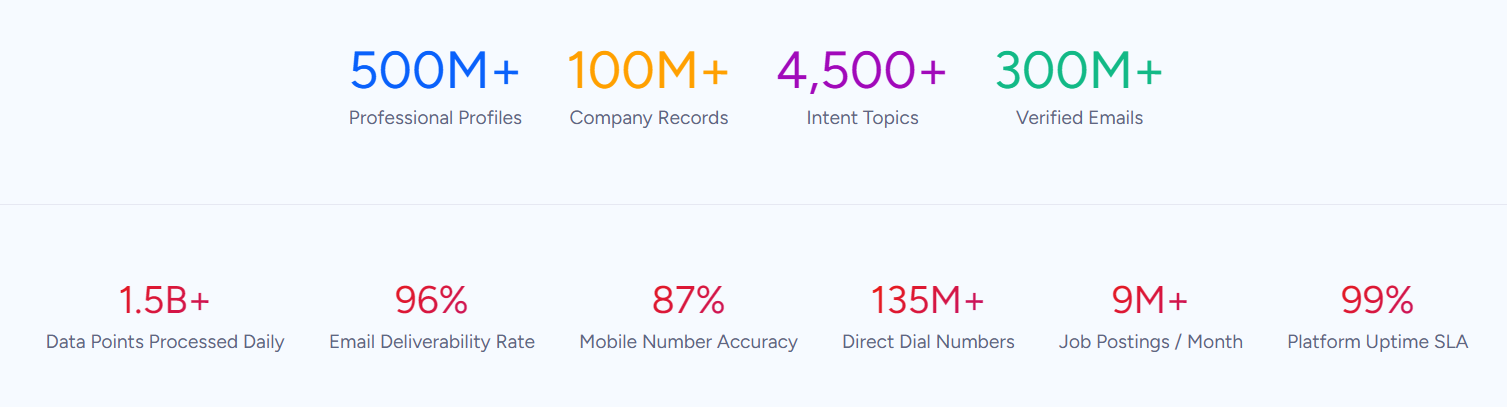
The practical difference: ZoomInfo provides verified direct-dial phone numbers and business emails for contacts whether or not they have a LinkedIn profile, whether or not they've updated that profile recently, and without requiring a Sales Navigator subscription. You also get data dimensions LinkedIn does not surface: technographic profiles covering 30,000+ technologies across 30+ million companies, buyer intent signals tracking research activity across 210 million IP-to-Organization pairings, department org charts with verified contact details, and company attributes including revenue, headcount, and parent-child hierarchies.
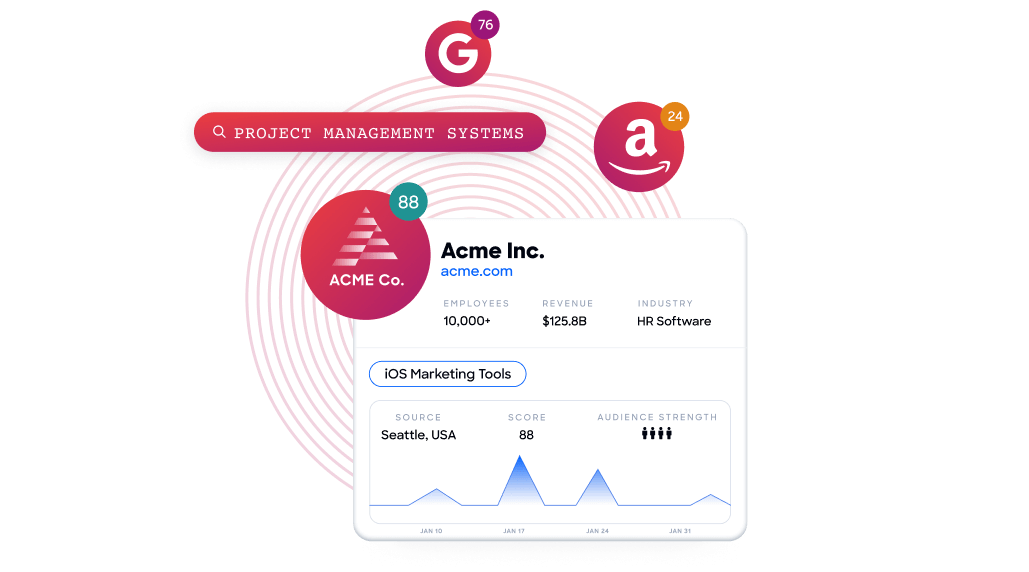
This data advantage is externally validated. In a Fortune 500 RFP analyzing 25 million contacts across vendors, an independent consultant concluded that "no other competitor came even close." ZoomInfo holds 133 No. 1 rankings on G2 and is a Leader in both Gartner's Magic Quadrant for ABM Platforms and Forrester's Wave for Intent Data Providers.
"ZoomInfo gives us the information we need to execute. We don't have to spend our time digging, it's already there, so we can be three steps ahead." (Vensure)
AI-Powered Intelligence: The GTM Context Graph turns raw data into deal context.
Evaboot delivers clean contact data. ZoomInfo goes further with the GTM Context Graph, which processes 1.5B+ data points daily by combining ZoomInfo's B2B data with a customer's CRM records, conversation transcripts, email interactions, and behavioral signals. The result is a system that captures not just what happened in a deal, but why it happened.
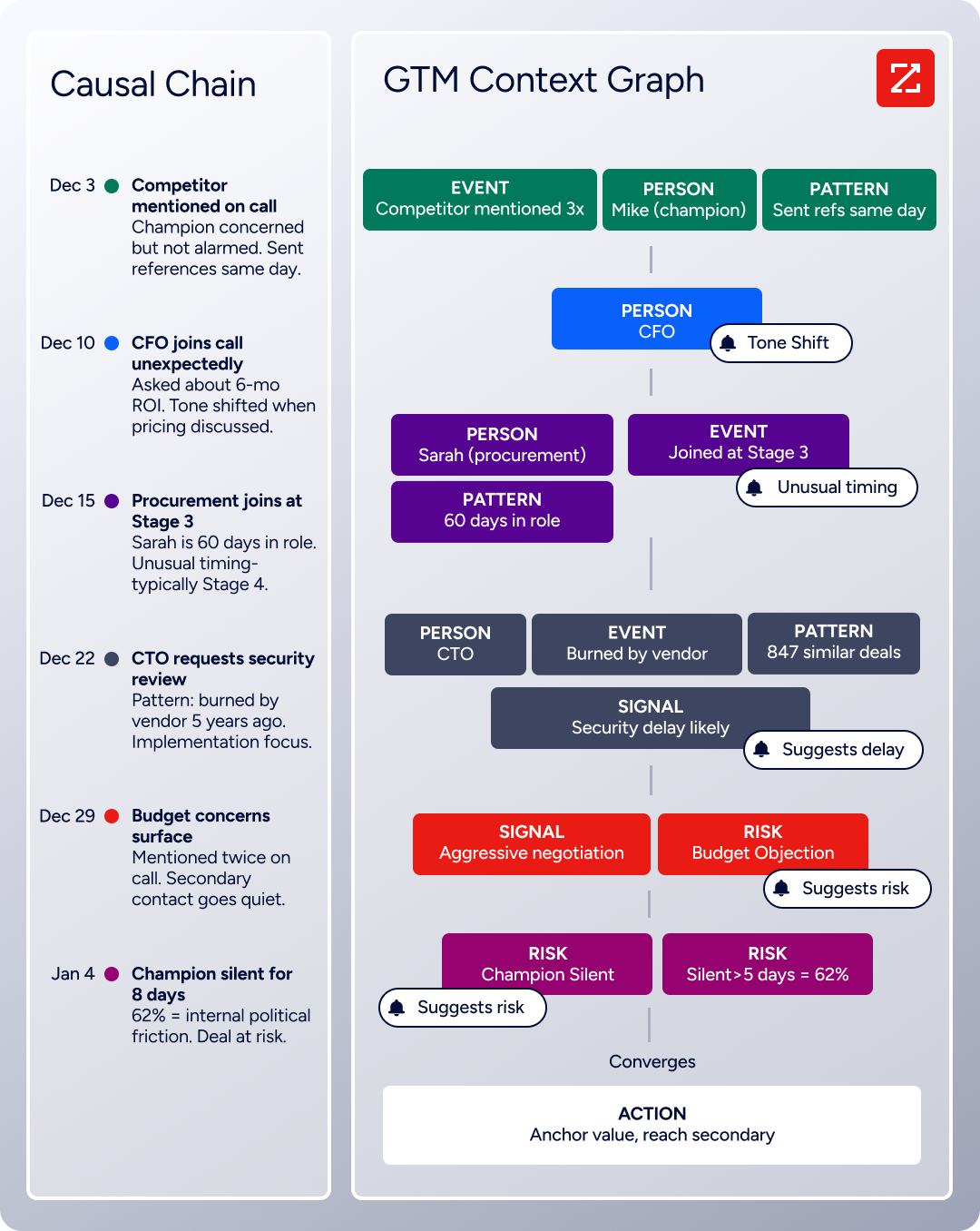
Here is how that works in practice. A CRM records that a deal moved from stage 3 to stage 4. The GTM Context Graph captures the reason: the CFO joined the last call and asked about six-month ROI, which matches the pattern behind closed-won deals in that segment. That reasoning flows into every downstream action, from prioritizing which accounts to call first to drafting follow-up emails that address the specific concerns raised in conversation.
This intelligence layer is built on two decades of data infrastructure combined with conversation intelligence from Chorus (which records and analyzes customer calls, meetings, and emails) and intent signals that reveal when accounts are actively in-market. Guided Intent, exclusive to ZoomInfo, identifies topics historically correlated with deal success rather than requiring manual topic selection.
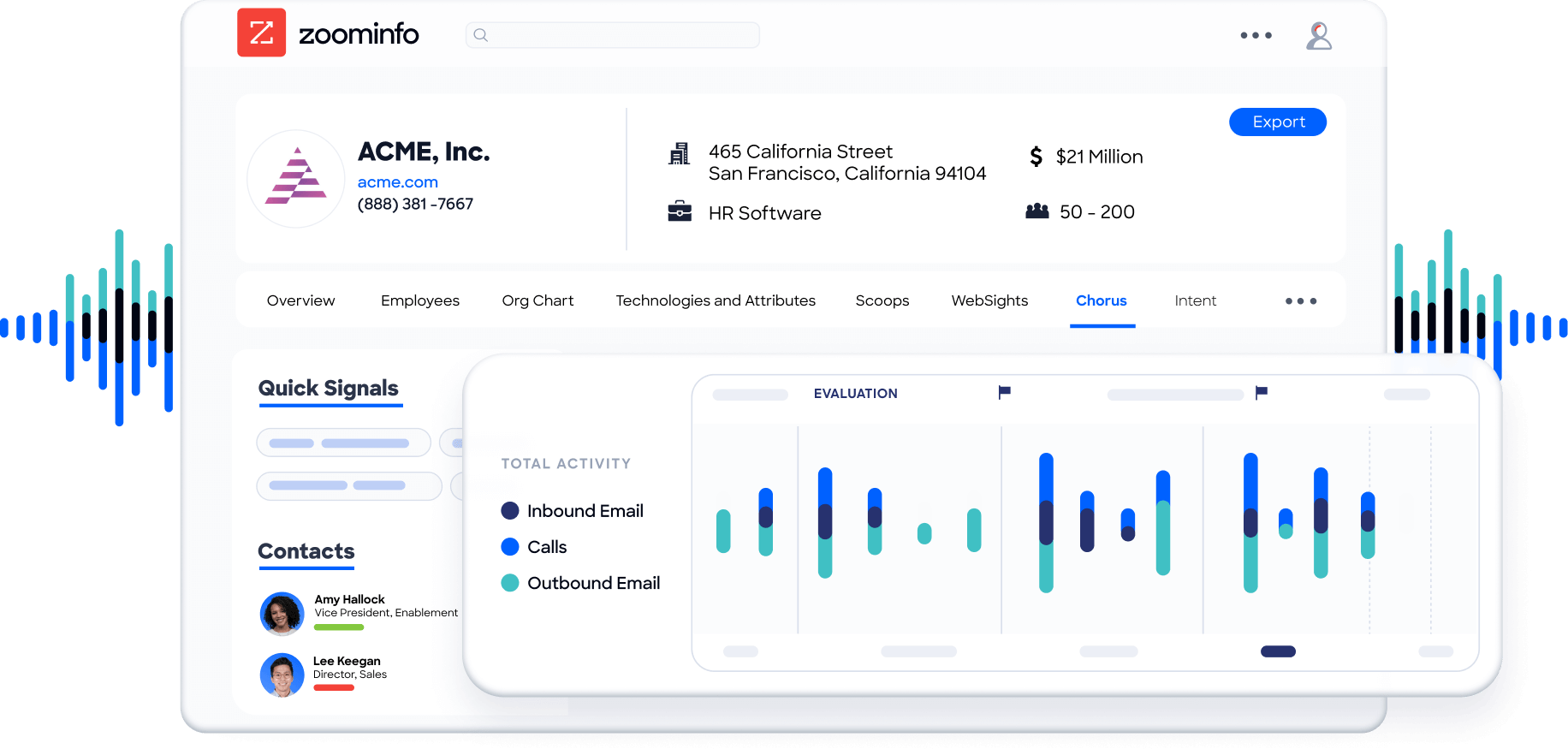
Seismic attributed 39% of active pipeline to opportunities influenced by ZoomInfo signals, with 54% productivity gains. "That combination of our internal CRM data, external signals, and AI that's given all that context has helped us craft very specific account- and persona-based messages." (Seismic)
Universal Access: Use ZoomInfo's intelligence through any tool, workflow, or AI agent.
ZoomInfo delivers its data and intelligence through three channels, so teams are not locked into a single interface:
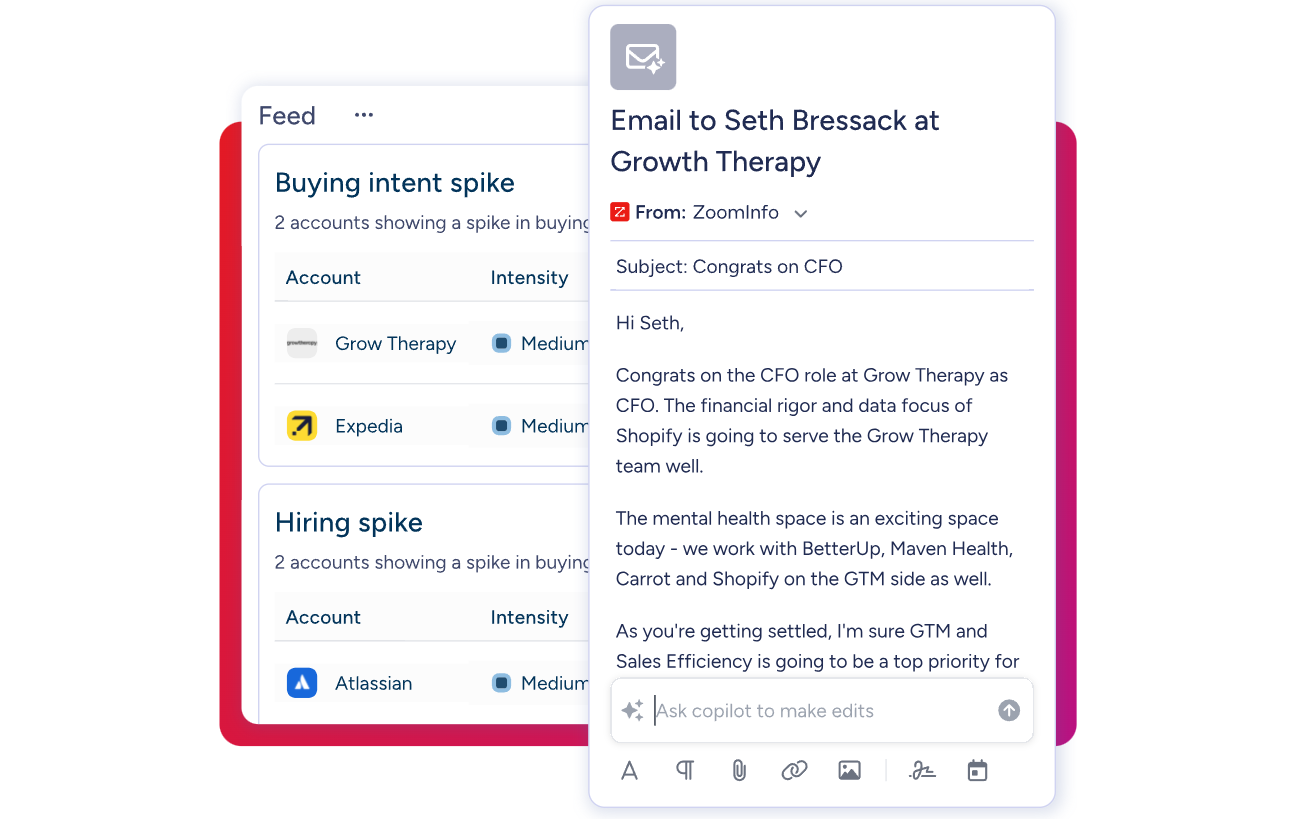
GTM Workspace is the seller's front-end. It pulls together CRM data, ZoomInfo signals, conversation history, and market intelligence into one workspace where AI agents handle account research, outreach drafting, CRM updates, and signal monitoring. An Action Feed surfaces in-market buyers with pre-drafted actions on every signal. Databricks reached prospects 50% faster using it. Thomson Reuters increased closed-won deals by 40%.
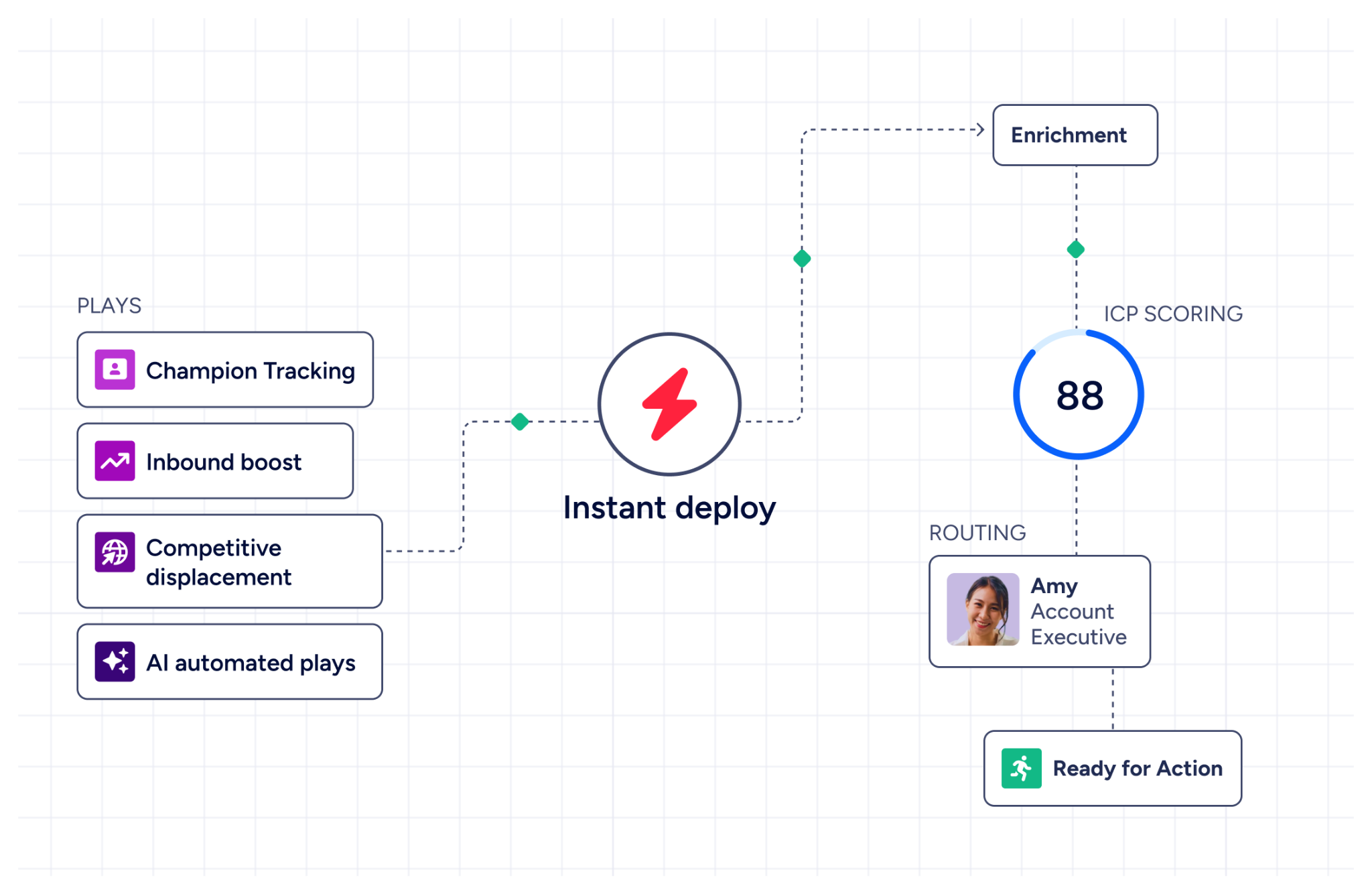
GTM Studio is the front-end for marketers, RevOps, and GTM engineers. It lets teams build audiences using natural language, define triggers, and activate multi-channel plays (email, calls, ads, direct mail) without engineering support. Expansion plays that previously took three weeks now launch in 30 minutes.
APIs and MCP deliver the same intelligence into any custom tool, third-party application, or AI agent. The Enterprise API covers search, enrichment, AI intelligence (account summaries, lookalike companies, contact recommendations), audience management, and engagement data. The MCP server connects AI models directly to ZoomInfo's data, currently supporting Claude and ChatGPT. API access is included in all relevant plans.
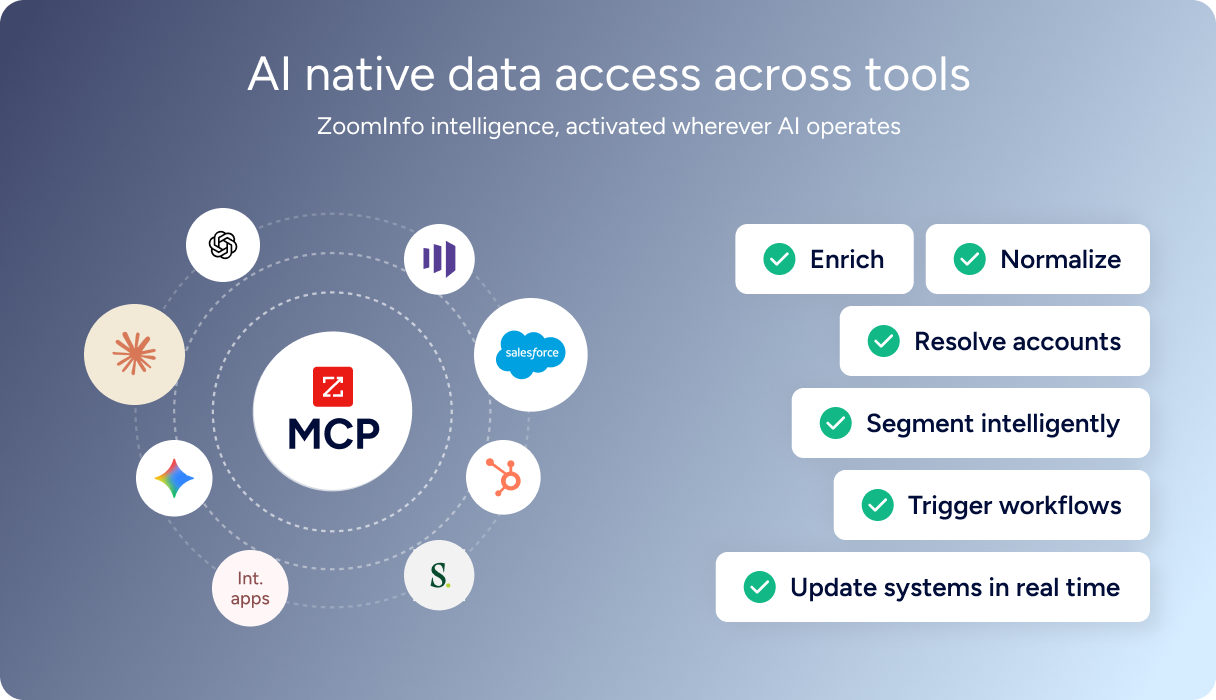
"The plug-and-play aspect of the API means I can integrate it into any process and get information at a moment's notice." BDO Canada achieved an 87% reduction in time spent on data dashboard updates through the ZoomInfo API. (BDO Canada)
Flexible Entry Points: ZoomInfo offers a permanent free tier and a 7-day trial.
ZoomInfo uses consumption-based pricing, scaling around data access, API consumption, and AI activity. No public dollar amounts are listed for paid tiers. Paid plans are organized into Sales (Professional, Advanced, Enterprise) and Marketing (Marketing Demand, ABM Lite, ABM Enterprise) product lines, with features like intent signals, AI capabilities, and dedicated support managers gated by tier.
Two free entry points exist:
ZoomInfo Lite is a permanent free plan (not a trial) that includes access to ZoomInfo's database, 10 monthly export credits, individual and company searches, the ReachOut Chrome extension, WebSights Lite (up to 10 website visitor reveals per day), built-in email sending, and HubSpot integration. No credit card or time limit.
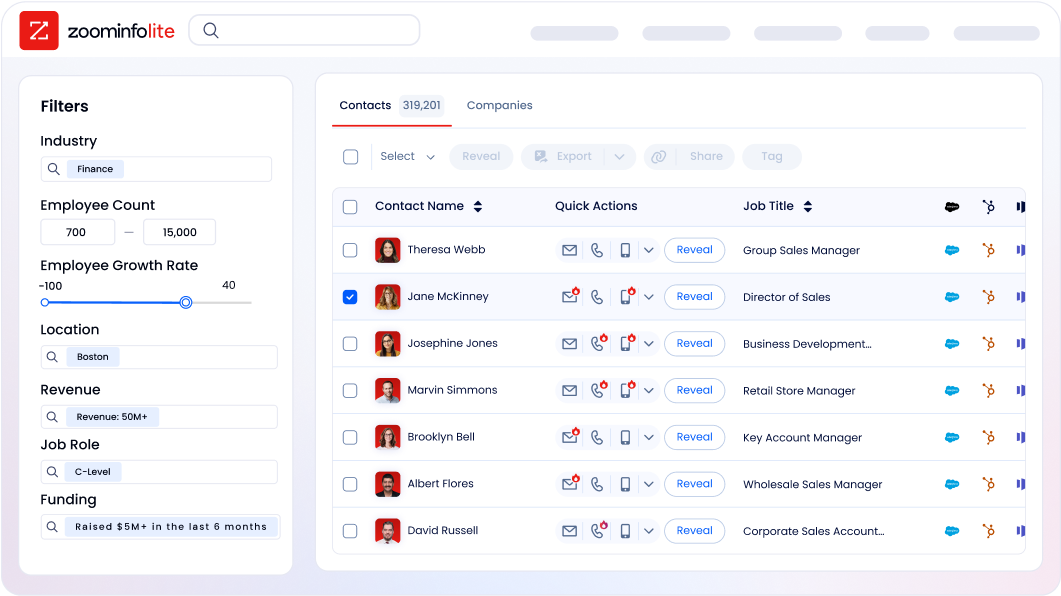
A 7-day free trial provides broader access to paid features including intent signals, sales intelligence tools, and email outreach, also without requiring a credit card.
Evaboot or ZoomInfo: Comparison Summary
Evaboot | ZoomInfo | |
|---|---|---|
Primary function | LinkedIn Sales Navigator scraper and email finder | Go-to-market platform with AI |
Data source | Live extraction from LinkedIn (no proprietary database) | Proprietary database: 500M contacts, 100M companies |
Email addresses | 60–80% discovery rate via algorithmic search | 200M+ verified business emails |
Phone numbers | Not available | 135M+ verified phone numbers, 120M direct dials |
Intent data | Not available | Buyer intent from 210M IP-to-Organization pairings |
Technographics | Not available | 30,000+ technologies across 30M+ companies |
Data cleaning | Automatic on export (names, companies) | Multi-source verification with 300+ human researchers |
AI capabilities | MCP server for agentic workflows | GTM Context Graph, AI agents, AI-drafted outreach |
CRM integrations | HubSpot live; Salesforce, Pipedrive coming soon | Salesforce, HubSpot, Microsoft Dynamics + 120 marketplace apps |
Sales Navigator required | Yes (hard prerequisite) | No |
Conversation intelligence | Not available | Chorus (call recording, transcription, deal intelligence) |
Marketing automation | Not available | Native ABM, display advertising, multi-channel orchestration |
Free plan | Free standalone email finder/verifier tools | ZoomInfo Lite (permanent, 10 exports/month) |
Paid pricing | From $9/month (+ ~$99/month for Sales Navigator) | Consumption-based pricing |
Compliance | GDPR (live extraction, no stored database) | ISO 27001, ISO 27701, SOC 2 Type II, TRUSTe GDPR/CCPA |
Best for | Sales Navigator users who need clean exports with emails | Teams needing full-scale prospecting, intelligence, and execution |
Final Verdict
The choice between Evaboot and ZoomInfo depends on the scope of your sales intelligence needs.
Choose Evaboot if your prospecting workflow centers on LinkedIn Sales Navigator and your primary need is extracting clean, email-verified lead lists without manual data entry. Evaboot does this job simply: the one-click export, automatic data cleaning, and integrated email verification eliminate the spreadsheet work that Sales Navigator users know well. At $9/month (plus your existing Sales Navigator subscription), the barrier to entry is low, and the unlimited seats model makes it accessible for teams of any size. For SDRs and solo operators who already know their target audience and just need to move prospects from Sales Navigator into an outreach sequence, Evaboot delivers.
Choose ZoomInfo if your team needs more than what LinkedIn contains. ZoomInfo provides its own verified database with direct-dial phone numbers and business emails, independent of any third-party platform. Intent data reveals which accounts are actively in-market. Technographic profiles show what tools prospects already use. Conversation intelligence captures why deals move or stall. And GTM Workspace and GTM Studio turn that intelligence into action without requiring your team to stitch together separate tools. For teams that have outgrown single-channel LinkedIn prospecting and need a platform that covers the full go-to-market cycle, ZoomInfo is the platform that scales with you.
Get started with ZoomInfo for free here.
Evaboot is a sharp tool for a specific job. ZoomInfo is the platform you move to when the job gets bigger than any single tool can handle.
Evaboot FAQ
Does Evaboot require LinkedIn Sales Navigator?
Yes. Evaboot only works with an active LinkedIn Sales Navigator subscription. It does not support free LinkedIn accounts or LinkedIn Recruiter. Since Sales Navigator costs roughly $99/month, the combined minimum investment for using Evaboot is about $108/month. ZoomInfo does not require any LinkedIn subscription. Its proprietary database provides contact and company data independently, with a permanent free tier (ZoomInfo Lite) that includes 10 monthly export credits and basic search capabilities.
How accurate are the emails Evaboot finds?
Evaboot reports a 60–80% email discovery rate, with emails classified as either "safe" (97% deliverability) or "riskier" (83% average deliverability for catch-all domains). Credits are only charged when an email is found. Some users have reported finding emails for as few as 40–60% of contacts in certain target segments. ZoomInfo maintains over 200 million verified business email addresses in its proprietary database, verified through a multi-source pipeline including 300+ human researchers, with up to 95% accuracy on first-party data.
Does Evaboot provide phone numbers?
No. Evaboot provides only professional email addresses. It does not offer direct-dial phone numbers or mobile numbers. ZoomInfo includes 135 million verified phone numbers and 120 million direct-dial numbers in its database, making it the stronger choice for teams that rely on phone-based outreach alongside email.
Is Evaboot safe to use with LinkedIn?
Evaboot enforces a daily export limit of 2,500 leads per Sales Navigator account, designed to stay within LinkedIn's activity thresholds. The tool visits individual LinkedIn profiles during export rather than using proxy rotation or IP obfuscation. Users running other scraping tools on the same account are warned that this could trigger LinkedIn restrictions. No tool that scrapes LinkedIn can guarantee permanent immunity from policy enforcement, but Evaboot's rate limiting is a reasonable precaution.
What CRM integrations does Evaboot support?
Evaboot currently has native integrations with HubSpot, Make, Zapier, n8n, and Clay. Salesforce and Pipedrive are listed as "Coming Soon" on the integrations page. Any custom webhook URL is also supported. ZoomInfo integrates natively with Salesforce, HubSpot, Microsoft Dynamics 365, and over 120 additional tools through its App Marketplace, plus API and MCP access for custom integrations.
Can Evaboot replace a B2B contact database like ZoomInfo?
No. Evaboot does not have a proprietary database. It extracts data live from LinkedIn at the moment of use, meaning it can only surface contacts who have LinkedIn profiles. It provides no intent data, technographics, org charts, or company financial information. ZoomInfo maintains its own database enriched with buyer intent signals, technographic data, department hierarchies, and company intelligence that go well beyond what LinkedIn surfaces.
How does Evaboot's pricing work?
Evaboot uses a credit-based subscription model starting at $9/month for 100 credits. One credit covers one lead export or one email found and verified. Exporting a lead with a verified email costs 2 credits. All features are included on every plan with unlimited team seats. Credits roll over as long as the subscription stays active. Yearly billing saves roughly two months compared to monthly. ZoomInfo uses consumption-based pricing with no publicly listed amounts, but offers a permanent free tier (ZoomInfo Lite) and a 7-day free trial without requiring a credit card.
Researching Evaboot? These comparisons and alternatives help you decide:
