
Choosing between eWay-CRM and Salesforce often comes down to five questions:
Do your sales reps live in Microsoft Outlook, or are they ready to adopt a standalone platform?
Do you need a CRM that also handles project delivery after the sale, or do you care only about pipeline management?
Is your team a 10-person office that needs shared contact visibility, or a 500-person organization with automation and AI agent requirements?
Are you willing to invest months in implementation and ongoing administration, or do you need something productive on day one?
Does your sales process depend on the quality of your prospect data, or are you mostly managing inbound relationships?
In short, here's what we recommend:
eWay-CRM is built for small and mid-sized businesses that run their day in Microsoft Outlook and don't want to leave it. The CRM installs as an Outlook add-in, turning the email client teams already know into a shared database for contacts, deals, projects, and marketing. For companies where the sales-to-delivery handoff matters (consulting firms, manufacturers, IT services), eWay-CRM converts a closed deal directly into a tracked project, preserving every email, note, and document. Pricing starts at $20/user/month with a permanently free tier. The trade-off: eWay-CRM depends entirely on the Microsoft ecosystem, its reporting requires a separate Power BI setup for anything beyond basics, and the Outlook plugin can slow performance on older hardware.
Salesforce is the IDC market share leader in CRM, serving over 150,000 companies from startups to global enterprises. Its scope is wide: Sales Cloud, Service Cloud, Marketing Cloud, Commerce Cloud, Data Cloud, and now Agentforce (autonomous AI agents that handle prospecting, coaching, and case resolution). For organizations that need pipeline management, forecasting, marketing automation, customer service, and analytics on one platform, Salesforce delivers all of it. The trade-off: that breadth costs real money (Enterprise starts at $175/user/month), implementation often requires consultants, and the learning curve can overwhelm teams without a dedicated admin.
Both platforms solve CRM from opposite ends of the spectrum. eWay-CRM embeds itself in the tool your team already uses. Salesforce gives you a platform that can do nearly anything, if you invest the time and money to set it up. But neither one starts by solving the problem that determines whether your CRM data is worth acting on: the quality and completeness of the prospect data inside it.
ZoomInfo is a B2B data and intelligence platform built on 500M contacts, 100M companies, 135M+ verified phone numbers, and 200M+ verified business email addresses. That data fuels ZoomInfo's GTM Context Graph, which processes 1.5B+ data points daily by combining ZoomInfo's B2B data with your CRM records, conversation transcripts, and behavioral signals to reveal not just what's happening in your deals, but why. Your sales team accesses this intelligence through GTM Workspace (where sellers work accounts), GTM Studio (where marketers, RevOps, and GTM engineers build plays), or API and MCP that pipe the same intelligence into any tool, including Salesforce and Outlook.
If building your pipeline on verified data and AI-driven account intelligence sounds like the missing piece, see how ZoomInfo works.
eWay-CRM vs. Salesforce vs. ZoomInfo at a glance
eWay-CRM | Salesforce | ZoomInfo | |
|---|---|---|---|
Core approach | CRM embedded inside Outlook | Standalone enterprise CRM platform | B2B data and intelligence platform |
Sales pipeline | Deal tracking with configurable workflows | Full pipeline, forecasting, AI scoring, Agentforce agents | GTM Workspace with AI-prioritized accounts and AI-drafted outreach |
Project management | Built-in (deal-to-project conversion) | Limited (requires add-ons or AppExchange) | Not a project management tool |
Data quality | Whatever your team enters manually | Whatever your team enters + AppExchange enrichment apps | 500M contacts, 135M+ verified phones, 200M+ verified email addresses |
AI capabilities | Email tone analysis, signature extraction, task suggestions | Agentforce autonomous agents, Einstein scoring, conversation intelligence | GTM Context Graph, AI account research, AI-drafted outreach, buyer intent signals |
Integrations | Microsoft ecosystem (Teams, Power BI, SharePoint, Power Automate) + Mailchimp, Zapier | 9,000+ AppExchange apps, MuleSoft, native Slack and Tableau | 172+ marketplace integrations, native Salesforce/HubSpot/Dynamics connectors, API/MCP for any tool |
Implementation time | Hours to days | Weeks to months (enterprise: 3–12 months) | Deploys in weeks |
Learning curve | Minimal (looks like Outlook) | Steep (dedicated admin recommended) | Moderate (role-specific onboarding) |
Starting price | Free (unlimited users); paid from $20/user/mo | Free (2 users); paid from $25/user/mo | Free (ZoomInfo Lite); paid plans custom-quoted |
Best for | Outlook-centric SMBs (10–200 employees) | Mid-market to enterprise (any size with admin resources) | B2B sales, marketing, and RevOps teams that need prospect data and signals |
Two different philosophies of CRM adoption
eWay-CRM and Salesforce disagree on where a CRM should live.
eWay-CRM bets that adoption is the hardest problem in CRM.
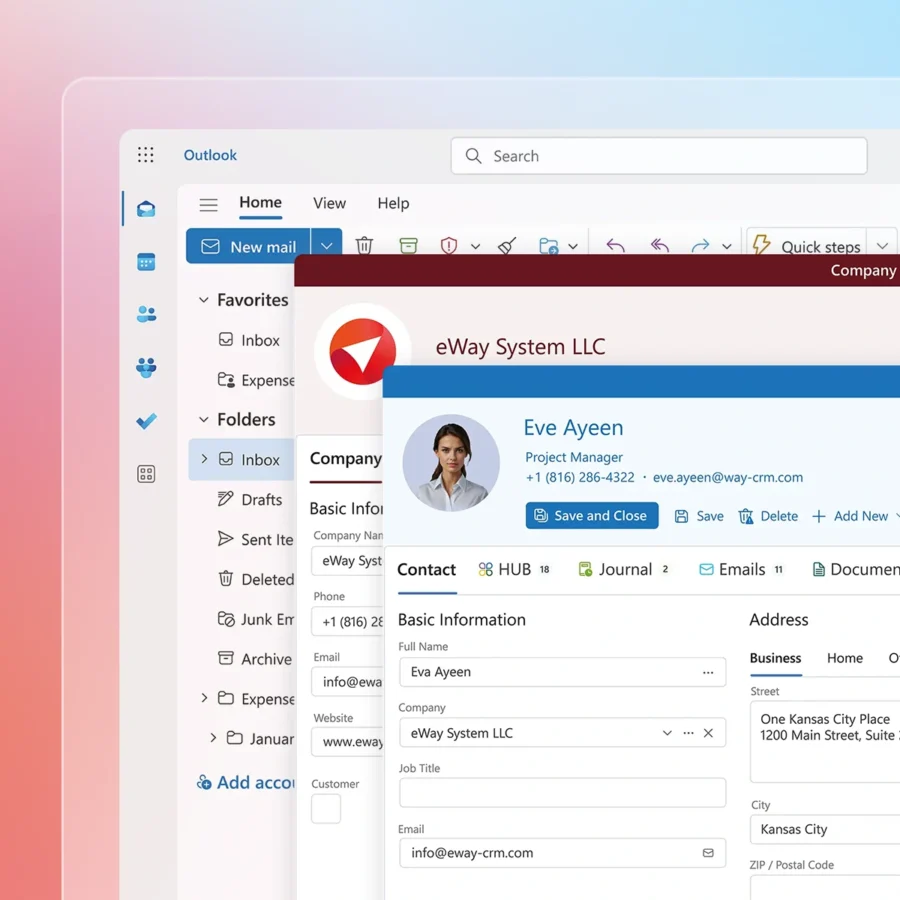
If your sales team already works in Outlook eight hours a day, asking them to log into a separate web application for every deal update, contact note, and follow-up task means asking them to change a habit. Most won't. So eWay-CRM installs directly inside Outlook and renders in the same interface, with the same navigation patterns, using the same keyboard shortcuts. The company's own tagline makes the pitch explicit: "You don't need to learn anything new."
Source: eWay-CRM
Salesforce bets that a platform designed from the ground up for sales, service, marketing, and analytics will always outperform a plugin grafted onto an email client.
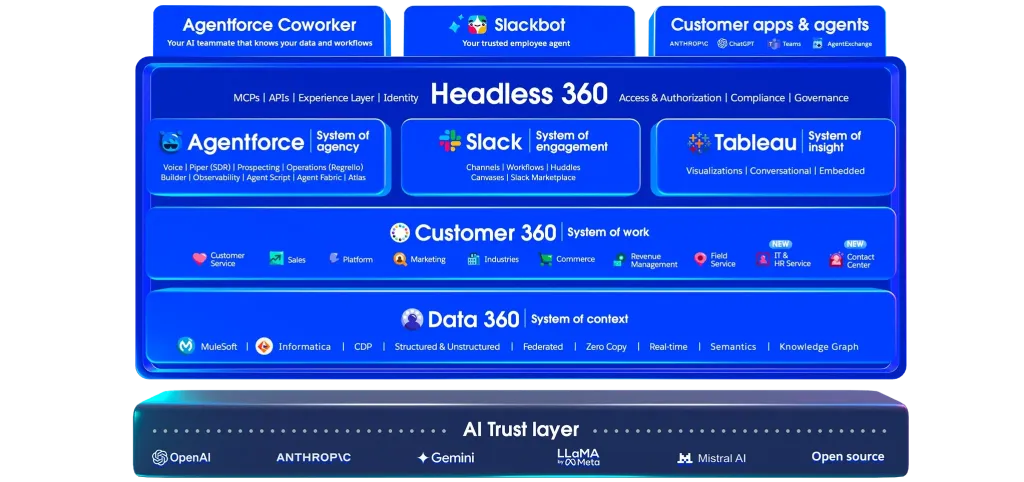
The Lightning Experience interface is a full application environment with dashboards, automation builders, custom objects, and AI agents. It's not trying to feel like Outlook. It's trying to replace the dozen disconnected tools your team uses today with one system of record.
Source: Salesforce
Both approaches have consequences.
eWay-CRM's Outlook dependency means teams using Gmail, Apple Mail, or any non-Microsoft email client cannot use it. And the plugin architecture introduces a known trade-off: Capterra reviewers consistently cite Outlook performance degradation (longer load times, occasional crashes) as the most common complaint.
Salesforce's standalone architecture means there's no context-switching shortcut. Reps must learn the platform, and without a dedicated admin configuring workflows, automations, and reports, much of the platform's value goes unrealized.
Pipeline management: Simple stages vs. enterprise automation
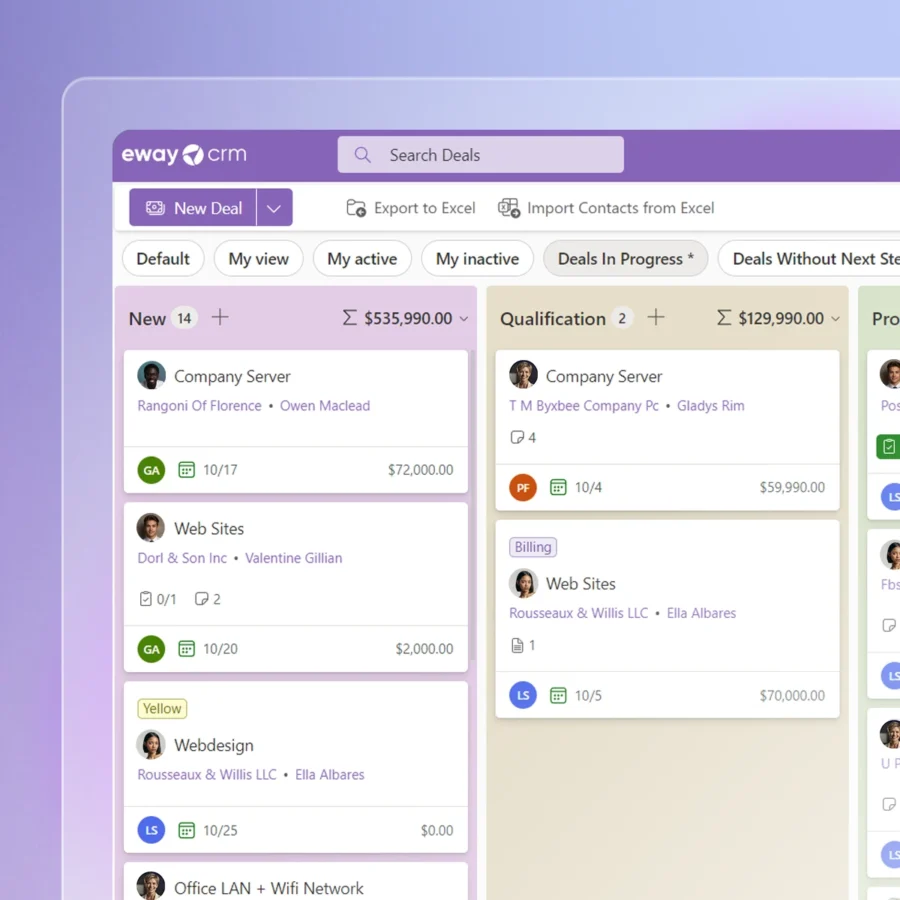
eWay-CRM's Sales Management module gives teams a deal pipeline inside Outlook with configurable workflows, weighted pipeline views, and the ability to convert emails into deals in a single click. AI reads the email signature and populates the deal card automatically. Workflow transitions can enforce required fields and trigger notifications.
For a 20-person consulting firm tracking 50 active opportunities, this covers the job.
Source: eWay-CRM
Salesforce's Sales Cloud operates at a different scale.
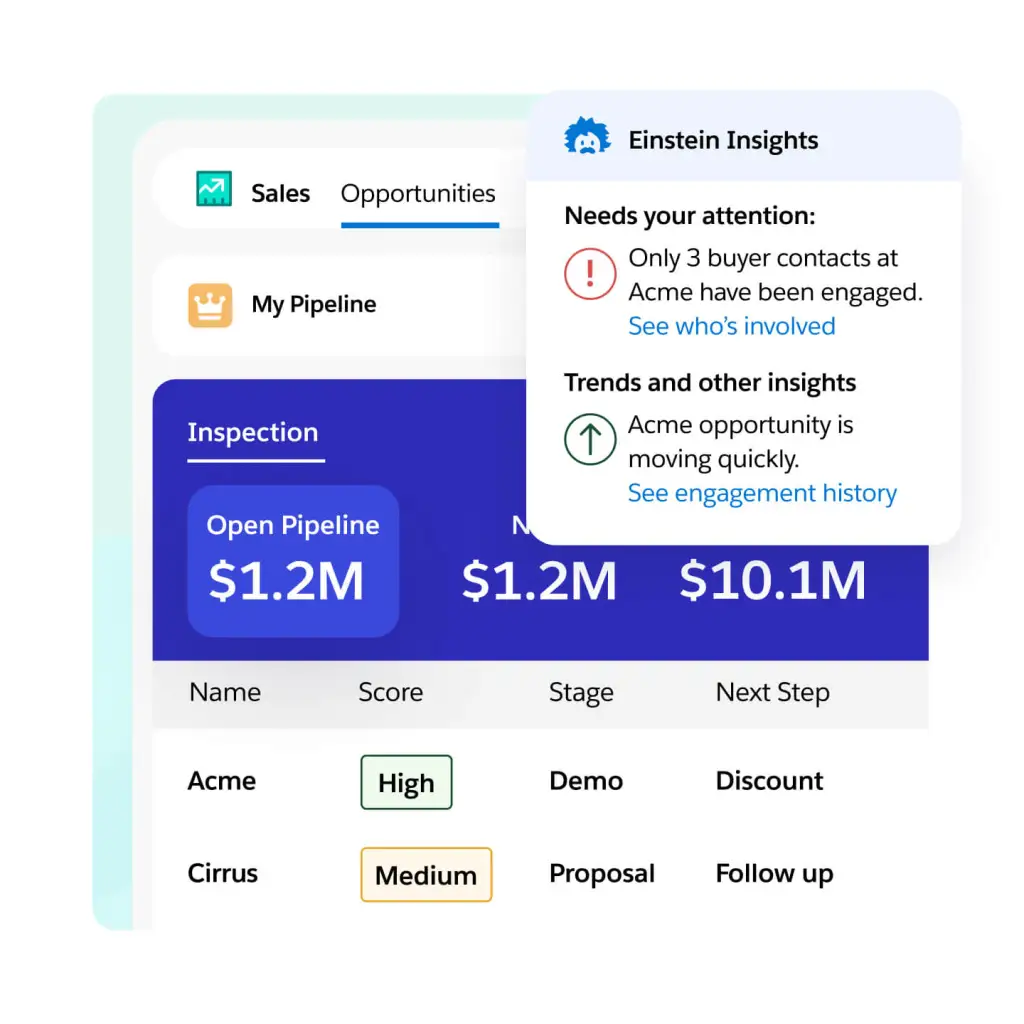
Lead scoring powered by Einstein AI. Opportunity management with AI-generated account plans and SWOT analyses. Pipeline health signals that flag at-risk deals. Forecast management with real-time rollups. Agentforce Sales Agents that autonomously prospect, engage inbound leads, draft quotes, and coach reps.
Source: Salesforce
The gap is wide, but it maps to different needs.
eWay-CRM gives a small team fast deal tracking without leaving Outlook. Salesforce gives an enterprise sales organization the automation, AI, and analytics to manage thousands of deals across territories, teams, and geographies.
ZoomInfo approaches the pipeline from a different angle.
Instead of managing deals after they enter the pipeline, ZoomInfo focuses on filling the pipeline with the right accounts in the first place. GTM Workspace presents sellers with a prioritized feed of accounts showing buying signals, AI-drafted outreach that addresses specific deal dynamics, and one-click CRM updates. It integrates natively with Salesforce, HubSpot, and Dynamics, so the intelligence flows directly into whichever CRM your team uses.
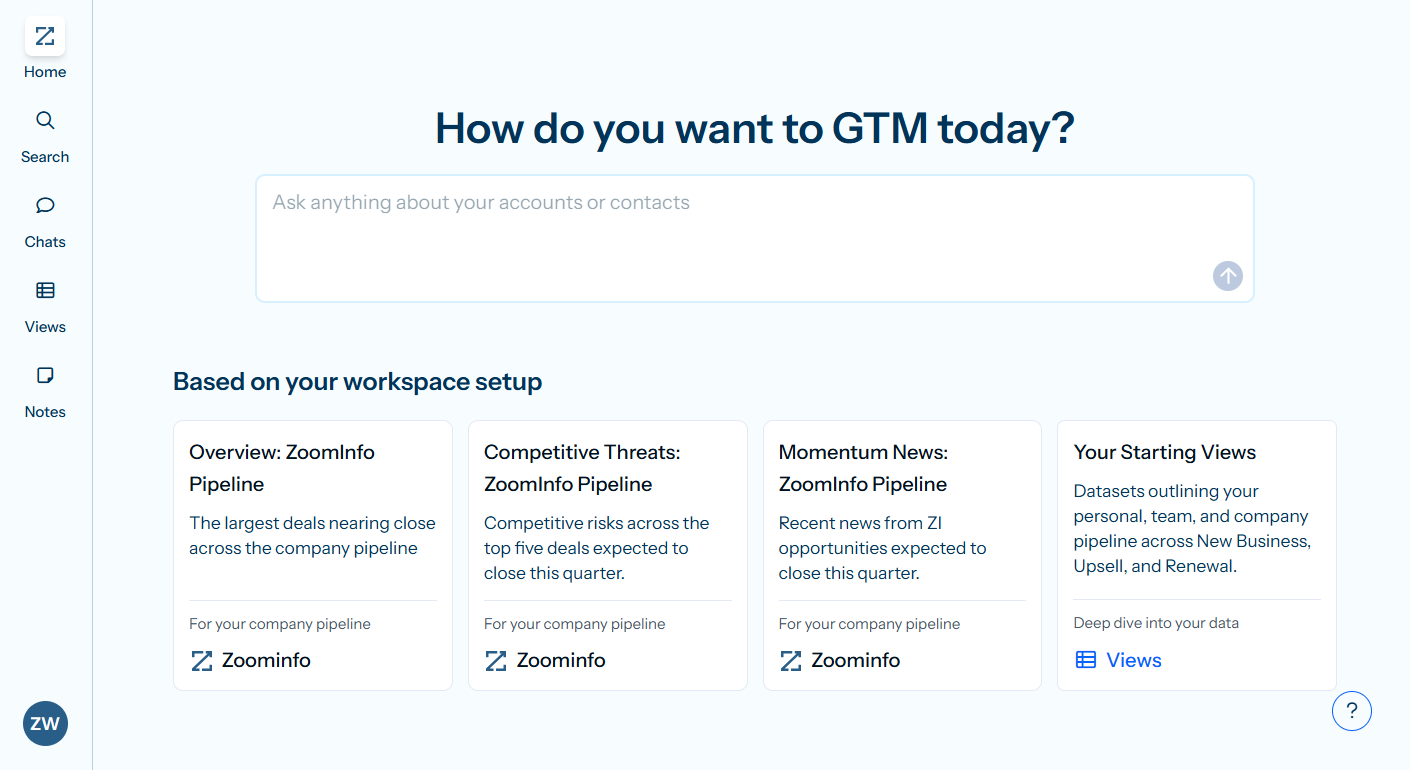
Seismic's sales team attributed 39% of active pipeline to opportunities identified or influenced by ZoomInfo signals, boosted productivity by 54%, and saved 11.5 hours per week per seller. (Seismic)
The data quality problem neither CRM solves alone
Both eWay-CRM and Salesforce are only as good as the data inside them. This is where most CRM comparisons miss the real issue.
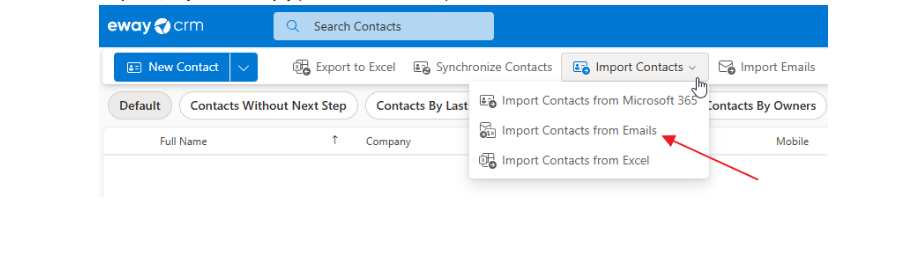
eWay-CRM populates its contact database from Outlook address books, manual entry, and email signature extraction. It has a Contacts Suggestions feature that surfaces people from your mailbox who aren't in the CRM yet.
But the data is limited to what your team already knows. There's no external enrichment, no intent signals, no way to discover accounts you've never interacted with.
Source: eWay-CRM
Salesforce is more extensible. Einstein Activity Capture auto-syncs emails and calendar events from Gmail and Outlook. The AppExchange hosts thousands of data enrichment and intelligence apps.
But out of the box, Salesforce is an empty database. The quality of your pipeline depends entirely on what your team (or your integrations) puts into it.
ZoomInfo exists to solve this problem.
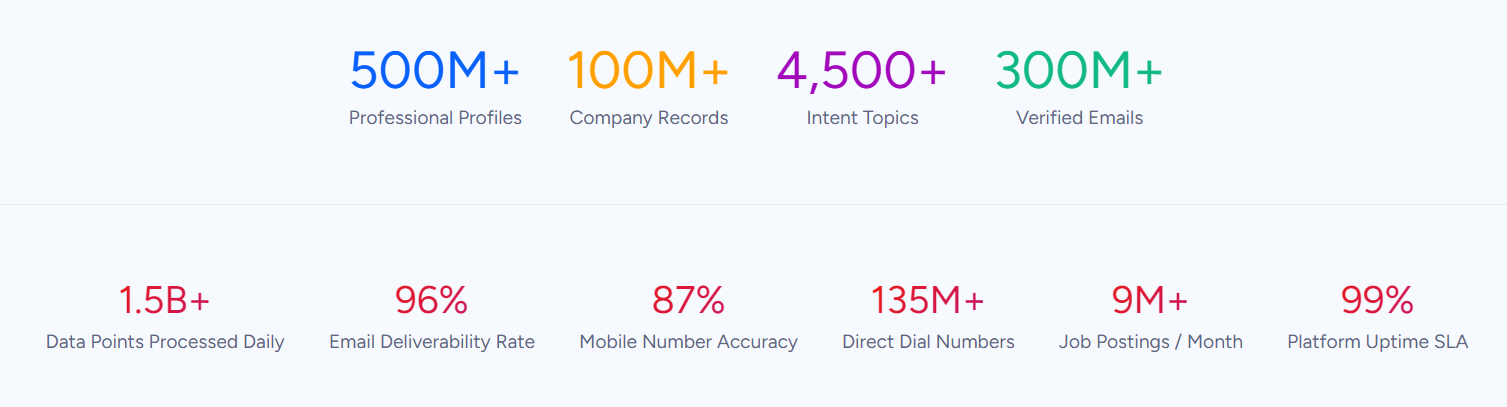
The platform maintains 500M contacts across 100M companies, verified through a multi-source pipeline backed by 300+ human researchers and achieving up to 95% accuracy on first-party data. In a Fortune 500 competitive RFP analyzing 25 million contacts across vendors, the independent consultant concluded that "no other competitor came even close."
Source: ZoomInfo
That data becomes intelligence through the GTM Context Graph, which processes 1.5B+ data points daily and combines ZoomInfo's B2B data with your CRM records, conversation transcripts, and behavioral signals. The result isn't just a contact database. It's a layer that captures why deals move or stall, which accounts are actively researching your category, and which contacts within those accounts are the actual decision-makers.
"ZoomInfo gives us the information we need to execute. We don't have to spend our time digging. It's already there, so we can be three steps ahead." — William Kenimer, Vice President of Revenue Operations, Vensure (Vensure)
For a closer look at how Salesforce and ZoomInfo compare on data quality and sales intelligence, see our Salesforce vs. ZoomInfo comparison.
Project delivery: eWay-CRM's hidden strength
Most CRM comparisons focus on sales pipeline features. But for service businesses, the sale is only half the job. Somebody has to deliver what was sold.
eWay-CRM's Projects module stands apart here.
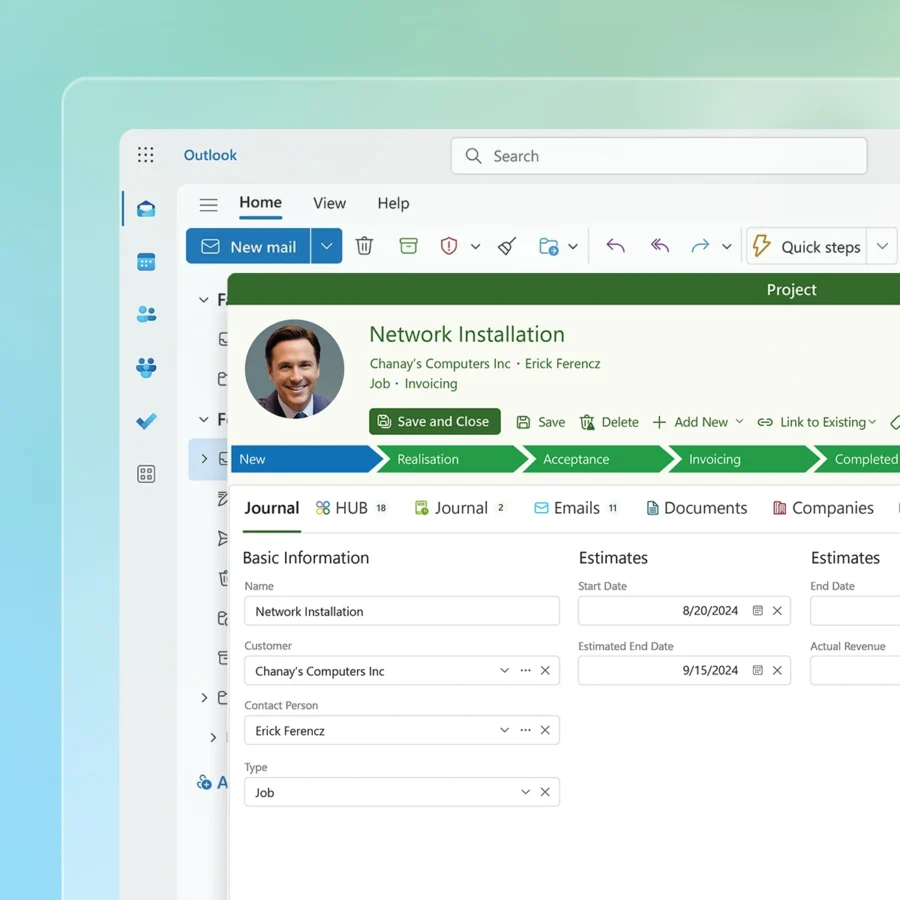
When a deal closes, it converts into a project with all emails, notes, documents, and task history intact. Project managers inherit the full pre-sales context without copying anything. From there, the module tracks tasks, timesheets, budgets, and deadlines inside the same Outlook interface.
The Resource Plan view flags overallocated team members. Subprojects roll costs and revenues up to a parent. On the Plus plan, financial tracking calculates actual project profitability from linked invoices and employee salary records.
Source: eWay-CRM
Salesforce has no native equivalent.
You can build project tracking using custom objects, install a project management app from the AppExchange, or bolt on a tool like Asana or Monday.com. But the deal-to-project conversion with preserved communication history that eWay-CRM offers natively requires either custom development or third-party integration in Salesforce.
For a manufacturing firm tracking hundreds of customer jobs, a PR agency managing client campaigns, or a construction company monitoring project milestones, eWay-CRM's project module solves a problem that Salesforce leaves to the ecosystem.
AI capabilities: Three different levels
eWay-CRM's AI is focused and practical.
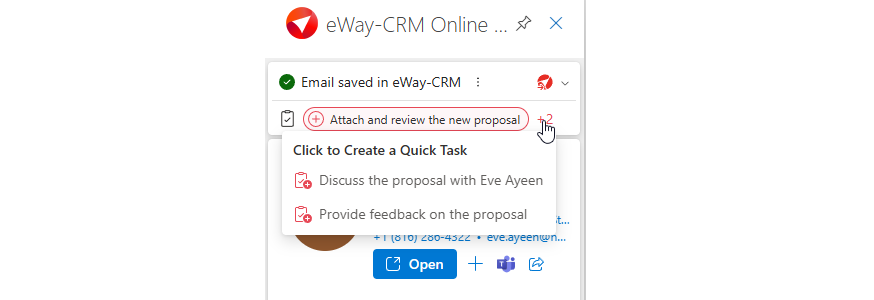
It analyzes email tone and urgency, summarizes messages, extracts contact details from signatures, and suggests follow-up tasks based on email content. These features surface as reps read emails in Outlook. They save time, but they don't make strategic decisions.
Source: eWay-CRM
Salesforce's AI operates at enterprise scale.
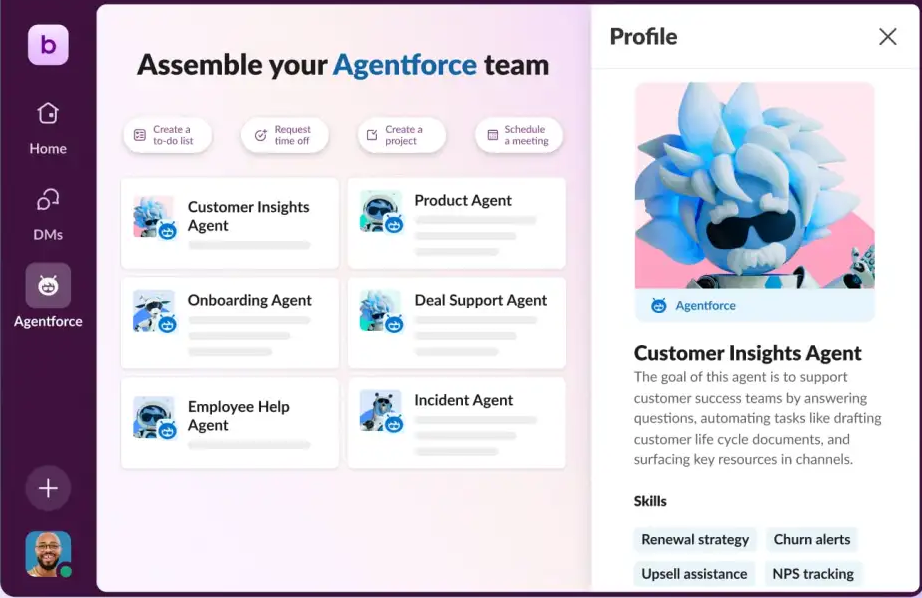
Agentforce deploys autonomous AI agents powered by the Atlas Reasoning Engine that can prospect, engage leads, coach sellers, resolve support cases, and execute multi-step workflows without human intervention. Einstein AI scores leads and opportunities, generates account plans, and provides conversation intelligence. The Einstein Trust Layer enforces zero data retention with LLM partners and PII masking for regulated industries.
Source: Salesforce
ZoomInfo's AI serves a different purpose: making every seller smarter about their accounts before they pick up the phone.
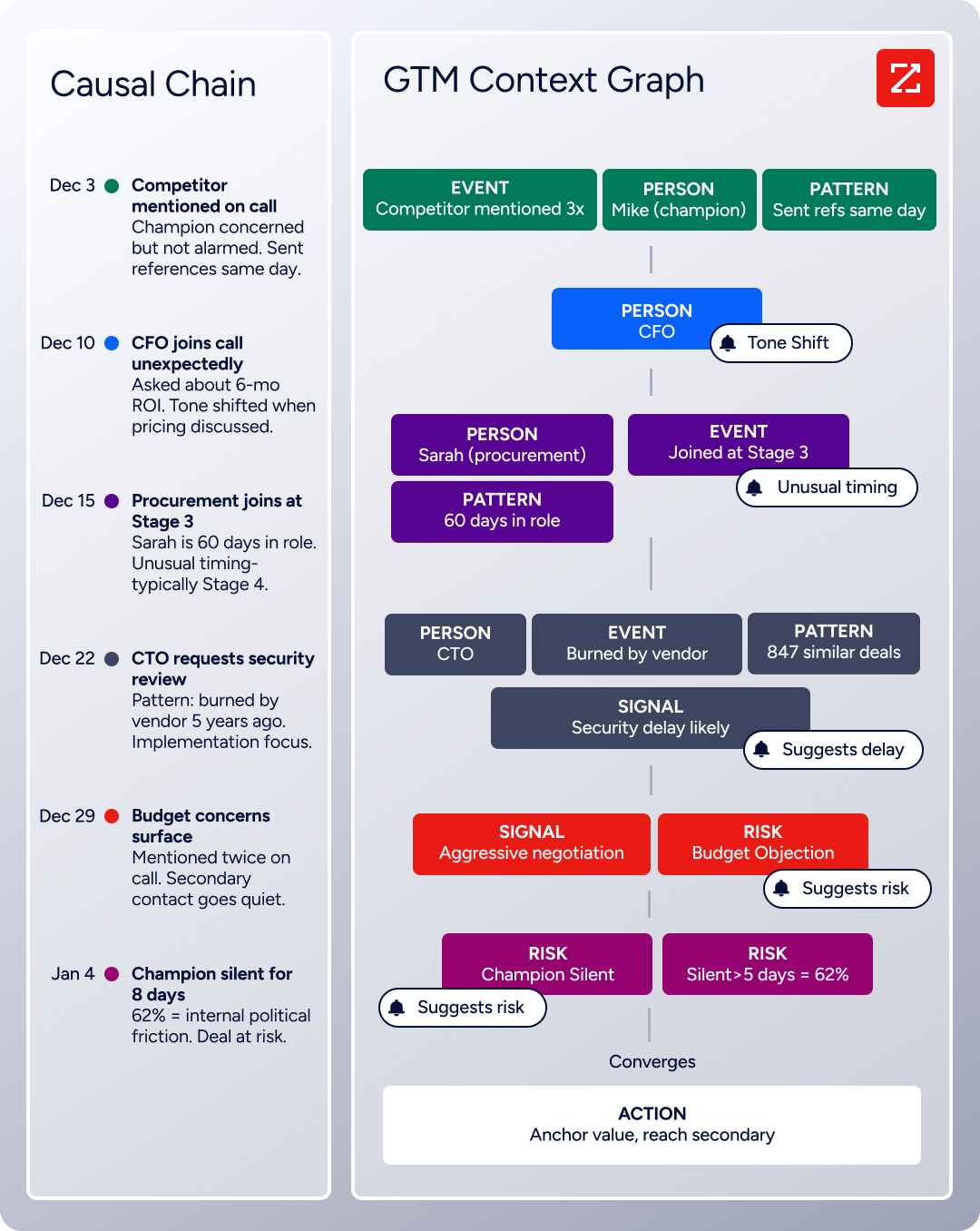
The GTM Context Graph doesn't just detect that a deal moved stages. It captures why: the CFO joined the last call and asked about ROI, the champion went quiet because of an internal budget battle, and a competitor just raised a funding round. GTM Workspace translates that intelligence into prioritized accounts, pre-drafted outreach, and next-best-action recommendations. GTM Studio lets marketers and RevOps teams build and launch plays in natural language, targeting accounts that match proven win patterns.
Source: ZoomInfo
"It's not just the data itself. It's more about the right data at the right time to help us reach out with the right message across that full buyer journey." — Chelsea Kenyon, Senior Director of Digital Strategy, Redwood Logistics (Redwood Logistics)
Integration ecosystems reflect each platform's world
eWay-CRM's integration strategy is Microsoft-first.
Beyond Outlook, it connects natively to Teams, Power BI, SharePoint, and Power Automate. For email marketing, it syncs with Mailchimp and Constant Contact. Zapier and Make extend reach to thousands of third-party apps. For a team that lives in Microsoft 365, this covers the bases. For a team using tools outside that ecosystem, options thin out fast.
Source: eWay-CRM
Salesforce's integration ecosystem is the largest in enterprise software.
AppExchange hosts 9,000+ partner apps with 14+ million installs, and 91% of customers use at least one. MuleSoft provides enterprise-grade API management with hundreds of pre-built connectors. Slack is natively embedded. Tableau handles analytics. For enterprises integrating ERP, marketing automation, service desks, and custom applications, Salesforce's extensibility has no equal.
ZoomInfo integrates across the GTM stack without favoring one ecosystem.
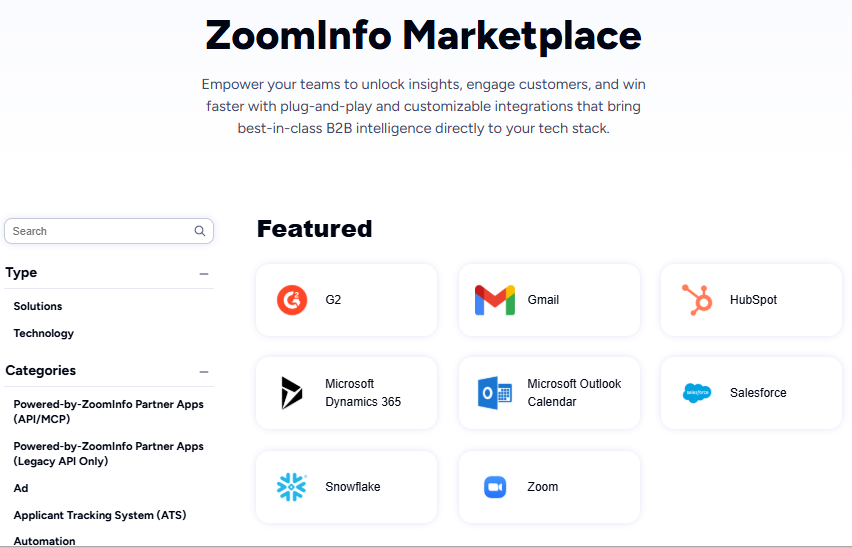
The ZoomInfo Marketplace lists 172+ partner integrations spanning CRM (Salesforce, HubSpot, Dynamics), marketing automation (Marketo, Eloqua), sales engagement (Salesloft, Outreach), cloud data platforms (Snowflake, AWS, Databricks), and AI assistants (Claude, ChatGPT). The Enterprise API and MCP server let ZoomInfo's intelligence flow into any custom tool or AI agent.
This matters because ZoomInfo complements your CRM rather than replacing it. Whether your team uses eWay-CRM in Outlook or Salesforce's Lightning Experience, ZoomInfo's data and signals feed into either.
Source: ZoomInfo
Pricing tells you who each platform is built for
eWay-CRM is the most affordable option for small teams:
Plan | Monthly Price (per user) |
|---|---|
Free | $0 (unlimited users, 200 MB storage) |
Lite | |
Standard | |
Plus |
Annual billing saves roughly 10%, and 3-year commitments save about 25%. The free tier is permanent (not a trial), though it caps storage at 200 MB and limits features. The 14-day free trial at Plus tier gives access to all features before dropping to the free plan.
Automatic email saving requires Standard ($27); timesheets, resource planning, and field-level permissions require Plus ($40). QuickBooks integration and custom document templates cost extra on every plan.
Salesforce pricing scales steeply with capability:
Edition | Monthly Price (per user) |
|---|---|
Free Suite | $0 (max 2 users) |
Starter Suite | |
Pro Suite | |
Enterprise | |
Unlimited | |
Agentforce 1 |
Most teams need at least Pro Suite ($100) for meaningful customization and forecasting, or Enterprise ($175) for AI capabilities and workflow automation. Annual contracts are required for Pro and above.
Add-ons multiply costs: Digital Engagement ($75/user/month), Contact Center ($150/user/month), Agentforce for Service ($125/user/month), Field Service (from $175/user/month). Premier Support adds 30% of net license fees. Implementation is typically partner-led, with over 70% of deployments handled by consultants.
ZoomInfo uses consumption-based pricing. No list prices are published; all paid plans are custom-quoted based on usage, seats, and credit volume.
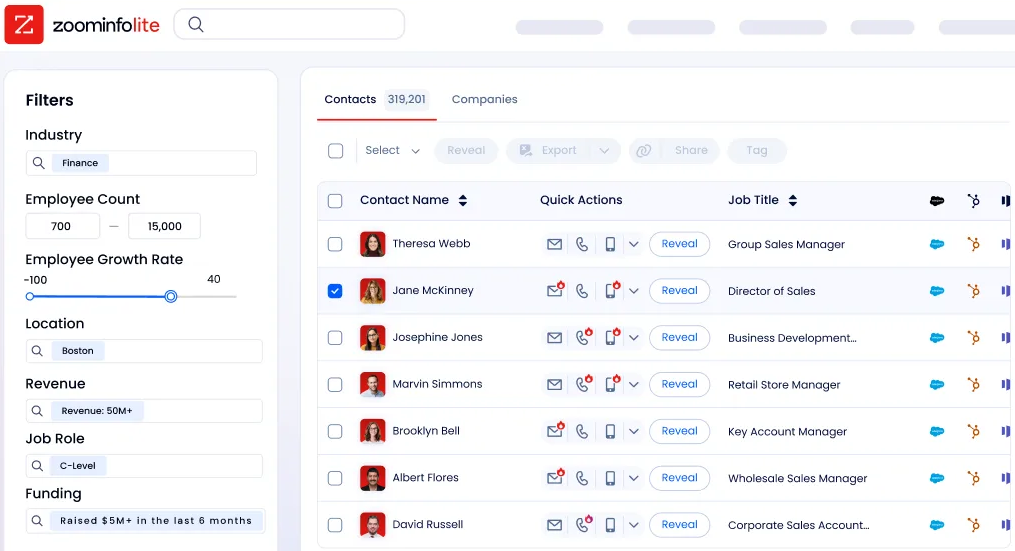
ZoomInfo Lite is a permanent free tier with 10 monthly export credits and access to the B2B database. A 7-day free trial unlocks the full platform. Because ZoomInfo works alongside your CRM rather than replacing it, the total cost depends on which CRM you already pay for and how much ZoomInfo data your team needs.
Source: ZoomInfo
Support and learning curve
eWay-CRM's learning curve is its strongest selling point. The interface looks and works like Outlook, so teams are productive almost immediately. The company offers a formal Adoption Framework that phases onboarding from shared contacts to full automation.
Capterra rates customer service at 4.6/5, with human support in US and European time zones. Phone support is available only on the Plus plan ($40/user/month); lower tiers get email and helpdesk support.
Salesforce is one of the most feature-rich enterprise platforms available, with a matching learning curve. Meaningful configuration requires a trained administrator. Trailhead provides 1,500+ badges and 6+ million learners for self-paced learning, and the Trailblazer Community spans 20 million members.
But the investment to become productive is measured in weeks or months, not hours. Support tiers range from free (community and documentation) to Signature (dedicated Customer Success Manager, 15-minute response for critical issues).
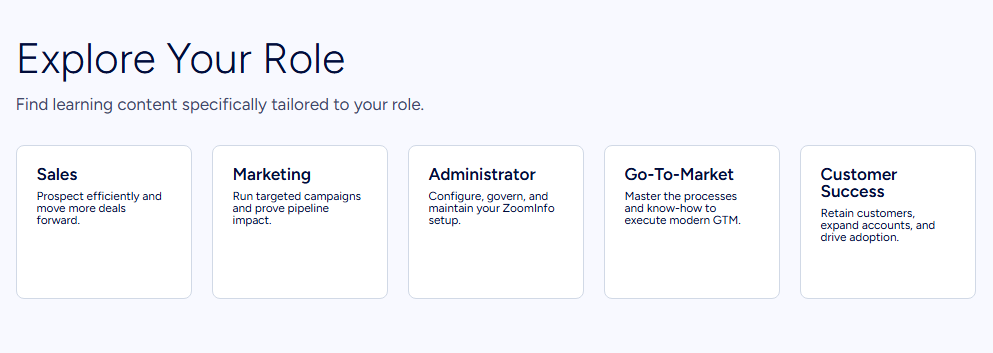
ZoomInfo addresses onboarding with role-specific paths through ZoomInfo University, a redesigned 90-day onboarding program that produced a 25% improvement in customer satisfaction scores, and dedicated support via the Help Center. GTM Workspace is designed to "deploy in weeks, not months."
Source: ZoomInfo
Security and compliance
All three platforms take security seriously, but their postures reflect different customer bases.
eWay-CRM holds ISO/IEC 27001 certification and is GDPR compliant. Cloud infrastructure is protected by Cloudflare with SSL encryption. Data residency options include US (OVH Virginia), EU (Czech Republic), or self-hosted on your own servers. The on-premise option matters for organizations with strict data sovereignty requirements.
Salesforce holds the broadest certification portfolio: ISO 27001, SOC 1/2/3, FedRAMP, HITRUST, and more. Salesforce Shield adds event monitoring, platform encryption with BYOK, and indefinite field audit trails. Hyperforce enables regional data residency across multiple countries. The Einstein Trust Layer provides zero data retention with LLM partners, PII masking, and audit trails for AI interactions.
ZoomInfo maintains ISO 27001, ISO 27701, SOC 2 Type II, TRUSTe GDPR, and TRUSTe CCPA certifications, all renewed annually. ZoomInfo is a registered data broker in California and Vermont. A dedicated Trust Center at trust.zoominfo.com provides transparency into data handling practices.
eWay-CRM vs. Salesforce vs. ZoomInfo: Which should you choose?
The right choice depends on your team's size, technical resources, and the problem you're actually trying to solve.
Choose eWay-CRM if:
Your team runs on Microsoft Outlook and won't adopt a separate CRM
You need both sales pipeline management and project delivery in one tool
You're a small to mid-sized business (10–200 employees) that values simplicity
Budget is a primary concern, and you want a productive CRM under $30/user/month
You work in consulting, manufacturing, construction, IT services, or other project-driven industries
Choose Salesforce if:
You need enterprise-scale CRM with automation, AI agents, and analytics
Your organization spans multiple departments that need sales, service, marketing, and commerce on one platform
You have (or will hire) dedicated Salesforce administrators
You require integration with thousands of third-party apps via AppExchange
Compliance requirements demand FedRAMP, HITRUST, or Salesforce Shield capabilities
Add ZoomInfo if:
Your pipeline depends on finding and reaching the right prospects with verified data
You need buyer intent signals to know which accounts are actively in-market
Your reps spend too much time researching accounts instead of selling
You want AI that understands deal context, not just CRM field values
You need the same intelligence available in your CRM, your outreach tools, and your custom applications
Try ZoomInfo Lite for free or request a demo to see GTM Workspace and GTM Studio in action.
eWay-CRM and Salesforce are both strong CRMs for their intended audiences. One turns Outlook into a sales and project management hub for Microsoft-centric SMBs. The other provides the most complete enterprise CRM platform on the market. But the quality of either system's output depends on the quality of the data going in.
ZoomInfo solves that upstream problem, delivering verified prospect data, buying signals, and AI-driven account intelligence that makes any CRM more effective. For B2B sales teams serious about pipeline quality, the combination of a good CRM and ZoomInfo's intelligence is where the real advantage sits.
eWay-CRM vs. Salesforce vs. ZoomInfo FAQ
What is the fundamental difference between eWay-CRM, Salesforce, and ZoomInfo?
eWay-CRM is a CRM that lives inside Microsoft Outlook, designed for SMBs that want contact, deal, and project management without leaving their email client.
Salesforce is a standalone enterprise CRM platform covering sales, service, marketing, commerce, and AI agents in one system.
ZoomInfo is a B2B data and intelligence platform that feeds verified prospect data, buyer intent signals, and AI-driven account insights into your CRM and sales tools, regardless of which CRM you use.
Which platform is cheapest for a small sales team?
eWay-CRM offers the most accessible pricing, with a permanently free tier for unlimited users and paid plans starting at $20/user/month. Salesforce offers a free edition capped at 2 users, with paid plans starting at $25/user/month for the Starter Suite. ZoomInfo Lite is permanently free with 10 monthly export credits.
For a 10-person team needing core CRM features, eWay-CRM's Standard plan ($27/user/month) costs $270/month total, while Salesforce Pro Suite ($100/user/month) runs $1,000/month.
Can I use ZoomInfo with eWay-CRM or Salesforce?
ZoomInfo integrates natively with Salesforce through a direct connector in its marketplace. For eWay-CRM, ZoomInfo data can flow through Zapier, Power Automate, or ZoomInfo's API. ZoomInfo's MCP server also enables AI assistants like Claude to access the same B2B intelligence. ZoomInfo complements your CRM; it doesn't replace it.
Which platform has the best AI capabilities?
Salesforce has the broadest AI capabilities through Agentforce, which deploys autonomous agents for prospecting, coaching, case resolution, and more. ZoomInfo's AI focuses on account intelligence, using the GTM Context Graph to understand deal dynamics and buyer behavior. eWay-CRM offers focused AI features like email tone analysis, message summarization, and contact extraction from signatures.
The right AI depends on your use case: Salesforce for workflow automation, ZoomInfo for prospect intelligence, eWay-CRM for email productivity.
Which CRM handles project management after the sale?
eWay-CRM is the only option with built-in project management. Its Projects module converts closed deals directly into tracked projects with tasks, timesheets, resource planning, and budget tracking, all inside Outlook. Salesforce requires custom configuration or a third-party AppExchange app for project management. ZoomInfo does not offer project management.
How do the platforms compare on data quality for prospecting?
eWay-CRM relies on data your team enters manually or imports from Outlook contacts. Salesforce depends on whatever your team or third-party enrichment apps provide.
ZoomInfo maintains 500M contacts and 100M companies verified through a multi-source pipeline with 300+ human researchers, achieving up to 95% accuracy. In a Fortune 500 competitive evaluation of 25 million contacts, an independent consultant concluded that no other data provider came close to ZoomInfo's coverage.
Which platform is best for companies already using Microsoft 365?
eWay-CRM is designed for the Microsoft ecosystem, with native integrations across Outlook, Teams, Power BI, SharePoint, and Power Automate. It is the most natural fit for teams committed to Microsoft 365.
Salesforce also integrates with Microsoft Outlook and Teams but treats them as one integration category among many. ZoomInfo connects to the Microsoft ecosystem through its API, Zapier, and Power Automate connectors, and its data can enrich CRM records regardless of which Microsoft tools are in use.
Do any of these platforms offer a permanent free plan?
All three offer permanent free tiers. eWay-CRM Free supports unlimited users with core CRM features and 200 MB storage. Salesforce's Free Suite supports up to 2 users with basic lead and opportunity management. ZoomInfo Lite provides access to the B2B database with 10 monthly export credits. None of these free tiers require a credit card or have time limits.
