
Choosing between eWay-CRM and Zoho CRM for your sales operations comes down to five questions:
Does your team live in Microsoft Outlook, or will they work in a standalone web application?
Do you need a CRM that handles project delivery after the sale closes, or do you only need sales and marketing?
How important is AI automation, and will you invest the configuration time to use it?
Do you prioritize fast adoption with little disruption, or customization and scalability?
Do you have verified B2B contact data to feed into your CRM, or are you building your database from scratch?
In short, here's what we recommend:
eWay-CRM is built for teams that already live in Microsoft Outlook and don't want to leave. It installs as an Outlook add-in, turning your email client into a CRM with contacts, deals, projects, and marketing modules in the same window where you already read and write emails. With a 4.5/5 rating on Capterra from 823+ verified reviews and a permanently free tier for unlimited users, eWay-CRM removes the biggest barrier to CRM adoption: forcing your team into an unfamiliar tool. The trade-off is scope. The plugin can slow Outlook down, reporting requires a separate Power BI setup, and teams not using Outlook have no path in.
Zoho CRM is a standalone platform for businesses that want customization, AI capabilities, and an ecosystem of 55+ integrated applications. Named a Visionary in Gartner's 2025 Magic Quadrant for Sales Force Automation Platforms for the 15th consecutive year, Zoho CRM offers multi-pipeline management, journey orchestration, territory management, and CPQ at a fraction of Salesforce or Dynamics pricing, starting at $14/user/month. The trade-off: Zoho requires real setup and configuration time before delivering value, and support quality on lower tiers draws criticism.
Both platforms give you a place to organize contacts, track deals, and manage customer relationships. But neither generates the verified B2B intelligence that tells you which companies are actively in-market, who the decision-makers are, and how to reach them. That's a different problem, and it determines whether your CRM stays populated with accurate data or slowly fills with stale records.
ZoomInfo is a B2B data and GTM platform that provides the intelligence layer your CRM depends on. Its data platform covers 500M contacts, 100M companies, 135M+ verified phone numbers, and 200M+ verified business email addresses, giving sales teams verified contact data, buyer intent signals, and company intelligence that make CRM records useful. ZoomInfo's GTM Context Graph connects this data with your CRM records and conversation history to show not just who to contact, but why now and what to say. Your team accesses this through GTM Workspace for sellers, GTM Studio for marketers and RevOps, or APIs and MCP in any front-end, including your CRM.
If building your pipeline on verified data and real-time buying signals sounds like what's missing, see how ZoomInfo works.
eWay-CRM vs. Zoho CRM vs. ZoomInfo at a glance
eWay-CRM | Zoho CRM | ZoomInfo | |
|---|---|---|---|
Primary function | Outlook-native CRM | Cloud CRM platform | B2B data intelligence + GTM execution |
Interface | Lives inside Microsoft Outlook | Standalone web application | GTM Workspace, GTM Studio, API/MCP |
AI capabilities | Email tone analysis, signature extraction | Zia AI (predictive, generative, agentic) | GTM Context Graph + AI agents |
Contact database | Shared team database from Outlook | Built-in CRM database | 500M contacts, 200M+ verified emails |
Sales pipeline | Deal tracking with custom workflows | Multi-pipeline, Blueprint process enforcement | AI-prioritized account feed + outreach |
Project management | Full module with timesheets and resource planning | Basic (via Zoho Projects integration) | N/A |
Marketing | Mailchimp/Constant Contact sync | Native Cadences, journey orchestration | ABM, intent-driven campaigns, native DSP |
Starting paid price | $20/user/month | $14/user/month | Custom-quoted |
Free plan | Unlimited users, core features | Up to 3 users | ZoomInfo Lite (permanent, free) |
Best for | Outlook-centric SMBs needing CRM + project delivery | SMBs to mid-market wanting customizable CRM | Teams needing verified B2B data and buying signals |
Two philosophies: Outlook-native vs. cloud-first
eWay-CRM and Zoho CRM answer the same question differently: where should your team manage customer relationships?
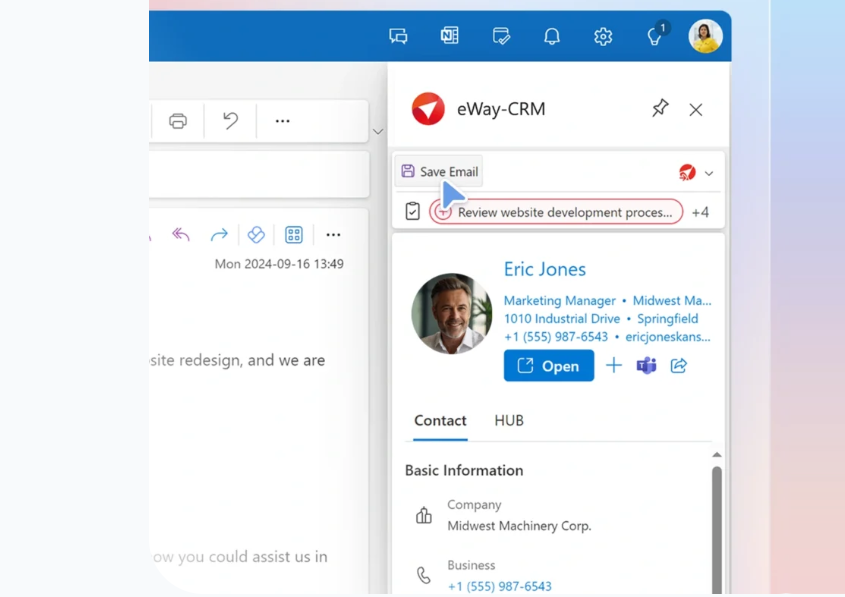
eWay-CRM bets everything on Microsoft Outlook. The CRM installs as an add-in that looks and behaves like Outlook itself. Contacts, deals, projects, and tasks all appear in the same pane where your team already reads email. The pitch: "If you open Microsoft Outlook, eWay-CRM will be there." For teams where Outlook is the daily operating system, this removes the adoption barrier that kills most CRM deployments.
Source: eWay-CRM
The company is clear about who this serves. eWay-CRM is 100% self-funded, operating from offices in Kansas City and Prague, serving more than 2,200 SMBs. Industries like manufacturing, consulting, insurance, and law recur in their success stories. These are relationship-driven businesses where email is the primary communication channel and switching tools is the primary barrier to CRM adoption.
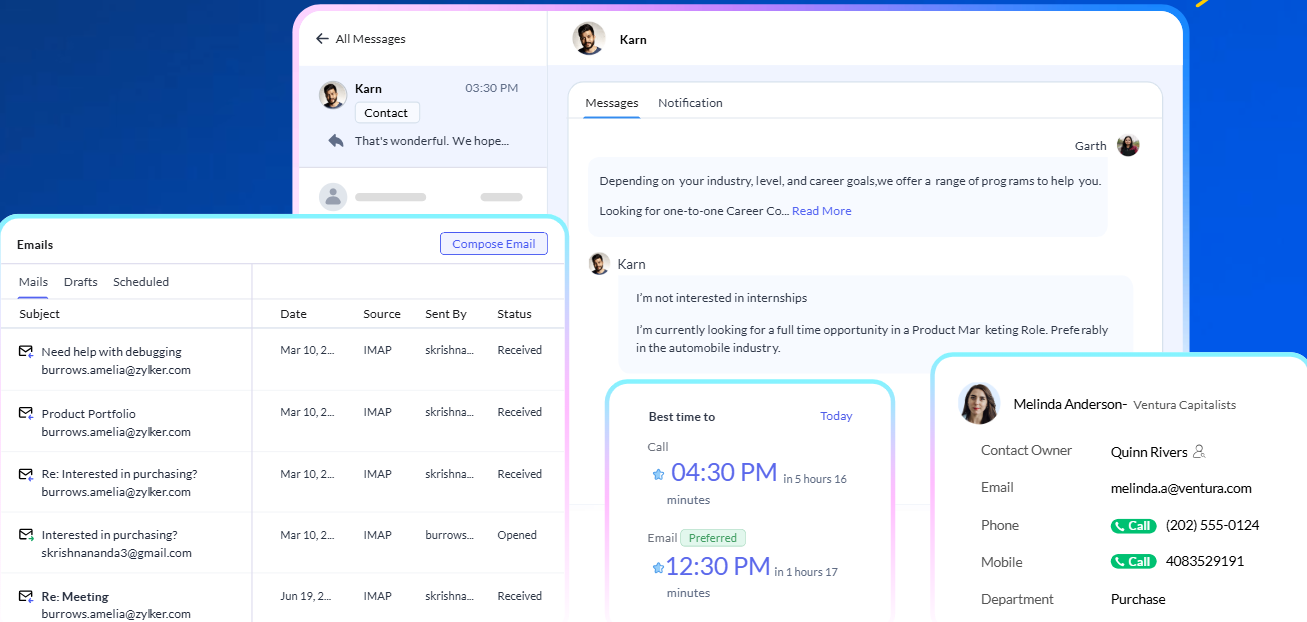
Zoho CRM takes the opposite approach. It's a standalone cloud platform accessed through a web browser, with its own interface, its own design language, and its own ecosystem of 55+ applications. Where eWay-CRM narrows to Outlook, Zoho expands outward: omnichannel communication across email, phone, WhatsApp, SMS, live chat, and social media. Journey orchestration that coordinates marketing, sales, and support. Vertical solutions for automotive, life sciences, financial services, real estate, and more.
Source: Zoho
The scale difference matters. Zoho serves 300,000+ businesses worldwide with roughly US$1.62 billion in annual revenue, compared to eWay-CRM's roughly 2,200 SMBs. But scale isn't the same as fit. eWay-CRM's narrow focus means it does one thing well. Zoho's breadth means it can serve more use cases, but demands more from the buyer upfront.
Contact management: familiar versus flexible
Both platforms store contacts, but the experience of working with them differs.
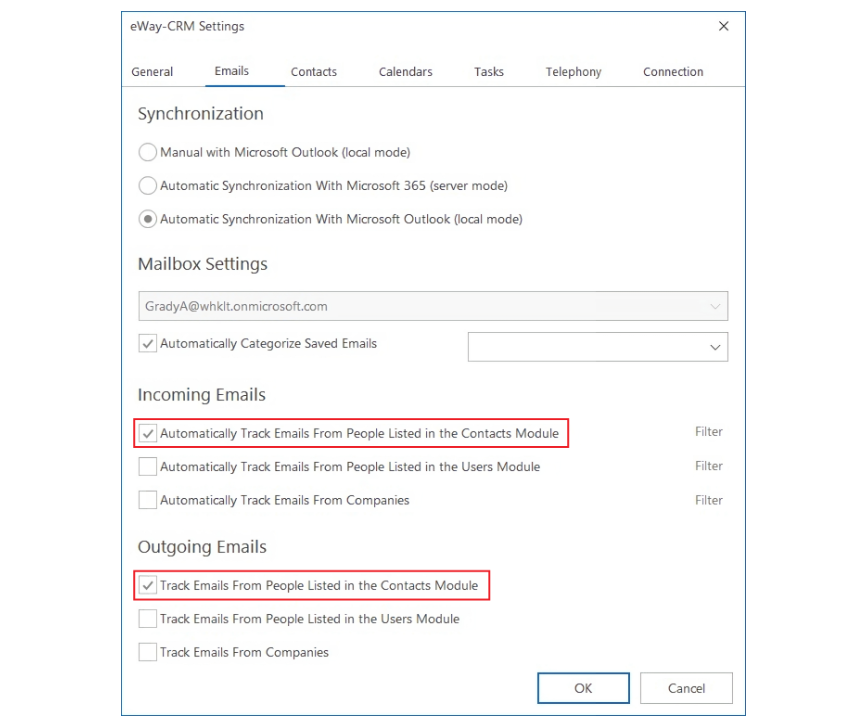
eWay-CRM's contact management runs on bidirectional Outlook sync. Every contact in the CRM synchronizes with the Outlook address book. The system automatically tracks emails against the matching contact and company record, giving the whole team a shared communication history without manual filing.
Source: eWay-CRM
The AI layer reads email signatures and extracts contact details in a single click, and a Contacts Suggestions feature surfaces people in the mailbox who aren't yet in the CRM. A Companies module groups contacts by organization and supports linking one contact to multiple companies.
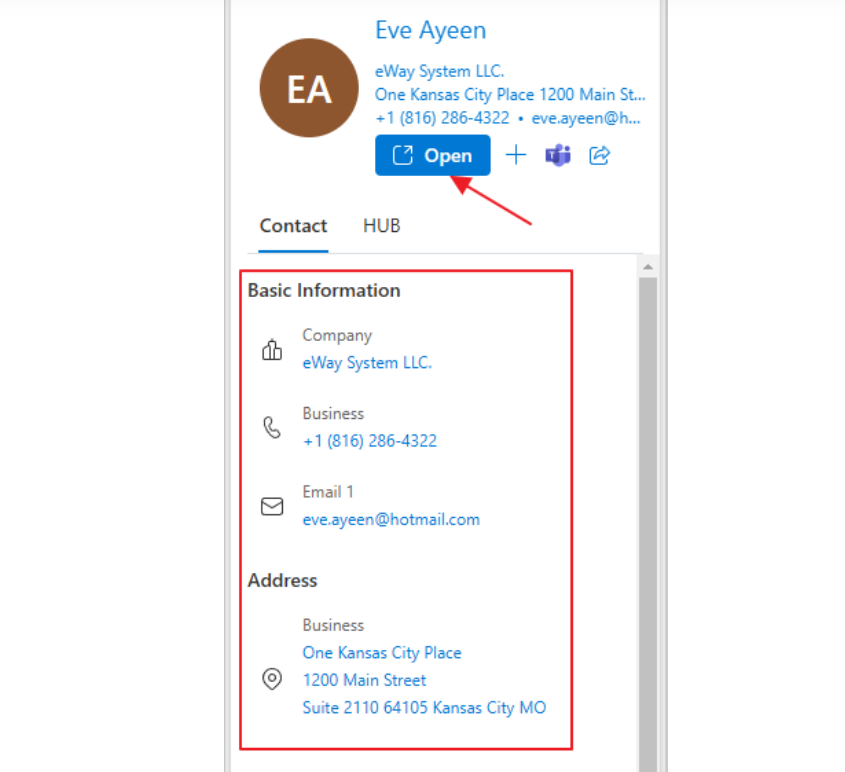
Source: eWay-CRM
The limitation is scope. eWay-CRM's contact database grows from email interactions. If you don't email someone, they probably aren't in your system. There's no built-in way to discover new prospects or enrich records with external data like company revenue, employee count, or technology stack.
Zoho CRM's contact management is broader. Leads flow in from web forms, social media, email, live chat, and manual imports. Zia AI scores leads by conversion likelihood, and Blueprint enforces the process for qualifying and routing them.
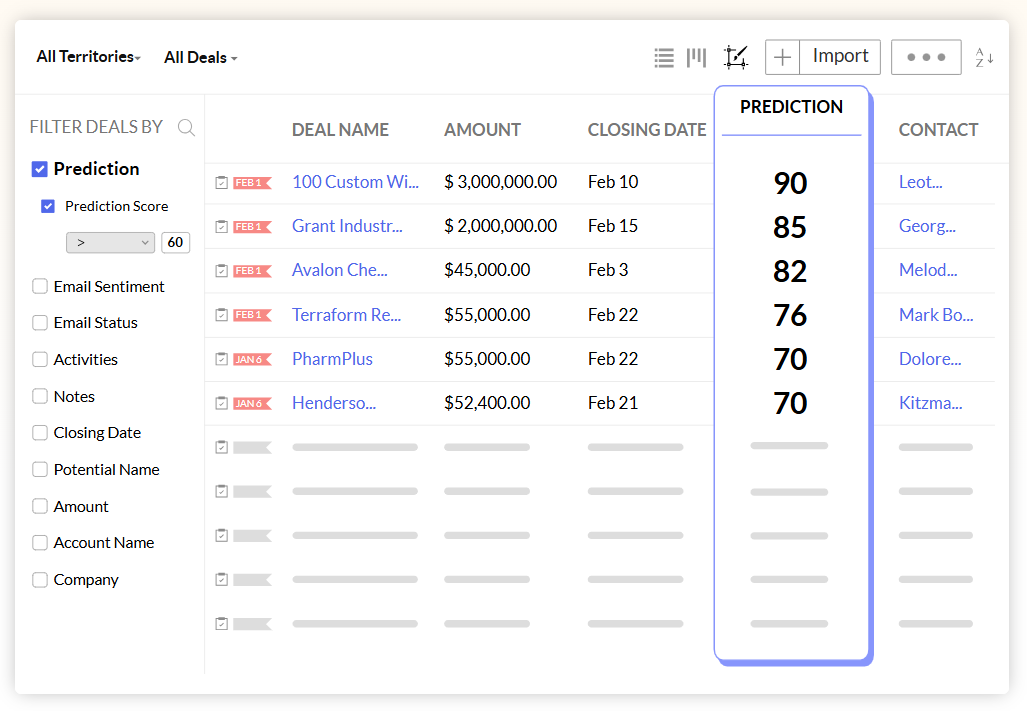
Source: Zoho
The platform supports 300+ company attributes for segmentation, and Canvas Design Studio lets admins redesign record views without code. SalesSignals sends real-time notifications when a prospect opens an email, responds on any channel, or engages on social media.
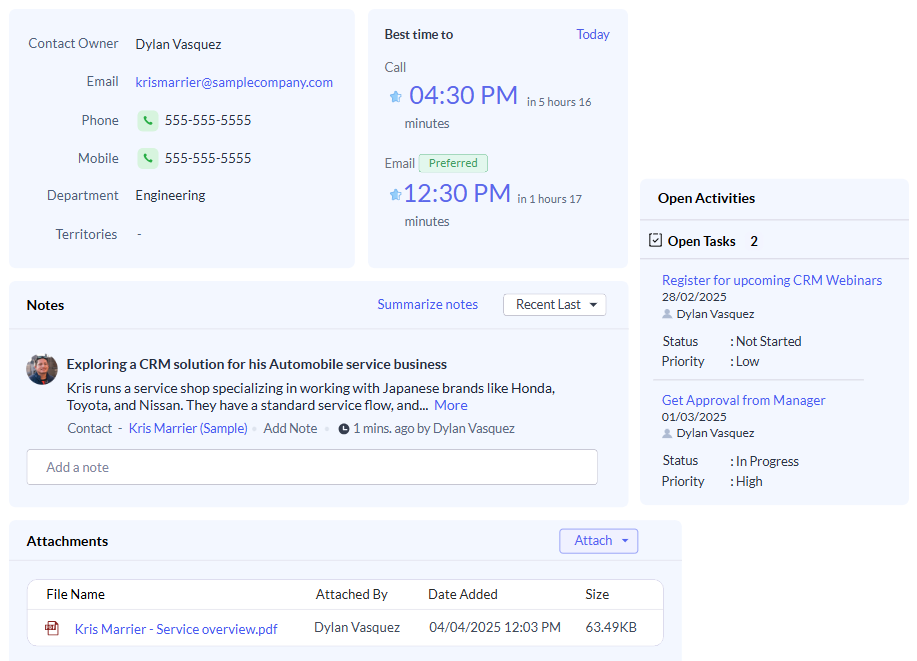
Source: Zoho
But Zoho faces the same underlying challenge: the data inside the CRM is only as good as what gets entered. Manual data entry decays. Contact information goes stale. Neither platform generates new prospect data on its own.
This is the gap ZoomInfo fills. Instead of waiting for prospects to fill out a form or send an email, ZoomInfo provides 500M contacts and 100M companies with 95% accuracy on first-party data, verified by a team of 300+ human researchers. ZoomInfo integrates with CRMs through native marketplace connectors and APIs, enriching records with verified emails, direct-dial phone numbers, company attributes, and technographic data.

Source: ZoomInfo
Smartsheet's Senior Manager of Sales Technology Enablement described it: "ZoomInfo is our one source of truth for account data, and even more so for contact data. There's no other provider in the market that provides you with that level of detail." (Smartsheet)
Sales pipeline: project delivery versus process automation
eWay-CRM and Zoho CRM both track deals through configurable pipelines. The difference is what happens after the deal closes.
eWay-CRM ships with two default workflow templates: Deals (Prospect) and Deals (Opportunity). Reps create deals directly from emails with a right-click, and AI pre-fills fields from the email signature. The pipeline view shows weighted values (estimated revenue multiplied by probability) for at-a-glance pipeline health.
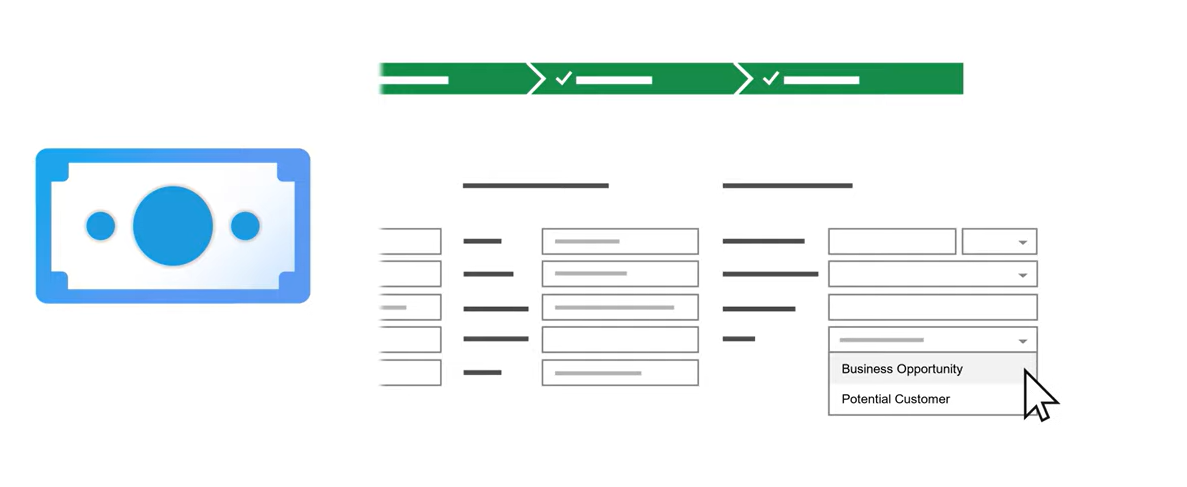
Source: eWay-CRM
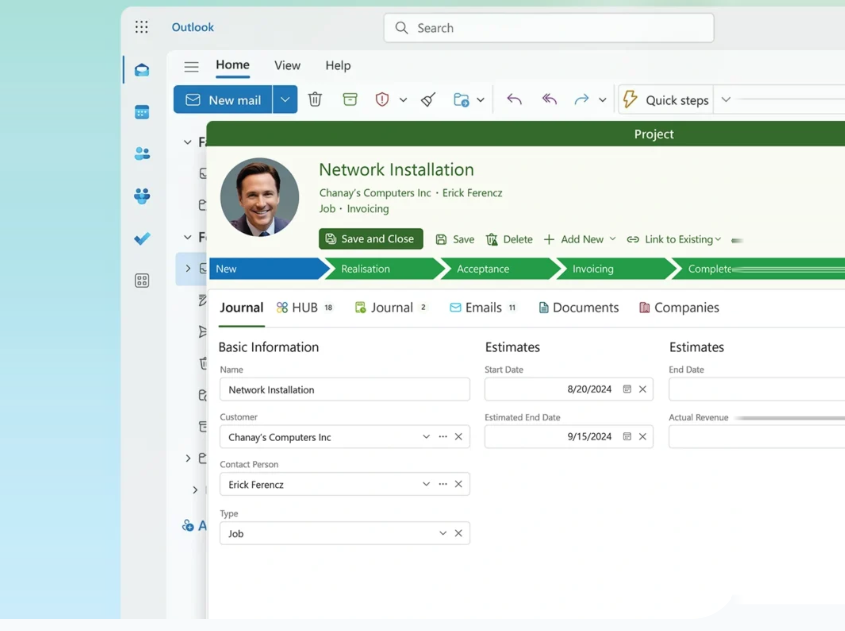
What sets eWay-CRM apart is what comes next. When a deal closes, the conversion function creates a Project record that carries over all linked emails, notes, documents, and time sheets. The Projects module includes task management, timesheets, resource planning with overallocation detection, and financial tracking comparing estimated versus actual hours, costs, revenue, and profit. For service businesses where the sale is just the beginning, this CRM-to-delivery handoff justifies the platform.
Source: eWay-CRM
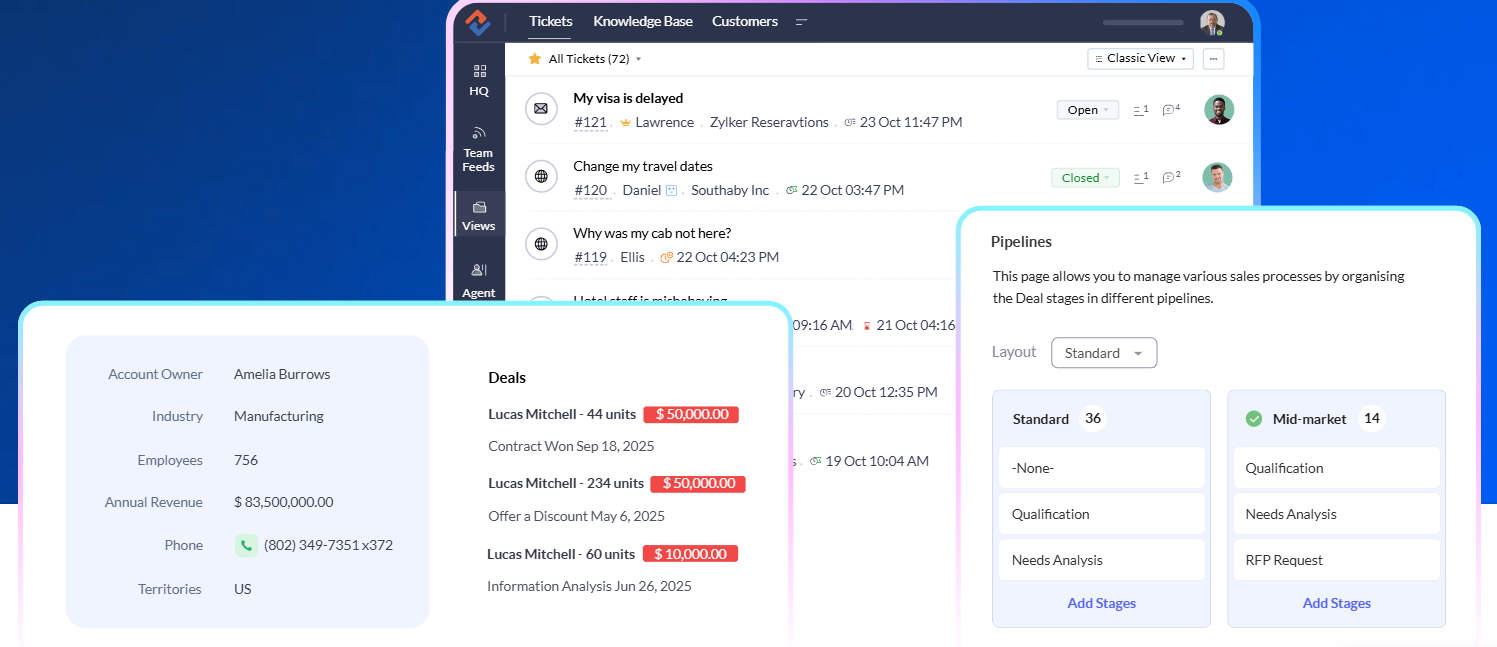
Zoho CRM focuses its pipeline on process enforcement and automation rather than project delivery. Blueprint doesn't just visualize stages. It blocks invalid transitions, requires fields to be filled before advancing, and auto-generates tasks at each step. Multiple pipelines can run simultaneously for different products, geographies, or sales motions.
Source: Zoho
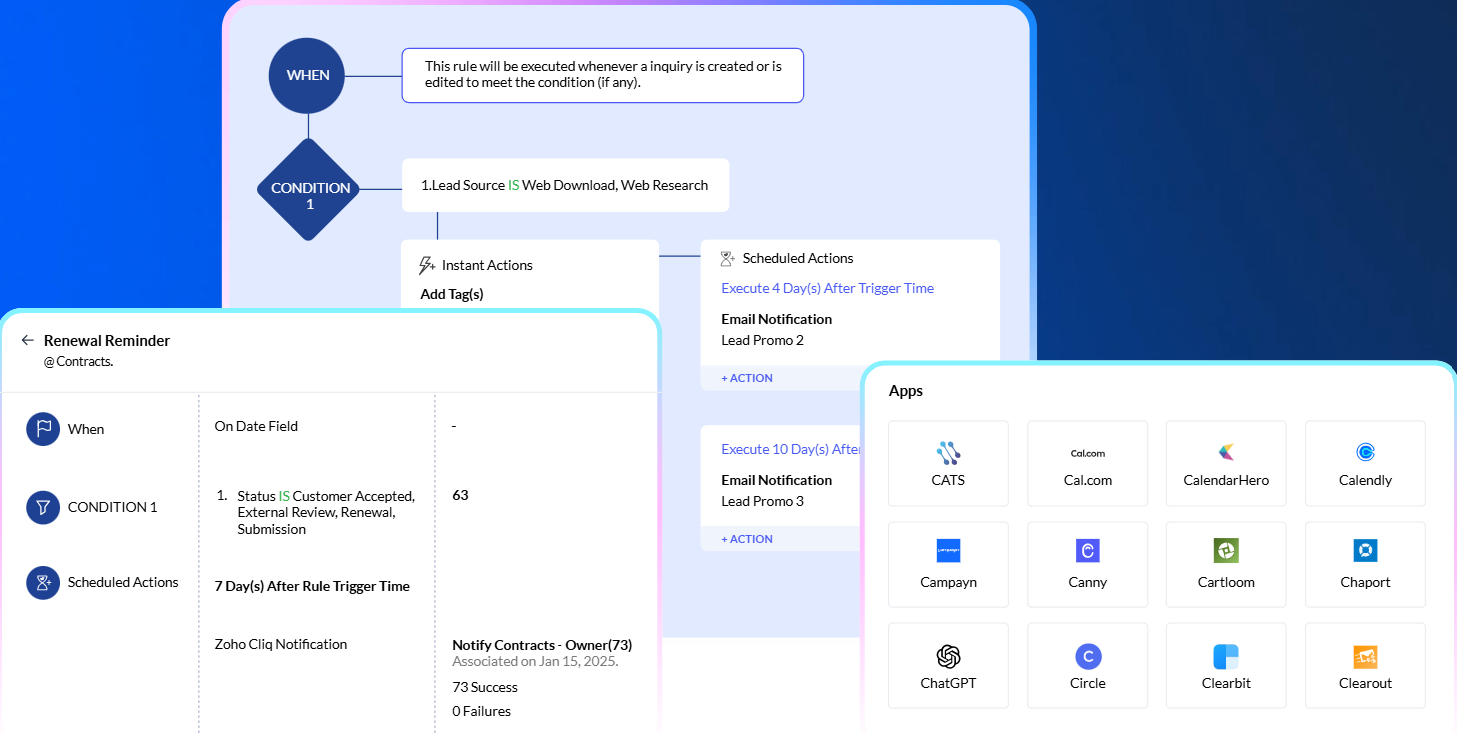
Zoho's automation extends beyond the pipeline. Workflow rules trigger actions on record changes. Cadences build branching multichannel follow-up sequences. CommandCenter orchestrates customer journeys across departments.
Source: Zoho
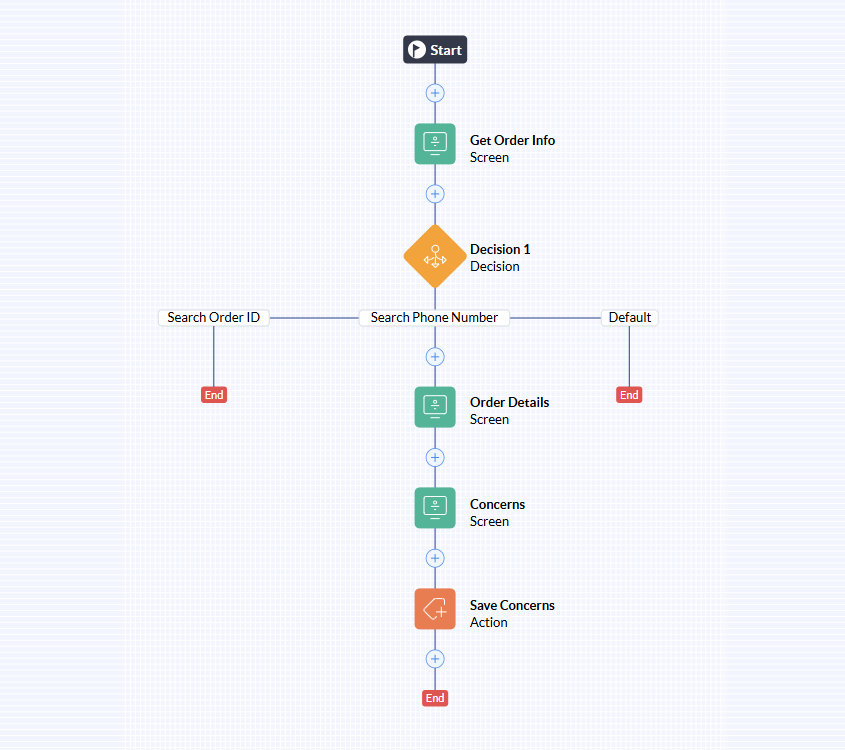
Kiosk Studio lets admins build custom interactive flows without code. This automation stack is five layers deep, and it starts at the $23/user/month Professional plan for Blueprint. The full suite requires Enterprise at $40/user/month.
Source: Zoho
For project delivery, Zoho relies on a separate product (Zoho Projects) that integrates with the CRM but isn't embedded in it. The handoff exists, but it requires leaving one application and entering another.
AI capabilities: practical versus ambitious
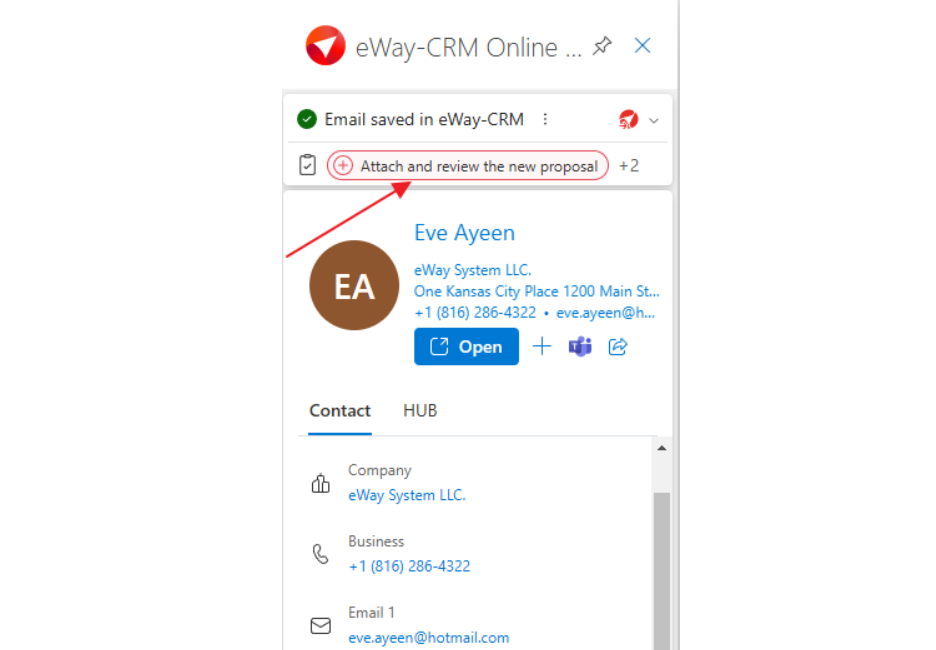
eWay-CRM's AI is focused and practical. It analyzes email tone and urgency, summarizes messages, extracts contact details from signatures, and suggests follow-up tasks. These features appear inside the Outlook reading pane while the rep reads the email. No separate sidebar, no configuration, no learning curve. The AI does a few things well and stays out of the way.
Source: eWay-CRM
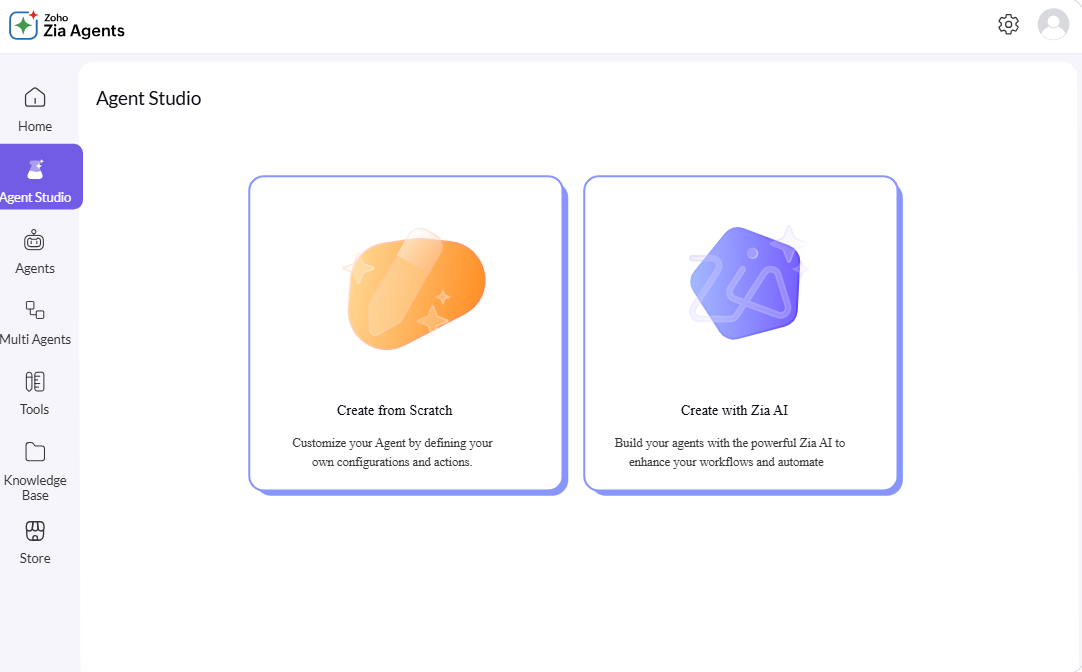
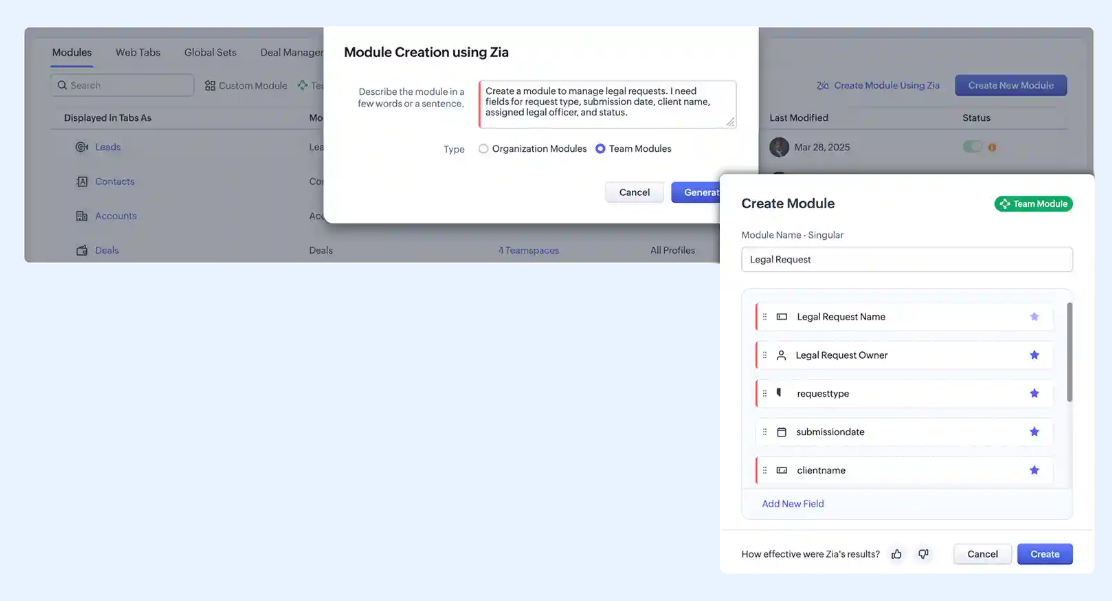
Zoho CRM's Zia AI operates at a different scale. The predictive layer scores leads by conversion likelihood, predicts churn, and forecasts revenue. The generative layer creates CRM modules, workflows, and reports from natural language descriptions.
Source: Zoho
The agentic layer deploys autonomous AI agents that handle lead qualification, follow-up scheduling, and outreach drafting. Email intelligence classifies sentiment across eight emotion categories and detects competitor mentions. Call transcription converts audio to text with extracted sentiment and intent.
Source: Zoho
Zoho's AI range is wide for the price, but unlocking its full capability requires climbing the pricing tiers. Zia's prediction and anomaly detection don't arrive until the $40/user/month Enterprise plan. Custom ML via QuickML is Ultimate-only at $52/user/month.
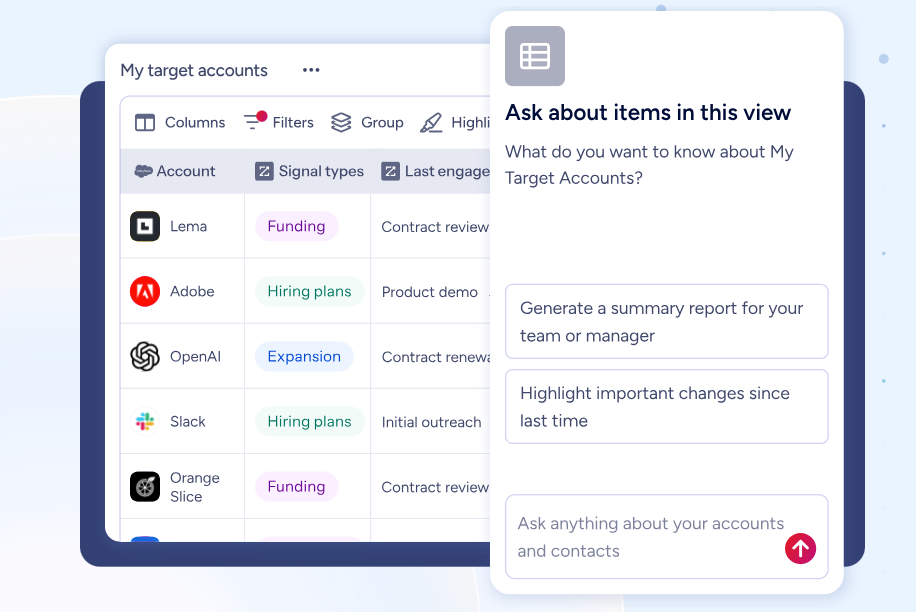
ZoomInfo's AI operates at a different layer. Rather than analyzing data already inside a CRM, ZoomInfo's GTM Context Graph processes 1.5B+ data points daily to understand why deals move or stall, connecting CRM records, conversation transcripts, intent signals, and behavioral data into a single intelligence layer.
The AI inside GTM Workspace answers three questions for every rep: who to contact, when to engage, and what to say, drawing on verified B2B data that neither eWay-CRM nor Zoho CRM can generate on their own.
Source: ZoomInfo
Seismic's Chief Business Officer described the impact: "That combination of our internal CRM data, external signals, and AI that's given all that context has helped us craft very specific account- and persona-based messages." Seismic attributed 39% of active pipeline to opportunities influenced by ZoomInfo signals. (Seismic)
The data quality gap both CRMs leave open
Here's the problem neither eWay-CRM nor Zoho CRM solves: where does the data come from in the first place?
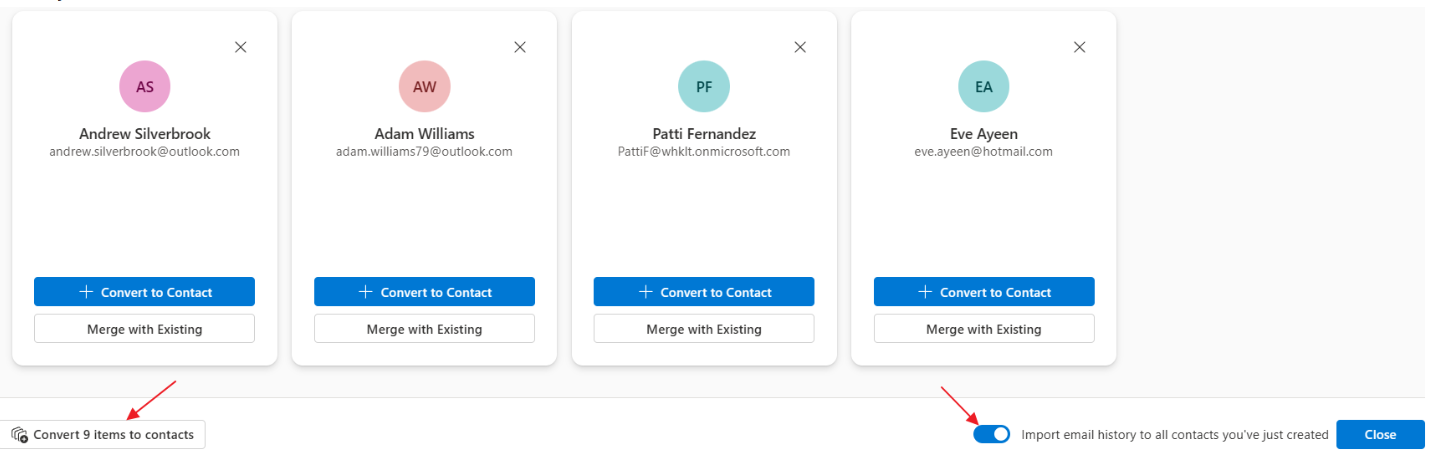
eWay-CRM builds its database from email interactions. If your team communicates with a prospect, that prospect enters the system. If they don't, it doesn't. The Contacts Suggestions feature helps by surfacing people in the mailbox who aren't yet tracked, but it's still limited to who your team has already emailed.
Source: eWay-CRM
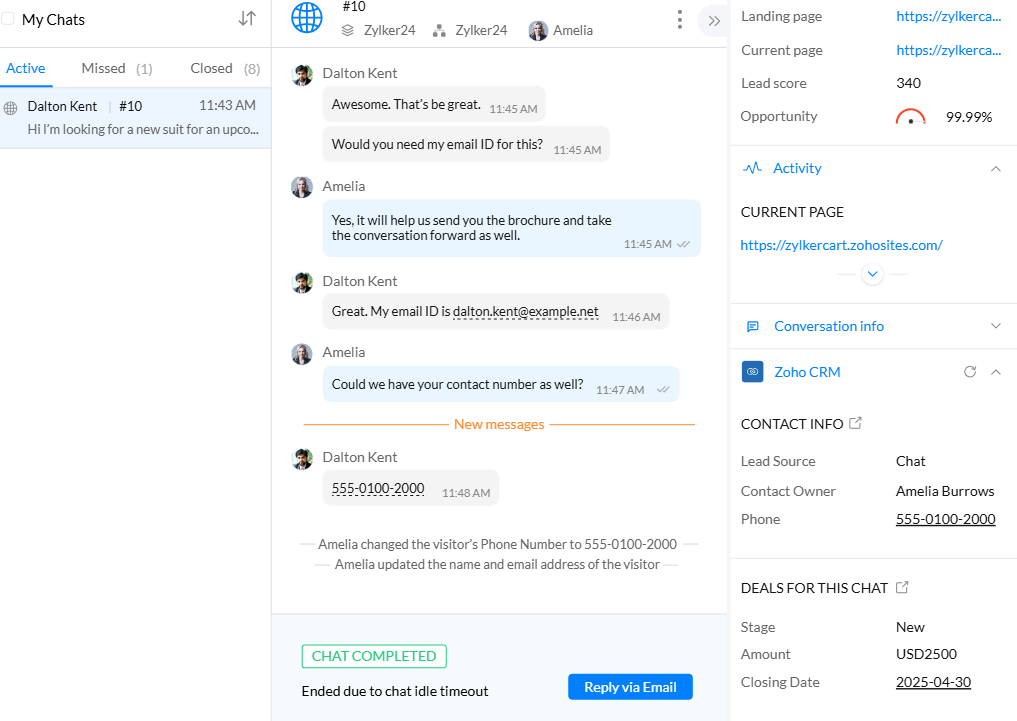
Zoho CRM casts a wider net with web forms, social media, and live chat as lead sources, plus the Zwitch migration tool for importing from other CRMs. But inbound capture only works for prospects who find you first. And imported data decays: contacts change jobs, companies restructure, phone numbers go dead.
Source: Zoho
ZoomInfo exists because CRMs are record systems, not intelligence systems. The B2B data platform provides verified contact information across 500M contacts, with 120M direct-dial phone numbers and 200M+ verified business email addresses.
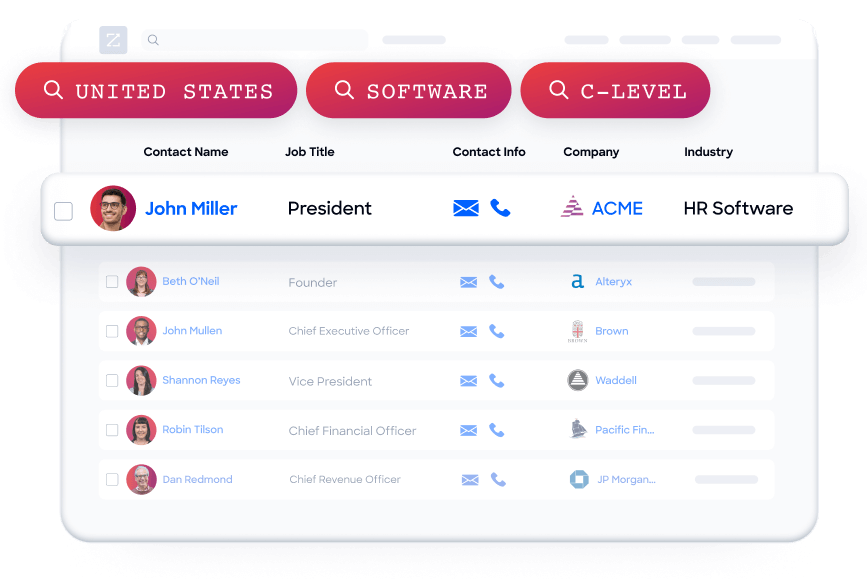
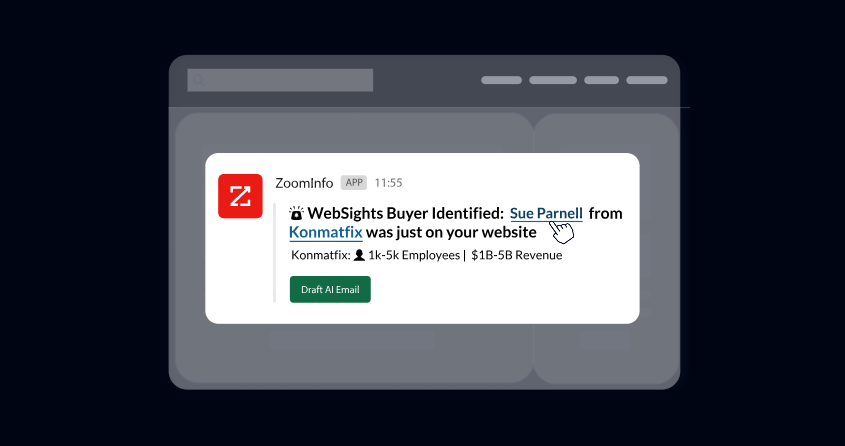
Beyond contacts, ZoomInfo tracks buyer intent data from 210 million IP-to-Organization pairings and 6 trillion+ new keyword-to-device pairings sourced monthly, identifies anonymous website visitors, and profiles the tech stack of 30+ million companies.
Source: ZoomInfo
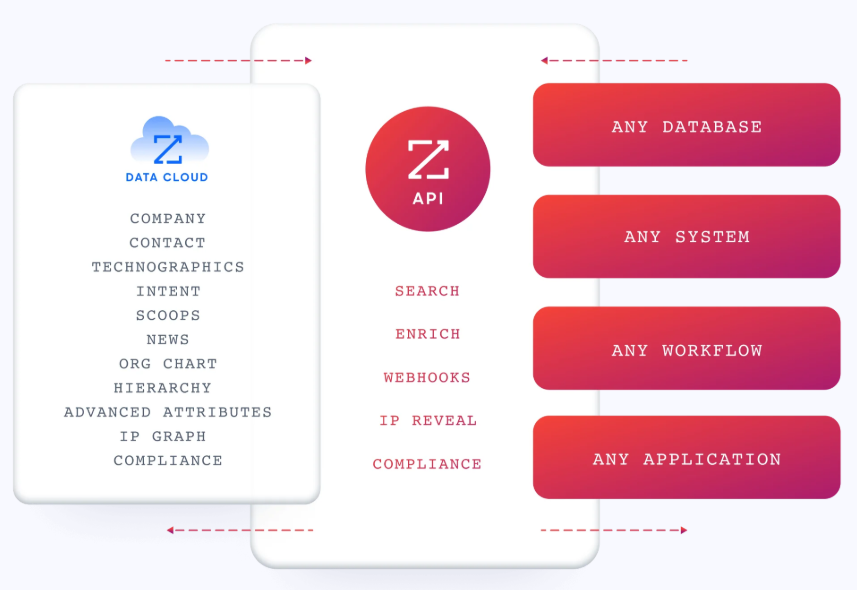
For eWay-CRM users, ZoomInfo's data flows through the API into the Outlook-native database, enriching existing contacts and surfacing new prospects that email history alone would never reveal. For Zoho CRM users, ZoomInfo connects through native integrations to enrich records, score accounts, and trigger workflows based on buying signals.
Source: ZoomInfo
The practical impact: instead of waiting for prospects to come to you, ZoomInfo tells you which companies are researching solutions in your category, who the decision-makers are, how to reach them, and when they're most likely to engage.
Vensure's Vice President of Revenue Operations put it this way: "ZoomInfo gives us the information we need to execute. It's already there, so we can be three steps ahead." (Vensure)
Pricing models reflect different ambitions
The pricing structures reveal what each platform optimizes for.
eWay-CRM keeps it simple with four tiers:
Plan | Monthly | Annual (per mo.) | 3-Year (per mo.) |
|---|---|---|---|
Free | $0 (unlimited users) | — | — |
Lite | $20 | $18 | $15 |
Standard | $27 | $24 | $20 |
Plus | $40 | $36 | $30 |
The free tier is useful. It includes core CRM features, deal pipelines, basic workflows, and Microsoft Teams integration for unlimited users. That's rare. Most CRMs either cap free plans at a few users or strip features to the point of uselessness. eWay-CRM also offers a 14-day trial at the Plus tier so teams can test everything before committing.
Costs to watch: QuickBooks integration, custom document templates, and bulk email marketing sends all carry additional fees outside any tier. Professional services run $960/day. Phone support is only available on the Plus plan.
Zoho CRM offers five tiers (annual billing):
Plan | Annual (per user/mo.) |
|---|---|
Free | $0 (up to 3 users) |
Standard | $14 |
Professional | $23 |
Enterprise | $40 |
Ultimate | $52 |
Zoho's pricing advantage is what you get at each tier. The $14 Standard plan includes custom reports, dashboards, sales forecasting, AI agents, and Cadences. The $23 Professional adds Blueprint, CPQ, email intelligence, and inventory management. Enterprise at $40 unlocks Zia AI predictions, journey orchestration, territory management, and custom functions. Compare that to eWay-CRM's $40 Plus tier, which adds timesheets, resource planning, and field-level permissions. Useful for project-based businesses, but narrower in scope.
Zoho's hidden costs come from support. Classic Support (email, phone, chat, 24x5) comes with paid plans. But Premium and Enterprise Support, with dedicated technical account managers and 1-hour response SLAs, are paid add-ons. Jumpstart implementation costs $200/hour with a $2,000 minimum.
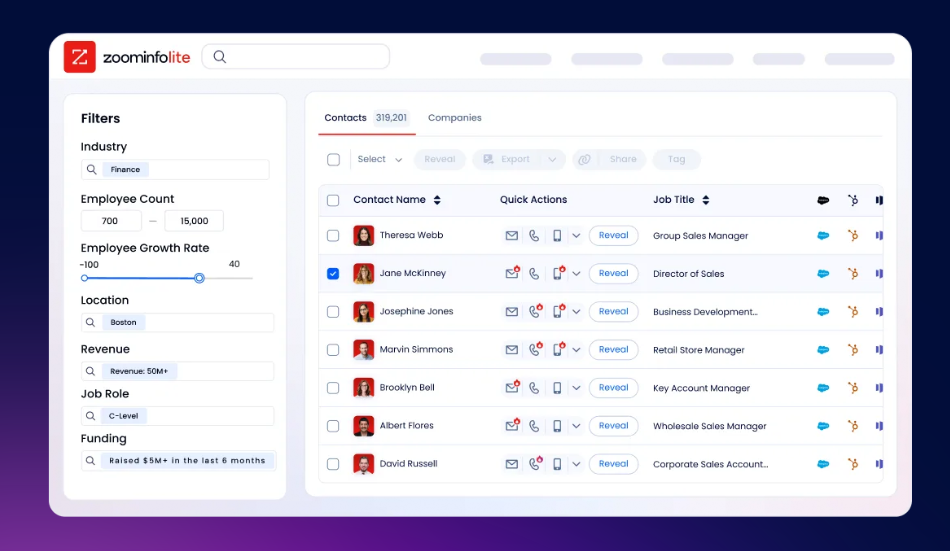
ZoomInfo uses custom-quoted, consumption-based pricing with no published dollar amounts. The entry point is ZoomInfo Lite, a permanent free tier with access to the B2B database, 10 monthly export credits, and basic search filters. Paid plans scale based on seats, credits, features, and company size. A 7-day free trial provides access to the full platform.
Source: ZoomInfo
Comparing ZoomInfo's pricing directly to eWay-CRM and Zoho CRM is misleading because ZoomInfo solves a different problem. The CRMs manage relationships. ZoomInfo generates the intelligence that makes those relationships possible. Many teams use ZoomInfo alongside their CRM, not instead of it.
Integration ecosystems serve different strategies
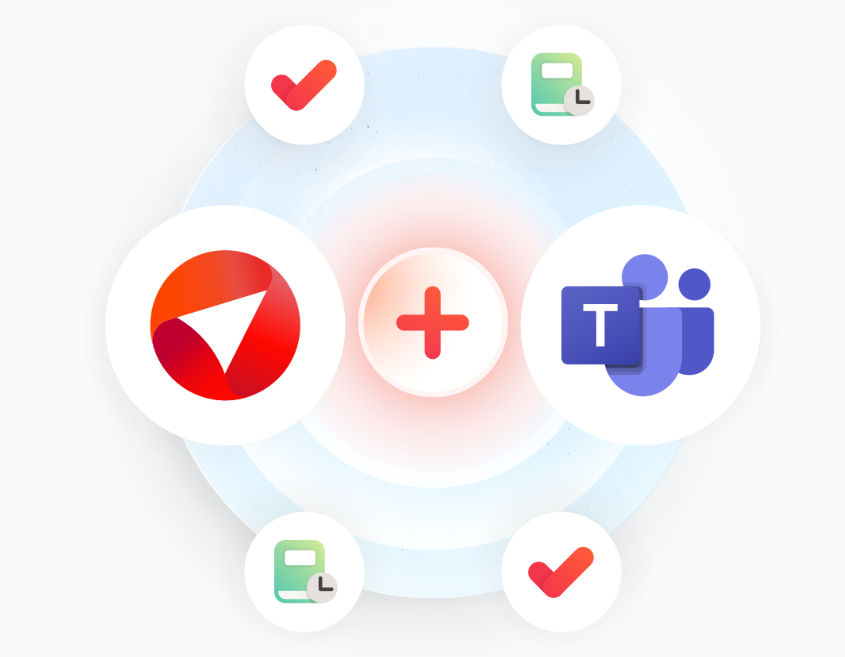
eWay-CRM goes deep on Microsoft. Beyond Outlook, the platform integrates natively with Teams, Power BI, SharePoint, Power Automate, and QuickBooks.
Source: eWay-CRM
Marketing integrations cover Mailchimp and Constant Contact. iPaaS support includes Zapier, Make, and Power Automate. For developers, the API exposes all CRM data via JSON-over-HTTPS, with official libraries for PHP, JavaScript, and C#.

Source: eWay-CRM
The integration list is small compared to Zoho, but intentional. If your tech stack is Microsoft 365, QuickBooks, and Mailchimp, eWay-CRM connects to everything you need. If you use Salesforce, HubSpot, or Google Workspace, there's no entry point.
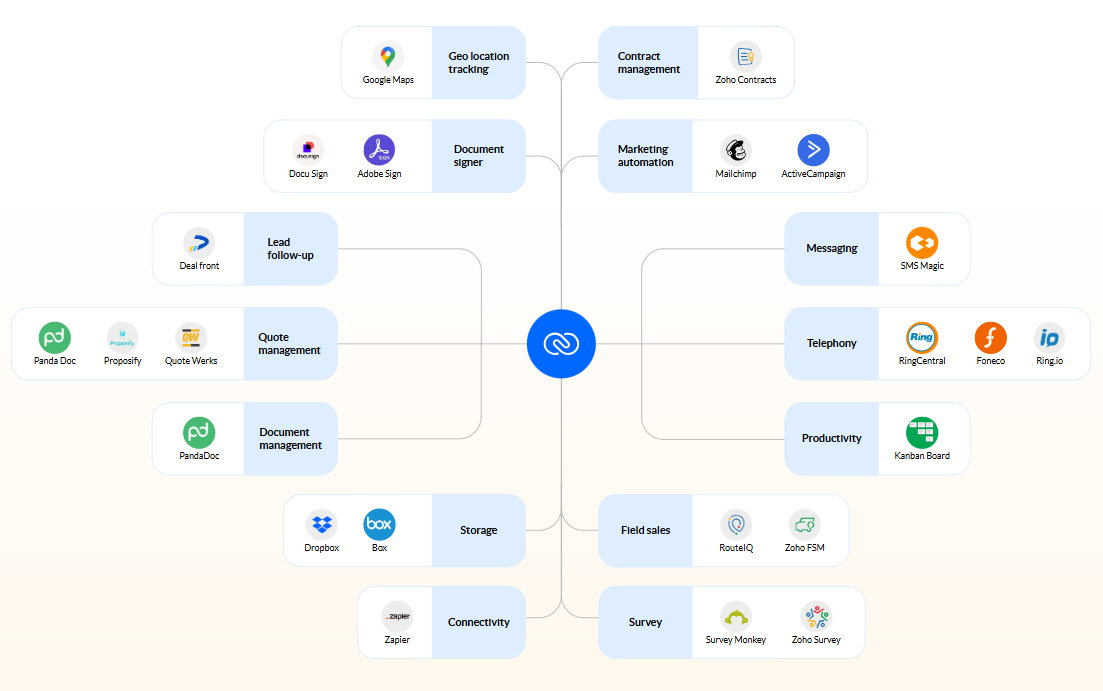
Zoho CRM offers 1,100+ app integrations through its Marketplace. The real integration story, though, is the Zoho ecosystem itself. CRM connects natively to Zoho Books (accounting), Zoho Desk (support), Zoho Campaigns (email marketing), Zoho Analytics (BI), and Zoho Projects (project management).
Source: Zoho
Zoho One bundles 50+ applications at a flat per-employee rate, creating a single-vendor alternative to assembling a multi-tool stack. For developers, Zoho provides REST and GraphQL APIs, five official SDKs (Java, Python, Node.js, PHP, C#), webhooks with serverless Deluge functions, a Widget SDK, and MCP Server support for AI agent integration.
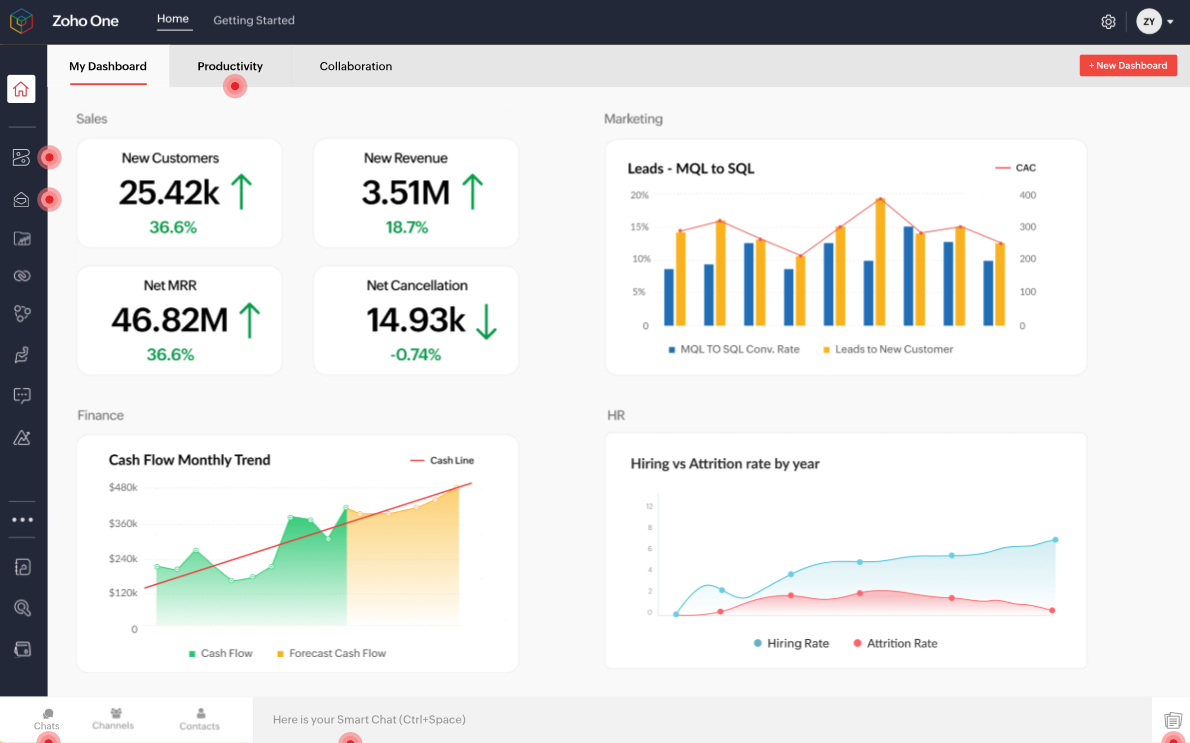
Source: Zoho
ZoomInfo approaches integration as infrastructure. The App Marketplace lists 172+ partners across CRM, marketing automation, sales engagement, data warehouse, and AI categories.
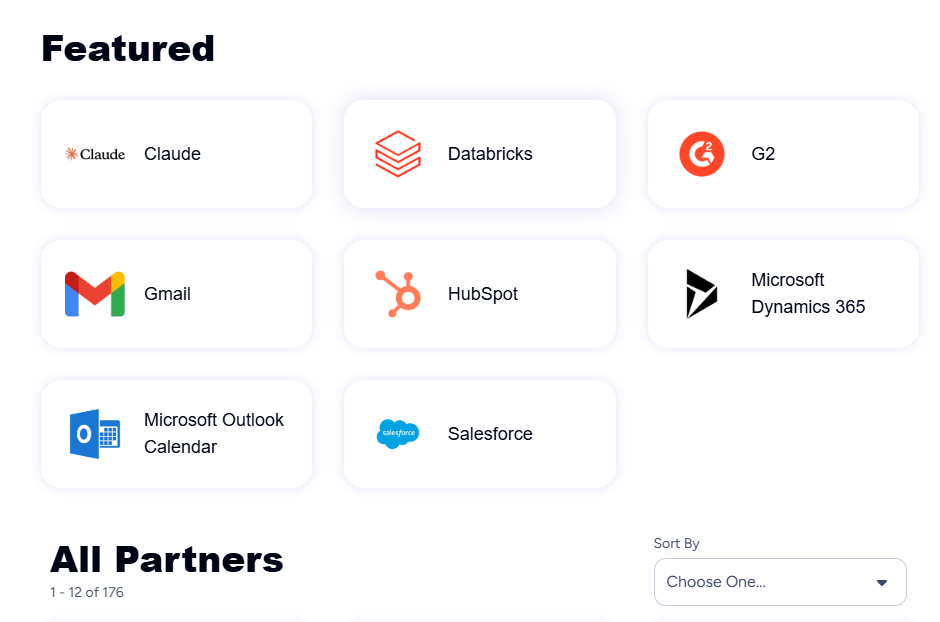
Source: ZoomInfo
Native integrations include Salesforce, HubSpot, Microsoft Dynamics 365, Snowflake, and Gmail. The Enterprise API provides programmatic access to search and enrich endpoints. The MCP server connects ZoomInfo data to any MCP-compatible AI assistant, including Claude and ChatGPT.
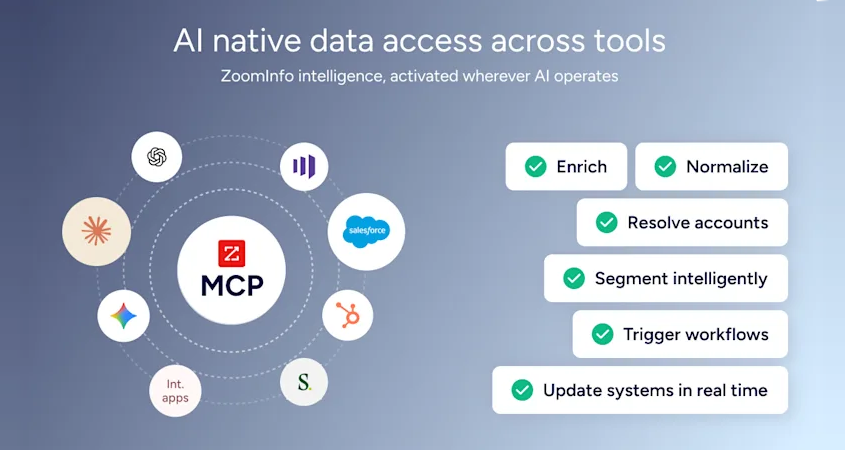
Source: ZoomInfo
ZoomInfo's integration philosophy reflects its positioning: it doesn't compete with your CRM. It feeds data and intelligence into whatever tools you already use. Whether your team works inside eWay-CRM's Outlook add-in or Zoho CRM's web dashboard, ZoomInfo's enrichment and intent signals flow in via API or native connector.
BDO Canada's Senior Marketing Intelligence Analyst found this flexibility critical: "The plug-and-play aspect of the API means I can integrate it very easily into any process and get information at a moment's notice." BDO achieved an 87% reduction in time spent on data dashboard updates using ZoomInfo's API. (BDO Canada)
Support and learning curve comparison
How each platform handles onboarding reveals its target audience.
eWay-CRM leans into familiarity. Because the CRM looks like Outlook, the learning curve for basic use is minimal. The company offers a formal Adoption Framework structured in four levels, from building a shared contact database to full workflow automation.
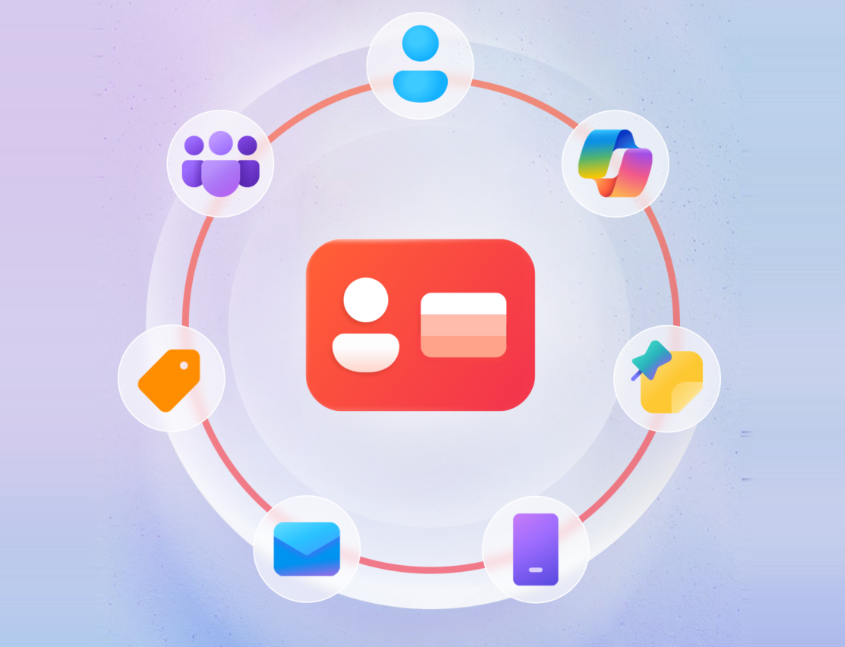
Source: eWay-CRM
Support quality is a consistent strength: Capterra rates customer service at 4.6/5, with 96% of relevant reviews calling support prompt, knowledgeable, and helpful. The enterprise page notes human support in both US and European time zones. Response times on paid plans range from 4 business hours for critical issues to 32 hours for low-priority requests.
Zoho CRM acknowledges its complexity. SoftwareReviews puts it directly: "Success requires investing time in setup and configuration rather than expecting immediate out-of-box functionality." To address this, Zoho offers Canvas Design Studio for interface customization, Kiosk Studio for guided workflows, and a free Developer Edition for safe testing.
The Zoho Academy, live webinars, and a community forum provide self-service learning. But the support experience depends on your tier. Classic Support (included with paid plans) provides email, phone, and chat during business hours. Dedicated account managers and 24/7 support require paid Enterprise Support add-ons.
Source: Zoho
ZoomInfo invests in structured onboarding. The company redesigned its onboarding from 30 to 90 days across planning, implementation, education, and adoption phases, producing a 25% improvement in customer satisfaction scores. ZoomInfo University provides role-specific learning paths, product certifications, and live webinars.

Enterprise customers get dedicated customer service managers, and professional services are available through ZoomInfo Labs.
eWay-CRM vs. Zoho CRM vs. ZoomInfo: Which should you choose?
The choice depends on your team's daily workflow, your growth plans, and whether you have the B2B intelligence to fill your pipeline.
Choose eWay-CRM if:
Your team lives in Microsoft Outlook and won't adopt a standalone CRM
You need to track both sales and project delivery in one tool
Low disruption and a familiar interface matter more than feature breadth
You're an SMB in consulting, manufacturing, insurance, or professional services
You want a free tier that supports unlimited users with core CRM functionality
Choose Zoho CRM if:
You want a customizable CRM with automation
AI-driven lead scoring, forecasting, and autonomous agents are priorities
You're willing to invest setup time in exchange for long-term flexibility
You need a single-vendor ecosystem covering CRM, finance, support, and marketing
Price-to-feature ratio matters, and you want enterprise capabilities without enterprise pricing
Add ZoomInfo to either CRM if:
You need verified B2B contact data to fill your pipeline with real prospects
You want to know which companies are researching solutions in your category
Your CRM data is incomplete, outdated, or built only from inbound leads
Your team needs AI-driven account prioritization and outreach powered by buying signals
You want the same intelligence layer accessible in your CRM, in dedicated sales tools, or in any AI agent via API and MCP
Explore ZoomInfo's free tier or request a demo of the full platform.
Choosing a CRM and choosing your data intelligence layer are two separate decisions. eWay-CRM and Zoho CRM each serve different teams: Outlook-centric service businesses in the first case, scale-focused organizations in the second. But both are only as effective as the data they hold. ZoomInfo ensures that regardless of which CRM you pick, your team has the verified contacts, company intelligence, and buying signals to fill and work their pipeline.
eWay-CRM vs. Zoho CRM vs. ZoomInfo FAQ
What is the fundamental difference between eWay-CRM, Zoho CRM, and ZoomInfo?
eWay-CRM is an Outlook-native CRM that turns Microsoft Outlook into a contact, deal, and project management tool without requiring users to learn a new application. Zoho CRM is a standalone cloud platform with customization, AI capabilities, and an ecosystem of 55+ integrated business applications. ZoomInfo is a B2B data intelligence platform that provides verified contact data, company intelligence, and buyer intent signals. It works alongside CRMs to keep the data inside them accurate and actionable, rather than replacing the CRM itself.
Which platform is more affordable: eWay-CRM or Zoho CRM?
Zoho CRM starts lower at $14/user/month versus eWay-CRM's $20/user/month for their entry paid tiers on annual billing. However, eWay-CRM's free plan supports unlimited users with core CRM features, while Zoho's free plan caps at 3 users. At the higher tiers, both converge: eWay-CRM Plus and Zoho CRM Enterprise are both $40/user/month on annual billing. Zoho includes more features at that price point, including AI predictions, journey orchestration, and territory management. eWay-CRM's Plus tier focuses on project management capabilities like timesheets, resource planning, and financial tracking.
Can I use eWay-CRM if my team doesn't use Microsoft Outlook?
No. eWay-CRM is built as a Microsoft Outlook add-in. Teams using Gmail, Apple Mail, or other email clients cannot use it. eWay-CRM does offer a browser-based version for Microsoft 365 users and a mobile app for iOS and Android, but the core product requires the Microsoft ecosystem.
Which CRM has better AI capabilities?
Zoho CRM's Zia AI is broader, covering predictive lead scoring, churn prediction, generative AI for module and workflow creation, autonomous sales agents, email sentiment analysis across eight emotion categories, and call transcription with extracted insights. eWay-CRM's AI is more focused: email tone analysis, message summaries, contact signature extraction, and task suggestions within the Outlook reading pane. ZoomInfo adds a different AI layer, using its GTM Context Graph to process 1.5 billion data points daily and surface which accounts to prioritize, why they matter, and what to say.
Does ZoomInfo replace a CRM?
No. ZoomInfo is a complementary intelligence layer. It provides the verified B2B data and buying signals that feed into CRMs like eWay-CRM, Zoho CRM, Salesforce, or HubSpot. Teams typically use ZoomInfo alongside their CRM: ZoomInfo generates the intelligence, and the CRM manages the relationships. ZoomInfo integrates with CRMs through native connectors and APIs to enrich records, identify new prospects, and trigger workflows based on intent signals.
Which platform is best for managing projects after the sale?
eWay-CRM is the clear choice for post-sale project management. Its Projects module includes task management, timesheets, resource planning with overallocation detection, and financial tracking comparing estimated versus actual hours, costs, revenue, and profit. When a deal closes, it converts directly into a project with the full communication history preserved. Zoho CRM relies on a separate Zoho Projects product for project management, which integrates with the CRM but requires users to leave the CRM interface.
How do the integration ecosystems compare?
eWay-CRM integrates with the Microsoft ecosystem (Outlook, Teams, Power BI, SharePoint, Power Automate) and connects to Mailchimp, Constant Contact, QuickBooks, and iPaaS platforms like Zapier. Zoho CRM offers 1,100+ marketplace integrations plus its own 55+ application ecosystem, with REST and GraphQL APIs and five official SDKs. ZoomInfo takes an infrastructure approach with 172+ marketplace partners, native CRM connectors for Salesforce, HubSpot, and Dynamics 365, cloud data platform delivery through AWS, Snowflake, and Databricks, and an MCP server for AI agent integration.
Is either CRM a good fit for enterprise organizations?
Zoho CRM has stronger enterprise credentials, with Gartner Magic Quadrant recognition for 15 consecutive years, vertical industry solutions, territory management, multi-pipeline support, and a sandbox environment. Its Enterprise plan at $40/user/month includes custom functions, journey orchestration, and field-level security. eWay-CRM serves SMBs primarily, with its enterprise features focused on department-level visibility, advanced permissions, and ISO 27001 certification rather than large-scale deployment. For enterprise-grade B2B data intelligence, ZoomInfo's customers include Adobe, Snowflake, and JPMorgan.
