
FindThatLead promises three things: find emails, verify them, and send cold campaigns from one platform. For small sales teams and solo founders who need outbound prospecting without stitching together multiple tools, that simplicity appeals. But as outbound sales grows more competitive, the question isn't just whether a tool can find an email address. It's whether that address is accurate, whether the person behind it is in-market, and whether your team can act on that signal before a competitor does.
To write this FindThatLead review, we analyzed the platform in depth. We believe it's a good fit if:
You're a small team or solo founder who needs basic email prospecting on a tight budget
You want email finding, verification, and cold outreach in a single platform
GDPR compliance is a hard requirement for your European outbound efforts
You need a quick-start tool with no technical setup
LinkedIn-based prospecting is central to your workflow
However, FindThatLead might not be the best choice if:
You need verified direct-dial phone numbers at scale
Data accuracy outside North America is critical to your campaigns
You require buyer intent signals to prioritize which accounts to target
Your team needs CRM integrations beyond Zapier
You're scaling beyond a small team and need enterprise-grade data infrastructure
In this case, you should consider ZoomInfo: an all-in-one AI GTM platform with 500M contacts, 100M companies, 135M+ verified phone numbers, and 200M+ verified business email addresses. Where FindThatLead covers the basics of email prospecting, ZoomInfo adds buyer intent signals, conversation intelligence, technographics, org charts, and a GTM Context Graph that helps teams understand not just who to contact, but when and why to reach them.
We've included a detailed look at ZoomInfo later in this FindThatLead review for teams that need more than email addresses to compete. If you're ready to explore a broader go-to-market approach, you can start with ZoomInfo's free trial here.
What is FindThatLead?
FindThatLead is a B2B sales prospecting platform founded in November 2014 by Gerard Compte and Cristian Vitales in Barcelona, Spain. The company started as a Chrome extension that generated email addresses from LinkedIn profiles, then expanded into seven interconnected tools covering the full outbound prospecting workflow: finding contacts, verifying emails, running cold email campaigns, and organizing leads in a built-in CRM.
The platform claims a database of 200M+ professional profiles and 9M+ company profiles, with emails generated via 15+ permutations against company domain patterns and scored in real time. FindThatLead targets four buyer segments: sales teams, B2B companies, recruiters, and growth marketers.
In June 2024, Clientify acquired FindThatLead. Clientify is a Spanish CRM platform, and the acquisition made FindThatLead the prospecting layer inside a broader CRM stack. It continues to operate under its own brand with the same tool suite. The company maintains offices in Barcelona and Miami.
FindThatLead Pros & Cons
Pros | Cons |
|---|---|
All-in-one prospecting stack at an accessible price | Inconsistent data accuracy, especially outside the US |
Clean, intuitive interface (4.6/5 ease of use on Capterra) | Credits charged on some failed lookups |
Built-in cold email campaigns at no extra credit cost | Chrome extension can be unreliable |
GDPR-compliant with European roots | Lightweight CRM lacks pipeline depth |
LinkedIn prospecting via Scrab.in companion tool | No native API (Zapier only) |
Free plan available (no credit card required) | Limited free tier (20 credits/month) |
Unlimited users on the Ultimate plan | Position/title data frequently missing |
FindThatLead Review: How It Works & Key Features
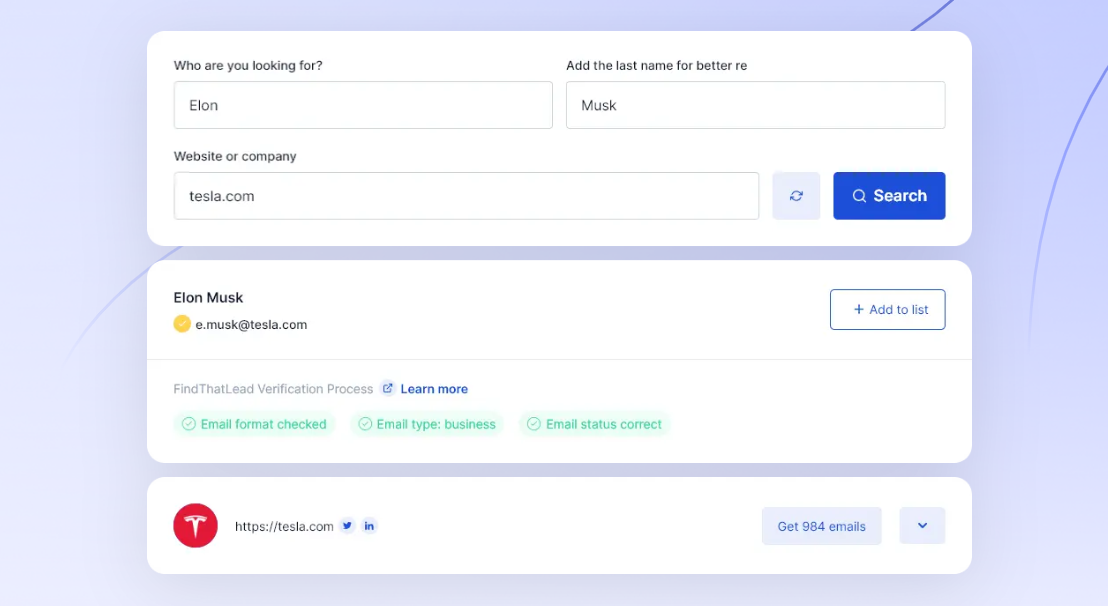
Email Finder (Search): FindThatLead's core lookup tool generates email addresses from a name and company domain.
Search is the foundation of FindThatLead's platform. Users enter a prospect's name and company domain, and the tool runs its algorithm across public web sources and its database to resolve the email address. It returns a result with a confidence rating shown by color code: green means 99%+ accuracy and safe to send, yellow means the address may be incorrect, gray means not found.
Source: FindThatLead
The tool supports three search modes: lookup by name, by company, and by domain. Users can also search for leads from URLs and profiles, find leads by the technology they use, and upload a list of leads with names and URLs/companies to find email addresses in bulk.
FindThatLead's credit model ties to verified results. A credit equals a correct email, and repeat lookups of the same lead within a billing month cost nothing extra. The platform claims an accuracy rate of over 90% with a double-verification process.
Reviewer experience tells a different story. Capterra reviewers report 40–50% accuracy in practice, with feedback including "half of the emails are outdated" and "assumes email addresses rather than finding the proper one."
Prospector: Automated lead list generation from target market parameters.
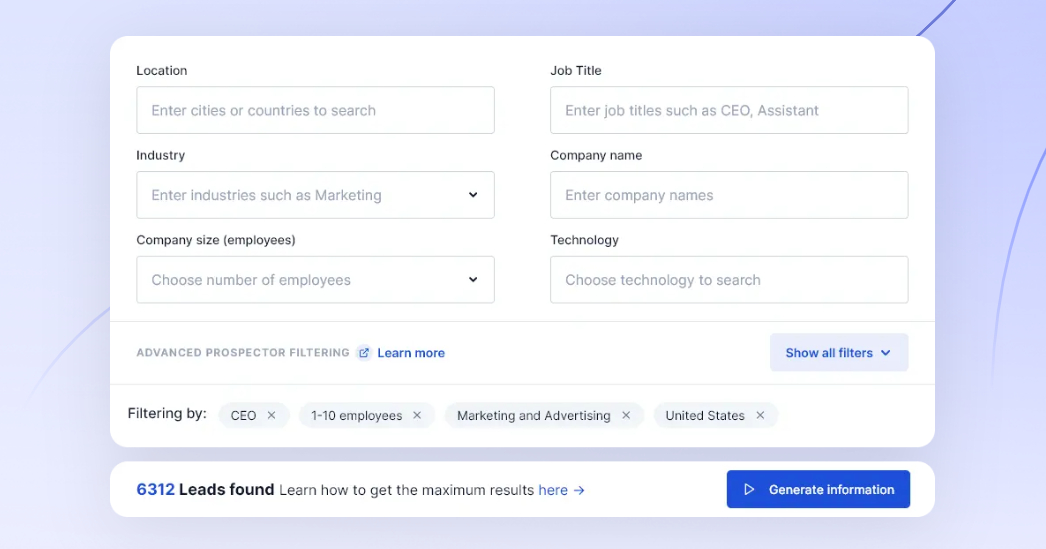
Prospector solves the upstream problem of identifying which contacts to target. Users define their ideal customer profile (company name, contact title, geographic location) and the system generates a list of matching prospects.
Source: FindThatLead
The tool uses a free-list, pay-on-selection model. Users generate the list for free, browse the results, and only spend credits when they select specific leads and request verified email addresses. Before committing credits, Prospector estimates the number of leads it will generate, giving users a preview of list size. The system generates emails in real-time rather than pulling pre-stored addresses.
Leads from Prospector flow directly into the built-in Manager CRM and then into Send Emails for campaign sequences, all within the same platform.
Cold Email Campaigns (Send Emails): Built-in outreach automation that doesn't consume credits.
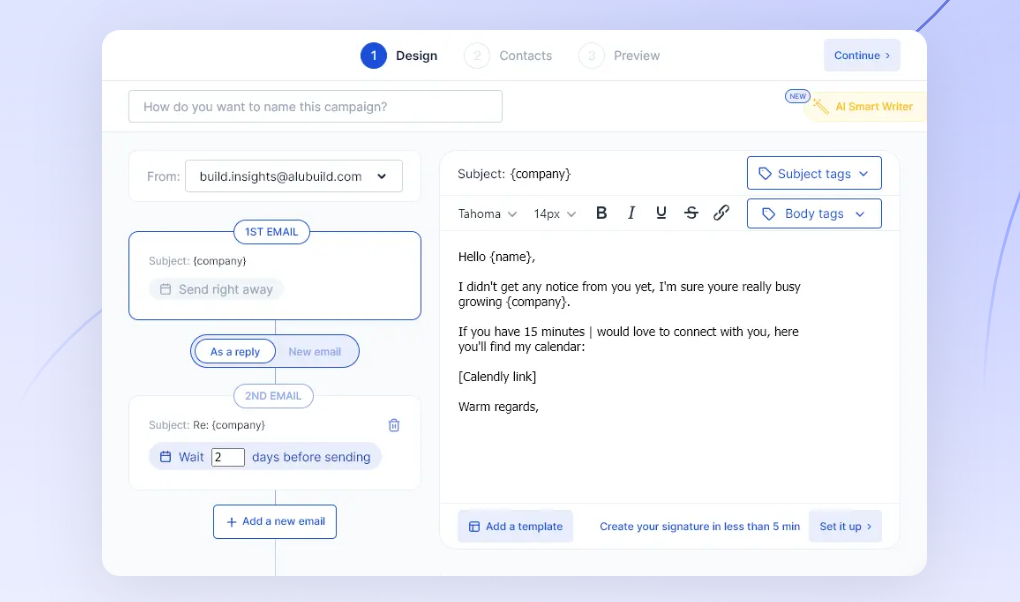
Send Emails is FindThatLead's cold email module and its most underrated feature. Using Send Emails costs zero credits, making it free across all plans.
Source: FindThatLead
The tool connects to the user's inbox via SMTP/IMAP. All emails send from the user's own inbox and appear in their Sent folder, preserving deliverability rather than routing through a shared IP pool. Users can add up to 3 follow-up messages beyond the initial email, each with a configurable delay. Sequences stop when a prospect replies.
Before launch, a built-in Quality Checker scores the campaign against cold email best practices. Campaign metrics track emails sent, opened, replied to, and bounced. The higher-tier plan supports 10–15 email accounts at once, and FindThatLead recommends a cap of 250 emails per day per account to protect deliverability.
One gap: FindThatLead lacks a built-in email warmup feature for new accounts, now standard in dedicated cold email platforms. Users with new sending domains need to handle warmup on their own.
Social Search and Scrab.in: LinkedIn-to-email conversion for profile-based prospecting.
Social Search converts social media profile URLs into verified contact data. Users paste a LinkedIn or Twitter profile URL, choose whether to retrieve personal email, corporate email, or both, and FindThatLead returns all linked emails plus contact and company information within seconds.

Source: FindThatLead
Beyond email, results include the contact's company role, phone number, Twitter handle, Instagram, and Facebook, along with company-level data like technology stack and office location. The tool also supports bulk CSV processing for large lists of profiles.
The affiliated Scrab.in Chrome extension automates LinkedIn profile visits, connection requests, and messaging, then exports prospects to CSV for import into FindThatLead. For teams whose prospecting centers on LinkedIn, this combination creates a practical pipeline from social research to outreach.
Email Verifier: Bulk and individual email validation to reduce bounce rates.
Verifier runs a four-layer verification process: RFC standard validation, MX record validation, server validation, and catch-all/spam trap checks. FindThatLead states a success rate of over 95%.
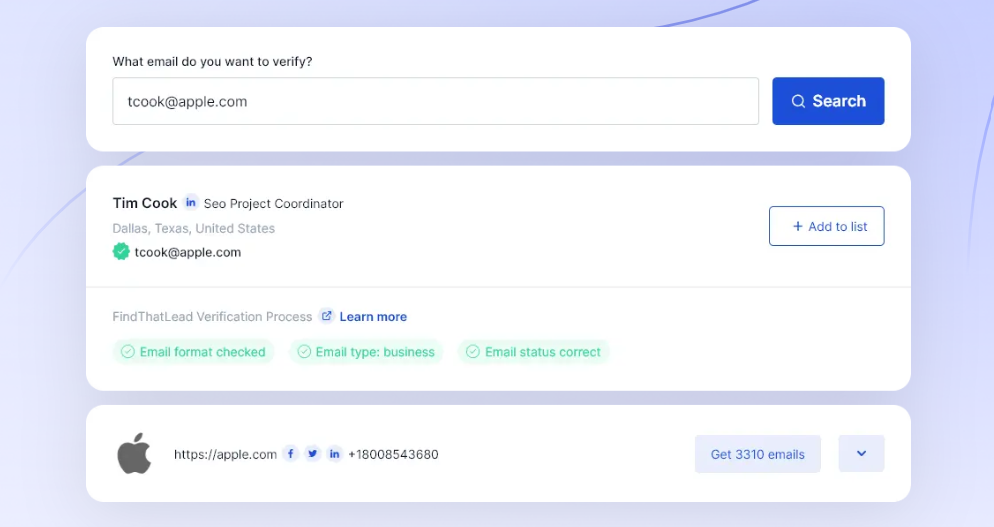
Source: FindThatLead
Results fall into five categories: Correct (99% accuracy, safe to send), Web (found online but not SMTP-verified), Catch All (domain accepts all mail), Incorrect, and Invalid. The tool removes duplicates during processing. Credits are only consumed for verified results, so failed verifications cost nothing.
Pricing: Accessible tiers with a permanent free plan, but "unlimited" carries limits.
FindThatLead offers a permanent free plan plus two paid tiers, with 25% off for annual billing:
Free Plan ($0/month, permanent):
1 user, 1 connected email account
2 active campaigns, up to 50 outbound emails per day
Access to all tools at reduced limits
No credit card required
Starter Plan ($49/month, or $37/month billed annually):
2,000 email credits per month
50 mobile/phone credits per month
Up to 400 outbound emails per day
20 email sequences
1 user, 1 connected email account
Ultimate Plan ($99/month, or $75/month billed annually):
Unlimited email credits (subject to fair use policy)
100 mobile/phone credits per month
Unlimited outbound emails, sequences, and exports
Up to 15 connected email accounts per user
Unlimited users
Dedicated account manager and onboarding sessions
The "unlimited" label on the Ultimate plan deserves scrutiny. The Fair Use Policy caps credits at 15,000 per month, users at 25 per account, campaigns at 100, and outbound emails at 150 per day. For small teams, these caps are generous. For teams expecting true unlimited scale, they're a constraint worth knowing upfront.
Credits don't roll over between billing periods. Users can change plans at any time and cancel via Settings without contacting support.
Where FindThatLead Falls Short
FindThatLead delivers a complete prospecting workflow at an accessible price, but several limitations show up with regular use. These reflect a platform built for simplicity and affordability, not data depth or enterprise scale.
Data Accuracy Gap: The distance between FindThatLead's claimed 90%+ accuracy and actual user experience is the platform's biggest weakness. Capterra reviewers consistently report 40–50% accuracy, noting that the tool "assumes email addresses rather than finding the proper one." FindThatLead generates emails via pattern-based algorithms rather than sourcing verified addresses from multiple data streams, so it is guessing in many cases. For teams sending hundreds of emails per day, even a 10% inaccuracy rate damages sender reputation and wastes effort.
Missing Contact Details: Job title and position data is frequently absent from search results, which undermines persona-based targeting. If you're building a campaign for VP-level buyers, missing title data means you can't filter your list reliably. Mobile phone credits are capped at 50–100 per month, making phone outreach impractical at any real volume.
No Intent or Buying Signals: FindThatLead tells you how to reach someone. It doesn't tell you whether they're looking to buy. There's no buyer intent data, no website visitor tracking, no signal that a prospect is researching solutions in your category. Every contact on your list gets the same cold outreach regardless of timing, so your team guesses when to engage rather than knowing.
Limited Integrations: FindThatLead does not offer a public API. The only way to connect with external systems is through Zapier. For teams with CRM workflows, enrichment pipelines, or custom applications, this forces manual workarounds or middleware dependency where a direct integration would work better.
Thin CRM and Segmentation: The built-in Manager CRM is a lead organizer, not a pipeline management tool. Reviewers note the inability to "segregate/organize results like competitors" and flag missing filtering options. Teams that need deal stages, activity logging, or reporting will need an external CRM anyway.
Uncertain Product Direction After Acquisition: The Clientify acquisition in June 2024 raises questions about FindThatLead's standalone future. The platform publishes no public roadmap, and no significant feature releases have been documented since the acquisition. Buyers committing to a multi-month subscription should consider that the product may evolve as a Clientify integration rather than an independent tool.
These limitations follow naturally from building a lean prospecting tool for budget-conscious teams. But they leave a clear gap for organizations that need accurate data at scale, signals that reveal when prospects are ready to buy, and infrastructure that connects to the rest of their go-to-market stack.
Top FindThatLead Alternative for Growing Teams: ZoomInfo
ZoomInfo addresses FindThatLead's limitations by operating at a different scale. Where FindThatLead is a prospecting tool, ZoomInfo is an all-in-one AI GTM platform built on B2B data, an AI layer called the GTM Context Graph, and access through native products and open APIs.
Comprehensive B2B Data: ZoomInfo provides verified contact and company data at a scale FindThatLead cannot match.
ZoomInfo's data covers 500M contacts, 100M companies, 135M+ verified phone numbers, 120M direct-dial phone numbers, and 200M+ verified business email addresses. A multi-source verification pipeline backed by 300+ human researchers maintains that data, achieving up to 95% accuracy on first-party records.
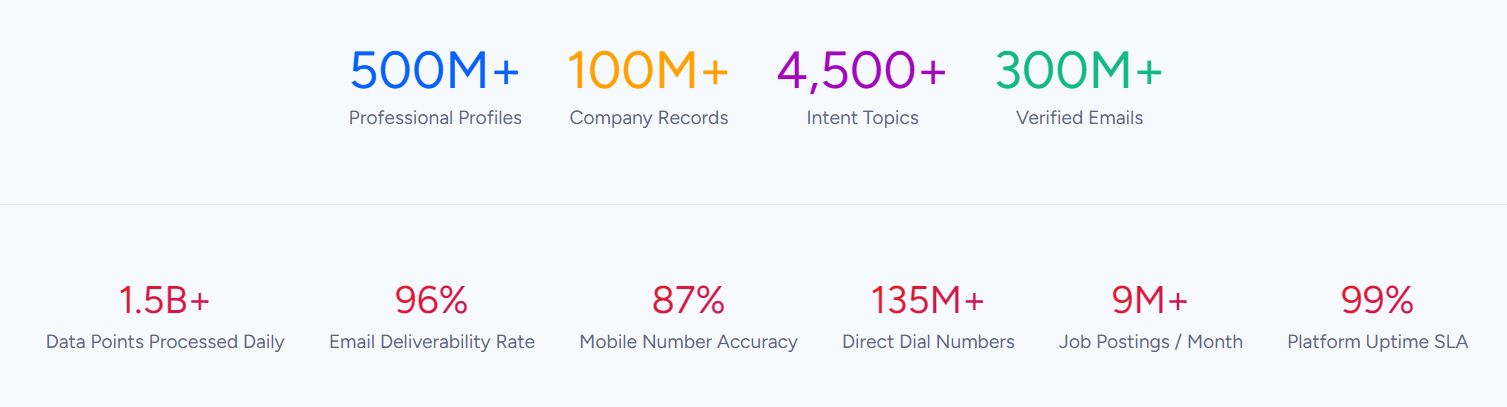
Where FindThatLead generates emails from domain patterns, ZoomInfo aggregates from four source categories: automated ML scanning of 28 million site domains daily, third-party partner data covering 95 million businesses, a community of 200,000+ ZoomInfo Lite users who share data back, and an in-house research team. The result: contacts come with verified direct dials, org charts, technographic profiles, and company attributes, not just a guessed email.
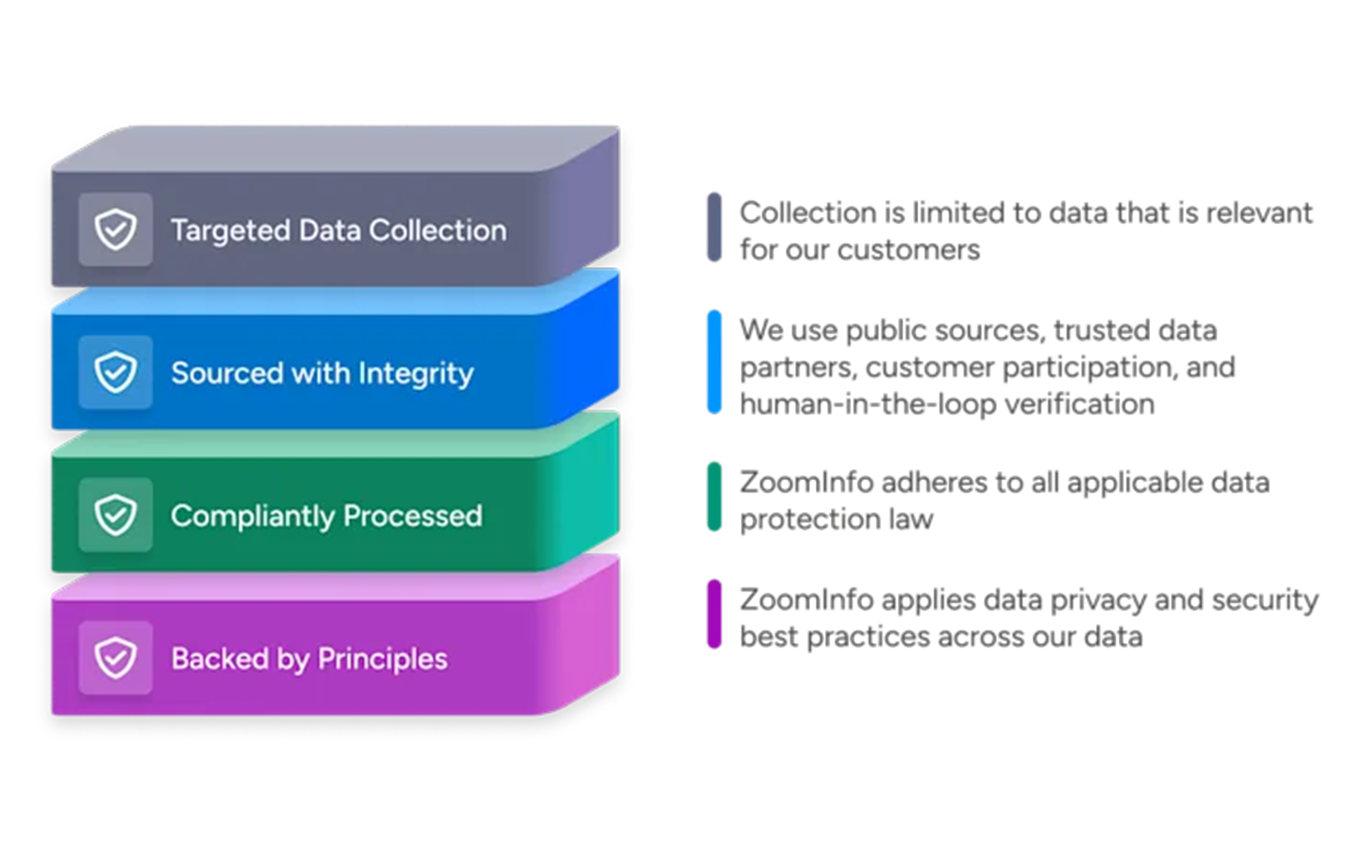
The accuracy gap shows up in practice. In a Fortune 500 competitive RFP analyzing 25 million contacts across vendors, the independent consultant concluded that "no other competitor came even close." For sales teams, the difference is that direct dials ring and emails land, instead of a 40–50% hit rate that wastes half of every rep's outreach.
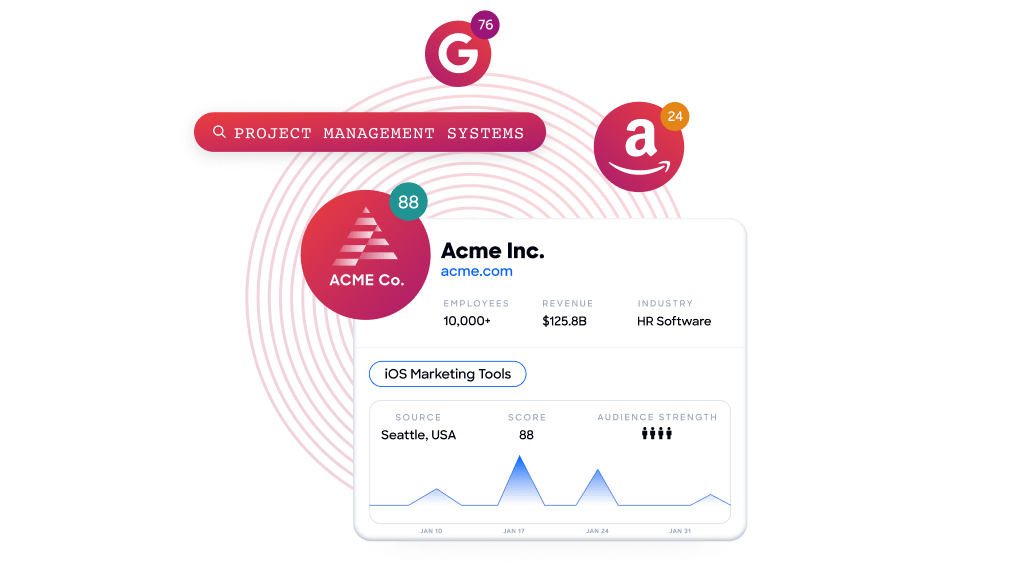
Beyond contacts, ZoomInfo provides 300+ company attributes, technographic data covering 30,000+ technologies across 30+ million companies, and buyer intent data that tracks signals from 210 million IP-to-Organization pairings. Teams can identify not just who to contact, but which accounts are researching solutions in their category right now.
"ZoomInfo gives us the information we need to execute. We don't have to spend our time digging. It's already there, so we can be three steps ahead." (Vensure)
GTM Context Graph: AI intelligence that reveals why deals move, not just who to contact.
FindThatLead can give you a prospect's email address. ZoomInfo's GTM Context Graph tells you why that prospect matters now. Processing 1.5B+ data points daily, it combines ZoomInfo's B2B data with a customer's CRM records, conversation transcripts, email interactions, and behavioral signals to capture not just what happened in a deal, but why it happened.
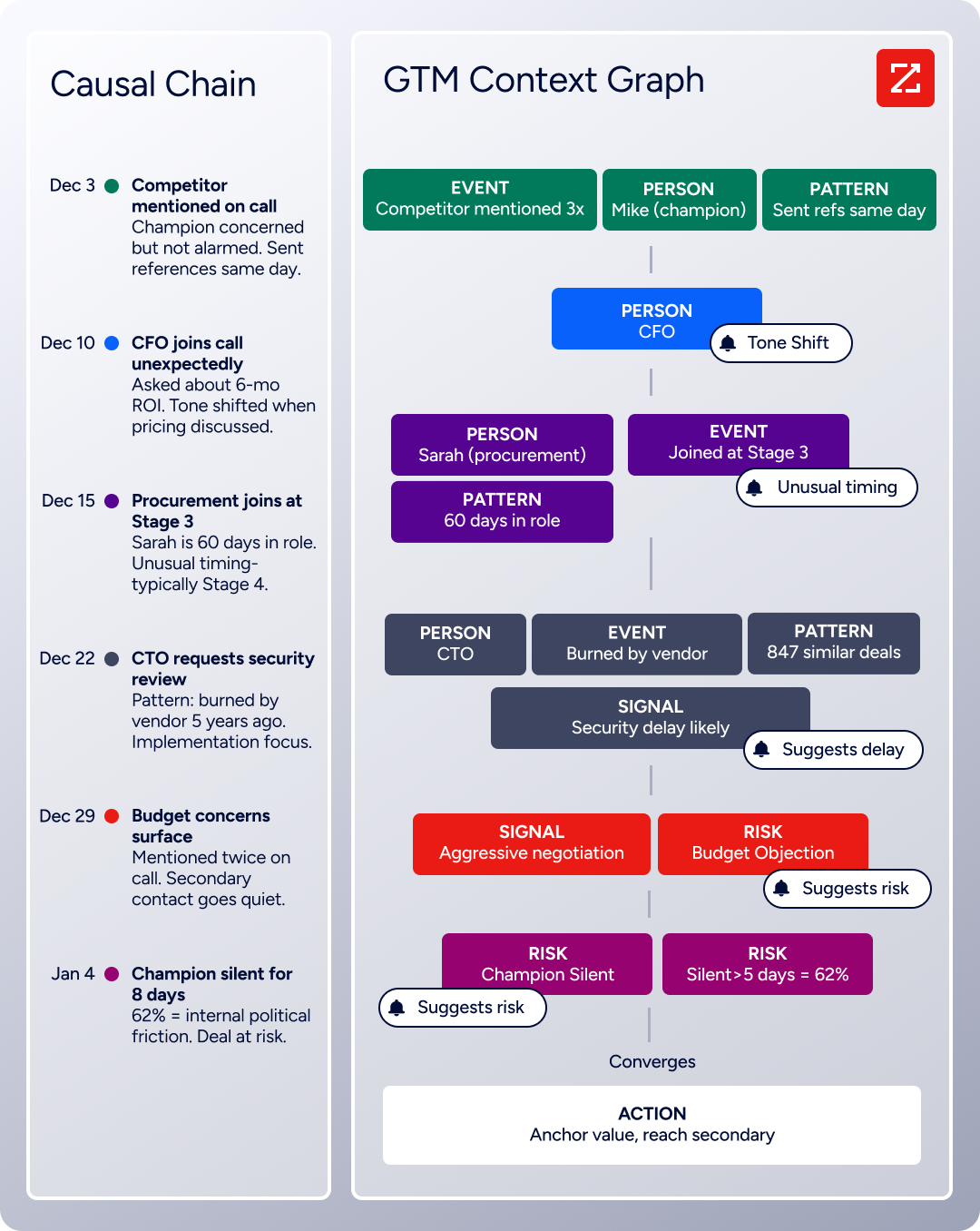
For example, a CRM might record that a deal moved from Stage 3 to Stage 4. The GTM Context Graph reasons across the call transcript (the CFO joined and asked about six-month ROI), the intent signals (the company is researching your competitor), and the org chart (they just hired three new VPs) to explain what drove that movement and what should happen next.
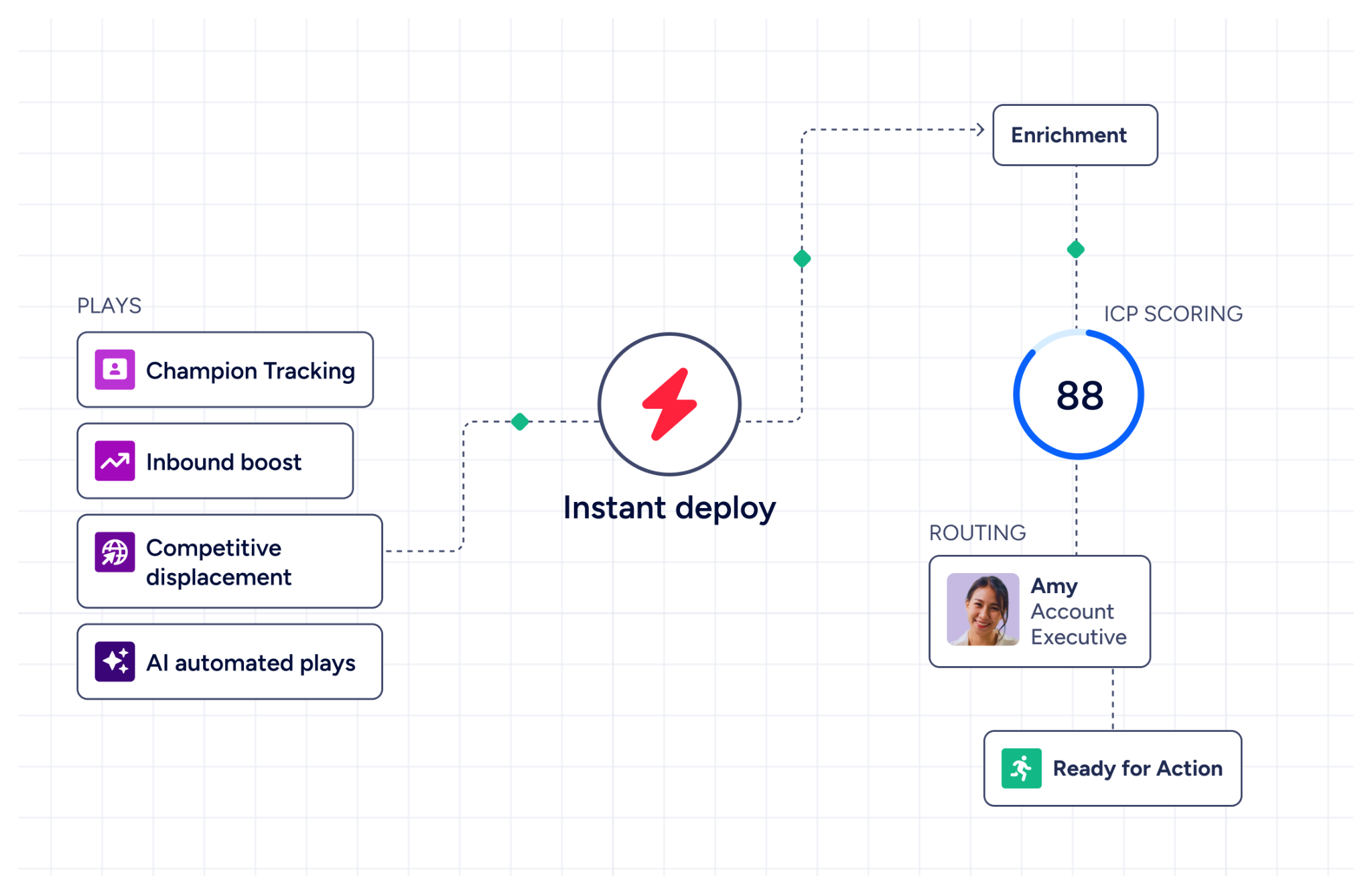
This intelligence flows into every action that follows. AI-drafted emails address the specific concern a prospect raised. GTM plays target accounts whose signals match proven win patterns. Forecasts weight deals by buying evidence rather than stage labels.
Guided Intent, exclusive to ZoomInfo, identifies topics correlated with past deal success rather than requiring manual topic selection. WebSights resolves anonymous website traffic to companies, identifying buying teams and providing direct contact info. Neither signal layer exists in FindThatLead.
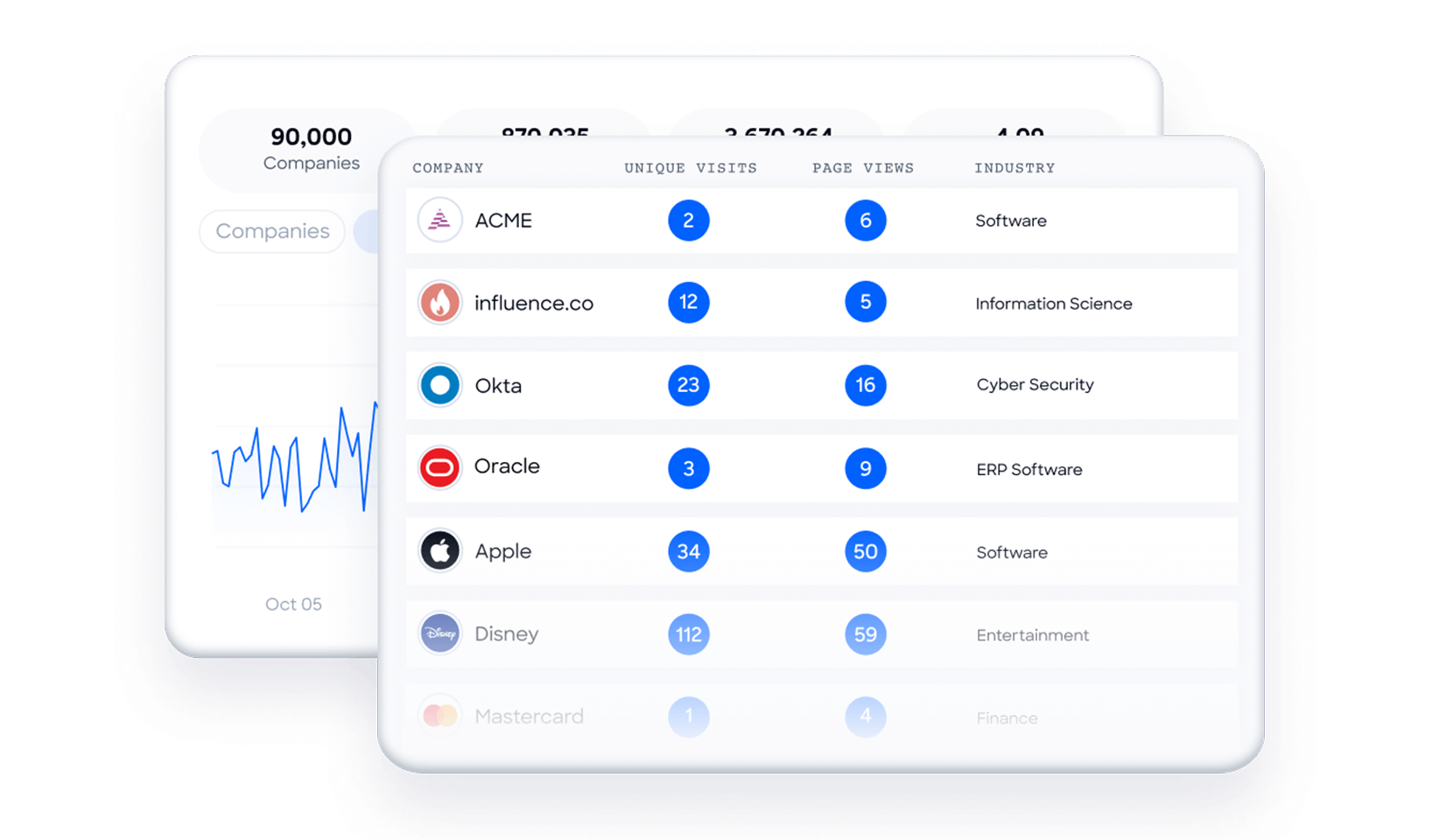
Seismic attributed 39% of active pipeline to opportunities identified or influenced by ZoomInfo signals, with sales teams becoming 54% more productive. (Seismic)
Universal Access: Use ZoomInfo's intelligence in any tool, any workflow, any AI agent.
FindThatLead integrates only through Zapier and CSV exports. ZoomInfo delivers its intelligence through three channels, so the data reaches wherever work happens.
GTM Workspace gives sellers a single screen where prioritized accounts, AI-drafted outreach, and deal execution converge. GTM Studio gives marketers and RevOps a builder where audience definition, campaign orchestration, and pipeline measurement happen in natural language rather than engineering tickets. APIs and MCP expose the same intelligence to custom agents, internal tools, or partner platforms.
The App Marketplace lists 120+ integrations across Salesforce, HubSpot, Microsoft Dynamics, Snowflake, Outreach, Salesloft, and more. API access is included in all relevant plans, and ZoomInfo's MCP server is listed in the Claude directory, letting AI assistants query ZoomInfo data through natural language.
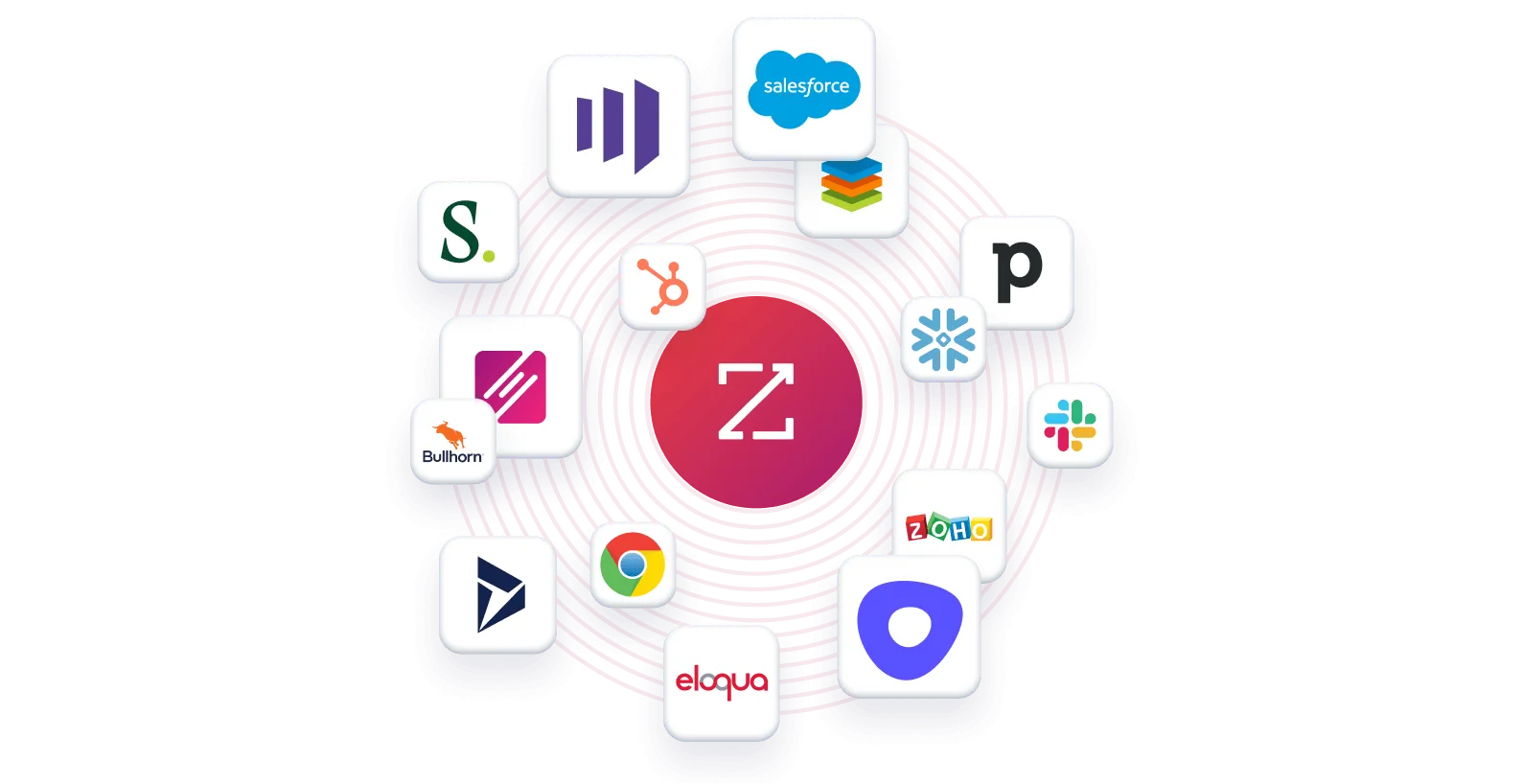
All three channels draw from the same GTM Context Graph. Where you choose to work doesn't limit the intelligence available.
"The plug-and-play aspect of the API means I can integrate it into any process and get information at a moment's notice." 87% reduction in time spent on data dashboard updates. (BDO Canada)
Pricing: Custom-quoted with a permanent free tier for evaluation.
ZoomInfo uses a consumption-based pricing model with no published prices. Pricing scales around data access, API consumption, seats, and AI activity, so customers pay for what they use. Sales plans come in Professional, Advanced, and Enterprise tiers, each unlocking more capabilities (intent signals, AI features, advanced integrations).
For evaluation, ZoomInfo Lite is a permanent free tier (no credit card, no time limit) with access to ZoomInfo's B2B database, 10 monthly export credits, the ReachOut Chrome Extension, WebSights Lite (up to 10 website visitor reveals per day), and HubSpot integration. A separate 7-day free trial gives access to core platform features with broader usage limits.
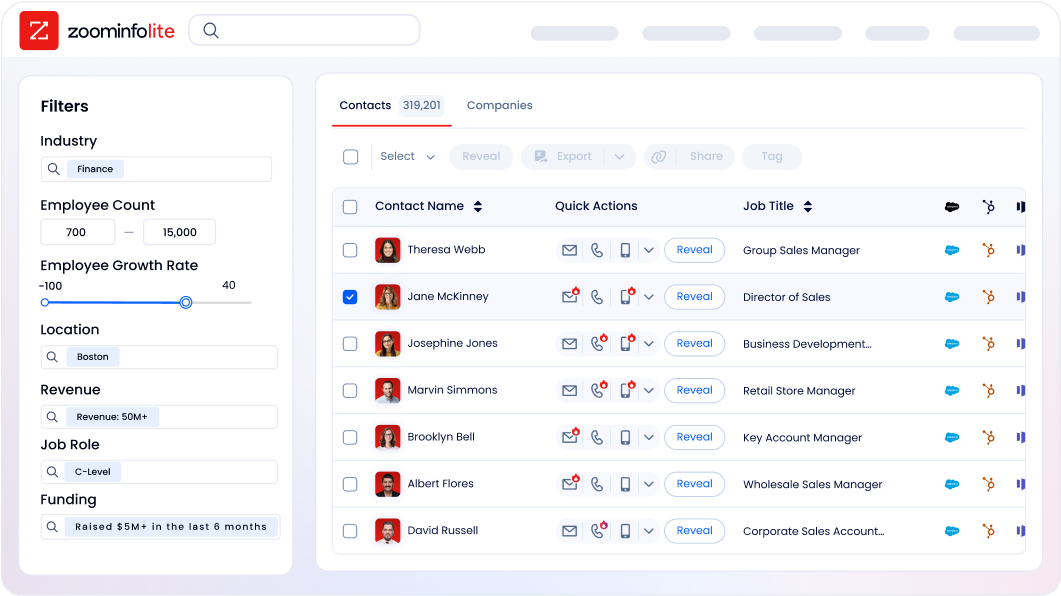
ZoomInfo is priced for enterprise and upper mid-market teams. The investment reflects documented outcomes: Snowflake saw 200% higher conversion rates on top-scoring accounts, and Seismic saved 11.5 hours per week per seller.
FindThatLead or ZoomInfo: Comparison Summary
FindThatLead | ZoomInfo | |
|---|---|---|
Primary focus | Email prospecting and cold outreach | All-in-one AI GTM platform |
Database size | 200M+ professional profiles (claimed) | 500M contacts, 100M companies |
Email accuracy | 90%+ claimed; 40–50% reported by reviewers | Up to 95% on first-party data; externally validated |
Direct-dial phone numbers | 50–100 mobile credits/month | 135M+ verified, 120M direct dials |
Buyer intent data | Not available | 210M IP-to-Org pairings, Guided Intent |
Conversation intelligence | Not available | Chorus (recording, transcription, AI analysis) |
Website visitor tracking | Not available | WebSights with contact-level identification |
CRM integrations | Zapier only (no native API) | 120+ native integrations, API/MCP access |
Cold email campaigns | Built-in, credit-free | Available via GTM Workspace and Salesloft partnership |
AI capabilities | Limited | GTM Context Graph, AI-drafted outreach, AI agents |
Free tier | 20 email credits/month (permanent) | ZoomInfo Lite (10 exports/month, permanent) |
Paid pricing | $49–$99/month (transparent) | Custom-quoted (consumption-based) |
Target market | SMBs, solo founders, small sales teams | Enterprise and upper mid-market |
Security certifications | GDPR compliance | ISO 27001, ISO 27701, SOC 2 Type II, TRUSTe GDPR/CCPA |
Best for | Budget-conscious teams starting outbound | Teams that need data depth, signals, and scale |
Final Verdict
The choice between FindThatLead and ZoomInfo depends on where your team is now and where it needs to go.
Choose FindThatLead if you're a small team or solo founder running your first outbound campaigns on a limited budget. The all-in-one approach (find, verify, send) removes the complexity of managing multiple tools, and the pricing makes it accessible for teams starting outbound without a large upfront investment. If your outreach volume is modest, your target market is primarily US-based, and you can tolerate some data inaccuracy, FindThatLead is a functional starting point.
Choose ZoomInfo if your team needs more than email addresses to compete. When outbound success depends on reaching the right person at the right company at the right time, ZoomInfo's combination of verified data, buyer intent signals, and AI intelligence gives your team an edge that basic prospecting tools can't match. The platform scales from individual prospecting to enterprise GTM orchestration, with the data depth and integrations to support every stage of growth.
Get started with ZoomInfo here.
The difference isn't features or database size. It's the gap between knowing an email address and understanding an account. FindThatLead helps you find contacts. ZoomInfo helps you understand which contacts matter, why they matter now, and what to say when you reach them.
FindThatLead FAQ
Is FindThatLead accurate?
FindThatLead claims over 90% accuracy on its email finder. However, Capterra reviewers consistently report 40–50% accuracy in practice, with multiple users noting that emails are "assumed" via pattern matching rather than verified from direct sources. Accuracy drops further outside the United States, particularly for European and Asian companies. ZoomInfo achieves up to 95% accuracy on first-party data, maintained through multi-source verification and 300+ human researchers.
Does FindThatLead have a free plan?
Yes. FindThatLead offers a permanent free plan with 20 email credits per month, access to all tools at reduced limits, and no credit card required. The free tier works for testing but is too limited for ongoing prospecting. A separate 7-day free trial provides 50 credits for a fuller evaluation. ZoomInfo Lite offers a permanent free tier with 10 monthly export credits, access to the B2B database, a Chrome extension, and website visitor identification.
How much does FindThatLead cost?
The Starter plan is $49/month ($37 billed annually) with 2,000 email credits and 50 mobile credits. The Ultimate plan is $99/month ($75 annually) with unlimited email credits under a fair use policy capping usage at 15,000 credits per month. The Ultimate plan includes unlimited users, making it cost-effective for small teams. ZoomInfo uses custom-quoted, consumption-based pricing with no published dollar amounts.
Does FindThatLead have buyer intent data?
No. FindThatLead offers no buyer intent data, website visitor tracking, or signals indicating when a company is researching solutions. It provides contact information only. ZoomInfo tracks buyer intent signals from 210 million IP-to-Organization pairings and offers Guided Intent, which identifies topics correlated with past deal success.
Can FindThatLead integrate with my CRM?
FindThatLead has no native API. CRM integrations with HubSpot, Salesforce, and Pipedrive run through Zapier, which adds middleware to the workflow. The platform supports CSV export and Google Drive export for manual data transfer. ZoomInfo offers 120+ native integrations through its App Marketplace, API access on all relevant plans, and an MCP server for AI agent connectivity.
What is Scrab.in and how does it relate to FindThatLead?
Scrab.in is a companion Chrome extension (created by FindThatLead's co-founder) that automates LinkedIn profile visits, connection requests, and messaging. It exports prospects to CSV for import into FindThatLead, creating a pipeline from LinkedIn research to email outreach. The tool is sold separately but designed to work alongside FindThatLead.
Does FindThatLead support phone number lookups?
FindThatLead provides mobile phone credits on paid plans in limited quantities: 50 per month on Starter and 100 per month on Ultimate. This makes phone outreach impractical for teams that rely on calling as a primary channel. ZoomInfo's database includes 135 million verified phone numbers and 120 million direct dials, with phone data available across all paid tiers.
What happened with FindThatLead's acquisition by Clientify?
In June 2024, Clientify (a Spanish CRM platform) acquired FindThatLead. The acquisition made FindThatLead the prospecting layer inside Clientify's broader CRM ecosystem. FindThatLead continues under its own brand with the same tools, but no public roadmap or major feature releases have been documented since. Buyers should consider how the product's evolution may be shaped by its role within the Clientify portfolio.
Researching FindThatLead? These comparisons and alternatives help you decide:
