
Jotform and Salesforce get compared often, but they solve different problems. Jotform is a form builder that has grown into a workflow automation platform. Salesforce is a CRM that has grown into an enterprise software giant. The overlap is real but narrow, and understanding where it exists is the key to spending your budget wisely.
The real questions to ask are:
Do you need to collect data from external respondents, or manage ongoing customer relationships and sales pipelines?
Is your team small enough to work without a dedicated platform administrator, or can you invest in specialized expertise?
Are you looking for a tool your team can learn in an afternoon, or a platform you'll grow into over years?
Do your workflows involve form submissions and approvals, or complex sales cycles with multiple stakeholders?
Is the accuracy and completeness of your B2B contact data limiting your sales and marketing results?
In short, here's what we recommend:
Jotform is the right choice for teams that primarily need to collect data, automate approvals, and manage submissions without developer help. With 20,000+ templates, a drag-and-drop form builder, and products spanning workflows, e-signatures, tables, and no-code apps, Jotform gives non-technical teams a full toolkit for structured data collection.
Its 35+ million users and built-in payment processing across 30+ gateways make it strong for registration, intake, and order workflows. However, Jotform has no CRM for tracking deals, no sales pipeline, and no customer lifecycle management. It captures data well but doesn't help you act on it.
Salesforce is the platform for organizations that need to manage the full customer lifecycle, from first touch through closed deal and ongoing service. As the #1 CRM by market share with over 150,000 customers, Salesforce offers pipeline management, marketing automation, customer service, commerce, and autonomous AI agents through Agentforce.
The trade-off is complexity and cost. Salesforce requires dedicated administrators, per-user licensing that climbs quickly, and significant implementation time.
Both platforms handle data. But neither solves a fundamental B2B challenge: knowing who to target, whether their contact information is accurate, and when they're ready to buy. That gap is where ZoomInfo fits.
ZoomInfo is a B2B data and GTM platform built on a large data foundation: 500M contacts, 100M companies, 135M+ verified phone numbers, and 200M+ verified business emails. Whether you collect leads through Jotform or manage pipeline in Salesforce, the quality of your contact data determines your results.
ZoomInfo's GTM Context Graph processes 1.5B+ data points daily and fuses this data with your CRM records, conversation transcripts, and behavioral signals to reveal not just who your buyers are, but when they're in-market and why deals are moving. Teams access this intelligence through GTM Workspace for sellers, GTM Studio for marketers and RevOps, or APIs and MCP in any tool they already use.
If your sales and marketing data needs to be more complete, accurate, and actionable, see how ZoomInfo works.
Jotform vs. Salesforce vs. ZoomInfo at a glance
Jotform | Salesforce | ZoomInfo | |
|---|---|---|---|
Core function | Form builder and workflow automation | CRM and enterprise business platform | B2B data intelligence and GTM platform |
Data collection | 20,000+ form templates, drag-and-drop builder | Web-to-Lead, Flow-based forms, Experience Cloud | FormComplete (auto-enriches form submissions) |
CRM capabilities | Tables (spreadsheet database), no pipeline | Full CRM: Sales, Service, Marketing, Commerce Clouds | GTM Workspace for seller execution, native CRM integrations |
Workflow automation | Visual workflow builder with approvals and routing | Flow, Process Builder, Agentforce automation | GTM Studio orchestrates plays across channels |
AI features | AI Agents (7,000+ templates), AI form creation | Agentforce, Einstein AI, Atlas Reasoning Engine | GTM Context Graph, AI-powered account research and outreach |
Integrations | 200+ native, 8,000+ via Zapier | 9,000+ AppExchange apps, MuleSoft | 172+ marketplace partners, native Salesforce/HubSpot, MCP for AI agents |
Learning curve | Minimal for forms, moderate for full suite | Steep (requires dedicated administrators) | Moderate (90-day structured onboarding) |
Compliance | HIPAA, SOC 2, GDPR, PCI DSS Level 1, FERPA | ISO 27001, SOC 1/2/3, FedRAMP, HITRUST | ISO 27001, ISO 27701, SOC 2 Type II, GDPR, CCPA |
Free plan | Yes (5 forms, 100 submissions/month) | Yes (max 2 users, basic features) | ZoomInfo Lite (free, 10 exports/month) |
Starting price | $34/month (annual, single user) | $25/user/month (Starter Suite) | Custom-quoted (consumption-based) |
Pricing model | Flat fee per account with usage limits | Per-user with annual contracts | Consumption-based (seats + credits) |
Best for | Non-technical teams collecting data and automating approvals | Organizations managing full customer lifecycles at scale | B2B teams that need verified contact data and buying signals to fuel their GTM stack |
Different tools solving different problems
Jotform and Salesforce sit at opposite ends of the business software spectrum.
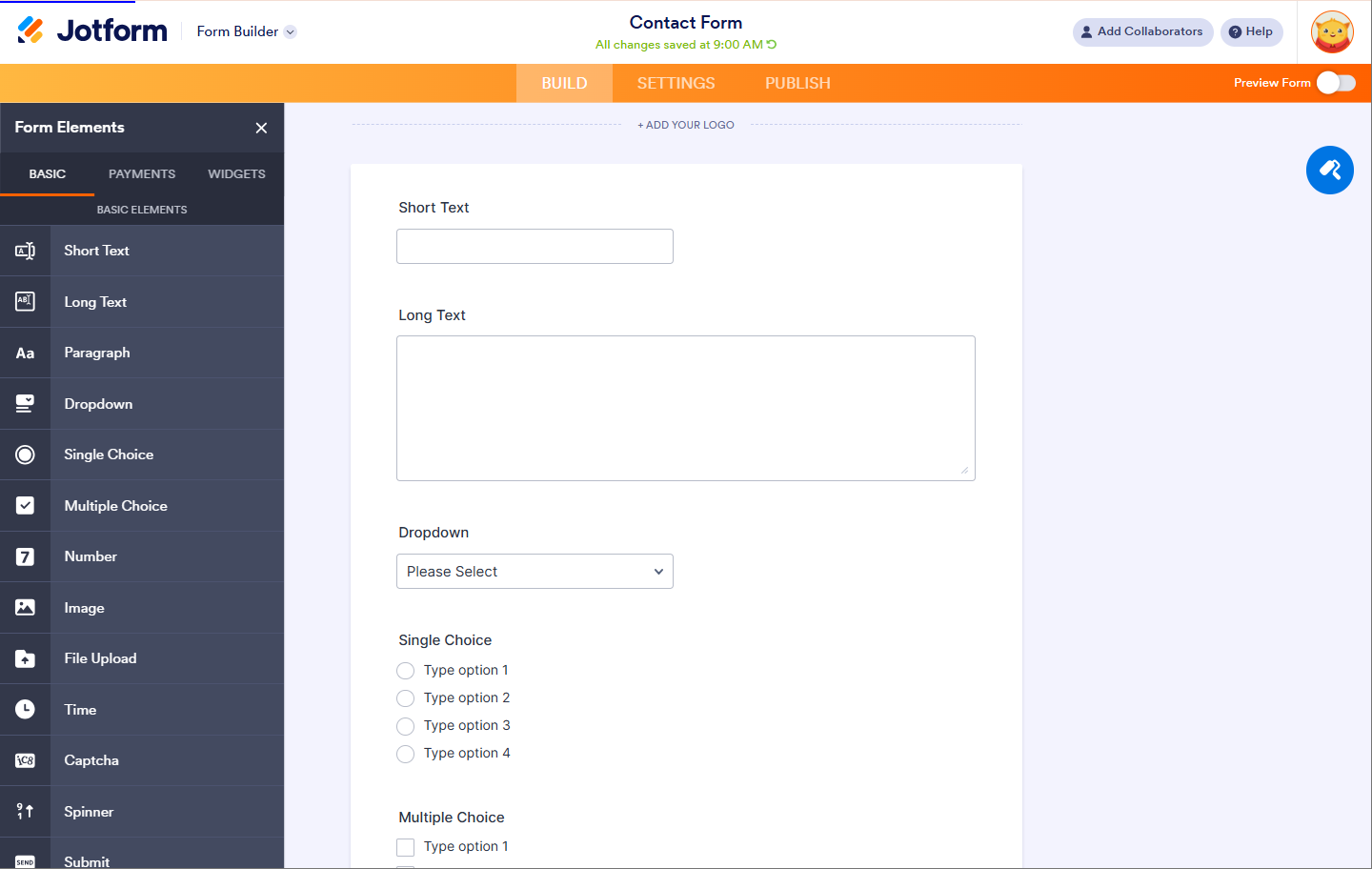
Jotform was founded in 2006 to solve one problem: creating online forms without writing code. Over two decades, the scope expanded into a no-code suite covering forms, tables, workflows, e-signatures, apps, and AI agents, but the center of gravity remains data collection. Everything Jotform builds starts with someone filling out a form.
Source: Jotform
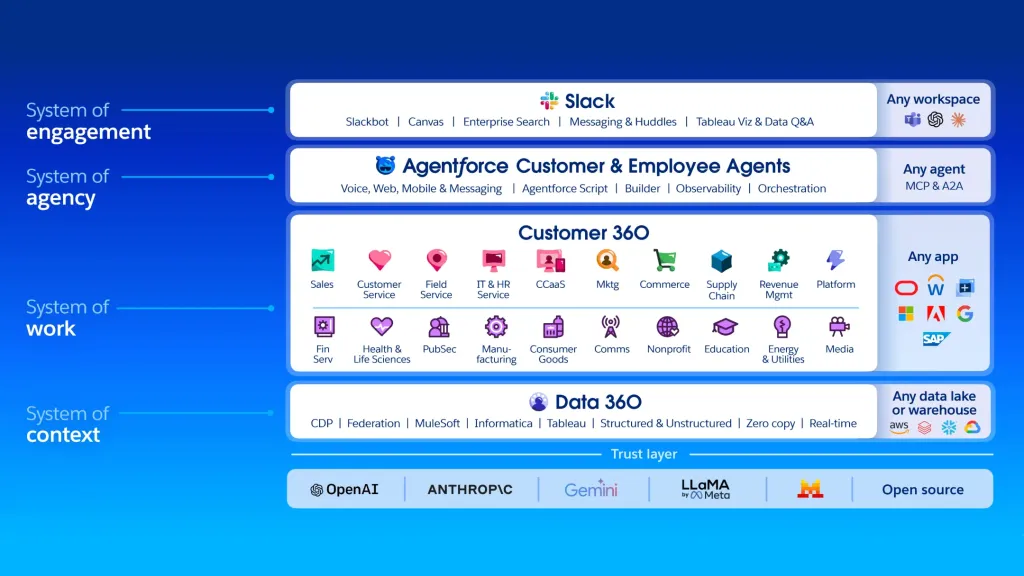
Salesforce was founded in 1999 to replace installed CRM software with a cloud subscription. That scope has grown into an $41.5 billion platform covering sales, service, marketing, commerce, analytics, and AI agents, but the center of gravity remains customer relationship management. Everything Salesforce builds starts with a customer record.
Source: Salesforce
The confusion arises because both platforms have crept into each other's territory. Jotform's Tables look like a lightweight database, its Boards look like project management, and its Workflows automate multi-step processes. Salesforce has Web-to-Lead forms, Flow-based surveys, and Experience Cloud portals that collect external data.
But the overlap is surface-level. Jotform cannot track a deal through a sales pipeline, forecast revenue, or manage a customer service queue. Salesforce can build a form, but its form capabilities are limited compared to a tool with 20,000+ templates and a dedicated drag-and-drop builder.
The real question isn't which platform is better. It's which problem you're trying to solve.
Jotform wins at data collection and form building
If your primary job is capturing structured data from people outside your organization (patient intake, event registration, employee onboarding, lead capture, order forms), Jotform is built for exactly this.
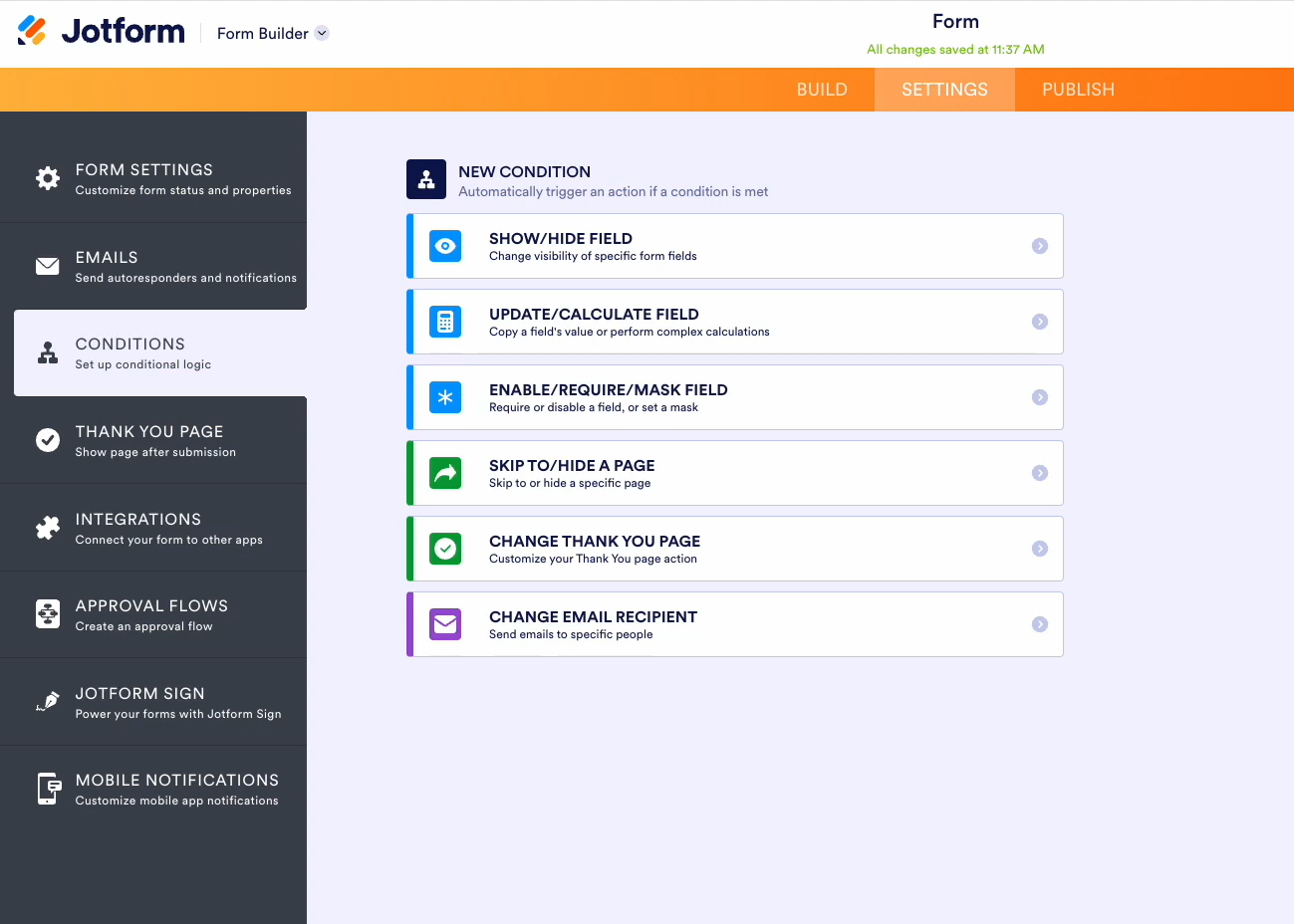
The form builder supports conditional logic that shows or hides fields based on respondent answers, conversational forms that present one question at a time, and offline forms for field teams without internet access. Built-in payment processing through Stripe, PayPal, Square, and 30+ other gateways lets teams collect money at the point of submission without a separate e-commerce setup.
Source: Jotform
The template library matters. 20,000+ templates spanning registration, surveys, orders, applications, and feedback forms means most teams can launch a professional form in minutes rather than building from scratch.
Salesforce's form capabilities are scattered across multiple features.
Web-to-Lead and Web-to-Case generate basic HTML forms that create CRM records. Flow can build more sophisticated forms. Experience Cloud creates portals for external users. But none match the speed or polish of a dedicated form builder.
Building a conditional, multi-page, payment-enabled form in Salesforce requires a developer or at minimum an experienced admin. In Jotform, a non-technical person can do it in about twenty minutes.
For organizations that collect high volumes of structured data from external respondents, this difference compounds. A school district managing enrollment, a healthcare practice handling patient intake, or a nonprofit processing grant applications will get more from Jotform's focused toolset than from Salesforce's broader platform.
Salesforce owns the customer relationship
Where Salesforce earns its price is everything that happens after data collection.
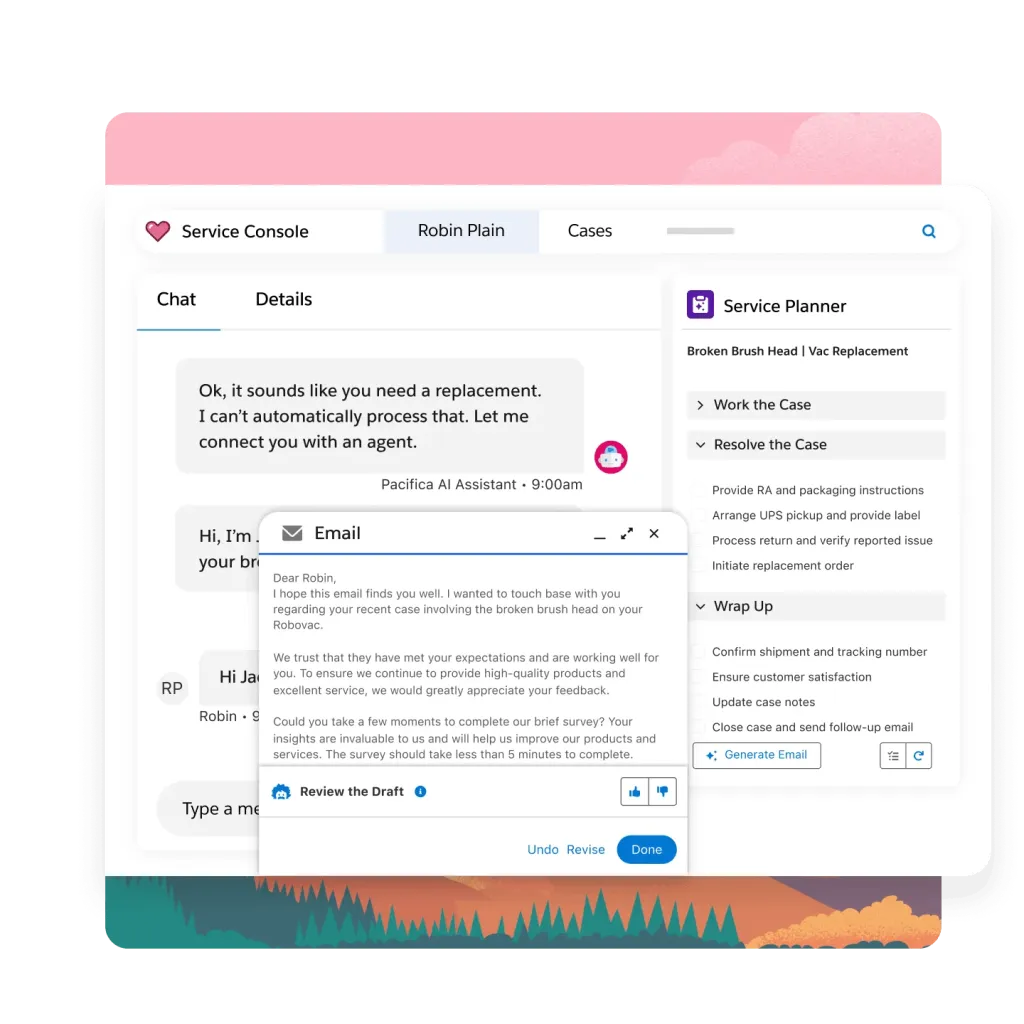
Sales Cloud tracks every deal through a visual pipeline, scores leads with AI, forecasts revenue, and manages territories. Service Cloud handles customer support across every channel: chat, email, phone, social media, and WhatsApp. Marketing Cloud orchestrates campaigns, automates nurture sequences, and personalizes content across the buyer journey.
Source: Salesforce
Agentforce deploys AI agents that resolve 85% of support requests without human escalation and generate sales quotes 75% faster.
Jotform has no answer here.
Jotform Tables can store submission data, but it cannot track deal stages, calculate win rates, assign sales territories, or trigger automated follow-up sequences based on buying behavior. Jotform Boards can organize tasks, but they cannot forecast quarterly revenue or manage SLA milestones.
Salesforce has held the #1 CRM market share position by IDC revenue data for over a decade and holds Gartner Magic Quadrant Leader positions across six product categories. The 9,000+ apps on AppExchange mean that whatever Salesforce doesn't do natively, someone has built an extension for it.
For organizations that manage ongoing customer relationships, track revenue, and need sales, marketing, and service teams working from the same customer record, Salesforce is the industry standard for good reason.
Workflow automation: accessible vs. powerful
Both platforms automate multi-step processes, but with different philosophies.
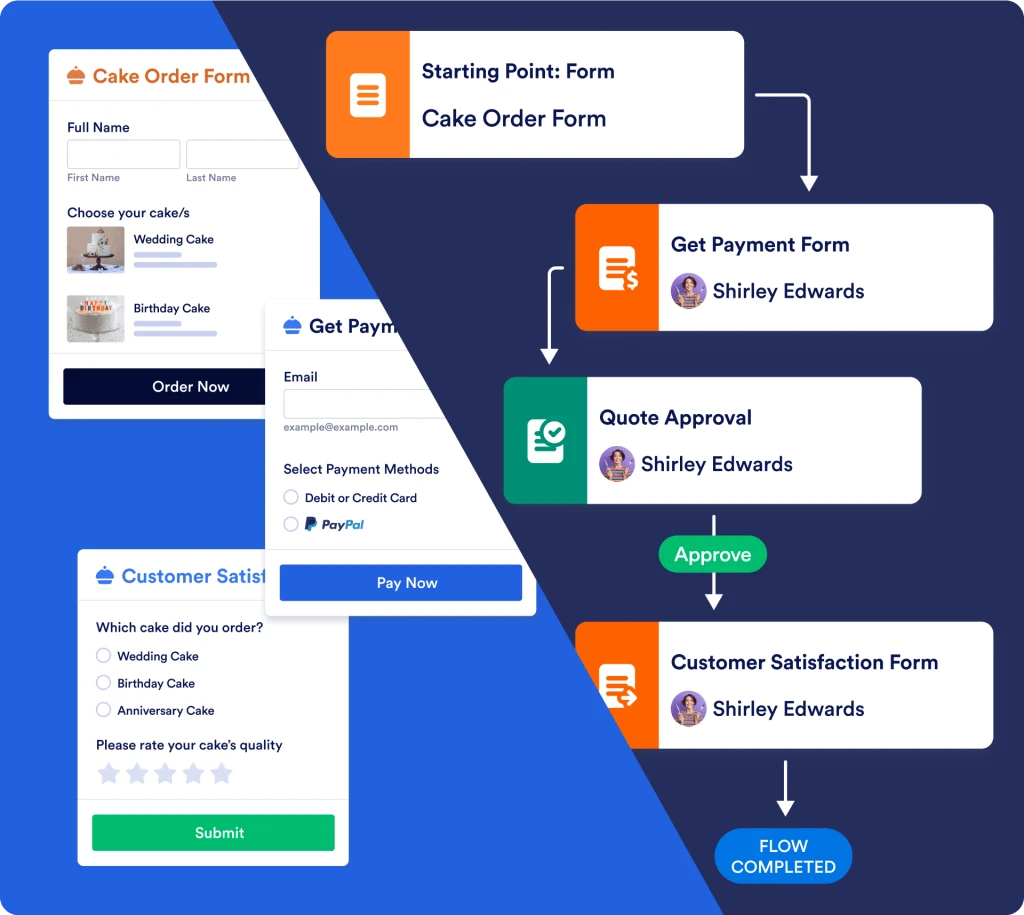
Jotform Workflows uses a visual drag-and-drop canvas where non-technical users chain together approvals, email notifications, payment requests, e-signatures, and third-party integrations.
Source: Jotform
A submitted expense report can route to a manager for approval, trigger a payment request, notify finance, and archive the completed document, all configured without code. The free plan supports up to three approvers, and paid plans extend that to ten, with Enterprise offering unlimited.
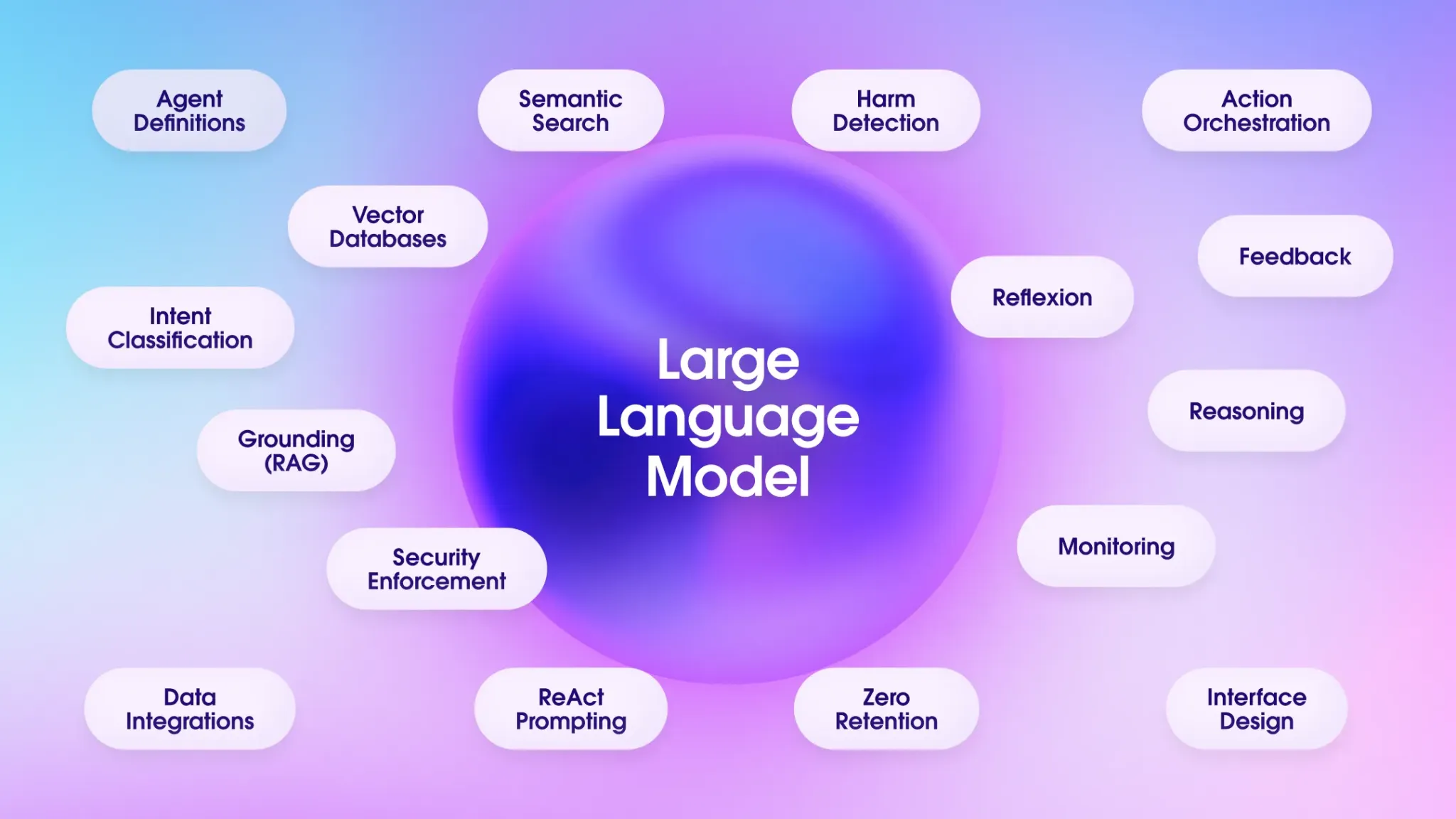
Salesforce's automation lives primarily in Flow, which can automate nearly anything within the Salesforce ecosystem: record updates, approval chains, API callouts, screen-based wizards, and scheduled batch processes.
With Agentforce, automation extends to AI agents that handle customer interactions, update CRM records, and execute multi-step workflows without human involvement.
Source: Salesforce
The gap between them is the gap between a tool your office manager can configure and a tool your Salesforce admin needs to build.
Jotform Workflows handles approval routing and form-triggered processes well. Salesforce Flow can orchestrate complex business logic across multiple objects, departments, and external systems, but building those automations requires training and often a certified administrator.
For approval chains, document routing, and form-triggered processes, Jotform delivers faster with less expertise. For cross-object automation, AI-driven decision-making, and workflows that span sales, service, and marketing, Salesforce operates at a different scale.
The data quality problem both platforms share
Here's what neither Jotform nor Salesforce will tell you upfront: both platforms are only as good as the data flowing through them.
A Jotform lead capture form on your website collects whatever information visitors choose to provide.
Incomplete fields, fake emails, and irrelevant submissions are the norm. Even well-designed forms with validation rules can't tell you whether the person filling them out is a decision-maker at a company in your target market.
Salesforce CRM records decay constantly.
People change jobs, companies get acquired, phone numbers go stale. Forbes estimates 91% of CRM data is incomplete. A sales team working from a Salesforce instance full of outdated contacts and missing phone numbers spends more time researching than selling.
This is the problem ZoomInfo was built to solve.
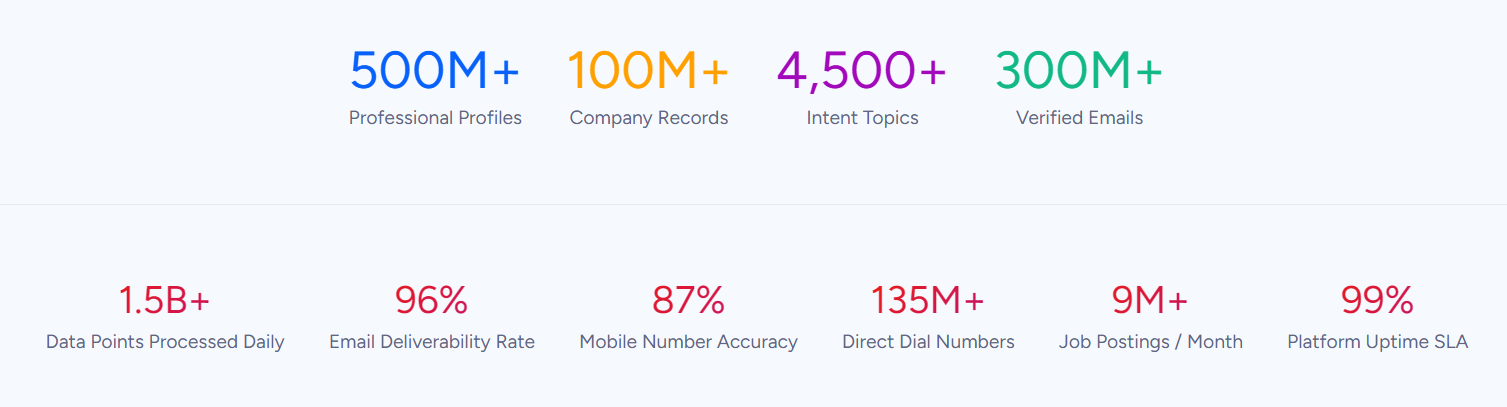
ZoomInfo's data platform covers 500M contacts, 100M companies, 135M+ verified phone numbers, and 200M+ verified business email addresses, verified through a multi-source pipeline backed by 300+ human researchers and achieving up to 95% accuracy on first-party data.
In a Fortune 500 competitive RFP analyzing 25 million contacts across vendors, the independent consultant concluded that "no other competitor came even close."
Smartsheet relies on ZoomInfo as its single source of truth for account and contact data, with Senior Manager of Sales Technology Enablement Thor Sanderson noting: "Without ZoomInfo, it would be extremely difficult, if not impossible, to achieve our business objectives." (Smartsheet)
For a deeper look at how Salesforce and ZoomInfo stack up on data quality, pricing, and integrations, see our Salesforce vs. ZoomInfo comparison.
ZoomInfo adds the intelligence layer
Beyond verified data, ZoomInfo's GTM Context Graph provides something neither Jotform nor Salesforce offers natively: understanding why deals move.
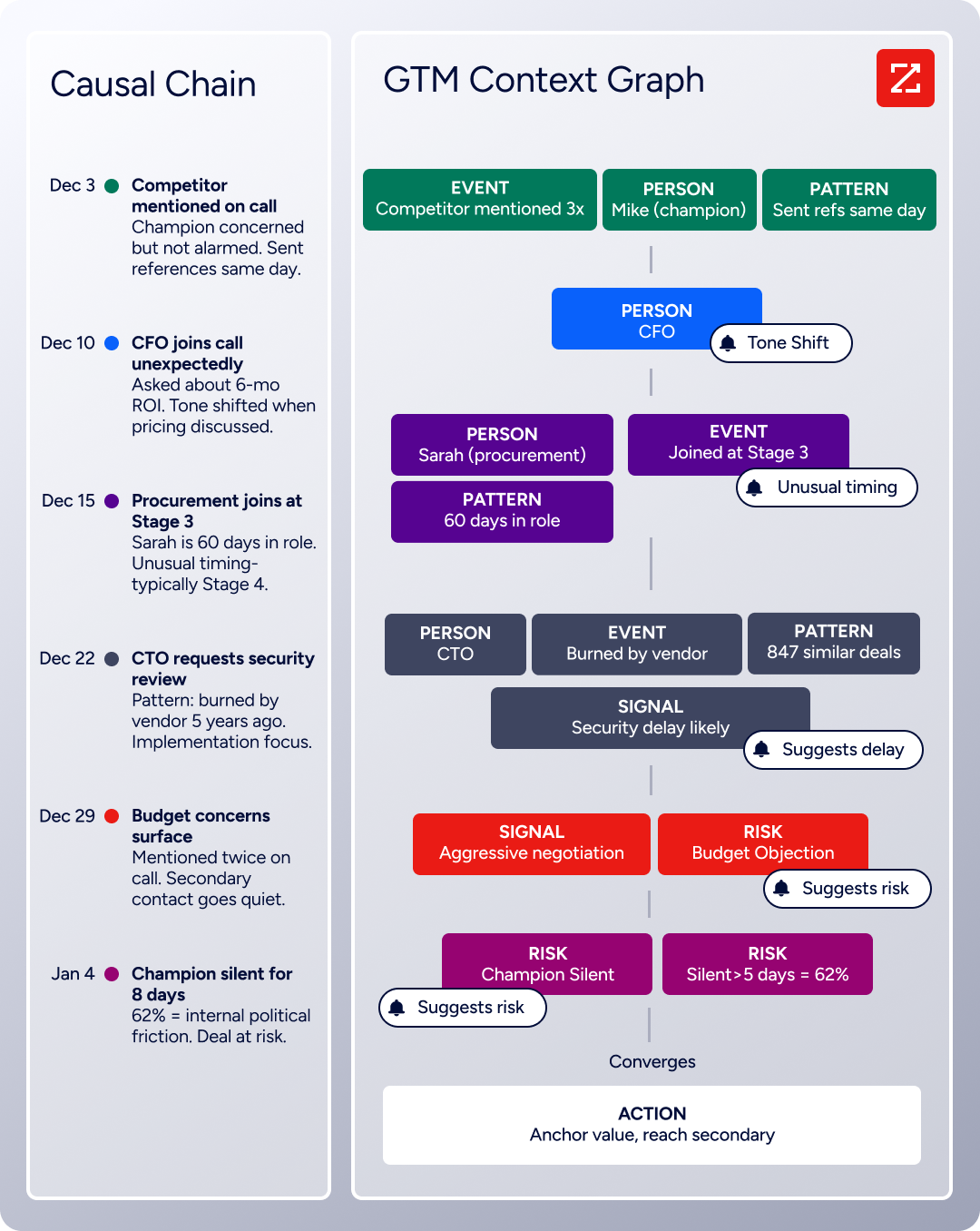
CRMs record that a deal stage changed. Forms record that someone submitted information. But neither captures the underlying context: the executive who joined the last call and asked about ROI, the champion who went quiet during an internal budget battle, or the hiring pattern that signals the account is about to expand.
The GTM Context Graph fuses ZoomInfo's third-party data with a customer's CRM records, conversation intelligence, and behavioral signals, processing 1.5B+ data points daily to surface the connections between signals and outcomes. It captures not just what happened in a deal, but why it happened.
This intelligence reaches teams through three channels. GTM Workspace gives sellers AI-powered account research, prioritized action feeds, and AI-drafted outreach, all drawing from the full context graph.
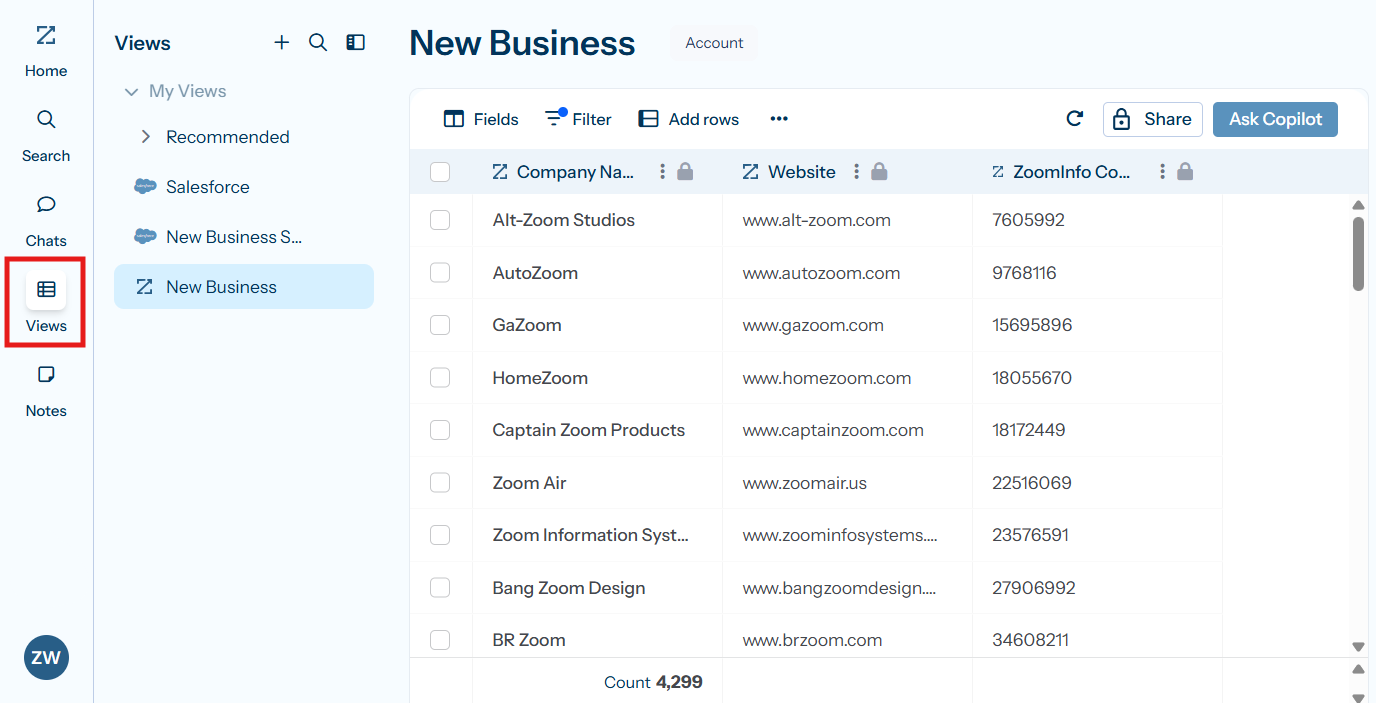
Source: ZoomInfo
GTM Studio gives marketers and RevOps a canvas to define audiences in natural language and launch multi-channel plays that used to take weeks in 30 minutes. And APIs and MCP let teams build the same intelligence into any custom tool or AI agent, including Claude and ChatGPT.
Seismic attributed 39% of active pipeline to opportunities identified or influenced by ZoomInfo signals and reported 54% productivity gains across their sales team. Chief Business Officer Toby Carrington noted: "That combination of our internal CRM data, external signals, and AI that's given all that context has helped us craft very specific account- and persona-based messages." (Seismic)
Pricing reflects different scales and audiences
The pricing structures tell you who each platform is built for.
Jotform uses a flat-fee, per-account model with usage limits.
The Starter plan is permanently free with 5 forms and 100 monthly submissions. Paid plans scale from Bronze at $34/month to Gold at $99/month on annual billing, with Enterprise pricing available on request. Multi-user access requires the Enterprise tier.
Jotform charges no per-seat fees on standard plans: one price covers one account regardless of how many people view submissions. Nonprofits and educational institutions get 50% off paid plans.
Salesforce charges per user, per month, with annual contracts standard.
The free CRM supports two users. Starter Suite costs $25/user/month, but meaningful features require Pro Suite at $100/user/month or Enterprise at $175/user/month. A ten-person sales team on Enterprise pays $1,750/month before add-ons like Agentforce, Data Cloud, or the Premier Success Plan (which costs 30% of net license fees).
Implementation typically requires partners, as over 70% of deployments are partner-led, adding significant upfront cost.
ZoomInfo uses consumption-based pricing where costs scale with data usage, number of seats, and feature tier.
No prices are published; everything is custom-quoted. A permanent free tier called ZoomInfo Lite provides access to the B2B database with 10 monthly export credits, and a 7-day free trial opens broader platform access.
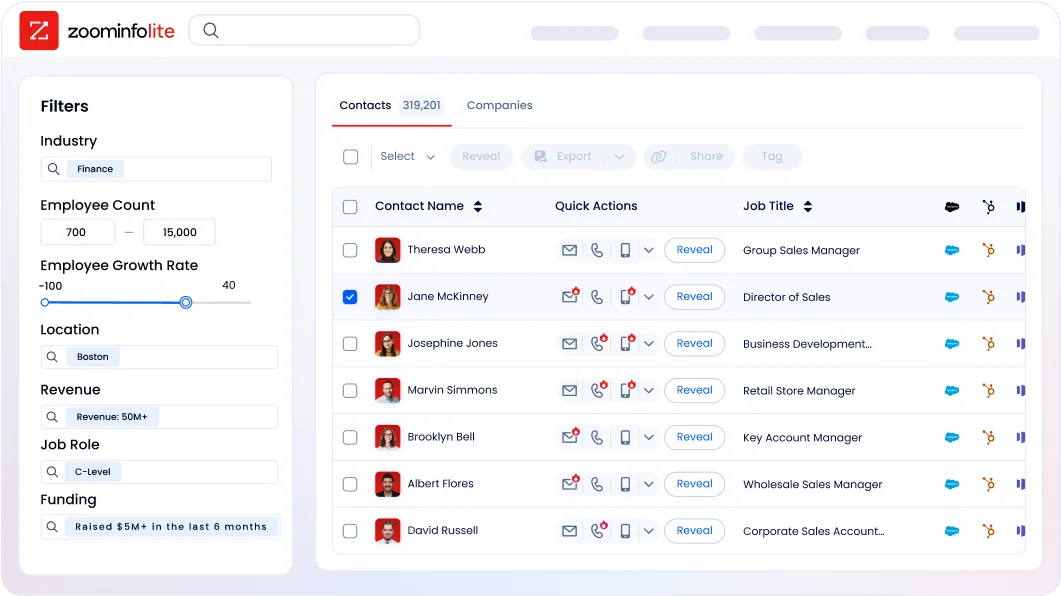
For a five-person team that primarily needs to collect data through forms, Jotform's Gold plan at $99/month covers the use case without per-user charges. The same team in Salesforce Enterprise would pay $875/month in licensing alone. ZoomInfo sits alongside either tool as the data layer, with cost depending on the volume of contacts and signals the team consumes.
Integration ecosystems define flexibility
Jotform connects to 200+ native integrations spanning CRMs, payment processors, storage, email marketing, and productivity tools.
Key connections include Salesforce, HubSpot, Google Sheets, Slack, and Stripe. For anything beyond native connectors, Zapier and Make extend reach to thousands of additional apps. Jotform also has a native Salesforce AppExchange listing for connecting form submissions directly to Salesforce records.
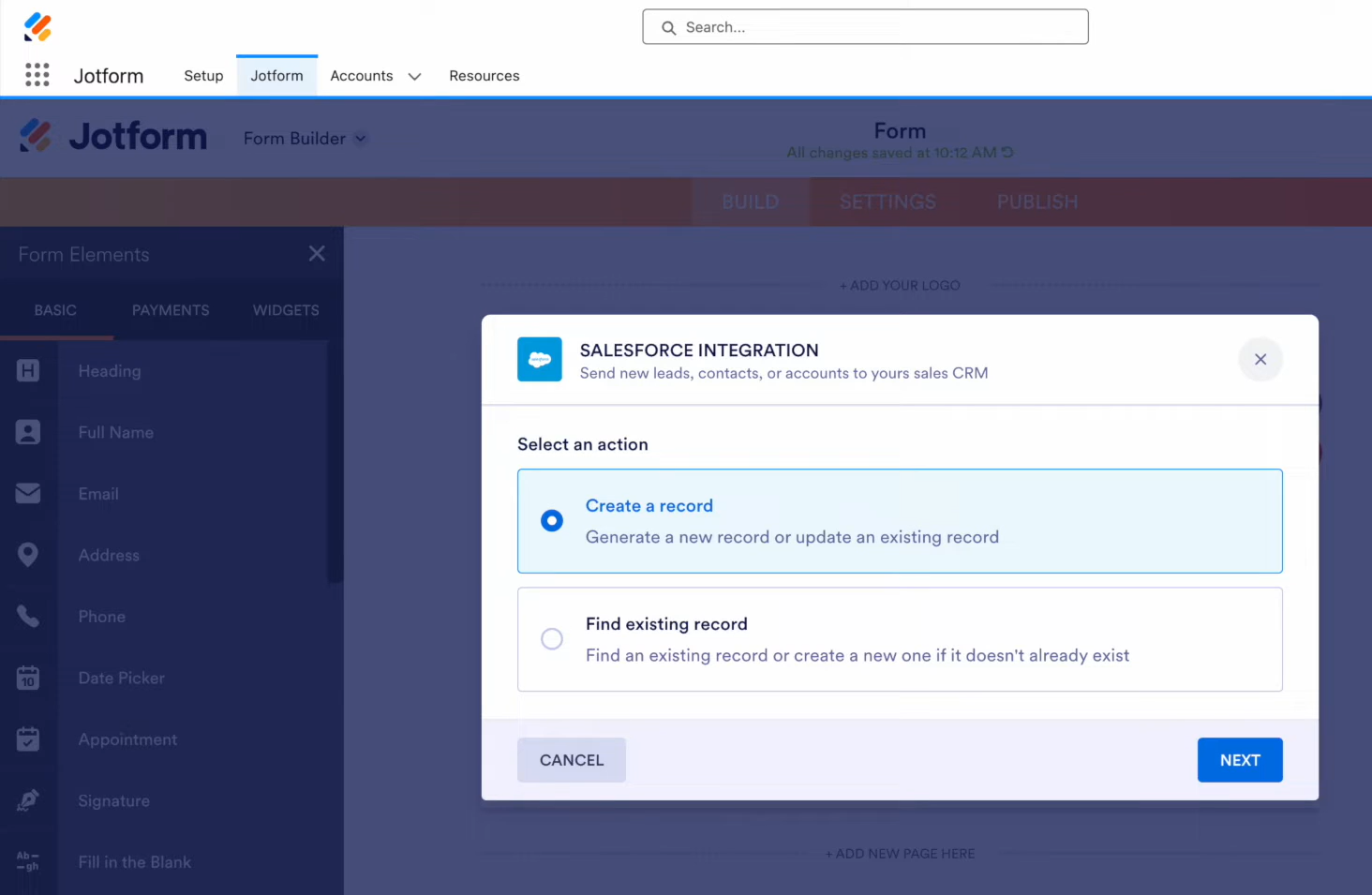
Source: Jotform
Salesforce's integration ecosystem is in a different category.
AppExchange hosts 9,000+ apps with 14+ million installs, and 91% of Salesforce customers use at least one AppExchange app. MuleSoft provides enterprise-grade API management with hundreds of pre-built connectors. For organizations deep in the Salesforce ecosystem, nearly every business tool they need already has a connector.
ZoomInfo's Marketplace lists 172+ integration partners covering CRM, marketing automation, sales engagement, data warehouses, and communications platforms.
The native Salesforce integration is deep, enriching CRM records, powering lead routing, and feeding intent signals directly into sales workflows. ZoomInfo's MCP server connects ZoomInfo data to any AI agent built on Claude, ChatGPT, or other MCP-compatible tools.
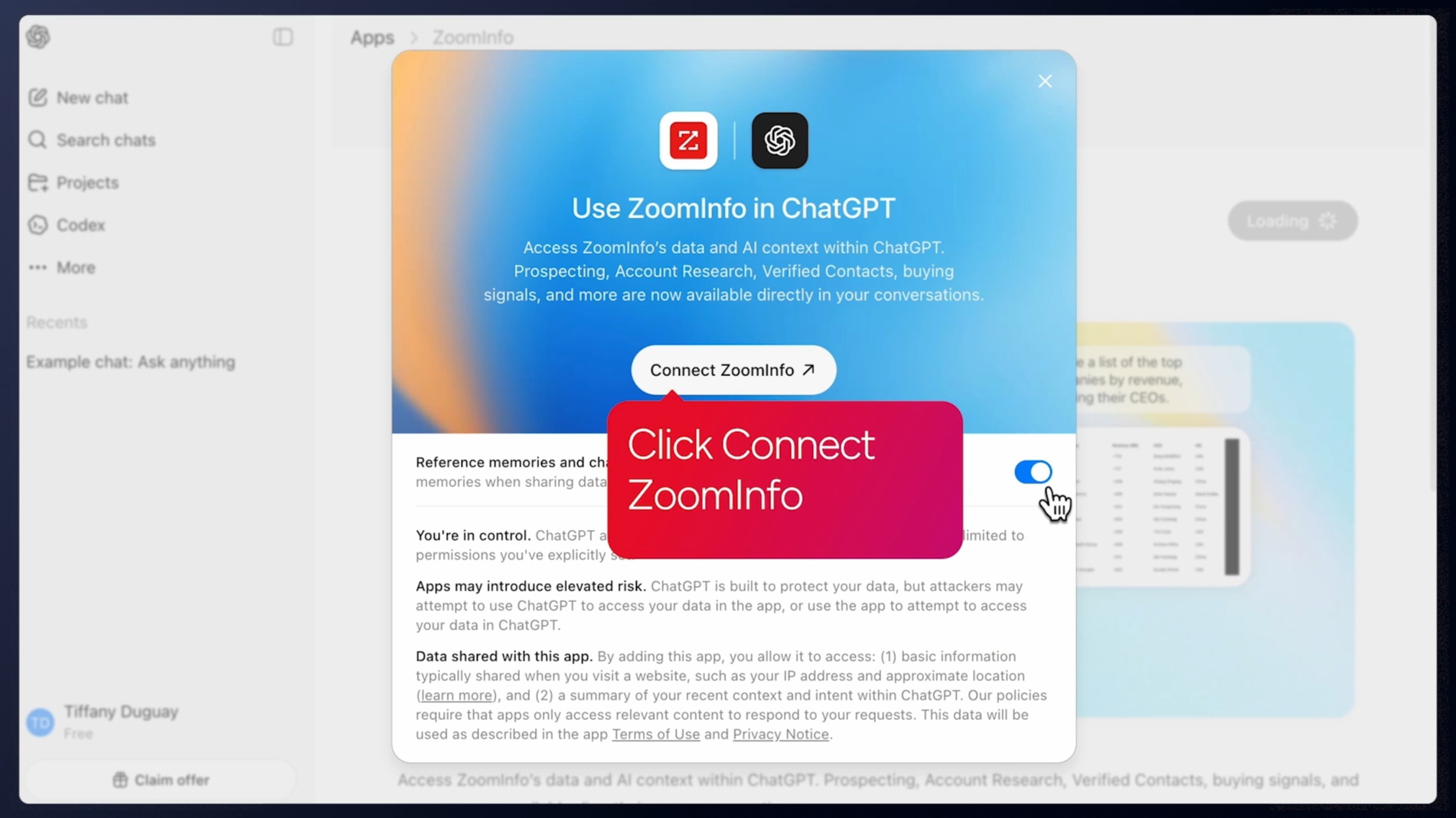
Source: ZoomInfo
The practical difference: Jotform plays well with most tools but doesn't anchor an ecosystem. Salesforce is the ecosystem. ZoomInfo bridges both, providing verified B2B data wherever the team works.
BDO Canada's Senior Marketing Intelligence Analyst Jerry Wilson reported an 87% reduction in time spent on data dashboard updates through ZoomInfo's API, noting: "The plug-and-play aspect of the API means I can integrate it very easily into any process and get information at a moment's notice." (BDO Canada)
Jotform vs. Salesforce vs. ZoomInfo: Which should you choose?
The right answer depends on what your team does every day.
Choose Jotform if:
Your primary need is collecting data through forms, surveys, or registrations
Your team is non-technical and needs tools they can configure without a developer
You need built-in payment collection for events, orders, or donations
Your workflows center on approvals, document routing, and e-signatures
Your budget is under $100/month and you don't need per-user licensing
Choose Salesforce if:
You manage ongoing customer relationships across sales, service, and marketing
Your team needs pipeline management, revenue forecasting, and deal tracking
You want AI agents that handle customer interactions autonomously
You can invest in implementation, administration, and per-user licensing
Integration with a large partner ecosystem matters to your operations
Add ZoomInfo if:
You need verified B2B contact data to fuel your sales and marketing efforts
Your CRM data is incomplete, outdated, or unreliable
You want intent signals that reveal when target accounts are researching solutions
You need intelligence that tells your team who to target, when to engage, and what to say
You want one data platform that works across any tool, whether CRM, forms, AI agents, or custom applications
See how ZoomInfo's data and intelligence layer integrates with your existing stack with a free trial.
Jotform and Salesforce solve different problems well. Many organizations use both: Jotform for data collection, Salesforce for relationship management. ZoomInfo sits underneath either choice as the B2B data layer that makes the data in both platforms more complete, more accurate, and more actionable. In B2B, the tools you use matter less than the quality of the data running through them.
Jotform vs. Salesforce vs. ZoomInfo FAQ
What is the core difference between Jotform, Salesforce, and ZoomInfo?
Jotform is a no-code form builder and workflow automation platform for data collection, approvals, and e-signatures. Salesforce is a full CRM and enterprise platform covering sales pipeline management, customer service, marketing automation, and AI agents.
ZoomInfo is a B2B data intelligence platform providing verified contact data, company intelligence, buying intent signals, and GTM tools. ZoomInfo complements both Jotform and Salesforce rather than replacing either.
Can Jotform replace Salesforce as a CRM?
No. Jotform Tables can store and organize form submission data, but it cannot track deals through a sales pipeline, forecast revenue, manage customer service cases, or run marketing automation campaigns. Jotform works well for data collection and lightweight process management, but organizations that need to manage ongoing customer relationships need a dedicated CRM.
Can Jotform and Salesforce work together?
Yes. Jotform has a native Salesforce integration that sends form submissions directly into Salesforce as leads, contacts, or custom objects. This combination lets teams use Jotform's form builder for external-facing data collection while managing the resulting records inside Salesforce's CRM. Many organizations use both simultaneously.
How does ZoomInfo fit with Jotform and Salesforce?
ZoomInfo provides the B2B data layer that makes both platforms more effective. For Salesforce users, ZoomInfo has a native integration that enriches CRM records with verified contacts, company data, intent signals, and org charts.
For teams using any platform, ZoomInfo's APIs and MCP deliver the same intelligence into any tool or workflow. ZoomInfo helps teams know who to target and when to engage, regardless of which data collection or CRM tool they use.
Which platform is most affordable for a small team?
Jotform is the most affordable, with a free plan supporting 5 forms and 100 monthly submissions, and paid plans starting at $34/month with no per-user fees. Salesforce's free tier is limited to 2 users, and meaningful functionality starts at $100/user/month.
ZoomInfo offers a permanent free tier (ZoomInfo Lite) with 10 monthly exports and a 7-day trial for broader access; paid plans are custom-quoted based on usage.
Which platform has the most capable automation?
Salesforce, through Flow, Agentforce, and its broader platform, handles complex multi-object business logic across departments. Jotform Workflows handles approval chains, document routing, and form-triggered processes with a simpler visual builder suited for non-technical users.
ZoomInfo automates B2B prospecting, account research, outreach, and CRM enrichment through GTM Workspace, GTM Studio, and API-powered workflows.
Do I need all three platforms?
It depends on your business. A B2B organization with outbound sales motions would benefit from all three: Jotform for capturing inbound data through forms, Salesforce for managing customer relationships and pipeline, and ZoomInfo for providing the verified contact data and buying signals that fuel both. Smaller teams or non-B2B organizations may only need one or two.
Which platform is easiest to learn?
Jotform has the lowest learning curve. Most users can build and publish a form within minutes. ZoomInfo requires moderate onboarding, with a structured 90-day program for enterprise customers. Salesforce has the steepest learning curve, with meaningful configuration typically requiring certified administrators and training through Trailhead, Salesforce's free learning platform with 1,500+ badges.
