
You manage a calendar with 30 meetings a week, an inbox with hundreds of unread threads, and a CRM that needs updating after every one of them. You don't need another dashboard. You need an assistant that handles the coordination itself.
Lindy is an AI executive assistant and automation platform that takes administrative work off your plate: it triages your email and drafts replies in your voice, schedules meetings without back-and-forth, records and summarizes calls, extracts action items, and lets you delegate tasks over iMessage or SMS. Beyond the assistant, a no-code agent builder lets teams construct custom AI workflows across 5,000+ connected apps, and a Computer Use feature automates any browser-based tool that lacks an API. This breakdown covers every feature, how it works, who it serves, and which plan unlocks it.
Lindy's feature set has you covered if:
You spend hours each day on email triage, scheduling, and meeting follow-ups and want an AI that handles all three without configuration
You need meeting recording, transcription, and action-item extraction across Google Meet, Zoom, and Microsoft Teams from a single tool
You want to delegate tasks from your phone over iMessage or SMS without opening a separate app
You run sales outreach and want AI agents that research leads, write personalized emails, qualify inbound, and update your CRM
You need to automate multi-step workflows across apps without engineering resources or code
You operate in a regulated industry (healthcare, finance) and require HIPAA, SOC 2, and GDPR compliance from your AI tools
You'll reach the edges of its capabilities if:
You need a verified B2B contact and company database with direct dials and business emails to fuel outbound prospecting at scale
You want buyer intent signals showing which companies are researching your category before you reach out
You need conversation intelligence that coaches reps, scores calls, and feeds deal insights back into pipeline forecasting
You run account-based marketing, display advertising, or multi-channel campaign orchestration alongside sales execution
For those needs, the reference point is ZoomInfo: a go-to-market platform built on 500M contacts, 100M companies, 135M+ verified phone numbers, and 200M+ verified business emails, a GTM Context Graph that combines B2B data with CRM records, conversation intelligence, and behavioral signals into a single intelligence layer, and access through APIs, MCP, GTM Workspace, and GTM Studio.
After the feature breakdown, this article covers where Lindy stops and how ZoomInfo fills those gaps.
Lindy Platform Overview
Lindy, built by Lindy AI and headquartered in San Francisco, calls itself "The Ultimate AI Executive Assistant", targeting professionals and knowledge-worker teams who lose hours daily to coordination work. The platform frames the value proposition in dollars: $49.99/month vs. a human executive assistant at $8,000/month. Enterprise customers include AppLovin, Autodesk, Turing, Deltek, and Labelbox, with logos from Shopify, Nvidia, Harvard University, Airbnb, Retool, Stanford, and McKinsey. The platform holds a 4.9/5 rating on G2 across 170+ reviews.
The platform is organized around five capability areas plus an underlying automation layer:
Module | What It Does | Plan Availability |
|---|---|---|
Email triage, labeling, draft replies in the user's voice, urgent SMS alerts | All plans (Plus and above) | |
Scheduling, meeting prep, recording/transcription, follow-ups, daily briefs | All plans | |
Text-based delegation, voice notes, research, calendar management from phone | All plans | |
Agents operate a virtual browser to automate tools without APIs | Pro ($99.99/mo) and above | |
No-code visual workflow builder with triggers, actions, conditions, and autonomous agent steps | All plans | |
100+ core integrations, 5,000+ total catalog, webhooks, HTTP requests | All plans |
Lindy sells four tiers: Plus, Pro, Max, and Enterprise ($49.99/month, $99.99/month, $199.99/month, and custom), each priced per account with no per-seat charges. Plans differ by credit allowance (Pro gets 3x Plus, Max gets 7x) and the number of email inboxes (2, 3, 5, and custom respectively). A 7-day free trial is available on all individual plans with no credit card required. With that structure in place, here is the full tour.
Lindy's Inbox Management
Professionals lose hours to a disorganized inbox.
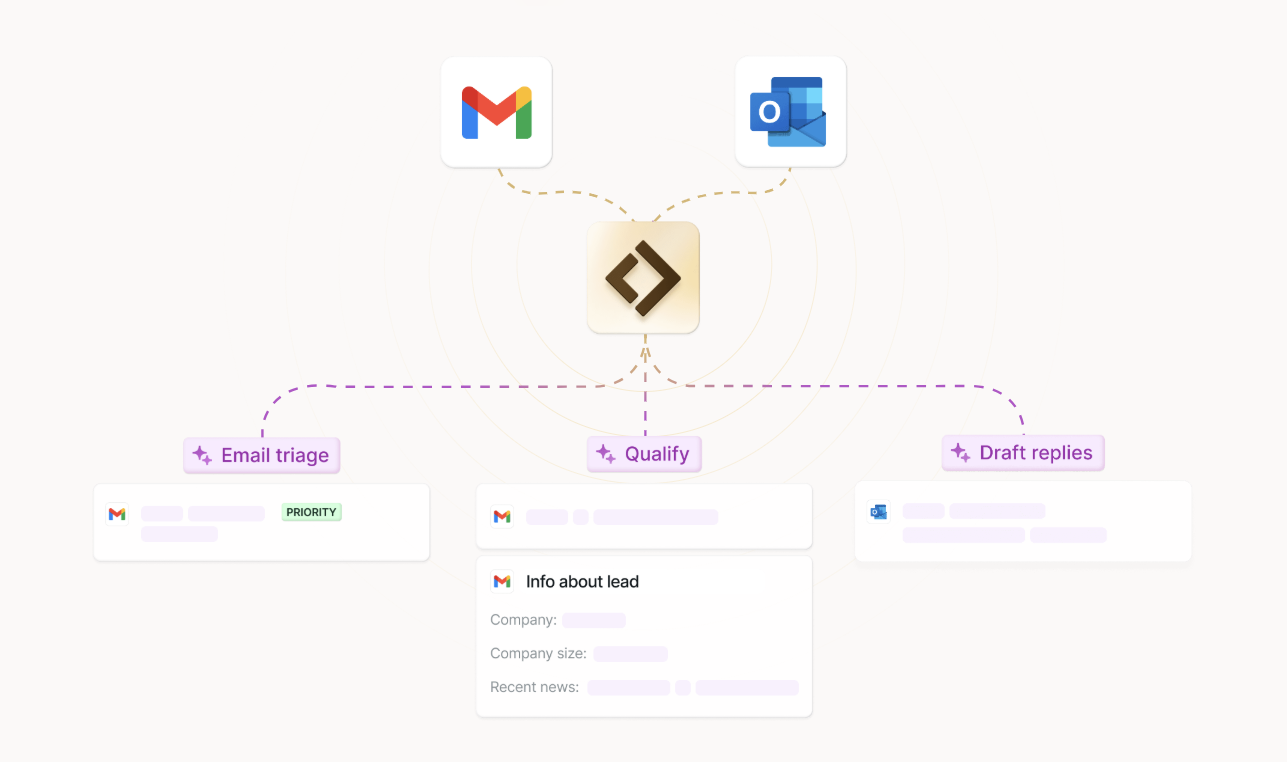
Lindy's Inbox Management acts as a 24/7 AI assistant for email that triages every incoming message, prepares draft replies, and sends SMS alerts for anything time-sensitive, all before the user opens their email client. The platform claims to deliver "two hours back every day" by handling the read-sort-draft loop on its own. It connects to Gmail or Outlook and starts organizing in under 60 seconds.
Source: Lindy
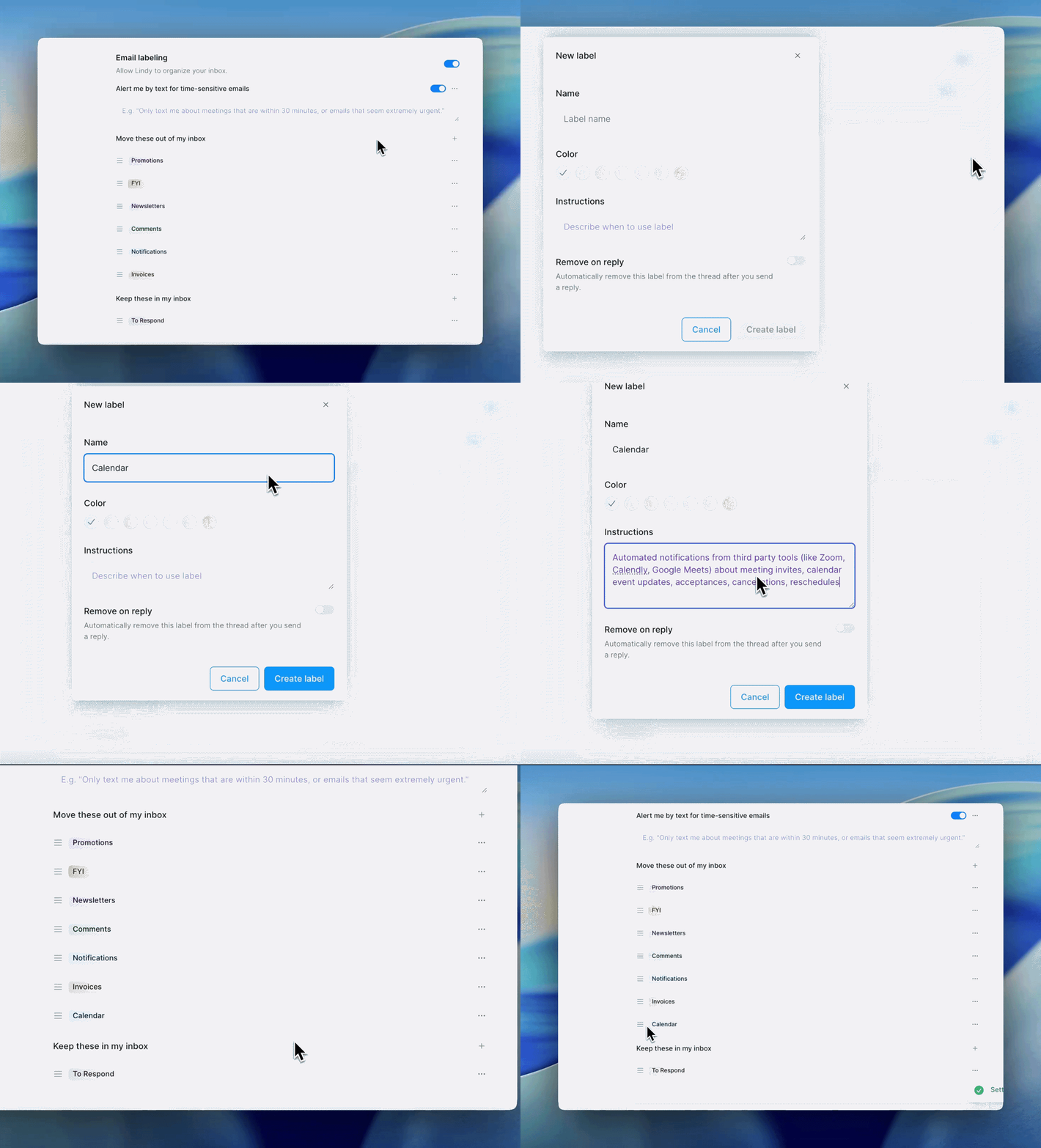
Email Triage runs automatically on every incoming message. Lindy reads each email and assigns it to a label category, sorting incoming mail into seven in-inbox categories (To Respond, FYI, Newsletters, Comments, Notifications, Invoices, Lindy) and auto-archiving two categories (calendar invites and promotions).
Source: Lindy
No rules or filters required: Lindy interprets the purpose of each email through AI reasoning and sorts accordingly. Labels are customizable: add, remove, reorder by dragging, and write natural-language instructions specifying which emails each label catches. The "To Respond" label includes a "Remove label after reply" toggle so the label clears automatically.
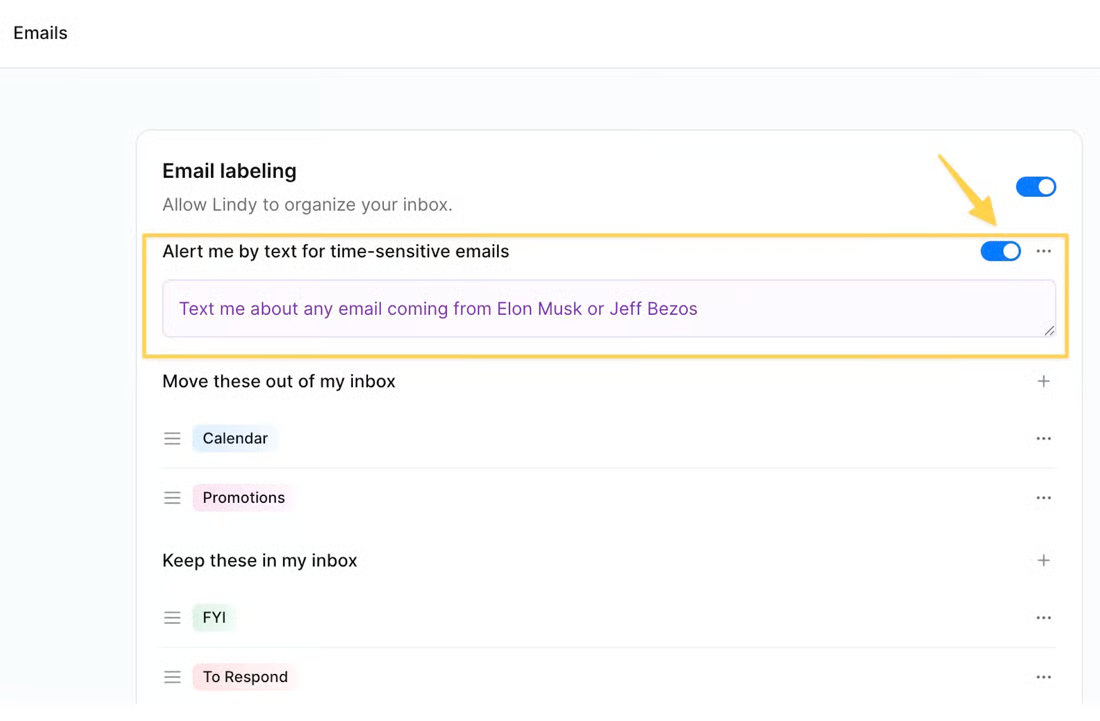
Urgent email alerts push to SMS based on custom triggers (specific senders, subject patterns, or urgency thresholds), so time-sensitive messages surface on the user's phone without opening email.
Source: Lindy
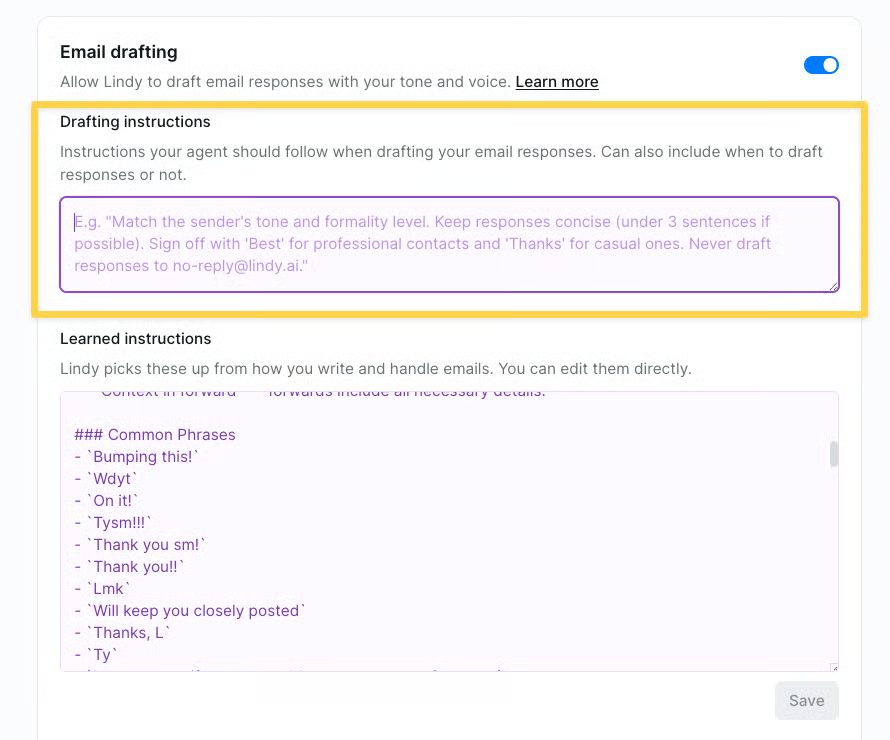
Email Drafting picks up where triage leaves off. For emails tagged as needing a response, Lindy drafts a reply based on the user's drafting instructions, saving it as a draft inside Gmail or Outlook for review before sending. Nothing sends automatically.
Source: Lindy
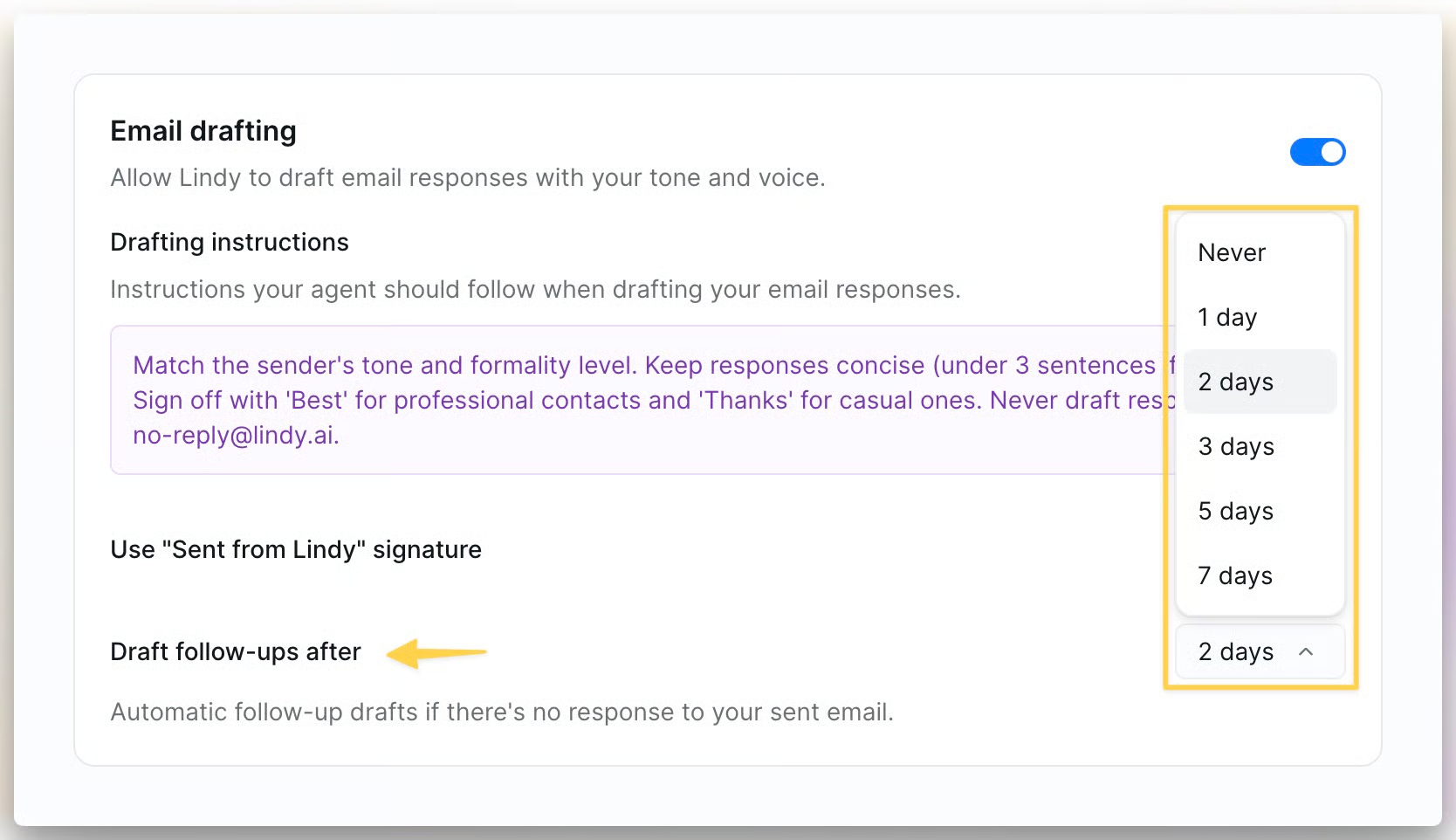
Users configure Drafting Instructions in plain text to specify tone, length, sign-off style, and rules, and Lindy matches the sender's tone and formality level accordingly. Custom signatures are supported, and an optional "Sent with Lindy" tagline can be toggled off. The system learns from edits users make to drafts before sending, improving future output without manual reconfiguration.
Automatic follow-up drafting tracks sent emails that have not received a reply and drafts a follow-up after a configurable number of days (default: 2 days). Lindy also researches senders, surfacing context to help craft more informed replies.
Source: Lindy
Lindy's Meeting Assistant
The Meeting Assistant covers the full meeting lifecycle: scheduling, preparation, recording, summarization, follow-ups, and a daily briefing that sets up the workday before it starts.
Smart Scheduling eliminates back-and-forth.
When someone emails requesting a meeting, Lindy detects the request and drafts a reply with three available time slots as clickable links, based on the user's preferred hours, buffer rules, meeting length preferences, and live calendar availability. The recipient clicks one link and the meeting lands on both calendars, with no third-party scheduling page involved. Lindy estimates this saves about 3 minutes per invite. For outbound scheduling, users can text a plain-language instruction ("Book a call with Sarah next Tuesday afternoon") and Lindy reaches out, proposes times, and confirms end-to-end. It also checks shared teammate calendars for internal coordination.

Source: Lindy
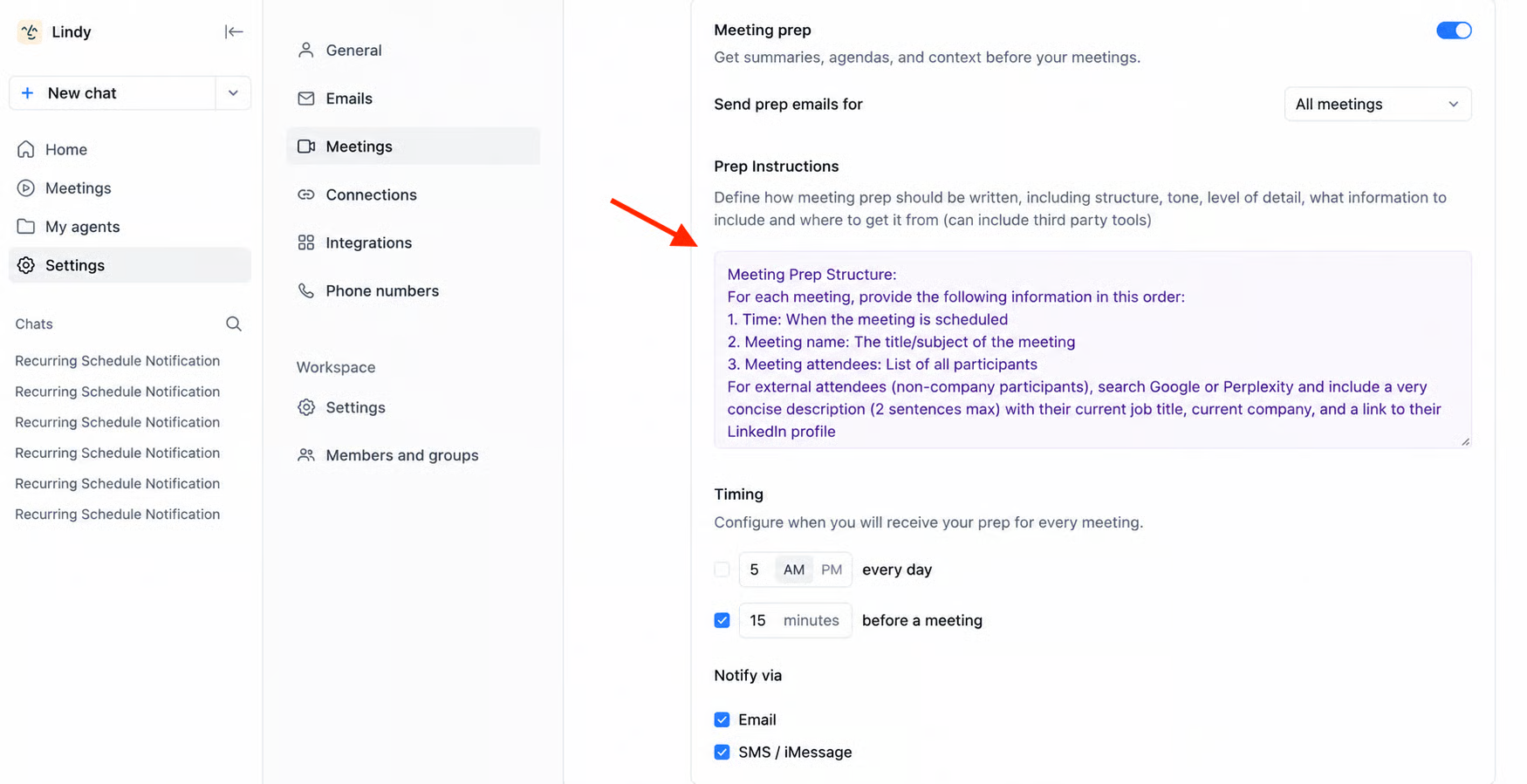
Meeting Prep delivers a briefing before each meeting containing meeting time, title, and attendee details including job titles, LinkedIn profiles for external attendees, and summaries of any previous meetings with those same people. Delivery is configurable: a single daily digest at a set time or individual briefings a set number of minutes before each meeting starts. This is the research a human EA would do manually, automated and delivered without being asked.
Source: Lindy
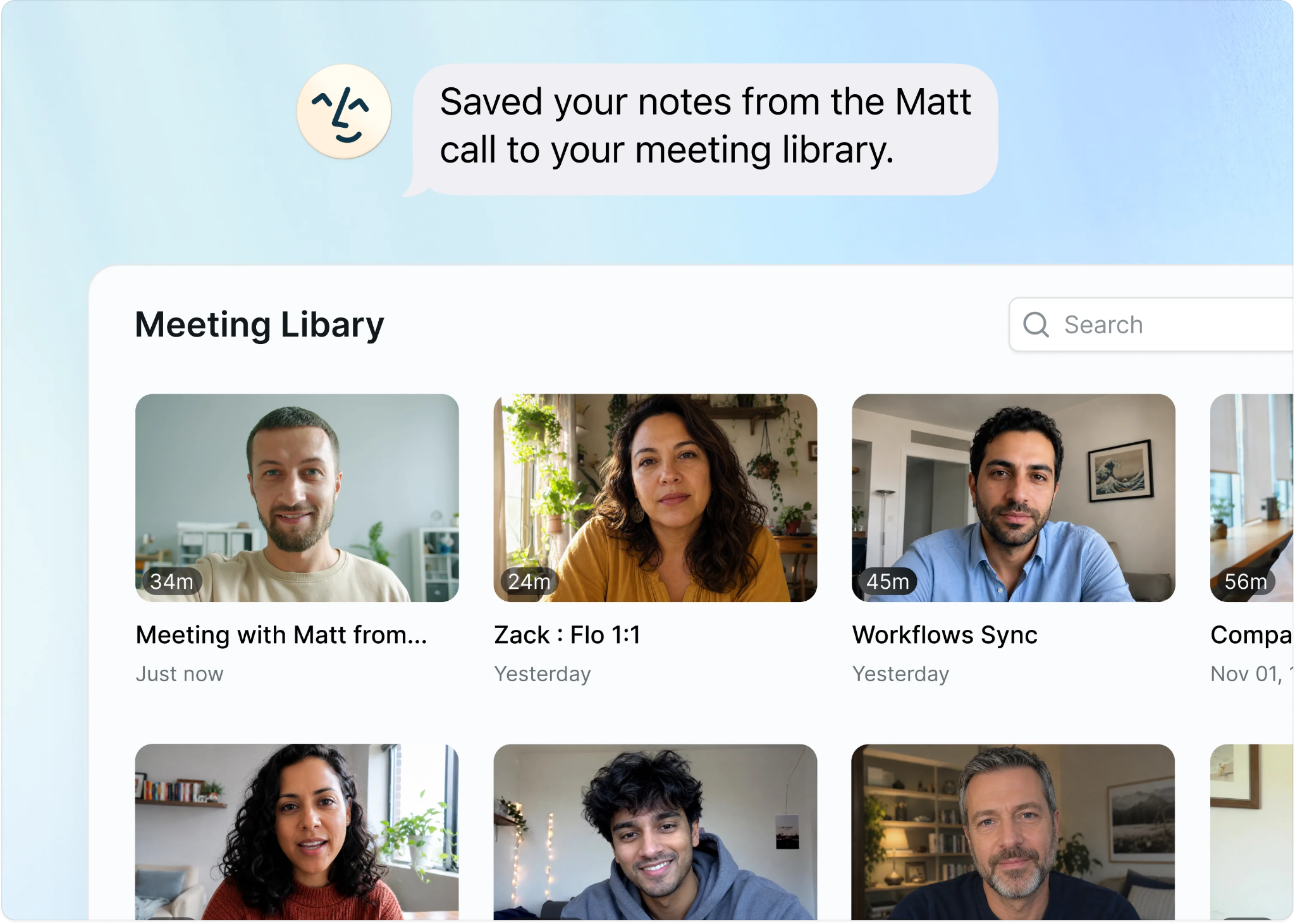
Meeting Notes record, transcribe, and summarize calls. Lindy joins meetings on Google Meet, Zoom, and Microsoft Teams automatically based on the user's calendar, with no bot invite required. After the call, it generates a structured summary including key quotes, action items, and a high-level overview, all saved to a Meeting Library. Recordings are downloadable with up to 2x playback speed, and transcripts are timestamped and searchable.
Source: Lindy
The Meeting Library is queryable in plain language: ask "What did we decide in last week's meeting with Sarah?" and get an answer drawn from the full recording.
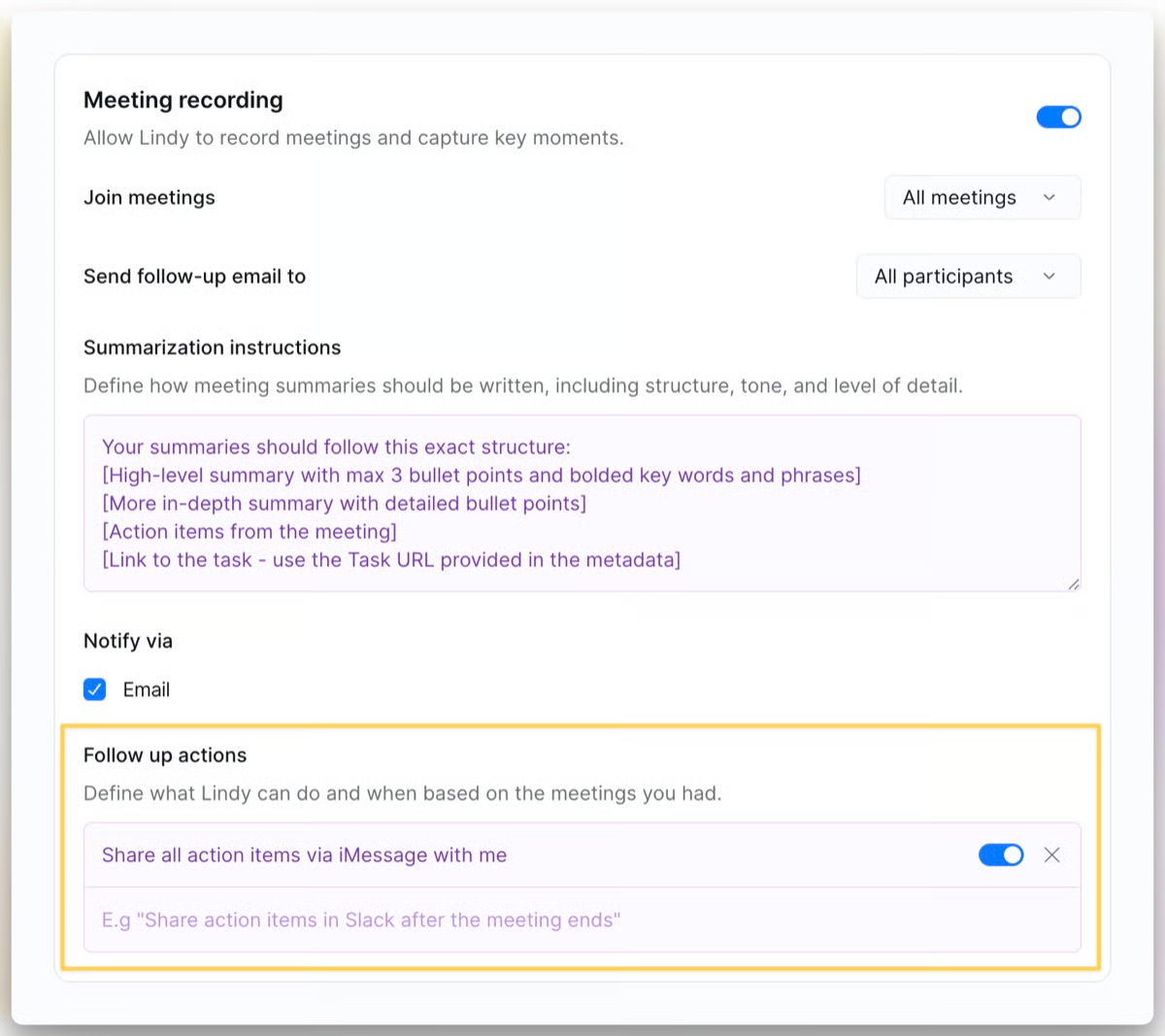
Follow-ups close the loop. Once the recording is processed, Lindy extracts action items and sends a follow-up email to attendees with decisions documented and next steps assigned. Users control who receives the follow-up: all participants, internal team only, or a custom list.
Custom follow-up actions extend beyond email to Slack DMs, CRM updates, and Notion page creation, all configured in plain language.
Source: Lindy
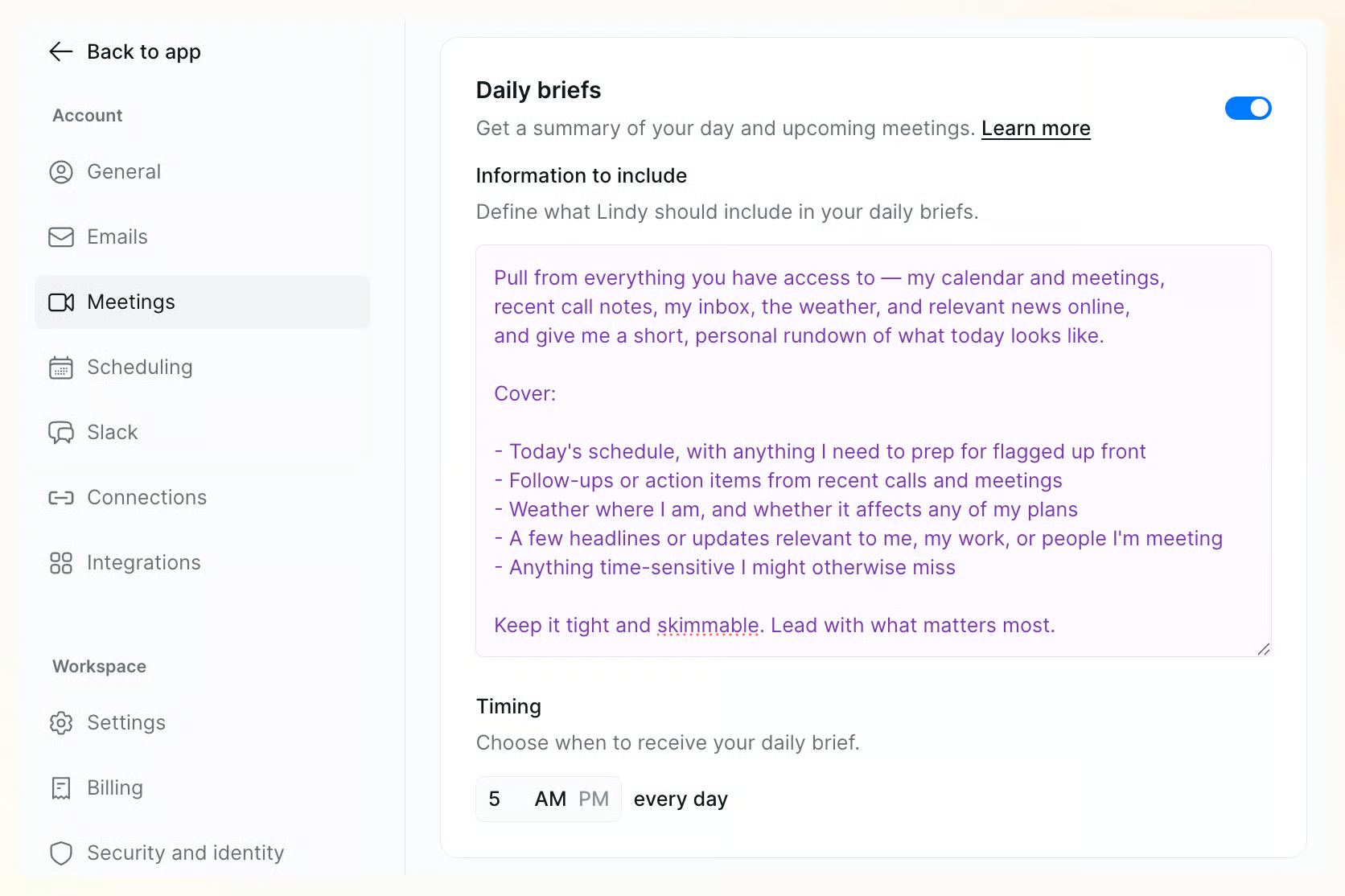
The Daily Brief ties all of this together. Users write a plain-language prompt describing what they want covered each morning (schedule, attendees, industry news, priorities, weather), set a delivery time, and Lindy sends the brief via email or SMS/iMessage before the workday starts.
Source: Lindy
Lindy on iMessage, SMS, and Ad-hoc Tasks
Most AI assistants live inside a web dashboard.
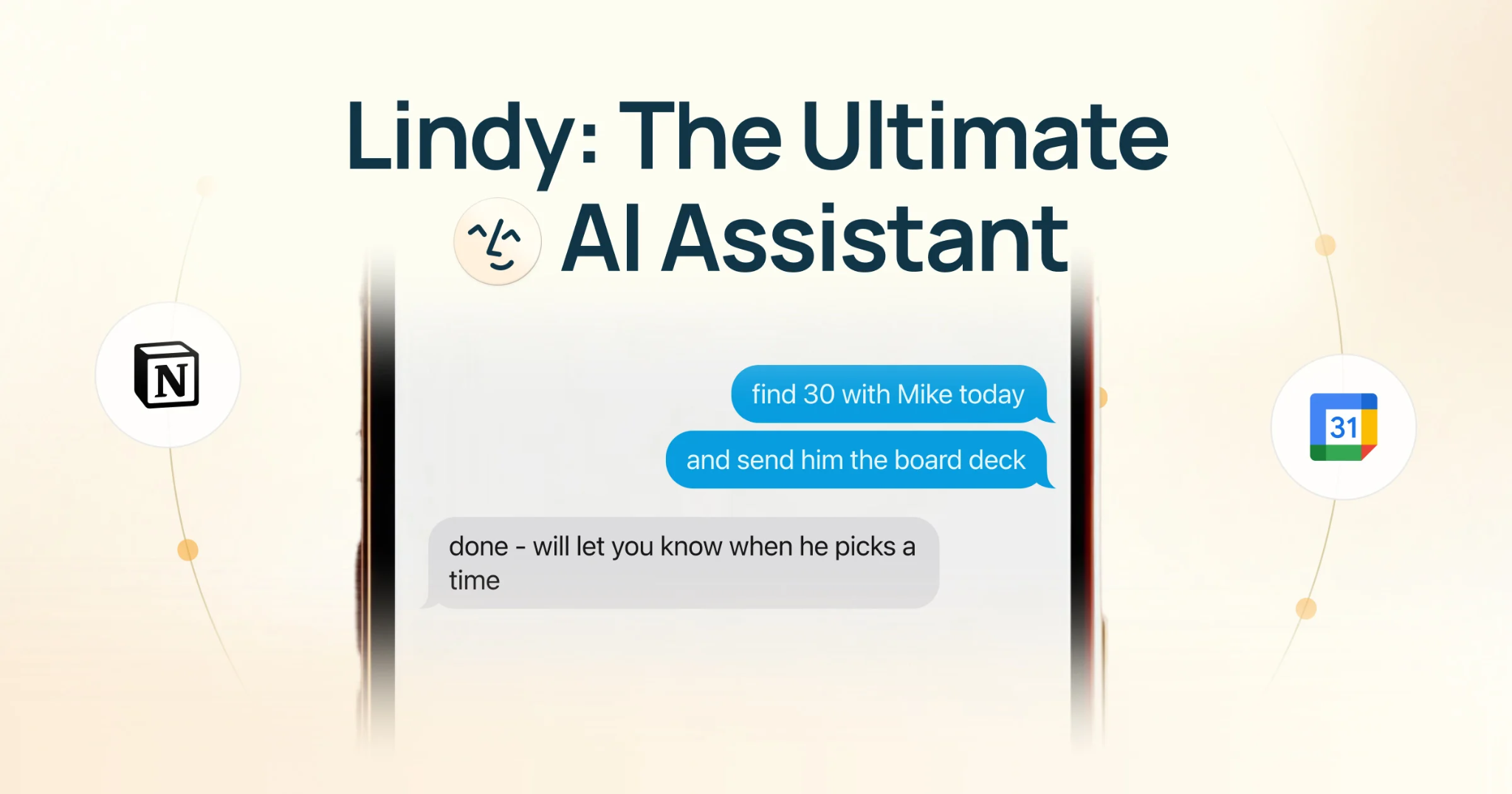
Lindy puts the assistant inside the messaging app already open on the user's phone. The goal: let users "text Lindy like a friend. Delegate work from your phone", with no separate app to install.
Setup takes under a minute during account creation. On iOS, Lindy communicates over iMessage; on Android, it falls back to standard SMS (Android users can enable RCS through Google Messages). Lindy sends an already-personalized first message with context pulled from email and calendar.
Source: Lindy
Through this text interface, users can manage their calendar (schedule meetings, move events, block focus time, cancel calls, get a weekly rundown), handle email (set up alerts, search the inbox, draft replies), and run research. A notable capability: send a screenshot of someone's availability and Lindy will find a time that works, bridging image content and calendar action. Users can send voice notes that Lindy transcribes and acts on, turning a voice memo into a Notion page or a follow-up email while commuting.
The ad-hoc task layer extends the assistant beyond automated workflows. Lindy handles one-off tasks whenever needed: research, knowledge lookups, calendar changes, reminders, and personal tasks. For research, Lindy combines work context (emails, meetings, calendar) with web research to produce answers grounded in the user's professional relationships. Ask "What did [name] say about pricing in our last call?" and get an accurate answer. Personal tasks are also in scope: finding a gift under a budget, booking a restaurant reservation, or surfacing "what's coming up this week I might forget."
Standing instructions can be set via text ("Every time I finish a meeting, send the notes to Slack"), configuring recurring automations through the same channel used for ad-hoc requests.
Lindy's AI Agent Builder
The Agent Builder is where Lindy moves from personal assistant to automation platform.
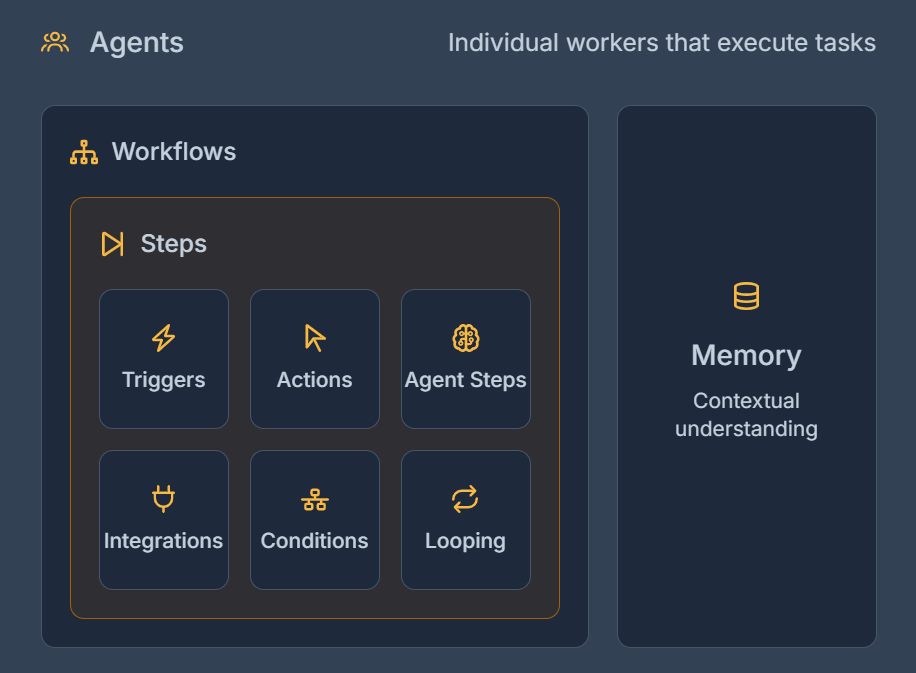
It is a no-code visual workflow builder that lets anyone create custom AI agents that run repeatable business processes, combining event-driven triggers, step-by-step actions, conditional logic, and AI decision-making in a single canvas. The builder serves use cases from simple (send a Slack message when an email arrives) to complex (research a company, qualify a lead, draft personalized outreach, log to CRM).
Source: Lindy
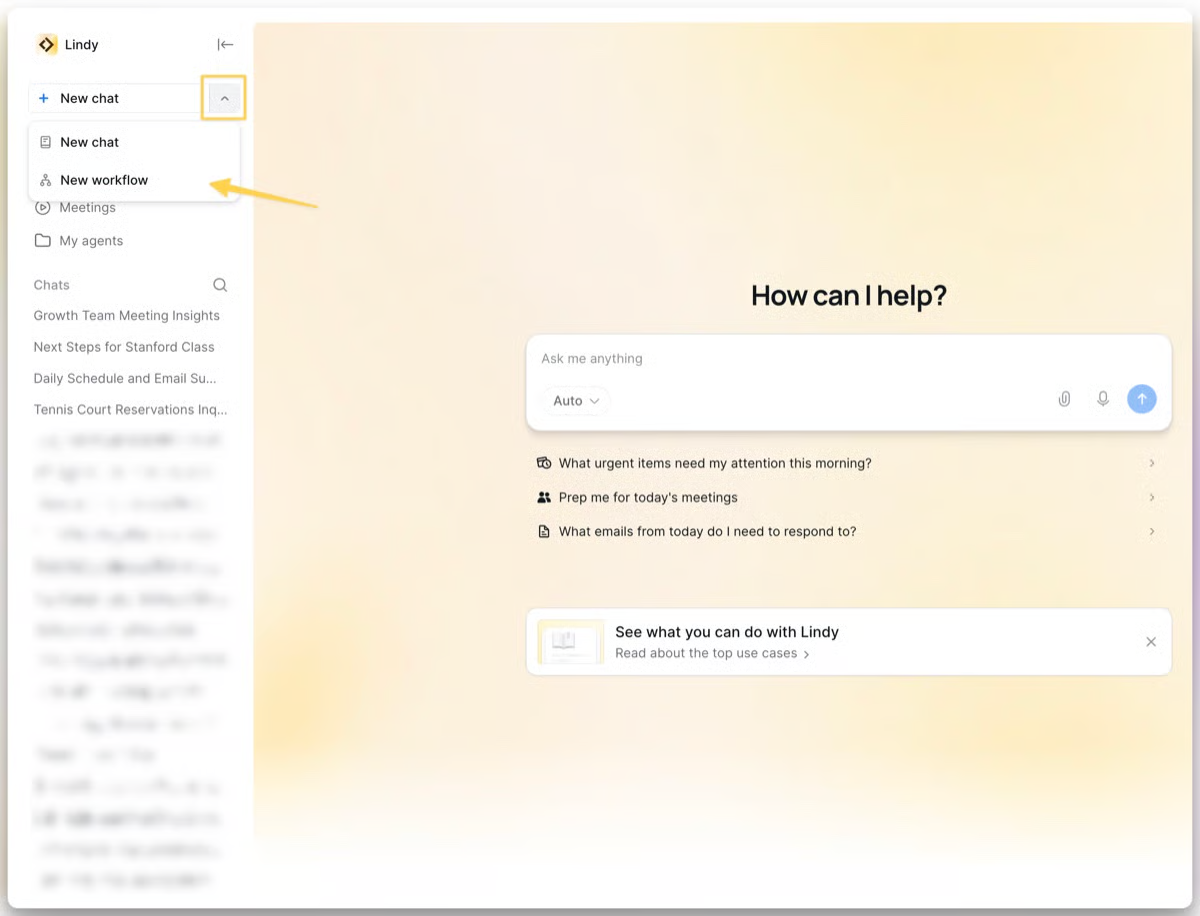
Users build agents through a visual flow editor by assembling three core components. Triggers are the events that wake up an agent: time-based schedules, chat-initiated conversations, or event-based integrations (new email, calendar event, webhook payload, form submission). A single agent can have multiple triggers.
Source: Lindy
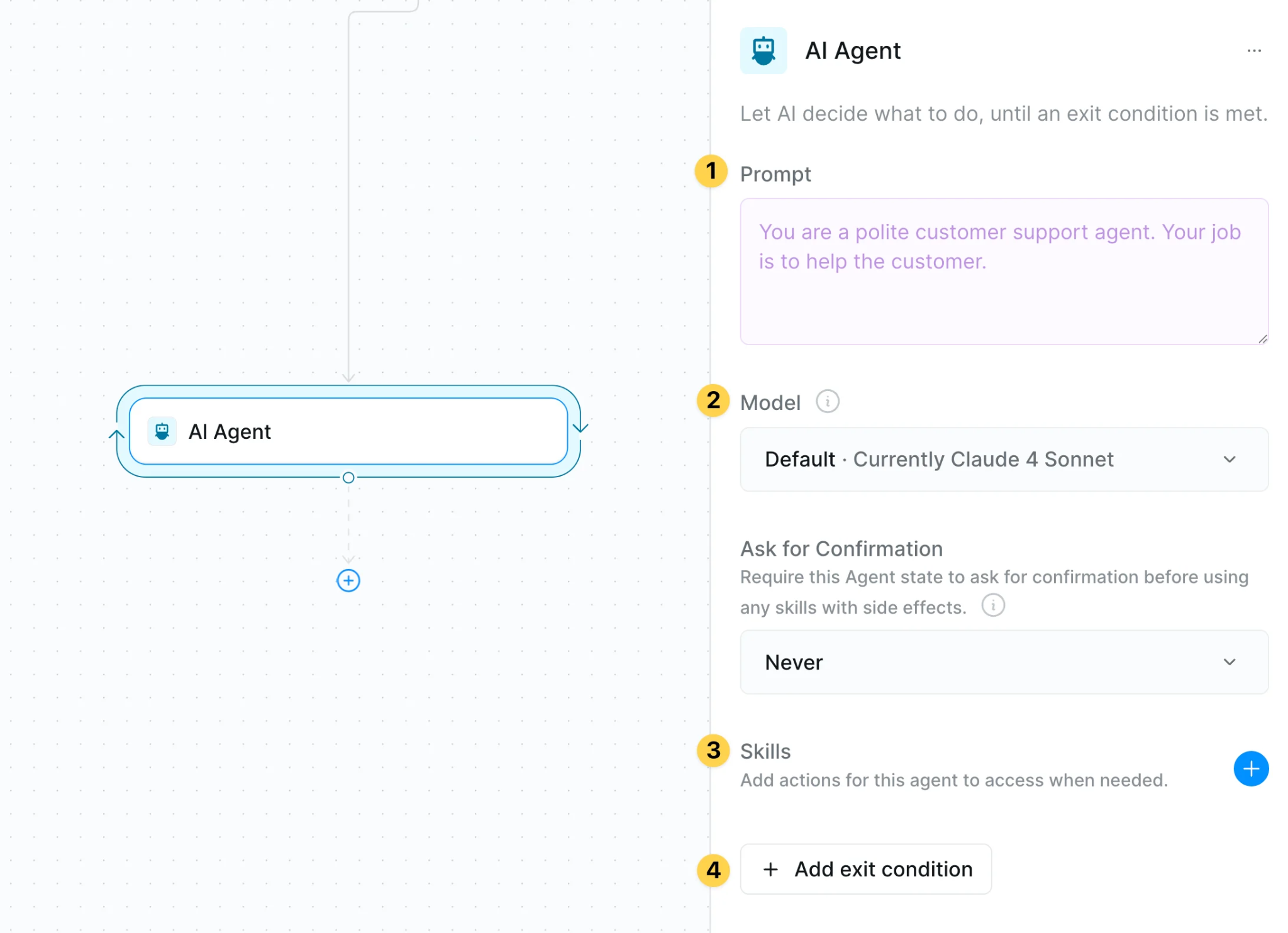
Actions are the operations the agent performs: sending emails, updating spreadsheets, creating CRM records. Each action can be configured with independent account selection and model selection. Agent Steps handle the genuinely uncertain decisions, where the AI chooses which tools to invoke and iterates until user-defined exit conditions are met.
Source: Lindy
Agent Steps are the builder's distinguishing mechanic. Rather than running on fixed iteration counts, they use exit conditions that the agent evaluates after each action: primary success conditions, fallback conditions, and effort-limit conditions. The documentation advises using Agent Steps "only when the next steps are genuinely uncertain," keeping costs predictable while enabling adaptive workflows. This hybrid model (deterministic actions for predictable steps, autonomous reasoning for uncertain ones) sits between rigid automation platforms like Zapier and autonomous AI tools with unpredictable cost.
Model selection per step lets users choose different AI models at the individual action or Agent Step level, not just globally. A workflow can use a cheaper model for simple classification and a more capable model for reasoning-heavy steps. GPT-5 and Gemini 3 are available on the platform, and enterprise customers can choose the AI model powering their assistant.
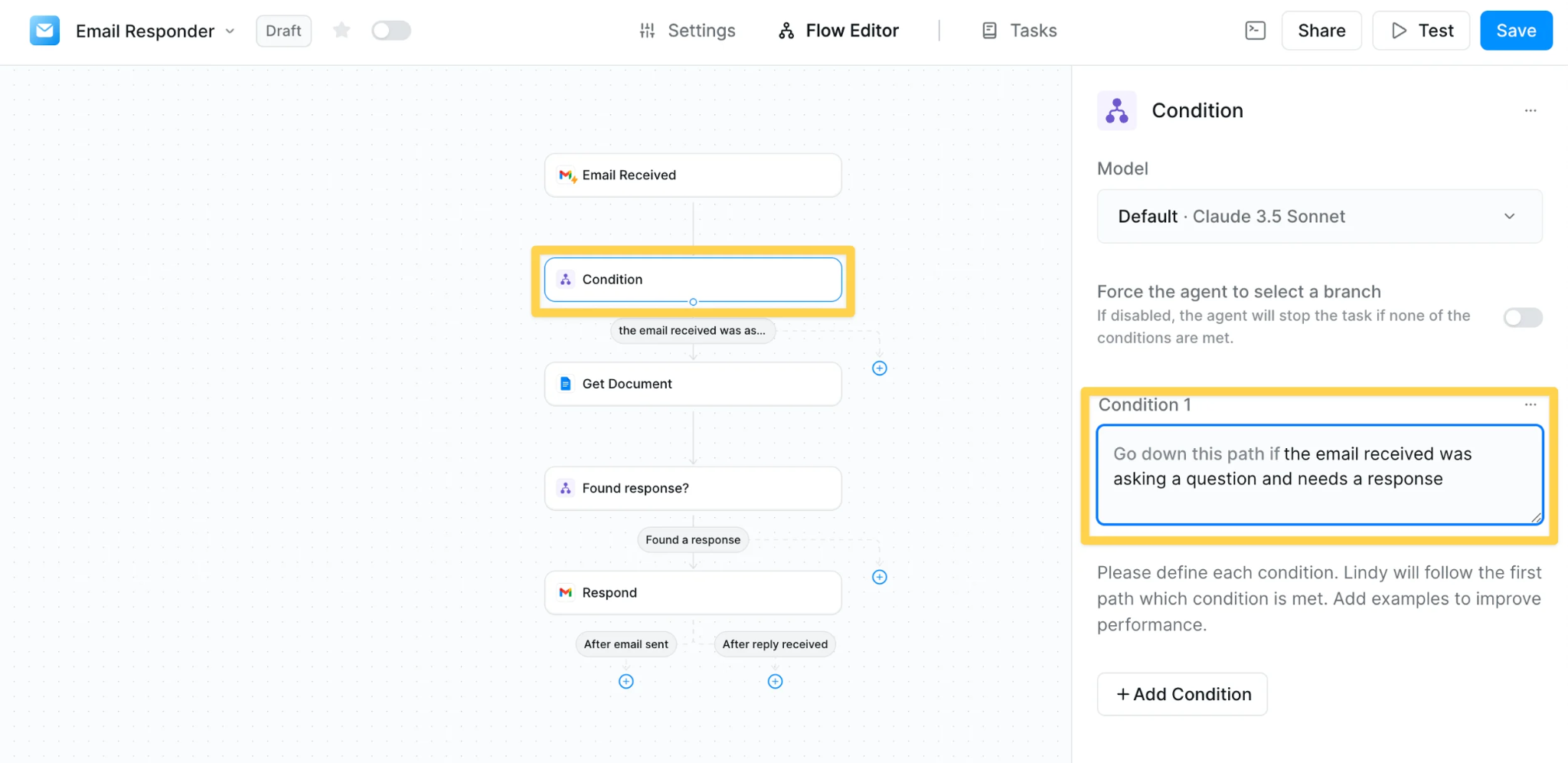
Conditions branch workflows based on data values or AI evaluation. Looping runs steps in parallel across lists for bulk processing (batch lead enrichment, multi-contact outreach).
Source: Lindy
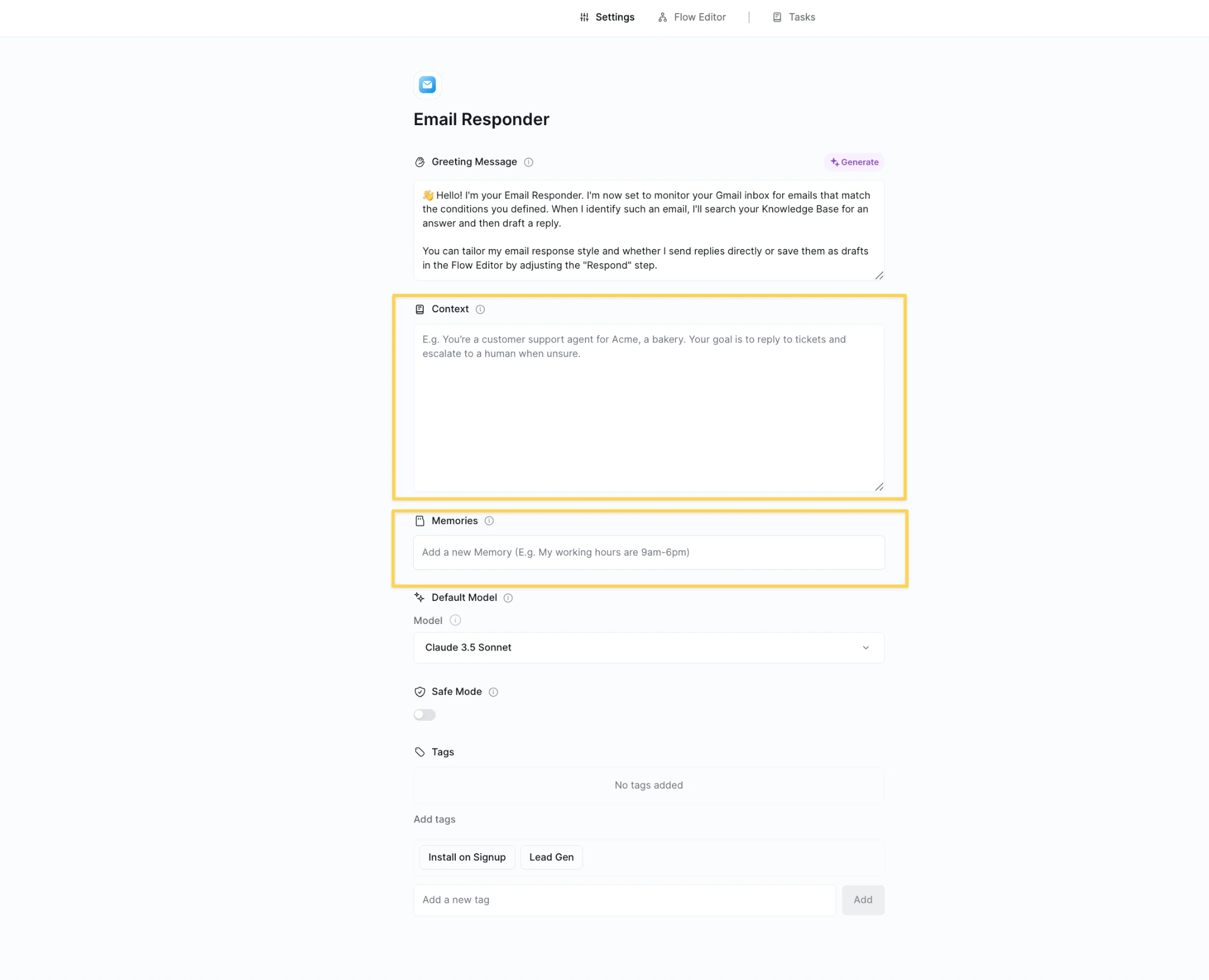
Memory gives agents access to past context across runs, and a knowledge base can be attached so agent steps make decisions informed by uploaded documents or past meeting notes. A "Talk with Other Lindy" skill enables multi-agent orchestration, where one agent calls another.
Source: Lindy
The builder includes testing and governance tools: a Test Panel, Human in the Loop checkpoints, debugging tools, monitoring, and version history. A Run Code skill lets users inject custom Python or JavaScript into workflows for transformations beyond what no-code blocks can express, with access to pre-installed libraries including pandas, numpy, requests, beautifulsoup4, and scikit-learn. A gallery of pre-built workflow templates covers sales, support, HR, finance, and marketing use cases.
Lindy's Computer Use
Computer Use extends automation to any browser-based tool, including legacy systems, niche SaaS products, and platforms that restrict API access. It is available on Pro and Max plans ($99.99/mo and $199.99/mo, respectively).
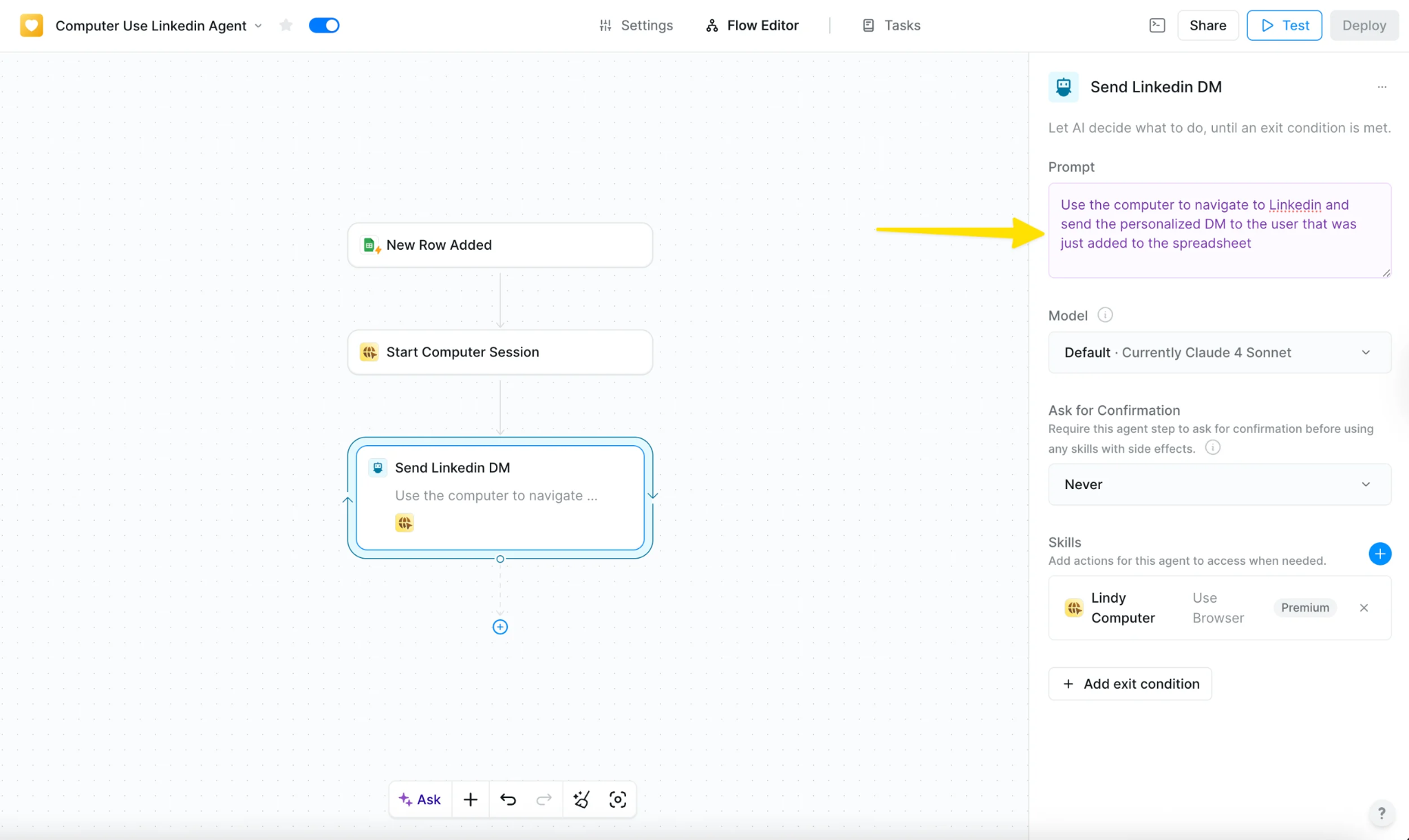
The feature works through a "Start Computer" action added to a workflow. This provisions a virtual browser session where the agent navigates websites, clicks buttons, fills forms, and interacts with web interfaces on its own.
Each virtual machine is called a Computer, and it saves website sessions, cookies, and files across runs. A user logs in to a target website once (either manually by clicking "Take Control" or by configuring credentials in advance), and the agent reuses saved sessions on every subsequent run. Sessions persist for 30 days after the last action.
Source: Lindy
Users can create multiple distinct computer profiles, each with its own saved credentials, limiting each agent's access to only the credentials it needs. An Incognito Computer option is available for sessions that should leave no saved data. Every step is captured as a screenshot and viewable after task completion for debugging or compliance. Users can take manual control of the live browser view at any point, useful for multi-factor authentication prompts.
When Computer Use runs inside a loop for batch processing, Lindy spins up separate instances per loop iteration to run in parallel. Loop concurrency can be set between 1 and 5 to manage rate limiting or bot detection.
Lindy's Sales, Support, and Vertical Solutions
Beyond the core assistant and builder, Lindy ships pre-built solution packages for specific functions.
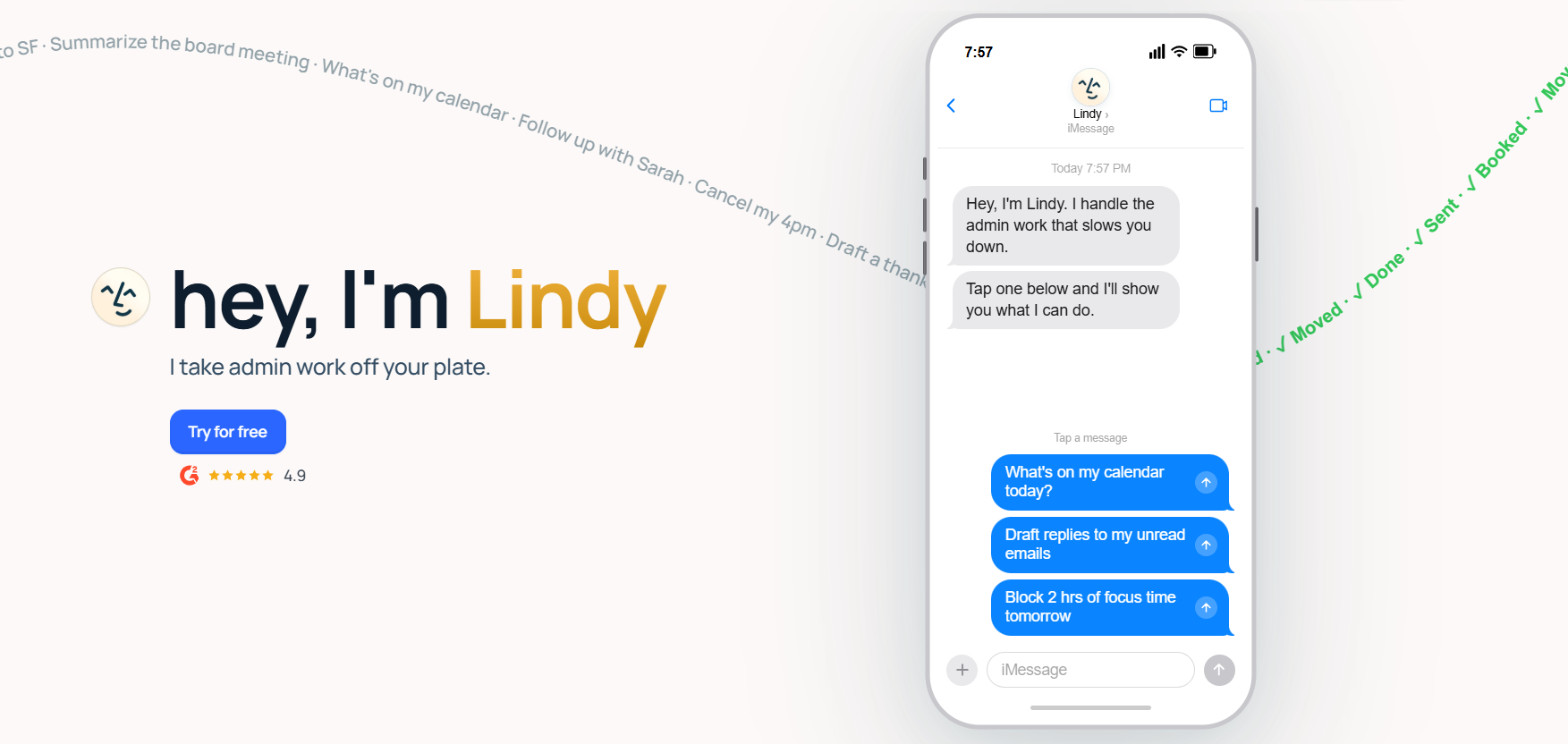
Sales automation covers the prospecting-through-close workflow. Agents can build targeted prospect lists from 200+ web sources, research each lead, write personalized outreach at scale, qualify inbound leads against ICP criteria before routing to a rep, update CRM records after every meeting and email interaction, schedule sales meetings by joining email threads, and coach reps in real time during calls. Lindy claims teams can have a working AI executive assistant in five minutes, with onboarding handled via OAuth flows.
Source: Lindy
Customer support agents operate across email, SMS, web embeds, WhatsApp, Slack, Telegram, and more, handling routine tickets with knowledge-base-grounded responses and routing by urgency and type.
Meeting operations include recording, transcription, and summarization across Google Meet, Zoom, and Microsoft Teams, with action-item extraction and distribution via Slack or email. Recruiting coordination automates candidate screening, interview scheduling, and follow-up communications.

Source: Lindy
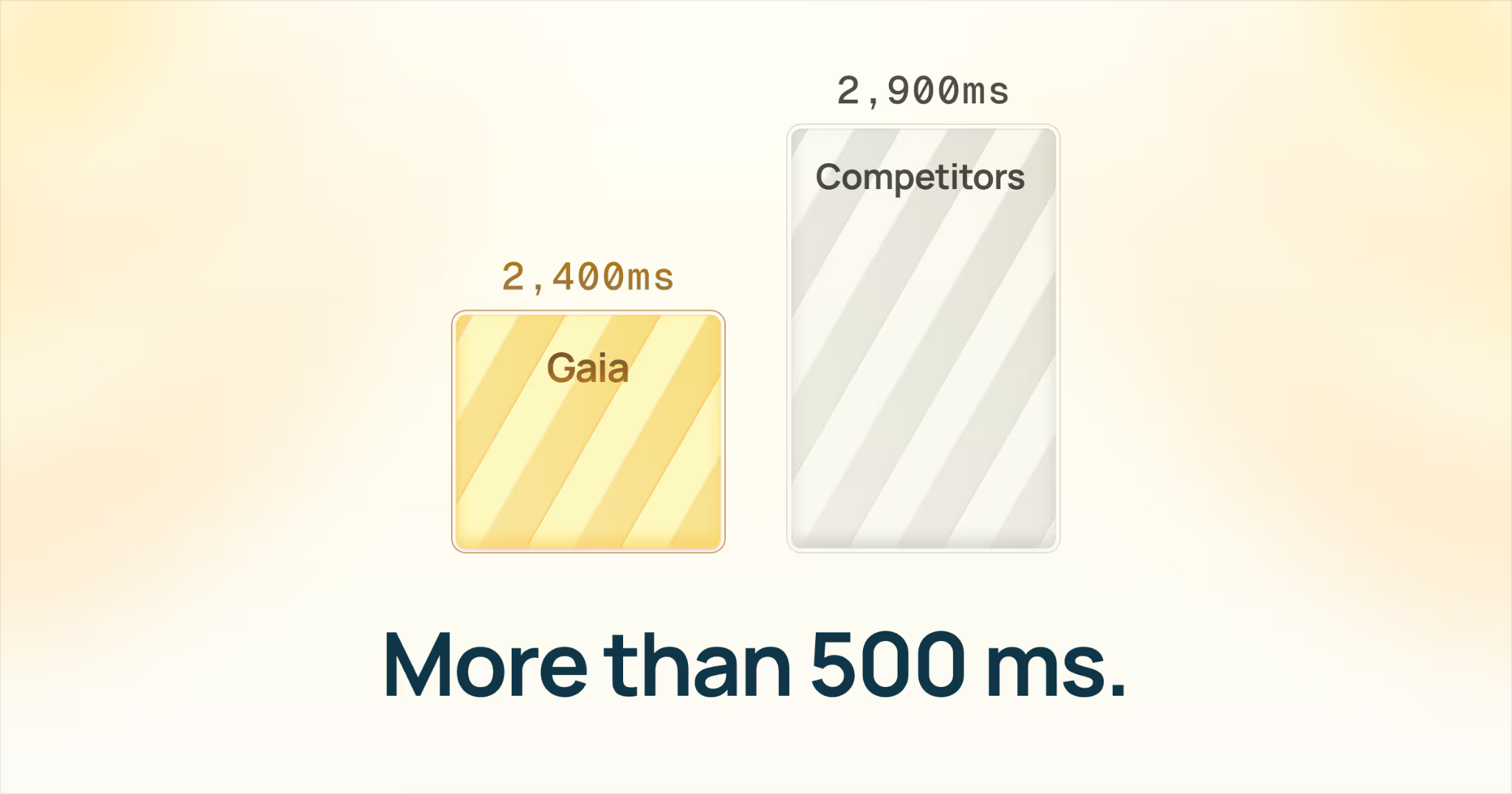
Gaia, announced in June 2026, is a sub-second AI phone agent powered by Deepgram Flux, adding voice as a first-class channel alongside email and SMS.
Source: Lindy
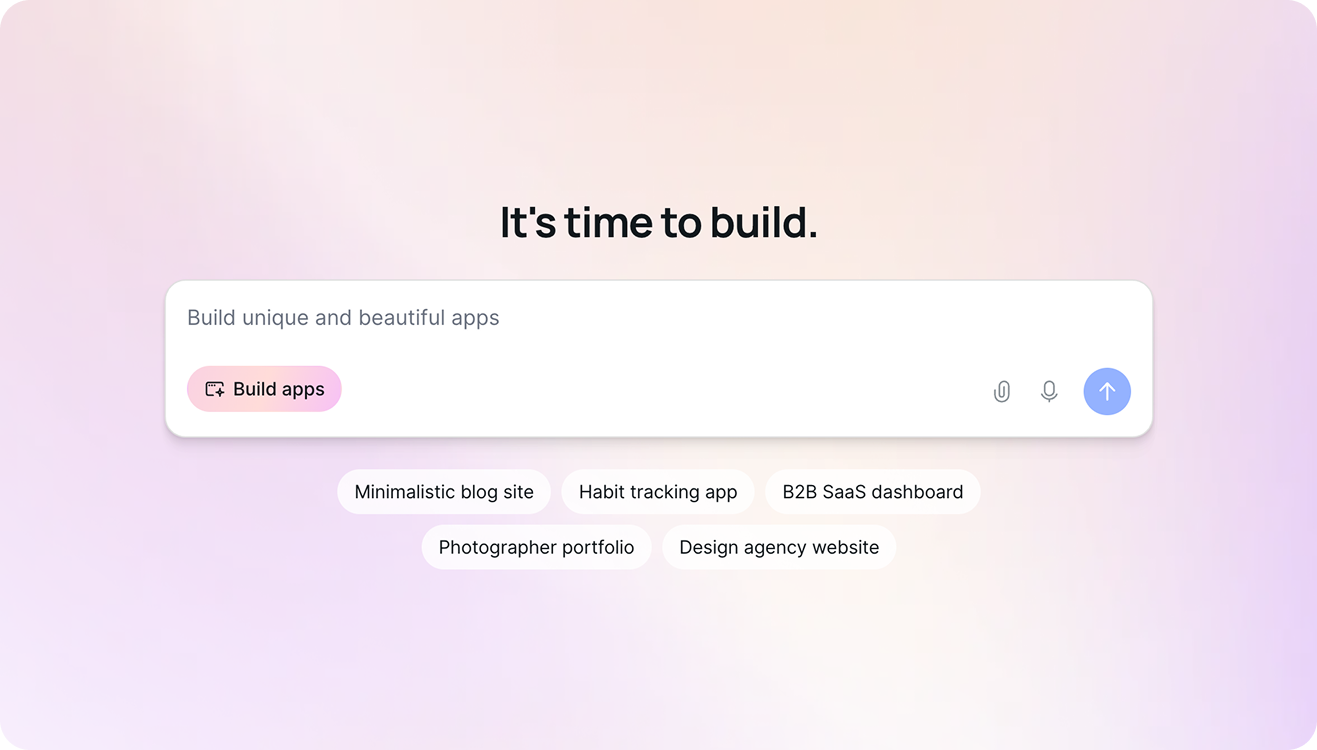
Lindy Build is a separate product that generates full-stack web applications from natural language descriptions, expanding the platform into AI-assisted software development.
Source: Lindy
Lindy's Integrations and Technical Infrastructure
Lindy advertises over 5,000 integrations through its Skills system, with 100+ core connectors available on all plans. The full catalog is browsable at lindy.ai/integrations.
Documented integration guides cover Gmail, Google Calendar, Google Docs, Google Drive, Google Sheets, Slack, HubSpot, Salesforce, Microsoft Outlook, Microsoft Teams, Notion, Airtable, GitHub, LinkedIn, Telegram, Twilio, YouTube, Zoom, and People Data Labs, among others. Additional apps include Apollo.io, Amplitude, AWS, Azure DevOps, BigCommerce, Shopify, and monday.com.
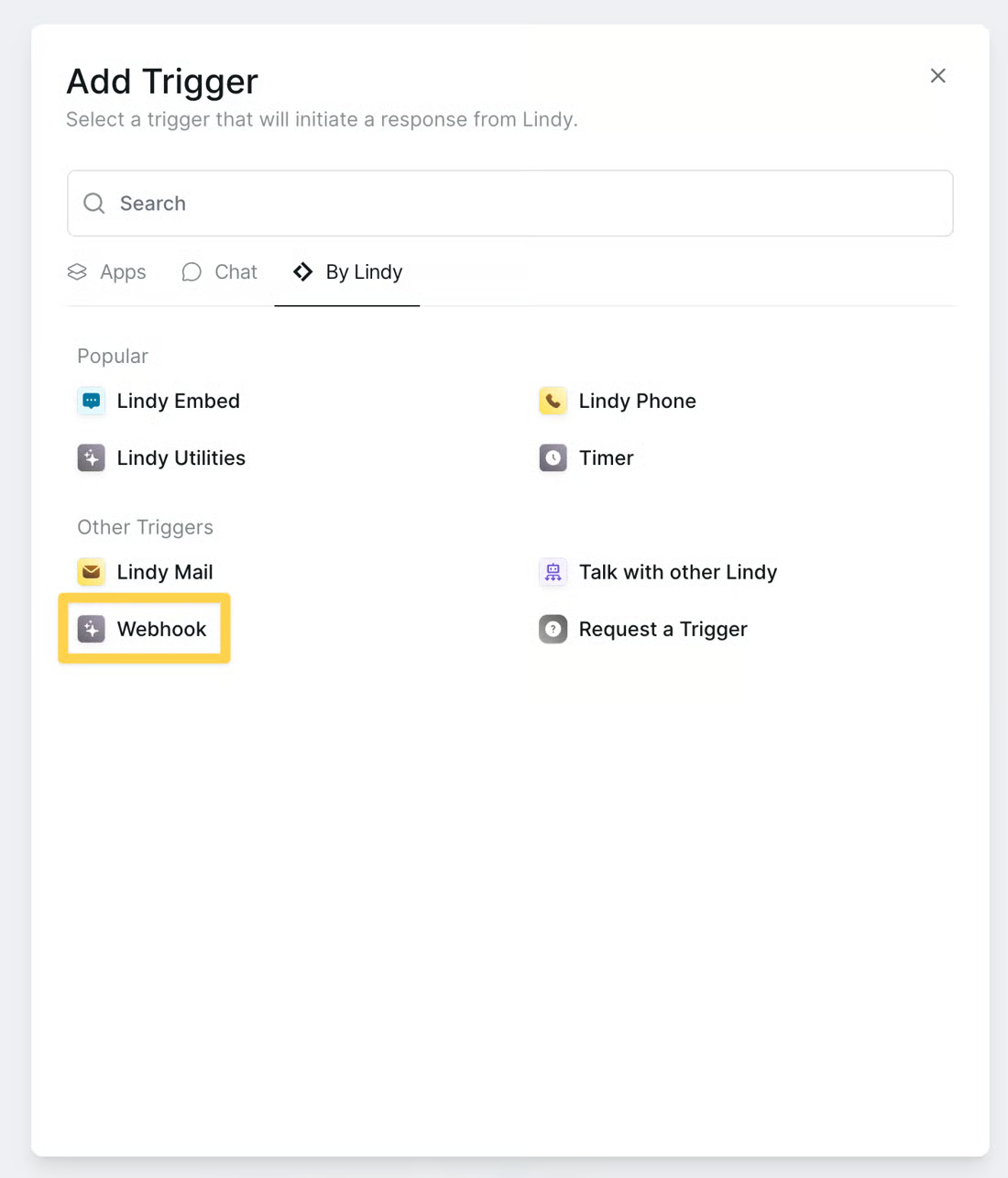
For custom connectivity, Lindy supports inbound webhooks as a trigger type, with each webhook receiving its own unique URL and optional Bearer-token authentication.0
Source: Lindy
External systems fire HTTP POST requests to trigger agent workflows, and a callback pattern lets callers include a callbackUrl for two-way communication. Outbound calls use the HTTP Request action, supporting GET, POST, PUT, PATCH, and DELETE methods with configurable headers and JSON body.
Lindy does not publish a developer REST or GraphQL API for managing agents programmatically. The platform's integrations are consumed internally as "Skills" selected within the workflow builder, not called by external code. No official SDKs are published, and no Chrome extension is available. A machine-readable documentation export is available at docs.lindy.ai/llms-full.txt for AI-assisted integration.
Source: Lindy
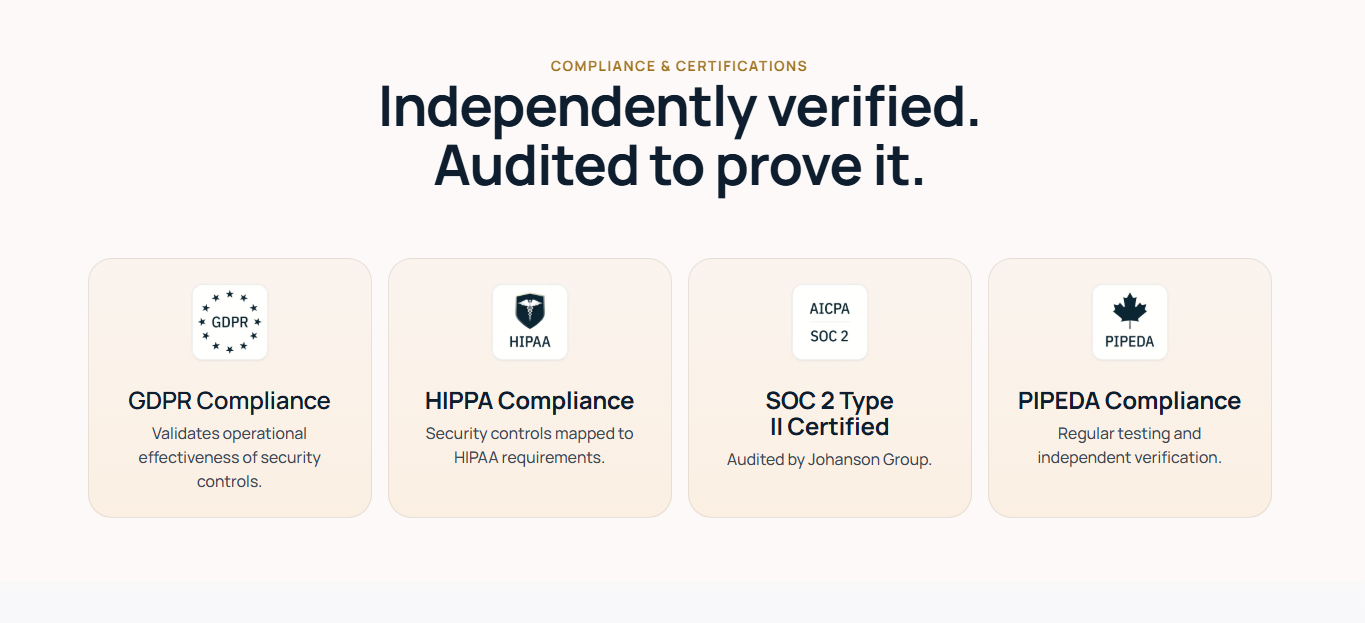
On security, Lindy carries SOC 2 Type II, HIPAA (with signed BAA for Enterprise), GDPR, and PIPEDA compliance. Data is encrypted at rest using AES-256 and in transit. The platform does not sell user data and does not use it to train AI models. Real-time monitoring, regular penetration testing, and a defined incident response playbook are documented. Enterprise-specific controls include SSO, SCIM provisioning, Audit Logs, and Evals (performance testing). Every action Lindy takes is logged, and built-in approvals ensure the user controls what gets sent.
Where Lindy Stops: The Gaps
Lindy centers on the individual professional's workflow: managing email, scheduling, meeting operations, and building custom automations across connected apps. That focus shapes its strengths, but it also means the platform defers to external tools for several capabilities a revenue team eventually needs.
No native B2B contact or company database. Lindy's sales agents can build prospect lists from 200+ web sources and integrate with People Data Labs for enrichment, but the platform does not include its own verified database of contacts, companies, direct dials, or business emails. A sales team using Lindy for outreach automation still needs a separate data provider for the contacts themselves.
No buyer intent signals. Lindy does not track which companies are researching specific topics across the web. It captures engagement signals from the user's own interactions (email replies, meeting activity), but there is no proprietary intent data showing which accounts are in-market before any outreach begins. Engagement signals tell you who responds to your outreach; intent signals tell you who is researching your category before you reach out.
No conversation intelligence with coaching and deal analytics. Lindy records, transcribes, and summarizes meetings, and its Meeting Library makes past conversations queryable. But the platform does not include AI-powered coaching scorecards, talk-ratio analysis, objection detection, competitive mention tracking, or deal risk scoring. Meeting notes capture what was said; conversation intelligence reasons about what it means for the deal and the rep's development.
No website visitor identification. Lindy does not identify anonymous website visitors. Teams that want to know which companies or individuals are visiting their website need a separate tool.
No marketing orchestration or ABM capabilities. Lindy covers individual and team productivity but does not include display advertising, audience management, account-based marketing, or multi-channel campaign orchestration. Marketing teams running demand generation alongside sales execution need a separate platform.
Credit-based pricing can be unpredictable at scale. Credits reset monthly and do not roll over. Most tasks cost 1 to 3 credits on basic models and about 10 credits on large models. When the limit is reached, Lindy pauses the assistant until the next cycle, with overages charged at 2x the standard rate. "Expensive" appears 42 times and "high subscription cost" 35 times in G2 review analysis. There is no option to purchase one-off credit top-ups.
How ZoomInfo Covers the Gaps
The gaps above share a common thread: Lindy automates workflows and coordination but depends on external sources for the B2B data, signals, and intelligence that fuel revenue-generating motions. ZoomInfo supplies those layers.
ZoomInfo's B2B Data Platform: The verified contact and company database Lindy does not include
ZoomInfo operates a B2B data platform of 500M contacts, 100M companies, 135M+ verified phone numbers, 120M direct-dial phone numbers, and 200M+ verified business email addresses. Where Lindy's sales agents scrape web sources for prospect data, ZoomInfo's data flows through a proprietary verification pipeline backed by 300+ human researchers and automated ML scanning of 28 million site domains daily, reaching up to 95% accuracy on first-party data.
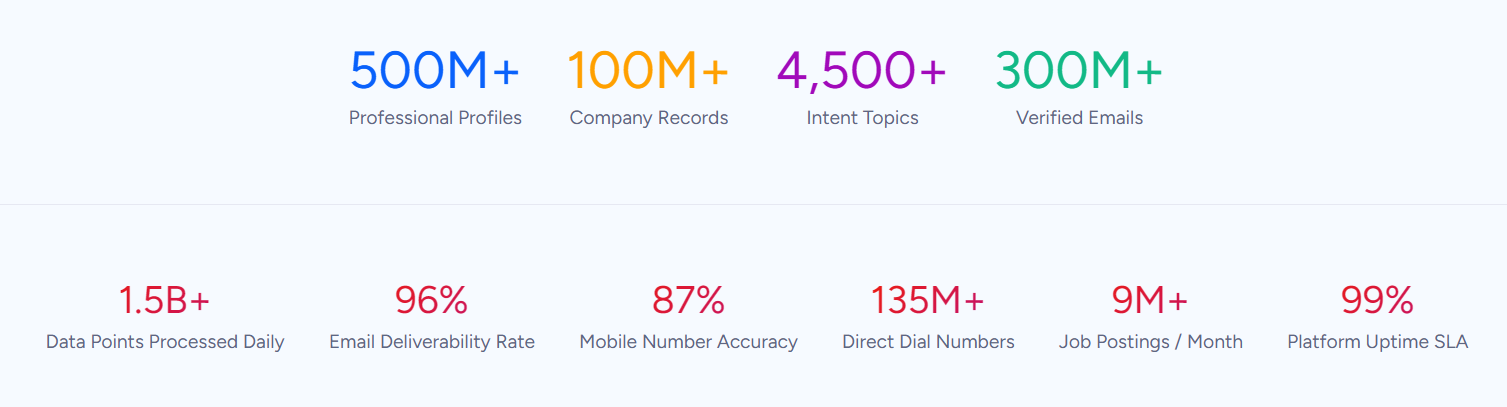
The depth extends beyond contact records. ZoomInfo provides 300+ company attributes for segmentation, department org charts with decision-makers' direct dials, contact tracking with job-change alerts, and technographic profiles covering 30,000+ technologies across 200+ categories for 30+ million companies. Global coverage extends to 34M+ company profiles outside North America, 200M+ professional profiles outside NA, and 45M+ mobile numbers outside NA.
In a Fortune 500 competitive RFP analyzing 25 million contacts across vendors, an independent consultant concluded that "no other competitor came even close." The data quality holds up under external validation: Leader in the Forrester Wave for Intent Data Providers, Q1 2025, Leader in the Gartner Magic Quadrant for ABM Platforms for the second consecutive year, and the only vendor positioned in the Gartner Voice of the Customer Customers' Choice quadrant with a 4.7/5.0 rating.
ZoomInfo Intent and WebSights: Signals that reveal in-market buyers before outreach begins
ZoomInfo Intent tracks signals from 210 million IP-to-Organization pairings and 6 trillion+ new keyword-to-device pairings sourced monthly. This reveals which companies are researching topics related to your product across the web, before you have ever contacted them.
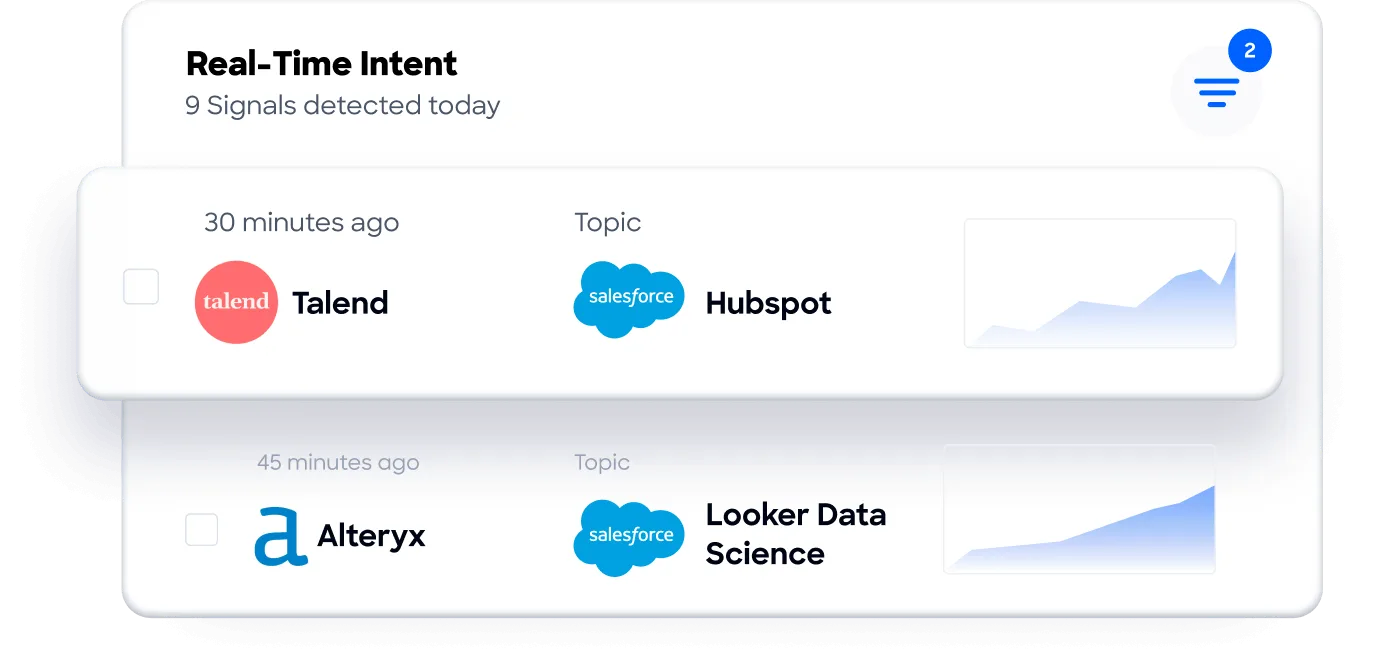
Guided Intent, exclusive to ZoomInfo, identifies the topics historically correlated with deal success rather than requiring manual topic selection.
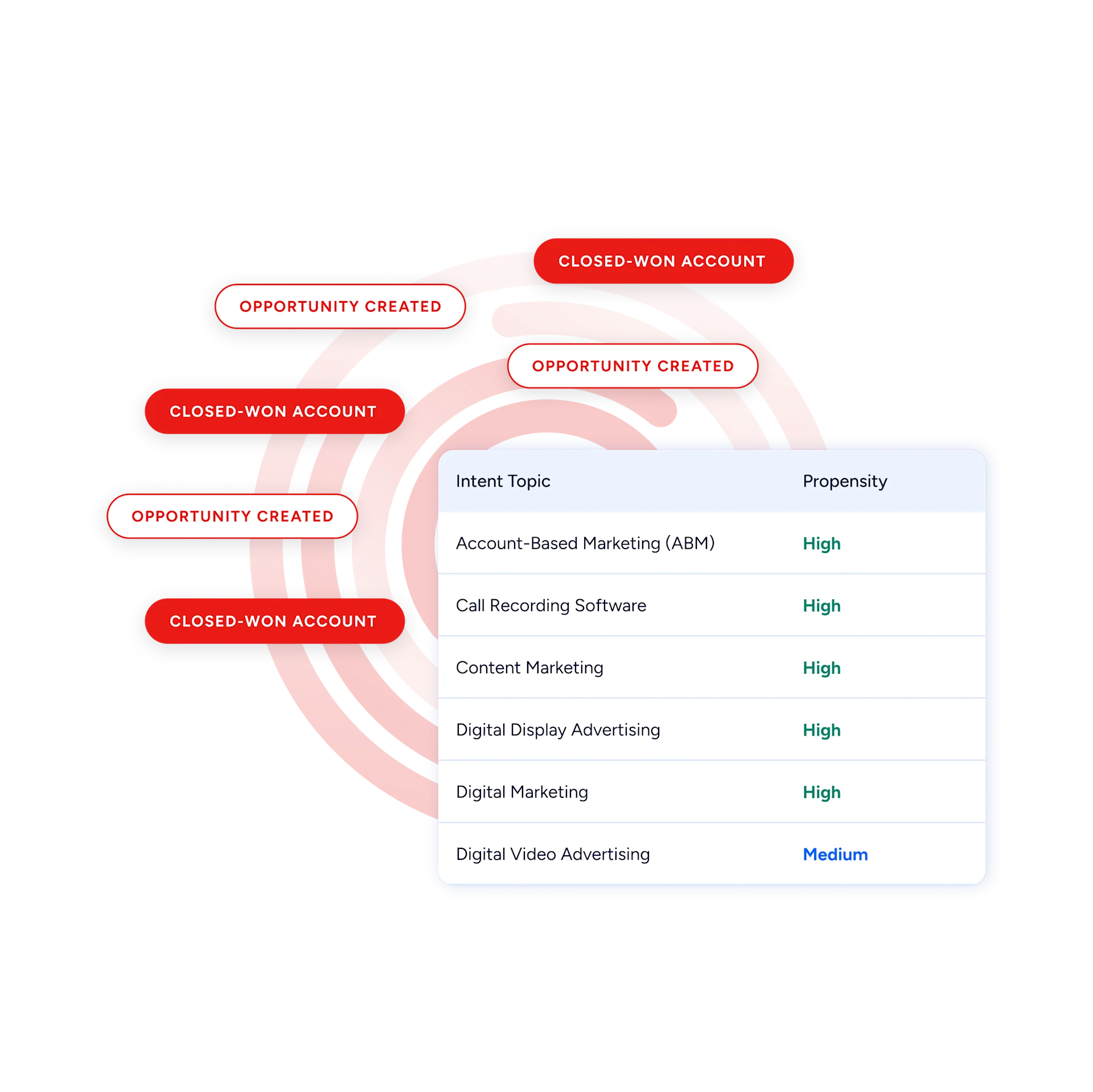
On the website side, WebSights resolves anonymous website traffic to companies with Automatic Traffic Filtering that distinguishes real visitors from bots.
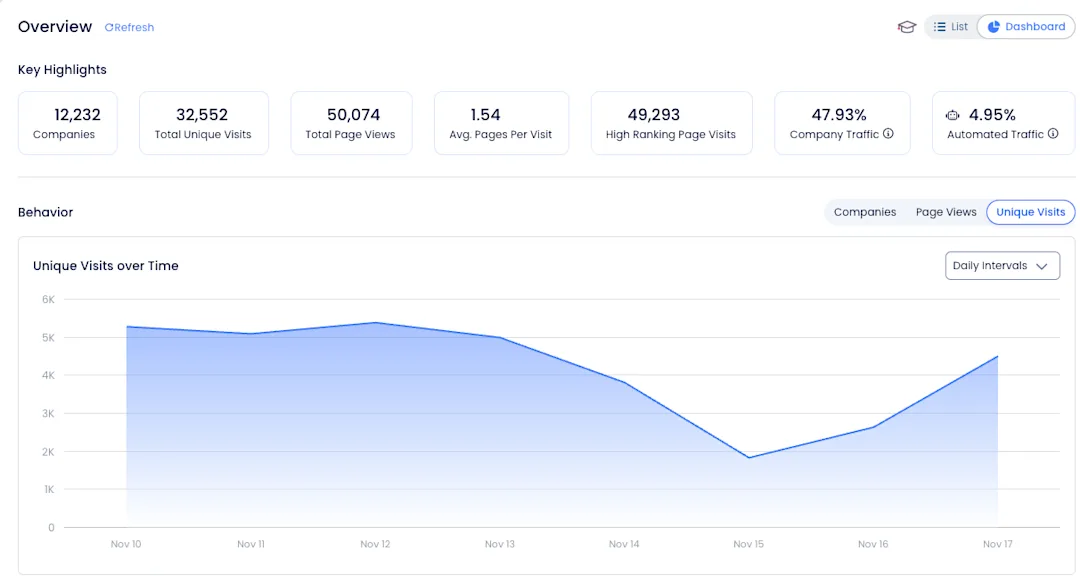
ZoomInfo Marketing goes further with contact-level visitor identification, identifying who specifically visited (not just which company) and triggering personalized outreach. Where Lindy has no website visitor identification at all, ZoomInfo provides both company-level and individual-level resolution.
ZoomInfo's GTM Context Graph and Chorus: Intelligence that captures why deals move, not just what was said
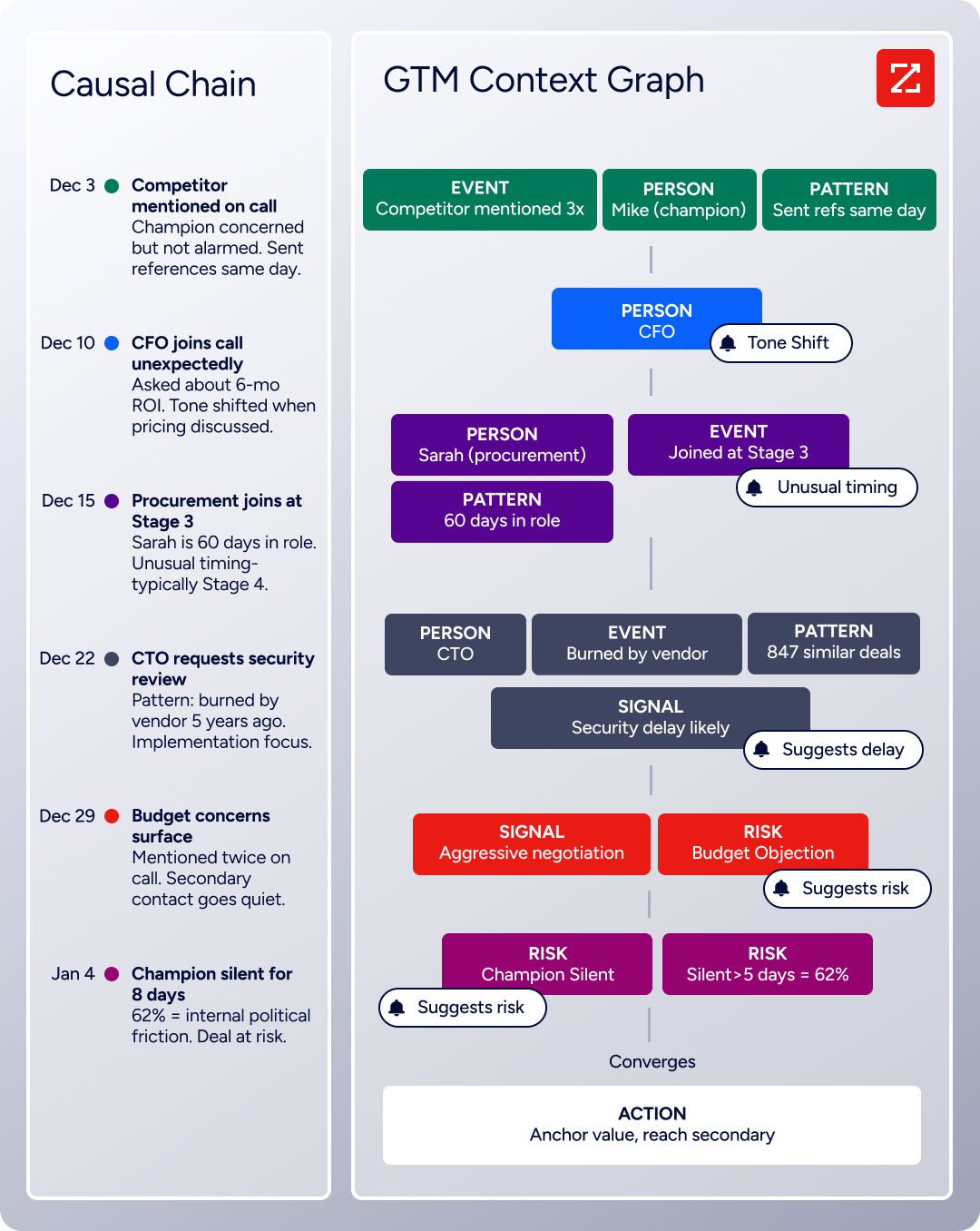
Lindy records meetings and extracts action items. ZoomInfo's GTM Context Graph captures why deals move or stall by processing 1.5B+ data points daily, combining B2B data with CRM records, conversation intelligence from Chorus, email interactions, and behavioral signals into a single intelligence layer.
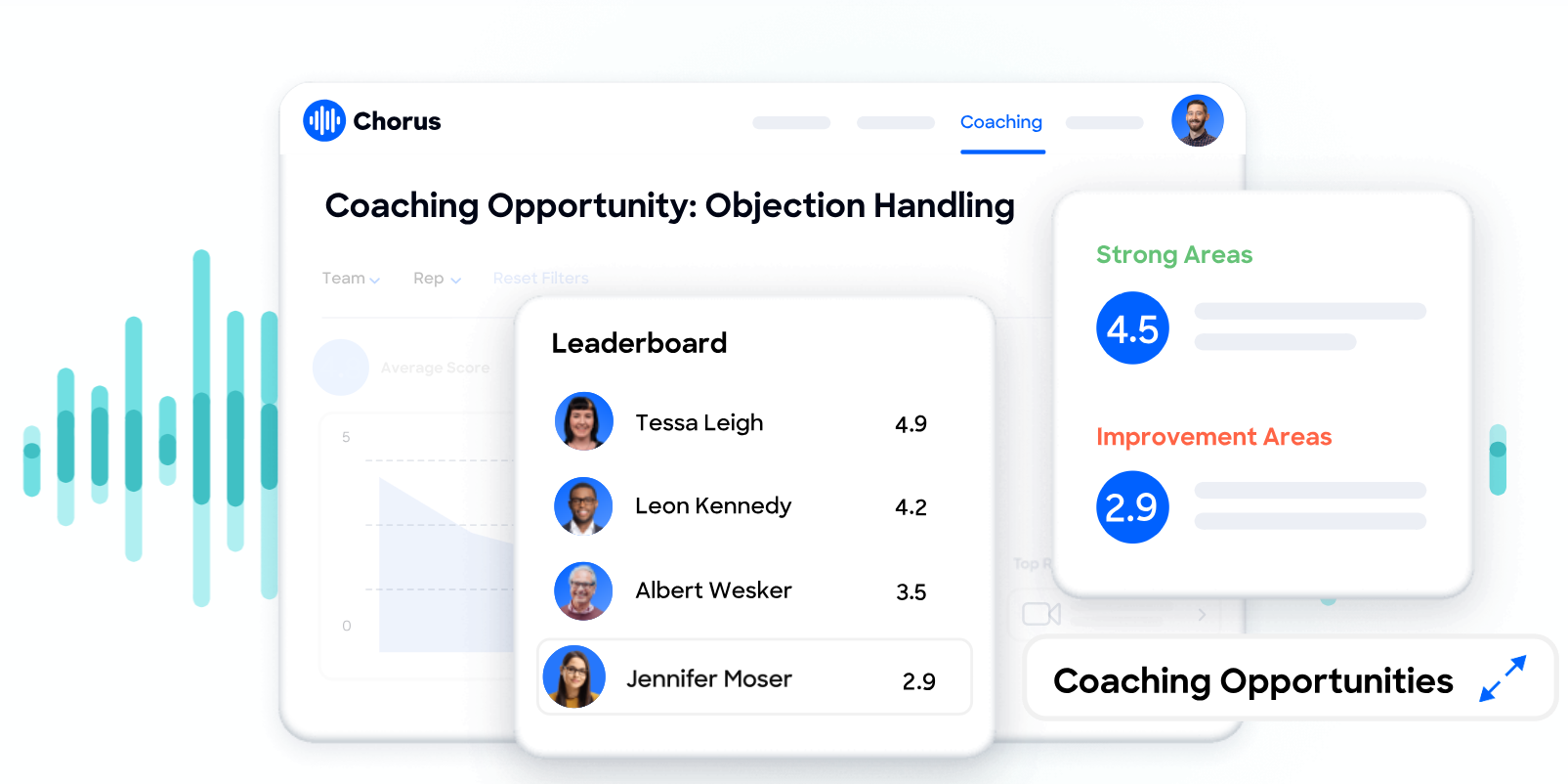
Chorus, backed by 14 technology patents, goes beyond recording and transcription to surface AI-generated insights (talk ratios, sentiment, objection detection), auto-sync deal intelligence to the CRM, and provide coaching scorecards and clip sharing.
It captures the context that meeting notes miss: why a champion went quiet, what a competitive mention means for deal risk, which objection patterns predict closed-lost outcomes. A CRM records that a deal moved from Stage 3 to Stage 4. The GTM Context Graph reasons about why, connecting the CFO joining the last call with ROI-focused questions to the pattern behind closed-won deals in the same segment.
That reasoning flows into GTM Workspace, where sellers see a complete Book of Business view across CRM, ZoomInfo data, conversation history, and market intelligence, with AI agents automating account research, outreach, CRM updates, and signal monitoring.
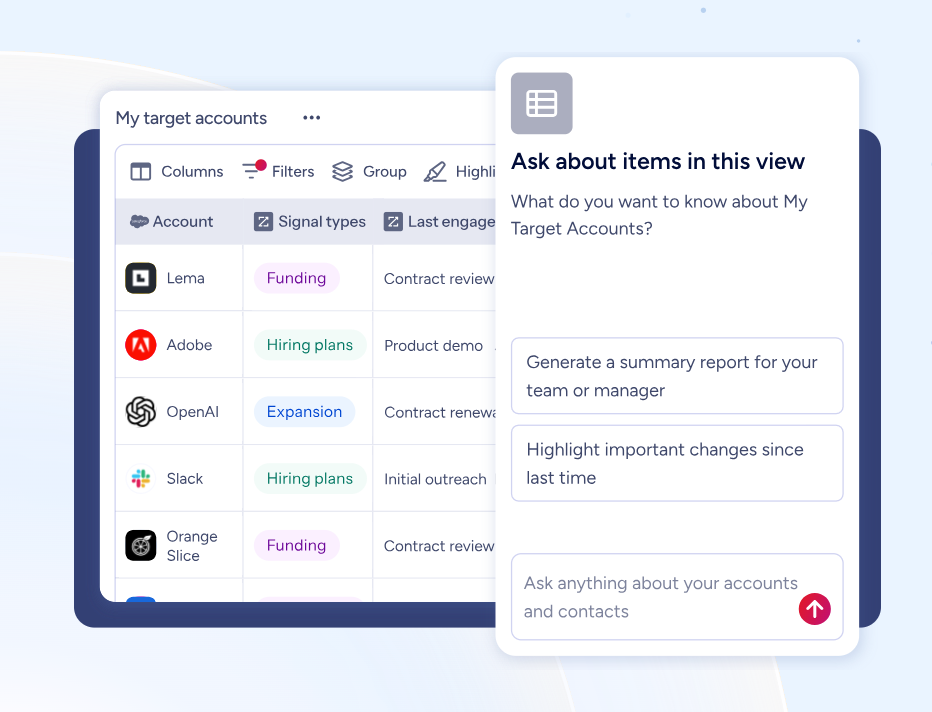
ZoomInfo GTM Studio: Marketing orchestration and ABM that the assistant layer cannot provide
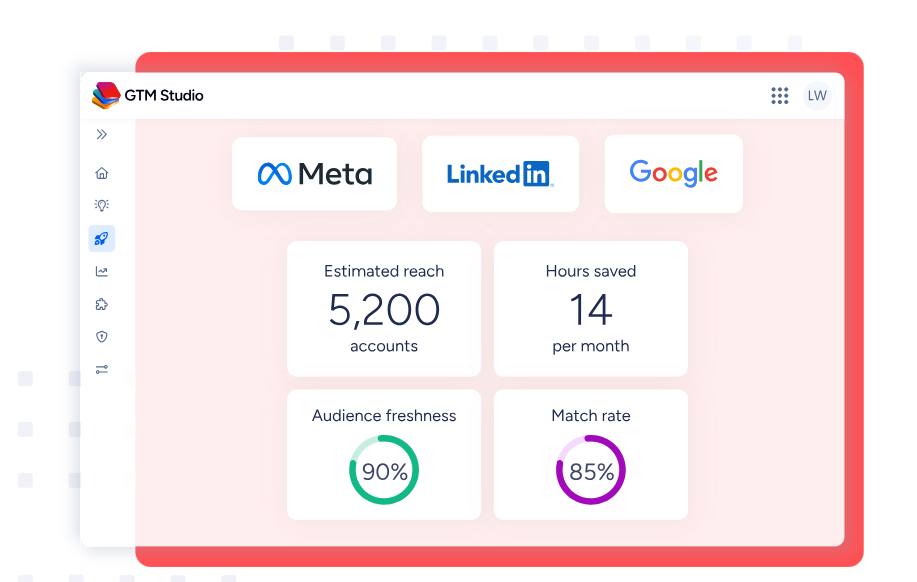
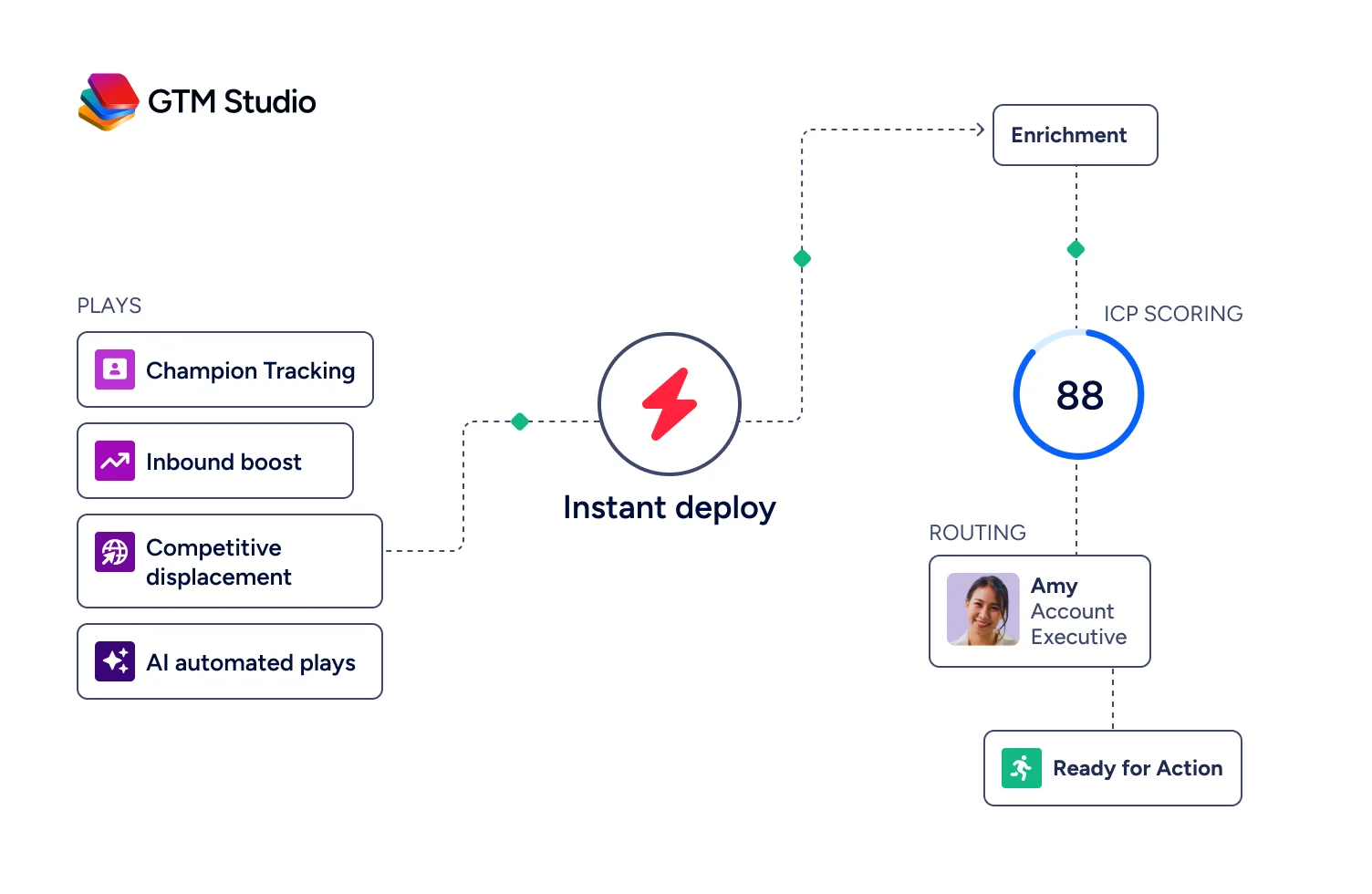
ZoomInfo’s GTM Studio addresses the marketing orchestration gap directly. Marketers, RevOps teams, and GTM engineers can build audiences using natural language, enrich with first- and third-party data, define triggers, and activate plays across channels (email, calls, display ads, direct mail, LinkedIn, Meta, Connected TV) without engineering support.
Pre-built GTM plays cover inbound acceleration, champion tracking, competitive displacement, and ICP targeting. Expansion plays that used to take 3 weeks now launch in 30 minutes.
ZoomInfo Marketing includes a native Demand-Side Platform deploying display ads based on 300+ company attributes, FormComplete (reducing forms to a single field while auto-appending data), and Account Fit Scoring (predictive AI scoring 0-100 based on company attribute patterns).
ZoomInfo APIs and MCP: The same intelligence available in any tool or AI agent
ZoomInfo delivers its intelligence through APIs and MCP (Model Context Protocol), so the same data and GTM Context Graph powering ZoomInfo's own products is accessible inside any third-party tool or custom AI agent.
The MCP server connects AI models directly to ZoomInfo's B2B data as a native tool, supporting Claude and ChatGPT. API access is included in all relevant plans, and the Enterprise API covers Search, Enrich, Copilot (AI intelligence), Marketing (audience management), and Engagements endpoints.
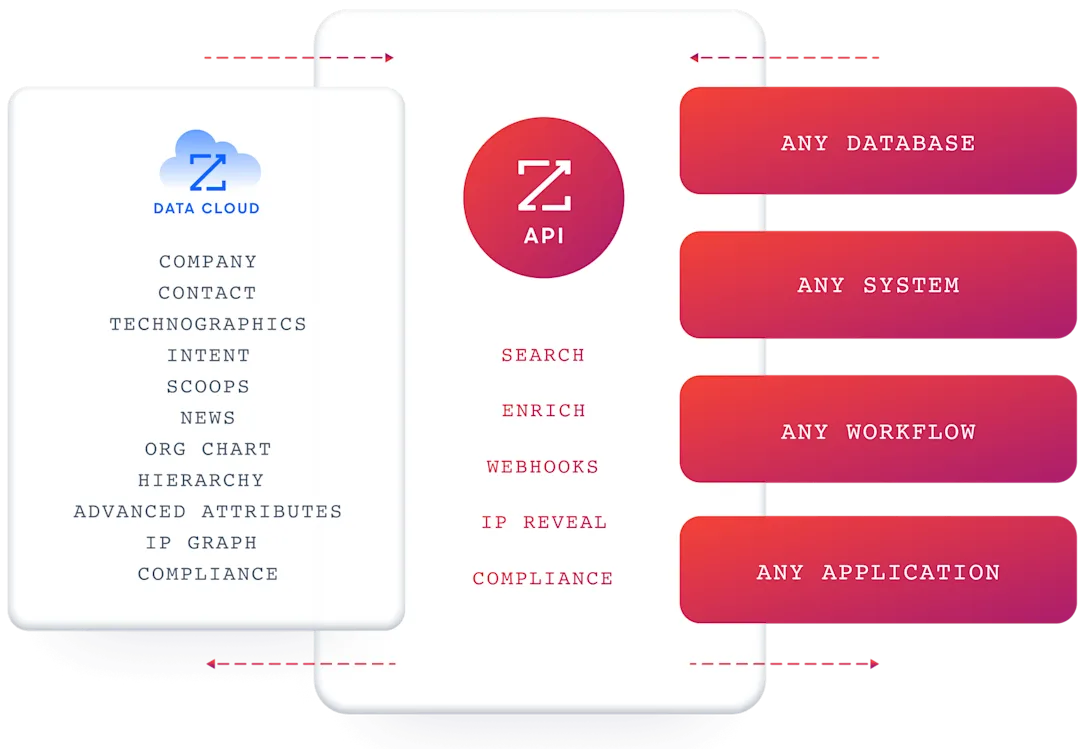
For a team using Lindy's agent builder for sales automation, ZoomInfo's MCP and API access could feed verified contacts and intent signals directly into those workflows.
ZoomInfo's Free Entry Points: A way to evaluate the platform without commitment
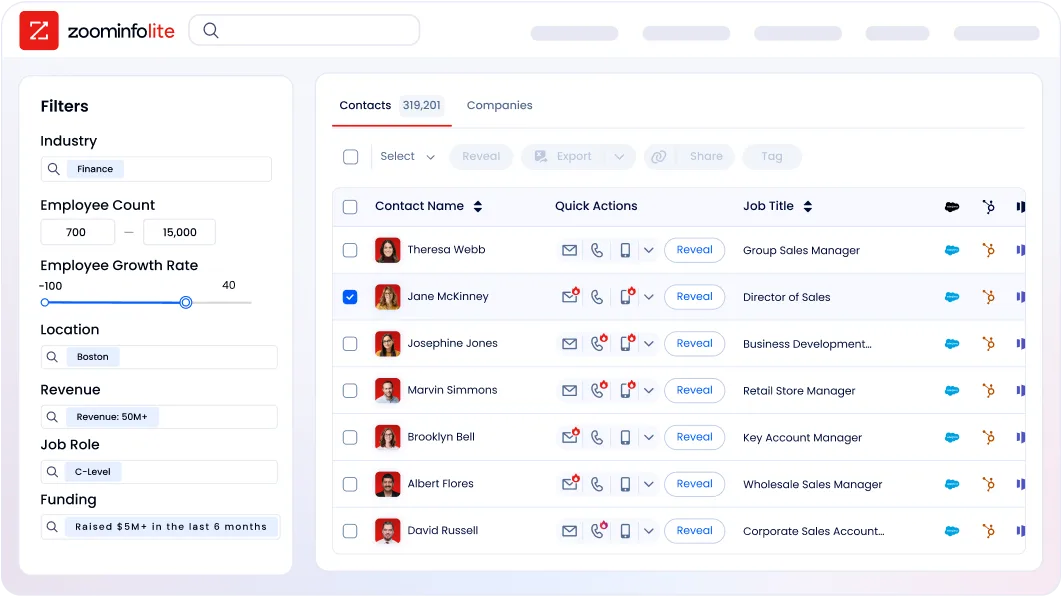
ZoomInfo Lite is a permanent free tier with access to ZoomInfo's B2B database, 10 monthly export credits, individual and company searches, a Chrome extension, and WebSights Lite with up to 10 website visitor reveals per day. A separate 7-day free trial provides broader access with no credit card required.
Seismic's sales team attributed 39% of active pipeline to opportunities identified or influenced by ZoomInfo signals, boosted productivity by 54%, and saved 11.5 hours per week per seller. (Seismic Case Study)
Final Summary
Lindy is a strong toolkit for individual and team productivity automation: AI-driven inbox management that triages and drafts in the user's voice, a meeting assistant that schedules, preps, records, summarizes, and follows up without configuration, iMessage/SMS delegation that puts the assistant where the user already works, and a no-code agent builder with Computer Use for automating workflows across 5,000+ apps. It fits professionals and teams buried in coordination overhead who want an AI that acts, not one that merely answers questions.
It is lighter on the data and intelligence layers that revenue teams need at scale: no native B2B contact database, no buyer intent signals, no conversation intelligence with coaching and deal analytics, and no marketing orchestration or ABM capabilities.
If your bottleneck is upstream of the workflow (knowing which accounts are in-market and having verified contact data to reach them) or beyond what meeting notes can capture (understanding why deals move and coaching reps on patterns across thousands of conversations), that is the ground ZoomInfo covers.
Its 500M-contact, 100M-company database supplies the verified emails and direct dials that outreach runs on. ZoomInfo Intent surfaces accounts researching your category from 6 trillion+ keyword-to-device pairings monthly. Chorus captures and reasons about every sales conversation with coaching scorecards and deal intelligence. GTM Studio gives marketing teams multi-channel orchestration and ABM. And the GTM Context Graph combines all of it into a single intelligence layer that captures why deals move, not just that they moved.
See what that data and intelligence layer adds to your GTM motion: start with ZoomInfo Lite for free, or request a demo to watch verified contacts and intent signals flow into your pipeline.
FAQ
Does Lindy include a B2B contact database for sales prospecting?
No. Lindy's sales agents build prospect lists by scraping 200+ web sources and can integrate with People Data Labs for enrichment, but the platform does not include its own verified database of contacts, companies, phone numbers, or email addresses. The quality and completeness of prospecting data depends on the external sources the agent can access. ZoomInfo maintains 500M contacts, 100M companies, 135M+ verified phone numbers, and 200M+ verified business emails with up to 95% accuracy on first-party data.
Which Lindy plan includes Computer Use?
Computer Use is available on the Pro ($99.99/month) and Max ($199.99/month) plans only. The Plus plan ($49.99/month) does not include it. Computer Use lets agents operate a virtual browser to automate any web-based tool that lacks an API, with persistent session storage for 30 days, multiple named computer profiles, and per-step screenshot audit trails.
Can Lindy record and analyze sales calls?
Lindy records, transcribes, and summarizes meetings across Google Meet, Zoom, and Microsoft Teams, with a queryable Meeting Library. However, it does not include conversation intelligence features like AI coaching scorecards, talk-ratio analysis, objection detection, competitive mention tracking, or deal risk scoring. For teams that need coaching, deal intelligence, and cross-call pattern analysis, ZoomInfo's Chorus provides those capabilities backed by 14 technology patents.
How does Lindy's credit system work?
Credits reset monthly from the signup date and do not roll over. Most tasks cost 1 to 3 credits on basic models and about 10 credits on large models, scaling based on model intelligence, task complexity, and duration. When the limit is reached, Lindy pauses the assistant until the next billing cycle. Users can upgrade to a higher plan or enable overages at 2x the standard credit rate. There is no option to purchase one-off credit top-ups.
Does Lindy offer buyer intent data?
No. Lindy captures engagement signals from the user's own interactions (email replies, meeting activity, CRM events) but does not include proprietary third-party intent data showing which companies are researching specific topics across the web. Intent data enters only through whatever external tools the user connects. ZoomInfo Intent tracks signals from 210 million IP-to-Organization pairings and 6 trillion+ keyword-to-device pairings sourced monthly.
What integrations does Lindy support?
Lindy advertises over 5,000 integrations through its Skills system, with 100+ core connectors. Key integrations include Gmail, Google Calendar, Slack, HubSpot, Salesforce, Notion, Microsoft Outlook, Microsoft Teams, Zoom, Airtable, GitHub, LinkedIn, Telegram, and Twilio. For tools without native integrations, the Computer Use feature (Pro and above) automates any browser-based tool, and webhooks plus HTTP Request actions handle custom API connections.
Is Lindy HIPAA compliant?
Yes, at the Enterprise tier. Lindy carries SOC 2 Type II, HIPAA (with signed BAA available for Enterprise customers), GDPR, and PIPEDA compliance. Data is encrypted at rest using AES-256 and in transit. Enterprise controls include SSO, SCIM provisioning, Audit Logs, and Evals. Individual plans (Plus, Pro, Max) include SOC 2 and GDPR compliance but not HIPAA or the governance features.
Does Lindy include marketing orchestration or ABM capabilities?
No. Lindy covers individual productivity and sales workflow automation but does not include display advertising, audience management, account-based marketing, or multi-channel campaign orchestration. Marketing teams need a separate platform for demand generation. ZoomInfo's GTM Studio provides AI-powered audience building, multi-channel play orchestration (email, calls, display ads, LinkedIn, Meta, Connected TV), and a native Demand-Side Platform, all built on the GTM Context Graph.
