
Choosing between monday vs. Motion for managing your team's work comes down to a few questions:
Do you need a flexible platform you can shape to fit any workflow, or do you want AI to plan your team's days automatically?
Are you managing work across multiple departments (marketing, sales, IT, product), or running client projects through a small team?
Is integration with your existing tech stack non-negotiable, or can you work with a smaller set of connected tools?
Do you need a multi-product suite (CRM, development tools, service desk), or a single tool that combines calendar, tasks, and meetings?
How important is it that your work management platform also helps you find and reach the right buyers?
In short, here's what we recommend:
monday.com is built for teams that need a visual platform they can adapt to any business process. Its board-based architecture supports over 200 use cases across 190 industries, and the product suite now spans work management, CRM, software development, service management, and email campaigns, all running on a shared data layer.
monday.com holds Leader positions in three separate 2025 Gartner Magic Quadrant reports, and its enterprise business is accelerating, with customers spending over $100K annually growing 45% year-over-year.
The tradeoff is setup investment: building cross-board dashboards, multi-level portfolios, and interconnected automations takes real configuration time, and per-seat pricing scales quickly as teams grow.
Motion takes the opposite approach. Instead of giving you tools to build your own system, Motion builds the system for you. Its AI scheduling engine monitors workload, deadlines, dependencies, and team capacity, then plans and replans every team member's day.
For small and mid-sized service businesses (IT providers, marketing agencies, law firms, consulting shops) where coordination overhead eats into billable hours, Motion delivers concrete results: projects finish 32% faster and managers save an estimated 4 hours per project.
The tradeoff is control. Motion's opinionated approach works well when your workflows fit its model, but teams needing customization or enterprise governance may find it constraining.
Both platforms help teams organize and execute work. But for sales and marketing teams, the best project management in the world won't generate pipeline if you don't know which buyers to target, when they're researching solutions, or how to reach the right decision-makers. That intelligence is what separates organized teams from teams that close revenue.
ZoomInfo is a GTM platform that provides the buyer intelligence go-to-market teams need alongside whatever work management tool they choose.
With a B2B database covering 500M contacts, 100M companies, 135M+ verified phone numbers, and 200M+ verified business email addresses, ZoomInfo answers the questions that neither monday nor Motion can: which accounts are in-market right now, who the decision-makers are, and what signals indicate buying readiness.
Its GTM Context Graph combines this data with your CRM records, conversation transcripts, and behavioral signals to reveal not just what happened in a deal, but why it happened.
Whether your team runs on monday CRM or manages outreach tasks in Motion, ZoomInfo provides the verified data and intelligence that makes every sales motion more effective. Sellers access it through GTM Workspace, marketers and RevOps through GTM Studio, and developers through APIs and MCP in any tool your team already uses.
If that sounds like the missing piece, see what ZoomInfo can do for your team.
monday vs. Motion vs. ZoomInfo at a glance
monday.com | Motion | ZoomInfo | |
|---|---|---|---|
Core approach | Visual, customizable work platform | AI-driven scheduling and project management | B2B intelligence and GTM execution |
Team size focus | Mid-market to enterprise | SMB and small teams | Enterprise and upper mid-market |
Project management | Full (Gantt, Kanban, portfolio, resource management) | AI auto-scheduling with dependency progression | N/A (powers the data feeding your pipeline) |
AI capabilities | Sidekick, Agents, Vibe, MCP support | Auto-scheduling engine, AI Employees, Meeting Notetaker | GTM Context Graph, AI account intelligence |
CRM features | Full CRM product (monday CRM) | None | GTM intelligence that feeds into any CRM |
Integrations | 850+ apps and integrations | Calendar sync, Zapier, select native integrations | 172+ marketplace partners, API and MCP access |
Starting price | $9/seat/month | $19/seat/month | Custom-quoted |
Free plan | Yes (up to 2 seats) | No (trial only) | Yes (ZoomInfo Lite, permanent) |
Best for | Teams needing customizable work management across departments | Service businesses wanting AI to eliminate coordination overhead | Go-to-market teams that need verified B2B data and buyer intelligence |
Flexible work platform vs. intelligent scheduler
The gap between monday.com and Motion is wider than the feature lists suggest.
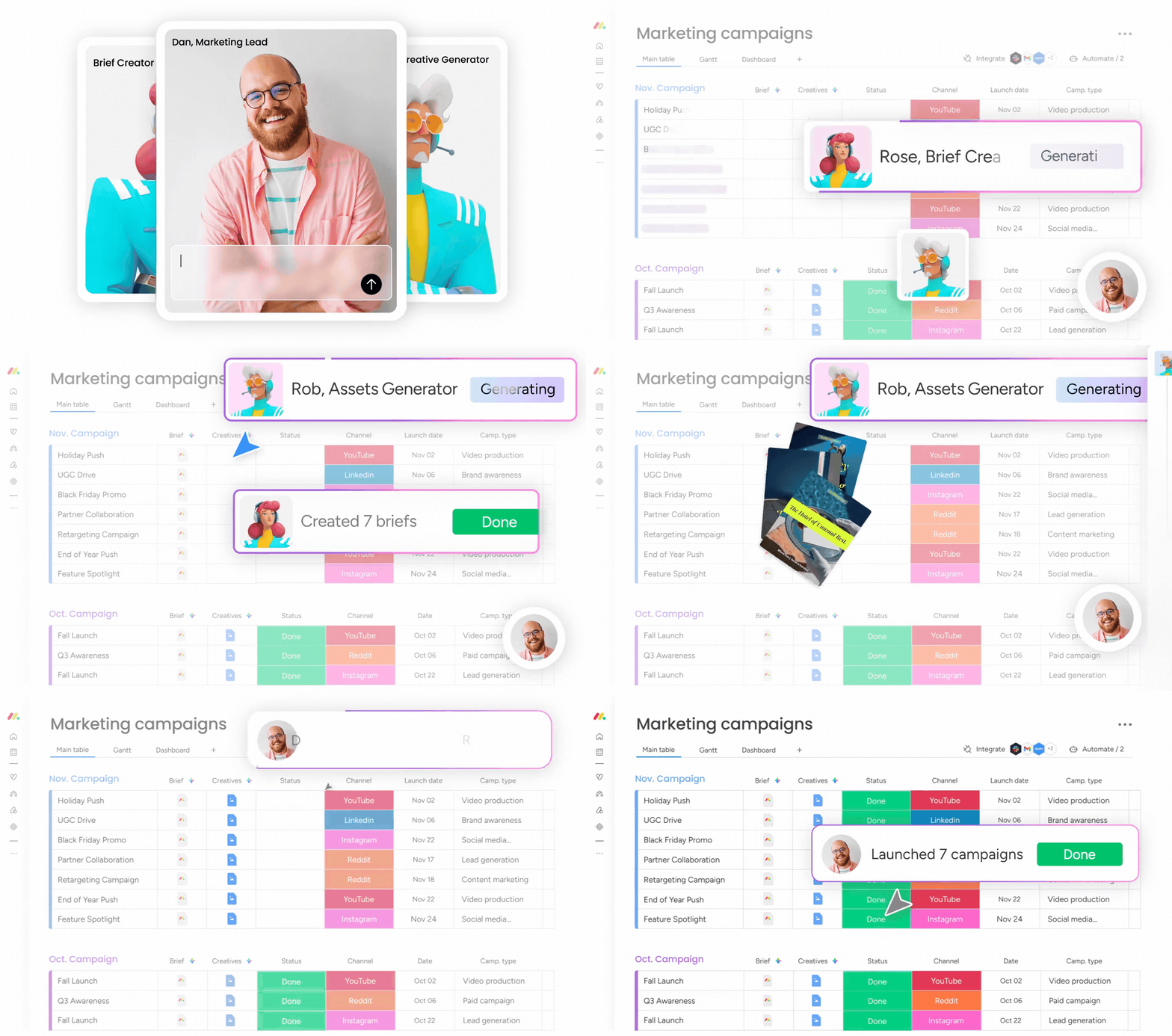
monday.com is a platform, not a product. It gives you a grid of rows, columns, and views, then lets you turn that grid into whatever you need: a marketing campaign tracker, a sales pipeline, a sprint board, an IT helpdesk, an HR onboarding flow. The flexibility is real.
Source: monday.com
Over 250,000 customers across nearly every industry have built workflows on monday.com's boards, including enterprise names like Coca-Cola, Carrefour, and Canva.
The cost of this flexibility is ownership. You have to decide how to structure your boards. You have to build the automations that connect them. You have to maintain the dashboards that report on them.
For organizations with dedicated operations teams or monday.com admins, this is a strength: you get exactly what you design. For smaller teams without that capacity, it means spending time building the system instead of using it.
Motion starts from the opposite assumption. Instead of asking "How do you want to organize your work?", Motion asks "What needs to get done, and by when?" and figures out the rest.

Source: Motion
Its scheduling engine takes every task, deadline, priority, and calendar event across your team, then builds each person's daily plan. When something changes (a meeting runs long, a task takes longer than expected, a higher-priority item arrives), Motion reshuffles the entire day and week in seconds.
This is a different paradigm. In monday.com, a project manager looks at a Gantt chart and decides who should work on what next. In Motion, the system makes that decision automatically.
The question isn't which approach is better. It's which one matches how your team actually works.
Project management: breadth vs. automation
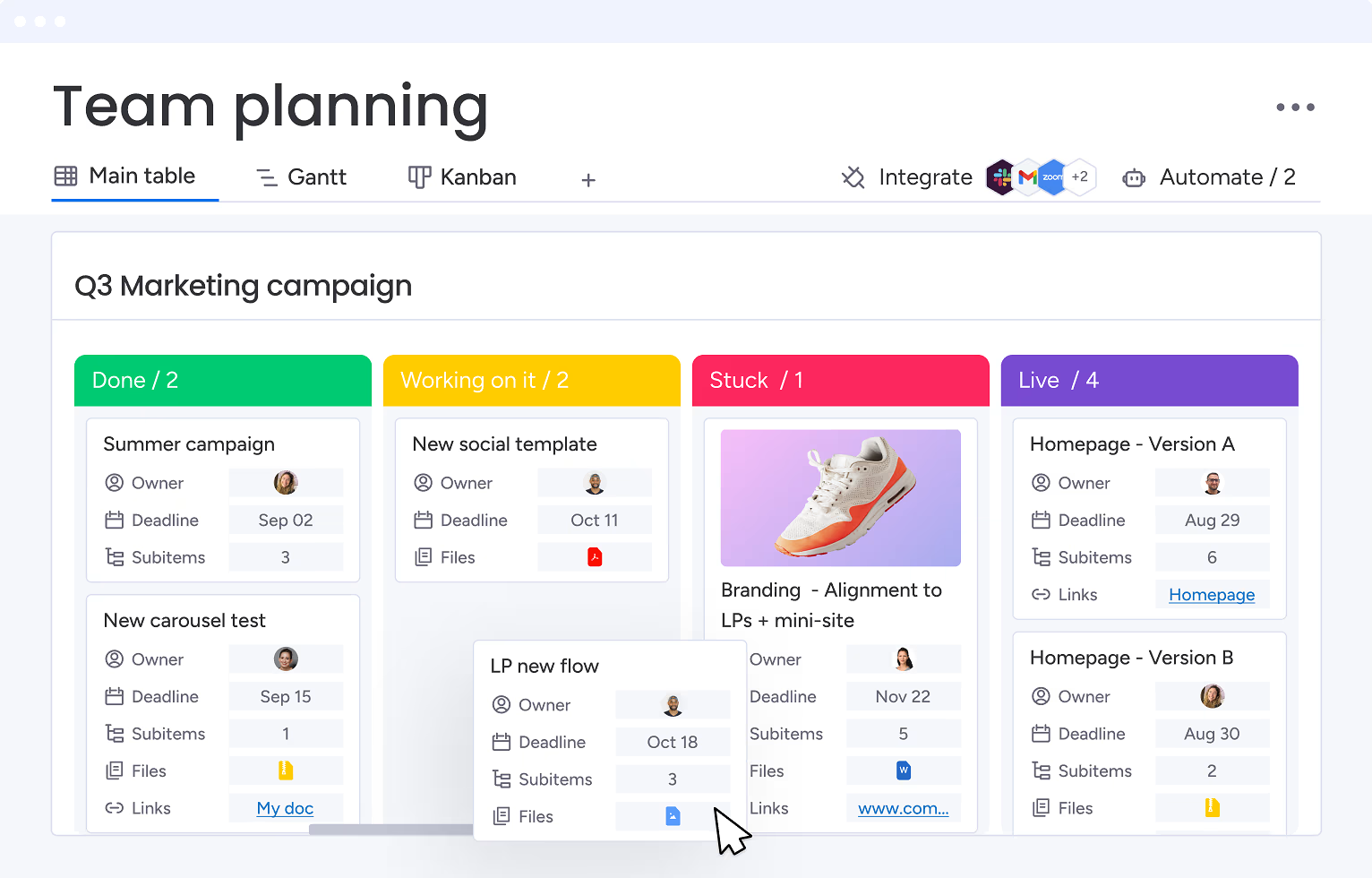
monday.com offers the full project management toolkit. Gantt charts with critical path overlays and baselines let you compare planned versus actual timelines. Kanban boards track work-in-progress across configurable status columns.
Source: monday.com
Portfolio management gives executives a single view across multiple projects, and resource management views show individual and team capacity. Goals and OKRs let organizations trace from company-level objectives down to individual tasks within the same workspace.
The automation layer adds depth. monday.com's no-code builder lets users set trigger-condition-action workflows, and Enterprise plans include 250,000 automation and integration actions per month. But someone still has to design, test, and maintain these automations.
Motion's project management is narrower in tools but smarter in execution. The AI Project Manager generates complete project structures from a plain-language description, claiming over 90% accuracy out of the box. When a blocking task is completed, dependent tasks unlock and get assigned automatically. No one has to advance the project by hand.

Source: Motion
The AI Workflows Builder goes further. Paste a Standard Operating Procedure document, and Motion generates a workflow template with tasks, durations, dependencies, and role assignments, including a gap analysis that flags steps the SOP may have missed.
For service businesses running the same type of project repeatedly (a marketing agency launching campaigns, an IT firm onboarding clients), this eliminates hours of setup per project.
Where Motion falls short is breadth. Portfolio-level reporting across dozens of projects, multi-level permissions for enterprise governance, and the customization that monday.com's board system enables are not Motion's focus. The platform excels for service businesses managing client deliverables, but it is not built for an enterprise PMO running a transformation program.
AI approaches take different paths
Both platforms invest in AI, but their implementations reflect different design philosophies.
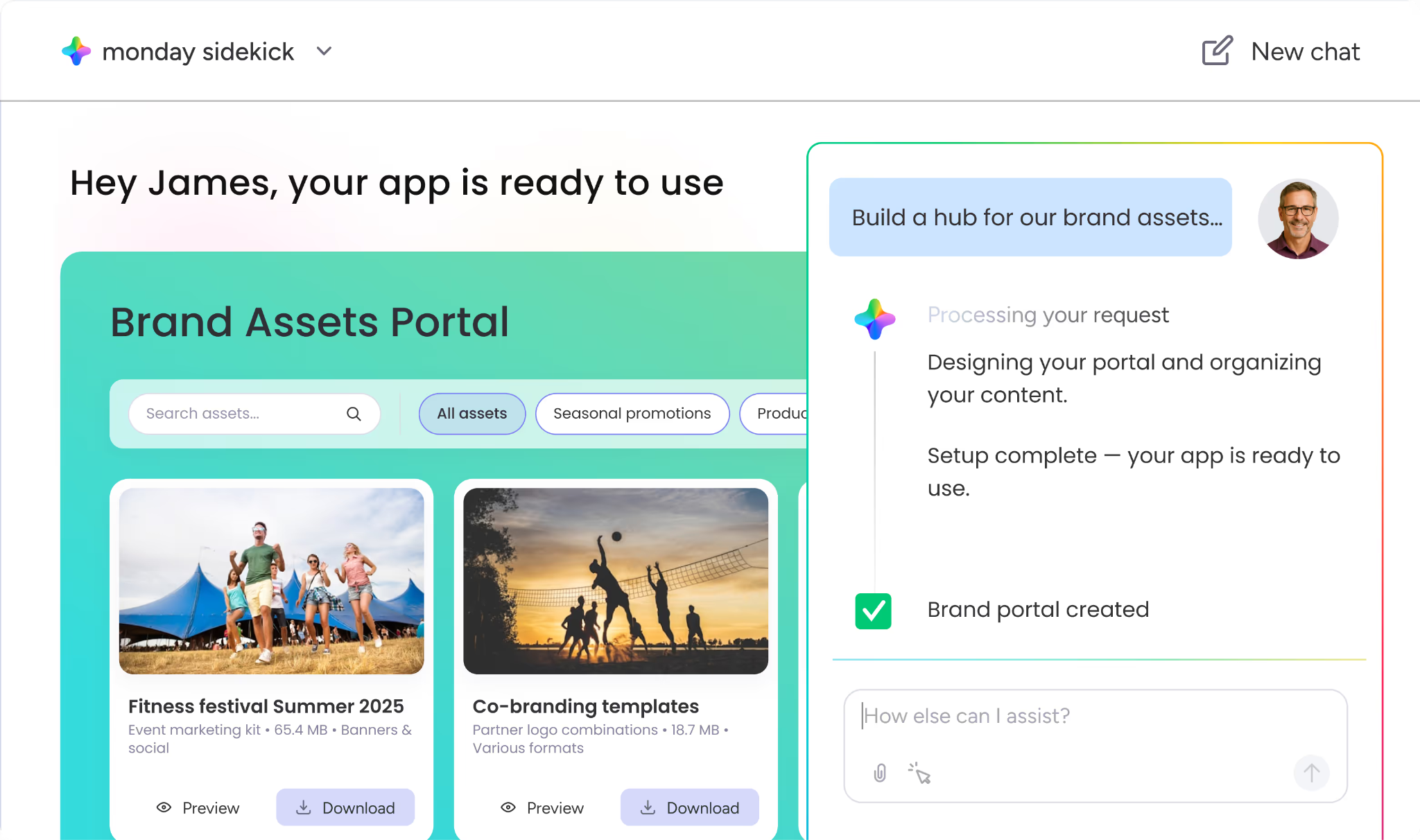
monday.com's AI adds intelligence as a layer across its existing platform. monday Sidekick is a personal AI assistant that understands a user's boards, deadlines, and connected apps, then acts on their behalf: summarizing status updates, creating project plans, building dashboards, and updating board data through conversation.
Source: monday.com
monday Agents run autonomously across the platform and connected tools, handling repeatable workflows around the clock with explicit guardrails and transparency logs.
monday Vibe lets users describe a custom work app in plain language and generates a functional application within the workspace; it surpassed $1M ARR within 2.5 months of pricing launch, the fastest product to that milestone in the company's history.
The most architecturally significant move is monday MCP, which lets external AI agents (Claude, Cursor, Mistral, Microsoft Copilot) connect to monday.com and operate within it. This positions monday.com not just as a tool with AI, but as an operating environment for AI agents. In March 2026, monday.com launched AI agent infrastructure that lets external AI agents authenticate and work inside the platform.
Motion's AI isn't a layer. It's the engine. The auto-scheduling system evaluates every task's start date, duration, deadline, priority, chunking settings, defined schedules, breaks, calendar events, and recurrence rules, then re-optimizes hundreds of times a day.
If a task cannot fit, Motion flags it in a "Can't Fit" state with a red indicator, forcing a capacity conversation before a deadline is missed rather than letting it slip silently.
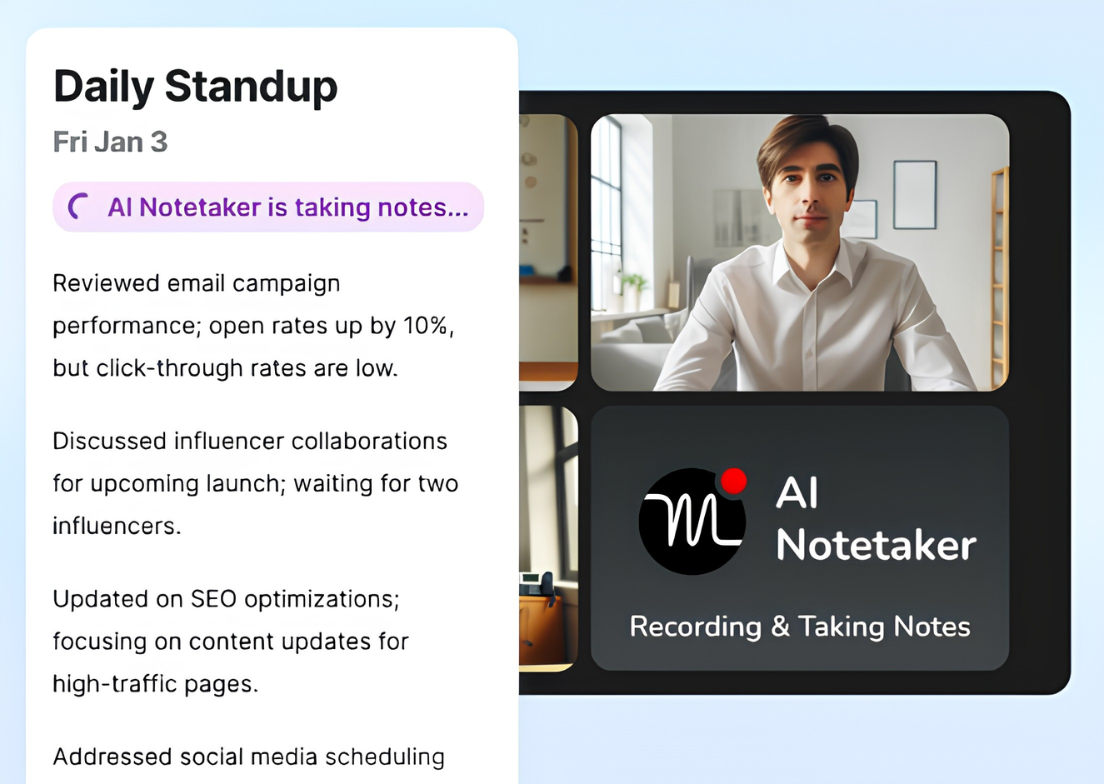
Motion's AI Meeting Notetaker, trained on 10,000+ hours of proprietary meeting video data, transcribes calls, generates summaries, and converts action items into scheduled tasks. The AI Employees framework (named agents like Alfred the EA, Chip the SDR, and Millie the PM) extends this with role-specific agents trained on a company's own projects, SOPs, and workflows.
Source: Motion
The difference matters for adoption. monday.com's AI features are optional: you can use the platform productively without touching Sidekick or Agents. Motion's AI is inseparable from the product. You can't turn off the scheduling engine and still have a functional tool.
For teams who embrace automated scheduling, this is the entire point. For teams who prefer to make their own prioritization decisions, it can feel like handing over control.
Buyer intelligence: the layer neither platform provides
monday.com can manage your sales pipeline. Motion can schedule your outreach calls. But neither platform can tell you which companies to put in that pipeline, which contacts to call, or when accounts are evaluating solutions.
This is not a limitation of either platform. It's simply not what they're designed to do. monday CRM tracks deals through stages. Motion schedules tasks against deadlines. But the intelligence that determines whether those deals are worth pursuing and those tasks are aimed at the right targets sits in a different layer entirely.
ZoomInfo occupies that layer. As a GTM platform, ZoomInfo provides three things that work management tools cannot:
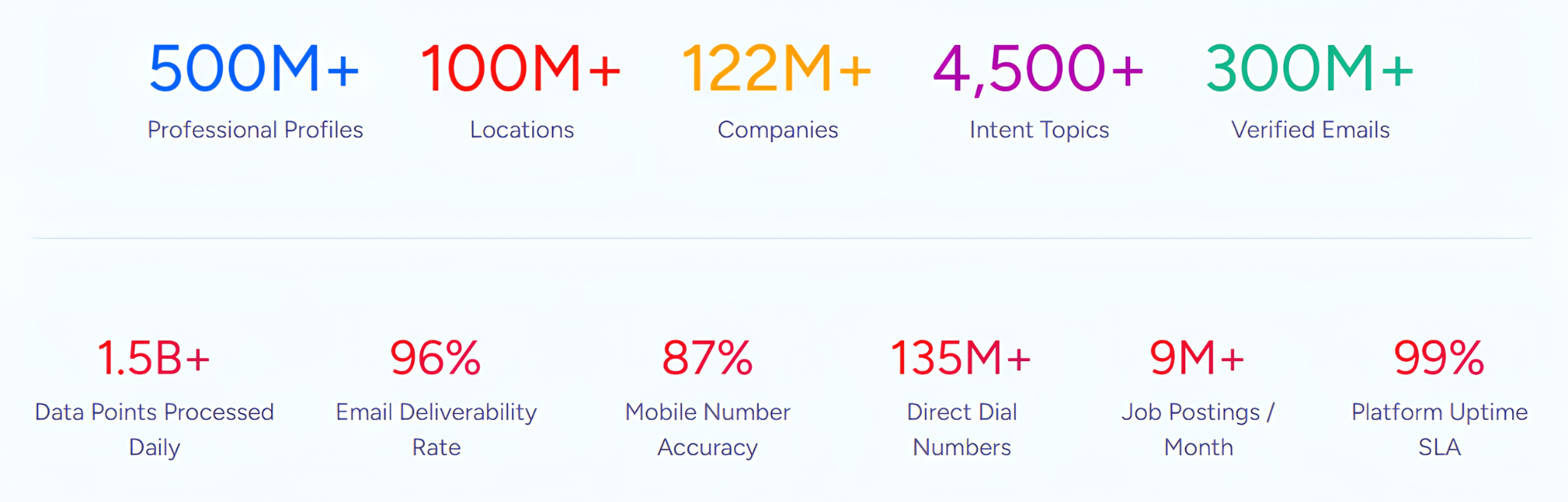
First, verified buyer data at scale. ZoomInfo maintains a B2B database covering 500M contacts, 100M companies, 135M+ verified phone numbers, and 200M+ verified business email addresses. In a Fortune 500 competitive RFP analyzing 25 million contacts across vendors, the independent consultant concluded that "no other competitor came even close."
Source: ZoomInfo
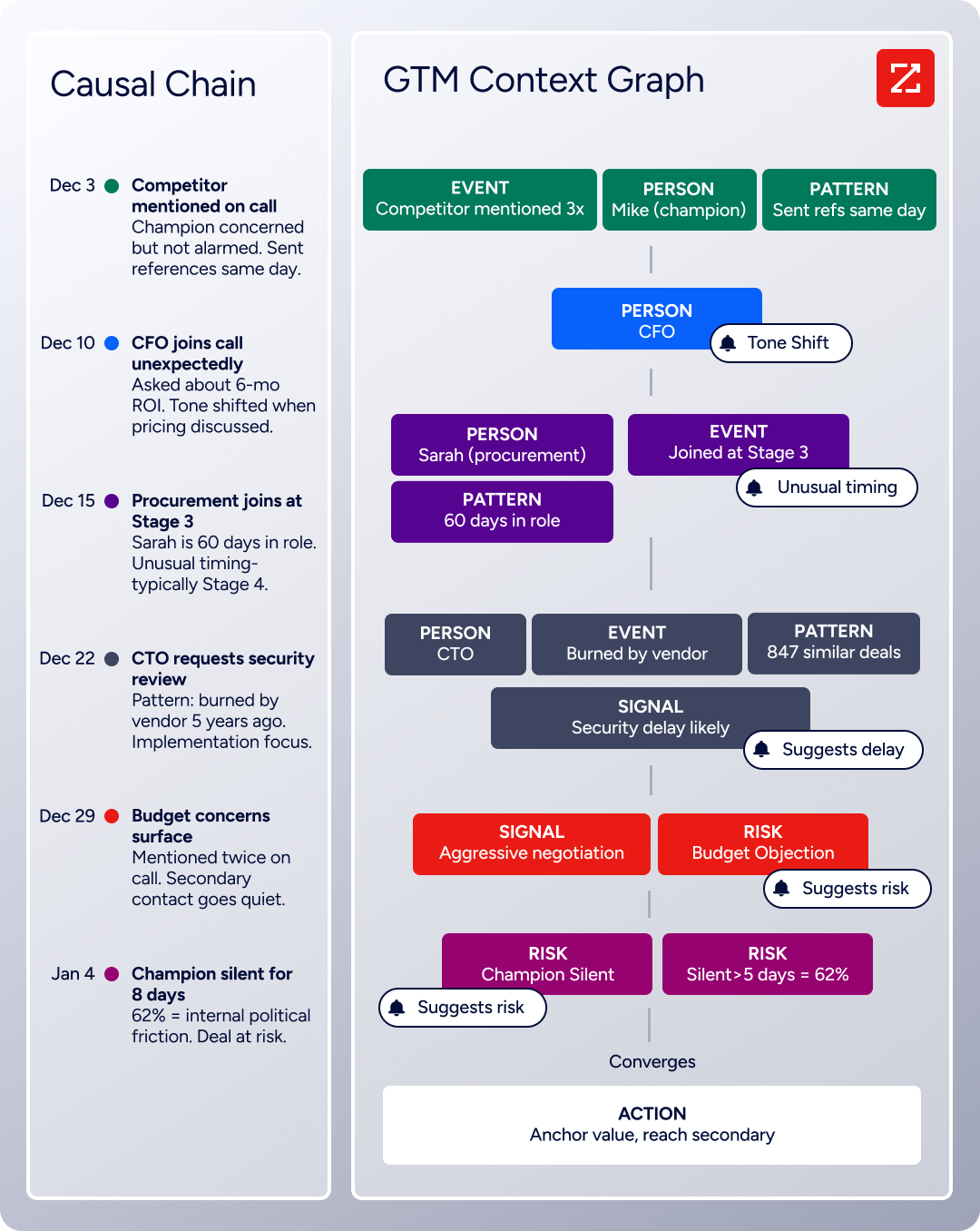
Second, contextual intelligence. The GTM Context Graph processes 1.5B+ data points daily, combining ZoomInfo's third-party data with a customer's CRM records, conversation transcripts, and behavioral signals.
Source: ZoomInfo
The result is an intelligence layer that captures not just what happened in a deal, but why it happened. A CRM records that a deal moved from stage 3 to stage 4. The GTM Context Graph reasons that executive sponsorship entering at this stage, combined with ROI-focused questions on the last call, matches the pattern behind closed-won deals in your segment.
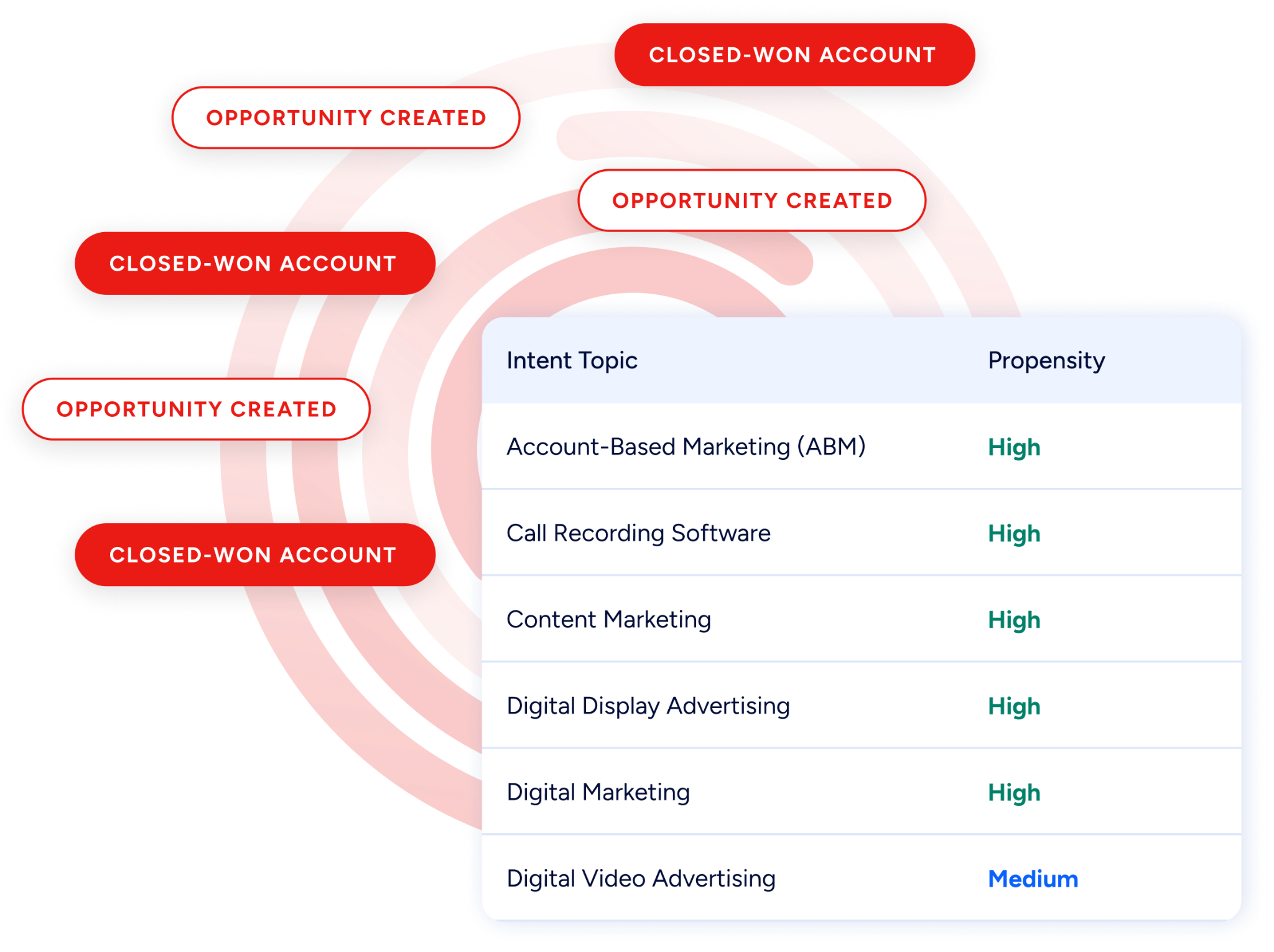
Third, intent signals that show who's buying now. ZoomInfo Intent tracks signals from 210 million IP-to-Organization pairings and 6 trillion+ new keyword-to-device pairings sourced monthly, surfacing which companies are researching solutions in your category before they fill out a form.
Source: ZoomInfo
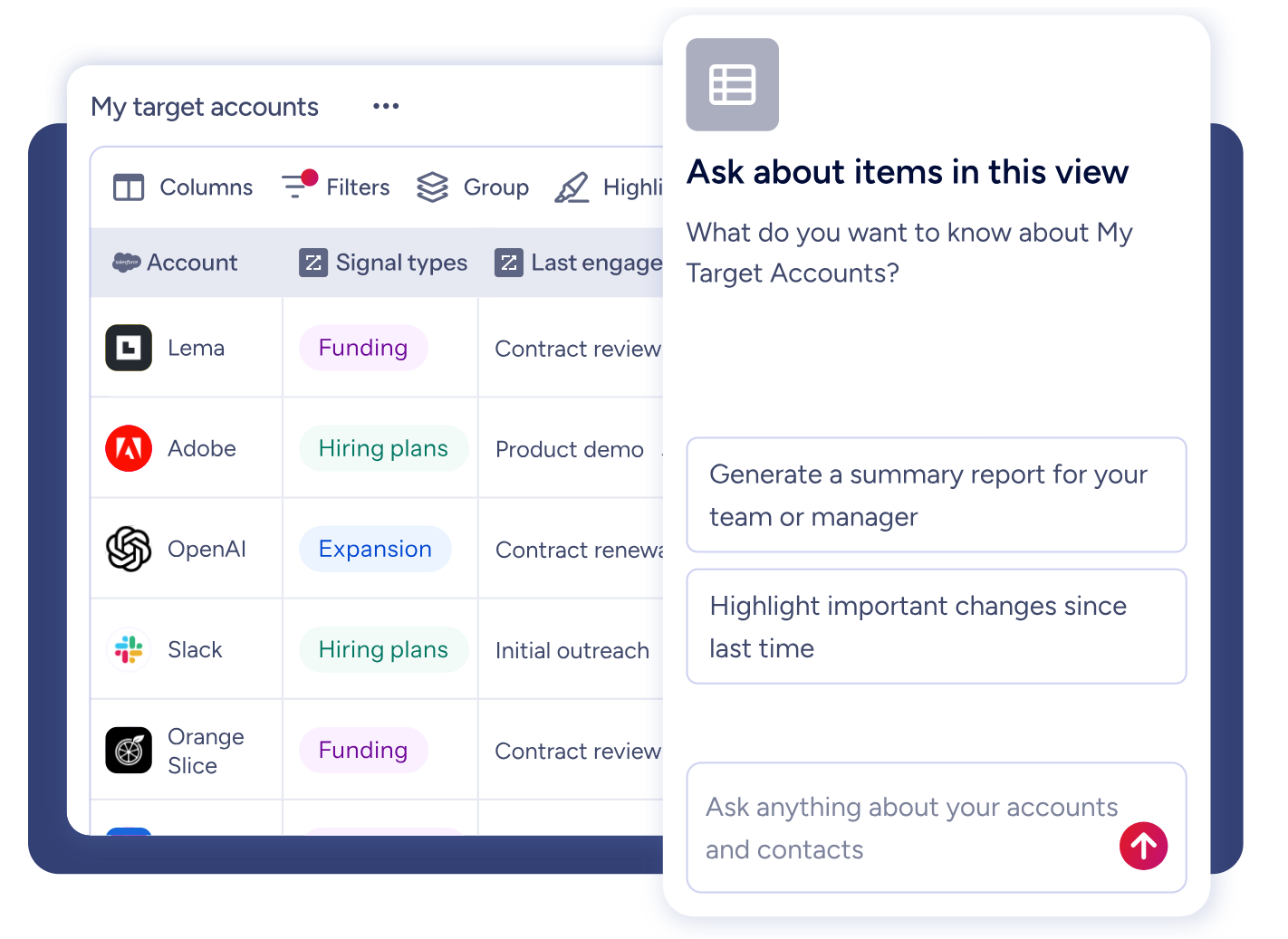
This intelligence reaches teams through three channels: GTM Workspace gives sellers AI-powered account research, prioritized prospect feeds, and AI-drafted outreach in a single workspace.
Source: ZoomInfo
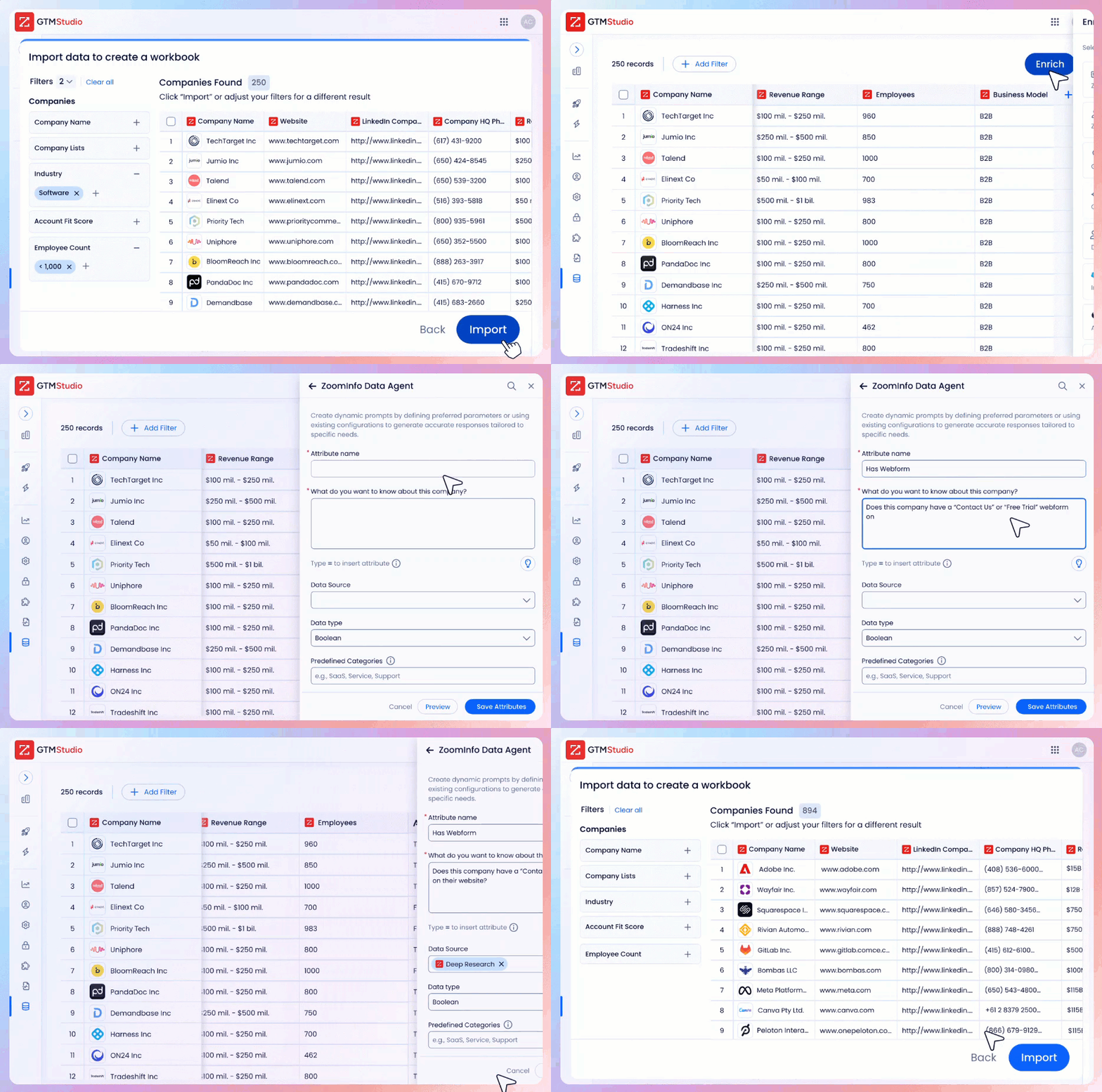
GTM Studio gives marketers and RevOps a canvas to design, enrich, and launch GTM plays. And APIs and MCP expose the same intelligence to any CRM, any AI agent, or any custom application, including monday.com.
Source: ZoomInfo
For go-to-market teams, combining a work management platform with ZoomInfo's intelligence means the difference between managing busy work and managing revenue.
"That combination of our internal CRM data, external signals, and AI that's given all that context has helped us craft very specific account- and persona-based messages. And people have responded to them right away." (Seismic)
Integration ecosystems reflect different strategies
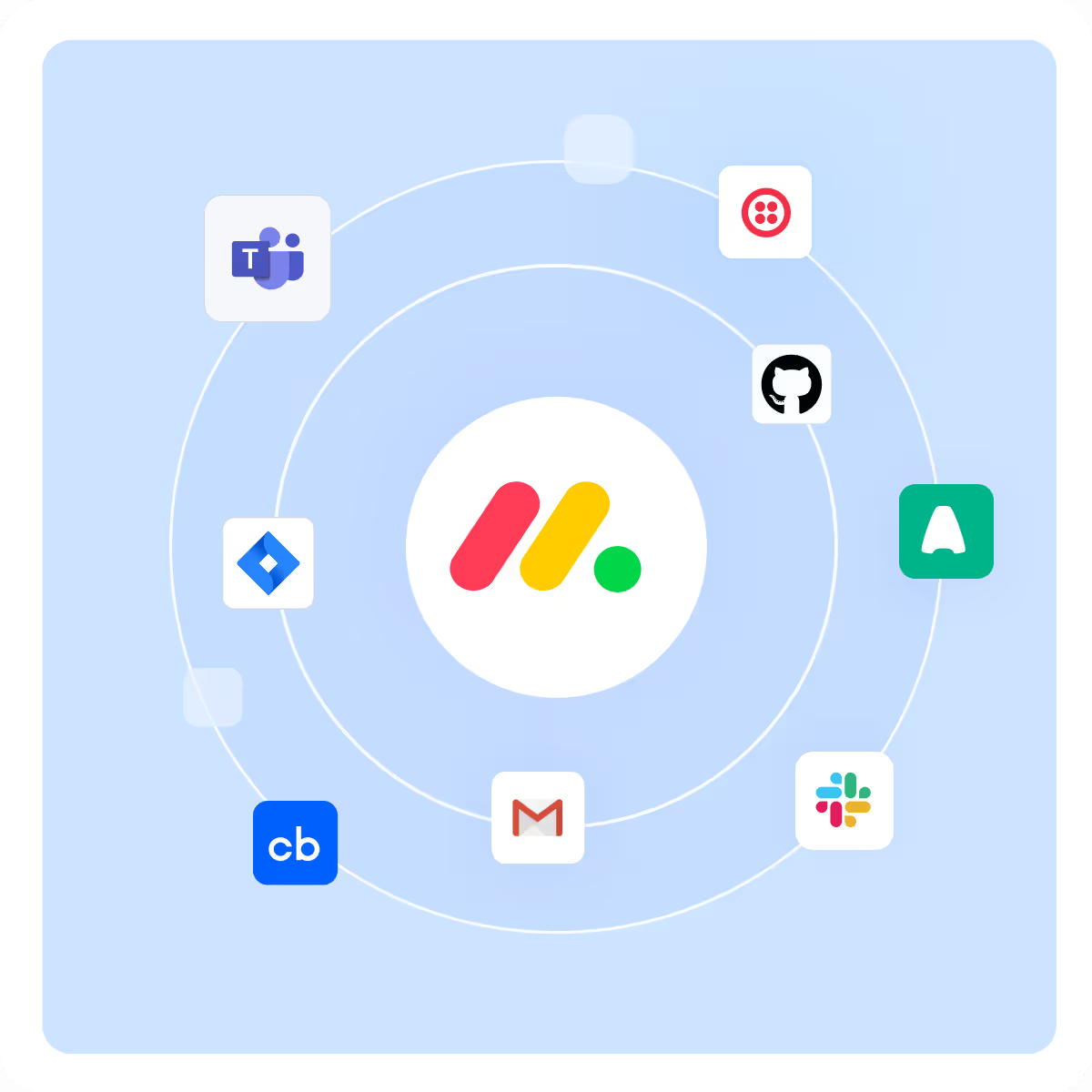
monday.com's integration philosophy is breadth. The platform offers 850+ integrations and apps through its marketplace, with 1.6 million app installs and 87% of enterprise accounts having installed at least one app. Native integrations include Slack, Microsoft Teams, Jira, GitHub, Salesforce, HubSpot, Gmail, Outlook, Zoom, and dozens more.
Source: monday.com
For supported platforms, two-way syncs push changes in both directions, so engineers can keep working in Jira while project managers work in monday.com without either side going stale.
The GraphQL API is mature and well-documented, with a public schema, interactive playground, JavaScript and Python SDKs, and quarterly versioning. The Autopilot hub provides a centralized command center showing the health and usage of every automation and integration across an account.
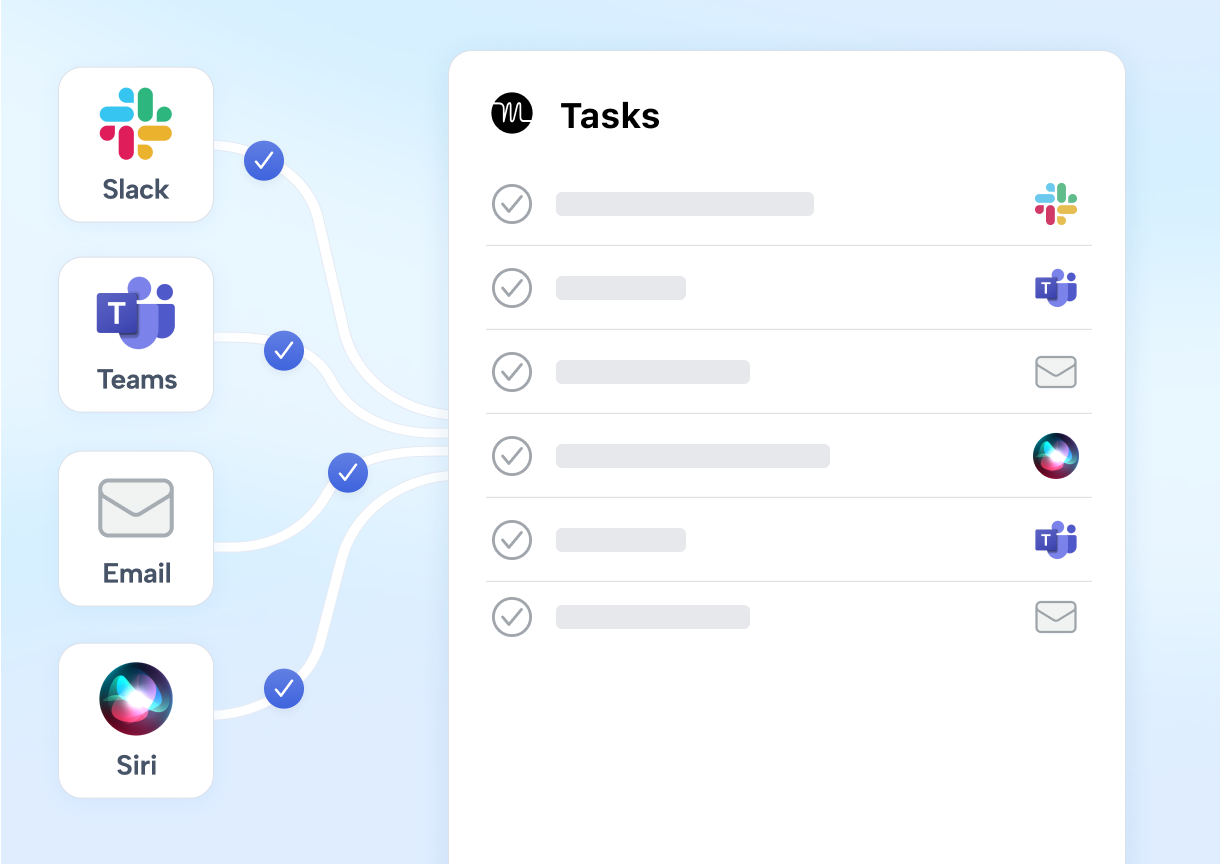
Motion's integration strategy is focus. Native connections cover the essentials: Google Calendar, Outlook, and iCloud for calendar sync; Zoom, Google Meet, and Microsoft Teams for conferencing; Gmail and Outlook for email-to-task conversion; and HubSpot and Salesforce for CRM connectivity.
Source: Motion
Beyond these, Zapier is the only documented middleware, and the connection is one-directional: external app events can create Motion tasks, but Motion changes do not push back out.
The REST API is available to all users but limited in scope, covering tasks, projects, comments, and users. It does not expose calendar, scheduling, or AI features. Rate limits are tight: 12 requests per minute for individual accounts, 120 for teams. The integrations FAQ explicitly states there are no current plans for native integrations with tools like Notion, ClickUp, or Google Sheets.
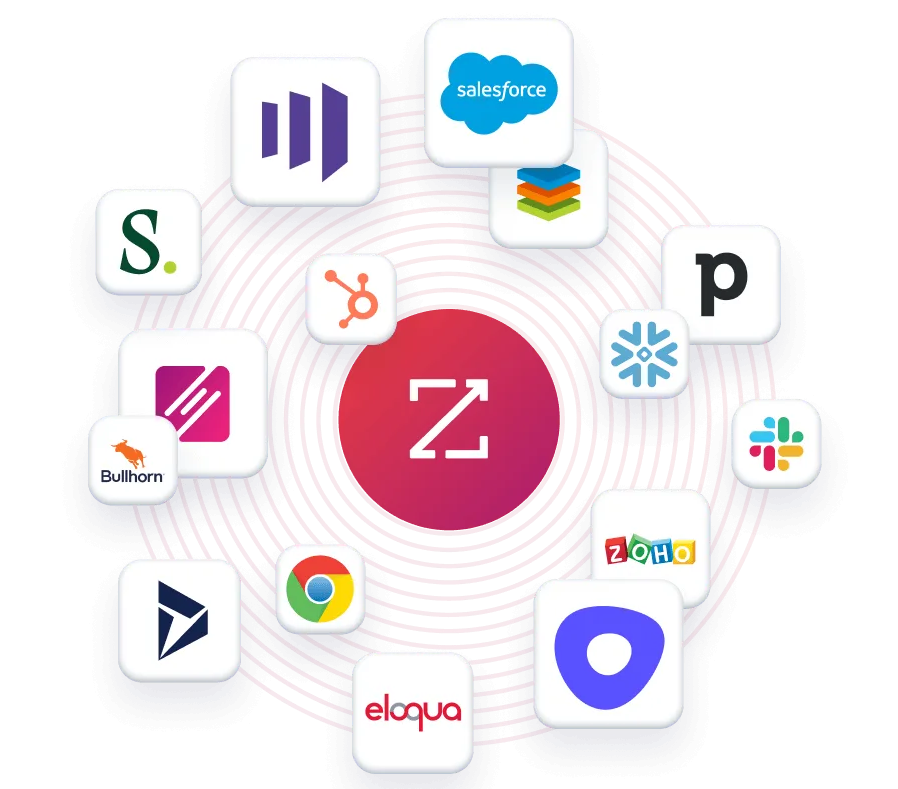
ZoomInfo takes a different approach. Its Marketplace lists 172+ integration partners across CRM, marketing automation, sales engagement, data warehousing, and AI categories. Native integrations with Salesforce, HubSpot, and Microsoft Dynamics 365 are embedded, and the Cloud Partners program delivers ZoomInfo data into AWS, Google Cloud, Snowflake, and Databricks.
Source: ZoomInfo
The MCP server connects ZoomInfo data to any MCP-compatible AI client (including Claude and ChatGPT), meaning any tool that supports the Model Context Protocol can access ZoomInfo's buyer intelligence natively. API access is included in all relevant plans.
"ZoomInfo is our one source of truth for account data, and even more so for contact data. There's no other provider in the market that provides you with that level of detail." (Smartsheet)
For teams evaluating monday.com versus Motion, the integration gap matters most at scale. A 10-person agency can likely work within Motion's focused set of integrations. A 200-person organization with an established tech stack will need monday.com's breadth, or risk creating data silos that the platform was supposed to eliminate.
Pricing comparison
The pricing structures reveal who each platform is designed for.
monday.com uses a per-seat, tiered subscription model with seats sold in buckets starting at 3 (then 5, 10, 15, 20, and up). Plans, billed annually:
Free: $0, up to 2 seats, 3 boards, no automations or integrations
Basic: $9/seat/month, unlimited items, 5 GB storage, no automations
Standard: $12/seat/month, Gantt and Calendar views, 250 automation and integration actions/month
Pro: $19/seat/month, time tracking, formula columns, chart view, 25,000 automation actions/month
Enterprise: Custom pricing, portfolio management, resource management, 250,000 automation actions/month
Annual billing saves 18%. New signups start with a 14-day free Pro trial (no credit card required).
Motion uses a simpler two-tier model:
Pro AI: $29/seat/month (or $19 billed annually), includes AI task planning, calendar, meeting notetaker, docs, and 7,500 AI credits/seat/month
Business AI: $49/seat/month (or $29 annually), adds capacity planning, Gantt charts, advanced dashboards, time tracking, permissions, and priority support with 15,000 AI credits/seat/month
Annual billing saves 33%. There is no free plan. Even the trial requires a $1 card hold at signup. AI credit overages cost $0.25 per 100 credits on Pro AI and $0.19 per 100 on Business AI.
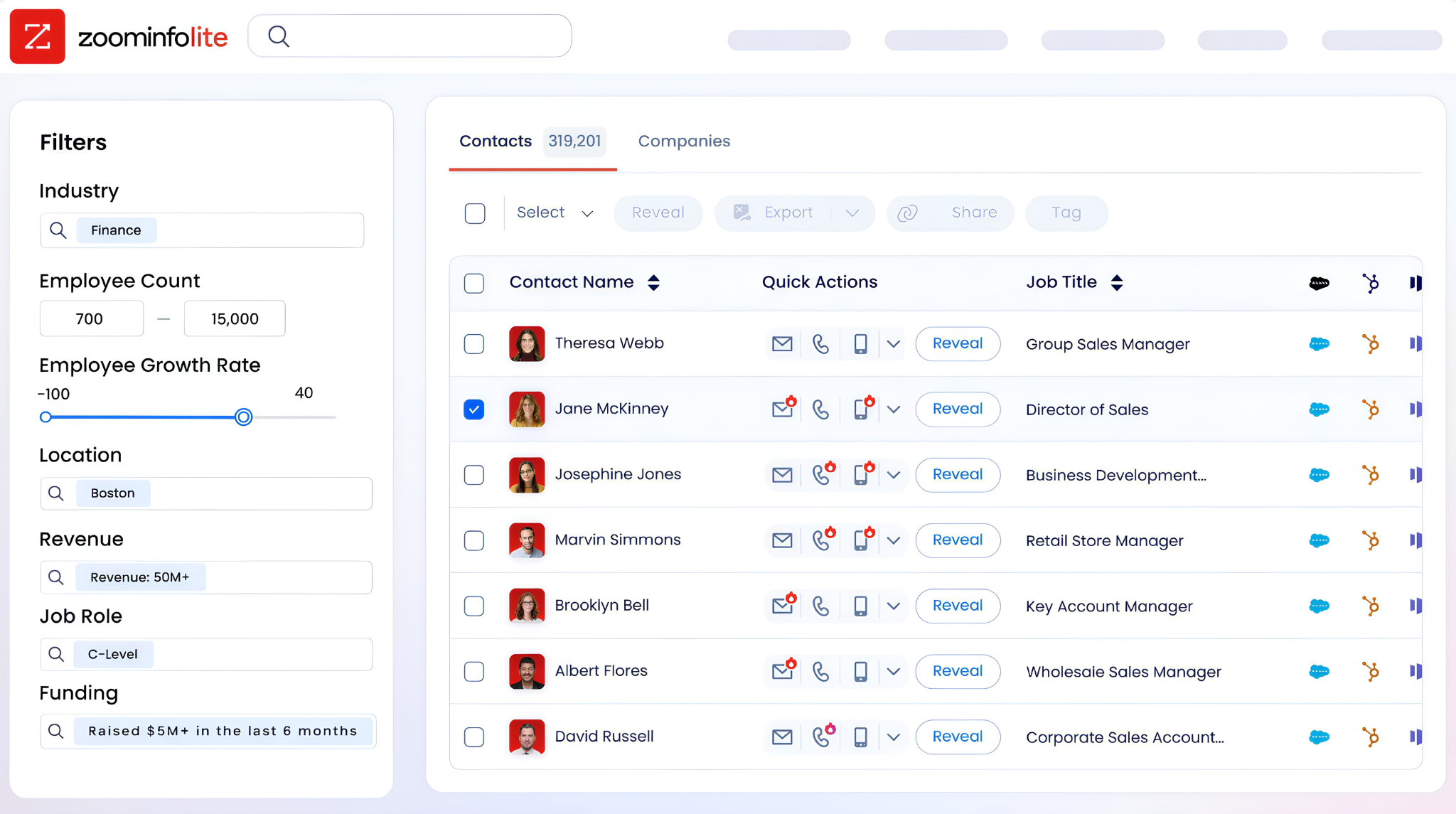
ZoomInfo uses custom-quoted, consumption-based pricing with no publicly listed prices. Costs depend on usage patterns, number of seats, credit volume, and selected capabilities. ZoomInfo Lite provides a permanent free tier with access to the B2B database, 10 monthly export credits, the Chrome extension, and website visitor identification. A 7-day free trial of paid features is also available without a credit card.
Source: ZoomInfo
The comparison gets more nuanced than list prices suggest. monday.com's Basic plan at $9/seat is cheap but lacks automations, integrations, and Gantt views (features many teams consider essential).
By the time you're on the Pro plan at $19/seat, you're at the same monthly rate as Motion's Pro AI (on monthly billing), but Motion includes AI scheduling, a meeting notetaker, booking links, and docs that monday.com either gates to higher tiers or offers through separate products.
Motion's lack of a free tier is a real barrier for individual users testing the platform. monday.com's free plan (though limited to 2 seats and 3 boards) at least lets teams experiment without commitment.
monday vs. Motion vs. ZoomInfo: Which should you choose?
The right choice depends on where your team's pain actually lives.
Choose monday.com if:
You need a customizable platform that can serve multiple departments (marketing, sales, IT, product, HR) from a single system
Your organization requires enterprise governance, portfolio management, and multi-level permissions
You want a full CRM product alongside your work management tool
Your tech stack demands integrations with existing tools (Jira, Salesforce, GitHub, Slack)
You have the administrative capacity to design and maintain board structures and automations
Choose Motion if:
You run a service business where coordination overhead directly cuts into revenue (agencies, consulting firms, IT providers, law firms)
You want AI to handle daily scheduling, task prioritization, and project tracking without manual upkeep
Your team has tried traditional PM tools and struggled with adoption because employees found them too complex
You need a meeting scheduler, notetaker, and project manager in one subscription
Your team is between 5 and 50 people and values simplicity over configurability
Use ZoomInfo with either platform if:
Your team runs sales or marketing and needs verified contact data, direct dials, and business emails to reach decision-makers
You want to identify which accounts are researching solutions before they contact you
You need an intelligence layer that shows not just what happened in your pipeline, but why deals moved or stalled
You're building AI-powered GTM workflows that require accurate B2B data as a foundation
You want your work management platform powered by real buyer intelligence, not manual research
See how ZoomInfo's intelligence can power your go-to-market with a free trial.
"It's not just the data itself. It's more about the right data at the right time to help us reach out with the right message across that full buyer journey." (Redwood Logistics)
monday.com and Motion both solve real problems. monday.com gives you the building blocks to construct any workflow. Motion eliminates the construction and puts AI in charge of scheduling. The right pick depends on whether you value flexibility or automation, enterprise scale or SMB speed, customization or simplicity.
But regardless of which work management platform you choose, your go-to-market team needs an intelligence layer underneath it.
ZoomInfo provides that layer: the verified data, the contextual intelligence, and the buyer signals that turn managed work into closed revenue. The most productive sales teams don't just organize their tasks well. They know exactly who to contact, when to engage, and why it matters right now.
monday vs. Motion vs. ZoomInfo FAQ
What is the fundamental difference between monday.com and Motion?
monday.com is a visual work platform that lets teams build custom workflows for any use case using boards, automations, and integrations. Motion is an AI-driven scheduling and project management tool that automatically plans each team member's day based on tasks, deadlines, priorities, and calendar availability. monday.com gives you the tools to design your system. Motion designs the system for you.
Which platform is better for small teams on a tight budget?
monday.com offers a permanent free plan (limited to 2 seats and 3 boards) and paid plans starting at $9/seat/month. Motion has no free plan and starts at $29/seat/month (or $19 billed annually). For cost-conscious small teams, monday.com provides a lower entry point.
However, Motion includes AI scheduling, a meeting notetaker, and calendar management in its base plan, which could replace several standalone tools and offset the higher per-seat cost.
Does Motion offer a free plan?
No. Motion requires a paid subscription for continued use, with a card hold taken at signup for the trial period. monday.com has a permanent free tier for up to 2 users. ZoomInfo offers ZoomInfo Lite, a permanent free tier with access to its B2B database and 10 monthly export credits.
Can go-to-market teams use ZoomInfo with either monday.com or Motion?
Yes. ZoomInfo complements both platforms rather than competing with them. ZoomInfo provides the B2B intelligence (verified contacts, buyer intent signals, account research) while monday.com or Motion manages the workflow execution.
monday.com integrates with ZoomInfo through its marketplace ecosystem and API. Motion connects to CRMs like HubSpot and Salesforce, which ZoomInfo also enriches with verified data, creating a connected workflow from buyer identification through deal execution.
Which platform has stronger AI capabilities?
Both platforms invest in AI, but in different directions. monday.com's AI (Sidekick, Agents, Vibe, MCP support) adds intelligence on top of a flexible platform, letting users build custom AI agents and apps without code.
Motion's AI is the platform itself: the auto-scheduling engine that plans and replans every team member's workday is inseparable from the product. monday.com offers more AI breadth and extensibility. Motion offers deeper AI automation for a specific problem: eliminating scheduling and coordination overhead.
How do integration ecosystems compare?
monday.com has 850+ integrations including two-way syncs with platforms like Jira, Salesforce, and GitHub, plus a mature GraphQL API.
Motion offers native integrations with calendar apps, video conferencing tools, and a few CRMs, with Zapier as the only middleware option (one-directional only). Its REST API is limited to task and project operations. Teams with complex tech stacks will find monday.com significantly more flexible.
Which platform is better for enterprise organizations?
monday.com is the stronger enterprise choice. It supports portfolio management, resource management, multi-level permissions, enterprise security and governance controls, and has been recognized as a Gartner Magic Quadrant Leader in three categories.
monday.com serves over 250,000 customers including Fortune 500 companies. Motion targets small and mid-sized teams, with enterprise features (SSO, advanced admin controls) still developing. For teams larger than 50 seats, Motion directs buyers to contact sales.
What does ZoomInfo add that a work management platform cannot provide?
ZoomInfo provides B2B buyer intelligence: verified contact information (500M contacts, 135M+ verified phone numbers, 200M+ verified emails), buyer intent signals that show which companies are researching solutions, and the GTM Context Graph that connects CRM data, conversation intelligence, and behavioral signals to reveal why deals move or stall.
No work management platform provides this level of sales intelligence. ZoomInfo acts as the data and intelligence foundation that makes the work you manage in monday.com or Motion more effective.
