

Motion does something most project management tools refuse to do: it makes scheduling decisions for you. Over 1 million users rely on its AI engine, which replans every team member's day across all concurrent projects. Backed by Scale Venture Partners, Y Combinator, and Sam Altman at a $550M valuation, Motion has proved that auto-scheduling resonates.
But Motion's scheduling intelligence is only as good as the information it receives.
On its own, Motion knows your tasks, your projects, and your calendar. It cannot see a deal closing in your CRM, a client request landing in your inbox, a conversation in your team chat that surfaces follow-up work, or a content brief approved in your documentation platform. Those events represent real work. When they stay trapped in other tools, Motion schedules around an incomplete picture.
The right integrations close that gap. They feed CRM events, email requests, team discussions, and documentation updates into Motion's scheduling engine, so the AI plans your day around everything that needs doing, not just the work you remembered to enter.
This guide covers the strongest integration for each of the jobs Motion users most commonly need done:
Turn CRM deal milestones and contact events into auto-scheduled tasks
Surface task completions and capture action items from team conversations
Convert actionable emails into scheduled work blocks without leaving the inbox
Connect the rest of your stack through no-code workflow automation
Connect your documentation layer to Motion's task engine
Each section covers how the integration works, what data flows, pricing, and who benefits most.
Best Motion Integrations at a Glance
Best Motion Integration for Turning CRM Events into Auto-Scheduled Tasks Converts deal stage changes, new contacts, and CRM task assignments into Motion tasks automatically, so every sales event generates a scheduled next step on the rep's calendar without manual data entry. |
|---|
Best Motion Integration for Team Communication and Task Visibility Surfaces task completions and project launches into Slack channels and converts in-conversation action items into auto-scheduled Motion tasks via emoji reactions, keeping distributed teams aligned without extra meetings. |
Best Motion Integration for Email-to-Task Capture Turns actionable emails into auto-scheduled Motion tasks through a forwarding address, with inline scheduling hints for priority, duration, and deadline, plus automated meeting recap delivery to all attendees. |
Best Motion Integration for Connecting Your Stack Without Code Extends Motion's reach to 8,000+ apps with no-code automation, the primary gateway for any tool outside Motion's native connector ecosystem. |
Best Motion Integration for Knowledge-to-Task Automation Converts Notion database entries and status changes into scheduled Motion tasks through Zapier, bridging the gap between where work gets planned and where it gets executed. |
What Is Motion?
Source: Motion
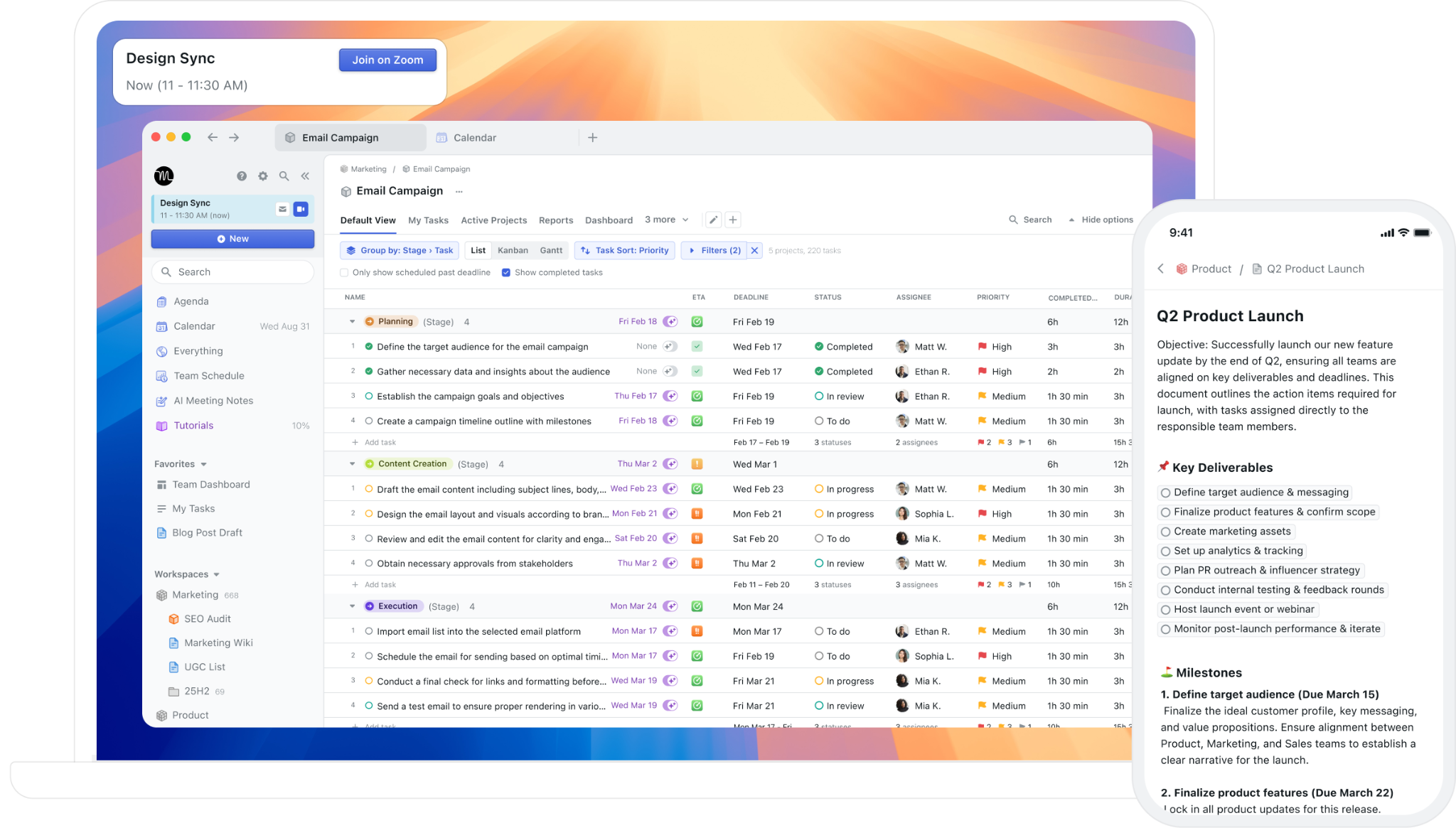
Motion is an AI-powered productivity platform that combines project management, task management, calendar scheduling, meeting notes, and document collaboration in a single workspace.
The company calls itself "The AI Powered SuperApp for Work", built for small and mid-sized businesses that enterprise tools have left behind. Motion targets IT service providers, marketing agencies, design agencies, law firms, consulting businesses, construction companies, and real estate management firms, along with functional teams including executives, sales teams, and startup leadership. Founded in 2019, Motion went through Y Combinator's Winter 2020 batch and has raised about $75M at a $550M post-money valuation as of September 2025.
Motion's integration ecosystem is smaller than enterprise alternatives but covers the tools its audience uses most.
Motion offers native integrations with Google Calendar, Microsoft Outlook 365, iCloud Calendar, Zoom, Google Meet, Microsoft Teams, Gmail, Slack, HubSpot, and Salesforce. For everything else, Motion connects through Zapier, its only officially supported iPaaS platform, which extends connectivity to over 8,000 apps. Motion also offers a REST API covering tasks, projects, recurring tasks, custom fields, comments, and users, available to any subscriber who generates an API key in Settings.
The integration categories available to Motion users include:
Calendar and scheduling: Google Calendar, Outlook 365, iCloud Calendar, booking links with buffer times and daily limits
Video conferencing: Zoom, Google Meet, Microsoft Teams
Email: Gmail, Microsoft Outlook 365 (email-to-task forwarding and meeting recap delivery)
CRM: HubSpot, Salesforce
Team communication: Slack, Microsoft Teams
Workflow automation: Zapier (the only officially documented iPaaS), REST API for custom integrations
Voice: Siri for iOS task creation
With that ecosystem as context, here are the five integrations we selected as the best for extending Motion across the categories that matter most.
1. HubSpot: Best Motion Integration for Turning CRM Events into Auto-Scheduled Tasks
Source: HubSpot
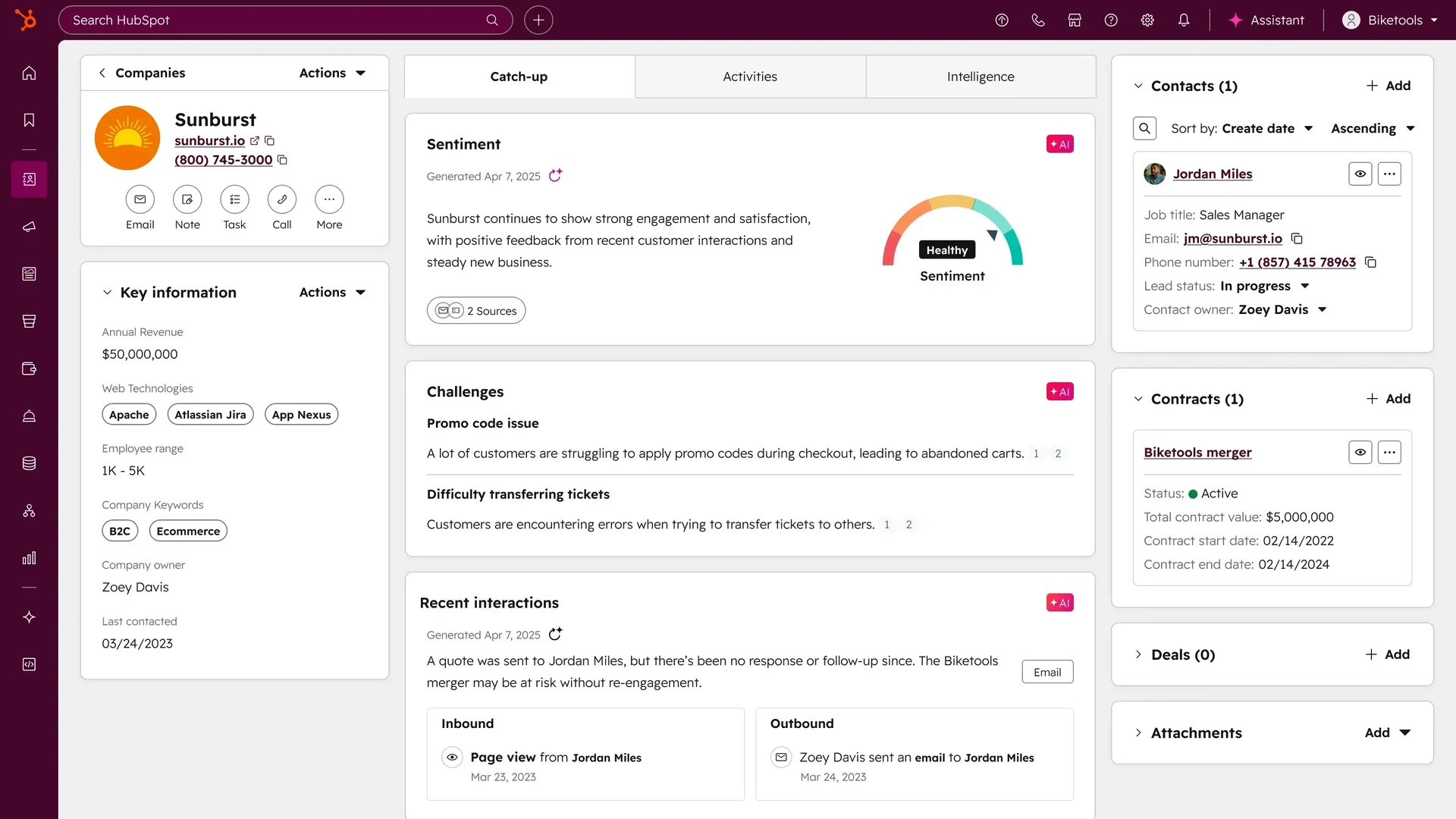
HubSpot is a CRM and customer platform serving 288,706 customers across 135+ countries. It integrates with Motion to convert deal stage changes, new contact additions, and CRM task assignments into scheduled Motion tasks. Every sales event in HubSpot generates a next step on the rep's auto-managed Motion calendar, without manual data entry.
Key integration capabilities include:
Deal stage change to Motion task: when a HubSpot deal moves to a new pipeline stage, the integration creates a corresponding Motion task; Motion's scheduling engine slots it into the rep's day around existing calendar commitments
New contact to follow-up task: when a new contact enters HubSpot via form fills, imports, or manual creation, a Motion follow-up task is generated with the contact's name, company, and email pre-populated
HubSpot task mirroring: tasks assigned inside HubSpot can trigger matching Motion tasks, pulling CRM-assigned work into Motion's auto-scheduling engine alongside all other commitments
Bidirectional loop via Zapier: completing a Motion task can trigger a HubSpot deal stage update or contact activity log through a Zapier workflow, keeping CRM records current
How HubSpot Integrates with Motion
Motion lists HubSpot as a native integration on its integrations page alongside Salesforce. Users set up the connection through Motion's Settings panel by authenticating their HubSpot account. No developer involvement or API key management is required. The integration monitors HubSpot for triggering events and creates corresponding Motion tasks automatically. It works on all paid Motion plans with HubSpot's Free CRM tier and above.
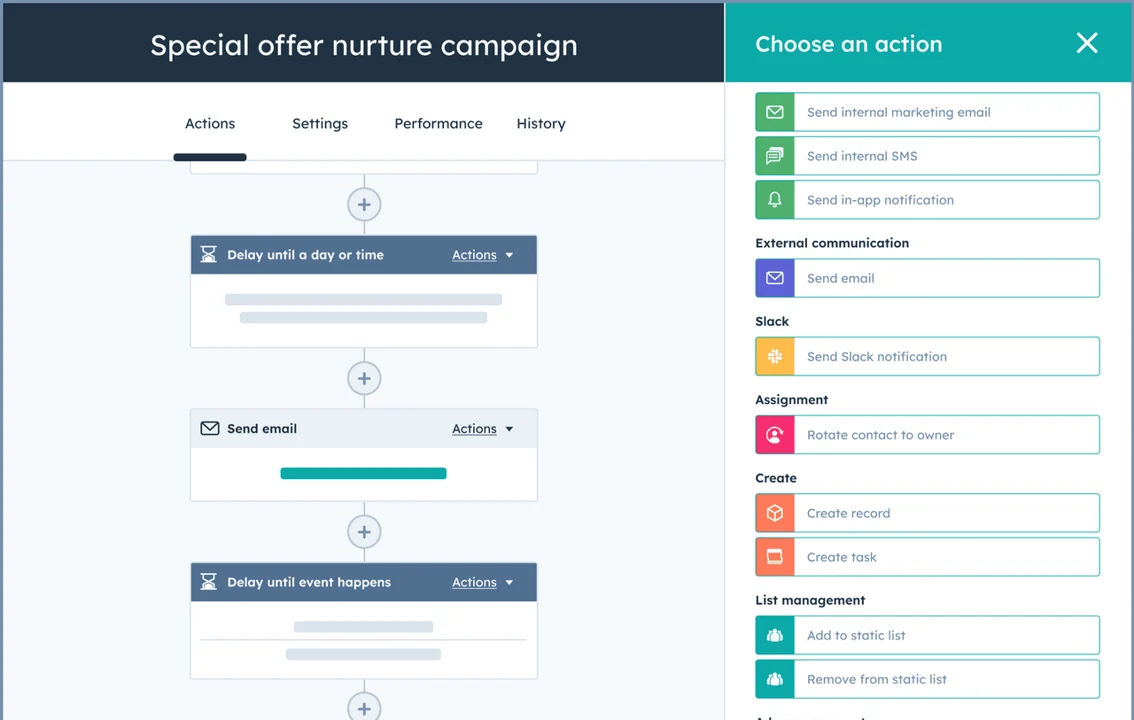
For teams that need completed Motion work to update HubSpot records, a Zapier workflow bridges the gap: when a Motion task reaches "Completed" status, Zapier can trigger a HubSpot deal stage move, log an activity, or update a contact property.
1. Deal Stage Change to Motion Task.
HubSpot's deal pipeline is organized around customizable stages. Each stage transition represents a moment where the rep has a predictable next action: after a demo, send follow-up materials; after a proposal, schedule a pricing call. Without the integration, those next actions live in the rep's head or get manually entered into a separate task manager. With it, a deal moving stages creates a Motion task with context reflecting the stage (e.g., "Follow up with [Company], Post-Demo"), and Motion places it on the rep's calendar around existing meetings and committed hours.
Source: HubSpot
2. New Contact to Follow-Up Task.
HubSpot accumulates contacts through form fills, imports, and marketing automation workflows. Each new contact represents implicit work: someone needs to follow up, qualify, or route the lead. The integration creates a Motion follow-up task the moment a contact arrives, pre-populated with the contact's name, company, and email, so the rep can act without switching back to HubSpot. Motion auto-schedules the task based on the rep's current workload and priority rules, placing high-priority inbound demo requests before lower-priority newsletter opt-ins.
3. HubSpot Task Mirroring in Motion.
HubSpot has its own task system where managers assign tasks in the CRM. The problem: HubSpot tasks exist only inside HubSpot, where there is no scheduling context. The mirroring capability pulls CRM-assigned work into Motion's auto-scheduling engine, where it competes for calendar time alongside project deliverables and internal work. The rep sees their complete, auto-prioritized work queue in one place.
4. Motion Task Completion to HubSpot Activity Log (via Zapier).
The Zapier workflow closes the loop from Motion back to HubSpot: a trigger on Motion task status changes ("When a Motion task is marked Complete") fires an action in HubSpot ("Log a sales activity on the associated contact" or "Move the deal to the next stage"). Teams that configure this close the bidirectional loop without requiring reps to double-log work.
HubSpot Pricing
HubSpot prices by per-seat subscription tiers. For teams integrating with Motion, Sales Hub is the most relevant product. The Free CRM includes contacts, deal pipelines, and tasks, enough to support the native Motion integration at no cost on the HubSpot side:
Free CRM: $0, no time limit, no credit card required; 1 deal pipeline, contacts, companies, and task objects
Sales Hub Starter: $10/seat/month; removes HubSpot branding, unlocks email sequences and expanded task management
Sales Hub Professional: $100/seat/month; adds AI Guided Selling, conversation intelligence, playbooks, and forecasting; $1,500 one-time onboarding fee
Sales Hub Enterprise: $150/seat/month (annual only); custom objects, predictive lead scoring, advanced permissions; $3,500 one-time onboarding fee
The practical entry point is HubSpot Free plus any paid Motion plan. Teams adding the Zapier bidirectional layer need a separate Zapier subscription (starting at $19.99/month for multi-step Zaps).
Who Should Use the HubSpot Integration?
Sales teams running deal pipelines in HubSpot where CRM-assigned tasks never reach reps' daily calendars: this integration ensures every deal stage change and new contact becomes a scheduled Motion task
Marketing or design agencies capturing inbound leads through HubSpot forms while running client delivery through Motion, needing new contacts to trigger follow-up tasks automatically
Teams managing 20+ active deals that need Motion's auto-scheduling to handle follow-up prioritization across the full pipeline, so no deal stage sits without a scheduled next action
2. Slack: Best Motion Integration for Team Communication and Task Visibility
Source: Slack
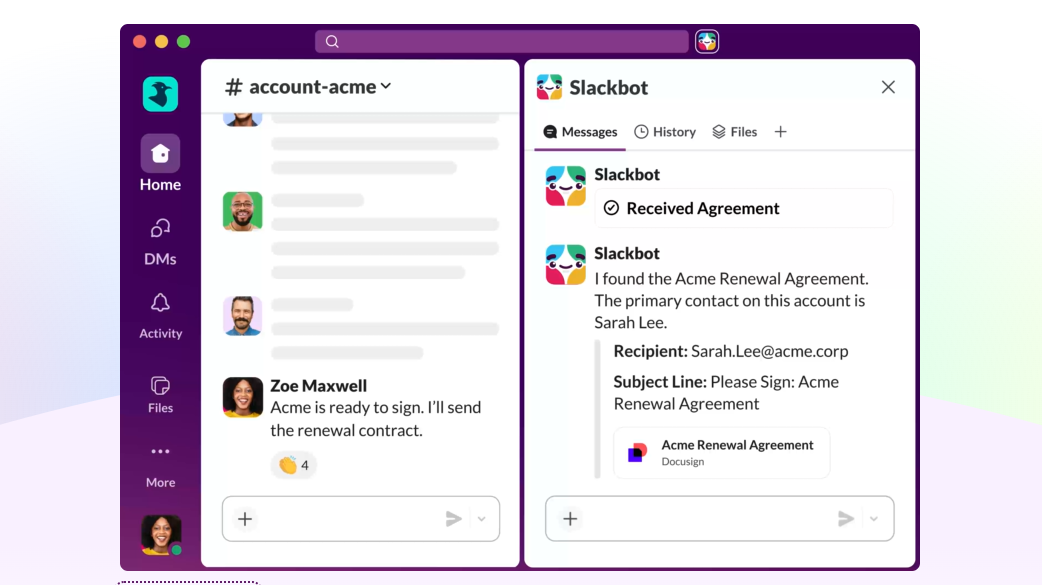
Slack is a team communication platform that integrates with Motion through a native connection and Zapier to surface task completions, project launches, and action items from Slack conversations inside each platform. Distributed teams stay aligned without manual status updates or app-switching.
Key integration capabilities include:
Task completion notifications posted to designated Slack channels when a Motion task is marked done, including task name, project, and assignee
New project creation alerts delivered to a team channel with project name, assigned members, and start date
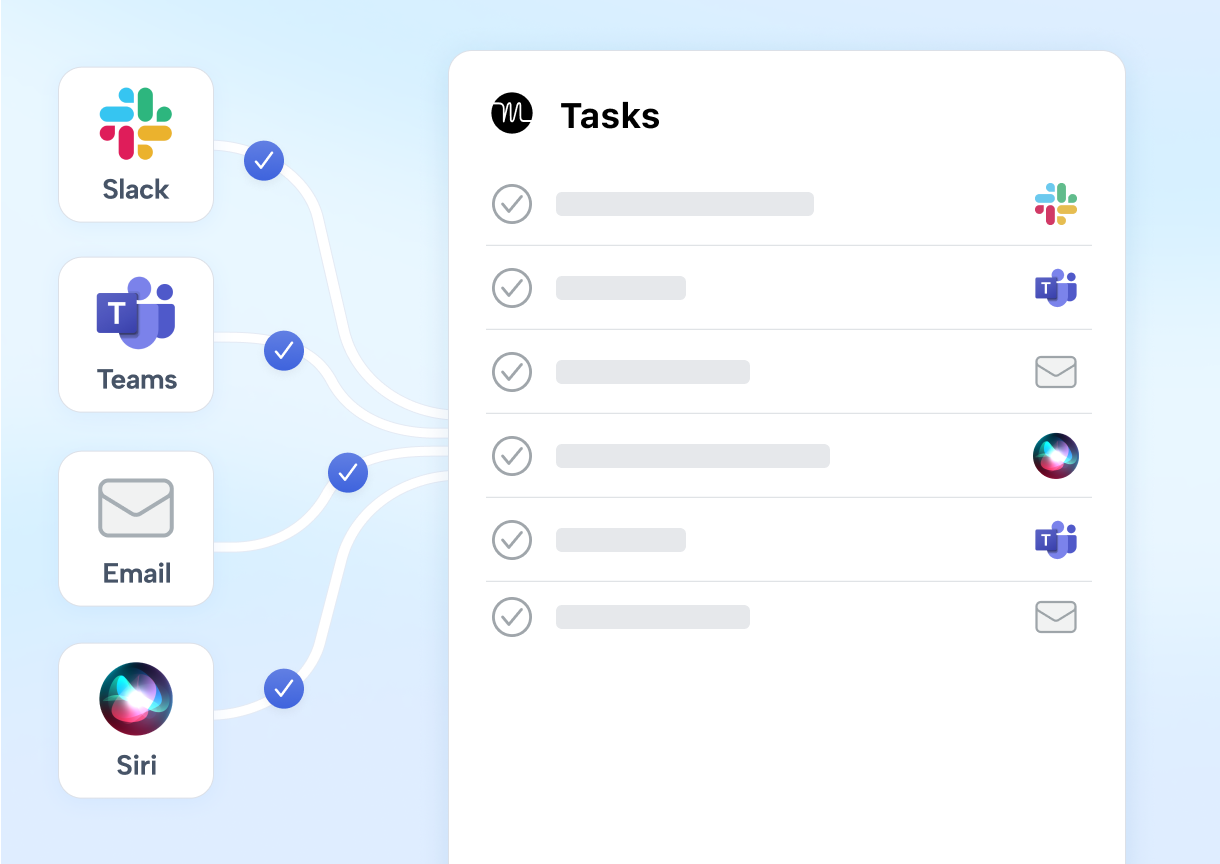
Automatic Motion task creation from Slack messages via emoji reaction, converting in-conversation action items into auto-scheduled work items
Channel-specific notification routing so updates land where the relevant team already works
How Slack Integrates with Motion
Motion lists Slack as a native integration on its homepage. The connection also extends through Zapier for more advanced automation. Zapier-based workflows connect Motion to Slack by using Motion's API key (generated at Settings, then API) and authenticating the Slack workspace via Zapier's OAuth flow.
1. Task Completion Notification to Slack Channel.
When someone marks a Motion task complete, a structured message posts to a designated Slack channel with the task name, its project, and the person who completed it. Team members in the channel see a running log of what's getting done without opening Motion or asking for updates. A project manager running three concurrent client engagements can monitor progress in a dedicated Slack channel per project without switching to Motion's dashboard throughout the day.
Source: Motion
2. New Project Alert to Team Channel.
When a Motion workspace member creates a new project, a notification fires to a designated Slack channel with the project name, assigned team members, and start date. For agencies managing multiple concurrent client projects, everyone watching the channel sees new projects the moment they appear rather than discovering them the next time they open Motion.
3. Slack Message to Motion Task (Emoji Reaction Trigger).
When a team member reacts to any Slack message with a designated emoji (commonly a checkbox), Zapier captures the reaction and creates a new Motion task using the message content as the task title. The task lands in Motion's AI Task Manager, where it is immediately auto-scheduled against existing workload, deadlines, and calendar commitments. This converts the act of acknowledging a message into a formal task creation event. Because the task lands in Motion rather than a static to-do list, it doesn't just get recorded; it gets scheduled.
Slack Pricing
Slack uses per-seat pricing with a Fair Billing Policy that credits inactive users:
Pro: $7.25/user/month (annual); unlimited message history, unlimited app integrations, sufficient for most Motion integration use cases
Business+: $15/user/month (annual); SAML SSO, SCIM provisioning, custom retention policies, 24/7 priority support with 4-hour SLA
Enterprise+: Custom pricing; multi-workspace management, native DLP, HIPAA compliance
For teams using the Zapier-based Motion integration, the Pro tier is sufficient. Budget the Zapier subscription separately if you need multi-step Zaps beyond the free tier's 100 runs/month.
Who Should Use the Slack Integration?
Teams that run all async communication in Slack and need task completions and project launches to surface in channels where people already work, without checking Motion's dashboard
Remote or distributed teams across time zones where passive async visibility into Motion's work is more practical than synchronous standups
Teams wanting to convert action items from Slack conversations into scheduled Motion tasks, so commitments don't get buried in thread history
3. Gmail: Best Motion Integration for Email-to-Task Capture
Source: Gmail
Gmail is Google's business email platform, used by more than 1.8 billion active accounts globally. It integrates natively with Motion to convert inbound email into auto-scheduled tasks without leaving the inbox. The integration closes a gap in nearly every productivity setup: email arrives requiring action, but turning it into a scheduled work block means opening a task manager, creating an entry, setting priority, and deciding when it fits.
Key integration capabilities include:
Email-to-task creation via forward to tasks@usemotion.com: Motion's AI parses the email body and creates a scheduled task
Inline scheduling parameters: users include hints like "30min, high priority, due Friday" in the forwarded message body to control scheduling
Automated meeting recap delivery to all attendees via Gmail when Motion's AI Notetaker generates a post-meeting summary
Zapier-powered batch task creation monitoring a Gmail label or inbox filter to create Motion tasks from every matching email
How Gmail Integrates with Motion
Gmail connects to Motion through a native integration centered on Motion's dedicated forwarding address and the AI Notetaker's email distribution system. No configuration beyond knowing the forwarding address is required.
1. Email-to-Task via the tasks@usemotion.com Forwarding Address.
When a Gmail user forwards any email to tasks@usemotion.com, Motion processes the message and creates a task in the sender's workspace. The parser extracts the task title, description, and context from the email body, then schedules the resulting task through the same auto-scheduling engine that governs every Motion task. A client requesting a deliverable, a colleague flagging a blocker, a vendor asking for a decision: each converts into a scheduled work block with one forward. If the calendar is full, Motion surfaces a "Can't Fit" alert rather than silently dropping the task.
2. Inline Scheduling Parameters for Precise Task Capture.
The forwarding workflow supports scheduling hints in the message body. When a user types "30min, high priority, due Friday" in the body of a forwarded email, Motion reads those parameters and applies them to the created task, setting duration, priority, and deadline without requiring the user to open Motion afterward. This makes the workflow fast enough for real-time inbox processing: a user moving through 40 emails can forward each actionable item with a one-line scheduling note and trust that Motion will slot those tasks across the coming days.
3. Automated Meeting Recap Delivery to External Attendees.
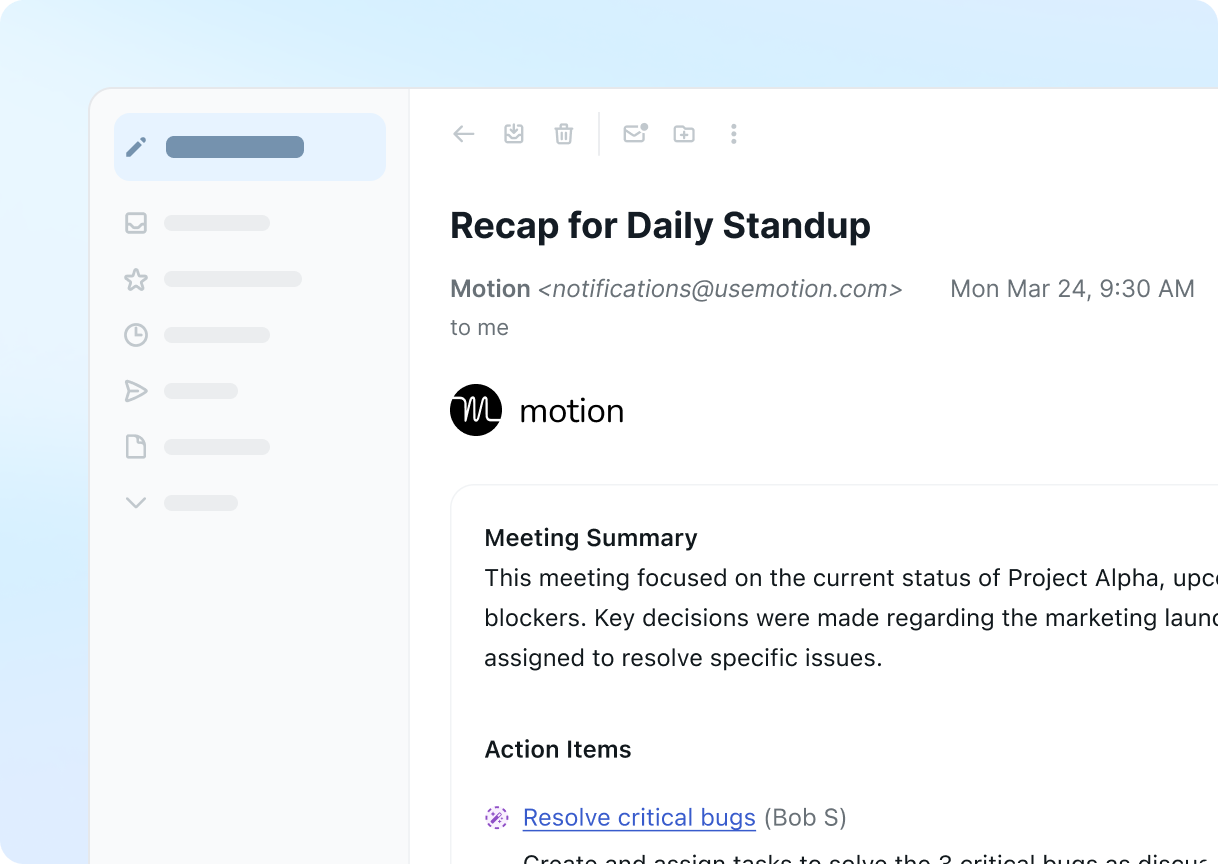
Motion's AI Notetaker generates meeting summaries, full transcripts, and extracted action items after every call on Zoom, Google Meet, or Microsoft Teams. When the recap email option is enabled, Motion delivers structured summaries through Gmail to all meeting participants, including external attendees who have no Motion account. The recap arrives roughly 30 seconds after the meeting ends, with no manual draft or send required.
Source: Motion
4. Zapier Gmail Filter for Batch Task Creation.
For users managing high-volume inboxes where manually forwarding each email is impractical, a Zapier workflow can monitor a Gmail label or inbox filter and create Motion tasks from every matching email. A service business managing multiple client accounts might configure a workflow per client domain, so every inbound client email generates a Motion task without manual forwarding.
Gmail Pricing
Gmail for business is sold as part of Google Workspace on a per-seat monthly model. All tiers support the tasks@usemotion.com forwarding integration and AI Notetaker recap delivery:
Business Starter: $7.56/user/month; custom domain email, 30 GB pooled storage
Business Standard: $15.12/user/month; 2 TB pooled storage, mail merge, Meet recording
Business Plus: $26.40/user/month; Google Vault for eDiscovery, enhanced security, 5 TB pooled storage
Enterprise: Contact sales; S/MIME encryption, DLP, context-aware access
A 14-day free trial is available across all Business plans. On the Motion side, the Gmail forwarding integration is available on both the Pro AI ($19/seat/month) and Business AI ($29/seat/month) plans.
Who Should Use the Gmail Integration?
Professionals whose actionable work arrives as email: client requests, project updates, and stakeholder questions convert into scheduled task blocks without manual task creation
Agencies, consultants, and service businesses running calls with external contacts who expect follow-ups: the Notetaker delivers structured recap emails through Gmail within seconds of each meeting ending
Teams processing predictable categories of email at volume: a Zapier Gmail workflow creates Motion tasks from every matching message, replacing per-email forwarding with continuous automated capture
4. Zapier: Best Motion Integration for Connecting Your Stack Without Code
Source: Zapier
Zapier is a no-code workflow automation platform that connects Motion to over 8,000 applications. It is the only officially documented and supported iPaaS platform for Motion, making it the primary gateway for connecting Motion to tools outside the native ecosystem.
Key integration capabilities include:
Triggering downstream workflows in any connected application when Motion tasks are created, completed, or projects are started
Creating Motion tasks and projects when events fire in any Zapier-connected tool
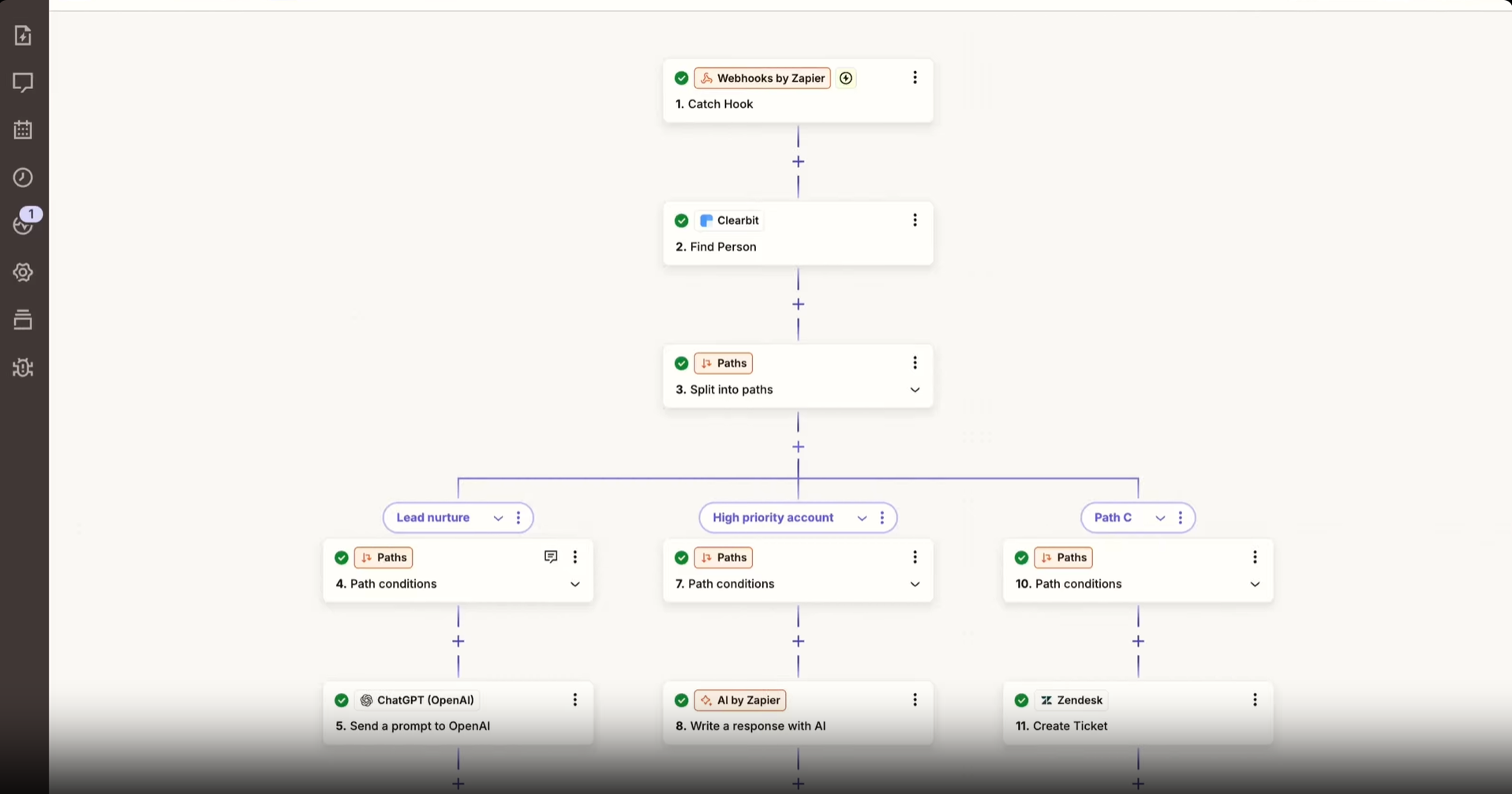
Multi-step Zaps chaining Motion with multiple platforms in a single automated workflow
Conditional logic, data transformation, and filtering to ensure only qualifying events reach Motion's scheduling engine
How Zapier Integrates with Motion
Zapier connects to Motion through Motion's official Zapier integration, covered in Motion's help documentation with a step-by-step setup guide. Authentication uses an API key generated inside Motion at Settings, then API. No admin-level access or IT involvement is required.
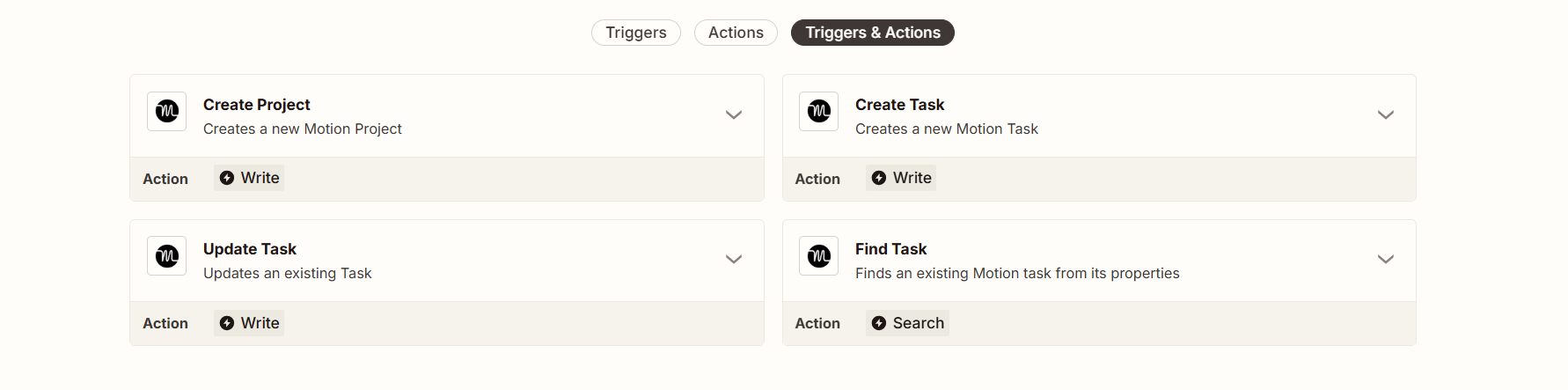
Motion's Zapier integration surfaces three trigger events: Task Created, Task Completed, and Project Created. On the action side, Zapier can create tasks and projects inside Motion.
1. Motion Events as Zapier Triggers.
When a Motion task is completed, a Zap can simultaneously log a completed activity in Salesforce, post a status update to a Slack channel, add a row to a Google Sheets billing tracker, and update an Airtable record that external collaborators access. All triggered by the same task completion event, all executing automatically. Without this automation layer, team members would need to update each secondary system by hand after completing work in Motion.
Source: Zapier
2. External App Events as Motion Task Creators.
Because Motion automatically schedules new tasks against team capacity and calendar availability, any work that enters Motion through a Zapier action immediately competes for calendar time alongside manually created tasks. A new Stripe payment can create a Motion onboarding project with initial tasks pre-populated. A Typeform submission from a client intake form can generate a deliverable task assigned to the responsible team member. Tasks from Asana can enter Motion's scheduling engine so they occupy calendar time alongside internal work.
3. Multi-Step Zaps for Cross-Tool Workflows.
Zapier's multi-step capability lets Motion participate in workflows touching multiple platforms. A single Zap can include up to 100 steps. When a HubSpot deal moves to "Closed Won," a Zap can create a Motion onboarding project, post a Slack notification, and add a row to a Google Sheets revenue tracker, all from the same trigger. Zapier's Filters, Paths, and Formatter tools ensure only qualifying events create Motion tasks and that data is formatted correctly.
Note that Motion's Zapier integration is one-directional by default: external events can create Motion tasks, but Motion task state changes don't push back out unless you configure a separate return Zap.
Zapier Pricing
Zapier uses task-based pricing where each successful action step within a Zap consumes one task:
Free: $0/month; 100 tasks/month, 2-step Zaps only, 15-minute polling interval, single user
Professional: starts at $29.99/month for 750 tasks; multi-step Zaps, conditional branching, Filters, 2-minute polling, webhooks included
Team: starts at $103.50/month for 2,000 tasks; shared workspace for up to 25 users, shared app connections, SAML SSO
Enterprise: custom pricing
Project your task consumption before committing: a 5-step Zap creates 4 billable tasks per run (triggers don't count). Zapier's overage billing charges 1.25x the normal per-task rate when limits are exceeded with pay-per-task billing enabled.
Who Should Use the Zapier Integration?
Teams using tools that Motion doesn't natively integrate with (Stripe, Typeform, Airtable, Asana, or any of 8,000+ apps) that want work from those tools entering Motion's scheduling engine automatically
Non-technical operations leads and project managers who need to build and maintain integrations without engineering involvement, using Zapier's no-code builder
Organizations where a single triggering event needs to cascade through project management, billing, and communication tools at once
5. Notion: Best Motion Integration for Knowledge-to-Task Automation
Source: Notion
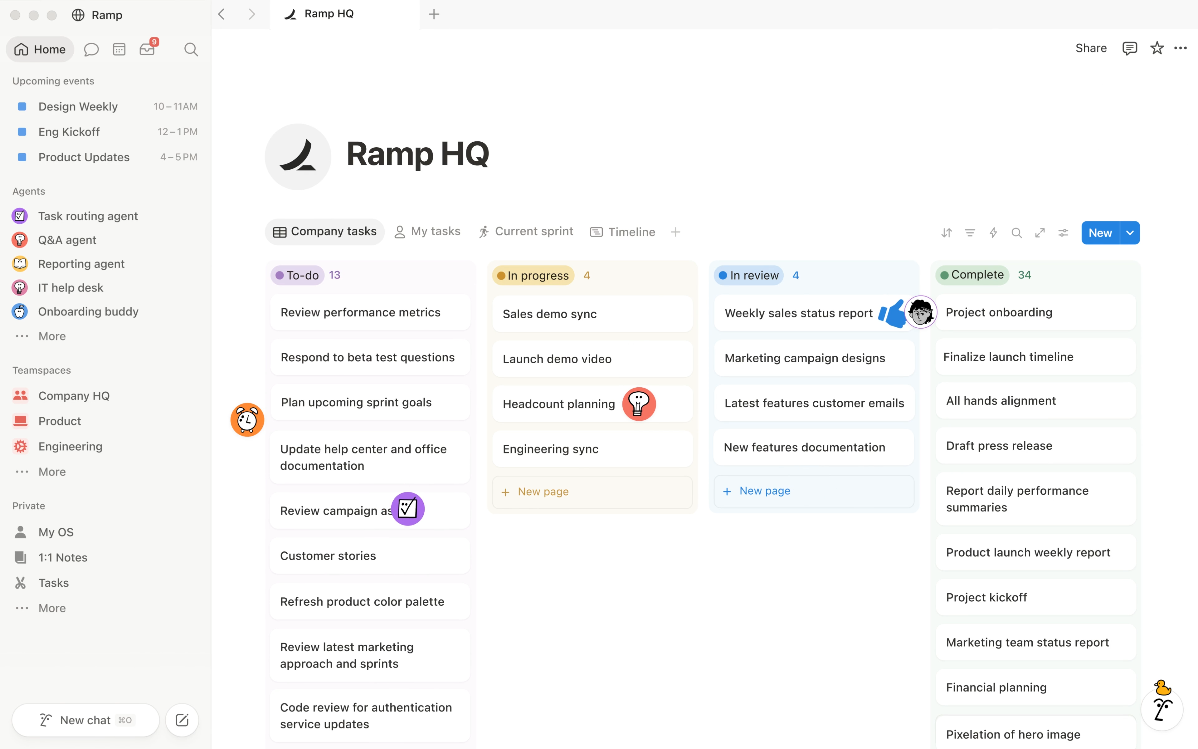
Notion is a workspace and knowledge management platform that connects with Motion through Zapier to convert database entries and page status changes into Motion tasks. Items from your documentation layer pull into Motion's auto-scheduling engine without manual re-entry. Notion and Motion have no native integration; all automation relies on middleware such as Zapier, Make, or Zoho Flow.
Key integration capabilities include:
New Notion database entries (client deliverables, content calendar items, project briefs) generate a corresponding Motion task with title, assignee, and due date pre-populated
Notion status field changes (e.g., a content brief moving from "Draft" to "Needs Review") trigger new Motion tasks assigned to the next-stage owner
Bidirectional feedback loop where completed Motion tasks update Notion database status fields through a return Zap
Context carry-forward with Notion page titles and URLs embedded in Motion task descriptions for immediate access to source materials
How Notion Integrates with Motion
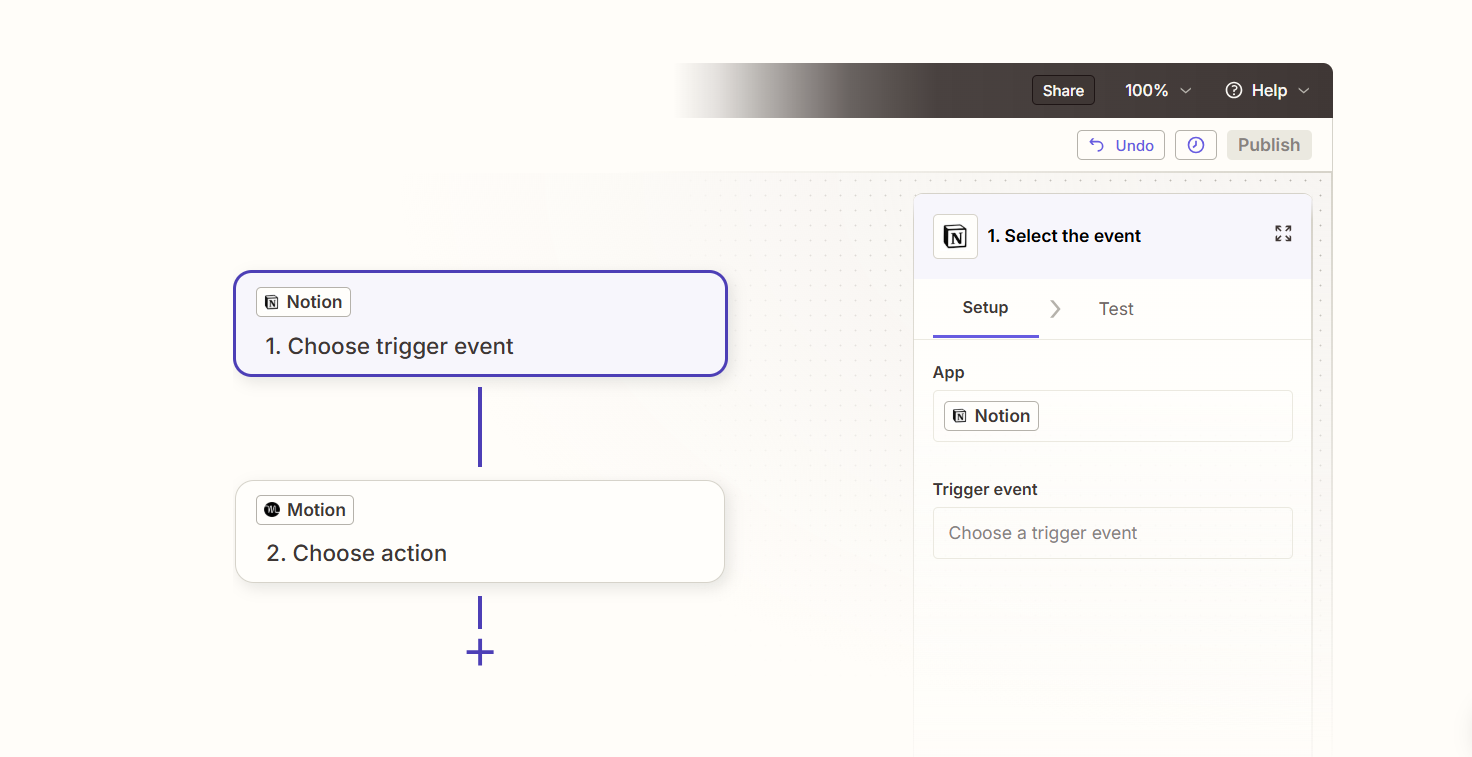
Motion's integrations FAQ states there are no current plans for a native Notion connector. All Notion-to-Motion automation runs through Zapier as the middleware layer. Zapier checks the connected Notion database at a polling interval (typically 5-15 minutes on paid plans), so there is a brief delay between a Notion event and the corresponding Motion task appearing.
1. Notion Database Entry to Motion Task.
When someone adds a new page or item to a specified Notion database, Zapier creates a corresponding task in Motion. The page title becomes the task name. If the Notion database has an assignee property, that maps to the Motion task's assignee, placing the task on the correct team member's auto-scheduled calendar. If the database has a date property, that maps to the Motion task's deadline, letting Motion plan backward from that date. The moment someone adds a row to the Notion content calendar or project tracker, a task appears in Motion with deadline set, owner assigned, and scheduling handled.
Source: Zapier
2. Notion Status Field Change to Motion Task Trigger.
For multi-stage workflows where work passes through multiple owners, a status property change in Notion signals that one phase is complete and the next should begin. When Zapier detects a specific status update (e.g., "Draft" to "Needs Review"), it creates a new Motion task assigned to the person responsible for that next stage. The Notion page title and direct URL pass into the Motion task description, giving the assignee immediate access to full context. Stage transitions in Notion no longer depend on the receiving party checking Notion; Motion handles the scheduling and surfacing.
3. Bidirectional Sync: Motion Task Completion Back to Notion.
A separate Zap watches for Motion tasks marked complete and uses the embedded Notion page URL to update the corresponding database entry's status field. When a reviewer marks their "Needs Review" task done in Motion, the Notion entry advances to "Reviewed" automatically, without anyone logging back into Notion. This requires a paid Zapier plan for multi-step logic.
Notion Pricing
Notion's pricing spans four tiers, with the Zapier-based Motion integration accessible from the Free plan up (Notion's API, which Zapier uses, is available on any plan):
Free: $0/member/month; core databases, pages, block-based docs; Notion AI is trial-only
Plus: $12/member/month (or about $10/month billed annually); unlimited file uploads, Slack and Google Drive connections
Business: $24/member/month (or about $20/month billed annually); includes Notion AI, Custom Agents, AI Meeting Notes, SAML SSO, granular database permissions
Enterprise: custom pricing; zero data retention with LLM providers, SCIM provisioning, advanced audit logs
For the Zapier side, the bidirectional configuration (Motion completions updating Notion status fields) requires a paid Zapier plan. Zapier's free tier supports only single-step Zaps and does not handle the multi-step logic required for the return sync.
Who Should Use the Notion Integration?
Teams that plan and document work in Notion databases (content calendars, project trackers, deliverable logs) and need those items to surface as scheduled tasks in Motion without duplicate entry
Agencies or SMBs running client work where the brief or spec lives in Notion but execution runs through Motion's auto-scheduling engine, and the copy-paste step between the two is causing tasks to fall through the cracks
Teams operating multi-stage workflows where ownership passes between members at defined status transitions, needing those handoffs to trigger the next-stage task in Motion automatically
Also Worth Considering: ZoomInfo
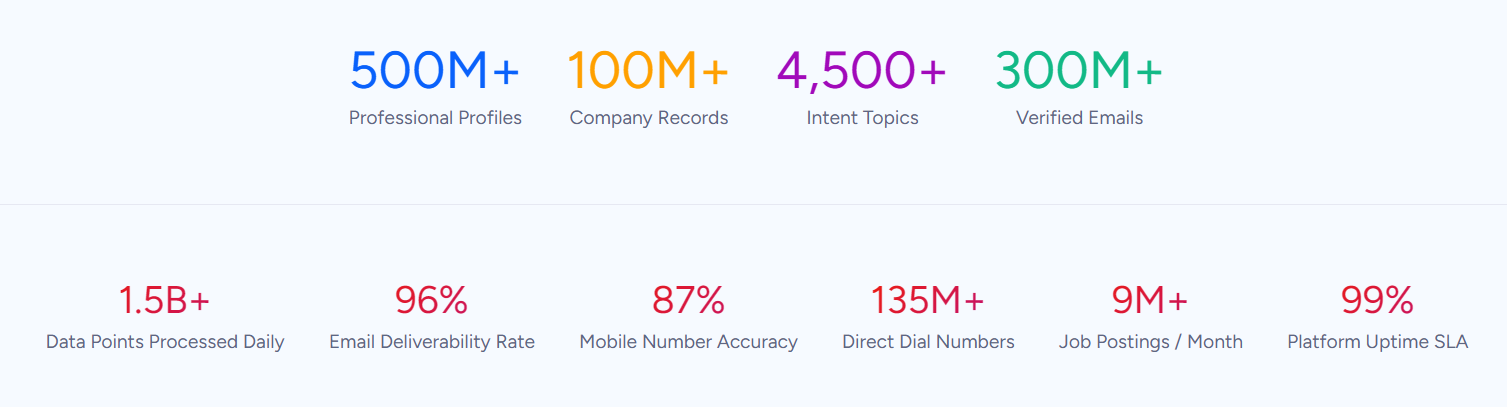
ZoomInfo is a B2B data and go-to-market platform with 500M contacts, 100M companies, 135M+ verified phone numbers, and 200M+ verified business email addresses. ZoomInfo does not have a native integration with Motion, but the two platforms serve overlapping audiences, and ZoomInfo fills a gap in the go-to-market workflow that Motion was not designed to address.
Motion excels at scheduling and executing work. It determines when tasks get done, manages team capacity, and keeps projects on track. What it cannot do is tell your team which accounts to prioritize, whether a prospect's phone number still works, or which target companies are researching your product category this week.
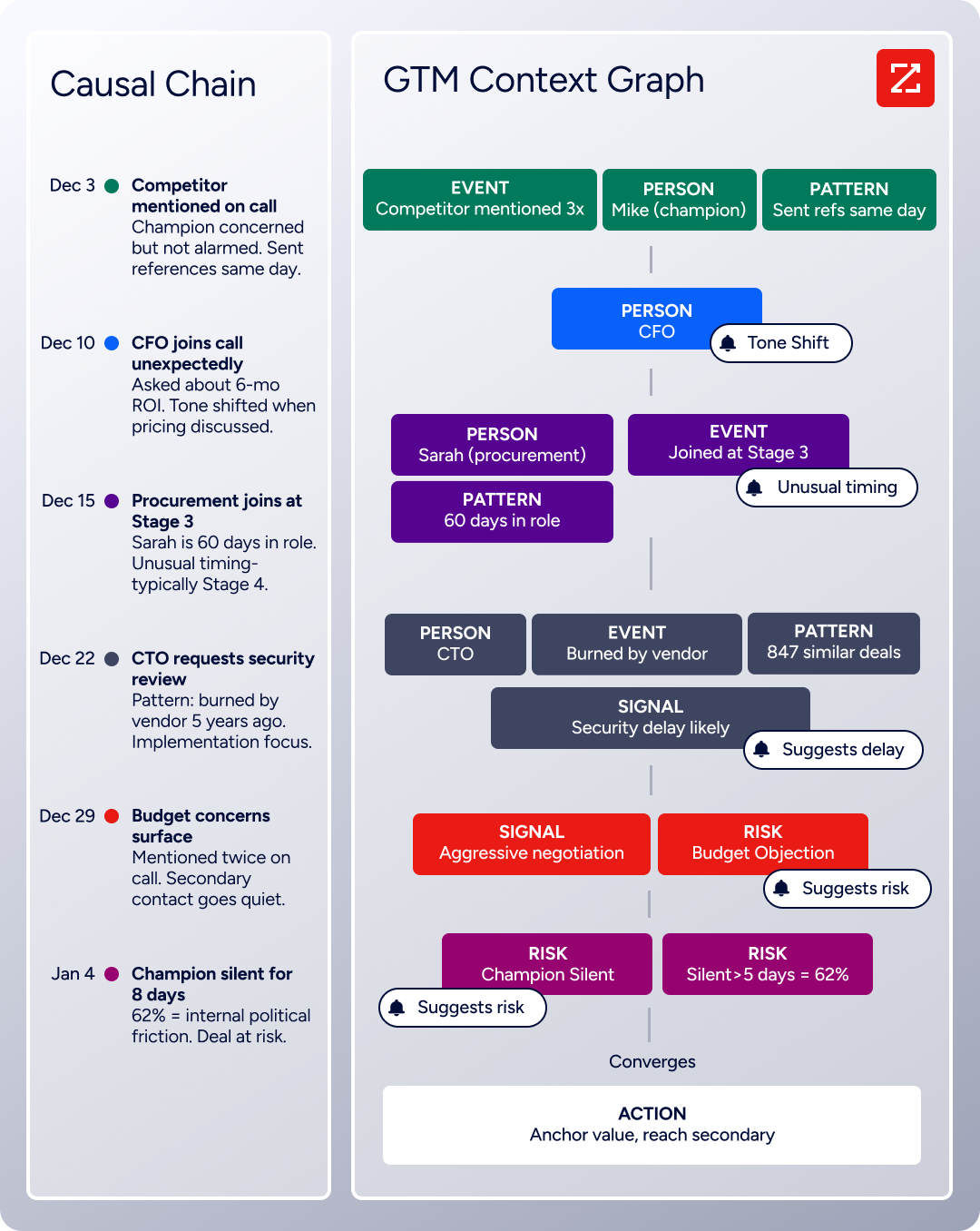
That is the layer ZoomInfo occupies. Its GTM Context Graph processes 1.5B+ data points daily by combining ZoomInfo's B2B data with your first-party CRM records, conversation transcripts, and behavioral signals.
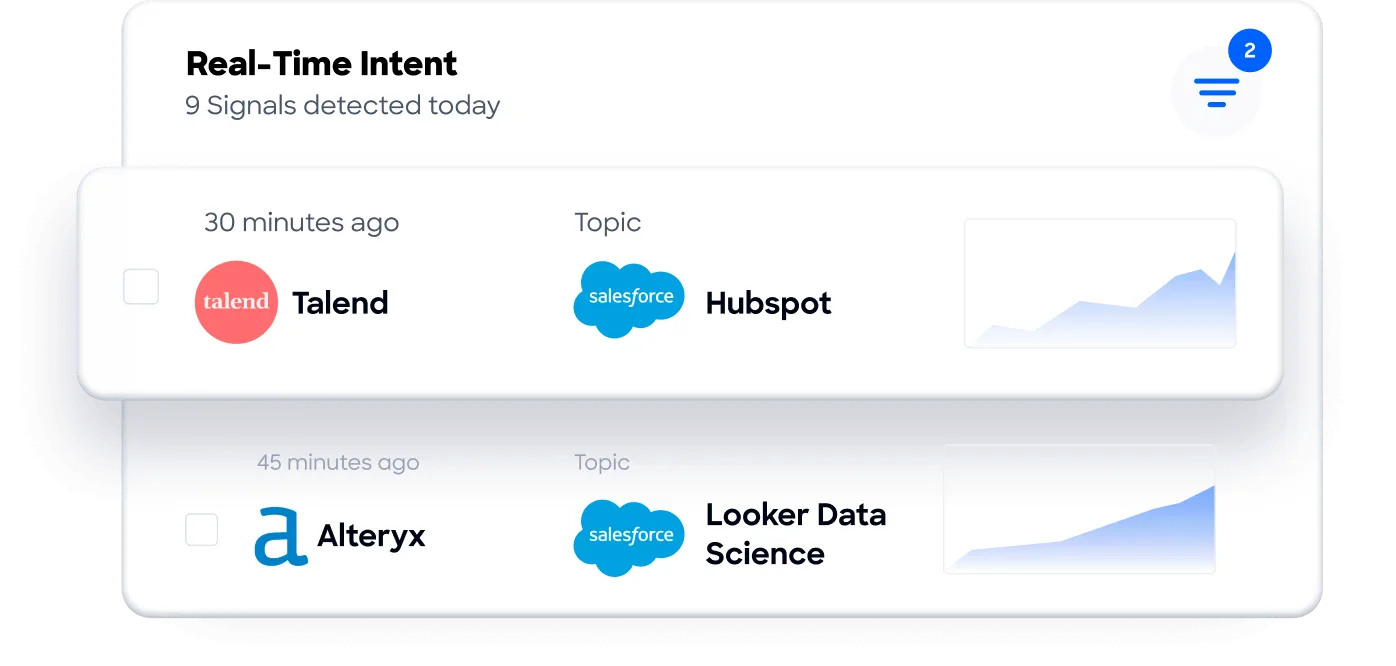
For sales teams and agencies using Motion to manage daily execution, ZoomInfo's Buyer Intent data (tracking signals from 210 million IP-to-Organization pairings and 6 trillion+ new keyword-to-device pairings monthly) identifies accounts showing active buying interest.
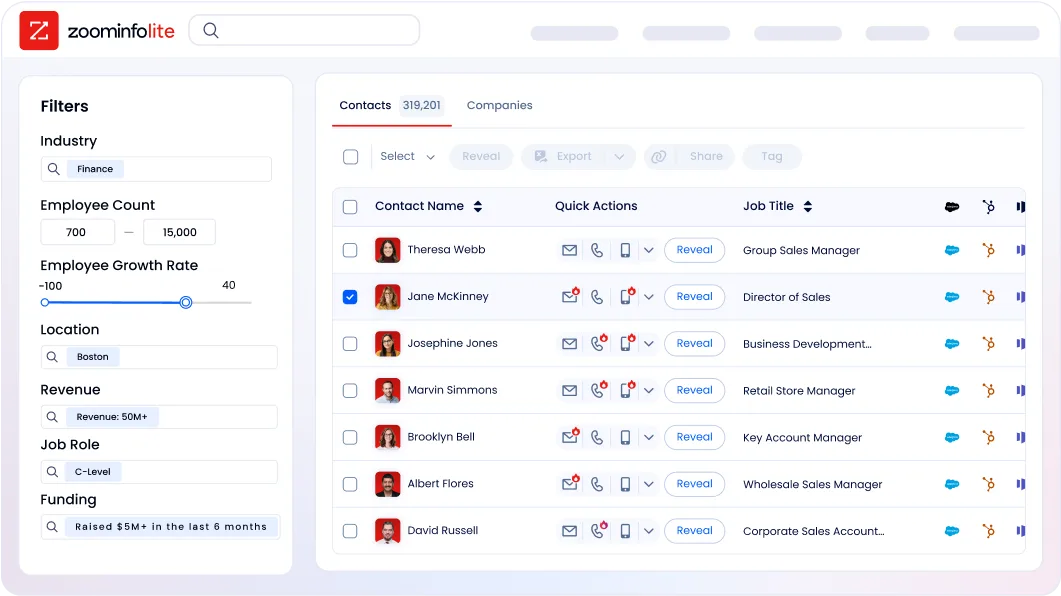
The verified contact data ensures that when a task lands on a rep's Motion calendar, they have the correct direct dial and email to act on it immediately.
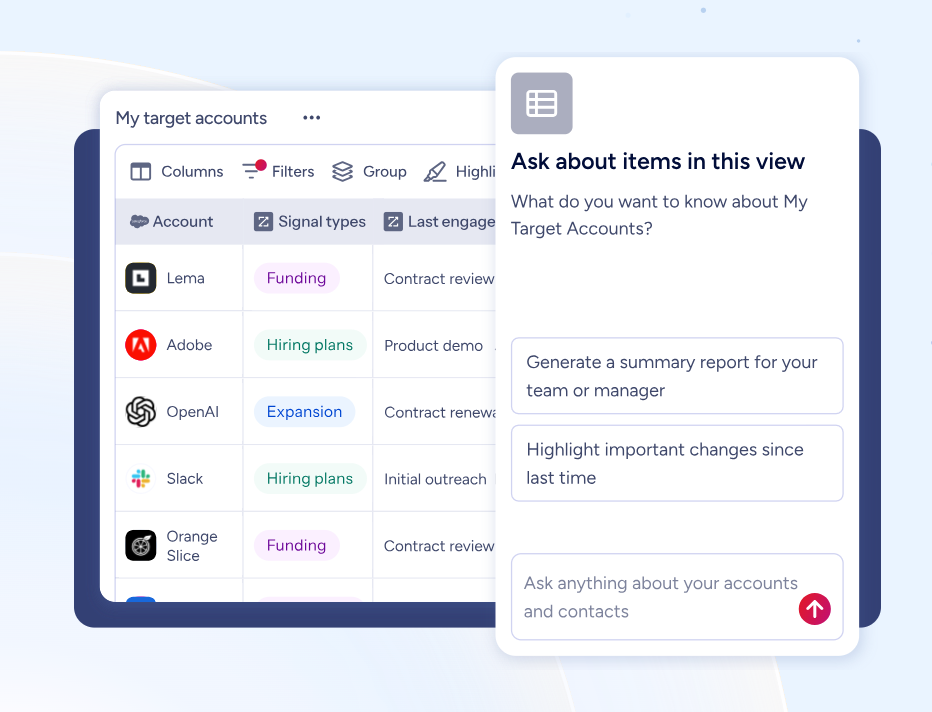
ZoomInfo's GTM Workspace gives sellers an environment where prioritized accounts, AI-drafted outreach, and deal intelligence live in one place, and APIs and MCP expose the same data to any tool or AI agent. Both platforms support Zapier, so teams can build workflows where ZoomInfo intent signals trigger Motion task creation, feeding verified prospect data into Motion's scheduling engine.
ZoomInfo uses a consumption-based pricing model with custom quotes. ZoomInfo Lite is a permanent free tier (no credit card, no time limit) with 10 monthly export credits, searches, and the Chrome extension, a practical way to evaluate data quality before committing.
Final Verdict
The best Motion integrations feed real work into your scheduling engine from the tools where that work originates:
HubSpot: CRM deal milestones and contact events become scheduled tasks, so no pipeline activity sits without a next action
Slack: task completions surface in team channels and conversation action items convert into scheduled Motion tasks via emoji reactions
Gmail: actionable emails become auto-scheduled work blocks through a forwarding address, with inline scheduling hints and automated meeting recaps
Zapier: no-code gateway connecting Motion to 8,000+ apps for any tool outside the native integration ecosystem
Notion: documentation entries and status changes flow into Motion's scheduling layer through Zapier, bridging planning and execution
These integrations compound: you can run HubSpot for CRM-to-task conversion, Slack for team visibility, Gmail for email capture, and Zapier for everything else in the same Motion workspace, each giving the auto-scheduling engine a more complete picture of your team's actual workload.
If your team runs outbound sales or account-based campaigns alongside Motion, consider adding ZoomInfo to the workflow. ZoomInfo's verified B2B contact data, buyer intent signals, and company intelligence ensure that when a task lands on your Motion calendar, you have the correct direct dial and email to act immediately, and you're prioritizing the accounts that are in-market. Both platforms support Zapier, so intent signals can trigger Motion tasks directly. ZoomInfo Lite is free to start, so you can test the data quality before committing.
Frequently Asked Questions
How many integrations does Motion support?
Motion offers native integrations with about a dozen tools: Google Calendar, Microsoft Outlook 365, iCloud Calendar, Zoom, Google Meet, Microsoft Teams, Gmail, Slack, HubSpot, and Salesforce. Beyond native connections, Motion supports Zapier as its only officially documented iPaaS platform, extending connectivity to over 8,000 apps. Motion also provides a REST API for custom integrations, available to any subscriber.
Do Motion integrations work on all plans?
Both the Pro AI ($19/seat/month) and Business AI ($29/seat/month) plans include native integrations and the Zapier connection. The REST API is also available on all paid plans. The differences between plans relate to project management features (Gantt charts, capacity planning, and advanced dashboards require Business AI), not integration access.
Can I connect Motion to tools that are not natively supported?
Yes. Zapier is the primary path for connecting Motion to tools without native connectors. Motion's integrations FAQ states there are no current plans for native integrations with tools like Notion, ClickUp, or Google Sheets, so Zapier is the recommended approach. For developers needing direct programmatic access, Motion's REST API covers tasks, projects, recurring tasks, custom fields, and comments, though it does not expose calendar or AI scheduling controls.
Does Motion support bidirectional sync with connected tools?
Motion's native integrations and Zapier connection are one-directional by default: external events create Motion tasks, but Motion task changes don't push back to connected apps. You can achieve bidirectional sync by configuring separate return Zaps. For example, completing a Motion task can trigger a HubSpot deal stage update or a Notion status field change through a dedicated Zap, but this requires a paid Zapier plan and explicit setup for each return flow.
What are Motion's API rate limits for integrations?
Motion enforces tiered rate limits on its REST API: 12 requests per minute on individual plans and 120 requests per minute on team plans. Enterprise plans can request higher limits. These are sufficient for notification-level Zapier workflows. Teams running high-frequency automations (dozens of task creations per minute from external triggers) should add Zapier Filter steps to reduce unnecessary API calls.
How do Motion's AI features work with integrations?
Tasks created through integrations (Zapier, email forwarding, or native connections) enter the same auto-scheduling engine as manually created tasks. Motion evaluates each task's priority, deadline, duration, and the assignee's current workload and calendar, then places it at the best time. The scheduling engine does not distinguish between manual and integration-created tasks, so integrated work receives the same scheduling logic.
What is the best way to feed verified B2B data into Motion workflows?
For sales teams using Motion to manage daily execution, connecting a B2B data platform through Zapier ensures that tasks landing on reps' calendars carry accurate contact data and are prioritized by real buying signals. ZoomInfo's data (covering 500 million contacts and 135 million verified phone numbers) and buyer intent signals can flow into Motion through Zapier workflows, so when an intent signal fires on a target account, a Motion task is created with the verified contact details the rep needs to act. ZoomInfo Lite is a permanent free tier that lets teams evaluate data quality before committing.
