

Choosing between Motion and Calendly for scheduling comes down to five questions:
Do you need a dedicated scheduling tool, or would you rather fold scheduling into a broader productivity platform?
Is lead routing with real-time CRM lookup critical to your sales workflow?
Do you want AI to plan your entire workday around meetings and tasks, or just handle booking?
How important is a free tier for individual contributors or low-risk team evaluation?
Does your team already know which prospects to meet with, or is identifying the right contacts the harder problem?
Here's what we recommend:
Motion is the bundled choice for teams that want scheduling, project management, task management, and meeting notes in a single AI platform. Its AI calendar plans your workday around meetings, deadlines, and priorities, so you spend less time deciding what to work on next. Motion handles booking links, project timelines, AI meeting notes, and document management under one subscription, claiming projects finish 32% faster on the platform. The tradeoff: its scheduling capabilities are narrower than a dedicated scheduler, there is no free plan, and the integration ecosystem is still maturing.
Calendly is the specialist for teams whose primary need is meeting scheduling. With Routing Forms that qualify and route inbound leads to the right rep in real time, CRM integrations with Salesforce and HubSpot, and 100+ integrations across the revenue stack, Calendly handles scheduling with a depth that bundled tools rarely match. A free tier and a booking experience that requires no account from invitees have made "send a Calendly link" part of professional vocabulary, with more than 20 million users in 230+ countries. The tradeoff: Calendly is only a scheduler. You will need separate tools for project management, task management, and everything else.
Both platforms solve the mechanics of booking meetings. But for revenue teams, the harder problem is often not how to schedule a meeting but who to schedule it with and when the timing is right. That intelligence gap is where ZoomInfo fits.
ZoomInfo is an AI GTM platform that tells your team who to contact, when to engage, and what to say, before anyone opens a scheduling link. Built on 500M contacts, 100M companies, 135M+ verified phone numbers, and 200M+ verified business emails, ZoomInfo's GTM Context Graph combines this data with your CRM records, conversation transcripts, and behavioral signals to surface accounts that are actively in-market. Whether your team schedules with Motion or Calendly, ZoomInfo ensures those meetings happen with the right buyers at the right moment, accessed through GTM Workspace for sellers, GTM Studio for marketers and RevOps, or APIs and MCP in any tool.
If knowing exactly who to meet with and when would change your team's pipeline, see ZoomInfo in action.
Motion vs. Calendly vs. ZoomInfo at a glance
Motion | Calendly | ZoomInfo | |
|---|---|---|---|
Core approach | AI productivity platform with scheduling | Scheduling automation platform | B2B intelligence platform |
Scheduling depth | Booking links, AI calendar, daily meeting limits | Full suite: routing, round-robin, collective, group, polls, payments | Complements your scheduler with buyer intelligence |
Project management | AI-driven with Gantt, workflows, capacity planning | None | N/A |
Task management | AI auto-scheduling and auto-prioritization | None | N/A |
Meeting notes | AI Notetaker with auto task creation | Notetaker with recaps and CRM push | Chorus conversation intelligence |
Contact intelligence | None | Basic contact records from bookings | 500M contacts, intent data, org charts, technographics |
CRM integration | HubSpot, Salesforce | Salesforce, HubSpot, Dynamics 365 | CRM sync with enrichment and routing |
Integration ecosystem | Zapier + limited native integrations | 100+ native integrations | 172+ marketplace partners, API, MCP |
Free plan | No (trial only, $1 card hold) | Yes (1 event type, 1 calendar) | ZoomInfo Lite (permanent free) |
Starting price | $19/seat/month (annual) | $10/seat/month (annual) | Custom pricing |
Best for | Teams replacing multiple productivity tools with one AI platform | Teams needing dedicated scheduling automation | Revenue teams needing intelligence on who to meet and when |
Specialist scheduler vs. productivity platform: the fundamental question
The comparison between Motion and Calendly is not a feature-by-feature contest. It is a question about what kind of tool you need.
Calendly does one thing well. It is the scheduling platform that more than 100,000 organizations and 86% of the Fortune 500 rely on to eliminate the back-and-forth of booking meetings. Every feature (from Routing Forms to automated workflows to Meeting Polls) serves that single purpose. The platform holds a 4.7/5 on Capterra across thousands of reviews, and users consistently cite the simple interface as the core reason for adoption.
Motion wants to be the operating system for your entire workday. It positions itself as replacing Calendly, along with Asana, Jira, Otter.ai, Notion, and several other tools. Scheduling lives inside a broader platform that manages projects, tasks, documents, and meeting notes, with over 1 million users and 10,000+ B2B customers.
This difference shapes every tradeoff. Calendly's scheduling features are deeper because scheduling is all it does. Motion's scheduling is thinner but connected to a system that manages the work before and after the meeting.
Calendly sets the standard for scheduling automation
Calendly has spent over a decade refining scheduling. The result is a depth of functionality that bundled scheduling tools rarely match.
Routing Forms are the clearest example. When a prospect lands on your website, Calendly can qualify them with screening questions, look up their record in Salesforce or HubSpot in real time, match them to the correct account owner, and route them to a booking page in a single flow. For sales teams with complex territories or account assignment rules, this is a feature that general-purpose productivity platforms do not offer.
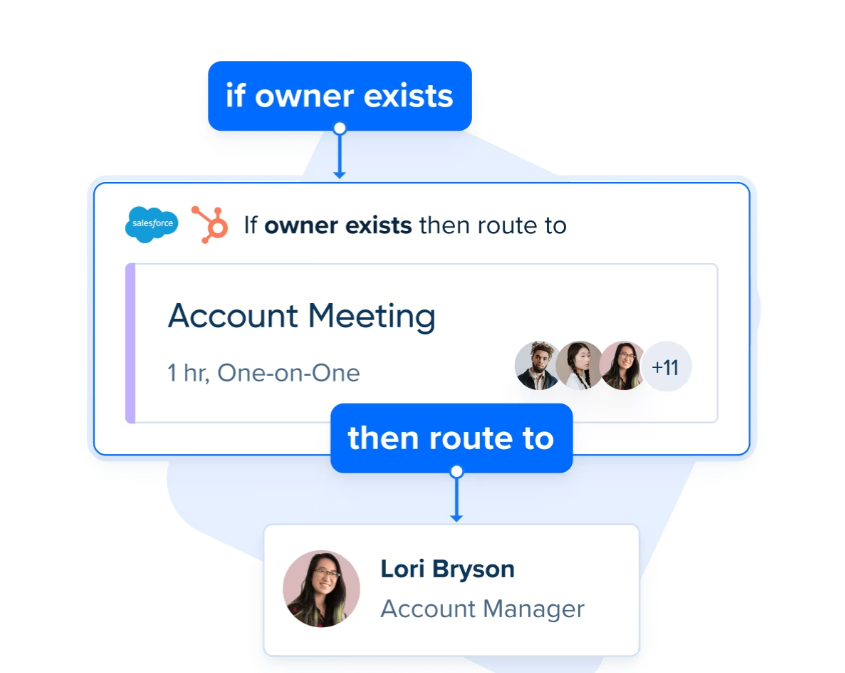
Source: Calendly
The team scheduling options are equally mature. Round-robin distribution spreads meetings evenly across a team. Collective scheduling finds times when multiple people are available for panel interviews or group calls. Managed Events let administrators create locked event templates so every rep presents a consistent, on-brand booking experience.
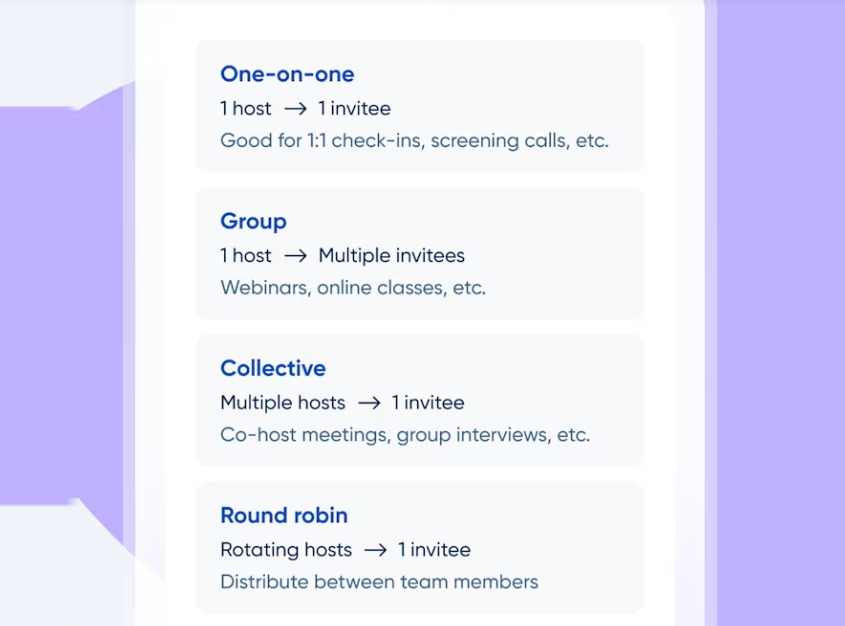
Source: Calendly
Calendly also handles money. The Payments module collects fees at booking through Stripe or PayPal, supports multi-session meeting packages for coaches and consultants, and offers standalone payment links for services unrelated to a scheduled meeting. Roughly 25,000 businesses use Calendly Payments per month, transacting $26 million monthly.
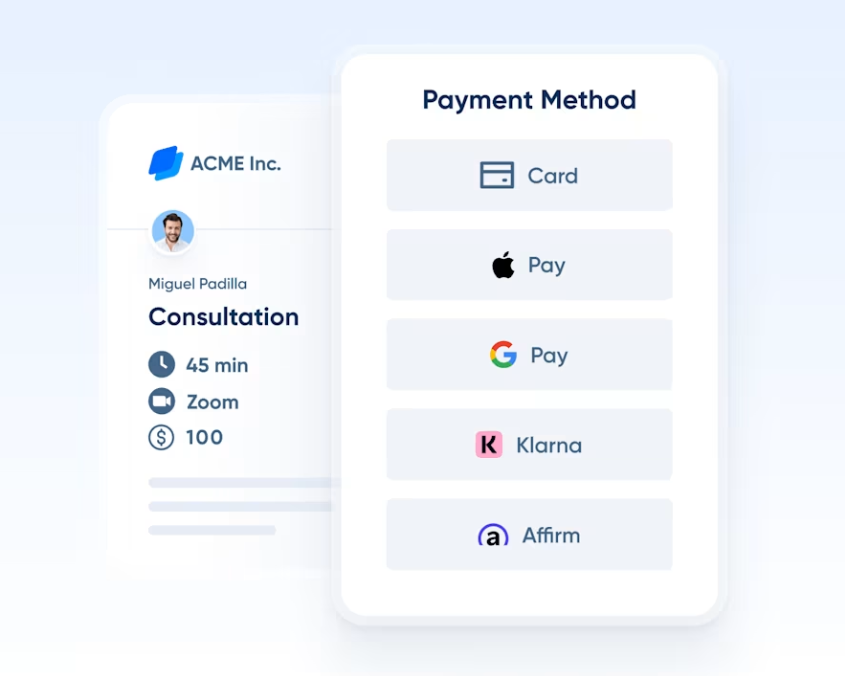
Source: Calendly
The invitee experience is another strength. Invitees do not need a Calendly account to book. The booking page adjusts to the invitee's time zone and shows only available slots. Prebooking intake forms gather context so hosts arrive prepared. Automated email and SMS reminders before and after meetings reduce no-shows and keep follow-ups moving.
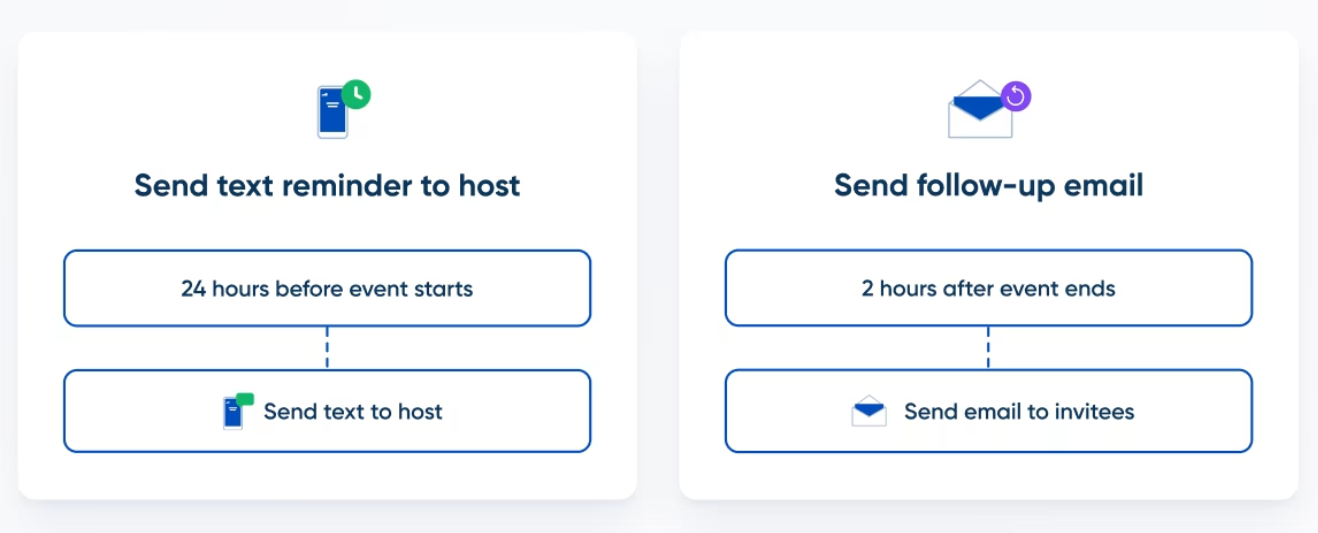
Source: Calendly
Where Calendly stops is where the meeting ends. It does not manage your projects. It does not auto-schedule your tasks. It does not plan your workday. Calendly gets the meeting on the calendar, and everything else requires other tools.
Motion bundles scheduling into an AI-driven workday
Motion's scheduling is not a standalone feature. It is one layer of an AI engine that manages your entire workday.
The AI Calendar combines your external calendars (Google, Outlook, iCloud) with your task list, then places work blocks around your meetings. When a new meeting is added or a task runs long, Motion reshuffles the day and week in seconds. The system re-optimizes hundreds of times a day, factoring in deadlines, priorities, task durations, and dependencies across all projects.
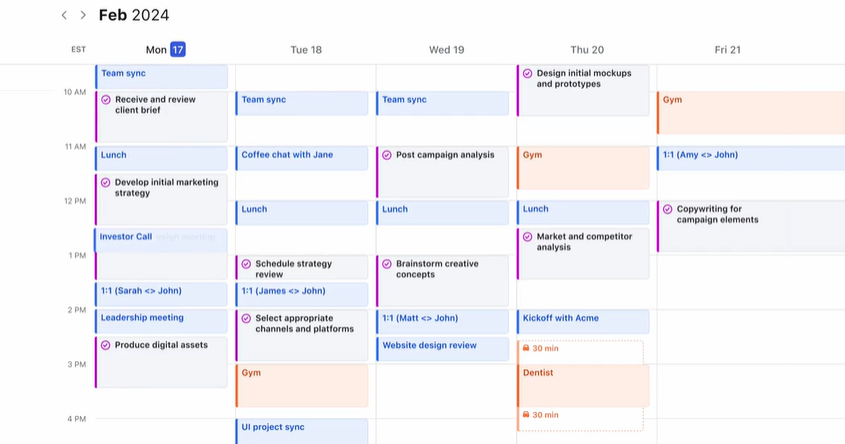
Source: Motion
Booking links work as you would expect. Users create shareable scheduling pages with configurable availability windows, buffer times, daily meeting limits, and pre-meeting intake questions. Zoom, Google Meet, and Microsoft Teams links generate automatically. One-time booking links can be created by dragging specific time slots on the calendar for ad-hoc scheduling.
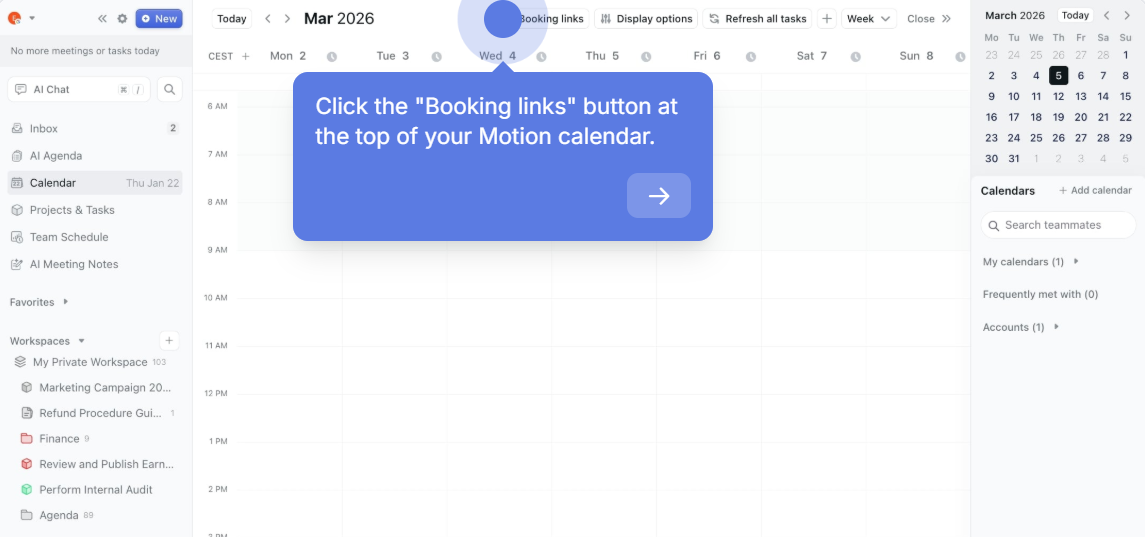
Source: Motion
Here is where Motion diverges from Calendly: when someone books a meeting through a Motion link, that meeting enters the auto-scheduling engine immediately. Motion does not just record the meeting; it re-plans remaining tasks around it. If the new meeting puts a deadline at risk, Motion flags it days or weeks in advance. If more work is scheduled than capacity allows, Motion surfaces the overload before deadlines are missed.
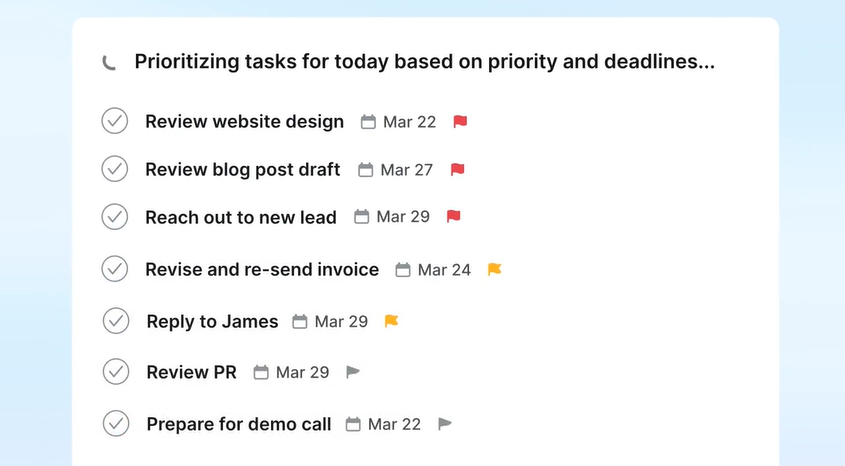
Source: Motion
The broader platform is where Motion's value compounds. The AI Project Manager handles task dependencies, capacity planning, and project ETAs. The AI Workflows Builder converts SOP documents into structured, auto-assigned projects in seconds. The AI Docs Assistant turns meeting notes into scheduled tasks. For teams tired of juggling multiple tools, this integration is the central promise.
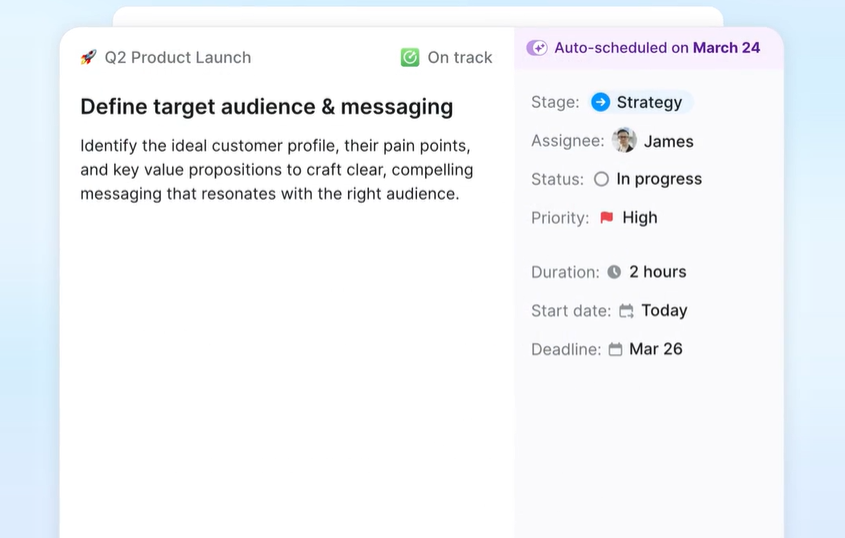
Source: Motion
The limitation is scheduling depth. Motion does not offer Calendly-style Routing Forms, CRM-based lead routing, round-robin distribution for teams, group event types, meeting polls, or payment collection. If your scheduling needs extend beyond booking links and calendar management, you will feel those gaps.
Meeting intelligence: from transcript to action
Both platforms have added AI meeting notetakers, but the implementations reflect their different priorities.
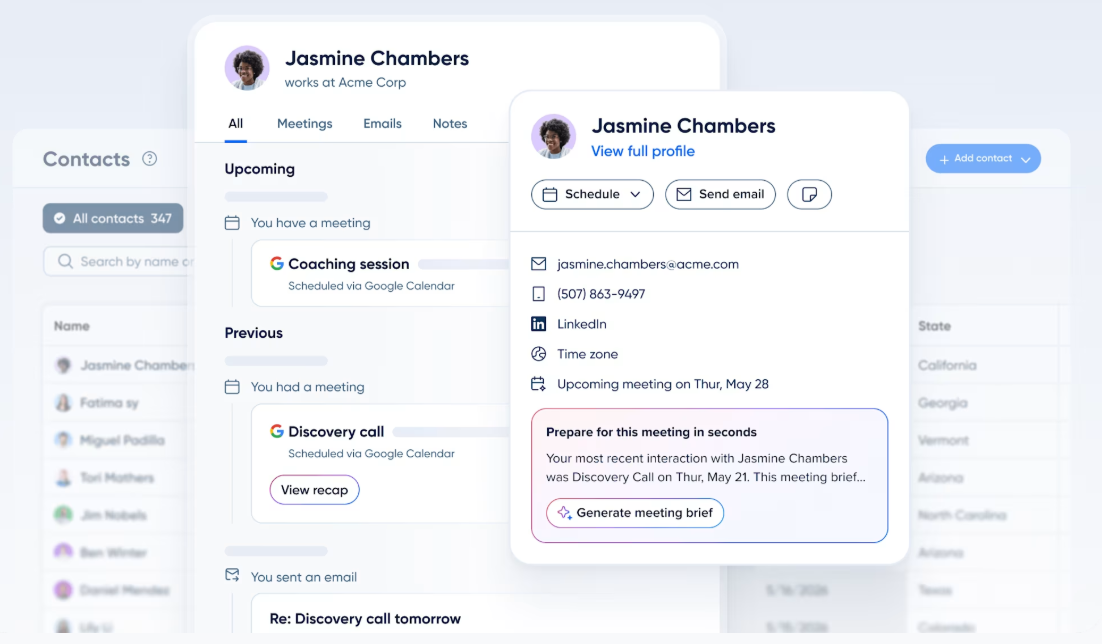
Calendly's Notetaker joins meetings on Zoom, Google Meet, and Microsoft Teams as a visible participant, then delivers AI-generated summaries, transcripts, and action items. Because Calendly already holds the invitee's booking history and contact data, it surfaces client details and past meeting recaps in one view before a meeting begins.

Source: Calendly
Notetaker can push recaps to Salesforce, HubSpot, or any Zapier-connected app, and it is included in all paid plans with unlimited recaps. The companion Contacts feature builds a relationship record from every person who books a meeting, creating a meeting-centric CRM without manual data entry.
Source: Calendly
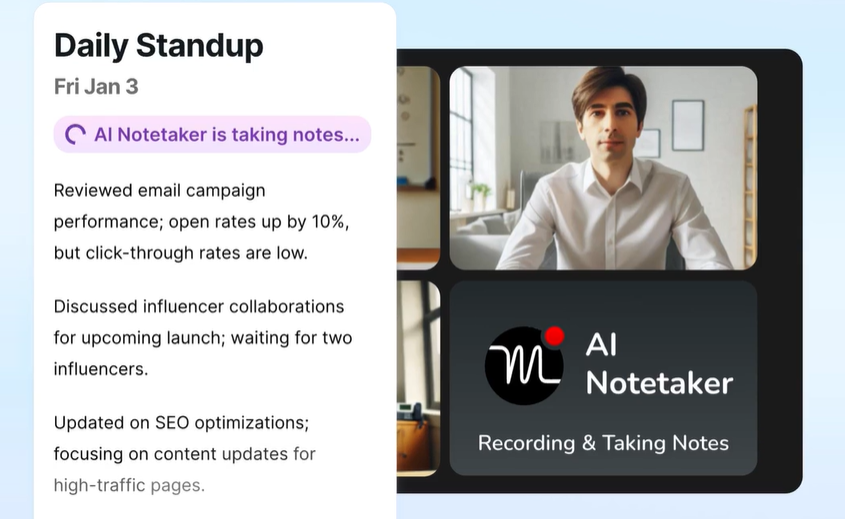
Motion's AI Meeting Notetaker also joins calls on the same three platforms and generates summaries, transcripts, and action items. Motion says its notetaker is trained on 10,000+ hours of proprietary meeting video data. The differentiator is what happens after the meeting: detected action items are assigned to specific team members' schedules and auto-scheduled based on their existing priorities and capacity. The notes become a Motion Doc, and follow-up tasks land on the right person's calendar without manual transfer.
Source: Motion
For teams that need meeting outcomes to become scheduled work, Motion's loop from transcript to task to calendar block is tighter. For teams that need meeting data flowing into CRM for pipeline tracking, Calendly's CRM push and contact records are more useful.
Neither tool answers the most important sales question
Motion plans your day. Calendly books your meetings. Both tools assume you already know who you should be meeting with.
For revenue teams, that assumption is where things break down. A booking link is only valuable if the right prospect clicks it. A well-organized calendar is only useful if the meetings on it are with accounts that are actually in-market. The scheduling tool handles logistics. The intelligence gap is knowing which accounts to prioritize, which contacts to target, and when the timing is right.
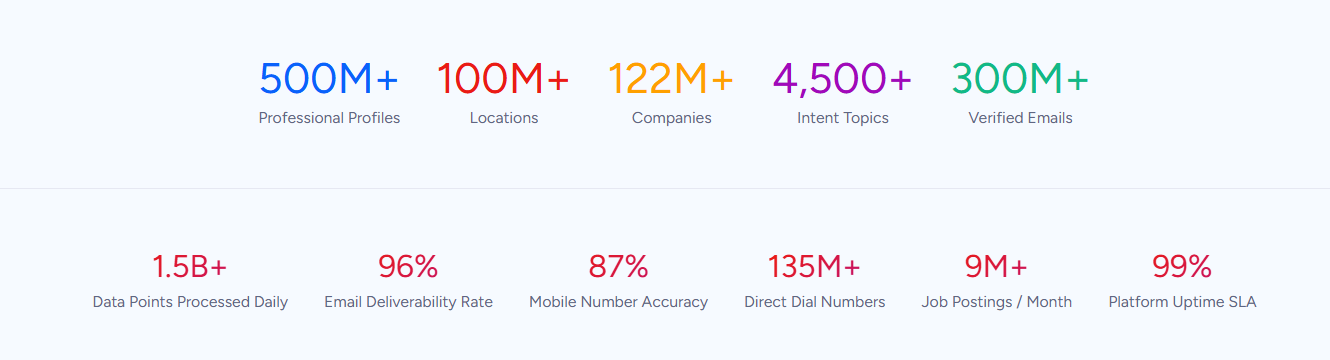
This is the problem ZoomInfo solves. ZoomInfo operates the largest B2B data platform in the industry: 500M contacts, 100M companies, 135M+ verified phone numbers, and 200M+ verified business email addresses, verified through a multi-source pipeline backed by 300+ human researchers and achieving up to 95% accuracy on first-party data. In a Fortune 500 competitive RFP analyzing 25 million contacts across vendors, the independent consultant concluded that "no other competitor came even close."
Source: ZoomInfo
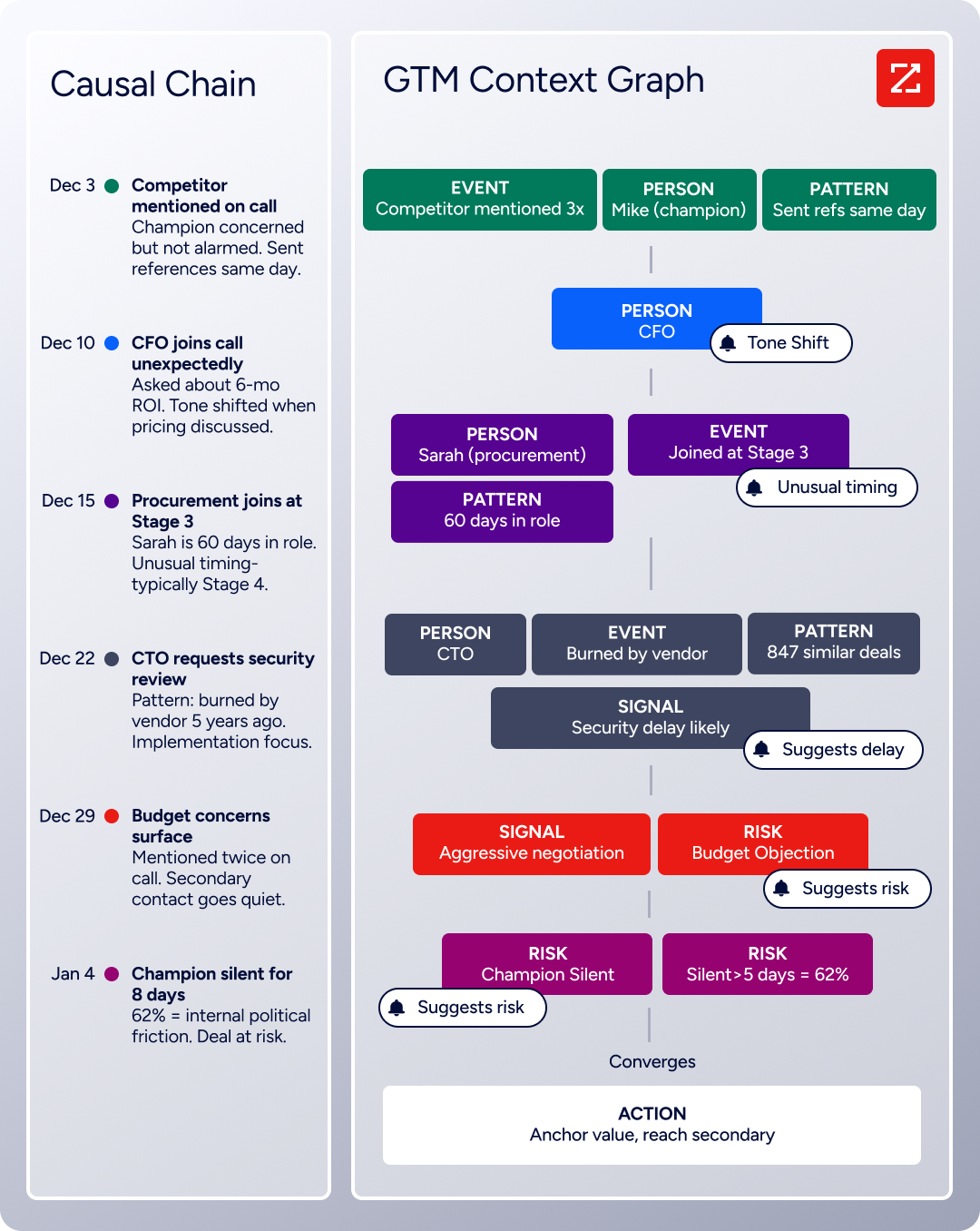
That data feeds the GTM Context Graph, which processes 1.5B+ data points daily and combines ZoomInfo's third-party intelligence with a customer's CRM records, conversation transcripts, and behavioral signals. The result is not just a database. It is an intelligence layer that captures why deals move or stall, not just that they did.
Source: ZoomInfo
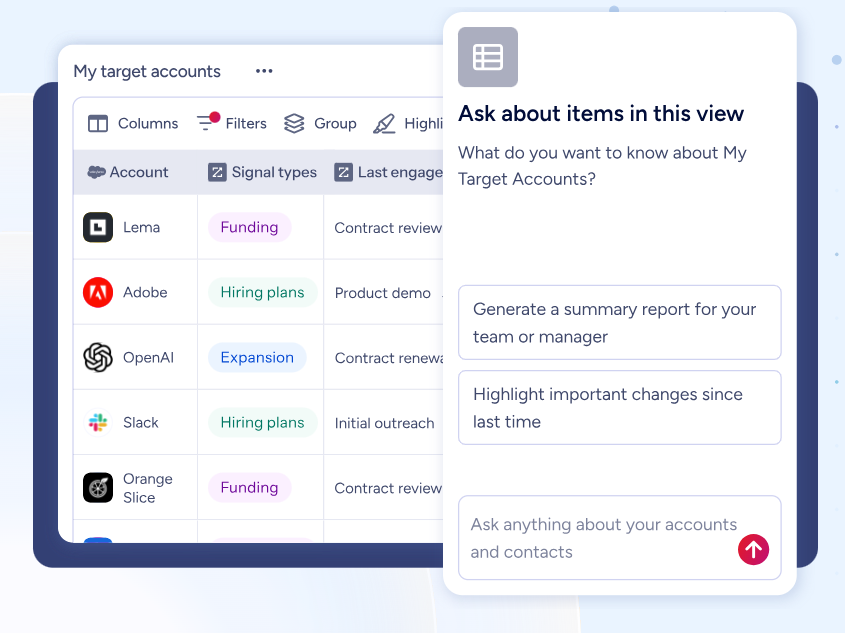
In GTM Workspace, sellers see a prioritized account feed with AI-drafted outreach, in-market buyer alerts, and buying group intelligence in one view.
Source: ZoomInfo
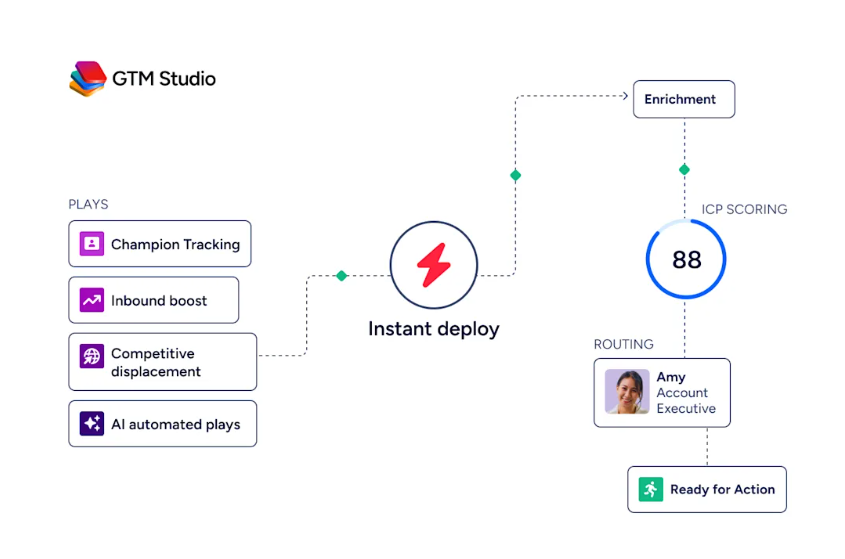
In GTM Studio, marketers and RevOps teams build audiences in natural language, launch multi-channel plays, and track pipeline impact without engineering tickets. For teams that build their own tools, APIs and MCP expose the same intelligence to any custom agent or platform, including Claude and ChatGPT.
Source: ZoomInfo
Whether your team uses Motion or Calendly for the actual scheduling, ZoomInfo ensures the meetings are with the right people at the right time. A booking link shared with a prospect identified by ZoomInfo's intent signals and verified contact data is a different proposition than a booking link shared cold.
Seismic's sales team attributed 39% of active pipeline to opportunities identified or influenced by ZoomInfo signals, boosted productivity by 54%, and saved 11.5 hours per week per seller. (Seismic)
Integrations shape how each tool fits your stack
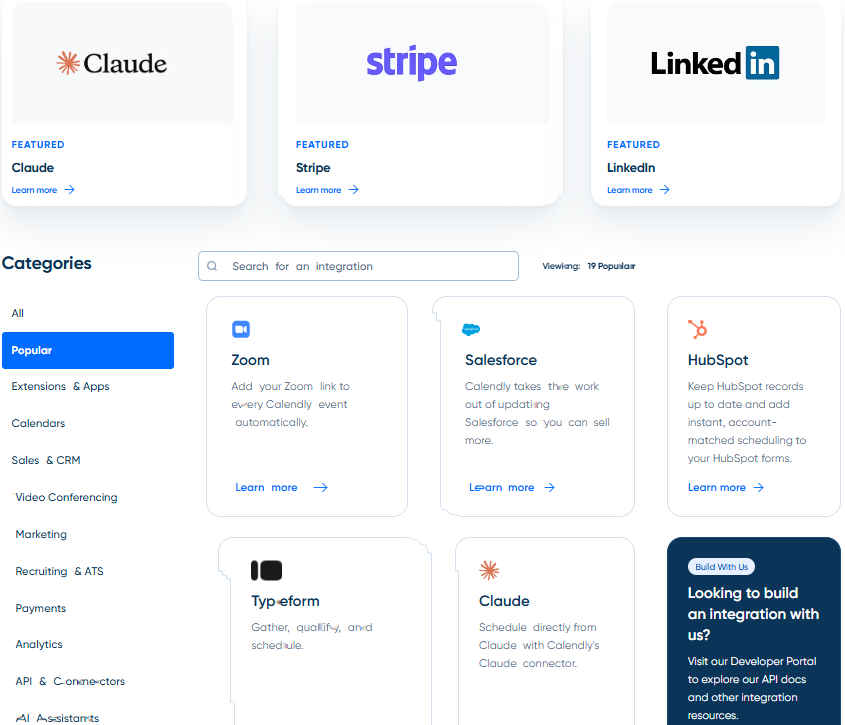
Calendly's integration ecosystem reflects over a decade of maturity. The integrations directory lists 100+ integrations across CRM, marketing automation, video conferencing, payments, and analytics. Salesforce integration includes bi-directional sync and real-time lead routing.
Source: Calendly
HubSpot, Marketo, and Pardot integrations import existing marketing forms and layer scheduling logic on top. Zapier and Make extend Calendly to thousands of additional apps. Three APIs (REST, Embed, and Webhook) plus a Scheduling API and MCP Server open Calendly to custom builds and AI agents. For teams running Salesforce or HubSpot, Calendly plugs in without forcing changes to existing workflows.
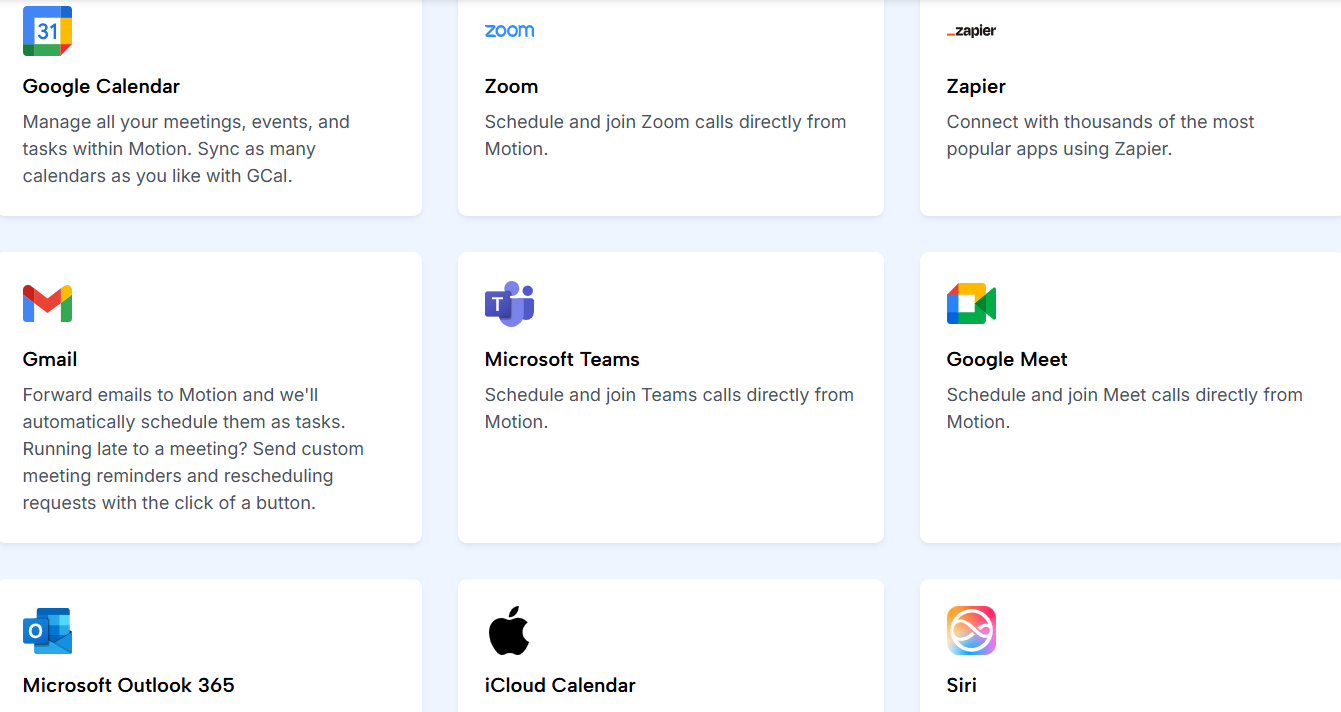
Motion's integration ecosystem is smaller. Native integrations cover Google Calendar, Outlook, iCloud, Zoom, Google Meet, Microsoft Teams, Gmail, Slack, HubSpot, and Salesforce.
Source: Motion
Zapier is the only iPaaS connector, and the connection is one-directional: external events can create Motion tasks, but changes in Motion do not push back. The integrations FAQ states there are no current plans for native integrations with Notion, ClickUp, or Google Sheets. No Make, Workato, or Tray.io support is documented. Motion does offer a REST API for custom workflows, though it covers tasks and projects rather than calendar or scheduling automation.
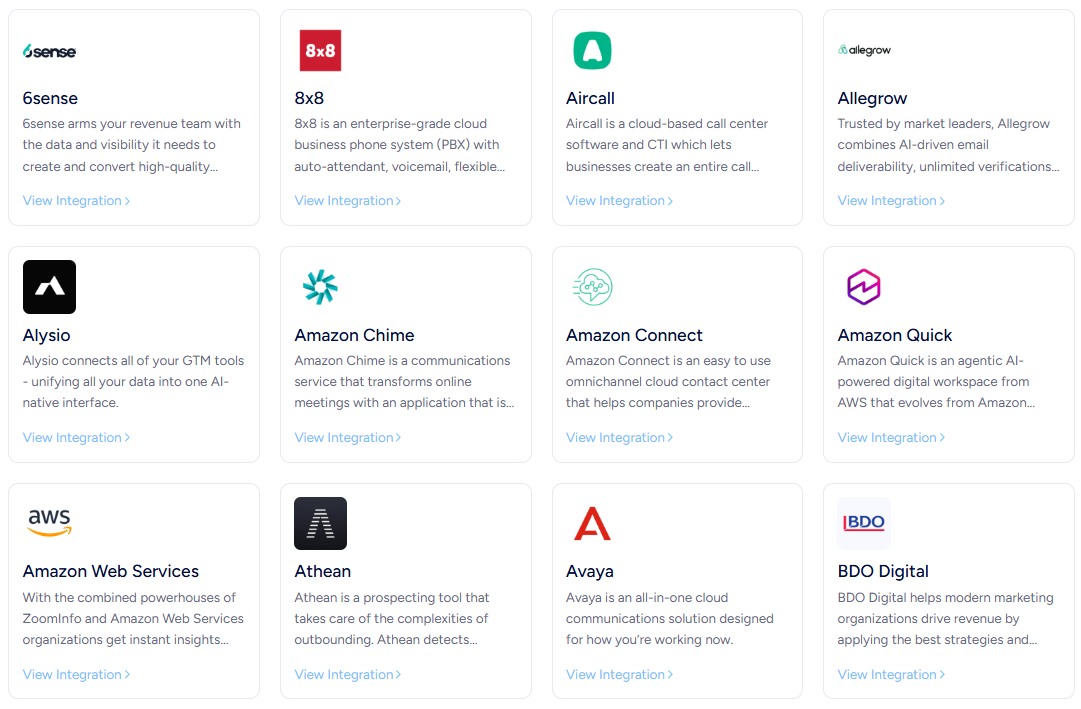
ZoomInfo takes a different approach. The Marketplace lists 172+ partners, and the Enterprise API and MCP server make ZoomInfo's intelligence available in any tool. API access is included in all relevant plans.
Source: ZoomInfo
For teams that want ZoomInfo intelligence in their scheduling workflow, the CRM integrations create a natural bridge: ZoomInfo enriches the CRM with verified contacts and intent data, and Calendly's routing (or any CRM-connected scheduler) acts on that enriched data to book meetings with the right people.
Pricing reflects different scopes
Calendly's pricing rewards individual adoption and scales with team needs.
The Free plan includes one event type, one calendar connection, and unlimited meetings, with no ads and no time limit. Standard at $10/seat/month (annual) unlocks unlimited event types, up to six calendar connections, automated reminders, payments, and integrations with HubSpot and Zapier. Teams at $16/seat/month (annual) adds round-robin, Salesforce, routing forms, and managed events. Enterprise starts at $15,000/year with dedicated support, SAML SSO, SCIM provisioning, and Microsoft Dynamics 365.
Motion has no free tier. Both plans require a paid subscription from day one, with a $1 card hold at signup.
Pro AI costs $19/seat/month ($29 on monthly billing) and includes AI calendar, task management, project management, meeting notes, docs, and 7,500 AI credits per seat. Business AI at $29/seat/month ($49 on monthly billing) adds capacity planning, Gantt charts, advanced dashboards, time tracking, and priority support. AI credit overages cost $0.25 per 100 credits on Pro AI and $0.19 on Business AI.
Motion's per-seat cost is higher than Calendly's, but Motion argues the consolidation math favors one subscription over several. If you currently pay separately for a scheduler, project management tool, AI notetaker, and docs platform, Motion's $19-$29/seat may cost less than the combined total. Whether that math works depends on whether Motion's version of each tool meets your needs.
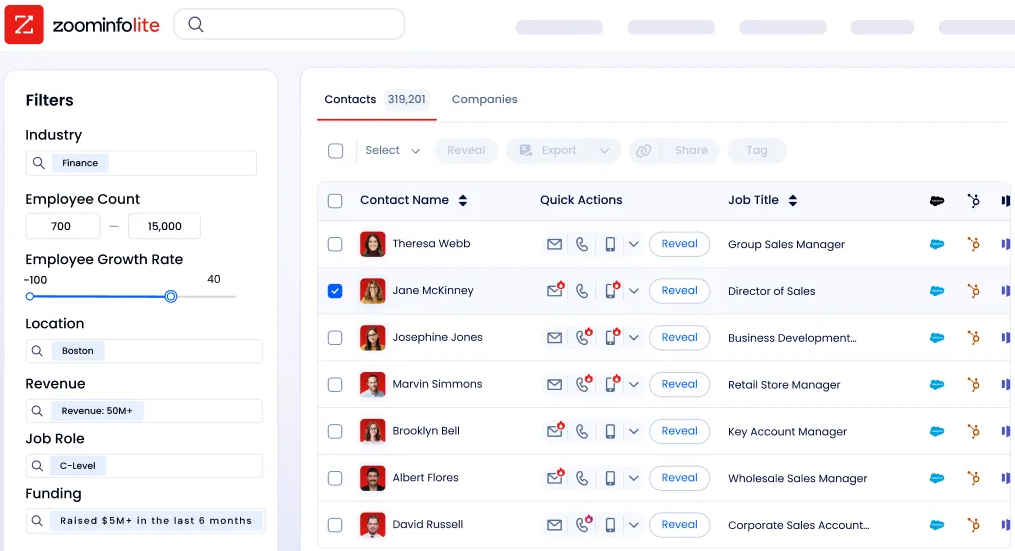
ZoomInfo uses custom, consumption-based pricing with no publicly listed prices. ZoomInfo Lite is a permanent free tier that provides access to the B2B database with 10 monthly export credits, contact and company search, and a Chrome extension. A 7-day free trial of paid features is available with no credit card required.
Source: ZoomInfo
Motion vs. Calendly vs. ZoomInfo: Which should you choose?
The choice depends on what problem you are solving first.
Choose Calendly if:
Scheduling automation is your team's primary need
You require CRM-based lead routing, round-robin distribution, or payment collection at booking
Integration depth with your existing Salesforce, HubSpot, or marketing stack matters
You want a free tier for individual contributors or low-risk evaluation
Your project management and task management needs are handled by other tools
Choose Motion if:
You want one platform to handle scheduling, project management, tasks, meeting notes, and docs
AI-driven daily planning and automatic task prioritization appeal to your workflow
You are willing to trade scheduling depth for a connected system where meetings, tasks, and projects share the same engine
Your team is frustrated by juggling multiple productivity tools
You can commit to a paid plan without a free tier fallback
Add ZoomInfo if:
Your team needs to know which accounts to prioritize, not just how to schedule with them
Verified contact data, intent signals, and buying group intelligence would improve your meeting quality
You want AI-drafted outreach that addresses why a prospect is in-market, not just who they are
Your CRM needs enrichment to make scheduling tools like Calendly's routing work with accurate, current data
You are ready to move from scheduling meetings to scheduling the right meetings
See how ZoomInfo's intelligence transforms your pipeline.
Redwood Logistics achieved a 99% reduction in cost-per-click, a 310% increase in clickthrough rate, and saved 20-25 hours per week using ZoomInfo's audience insights. (Redwood Logistics)
Scheduling tools and intelligence platforms are not competing categories. They are different layers of the same revenue workflow. Whether you choose Calendly's scheduling depth or Motion's productivity breadth, the meetings that move pipeline are the ones with the right buyer at the right moment. That is the layer ZoomInfo provides, and it works with whichever scheduling approach your team prefers.
Motion vs. Calendly vs. ZoomInfo FAQ
What is the core difference between Motion and Calendly?
Calendly is a dedicated scheduling platform that handles meeting booking, lead routing, team distribution, payments, and CRM sync. Motion is an AI productivity platform that includes scheduling as one part of a broader suite covering project management, task management, meeting notes, and docs. Calendly goes deeper on scheduling; Motion goes wider across the workday.
Does Motion fully replace Calendly for scheduling?
Not for most sales teams. Motion handles booking links, daily meeting limits, buffer times, and calendar conflict detection. But it lacks Calendly's Routing Forms, CRM-based lead routing, round-robin distribution, collective scheduling, meeting polls, managed event templates, and payment collection. If your team relies on any of these for inbound conversion or team coordination, Calendly remains the stronger scheduling choice.
Which platform is more affordable?
Calendly offers a permanent free plan and paid tiers starting at $10/seat/month. Motion has no free plan and starts at $19/seat/month (annual). However, Motion includes project management, task management, meeting notes, and docs in that price. If you currently pay for those tools separately, Motion could cost less overall. The comparison depends on your current stack.
How does ZoomInfo fit with Motion or Calendly?
ZoomInfo is not a scheduling tool. It is a B2B intelligence platform that helps revenue teams identify the right accounts, contacts, and timing for outreach. ZoomInfo enriches your CRM with verified contact data, intent signals, and buying group intelligence. That enriched CRM data then powers Calendly's lead routing or feeds the account targeting that precedes any scheduling action. ZoomInfo tells you who to meet; Motion or Calendly handles the booking.
Which platform has better meeting notes?
Both include AI meeting notetakers that join Zoom, Google Meet, and Microsoft Teams calls. Calendly's Notetaker generates recaps and pushes them to Salesforce, HubSpot, or Zapier-connected apps, and builds contact records from meeting activity. Motion's Notetaker extracts action items and auto-schedules them as tasks on team members' calendars. Calendly is stronger for CRM pipeline tracking; Motion is stronger for converting meeting outcomes into scheduled follow-up work.
Which platform has better CRM integration?
Calendly supports Salesforce, HubSpot, and Microsoft Dynamics 365 (Enterprise tier) with bi-directional sync and real-time routing. Its Routing Forms can query CRM records when a lead submits a form and route to the assigned owner's calendar. Motion lists HubSpot and Salesforce as native integrations but does not offer CRM-based routing or the same depth of data sync. ZoomInfo provides the deepest CRM integration of the three, with full enrichment, lead-to-account matching, and data quality management across Salesforce, HubSpot, and Dynamics 365.
Which is better for a sales team?
It depends on what the sales team needs most. Calendly is better for inbound lead conversion, scheduling at scale, and pipeline-connected meeting data. Motion is better for sales teams that also need project and task management alongside scheduling. ZoomInfo is the strongest choice for the intelligence layer behind both: knowing which accounts are in-market, which contacts to target, and what to say when the meeting happens.
Do any of these platforms offer a permanent free plan?
Calendly offers a permanent free plan with one event type and one calendar connection. ZoomInfo offers ZoomInfo Lite, a permanent free tier with 10 monthly export credits and access to the B2B database. Motion does not offer a free plan; it requires a paid subscription after the trial period.
