
Choosing between Motion and Notion for your team's workspace comes down to how you want to work:
Do you want AI to plan your day automatically, or do you prefer building your own system from scratch?
Is structured project execution more important than flexible knowledge management?
Do you need your team productive in days, or are you willing to invest weeks building the right workspace?
How important is a free plan for evaluating the tool across your team?
Do you need workflows that run themselves, or databases you can shape to any use case?
Here's what we recommend:
Motion is a productivity platform for teams that want the software to handle scheduling, prioritization, and project coordination. Its auto-scheduling engine takes tasks, deadlines, priorities, and calendar events, then builds and updates each team member's daily plan, re-optimizing hundreds of times a day without manual input. For service businesses and teams spending too much time on coordination, Motion cuts the administrative cost of project management: tasks progress automatically, deadlines adjust in real time, and capacity planning happens without spreadsheets. The trade-off is that Motion is prescriptive by design. There's no free plan, the integration ecosystem is smaller than established alternatives, and teams that want to customize every detail will find Motion's opinionated approach limiting.
Notion is a workspace for teams that want to build the system they need. Its block-based architecture supports everything from simple notes to relational databases, with multiple views that transform the same data into kanban boards, timelines, calendars, or charts. Add Custom Agents that automate recurring work and Enterprise Search that spans connected apps, and Notion becomes an AI workspace that adapts to most workflows. The trade-off is that flexibility demands investment. Someone has to architect the workspace, 23% of G2 reviewers flag the learning curve as a pain point, and performance can degrade with large databases.
Both platforms manage internal work: tasks, projects, docs, and team coordination. But for go-to-market teams, the decisions that drive revenue depend on external intelligence: which accounts are in-market, who the decision-makers are, and what signals indicate buying readiness. Neither workspace tool provides this.
ZoomInfo is a go-to-market platform that gives sales and marketing teams the B2B intelligence that workspace tools don't provide. Its database includes 500M contacts, 100M companies, 135M+ verified phone numbers, and 200M+ verified business email addresses. The GTM Context Graph processes 1.5B+ data points daily to show not just what's happening in your deals, but why. Through APIs and MCP, this intelligence flows into any workspace, CRM, or AI agent your team uses, making ZoomInfo the data layer under whichever productivity platform you choose.
If verified go-to-market intelligence sounds valuable, see how ZoomInfo works.
Motion vs. Notion vs. ZoomInfo at a glance
Motion | Notion | ZoomInfo | |
|---|---|---|---|
Core approach | AI auto-scheduling productivity platform | Flexible AI workspace and knowledge base | AI go-to-market platform |
Primary strength | Automated task and project scheduling | Knowledge management and customizability | B2B data, buyer signals, and go-to-market execution |
AI capabilities | Auto-scheduling, project generation, AI employees | Workspace AI, custom agents, enterprise search | GTM Context Graph, account intelligence |
Project management | Auto-progressing with dependency automation | Customizable databases with multiple views | Go-to-market pipeline and deal execution |
Knowledge management | Docs, wiki, and notes | Docs, wiki, and relational databases | Account and market intelligence |
Meeting notes | AI Notetaker joins calls as a participant | Bot-free capture via system audio | Chorus conversation intelligence |
Integrations | Google/Outlook, Zapier, HubSpot, Salesforce | REST API, webhooks, MCP, 100+ connections | 172+ marketplace integrations, API, MCP |
Learning curve | Moderate (mindset shift required) | Steep (architecture decisions required) | Moderate (structured onboarding program) |
Free plan | No (trial only, card required) | Yes (no card required) | Yes (ZoomInfo Lite, permanent) |
Starting price | $19/seat/month | $0 (Free); $10/seat/month (Plus) | Custom-quoted |
Best for | Service businesses needing automated project execution | Teams needing a customizable workspace | Go-to-market teams needing B2B data and intelligence |
Two fundamentally different philosophies of work
Motion and Notion answer the same question from opposite directions: how much should software decide for you?
Motion is prescriptive.
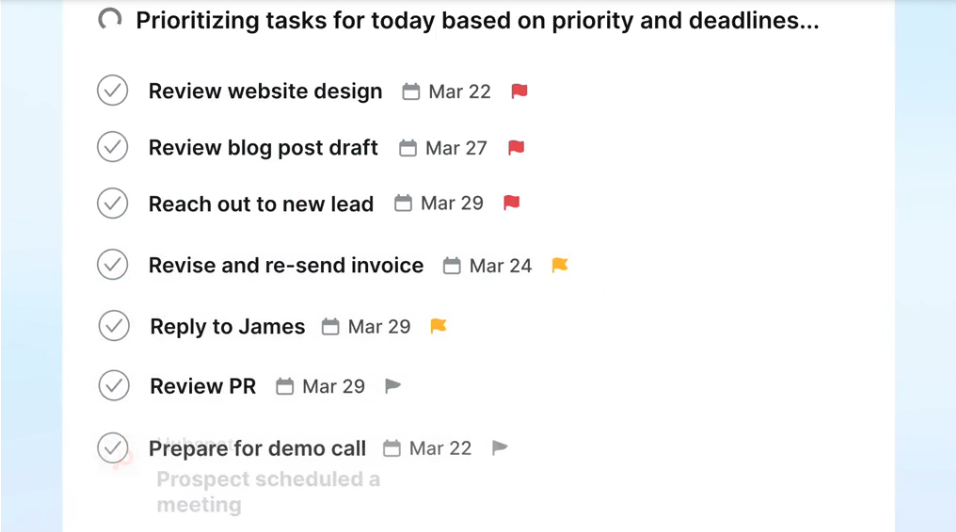
You give it tasks with deadlines, priorities, and time estimates. Its auto-scheduling engine places each task on your calendar, resolves conflicts, and reshuffles your day in seconds when a meeting runs long or a new priority arrives. You don't organize your work; the AI organizes it for you. Motion frames this as "Do Date ≠ Due Date": assigning a deadline doesn't mean the work happens on time unless something plans when it gets done.
Source: Motion
Notion is generative.
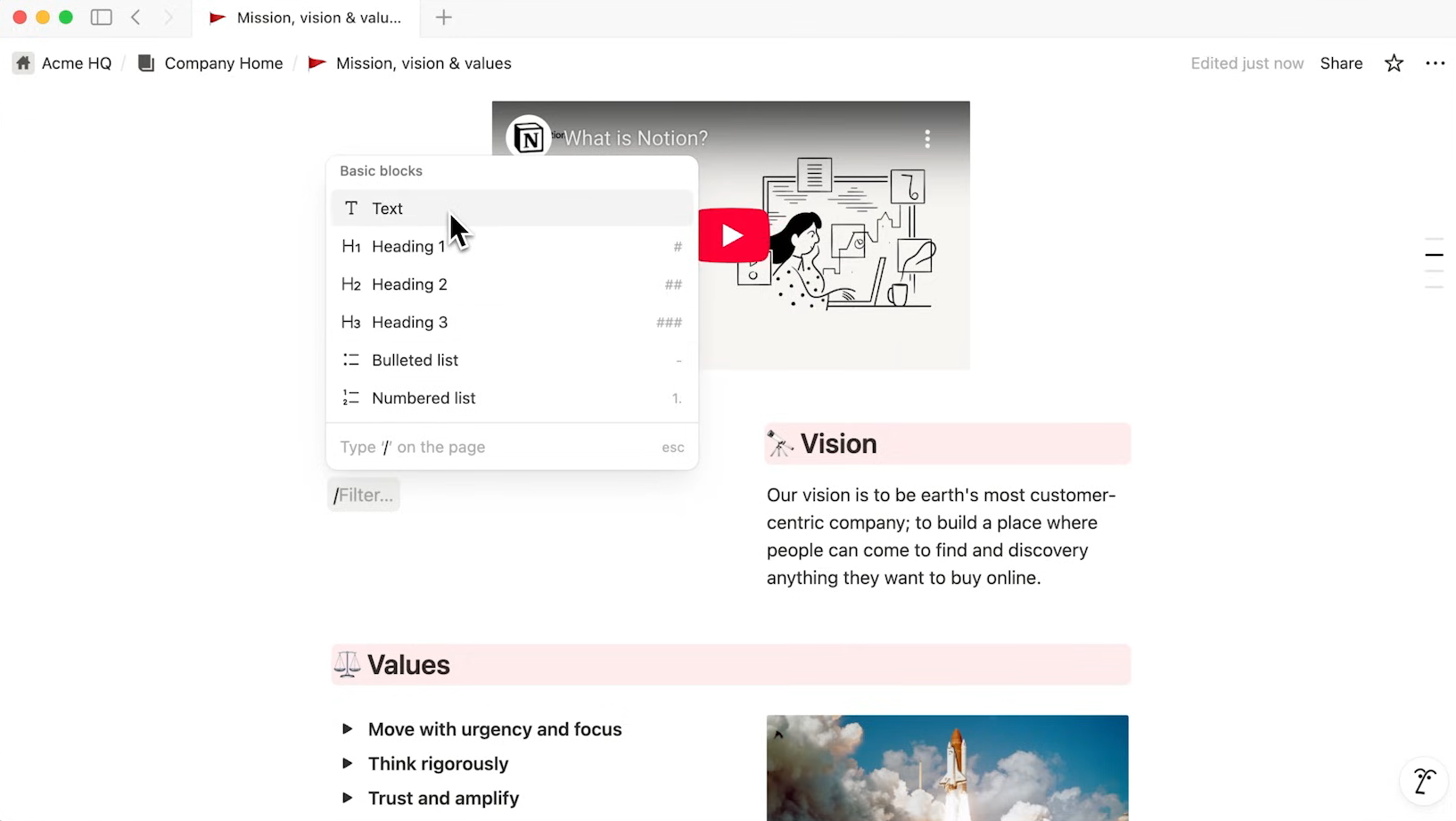
It gives you building blocks (pages, databases, properties, views, formulas, and relations) and lets you assemble them into whatever system fits your team. A marketing team might build a content calendar with automated status tracking. An engineering team might build a sprint board linked to PRDs. A recruiting team might build an applicant tracker connected to interview scorecards. The system does what you design it to do, nothing more.
Source: Notion
The practical consequence: Motion is faster to adopt but harder to customize. Notion is slower to set up but capable of things Motion can't do. Teams that want an opinionated system from day one will prefer Motion. Teams that want a system shaped to their needs will prefer Notion.
Project management: auto-pilot vs. build-your-own
Motion's AI Project Manager runs projects automatically.
Describe a project in plain language or attach an SOP, and Motion generates a structure (stages, tasks, assignees, dependencies, and deadlines) with claimed over 90% accuracy. Once the project is live, tasks unlock when dependencies complete, Motion notifies assignees, and the AI Gantt Chart updates in real time. Motion claims projects finish 32% faster under this model.
The standout feature is capacity planning.
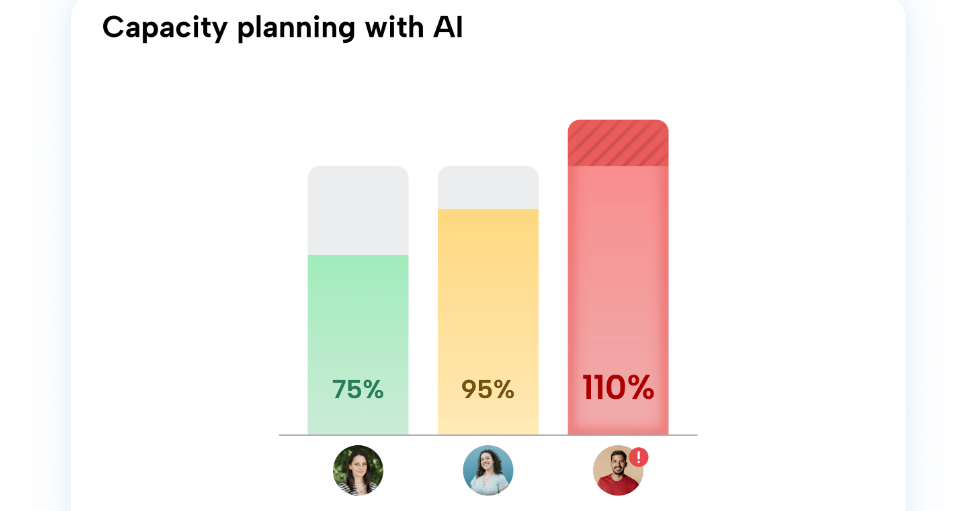
Motion tracks workload across every team member and concurrent project, then predicts completion based on the team's real calendar capacity, not the optimistic estimate a manager enters into a Gantt chart. When capacity conflicts emerge, Motion alerts managers as soon as a project falls behind, forcing a conversation before deadlines slip.
Source: Motion
Notion's Projects takes the opposite approach: flexibility over automation.
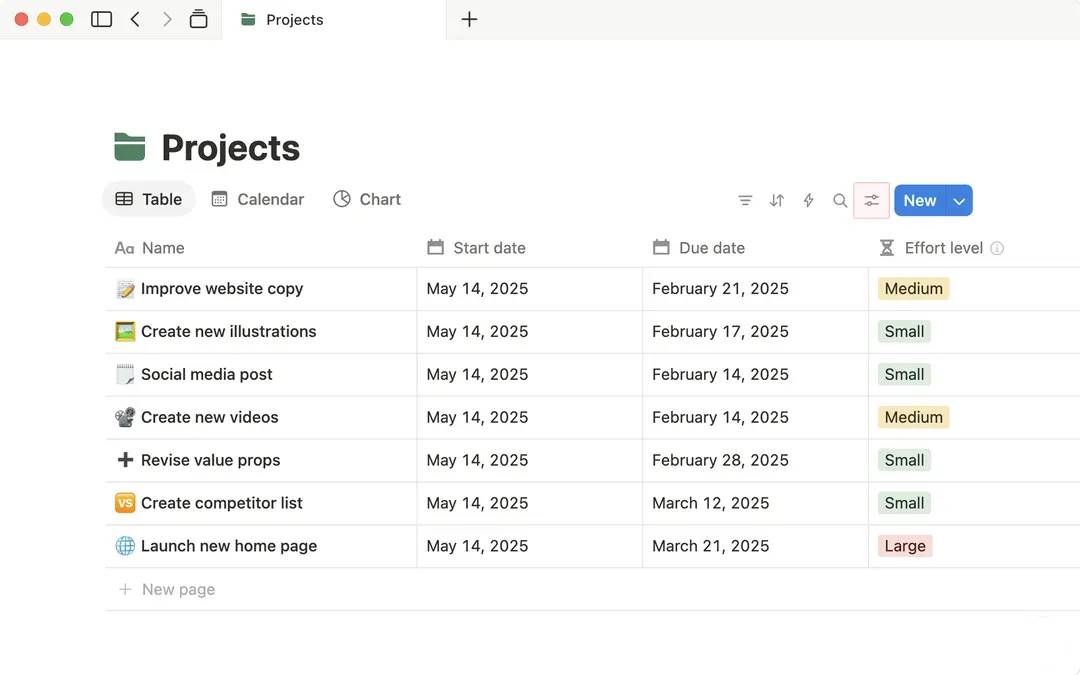
Every project item is a full Notion page with typed properties (status, assignee, due date, priority, plus any custom property you define). The same dataset can appear as a timeline for the roadmap team, a kanban board for sprints, a calendar for scheduling, and a chart for leadership. Subtasks and dependencies surface blockers, and automations can trigger on database changes.
Source: Notion
But Notion doesn't auto-schedule tasks or predict completion dates. It tracks work; it doesn't plan it. A project manager still decides what happens when, who's overloaded, and whether a deadline is realistic. For teams that want that control, this is a feature. For teams that want the software to handle coordination, it's a gap.
Knowledge management: Notion's home turf
This is where Notion leads. Knowledge management isn't a feature Notion added; it's the foundation the product was built on.
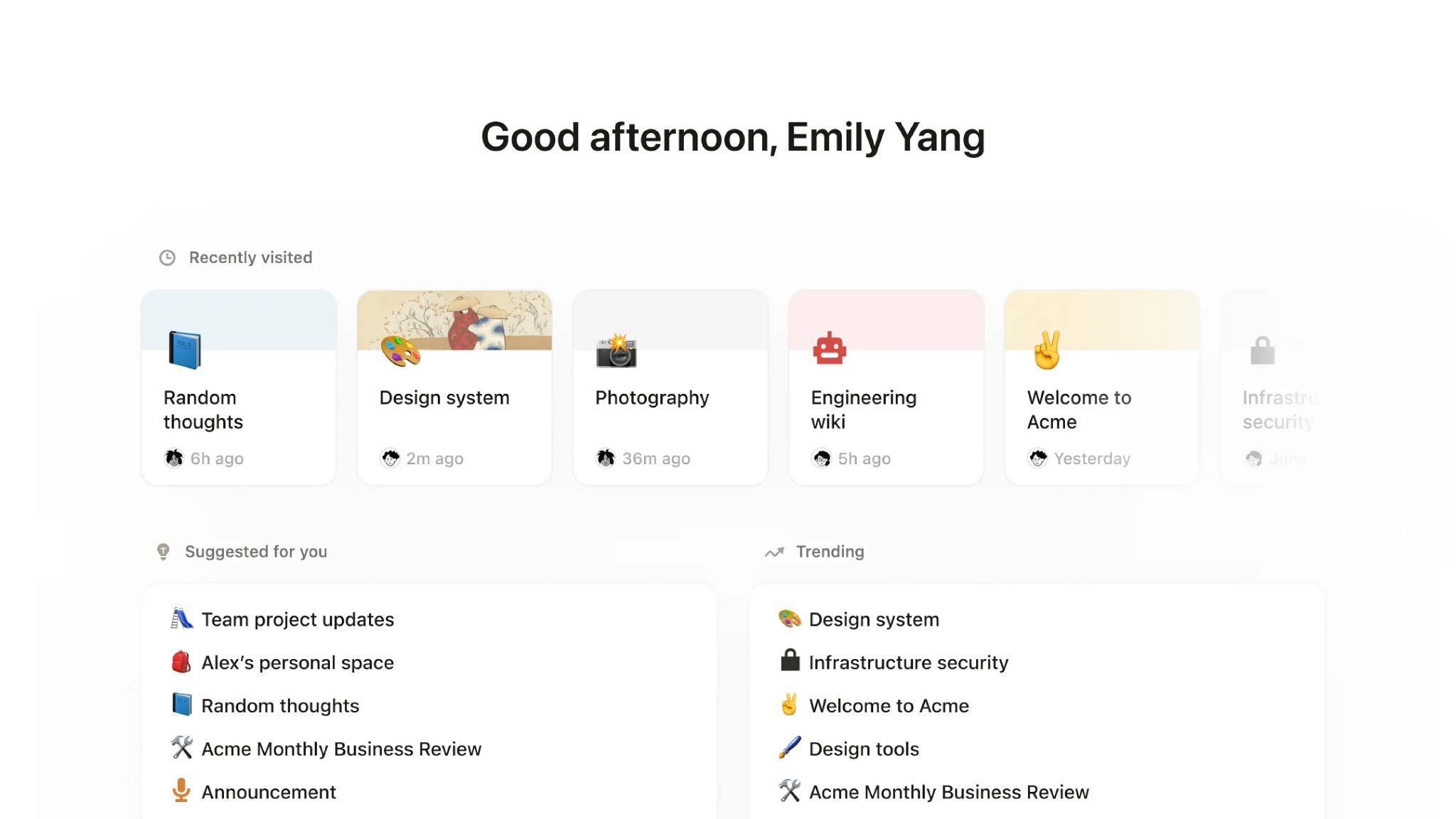
Notion's Docs & Wikis live in the same environment as its projects and databases, so documentation stays connected to the work it describes.
Synced Blocks let the same content appear across multiple pages (edit it once, every instance updates). A Verification feature lets knowledge owners mark pages as confirmed current, solving the persistent problem of outdated documentation. Enterprise Search extends beyond Notion itself, searching across Slack, Google Drive, Jira, GitHub, Microsoft Teams, and more to return AI-synthesized answers with cited sources.
Source: Notion
The depth extends to Notion's 50+ content block types: code snippets with syntax highlighting, collapsible toggles, embeds, live charts, and auto-updating tables of contents. Templates for meeting notes, design systems, PRDs, and pitch decks give teams a starting point, and nested page hierarchy with drag-and-drop rearrangement makes organizing large knowledge bases manageable.
Motion's AI Docs Assistant is newer and more focused.
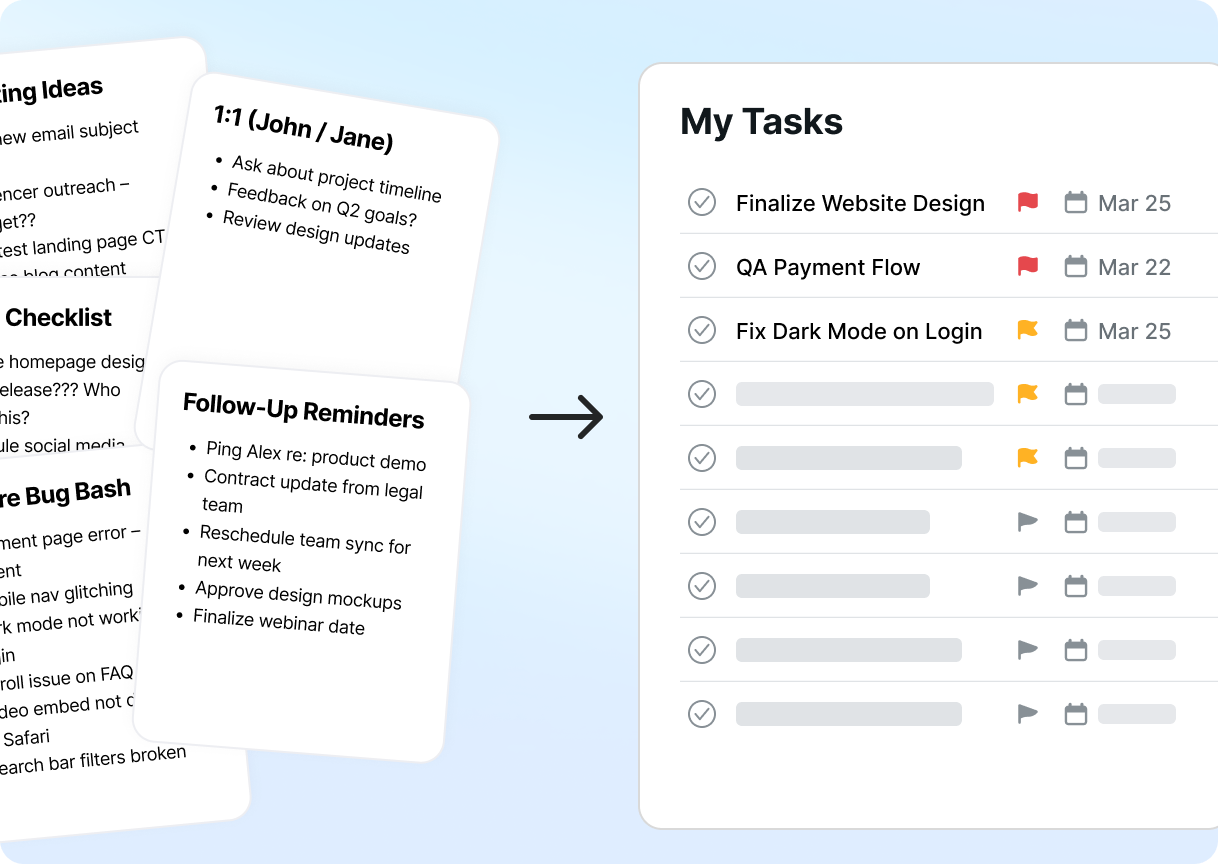
It converts notes and documents into organized tasks and projects, useful for turning discussion into action. You can publish docs as shareable links or live websites, and the AI can extract action items from unstructured meeting notes.
But Motion's docs lack Notion's database integration, Synced Blocks, verification workflows, and template ecosystem. For knowledge management, Notion is the clear choice. For docs that feed a project management engine, Motion's are sufficient.
Source: Motion
AI capabilities: scheduling intelligence vs. workspace agents
Both platforms invest in AI, but they apply it to different problems.
Motion's AI focuses on time.
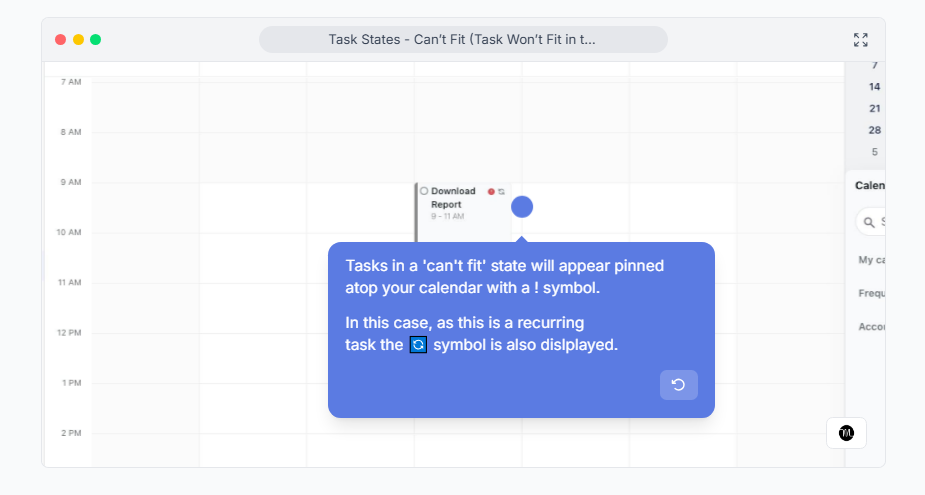
The auto-scheduling engine evaluates every task's start date, duration, deadline, priority, chunking settings, and calendar events to produce a daily plan. When a task can't fit, Motion flags it in a "Can't Fit" state, forcing a conversation about priorities before a deadline passes. The AI Workflows Builder converts SOP documents into project templates and runs a gap analysis against similar projects.
Motion also offers named AI Employees (agents like Chip the SDR, Millie the PM, and Suki the Marketing Associate) that teams can train on their own workflows.
Source: Motion
Notion's AI focuses on knowledge and automation.
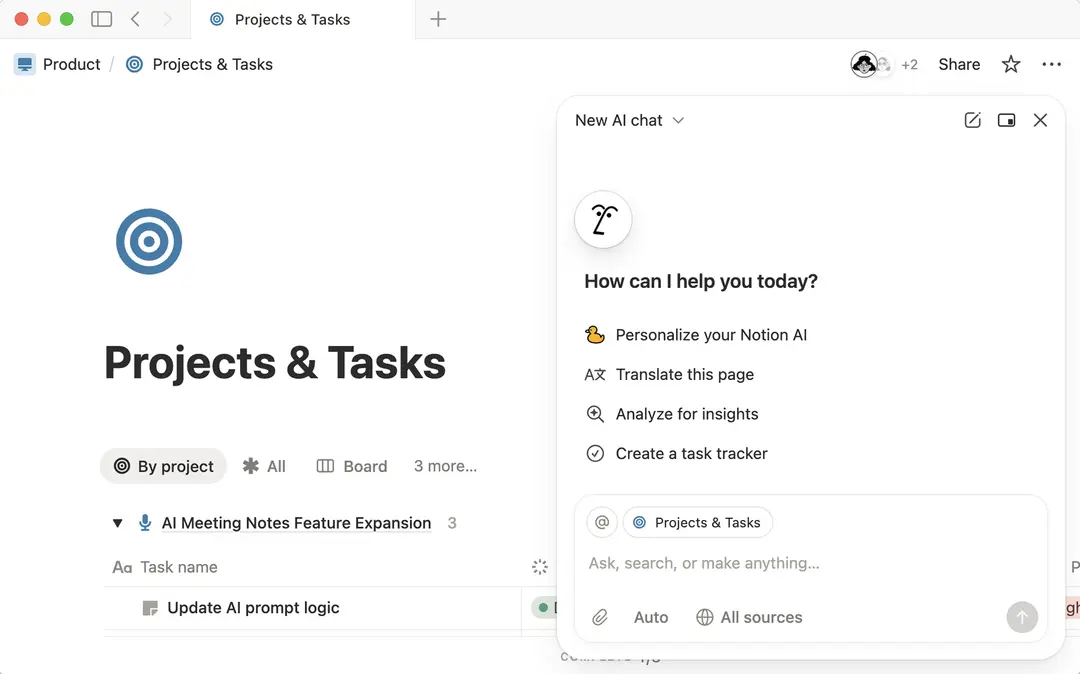
Notion AI handles writing, summarization, research, database creation from natural language, and formula generation. Custom Agents run in the background on schedules or triggers (triaging Slack tickets, writing recurring reports, answering repeated questions) with access to the pages and connected apps you grant them. Notion Agent handles multi-step personal tasks: drafting documents, managing calendars, searching across connected apps. Notion's AI Meeting Notes transcribe meetings without a bot joining the call, capturing system audio at the OS level so no visible participant appears.
Source: Notion
The meeting notes approach shows the philosophical difference.
Motion's AI Meeting Notetaker joins calls as a visible participant on Zoom, Google Meet, or Microsoft Teams, trained on 10,000+ hours of proprietary meeting video data. Notion captures audio at the system level, keeping the recording invisible to other attendees.
For client-facing calls where a visible bot feels inappropriate, Notion's approach works better. For teams that want all attendees to know they're being recorded, Motion's visible participant makes that explicit.
The intelligence gap neither workspace fills
Motion and Notion both manage what happens inside your team. But for sales, marketing, and revenue operations, the most valuable intelligence lives outside any workspace.
Consider a marketing agency using Motion to manage client projects. Motion can auto-schedule tasks and predict completion dates. But it can't tell you which prospects are researching your services, who the decision-makers are at target accounts, or when a competitor's customer shows signs of switching.
Consider a sales team using Notion to track their pipeline. Notion can organize deal information and automate status updates. But it can't flag that a target account just hired three VPs, raised a funding round, and started researching your product category.
That's the gap ZoomInfo fills.
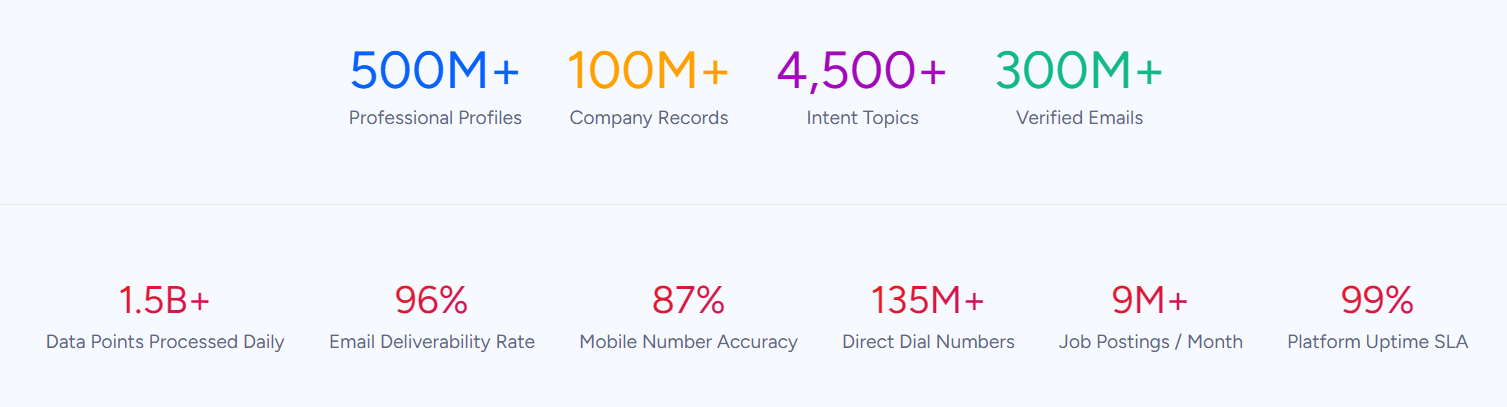
ZoomInfo provides the external intelligence that workspace tools don't offer: 500M contacts, 100M companies, 135M+ verified phone numbers, and 200M+ verified business email addresses, verified through a multi-source pipeline backed by 300+ human researchers with up to 95% accuracy on first-party data. In a Fortune 500 competitive RFP analyzing 25 million contacts across vendors, the independent consultant concluded that "no other competitor came even close."
Source: ZoomInfo
What makes this intelligence actionable is the GTM Context Graph. It combines ZoomInfo's B2B data with your CRM records, conversation transcripts, and behavioral signals into a single layer that captures not just what happened in a deal, but why.
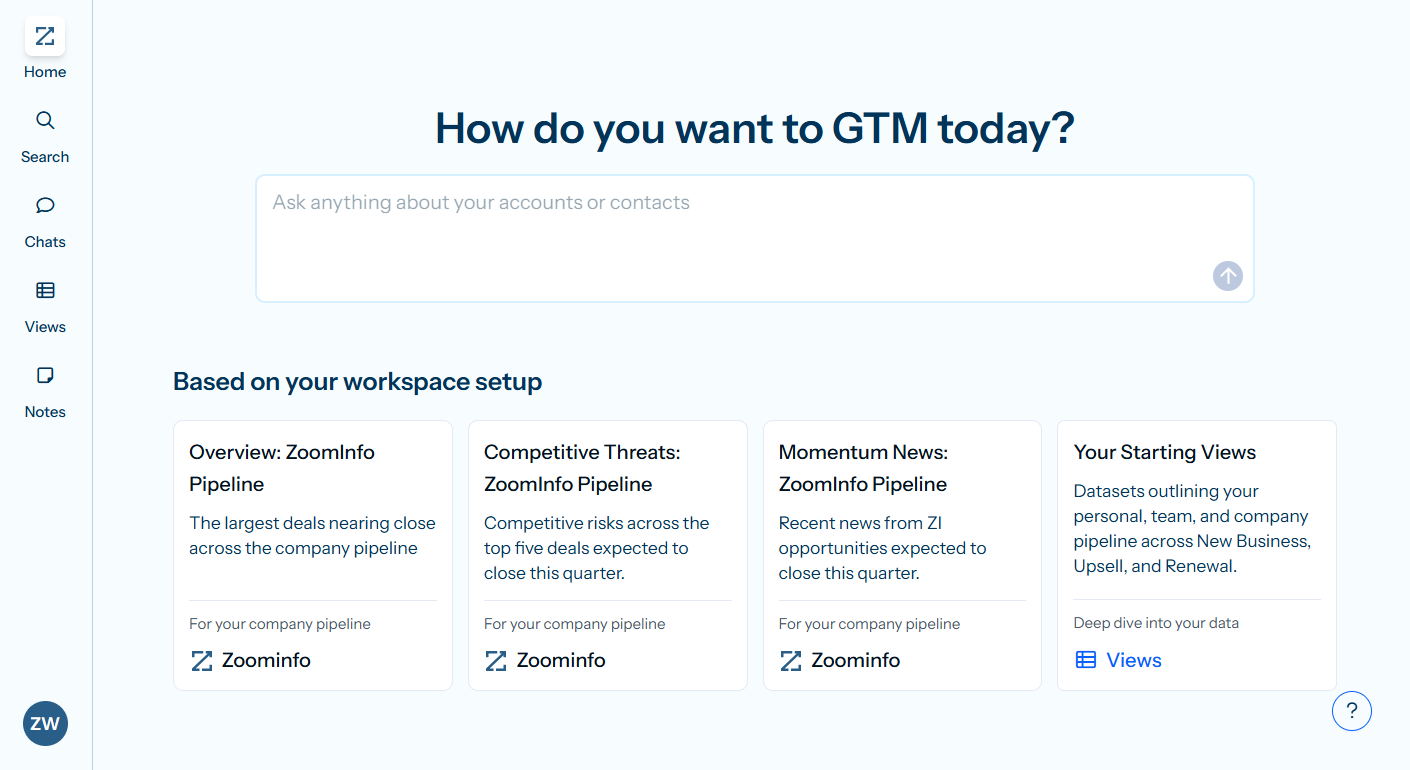
The GTM Workspace gives sellers one place where prioritized accounts, AI-drafted outreach, and deal context converge. GTM Studio lets marketers and RevOps teams build audience segments, launch multi-channel plays, and measure pipeline impact in natural language, without engineering support. For teams that build beyond ZoomInfo's own products, APIs and MCP expose the same intelligence to any tool, agent, or custom application.
Whichever workspace you choose for internal work, ZoomInfo provides the intelligence that generates the pipeline your workspace manages. Your workspace handles the "how." ZoomInfo handles the "who" and "when."
Seismic's sales team attributed 39% of active pipeline to opportunities identified or influenced by ZoomInfo signals and reported productivity gains of 54%, saving 11.5 hours per week per seller. (Seismic Case Study)
Integrations and ecosystem maturity
The integration landscape reflects each platform's age and priorities.
Notion has the broadest ecosystem.
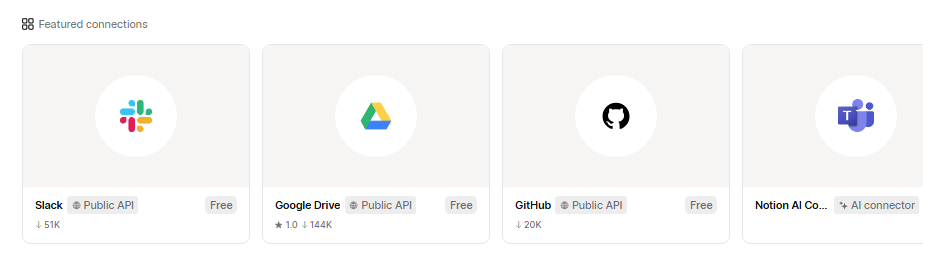
Its REST API, webhooks, and growing MCP server connect it to almost anything. The Connections marketplace includes Slack, Google Drive, GitHub, Figma, Jira, Microsoft Teams, and dozens more. Notion Workers (a hosted code runtime) and the External Agents API let teams run custom code and connect AI agents directly into Notion boards. With 100 million users and over a decade of development, the ecosystem is mature.
Source: Notion
Motion's ecosystem is deliberately smaller.
Native integrations cover Google Calendar, Outlook, iCloud Calendar, Zoom, Google Meet, Microsoft Teams, Gmail, HubSpot, Salesforce, and Slack. Beyond those, Zapier is the only supported middleware, and the connection is one-directional: external events can create Motion tasks, but Motion doesn't push events back.
There are no plans for native integrations with Notion, ClickUp, or Google Sheets. The REST API covers tasks, projects, recurring tasks, and custom fields but doesn't expose calendar, scheduling, or AI features.
ZoomInfo's integrations focus on go-to-market workflows.
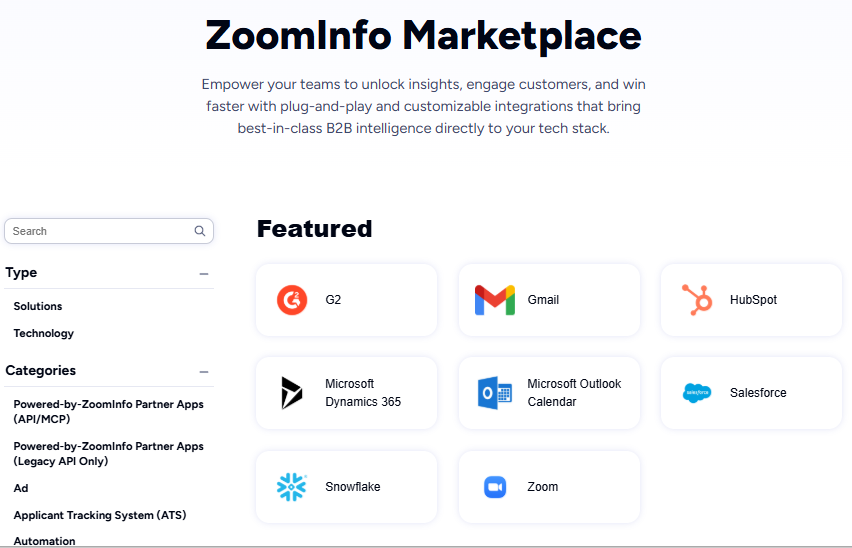
The App Marketplace lists 172+ partner integrations spanning CRM (Salesforce, HubSpot, Microsoft Dynamics), cloud data platforms (AWS, Snowflake, Databricks, Google Cloud), communications, marketing automation, and AI tools. The MCP server connects ZoomInfo's intelligence to any MCP-compatible AI client, and the Enterprise API delivers data into any system at scale.
Source: ZoomInfo
For teams evaluating Motion or Notion alongside a GTM stack, the key question is how each workspace connects to their CRM.
Motion's HubSpot and Salesforce integrations bring CRM data into its project management view. Notion connects to Salesforce and HubSpot through its connections marketplace. ZoomInfo integrates natively with both CRMs and pushes intelligence directly into them, so whichever workspace you choose, ZoomInfo's data reaches your team through the shared CRM layer.
BDO Canada reduced time spent on internal data dashboard updates by 87% using ZoomInfo's API. Their Senior Marketing Intelligence Analyst noted: "the plug-and-play aspect of the API means I can integrate it very easily into any process and get information at a moment's notice." (BDO Canada Case Study)
Pricing tells you who each platform is for
Motion uses per-seat pricing with two tiers for teams:
Pro AI: $29/seat/month (monthly) or $19/seat/month (annual). Includes AI Chat, projects and tasks, calendar and meetings, docs, and 7,500 AI credits/seat/month.
Business AI: $49/seat/month (monthly) or $29/seat/month (annual). Adds capacity planning, Gantt charts, advanced dashboards, time tracking, permissions, and 15,000 AI credits/seat/month.
There is no free plan. The trial requires a card on file with a $1 hold at signup. AI credits beyond the included amount cost $0.25 per 100 on Pro AI and $0.19 per 100 on Business AI.
Notion uses per-member pricing with a free tier:
Free: $0. Includes trial of Notion AI, basic databases with subtasks and dependencies, Notion Calendar, and limited collaborative blocks. No card required.
Plus: $12/member/month (monthly) or $10/month (annual). Unlimited collaborative blocks, file uploads, charts, and basic connections.
Business: $24/member/month (monthly) or $20/month (annual). Adds Notion Agent, Custom Agents, AI Meeting Notes, Enterprise Search (beta), SAML SSO, granular database permissions, and private teamspaces.
Enterprise: Custom pricing. Adds zero LLM data retention, SCIM provisioning, audit logs, and a dedicated customer success manager.
Custom Agents require Notion credits at $10 per 1,000 monthly credits on Business and Enterprise plans.
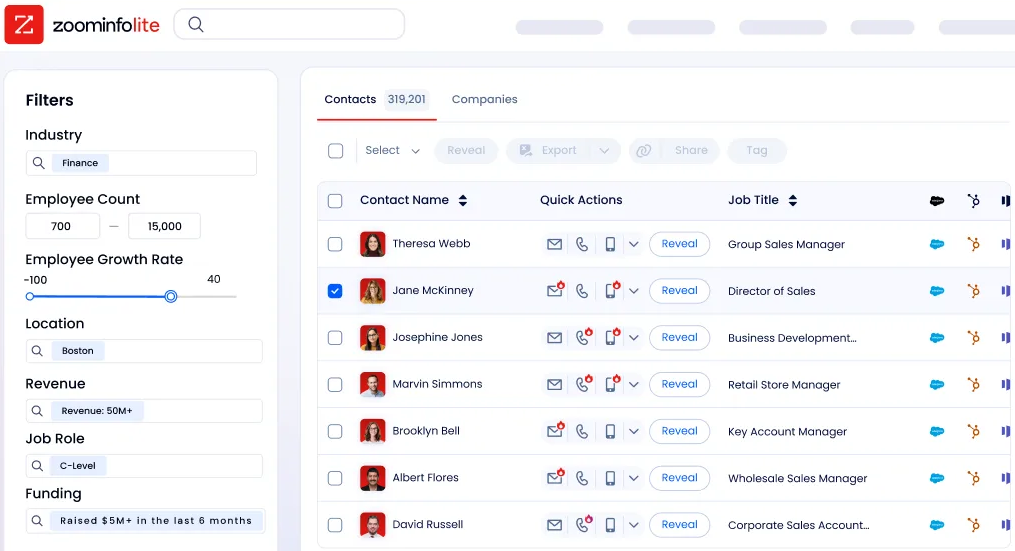
ZoomInfo uses custom-quoted, consumption-based pricing with no published prices. Costs scale with seats, credit volume, features, and contract length. ZoomInfo Lite offers a permanent free tier with access to the B2B database, 10 monthly export credits, and basic search, with no credit card or time limit.
Source: ZoomInfo
The pricing tells a clear story.
Motion charges every user from day one, betting that productivity gains justify the cost immediately. Notion lets teams start free, adopt gradually, and pay only when they need advanced features. ZoomInfo prices by value and usage, reflecting its role as intelligence infrastructure.
For a 10-person team choosing between Motion and Notion, the annual cost difference matters: Motion starts at roughly $1,520/year (Pro AI, annual billing), while Notion's free plan costs nothing and even the Business plan runs about $1,920/year but includes AI agents and enterprise search that Motion gates behind its higher tier.
Motion vs. Notion vs. ZoomInfo: Which should you choose?
The choice depends on what problem you're solving.
Choose Motion if:
You want AI to plan your team's days automatically
Eliminating status meetings and coordination overhead is a top priority
You run a service business with repeatable project workflows
You need real-time capacity planning and project ETA predictions
You value speed of adoption over depth of customization
Choose Notion if:
You need a workspace that adapts to your team's specific workflows
Knowledge management and documentation are as important as project tracking
You want to start free and scale into paid features as needs grow
Your team benefits from custom databases, relational data, and multiple views
You're ready to invest in building and maintaining a well-architected workspace
Use ZoomInfo alongside either if:
Your team runs outbound sales, ABM, or demand generation campaigns
You need verified B2B contact data and buyer intent signals
You want account intelligence that tells your team who to target and when
You need external market data to feed your pipeline and CRM
You want intelligence accessible through APIs and MCP in any tool you already use
See how ZoomInfo's intelligence powers go-to-market teams.
Motion and Notion solve internal work management from opposite directions: one automates decisions, the other gives you the tools to make them yourself. Neither is wrong; they're built for different teams with different preferences.
But if you're in sales, marketing, or revenue operations, the workspace you use for internal coordination is only half the picture. The external intelligence that identifies your best opportunities, reaches verified decision-makers, and captures buyer signals generates the pipeline your workspace manages. That's what ZoomInfo provides, and it works with whichever platform you choose.
Motion vs. Notion vs. ZoomInfo FAQ
What is the fundamental difference between Motion and Notion?
Motion is a prescriptive AI productivity platform that automatically schedules tasks, manages project dependencies, and plans each team member's day based on deadlines, priorities, and calendar capacity. Notion is a flexible AI workspace built on blocks and databases that teams customize to fit their workflows, covering docs, wikis, project management, and knowledge management.
Motion decides what you work on; Notion gives you the tools to decide for yourself.
Which platform is better for project management?
It depends on what you need.
Motion excels at automated project execution: tasks progress when dependencies complete, capacity planning is built in, and the system predicts completion dates in real time. Notion excels at flexible project tracking: the same data appears as a kanban board, timeline, calendar, or chart, with custom properties and relations connecting projects to docs, people, and other databases.
Teams that want projects to run themselves prefer Motion. Teams that want full control over tracking prefer Notion.
Does Notion have a free plan? Does Motion?
Notion offers a free plan with no credit card required, including basic databases, subtasks, dependencies, Notion Calendar, and a trial of Notion AI. Motion does not offer a free plan. It provides only a trial that requires a card on file with a $1 hold at signup.
How do the AI capabilities compare between Motion and Notion?
Motion's AI focuses on time management: auto-scheduling tasks, predicting deadlines, generating project structures from plain language, and running named AI Employees for functions like sales development and marketing.
Notion's AI focuses on knowledge and automation: writing and editing content, summarizing meeting notes without a bot in the call, running Custom Agents on schedules or triggers, and searching across workspace and connected apps with Enterprise Search.
What is ZoomInfo and why is it relevant to this comparison?
ZoomInfo is an AI go-to-market platform, not a workspace tool. It provides B2B intelligence (500M contacts, 100M companies, buyer intent signals) that neither Motion nor Notion was built to offer. It's relevant because go-to-market teams evaluating workspace tools also need external intelligence about who to sell to and when to engage. ZoomInfo's data flows through APIs and MCP into whichever workspace, CRM, or AI agent the team uses.
Which platform has better integrations?
Notion has the broader ecosystem with a REST API, webhooks, MCP server, 100+ marketplace connections, and a hosted code runtime called Workers.
Motion supports Google and Outlook calendar sync, Zoom, Google Meet, Microsoft Teams, HubSpot, Salesforce, and Slack natively, with Zapier as the only middleware. The Zapier connection is one-directional. ZoomInfo's 172+ marketplace integrations focus on GTM workflows, with native connections to major CRMs, cloud data platforms, and AI tools.
Can ZoomInfo work together with Motion or Notion?
Yes. Both Motion and Notion integrate with CRMs like HubSpot and Salesforce, which also connect natively to ZoomInfo. ZoomInfo's intelligence (verified contacts, buyer intent, account insights) flows through the CRM into whichever workspace the team uses. ZoomInfo's API and MCP also enable direct integration with custom agents or workflows in either platform.
Which platform is easier to learn?
Motion has a moderate learning curve. The features are straightforward, but auto-scheduling requires a mindset shift from traditional task management.
Notion has a steeper learning curve: the building-block flexibility means teams must make workspace architecture decisions upfront. G2 data shows 23% of Notion reviewers flag the learning curve as a pain point. ZoomInfo provides a structured onboarding program spanning 30 to 90 days, with role-specific learning paths through ZoomInfo University.
