
Comparing Motion and Todoist comes down to a question about how you want to work:
Do you want software to decide what you work on and when, or do you want to make those decisions yourself?
Do you need full project management with Gantt charts, capacity planning, and automatic resource allocation?
Is a permanent free plan important, or will you pay for AI-powered automation from day one?
Are you managing a team's workload across dozens of concurrent projects, or keeping track of personal and small-team tasks?
Do you need a built-in calendar that schedules your entire day, or a task list that integrates with your existing calendar?
In short, here's what we recommend:
Motion is built for teams that want the software to run the show. Its AI scheduling engine takes every task, deadline, priority, and calendar commitment across your team and builds and rebuilds each person's day (AI Task Manager), hundreds of times daily, without anyone touching a board or updating a status. For service businesses and teams of 10 to 200 people running concurrent client projects, this eliminates the coordination overhead that eats into billable hours. Motion claims projects finish 32% faster and replaces five tool categories (project management, task management, meeting scheduling, AI notetaker, and docs) for $19 to $29 per seat per month. The trade-off: no free plan, a real conceptual shift from traditional task management, and a mobile app that hasn't caught up to the desktop experience.
Todoist is built for people who want a trusted system they control. Its Quick Add has been refined for nearly two decades to capture tasks from a single typed sentence, with dates, priorities, labels, and project routing all parsed in real time. Fifty million users and 337,000+ five-star reviews validate the approach: give people a clean, fast capture system, stay out of their way, and let them decide what matters. Todoist's Ramble voice-to-task AI and Team Workspaces show the product is evolving, but the core bet remains simplicity over automation. Starting at $0 for individuals and $8/user/month for teams, it's the most affordable option by a wide margin.
Both platforms help you organize and execute work. But for revenue teams (the sellers, account managers, and marketers who live in these tools) there's a problem neither one addresses: knowing which work is worth doing in the first place.
ZoomInfo is a B2B intelligence platform that provides the data revenue teams need before they open their task manager. With 500M contacts, 100M companies, 135M+ verified phone numbers, and 200M+ verified business emails, ZoomInfo identifies which accounts to target, surfaces buying signals showing when they're ready to engage, and delivers AI-drafted outreach through its GTM Workspace for sellers. The GTM Context Graph combines this data with your CRM records, conversation transcripts, and behavioral signals to reveal not just what happened in a deal, but why, so that the tasks you schedule in Motion or Todoist are the ones that actually move pipeline.
If you want intelligence that makes every sales task worth scheduling, see how ZoomInfo works.
Motion vs. Todoist at a glance
Motion | Todoist | ZoomInfo | |
|---|---|---|---|
Core approach | AI auto-schedules your workday | You organize your own task list | B2B intelligence for revenue teams |
Project management | Full (Gantt, dependencies, capacity planning) | Basic (projects, sections, sub-tasks) | GTM plays and pipeline orchestration |
Calendar | Built-in AI calendar with task timeblocking | Integrates with Google Calendar | N/A |
AI capabilities | Auto-scheduling, project generation, meeting notes, AI chat | Voice capture (Ramble), task suggestions, filter assist | GTM Context Graph, AI-drafted outreach, account intelligence |
Team size fit | 10–200 people | 1–50 people | Enterprise and mid-market revenue teams |
Integrations | Google/Outlook calendars, Zoom, HubSpot, Salesforce, Zapier | 80+ integrations, Zapier, Make, IFTTT, MCP server | 172+ marketplace integrations, API, MCP, CRM-native |
Mobile app | Available but limited vs. desktop | Full-featured across all platforms | GTM Workspace mobile |
Free plan | No (trial with $1 card hold) | Yes (5 projects, limited features) | ZoomInfo Lite (permanent, 10 credits/month) |
Starting price | $19/seat/month | $0 (Beginner) / $5/month (Pro) | Custom-quoted |
Best for | Teams that want AI to manage their workday | Individuals and small teams who value simplicity | Revenue teams that need B2B intelligence driving their tasks |
Two philosophies of productivity
Motion and Todoist represent opposite answers to the same question: who should decide what you work on next?
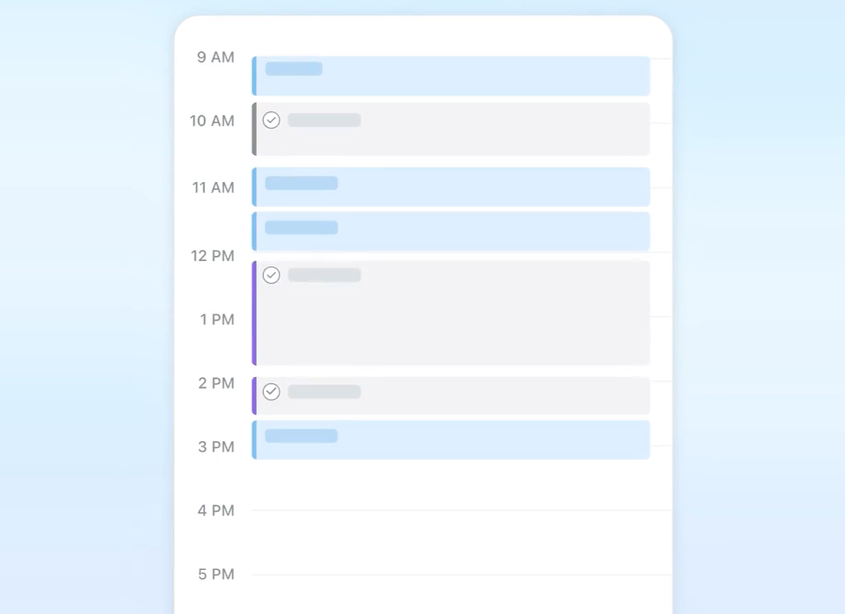
Motion's answer: the software. You tell Motion your tasks, deadlines, and priorities. Motion tells you what to work on right now. The AI scheduling engine evaluates start dates, durations, deadlines, priority levels, calendar events, and dependencies across every person on the team, then places each task as a time-blocked slot on their calendar. When a meeting runs long or a new priority arrives, Motion reschedules the entire day in seconds. The user's job is to work through the list. Motion handles the rest.
Source: Motion
This approach works when you trust the algorithm more than your instincts. For teams juggling dozens of concurrent client projects, where the bottleneck is coordination rather than motivation, handing scheduling decisions to software eliminates hours of daily overhead.
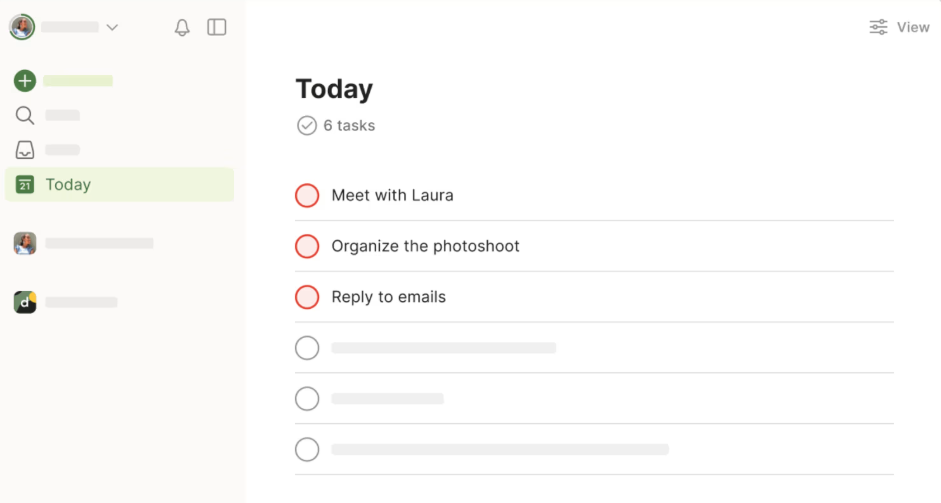
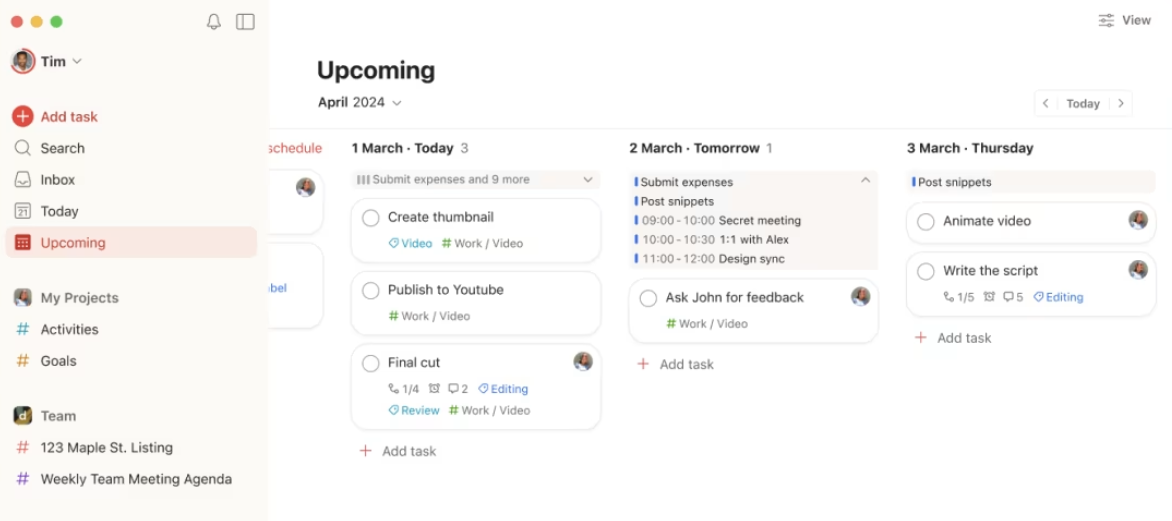
Todoist's answer: you. Todoist captures your tasks, organizes them by project, and gives you views to see what matters (Today, Upcoming, custom filters), but the decision about what to do next stays with you. The tool gets out of your way so you can think clearly.
Source: Todoist
This approach works when you value autonomy over automation. For individuals and small teams who know their priorities and just need a reliable system to track commitments, Todoist's restraint is its strength. You don't need AI to tell you to follow up with a client. You need a system you trust enough to capture that follow-up and know it won't be forgotten.
The philosophical gap is real. Motion users describe eliminating decision fatigue. Todoist users describe maintaining control. Neither is wrong. They're solving different versions of the productivity problem.
The intelligence gap neither tool fills
Motion and Todoist are both execution tools. They organize, schedule, and track the work you've already decided to do. But for revenue teams (the salespeople, account managers, and marketers who make up a large share of both platforms' user base) the hardest question isn't "when should I do this?" or "what's due today?" It's "am I working the right accounts?"
A well-organized to-do list full of outreach to the wrong prospects is just productive-looking waste. Neither Motion's auto-scheduling nor Todoist's capture speed helps if the contacts in your CRM are stale, the companies you're targeting aren't in-market, or you're missing the decision-makers entirely.
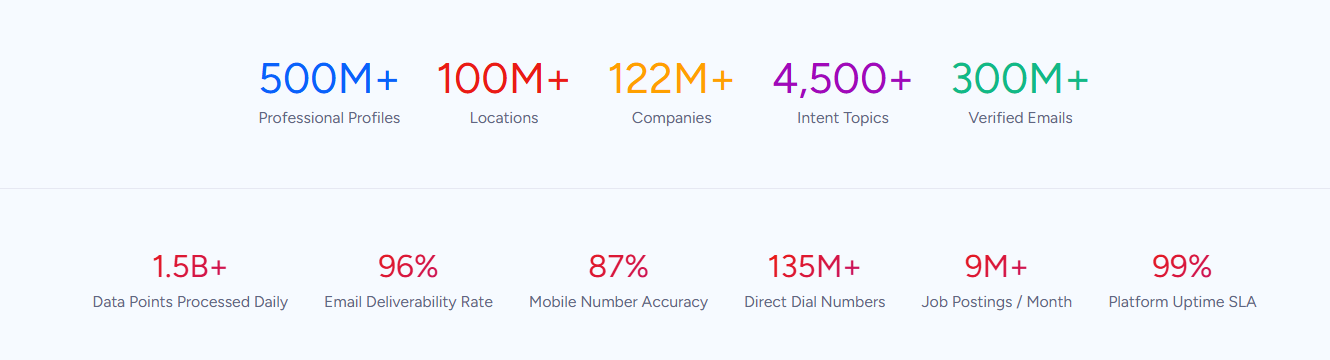
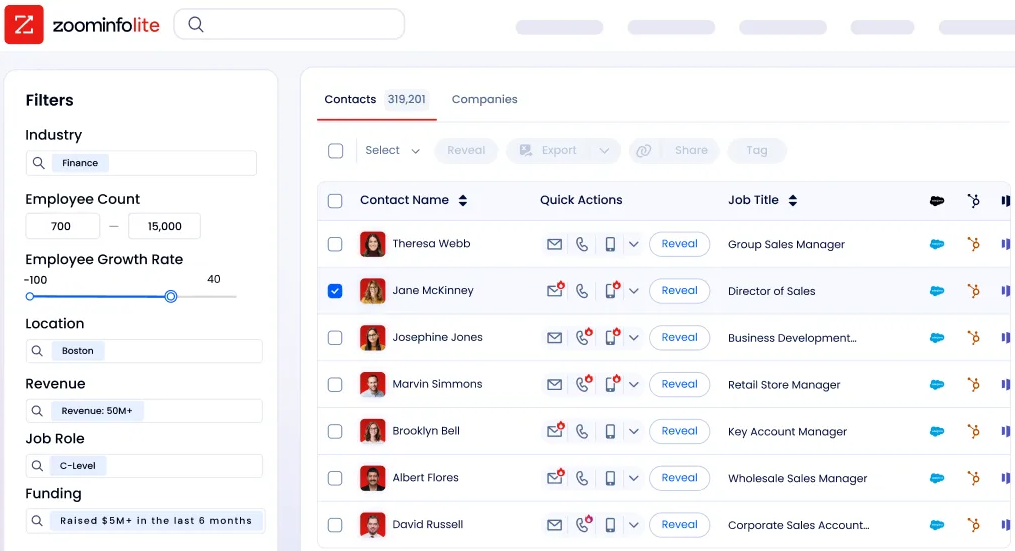
This is the problem ZoomInfo solves. ZoomInfo provides the upstream intelligence that determines which tasks are worth scheduling in the first place. The platform's 500M contacts and 100M companies, verified through a multi-source pipeline backed by 300+ human researchers and reaching up to 95% accuracy on first-party data, give sales teams verified direct dials, business emails, org charts, and technographics. That data turns "reach out to Acme Corp" from a vague task into a specific sequence targeting the right people.
Source: ZoomInfo
The GTM Context Graph adds an intelligence layer on top of data. By combining ZoomInfo's third-party intelligence with your CRM records, conversation transcripts, and behavioral signals, it surfaces why deals move or stall. Not just that a deal moved to Stage 3, but that executive sponsorship entered at a pattern consistent with your closed-won deals.
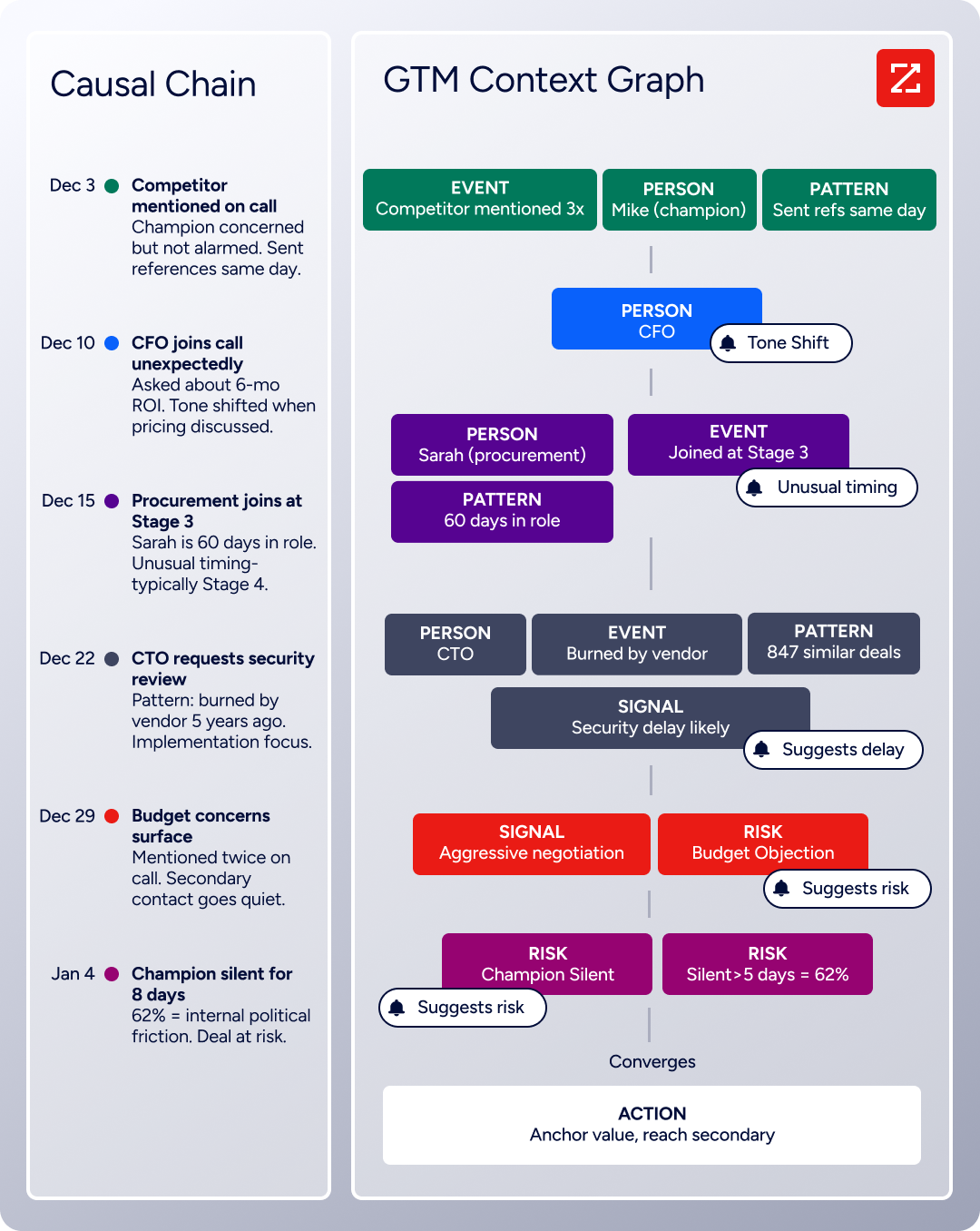
Source: ZoomInfo
Buyer intent data tracks which companies are actively researching relevant topics across 210 million IP-to-Organization pairings, so your "follow up with target accounts" task in Motion or Todoist gets prioritized toward accounts showing buying signals right now.
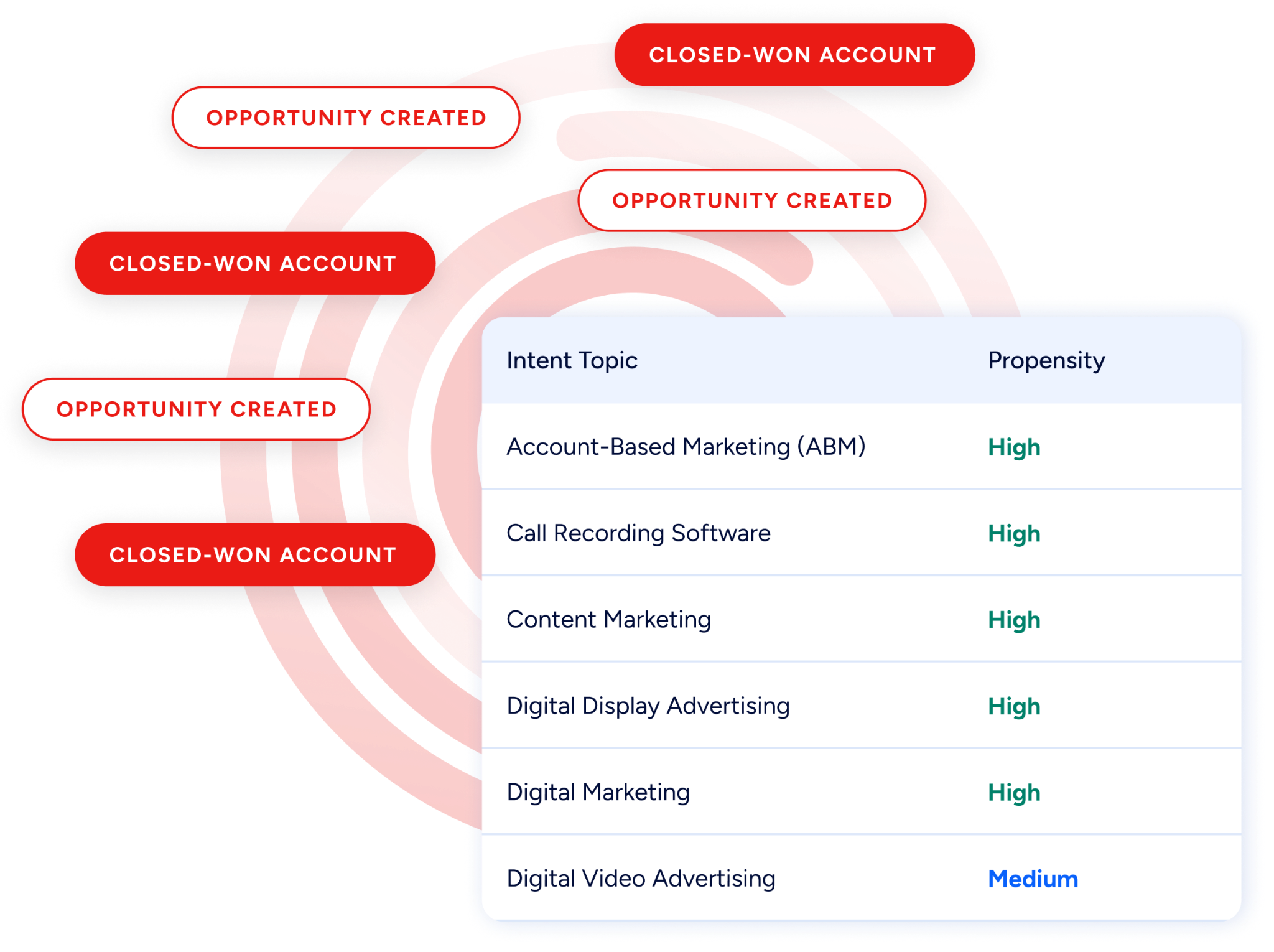
Source: ZoomInfo
The intelligence reaches your team through three channels. GTM Workspace gives sellers AI-drafted outreach, account summaries, and prioritized action feeds in one interface. GTM Studio lets marketers and RevOps build audiences and launch GTM plays in natural language. And APIs and MCP expose the same data to any tool, including the AI agents and API-connected workflows in your task manager of choice.
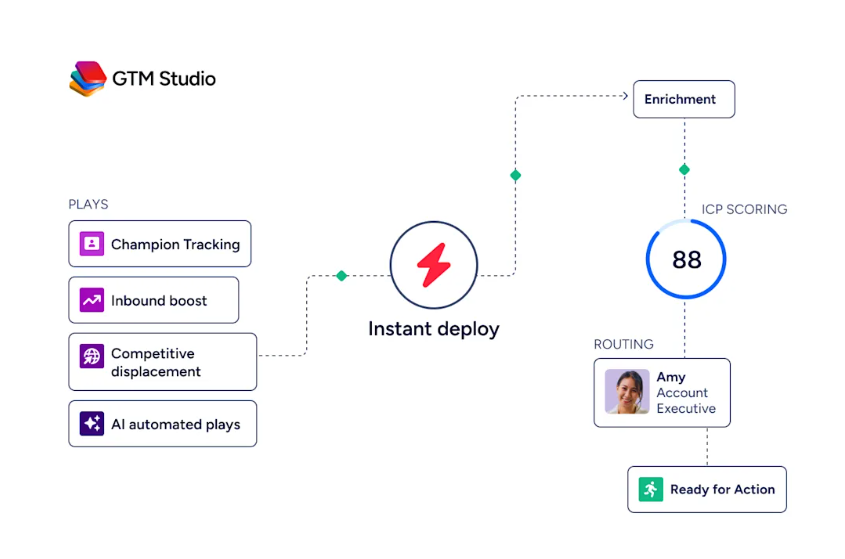
Source: ZoomInfo
Seismic's sales team attributed 39% of active pipeline to opportunities identified or influenced by ZoomInfo signals, boosted productivity by 54%, and saved 11.5 hours per week per seller. (Seismic)
Task management: AI engine vs. trusted inbox
Motion's AI Task Manager doesn't just store tasks. It schedules them. Every task gets a specific time on your calendar, chosen by the algorithm based on deadline proximity, priority level, and available time. The system splits long tasks into smaller time blocks to fit calendar gaps. When a task can't fit before its deadline, Motion surfaces it in a "Can't Fit" state with a red alert, forcing a capacity conversation before the deadline passes.
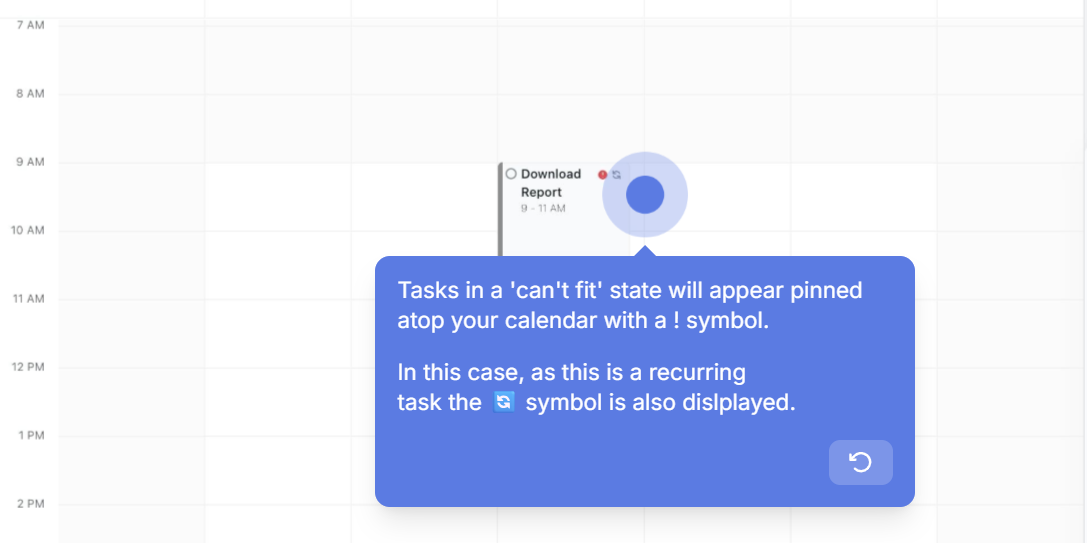
Source: Motion
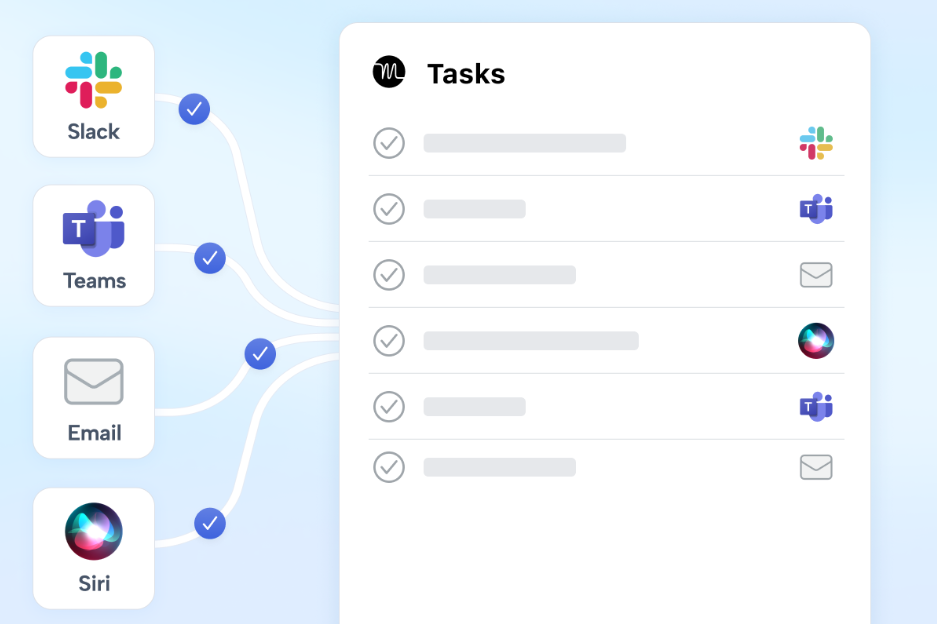
The system re-optimizes hundreds of times per day. Add a meeting and tasks shift. Finish something early and the next priority slides in. At-risk deadline warnings surface days, weeks, or months in advance, giving managers time to reassign work or adjust scope. Tasks can come from email forwards, meeting transcripts, Slack or Teams messages, and Siri voice commands.
Source: Motion
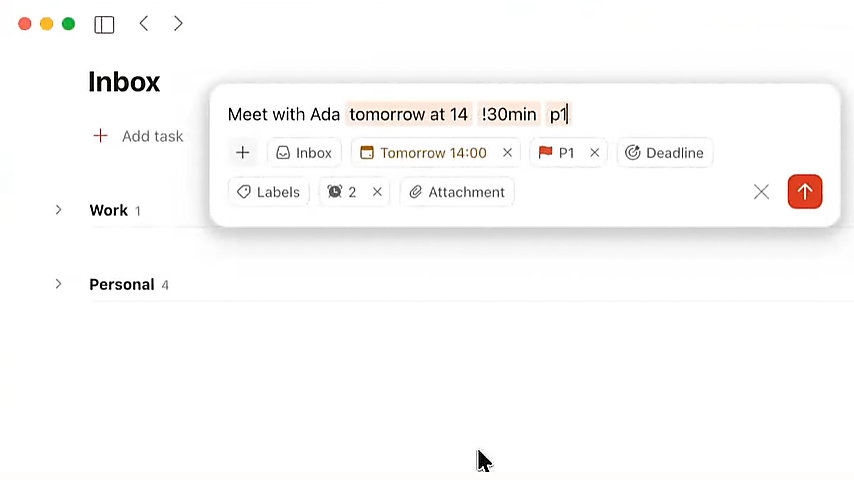
Todoist takes a different approach. Smart Quick Add lets you type "Call Sarah about renewal p1 tomorrow #Sales" and Todoist parses it all in one field: due date, priority, and project routing. The natural language date recognition handles expressions like "every 3rd Tuesday starting Aug 29 ending in 6 months," well beyond what most tools support. A global keyboard shortcut captures tasks from any app without switching windows. On mobile, the Dynamic Add button sits in the corner of every view.
Source: Todoist
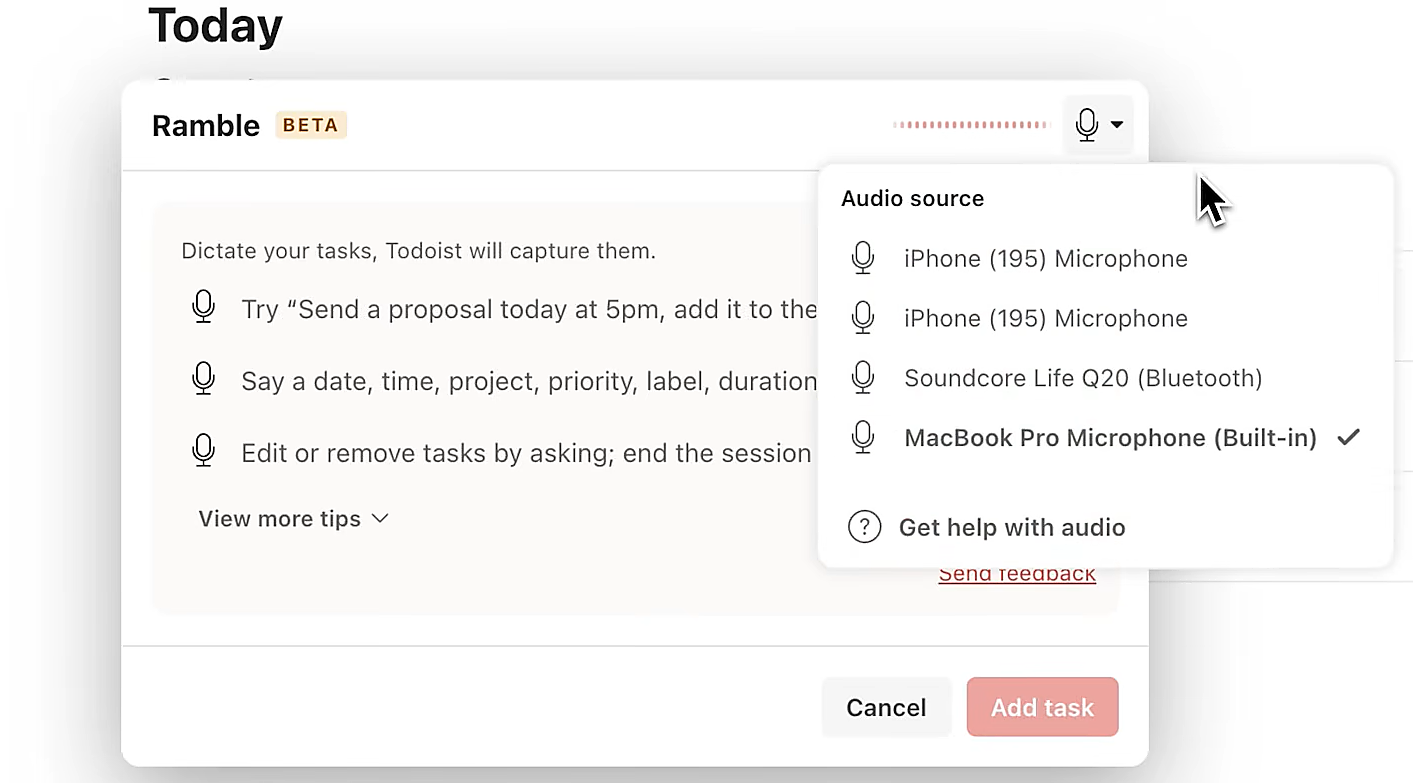
AI-assisted capture extends further with Ramble, which transcribes spoken thoughts into structured tasks in real time across 40+ languages. You speak naturally and Todoist extracts task names, dates, priorities, and project assignments as you talk, with support for mid-session corrections and deletions. Ramble runs on Wear OS too, extending capture to contexts where pulling out a phone isn't practical.
Source: Todoist
The distinction matters most when plans change. In Motion, disruptions trigger automatic replanning. The system absorbs the shock. In Todoist, you decide how to respond. Both work, but they create different daily experiences.
Project management: full suite vs. focused simplicity
This is where Motion and Todoist diverge most sharply.
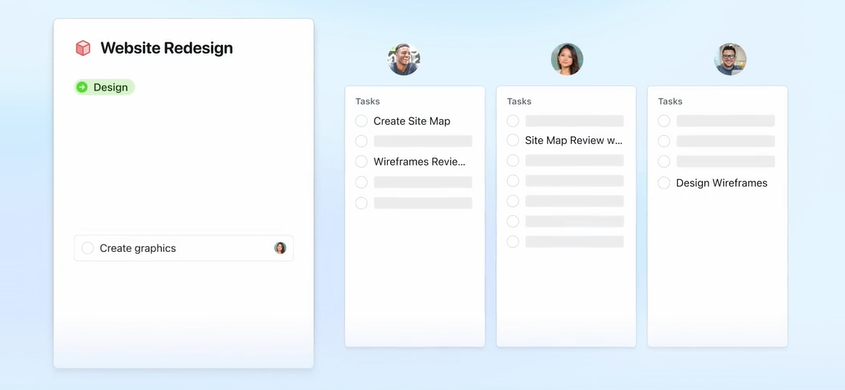
Motion includes a complete project management layer. The AI Project Manager generates entire project structures (stages, tasks, assignees, deadlines, and dependencies) from a plain-language description, claiming over 90% accuracy. AI Workflows converts SOP documents into structured, auto-assigned workflow templates in seconds and runs a gap analysis against similar projects to catch missing steps.
Source: Motion
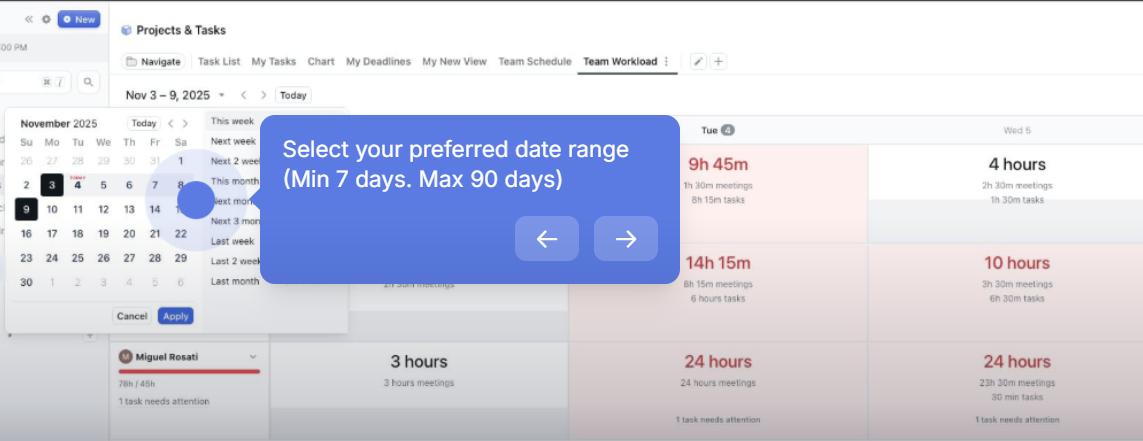
The AI Gantt Chart updates in real time as work progresses, eliminating the stale-timeline problem that plagues traditional project plans. Capacity planning calculates available capacity per person across a 7 to 90 day window, accounting for meetings, existing tasks, and out-of-office time. AI Dashboards (Business AI plan) provide forward-looking project intelligence with risk alerts and resource gap detection.
Source: Motion
For service businesses managing multiple concurrent client engagements, this depth matters. When every project competes for the same team's time, having software track capacity conflicts and predict completion dates eliminates the spreadsheet-and-standup overhead that drains managers.
Todoist takes a lighter approach. Projects organize tasks into named spaces with sections for workflow stages, sub-tasks for breaking down complex items, and labels for cross-project tagging. Three view layouts (list, board, and calendar) cover the basics. A template gallery with 50+ pre-built options lets teams standardize recurring processes.
What Todoist doesn't have: Gantt charts, task dependencies, time tracking, or capacity planning. These are the features G2 reviewers most consistently request. For teams running interdependent multi-phase projects, this is a structural ceiling. For everyone else, it's complexity they never wanted.
Calendar and scheduling
Motion doesn't integrate with your calendar. It replaces it. The AI Calendar ingests all tasks and fixed events from connected calendars (Google, Outlook, iCloud), then fills remaining time with task blocks optimized by deadline and priority. Meetings and work tasks compete for the same real estate, and the AI arbitrates.
Source: Motion
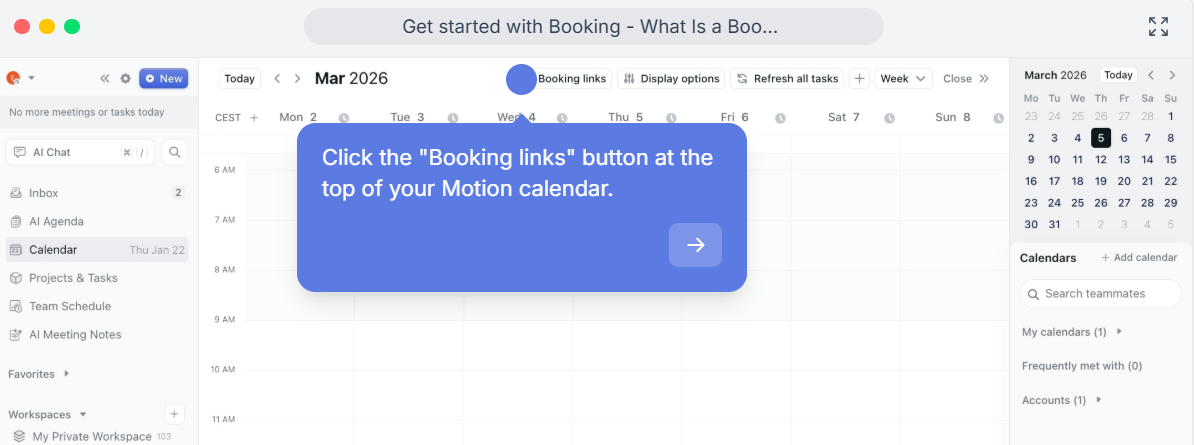
The booking link system separates Motion from standalone schedulers like Calendly because it knows about task commitments. A Calendly link shows any open calendar slot. A Motion booking link shows slots that have no meetings and also protect task timeblocks and daily meeting limits, informed by the same engine managing the rest of the workday. For users who guard their focus time, this distinction matters.
Source: Motion
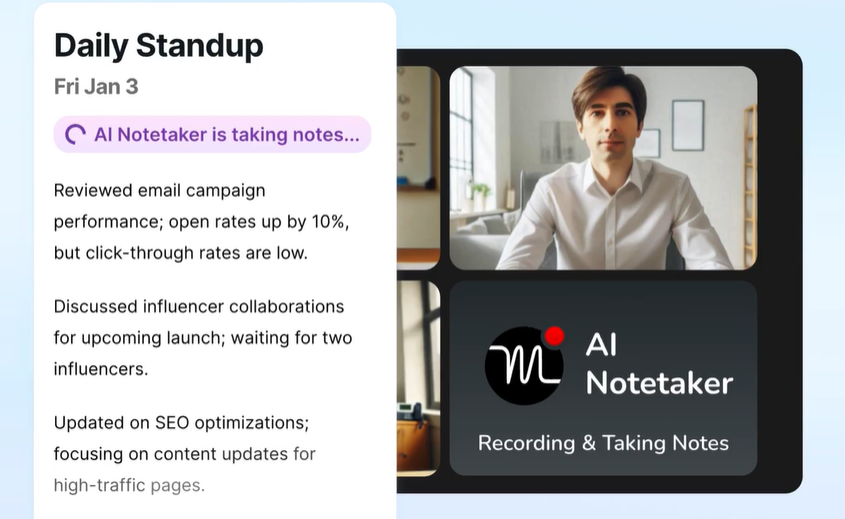
Motion also includes an AI Meeting Notetaker that joins Zoom, Google Meet, and Teams calls to transcribe, summarize, and extract action items. It is trained on 10,000+ hours of proprietary meeting video data and delivers results within 30 seconds of a meeting ending. Action items can be approved with one click and auto-scheduled into the assignee's calendar, closing the loop from conversation to commitment without manual data entry.
Source: Motion
Todoist has no built-in calendar. Instead, it offers a calendar layout (Pro/Business) that renders tasks in weekly or monthly grids, with drag-to-reschedule and task duration for visual time-blocking. The Google Calendar integration provides bidirectional sync, displaying tasks alongside calendar events, but the two remain separate systems.
Source: Todoist
Todoist distinguishes between due dates and deadlines (Pro/Business). A due date is when you plan to work on something. A deadline is when it must be finished. Both can coexist on the same task. Most tools conflate these, which means either your schedule is always urgent or your deadlines are meaningless. Todoist's separation is a small design decision with large practical value.
Pricing tells you who each tool is for
The pricing gap between Motion and Todoist reflects their different markets and design philosophies.
Todoist starts at $0, a permanent free plan with 5 projects, Smart Quick Add, basic reminders, and list/board views. No credit card required. Pro costs $5/month (annual) and unlocks 300 projects, calendar layout, task duration, deadlines, unlimited Ramble, and 150 custom filters. Business costs $8/user/month (annual) and adds a shared team workspace with up to 500 team projects, 1,000 members, granular activity logs, and centralized billing. Both paid plans offer free trials (7-day for Pro, 14-day for Business) with no credit card required.
Motion has no free plan. Pro AI costs $19/seat/month ($29 monthly). Business AI costs $29/seat/month ($49 monthly). A $1 card hold is required at signup. Both plans include AI Chat, AI Projects and Tasks, AI Calendar and Meetings, AI Docs, and unlimited storage. Business AI adds capacity planning, Gantt charts, time tracking, advanced dashboards, and permissions. Both plans include monthly AI credit allocations (7,500 per seat on Pro AI, 15,000 on Business AI) with overage charges if exceeded.
The free plan question matters for evaluation. Todoist lets you use the core product indefinitely at no cost and upgrade when you hit limits. Motion requires a financial commitment before you've confirmed the AI scheduling approach works for your workflow, a real barrier for individual users or budget-constrained teams.
ZoomInfo uses custom-quoted, consumption-based pricing that varies by usage, seats, credit volume, and features. ZoomInfo Lite offers a permanent free tier with access to the B2B database, 10 monthly export credits, and basic search tools, no credit card or time limit required. A 7-day free trial of the full platform is also available.
Source: ZoomInfo
Integrations and ecosystem
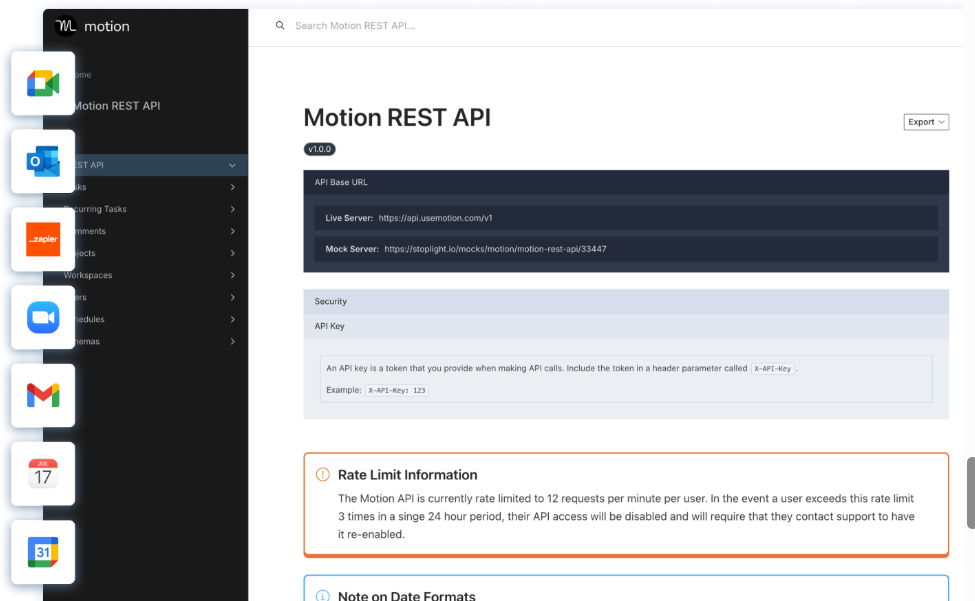
Motion's integration story centers on the tools it aims to replace. Native connections cover Google Calendar, Outlook, iCloud, Zoom, Google Meet, Microsoft Teams, Gmail, Outlook email, Siri, HubSpot, Salesforce, and Slack
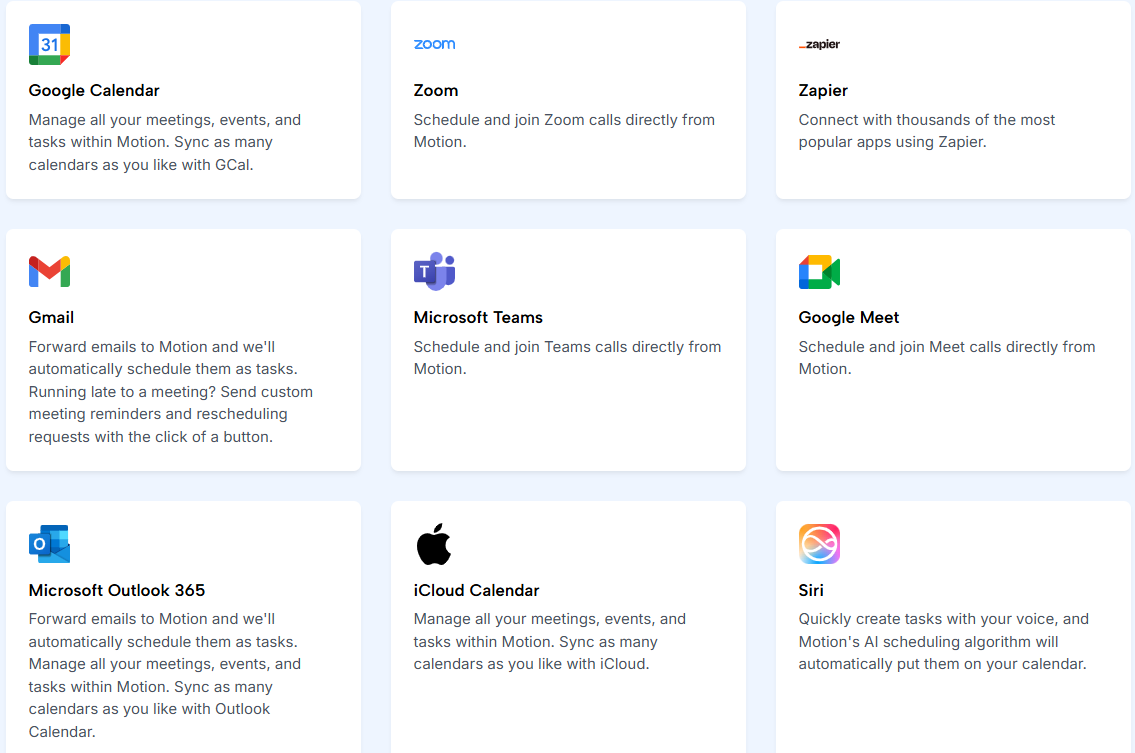
Source: Motion
Zapier is the only supported iPaaS, and the connection is one-directional: external apps can create Motion tasks, but Motion doesn't push events back out. There are no current plans for integrations with Notion, ClickUp, or Google Sheets. The REST API covers tasks, projects, and users but does not expose calendar or AI scheduling controls.
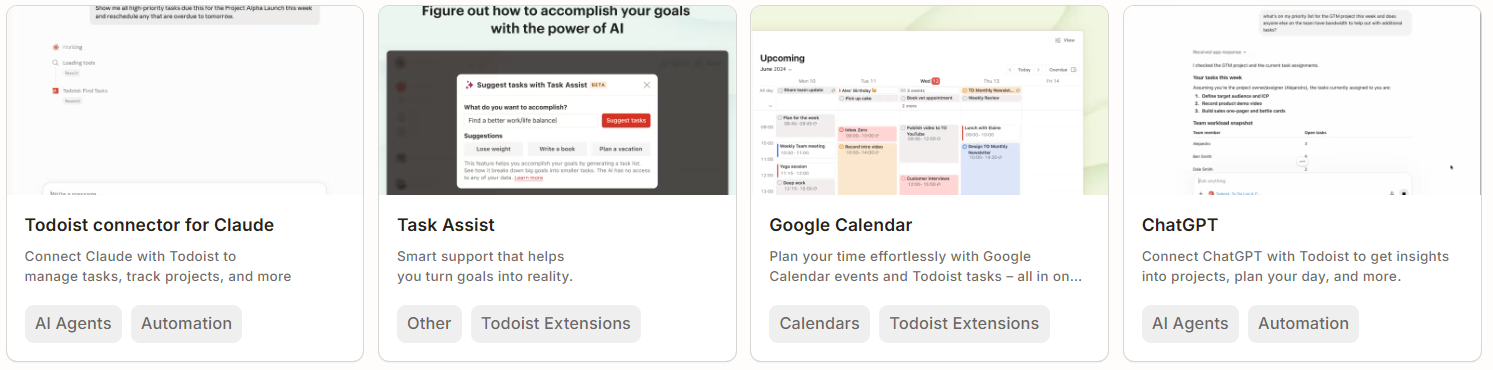
Todoist's ecosystem is broader. 80+ integrations span calendars, email, messaging, automation, AI agents, time tracking, and note-taking. iPaaS coverage includes Zapier, Make, IFTTT, n8n, Pipedream, and several others.
Source: Todoist
The developer platform includes a REST API, Sync API, webhooks, official Python and TypeScript SDKs, a CLI, and an MCP server that connects to Claude, ChatGPT, and other MCP-compatible AI clients. Todoist positions itself as a platform where "agents are first-class users", a notable distinction for teams building AI-assisted workflows.
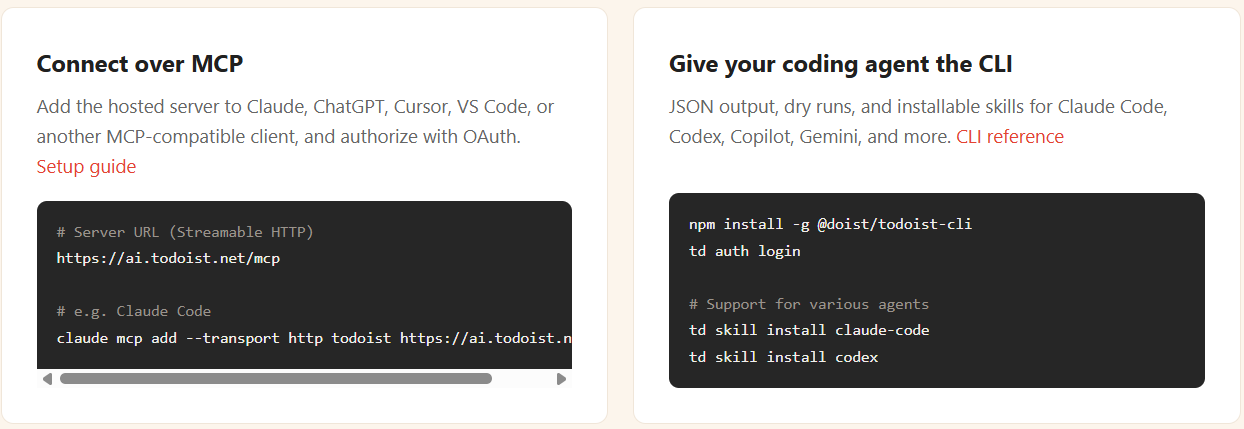
Source: Todoist
ZoomInfo's integration ecosystem operates at a different scale. The App Marketplace lists 172+ partners across CRM, marketing automation, sales engagement, data warehouses, and AI. Native CRM integrations cover Salesforce, HubSpot, and Microsoft Dynamics 365.
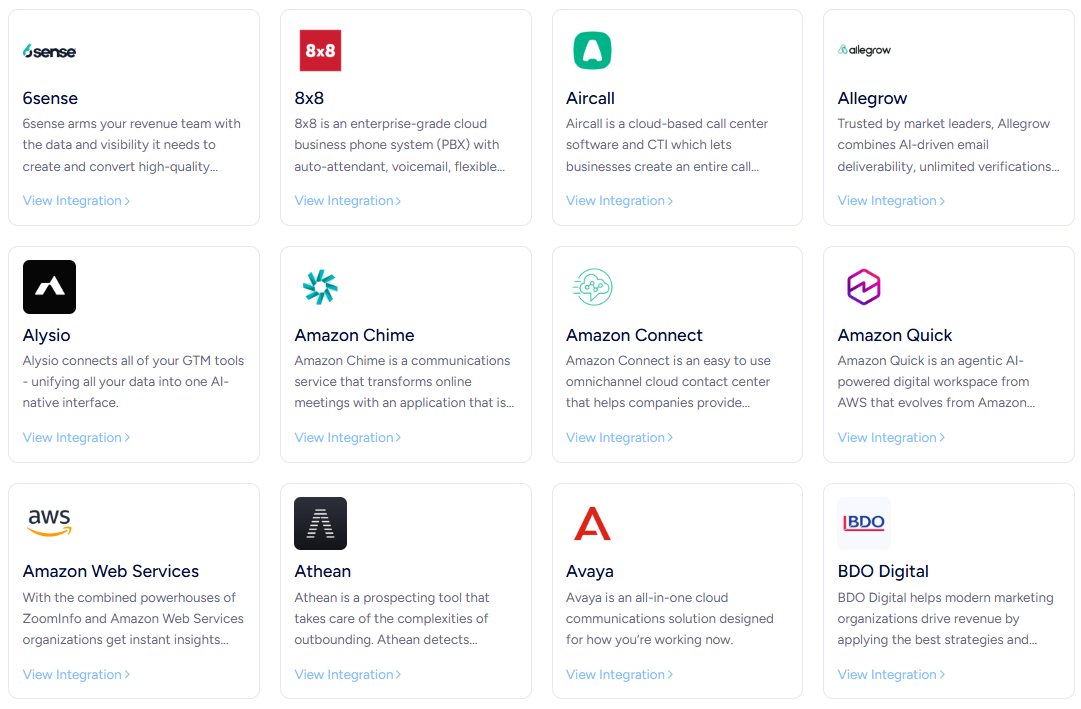
Source: ZoomInfo
Cloud data delivery flows into AWS, Snowflake, Google Cloud, and Databricks. The ZoomInfo MCP server connects to Claude, ChatGPT, and any MCP-compatible AI assistant, exposing company search, contact enrichment, and account research through natural language.
For revenue teams, the practical question is whether ZoomInfo's intelligence can feed into their task management workflow. Through CRM integrations (both Motion and Todoist connect to HubSpot and Salesforce), ZoomInfo signals and enriched contacts flow into the CRM, which then syncs with either task manager. Through MCP connections, AI agents can pull ZoomInfo data and create tasks in Todoist directly. The pipeline from intelligence to action doesn't require manual export.
BDO Canada activated ZoomInfo data within internal systems: "The plug-and-play aspect of the API means I can integrate it very easily into any process and get information at a moment's notice." (Jerry Wilson, Senior Marketing Intelligence Analyst, achieving an 87% reduction in time spent on data updates.) (BDO Canada)
Platform maturity and trust
Todoist has been in continuous operation since 2007, nineteen years of refinement on the same core product. Doist is bootstrapped with $0 in outside investment, privately profitable with $100M+ in lifetime revenue, and publicly committed to independence with no exit strategy.
The 97% employee retention rate and 2% annual revenue donation signal a company optimizing for longevity rather than growth metrics. For users who've been burned by tool acquisitions and feature pivots, this matters.
Motion is seven years old, venture-backed with roughly $75M raised at a $550M valuation, and growing at 3x year-over-year. The company has about 65 employees and is expanding its product from individual productivity tool to an "agentic work suite" with named AI Employees and a Head of Product from Microsoft Teams. The trajectory is ambitious and well-funded, but the product is still maturing. Mobile app limitations and interface inconsistencies are recurring user complaints.
ZoomInfo has operated since 2007, is publicly traded on Nasdaq (GTM), and generates $1.25 billion in annual revenue. With 35,000+ customers including enterprise names like Adobe, Snowflake, and JPMorgan, it carries the stability and compliance infrastructure that enterprise buyers require.

Source: ZoomInfo
All three hold security certifications relevant to their markets. Both Motion and Todoist maintain SOC 2 Type II certification and GDPR compliance. ZoomInfo maintains a broader stack: ISO 27001, ISO 27701, SOC 2 Type II, and TRUSTe GDPR/CCPA validations, all renewed annually.
Motion vs. Todoist vs. ZoomInfo: Which should you choose?
The right choice depends on which problem is actually slowing you down.
Choose Motion if:
You manage a team running concurrent projects and need automatic workload distribution
Daily standups and status meetings are eating productive hours
You want AI to schedule your day rather than doing it yourself
Replacing Calendly, Asana, Otter.ai, and Notion with one platform appeals to you
You're willing to pay $19+/seat for automation that replaces coordination overhead
Choose Todoist if:
You need a fast, reliable system to capture and organize tasks across work and life
Simplicity and low friction matter more than automation
You want a permanent free plan or affordable paid tiers ($5 to $8/month)
Your team is small and doesn't need Gantt charts, dependencies, or capacity planning
Cross-platform availability (10+ apps including wearables) is important
Choose ZoomInfo if:
Your revenue team needs better intelligence about who to target and when to engage
You want AI-drafted outreach built on verified B2B data, not generic templates
Data accuracy matters, because stale contacts and wrong numbers are costing you pipeline
You need intent signals showing which accounts are actively researching your category
You want one platform connecting sales intelligence, marketing orchestration, and CRM enrichment
See how ZoomInfo's intelligence powers your revenue workflow.
Motion and Todoist both solve the execution problem: organizing and completing the work in front of you. ZoomInfo solves the intelligence problem: ensuring the work in front of you is the right work. For revenue teams, using the right task manager with the wrong target list is like optimizing the route to the wrong destination. The strongest workflow combines reliable intelligence with reliable execution.
Vensure scaled prospecting with ZoomInfo's data: "ZoomInfo gives us the information we need to execute. We don't have to go through and spend our time digging. It's already there, so we can be three steps ahead." (William Kenimer, Vice President of Revenue Operations) (Vensure)
Motion vs. Todoist vs. ZoomInfo FAQ
What is the fundamental difference between Motion and Todoist?
Motion is an AI scheduling engine that decides what you work on and when, placing every task as a time-blocked slot on your calendar and re-optimizing hundreds of times daily. Todoist is a task management system that captures and organizes your to-do list with natural language input, then lets you decide your own priorities and schedule. Motion automates the planning. Todoist gives you the tools to plan yourself.
Which platform is cheaper?
Todoist is far more affordable. Its free Beginner plan covers basic task management permanently, Pro costs $5/month, and Business costs $8/user/month (all annual billing). Motion has no free plan and starts at $19/seat/month (annual).
Does Motion replace Todoist, or do they serve different needs?
They serve overlapping but different audiences. Motion targets teams running concurrent projects who want AI to handle scheduling, capacity planning, and task prioritization automatically. Todoist targets individuals and small teams who want a fast, reliable capture system they control. If you spend more time deciding what to work on than actually working, Motion may help. If your challenge is capturing everything reliably and staying organized, Todoist is the simpler path.
Can I try either platform before committing?
Todoist offers a permanent free plan with no credit card required, plus 7-day (Pro) and 14-day (Business) free trials. Motion requires a $1 credit card hold at signup for its trial but does not have a permanent free plan. Both let you evaluate before paying, but Todoist has a lower barrier to entry.
How does ZoomInfo fit with Motion or Todoist?
ZoomInfo solves a different problem than either task manager. It provides B2B sales intelligence (verified contacts, company data, buying signals, and AI-drafted outreach) that determines which sales and marketing tasks are worth doing. ZoomInfo's data flows into CRM systems that both Motion and Todoist integrate with, and its MCP server connects to AI agents that can create tasks in either platform. ZoomInfo is the intelligence layer upstream of your task execution.
Which platform has better project management features?
Motion has deeper project management: AI-generated project structures, Gantt charts, task dependencies, capacity planning, and workflow templates from SOP documents. Todoist has projects with sections, sub-tasks, labels, and templates, but no Gantt charts, no dependencies, and no time tracking. Teams running complex, interdependent multi-phase projects need Motion's depth. Teams managing straightforward task lists prefer Todoist's simplicity.
Which platform has better AI capabilities?
Motion embeds AI more broadly across the product: auto-scheduling, project generation, meeting transcription, document-to-task conversion, and AI chat with workspace-wide context. Todoist's AI focuses on capture and assistance: Ramble for voice-to-task in 40+ languages, Task Assist for breaking down complex tasks, Filter Assist for natural-language filter creation, and Email Assist for email-to-task conversion. Motion's AI makes decisions for you. Todoist's AI helps you make decisions faster.
What about mobile app quality?
Todoist's mobile apps are full-featured and consistently praised, with native apps on iOS, Android, and Wear OS that match the desktop experience. Motion's mobile app is available on iOS and Android but is positioned as a "streamlined accompaniment" to the desktop, with multiple reviewers noting limitations around notifications and recurring event handling. For users who need full functionality on the go, Todoist has the advantage.
