
Choosing between Nimble and Salesforce for managing customer relationships comes down to five questions:
Are you a solopreneur managing personal connections or a sales team running complex deal cycles across territories?
Do you need a simple contact manager or a platform that tells you which accounts to pursue and why?
Is your budget closer to $25/month per seat, or can you invest hundreds per user for enterprise capability?
How important is verified prospect data built into your daily workflow?
Do you want to organize relationships you already have, or find buyers you haven't met yet?
In short, here's what we recommend:
Nimble fits solopreneurs and small teams who manage their business through personal relationships. At $24.90/seat/month, it puts a unified contact record inside your inbox, browser, and LinkedIn via the Nimble Prospector extension. Features like Stay in Touch reminders, email sequences, and visual workflow boards help small teams track every conversation without learning a complex system. But Nimble's reporting is basic, its automation lacks branching logic, and its mobile app lags behind the desktop experience. It serves the 1-to-25 seat market well but hits its ceiling when teams need prospecting data or enterprise-scale analytics.
Salesforce sits at the opposite end. As the #1 CRM by IDC market share for over a decade, it serves over 150,000 companies worldwide with Sales Cloud, Service Cloud, Marketing Cloud, Commerce Cloud, and the new Agentforce AI agents. Salesforce can handle any sales process, from territory management and CPQ to autonomous AI case resolution. The trade-off is real: pricing starts at $25/user/month for Starter Suite but most teams need Enterprise at $175/user/month or higher, implementation often requires partner-led projects costing months and significant budget, and the platform's depth demands trained administrators.
Both Nimble and Salesforce solve the CRM problem from the same starting point: they give you a system to manage customer data and track deals. But neither answers the question that comes before CRM: who should your team be talking to, why now, and what should they say? That's a different problem, and it requires a different platform.
ZoomInfo is a go-to-market platform that starts with intelligence, not contact management. Its foundation is a B2B dataset of 500M contacts, 100M companies, 135M+ verified phones, and 200M+ verified business email addresses. That data feeds the GTM Context Graph, which processes 1.5B+ data points daily by fusing your CRM records, conversation transcripts, and behavioral signals with ZoomInfo's third-party data to reveal not just what happened, but why. Your team accesses that intelligence through GTM Workspace (for sellers), GTM Studio (for marketers and RevOps), or APIs and MCP in any front-end, including Salesforce itself. For B2B teams that need to find, prioritize, and engage the right buyers, ZoomInfo is the intelligence layer that makes any CRM more effective.
If starting with data and intelligence rather than empty CRM fields sounds like a better approach, see how ZoomInfo works.
Nimble vs. Salesforce vs. ZoomInfo at a glance
Nimble | Salesforce | ZoomInfo | |
|---|---|---|---|
Core approach | Relationship-first CRM | Enterprise CRM platform | Intelligence-first GTM platform |
Target user | Solopreneurs and small teams (1-25 seats) | Mid-market to enterprise | B2B sales, marketing, and RevOps teams |
B2B contact data | Basic enrichment (100 credits/user/month) | No native B2B database | 500M contacts, 200M+ verified emails, 135M+ verified phones |
AI capabilities | AI email generation, AI Chat Helper | Agentforce autonomous agents, Einstein AI | GTM Context Graph, AI-powered outreach, buyer intent signals |
Sales automation | Email sequences, workflow automations | Advanced workflows, Agentforce agents, CPQ | GTM Workspace AI agents, signal-triggered plays |
Learning curve | Minimal | Steep; requires trained admins | Moderate; 90-day structured onboarding |
CRM integration | Is the CRM | Is the CRM | Integrates with Salesforce, HubSpot, Dynamics |
Starting price | $24.90/seat/month | $25/user/month (Starter) | Custom-quoted, consumption-based |
Free option | 14-day trial | Free Suite (2 users) | ZoomInfo Lite (permanent free tier) |
Three different starting points for the same problem
Nimble, Salesforce, and ZoomInfo all help sales teams close more deals. But they start from different places.
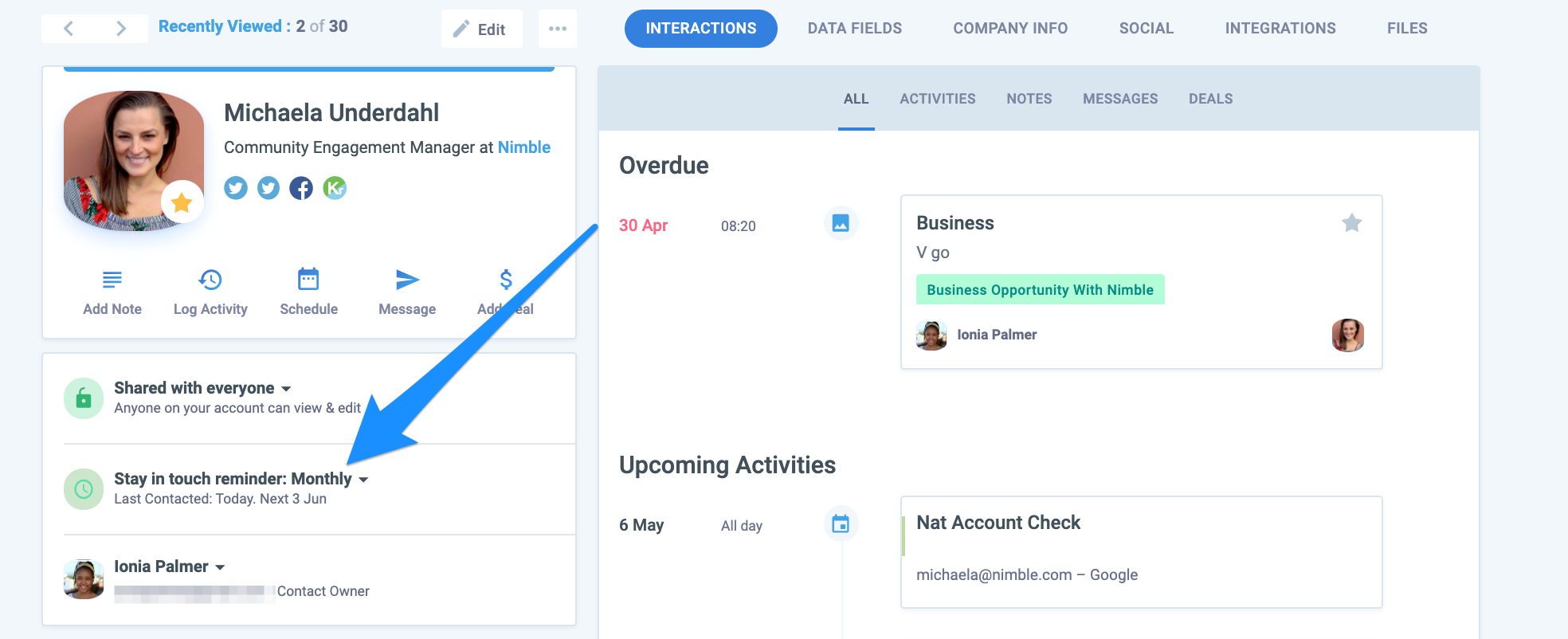
Nimble starts with the relationship. It assumes you already know your contacts and need a better way to organize, track, and nurture those connections. The product lives inside your email client and browser, enriching the people you already interact with. Its Stay in Touch reminders use color-coded indicators to flag relationships that need attention. Its workflow boards help small teams move contacts through stages without spreadsheets. It is a CRM for people who build their business on personal networks.
Source: Nimble
Salesforce starts with the process. It assumes you need a system to manage every stage of a complex sales operation: lead routing, opportunity management, forecasting, quoting, territory planning, and now AI-powered autonomous agents. Salesforce is infrastructure. It can model any sales process, but that flexibility means someone needs to configure, maintain, and administer it. The platform holds Gartner MQ Leader status for Sales Force Automation for 19 consecutive years. No one offers more depth for enterprise sales operations.
Source: Salesforce
ZoomInfo starts with the intelligence. Before you can manage a relationship or run a process, you need to know who to talk to and when. ZoomInfo's GTM Context Graph processes 1.5B+ data points daily to answer three questions for every rep: who to contact, when to engage, and what to say. It connects buyer intent signals, verified contact data, conversation intelligence, and your CRM history into one intelligence layer. Then it delivers that intelligence wherever your team works: inside ZoomInfo's own GTM Workspace, inside Salesforce, or inside any custom tool via API and MCP.
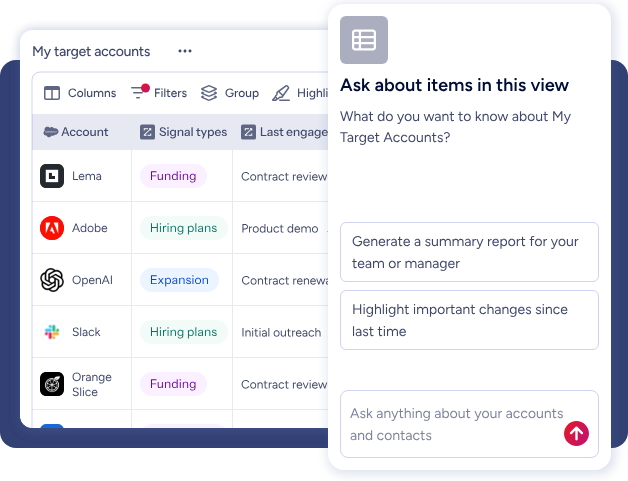
The distinction matters because it determines where you spend your time. With Nimble, you spend time maintaining relationships. With Salesforce, you spend time managing process. With ZoomInfo, the platform identifies which relationships and processes deserve your attention.
Prospecting and data access tell the real story
This is where the three platforms diverge most.
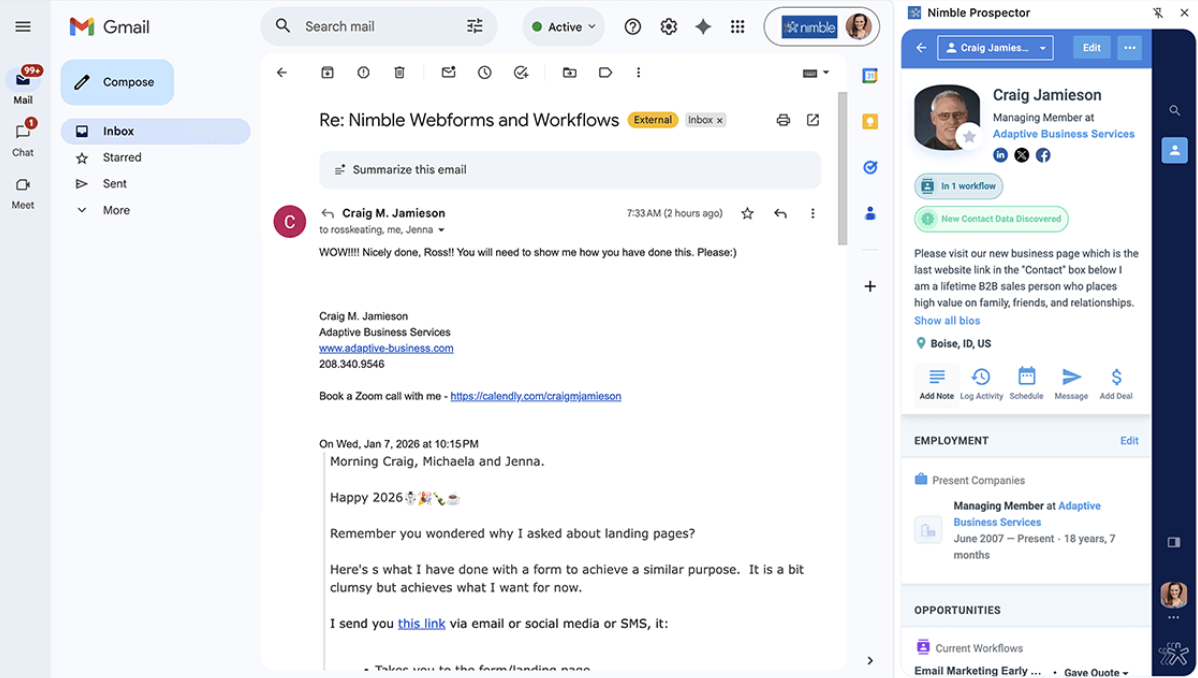
Nimble includes the Nimble Prospector extension, which lets users capture and enrich contacts from LinkedIn, company websites, and social profiles. Each user gets 100 enrichment credits per month, with additional credits at $10 per 1,000. Emails go through an eight-step verification pipeline and receive a confidence score. It works for one-at-a-time prospecting, but it is not a database. You find contacts by browsing the web and enriching them individually.
Source: Nimble
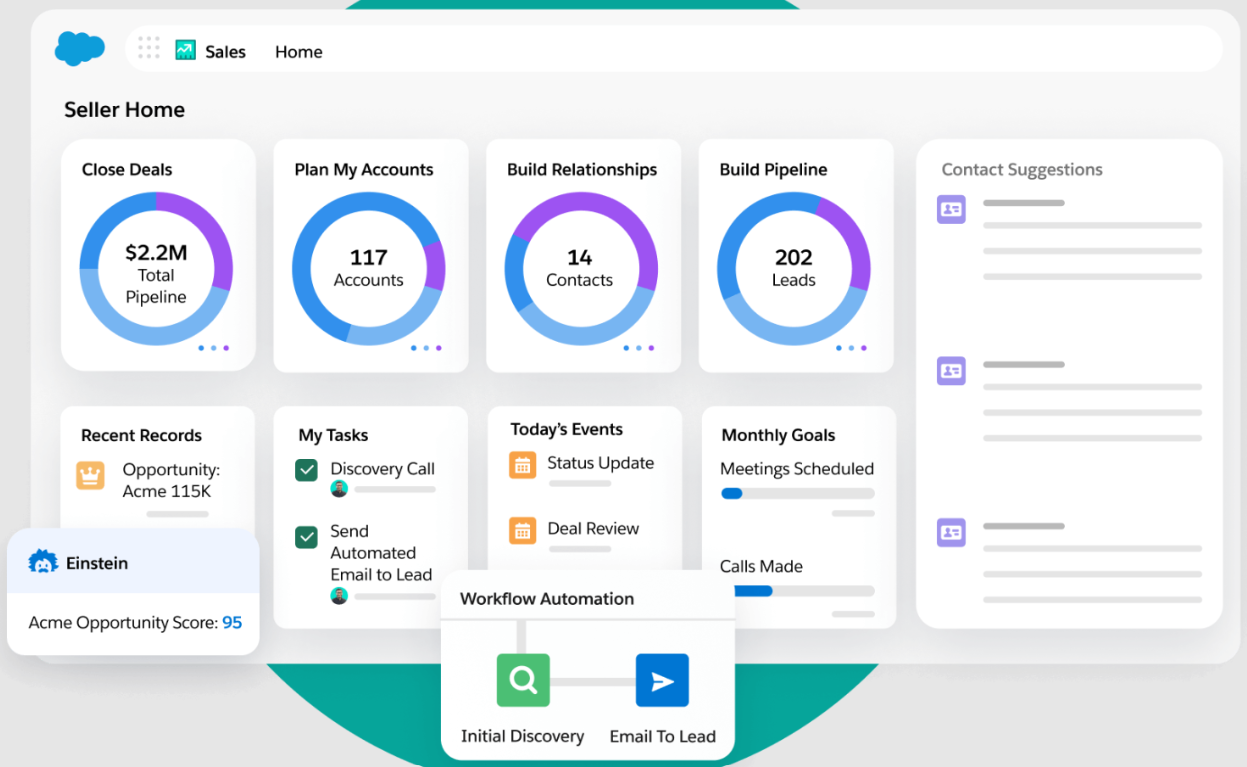
Salesforce has no native B2B contact database. The CRM stores whatever data you put into it or import from third-party providers. Einstein Activity Capture syncs emails and calendar events from Gmail and Outlook, and Agentforce agents can assist with account research, but the raw prospect data has to come from somewhere else. This is why Salesforce's AppExchange marketplace has 9,000+ partner apps: the platform was designed to be extended with data providers.
Source: Salesforce
ZoomInfo is the data. The platform's B2B database contains 500M contacts, 100M companies, 120M direct-dial phone numbers, and 200M+ verified business email addresses. A pipeline of automated ML scanning across 28 million site domains daily and 300+ human researchers maintains it. First-party data reaches up to 95% accuracy. Beyond static contact records, ZoomInfo layers in buyer intent data from 210 million IP-to-Organization pairings, technographic profiles of 30+ million companies tracking 30,000+ technologies, and website visitor identification that resolves anonymous traffic to companies.
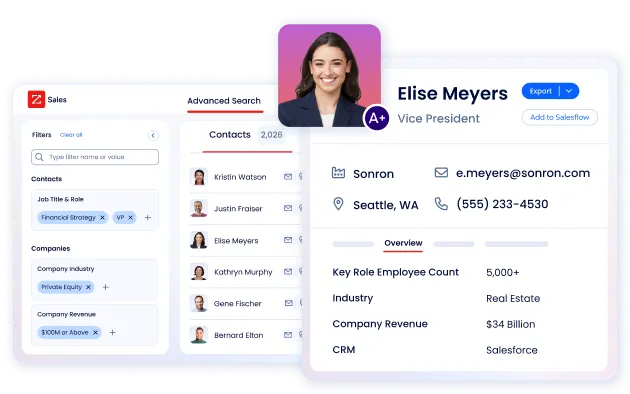
The practical difference: Nimble helps you enrich contacts you already found. Salesforce stores contacts someone gave you. ZoomInfo finds contacts you didn't know existed and tells you which ones are actively researching solutions like yours.
"ZoomInfo gives us the information we need to execute. We don't have to go through and spend our time digging. It's already there, so we can be three steps ahead." (Vensure)
AI capabilities are not created equal
All three platforms now offer AI features. The depth and purpose differ.
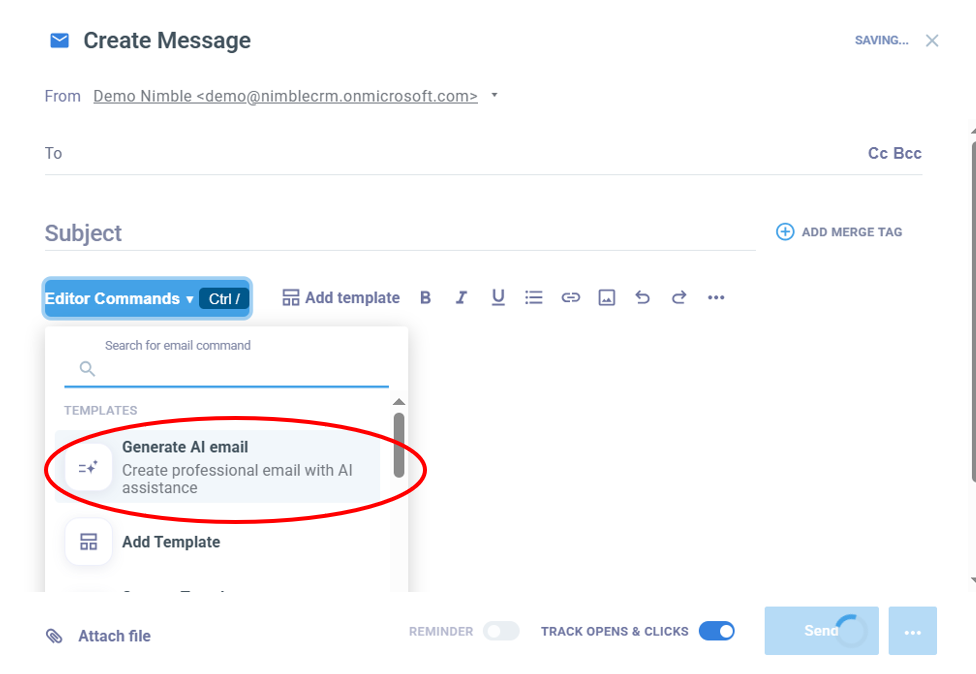
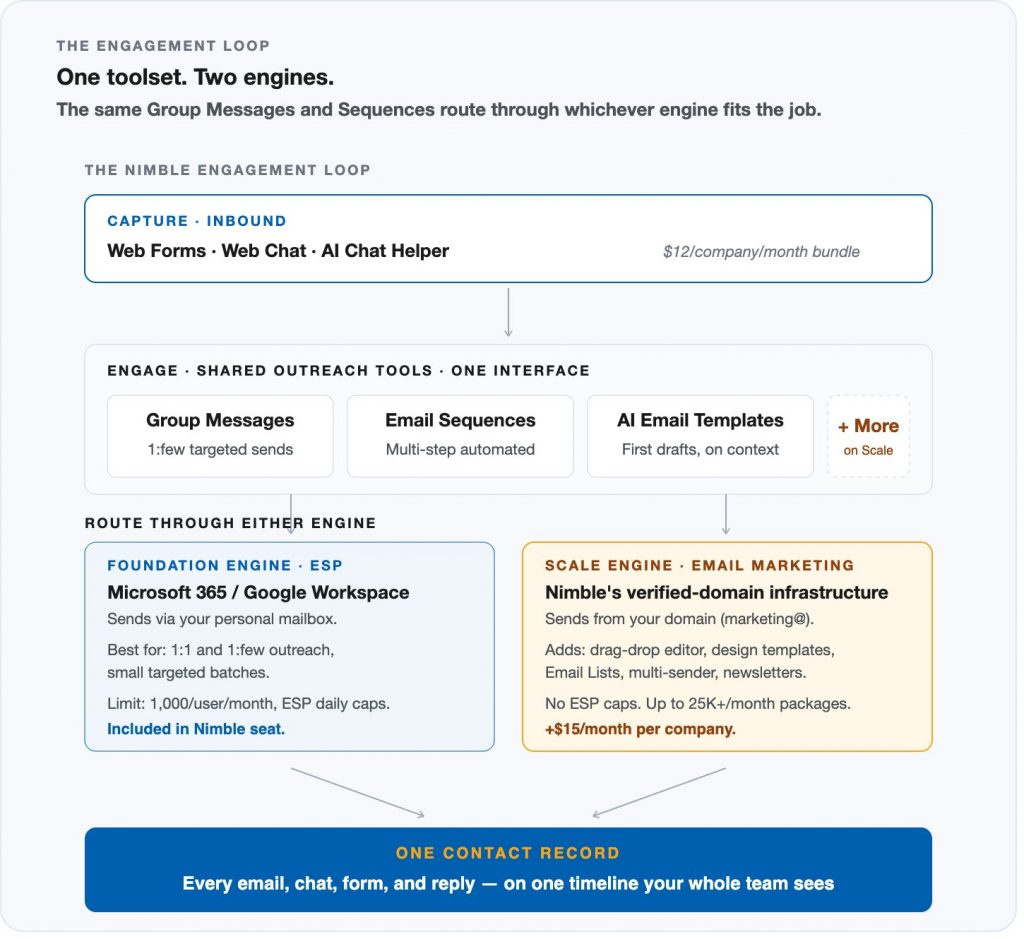
Nimble's AI focuses on content creation and basic assistance. The AI email generator creates email templates from natural language prompts. The AI Chat Helper pre-qualifies website visitors with automated questions. The AI Sequence Generator creates outreach sequences from scratch. These help small teams, but the AI operates only on data inside your Nimble account. It has no access to market-wide signals or cross-deal pattern recognition.
Source: Nimble
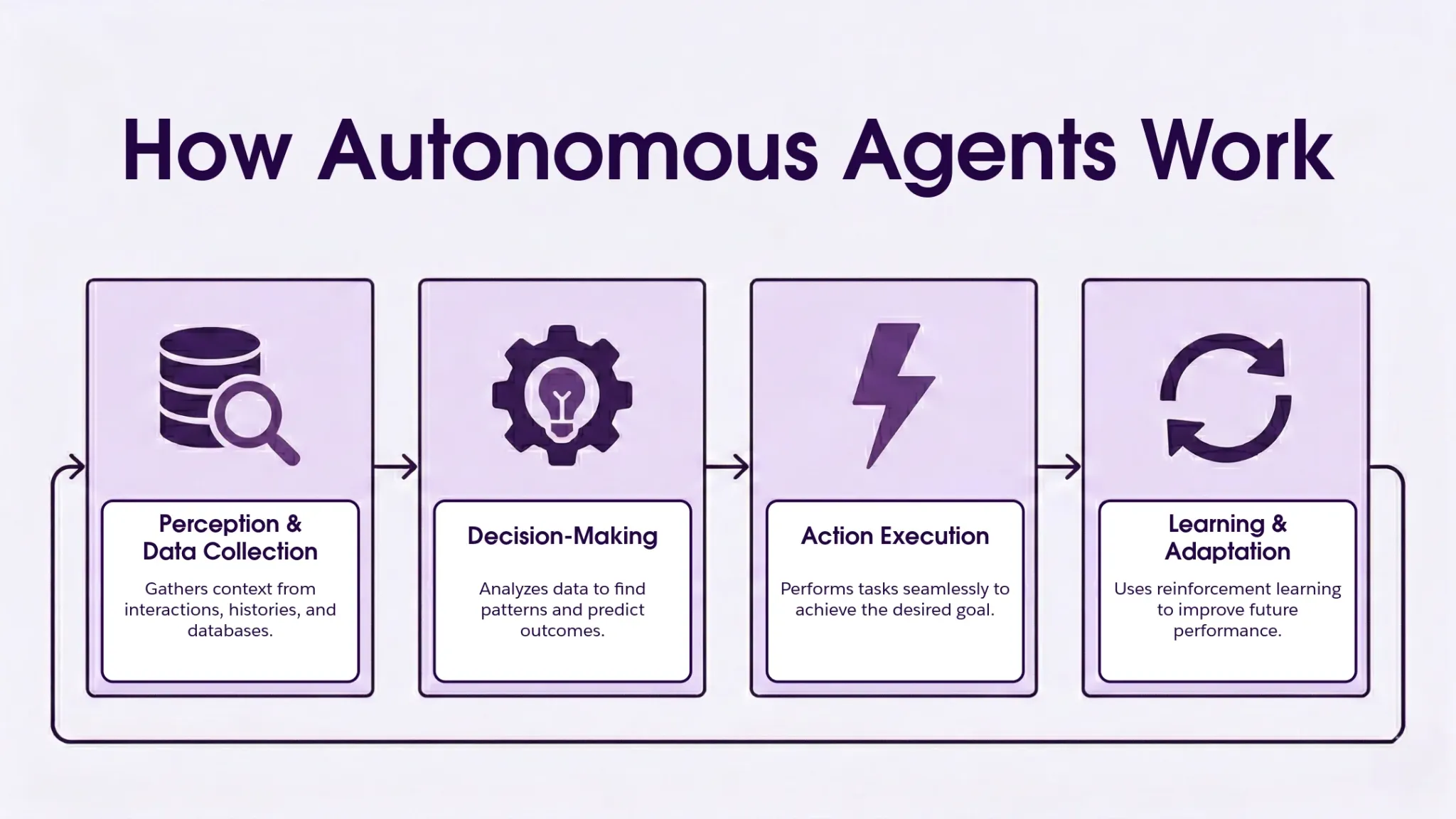
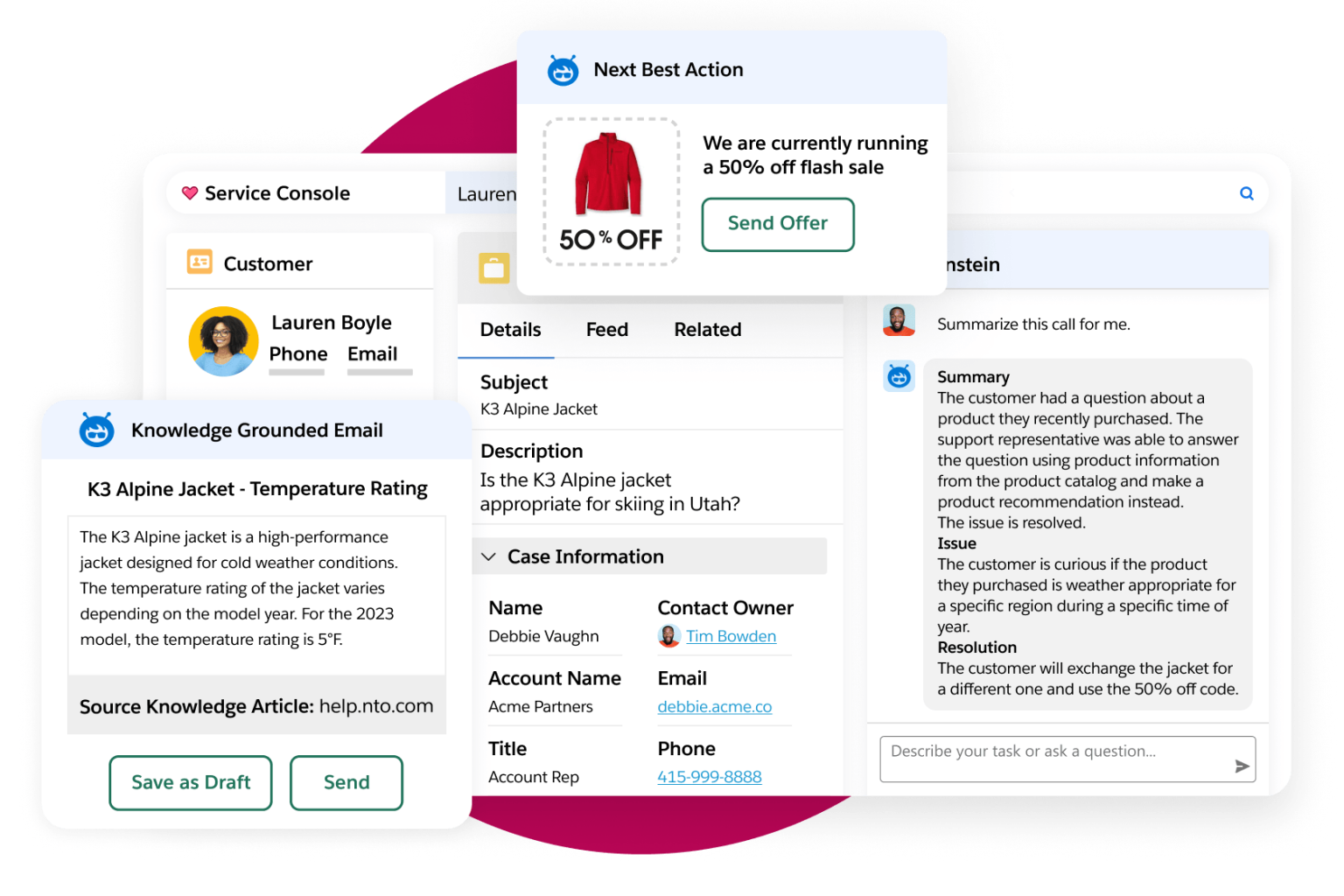
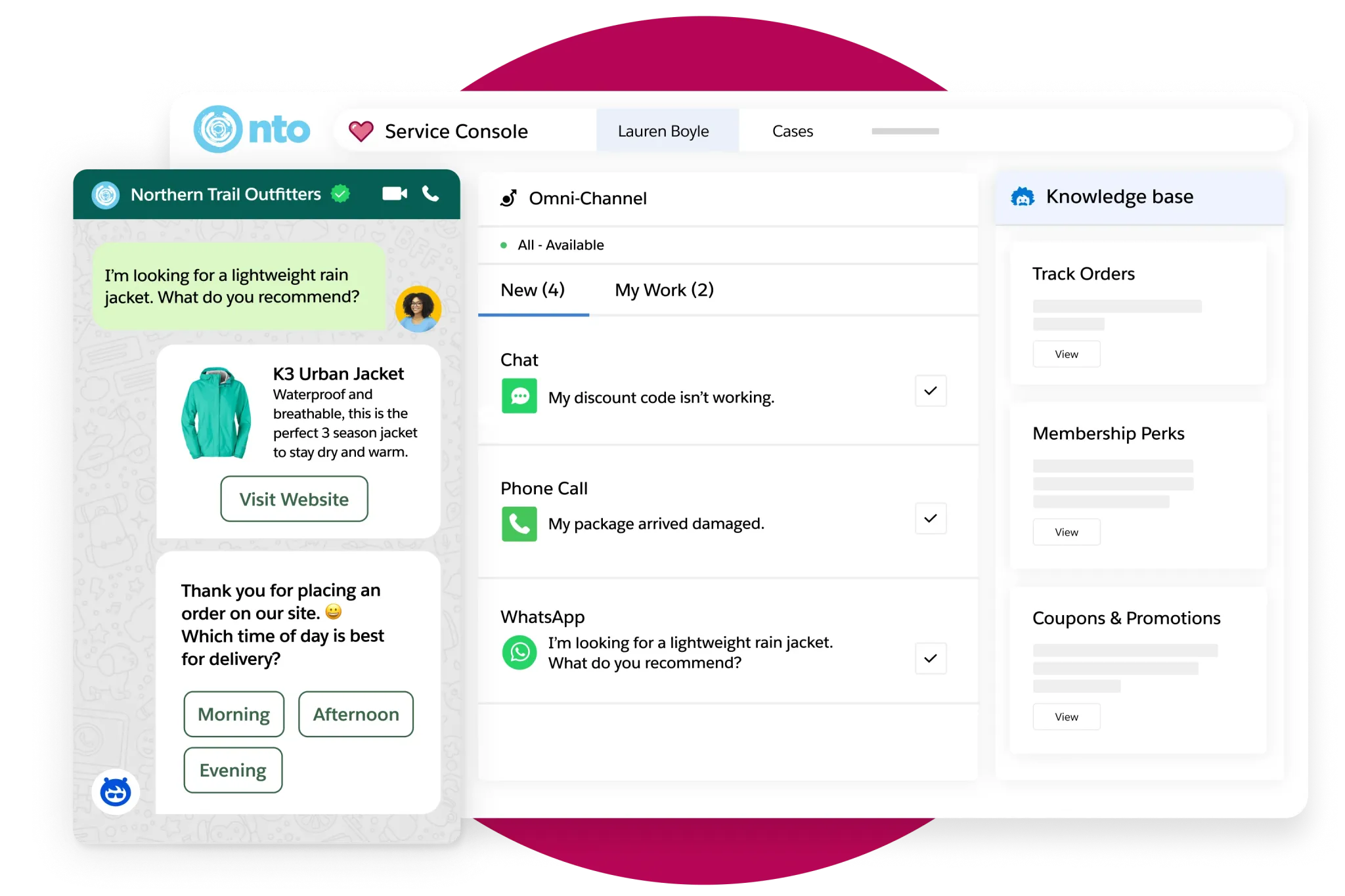
Salesforce's AI is the most ambitious. Agentforce deploys autonomous AI agents that handle prospecting, inbound lead engagement, sales coaching, and customer service without constant human prompting. The Atlas Reasoning Engine uses a reason-act-observe-adapt loop. Salesforce reports 85% of its own support requests resolved without human escalation and Agentforce reaching $800M ARR with 29,000 deals closed. The capability is real, but accessing it requires Enterprise tier or higher, plus Agentforce add-ons at $125/user/month or consumption-based Flex Credits. The cost and complexity to activate it are substantial.
Source: Salesforce
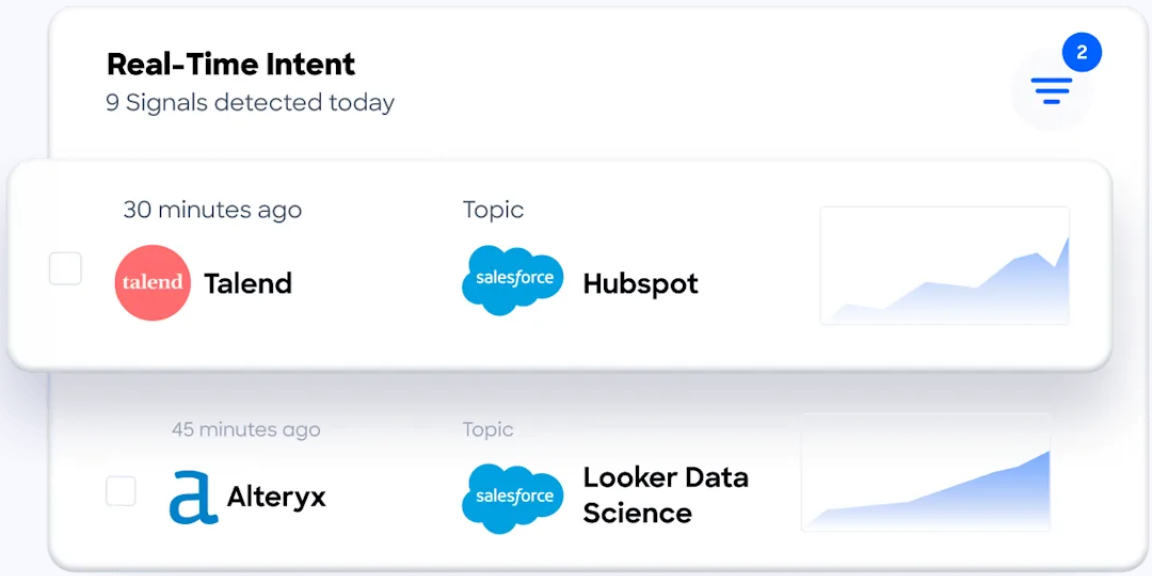
ZoomInfo's AI sits on a different foundation. The GTM Context Graph doesn't just analyze your CRM data; it fuses your internal records with ZoomInfo's third-party intelligence to understand why deals move or stall. As ZoomInfo's Chief Product Officer Dominik Facher writes: "The CRM recorded the state change. It has no record of why it happened." The GTM Context Graph captures that context (executive involvement, competitive mentions, buying committee dynamics) and uses it to prioritize accounts, draft outreach, and surface next actions inside GTM Workspace. Guided Intent, exclusive to ZoomInfo, identifies topics historically correlated with deal success rather than requiring manual topic selection.
"That combination of our internal CRM data, external signals, and AI that's given all that context has helped us craft very specific account- and persona-based messages. And people have responded to them right away." (Seismic)
Pricing reflects who each platform is built for
The pricing models tell you exactly which buyer each platform expects.
Nimble keeps it simple. One plan at $24.90/seat/month billed annually ($29.90 monthly). All core features included. No tier upgrades for pipelines, sequences, or workflows. Add-ons exist for Email Marketing ($15/month company-wide), Web Forms and Chat ($12/month per team), extra storage ($10/month per 10GB), and additional contacts ($10/month per 10,000 beyond the base 25,000).
Nimble's own pricing analysis shows a five-seat team paying roughly $152/month on Nimble versus $1,300+ on HubSpot and $2,000-$3,000+ on Salesforce for comparable features. For small teams, the math is clear.
Source: Nimble
Salesforce pricing is layered. Starter Suite costs $25/user/month with limited features. Pro Suite jumps to $100/user/month. Enterprise is $175/user/month. Unlimited is $350/user/month. The new Agentforce 1 edition runs $550/user/month with unmetered AI agents, Tableau Next, and Slack Enterprise+. Add-ons like Digital Engagement ($75/user/month), Contact Center ($150/user/month), and Premier Success support (30% of net license fees) push costs higher.
Source: Salesforce
Salesforce itself acknowledged its pricing "needed to be easier to understand, more predictable, and more flexible". Implementation typically requires partners (over 70% of deployments are partner-led), adding further cost.
ZoomInfo uses consumption-based pricing with no published dollar amounts. Costs scale around seats, credits (one credit per contact export), and AI activity. There is no public per-seat price to compare directly. However, ZoomInfo offers two free entry points: ZoomInfo Lite (a permanent free tier with 10 monthly export credits and access to the B2B database) and a 7-day free trial with broader feature access. For teams evaluating whether intelligence-first GTM fits, these let you test before committing.
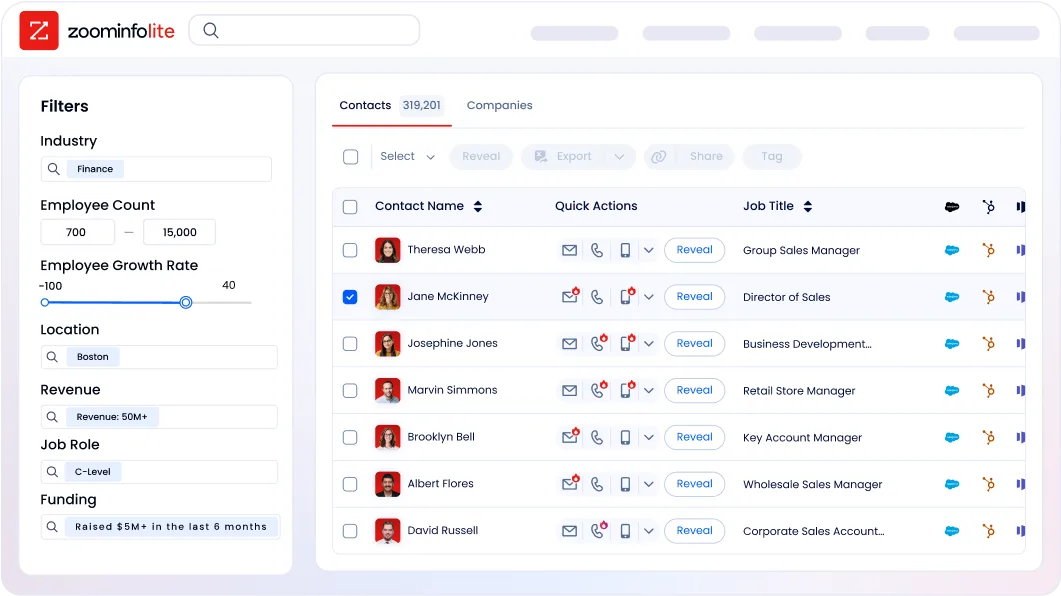
Ease of use determines adoption
A platform only matters if the team actually uses it.
Nimble wins on simplicity. G2 reviewers rate its ease of use at 8.9/10 and give it a 9.20 implementation score. Kennesaw State University uses it in the classroom to teach CRM concepts to students, a clear sign of a low learning curve. The product works inside Gmail, Outlook, LinkedIn, and the browser through the Prospector extension, so users spend most of their time in familiar environments. Nimble offers daily live onboarding webinars and free one-on-one calls, though support is limited to weekday business hours with no phone line.
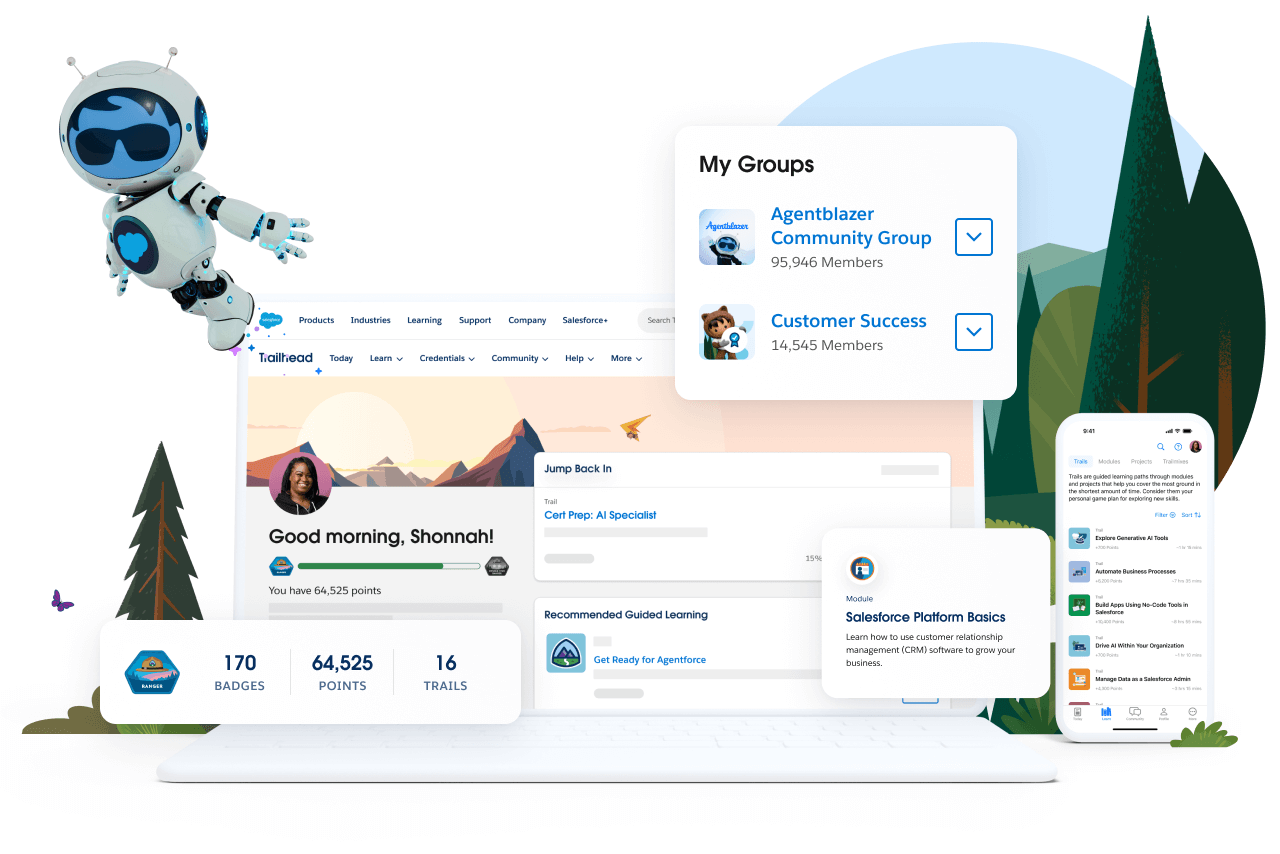
Salesforce requires investment. The platform offers Lightning Experience as its modern interface, but meaningful configuration demands trained administrators. Trailhead serves 6+ million learners with 1,500+ badges, and the Trailblazer Community spans 20 million members across 1,300+ local groups in 90 countries. Implementation timelines range from weeks for simple Sales Cloud deployments to 3-12 months for enterprise multi-cloud projects. The ecosystem is a strength: once you invest in learning, the depth is enormous. But the upfront time commitment is real.
Source: Trailhead
ZoomInfo sits between the two. The platform's breadth (data, intelligence, conversation capture, and multiple execution surfaces) takes real onboarding effort. ZoomInfo addressed this with a redesigned 90-day onboarding program structured across planning, implementation, education, and adoption phases. The redesign produced a 25% improvement in customer satisfaction scores and won Rocketlane's Golden Comet award for Best Customer Onboarding Team of 2024. ZoomInfo University provides role-specific learning paths for sales, marketing, and administrators.

Integration ecosystems show each platform's role
How each platform connects to your existing tools reveals its intended place in your stack.
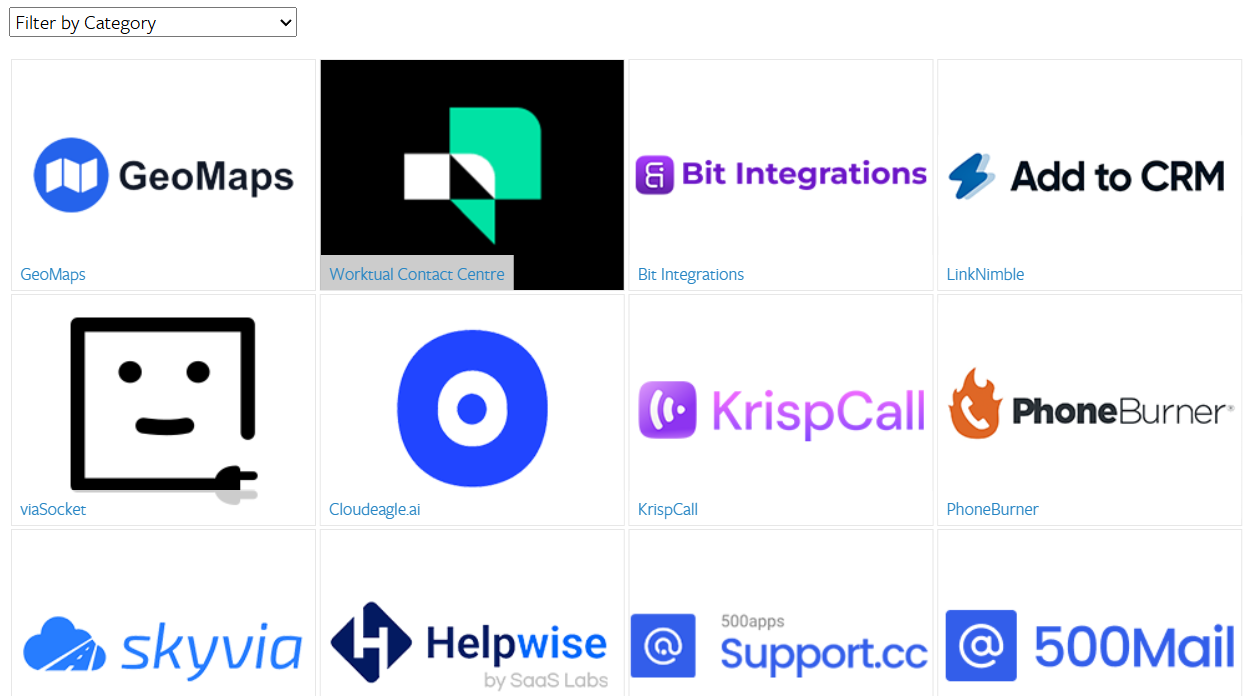
Nimble integrates with Microsoft 365 and Google Workspace as its primary ecosystem, including bidirectional sync with Outlook, Gmail, and Calendar. The Apps Marketplace lists dozens of integrations including Mailchimp, PandaDoc, and PhoneBurner. For anything beyond native connectors, Nimble supports Zapier and Make.com via a REST API. The integration story works for small teams but runs thin for complex workflows.
Source: Nimble
Salesforce has the broadest ecosystem in enterprise software. AppExchange hosts 9,000+ partner apps with 14+ million installs, and 91% of customers use at least one marketplace app. MuleSoft handles enterprise integrations with hundreds of pre-built connectors. APIs include REST, SOAP, Bulk, Metadata, and Pub/Sub. If a business tool exists, Salesforce probably connects to it. The challenge is managing the complexity: each integration requires configuration, maintenance, and often additional cost.
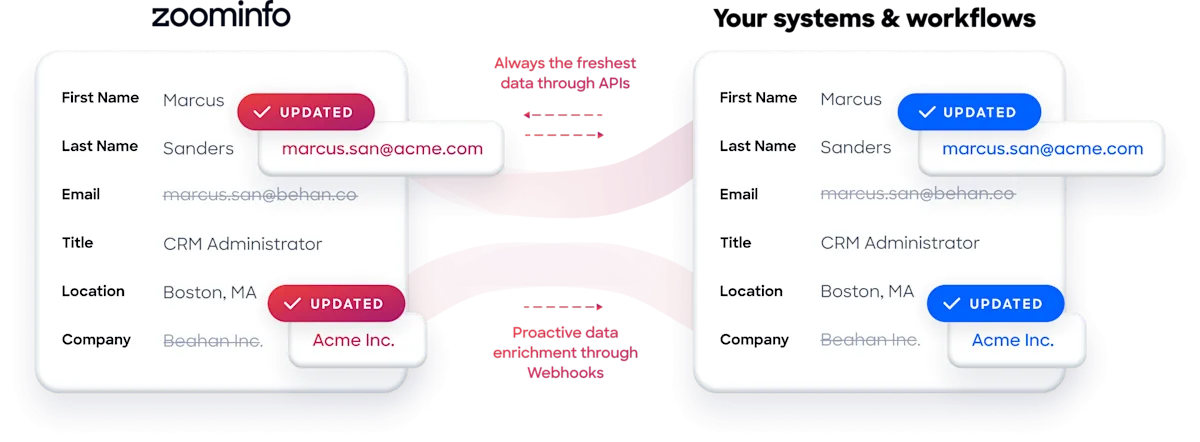
ZoomInfo takes an open architecture approach. The App Marketplace lists 120 partner integrations including Salesforce, HubSpot, Microsoft Dynamics 365, and Snowflake. The Enterprise API provides programmatic access to search, enrich, and Copilot AI endpoints. The MCP server, listed in the Claude directory and supporting ChatGPT, lets AI models query ZoomInfo data through natural language. API access is included in all relevant plans, so the intelligence layer is not locked inside ZoomInfo's UI. It works in any tool.
"Without ZoomInfo, it would be extremely difficult, if not impossible, to achieve our business objectives. Without it, we wouldn't be able to understand the market, have the right contact data, and make meaningful connections." (Smartsheet)
Reporting and analytics reflect platform depth
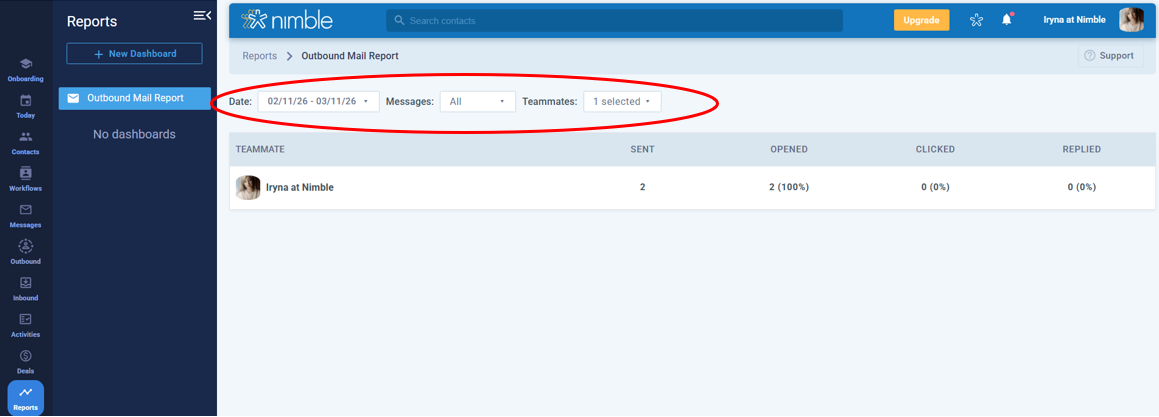
Nimble provides customizable dashboards with report widgets covering pipeline funnels, deals won over time, revenue forecasts, average deal value, and outbound mail metrics (opens, clicks, replies). Reports offer drill-through to underlying deals. But the reporting lacks attribution analytics, A/B testing, and multi-variable filtering. Nimble concedes in its own blog that HubSpot Marketing Hub Pro offers deeper marketing analytics, including "landing pages, A/B testing, lead scoring, attribution reporting, and a much deeper marketing automation graph."
Source: Nimble
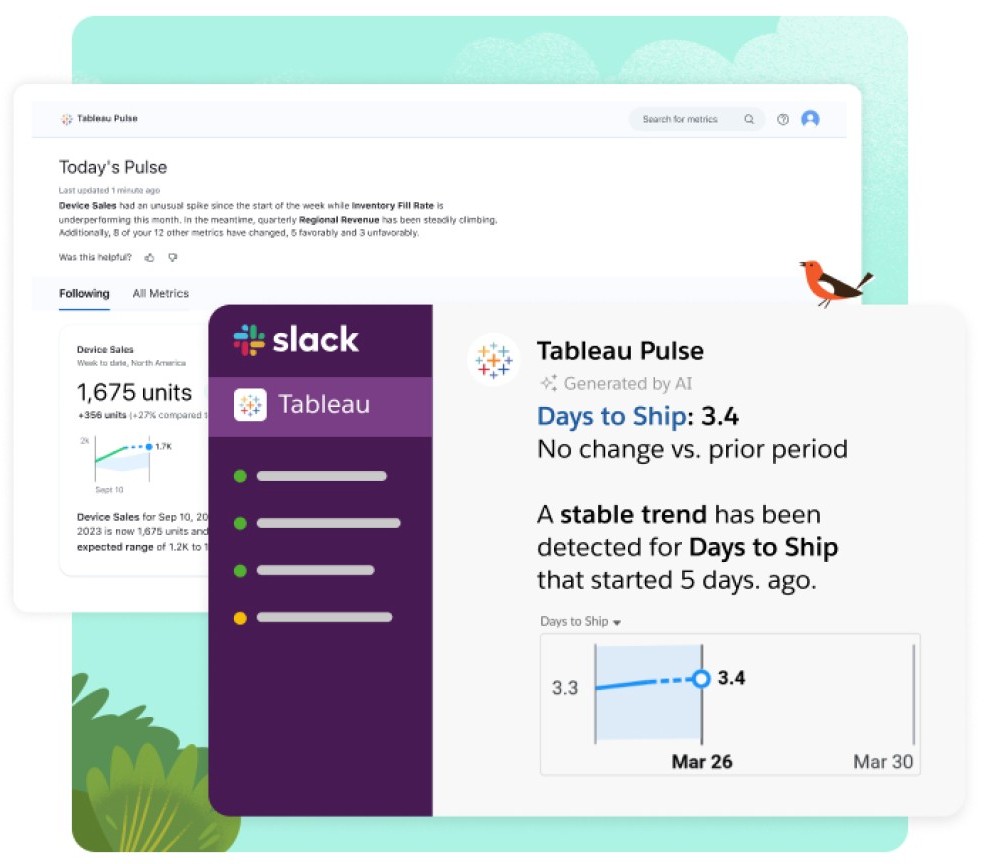
Salesforce leads on analytics depth. CRM Analytics provides embedded analytics within Salesforce records. Tableau adds full business intelligence capability, and Tableau Pulse delivers personalized AI-generated digests. The Agentforce 1 edition bundles Tableau Next with agentic analytics. For organizations that make data-driven decisions across departments, Salesforce's analytics stack is hard to match.
Source: Salesforce
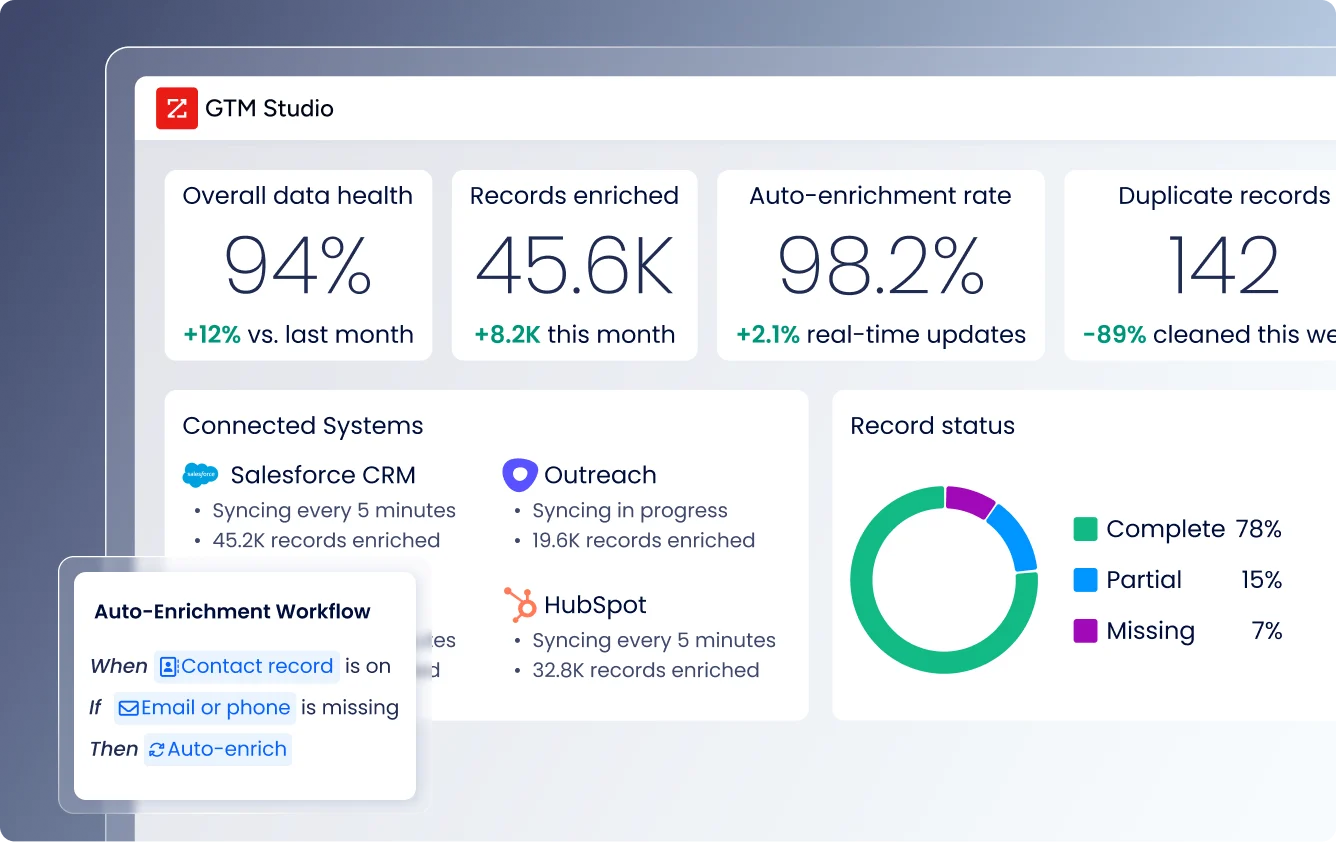
ZoomInfo provides analytics tied to go-to-market execution. GTM Studio includes dashboards tracking engagement, funnel progression, and top-performing segments. The marketing product tracks campaign performance across channels. Chorus adds conversation analytics including talk ratios, sentiment analysis, and competitive mention tracking. The analytics focus on answering operational GTM questions (which plays work, which accounts convert, which signals predict outcomes) rather than general business intelligence.
Security and compliance comparison
All three platforms maintain strong security postures, with differences that matter in regulated industries.
Nimble is GDPR compliant with certification under the EU-U.S. Data Privacy Framework, carries the TRUSTe Privacy Seal, and stores data on Microsoft Azure servers. However, Nimble is explicitly not HIPAA compliant, and no SOC 2, ISO 27001, or FedRAMP certifications are documented.
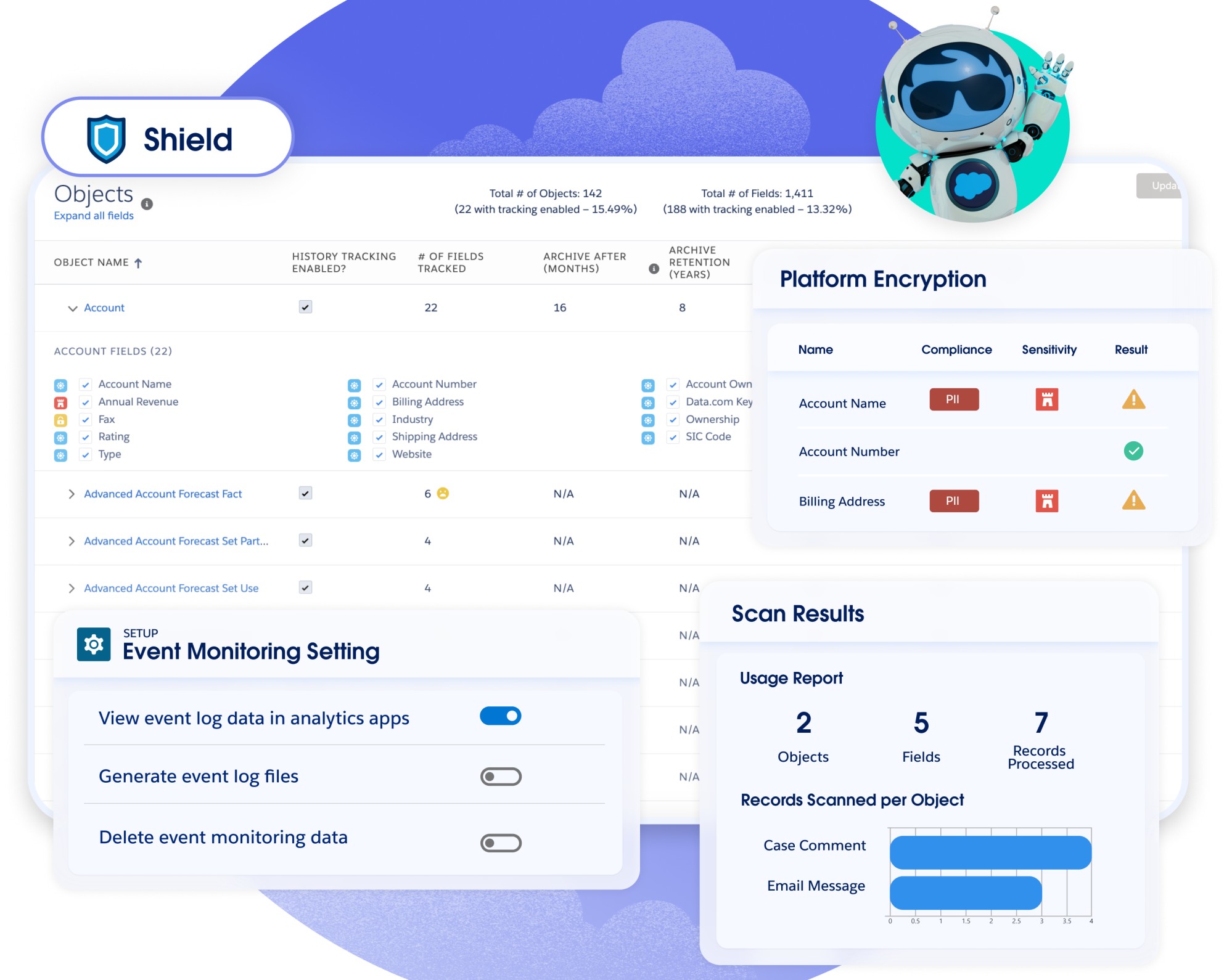
Salesforce offers the broadest security infrastructure. Certifications include ISO 27001/27017/27018, SOC 1/2/3, FedRAMP (Government Cloud), and HITRUST. Salesforce Shield adds event monitoring, platform encryption with BYOK, and field audit trail. The Einstein Trust Layer enforces zero data retention with LLM partners and PII masking for AI interactions. Hyperforce enables regional data residency. For enterprises in financial services, healthcare, and government, Salesforce's security stack is a primary reason for adoption.
Source: Salesforce
ZoomInfo maintains annually renewed ISO 27001, ISO 27701, SOC 2 Type II, TRUSTe GDPR, and TRUSTe CCPA certifications. The company is a registered data broker in California and Vermont and operates a dedicated Trust Center at trust.zoominfo.com. This matters because ZoomInfo handles B2B contact data at scale; the compliance infrastructure ensures that data is collected, stored, and processed responsibly.
Nimble vs. Salesforce vs. ZoomInfo: Which should you choose?
The best fit depends on where you are as a business and what problem you need solved first.
Choose Nimble if:
You are a solopreneur or small team (under 25 people) managing business through personal relationships
You work primarily in Microsoft 365 or Google Workspace and want a CRM inside your inbox
Your budget is under $30/seat/month and you need all core features without tier upgrades
Simple email sequences and visual workflow boards cover your automation needs
You value ease of use over depth of features
Choose Salesforce if:
You run complex sales operations requiring territory management, CPQ, forecasting, and multi-cloud integration
You have the budget and administrative resources to implement and maintain an enterprise platform
You need AI agents that can autonomously handle customer service, sales coaching, and pipeline management
Your industry requires specific compliance certifications like FedRAMP or HITRUST
You want the largest partner ecosystem and integration marketplace in enterprise software
Choose ZoomInfo if:
Your biggest challenge is finding and prioritizing the right accounts, not just managing the ones you already know
You need verified B2B contact data and buyer intent signals built into your daily workflow
You want AI that understands why deals move or stall, not just what changed in the CRM
Your team uses Salesforce, HubSpot, or another CRM and needs an intelligence layer that makes it effective
You want to access GTM data and intelligence in any tool via APIs and MCP, not just one platform's UI
Try ZoomInfo Lite for free or request a demo to see the full platform.
"ZoomInfo's not just a contact data company anymore. They've built a full system of execution. GTM Intelligence actually works the list, writes the outreach, triggers the play, and helps drive predictable growth." (Levanta)
The comparison between Nimble and Salesforce is a question about scale: how much CRM infrastructure does your team need? Nimble serves small teams well at a fraction of the cost. Salesforce handles enterprise complexity that no other CRM matches. But for B2B sales teams at any scale, the question that precedes CRM is intelligence: do you know who to call, why they are in market, and what will resonate? ZoomInfo answers that question first, then works with whatever CRM you choose.
Nimble vs. Salesforce vs. ZoomInfo FAQ
What is the fundamental difference between Nimble, Salesforce, and ZoomInfo?
Nimble is a relationship-focused CRM for solopreneurs and small teams, built to work inside your inbox and browser at $24.90/seat/month. Salesforce is the enterprise CRM platform with the deepest feature set, AI agents, and partner ecosystem, serving over 150,000 companies at $25-$550/user/month. ZoomInfo is an intelligence-first GTM platform that starts with B2B data (500M contacts, 100M companies) and buyer intent signals, built to tell sales teams who to contact, when to engage, and what to say.
Which platform is cheapest for a small sales team?
Nimble is the most affordable, with all core features at $24.90/seat/month billed annually. Salesforce's Starter Suite costs $25/user/month but is limited in features; most teams need the $100-$175/user/month tiers. ZoomInfo uses consumption-based pricing with no published per-seat rates, though its permanent free tier (ZoomInfo Lite) provides access to the B2B database with 10 monthly export credits at no cost.
Can ZoomInfo replace a CRM like Nimble or Salesforce?
ZoomInfo is not a CRM replacement. It is the intelligence and data layer that makes CRM more effective. GTM Workspace gives sellers a place to run AI-drafted outreach and prioritize accounts, but ZoomInfo integrates directly with Salesforce, HubSpot, and Microsoft Dynamics for deal tracking and pipeline management. Many enterprise teams use ZoomInfo alongside Salesforce, not instead of it.
Which platform has the best B2B contact data?
ZoomInfo has the largest B2B dataset: 500M contacts, 100M companies, 135M+ verified phone numbers, 120M direct dials, and 200M+ verified business emails, maintained by 300+ human researchers with up to 95% accuracy on first-party data. In a Fortune 500 competitive evaluation analyzing 25 million contacts across vendors, an independent consultant concluded that no other competitor came close. Nimble offers basic enrichment via its Prospector extension (100 credits/user/month). Salesforce has no native B2B contact database.
How does AI compare across the three platforms?
Nimble's AI handles email generation, chat pre-qualification, and sequence creation within your existing CRM data. Salesforce's Agentforce deploys autonomous AI agents for sales, service, and marketing, powered by the Atlas Reasoning Engine, though it requires Enterprise tier or higher plus additional licensing. ZoomInfo's GTM Context Graph fuses your CRM data, conversation intelligence, and behavioral signals with its third-party B2B data to reveal why deals move or stall, then delivers prioritized actions and AI-drafted outreach through GTM Workspace.
Which platform is easiest to set up and use?
Nimble has the lowest learning curve, with G2 reviewers rating ease of use at 8.9/10 and a 9.20 implementation score. Most users are productive from day one. ZoomInfo offers a structured 90-day onboarding program that earned the Rocketlane Golden Comet award, with a 25% improvement in customer satisfaction after the redesign. Salesforce has the steepest learning curve, with implementation timelines ranging from weeks to 12 months depending on complexity, and most deployments requiring partner involvement.
Do any of these platforms offer a free option?
All three provide free entry points. Nimble offers a 14-day free trial with no credit card required. Salesforce provides a Free Suite (limited to 2 users) with basic lead, account, and opportunity management. ZoomInfo offers both a permanent free tier (ZoomInfo Lite, with 10 monthly export credits and access to the B2B database) and a separate 7-day free trial with broader feature access.
Which platform is best for teams already using Salesforce as their CRM?
ZoomInfo integrates directly with Salesforce to enrich CRM data with verified contacts, buyer intent signals, and account intelligence. GTM Workspace surfaces the GTM Context Graph alongside Salesforce data, and GTM Studio can trigger plays that route into Salesforce workflows. This makes ZoomInfo a natural complement for Salesforce users who need better data and intelligence feeding their CRM, without switching platforms. For a deeper look at how the two platforms stack up head-to-head, see our Salesforce vs. ZoomInfo comparison.
