
Teams that run PandaDoc for document workflows and Zoho CRM for pipeline management usually discover the same problems within a quarter:
proposals and contracts in PandaDoc reference contact details that have drifted from what Zoho shows,
deal stages update in the CRM but the document side has no visibility into where the opportunity stands,
and someone on the team is copying data between the two systems by hand, introducing errors each time.
However, the two platforms ended up coexisting (a sales team that adopted PandaDoc for proposals while the org standardized on Zoho CRM, different departments choosing best-of-breed tools, or an existing Zoho setup that needed a stronger document automation layer), the longer both run without a connection, the wider the gap between deal data and document data becomes.
Connecting PandaDoc and Zoho CRM eliminates that gap.
Contact and company details from Zoho flow into PandaDoc so proposals populate with accurate buyer information. Document status (sent, viewed, signed, completed) writes back to Zoho deals so pipeline stages reflect what is happening with contracts. Payment collection, approval workflows, and signing events in PandaDoc update CRM records automatically, giving sales managers one source of truth for deal progress without asking reps to log updates in both systems.
A native integration between PandaDoc and Zoho CRM exists, available through both PandaDoc's extension library and the Zoho CRM Marketplace. For teams that need custom workflows, third-party automation tools (Zapier) and custom API development offer additional connection methods. Each differs in setup complexity, sync direction, data coverage, and cost.
One problem no connection method solves: the integration moves document and deal data between systems, but it does not verify or improve the contact records that feed into both.
That is where ZoomInfo comes in. ZoomInfo integrates natively with Zoho CRM through its marketplace connector and offers API and MCP access that can feed verified, enriched contact and company data into any system, so the records that populate PandaDoc proposals and Zoho pipelines are accurate and complete before a document is ever created.
This article covers the PandaDoc-Zoho CRM integration: which methods are available, what data each one handles, how to set them up, the use cases that justify connecting both platforms, and the limitations to plan for. It also covers how ZoomInfo fits into the picture as a data enrichment layer for both platforms.
Let's start with an overview of the integration.
Integration Overview

Source: PandaDoc
Does a native integration exist?
Yes. PandaDoc offers a native Zoho CRM integration available as an extension within PandaDoc and through the Zoho CRM Marketplace. The integration enables document creation, sending, tracking, and eSignature collection from within Zoho CRM records.
What data can sync?
Contact and company details from Zoho CRM populate PandaDoc documents (names, emails, addresses, deal values, custom fields). Document status updates (draft, sent, viewed, completed, paid) write back to Zoho CRM deal records. PandaDoc's workflow automations can update Zoho deal stages and line items when documents are sent or completed.
Is the sync bidirectional?
Partially. Zoho CRM data flows into PandaDoc for document creation, and document status flows back into Zoho CRM deal records. This is a two-way exchange, but each direction carries different data: contact details flow in, document lifecycle events flow back.
Is it real-time or batch?
The native integration operates in near real-time. When a rep creates a PandaDoc document from a Zoho CRM record, contact data pulls immediately. When a document status changes (sent, viewed, signed, completed), the update writes back to Zoho within minutes. Zapier-based workflows trigger within 1 to 15 minutes depending on plan tier.
What are the available methods?
Native PandaDoc-Zoho CRM integration, third-party automation (Zapier), and custom API development using PandaDoc's REST API alongside Zoho CRM's REST and GraphQL APIs.
Method | Setup Difficulty | Data Flow | Real-time? | Cost |
|---|---|---|---|---|
Native Integration | Low | Bidirectional (CRM data in, document status back) | Near real-time | Included with PandaDoc Business+ and Zoho CRM paid plans |
Zapier | Medium | One-way per Zap | Near real-time (1-15 min) | From $19.99/mo + PandaDoc Business+ |
Custom API | High | Fully customizable | Depends on implementation | Developer time + hosting |
One distinction worth settling upfront: the native integration handles the core document-to-deal lifecycle for daily use. Zapier covers supplementary workflows the native connector does not support (e.g., triggering actions in third-party tools when a PandaDoc document completes).
Custom API development is the only path for organizations that need to sync custom objects, enforce complex business logic, or embed PandaDoc document experiences inside Zoho-connected applications.
Integration Methods
Native PandaDoc-Zoho CRM Integration
How it works: PandaDoc's native Zoho CRM integration connects the two platforms through an extension available in PandaDoc and the Zoho CRM Marketplace. Once connected, reps can create, send, and track PandaDoc documents from within Zoho CRM deal, contact, and account records.
Source: PandaDoc
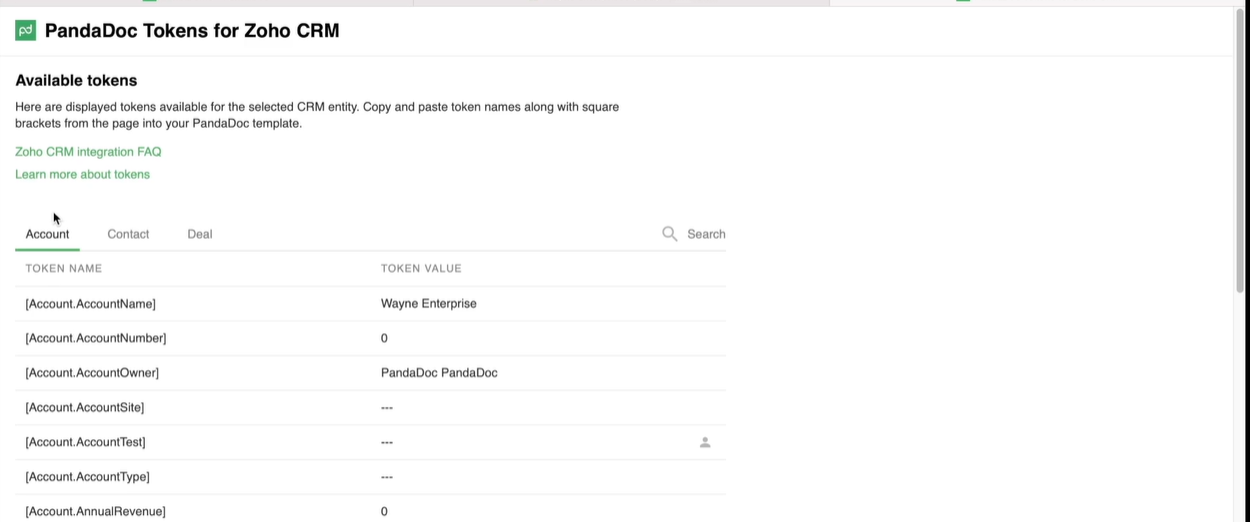
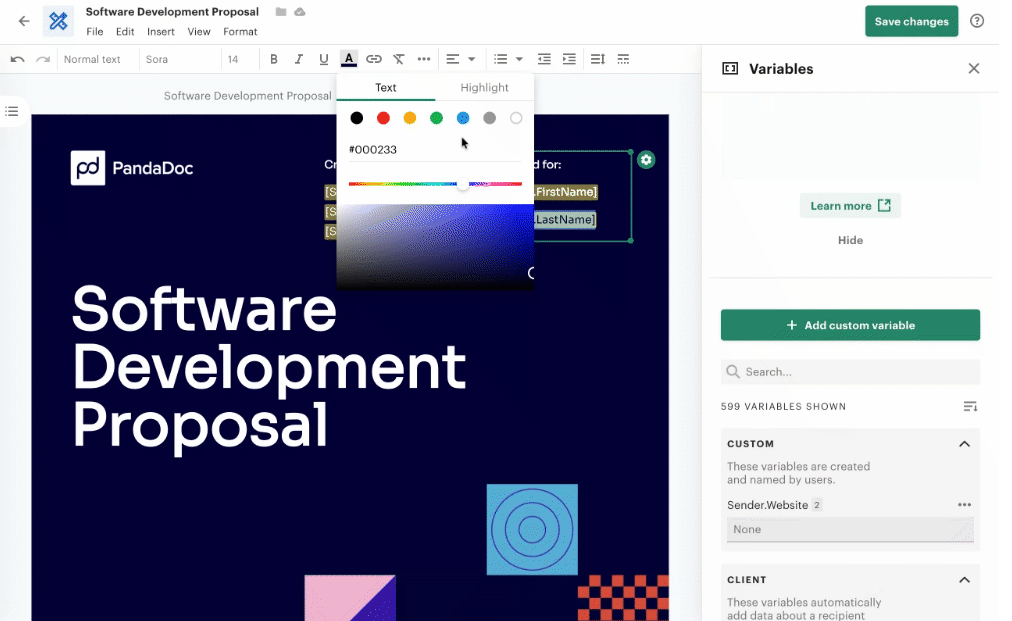
Zoho CRM field data (contact name, email, company, deal value, custom fields) populates PandaDoc templates through variable mapping, eliminating manual data entry. Document lifecycle events write back to Zoho CRM, updating deal stages and logging activity.
Source: Zoho
What it syncs: Contact and company details from Zoho CRM records into PandaDoc document fields. Document status updates (draft, sent, viewed, completed, paid) back into Zoho CRM deal records. PandaDoc's automation recipes can trigger Zoho CRM deal stage changes and line item updates when documents reach specific statuses. Pricing table data from PandaDoc can sync product and pricing information back to Zoho.
Fits: daily use for document creation, sending, tracking, and signing tied to CRM deal workflows; the primary integration method for most teams.
Setup process:
In PandaDoc, navigate to Settings and then Integrations. Search for Zoho CRM and enable the extension. You need PandaDoc Business plan or higher (CRM integrations are not available on Free or Starter plans).
Authenticate with your Zoho CRM account using OAuth. Grant PandaDoc permission to read contacts, accounts, deals, and write activity data to your Zoho org.
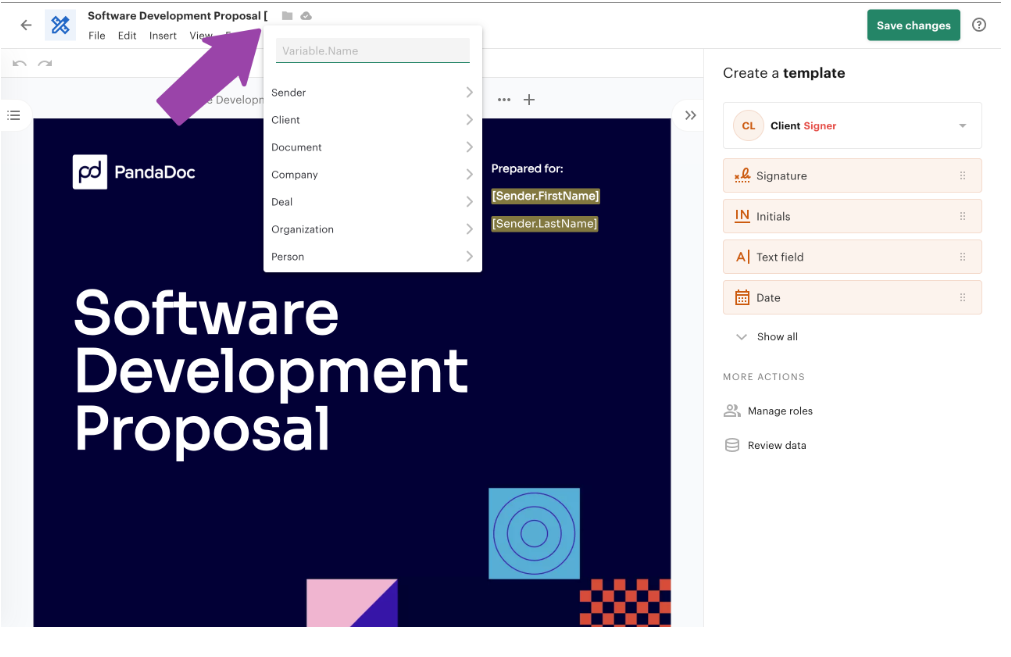
Configure field mapping between Zoho CRM fields and PandaDoc template variables. Standard fields (name, email, company, phone, address) typically auto-map; custom fields require manual mapping.
Set up automation recipes for Zoho CRM deal stage updates: configure which document status changes (e.g., "Completed") trigger which Zoho deal stage transitions (e.g., "Closed Won"), and which line item updates to push back.
In Zoho CRM, install the PandaDoc extension from the Marketplace if it has not appeared automatically. Verify that the PandaDoc panel appears on Deal, Contact, and Account record pages.
Test the connection by creating a PandaDoc document from a Zoho CRM deal record. Verify that contact data populates in the document and that sending the document updates the activity log in Zoho.
Source: PandaDoc
Strengths: First-party integration maintained by PandaDoc with a Zoho Marketplace listing. No third-party connector fees. CRM data flows into documents automatically, and document lifecycle events flow back into the CRM without manual logging.
Supports PandaDoc's full document feature set (proposals, contracts, quotes, eSignatures, payments) from within Zoho CRM. Automation recipes handle deal stage updates and follow-up document triggers without additional tools.
Limitations: Requires PandaDoc Business plan ($49/seat/month annual) or higher; CRM integrations are not available on Free or Starter plans. The integration focuses on the document-to-deal lifecycle; syncing data between Zoho modules not tied to PandaDoc documents (e.g., Zoho Campaigns or Zoho Projects) requires Zapier or custom development.
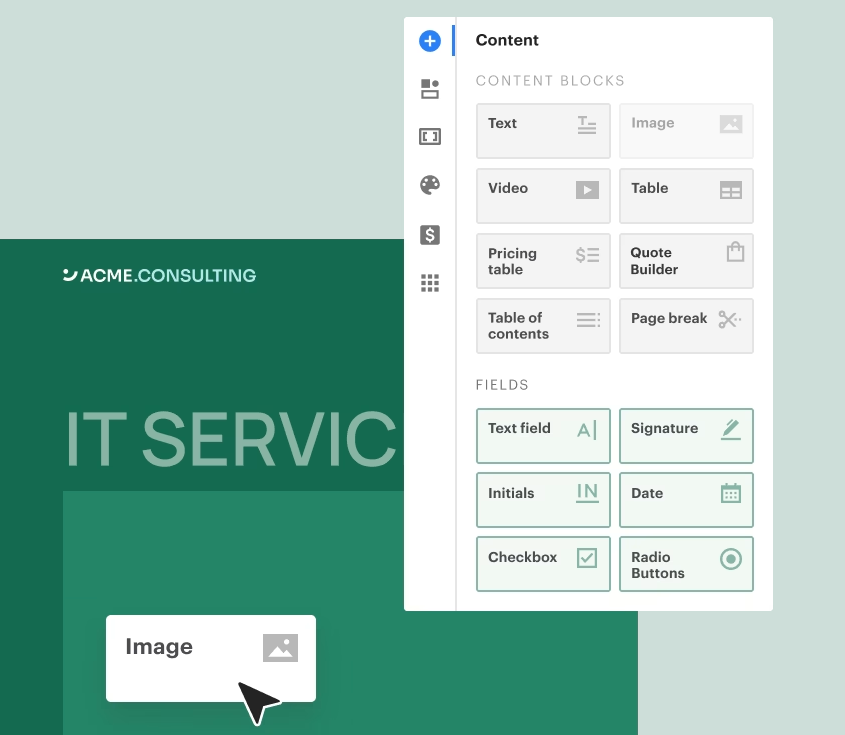
Field mapping for complex custom field types may require manual configuration. PandaDoc's block-based editor does not always handle complex Zoho field types (multi-select picklists, lookup fields) without intermediate formatting.
Source: PandaDoc
Best for: Sales teams using Zoho CRM as their primary pipeline tool and PandaDoc for proposals, quotes, and contracts. Teams that want document creation and signing inside their CRM workflow without switching between applications.
Zapier
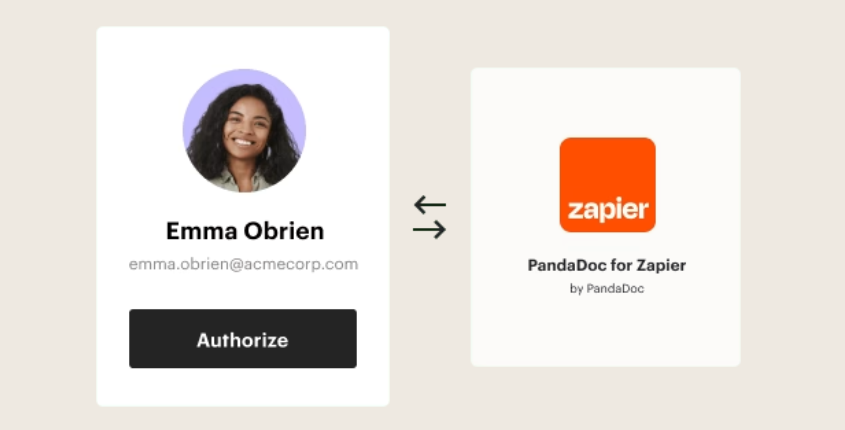
How it works: Zapier connects PandaDoc and Zoho CRM through event-driven automations called Zaps. Each Zap pairs a trigger (an event in one app) with one or more actions (what happens in the other). PandaDoc is a supported Zapier integration with triggers for document status changes, and Zoho CRM is one of Zapier's most popular connectors. This method covers workflows that fall outside the native integration's scope.
Source: PandaDoc
What it syncs: PandaDoc document events (document sent, viewed, completed, paid) can trigger actions in Zoho CRM (create or update a record, change a deal stage, add a note)
Zoho CRM events (new deal created, deal stage changed, new contact added) can trigger PandaDoc actions (create a document from a template). Each object type and event pairing requires its own Zap. Custom field data can be mapped manually in the Zap setup flow.
Fits: supplementary workflows beyond what the native integration handles; not a replacement for the native connector.
Setup process:
Create a Zapier account and connect both your PandaDoc and Zoho CRM accounts using OAuth.
Choose the trigger app and event. For example, select PandaDoc as the trigger with "Document State Changed" as the event.
Choose the action app and event. For example, select Zoho CRM as the action with "Update Module Entry" to update a deal record.
Map fields between the trigger and action. Zapier displays available data from the trigger step (document name, status, recipient email, completion date) and lets you place it into Zoho CRM fields.
Test the Zap with a sample document to verify the data flows correctly and the Zoho CRM record updates as expected.
Turn the Zap on. For reverse workflows (Zoho CRM events triggering PandaDoc actions), create a separate Zap with the trigger and action apps reversed.
Strengths: Covers workflows the native integration does not handle, such as triggering Slack notifications when a PandaDoc document is signed in a Zoho deal, or creating a follow-up task in Zoho Projects when a contract completes. No engineering resources required. Zapier's filter and formatting steps add conditional logic (e.g., only trigger for documents above a certain value).
Limitations: Each Zap handles one trigger-action pair; complex workflows need multiple Zaps, each counting against the plan's task allocation. No deduplication logic. Documents created before the Zap was activated do not sync. Zapier charges by task count, so high-volume document workflows accumulate costs. PandaDoc's Zapier triggers may not expose every field available through the native integration or API.
Best for: Teams that already use the native integration for core document-deal workflows and need to extend specific automations to third-party tools (Slack, Google Sheets, project management platforms) or handle edge cases the native connector does not cover.
Custom API Integration
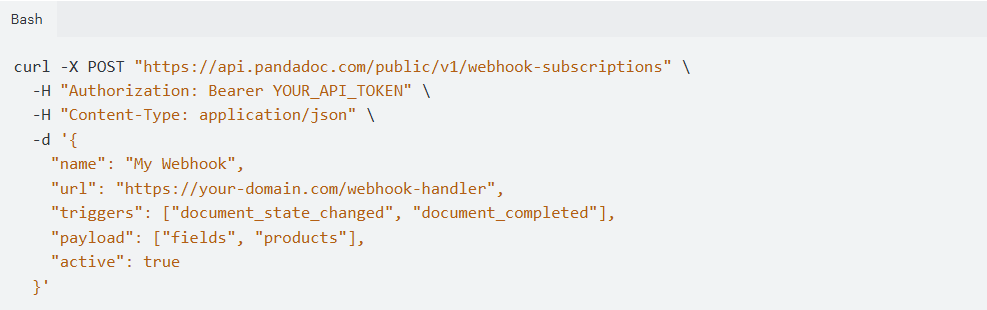
How it works: Both PandaDoc and Zoho CRM provide developer APIs. PandaDoc's REST API covers document creation from templates or file uploads, sending, status tracking, field pre-population, eSignature requests, and webhook notifications for real-time document events.
Source: PandaDoc
Zoho CRM's REST API and GraphQL API cover full CRUD operations on all standard and custom modules, with notification APIs for event-driven sync. A custom integration connects these APIs through middleware you build and maintain.

Source: Zoho
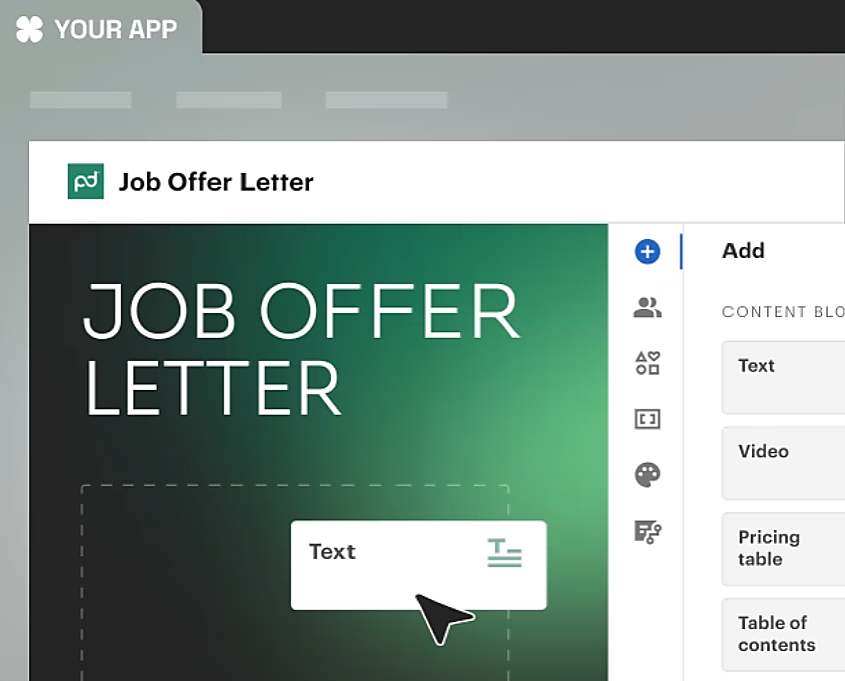
What it syncs: Anything both APIs expose. This is the only method that supports embedding PandaDoc document creation inside custom Zoho-connected applications (via PandaDoc's embedded editing and signing session capabilities), syncing custom Zoho modules that the native integration does not cover, or enforcing business logic that goes beyond field mapping (e.g., generating a contract only when a Zoho deal meets specific criteria across multiple related modules).
Source: PandaDoc
Fits: use cases that exceed what the native integration and Zapier can handle; the only method with no ceiling on customization.
Setup process:
Generate PandaDoc API credentials from the Developer Dashboard. A sandbox environment is available for testing. On the Zoho side, register an OAuth client in the Zoho Developer Console and obtain client credentials.
Design the data model mapping between Zoho CRM modules and PandaDoc document templates, including field-level transformations and a cross-reference table for matching record IDs.
Build the integration service: a server-side application that listens for PandaDoc webhooks (document status changes) and Zoho CRM notifications (record changes), transforms data according to the mapping, and writes changes to the other platform's API.
Implement error handling and retry logic. PandaDoc's API enforces per-endpoint rate limits (e.g., 500 RPM for document creation from template, 600 RPM for document details). Zoho CRM uses a credit-based system with daily rolling limits that scale by plan and user count.
For embedded document experiences, integrate PandaDoc's JavaScript SDK (pandadoc.js) for editor embedding and signing sessions within Zoho-connected web applications.
Deploy, monitor, and maintain. Both platforms update their APIs independently (PandaDoc publishes a changelog; Zoho CRM maintains v7 and v8 API versions concurrently).
Strengths: Full control over what syncs, when, and how. Real-time sync via webhooks on both sides. Can implement complex business logic. Supports PandaDoc's embedded editing and signing capabilities inside custom applications. No per-operation fees from a third-party connector.
Limitations: Requires development resources to build and maintain. You own the infrastructure, monitoring, and error recovery.
PandaDoc's API access requires a paid plan (free tier allows 60 documents/year; the API Developer Plan is $40/month; CRM integrations via API require Enterprise). Zoho CRM API credits scale by plan tier (Standard gets 50,000 base + 250 per user per day; Enterprise gets 50,000 base + 1,000 per user). The initial build takes weeks.
Best for: Organizations with requirements the native integration cannot satisfy: embedding PandaDoc document workflows inside custom Zoho-connected applications, syncing custom Zoho modules, or enforcing complex business rules during document generation.
Teams with in-house development resources and a long-term commitment to both platforms.
Key Use Cases
1. Proposal Generation from Zoho CRM Deals
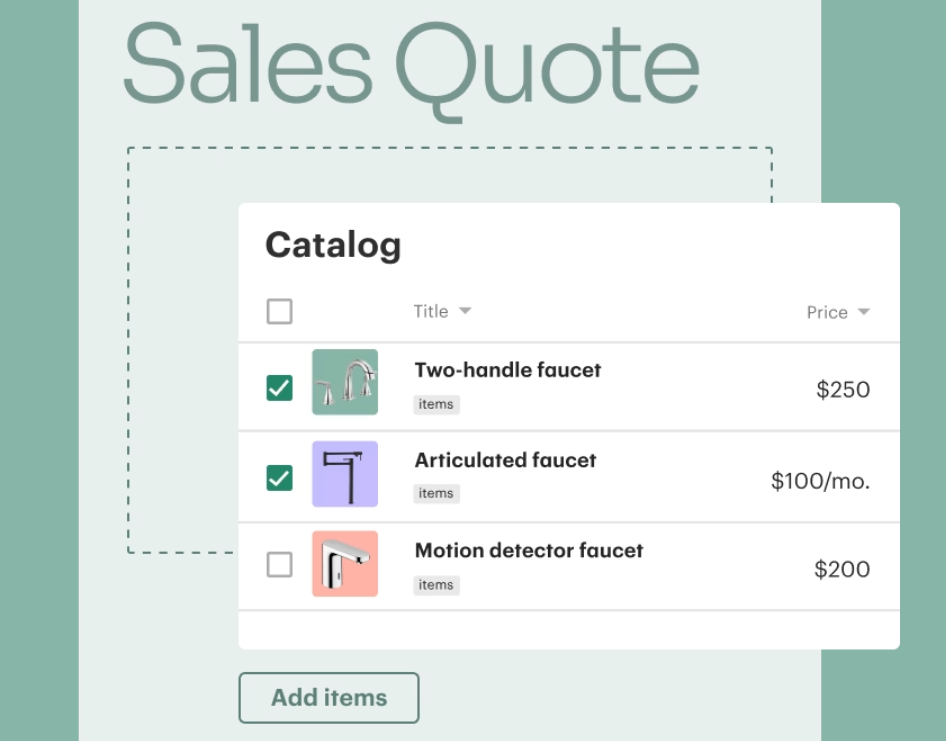
When a deal reaches the proposal stage in Zoho CRM, a rep opens PandaDoc from the deal record and selects a proposal template. Contact name, company, email, deal value, and product line items populate from Zoho CRM fields.
The rep customizes the proposal content, adds pricing from PandaDoc's product catalog, and sends it for signature without leaving the CRM. When the prospect opens, views, and signs the proposal, each status change writes back to the Zoho deal record.
Source: PandaDoc
Best integration method: Native PandaDoc-Zoho CRM integration.
2. Automated Contract Delivery on Deal Stage Change
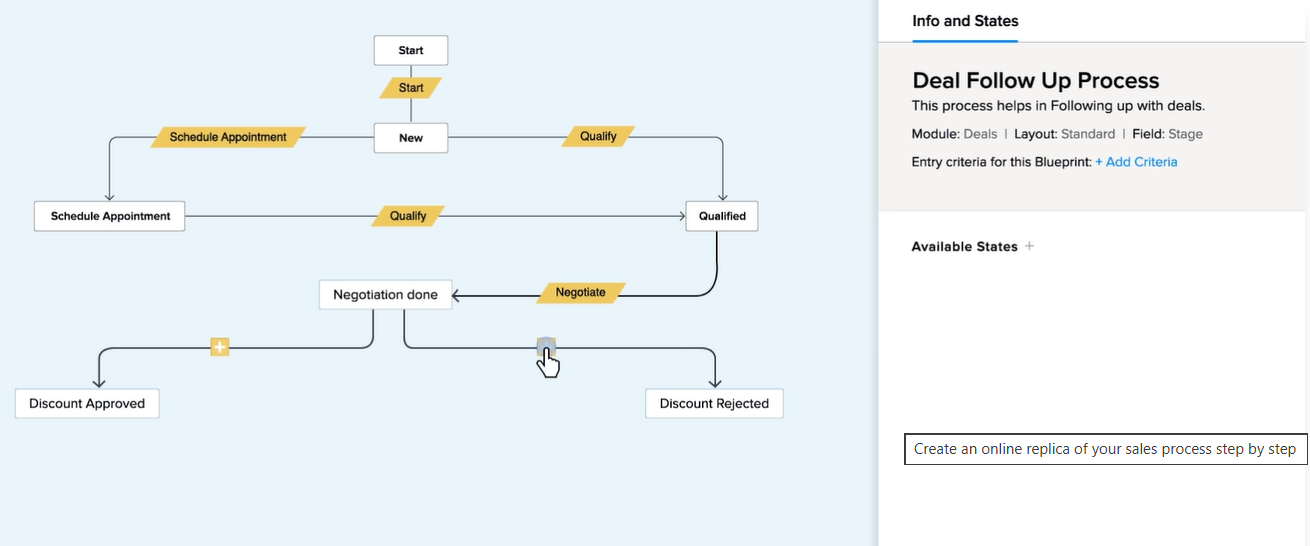
A Zoho CRM Blueprint enforces that when a deal reaches the "Negotiation" stage, a contract must go out. PandaDoc's automation, triggered by the deal stage update, generates a contract from a pre-approved template, fills it with deal data from Zoho, and sends it to the primary contact for eSignature. When the contract completes, a PandaDoc automation updates the Zoho deal stage to "Closed Won."
Source: Zoho
Best integration method: Native integration with PandaDoc automation recipes.
3. Quote-to-Cash with Embedded Payments
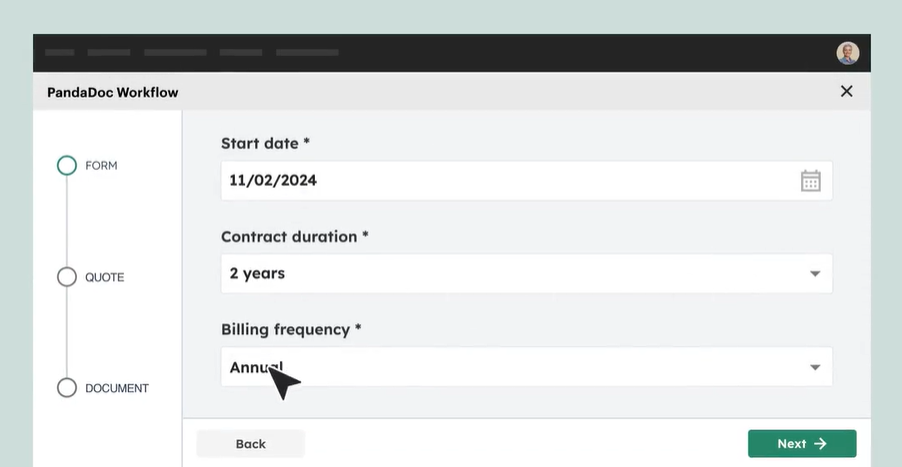
Sales teams using PandaDoc's CPQ capabilities generate configured, priced quotes from Zoho CRM deal records. The quote includes interactive pricing options (the buyer can select optional line items and quantities) and an embedded Stripe or PayPal payment link.
Source: PandaDoc
When the buyer signs and pays in one session, PandaDoc updates the Zoho deal with the final amount and marks it as closed, collapsing the quote-to-cash cycle into a single document interaction.
Best integration method: Native integration (requires PandaDoc Enterprise plan for CPQ).
4. Multi-Department Document Routing
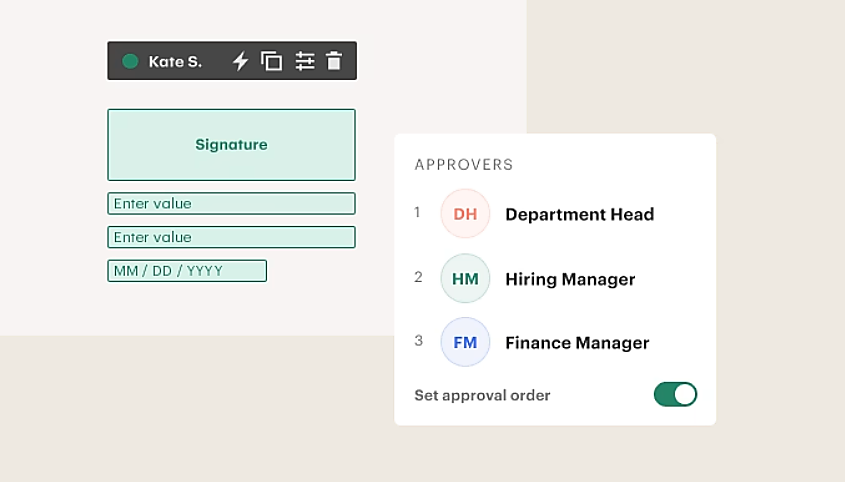
Legal needs to approve contracts before they go to the buyer. PandaDoc's approval workflow routes the document to internal approvers (legal, finance, management) in sequence. Only after all approvals clear does the document reach the external signer. Each approval step and the final signature write back to the Zoho deal record, giving managers visibility into where the contract stands in the review process.
Source: PandaDoc
Best integration method: Native integration with PandaDoc approval workflows (requires Business plan or higher).
5. Post-Signature Document Archiving
When a PandaDoc document reaches "Completed" status, an automation recipe saves the signed PDF to a designated cloud storage folder (Google Drive, OneDrive, Dropbox, Box, or SharePoint) and logs the completion event on the Zoho CRM deal record.
For teams that need the signed document attached to a record in a third-party system beyond what the native integration handles, a Zapier Zap triggered by document completion can push the PDF to the target.
Best integration method: Native integration for CRM status updates and cloud storage archiving; Zapier for routing to additional systems.
Limitations and Considerations
Plan Requirements on Both Sides
PandaDoc's CRM integrations are gated behind the Business plan ($49/seat/month annual) and above. Teams on PandaDoc Free ($0) or Starter ($19/user/month) cannot use the native Zoho CRM integration. On the Zoho CRM side, API access and marketplace extensions require a paid plan. Confirm your plan tiers on both platforms before committing to a setup path.
Document Status Granularity
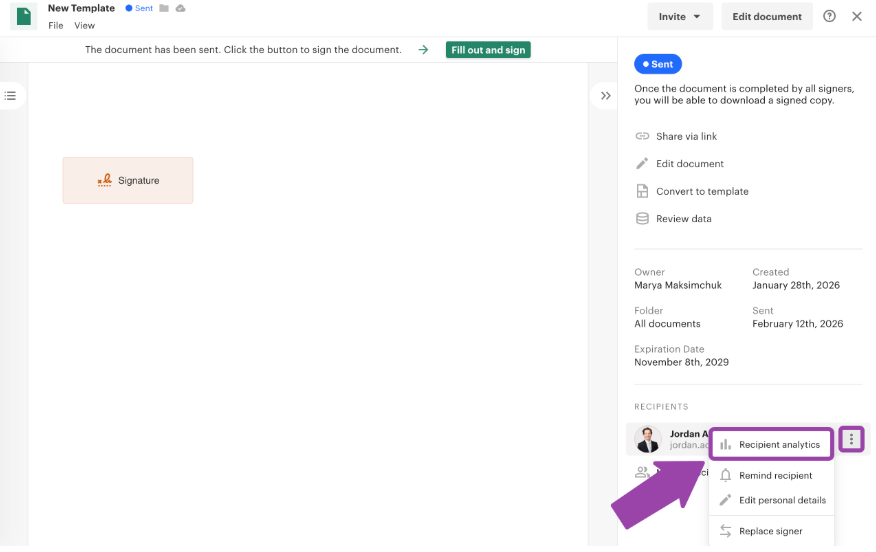
The native integration writes document lifecycle events (sent, viewed, completed) back to Zoho CRM, but what Zoho captures depends on how the automation recipes are configured. Page-by-page engagement analytics available in PandaDoc's Document Insights (time spent per section, which pages the buyer revisited) do not flow into Zoho CRM. Reps who want that detail need to check PandaDoc directly.
Source: PandaDoc
Field Mapping Complexity
Standard fields (name, email, company, phone) map reliably between Zoho CRM and PandaDoc. Complex Zoho field types (multi-select picklists, lookup fields referencing other modules, formula fields) may not transfer cleanly through the native integration and can require intermediate formatting steps or custom API work.
Custom fields added to Zoho CRM after the initial integration setup will not auto-map; you must update the field mapping configuration manually.
Sync Conflicts
Because the integration is partially bidirectional (CRM data flows into documents, document status flows back into deals), conflicts are rare but possible.
If a rep updates a contact's email in Zoho CRM after a PandaDoc document has already been created with the old email, the document retains the original data. There is no automatic mechanism to refresh a draft PandaDoc document when the underlying Zoho CRM record changes; the rep must recreate or manually update the document.
Pricing Implications
Beyond plan-tier requirements, PandaDoc's Business plan carries document overage fees ($2.60 per additional document on Business monthly billing) for teams exceeding their plan's document allocation.
Zoho CRM's API credit system imposes daily limits that affect custom API integrations but do not typically constrain the native connector during normal use. Zapier charges by task count ($19.99/month for 750 tasks), so teams syncing high document volumes through Zapier should factor in task costs.
Maintenance
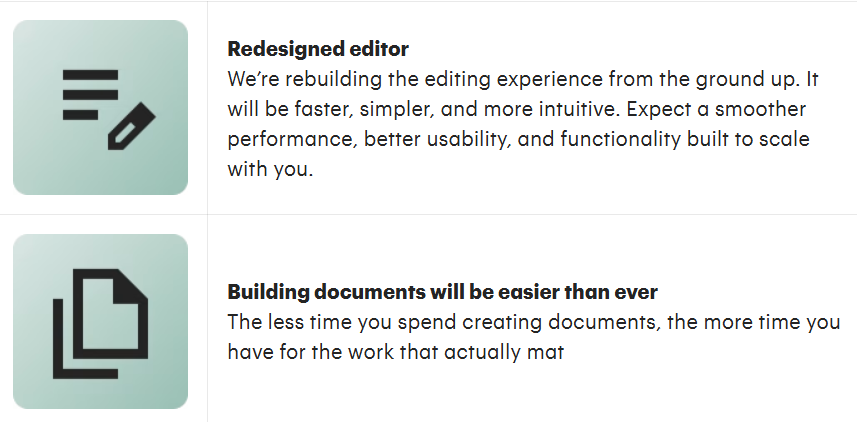
Both platforms update independently. PandaDoc is rebuilding its editor from the ground up (announced March 2026), which may affect how documents render and how field mapping behaves during the transition.
Source: PandaDoc
Zoho CRM maintains multiple API versions concurrently (v7 and v8) and evolves its marketplace extension framework. Review the integration's field mapping and automation recipes after major updates on either side.
What No Method Fixes: The Data Itself
Every method above moves data between PandaDoc and Zoho CRM. None of them checks whether the contact records in Zoho are accurate, current, or complete.
A proposal sent to an outdated email address bounces. A contract populated with a job title the buyer held two quarters ago signals that the sender does not know their audience. The integration keeps both systems in sync; it does not ensure the data they share is right.
Where ZoomInfo Fits In
Every method in this guide moves data between PandaDoc and Zoho CRM. None of them improves the data being moved. When the integration is live but proposals populate with wrong titles, contracts ship to outdated email addresses, and pipeline records carry stale company data, the bottleneck is no longer the connector. That is the gap ZoomInfo closes.
ZoomInfo is a B2B data and go-to-market platform built on 500M contacts, 100M companies, 135M+ verified phone numbers, and 200M+ verified business emails.

That data is verified through a multi-source pipeline backed by 300+ human researchers, reaching up to 95% accuracy on first-party data. For teams running a PandaDoc-Zoho CRM integration, ZoomInfo addresses the data quality layer that no document connector handles.
ZoomInfo integrates natively with Zoho CRM through its marketplace connector, enabling direct export of contacts and accounts with verified emails, phone numbers, and B2B intelligence into Zoho records.
Once Zoho CRM records carry enriched data, the PandaDoc integration pulls that verified information into every proposal, quote, and contract automatically. Company details, accurate job titles, verified email addresses, and direct-dial phone numbers flow from ZoomInfo through Zoho CRM and into PandaDoc documents without manual research.
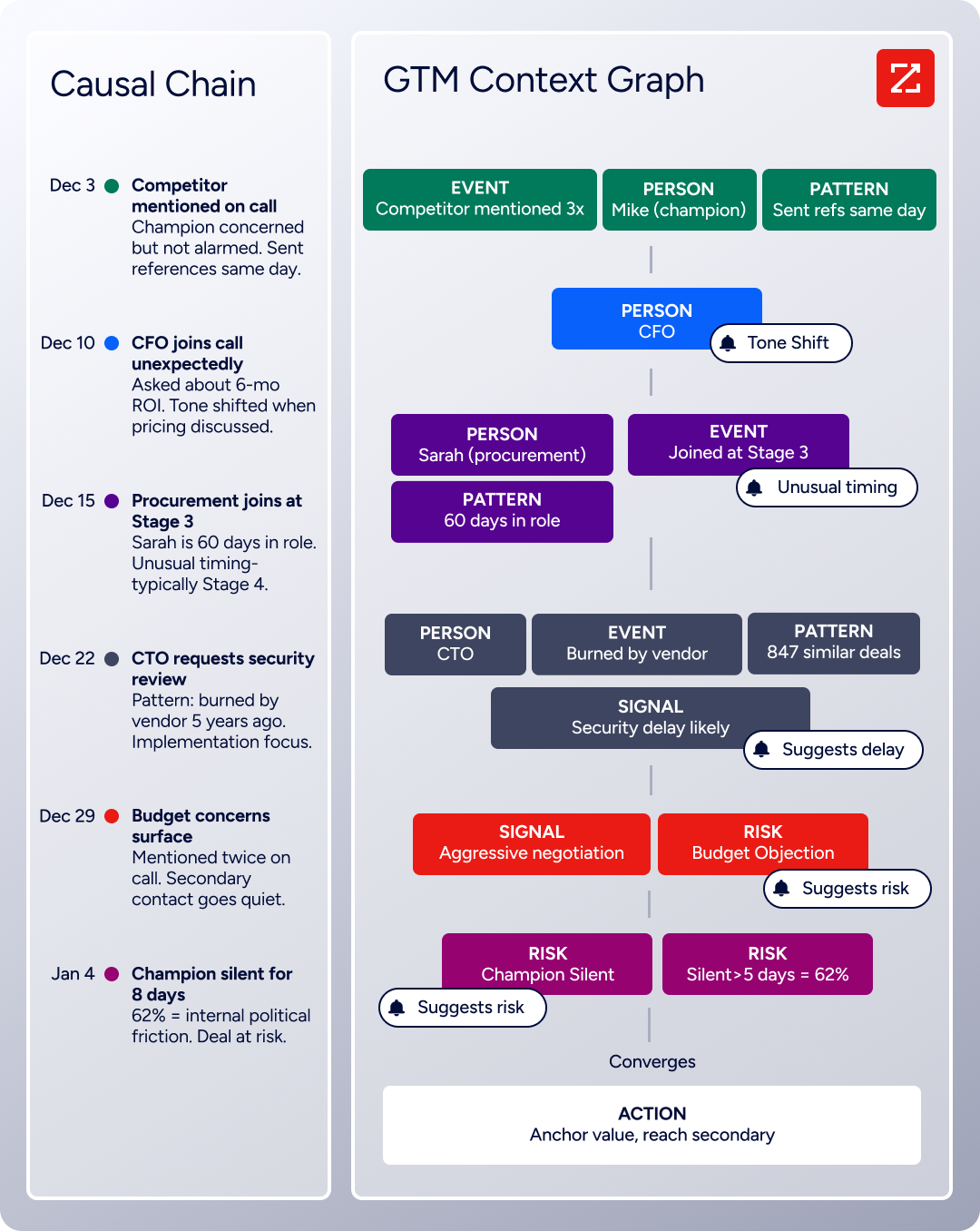
The same data feeds ZoomInfo's GTM Context Graph, which processes 1.5B+ data points daily and unifies third-party intelligence with CRM records, conversation transcripts, and behavioral signals to surface not just what happened in a deal, but why.
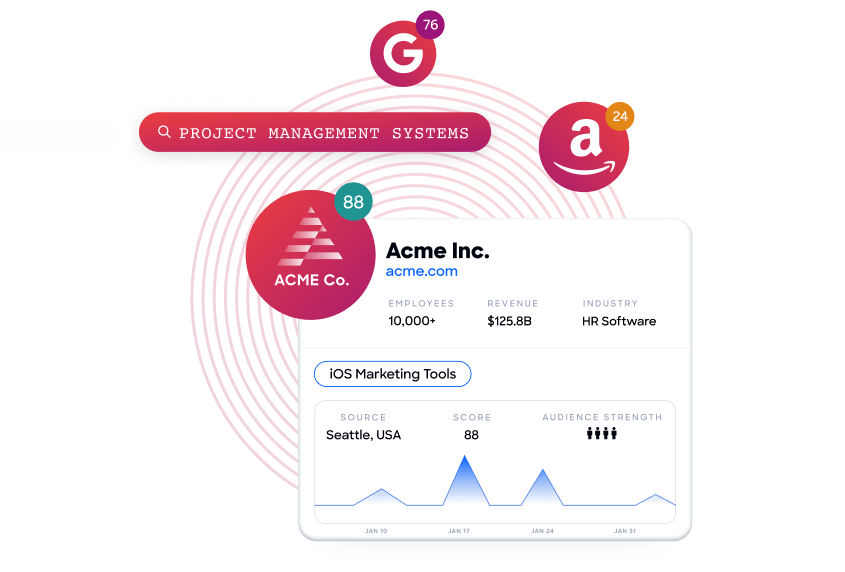
Buyer Intent data from ZoomInfo, tracking signals from 210 million IP-to-Organization pairings, can be routed into Zoho CRM to prioritize which accounts receive proposals first, so reps send PandaDoc documents to buyers who are actively researching relevant solutions rather than working through a static list.
Source: ZoomInfo
Enriched records also make the PandaDoc-Zoho integration more reliable. Proposals populated with verified contact data land in the right inbox with the correct name and title. Fewer blank fields in Zoho CRM mean fewer incomplete documents leaving PandaDoc.
And when a prospect signs a contract, the CRM record behind it carries the company and technographic context that downstream teams (customer success, billing, onboarding) need without a separate research step.
Seismic's sales team attributed 39% of active pipeline to opportunities identified or influenced by ZoomInfo signals, while boosting productivity by 54%. (Seismic)
Final Verdict
A native integration between PandaDoc and Zoho CRM exists and covers the core document-to-deal workflow: creating documents from CRM records, populating contact data, tracking signatures, and writing status updates back to the pipeline. For most teams, the right choice depends on workflow complexity and plan tier.
Small sales teams on PandaDoc Business and Zoho CRM Standard should activate the native integration immediately. It handles the proposal-to-signature workflow with no third-party tools and no engineering resources, and setup takes less than an hour.
Teams that need to extend document workflows to third-party tools (Slack notifications on signature, Google Sheets logging, project management triggers) should layer Zapier on top of the native integration for those specific automations.
Organizations with custom requirements (embedded PandaDoc editing inside Zoho-connected applications, sync with custom Zoho modules, complex conditional document generation) should invest in a custom API integration, keeping in mind the development and maintenance costs.
Before committing to a method, clarify what role each platform plays long-term.
If PandaDoc is the document automation layer for a Zoho-centric revenue team, the native integration covers most workflows and the investment is minimal. If the two platforms need to support multi-department processes (legal approvals, multi-stage quoting, payment collection tied to deal stages), PandaDoc's Enterprise plan unlocks CPQ and advanced automations that deepen the integration's value.
Either way, the quality of the contact data in Zoho CRM determines whether proposals reach the right people with the right information. ZoomInfo, with its native Zoho CRM connector and API and MCP access, is the data enrichment layer that ensures the records feeding into every PandaDoc document are verified, current, and complete.
FAQ
Does PandaDoc integrate natively with Zoho CRM?
Yes. PandaDoc offers a native Zoho CRM integration available through PandaDoc's extension library and the Zoho CRM Marketplace. The integration enables document creation, population of CRM data, eSignature collection, and document status sync from within Zoho CRM deal records. It requires PandaDoc Business plan or higher; CRM integrations are not available on Free or Starter plans.
What PandaDoc plan do I need for the Zoho CRM integration?
The native Zoho CRM integration requires PandaDoc Business ($49/seat/month on annual billing) or Enterprise (custom pricing). PandaDoc's Free and Starter plans do not include CRM integrations. CPQ functionality (configure-price-quote with rules-based pricing) requires the Enterprise plan. On the Zoho side, any paid CRM plan (Standard and above) supports the marketplace extension.
Can I create PandaDoc documents directly from Zoho CRM?
Yes. Once the native integration is configured, a PandaDoc panel appears on Zoho CRM Deal, Contact, and Account records. Reps select a template, and the document populates with data from the Zoho record (contact name, email, company, deal value, product line items). The document can be edited, sent for approval, and sent for eSignature without leaving Zoho CRM.
Does document status sync back to Zoho CRM automatically?
Yes, when configured. PandaDoc's automation recipes can write document status changes (sent, viewed, completed, paid) back to Zoho CRM deal records, including updating deal stages and logging activity. The specific status-to-stage mappings are configurable during setup. Engagement analytics (page-level view data from PandaDoc's Document Insights) do not sync back to Zoho CRM.
Can I use Zapier instead of the native integration?
Zapier can connect PandaDoc and Zoho CRM, but it serves a different purpose. The native integration handles the core document-deal lifecycle (data pull, document creation, status sync) with deeper field mapping and real-time updates.
Zapier is better suited for supplementary workflows: triggering actions in third-party tools when documents complete, creating records in systems the native integration does not cover, or handling conditional logic the native connector does not support. Most teams use both: the native integration for core workflows and Zapier for edge cases.
What happens if I update a Zoho CRM record after creating a PandaDoc document?
The PandaDoc document retains the data it pulled at creation time. If a contact's email or job title changes in Zoho CRM after the document was created, the document does not update automatically. The rep must either recreate the document or manually edit the affected fields in PandaDoc. This is a one-time pull, not a live binding.
How does ZoomInfo improve a PandaDoc-Zoho CRM workflow?
ZoomInfo solves the data quality problem that no document connector addresses. Its native Zoho CRM connector enriches CRM records with verified business emails, direct-dial phone numbers, accurate job titles, company attributes, and technographics.
When PandaDoc pulls data from Zoho CRM to populate a proposal or contract, that data is current and complete. The result: proposals reach the right inbox, address the buyer by their actual title, and carry accurate company details. Buyer Intent data from ZoomInfo can also prioritize which Zoho deals receive proposals first, based on whether the account is actively researching relevant solutions.
What are the API rate limits for a custom PandaDoc-Zoho integration?
PandaDoc's API uses per-endpoint rate limits measured in requests per minute: 500 RPM for document creation from template, 600 RPM for document details, 400 RPM for sending documents, and 2,000 RPM for list and status operations.
The sandbox environment caps all endpoints at 10 RPM. Zoho CRM uses a credit-based system with daily rolling limits: Standard plans get 50,000 base credits plus 250 per user per day (max 100,000); Enterprise plans get 50,000 base plus 1,000 per user (max 5,000,000). Most GET operations cost 1 credit; bulk insert/update operations cost 1 credit per 10 records. Both platforms return rate-limit headers in API responses for monitoring.
