
Pipedrive is the CRM for closing deals, serving 100,000+ companies across 179 countries with a pipeline-first design that keeps sales teams focused on the activities that move deals forward. Its visual kanban board, deal rotting alerts, and activity-based selling philosophy give small and mid-market teams the pipeline clarity that enterprise CRMs often bury under configuration.
But a CRM only sees what happens inside it.
Pipedrive tracks deal stages, logs calls, schedules follow-ups, and captures emails. On its own, it cannot verify whether a prospect's phone number still connects, reveal which target accounts are researching your category this week, trigger email campaigns when a deal hits a certain stage, or hand off a closed deal to your delivery team without a manual step.
The right integrations close those gaps. They feed your pipeline verified data it cannot generate on its own, automate repetitive handoffs across disconnected tools, and give your team visibility into what is happening around each deal, not just inside it.
This guide covers the strongest integration for each of the jobs Pipedrive users most commonly need done:
Enrich CRM records with verified B2B contact data, buyer intent signals, and company intelligence
Trigger automated email campaigns based on deal stage changes
Surface deal updates and pipeline changes in team channels in real time
Connect the rest of your stack to Pipedrive without writing code
Generate proposals, collect e-signatures, and accept payments from deal records
Log scheduled meetings into the CRM automatically
Hand off closed deals to project management workflows
Each section covers how the integration connects with Pipedrive, what data flows between the platforms, pricing, and who benefits most.
Best Pipedrive Integrations at a Glance |
|---|
Best Pipedrive Integration for B2B Data Enrichment and Go-to-Market Intelligence Enriches Pipedrive records with verified contact data, buyer intent signals, and company intelligence from ZoomInfo's B2B database, giving your team accurate data to prospect with and signals to prioritize accounts that are actively in-market. |
Best Pipedrive Integration for Deal-Stage-Triggered Email Marketing Syncs Pipedrive contacts to Mailchimp audiences and triggers automated email sequences when deals advance to defined pipeline stages, connecting CRM activity to marketing timing without manual work. |
Best Pipedrive Integration for Real-Time Deal Visibility Across Revenue Teams Surfaces deal creations, stage changes, wins, and losses into Slack channels through Dealbot notifications, with in-Slack CRM search and personal activity reminders that keep your team informed without leaving Slack. |
Best Pipedrive Integration for Cross-App Workflow Automation Extends Pipedrive's reach to 8,000+ apps with no-code automation, supporting bidirectional data sync, multi-step workflows, and conditional routing between your CRM and tools that lack native Pipedrive connectors. |
Best Pipedrive Integration for Proposals, E-Signatures, and Deal-Closing Documents Generates pre-filled proposals from Pipedrive deal data, collects legally binding e-signatures, and tracks document status on the deal record, shortening the quote-to-close cycle without leaving the CRM. |
Best Pipedrive Integration for Automatic Meeting-to-CRM Logging Creates Person records, logs Activities, and associates meetings with open deals the moment a prospect books through a Calendly link, keeping the pipeline current without manual entry from reps. |
Best Pipedrive Integration for Closed-Deal-to-Project Handoff Creates project items in monday.com when Pipedrive deals are won, pre-populated with deal data, connecting sales and delivery without manual copy-paste handoffs. |
What Is Pipedrive?
Pipedrive is a sales CRM built for small and medium-sized businesses, designed around a visual, pipeline-first workflow that keeps salespeople focused on the activities that advance deals.
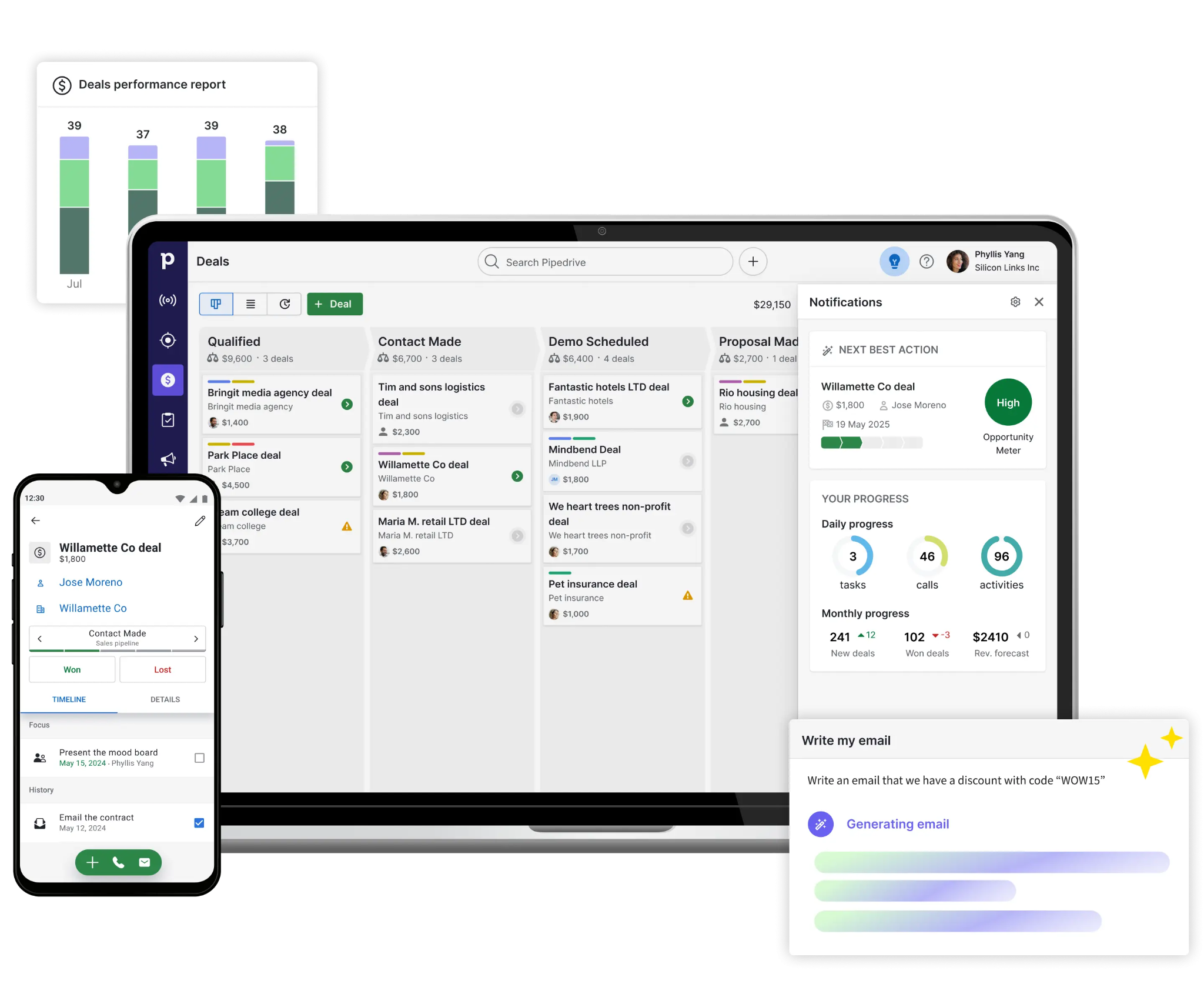
Source: Pipedrive
Five co-founders (salespeople frustrated by CRM tools designed for managers rather than reps) started Pipedrive in 2010 in Tallinn, Estonia. It now serves 100,000+ companies across 179 countries, processing roughly 100 million deals per year. Vista Equity Partners holds a majority stake, and 800+ employees work across eight countries.
Pipedrive's integration ecosystem is one of the platform's core strengths.
The Pipedrive Marketplace houses 500+ integrations spanning the full sales cycle, from lead capture through post-sale delivery.
The platform exposes a free, open RESTful API on all plans with OAuth 2.0 authentication, webhooks for real-time event notifications, official client libraries for Node.js and PHP, and a developer sandbox account for building and testing.
Pipedrive reports that companies with at least one app installed win 1.5x more deals, and the average company uses 4+ apps daily.
The integration categories available to Pipedrive users include:
Data enrichment and prospecting: contact databases, company data enrichment, lead scoring
Email marketing: campaign automation, segmentation, drip sequences
Team communication: real-time notifications, deal updates, CRM search in messaging apps
Workflow automation: no-code connectors, multi-step triggers, cross-app data sync
Document management: proposal generation, e-signatures, payment collection
Scheduling: meeting booking, calendar sync, automatic activity logging
Project management: post-sale handoffs, delivery tracking, client onboarding
With that ecosystem as context, here are the seven integrations we selected as the best options for extending Pipedrive across the categories that matter most to sales teams.
1. ZoomInfo: Best Pipedrive Integration for B2B Data Enrichment and Go-to-Market Intelligence

ZoomInfo is a B2B data and go-to-market platform built on 500M contacts, 100M companies, 135M+ verified phone numbers, and 200M+ verified business email addresses.
It integrates natively with Pipedrive through the ZoomInfo App Marketplace, letting teams build targeted prospect lists and push enriched records into their CRM with automatic duplicate detection and field mapping.
Connecting the two platforms unlocks:
A Pipedrive instance backed by verified contact data, so reps dial numbers that connect and send emails that land
Buyer intent signals that surface accounts actively researching topics relevant to your product, feeding prioritization inside the pipeline
Company intelligence (firmographics, technographics, org charts) appended to Pipedrive records without manual research
Duplicate-free list push from ZoomInfo to Pipedrive, keeping the CRM clean as prospecting scales
How ZoomInfo Integrates with Pipedrive
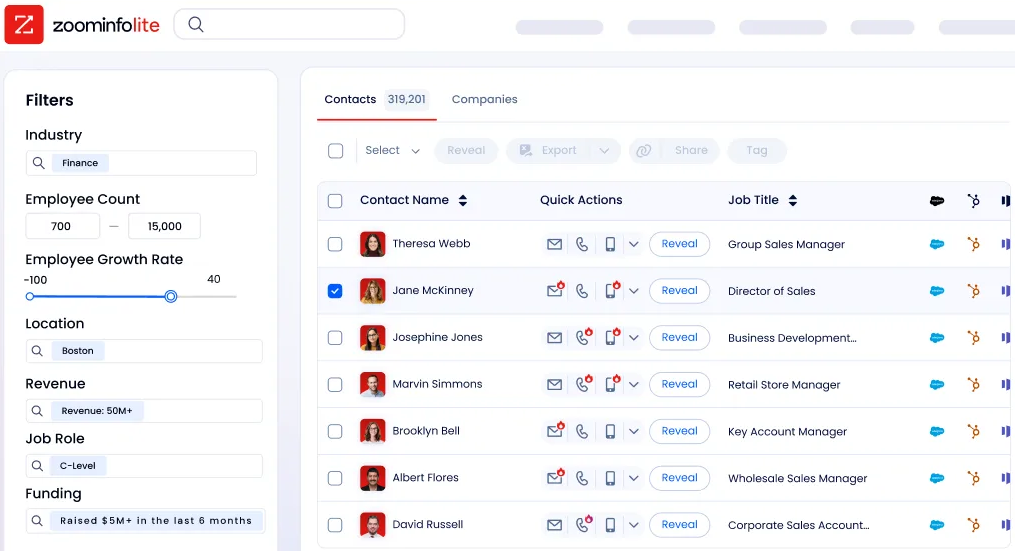
ZoomInfo connects to Pipedrive through a native integration in the ZoomInfo App Marketplace. Users build prospect lists inside ZoomInfo using 300+ company and contact attributes, then push those lists into Pipedrive with automatic duplicate detection and configurable field mapping.
Because ZoomInfo builds and maintains the integration, it stays current with platform updates on both sides and requires no middleware. Teams can also connect through Zapier or Make for additional workflow flexibility.
Contact and Company Data Enrichment: Fill the Gaps Your CRM Cannot Fill on Its Own
Pipedrive captures interaction data: emails sent, calls logged, deals moved through stages.
What it cannot do is verify whether a phone number still works, catch a job change, or reveal a company's technology stack.
ZoomInfo provides verified business emails, direct dials, job titles, department information, and seniority levels for 500M contacts, plus company-level attributes covering 100M companies with revenue, employee count, industry, headquarters, and corporate hierarchy.
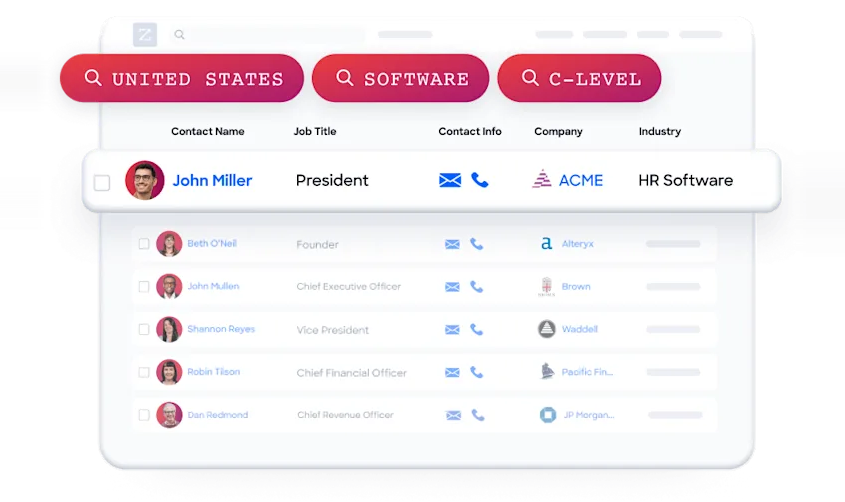
Source: ZoomInfo
The data flows through a verification pipeline backed by 300+ human researchers, reaching up to 95% accuracy on first-party data. In a Fortune 500 competitive RFP analyzing 25 million contacts across vendors, the independent consultant concluded that "no other competitor came even close."
ZoomInfo in action: A sales rep builds a list of 200 VP-level contacts at mid-market SaaS companies in ZoomInfo, filtered by industry, employee count, and technology stack. The list pushes to Pipedrive with verified direct dials and business emails, duplicate detection prevents existing records from being overwritten, and the rep starts calling within minutes instead of spending the morning researching prospects.
Buyer Intent Data: Identify Accounts That Are Actively In-Market
ZoomInfo's Buyer Intent tracks signals from 210 million IP-to-Organization pairings and 6 trillion+ keyword-to-device pairings monthly, revealing which companies are researching topics relevant to your product.
Those signals help sales teams decide which accounts to work first. Instead of treating the entire pipeline equally, reps focus on accounts showing research activity that matches their product category.
Guided Intent, exclusive to ZoomInfo, identifies the research topics historically correlated with deal success in your business, so signals calibrate to your actual win patterns rather than generic keyword thresholds.
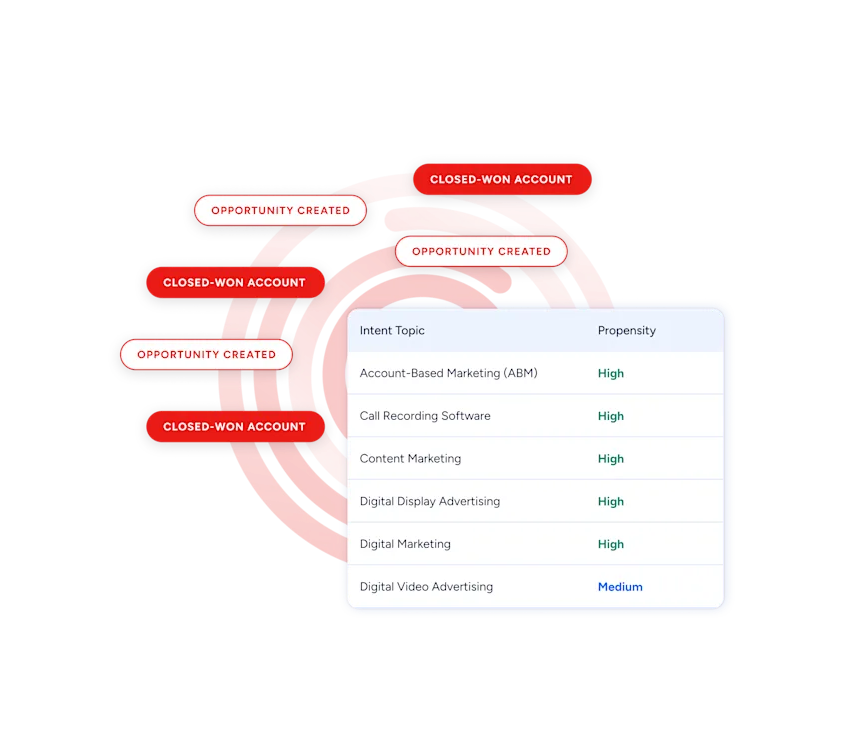
Source: ZoomInfo
ZoomInfo in action: ZoomInfo detects a target account researching "sales CRM migration" for two consecutive weeks. The rep checks their Pipedrive pipeline and finds an open deal with that company stalled at the proposal stage. Knowing the buyer is evaluating alternatives, the rep re-engages with a follow-up referencing the prospect's evaluation timeline.
Technographic Intelligence: Filter and Score Prospects by Technology Stack
ZoomInfo profiles the technology stack of 30+ million companies, tracking 30,000+ technologies across 200+ categories. This data updates continuously, with nearly 90% of active pairings refreshed within three months.
For Pipedrive users, technographic filtering means building prospect lists in ZoomInfo that target companies running a competitor's product, using complementary tools in your ecosystem, or matching a technology profile that indicates ICP fit.
Those filtered lists push into Pipedrive, so reps work accounts pre-qualified by tech stack rather than cold-calling through an unfiltered database.
Beyond the native Pipedrive connection, the same intelligence is accessible through ZoomInfo's broader platform: the GTM Context Graph (which processes 1.5B+ data points daily) combines B2B data with CRM records, conversation intelligence, and behavioral signals, while APIs and MCP expose the same intelligence to any tool or AI agent.
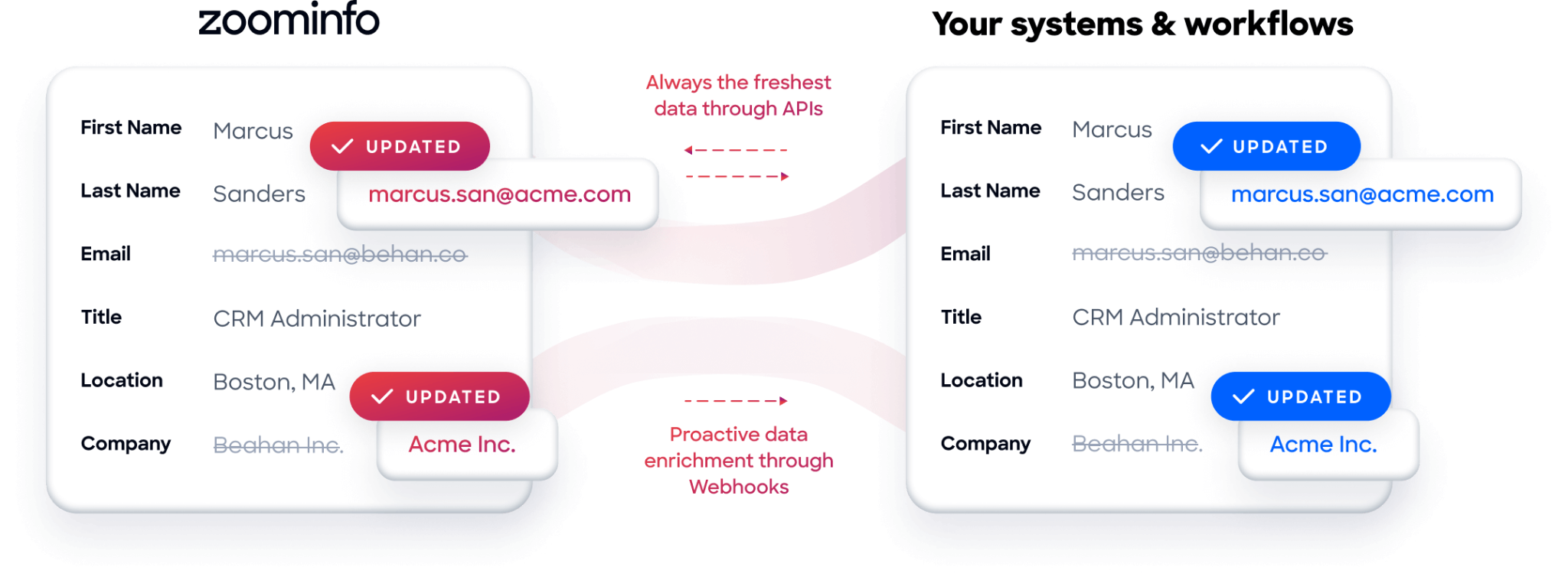
Seismic's sales team attributed 39% of active pipeline to opportunities identified or influenced by ZoomInfo signals, reporting 54% productivity gains. (Seismic Case Study)
ZoomInfo Pricing
ZoomInfo uses a consumption-based pricing model with custom quotes based on usage, users, credit volume, and features.
It is organized into Sales, Marketing, and standalone product lines, each in Professional, Advanced, and Enterprise tiers. The native Pipedrive integration is included from Sales Professional up, with Advanced adding intent signals and website visitor tracking.
ZoomInfo Lite is a permanent free tier (no credit card, no time limit) with 10 monthly export credits, searches, the Chrome extension, and CRM integrations, making it a practical way to evaluate data quality before committing.
Source: ZoomInfo
A separate 7-day free trial covers paid features.
Who Should Use the ZoomInfo Integration?
B2B sales teams whose pipeline depends on accurate contact data: enrichment is the difference between verified direct dials and a 30% bounce rate that damages sender reputation.
Revenue operations teams that need company attributes, technographic, and intent data powering Pipedrive lead scoring and deal prioritization instead of behavioral signals alone.
Sales teams running outbound prospecting that need to build targeted lists in ZoomInfo and push them into Pipedrive without manual data entry or duplicate records cluttering the pipeline.
2. Mailchimp: Best Pipedrive Integration for Deal-Stage-Triggered Email Marketing

Source: Mailchimp
Mailchimp is an email and SMS marketing platform that integrates with Pipedrive to connect CRM pipeline movements to automated marketing sequences.
The integration syncs Pipedrive contact records into Mailchimp audiences and triggers email campaigns when deals advance to defined stages, so outreach fires automatically as prospects move through your sales process.
The integration is a native, first-party connection in the Pipedrive Marketplace, authenticating via OAuth with no middleware required.
Key integration capabilities include:
Pipedrive Person records sync into designated Mailchimp audiences through configurable one-way or two-way flows
Deal stage changes in Pipedrive enroll associated contacts in Mailchimp automation sequences
Administrators select which Pipedrive Person fields (email, name, deal owner, custom fields) transfer on each sync
Teams needing bidirectional engagement sync can layer Zapier on top of the native connection
How Mailchimp Integrates with Pipedrive
1. Contact Sync: Pipedrive Person Records to Mailchimp Audiences.
Pipedrive Person records flow into designated Mailchimp audiences through configurable sync flows.
Admins control the sync direction: one-way (Pipedrive to Mailchimp only) keeps Mailchimp as the downstream marketing database, while two-way sync lets list membership changes reflect in both directions.
This eliminates the manual CSV export-import cycle; new contacts, updated records, and form submissions in Pipedrive become immediately available for Mailchimp campaigns.
2. Deal-Stage-Triggered Campaign Enrollment.
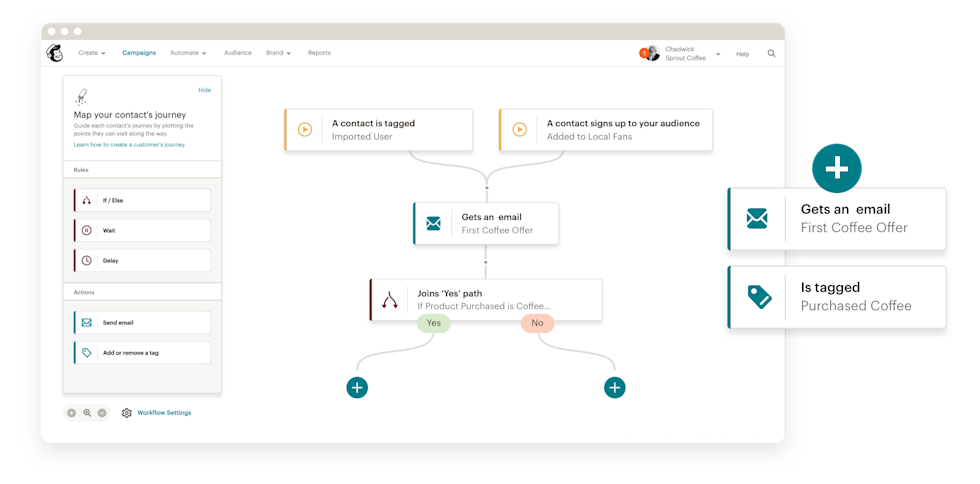
When a Pipedrive deal advances to a defined stage ("Proposal Sent," "Trial Started," or any custom stage), the integration enrolls the associated contact in a corresponding Mailchimp automation sequence.
Mailchimp's automation builder supports 60+ pre-built flow templates and a drag-and-drop canvas combining email steps, SMS steps, time delays, and conditional branching.
Source: Mailchimp
A deal reaching the "Trial Started" stage could trigger a five-email onboarding sequence spaced over two weeks, with no manual effort from the rep.
3. Field Mapping for Segmentation.
Administrators configure exactly which Person fields transfer per sync flow. Beyond the required email address, teams can map first name, deal owner, lifecycle stage, and custom Person fields.
This data powers Mailchimp's segmentation engine: Standard and Premium plans support segmentation with nested multi-condition logic, enabling campaigns targeted by deal stage, assigned rep, and product interest simultaneously.
4. Engagement Data and Sync Boundaries.
The native sync covers Pipedrive Person records but does not write Mailchimp engagement data (opens, clicks, unsubscribes) back into Pipedrive contact records. Reps working in Pipedrive cannot see email engagement signals natively.
Teams that need rep visibility into marketing engagement can use Zapier to map Mailchimp events to Pipedrive activity logs.
Mailchimp Pricing
Mailchimp uses a contact-count-based subscription model where the base price scales with contacts stored and each plan includes a monthly email send cap:
Free: $0/month (250 contacts, 500 emails/month, 1 seat, limited automations)
Essentials: from $13/month at 500 contacts (10x send multiplier, 4-step automations, A/B testing)
Standard: from $20/month at 500 contacts (12x send multiplier, 200 automation flows, advanced segmentation, send time optimization)
Premium: from $350/month (unlimited contacts, 15x send multiplier, phone and priority support)
For most Pipedrive teams, the Standard plan is the entry point that unlocks multi-branch automation flows and the segmentation needed for deal-stage-triggered sequences.
Who Should Use the Mailchimp Integration?
Teams already using Mailchimp for email marketing that want pipeline stage changes to enroll contacts in nurture sequences without a separate marketing automation platform.
SMB sales and marketing teams that need CRM contact lists to stay current in Mailchimp without recurring manual exports.
Organizations running email-first outreach triggered by where a contact sits in the sales pipeline rather than behavioral or e-commerce signals.
3. Slack: Best Pipedrive Integration for Real-Time Deal Visibility Across Revenue Teams
Source: Slack
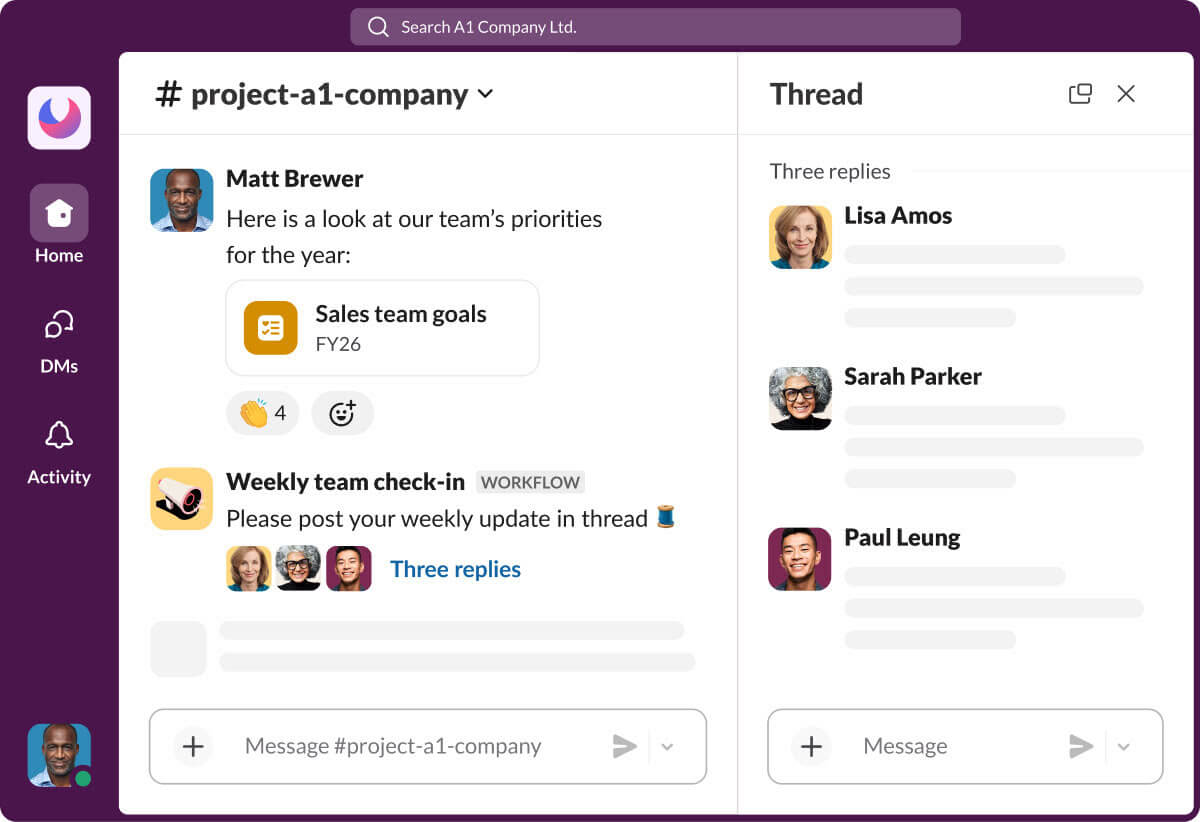
Slack is a team communication platform that integrates with Pipedrive to surface live pipeline events in the channels where revenue teams already work.
The connection runs through Dealbot for Slack, a dedicated app available in both the Pipedrive Marketplace and the Slack Marketplace.
Dealbot is a native integration maintained by Pipedrive, requiring no middleware or API key management.
Key integration capabilities include:
Dealbot notifications posting deal events (created, stage changed, won, lost) to designated Slack channels as they happen
Channel routing rules directing different deal types to separate Slack destinations
Private direct message alerts delivering activity reminders and deal updates to individual reps
The /pipedrive slash command enabling CRM search inside any Slack conversation
How Slack Integrates with Pipedrive
1. Dealbot Channel Notifications for Pipeline Visibility.
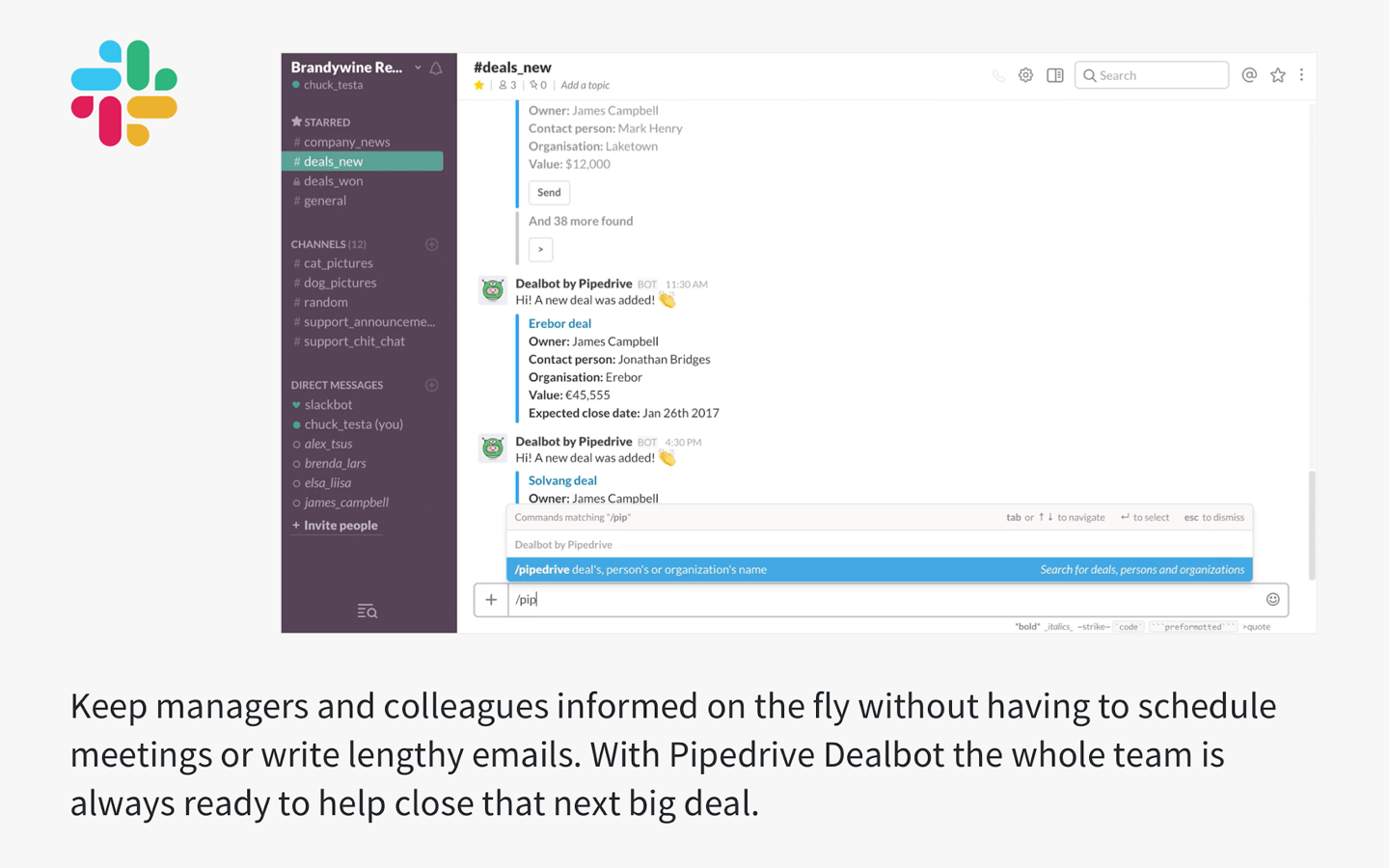
Dealbot listens for four core deal events in Pipedrive: deal created, deal stage changed, deal won, and deal lost.
Each event triggers a structured notification card posted to the designated Slack channel, showing the deal name, associated contact, deal value, pipeline stage, and owning rep. This converts private CRM state changes into shared team events.
Source: Slack
When a high-value deal moves to "Negotiation," everyone following the relevant channel sees it in real time without a manager pulling a pipeline report.
2. Channel Routing by Deal Properties.
Dealbot's channel routing lets administrators direct deal notifications to different Slack channels based on deal attributes. Enterprise deals route to a #sales-enterprise channel monitored by senior AEs, while SMB pipeline events go to #sales-smb.
Routing decisions happen within the Dealbot configuration and apply to all four core deal events, so each channel's subscribers see only the notifications relevant to them.
3. Personal Deal Alerts via Direct Message.
Activity reminders, deal mentions, and status updates for individual reps route to each user's Slack Apps section as private messages.
Reps configure which alert types they receive, consolidating notifications in Slack rather than managing separate Pipedrive email or in-app alerts. This is useful in collaborative deal environments where multiple reps work the same account.
4. In-Slack CRM Search with the /pipedrive Command.
Any workspace member with Dealbot installed can type /pipedrive followed by a search term to retrieve matching deal cards, contact profiles, or organization summaries in a Slack conversation.
During pre-call prep, deal strategy threads, or account review channels, the command surfaces current Pipedrive data inline without anyone opening the CRM in a separate tab.
Slack Pricing
Slack uses per-seat pricing:
Free: $0 (Dealbot supported, 90-day message history, 10-app integration limit)
Pro: $7.25/user/month (annual) (unlimited message history and app integrations)
Business+: $15/user/month (annual) (SAML SSO, custom retention policies, AI features)
Enterprise+: custom pricing (Enterprise Grid, DLP, legal holds)
For most Pipedrive teams, the Pro plan is the practical floor: it removes the 10-app limit and provides unlimited message history so deal notifications do not disappear after 90 days.
Who Should Use the Slack Integration?
Sales teams that already operate in Slack and need pipeline visibility without switching to the CRM for status updates.
Organizations running multiple sales motions (enterprise and SMB, regional teams) that need deal notifications segmented into dedicated channels.
Teams that frequently reference deal data mid-conversation in pre-call strategy threads or account collaboration channels, where the /pipedrive command eliminates the step of opening the CRM.
4. Zapier: Best Pipedrive Integration for Cross-App Workflow Automation
Source: Zapier
Zapier is a no-code automation platform that integrates with Pipedrive to extend your CRM's reach across 8,000+ applications that either lack native Pipedrive connectors or whose native integrations do not support the data flow you need.
It works in both directions: Pipedrive events trigger actions in external tools, and activity in connected apps creates or updates Pipedrive records.
The integration is the most reviewed in the entire Pipedrive Marketplace (2,444 ratings), reflecting how broadly SMB sales teams rely on it as the connector between Pipedrive and the rest of their stack. It is a native marketplace connector maintained by Zapier.
Key integration capabilities include:
Bidirectional triggers and actions covering deals, persons, organizations, activities, leads, and notes
Multi-step Zaps chaining several apps with conditional logic and data transformation
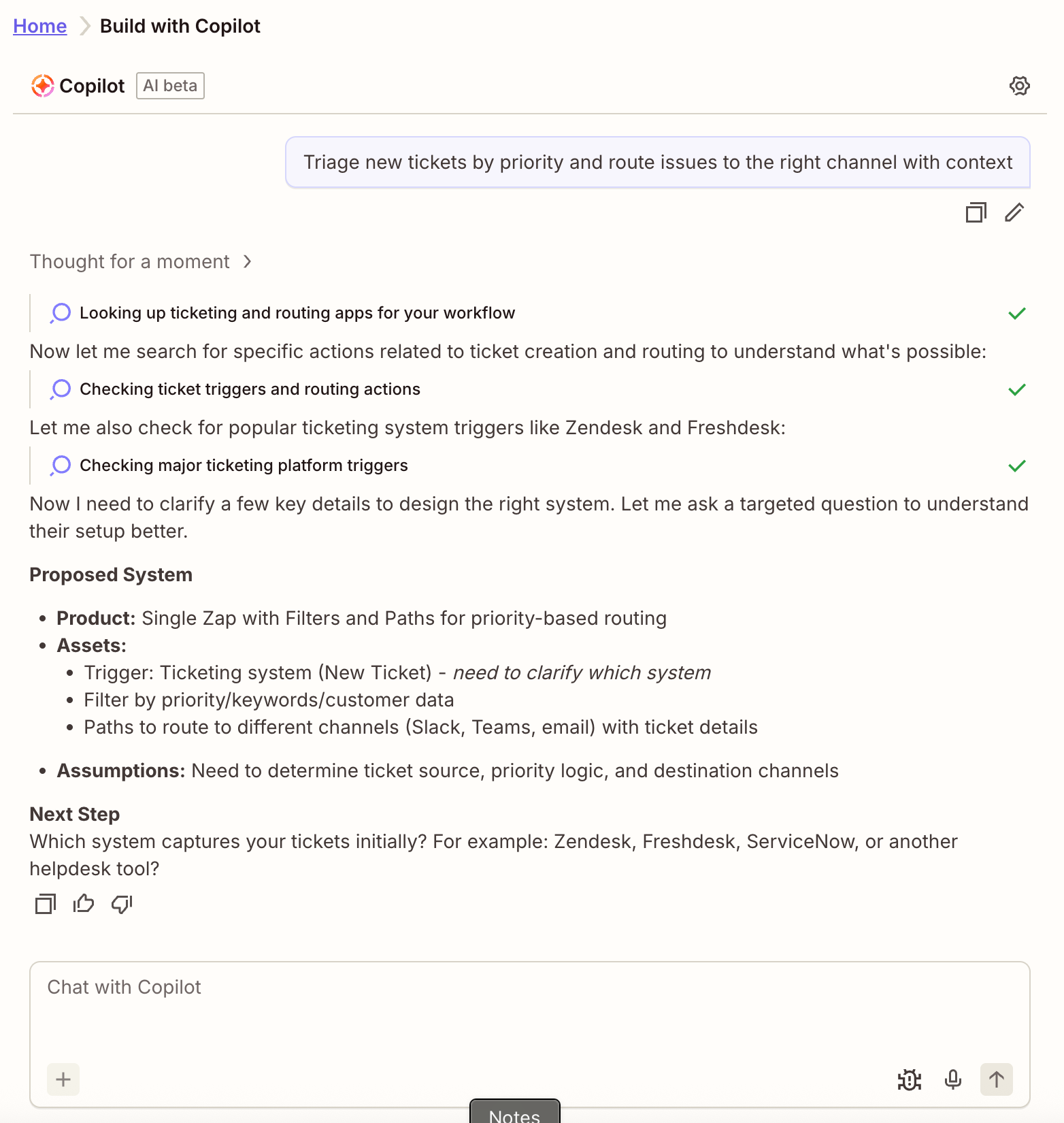
AI-assisted Zap creation via Zapier Copilot
Compatibility with Pipedrive's V2 API
How Zapier Integrates with Pipedrive
1. Bidirectional Trigger and Action Library.
Pipedrive events (new deal, deal stage update, filter match, new person, lead updated) fire Zaps that act on external apps, and external app events write back into Pipedrive (create deal, add person, update organization). A form submission in Typeform creates a deal and Person record in Pipedrive automatically.
A deal marked "Won" simultaneously updates a revenue row in Google Sheets, posts to Slack, and kicks off an onboarding project in monday.com.
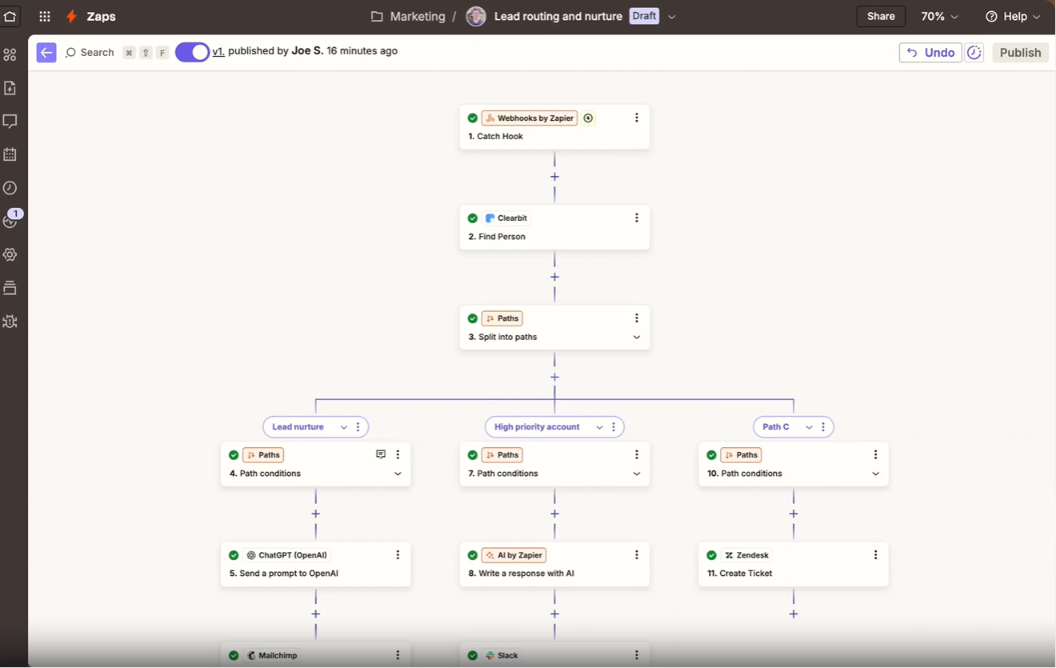
2. Multi-Step Orchestration with Conditional Logic.
A single Pipedrive trigger can fan out into a sequence of actions across multiple apps within one Zap. Paths route records by Pipedrive properties: deals above a value threshold follow an escalated notification path, while smaller deals route through a lighter sequence.
The Formatter tool fixes date, phone, and currency mismatches between systems without code.
3. No-Code Accessibility for Non-Technical Teams.
Workflows are configured through a visual point-and-click editor or generated from a plain-language description via Zapier Copilot. Teams without engineering resources can build and modify automations without filing tickets, keeping CRM extensibility accessible to sales ops and RevOps.
Source: Zapier
4. V2 API Compatibility.
Zapier's Pipedrive integration runs on Pipedrive's V2 API. Teams with legacy Zaps built on V1 endpoints should audit and rebuild those workflows, as the V2 API is more efficient per request and reduces token consumption from Pipedrive's daily rate-limit budget.
Zapier Pricing
Zapier uses task-based pricing where each action step counts as one task:
Free: 100 tasks/month, 2-step Zaps only, 15-minute polling interval
Professional: from $19.99/month (annual) for 750 tasks (multi-step Zaps, conditional logic, 2-minute polling)
Team: from $69/month (annual) for 2,000 tasks (shared workspaces, up to 25 users)
Enterprise: custom pricing (unlimited seats, SCIM, advanced admin controls)
Project your task consumption first: a 3-step Zap firing on 500 deal updates monthly burns 1,500 tasks, exceeding the Professional entry tier.
Who Should Use the Zapier Integration?
Teams using niche or legacy tools without native Pipedrive connectors that still need them synchronized with the CRM.
Non-technical sales or operations teams that need to build and modify automations without engineering support.
Organizations where a deal closure must cascade through project management, billing, and communication tools automatically.
5. PandaDoc: Best Pipedrive Integration for Proposals, E-Signatures, and Deal-Closing Documents
Source: PandaDoc
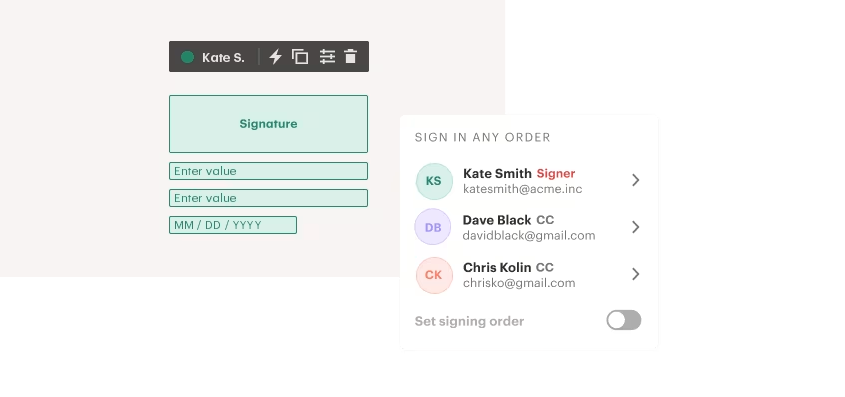
PandaDoc is a document automation and e-signature platform that integrates natively with Pipedrive to turn CRM deal data into pre-filled proposals, contracts, and quotes, and collect legally binding signatures without the rep leaving the pipeline.
The integration is available in the Pipedrive Marketplace, connecting via OAuth with no developer configuration required. CRM integrations require PandaDoc's Business plan ($49/seat/month billed annually) at minimum.
Key integration capabilities include:
Auto-populating PandaDoc templates with Pipedrive deal data (deal name, value, company, contact, custom fields)
Built-in e-signature collection on every paid plan
Real-time document status updates (sent, opened, signed, declined) on the Pipedrive deal record
Embedded payment collection via Stripe, Square, or PayPal inside proposals
How PandaDoc Integrates with Pipedrive
1. CRM-Populated Document Generation.
When a rep creates a PandaDoc document from within a Pipedrive deal record, the template auto-populates with stored deal data: prospect name, company, deal value, product list, expected close date, and any mapped custom fields.
PandaDoc's template system uses named variables tied to Pipedrive field mappings, so a rep can go from selecting a template to a finished proposal in under a minute.
For teams needing product catalog sync and guided quoting, PandaDoc CPQ for Pipedrive is available at the Enterprise tier.
2. Real-Time Document Status on the Deal Record.
Once a proposal is sent, its status surfaces on the Pipedrive deal record in real time. Reps see whether the recipient has opened the document, viewed it multiple times, signed it, or let it expire, all without leaving Pipedrive.
This closes the blind spot where proposals go out and reps follow up without knowing whether the prospect has even opened them.
3. Embedded Payment Collection.
PandaDoc's integration with Stripe, Square, and PayPal lets proposals generated from Pipedrive deal data include a checkout step within the document. Buyers review, sign, and pay in a single session, collapsing the post-close invoice cycle into one interaction.
4. Automated Follow-Up Reminders.
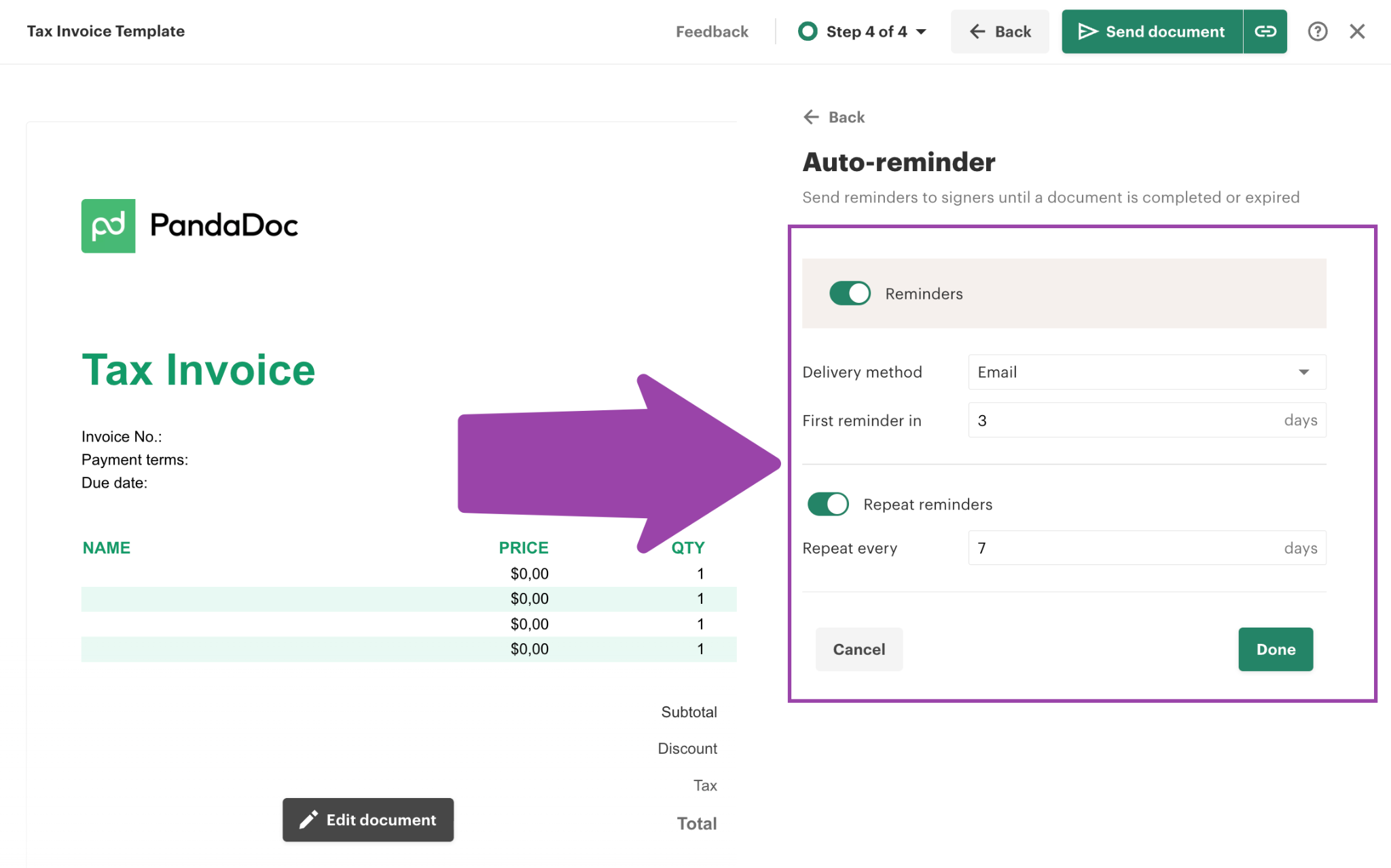
PandaDoc's Auto Reminders email unsigned recipients on a configurable schedule (defaulting to every five days, up to 10 reminders per recipient), and Auto Expirations mark documents as expired after a configurable period.
Source: PandaDoc
Both features are set at the template level, so every Pipedrive-linked document inherits them automatically.
PandaDoc Pricing
PandaDoc uses per-seat pricing with annual billing:
Starter: $19/seat/month (unlimited e-signatures, audit trail; no CRM integrations)
Business: $49/seat/month (CRM integrations including Pipedrive, approval workflows, bulk send, embedded payments)
Enterprise: custom pricing (CPQ for Pipedrive, SSO, QES for EU-compliant signing, custom user roles)
A 14-day trial with full Business-tier access is available for evaluation.
Who Should Use the PandaDoc Integration?
Teams creating proposals or contracts from Pipedrive deal records that want documents auto-filled with deal data rather than assembled manually each time.
Organizations that need e-signatures without adding a standalone signing subscription on top of the CRM.
Teams closing deals where collecting payment at signing (rather than issuing a separate invoice) accelerates cash collection.
6. Calendly: Best Pipedrive Integration for Automatic Meeting-to-CRM Logging
Source: Calendly
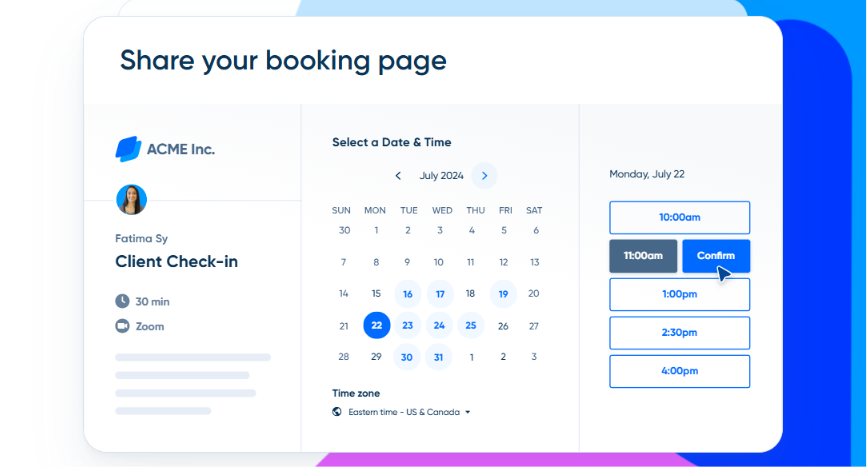
Calendly is a scheduling platform that integrates with Pipedrive to eliminate every manual CRM entry that follows a booked meeting.
The integration creates Person records, logs Activities, and associates bookings with open deals the moment a prospect confirms a meeting, without rep involvement.
Calendly connects to Pipedrive through dedicated apps in the Pipedrive Marketplace, as well as through Zapier and Make for teams needing custom field mapping.
The Marketplace app is a native connector requiring no API key management. A paid Calendly plan (Standard or above) is required; the free tier does not support the Pipedrive connection.
Key integration capabilities include:
Automatic Person record creation or update on every booking
Activity logging in Pipedrive the moment a meeting is confirmed
Open deal association for contacts matched to existing Pipedrive deals
Booking-form question mapping to Pipedrive custom fields via Make or Zapier
How Calendly Integrates with Pipedrive
1. Automatic Person Record Creation and Update.
When a prospect books a Calendly meeting, the integration queries Pipedrive for an existing Person record matching the invitee's email. If a match exists, the record updates with any new details captured on the booking form.
If no match exists, a new Person record is created from the moment of booking. Before the call happens, the rep has a contact record in Pipedrive ready to enrich or associate with a deal.
2. Activity Logging for Every Meeting.
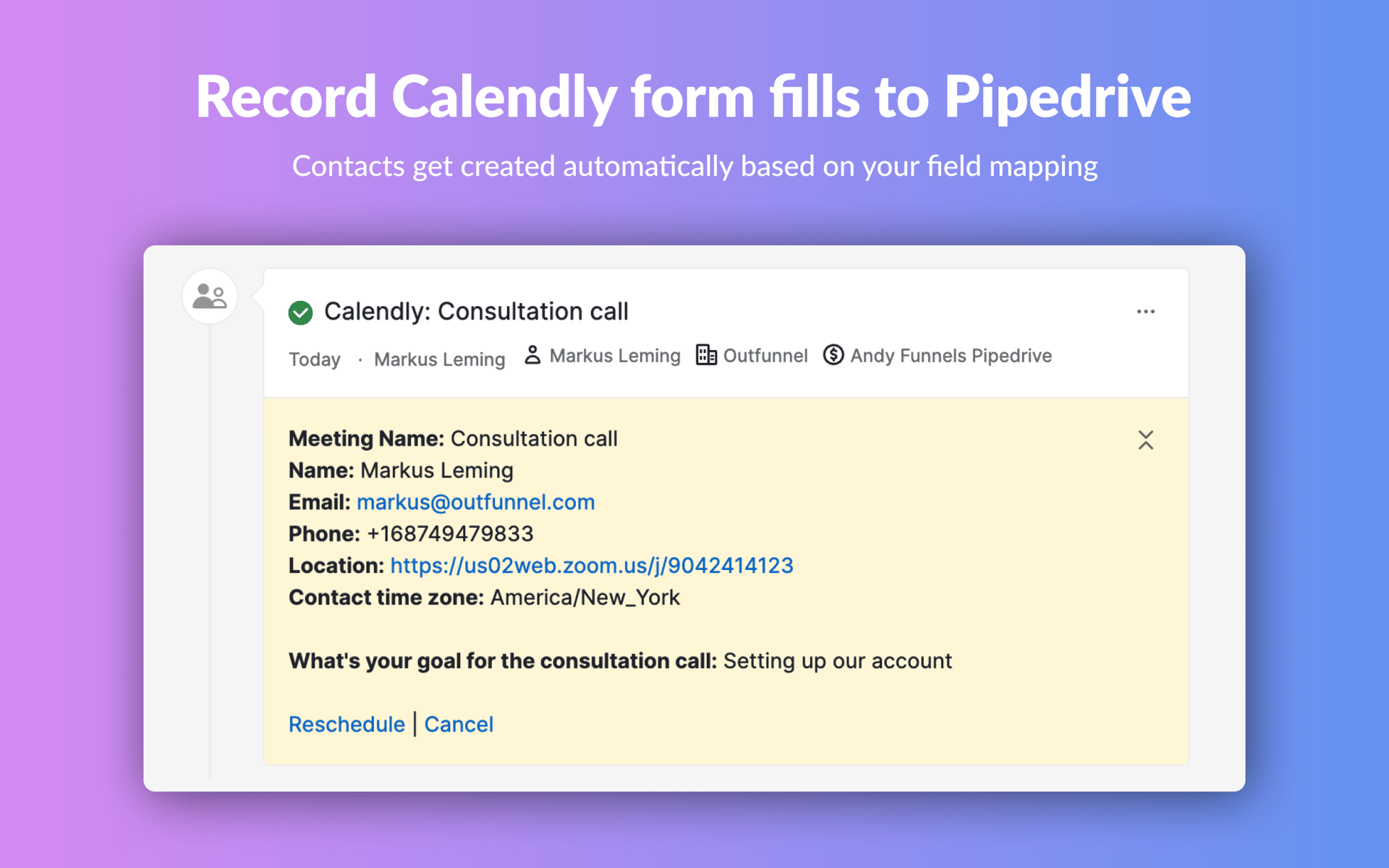
Every confirmed booking generates a corresponding Pipedrive Activity, logged to the Person record at the moment of confirmation, not after the call ends.
Source: Calendly
This matters because Pipedrive's pipeline logic is activity-driven: deals without upcoming activities show as idle, and deal-rotting flags trigger when no activity is logged.
With Calendly feeding Activity creation automatically, the CRM stays current without relying on rep discipline.
3. Open Deal Association.
When a booking matches a Pipedrive contact already associated with an open deal, the Calendly-generated Activity attaches to that deal record.
This keeps deal timelines complete: every scheduled call appears in the deal's activity log, and pipeline health signals (next activity, rotting status) reflect actual scheduling behavior automatically.
4. Booking-Form Data Mapping.
Calendly's booking forms support custom intake questions (company size, use case, budget range). Through a Make or Zapier connector, answers map to Pipedrive custom fields at the deal or person level, so qualification data captured at the scheduling step lands in the CRM before the first conversation.
This mapping requires a paid Calendly plan and a separate Make or Zapier subscription.
Calendly Pricing
Calendly uses a per-seat subscription model:
Free: $0 (1 event type, 1 calendar; no integration support)
Standard: $10/seat/month (annual) (unlimited event types, 6 calendars, Zapier and Make connectors)
Teams: $16/seat/month (annual) (round-robin distribution, admin controls, SAML SSO add-on)
Enterprise: starts at $15,000/year (SCIM, audit logs, phone support)
Standard at $10/seat/month is the minimum tier for the Pipedrive connection.
Who Should Use the Calendly Integration?
Sales reps sharing scheduling links who currently log meetings in Pipedrive manually and want that step eliminated.
Teams using Pipedrive's activity-centric pipeline that need meetings to appear on deal records the moment they are booked, not after the fact.
Organizations asking qualification questions on booking forms that want answers flowing into Pipedrive custom fields without manual transcription.
7. monday.com: Best Pipedrive Integration for Closed-Deal-to-Project Handoff
Source: monday.com
monday.com is a work management platform that integrates with Pipedrive to connect a won deal to the operational work that follows.
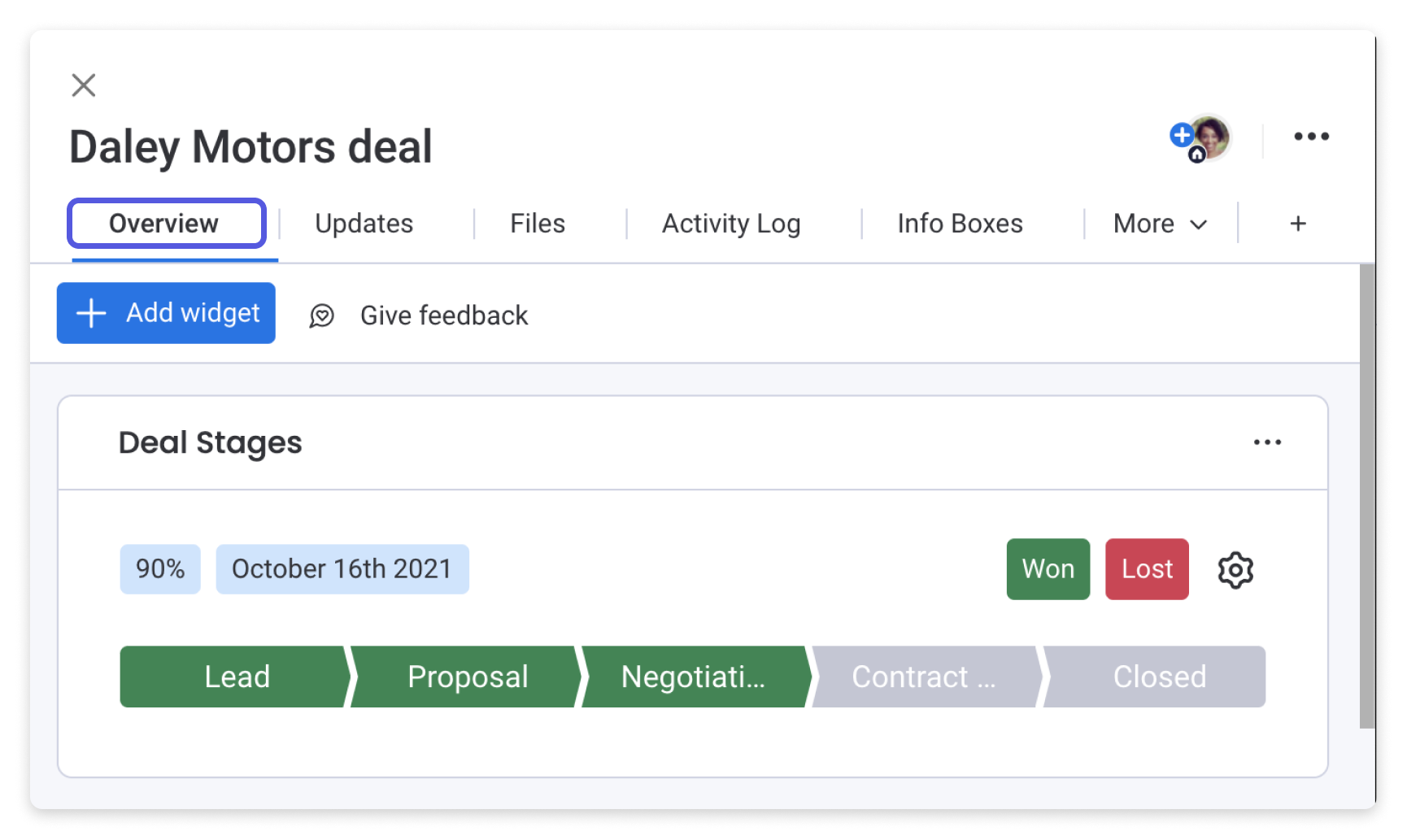
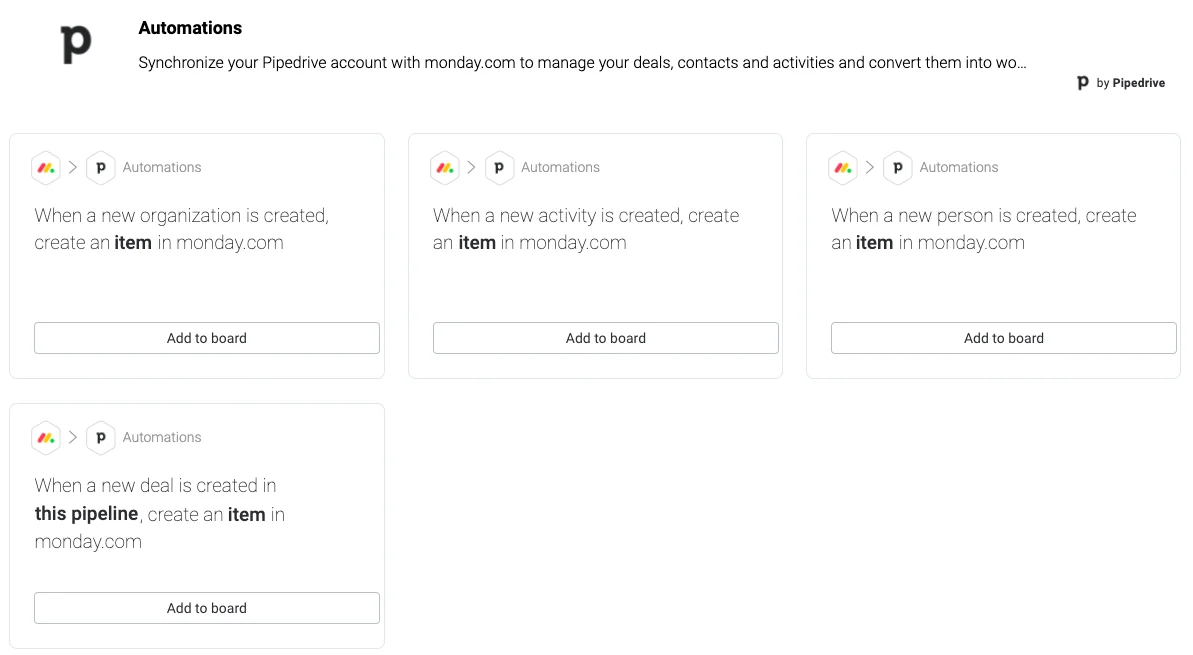
When a Pipedrive deal is marked Won, the integration creates a monday.com project item pre-populated with deal data, giving delivery teams immediate visibility without email threads or manual copy-paste handoffs.
The connection is a native integration in the Pipedrive Marketplace, running through monday.com's automation engine with no middleware required.
Key integration capabilities include:
Automatic monday.com item creation when Pipedrive deals are won, pre-populated with deal data
Pipeline stage notifications giving delivery teams advance visibility into upcoming deals
Reverse status sync from monday.com milestones back to Pipedrive deal records
No-code configuration through monday.com's automation engine
How monday.com Integrates with Pipedrive
1. Closed-Deal-to-Project Handoff.
When a Pipedrive deal moves to "Won," the integration creates a new item on a designated monday.com board (typically Client Onboarding or Delivery Tracking), pre-populated with the deal name, value, associated contact and organization, closing rep, and mapped custom fields.
Source: monday.com
This eliminates the manual handoff where a salesperson writes a summary email and waits for operations to create a project record.
If the receiving board has its own automation recipes configured (assign to the implementation lead, set status to "Kickoff Pending"), the full post-sale workflow triggers automatically from the moment the deal closes.
2. Pipeline-Stage Notifications for Pre-Sale Awareness.
The integration can trigger monday.com board actions based on deal stage changes, not just final outcomes.
When a deal advances to "Proposal Accepted" or "Contract Under Review," the integration creates a watch item or sends a notification to the delivery manager.
This gives operations teams days or weeks of lead time for resource planning before the official close, which is valuable for professional services firms and companies with longer implementation cycles.
3. Reverse Status Sync to Pipedrive.
When a monday.com project reaches a defined milestone (implementation complete, onboarding signed off), the integration can push a status update back to the originating Pipedrive deal record: appending a note, updating a custom field, or moving the deal to a post-sale pipeline stage.
This gives sales managers a living post-sale history on their deal records, relevant for renewal tracking, upsell timing, and understanding the relationship between how a deal was sold and how it was delivered.
monday.com Pricing
monday.com uses per-seat pricing billed monthly or annually (18% annual discount), with seats sold in minimum buckets of 3:
Standard: $12/seat/month annual (250 automation actions/month; Timeline, Gantt, Calendar views)
Pro: $19/seat/month annual (25,000 actions/month; private boards, time tracking, formula columns)
Enterprise: contact sales (250,000 actions/month; portfolio management, advanced security)
The automation action budget is the critical variable: each Pipedrive-triggered action (item creation, status update, notification) counts against the monthly limit. When the budget is exhausted, automations stop until the next cycle. Teams closing more than 100 deals per month with multi-action chains should start at the Pro tier. A 14-day Pro plan trial is available for evaluation.
Who Should Use the monday.com Integration?
Teams that close deals in Pipedrive but manage delivery in a separate project tool, or that currently handle the handoff through email and spreadsheets.
Organizations with sales cycles long enough that operations teams need advance pipeline visibility to begin resource planning before deals close.
Companies wanting Pipedrive deal records to reflect post-sale delivery milestones rather than ending the CRM story the moment a deal is won.
Final Verdict
The best Pipedrive integrations close gaps your CRM cannot fill on its own:
ZoomInfo: verified B2B data, buyer intent, and company intelligence enriching every record; the highest-impact integration on this list if your pipeline depends on data quality
Mailchimp: deal-stage-triggered email campaigns keeping marketing in sync with pipeline movement
Slack: real-time deal notifications and CRM search in the workspace your team already uses
Zapier: no-code reach into 8,000+ apps where native connectors stop
PandaDoc: proposals, e-signatures, and payments generated from deal records
Calendly: automatic meeting logging that keeps pipeline activity current without manual entry
monday.com: closed-deal-to-project handoffs that eliminate the gap between sales and delivery
These integrations also compound: you might run ZoomInfo for data enrichment, Mailchimp for automated nurture, Slack for notifications, and PandaDoc for document signing on the same Pipedrive account, each adding a layer of automation or intelligence that makes the others more valuable.
If you connect just one, make it the data layer everything else depends on. ZoomInfo's free Lite tier includes CRM connectivity, so you can see what verified data and buyer intent signals do for your pipeline before spending anything.
Frequently Asked Questions
How many integrations does Pipedrive support?
The Pipedrive Marketplace houses over 500 integrations spanning the full sales cycle, from lead capture and data enrichment through email marketing, document management, project handoffs, and accounting.
Beyond the Marketplace, Pipedrive's open RESTful API (available on all plans) with OAuth 2.0 authentication, webhooks, and official client libraries for Node.js and PHP supports custom integrations with virtually any platform that has an API.
Do Pipedrive integrations work on the Lite plan?
Many integrations work with Pipedrive's Lite plan, including the open API, webhooks, and 500+ Marketplace apps.
However, certain CRM features that power deeper integrations (email sync, workflow automations, the forecast view, and sequences) require the Growth plan or above.
Check each integration's documentation for tier-specific requirements on the Pipedrive side, and note that some integration partners (such as PandaDoc) gate CRM connectivity behind their own higher-tier plans.
How does Pipedrive's API rate limiting work with integrations?
Pipedrive uses a token-based rate limiting system where each API request consumes tokens from a company-wide daily budget.
The budget formula is 30,000 base tokens multiplied by a plan multiplier (1x for Lite, 2x for Growth, 5x for Premium, 7x for Ultimate) and the number of seats. Lightweight endpoints consume fewer tokens, and migrating to the V2 API reduces per-request consumption.
When the daily budget is exhausted, further requests receive a 429 error until the budget resets at midnight.
Can I connect Pipedrive to tools that are not in the Marketplace?
Yes. Pipedrive's public RESTful API covers the full CRM data model (deals, leads, persons, organizations, activities, products, notes, pipelines) and supports custom integrations with any system that can make HTTP requests.
For no-code solutions, Zapier connects Pipedrive to 8,000+ apps, and Make provides a visual automation builder with 3,000+ connectors. Pipedrive's webhooks enable real-time event-driven connections, and the platform supports both API token and OAuth 2.0 authentication for third-party apps.
Does connecting multiple integrations cause conflicts in Pipedrive?
Each integration operates through its own API connection and consumes tokens from the shared daily budget. Running several integrations simultaneously does not create data conflicts, as long as field mapping and write-back rules are configured to avoid competing updates to the same records.
Teams running multiple high-frequency integrations (bulk data enrichment plus automation triggers plus CRM sync) should monitor token usage through Pipedrive's admin settings. Top-ups of 250,000 additional API tokens are available from the Growth plan upward.
Is Pipedrive secure enough for regulated industries?
Pipedrive holds ISO/IEC 27001:2022 and ISO/IEC 27701:2019 certifications, SOC 2 Type 2 and SOC 3 compliance, full GDPR compliance with a dedicated Data Protection Officer, and EU-US Data Privacy Framework certification.
Data is hosted on AWS with AES-256 encryption at rest and HTTPS encryption in transit. Additional controls include SAML 2.0 SSO, two-factor authentication, visibility groups, IP allowlisting, and a SecurityScorecard grade A rating.
What is the best way to enrich Pipedrive contact data for B2B teams?
Integrating a dedicated B2B data platform provides the most thorough enrichment. ZoomInfo's native integration with Pipedrive, available in the ZoomInfo App Marketplace, lets teams build prospect lists using 300+ attributes, then push enriched records into Pipedrive with automatic duplicate detection and field mapping.
The data behind those records spans 500 million contacts and 100 million companies, verified through a pipeline backed by 300+ human researchers.
For teams whose pipeline depends on data accuracy, connecting a platform built for B2B intelligence closes the gap between what Pipedrive captures and what your reps need to act on.
