

Choosing between Copper (formerly ProsperWorks) and Salesforce for your CRM often comes down to five questions most comparisons skip:
Do you need a CRM that lives inside Gmail, or one that works across any email ecosystem?
Is your team 5-50 people running on relationships, or a scaled sales organization with dedicated ops staff?
Are you willing to invest months in implementation for long-term capability, or do you need to be productive in days?
Do you need basic pipeline tracking, or enterprise forecasting, automation, and AI agents?
Does your CRM data tell you who to target next, or does it just record what already happened?
In short, here's what we recommend:
Copper is the CRM for small service businesses that run on Google Workspace. Its Chrome Extension embeds contact records, deal pipelines, and project tracking inside Gmail, so teams rarely open a separate app. Over 30,000 companies use Copper, and the setup speed is real: one agency went from HubSpot to fully operational in three days. At $23-$99/seat/month, it's accessible to small teams. But Copper's value drops sharply outside Google Workspace, its contact limits create mid-growth friction, and its AI and reporting lag behind enterprise platforms.
Salesforce is the #1 CRM by IDC market share, serving over 150,000 companies with a platform spanning sales, service, marketing, commerce, and analytics. Its Agentforce AI agents can resolve 85% of requests without human escalation, and its AppExchange marketplace offers 9,000+ partner apps. For organizations that need enterprise depth, Salesforce has no peer. The trade-off is complexity: configuration requires trained administrators, implementations take months, and costs escalate past the entry tiers.
Both platforms manage customer relationships. But a CRM only organizes what you already know. The harder problem is knowing who to target, when they're ready to buy, and what to say when you reach them. That's a data and intelligence problem, not a CRM problem.
ZoomInfo is a B2B go-to-market platform built on 500M contacts, 100M companies, 135M+ verified phone numbers, and 200M+ verified business email addresses. Its GTM Context Graph processes 1.5B+ data points daily, combining this data with your CRM records, conversation transcripts, and behavioral signals to reveal not just what happened in a deal, but why. For teams using Copper or Salesforce, ZoomInfo fills the gap between recording relationships and knowing which accounts deserve attention now. Your team can access that intelligence through GTM Workspace for sellers, GTM Studio for marketers and RevOps, or through APIs and MCP in any front-end, with native Salesforce integration as the deepest CRM connection.
If you want to see how intelligence changes what your CRM can do, explore ZoomInfo's free trial.
Copper vs. Salesforce vs. ZoomInfo at a glance
Copper | Salesforce | ZoomInfo | |
|---|---|---|---|
Primary function | CRM for Google Workspace service businesses | Enterprise CRM and AI platform | B2B data and go-to-market intelligence |
Setup time | Days | Weeks to months | Weeks |
Starting price | Free (ZoomInfo Lite) / Custom-quoted paid plans | ||
AI capabilities | Early-stage (email drafting, Gemini integration) | Agentforce autonomous agents, Einstein AI | GTM Context Graph, AI-powered account intelligence |
Contact database | Your own contacts only | Your own contacts only | |
Buyer intent signals | None | Limited (requires Data Cloud add-on) | |
Email integration | Native Gmail (built-in) | Gmail and Outlook sync | Works inside your CRM and email via integrations |
Ecosystem | Google Workspace focused | 120+ integrations, APIs, MCP for AI agents | |
Best for | 5-50 person service firms on Gmail | Mid-market to enterprise sales organizations | Any B2B team needing verified buyer data and signals |
Two CRMs built for different worlds
Copper and Salesforce solve the same core problem (tracking customer relationships and deals) but for different organizations.
Copper was built in 2012 on a conviction: CRMs are too complicated, and the people using them shouldn't need to leave Gmail to get work done.
Source: Copper
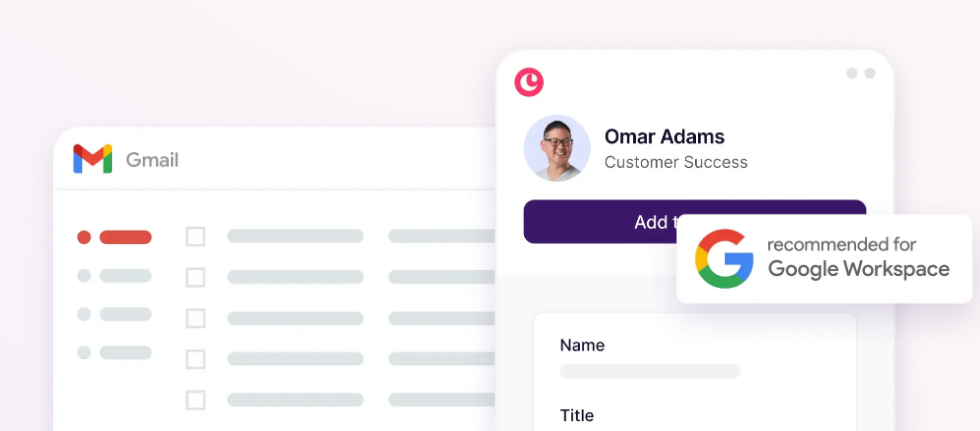
The product is officially Recommended for Google Workspace by Google (a designation only a few CRMs hold) and is built around Gmail rather than bolted onto it. When a user signs up, Copper syncs the last 90 days of Gmail history and attaches emails to contact records automatically. There's no separate system to learn. The CRM is the inbox.
Salesforce was founded in 1999 on a different bet: that enterprise software should live in the cloud, not on local servers.
Source: Salesforce
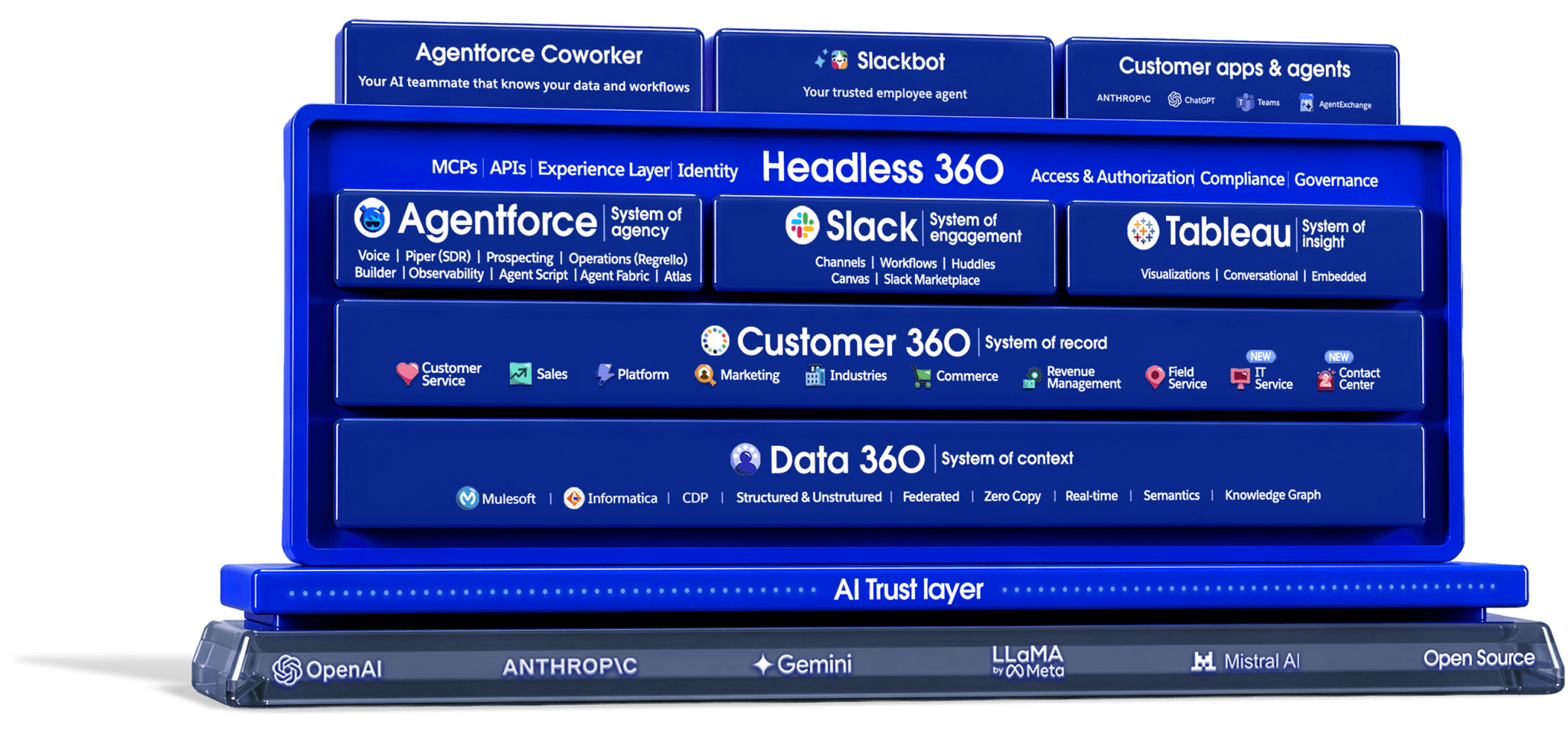
Twenty-six years later, it has grown into a $41.5 billion revenue platform with products spanning sales, service, marketing, commerce, analytics, and AI agents. Where Copper asks "how do we make CRM invisible inside Gmail?", Salesforce asks "how do we make CRM the operating system for the entire business?"
The difference matters the moment you open each product. In Copper, you open Gmail and see your CRM in the sidebar. In Salesforce, you open Salesforce and the rest of your tools orbit around it.
Copper wins on simplicity and speed to value
If your team runs on Google Workspace and wants a CRM operational within the week, Copper has a structural advantage.
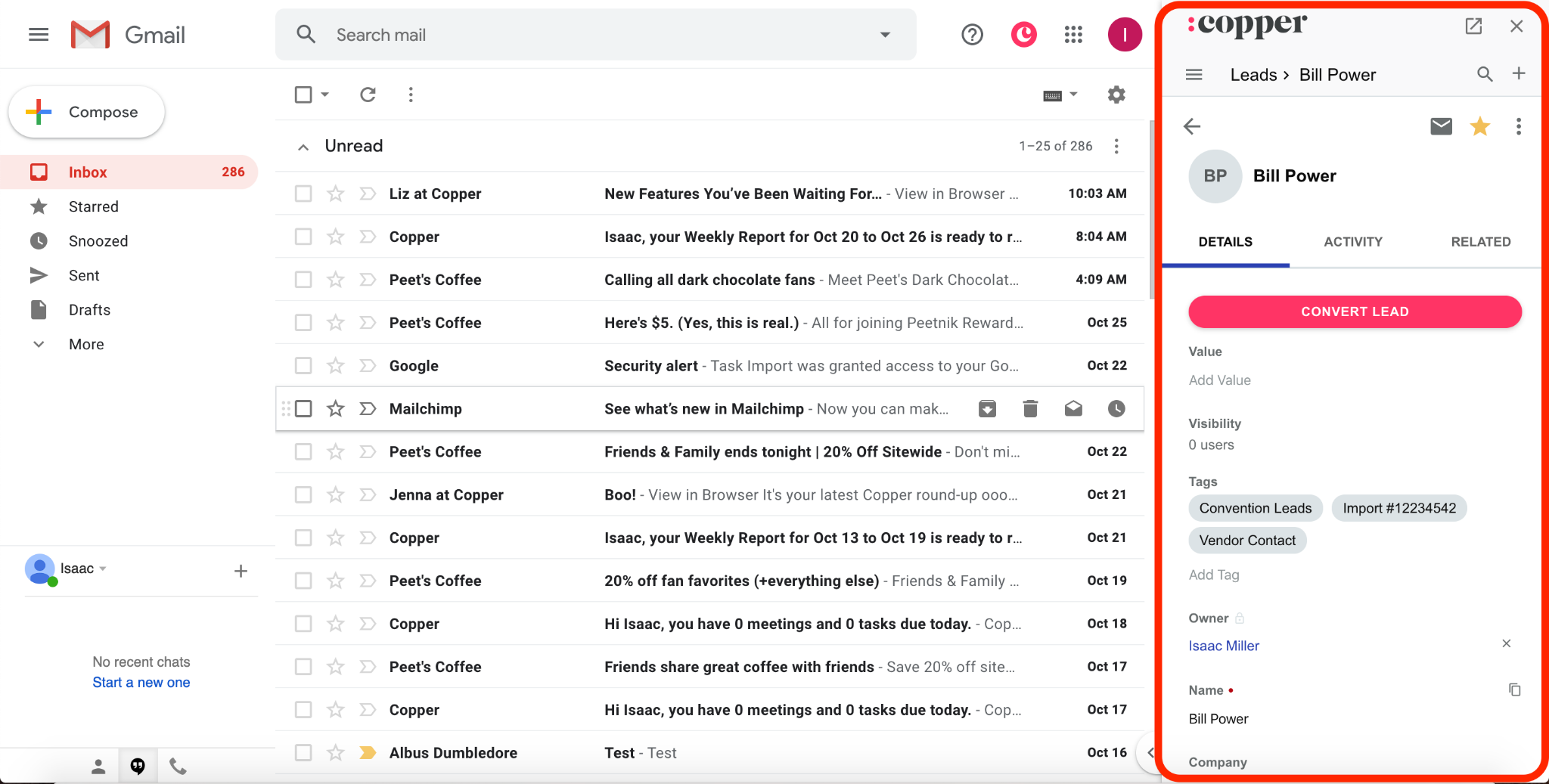
The Chrome Extension embeds a full Copper sidebar inside Gmail. Open an email, and the sender's contact record, deal history, tasks, and past conversations appear without switching tabs.
Source: Copper
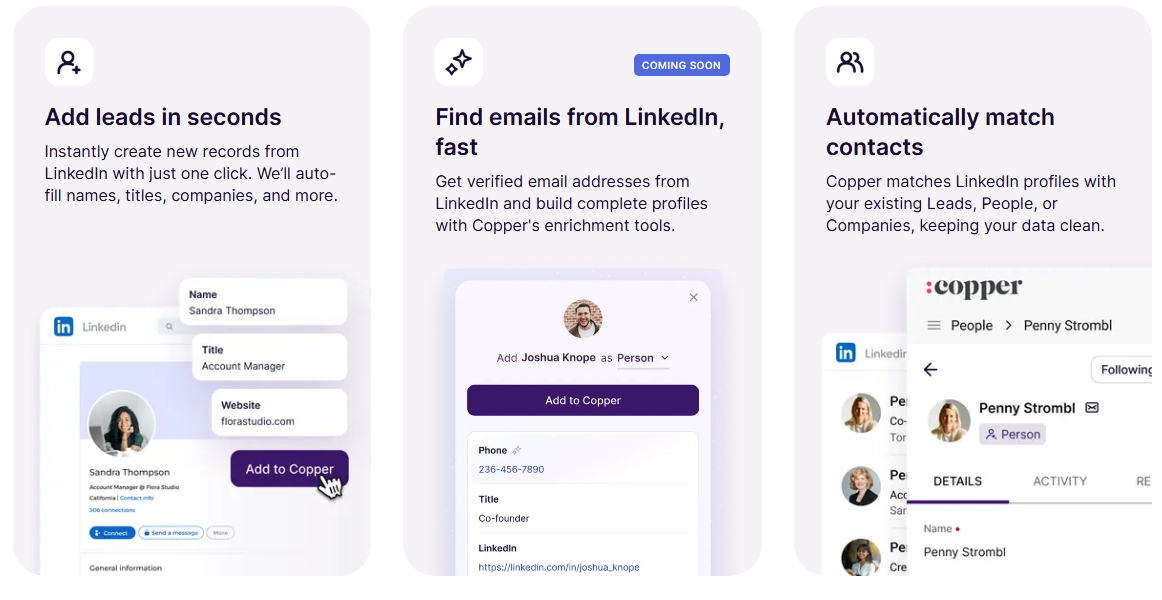
Create a new lead from a LinkedIn profile with one click. Schedule a follow-up that syncs to Google Calendar bidirectionally. Attach a Google Drive file to a deal record without downloading anything, because email attachments auto-relate to the relevant contact.
Source: Copper
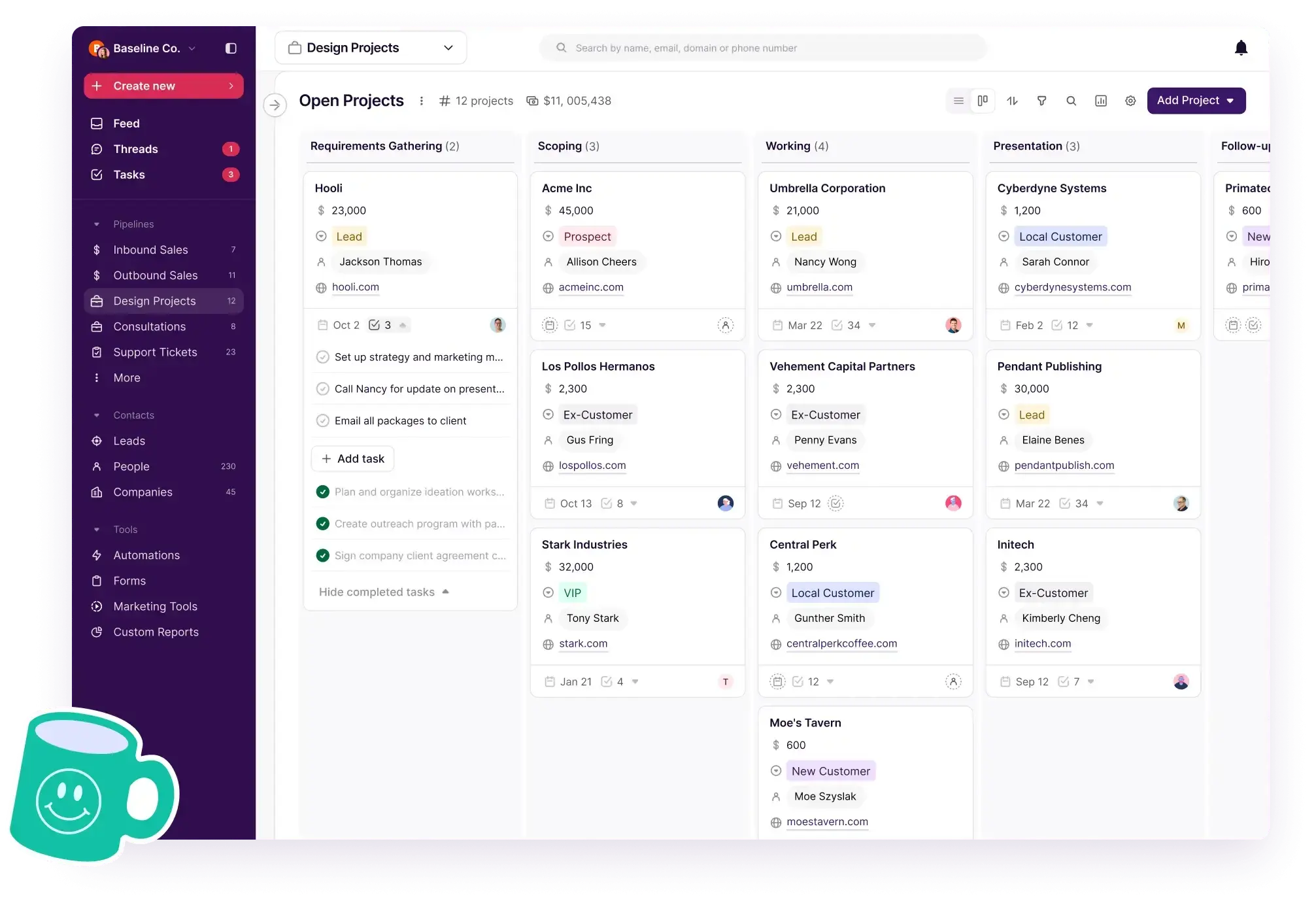
Copper also bridges a gap most sales CRMs ignore: the transition from winning a deal to delivering the work. Its project management feature lets teams convert a closed opportunity into a project pipeline, preserving all contact history, emails, and files. For agencies, consulting firms, and construction companies, this continuity between sales and delivery in one tool is a real differentiator.
Source: Copper
But Copper's simplicity has hard boundaries. The Basic plan at $23/seat/month includes task automation, pipelines, project management, and contact enrichment. Advanced CRM functionality begins at the Professional tier ($59/seat/month). Contact limits are strict: 2,500 on Basic, 15,000 on Professional, and unlimited only at $99/seat/month on Business. A growing firm that crosses 15,000 contacts faces a steep price jump before it may need other Business-tier features.
And if your team runs Microsoft 365 instead of Google Workspace, Copper offers nothing comparable. The Gmail-native architecture that makes Copper great for Google shops makes it irrelevant for Outlook shops.
Salesforce wins on depth and scale
Salesforce does things Copper cannot attempt.
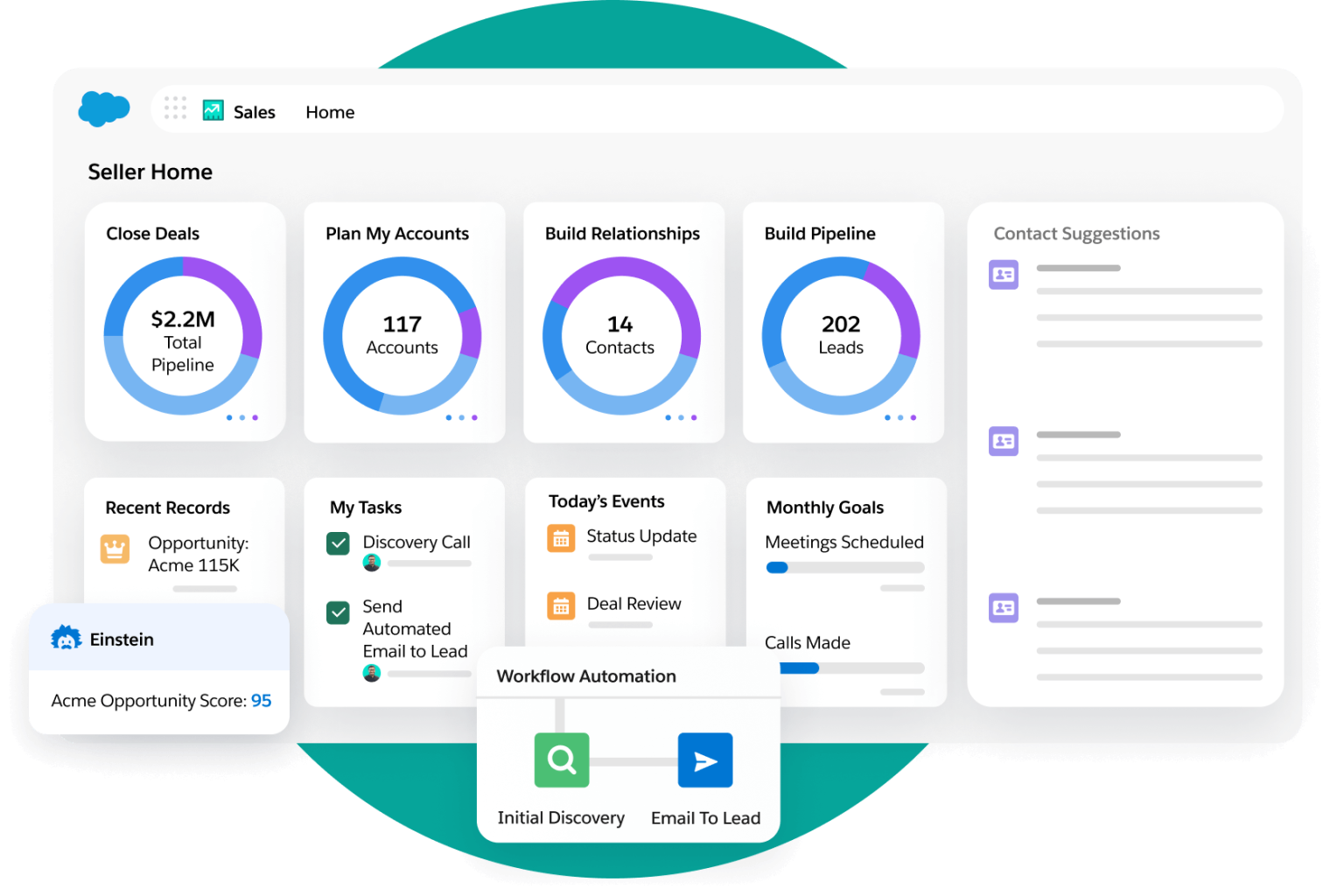
Sales Cloud offers lead scoring powered by Einstein AI, pipeline management with AI deal insights, forecast management with real-time rollups, territory planning, CPQ (configure-price-quote), and revenue lifecycle management from first conversation through billing.
Source: Salesforce
Add Service Cloud for customer support, Marketing Cloud for campaign orchestration, Commerce Cloud for storefronts, and Data Cloud for unified customer profiles across all of it. Each product sits on the same data model, so a service agent can see the full sales history without integration work.
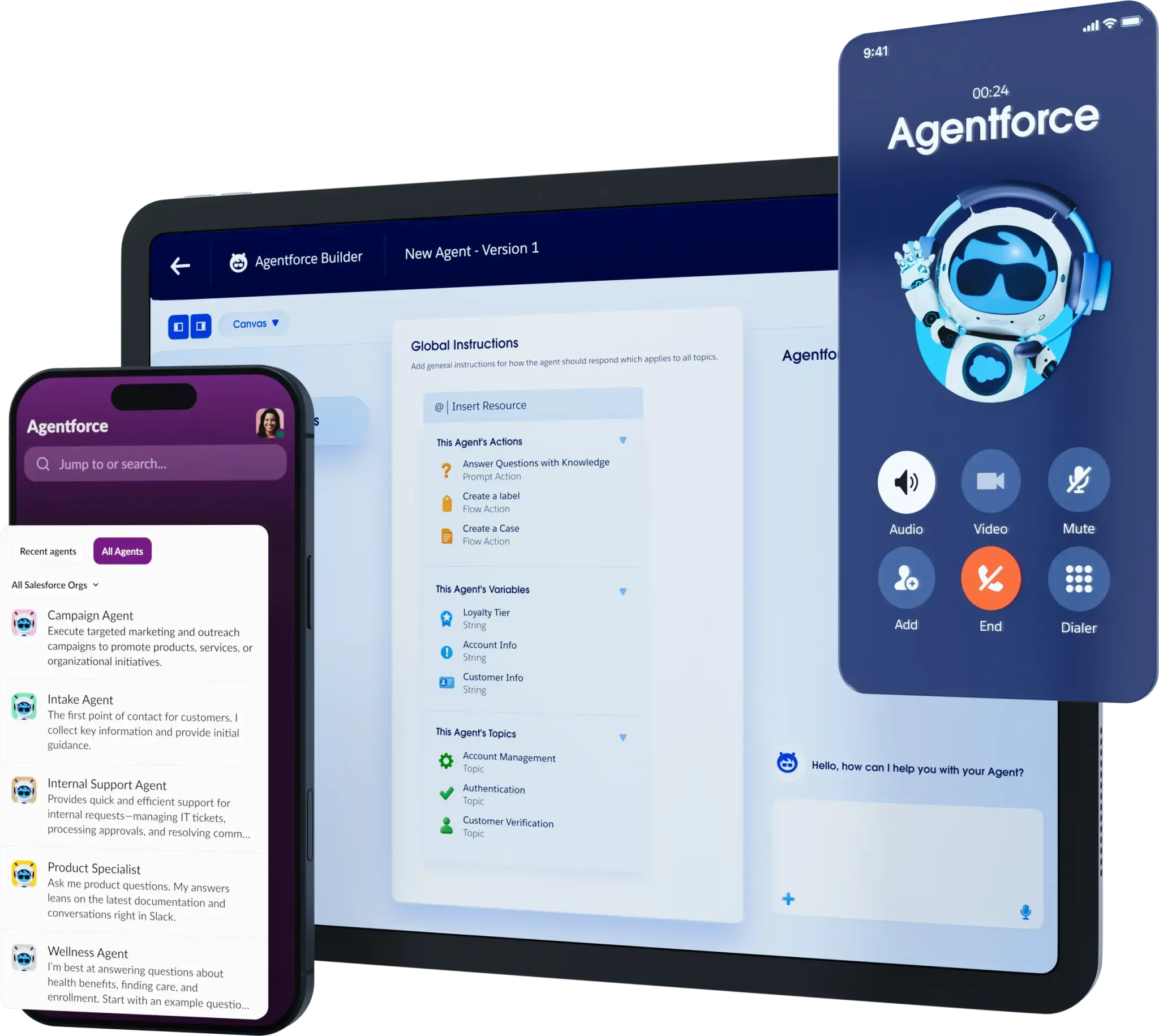
These aren't copilots that need constant prompting. They're autonomous agents that handle prospecting, inbound lead engagement, sales coaching, and automated quoting that's 75% faster than manual processes.
Source: Salesforce
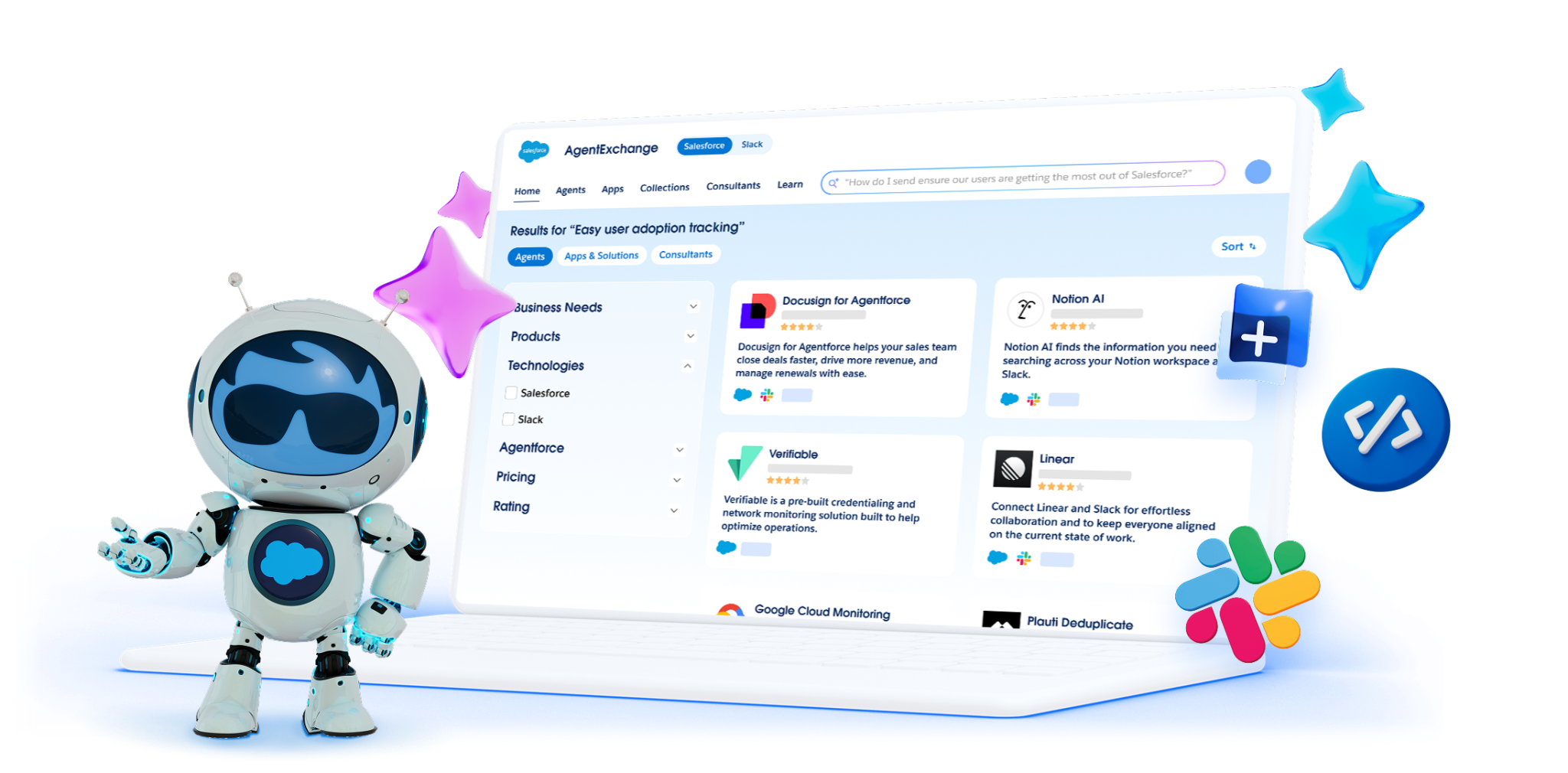
The AppExchange ecosystem reinforces this depth. With 9,000+ partner apps and 14+ million installs, Salesforce extends into nearly any business process. Need HIPAA-compliant healthcare workflows? There's an industry cloud for that. Need custom apps built by non-developers? The Lightning Platform handles low-code development.
Source: Salesforce
The cost of this capability is real. Enterprise edition starts at $175/user/month. The Premier Success Plan adds 30% of net license fees for dedicated support. Over 70% of implementations are partner-led, adding consulting costs. Salesforce's own leadership has acknowledged that the platform was "historically built for large enterprises". A 10-person agency evaluating Copper vs. Salesforce isn't choosing between two CRMs. They're choosing between a tool that fits their workflow and a platform designed for organizations ten times their size.
Neither CRM tells you who to call next
Here's the gap both Copper and Salesforce share: they manage relationships you've already built, but they don't help you find the ones worth building.
Copper tracks the contacts in your Gmail. Salesforce organizes the leads your team has already captured. Both systems look backward by design. They record what happened (emails sent, deals moved, meetings held) but can't answer the forward-looking questions that drive revenue: Which companies are researching solutions like yours right now? Who are the decision-makers at those companies, and what are their direct phone numbers? What patterns across your closed-won deals predict which open deals will close?
This is the problem ZoomInfo solves.
ZoomInfo's data covers 500M contacts, 100M companies, 135M+ verified phone numbers, 120M direct-dial phone numbers, and 200M+ verified business email addresses. That data is verified through automated ML scanning of 28 million site domains daily, third-party data covering 95 million businesses, and 300+ human researchers.
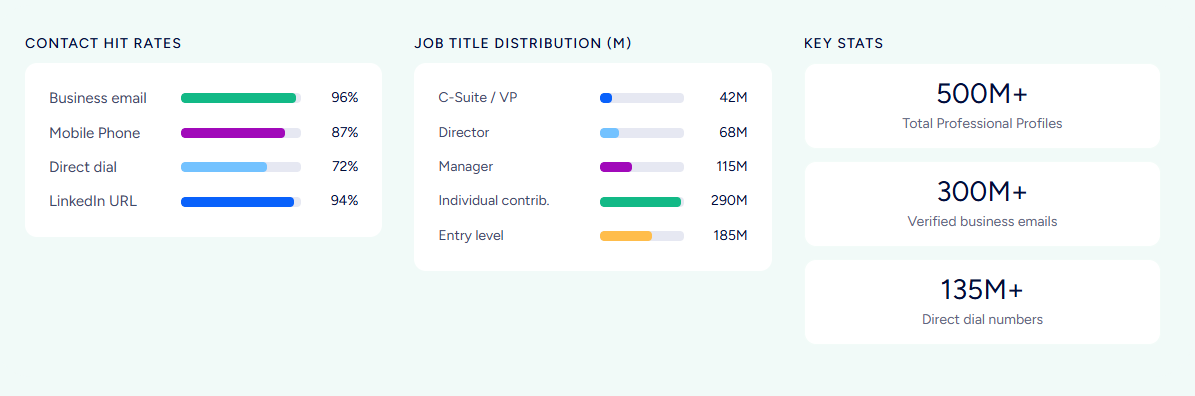
The accuracy holds up under scrutiny: in a Fortune 500 competitive RFP analyzing 25 million contacts across vendors, an independent consultant concluded that "no other competitor came even close."
But data is just the foundation. The GTM Context Graph processes 1.5B+ data points daily and combines ZoomInfo's third-party intelligence with a customer's own CRM records, conversation transcripts, email threads, and behavioral signals.
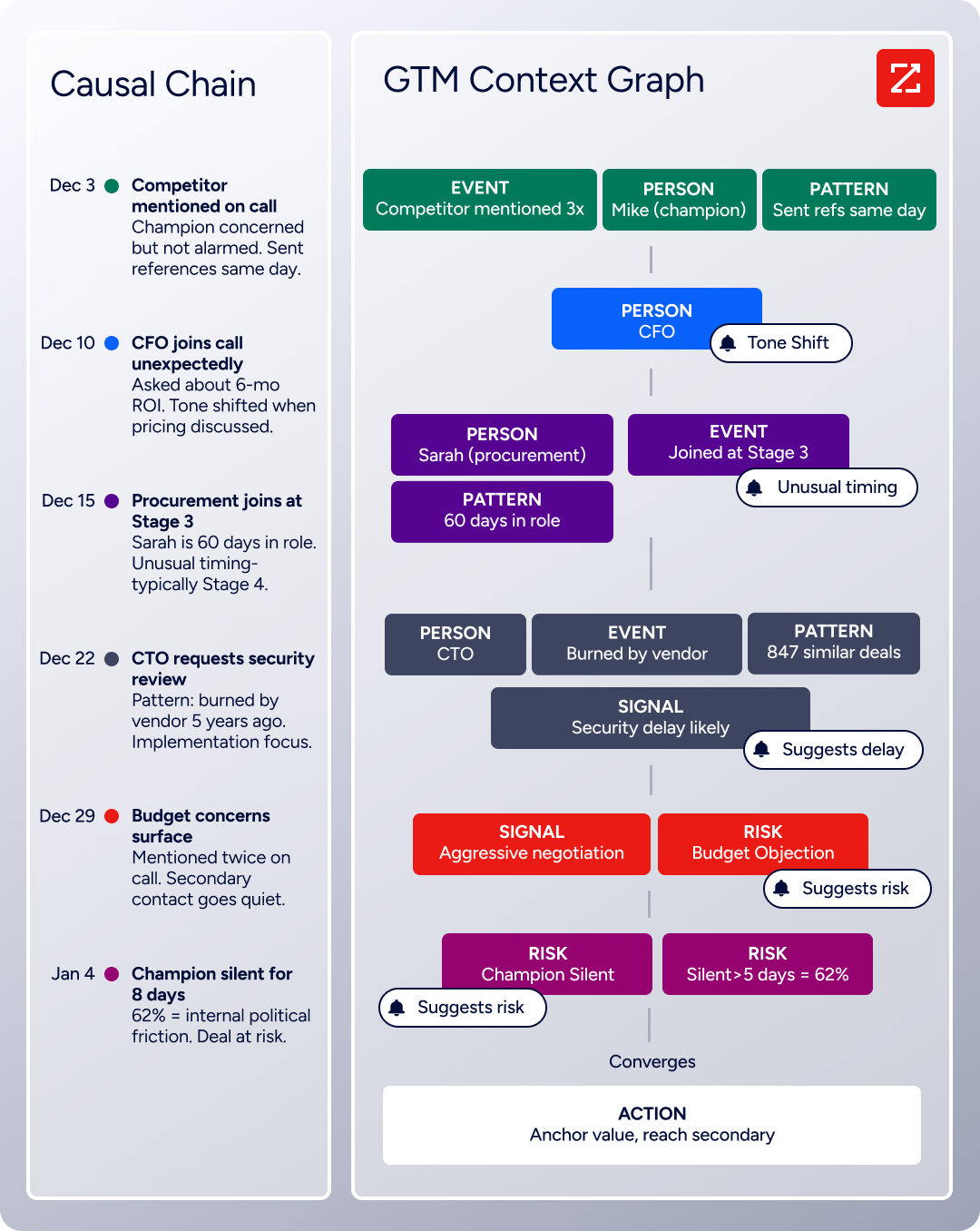
The result is an intelligence layer that captures why deals move or stall, not just that they did. Your CRM records that a deal advanced to stage 4. ZoomInfo's GTM Context Graph connects the fact that the CFO joined the last call and asked about six-month ROI, that the company just received a funding round, and that three VPs were recently hired, to explain why the deal accelerated and what to do next.
Seismic's sales team attributed 39% of active pipeline to opportunities identified or influenced by ZoomInfo signals, reported 54% productivity gains, and saved 11.5 hours per week per seller. (Seismic Case Study)
Buyer intent changes the selling equation
Copper has no intent signal capability. Salesforce can surface intent data through Data Cloud add-ons and third-party AppExchange integrations, but that requires additional licensing, configuration, and often a separate data vendor.
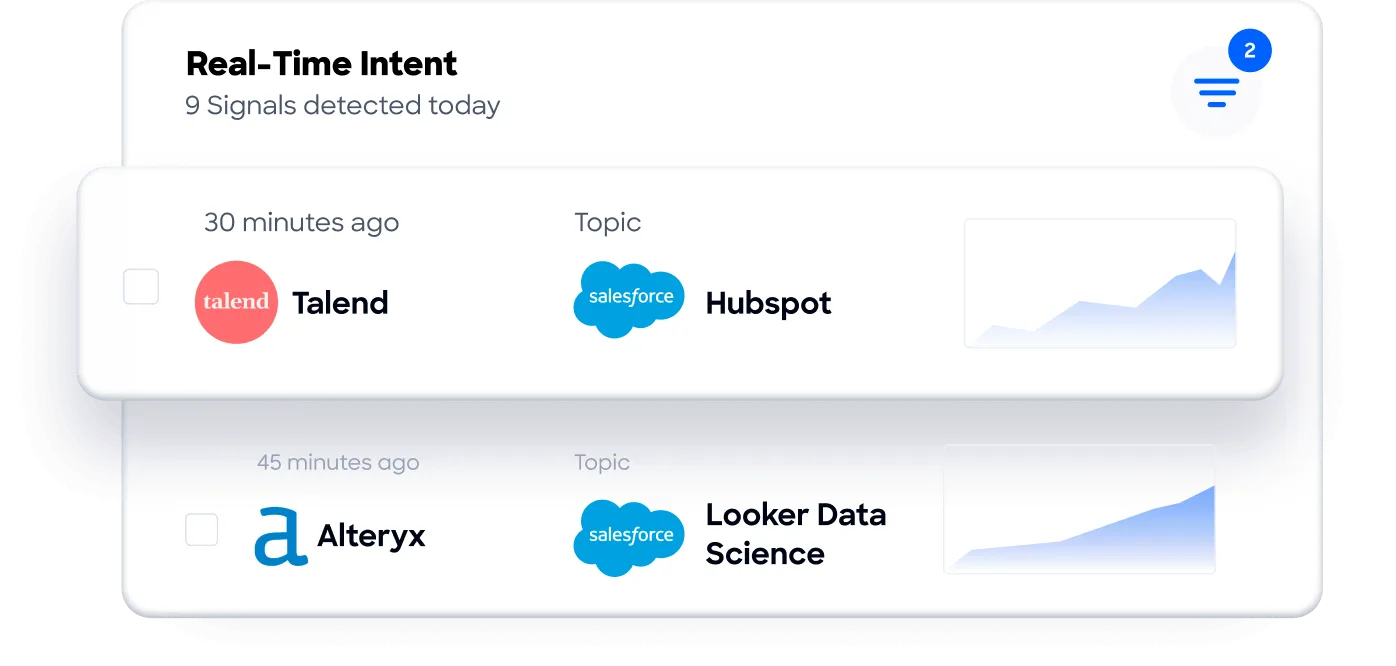
ZoomInfo's Buyer Intent is native. It tracks signals from 210 million IP-to-Organization pairings and 6 trillion+ new keyword-to-device pairings sourced monthly to identify when companies are researching topics related to your product. Guided Intent (exclusive to ZoomInfo) identifies the topics historically correlated with your actual deal success rather than requiring manual topic selection.
WebSights adds another layer: it resolves anonymous website visitors to specific companies, identifies the buying team, and surfaces direct contact information, with Automatic Traffic Filtering that separates real visitors from bots.
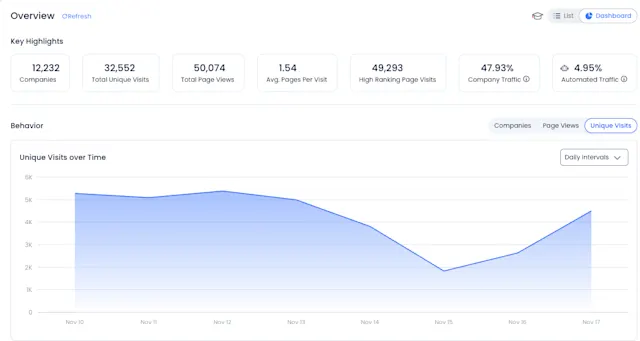
For a sales team using Copper, this means the difference between working a static list of contacts in Gmail and knowing that three accounts in your territory started researching your category this week, with verified direct dials for the decision-makers. For a Salesforce team, it means intent signals flowing into lead scoring and pipeline prioritization through native integration, without stitching together multiple vendors.
Redwood Logistics achieved a 99% reduction in CPC and 310% increase in CTR by using ZoomInfo's audience insights to improve targeting across the buyer journey. (Redwood Logistics Case Study)
Pricing reflects different scopes
The pricing comparison shows how different these three products are in scope.
Copper is the most affordable CRM. Basic costs $23, Professional $59, and Business $99 (annual billing). Advanced CRM functionality (pipelines, automation, reporting) start at Professional. A 10-person team on Professional pays roughly $590/month. Annual billing saves 17-26% depending on tier. There's a free trial with no credit card required, but no permanent free plan.
Salesforce spans a wider range. The Free Suite supports 2 users at no cost. Starter Suite runs $25/user/month, and Pro Suite $100/user/month. But most organizations need Enterprise at $175/user/month for AI capabilities, workflow automation, and pipeline insights. A 10-person team on Enterprise pays $1,750/month before add-ons, implementation costs, or the Premier Success Plan. Agentforce adds consumption-based charges: $2 per conversation or $500 per 100,000 Flex Credits. Annual contracts are standard.
ZoomInfo uses custom-quoted, consumption-based pricing with no published prices for paid tiers. ZoomInfo Lite is a permanent free tier (not a trial) that includes access to the B2B database with 10 monthly export credits, individual and company searches, a Chrome Extension, and HubSpot integration.
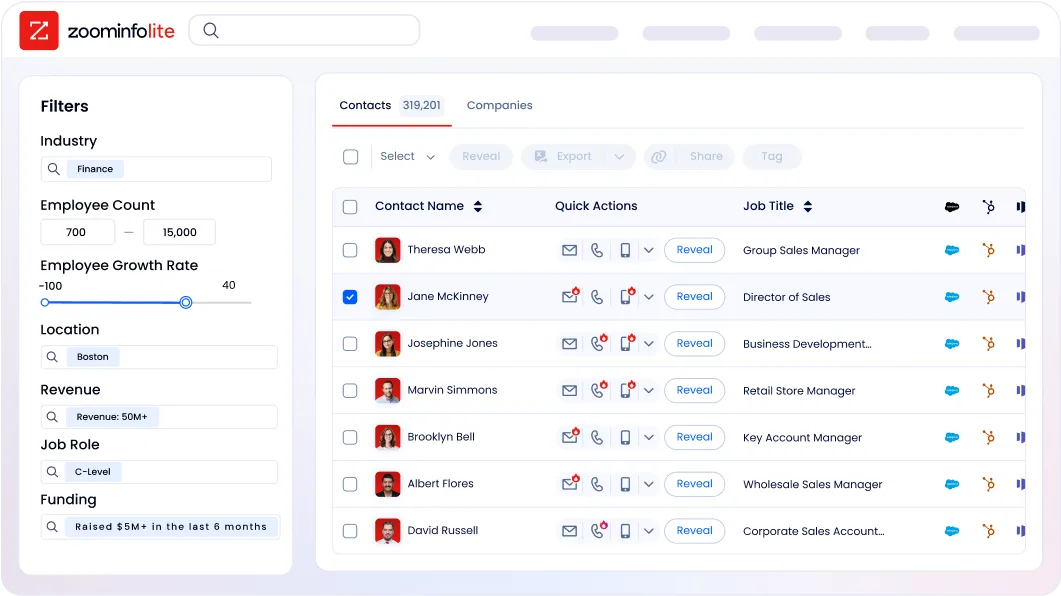
A separate 7-day free trial offers broader access. Paid plans scale based on seats, monthly credit volume, features, and contract length. ZoomInfo costs more than either CRM, but the ROI math differs because the value comes from data accuracy and intelligence, not workflow management.
The key comparison: Copper and Salesforce charge you to organize contacts you already have. ZoomInfo gives you access to contacts and intelligence you don't have yet.
Integration and ecosystem comparison
Copper's ecosystem revolves around Google Workspace. Beyond the native Gmail, Calendar, Drive, Contacts, and Gemini AI integrations, Copper connects to LinkedIn, QuickBooks, DocuSign, PandaDoc, Slack, JustCall, RingCentral, Calendly, Mailchimp, Dropbox, and Zapier.
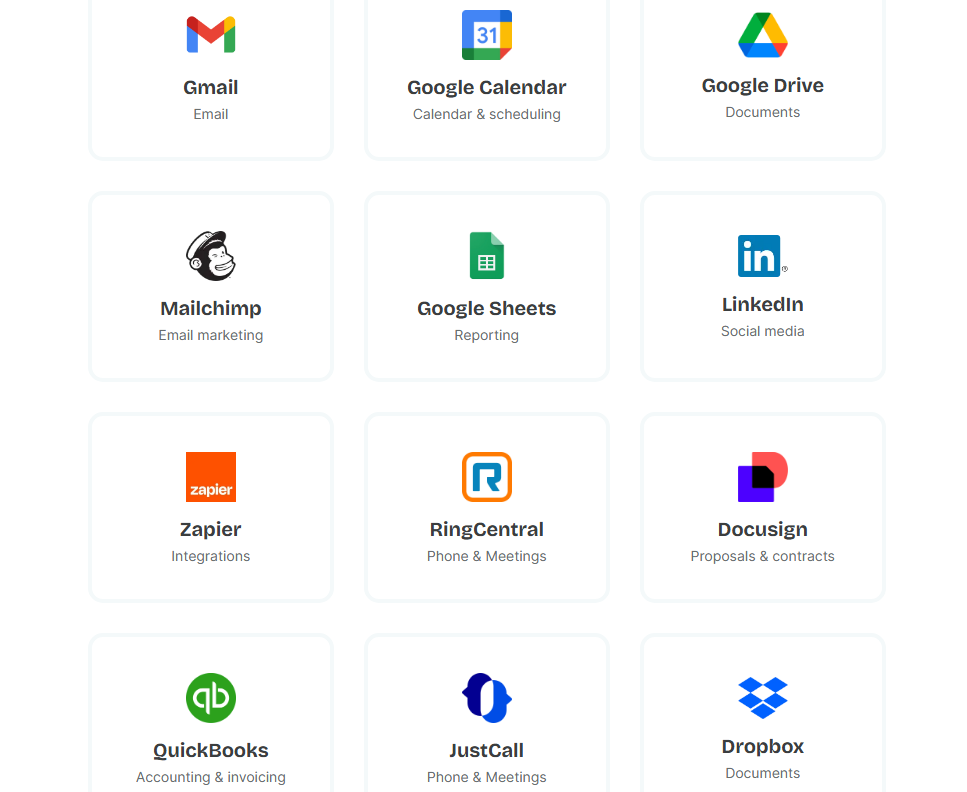
Source: Copper
The REST API covers all core CRM objects with OAuth 2.0 authentication. For a Google-native service business, this covers most needs. For teams outside that ecosystem, the options thin out fast.
Salesforce's integration story is the broadest in the industry. The AppExchange with 9,000+ apps covers nearly any business tool.
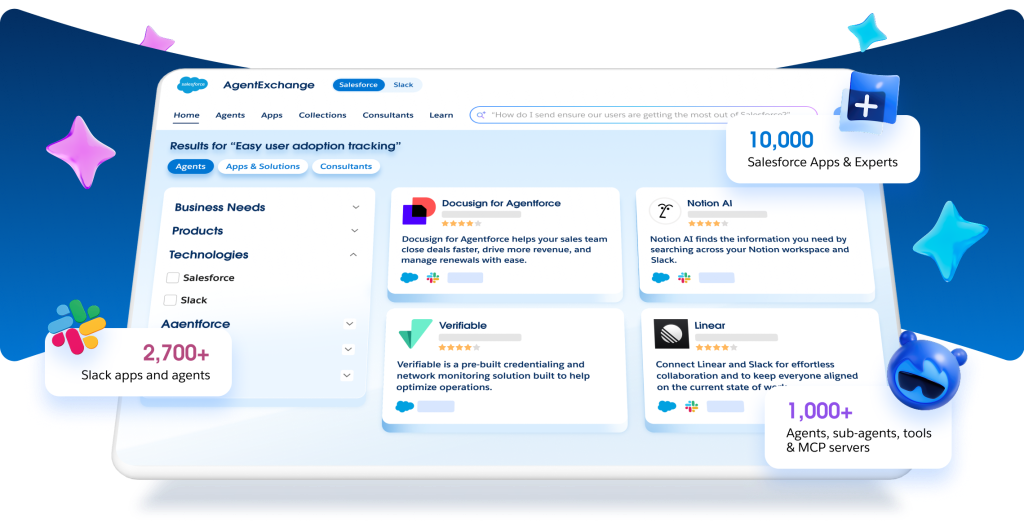
Source: Salesforce
MuleSoft handles complex enterprise integrations with hundreds of pre-built connectors. Native integrations cover Google Workspace and Microsoft Outlook and Teams. The APIs are extensive: REST, SOAP, Bulk, Metadata, Tooling, and Pub/Sub, with Enterprise Edition starting at 100,000 API requests per 24-hour period. If a tool exists in the enterprise stack, Salesforce probably connects to it.
ZoomInfo's App Marketplace lists 120+ partner integrations across CRM, marketing automation, sales engagement, data warehousing, and communications. The native Salesforce integration is the deepest, enriching CRM records and syncing intent signals into sales workflows.
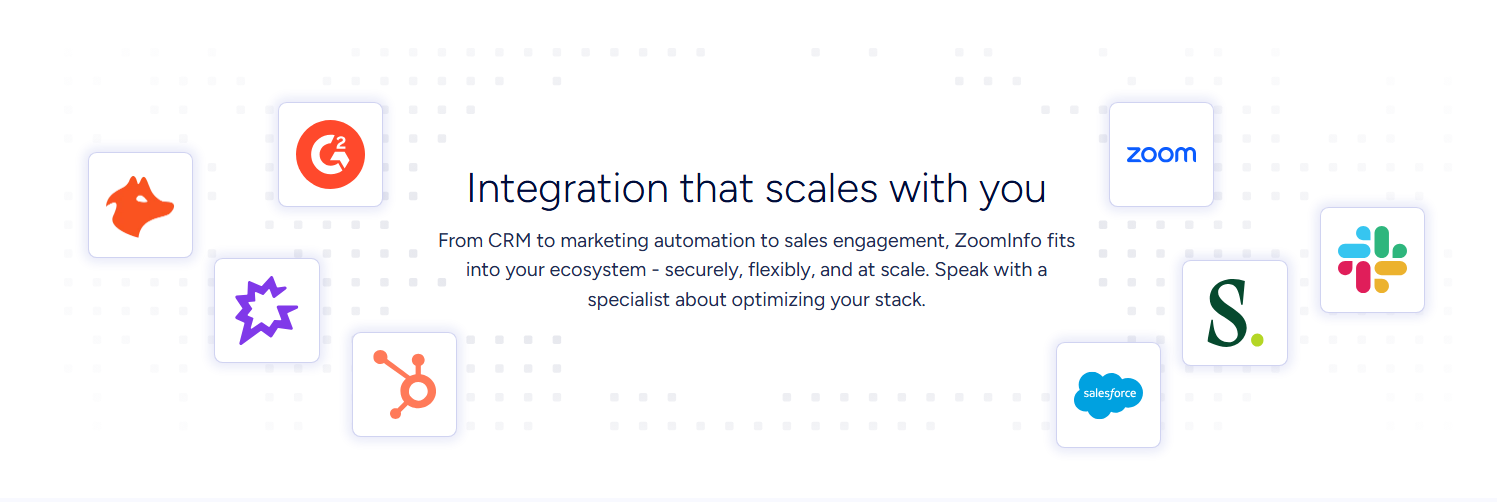
HubSpot and Microsoft Dynamics 365 are also natively supported. For teams that build custom tools, the Enterprise API and MCP server deliver ZoomInfo's data and GTM Context Graph into any AI agent or application, including Claude and ChatGPT. API access is included in all relevant plans.
For Copper users: ZoomInfo doesn't have a direct native Copper integration, but data can flow through Zapier, API connections, or manual export. For Salesforce users: ZoomInfo's native integration is deep and bidirectional, making the combination strong. For a full head-to-head breakdown of how these two platforms stack up on their own, see our Salesforce vs. ZoomInfo comparison.
AI capabilities are at different stages
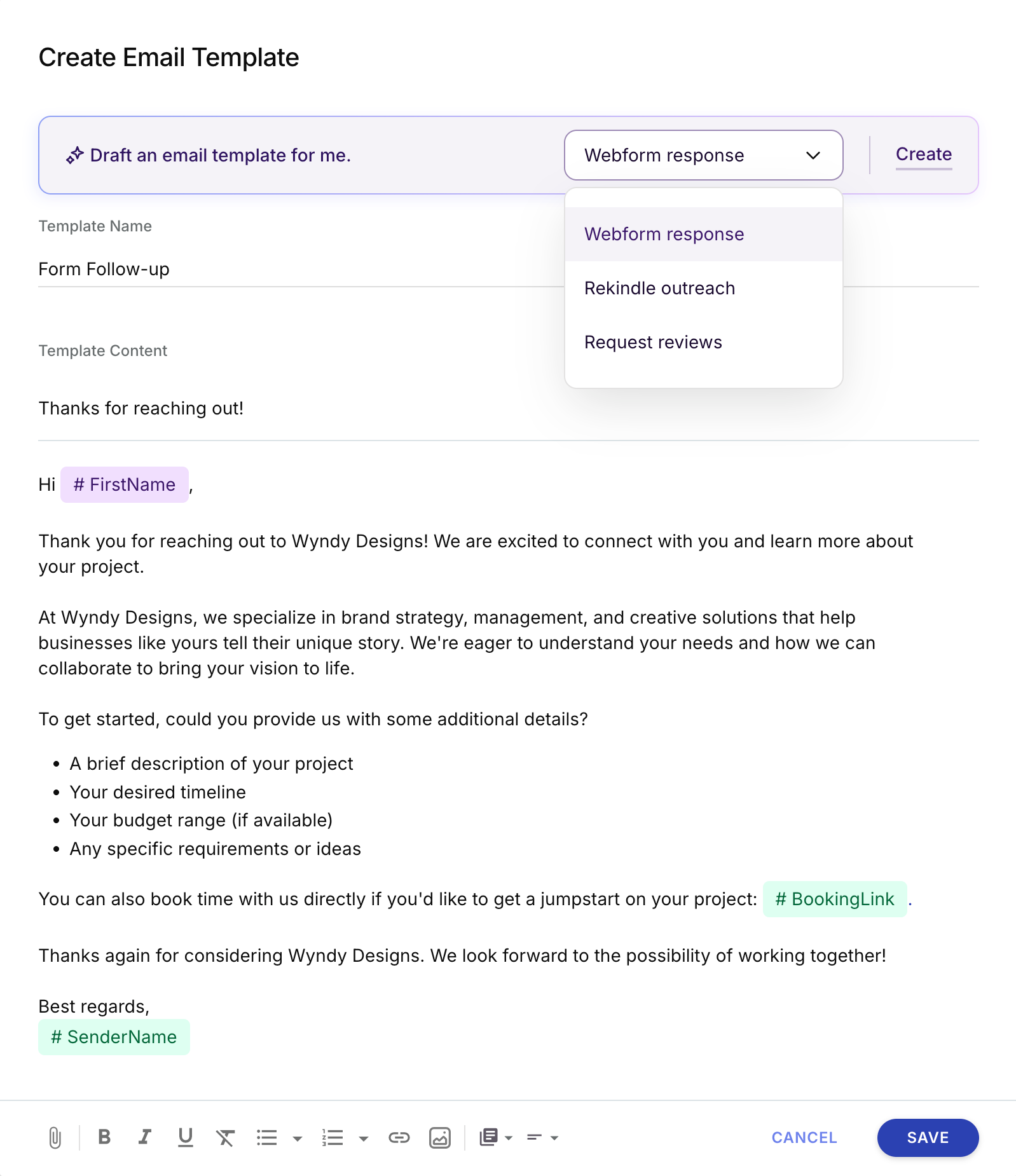
Copper's AI is functional but early. CopperGPT and Copper Magic help with email template generation and rewriting.
Source: Copper
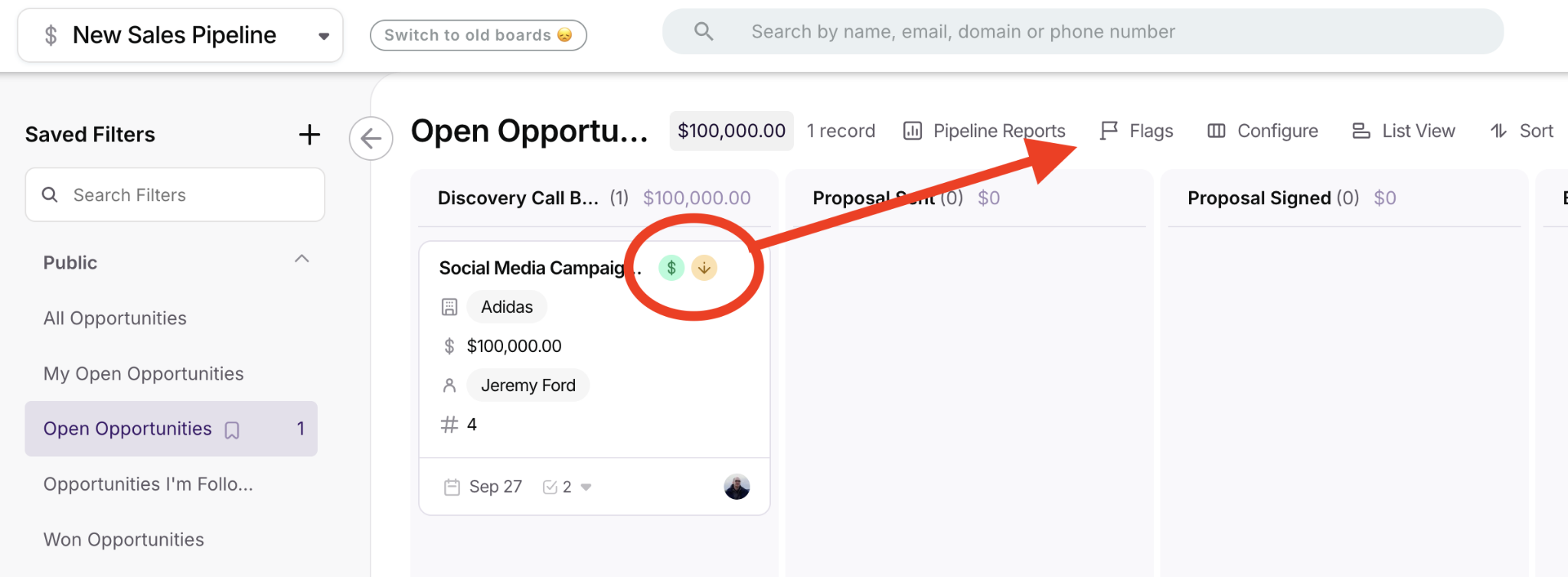
Google Gemini integration enables meeting transcription, email drafting, and relationship summarization. AI-powered pipeline flags surface high-value and slipping deals. These tools help, but there's no AI-driven lead scoring, predictive deal forecasting, or conversation intelligence. AI features are limited to Professional and Business tiers.
Source: Copper
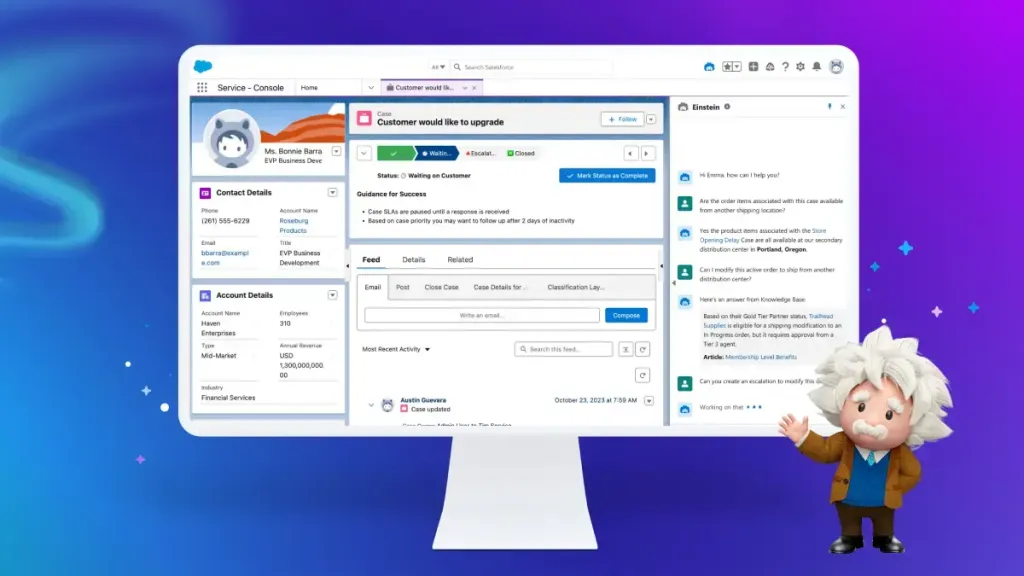
Salesforce's AI is the most ambitious in the CRM market. Agentforce uses the proprietary Atlas Reasoning Engine to run autonomous agents across sales, service, marketing, and commerce. Pre-built agents handle prospecting, lead engagement, sales coaching, and automated quoting.
Source: Salesforce
The Einstein Trust Layer provides zero data retention with LLM partners, PII masking, and toxicity detection. The downside: full AI capabilities require Enterprise edition ($175/user/month) or higher, and Agentforce consumption adds separate costs.
ZoomInfo's AI operates on a different axis. Rather than automating CRM workflows, it provides the intelligence that makes those workflows worth running. The GTM Context Graph connects CRM data, conversation intelligence, and third-party signals to explain deal dynamics.
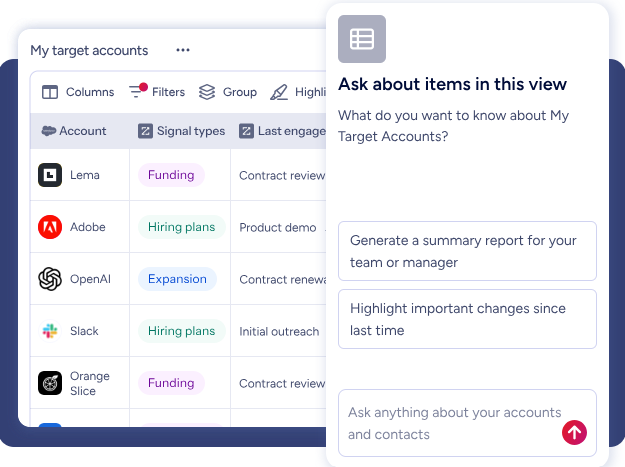
GTM Workspace gives sellers AI-generated account briefs, pre-drafted outreach, and an action feed of in-market buyers matched to target criteria.
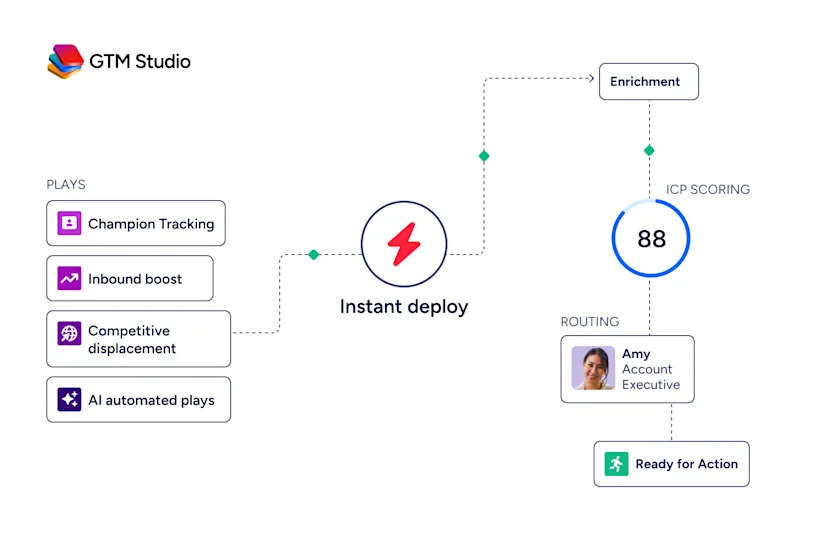
GTM Studio lets marketers and RevOps teams describe audiences in natural language and launch multi-channel plays without engineering tickets. The AI agents are built on Anthropic's Claude and learn from user interactions and market changes.
"ZoomInfo's not just a contact data company anymore. They've built a full system of execution. GTM Intelligence works the list, writes the outreach, triggers the play, and helps drive predictable growth." — Ian Brodie, CEO & Co-Founder, Levanta (Levanta Case Study)
Reporting and analytics compared
Copper offers pipeline summary, revenue projection, sales cycle, activity, and win/loss reporting starting at the Professional tier.
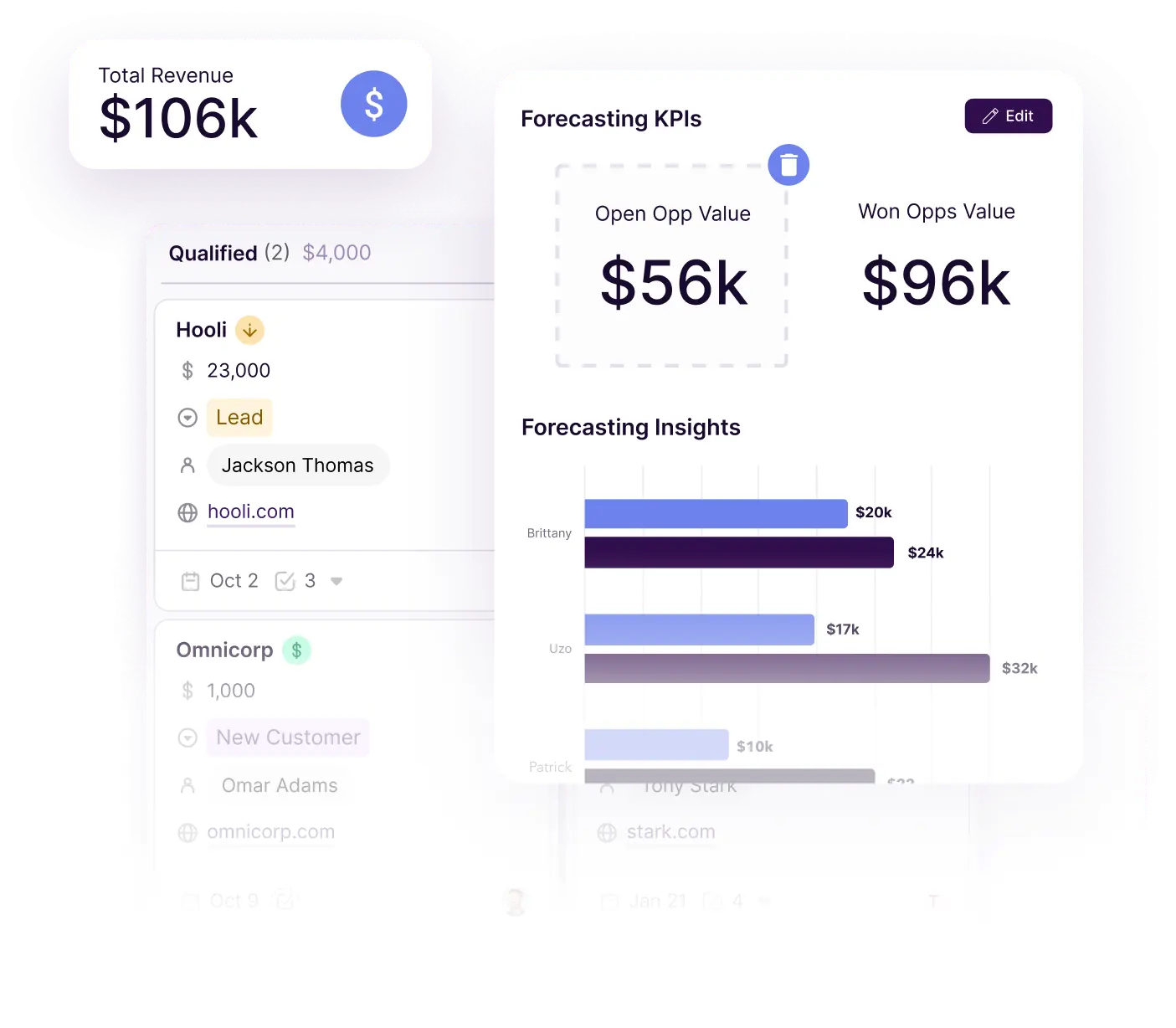
Source: Copper
The Insights Builder on the Business tier lets users create custom dashboards without SQL. Looker Studio integration and a Google Sheets Add-On provide export paths for Google-native teams. The analytics work for small teams tracking pipeline health but lack predictive capabilities.
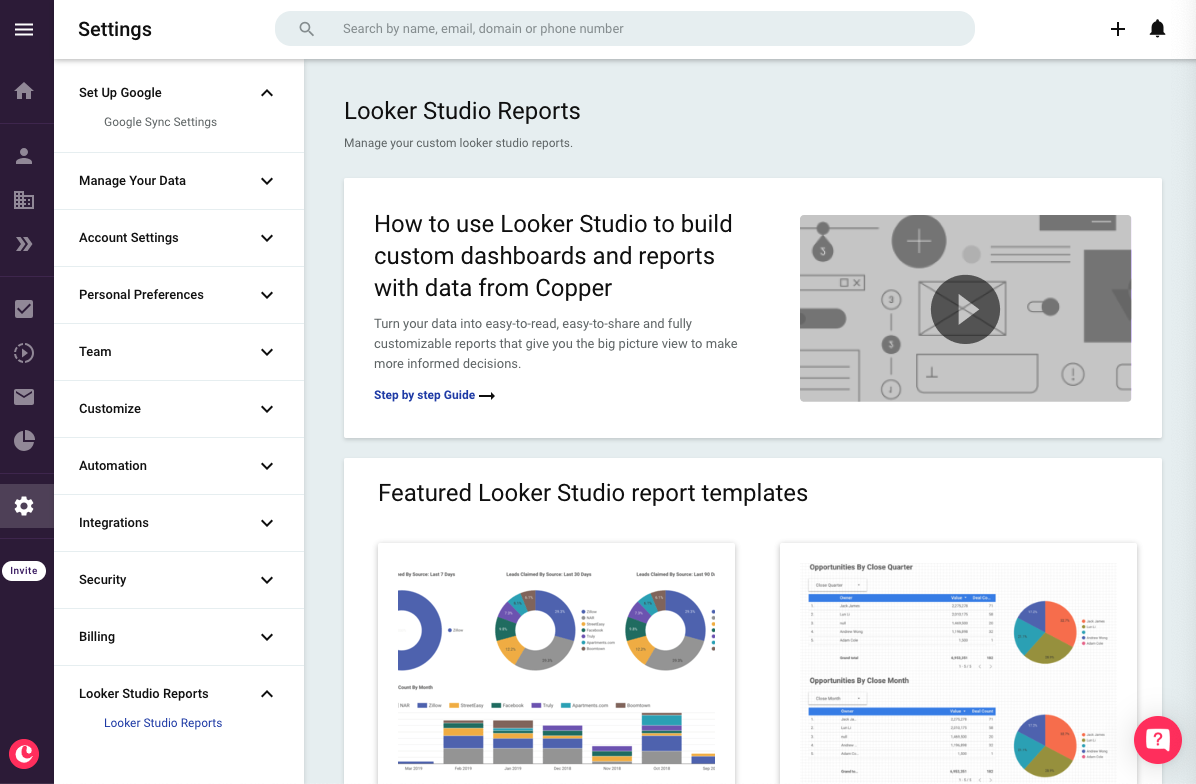
Source: Copper
Salesforce reporting is in a different category. CRM Analytics provides embedded analytics within Salesforce records that increase close rates by 28%.
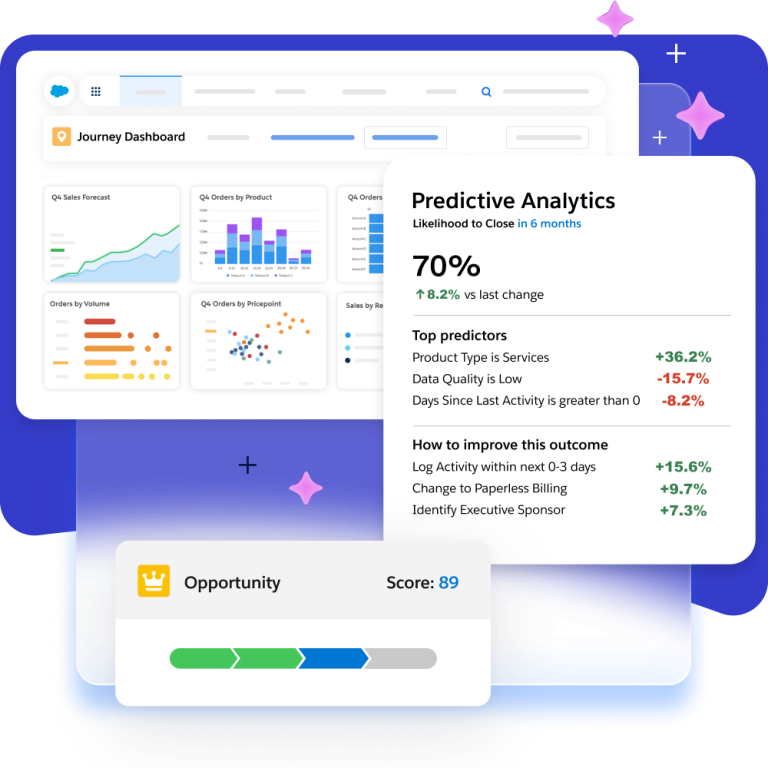
Source: Salesforce
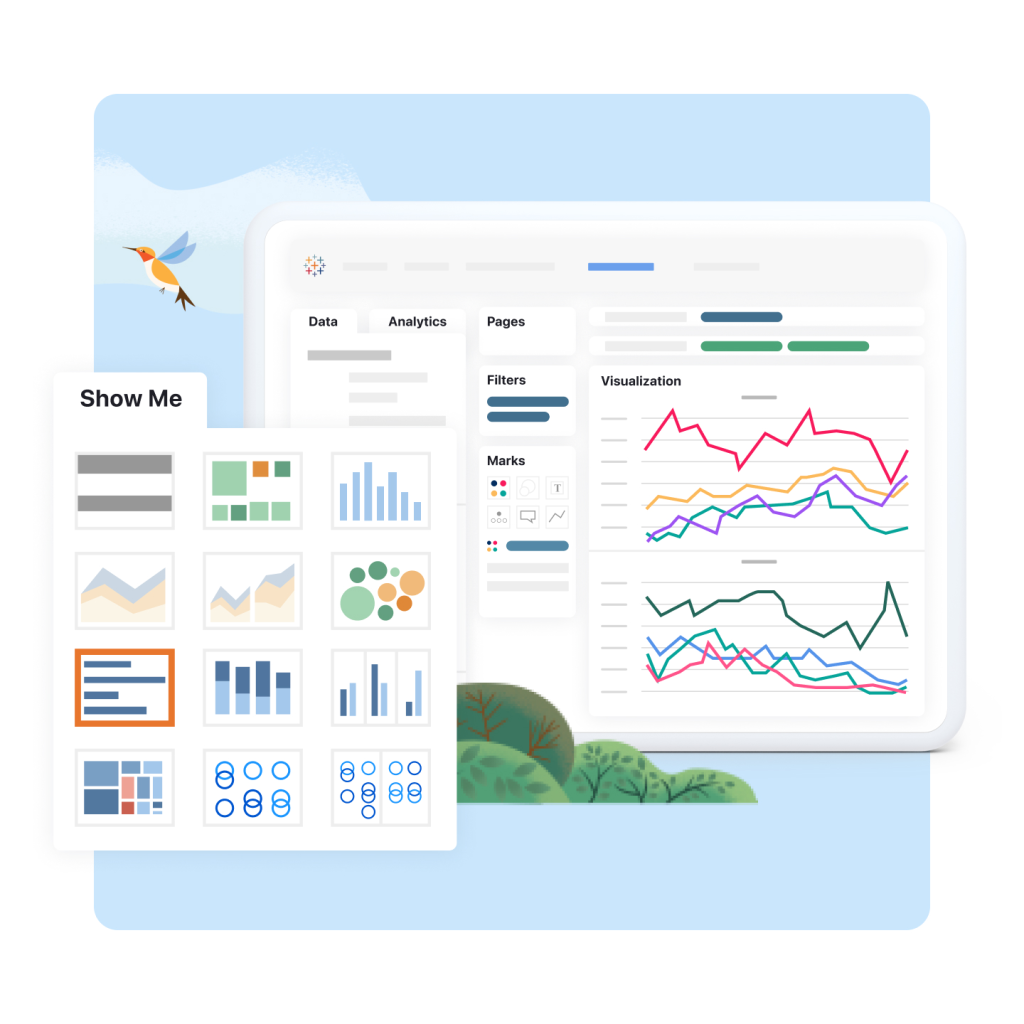
Tableau adds enterprise visualization and agentic analytics. Einstein Forecast overlays AI predictions on pipeline rollups. The depth is unmatched, but accessing it requires higher-tier licenses and often dedicated analysts.
Source: Salesforce
ZoomInfo contributes analytics that neither CRM can generate on its own: market intelligence. Account Fit Scores predict which company attribute patterns lead to conversion.
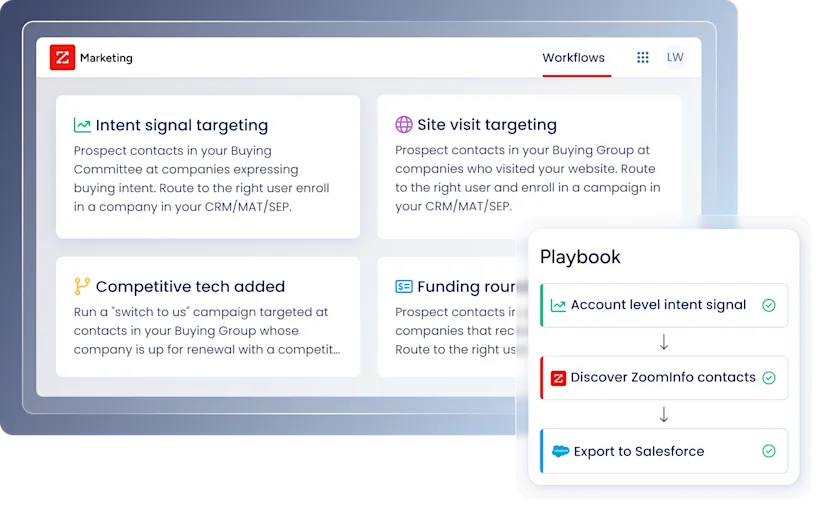
Technographics profile the tech stacks of 30+ million companies across 30,000+ technologies. Intent signals reveal which accounts are in-market before they raise their hand. This external intelligence gives pipeline reports context that internal CRM data alone cannot provide.
Copper vs. Salesforce vs. ZoomInfo: Which should you choose?
The right answer depends on the size of your team, the complexity of your sales process, and whether you need a CRM, an intelligence platform, or both.
Choose Copper if:
Your team is 5-50 people and runs entirely on Google Workspace
You need a CRM that's operational in days, not months
Client delivery and project management matter as much as deal tracking
Your sales process is relationship-driven with simple pipeline stages
You want an affordable CRM that lives inside Gmail
Choose Salesforce if:
You need enterprise CRM with dedicated administration
Your organization spans sales, service, marketing, and commerce
AI-powered autonomous agents and automation are priorities
You require industry-specific workflows and compliance features
Your team can invest in implementation for long-term platform value
Add ZoomInfo to either CRM if:
You need verified contact data and direct dials for your target accounts
Buyer intent signals would change how your team prioritizes outreach
Your CRM data is incomplete, stale, or limited to contacts you've already met
You want AI that tells you who to call and why, not just what happened after the call
You're ready to move from recording relationships to finding the right ones
See how ZoomInfo's intelligence layer transforms your CRM with a free trial.
A CRM tracks your customer relationships. ZoomInfo tells you which relationships are worth building next. The most effective B2B teams don't choose between the two. They use a CRM to manage the deals they're working and ZoomInfo to make sure they're working the right deals.
"ZoomInfo is our one source of truth for account data, and even more so for contact data. There's no other provider in the market that provides you with that level of detail." — Thor Sanderson, Senior Manager of Sales Technology Enablement, Smartsheet (Smartsheet Case Study)
Copper vs. Salesforce vs. ZoomInfo FAQ
What is the main difference between Copper, Salesforce, and ZoomInfo?
Copper is a CRM for small service businesses on Google Workspace, with native Gmail integration and built-in project management. Salesforce is the largest enterprise CRM platform, offering sales, service, marketing, commerce, and AI agent capabilities across a unified data model. ZoomInfo is not a CRM. It is a B2B data and go-to-market intelligence platform with 500M contacts, buyer intent signals, and an AI-powered GTM Context Graph. ZoomInfo works alongside either CRM to provide data and intelligence that CRMs don't generate on their own.
Is Copper (ProsperWorks) still available, or has it been discontinued?
Copper is actively developed and marketed. The company rebranded from ProsperWorks to Copper in July 2018 when the product had grown to 12,000 customers across 110 countries. The platform continues to receive regular product updates, including AI features, LinkedIn integration improvements, and project management enhancements through 2025 and 2026.
Which platform is cheapest for a small team?
Copper starts at $23/user/month (annual billing), but most growing teams will need the Professional plan at $59/user/month for more advanced CRM capabilities. Salesforce offers a Free Suite for up to 2 users and a Starter Suite at $25/user/month, though many organizations eventually move to Pro Suite or Enterprise. ZoomInfo Lite is a permanent free tier with 10 monthly export credits and access to the B2B database, while paid plans are custom-quoted.
Can I use ZoomInfo with Copper?
ZoomInfo does not have a direct native integration with Copper. Data can flow between the platforms through Zapier workflows, API connections, or manual export/import. ZoomInfo's native integrations are with Salesforce, HubSpot, and Microsoft Dynamics 365. Teams using Copper can still use ZoomInfo for prospecting, contact enrichment, and intent monitoring alongside their CRM.
Which platform has better AI capabilities?
Each platform applies AI to different problems. Salesforce has the most advanced CRM-native AI through Agentforce, with autonomous agents handling prospecting, quoting, case resolution, and coaching. Copper offers early-stage AI for email drafting and meeting transcription through Google Gemini. ZoomInfo's AI operates on the data and intelligence layer: its GTM Context Graph connects CRM data, conversation intelligence, and third-party signals to surface why deals move, which accounts to prioritize, and what to say when you reach out.
Does Copper work with Microsoft Outlook?
No. Copper is built exclusively for Google Workspace. Its core value (the Chrome Extension sidebar in Gmail, automatic email sync, Google Calendar integration, Google Drive file linking) requires Gmail. Teams using Microsoft 365 or Outlook would not get comparable functionality and should evaluate Salesforce (which integrates with both Gmail and Outlook) or other CRMs with Microsoft integration.
How does Salesforce compare to Copper for a 10-person service business?
For a 10-person service business on Google Workspace, Copper is likely the better fit. Setup takes days rather than months, the Gmail integration eliminates context-switching, and the built-in project management bridges sales and delivery. Salesforce offers far more capability but requires trained administrators, longer implementation, and higher costs. A 10-person team on Salesforce Enterprise would pay $1,750/month in licensing alone versus roughly $590/month on Copper Professional.
What does ZoomInfo's buyer intent data actually do?
ZoomInfo tracks when companies are researching topics related to your product by analyzing signals from 210 million IP-to-Organization pairings and 6 trillion+ keyword-to-device pairings monthly. Guided Intent (exclusive to ZoomInfo) identifies the research topics that historically correlate with your closed-won deals. Combined with verified contact data for the decision-makers at those companies, this lets sales teams engage accounts during active buying research rather than relying on cold outreach or waiting for inbound interest.
