

Read.ai is a cross-platform AI meeting agent that captures, summarizes, and searches everything that happens in meetings, email, and messaging, then acts on it through a personal AI proxy called Ada.
The platform spans Zoom, Google Meet, Microsoft Teams, Slack, Gmail, and Outlook from a single account. It covers meeting transcription and reports, real-time coaching, enterprise search across every connected tool, email and messaging intelligence, and an AI Digital Twin that handles scheduling and follow-ups on your behalf. This breakdown covers every feature, how it works, who it serves, and which plan unlocks it.
Read.ai's feature set has you covered if:
You attend four or more hours of video calls per day across Zoom, Google Meet, and Teams and need automated summaries, action items, and transcripts from all of them in one place
You want a personal AI search engine that queries your meetings, emails, Slack messages, CRM records, and documents in a single natural-language prompt
You need speaker coaching that tracks your talk-to-listen ratio, filler words, and engagement trends across every meeting without separate practice sessions
You want a Digital Twin that schedules meetings, answers questions, and drafts email responses on your behalf while you're offline or in another meeting
You need HIPAA-compliant meeting intelligence for healthcare or education environments
You manage a distributed team and want workspace-level benchmarks, permissions, and custom branding for your AI meeting assistant
You'll reach the edges of its capabilities if:
You need a B2B contact and company database to identify who you should be meeting with in the first place
You want buyer intent signals showing which companies are researching your category before any conversation happens
You need conversation intelligence that auto-populates CRM deal fields, extracts sales methodology data, and scores deal health from call recordings
You want to identify the specific companies or people visiting your website and route them to sales in real time
For those needs, the reference point is ZoomInfo: a GTM platform built on 500M contacts, 100M companies, 135M+ verified phone numbers, and 200M+ verified business email addresses, a GTM Context Graph that fuses B2B data with CRM records, conversation intelligence, and behavioral signals into a single intelligence layer, and access through APIs, MCP, GTM Workspace, and GTM Studio.
After the feature breakdown, this article covers where Read.ai stops and how ZoomInfo fills those gaps.
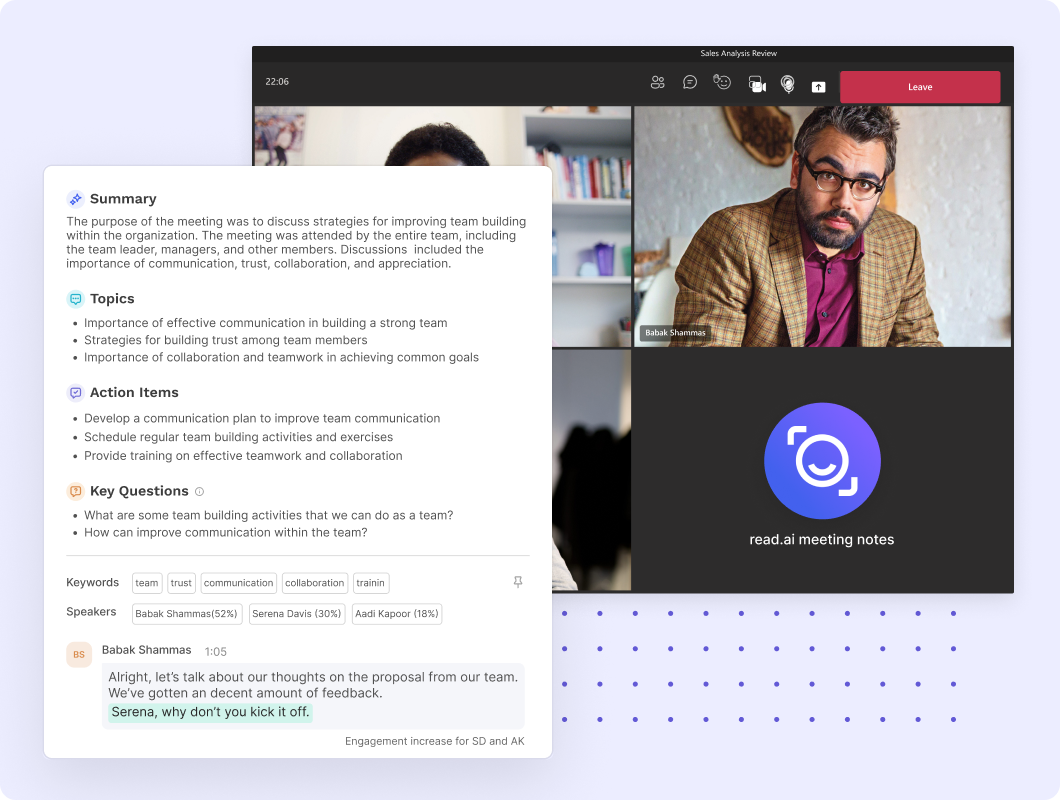
Read.ai Platform Overview
Source: Read.ai
Read.ai was founded in 2021 in Seattle by the team behind Placed (acquired by Snapchat in 2017, later spun out as Foursquare). The platform targets knowledge workers across sales, customer success, recruiting, product management, and executive leadership who spend significant time in video calls, email threads, and messaging channels.
Named customers include Zoom, HubSpot, and a range of universities and school districts. As of February 2026, the platform reports 5 million+ monthly active users and holds SOC 2 Type 2, GDPR, and HIPAA compliance certifications.
The platform is organized around seven capability areas:
Module | What It Does | Plan |
|---|---|---|
Automated summaries, action items, speaker-attributed transcripts, and engagement analytics | Free (5/month), unlimited on Pro+ | |
Cross-platform AI search across meetings, email, Slack, CRM, and documents | All plans (unlimited searches) | |
AI proxy that schedules meetings, drafts email replies, and answers questions on your behalf via email | All plans (free) | |
Private communication coaching tracking clarity, inclusion, and impact across meetings | All plans | |
AI-generated topic digests, action items, and Q&A from Gmail and Outlook | All plans | |
AI summaries and action items from Slack and Microsoft Teams channels | All plans | |
Enterprise team management with benchmarks, permissions, custom branding, and SSO | Pro+ (SAML/SCIM on Enterprise+) |
Read.ai uses a per-seat, per-month model across four tiers: Free ($0), Pro ($15/seat/month annual), Enterprise ($22.50/seat/month annual), and Enterprise+ ($29.75/seat/month annual, 5-seat minimum). Zoom Essential Apps users on Zoom One Pro, Business, or Business Plus get free premium features through the partner program. With that structure in place, here is the full tour.
Read.ai Meeting Capture and Transcription
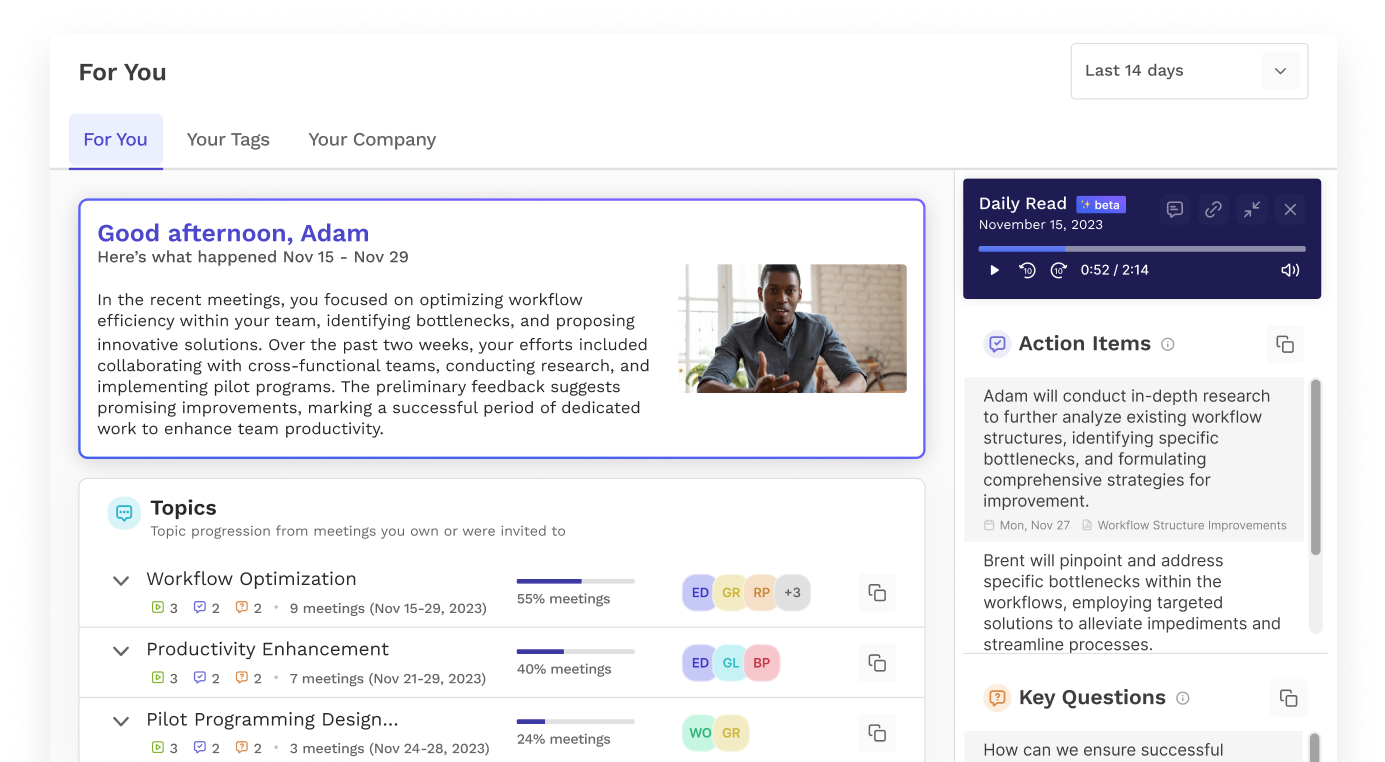
Meeting capture is the foundation everything else builds on. Read.ai joins meetings as an AI bot participant on Zoom, Google Meet, or Microsoft Teams, captures audio, and matches speech to individual participants in real time to produce a speaker-attributed transcript.
Source: Read.ai
On Google Meet, Read.ai also supports a botless mode (launched March 2026, first-to-market on Google's Meet Media API) that captures meetings without a visible bot joining the call. Zoom and Teams still use the visible bot participant by default.
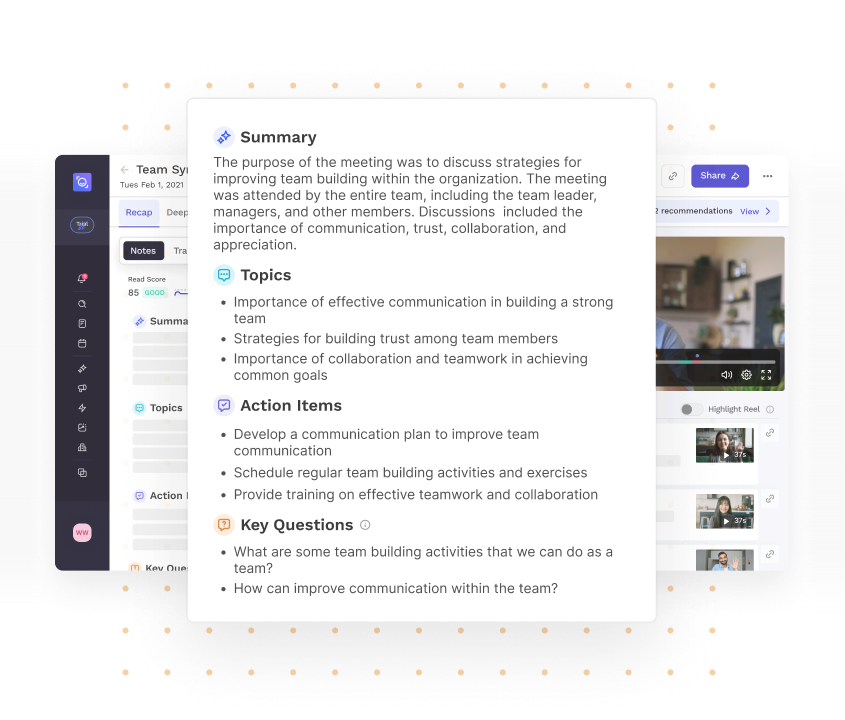
Once a meeting ends, Read.ai processes the transcript to produce a Meeting Report: a summary, topical chapters for navigation, a list of action items, and key questions raised. Reports land in the user's inbox automatically.
The free plan includes 5 meeting transcripts per month capped at 1-hour meetings; Pro and Enterprise plans remove the transcript cap and extend meeting length to 4 hours (Enterprise+ to 8 hours).
Transcription 2.0 goes beyond raw dialogue by overlaying audience reaction signals. Read.ai measures verbal and non-verbal cues from participants and attaches positive and negative sentiment markers to specific statements, flagging moments that drove unusually high engagement or strong reactions.
Source: Read.ai
The transcript becomes a document where you can see not just what was said, but which statements landed and which fell flat. Transcription covers 16+ languages: Arabic, Chinese (Cantonese and Mandarin), Danish, Dutch, English, Finnish, French, German, Hindi, Italian, Japanese, Norwegian, Portuguese, Russian, Spanish, and Swedish.
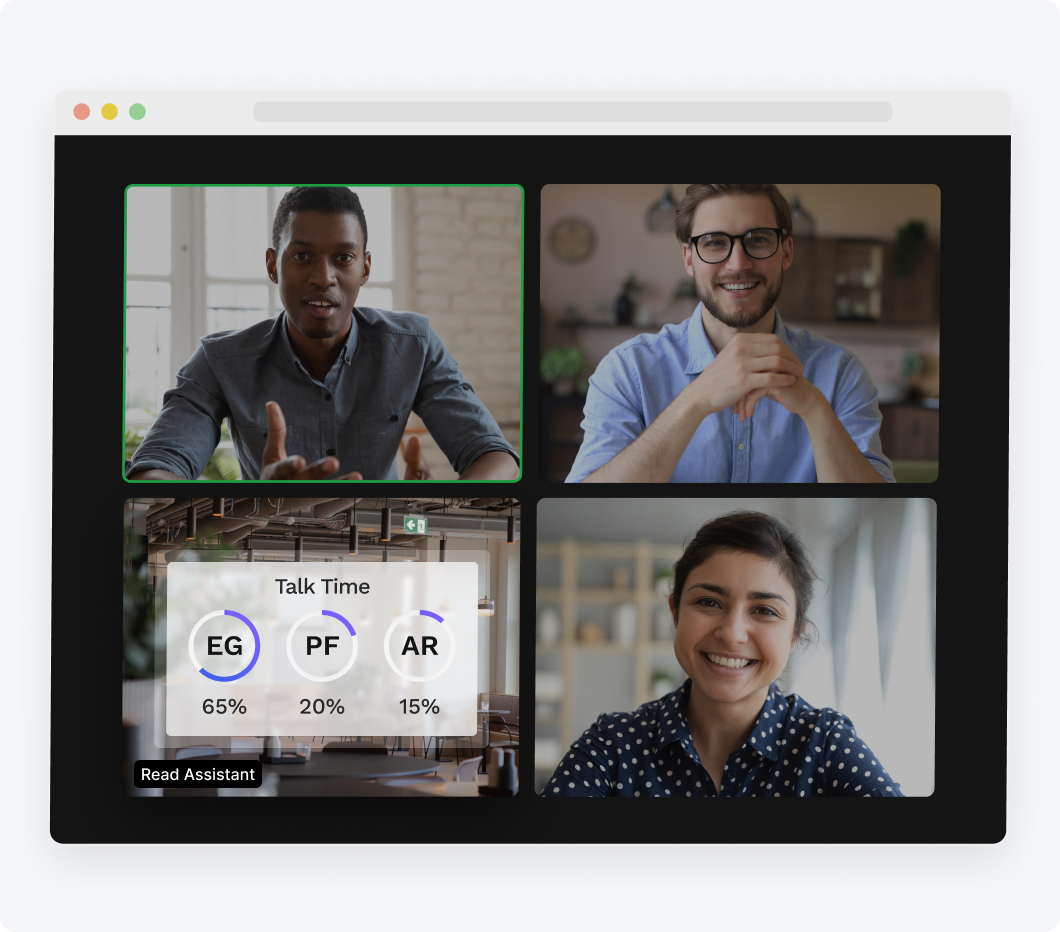
During the meeting, the Meeting Assistant surfaces a live dashboard showing talk time, a meeting timer, an engagement meter, and a running summary and transcript.
Source: Read.ai
Participants can star notable quotes in the live view, type their own notes alongside the AI-generated ones, and share live notes with others in the meeting. Before recurring meetings, Read.ai surfaces a recap of the last session including action items and key questions.
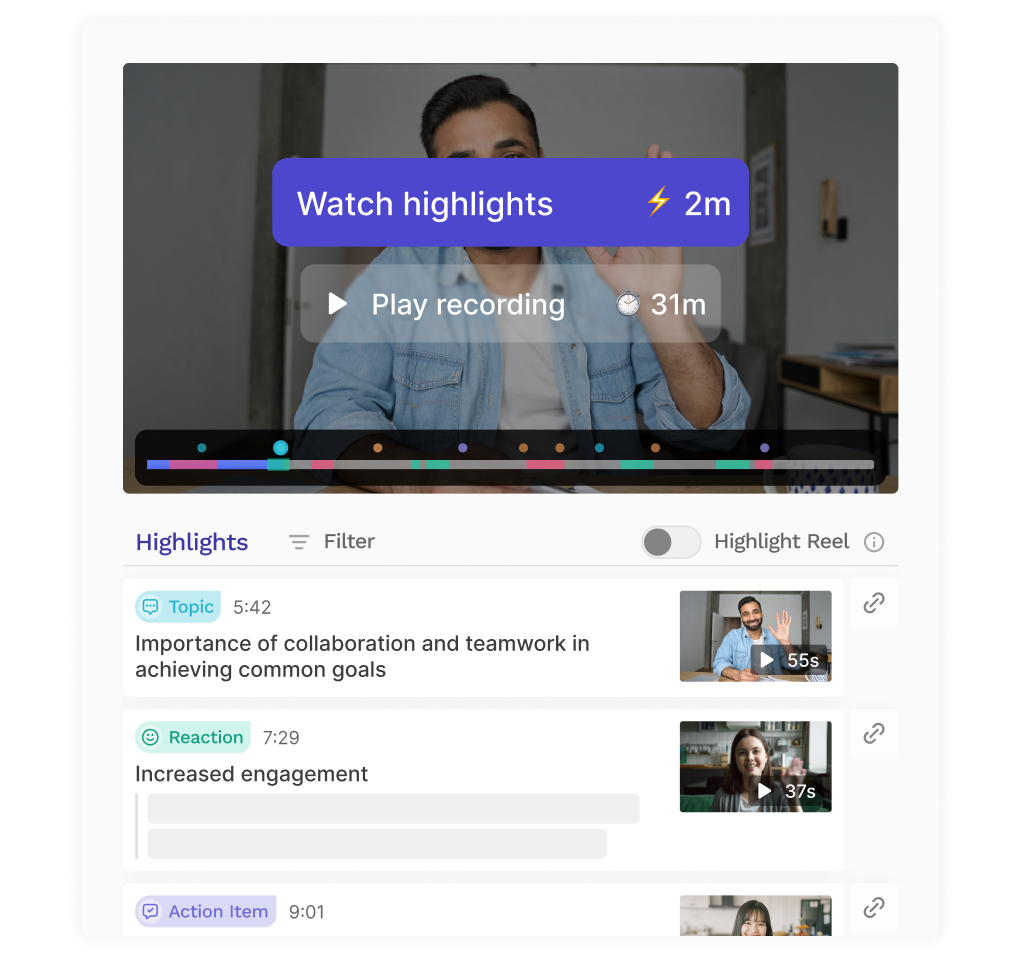
Playback generates three viewing formats for catching up on meetings you missed: a 30-second Trailer, a 2-minute Highlights reel, and full recording playback with transcript, sentiment markers, and key moments annotated alongside the video.
Source: Read.ai
The highlight reel selects moments based on audience reactions, topic transitions, action items, and key questions, compressing a 60-minute meeting into a 2-minute watch. Playback is available on Enterprise plans and above.
The platform also captures conversations outside scheduled video calls. The Read.ai mobile app (iOS 17.5+ and Android 12+) transcribes and summarizes in-person conversations via a single tap, supporting sessions up to four hours.
The desktop app (Windows 10+ and macOS 14+ Sonoma) enables botless capture of Slack Huddles, in-person conversations, and any audio source.
File Uploads let users upload their own audio or video recordings to generate a full meeting report (Pro: 100 min/month, Enterprise: 200 min/month, Enterprise+: 300 min/month). Custom assistant branding lets organizations rename the Read.ai bot and add a custom logo (Zoom only).
Read.ai Speaker Coach
Source: Read.ai
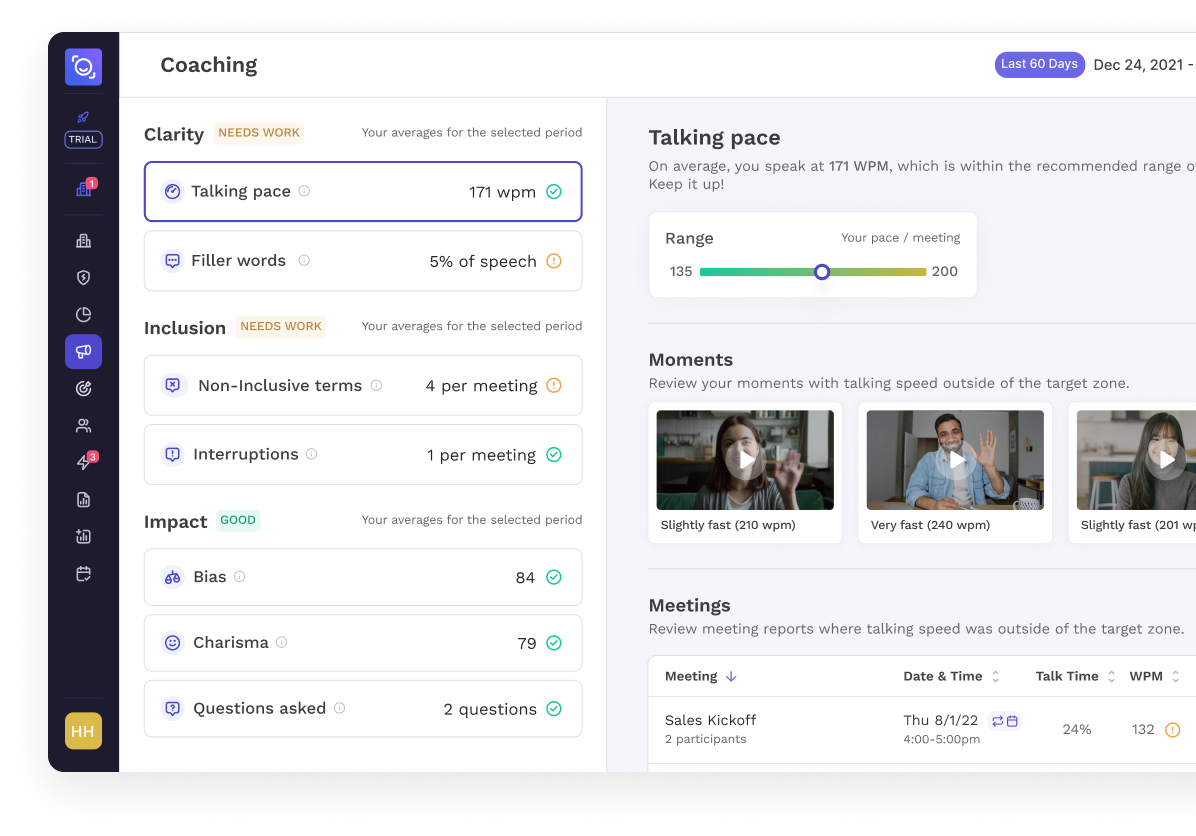
Speaker Coach runs in the background across all of a user's meetings, accumulating data to produce personalized coaching reports. It tracks three dimensions:
Clarity: talking speed and filler word frequency
Inclusion: talk-to-listen ratio and talk time balance across participants
Impact: charisma and bias indicators
Reports show how these metrics trend over time, so users can see whether they are improving. The coaching is private by design: managers cannot view individual coaching reports, making it a professional development tool that does not require organizational surveillance.
This is a structural distinction from coaching tools embedded in sales platforms, which are typically manager-facing. Speaker Coach is available on all plans, including free.
Read.ai Ask Read: Cross-Platform AI Search
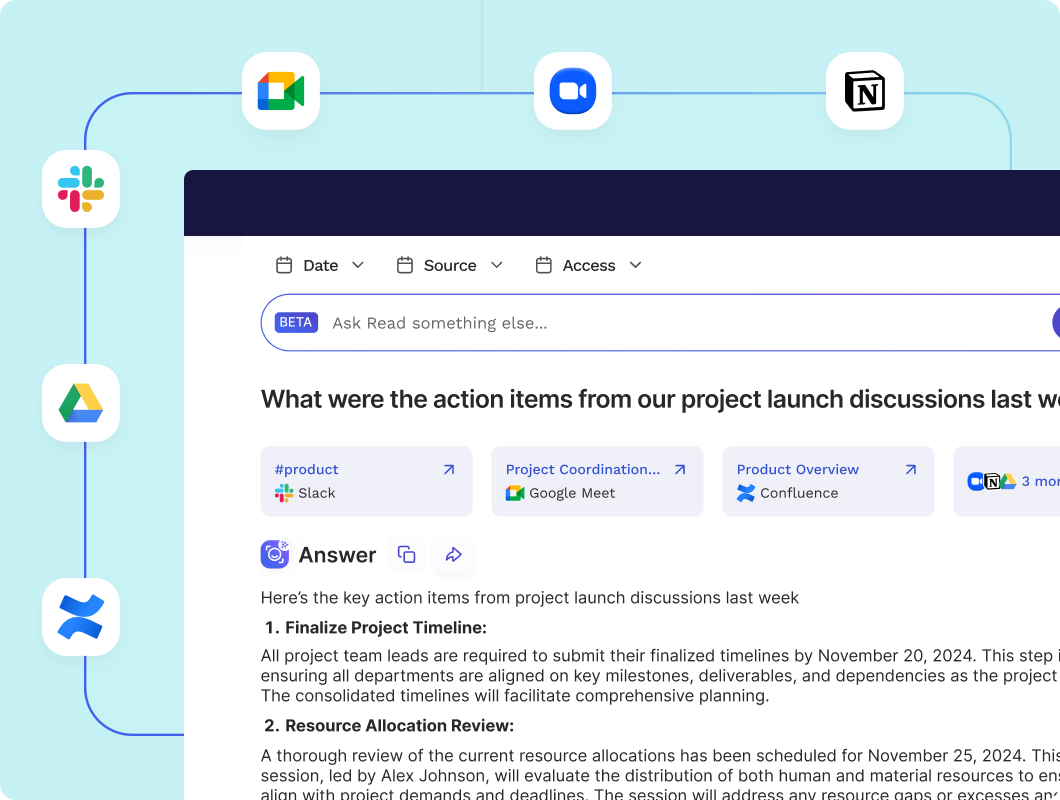
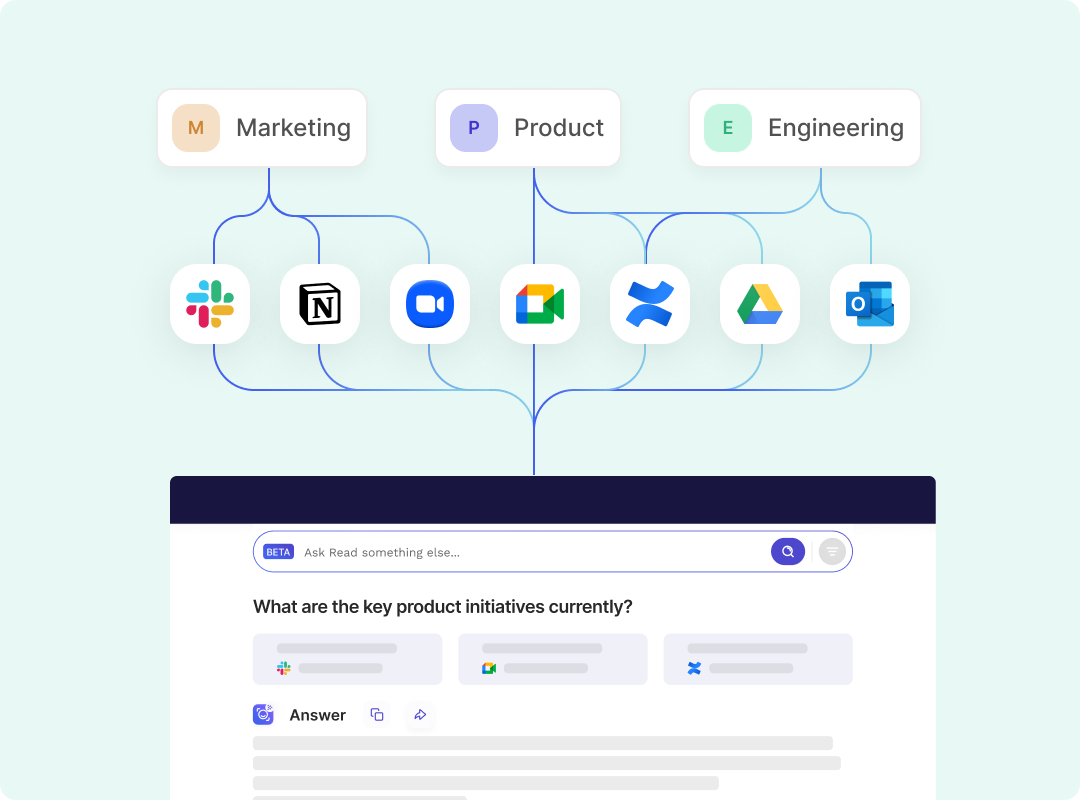
Ask Read is Read.ai's AI search engine. It connects to a user's meetings, email, chat, cloud documents, CRM records, and knowledge bases, then answers natural-language questions by synthesizing information across all of them.
Source: Read.ai
The search uses Retrieval-Augmented Generation (RAG): Ask Read retrieves and ranks relevant data across all connected sources, then uses a large language model to generate a context-aware response. Every answer includes inline citations and direct links to the specific meeting, email, or document where the information appeared, so users can verify against the original source.
Connected sources span the full work surface:
Meetings: Zoom, Google Meet, Microsoft Teams
Email: Gmail, Outlook
Chat: Slack, Microsoft Teams
Knowledge bases: Notion, Confluence, SharePoint
Cloud storage: Google Drive, OneDrive
CRM: Salesforce, HubSpot
On paid plans, users can switch to premium models, accessing Claude (Anthropic) or ChatGPT (OpenAI) within the search interface for general-knowledge queries. Filters by date, source, and access level allow scope narrowing.
Multiplayer mode enables team-level search: when team members share meeting reports within a Workspace, Ask Read draws on collective knowledge for richer answers. Content is shareable with specific individuals, a defined group, or the entire workspace, and nothing is searchable by others unless explicitly shared. Ask Read is available on every plan, including free, with unlimited searches.
Source: Read.ai
Read.ai Digital Twin (Ada)
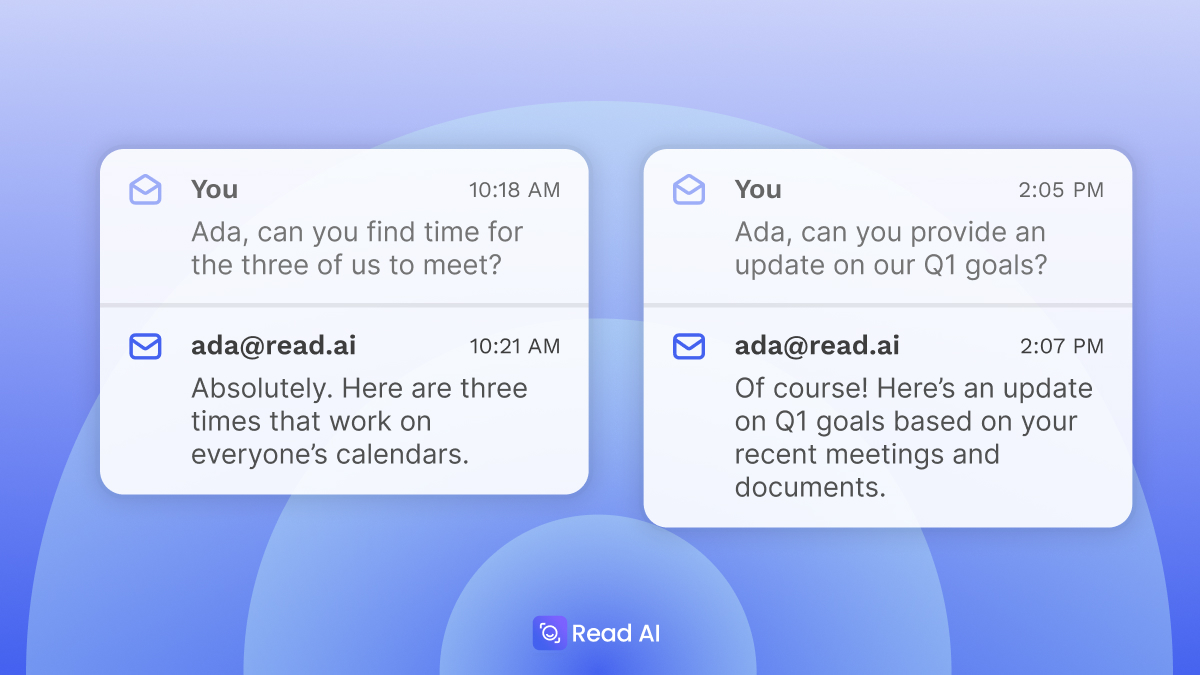
Ada is Read.ai's Digital Twin, a personal AI agent that works on a user's behalf through email. Ada operates entirely inside email: the entry point is cc'ing ada@read.ai on any email thread.
Source: TechCrunch
Ada reads the conversation, pulls context from the user's connected knowledge sources (averaging 35.7 million tokens of context per user across 20+ integrations), and takes action.
Scheduling is Ada's most autonomous capability. Add ada@read.ai to an email thread asking it to "find a time," and Ada checks everyone's availability and time zones, proposes options, and handles back-and-forth until the meeting is confirmed. Read.ai estimates this replaces up to 8 hours per week of coordination.
For knowledge answers, Ada surfaces information from the connected knowledge base plus the public internet, then moves the conversation to a private thread with the user via a mechanism called the sidebar. The user reviews Ada's proposed draft and approves it before anything goes out.
This is a deliberate design choice: automation with human oversight for anything that could be sensitive.
Ada also handles out-of-office coverage (cc ada@read.ai in an auto-reply and it drafts responses to incoming messages), post-meeting follow-through (schedules next steps, sends invites, resolves calendar conflicts), proactive topic tracking (delivers scheduled updates to the user's inbox), and CRM updates (suggests and applies updates based on meetings, emails, and messages).
Ada operates in over 20 languages and runs 24/7.
To guard against impersonation, Ada verifies email identity using SPF, DKIM, and DMARC and only accesses data when the user is an authenticated participant on the thread. Anyone on a thread can interact with Ada without installing anything, including people who are not Read.ai customers.
Enterprise customers can brand Ada with a custom name and company domain for white-labeling.
Ada launched in February 2026 as a free feature for all users.
Read.ai Email and Messaging Intelligence
Read.ai extends its summarization engine beyond meetings into the two other channels where work happens: email and messaging.
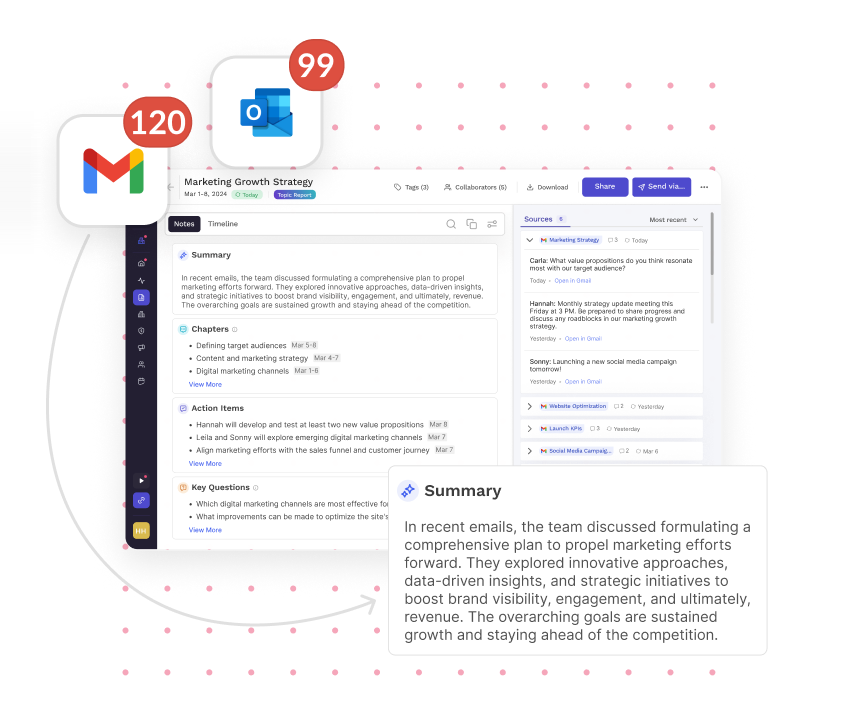
Email Summaries connects to Gmail or Outlook via OAuth. Once connected, Read.ai analyzes incoming messages, organizes them by topic, generates summaries across email clusters, identifies key questions, derives answers from email content, and updates a to-do list.
Source: Read.ai
A source citations panel lets users click any action item and jump to the specific email that generated it.
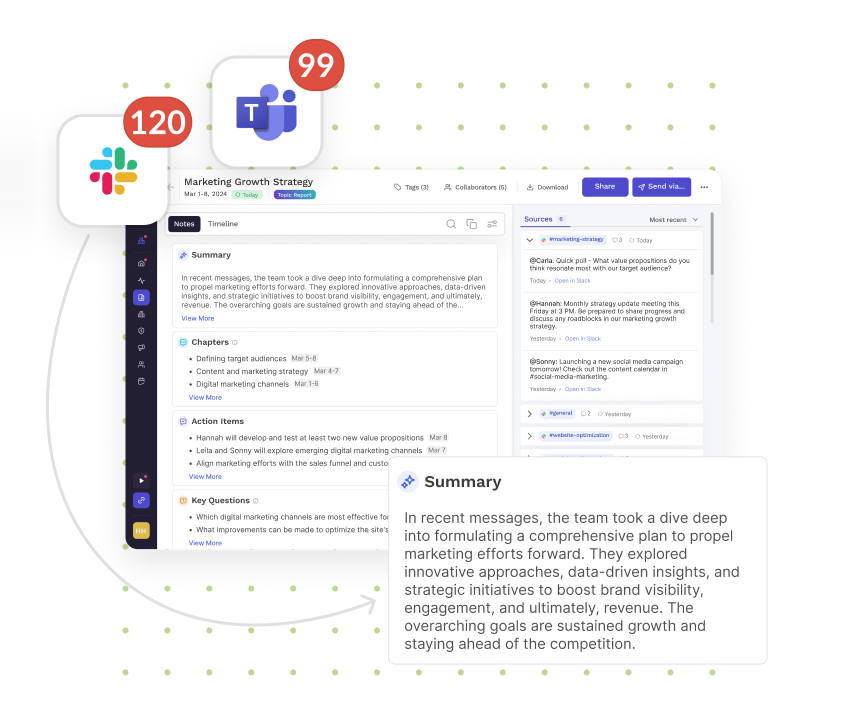
Messaging Summaries connects to Slack and Microsoft Teams. Read.ai analyzes messages across channels and threads, produces AI-generated summaries, identifies questions surfaced across conversations, and maintains a real-time action item list consolidated across channels, threads, and DMs. Each finding links back to the specific Slack or Teams message where it originated.
Source: Read.ai
The practical value is consistency: a project discussion might span a Slack channel, a DM, a follow-up email, and a meeting. Read.ai pulls action items from all of these into a single live list rather than forcing the user to check four different surfaces. Both email and messaging summaries are available on all plans, including free.
Read.ai Workspaces and Enterprise Controls
Source: Read.ai
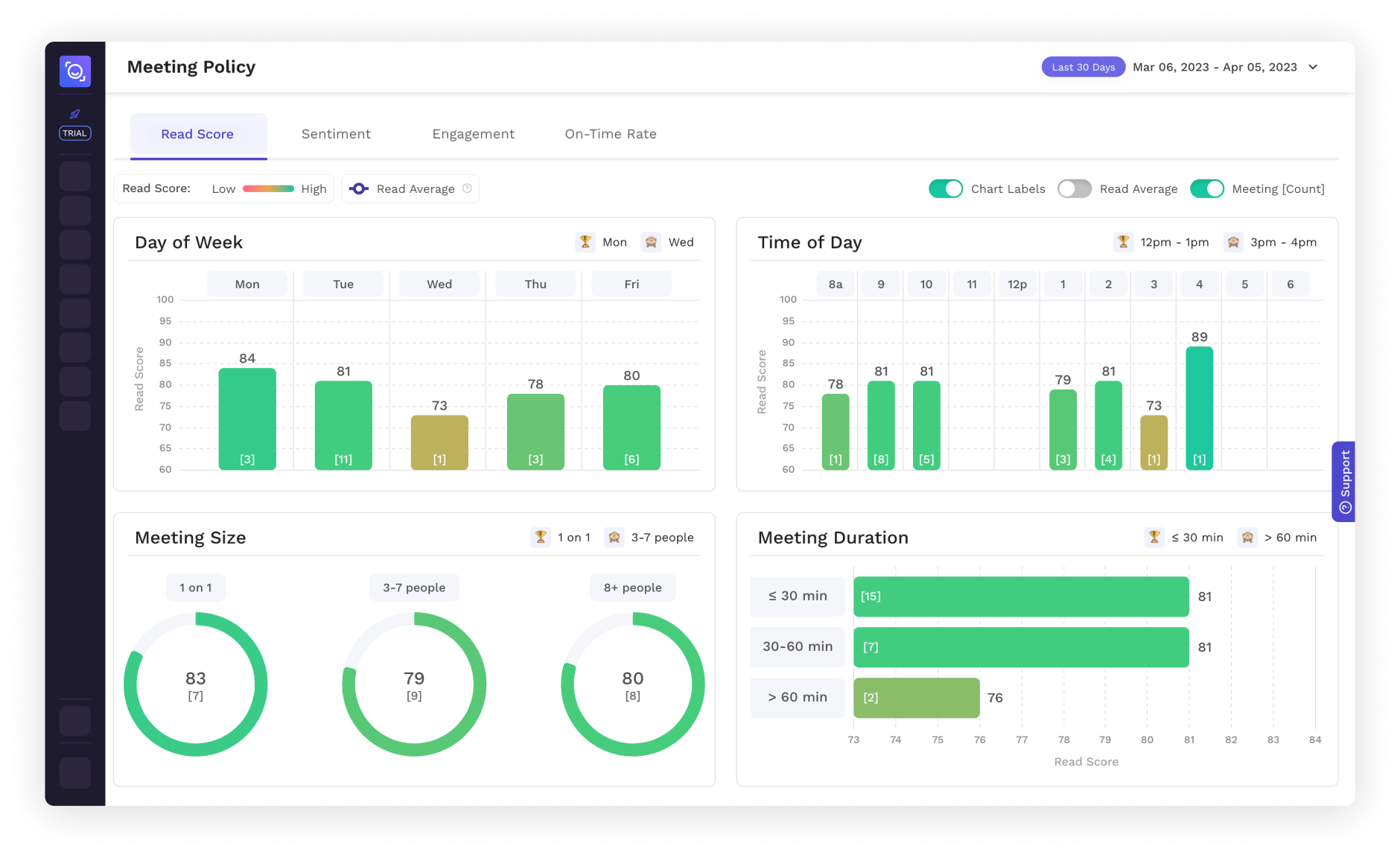
Workspaces is Read.ai's team and enterprise management layer. The Workspace owner manages billing centrally for all members, and all licenses within a Workspace must be on the same plan. Admins configure three areas:
Benchmarks: aggregate meeting metrics across teams to identify trends and compare performance
Permissions: control which reports and metrics are visible at company, team, and individual levels
Branding: replace Read.ai's default bot identity with the organization's name and logo in video calls
Meeting Recommendations analyze meeting patterns and suggest optimizations: fewer attendees, higher engagement, and better outcomes.
For You Insights rank topics based on each user's meeting engagement (Pro and above).
Enterprise+ plans unlock the full administrative toolkit: Domain Capture (automatically brings all users on a company domain under the Workspace), SAML and SCIM for SSO and automated user provisioning, custom data retention policies, and a specialist-led Workspace Onboarding session. Workspaces are available on Pro plans and above.
Read.ai Integrations, API, and Developer Access
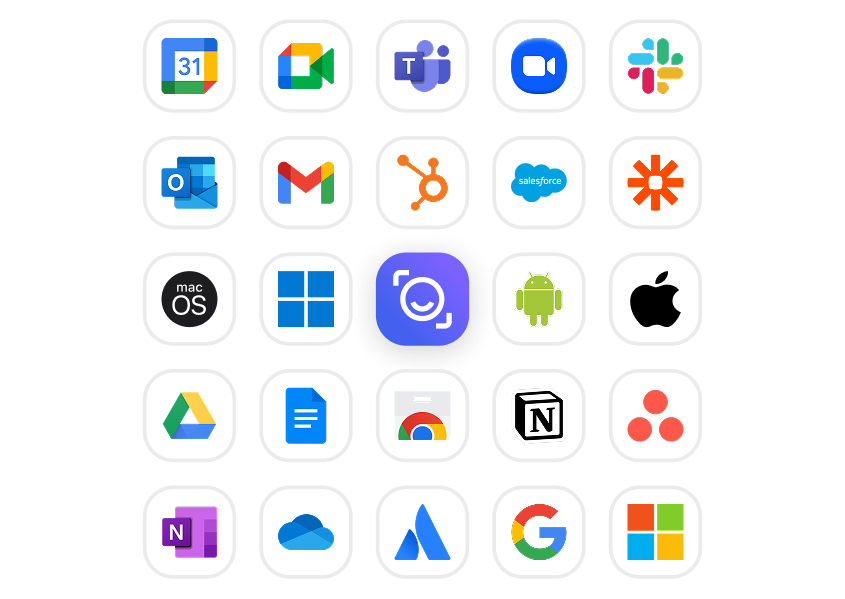
Read.ai connects to the broader work stack through native integrations, a REST API, webhooks, and an MCP server.
Source: Read.ai
Meeting platforms (all plans including Free): Google Meet, Microsoft Teams, Zoom, and Cisco Webex. Calendar (all plans): Google Calendar, Outlook 365, Zoom Calendar. Messaging (all plans): Slack (bidirectional: push reports to channels, sync messages into search) and Microsoft Teams.
CRM integrations (Pro and above): Salesforce (syncs Meeting Reports to Contact, Account, and Opportunity records; CRM Copilot for deal risk and pipeline management) and HubSpot (syncs reports to Contact and Company Activity feeds; deal tracking and rep engagement metrics).
Project management (Pro and above): Atlassian Jira and Confluence (one-click action item to Jira issue conversion), Notion (auto-save with customizable title formatting), Asana (push action items with assignee, due date, and context), and Linear.
AI platform connectors (all plans): a Claude Connector with pre-built Skills (Customer Feedback Digest, Friday Followups, Sales Call Review), a ChatGPT app, and the MCP server at https://api.read.ai/mcp/ for connecting meeting data to any MCP-compatible AI tool. MCP adoption has been compounding at roughly 40% weekly growth since launch.
The REST API (in open beta) provides programmatic access to meeting data: transcripts, summaries, action items, key questions, topics, and engagement metrics. Authentication uses OAuth 2.1 with a 10-minute access token expiry.
The API is rate-limited to 100 requests per minute per user. Webhooks fire on meeting_end and manual triggers, delivering summaries, transcripts, action items, and key questions via signed HTTP POST (Pro and above). Zapier and n8n connectors are also available for no-code automation.
The developer experience reflects an early beta posture: three REST endpoints, no static API keys (browser-based OAuth only), no official SDKs, and documentation hosted on Zendesk behind Cloudflare bot protection rather than a dedicated developer portal.
Read.ai Security, Compliance, and Data Handling
Read.ai leads with trust credentials as a differentiator. The platform is SOC 2 Type 2 certified with audit reports available via the Trust Center, GDPR compliant, and HIPAA-enabled with a BAA available on annual Enterprise+ subscriptions with SAML authentication and domain capture enabled.
All data is encrypted in transit via HTTPS/TLS 1.2 and at rest with AES-256. Default storage is in AWS us-east-1 (Northern Virginia), with regional deployments available in the EU, Australia, and Canada for full in-region storage, processing, and AI workflow execution.
Read.ai does not sell user data, and model training contribution is opt-out by default. Meeting participants are notified at the start of every session that Read.ai is active, and any participant can remove the bot by typing "opt out" in chat, at which point all data from that session is deleted.
Participants can also trigger full data deletion (audio, video, transcripts, reports) after the call. The platform publishes a public status page with 90-day uptime between 99.85% and 100% across all tracked components.
Where Read.ai Stops: The Gaps
Read.ai is built around the knowledge worker's communication stack: capturing and summarizing meetings, email, and messaging, then making that information searchable and actionable. That focus shapes its strengths but also means it does not extend into several capabilities revenue teams need.
No B2B contact or company database. Read.ai captures conversations with the people already in your meetings and inbox, but it has no database of contacts, companies, direct dials, or verified business emails. It cannot help you find the right people to meet with in the first place. There is no prospecting, lead discovery, or ICP-based targeting.
No buyer intent signals. Read.ai tracks engagement within your own meetings (sentiment, talk time, reactions), but does not track which companies are researching specific topics across the web. It has no visibility into buying behavior before a prospect enters your pipeline or joins a meeting.
No structured deal intelligence or CRM field population from calls. Read.ai syncs meeting summaries to Salesforce and HubSpot records, and its CRM Copilot surfaces deal risk and pipeline context. But it does not extract and populate sales methodology fields (MEDDPICC, BANT, SPIN) from conversations, score deal health based on engagement patterns, or map buying committees with sentiment analysis. Conversation intelligence platforms built for revenue teams go deeper on structured deal data extraction.
No website visitor identification. Read.ai does not identify anonymous website visitors at the company or contact level. Teams that want to know who is visiting their site and route those visitors to sales need a separate tool.
Bot presence on Zoom and Teams. Read.ai launched botless capture for Google Meet in March 2026, but Zoom and Teams still require a visible bot participant joining the call. This remains the most-cited user complaint and a barrier in meeting cultures where bot presence creates friction.
How ZoomInfo Covers the Gaps
The gaps above share a common thread: Read.ai captures and organizes what happens during and after conversations, but it has no view into who you should be talking to, why they are in-market, or what signals predict whether a deal will close. ZoomInfo supplies those layers.
ZoomInfo's B2B Data Platform: The contact and company database Read.ai does not include
ZoomInfo operates the largest B2B data platform in the industry: 500M contacts, 100M companies, 135M+ verified phone numbers, 120M direct-dial phone numbers, and 200M+ verified business email addresses. The data flows through a verification pipeline backed by 300+ human researchers and automated ML scanning 28 million site domains daily, reaching up to 95% accuracy on first-party data.
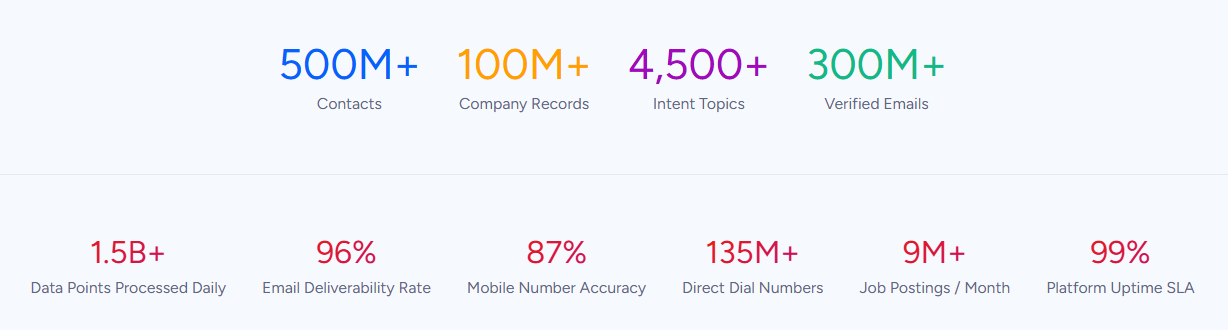
Where Read.ai helps you get more from the meetings already on your calendar, ZoomInfo fills the calendar with the right meetings. It provides department org charts with decision-makers' direct dials and emails, 300+ company attributes for segmentation, contact tracking with job-change alerts, and technographic profiles covering 30,000+ technologies across 200+ categories for 30+ million companies.
In a Fortune 500 competitive RFP analyzing 25 million contacts across vendors, an independent consultant concluded that "no other competitor came even close."
ZoomInfo Intent and WebSights: Signals that show who is in-market before any meeting happens
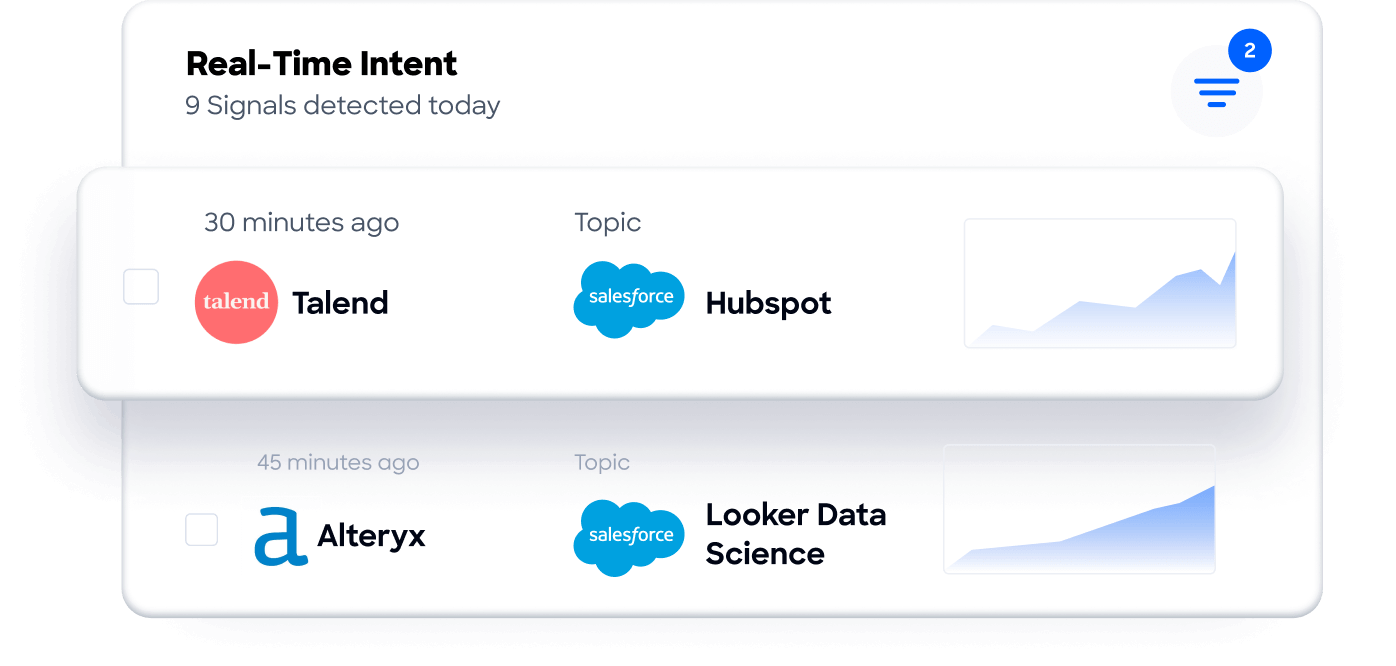
ZoomInfo Intent tracks signals from 210 million IP-to-Organization pairings and 6 trillion+ new keyword-to-device pairings sourced monthly. Where Read.ai measures engagement during your conversations, ZoomInfo's intent data reveals which companies are researching topics related to your product across the web, before you have spoken with them.
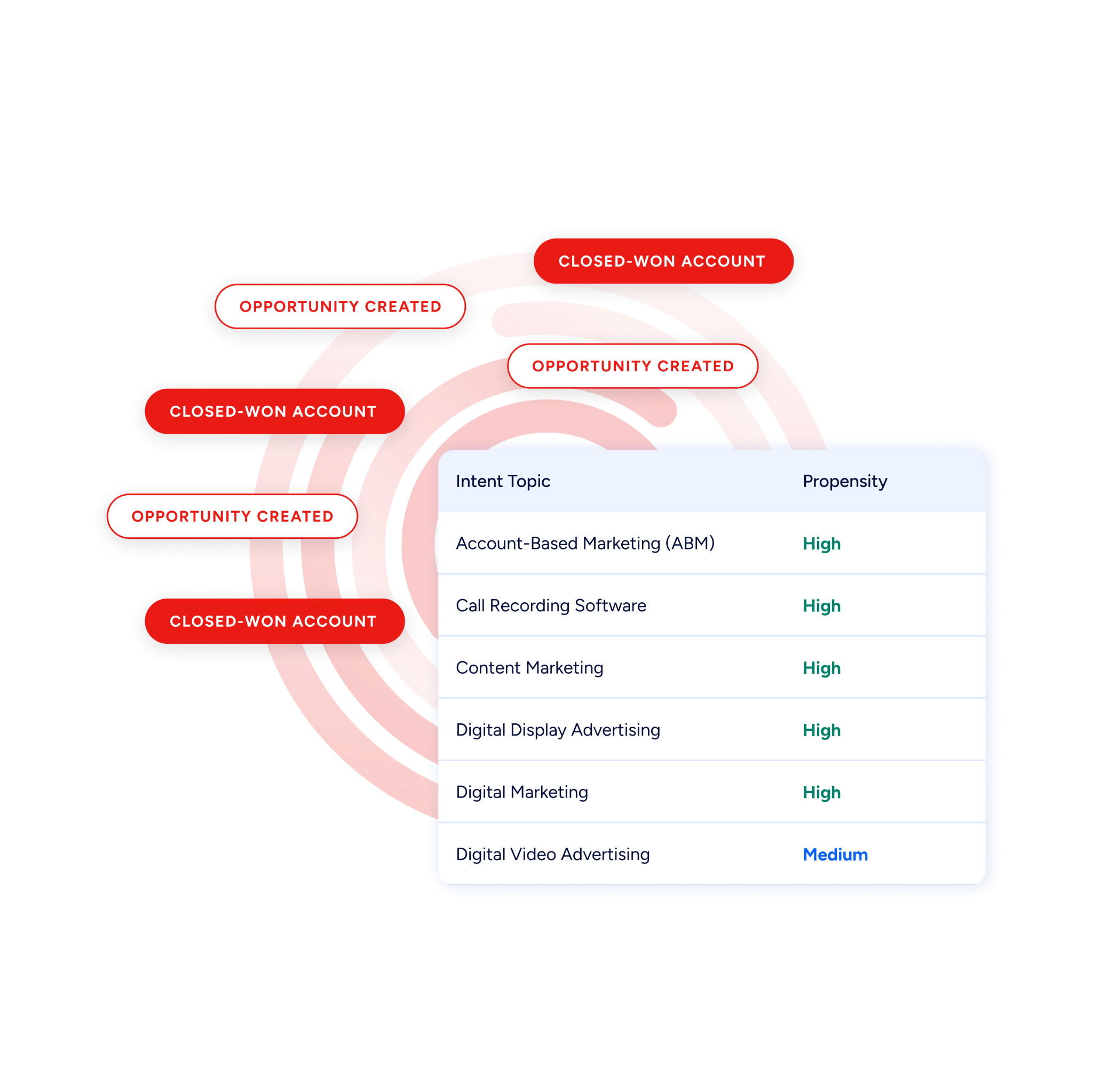
Guided Intent, exclusive to ZoomInfo, identifies the topics historically correlated with deal success rather than requiring manual topic selection.
On the website side, WebSights resolves anonymous website traffic to companies with Automatic Traffic Filtering that distinguishes real visitors from bots.
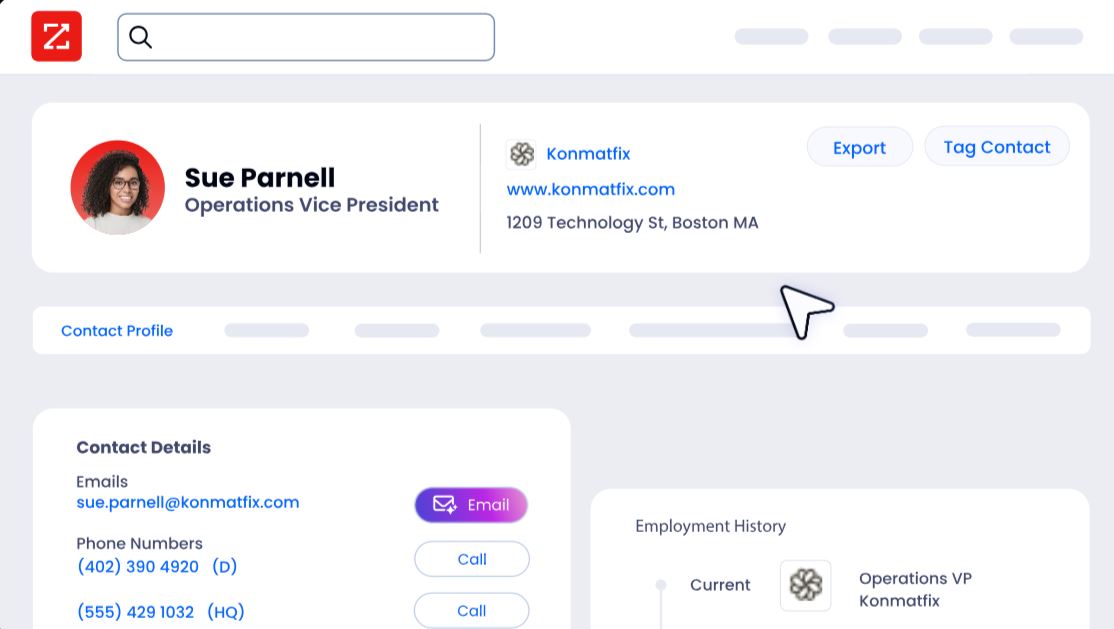
ZoomInfo Marketing goes further with contact-level site visitor identification, identifying who visited (not just which company) and triggering personalized outreach.
ZoomInfo Chorus and the GTM Context Graph: Conversation intelligence that structures deal data, not just summaries
Read.ai produces meeting summaries, action items, and sentiment signals.
ZoomInfo's Chorus, backed by 14 technology patents, captures the same conversations but extracts different value: objection patterns, competitive mentions, talk ratios, deal risk indicators, and sales methodology criteria (MEDDPICC, BANT, SPIN) automatically, then syncs structured deal intelligence to the CRM.
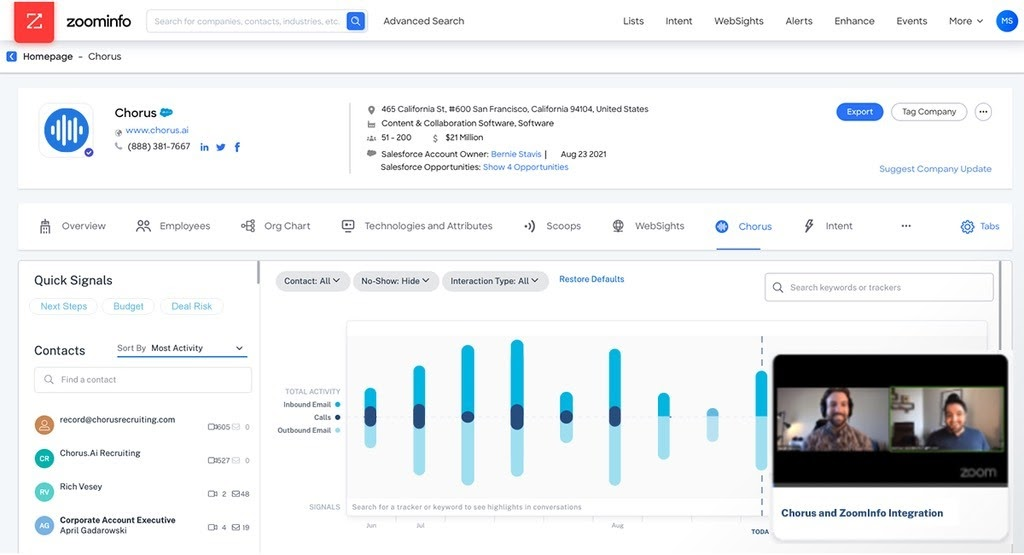
Coaching scorecards and clip sharing give managers concrete material to improve team performance.
That call data feeds the GTM Context Graph, which processes 1.5B+ data points daily and fuses ZoomInfo's B2B data with CRM records, conversation transcripts, email interactions, and behavioral signals. A CRM records that a deal moved from Stage 3 to Stage 4.
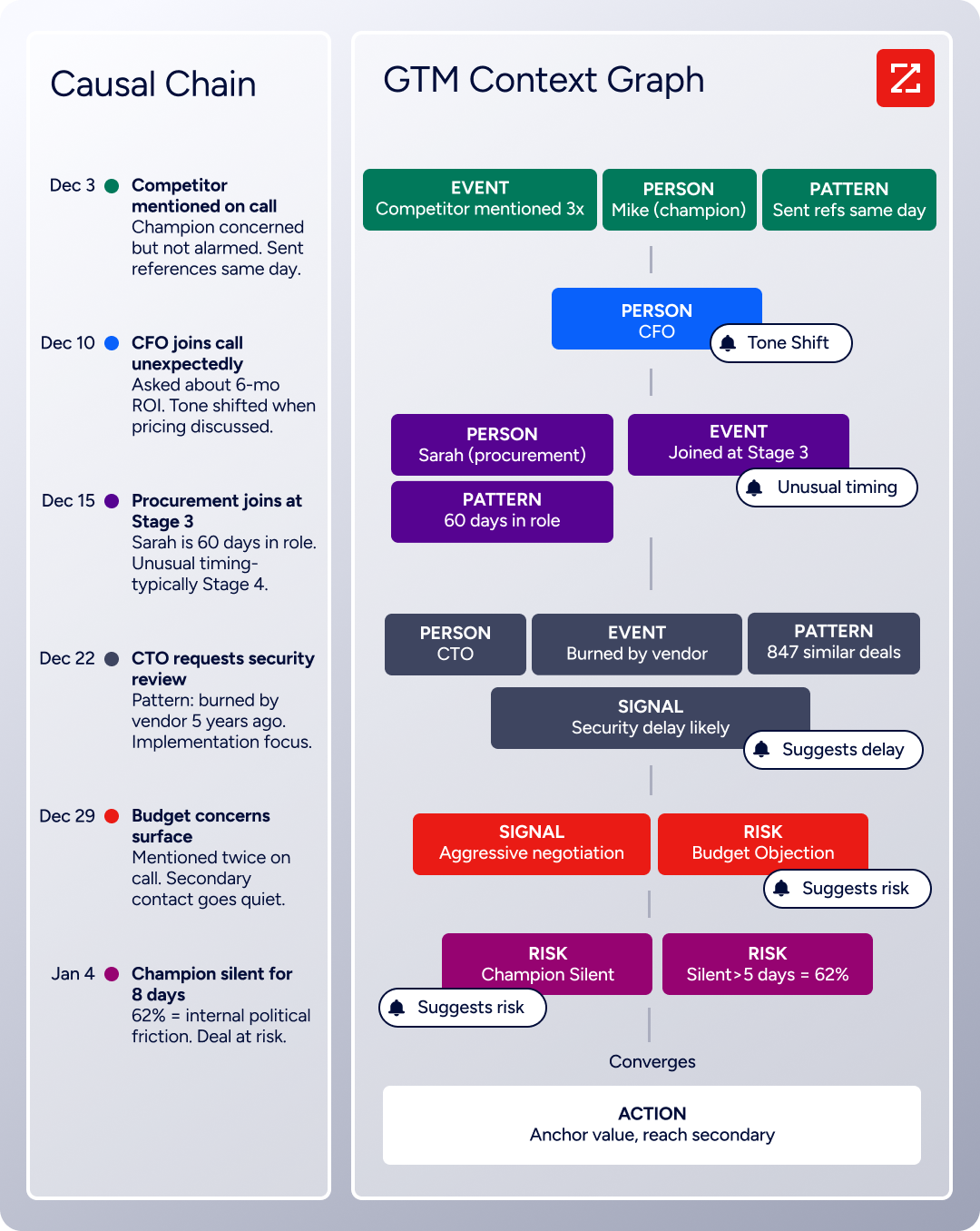
The GTM Context Graph reasons about why: connecting the CFO joining the last call with ROI-focused questions to the pattern behind closed-won deals in the same segment, then linking that to third-party signals showing the company is hiring and researching a competitor.
ZoomInfo GTM Workspace and GTM Studio: Where sales and marketing execute
GTM Workspace gives sellers a full Book of Business view across CRM, ZoomInfo data, conversation history, and market intelligence.
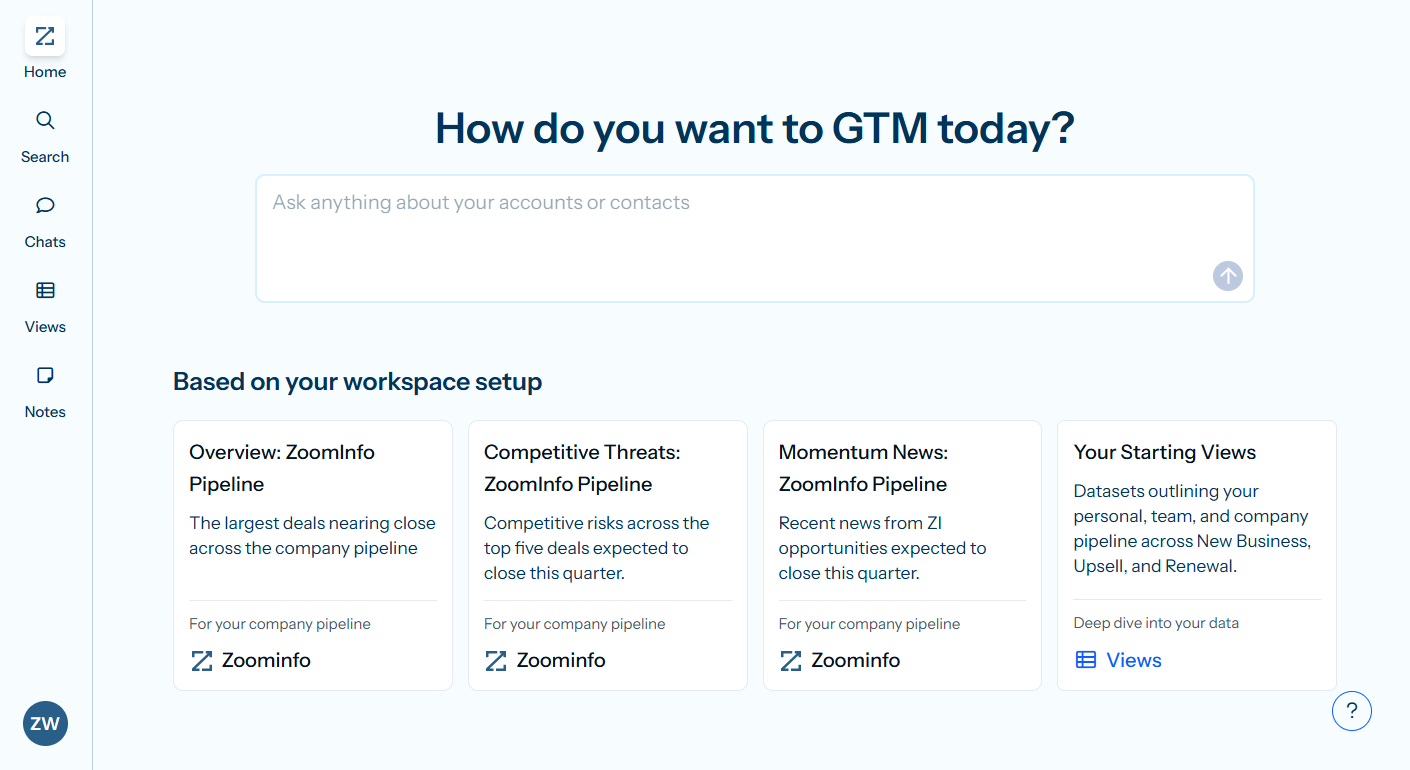
AI agents automate account research, outreach drafting, CRM updates, and signal monitoring. An Action Feed streams in-market buyers matched to target criteria with pre-drafted actions on every signal.
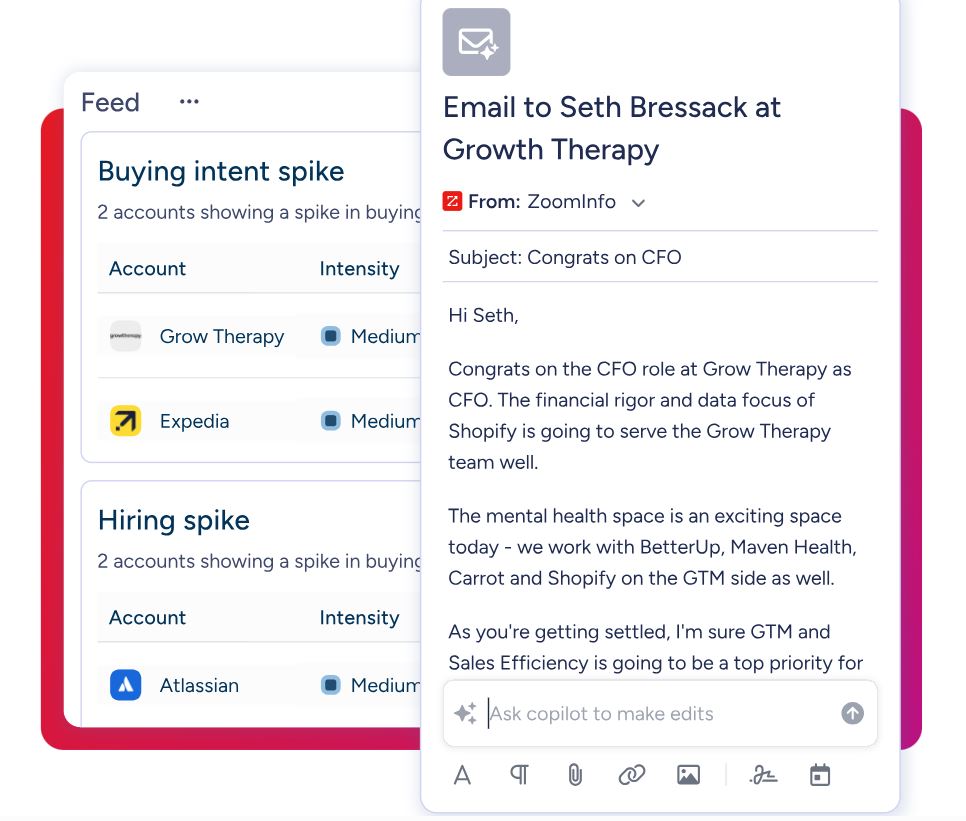
GTM Studio handles marketing orchestration. Marketers, RevOps teams, and GTM engineers can build audiences using natural language, enrich with first- and third-party data, define triggers, and activate plays across channels without engineering support.
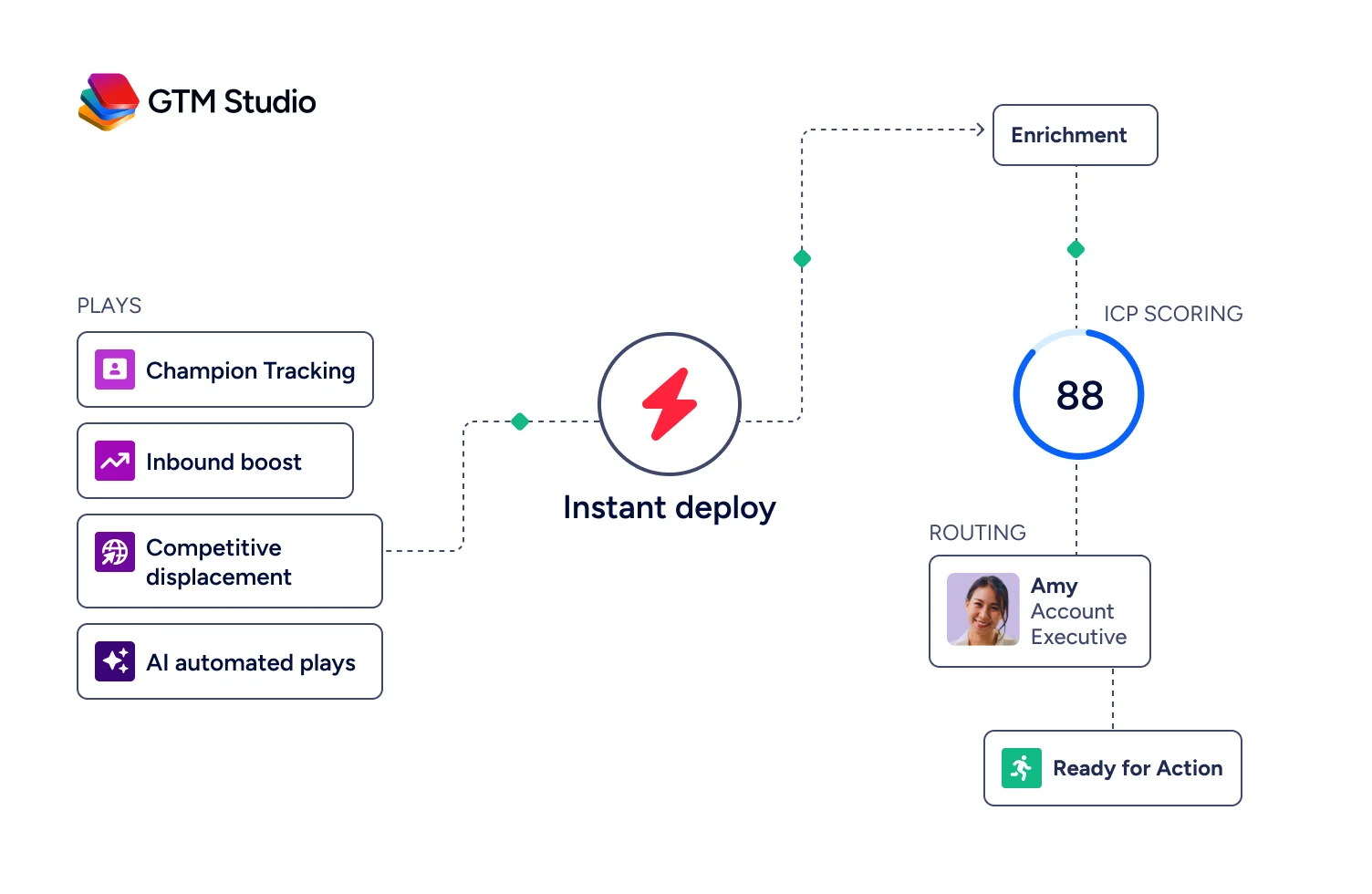
Pre-built GTM plays cover inbound acceleration, champion tracking, competitive displacement, and ICP targeting. Expansion plays that used to take 3 weeks now launch in 30 minutes.
ZoomInfo's Free Entry Points: A way to start without commitment
ZoomInfo Lite is a permanent free tier with access to ZoomInfo's B2B database, 10 monthly export credits, individual and company searches, a Chrome extension, and WebSights Lite with up to 10 website visitor reveals per day.
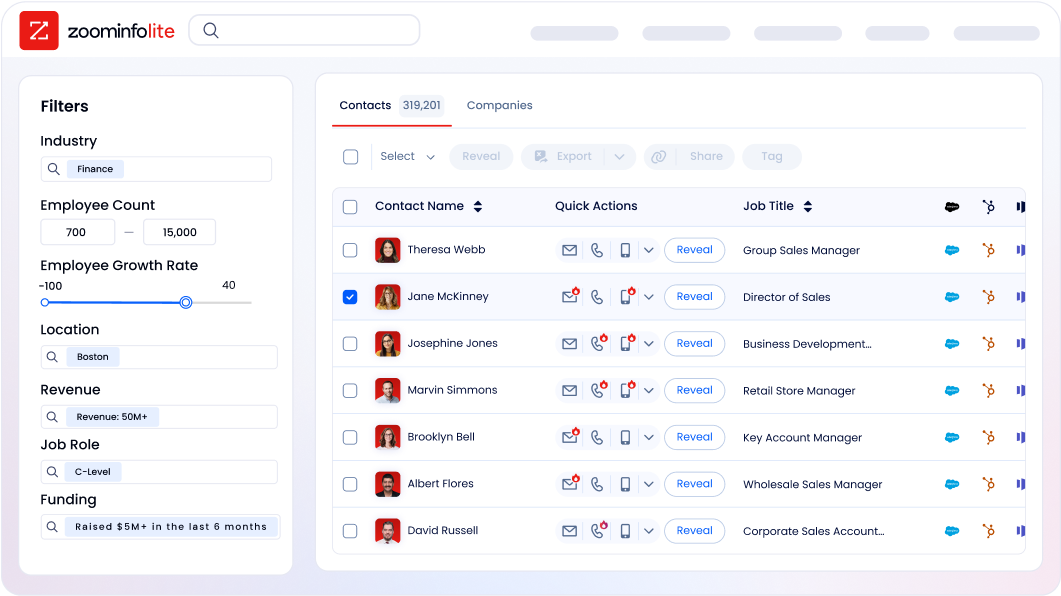
A separate 7-day free trial provides broader access with no credit card required.
Seismic's sales team attributed 39% of active pipeline to opportunities identified or influenced by ZoomInfo signals, boosted productivity by 54%, and saved 11.5 hours per week per seller. (Seismic Case Study)
Final Summary
Read.ai is a thorough toolkit for meeting intelligence and workplace productivity: automated transcription and reports across Zoom, Google Meet, and Teams, a cross-platform AI search engine spanning meetings, email, Slack, CRM, and documents, a private speaker coaching system, and a Digital Twin that schedules, drafts, and follows up on a user's behalf via email.
Its strength is breadth across the knowledge worker's communication stack with enterprise-grade compliance (SOC 2 Type 2, GDPR, HIPAA) and a generous free tier.
It is lighter on the layers that sit upstream and downstream of conversations: no B2B contact database, no buyer intent signals, no structured deal intelligence extraction, and no website visitor identification.
If your bottleneck is knowing who to talk to, understanding why deals move or stall, and acting on signals before a conversation starts, that is the ground ZoomInfo covers. Its 500M-contact, 100M-company database supplies the verified emails and direct dials that fill the calendar.
ZoomInfo Intent surfaces accounts researching your category from 6 trillion+ keyword-to-device pairings monthly.
Chorus captures every sales conversation and extracts structured deal intelligence the CRM can act on.
And the GTM Context Graph fuses all of it into a single intelligence layer that reasons about why deals move, not just that they moved. Read.ai captures what happened in the meeting; ZoomInfo captures who you should be meeting with and why.
See what that intelligence layer adds to your workflow: start with ZoomInfo Lite for free, or request a demo to see intent signals and verified contacts flow into your pipeline.
FAQ
Does Read.ai work on all major video platforms?
Read.ai works natively on Zoom, Google Meet, Microsoft Teams, and Cisco Webex. On Google Meet, it supports botless capture (no visible bot joining the call) via Google's Meet Media API. On Zoom and Teams, Read.ai still joins as a visible bot participant. The mobile app captures in-person conversations via a single tap, and the desktop app handles Slack Huddles and any audio source.
What does Read.ai's free plan include?
The free plan includes 5 meeting transcripts per month (capped at 1-hour meetings), unlimited Ask Read searches, AI summaries for meetings, email, and messaging, Speaker Coach, Digital Twin (Ada), and apps for Windows, macOS, Android, and iOS. No credit card is required. Zoom Essential Apps users on Zoom One Pro, Business, or Business Plus get free premium features through the partner program.
Can Read.ai search across tools other than meetings?
Yes. Ask Read searches across meeting transcripts, Gmail, Outlook, Slack, Microsoft Teams messages, Notion, Confluence, SharePoint, Google Drive, OneDrive, Salesforce, and HubSpot from a single natural-language query. Every answer includes citations and links to the original source. Users on paid plans can also access Claude or ChatGPT models within the search interface.
Which Read.ai plan includes HIPAA compliance?
HIPAA compliance with a Business Associate Agreement is available only on the Enterprise+ plan ($29.75/seat/month annual), which requires a minimum of 5 licenses, SAML authentication, and domain capture. Enterprise+ also includes SCIM user provisioning and custom data retention policies.
Does Read.ai integrate with Salesforce and HubSpot?
Read.ai integrates with both Salesforce and HubSpot on Pro plans and above. The Salesforce integration syncs Meeting Reports to Contact, Account, and Opportunity records and includes a CRM Copilot for deal risk and pipeline management. The HubSpot integration syncs reports to Contact and Company Activity feeds with automated summary updates.
Both integrations push meeting summaries and action items into CRM records automatically.
Can Read.ai identify anonymous website visitors?
No. Read.ai does not include website visitor identification at the company or contact level. ZoomInfo's WebSights resolves anonymous website traffic to companies with automatic bot filtering, and ZoomInfo Marketing goes further with contact-level site visitor identification. ZoomInfo Lite includes WebSights Lite with up to 10 website visitor reveals per day at no cost.
Does Read.ai extract sales methodology data from calls?
Read.ai generates meeting summaries, action items, and key questions, and syncs them to CRM records. It does not extract and populate structured sales methodology fields (MEDDPICC, BANT, SPIN) from conversations or score deal health based on engagement patterns across a pipeline.
ZoomInfo's Chorus, backed by 14 technology patents, captures calls and extracts objection patterns, competitive mentions, and sales methodology criteria automatically, feeding structured deal intelligence into the CRM and the GTM Context Graph.
Does Read.ai include a B2B contact database for prospecting?
No. Read.ai captures and organizes information from conversations and communications with people already in your workflow. It does not include a database of contacts, companies, phone numbers, or email addresses for prospecting.
ZoomInfo operates the industry's largest B2B data platform with 500M contacts, 100M companies, 135M+ verified phone numbers, 120M direct-dial phone numbers, and 200M+ verified business email addresses, accessible through GTM Workspace, GTM Studio, APIs, and MCP.
