

Seamless.AI finds emails and phone numbers by searching for them at the moment you look someone up, which suits SDR teams that work large lists. The best Seamless.AI alternatives take different approaches, from verified databases and LinkedIn extensions to enrichment waterfalls and all-in-one platforms, and this guide compares 10 of them from the wider field of sales and data platforms.
We evaluated every tool on the same five criteria and ran the same contact list through Seamless.AI's free plan and the six alternatives with a self-serve free plan or trial, so you can see how each one handles the work Seamless.AI does today.
How We Evaluated Seamless.AI Alternatives
We compared all 10 tools on five criteria that map to the most common reasons teams look beyond Seamless.AI:
Data source and verification. Whether a tool searches in real time like Seamless.AI, draws on a verified database, reads LinkedIn profiles or runs a waterfall across several providers, and how it checks what it returns with email verification or human research.
Contact coverage. Whether you get work emails, mobiles and direct dials, and how well the tool covers the regions you sell into, including the UK and EU.
Workflow breadth. Whether the tool adds sequencing, dialing and CRM enrichment, or plugs into your existing stack as a data source.
Intent and signals. Whether intent data and job changes come from the vendor's own signals or from licensed third-party providers.
Pricing and free access. Whether you can see prices and try the tool yourself, or need a sales call first.
For Seamless.AI and the six alternatives with a self-serve free plan or trial, we also signed up with a new work email and no card and ran the same list of US, UK and EU contacts through each one. We noted how easy it was to find contacts, what came back and how the free credits held up. Cognism has no free plan, UpLead's trial needs a card and Sales Navigator's trial asks for payment details, so those three are covered from their own pages and G2.
Seamless.AI Alternatives at a Glance
The table compares the 10 alternatives, with Seamless.AI for reference, on who each one suits, its main strength, where its data comes from and how you can start, using each vendor's own pages.
Tool | Best for | Key strength | Data approach | How to start |
Seamless.AI (for reference) | High-volume prospecting | Email and phone from a CSV in one step | Real-time search | 50 free credits, then a custom quote |
ZoomInfo | Data, account context and AI agents in one platform | GTM Context Graph and Agent Teams | Verified data, multi-source pipeline and researchers | GTM.AI free with 1,000 data credits |
Apollo | All-in-one prospecting for SMB and mid-market | Data, sequences and dialer in one login | Own database | Free plan, then $49 per seat a month |
Lusha | Quick contact lookups | Extension for LinkedIn and CRMs | Own database | Free plan, then $37.45 a month |
Clay | Custom enrichment workflows | Waterfalls across 150+ providers | Waterfall across providers | Free plan, then $167 a month |
Kaspr | Contact lookup on LinkedIn | Reveals contacts on LinkedIn profiles | LinkedIn extension | Free plan, then €59 per user a month (monthly) |
RocketReach | Occasional email lookups | Email grades and public pricing | Own database | 5 free lookups a month, then $27 a month |
LeadIQ | Job change tracking from LinkedIn | Captures contacts into CRM and sequencer | LinkedIn capture and own data | 50 free credits, then $15 a month |
Cognism | EU outbound with phone-verified mobiles | Phone-verified mobiles and Do Not Call screening | Own database, phone-verified mobiles | Quote-based packages |
UpLead | Verified emails with a guarantee | 95% accuracy guarantee | Own database, real-time email check | 7-day trial with a card, then $74 a month |
LinkedIn Sales Navigator | Social selling | LinkedIn search, alerts and TeamLink | LinkedIn member data | One-month trial, then per-seat plans |
Prices come from each vendor's pricing page or checkout between 27 October and 5 November 2026, billed annually unless noted.
1. ZoomInfo: Verified Contacts With the Context to Act on Them
G2 rating: 4.5/5
Where Seamless.AI researches each contact at the moment you search, ZoomInfo starts from records that are already verified and kept current, so a rep building a list works from data that was checked before they needed it. That covers 500M+ contacts and 100M+ companies, verified by a multi-source pipeline and 300+ researchers. ZoomInfo data sources explains how records are collected.
Contact data is only one part of it. ZoomInfo is the all-in-one AI GTM platform and the GTM data layer trusted by over half the Fortune 500, built in three layers:
Data foundation. The GTM Context Graph joins ZoomInfo's company and contact intelligence with your own CRM records, calls and emails, and resolves them into one up-to-date record for each account.
Agents. Agent Teams works from that record to take on the research and prep that usually fills an SDR's day, such as account summaries, audience enrichment and routing new signals to the right owner, inside the limits your admins set.
Workspace. Reps see that work in GTM Workspace with its sources attached, so they can check it before they act, while RevOps and marketing build lists and plays in GTM Studio.
Teams that prefer to build their own workflows can reach the same data and agents headless through GTM.AI, with MCP, API and CLI access under the same governance and credits.
Don't just take our word for it. Test us. ZoomInfo is our own platform, so it wasn't part of the free-plan test below, but you can check it against the accounts you'd normally run through Seamless.AI. New GTM.AI accounts get 1,000 data credits and 1,000 AI credits without a card, and the first 10 records of any search preview free.

"ZoomInfo's data plays a big part in telling our reps where to spend their time."
Features
Here's what the platform covers for a team moving off Seamless.AI:
Contact and company search. Filters across company, contact and signal data, with records validated against 40+ sources and connected by 16 patented AI GTM-linkages.
Signals. Billions of signals, including buying intent and website visitor identification, plus 30+ ZoomInfo triggers that flag when an account is worth a call.
Ready-made plays. 40+ agent plays to start from and adapt to your own process.
CRM sync. 20+ native integrations that keep enriched records current in your CRM and other systems.
Build access. MCP for AI assistants, CLI for scheduled jobs and API for your own apps.
Security. SOC 2, enterprise-grade encryption, SCIM, data access controls, a data processing agreement and role-based access controls.
Strengths and limitations
Here's what ZoomInfo does well and where it may be more than you need:
Strengths
Records verified before you search for them, by a multi-source pipeline and 300+ researchers
Account context from your CRM, calls and emails sits next to every contact
Agent Teams takes on research and prep, so reps spend more of their day on outreach
The same data works in your own tools and AI assistants through GTM.AI
Limitations
Scope AI credits against the volume your team actually runs
More platform than a solo rep needs (GTM.AI is the lighter way in)
Pricing
GTM.AI is free to start with consumption credits based on usage. The wider platform runs on consumption credits too, covering the data you add and the work agents do, with no per-seat AI licences, and each task shows its cost before it runs. Pay for a contact or company once, then view, update and sync it free for 12 months. See GTM.AI pricing and ZoomInfo pricing.
Best for: High-volume SDR and RevOps teams that want verified data and account context behind every list they build.
Compare the two platforms in Seamless.AI vs ZoomInfo, or read our Seamless.AI review for what users say.
2. Apollo: All-in-One Prospecting on a Budget
G2 rating: 4.7/5
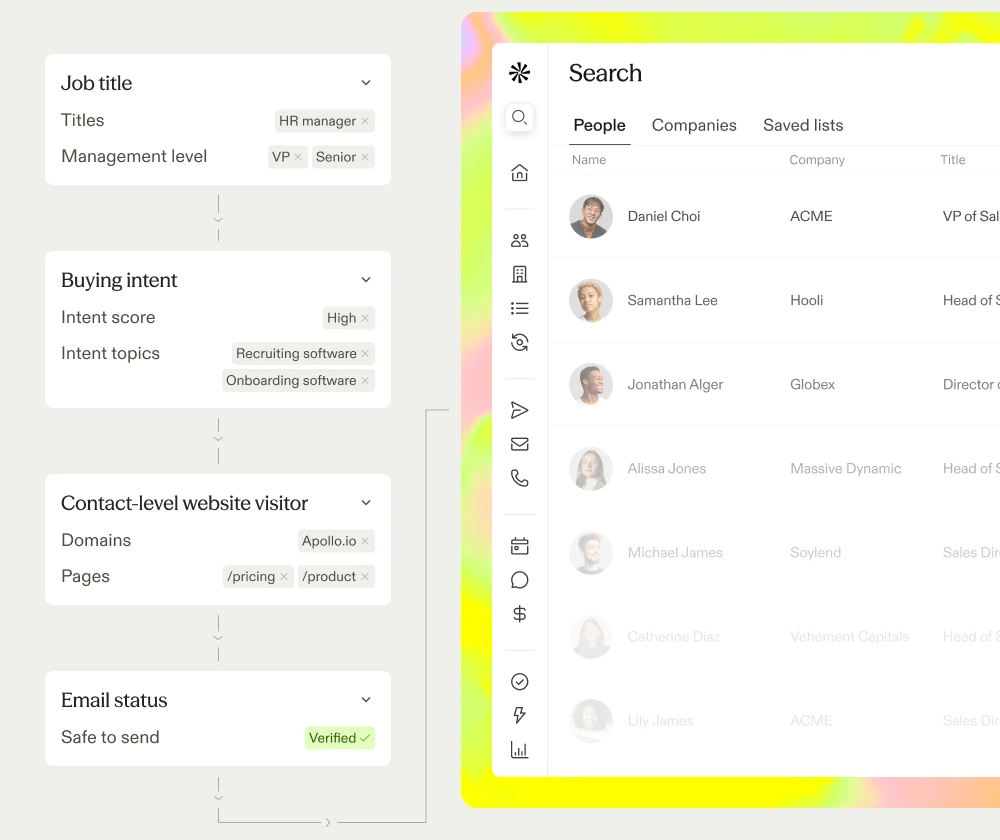
Apollo is a sales platform that pairs its own B2B database with prospecting, sequences, a dialer and deal tracking. A rep can search for contacts with filters, reveal an email or phone, and add the contact to an email sequence or call list without switching tools.
It's the closest like-for-like swap for most Seamless.AI teams, because the data and the outreach sit in one login with published per-seat prices. Most teams start on the free plan and move to a paid seat when they need more credits, CSV imports or extra sequences.
Features
Apollo's own pages describe these capabilities:
Data. 240M+ contacts and 30M+ companies, with a seven-step email verification process and a stated 98% accuracy rate.
Intent and signals. Third-party intent powered by Bombora, job-change alerts, website visitor tracking and 65+ search filters.
Enrichment. Waterfall enrichment across 20+ vendors, with bi-directional sync to Salesforce, HubSpot and Pipedrive.
Workflow and agents. Multichannel sequences, a parallel dialer, call recording and an AI assistant, plus API and MCP access.
Compliance. SOC 2 Type II and ISO 27001 certified, and GDPR compliant.
What we found
Apollo gave us a full outbound workflow on a free account:
Ease of use. People search with title and company filters was quick to set up, and each contact could go straight into a sequence or call list. CSV import was blocked on the new account, so we revealed contacts one at a time.
Contacts. Most emails came back verified, and every phone we asked for came back, including the UK and EU numbers. One accented name only turned up through the company filter.
Credits. Emails cost 1 credit and phones 8, so phones used most of the free balance.
Strengths and limitations
Here's where Apollo is stronger than Seamless.AI and where it falls short:
Strengths vs Seamless.AI
Published per-seat prices, where Seamless.AI quotes paid plans through sales.
Sequences, a dialer and deal tracking work from the same free account.
The free plan returned every phone we asked for in our test.
Limitations
New free accounts can't import a CSV, so list work is one contact at a time.
Phones use up a free allowance quickly.
Reviews often flag data accuracy, so test coverage on your own list before you commit.
Pricing
Apollo charges in credits on top of a per-seat plan. The free plan includes 75 credits a month. Basic was $49 per seat a month billed annually, or $65 monthly, at checkout on 29 October 2026, with Professional and Organization plans above it.
Best for: SMB and mid-market teams that want all-in-one lead generation software for data and outreach.
See our hands-on Apollo vs. Seamless.AI test, Apollo vs ZoomInfo and the wider list of Apollo alternatives.
3. Lusha: Quick Contact Lookups Without Platform Overhead
G2 rating: 4.3/5
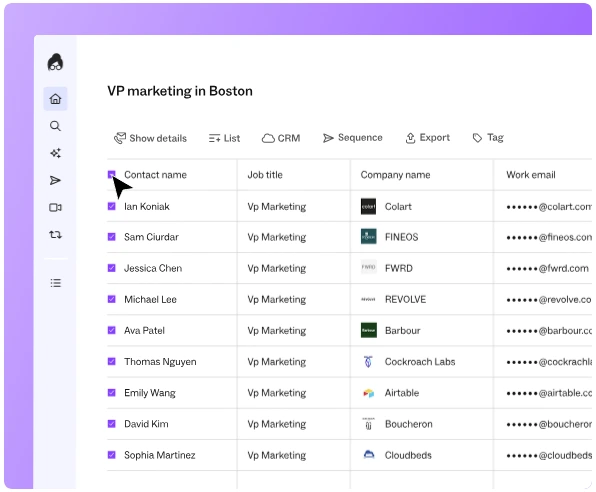
Lusha is a B2B contact data platform built around a browser extension. It works on LinkedIn profiles, company websites and inside CRMs, so a rep can pull an email or phone number on the page they're already on.
Where Seamless.AI is sold on custom quotes, Lusha suits reps who want quick lookups on a self-serve plan with published prices. The web app adds prospect search and list building, and paid plans add bulk and CRM enrichment as a team grows.
Features
Lusha's own pages describe these capabilities:
Data. Email and phone lookups on contacts and companies across North America, EMEA, APAC and LATAM.
Intent and signals. Deep Intel, which uses your ICP, CRM history and pipeline data to prioritize accounts, plus weekly buying signals.
Enrichment. Bulk enrichment from Starter, CSV enrichment from Pro and CRM enrichment on paid plans.
Workflow and agents. A browser extension for LinkedIn, websites and CRMs, plus API access and MCP connectors for Claude and ChatGPT.
What we found
Lusha did its best work on our European contacts:
Ease of use. Search was quick to filter, and the free plan let us run one CSV enrichment for emails.
Contacts. Nearly all the emails Lusha found were for UK and EU contacts, and it returned most of the European phones. Several US contacts were flagged as being in restricted regions, with names masked and reveal disabled.
Credits. Lusha only charged for matches, and a phone costs 5 credits against 1 for an email.
Strengths and limitations
Here's where Lusha is stronger than Seamless.AI and where it falls short:
Strengths vs Seamless.AI
A free plan and published prices, with credits only charged for matches.
Its emails and phones came back strongest on our UK and EU contacts.
A fast extension workflow for LinkedIn and website prospecting, with no platform to learn.
Limitations
Region restrictions masked some US contacts on the free plan.
There's no built-in dialer, and phones use up the free allowance quickly.
Pricing
Lusha charges 1 credit per email and 5 per phone. The free plan includes 40 credits a month. Starter was $37.45 a month billed yearly, or $49.90 monthly, on 29 October 2026, with Pro, Premium and Scale plans above it.
Best for: Reps and small teams that need fast lookups, including in Europe, without a platform contract.
See Lusha vs ZoomInfo, our Lusha reviews and the Lusha alternatives list.
4. Clay: Custom Enrichment Workflows
G2 rating: 4.6/5
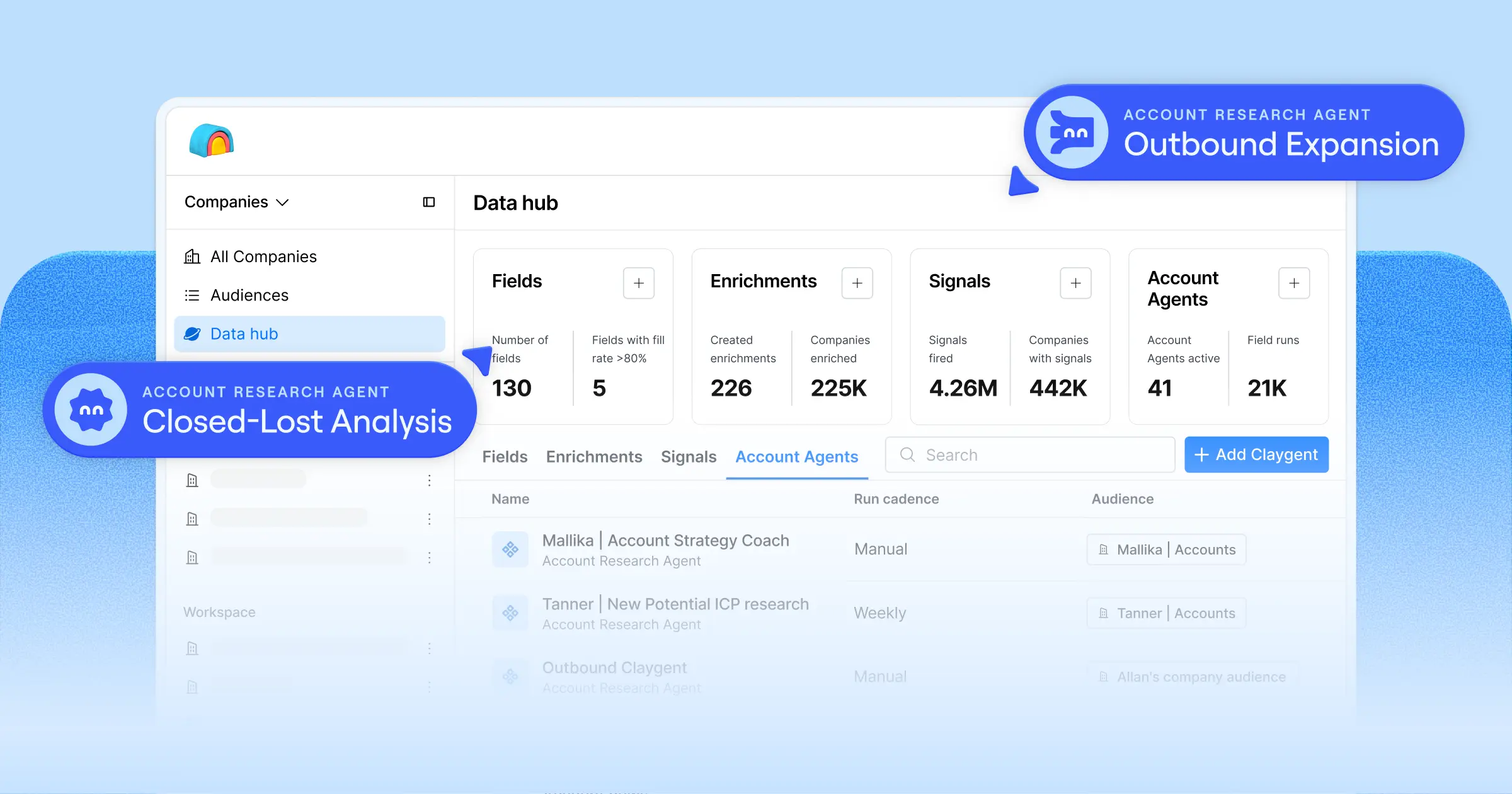
Clay is a data orchestration platform that works like a spreadsheet. It holds no database of its own. You import a list, add columns that call enrichment providers, AI research or your own APIs, and Clay runs each row through the providers in the order you choose until one returns a result.
Where Seamless.AI runs its own search on every lookup, Clay lets you choose which providers to try and in what order, so teams that want more control over coverage and cost build their enrichment there. RevOps teams and GTM engineers use it to build waterfalls, score accounts and push results into a CRM or outreach tool.
Features
Clay's own pages describe these capabilities:
Data. Access to 150+ providers through waterfalls, plus Audiences for company and people search.
Intent and signals. Signals for job changes, promotions, new hires, company news and social activity, with web intent on Growth.
Enrichment. Multi-provider waterfalls, CRM auto-sync on Growth and data warehouse sync with Snowflake, BigQuery and others.
Workflow and agents. Claygent AI research, reusable functions, any HTTP API, an email Sequencer and ad audiences for LinkedIn and Meta.
Compliance. SOC 2 Type II, ISO 27001 and ISO 42001, plus GDPR and CCPA support.
What we found
Clay took more setup than the other tools, and it found an email for every contact once it was running:
Ease of use. The spreadsheet canvas imported our CSV in one step and shows which provider filled each cell. The email waterfall takes a single full-name input, so we built a formula column first.
Contacts. Every contact came back with an email, including all the UK and EU ones, and export worked on the trial. The mobile phone waterfall was locked on the trial.
Credits. The run used fewer data credits than Clay estimated, because the waterfall stops once a provider finds a valid address.
Strengths and limitations
Here's where Clay is stronger than Seamless.AI and where it falls short:
Strengths vs Seamless.AI
It found an email for every contact in our test, including the UK and EU ones.
You can see which provider filled each cell, which makes the waterfall easy to audit.
Unlimited seats on every plan, with published prices.
Limitations
Even a simple waterfall needed a formula column before it would run.
Phone enrichment needs a paid plan.
Clay holds no data of its own, so coverage and accuracy depend on the providers you connect and the order you run them in.
Pricing
Clay charges in data credits for data and actions for platform usage, with unlimited seats. The Free plan includes 1,200 data credits and 6,000 actions a year. Launch is $167 a month billed annually, or $185 monthly, with 2,500 data credits a month, and Growth is $446 a month billed annually.
Best for: RevOps teams and GTM engineers who want to build custom enrichment and routing.
See Clay vs ZoomInfo, our Clay pricing breakdown, GTM Studio vs. Clay and the full list of Clay alternatives.
5. Kaspr: Contact Lookup on LinkedIn
G2 rating: 4.4/5
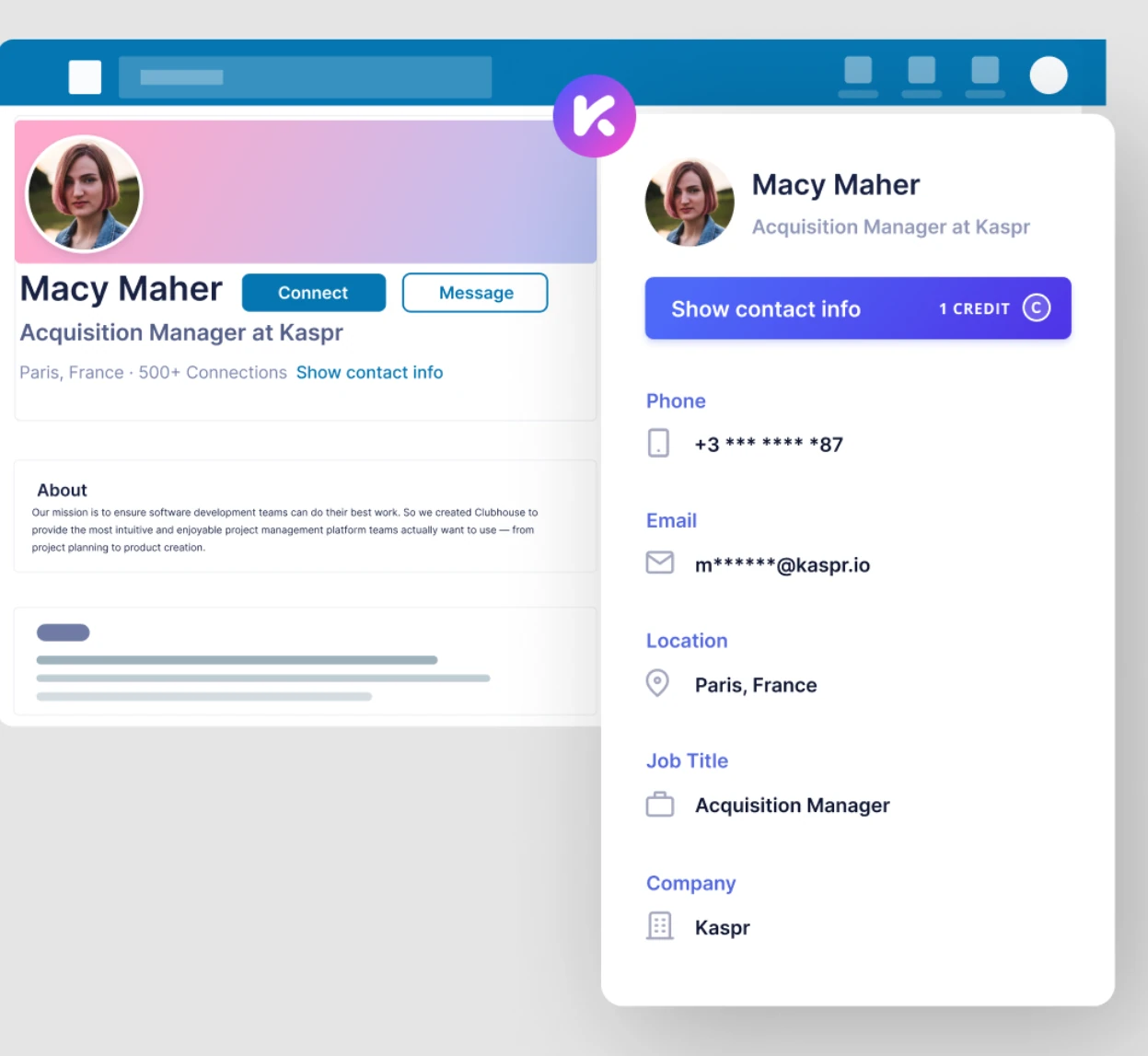
Kaspr is a Chrome extension that reveals emails and phone numbers on LinkedIn and Sales Navigator profiles. A rep opens a profile, clicks reveal and sees the contact details Kaspr holds, then saves the contact to a lead list or exports it.
Kaspr is part of Cognism and is built for reps who already prospect on LinkedIn, so the whole workflow happens in the browser. Like Seamless.AI's extension, it works on the page you're already on, and it hides numbers on Do Not Call lists before you reveal them.
Features
Kaspr's own pages describe these capabilities:
Data. B2B emails, mobiles and direct emails revealed on LinkedIn profiles.
Enrichment. CSV enrichment from the app menu.
Workflow and agents. Lead lists, CSV export and Sales Navigator support on paid plans.
Compliance. Numbers on Do Not Call lists are shown as hidden.
What we found
Kaspr works entirely from LinkedIn profiles, which suits reps who already prospect there:
Ease of use. The extension is required at signup, and there's no prospect search, so we found each contact by opening their LinkedIn profile. A free LinkedIn account hit its profile search limit partway through.
Contacts. Most contacts came back with an email, and several with a mobile, including UK, French and German numbers. Some numbers were hidden because they're on Do Not Call lists.
Credits. Emails, phones and exports each have their own credits, and a phone credit was only charged when a number came back.
Strengths and limitations
Here's where Kaspr is stronger than Seamless.AI and where it falls short:
Strengths vs Seamless.AI
Phone credits are only charged when a number comes back.
Numbers on Do Not Call lists are hidden, which helps teams calling into regulated markets.
Unlimited B2B email credits on the Starter plan, with published prices.
Limitations
Every contact starts from a LinkedIn profile, so LinkedIn's own search limits apply.
The free plan has no CSV upload.
Pricing
Kaspr gives each data type its own credits. The free plan includes 25 B2B email, 5 phone, 5 direct email and 10 export credits. Starter was €59 per user a month billed monthly, with unlimited B2B email credits and 100 phone credits a month, on 30 October 2026.
Best for: Reps who prospect from LinkedIn and want mobiles without leaving the profile.
Our roundup of LinkedIn email finder tools covers similar extensions.
6. RocketReach: Occasional Lookups With Public Pricing
G2 rating: 4.4/5
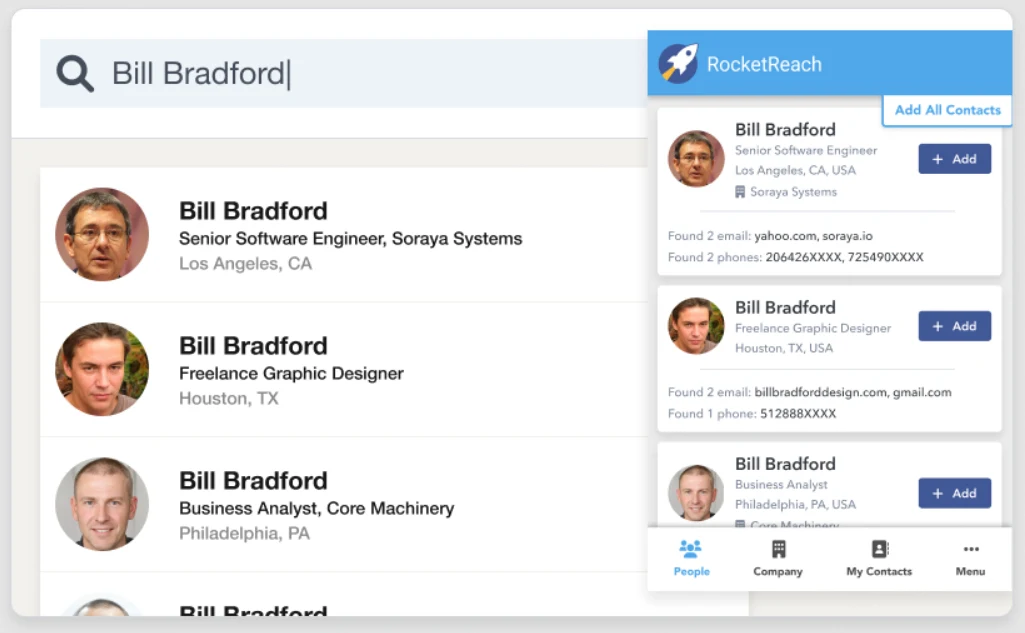
RocketReach is a contact and company lookup tool with unusually clear public pricing across its self-serve plans. You search by name, company or title, preview what's available, then spend a lookup to reveal the details. Each email comes with a grade that shows how confident RocketReach is in it.
It suits a lighter-volume buyer than Seamless.AI, someone who needs a handful of verified emails a month and wants to know the cost upfront. Plans split by data type, with emails on the entry plan and phones on Pro, and every plan includes API and MCP access.
Features
RocketReach's own pages describe these capabilities:
Data. 700M+ professionals, with email grades on every result and mobiles and direct dials on Pro.
Intent and signals. Technographics and org charts on Pro, with buyer intent data on Ultimate.
Workflow and agents. Autopilot for automated list refresh, plus API and MCP access on every plan.
What we found
RocketReach shows what a lookup will return before you spend it:
Ease of use. Search shows partial email domains and masked phones before each lookup, and every email comes with a confidence grade.
Contacts. Most lookups returned a work email. Phones stay masked on the free plan, and the emailed export only held company office numbers.
Credits. The 5 free lookups a month ran out before our list did, though a profile with no contact data wasn't charged.
Strengths and limitations
Here's where RocketReach is stronger than Seamless.AI and where it falls short:
Strengths vs Seamless.AI
Published prices, and you can start free.
Previews show what a lookup will return, and empty profiles aren't charged.
A confidence grade on every email, so you can judge each address before you send.
Limitations
5 free lookups a month covers a quick trial, so working a list needs a paid plan.
Phones need the Pro plan.
Pricing
RocketReach charges per lookup. The free plan includes 5 lookups a month. Essentials (email only) was $27 a month billed annually, Pro (email and phone) was $69 a month and Ultimate was $142 a month, on 30 October 2026.
Best for: Teams that want a few verified emails a month and pricing they can plan around.
See RocketReach vs ZoomInfo and our full RocketReach review.
7. LeadIQ: Job Change Tracking From LinkedIn
G2 rating: 4.2/5
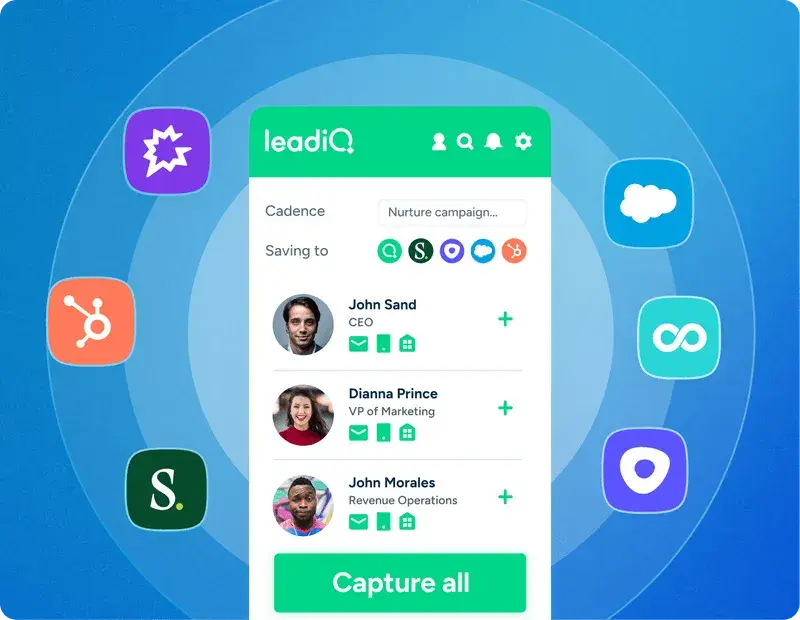
LeadIQ is a prospecting tool built around the moment a contact changes jobs. Its Chrome extension lets reps capture contacts from LinkedIn and Sales Navigator, enrich them and send them to their CRM and sequencer in one step.
Where Seamless.AI is built for volume, LeadIQ is built for timing, catching a past buyer the moment they land somewhere new. Its extension includes Lando, an AI agent that reads CRM data, surfaces relevant contacts and flags champion moves with a suggested outreach angle, and any plan is free for 30 days.
Features
LeadIQ's own pages describe these capabilities:
Data. Work emails and mobile numbers, with email generation and reverification.
Intent and signals. Job change alerts and champion tracking with updated contact data.
Workflow and agents. Lando for account research, Scribe for AI-written emails, capture into CRMs and sequencers, plus MCP and API access.
What we found
Region rules decided what LeadIQ's free plan could reach:
Ease of use. Search was simple to use, though many surnames stayed masked until unlocked.
Contacts. Every UK and EU contact showed "Suppressed by Admin - Data Privacy", and US contacts in certain states are paid-only. The one email we could reveal was valid, and no phones came back.
Credits. We barely touched the free credits, and searching a company outside LeadIQ's database used up the free monthly search limit.
Strengths and limitations
Here's where LeadIQ is stronger than Seamless.AI and where it falls short:
Strengths vs Seamless.AI
Job change and champion tracking suit account-based sales motions.
Contacts go straight into your CRM and sequencer from LinkedIn.
Published prices, with any plan free for 30 days.
Limitations
The free plan blocked every UK and EU contact in our test, which rules it out for European prospecting without a paid plan.
Phones cost 10 credits each, and reviewers often flag phone accuracy.
Pricing
LeadIQ charges 1 credit per email, 10 per phone and 3 per company. The free plan includes 50 credits that expire after a year. Pro was $15 a month billed annually, priced by credit volume, and any plan was free for 30 days, on 30 October 2026.
Best for: Account teams that use job changes as their main outreach trigger and prospect from LinkedIn, mainly in the US.
See LeadIQ vs ZoomInfo.
8. Cognism: EU Data and Phone-Verified Mobiles
G2 rating: 4.5/5
Cognism is a B2B contact data platform built around European coverage. Its research team verifies mobile numbers by phone, and it checks numbers against Do Not Call lists, which it positions for teams that sell into regulated markets.
For a Seamless.AI team that calls into Europe, that's the main difference, because Cognism verifies mobiles ahead of time, where Seamless.AI searches for them at the moment of lookup. Without a free plan or self-serve trial, Cognism stayed out of our hands-on test, so this section draws on its own pages and user reviews.
Features
Cognism's own pages describe these capabilities:
Data. Coverage across the UK, DACH, France, Benelux and the Nordics, with phone-verified mobiles it calls Diamond Data.
Intent and signals. Bombora intent topics on its higher package.
Compliance. GDPR positioning, with numbers checked against Do Not Call lists.
Strengths and limitations
Here's where Cognism is stronger than Seamless.AI and where it falls short:
Strengths vs Seamless.AI
European coverage and phone-verified mobiles are central to the product.
Numbers are checked against Do Not Call lists.
Limitations
There's no free plan or self-serve trial to test before talking to sales.
Bombora intent is only on the higher package.
Its focus is Europe, so teams that sell globally should test coverage in their other regions.
Pricing
Cognism sells two packages, Standard and Pro, through its sales team on annual contracts, and doesn't publish prices or credit costs. A free data sample is available on request.
Best for: Teams that sell mainly into Europe and run phone-led outreach.
See Cognism vs ZoomInfo, our Cognism alternatives guide and Cognism pricing.
9. UpLead: Verified Emails With an Accuracy Guarantee
G2 rating: 4.7/5
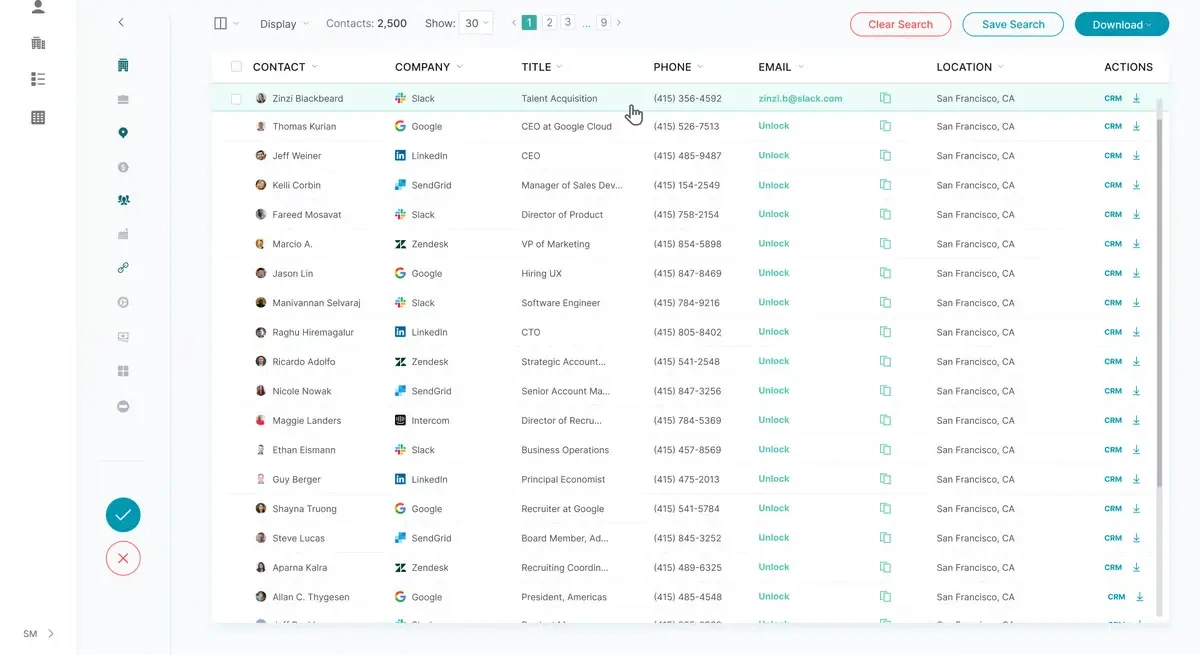
UpLead is a B2B prospecting platform built around a 95% data accuracy guarantee, backed by credit refunds on bounced emails. It lists 200M+ contacts and 16M+ companies and verifies each email in real time when you reveal it.
For teams whose main complaint about Seamless.AI is bounced emails, UpLead's written guarantee is the draw. Its 7-day trial includes 5 credits but needs a card, so it wasn't part of our no-card test.
Features
UpLead's own pages describe these capabilities:
Data. 200M+ contacts and 16M+ companies, with real-time email verification on each reveal.
Intent and signals. Buyer intent data and technographics on higher plans.
Enrichment. Data enrichment, suppression lists and API access on Professional.
Strengths and limitations
Here's where UpLead is stronger than Seamless.AI and where it falls short:
Strengths vs Seamless.AI
A written accuracy guarantee, with credits returned for bounced emails.
Published prices and credit costs.
Limitations
The trial needs a card and converts to an annual plan on day 7.
Full API access is limited to the custom-priced Professional plan.
Pricing
Essentials, the plan the trial converts to, was $74 a month billed annually, or $890 a year, on 30 October 2026, with Plus above it and Professional quoted. Extra monthly credits cost $0.60 on Essentials, $0.50 on Plus and $0.40 on Professional.
Best for: SMB teams that want verified emails with a written accuracy guarantee.
See UpLead vs ZoomInfo and where it sits among other B2B data platforms.
10. LinkedIn Sales Navigator: Social Selling
G2 rating: 4.4/5
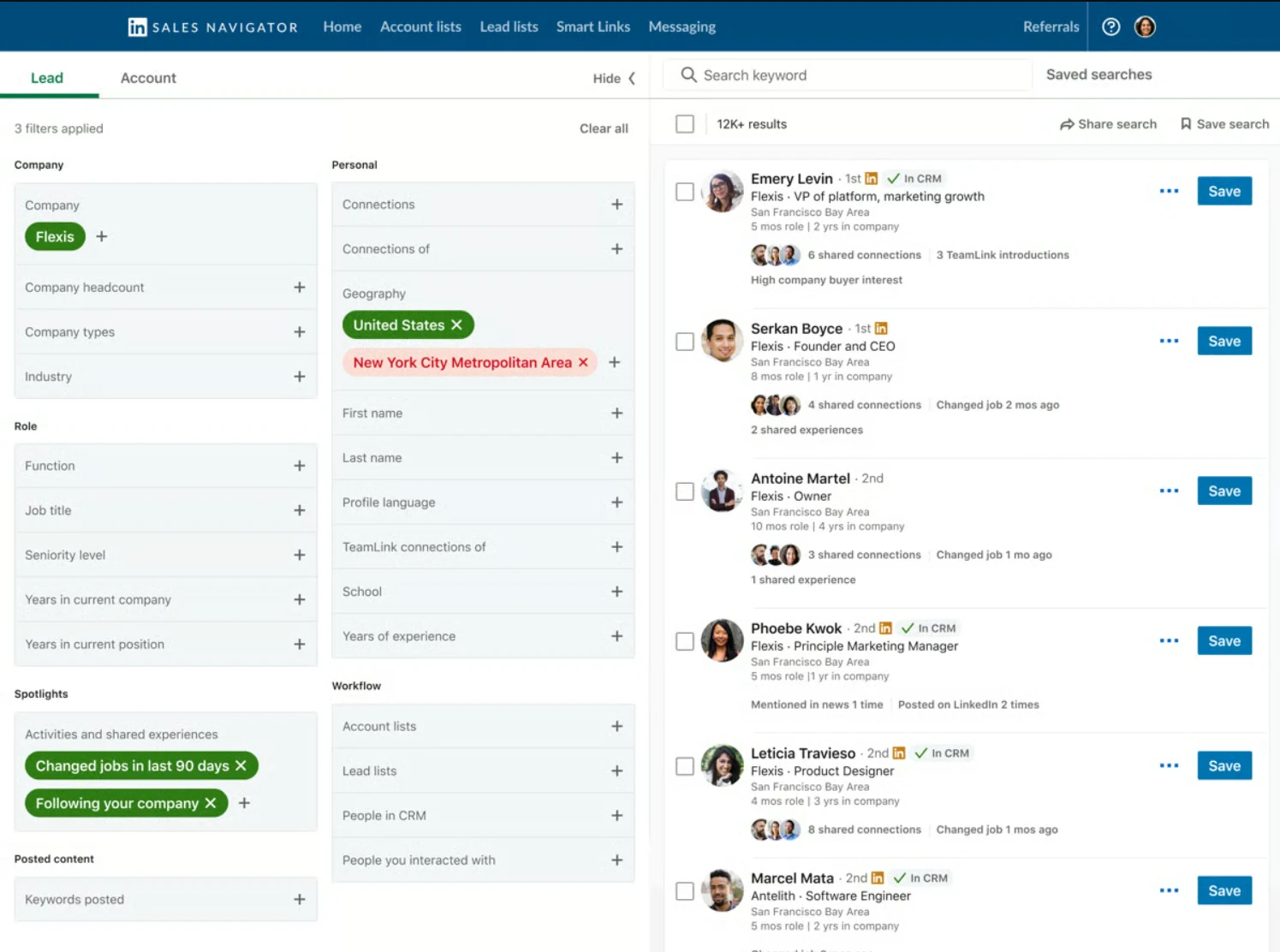
LinkedIn Sales Navigator gives revenue teams direct access to LinkedIn's professional network for prospecting, relationship tracking and account intelligence. Reps can search and save leads, follow account updates and find warm paths into target accounts.
Sales Navigator and Seamless.AI often sit side by side, because LinkedIn doesn't reveal verified emails or phone numbers. In a Forrester Total Economic Impact study commissioned by LinkedIn, a composite customer saw a 312% return over three years. The free trial asks for payment details, which ruled it out of our no-card test.
Features
LinkedIn's own pages describe these capabilities:
Data. Lead and account search on LinkedIn member data, with lead recommendations.
Intent and signals. Alerts on job changes and account news for saved leads and accounts.
Enrichment. CRM sync on Advanced, and CRM data validation against LinkedIn profiles on Advanced Plus for CRM hygiene.
Workflow and agents. InMail, saved lists and TeamLink, which reveals warm introduction paths across your team's network.
Strengths and limitations
Here's where Sales Navigator is stronger than Seamless.AI and where it falls short:
Strengths vs Seamless.AI
Profiles update when members update them, and alerts flag job changes on saved leads.
TeamLink and InMail help start conversations through shared connections.
Limitations
Outreach beyond LinkedIn needs a separate source for emails and phone numbers.
Seats are priced per user, which adds up across a large team.
Pricing
Sales Navigator is sold per seat on Core, Advanced and Advanced Plus, with a monthly allowance of InMail credits on each. Core and Advanced have a one-month free trial for eligible accounts.
Best for: Account executives and account managers who prioritize social selling and warm introductions alongside a contact data platform.
Many teams pair it with a data tool, as our LinkedIn prospecting guide shows. See Sales Navigator vs ZoomInfo and more Sales Navigator alternatives.
Where ZoomInfo Fits
Most teams shortlist a Seamless.AI alternative to fix one thing, whether that's bounced emails, credits that run out mid-list or a separate tool for outreach. ZoomInfo is built to cover those together, with verified data, the GTM Context Graph behind every account and Agent Teams that turn signals into work. Teams use it for outbound prospecting, inbound lead conversion and keeping enriched records in sync across systems, all from the same records.
The GTM data layer trusted by over half the Fortune 500, with 8,000+ G2 Reviews and ranked #1 in 142 G2 Reports.
How Much Does Seamless.AI Cost?
Seamless.AI doesn't publish paid prices. Its plans work like this:
Free. 50 credits after signup, which unlocks once you verify a phone number by SMS.
Pro and Enterprise. Quote-based, with more credits, premium modules and, on Enterprise, unlimited-user options.
Credits. Each row costs up to 1 credit for email and phone together, based on our test.
The pricing page is a form that asks how many contacts you need a month, then routes you to sales. Our Seamless.AI pricing guide covers what to ask.
Is There a Free Alternative to Seamless.AI?
Yes. Six of the alternatives on this list let you start without a card:
Apollo has a free plan with 75 credits a month and returned phones in our test.
Lusha has a free plan with 40 credits a month and one free CSV enrichment.
Clay has a free plan with 1,200 data credits a year for building waterfalls.
Kaspr has a free plan with separate email, phone and export credits.
RocketReach gives you 5 free lookups a month.
LeadIQ gives you 50 credits that last a year.
GTM.AI, ZoomInfo's API, CLI and MCP access, is free to start with consumption credits based on usage. Whichever you try, run a sample of your own target accounts through it before you buy.
Which Seamless.AI Alternative Should You Choose?
The right alternative depends on what you need that Seamless.AI doesn't cover today:
Choose ZoomInfo if you want every list built on verified data, with account context and agents doing the prep.
Choose Apollo if you want data, sequencing and a dialer in one tool at a published price.
Choose Lusha or RocketReach if you mainly need fast contact lookups with self-serve pricing.
Choose Clay if you have a GTM engineer and want to control which providers enrich each row.
Choose Kaspr if your reps prospect on LinkedIn and call into Europe.
Choose LeadIQ if job changes and champion tracking drive your outreach.
Choose Cognism if you sell mostly into Europe and rely on phone-verified mobiles.
Choose UpLead if you want a written accuracy guarantee on verified emails.
Choose LinkedIn Sales Navigator if social selling and warm introductions matter more than contact data.
Stay with Seamless.AI if you work large lists, want email and phone back from one upload and are happy to buy through sales.
For a wider shortlist, see our ZoomInfo alternatives test and the best sales prospecting tools.
Want to see ZoomInfo on your own accounts? Book a demo.
Frequently Asked Questions
These are common questions from buyers comparing Seamless.AI alternatives.
What is the best alternative to Seamless.AI?
It depends on why you're switching. ZoomInfo suits teams that want verified records, with account context and agents behind every list. Apollo is the closest like-for-like swap for SMB teams, with data, sequences and a dialer at published prices, and Clay suits teams that want to choose which providers enrich each contact.
Who are Seamless.AI's main competitors?
Seamless.AI's main competitors fall into four groups: platforms with their own verified data and workflow, such as ZoomInfo and Apollo, lookup tools such as Lusha, RocketReach and UpLead, LinkedIn-based tools such as Kaspr, LeadIQ and Sales Navigator, and enrichment waterfalls such as Clay. Cognism competes mainly for teams that sell into Europe.
How accurate is Seamless.AI data?
In our test, most contacts came back with an email and most of our phone contacts with a number, including European ones, and some rows also returned personal emails. On G2, users praise its contact information and flag outdated contacts, so run a sample of your own list through it and verify the emails before a campaign.
What does Seamless.AI integrate with?
Seamless.AI connects to Salesforce, HubSpot, Salesloft, Outreach and Pipedrive, and its Chrome extension works on LinkedIn and company websites. Records found in the app or by CSV upload can be pushed to those tools, with enrichment and job change alerts as add-on modules.
Is LeadIQ better than Seamless.AI?
They suit different jobs. LeadIQ is built around capturing contacts from LinkedIn into your CRM and sequencer and tracking job changes, while Seamless.AI is built for filling in emails and phones on large lists. In our test, LeadIQ's free plan blocked every UK and EU contact, while Seamless.AI returned European numbers.
Should I use LinkedIn Sales Navigator or Seamless.AI?
Many teams use both. Sales Navigator finds the right people and shows warm paths through your network, but it doesn't reveal emails or phone numbers. Seamless.AI, or another data tool on this list, supplies those contact details for outreach beyond LinkedIn.