
Choosing between When2meet and Doodle for meeting coordination comes down to five questions:
Do you need a free, no-signup tool, or are you willing to pay for professional features?
Are you scheduling with classmates and friends, or with clients, candidates, and cross-functional teams?
Is a one-time group availability check enough, or do you need ongoing booking automation?
How important are calendar integrations, reminders, and confirmation workflows?
For business teams: is your bigger challenge finding a meeting time, or finding the right people to meet with?
Here's what we recommend:
When2meet is the fastest way to find a time when a group is free. There's no account to create, no email to enter, no cost. You name an event, pick candidate dates, and share a link. Participants drag across a grid to mark their availability, and a color-coded heatmap shows the overlap in real time. For students, clubs, volunteer groups, and anyone who needs a quick availability check, When2meet has been the default since its founding at Brown University around 2000. But the tool stops at finding the overlap. There are no calendar invites, no booking confirmations, no reminders, no mobile optimization, and no integrations.
Doodle is a professional scheduling platform that covers four coordination patterns in one product: Group Poll for multi-party consensus, 1:1 for curated time-slot offers, Booking Page for persistent calendar links, and Sign-up Sheet for event enrollment. Doodle integrates with Google Calendar, Outlook, Zoom, and Microsoft Teams, sends automated reminders, delivers calendar invites on booking, and holds SOC 2 Type II, HIPAA, and GDPR compliance. For professional teams, healthcare organizations, and universities that need scheduling across organizational boundaries, Doodle is a clear step up. The trade-off is cost: paid plans start at $15/month, and the free tier shows ads to every participant.
Both tools solve the logistics of scheduling. But for B2B teams, the harder challenge often isn't finding an open time slot. It's identifying which prospects, accounts, and decision-makers belong on the calendar in the first place. That's a different problem, and it's where ZoomInfo fits in.
ZoomInfo is a go-to-market platform that helps sales, marketing, and revenue teams find the right people to meet with before a scheduling tool enters the picture. Built on a B2B data foundation spanning 500M contacts, 100M companies, 135M+ verified phone numbers, and 200M+ verified business email addresses, ZoomInfo surfaces in-market buyers, maps buying committees, and provides the verified contact data that makes outreach land. Its GTM Context Graph fuses this data with your CRM records, conversation transcripts, and behavioral signals to reveal not just who to contact, but why they're worth contacting now. For B2B teams, pairing ZoomInfo's intelligence with a scheduling tool like Doodle means every meeting on the calendar is with someone qualified and timely.
If identifying the right prospects is your bottleneck, see how ZoomInfo works.
When2meet vs. Doodle at a glance
When2meet | Doodle | ZoomInfo | |
|---|---|---|---|
Core function | Group availability heatmap | Multi-format scheduling platform | B2B intelligence and prospecting |
Account required | No (organizer or participant) | No for participants; yes for organizers on paid plans | Yes |
Calendar integration | None | Google Calendar, Outlook, Apple Calendar | Salesforce, HubSpot, Dynamics 365 (CRM-level) |
Video conferencing | None | Zoom, Google Meet, Microsoft Teams, Webex | N/A (not a scheduling tool) |
Booking automation | None (stops at availability overlap) | Booking Page with real-time availability, reminders, and calendar invites | N/A |
Mobile experience | Poor (desktop-only design) | Web-based, functional on mobile | Web and mobile app |
Security certifications | None published | SOC 2 Type II, HIPAA, GDPR | ISO 27001, ISO 27701, SOC 2 Type II, GDPR, CCPA |
Pricing model | Free (ad-supported) | Freemium (Free, Pro at $15/mo, Team at $8.95/user/mo annually) | Custom-quoted, consumption-based |
Free plan | Full access, no limits | Limited (ads, 1 booking page, 10 poll time slots) | ZoomInfo Lite (permanent free tier, 10 monthly credits) |
Best for | Students, clubs, and casual groups needing zero-friction polling | Professional teams needing scheduling automation and compliance | B2B sales and marketing teams needing prospect intelligence |
Free simplicity vs. professional scheduling
When2meet and Doodle represent opposite philosophies about what a scheduling tool should be.
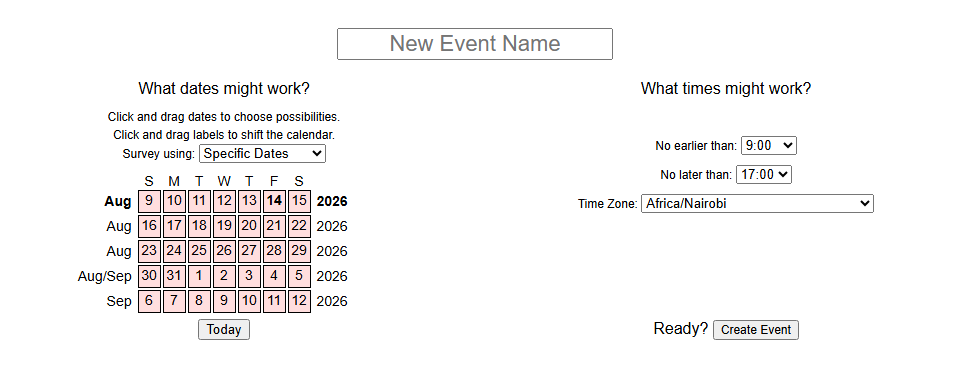
When2meet is a single-purpose utility.
The entire product fits on one page: name an event, pick dates, set a time window, share the URL. The site is designed to be compact so events can be created and accessed quickly. There's no dashboard, no settings menu, no account profile. The interface hasn't changed since the mid-2000s, and that stability is part of the appeal. It works the same way it worked when Don Engel built it as a student at Brown, and it solves the same problem: finding the one time when everyone in a group is free.
Source: When2meet
Doodle started in the same place.
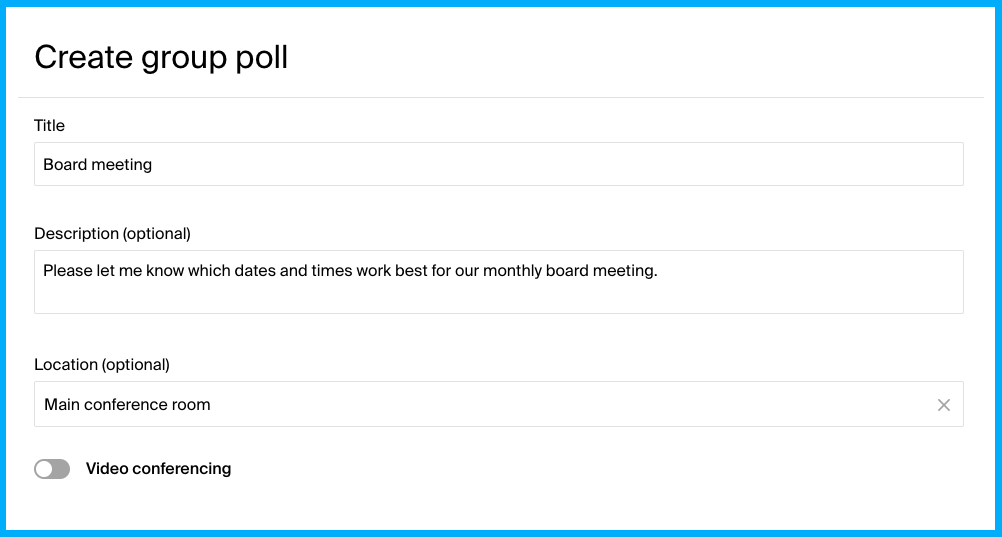
Founded in 2007 by two ETH Zurich students who wanted to eliminate email back-and-forth for group gatherings, Doodle's original Group Poll worked much like When2meet does today: propose times, let people vote, pick the winner.
But Doodle evolved into a full scheduling platform. The 2018 launch of 1:1 meetings, 2019 Booking Page, and subsequent Sign-up Sheet turned Doodle from a poll tool into a system that handles the entire scheduling workflow, from proposing times through booking confirmation and calendar delivery.
Source: Doodle
That evolution brought trade-offs.
Doodle's free tier now includes ads on all poll pages, which participants see even if the organizer is on the free plan. Features like automated reminders, custom branding, and Microsoft Teams integration sit behind paid plans. When2meet has none of these features, but it also has none of these restrictions. Everything the tool does is available to everyone, always.
Group scheduling: heatmap vs. structured poll
Both tools solve the same core problem (find a time for a group), but the interaction model differs.
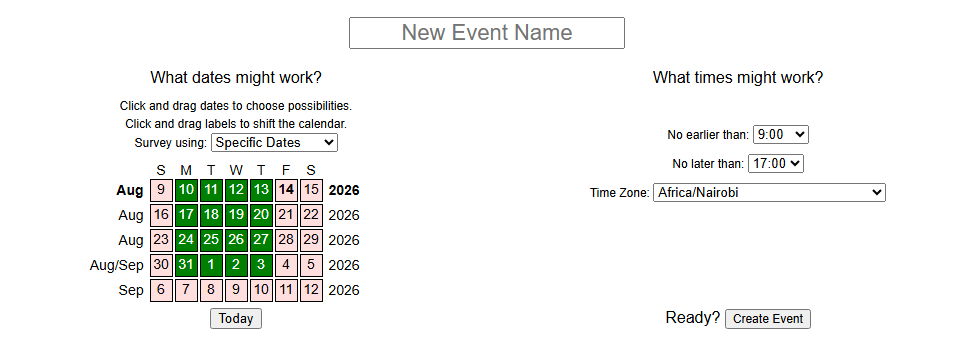
When2meet uses a drag-to-select grid.
Participants click and drag across time blocks to paint their available hours. The group's combined availability appears as a heatmap that updates in real time as responses come in, with darker cells showing more people available. Hovering over any cell shows exactly who is free at that moment.
The heatmap gives organizers a continuous visual signal: they can see not just the best time but every near-miss, and make informed trade-offs (a slot where one peripheral person can't attend versus one where three key people can't).
Doodle uses a structured voting model.
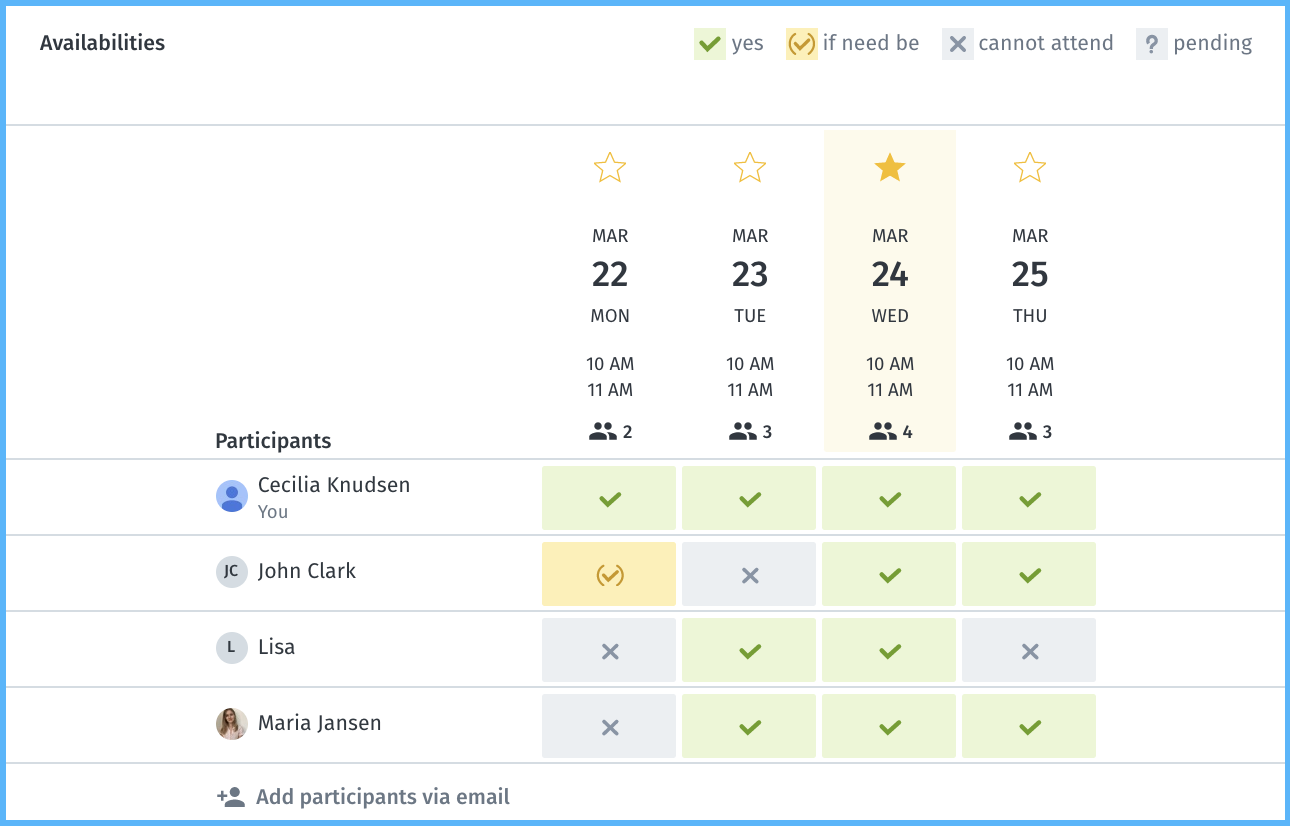
The organizer proposes specific time slots, and participants mark each as available (green), "if-need-be" (yellow), or leave it unselected. This three-state voting captures a nuance that binary yes/no polls miss. Up to 1,000 people can respond to a single Doodle poll, and Professional accounts can include up to 1,000 time slots. Doodle also supports voting deadlines, participant caps per slot, and hidden participant lists for scenarios like interview scheduling where privacy matters.
Source: Doodle
When2meet works best when you want participants to show all their availability across a time range. Doodle works best when the organizer already knows which slots to propose and wants a clean vote.
For a study group trying to find overlapping free time this week, When2meet's continuous grid is more natural. For a hiring manager proposing three interview windows to a panel, Doodle's structured poll is cleaner.
What happens after you find a time
This is where the two tools diverge most sharply.
When2meet stops at the overlap.
Once participants fill in their grids and the organizer identifies the best time, everything else happens outside the tool. The organizer messages the group with the decision, creates a calendar event in a separate app, and handles follow-up. There are no confirmation emails, no calendar invites, no reminders, and no way to notify participants that a time has been chosen. When2meet is a poll, not a booking system.
Doodle completes the workflow.
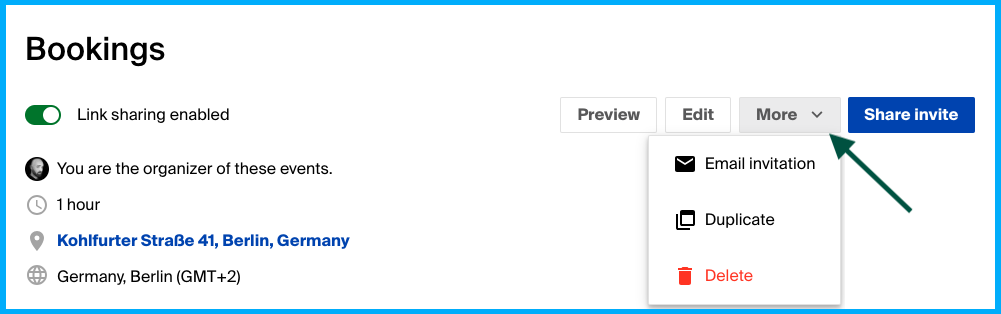
When the organizer clicks "Book it" on a Group Poll, participants receive an email with event details and a calendar invite. Booking Pages go further: they work as persistent scheduling links that check connected calendars in real time, prevent double-booking, and send 24-hour reminders before appointments. For paid consultations or coaching sessions, Stripe integration enables payment collection at booking.
Source: Doodle
For a one-off study group, the manual follow-up after When2meet is a minor inconvenience. For a university running hundreds of lab inspections or a nonprofit coordinating volunteer shifts, the lack of automated confirmation and reminders becomes a real operational gap.
Calendar integration and the mobile divide
When2meet has no integrations.
It does not connect to Google Calendar, Outlook, Apple Calendar, or any other application. Participants fill in the availability grid from memory, meaning they need their own calendar open in another window to cross-reference. An unofficial browser extension exists to pull Google Calendar data into the grid, but the official product offers no native sync.
The mobile experience compounds this gap.
When2meet's drag-to-select grid was designed for desktop browsers with a mouse. On touch screens, the small time-slot targets cause accidental selections, and scroll gestures interfere with drag interaction. The interface predates responsive web design and has not been adapted for mobile.
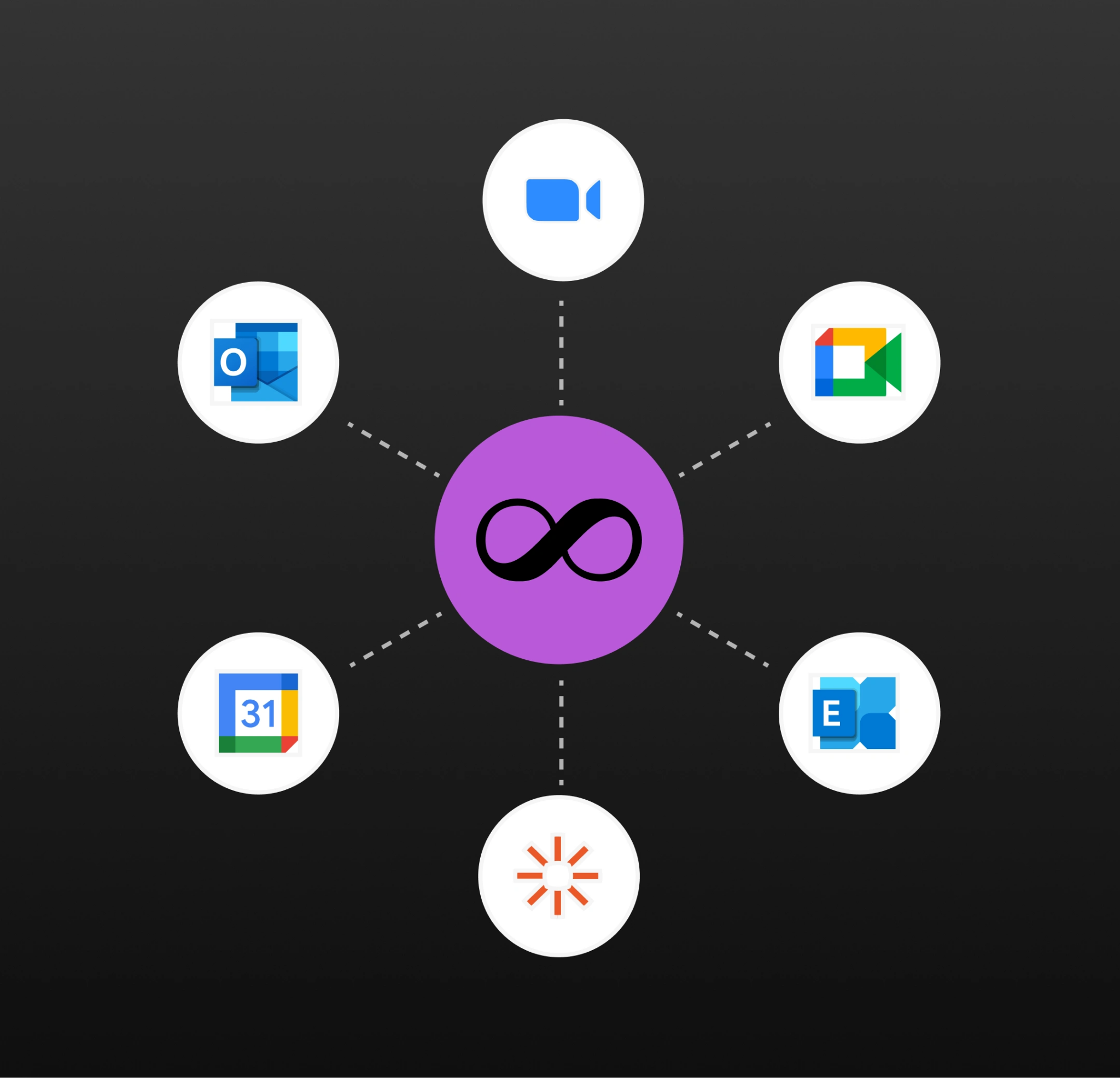
Doodle integrates with Google Calendar, Microsoft Outlook, and Apple iCloud Calendar (the last listed as beta).
When an organizer connects their calendar, Doodle reads availability and surfaces conflicts during poll creation and booking. For video conferencing, Doodle generates links for Google Meet and Zoom on all plans, with Microsoft Teams and Webex on paid plans. The web-based platform works across devices, and while some reviewers note the mobile experience is less polished than desktop, it is functional.
Source: Doodle
For teams that live in their calendars, Doodle's integrations remove a real source of scheduling errors. For groups where no one shares a calendar system (cross-organizational meetings, volunteer networks, international research collaborations), Doodle's ability to work across boundaries without shared calendar access is a core advantage.
When2meet handles cross-organization scheduling too, but only at the availability-polling level, not the booking level.
Security and compliance shape who can use each tool
For informal groups, security certifications don't matter. For organizations in regulated industries, they're a gate.
When2meet collects minimal data by design.
Participants enter only a display name. No email, no account, no billing information. This minimalism offers a form of privacy through data absence. But the tool publishes no privacy policy, no data retention statement, and holds no security certifications. Display ads introduce third-party tracking scripts. For enterprise buyers with compliance obligations, or organizations bound by GDPR data processor requirements, this is a disqualifying gap.
Doodle holds SOC 2 Type II, HIPAA, and GDPR certifications.
Infrastructure is hosted on AWS in the EU, with transit encryption via TLS 1.2+ and regular third-party penetration testing. A Data Protection Officer is in place, and inactive polls and participant data are deleted after 90 days. Enterprise accounts get SSO/SAML authentication and 99.5% uptime guarantees.
For healthcare networks scheduling multi-provider appointments, universities coordinating compliance inspections, or government agencies running grant consultations, Doodle's certifications open doors that When2meet's lack of compliance documentation closes.
The upstream problem: knowing who belongs on the calendar
Scheduling tools solve the "when" problem. But for B2B teams, the "who" problem is harder and more consequential. You can find a meeting time in seconds. Identifying which accounts are in-market, which contacts are decision-makers, and which signals suggest someone is ready to buy takes real intelligence.
ZoomInfo addresses this upstream challenge.
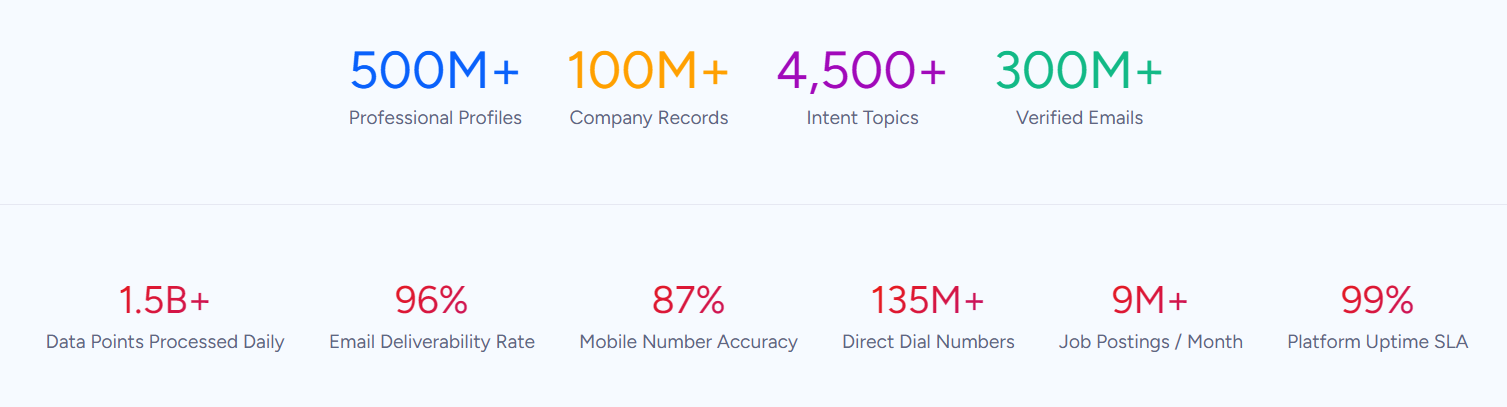
The platform's B2B data covers 500M contacts and 100M companies, verified through a pipeline backed by 300+ human researchers and up to 95% accuracy on first-party data. In a Fortune 500 competitive RFP analyzing 25 million contacts across vendors, an independent consultant concluded that "no other competitor came even close."
Source: ZoomInfo
The data alone would make ZoomInfo useful for finding contacts worth meeting. But the GTM Context Graph, which processes 1.5B+ data points daily, goes further. It combines ZoomInfo's third-party intelligence with your CRM records, conversation transcripts, and behavioral signals to show why a prospect is worth meeting now.
Buyer Intent data tracks signals from 210 million IP-to-Organization pairings, identifying companies researching topics related to your product before they fill out a form. Guided Intent, exclusive to ZoomInfo, identifies the topics historically correlated with your closed-won deals rather than requiring manual topic selection.
For sales teams, this intelligence flows into three channels: GTM Workspace gives sellers a prioritized account feed with AI-drafted outreach. GTM Studio lets marketers and RevOps teams build and launch plays in natural language. And APIs plus MCP expose the same intelligence to any third-party tool or AI agent.
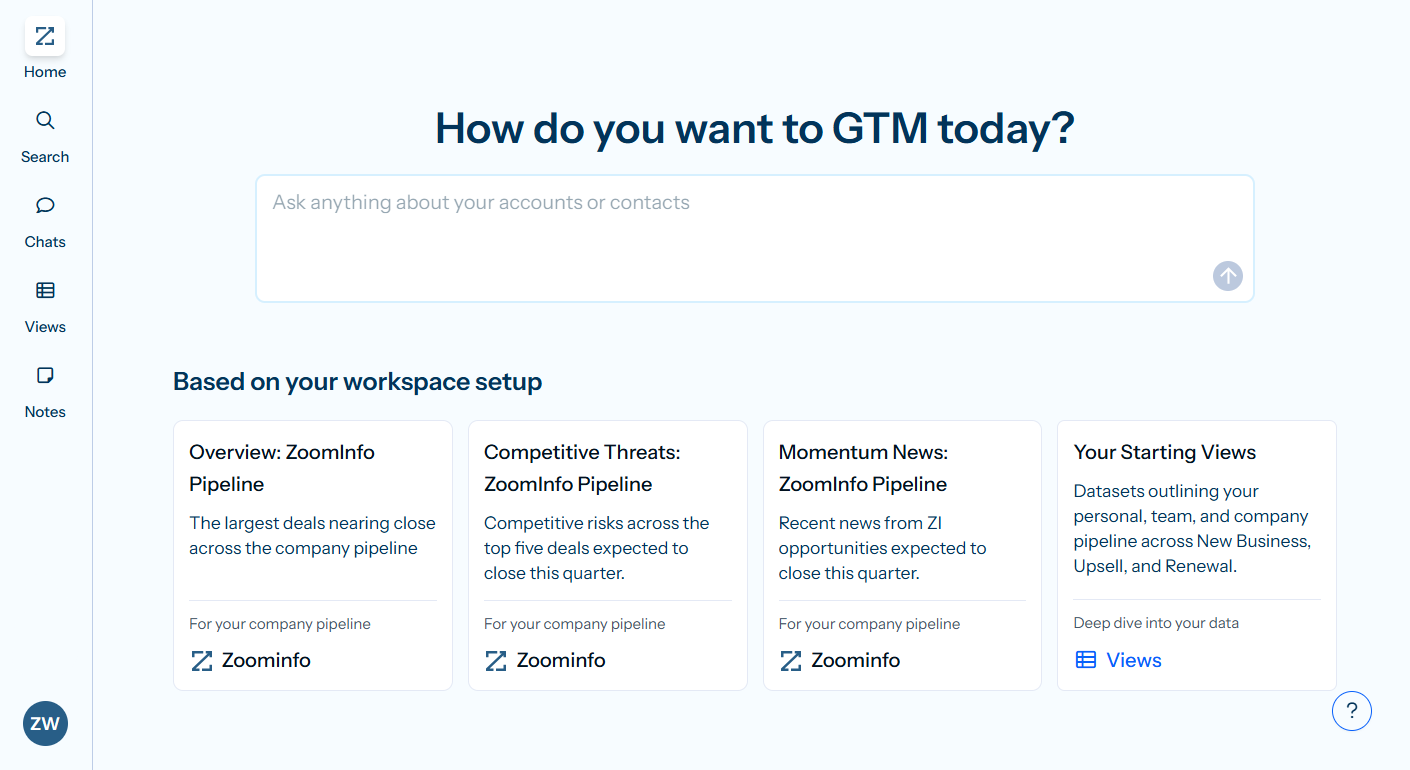
The practical workflow: ZoomInfo identifies an in-market account, surfaces the right contacts with verified direct dials and emails, and the sales rep uses a scheduling tool like Doodle to book the meeting. The scheduling tool handles logistics. ZoomInfo makes sure the logistics are spent on the right people.
Seismic's sales team boosted productivity by 54% and attributed 39% of active pipeline to opportunities identified or influenced by ZoomInfo signals. (Seismic)
Pricing: free vs. freemium vs. enterprise
When2meet costs nothing.
The entire tool is free and ad-supported, with optional PayPal donations ($5, $10, or $20). There is no paid tier, no feature gatekeeping, and no upgrade path. This isn't a freemium model; it's a free product run by a solo operator.
Doodle uses a per-seat subscription model:
Plan | Price | Key features |
|---|---|---|
Free | $0 | Group polls (10 time slots max), 1 booking page, 1 active 1:1, ads shown |
Pro | Unlimited polls and booking pages, ad-free, reminders, custom branding, Zapier, Teams/Webex | |
Team | All Pro features, 2-100 users, admin controls, shared booking pages | |
Enterprise | Custom pricing | SSO/SAML, dedicated account management, custom training, uptime guarantees |
The free tier works for occasional personal use but shows ads to every participant, caps polls at 10 time slots, and limits you to one booking page. For professional use, the Pro plan at $15/month removes these restrictions.
ZoomInfo uses custom-quoted, consumption-based pricing. ZoomInfo Lite offers a permanent free tier with access to the B2B database and 10 monthly export credits, no credit card required. A 7-day free trial of the full platform is also available. Paid plans scale based on seats, credit volume, and feature access.
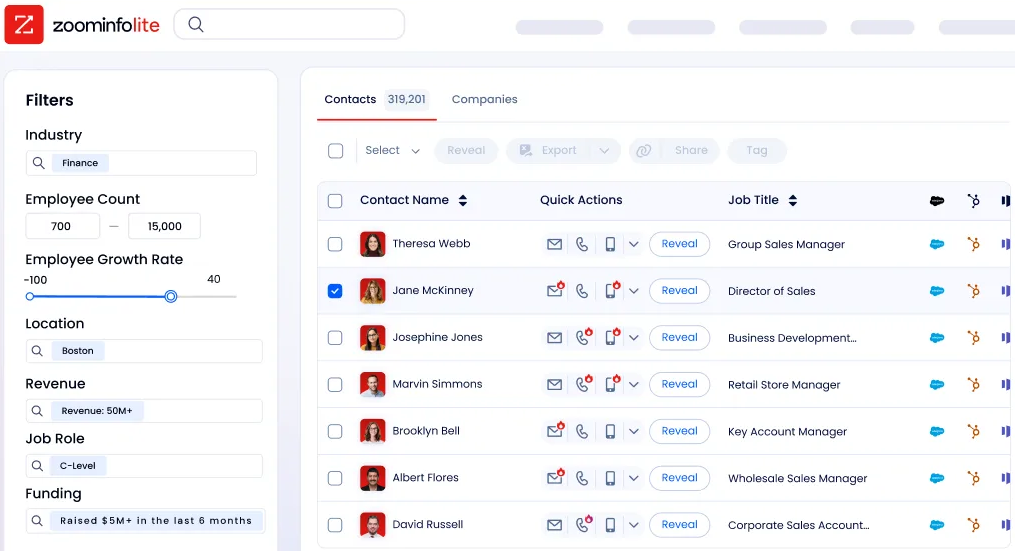
Source: ZoomInfo
These three pricing models reflect three different products for three different problems. When2meet's free model sustains a single-purpose utility. Doodle's freemium tiers fund a professional scheduling platform. ZoomInfo's enterprise pricing supports the data infrastructure, intelligence, and compliance certifications that B2B teams require.
"ZoomInfo gives us the information we need to execute. We don't have to go through and spend our time digging. It's already there, so we can be three steps ahead." (Vensure)
When2meet vs. Doodle vs. ZoomInfo: Which should you choose?
These three tools serve different roles. The right choice depends on what problem you're solving.
Choose When2meet if:
You need to find a group's available time quickly and for free
No one in the group will create an account or pay for a tool
You're scheduling study groups, club meetings, or casual social events
You only need the availability overlap, not a full booking workflow
Mobile access is not a priority
Choose Doodle if:
You need professional scheduling with calendar integrations and booking automation
You're coordinating across organizations where no one shares a calendar system
Compliance matters (healthcare, education, government, regulated industries)
You want automated reminders, calendar invites, and payment collection
You need multiple scheduling formats (group polls, 1:1, booking pages, sign-up sheets)
Choose ZoomInfo if:
Your challenge isn't finding a meeting time but finding the right people to meet with
You need verified B2B contact data, buyer intent signals, and account intelligence
You want prospecting that tells you who to contact, when to engage, and what to say
You need a platform that feeds intelligence into your CRM, sales tools, and AI agents
You're a B2B sales, marketing, or revenue team looking to fill the calendar with qualified meetings
See how ZoomInfo identifies your next best meeting with a free trial.
Thomson Reuters increased closed-won deals by 40% and achieved 115% average quota attainment each month using ZoomInfo's intelligence to prioritize accounts and personalize outreach. (ZoomInfo GTM Workspace)
When2meet and Doodle both solve scheduling well, at different levels of sophistication and cost. When2meet is the right tool when simplicity and zero friction matter more than features. Doodle is the right tool when scheduling needs professional polish, compliance, and automation. For B2B teams, ZoomInfo ensures that the meetings you schedule are with the people most likely to become customers.
When2meet vs. Doodle vs. ZoomInfo FAQ
Is When2meet really free, or are there hidden costs?
When2meet is free with no paid tier, no feature restrictions, and no upgrade prompts. The tool is ad-supported, and display ads appear on event pages. The only optional cost is a voluntary PayPal donation. There are no hidden fees because there is no billing relationship with users.
Can participants use When2meet or Doodle without creating an account?
Both tools let participants respond without creating an account. When2meet requires only a display name. Doodle lets participants vote on Group Polls, book 1:1 meetings, and register on Sign-up Sheets without a Doodle account. For organizers, When2meet requires no account either. Doodle requires an account for organizers on paid plans and for features like unlimited polls and booking pages.
Which tool is better for scheduling across different time zones?
Doodle handles time zones more completely. Calendar integrations check availability against real schedules, and all times display in each participant's local time zone. When2meet supports automatic time zone adjustment in its Specific Dates mode (each participant's grid renders in their local time based on browser settings), but its Days of the Week mode assumes a single shared time zone.
Neither tool requires participants to convert times manually in their primary scheduling modes.
Does When2meet integrate with Google Calendar or Outlook?
No. When2meet has no native integrations with any calendar, video conferencing, or productivity tool. Participants must manually check their calendars while filling in the availability grid. An unofficial browser extension exists to import Google Calendar data, but it is not maintained or endorsed by When2meet. Doodle integrates natively with Google Calendar, Microsoft Outlook, and Apple iCloud Calendar.
Which tool is better for professional or client-facing scheduling?
Doodle is better suited for professional contexts. It offers custom branding, ad-free experiences on paid plans, automated reminders, calendar invite delivery, Stripe payment collection, and compliance certifications (SOC 2 Type II, HIPAA, GDPR). When2meet shows ads on event pages, has no branding options, and provides no post-poll workflow.
For business teams that also need to identify the right contacts before scheduling, ZoomInfo provides the prospecting intelligence layer.
What is ZoomInfo, and how does it relate to scheduling tools?
ZoomInfo is not a scheduling tool. It is a B2B intelligence platform that helps sales and marketing teams identify which prospects, accounts, and decision-makers are worth meeting with. It provides verified contact data, buyer intent signals, and AI-powered account insights.
The connection to scheduling is workflow-based: ZoomInfo identifies the right people, and a scheduling tool like Doodle handles the logistics of getting the meeting on the calendar.
Can Doodle handle large group scheduling?
Yes. A single Doodle Group Poll can accommodate up to 1,000 participant responses, and Professional accounts can include up to 1,000 time slots per poll. Sign-up Sheets support up to 99 sessions with independent seat caps of up to 999 per session. When2meet does not publish formal participant limits, but its interface becomes harder to read with very large groups since every participant's name appears in the hover overlay.
Does Doodle offer a free plan, or just a free trial?
Doodle offers a permanent free plan, not a time-limited trial. The free plan includes Group Polls (capped at 10 time slots), one booking page, one active 1:1, Google Meet and Zoom integration, and Stripe payment collection. It excludes ad removal, automated reminders, Microsoft Teams and Webex integrations, custom branding, and Zapier connectivity. Doodle does not publicly confirm a time-limited trial of paid features.
