
Choosing between Xoyondo and Doodle for group scheduling comes down to five questions:
Do you need a free tool that covers the basics, or a paid platform with automation and branding?
Is your scheduling mostly internal, or does it involve external parties across organizations?
Do you need just meeting polls, or also booking pages, sign-up sheets, and calendar-synced availability?
How important are integrations with video conferencing, CRM, and workflow automation tools?
Does your scheduling feed into a larger sales or go-to-market workflow where knowing who to meet matters as much as when?
In short, here's what we recommend:
Xoyondo is a free scheduling poll tool for individuals, small teams, and community organizers who need to find a meeting time quickly. Its free plan includes unlimited polls and unlimited participants, and nobody needs an account to vote. Beyond meeting polls, Xoyondo handles opinion polls and sign-up sheets with flexible text-based options.
The trade-off is clear: no calendar sync, no booking pages, no integrations beyond calendar export, and a one-person development team that limits how fast the product evolves.
Doodle is the professional scheduling platform for teams that coordinate across organizational boundaries. With 30 million monthly users and four scheduling modes (Group Poll, Booking Page, 1:1, and Sign-up Sheet), Doodle covers more ground than any standalone poll tool.
Calendar sync, video conferencing integrations, automated reminders, and SOC 2 Type II, HIPAA, and GDPR compliance make it viable for regulated industries. But the free tier shows ads to every participant, and paid plans starting at $15/month can feel expensive for what amounts to scheduling coordination.
Both tools solve the "when should we meet?" problem. But for sales, recruiting, and business development teams, the harder question comes before scheduling: who should you be meeting in the first place? That's a different problem, and it's where ZoomInfo fits in.
ZoomInfo is a B2B intelligence and go-to-market platform that identifies the right prospects before you send a scheduling link. Its dataset includes 500M contacts and 100M companies, 135M+ verified phone numbers, and 200M+ verified business email addresses.
ZoomInfo's GTM Context Graph combines this data with your CRM records, conversation transcripts, and behavioral signals to show which accounts are actively in-market and why deals move or stall.
Your team can act on this intelligence through the GTM Workspace for sellers, GTM Studio for marketers and RevOps, or APIs and MCP in any front-end. Pair ZoomInfo with whichever scheduling tool you prefer, and every meeting you book starts with the right person at the right account.
If you want every meeting on your calendar to count, see how ZoomInfo identifies the accounts worth scheduling with.
Xoyondo vs. Doodle at a glance
Xoyondo | Doodle | ZoomInfo | |
|---|---|---|---|
Core function | Group scheduling polls | Professional scheduling platform | B2B intelligence and GTM execution |
Group polling | Unlimited polls, unlimited participants (free) | Group Poll with up to 1,000 respondents | N/A (complements scheduling tools) |
Booking pages | Not available | Always-on calendar-linked booking page | N/A |
Sign-up sheets | Date and free-text options | Date-based sessions with capacity limits | N/A |
Calendar sync | Export only (iCal, Google, Outlook) | Bidirectional sync (Google, Outlook, iCloud) | Integrates with Outlook and Google calendars via Marketplace |
Video conferencing | No integrations | Google Meet, Zoom, Teams, Webex | N/A |
Integrations | Calendar export only | Zapier, Stripe, video platforms | 120+ native integrations, API, and MCP |
Security certifications | None published | SOC 2 Type II, HIPAA, GDPR | ISO 27001, ISO 27701, SOC 2 Type II, GDPR, CCPA |
Free plan | Unlimited polls, light ads | Limited features, ads shown to participants | ZoomInfo Lite (permanent free tier) |
Starting price | $29/year (Premium) | $15/month (Pro) | Custom-quoted |
Best for | Individuals and small groups needing free polls | Professional teams scheduling across organizations | Sales and GTM teams identifying who to meet |
Doodle covers four scheduling modes where Xoyondo covers one
Xoyondo does three things: meeting polls, opinion polls, and sign-up sheets. It does them well, with minimal friction. But it's a polling tool, not a scheduling platform.
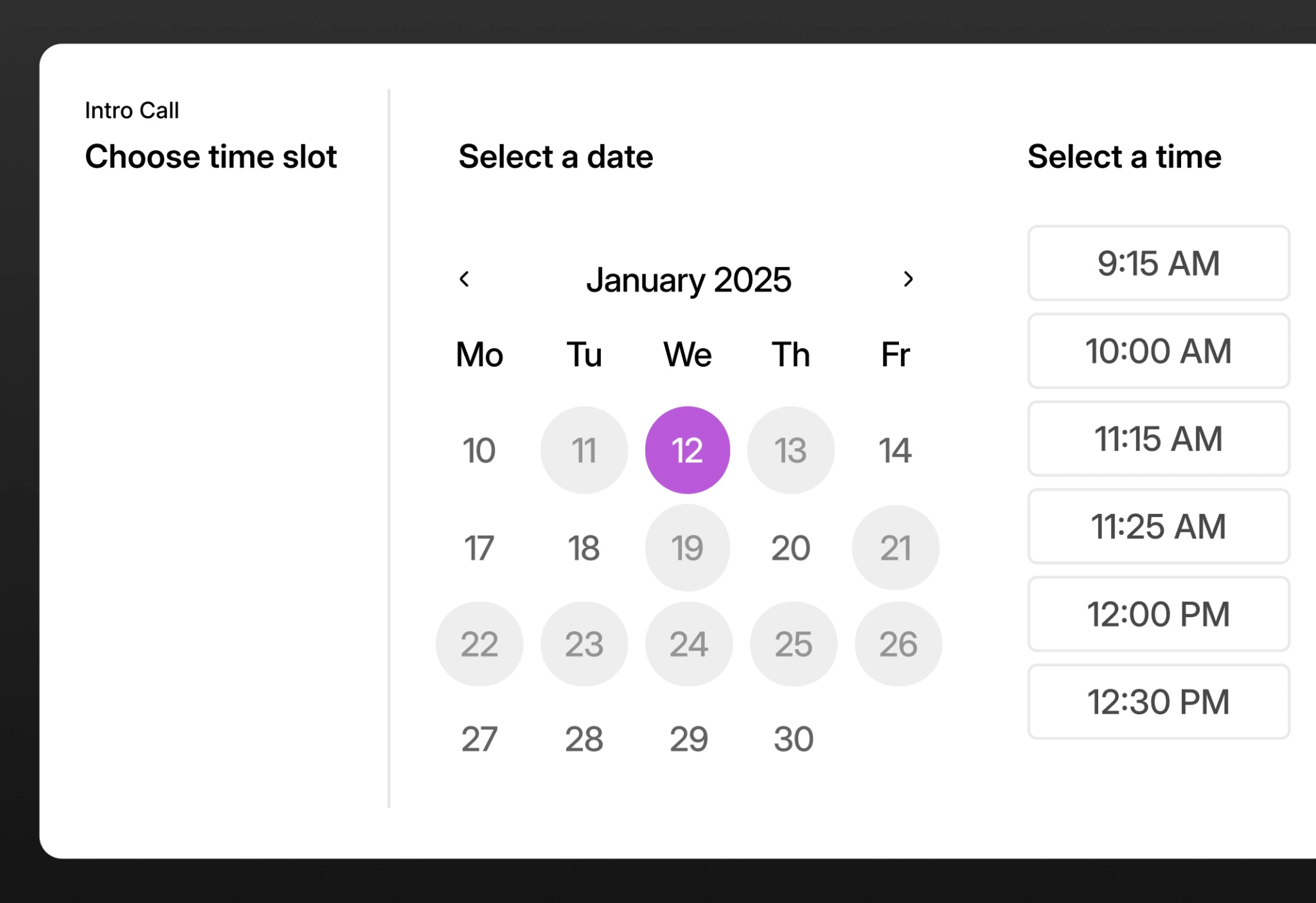
Doodle offers four distinct scheduling modes from a single product: Group Poll for multi-party async consensus, 1:1 for curated time-slot offers, Booking Page for always-on availability sharing, and Sign-up Sheet for event enrollment. Each serves a different coordination need.
Source: Doodle
A recruiter scheduling panel interviews uses 1:1. A consultant accepting client bookings uses a Booking Page. A non-profit coordinating volunteer shifts uses a Sign-up Sheet. A department finding a meeting time uses Group Poll.
This breadth matters most for teams whose scheduling needs vary. A university department might use Group Poll for faculty meetings, Booking Page for student advising hours, Sign-up Sheet for workshop registrations, and 1:1 for compliance inspections. With Xoyondo, only the first and third are covered. The others would require separate tools.
Xoyondo's sign-up sheets hold one advantage: they accept both date-based and free-text options, making them more flexible for non-date scenarios like role assignments or preference collection. Doodle's sign-up sheets are date-only.
Calendar sync separates scheduling from polling
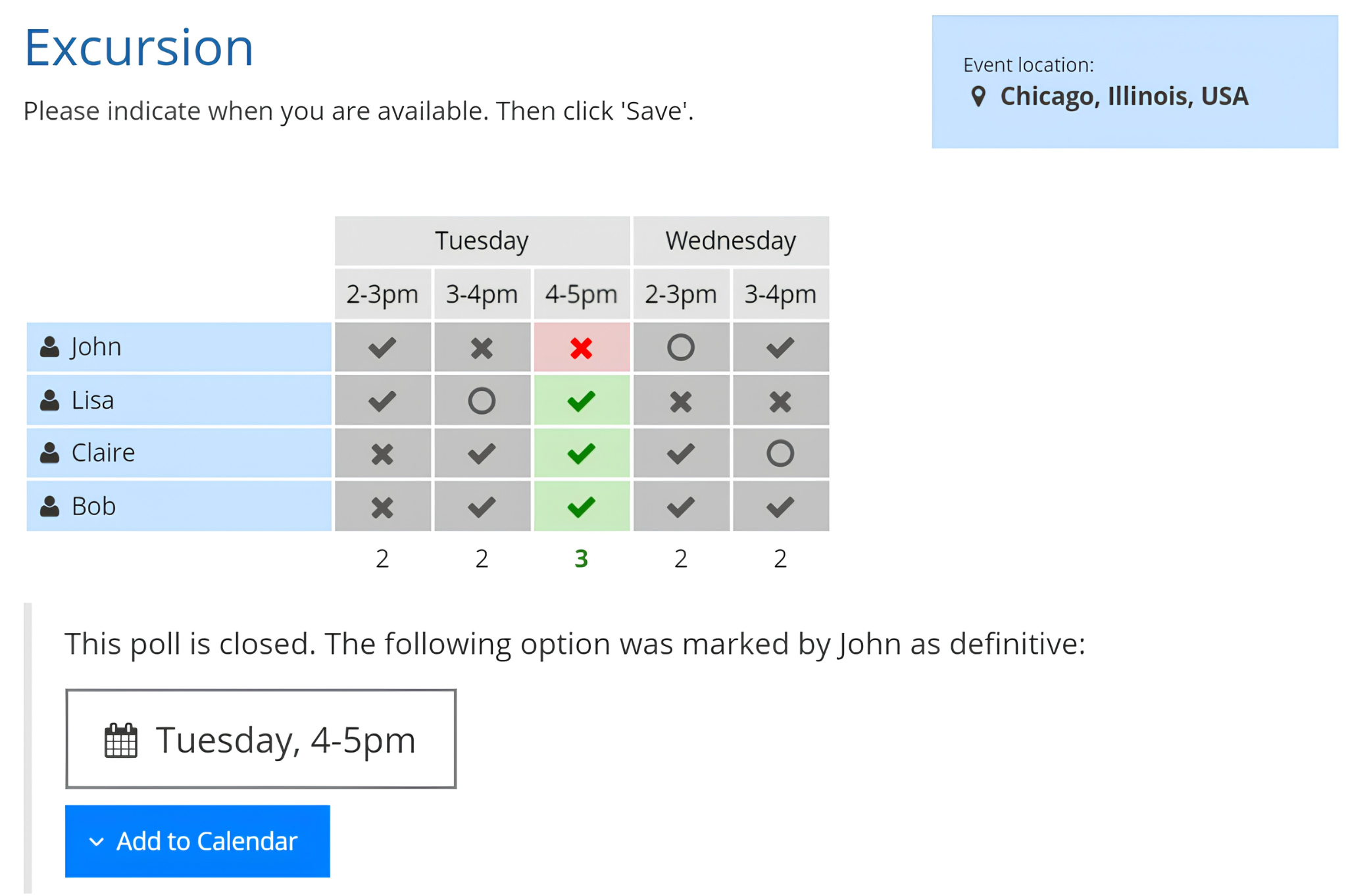
This is the clearest functional divide between the two tools. Xoyondo offers calendar export (Google Calendar, Outlook, and iCal) but no calendar sync. You can push a finalized meeting time to your calendar, but the tool never reads your calendar to check for conflicts or block off booked time.
Source: Xoyondo
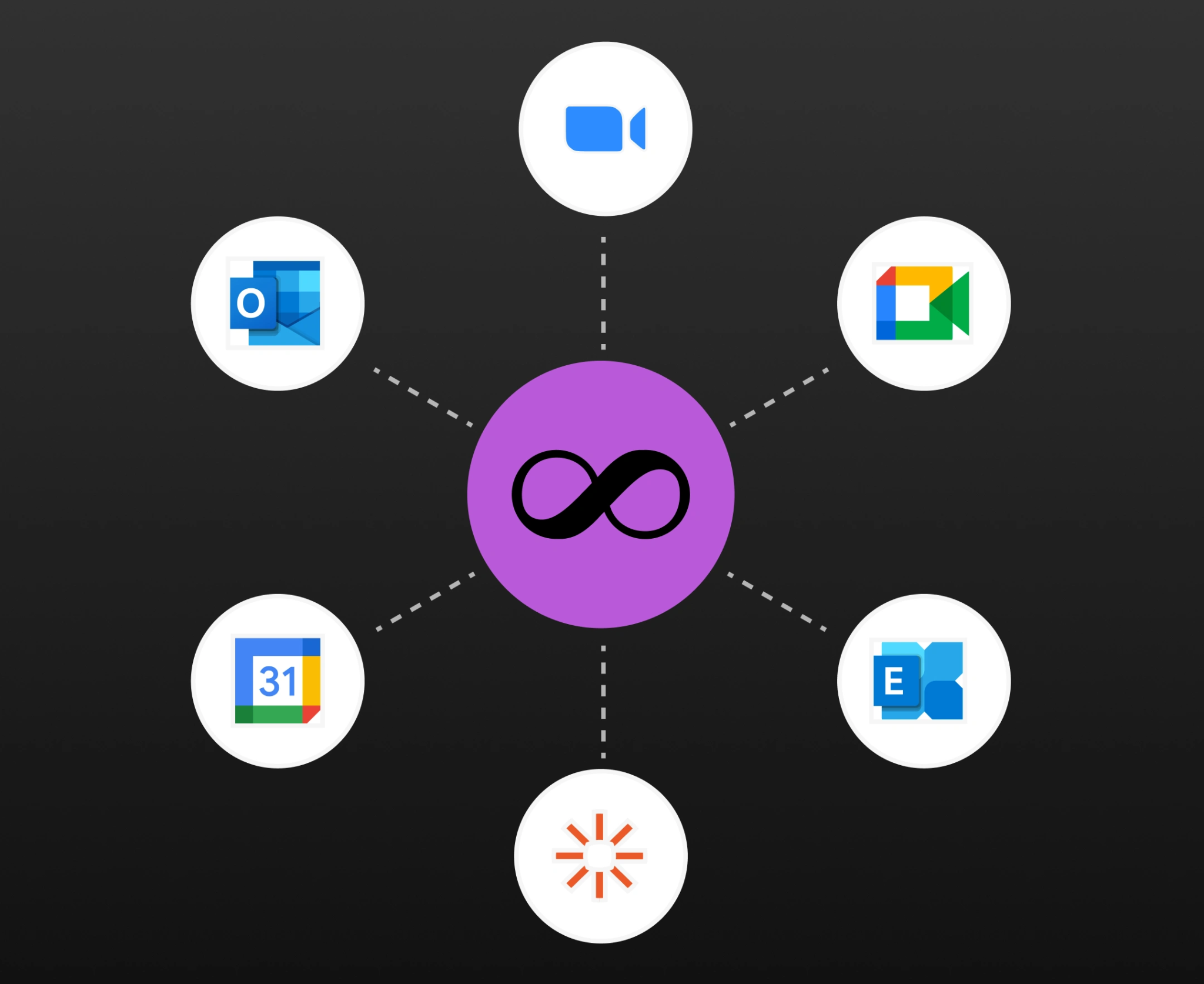
Doodle connects bidirectionally with Google Calendar, Outlook, and iCloud. When you create a Group Poll, your connected calendar shows busy/free status so you only propose times you're actually available. When someone books through your Booking Page, the slot disappears from availability in real time. Participants receive calendar invites automatically.
Source: Doodle
For casual or infrequent scheduling, the lack of calendar sync is a minor inconvenience. For anyone managing a busy calendar with multiple daily commitments, it's a dealbreaker. Double-booking risk is real when the tool proposing your times has no idea what's already on your calendar.
Doodle's Booking Page addresses this directly: the system scans all connected calendars and surfaces only open slots, with configurable buffer times and daily booking caps.
That said, some Doodle users report that calendar sync doesn't always reflect external changes correctly, occasionally creating the double-booking problem it's meant to prevent. Calendar sync is a meaningful advantage when it works reliably.
Integrations determine how scheduling fits your workflow
Xoyondo has no integrations beyond calendar export. No Zoom, no Google Meet, no Microsoft Teams, no Slack, no Zapier, no CRM connections. When you finalize a poll, you copy the result and manually set up whatever comes next. This works for personal and community use but creates friction for professional teams.
Doodle integrates with video conferencing tools (Google Meet, Zoom, Microsoft Teams, and Webex) for automatic video link generation at poll creation.
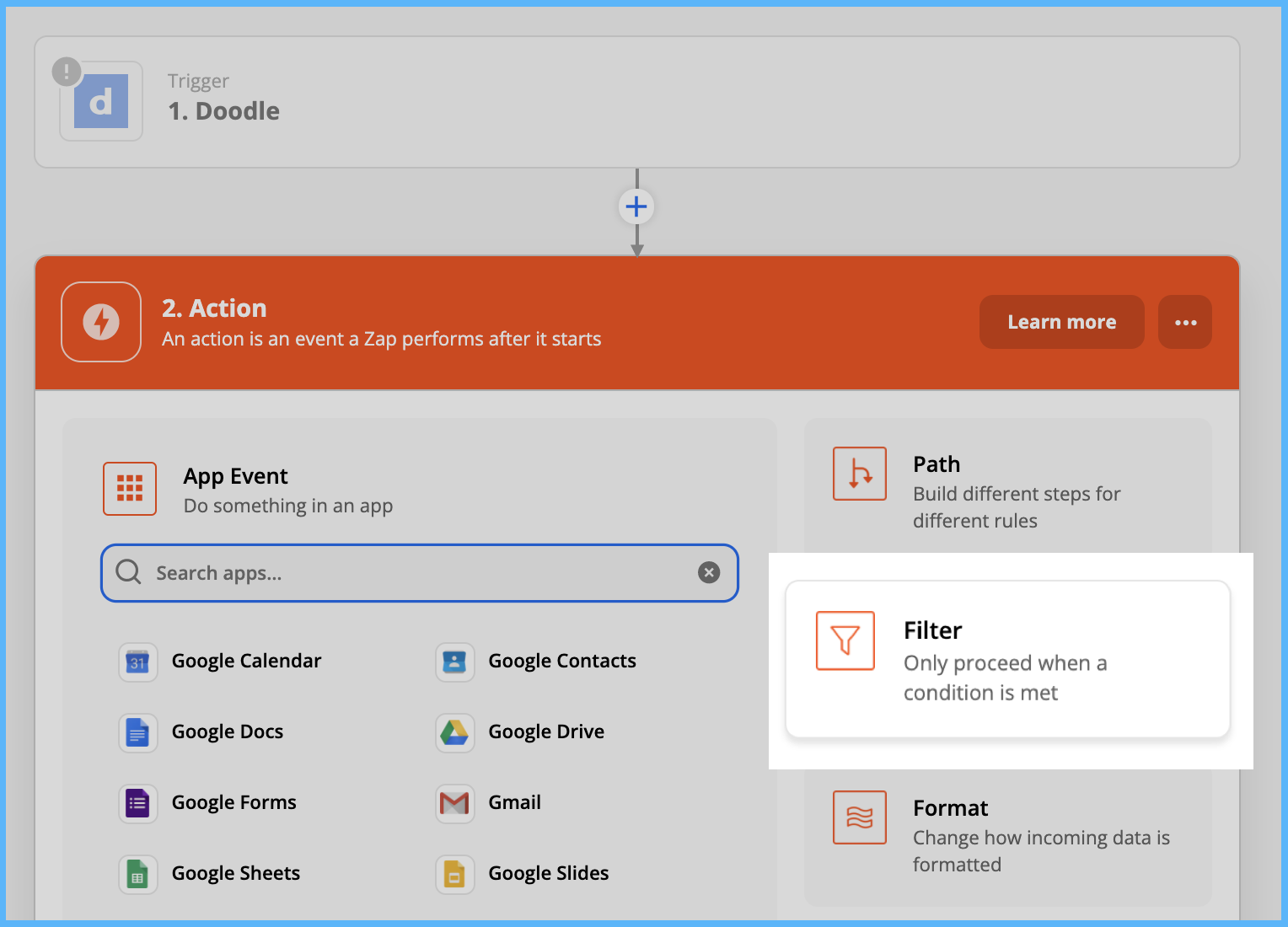
Zapier integration connects Doodle to 1,500+ services for workflow automation (for example, posting to Slack when a meeting is booked, or creating a CRM record from a booking). Stripe integration enables payment collection at booking time for consultants, coaches, and service providers.
Source: Doodle
However, Doodle's integration ecosystem is narrow compared to dedicated scheduling platforms like Calendly. There is no native Salesforce, HubSpot, or Pipedrive integration. Doodle also deprecated its public API in June 2024, closing off developer-built integrations entirely. Zapier is now the only automation pathway, and it requires a paid Doodle plan.
For teams whose scheduling feeds into a sales or business development workflow, this gap matters. Booking a meeting is rarely the end goal. The meeting needs to connect to a CRM record, trigger a follow-up sequence, and update pipeline data. Neither Xoyondo nor Doodle handles this natively.
ZoomInfo answers the question that comes before scheduling
Scheduling tools solve a logistics problem: finding a time that works. But for sales, recruiting, and business development teams, logistics is the easy part. The hard part is knowing who deserves a meeting in the first place, what to discuss, and what signals indicate an account is ready to engage.
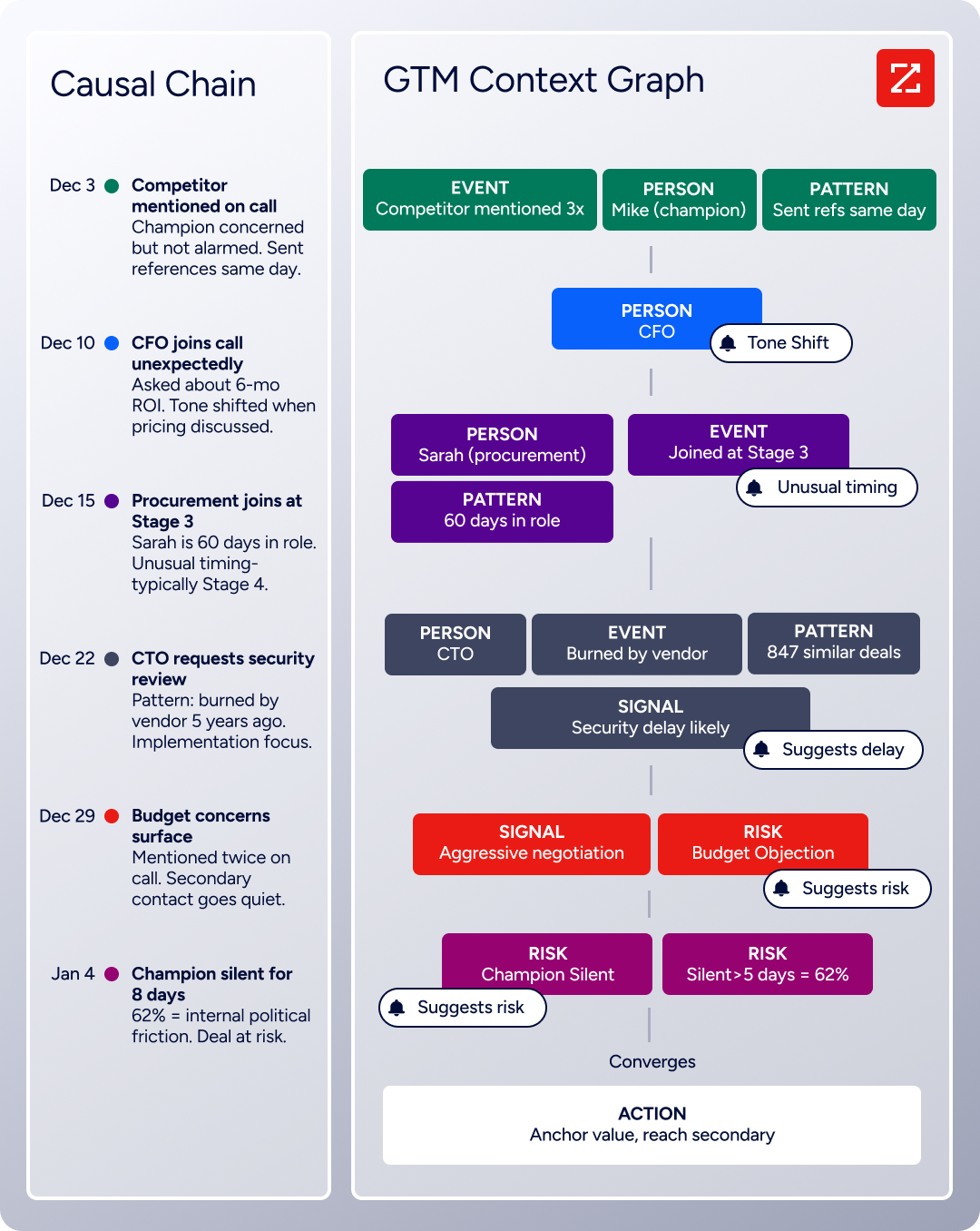
ZoomInfo operates upstream of scheduling. Its GTM Context Graph processes 1.5B+ data points daily, combining third-party B2B intelligence with your CRM records, conversation transcripts, and behavioral signals.
Source: ZoomInfo
The result: you see which accounts are actively researching solutions like yours, who the decision-makers are, what their direct contact information is, and why your last deal with a similar company moved forward.
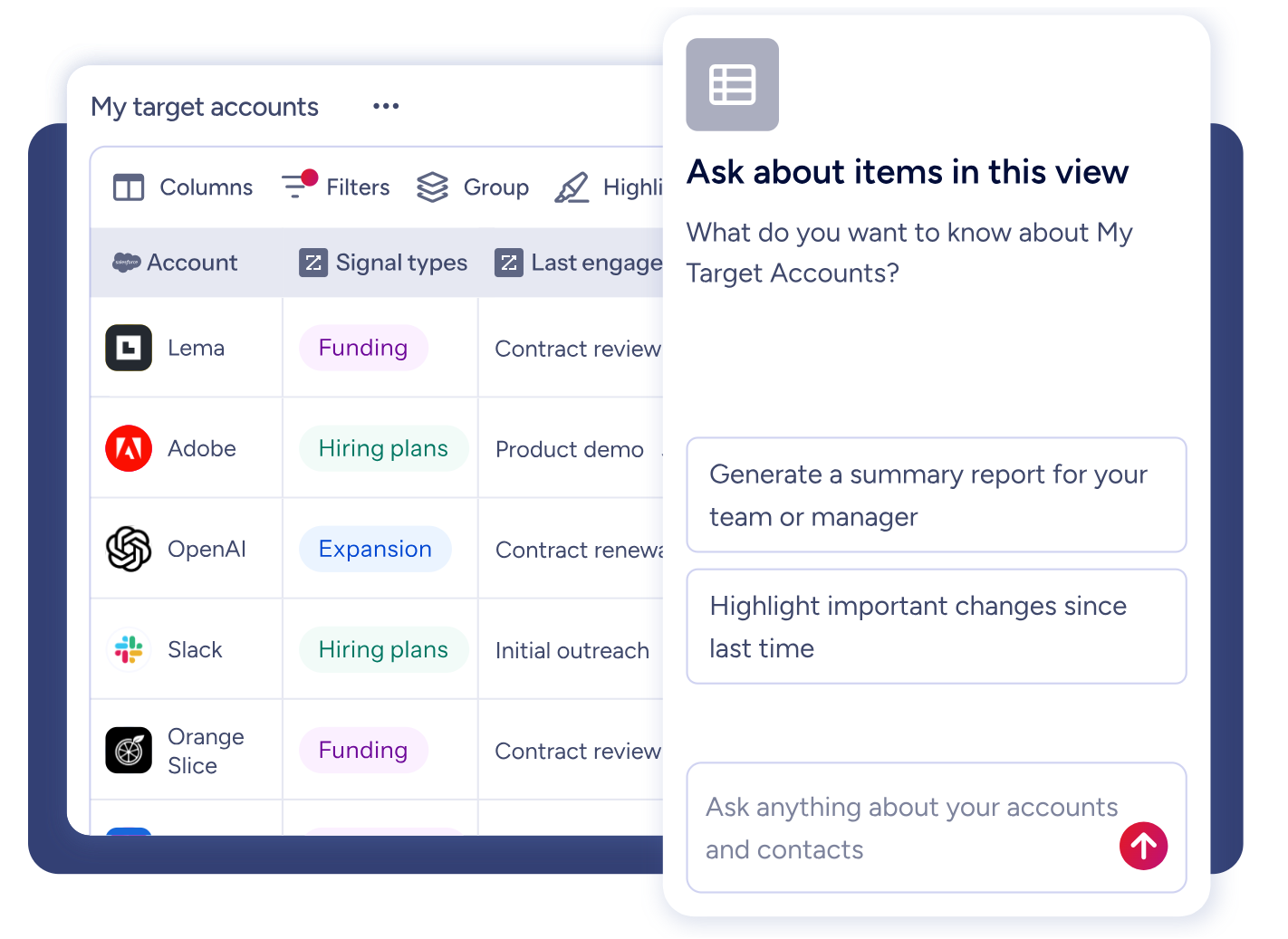
GTM Workspace surfaces this as prioritized account feeds, AI-drafted outreach, and buying group maps. Instead of sending a Doodle poll to 50 prospects and hoping a few respond, a seller using ZoomInfo knows the five accounts showing intent signals this week, has verified direct dials for the right contacts, and sends personalized outreach that references the prospect's specific situation.
Source: ZoomInfo
The scheduling link you attach to that outreach can come from Doodle, Xoyondo, Calendly, or anything else. ZoomInfo doesn't compete with scheduling tools. It makes every scheduling tool more effective by ensuring the meeting is with the right person.
Seismic's sales team attributed 39% of active pipeline to opportunities identified or influenced by ZoomInfo signals, while boosting productivity by 54%. (Seismic case study)
The participant experience shapes adoption
Both Xoyondo and Doodle let participants vote or book without creating an account. This matters because scheduling tools only work if participants actually respond.
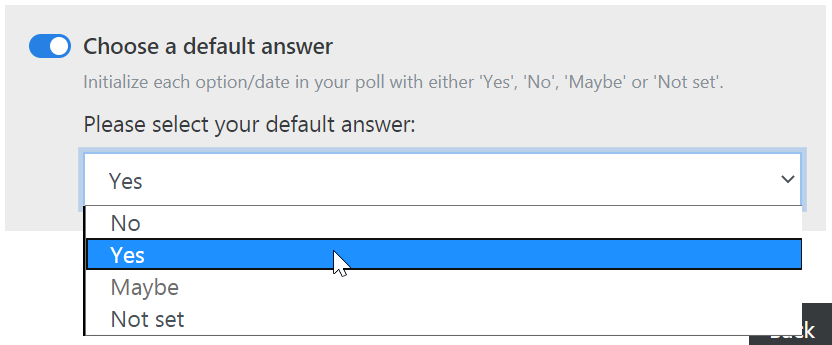
Xoyondo keeps the participant experience bare: open a link, mark Yes/No/Maybe on each time slot, enter your name, and submit. No account prompt, no app download, no email required. Capterra reviews praise the sticky header column that keeps date labels visible when scrolling wide polls, a small UX detail that matters in polls with many options.
Source: Xoyondo
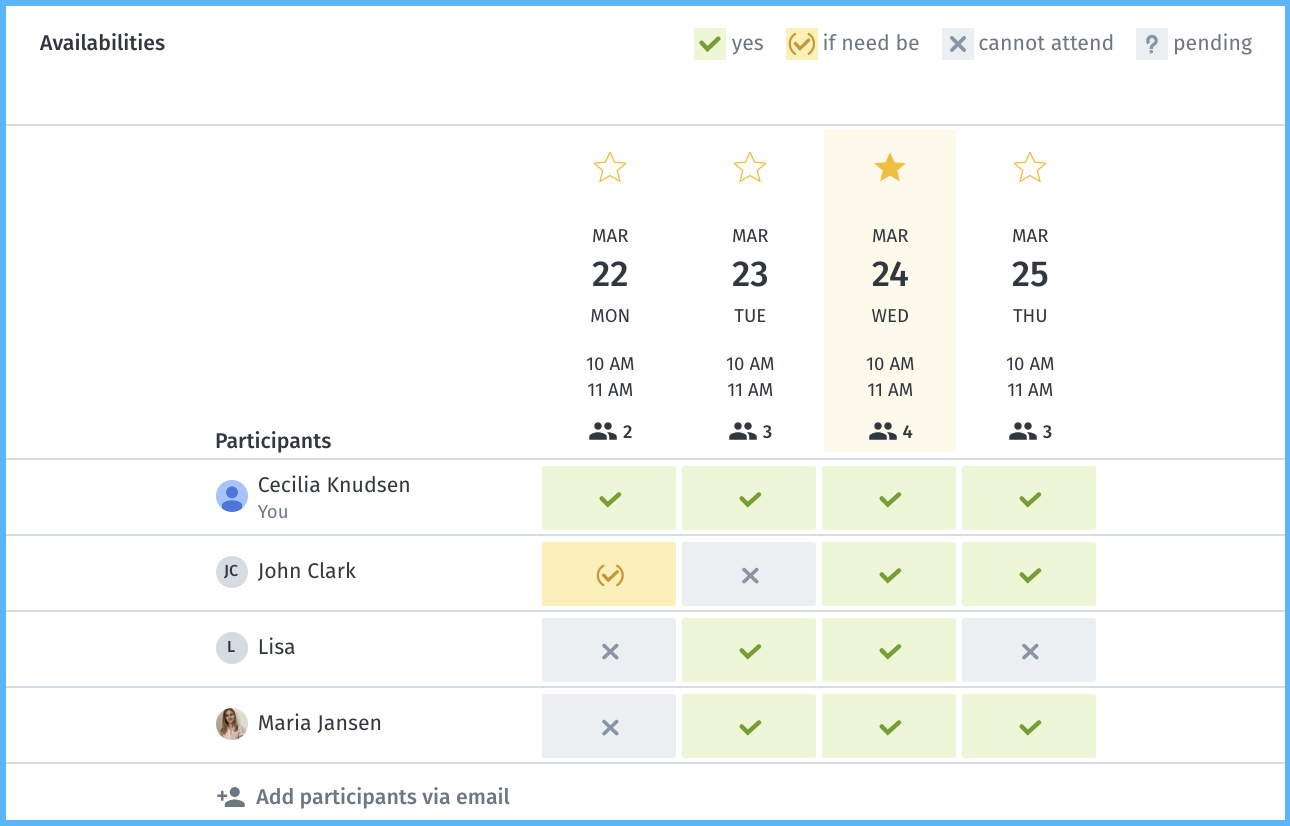
Doodle's participant experience is similarly simple for Group Polls. Participants click once for available (green), twice for "if-need-be" (yellow), and a third time to deselect.
Source: Doodle
The three-state voting gives organizers richer signal than binary yes/no. Doodle's Booking Page is more polished: participants see a calendar with available days highlighted, click to reveal time slots, select one, and book instantly. No back-and-forth, no poll to finalize.
Where the experience diverges is on the free tier. Doodle's free plan displays ads on every poll page, which participants see regardless of whether the organizer pays. Several reviewers note this feels unprofessional in business contexts. Xoyondo's free tier also shows ads, but reviewers describe them as lighter.
Xoyondo delivers a generous free tier that Doodle can't match
Most people discover Xoyondo because of Doodle's free plan limitations. Doodle's free tier caps group polls at 10 time slots, restricts you to one booking page and one 1:1 page, and displays ads on every poll page your participants see. For a tool whose purpose is coordination with external parties, showing ads to your clients and partners looks unprofessional.
Xoyondo's free plan includes unlimited polls and unlimited participants with no feature walls on the core polling experience. Light ads appear on poll pages, but the functional limitations that frustrate Doodle's free users don't exist. For someone organizing a monthly book club, coordinating a volunteer schedule, or picking a date for a team offsite, Xoyondo's free tier does the job without pressure to upgrade.
The pricing gap stays wide at paid tiers. Xoyondo Premium costs $29 per year, which removes ads, adds file attachments, individual participant limits per slot, vote locking, and an extended dashboard. Doodle Pro costs $15 per month ($132/year on annual billing).
For teams, Xoyondo's Business plan runs $55 per user per year, while Doodle's Team plan starts at $16 per user per month billed annually. At 10 users, that's $550/year for Xoyondo versus roughly $1,074/year for Doodle.
The question is whether the price difference reflects missing value or genuine excess. For basic group polling, Xoyondo at $0 or $29/year is hard to argue with. For teams that need calendar sync, booking automation, and video conferencing integration, Doodle's higher price buys capabilities Xoyondo doesn't offer at any tier.
Security and compliance narrow the field for regulated industries
For healthcare organizations, government agencies, universities, and financial services firms, scheduling tool selection isn't just about features. It's about whether the tool meets compliance requirements.
Doodle holds SOC 2 Type II certification, markets HIPAA compliance, and maintains GDPR alignment as a Swiss-headquartered company hosting on AWS in the EU.

Source: Doodle
Enterprise accounts get SSO/SAML authentication, role-based access controls, and a dedicated support contact with SLA-backed response times. These credentials make Doodle viable for industries where procurement would reject an uncertified tool.
Xoyondo has no published security certifications. As a German-domiciled company, it operates under EU data protection law and maintains a privacy policy, but there is no SOC 2, no HIPAA documentation, and no enterprise features like SSO. This isn't a failure. It reflects the product's scope. Xoyondo is a bootstrapped tool built for individuals and small groups, not for enterprise procurement.
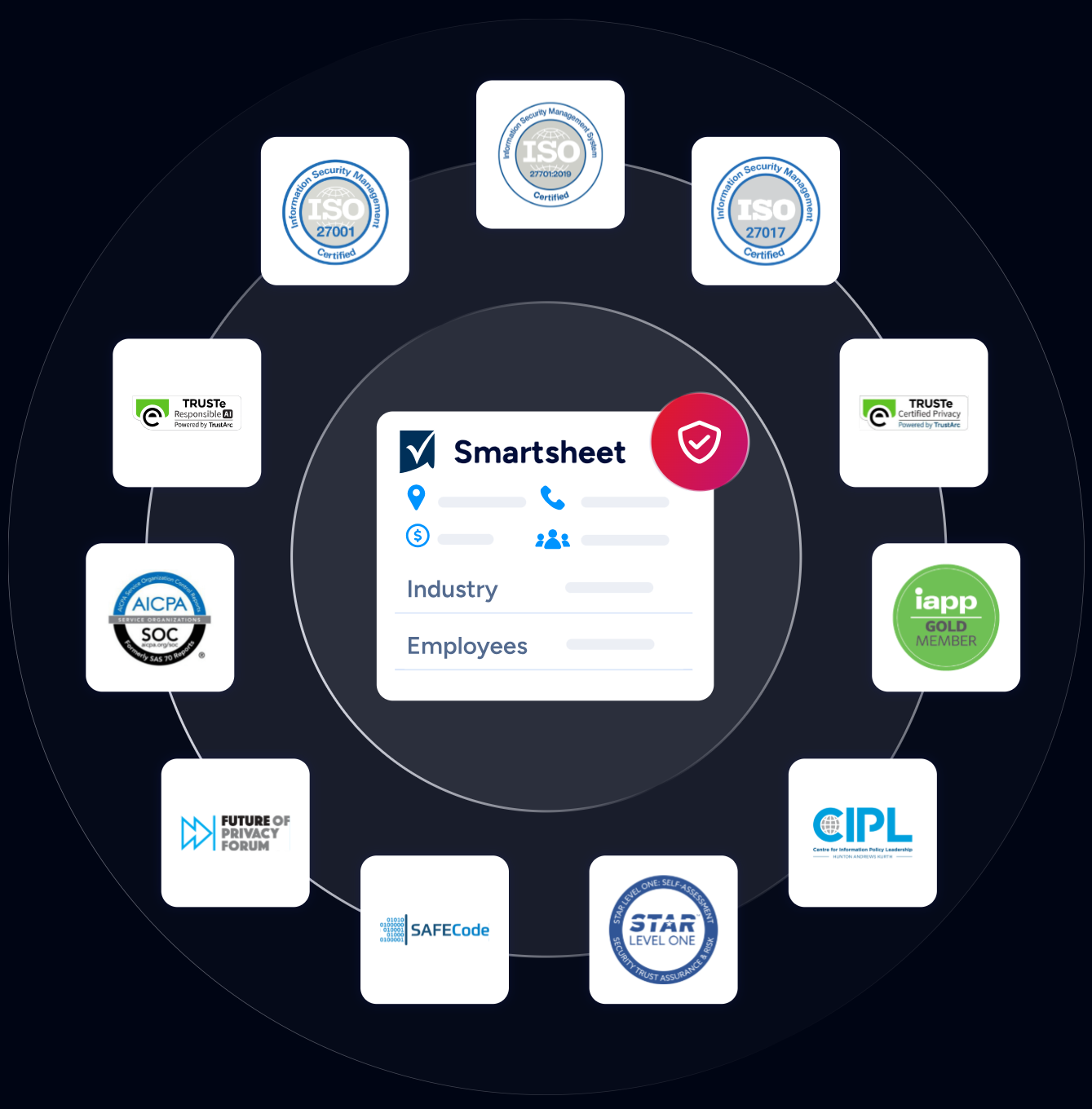
ZoomInfo maintains a broader certification set: ISO 27001, ISO 27701, SOC 2 Type II, TRUSTe GDPR, and TRUSTe CCPA, all renewed annually. For organizations where both the intelligence layer and the scheduling layer must meet compliance standards, ZoomInfo covers the data side while Doodle covers the scheduling side.
Source: ZoomInfo
Scale and longevity carry different risks
Doodle was founded in 2007, is owned by TX Group (a major Swiss media company), employs roughly 100+ people, and serves 70,000+ businesses.
Its next move is ambitious: the incoming Doodle Time OS promises AI-driven calendar orchestration, automatic meeting creation, and focus-time protection. Whether this vision materializes is uncertain (it's still in early access as of mid-2026), but the company has the resources and user base to pursue it.
Xoyondo launched in 2014 and is reportedly run by a single developer. The product has been actively maintained for over a decade, with consistent additions including Google Sign-In in April 2026. The development pace is roughly one to two features per year. This is fine for a tool that does its core job well, but it means any feature gap that exists today is unlikely to close quickly.
The solo-developer model is both Xoyondo's strength and its risk. It keeps the product focused and the price low. But there's no redundancy. If the developer steps away, the product stops evolving. For a free tool used for occasional group scheduling, this risk is acceptable. For a team relying on it as core infrastructure, it's worth considering.
Xoyondo vs. Doodle vs. ZoomInfo: Which should you choose?
These three tools serve different purposes that often work together rather than competing.
Choose Xoyondo if:
You need a free group scheduling poll with no feature limitations
Your participants shouldn't need accounts, apps, or emails to vote
You're organizing casual or community events, not enterprise meetings
Opinion polls and flexible sign-up sheets are part of your coordination needs
Budget is zero and you want the most capable free tier available
Choose Doodle if:
You schedule regularly across organizational boundaries with people who don't share your calendar
You need booking pages, 1:1 scheduling, and sign-up sheets beyond basic polls
Calendar sync and video conferencing integration are requirements
Your industry demands SOC 2, HIPAA, or GDPR compliance from scheduling tools
You want automated reminders, branded scheduling pages, and payment collection
Add ZoomInfo if:
Your meetings are part of a sales, recruiting, or business development workflow
You need to identify the right accounts and contacts before scheduling outreach
Buyer intent signals, verified contact data, and account intelligence drive your meeting strategy
You want every meeting on your calendar to be with a qualified prospect, not a cold guess
Your GTM stack needs an intelligence layer that works across any scheduling tool you choose
See how ZoomInfo identifies accounts worth meeting with.
Scheduling is a solved problem. Both Xoyondo and Doodle handle it well at different price points and capability levels. The larger opportunity for revenue teams is ensuring that the meetings themselves are with the right people at the right time, and that's the gap ZoomInfo fills. Pick the scheduling tool that fits your workflow and budget. Then make sure every meeting it books is one worth having.
Xoyondo vs. Doodle vs. ZoomInfo FAQ
What is the main difference between Xoyondo and Doodle?
Xoyondo is a free group scheduling poll tool with unlimited polls and participants on its free plan, built for individuals and small teams who need to find a meeting time without friction.
Doodle is a professional scheduling platform with four scheduling modes (Group Poll, Booking Page, 1:1, and Sign-up Sheet), bidirectional calendar sync, video conferencing integrations, and compliance certifications for regulated industries. Xoyondo is simpler and cheaper; Doodle is broader and more integrated.
Which tool has the better free plan?
Xoyondo's free plan is more generous for core polling. It includes unlimited polls and unlimited participants with no time-slot caps, while Doodle's free tier restricts group polls to 10 time slots and limits you to one booking page and one 1:1 page. Both free plans show ads to participants. Doodle's free plan does include calendar sync and basic video conferencing integration, which Xoyondo lacks entirely.
How much does each scheduling tool cost?
Xoyondo Premium costs $29 per year and removes ads, adds vote locking, and includes an extended dashboard. Xoyondo Business costs $55 per user per year. Doodle Pro costs $15 per month ($132/year on annual billing) for a single user. Doodle Team costs $8.95 per user per month billed annually. At every tier, Xoyondo costs significantly less than Doodle.
Does Xoyondo integrate with Zoom, Google Meet, or Microsoft Teams?
No. Xoyondo has no video conferencing integrations. It supports calendar export to Google Calendar, Outlook, and iCal, but you must create and share meeting links separately. Doodle integrates with Google Meet, Zoom, Microsoft Teams, and Webex, automatically adding conferencing links to booked meetings.
Which tool is better for scheduling with people outside my organization?
Both tools let external participants respond without creating an account. For simple group polls, either works. For ongoing external scheduling (client consultations, candidate interviews, partner meetings), Doodle's Booking Page and 1:1 modes provide automation Xoyondo cannot match: calendar-synced availability, automatic conflict prevention, and calendar invite delivery.
How does ZoomInfo relate to Xoyondo and Doodle?
ZoomInfo is not a scheduling tool. It is a B2B intelligence and go-to-market platform that identifies which accounts and contacts are worth meeting. Sales and business development teams use ZoomInfo to find in-market buyers, access verified contact data, and prioritize outreach.
The scheduling link attached to that outreach can come from Doodle, Xoyondo, or any other scheduling tool. ZoomInfo works upstream of scheduling, ensuring meetings are with qualified prospects.
Can I use ZoomInfo with either scheduling tool?
Yes. ZoomInfo is tool-agnostic. Its intelligence can be accessed through GTM Workspace, GTM Studio, APIs, or MCP, and the outreach it generates can include any booking link.
There is no native integration between ZoomInfo and either Xoyondo or Doodle, but the workflow is straightforward: ZoomInfo identifies the contact and provides verified email or phone, and the seller includes their preferred scheduling link in the outreach.
Which scheduling tool works for healthcare or government organizations?
Doodle is the only option among the two with published compliance credentials. It holds SOC 2 Type II certification, markets HIPAA compliance, and is GDPR-aligned with EU-hosted infrastructure. Xoyondo has no published security certifications and no enterprise features like SSO, making it unsuitable for regulated procurement processes.
