

Zapier is the automation layer for agentic AI, connecting 9,000+ apps through automated workflows that move data between tools without code. 3.4 million companies use it, including 69% of the Fortune 1000. A trigger in one app cascades through actions in five others.
But automation is only as valuable as the data flowing through it.
A Zap that routes a new lead from a form submission into your CRM is useful. A Zap that routes that same lead (enriched with a verified direct dial, company attributes, technology stack, and a buying signal showing the company is researching your product category) is a pipeline machine. Zapier moves the data; the integrations you connect determine whether that data is worth moving.
The strongest Zapier integrations solve specific jobs across the workflows most teams automate:
Enrich leads and contacts with verified B2B data and go-to-market intelligence as they flow through Zaps
Sync CRM records bidirectionally so every deal update propagates across your stack
Keep your marketing automation and inbound CRM in step with downstream tools
Surface alerts, approvals, and workflow notifications in team communication channels
Automate project management and knowledge base updates from events across your stack
Push structured data into spreadsheets as a universal output layer for reporting and collaboration
Capture form responses and route them into enrichment, CRM, and nurture workflows instantly
Each section walks through how the integration connects with Zapier, what data flows between the platforms, pricing, and who benefits most.
Best Zapier Integrations at a Glance |
|---|
Best Zapier Integration for B2B Data Enrichment and Go-to-Market Intelligence Feeds verified contact data, company attributes, and buyer intent signals into any Zap, turning raw lead captures into enriched records that route to 9,000+ connected apps with the intelligence reps need to act. |
Best Zapier Integration for Enterprise CRM Automation Connects Salesforce's full object model to Zapier with any-object triggers, field-level change detection, create-or-update actions, and SOQL lookups, extending enterprise CRM workflows to thousands of apps without middleware. |
Best Zapier Integration for Marketing Automation and Inbound CRM Syncs contacts, companies, deals, and custom objects bidirectionally with 177,000+ active installs, letting marketing and sales teams orchestrate inbound workflows across their tool stack. |
Best Zapier Integration for Real-Time Team Alerts and Workflow Approvals Routes notifications to channels and DMs, triggers Zaps from emoji reactions for approvals, and broadcasts workflow events across teams without anyone leaving their workspace. |
Best Zapier Integration for Project Management and Knowledge Base Automation Creates and updates database items, appends content blocks, and triggers workflows from database changes, keeping your workspace in sync with every tool connected to Zapier. |
Best Zapier Integration for Universal Data Output and Row-Based Triggers Writes structured data from any Zap into spreadsheet rows and triggers workflows from new or updated rows, giving every team a free, accessible data destination. |
Best Zapier Integration for Lead Capture and Form-Based Workflow Entry Fires instant webhook-based triggers the moment a response is submitted, routing form data into enrichment, CRM, and nurture workflows with field-level mapping and conditional logic. |
What Is Zapier?
Zapier is an automation platform that connects 9,000+ apps through automated workflows called Zaps. 3.4 million companies use it, and 69% of the Fortune 1000 run Zapier workflows.
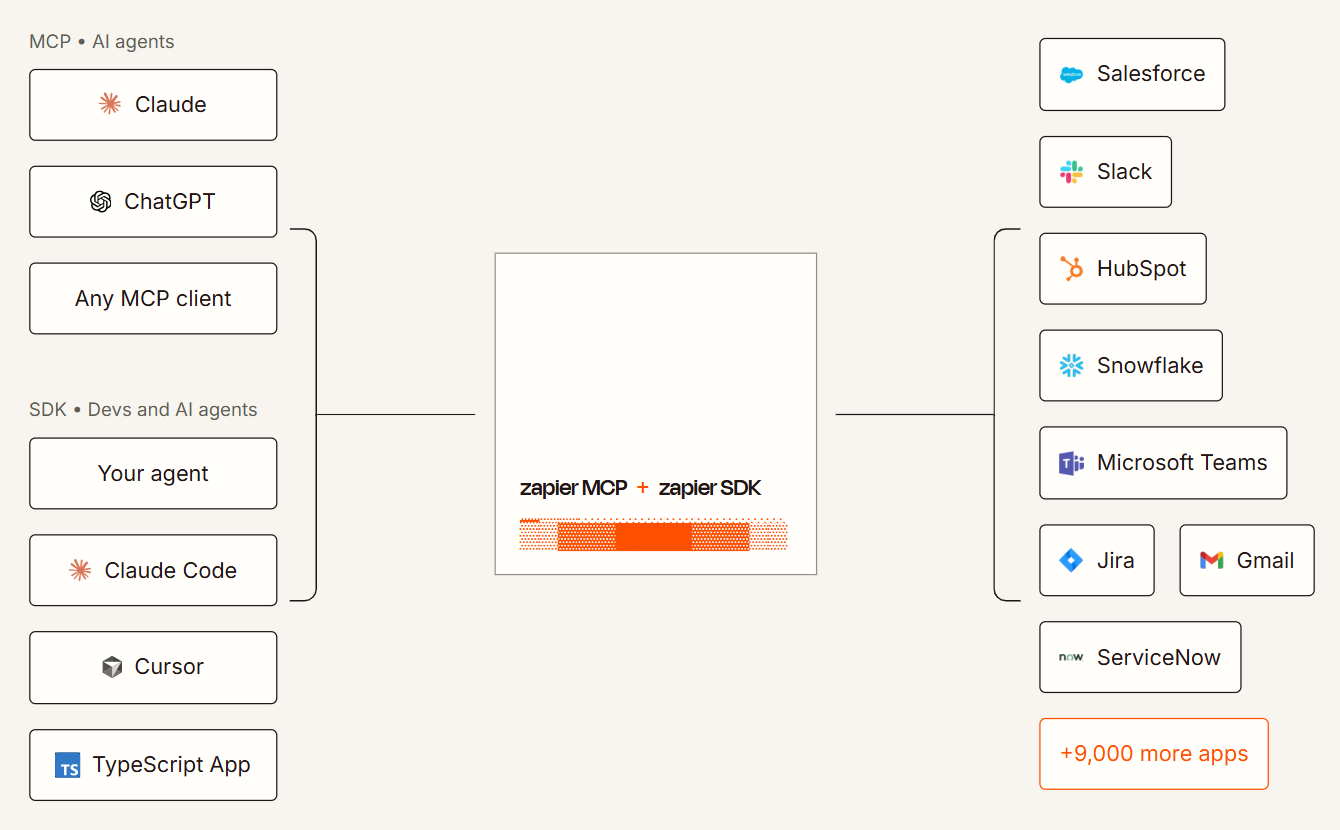
Source: Zapier
A Zap is a trigger-action chain: an event in one app fires a sequence of actions in others. A new row in Google Sheets creates a HubSpot contact, which triggers a Slack notification, which logs an entry in Notion. That chain runs without code, without API configuration, and without anyone logging into four platforms to copy data between them.
Zapier's product has expanded well beyond two-step automations:
Zaps: multi-step workflows with up to 100 steps, conditional Paths, Filters, and Formatter tools
Tables: a built-in database for storing, transforming, and triggering workflows from structured data
Interfaces: custom forms and pages that collect data and feed it into Zaps
Agents: AI workflows that reason about incoming data and choose actions
Canvas: a visual builder for mapping and designing automation architectures
MCP (Model Context Protocol): exposing Zapier's automation capabilities to external AI agents
Functions: custom JavaScript or Python code steps for logic that visual builders cannot express
The integration categories available through Zapier include:
CRM: Salesforce, HubSpot, Pipedrive, Zoho CRM, Close
Marketing automation: Mailchimp, ActiveCampaign, Marketo, Brevo
Project management: Notion, Asana, Monday.com, ClickUp, Jira
Communication: Slack, Microsoft Teams, Discord, Gmail
B2B data and intelligence: ZoomInfo, Clearbit, Apollo
E-commerce: Shopify, WooCommerce, Stripe
Support: Zendesk, Intercom, Freshdesk
AI: OpenAI, Anthropic, Google AI
Zapier uses task-based pricing where each action step in a Zap counts as one task:
Free: 100 tasks/month, 2-step Zaps only, 15-minute polling
Professional: $19.99/month (annual) for 750 tasks, multi-step Zaps, 2-minute polling
Team: $69/month (annual) for 2,000 tasks, up to 25 users, 1-minute polling, shared workspaces
Enterprise: custom pricing, unlimited users, SCIM provisioning, admin controls, dedicated support
With that ecosystem as context, here are the seven integrations that deliver the most value across the workflows Zapier users most commonly build.
1. ZoomInfo: Best Zapier Integration for B2B Data Enrichment and Go-to-Market Intelligence
ZoomInfo is a B2B data and go-to-market platform built on 500M contacts, 100M companies, 135M+ verified phone numbers, and 200M+ verified business email addresses.
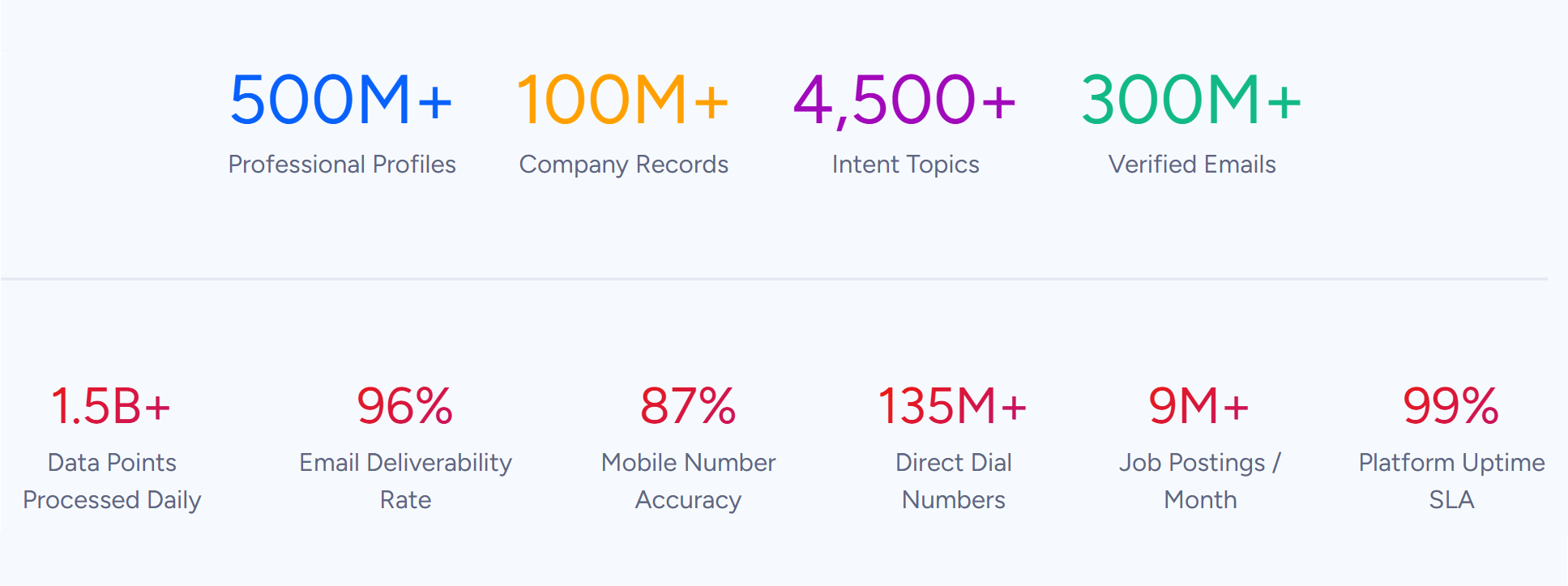
Source: ZoomInfo
It integrates with Zapier through a native connector listed in both ZoomInfo's marketplace and Zapier's app directory, allowing company lookups and contact data retrieval within Zaps that feed enriched intelligence to any of Zapier's 9,000+ connected apps.
Connecting ZoomInfo to Zapier gives you:
Lead enrichment at the moment of capture, appending verified emails, direct dials, titles, and company data to every new lead before it reaches your CRM
Company lookups inside any Zap, pulling company and technographic profiles into multi-step workflows
Enrichment-to-action pipelines, where a single Zap captures a form response, enriches it with ZoomInfo data, routes the enriched record to the right CRM segment, and triggers a personalized outreach sequence
B2B intelligence across your stack, because any tool connected to Zapier can receive ZoomInfo-enriched data without a dedicated ZoomInfo connector
How ZoomInfo Integrates with Zapier
ZoomInfo connects to Zapier through a native connector that authenticates via API key. The integration exposes lookup actions that pull contact and company data into Zap steps, feeding verified intelligence into any downstream workflow. Because the connector lives in Zapier's app directory, it works with Zapier's full feature set: multi-step Zaps, conditional Paths, Filters, and Formatter tools.
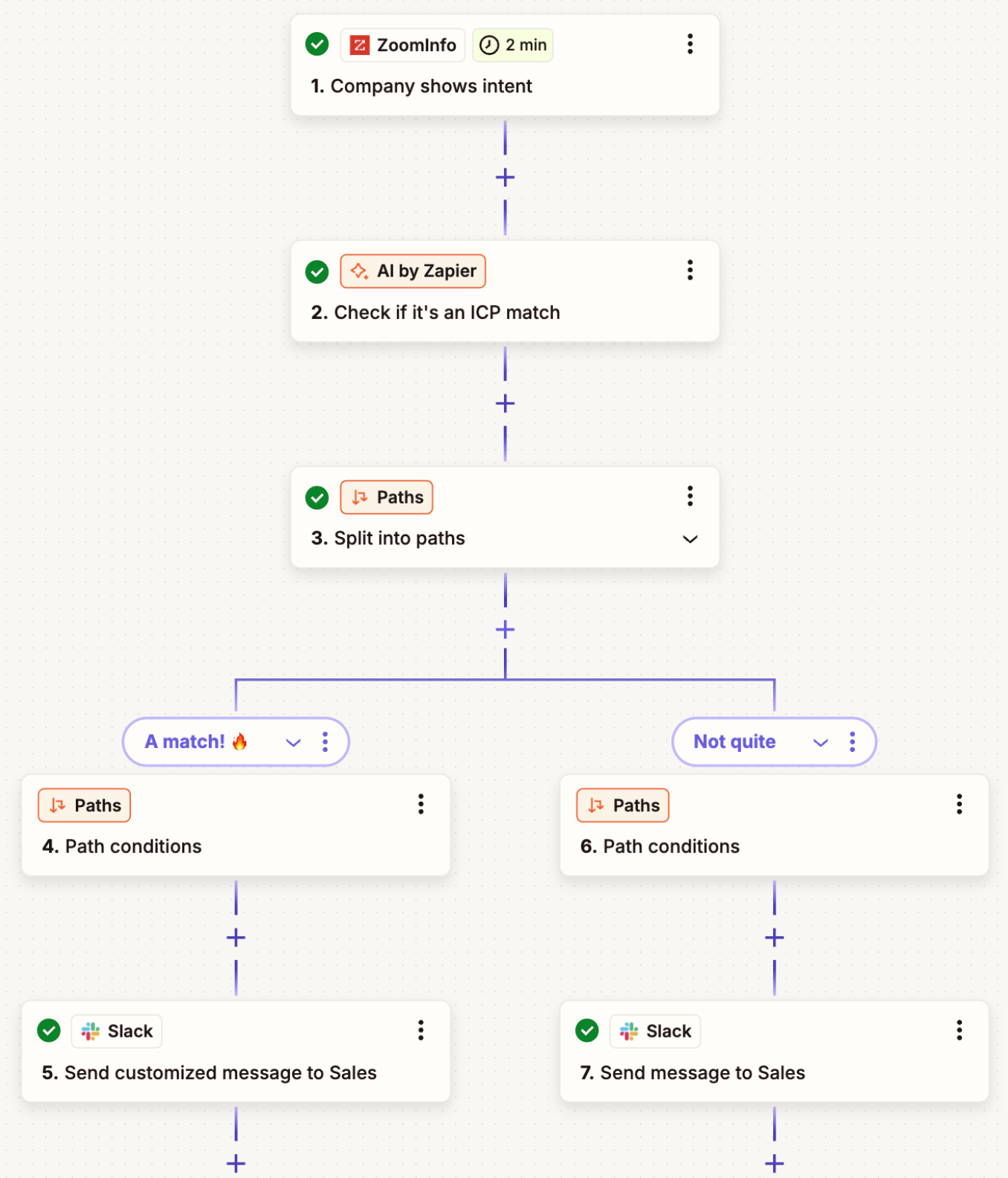
Source: ZoomInfo
The practical effect: ZoomInfo's data becomes available to every other app in your Zapier ecosystem. A lead captured in Typeform, a contact created in HubSpot, a row added in Google Sheets, or a message posted in Slack can all trigger a ZoomInfo lookup that returns verified data, which then flows into whatever action steps follow.
Contact and Company Data Enrichment: Turn Raw Leads into Complete Records
Most leads enter your system incomplete. A form submission captures a name and email. A webinar registration adds a company name. A LinkedIn conversation gives you a title but no phone number.
ZoomInfo's Zapier integration fills those gaps at the moment of capture. When a new lead triggers a Zap, a ZoomInfo lookup step appends the verified business email, direct dial, current title, department, seniority, and company-level data (industry, employee count, revenue range, headquarters, technology stack). The enriched record then flows into your CRM, outreach tool, or routing logic with the context your team needs to act.
The enrichment draws from a verification pipeline backed by 300+ human researchers, reaching up to 95% accuracy on first-party data. That accuracy matters inside Zapier workflows because every downstream action depends on the data that enters the Zap.
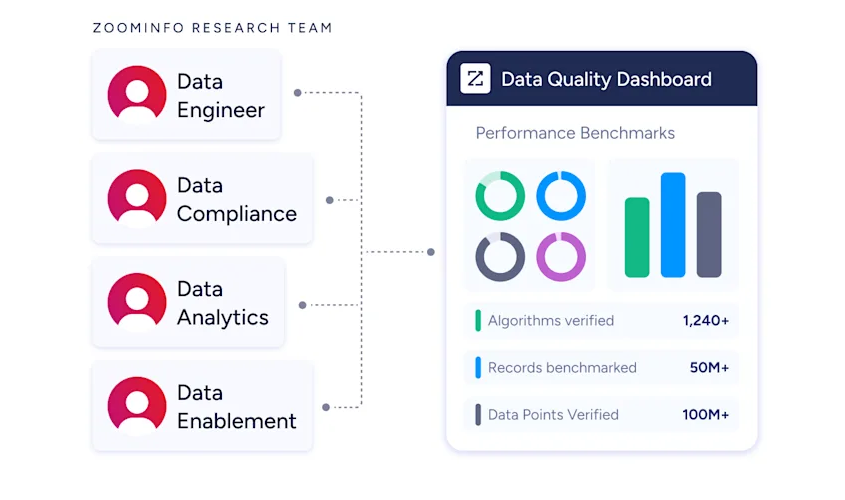
A routing step that segments by company size, an outreach step that personalizes by title, or a scoring step that prioritizes by technology stack all fail quietly when the underlying data is wrong.
ZoomInfo in action: A prospect submits a demo request through Typeform with only their name and work email. The Zap fires a ZoomInfo lookup that returns their direct dial, VP of Sales title, and company profile (a 600-person SaaS company running Salesforce and Outreach), plus three other decision-makers in their department.
The enriched record routes to Salesforce as a high-priority lead, a Slack notification pings the enterprise AE, and the prospect enters a multi-threaded outreach sequence before anyone manually researches the account.
Company Intelligence at Scale: Enrich Lists, Segments, and Triggers Automatically
Beyond individual lead enrichment, ZoomInfo's Zapier connector supports batch-style workflows where company data flows into operational processes at scale.
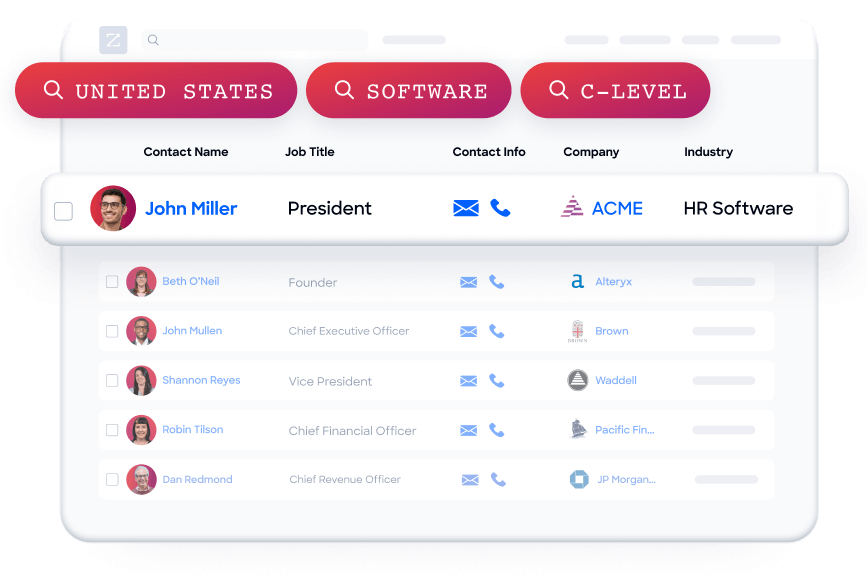
A Google Sheet of target accounts triggers row-by-row ZoomInfo lookups that append company attribute data, feeding a Notion database with complete company profiles.
A HubSpot workflow that identifies companies visiting your pricing page triggers a Zap that pulls ZoomInfo technographic data, then routes companies running a competitor's product into a displacement campaign. A Slack command triggers a company lookup and posts the result in the channel for account research during a sales call.
These workflows turn ZoomInfo from a platform your reps log into individually into a data layer that feeds every tool in your stack automatically.
The Broader ZoomInfo Intelligence Layer
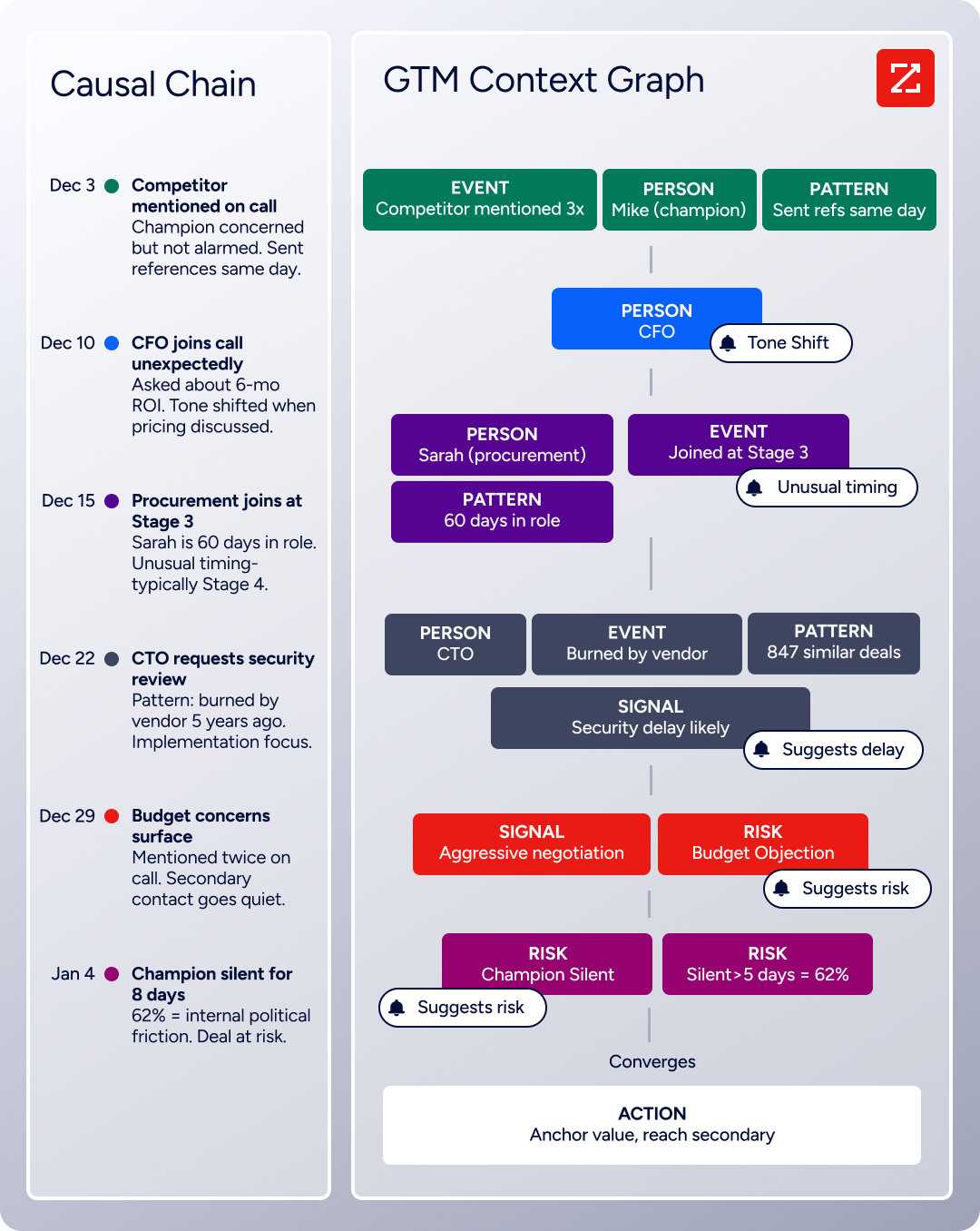
The data feeding your Zapier workflows is part of a wider intelligence infrastructure. ZoomInfo's GTM Context Graph processes 1.5B + data points daily and combines B2B data with CRM records, conversations, and behavioral signals.
Source: ZoomInfo
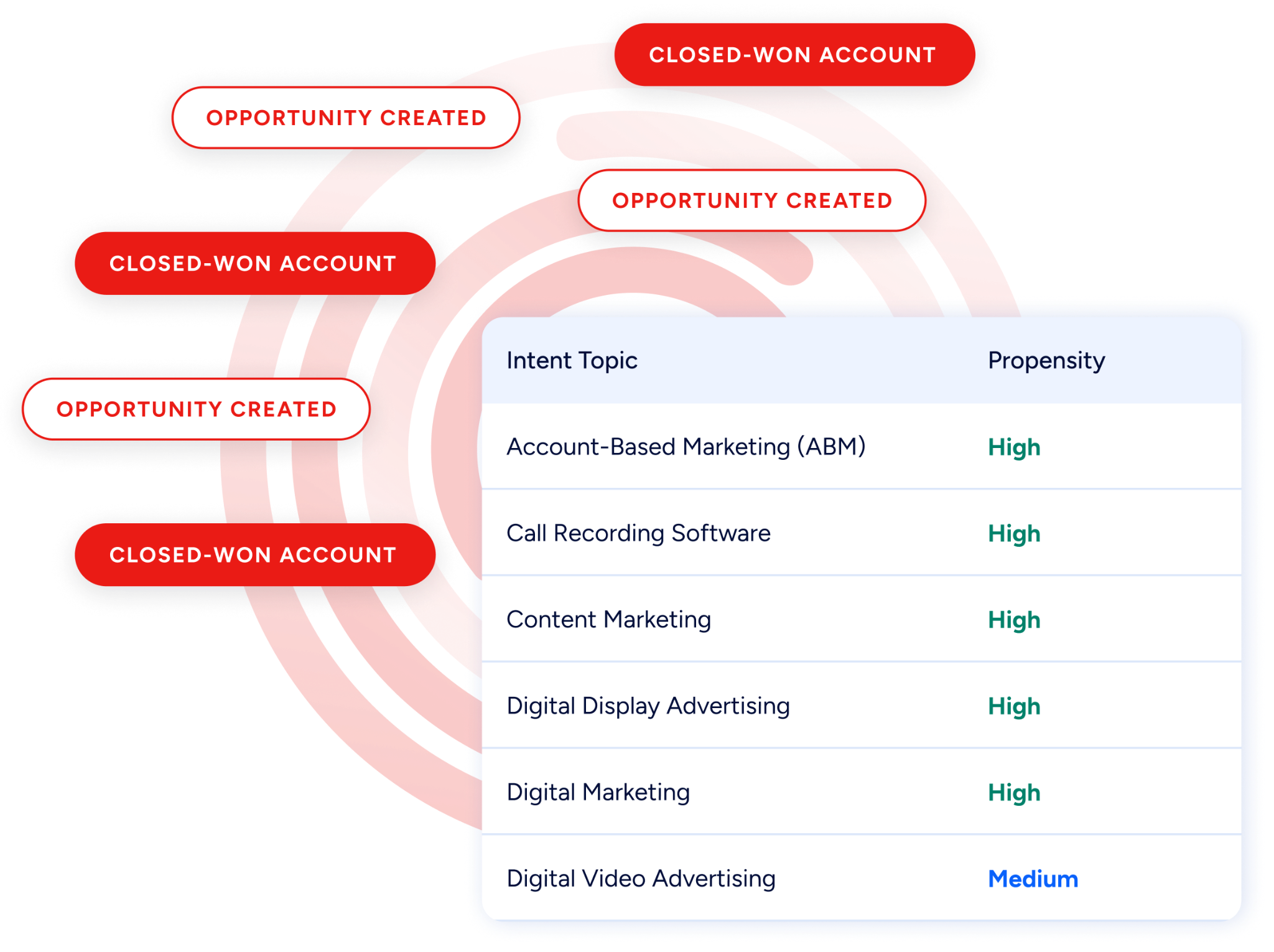
Buyer Intent tracks signals from 210 million IP-to-Organization pairings and 6 trillion+ new keyword-to-device pairings monthly, revealing which companies are actively researching topics relevant to your product.
Source: ZoomInfo
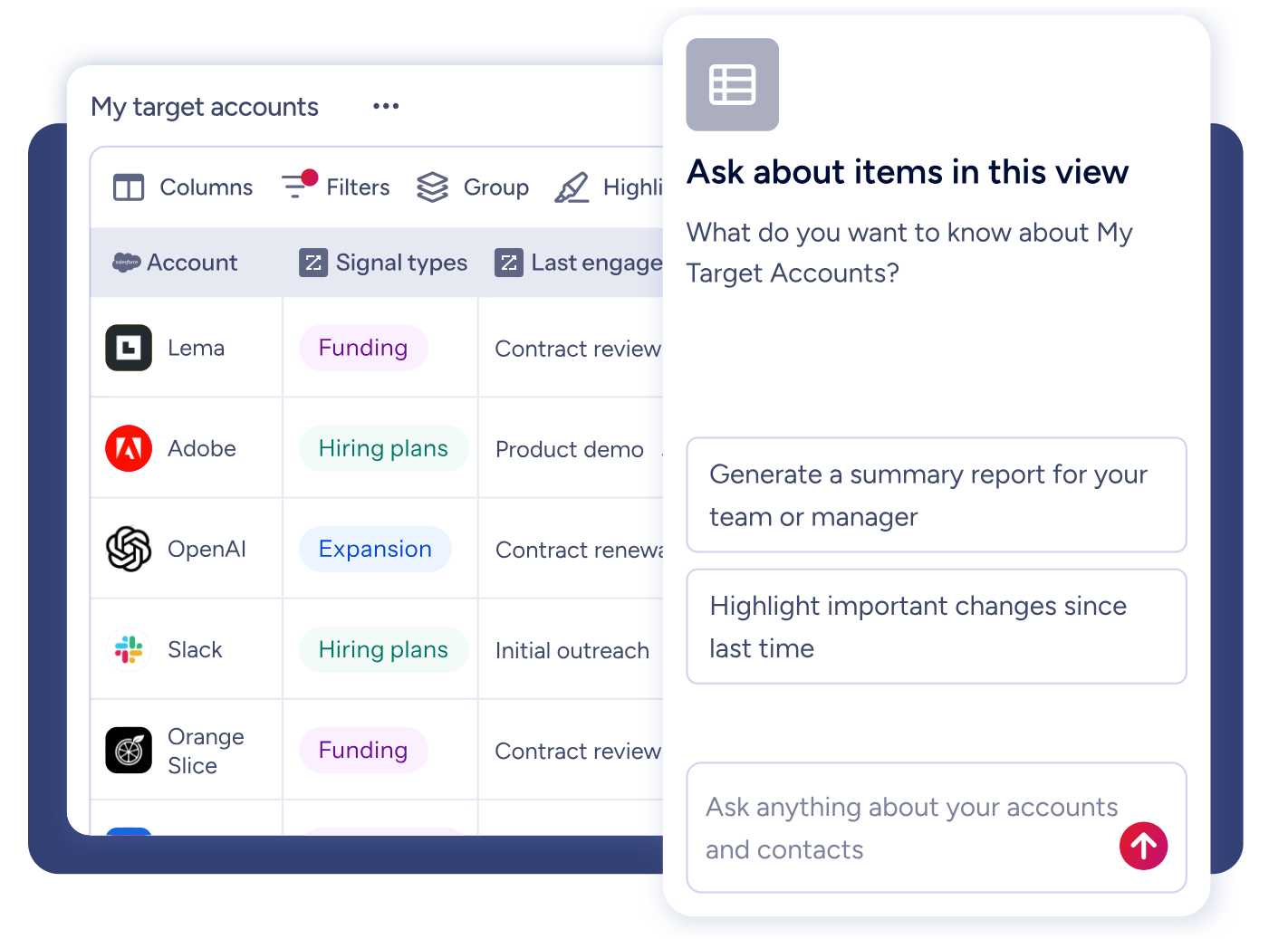
For teams that need deeper integration, GTM Studio, APIs, and MCP expose the same intelligence to any tool or AI agent, while the GTM Workspace gives sellers an AI-powered workspace.
Source: ZoomInfo
Seismic's sales team attributed 39% of active pipeline to opportunities identified or influenced by ZoomInfo signals, reporting 54% productivity gains. (Seismic Case Study)
ZoomInfo Pricing
ZoomInfo uses a consumption-based pricing model with custom quotes based on usage, users, credit volume, and features.
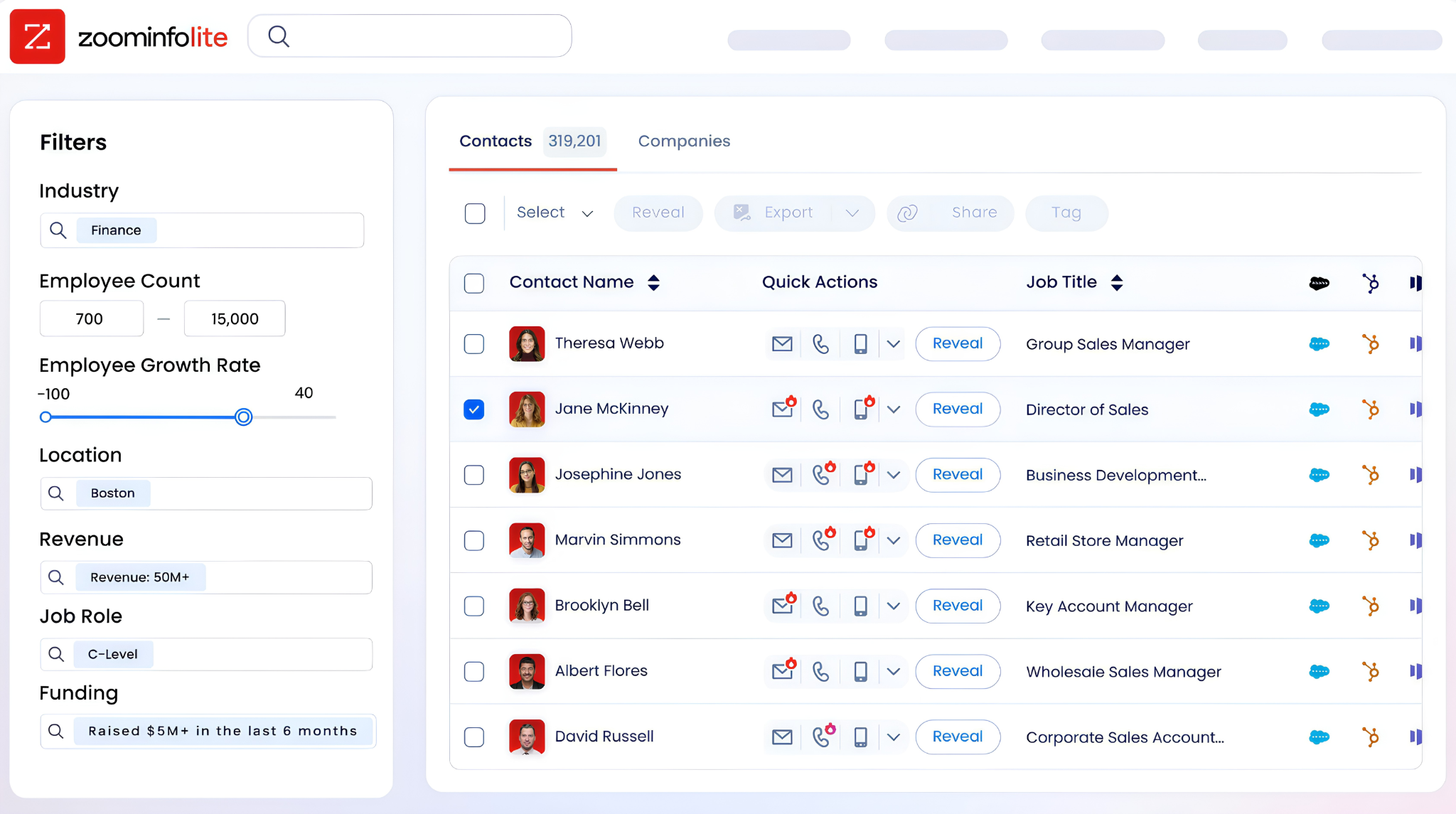
It is organized into Sales, Marketing, and standalone product lines, each in Professional, Advanced, and Enterprise tiers. Advanced adds intent signals and website visitor tracking. The Zapier integration works through ZoomInfo's API, available on paid plans.
ZoomInfo Lite is a permanent free tier (no credit card, no time limit) with 10 monthly export credits, searches, the Chrome extension, and CRM integrations, making it a practical way to evaluate the data quality before committing. A separate 7-day free trial covers paid features.
Source: ZoomInfo
Who Should Use the ZoomInfo Integration?
B2B sales teams that need enriched leads flowing through Zapier workflows: when every form submission, webinar registration, and inbound lead gets verified contact data and company intelligence appended before it reaches your CRM, your reps act on complete information instead of chasing incomplete records
Revenue operations teams building automated routing and scoring pipelines: ZoomInfo's company attribute, technographic, and intent data powers the conditional logic in your Zaps, routing enterprise leads to one team and SMB leads to another based on verified company attributes rather than self-reported form fields
Marketing teams running multi-tool campaign workflows: when a Zapier workflow connects your form builder to your enrichment layer to your CRM to your outreach tool, every step downstream benefits from the data ZoomInfo adds at the start
2. Salesforce: Best Zapier Integration for Enterprise CRM Automation
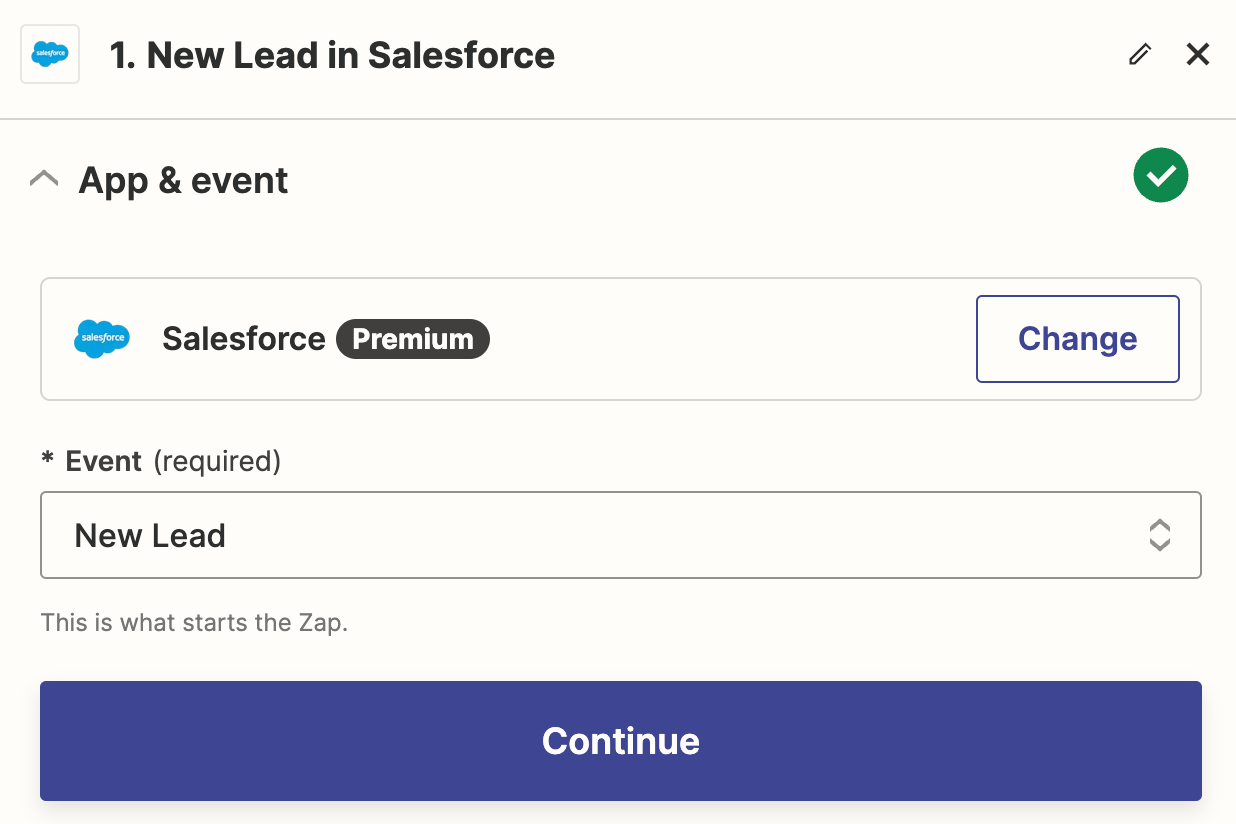
Salesforce is the largest CRM platform, and its Zapier integration extends Salesforce data and workflows to thousands of apps that lack native Salesforce connectors. The integration connects through OAuth 2.0 and supports any standard or custom Salesforce object, making it one of the most flexible CRM connectors in Zapier's ecosystem.
Source: Salesforce
Key integration capabilities include:
Any-object triggers with field-level change detection that fire Zaps when specific fields on any Salesforce object change, not just when a record is created
Create-or-update (upsert) actions that check for existing records before creating duplicates, keeping data clean across systems
SOQL and SOSL lookups that query Salesforce data mid-Zap using Salesforce's native query languages for complex record matching
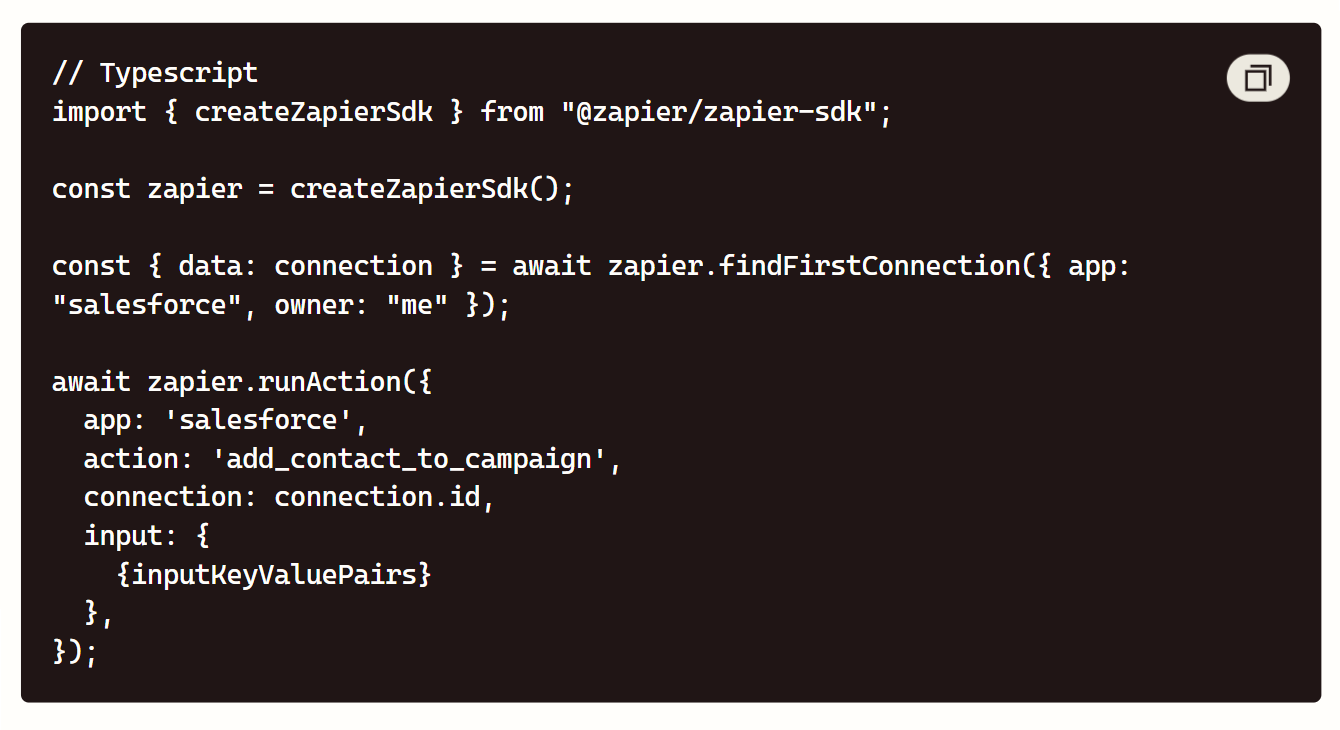
Campaign membership management that adds or updates campaign members from events in external tools
How Salesforce Integrates with Zapier
Salesforce connects to Zapier via OAuth 2.0, requiring Salesforce API access (included in Enterprise Edition and above; Professional Edition users need the API add-on). The integration is listed on Salesforce AppExchange and supports both polling triggers (checking for changes at intervals based on your Zapier plan) and action steps that write data back to Salesforce.
Source: Salesforce
1. Any-Object Triggers with Field-Level Precision.
Unlike simpler CRM integrations that only trigger on record creation, Salesforce's Zapier connector can fire on updates to specific fields. You can trigger a Zap only when an Opportunity's stage changes to "Closed Won," only when a Lead's status shifts to "Qualified," or only when a custom field on any object is modified. This field-level granularity prevents noisy automations that fire on every minor record edit.
2. Create-or-Update Actions with Deduplication.
The upsert action searches for an existing Salesforce record by a specified field (email, external ID, or any unique identifier) before deciding whether to create a new record or update the existing one.
This matters for workflows where the same lead may enter through multiple channels: a Typeform submission, a webinar registration, and a chatbot conversation can all funnel through Zapier into a single, progressively enriched Salesforce record.
3. SOQL/SOSL Lookups for Complex Record Matching.
For workflows that need to find records based on criteria beyond a single field match, the SOQL query action lets you write Salesforce-native queries inside a Zap step.
You can look up all Opportunities owned by a specific rep that closed this quarter, find Contacts at a specific company with a particular title, or query custom objects with relationship filters. This makes Zapier viable for enterprise-grade Salesforce workflows that simpler automation tools cannot handle.
4. Campaign Membership and Cross-Object Workflows.
The integration supports adding Contacts and Leads to Salesforce Campaigns with specific statuses, letting marketing teams track campaign attribution across tools that feed through Zapier. A webinar registration in one tool adds the registrant to a Salesforce Campaign; an event attendance confirmation in another updates the status to "Attended."
Salesforce Pricing
Salesforce uses per-user, per-month pricing with API access gated by edition:
Starter Suite: $25/user/month; limited API access, basic CRM features
Professional: $100/user/month; full CRM features, API access available as add-on
Enterprise: $175/user/month; API access included, custom objects, workflow automation, recommended for Zapier integration
Unlimited: $350/user/month; premier support, sandbox environments, expanded storage
On the Zapier side, Salesforce triggers and actions require at least the Professional plan ($19.99/month) for multi-step Zaps and 2-minute polling.
Who Should Use the Salesforce Integration?
Enterprise teams that run Salesforce as their system of record and need to connect it to niche tools (project management, billing, support platforms) that lack native Salesforce connectors
RevOps teams building multi-step automation workflows that start or end in Salesforce and pass through tools like Slack, Google Sheets, or enrichment platforms along the way
Organizations where Salesforce API development is bottlenecked by engineering capacity: Zapier provides a no-code path to the same CRM data and actions
3. HubSpot: Best Zapier Integration for Marketing Automation and Inbound CRM
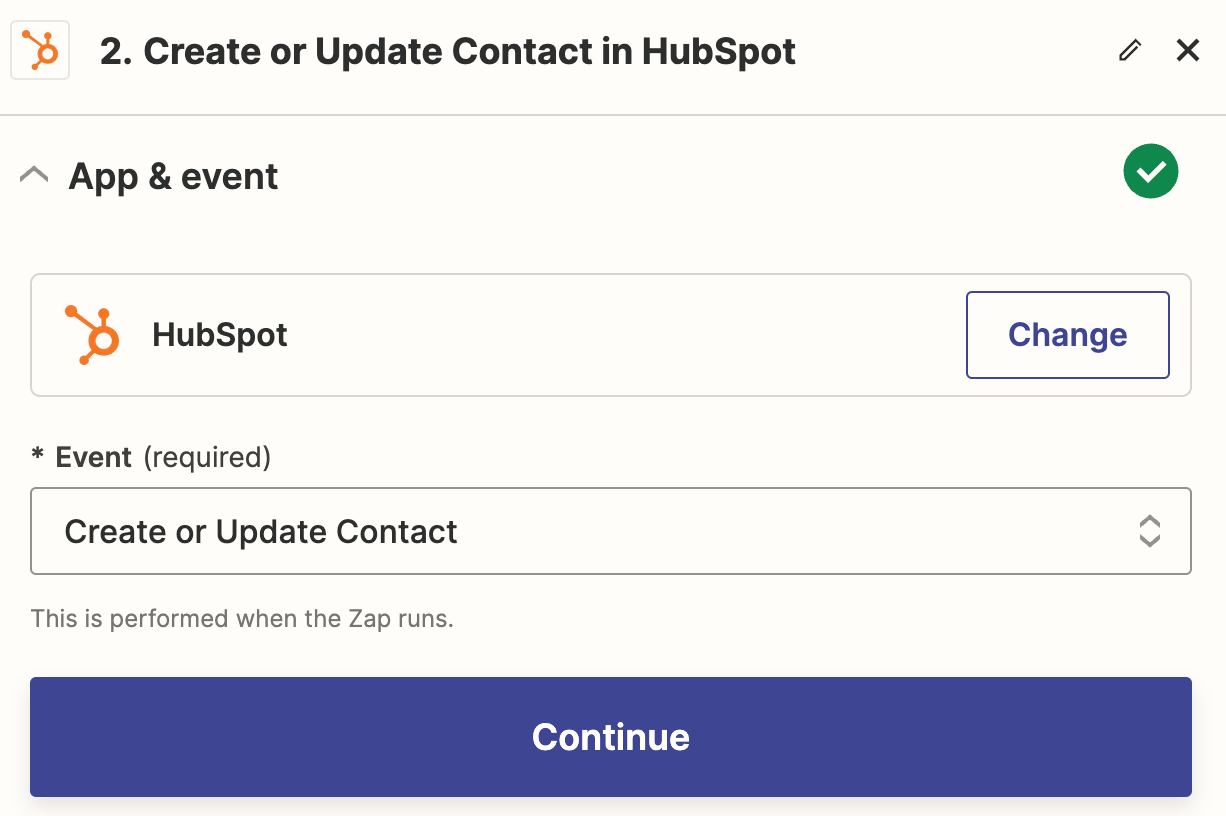
HubSpot is a marketing automation and CRM platform with 2.5M + active installs on the HubSpot App Marketplace, and its Zapier integration extends HubSpot's inbound marketing and sales capabilities across the thousands of tools teams use alongside their CRM. The connector supports bidirectional sync of contacts, companies, deals, tickets, and custom objects.
Source: HubSpot
Key integration capabilities include:
Contact, company, and deal creation and update actions that push data from any Zapier-connected app into HubSpot's CRM
CRM property change triggers that fire Zaps when specific HubSpot properties change, enabling event-driven workflows across your stack
Marketing list membership management that adds or removes contacts from static and active lists based on external events
Custom object support that extends the integration beyond HubSpot's standard objects to whatever data model your team has built
How HubSpot Integrates with Zapier
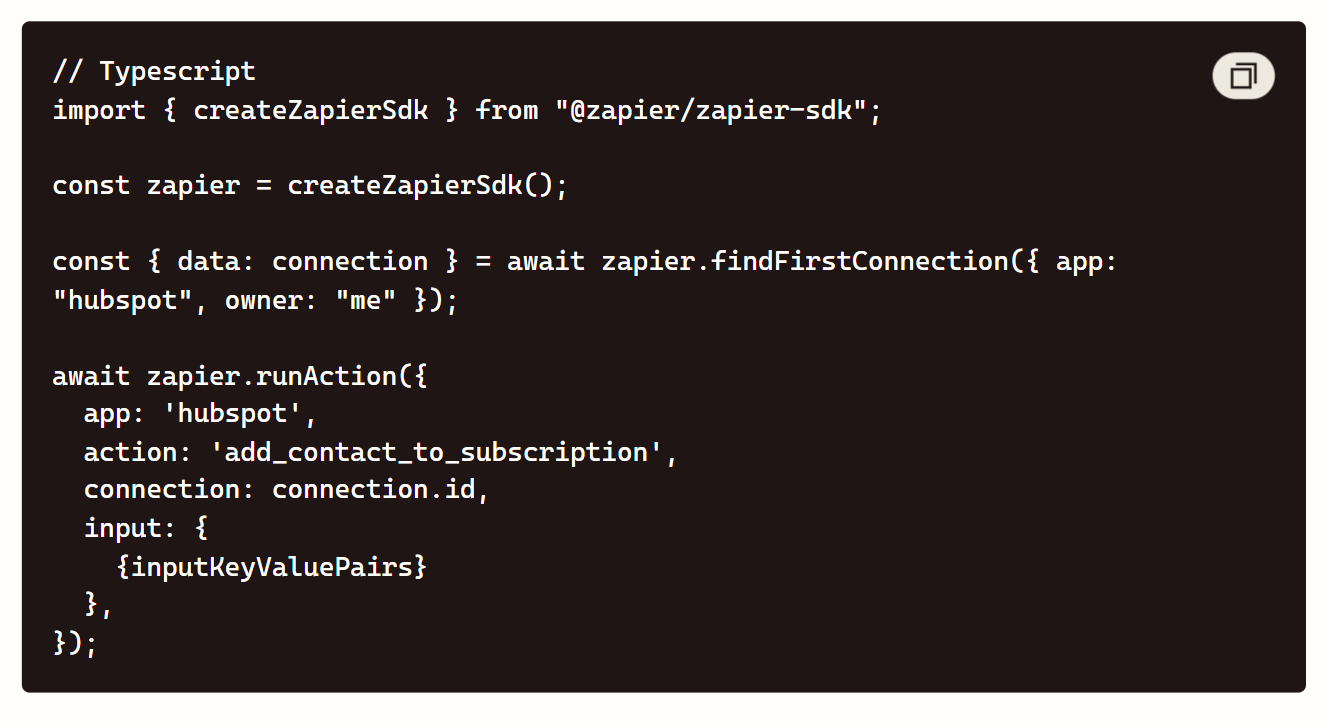
HubSpot connects to Zapier via OAuth 2.0, and the integration is one of Zapier's most popular, with support across HubSpot's CRM, Marketing, Sales, and Service Hubs. Setup takes under five minutes: authorize your HubSpot account in Zapier, select the objects and properties you want to work with, and build your Zaps.
Source: HubSpot
1. CRM Property Change Triggers: React to HubSpot Events Across Your Stack.
HubSpot's Zapier triggers go beyond new record creation. You can fire a Zap when a specific CRM property changes on a contact, company, or deal.
When a deal moves to "Contract Sent," a Zap generates a document in PandaDoc. When a contact's lifecycle stage changes to "Customer," a Zap creates an onboarding project in Asana. These property-change triggers turn HubSpot into an event source for your stack.
2. Bidirectional Contact and Deal Sync.
The integration supports both directions: external tools push data into HubSpot (a Typeform submission creates a contact, a Stripe payment updates a deal), and HubSpot events push data out (a new deal triggers a Slack notification, a closed deal creates a QuickBooks invoice).
This bidirectional flow keeps HubSpot at the center of your data model without requiring every tool to have a native HubSpot integration.
3. Marketing List Membership from External Events.
Zapier can add contacts to HubSpot static lists or trigger enrollment in active lists based on events that happen outside HubSpot.
A webinar attendance confirmation in Zoom adds the attendee to a "Webinar Attendees" list. A support ticket resolution in Zendesk adds the contact to a "Recently Supported" list for exclusion from sales outreach. This keeps your marketing segmentation responsive to events across your full stack, not just events inside HubSpot.
4. Custom Object Support for Complex Data Models.
For teams that have extended HubSpot with custom objects (projects, subscriptions, assets, or any domain-specific entity), Zapier's integration supports creating, updating, and triggering from those objects. Your custom data model participates in the same automation workflows as standard contacts and deals.
HubSpot Pricing
HubSpot uses a hub-based pricing model with free and paid tiers:
Free Tools: $0, basic CRM with contact management, forms, email marketing (limited), and Zapier integration supported
Marketing Hub Professional: $800/month (3 seats included), marketing automation, omni-channel campaigns, custom reporting
Sales Hub Professional: $90/seat/month, sequences, forecasting, custom reporting
Marketing Hub Enterprise: $3,600/month (5 seats included), attribution, custom objects, adaptive testing
Sales Hub Enterprise: $150/seat/month, predictive lead scoring, conversation intelligence, custom objects
HubSpot's free CRM supports Zapier integration, making it one of the few CRM platforms where you can build automated workflows with zero CRM cost.
Who Should Use the HubSpot Integration?
Marketing teams running inbound campaigns across multiple tools that need every lead capture, webinar attendance, and content engagement event to flow into HubSpot's CRM and marketing automation without manual imports
Sales and marketing alignment teams that need deal stage changes and lifecycle stage transitions in HubSpot to trigger actions in Slack, project management tools, and billing systems automatically
Growing teams using HubSpot's free CRM that want to build multi-tool workflows through Zapier without upgrading to HubSpot's paid automation features
4. Slack: Best Zapier Integration for Real-Time Team Alerts and Workflow Approvals
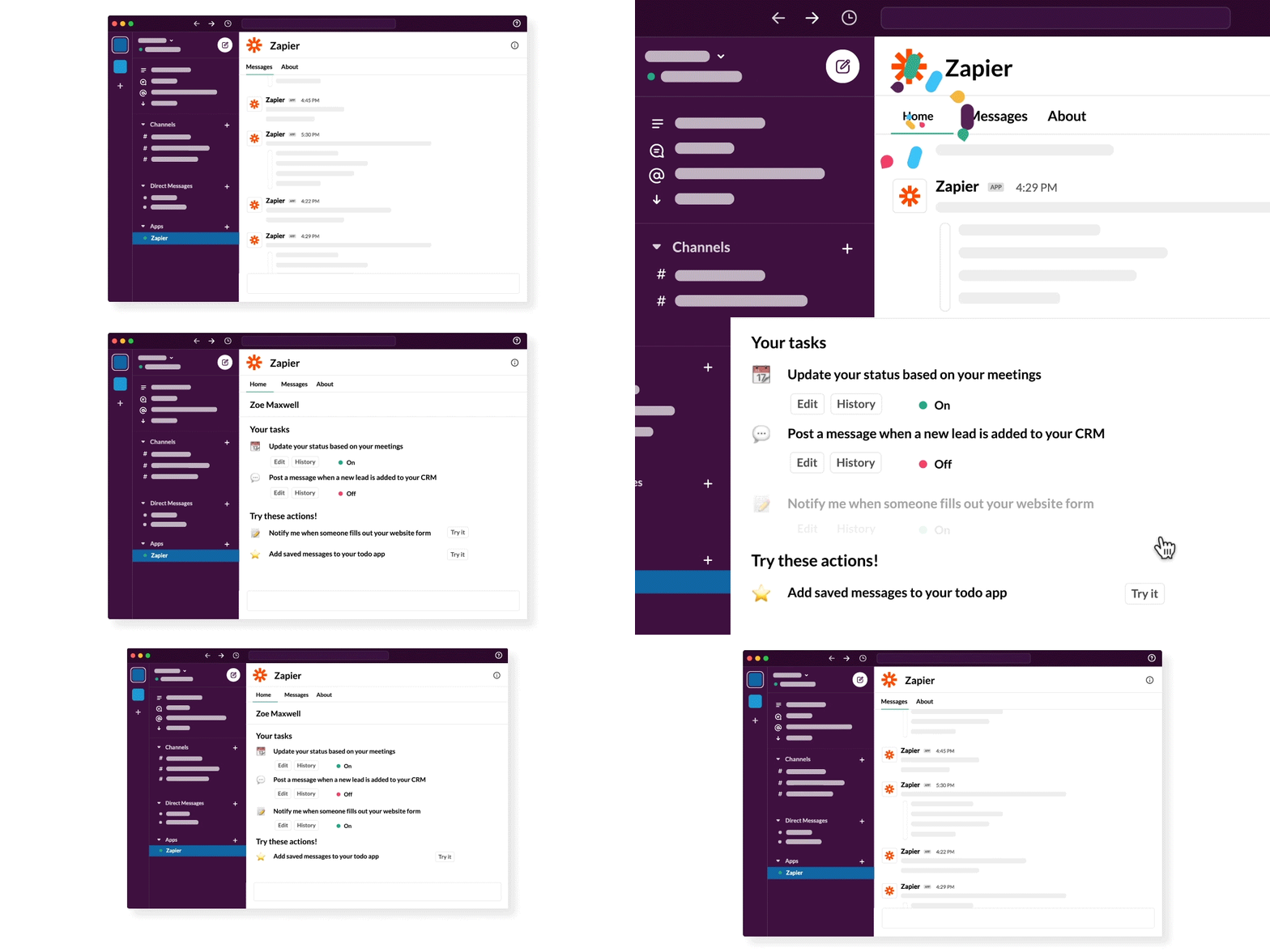
Slack now positions itself as an AI Work Platform rather than a messaging tool, but its Zapier integration serves a specific job: turning Slack into the notification and approval layer for automated workflows. Instead of teams monitoring multiple dashboards, events from across the stack surface in the channels people already watch.
Source: Slack
Slack hosts 2,600+ apps in its Marketplace alongside 550,000+ custom integrations used daily, and Zapier is named in Slack's Marketplace documentation as a key ecosystem partner connecting Slack to Zapier's partner app catalog.
Key integration capabilities include:
Channel message actions that post formatted notifications using Block Kit into any channel from any Zapier trigger
DM routing that sends private notifications to specific users based on workflow logic
Reaction triggers for approvals - emoji reactions are a native trigger type, turning Slack into an approval queue
Multi-channel broadcast that posts the same notification to multiple channels via conditional Paths
How Slack Integrates with Zapier
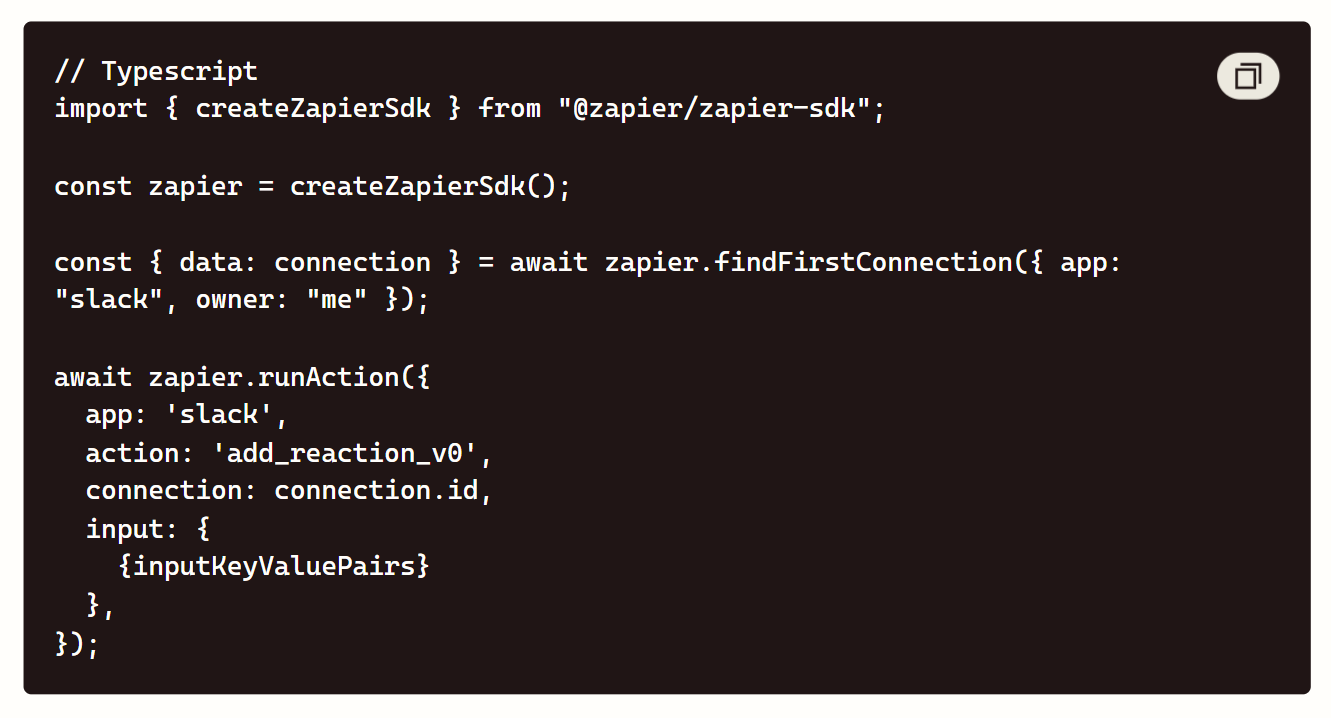
Slack connects to Zapier via OAuth 2.0. It supports both directions: Slack events trigger Zaps via the Events API, and actions in other apps post messages, create channels, and manage users through the Web API's 200+ methods.
Source: Slack
1. Formatted Channel Notifications from Any Trigger.
A new Salesforce opportunity posts a deal alert in #sales-wins. A failed Stripe payment posts a warning in #billing-alerts. Messages support Block Kit formatting - bold text, bullet lists, dividers, clickable links - surfacing context without opening another app. Note the rate ceiling: chat.post Message is capped at one message per second per channel, which matters for high-volume Zaps.
2. DM Routing for Targeted Alerts.
When a notification is relevant to one person, the integration routes a direct message. A Zap triggering on a Salesforce opportunity stage change looks up the owner and DMs them the deal details with a link back to the CRM record.
3. Emoji Reaction Triggers for Approvals.
Adding a specific emoji to a message fires a Zap. Teams use this for expense approvals, content sign-offs, and deployment authorizations. Approval happens where the conversation lives, and the Zap handles the downstream action.
4. Multi-Channel Broadcasting with Conditional Logic.
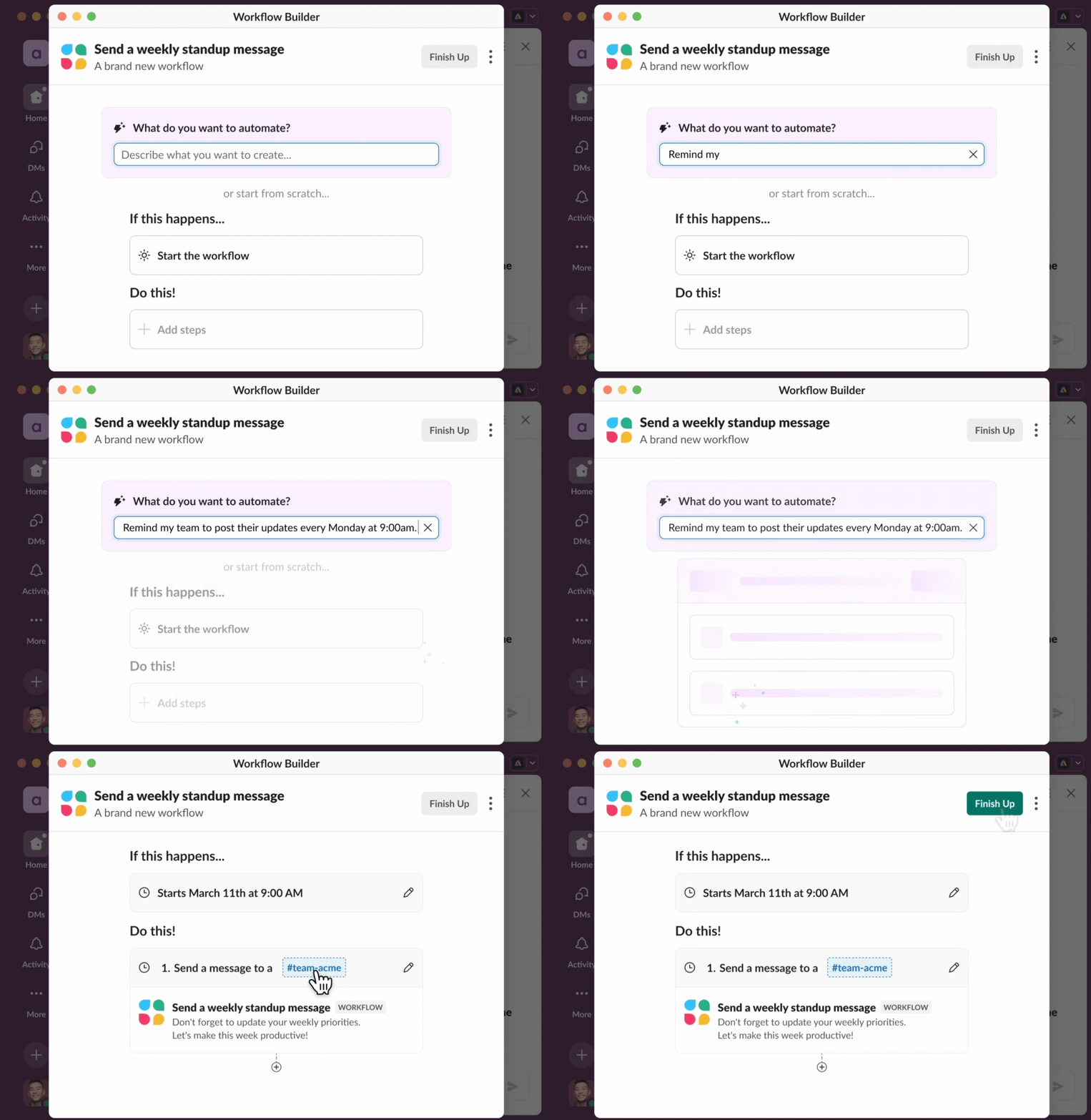
Zapier Paths let a single trigger post to different channels based on conditions - high-priority tickets to #support-urgent, low-priority to #support-general. Worth noting: Slack's own Workflow Builder offers conditional branching natively, but only on Business+ and above, which is why many teams keep this logic in Zapier.
Source: Slack
Slack Pricing
Slack uses per-seat pricing with a Fair Billing Policy that credits back seats inactive for 28 days:
Free: $0 - 90-day message history, 10 app integrations. Content older than one year is permanently deleted.
Pro: $7.25/user/month annual ($8.75 monthly) - unlimited history, unlimited integrations, group Huddles
Business+: $15/user/month annual - SAML SSO, SCIM provisioning, custom retention, conditional branching in Workflow Builder
Enterprise+: custom pricing - multi-workspace Grid management, HIPAA, DLP, legal holds, Enterprise Search
API access is included on every plan at no extra cost. For Zapier workflows, the Free plan's 10-app cap is the binding constraint; Pro removes it.
Who Should Use the Slack Integration?
Teams that live in Slack for daily coordination and want events across their stack surfaced in channels they already monitor
Managers who approve requests - expenses, content, deployments - without logging into separate tools
Organizations running complex multi-step Zaps where a Slack notification is the human checkpoint before the next step fires
Salesforce customers, who get native CRM integration alongside Zapier automation - and from summer 2026, Slack auto-provisioned with every new Salesforce account
5. Notion: Best Zapier Integration for Project Management and Knowledge Base Automation
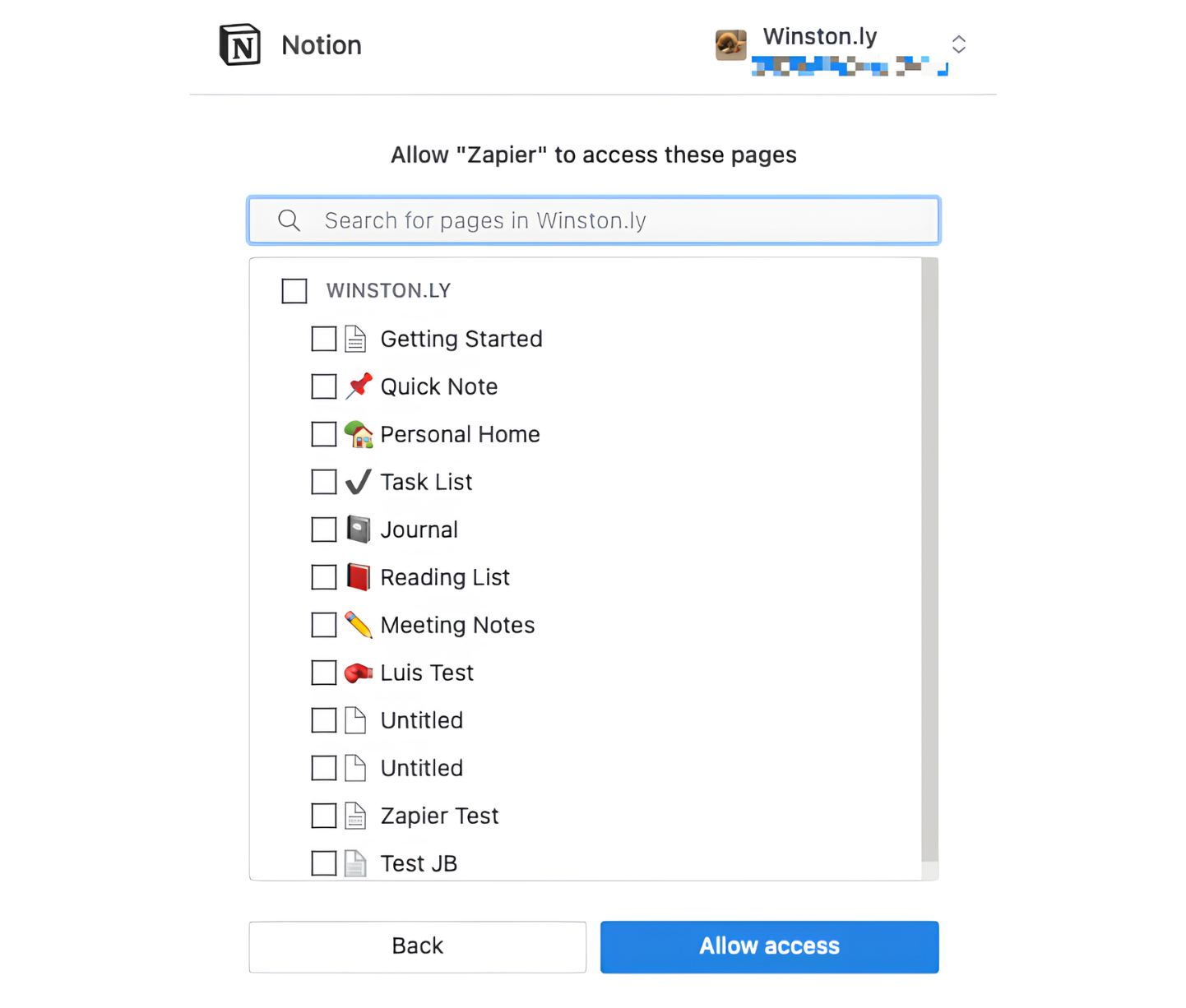
Notion is a workspace that combines databases, documents, wikis, and project management into a single platform, and its Zapier integration keeps Notion databases and pages in sync with events happening across your tool stack. The connector supports both directions: Notion database changes trigger Zaps, and external events create or update Notion content.
Source: Notion
Key integration capabilities include:
Database item creation and update actions that push structured data from any Zapier trigger into Notion databases with property mapping
Database change triggers that fire Zaps when items are created or updated in a Notion database, turning Notion into a workflow trigger source
Filter queries that look up existing database items by property values before creating or updating, preventing duplicates
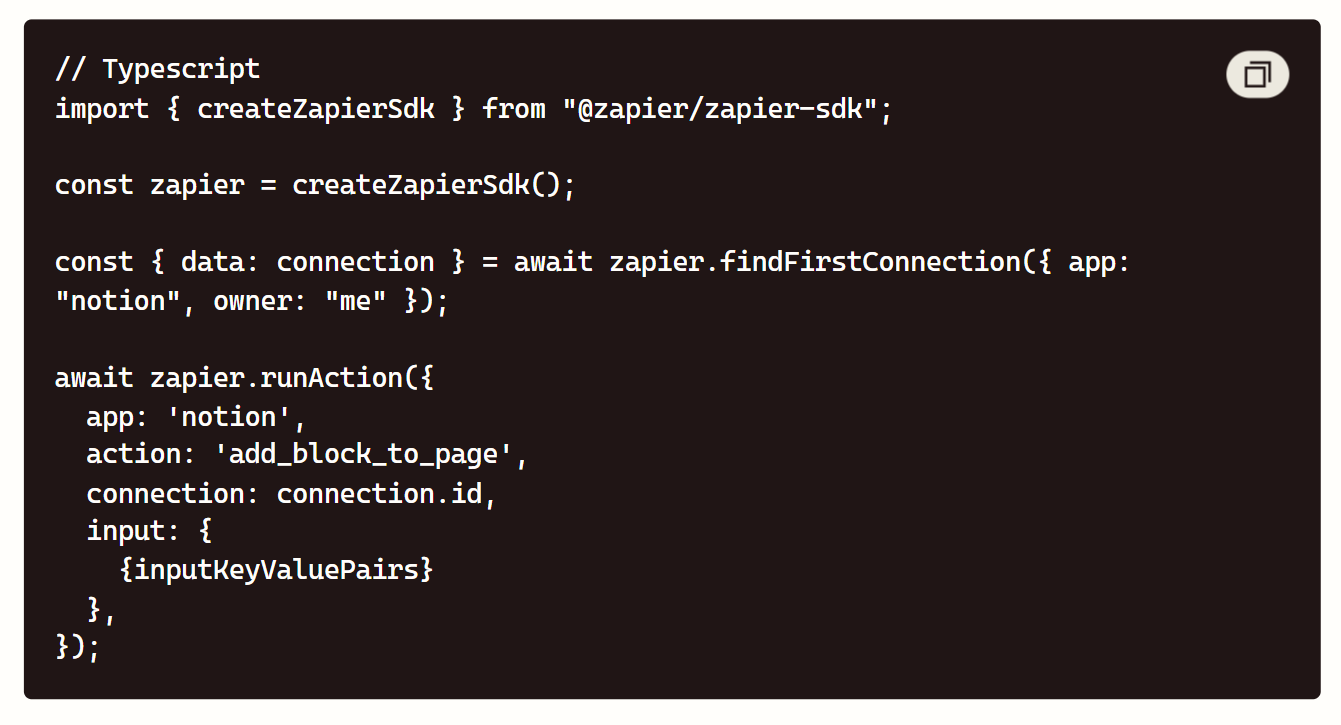
Block append actions that add content (text, to-dos, callouts) to existing Notion pages from external events
How Notion Integrates with Zapier
Notion connects to Zapier via its public API with OAuth authentication. The integration supports Notion databases as both trigger sources and action destinations, and it works with all of Notion's property types: text, number, select, multi-select, date, person, relation, and formula fields.
Source: Notion
1. Database Item Creation from External Events.
The most common workflow creates Notion database items from events in other tools. A closed Salesforce deal creates a project card in a Notion delivery database. A Slack message saved with a bookmark emoji creates a knowledge base entry. A GitHub issue assigned to a team member creates a task in Notion's sprint board.
Each Zap maps fields from the trigger to Notion database properties, so the resulting items arrive with structured data, not just a title.
2. Database Triggers for Downstream Automation.
Notion databases can also serve as the starting point for workflows. When a project manager changes a database item's status property to "Ready for Review," a Zap sends a Slack notification to the reviewer. When a new row is added to a content calendar database, a Zap creates a draft in the team's writing tool. This turns Notion from a passive repository into an active participant in automated workflows.
3. Filter Queries for Deduplication and Updates.
The integration's lookup action queries a Notion database for items matching specific property values before deciding whether to create a new item or update an existing one.
A Zap that syncs HubSpot deals to Notion can check whether a deal already exists in the database (by deal ID or name) and update the existing record rather than creating a duplicate. This deduplication logic is essential for workflows where the same entity may trigger the Zap multiple times.
4. Block Append for Dynamic Page Content.
Beyond database items, Zapier can append content blocks to existing Notion pages. A weekly automated report appends a summary section to a running log page. A customer support escalation appends case details to a shared incident page. A daily standup bot collects responses from Slack and appends them to a team standup page in Notion.
Notion Pricing
Notion uses per-member pricing:
Free: $0, unlimited pages for individuals, 7-day page history, 10 guest collaborators
Plus: $10/member/month (annual), unlimited file uploads, 30-day page history, 100 guest collaborators
Business: $20/member/month (annual), SAML SSO, private team spaces, bulk PDF export, 90-day page history
Enterprise: custom pricing, security, audit log, SCIM provisioning, unlimited page history
Notion's free plan supports the Zapier integration, making it a zero-cost option for individuals and small teams building automated workflows that feed into a Notion workspace.
Who Should Use the Notion Integration?
Teams using Notion as their workspace that need project boards, content calendars, and knowledge bases automatically updated by events in CRM, support, marketing, and development tools
Operations teams building lightweight internal tools where a Notion database serves as the data layer and Zapier handles the automation logic between Notion and external systems
Teams that manage work in Notion but communicate in Slack: the bidirectional integration lets Notion database changes trigger Slack notifications and Slack events create Notion tasks
6. Google Sheets: Best Zapier Integration for Universal Data Output and Row-Based Triggers
Google Sheets is the most widely used spreadsheet tool in the world, and its Zapier integration makes it the universal data destination for any automated workflow.
Source: Google Sheets
Every team knows how to read a spreadsheet, every stakeholder can access a Google Sheet without a new login, and every reporting process can pull from a shared sheet. That ubiquity makes Google Sheets the default output layer for Zaps that need to store, share, or analyze data.
Key integration capabilities include:
New and updated row triggers that fire Zaps when rows are added or modified in a specified sheet, turning spreadsheets into workflow trigger sources
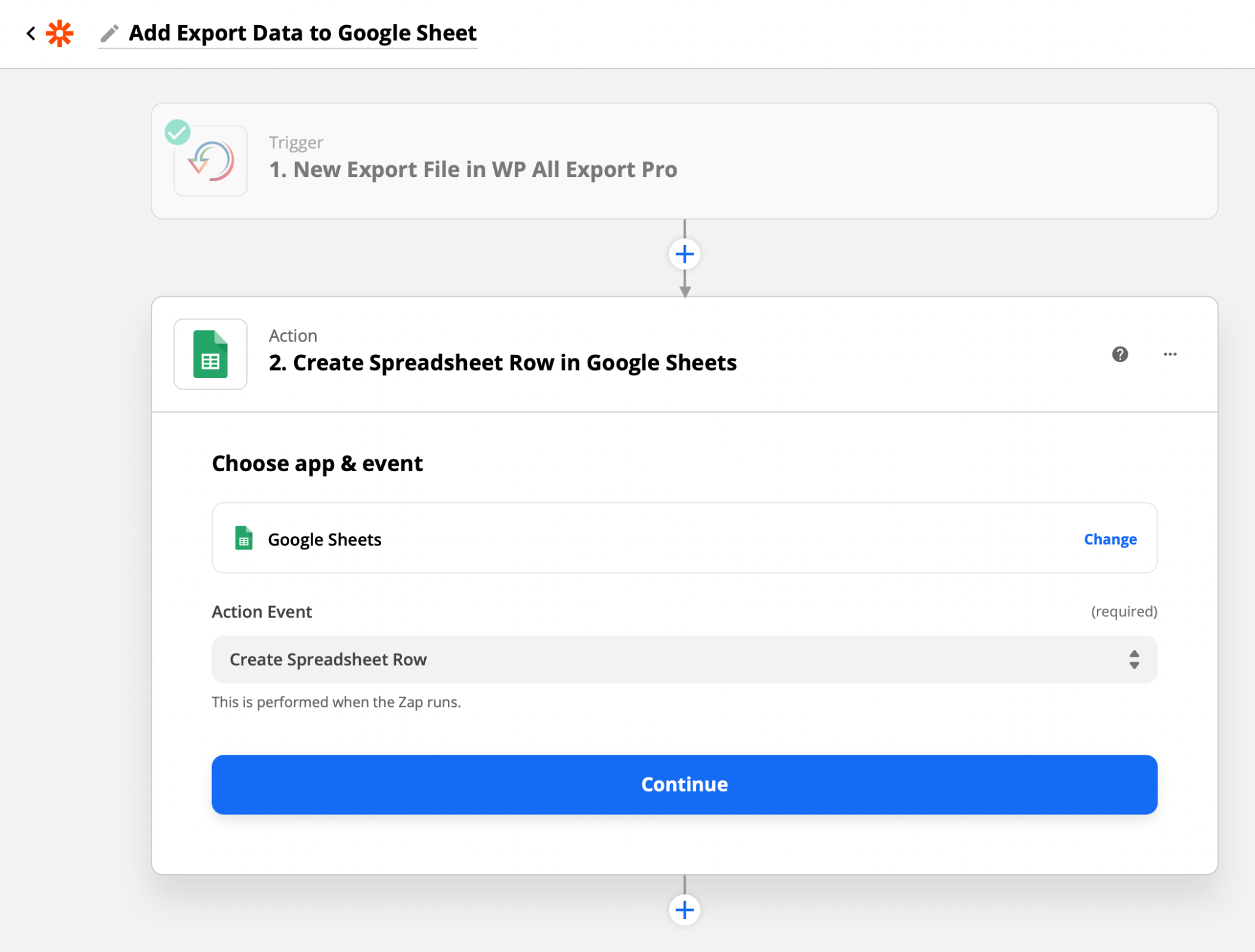
Create row actions that append structured data from any Zapier trigger into a Google Sheet as a new row
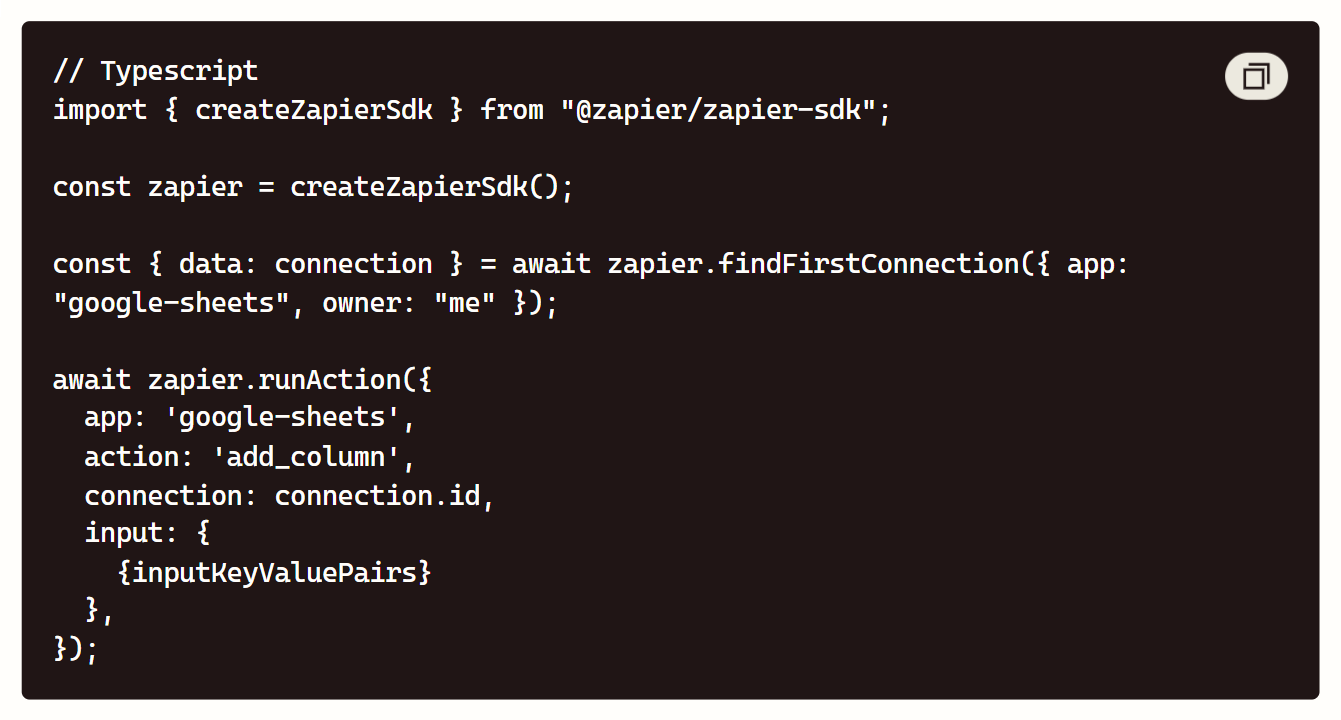
Update row actions that find existing rows by a lookup column and modify specific cells, enabling bidirectional sync
Spreadsheet and worksheet creation that generates new sheets from Zap steps for dynamic report generation
How Google Sheets Integrates with Zapier
Google Sheets connects to Zapier via Google OAuth, and the integration is one of the simplest to set up: authorize your Google account, select the spreadsheet and worksheet, and map fields. Google Sheets plus Zapier is the most popular integration pairing on the platform, used by millions of Zaps.
Source: Google Sheets
1. Row Triggers for Spreadsheet-Driven Workflows.
When a new row appears in a Google Sheet (manually entered, imported from a CSV, or added by another tool), it can trigger a Zap that routes the data anywhere.
A hiring manager adds a candidate to a recruiting tracker sheet, and a Zap creates the candidate record in the ATS, sends a Slack notification to the interview panel, and schedules a calendar event. The spreadsheet becomes the input interface, and Zapier handles the complexity behind it.
2. Data Logging from Any Trigger Source.
The most common use of Google Sheets in Zapier is as a data destination. Every Zap that generates structured output can write it to a sheet: new leads from Typeform, closed deals from Salesforce, support tickets from Zendesk, payment events from Stripe. The result is a living audit trail or reporting feed that any stakeholder can access, filter, sort, and chart without needing access to the source system.
3. Lookup and Update for Bidirectional Sync.
The update action searches a Google Sheet by a specified column value and modifies matching rows. A Zap that triggers on a Salesforce deal stage change looks up the deal in a shared pipeline tracker sheet and updates the status column. This keeps the spreadsheet synchronized with the source system without manual re-entry, and stakeholders who do not have CRM access see current data.
4. Dynamic Report Generation.
Zapier can create new spreadsheets and worksheets as action steps, enabling workflows that generate fresh reports on a schedule. A monthly Zap creates a new worksheet named with the current month, populates it with aggregated data from multiple sources, and shares it with the finance team via a Slack message with the link.
Google Sheets Pricing
Google Sheets is free for anyone with a Google account. For organizations, Google Workspace plans include collaboration, storage, and admin features:
Business Starter: $6.30/user/month (annual), 30 GB storage per user, custom business email
Business Standard: $12.60/user/month (annual), 2 TB storage per user, recording in Meet
Business Plus: $22/user/month (annual), 5 TB storage per user, endpoint management
Enterprise: custom pricing, unlimited storage, security and compliance
For Zapier workflows, the free Google account is sufficient. There is no additional cost for the Zapier integration itself.
Who Should Use the Google Sheets Integration?
Teams that need a free, accessible data destination where any stakeholder can view, filter, and analyze the output of automated workflows without needing access to the source system
Operations teams building lightweight reporting pipelines where data from multiple sources consolidates into a single shared spreadsheet for weekly reviews, dashboards, or CSV exports
Non-technical teams that want a familiar spreadsheet interface as the input or output layer for their Zapier automations, avoiding the learning curve of dedicated database tools
7. Typeform: Best Zapier Integration for Lead Capture and Form-Based Workflow Entry
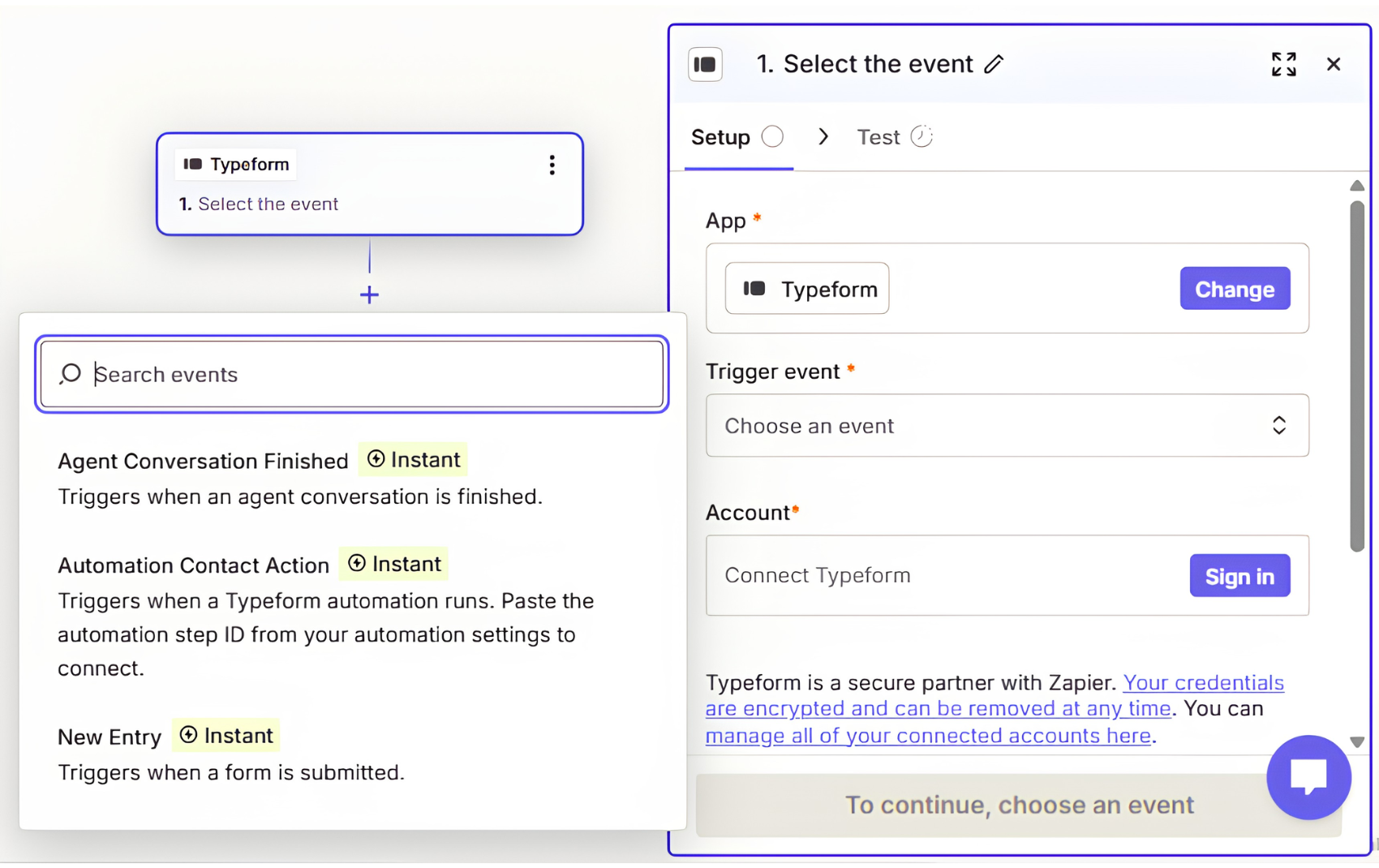
Typeform is an AI forms and automation platform whose Zapier integration makes it the entry point for automated workflows triggered by form responses. Rather than requiring Zapier to poll for new submissions, Typeform pushes data out the moment a response completes. Its key integration capabilities include:
Instant webhook triggers via the Webhooks API, which POSTs the full response payload to a destination URL on submission, with no polling delay
Response field mapping across text, number, choice, date, file upload, and hidden fields (UTM parameters, referral sources, campaign IDs)
Conditional routing from form logic, where Typeform's logic jumps filter respondents into paths that Zapier's Paths continue downstream
Multi-destination routing from a single response into CRM, spreadsheets, Slack, and task tools simultaneously
300+ native integrations alongside Zapier, including HubSpot, Salesforce, Klaviyo, Stripe, and Slack
How Typeform Integrates with Zapier
Typeform connects to Zapier through Zapier's listing, authenticating via personal access token or OAuth 2.0. Two details matter for workflow design:
1. Webhook delivery, not polling. Typeform's webhook system fires on a single event - form response submitted - and delivers the complete structured payload immediately. If a destination returns an error such as 429 or 503, Typeform retries every 2–3 minutes for up to 10 hours.
This matters because the Responses API pull path can lag by roughly 30 minutes, so webhook-based Zaps are the only reliable route for near-real-time lead routing. Webhooks require a Basic plan or above.
2. Zapier as a workaround for gated automation. Typeform now ships its own automation layer via Contacts & Automations and Growth Flow, which handle enrichment, segmentation, and email/SMS follow-up natively. But that stack is bundled only in the $266/mo Growth Flow tier, and available elsewhere as a paid add-on.

Source: Typeform
Teams on Basic, Plus, or Business use Zapier to get the same capture-to-enrichment-to-CRM pipeline at a lower subscription cost. G2 reviewers also flag Zapier as the necessary intermediary for CRMs needing field-level mapping, such as Salesforce, Marketo, and Pardot.
3. Form-to-enrichment-to-CRM pipelines. A demo request submits, the Zap fires instantly, the email routes to a B2B data platform for enrichment, the enriched record lands in the correct CRM segment, and a personalized sequence begins - with no manual step.
Typeform Pricing
Typeform prices on a monthly response quota plus a seat ceiling, with annual billing saving roughly 30%. There is no permanently free plan. Prices below are from Typeform's pricing page.
Basic: $39/mo or $28/mo annual. 100 responses/mo, 1 user, webhooks, API access. Caps at 750 responses with add-ons.
Plus: $79/mo or $56/mo annual. 1,000 responses/mo, 3 users, branding removal, custom subdomain. Caps at 2,500.
Business: $129/mo or $91/mo annual. 10,000 responses/mo, 5 users, drop-off and conversion tracking, priority support. Caps at 50,000.
Growth Flow: $379/mo or $266/mo annual. Adds 1,500 enriched responses/mo, Smart Insights, and Contacts & Automations at no extra charge. 14-day trial, card required.
Enterprise: custom. Unlimited responses, SSO, HIPAA BAA, US or EU data residency, custom domain.
The Contacts & Automations add-on runs +$25/mo for 2,400 actions or +$75/mo for 12,000 actions on qualifying plans. API access itself carries no separate cost.
Who Should Use the Typeform Integration?
Teams on Basic through Business who want enrichment and multi-step routing without paying the Growth Flow premium - Zapier delivers it for a fraction of the tier jump.
Marketing teams running gated content, demo requests, and event registrations that need instant, zero-delay flow into CRM and email tools.
RevOps teams with field-level CRM mapping requirements that Typeform's native connectors do not cover.
Final Verdict
The best Zapier integrations turn your automation workflows from simple data transfers into multi-step pipelines:
ZoomInfo: verified B2B data, company intelligence, and buyer intent signals injected into any Zap, so every lead flowing through your automation stack carries the context your team needs to act; the highest-impact integration on this list if your pipeline depends on data quality
Salesforce: enterprise CRM data and workflows extended to thousands of apps through any-object triggers, field-level change detection, and SOQL lookups
HubSpot: marketing automation and inbound CRM kept in sync with your stack through bidirectional contact, deal, and custom object workflows
Slack: alerts, approvals, and workflow notifications surfaced in the channels where your team already works
Notion: project boards, knowledge bases, and databases automatically updated by events across your stack
Google Sheets: the free universal data destination where any stakeholder can access, filter, and analyze the output of your Zaps
Typeform: instant webhook-based lead capture that feeds enrichment, routing, and outreach workflows with no polling delay
These integrations also compound: a Typeform submission triggers a ZoomInfo enrichment step, the enriched lead routes to Salesforce and HubSpot based on company attributes, a Slack notification pings the right rep, a Google Sheet logs the event for the weekly pipeline review, and a Notion task tracks the follow-up. Each integration adds a layer that makes the others more valuable.
If you connect one enrichment layer to your Zapier workflows, make it the data foundation everything else depends on. ZoomInfo's native Zapier connector feeds verified contact data, company intelligence, and go-to-market signals from a B2B database of 500M+ contacts and 100M+ companies into any Zap you build. ZoomInfo Lite is a permanent free tier with 10 monthly export credits, so you can see what enriched data does for your workflows before committing to a paid plan.
Frequently Asked Questions
How many integrations does Zapier support?
Zapier connects to over 8,000 apps across CRM, marketing, project management, communication, e-commerce, support, accounting, and AI categories.
The platform supports multi-step workflows with up to 100 steps per Zap, conditional Paths that route data based on field values, Filters that stop execution on non-matching records, and Formatter tools that transform data between steps. Beyond pre-built app connectors, Zapier's Webhooks step connects to any system with an HTTP endpoint.
Do I need a paid Zapier plan to use these integrations?
Zapier's free plan supports all 8,000+ app connectors, but limits you to 100 tasks per month and 2-step Zaps with 15-minute polling. For multi-step workflows (which most practical integrations require), you need at least the Professional plan at $19.99/month.
Some app connectors have their own plan requirements: Salesforce requires Enterprise Edition or the API add-on for Professional Edition, and Slack's free plan limits you to 10 app integrations total.
What counts as a Zapier task for billing purposes?
Each action step that successfully executes in a Zap counts as one task. Trigger steps, Filter steps, and Path steps do not count. A 5-step Zap that fires 100 times in a month consumes 400 tasks (4 action steps times 100 executions).
If a Zap has conditional Paths, only the steps in the path that actually executes count. Zapier provides a task usage dashboard in your account settings, and overage billing charges 1.25x the plan's per-task rate.
Can I build multi-step workflows that combine several of these integrations?
Yes, and this is where Zapier's value compounds. A single Zap can chain steps across multiple integrations: a Typeform submission triggers a ZoomInfo lookup for enrichment, the enriched data creates a Salesforce lead, a Slack notification alerts the assigned rep, a Google Sheet row logs the event, and a Notion database item tracks the follow-up task.
Multi-step Zaps require at least the Professional plan, and each action step in the chain counts as one task.
How do I handle errors and failed Zap steps?
Zapier provides a Task History dashboard showing every Zap execution with success or failure status, error messages, and the data that passed through each step. You can replay failed steps individually without re-running the entire Zap.
The platform also supports error-handling paths that trigger alternative actions when a step fails (sending an alert to Slack, logging the error in Google Sheets, or retrying with modified data). Autoreplay automatically retries certain failure types (rate limits, temporary API errors) without manual intervention.
Is it better to use Zapier or a native integration between two apps?
Native integrations between two specific apps typically offer deeper functionality, real-time sync, and lower ongoing cost for that single connection. Zapier excels when you need to connect three or more apps in a single workflow, when one of the apps lacks a native connector to the other, or when you need conditional logic and data transformation between steps.
Many teams use both: a native CRM-to-marketing integration for the primary data flow, and Zapier for the ancillary workflows that connect niche tools to the same ecosystem.
What is the best way to enrich contact data flowing through Zapier workflows?
Connect a B2B data platform as an enrichment step inside your Zaps. ZoomInfo's native Zapier connector runs company and contact lookups mid-workflow, appending verified emails, direct-dial phone numbers, titles, company attributes, and technology stack data to any lead before it reaches your CRM or outreach tool.
The enrichment draws from 500 million contacts and 100 million companies, verified by 300+ human researchers. For teams whose pipeline depends on acting quickly on complete, accurate lead data, adding ZoomInfo as the enrichment layer between lead capture and CRM routing turns every Zap from a data transfer into an intelligence pipeline.
