
Choosing between Zoho CRM vs. Solve360 for managing your B2B relationships often comes down to five questions:
Do you need a full CRM suite with marketing automation, process enforcement, and AI, or a simpler system focused on daily client management?
Is your team running complex multi-stage sales pipelines, or managing ongoing service delivery and follow-ups?
How important is knowing who to target and when they're ready to buy, before you even open your CRM?
Does your team live in Google Workspace, or do you need a platform-independent tool?
Are you spending more time chasing unqualified leads than closing deals with qualified ones?
In short, here's what we recommend:
Zoho CRM is the full-suite choice for growing B2B teams that need sales automation, process management, and AI in one affordable platform.
With paid plans starting at approximately $14/user/month and a permanent free tier for up to three users, it delivers features that compete above its price point: Blueprint enforces stage-by-stage sales processes so reps can't skip steps, Zia AI agents handle tasks from lead scoring to email drafting, and the broader Zoho ecosystem puts 40+ integrated business applications within reach.
The trade-off is complexity: fully configuring Zoho CRM for non-standard workflows takes real admin effort, and support quality can be inconsistent.
Solve360 is built for small service teams that need straightforward client management without the overhead of a full CRM. At $39/user/month with no hidden tiers, it offers one system where relationships, work, and support share a single record.
If your team already lives in Google Workspace, Solve360 extends it with native Gmail, Google Calendar, and Google Sheets integrations that feel more like natural additions than bolt-on connectors. Customer support is the platform's standout trait, with ratings averaging 4.5/5 on Capterra and users reporting direct access to the development team.
The trade-off is scope: the interface is dated, built-in reporting requires exporting to Google Sheets, and integrations beyond Google are limited.
Both platforms help you manage customer relationships once you have them. But for B2B teams, the harder challenge is often upstream: identifying which companies are worth pursuing, finding the right decision-makers, and knowing when a prospect is ready to buy. That's a different problem, and it calls for a different tool.
ZoomInfo is a B2B intelligence and GTM platform that starts where traditional CRMs can't: with data. Built on a B2B data foundation of 500M contacts, 100M companies, 135M+ verified phone numbers, and 200M+ verified business emails, ZoomInfo's GTM Context Graph fuses this data with your CRM records, conversation transcripts, and behavioral signals to reveal not just who your buyers are, but why deals move or stall.
Sellers access this intelligence through GTM Workspace, where prioritized accounts, drafted outreach, and deal context converge in one place. Marketers and RevOps use GTM Studio to build audiences in natural language and launch plays without engineering tickets. Developers can pipe the same intelligence into any tool via APIs and MCP.
For B2B teams where the quality of intelligence determines the quality of pipeline, ZoomInfo provides a foundation that no traditional CRM can replicate on its own.
If building pipeline on verified data and real buying signals sounds like what your team needs, see how ZoomInfo works.
Zoho CRM vs. Solve360 vs. ZoomInfo at a glance
Zoho CRM | Solve360 | ZoomInfo | |
|---|---|---|---|
Primary function | Full CRM + sales automation | Client management + work tracking | B2B intelligence + GTM execution |
Starting price | Free (3 users); paid from $14/user/month | $39/user/month (teams of 4+) | Free (ZoomInfo Lite); paid plans custom-quoted |
AI capabilities | Zia: lead scoring, churn prediction, agentic AI | MCP server for AI agents (early access) | GTM Context Graph: buying signals, deal intelligence, AI outreach |
Customization | Canvas Design Studio, Blueprint, up to 500 custom modules | Custom fields, category tags, tag-triggered conditional fields | AI-built audience segments, natural language plays |
Integrations | 1,100+ via Marketplace + 60+ Zoho apps | Google Workspace native; limited third-party | 120+ integrations + APIs + MCP for any tool |
B2B data | Internal CRM data only | Internal CRM data only | 500M contacts, 100M companies, intent signals, technographics |
Free trial | 15-day trial + permanent free plan | 14-day trial | 7-day trial + ZoomInfo Lite (permanent free) |
Best for | Growing B2B teams needing process and automation | Small service teams needing daily simplicity | B2B teams needing prospect intelligence and pipeline |
Three tools built for three different problems
These platforms aren't competing with each other. They solve different problems in the B2B workflow.
Zoho CRM is an operational command center. It assumes you've identified your prospects and need a system to manage them through a sales process: capture leads, enforce pipeline stages, automate follow-ups, forecast revenue, and scale those processes across a growing team. The depth is real.
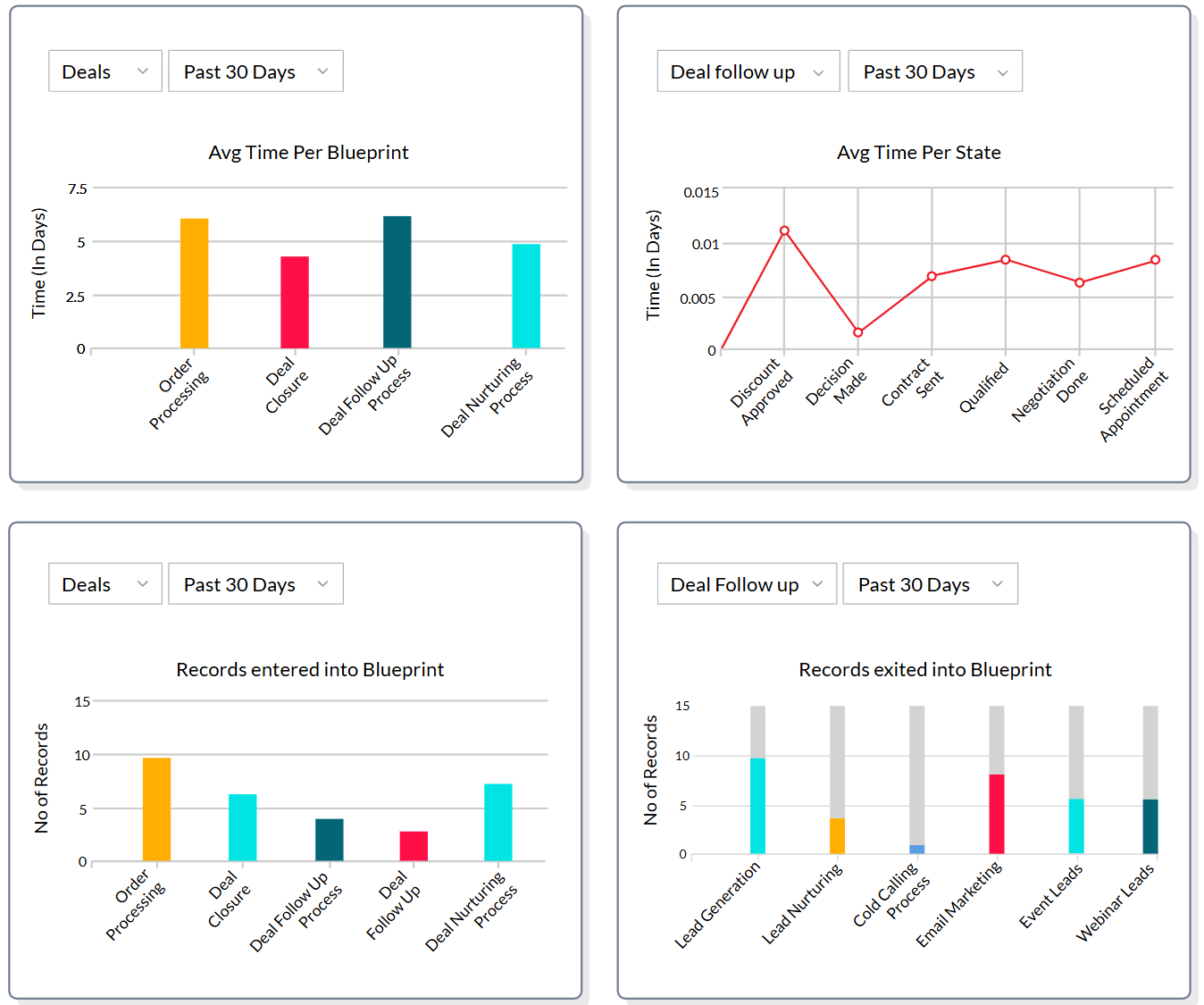
Blueprint prevents reps from advancing deals without completing required steps. Canvas Design Studio lets admins redesign record views without code. Cadences coordinate multichannel follow-up sequences that branch based on customer behavior. It's a full operating system for sales teams that need structure.
Source: Zoho CRM
Solve360 is an operational notebook. It assumes your team does "high-trust, high-touch work" where details matter and needs a shared record of who each client is, what's been done, and what's due next.
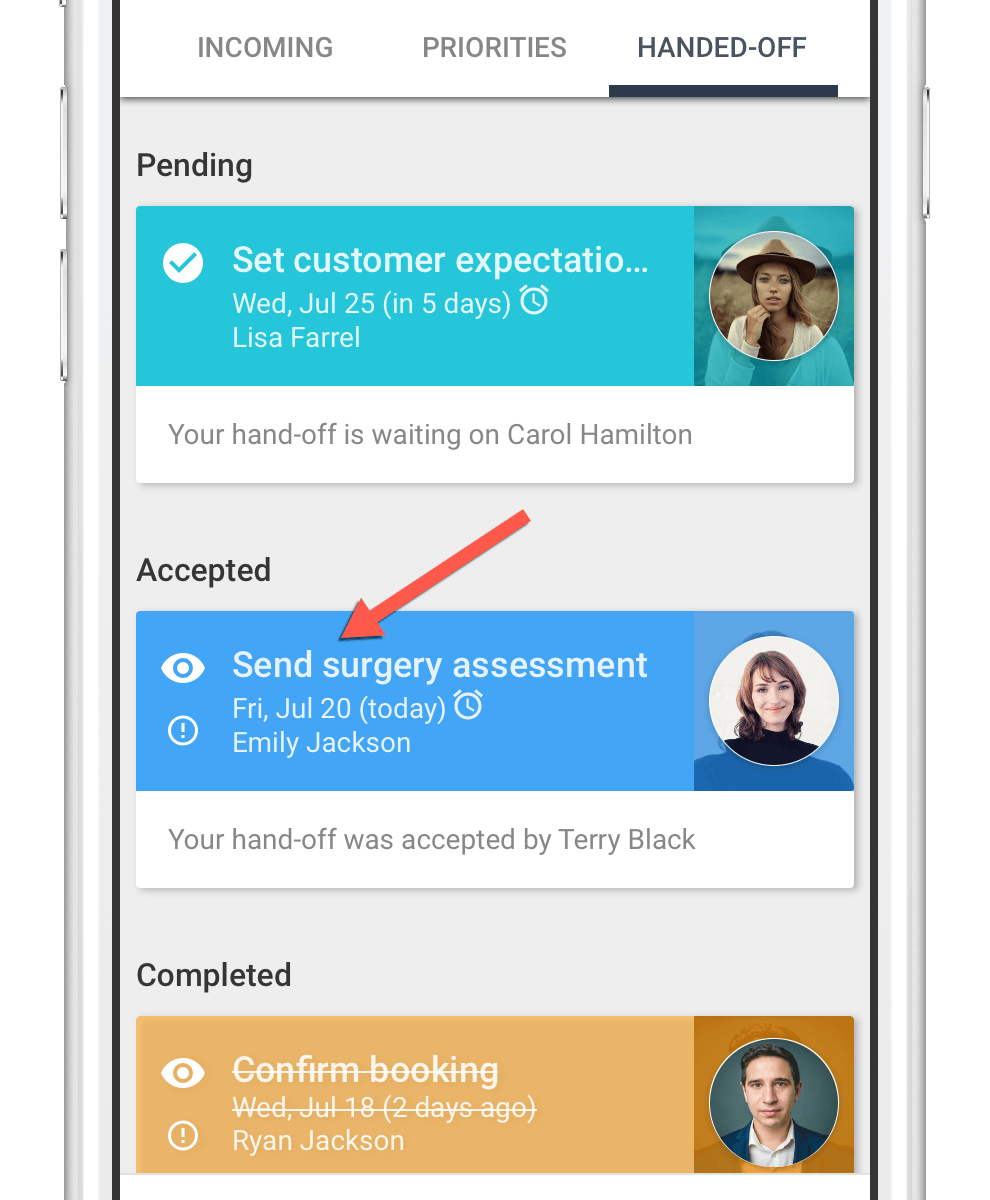
Rather than managing a complex sales pipeline, it manages the daily reality of service delivery: tasks tied to records, workflow templates that auto-schedule next steps, and a hand-off system that keeps two people accountable for every delegated task. Where Zoho CRM models your sales process, Solve360 models your workday.
Source: Solve360
ZoomInfo is an intelligence engine. It assumes the hardest part of B2B sales isn't managing known relationships but finding the right ones.
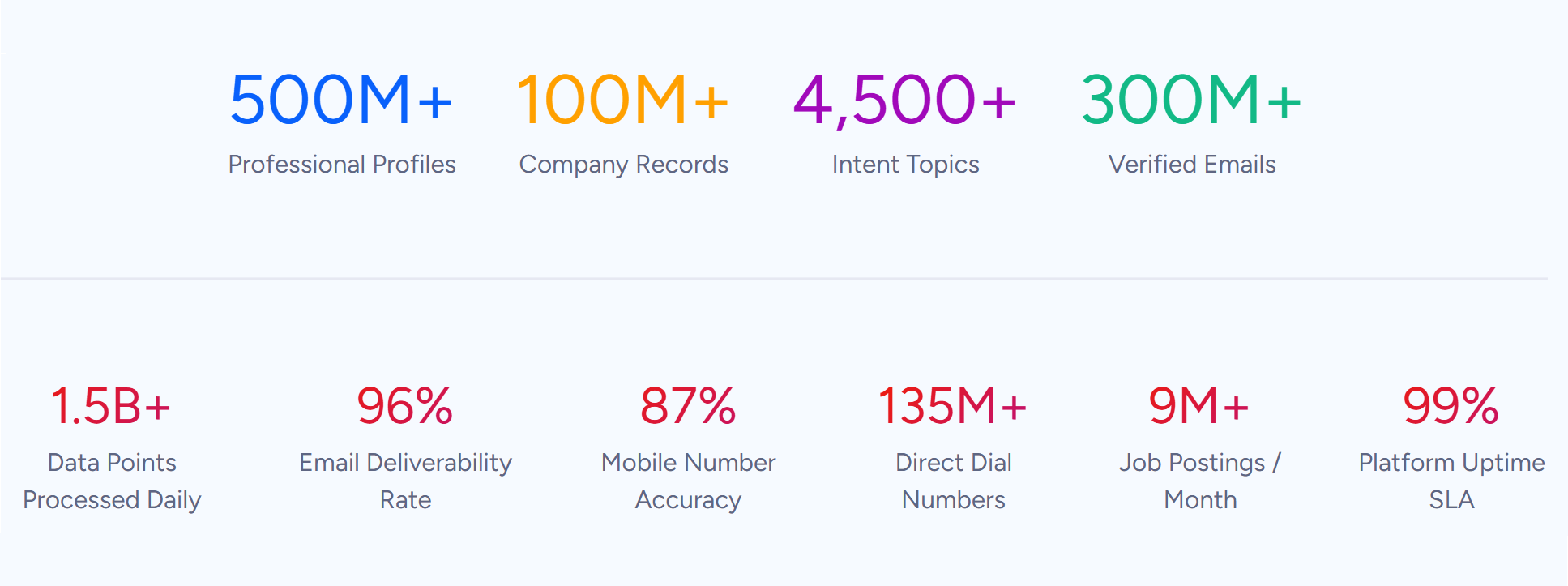
The platform starts with data (500M contacts, 100M companies, 135M+ verified phone numbers), layers on buying signals (intent data tracking 210 million IP-to-Organization pairings), and builds a GTM Context Graph that connects signals to outcomes across every deal. Instead of asking reps to manage a process, ZoomInfo tells them who to call, when to call, and what to say.
Source: ZoomInfo
The distinction matters because it determines what your team spends time doing. With Zoho CRM, reps work inside the system: updating deal stages, building reports, configuring automations. With Solve360, they spend time on the work itself: logging client interactions, completing tasks, tracking service delivery.
With ZoomInfo, they act on intelligence: contacting verified prospects who are already researching solutions like theirs.
CRMs manage relationships, but ZoomInfo finds the right ones
This is where the three platforms diverge most sharply.
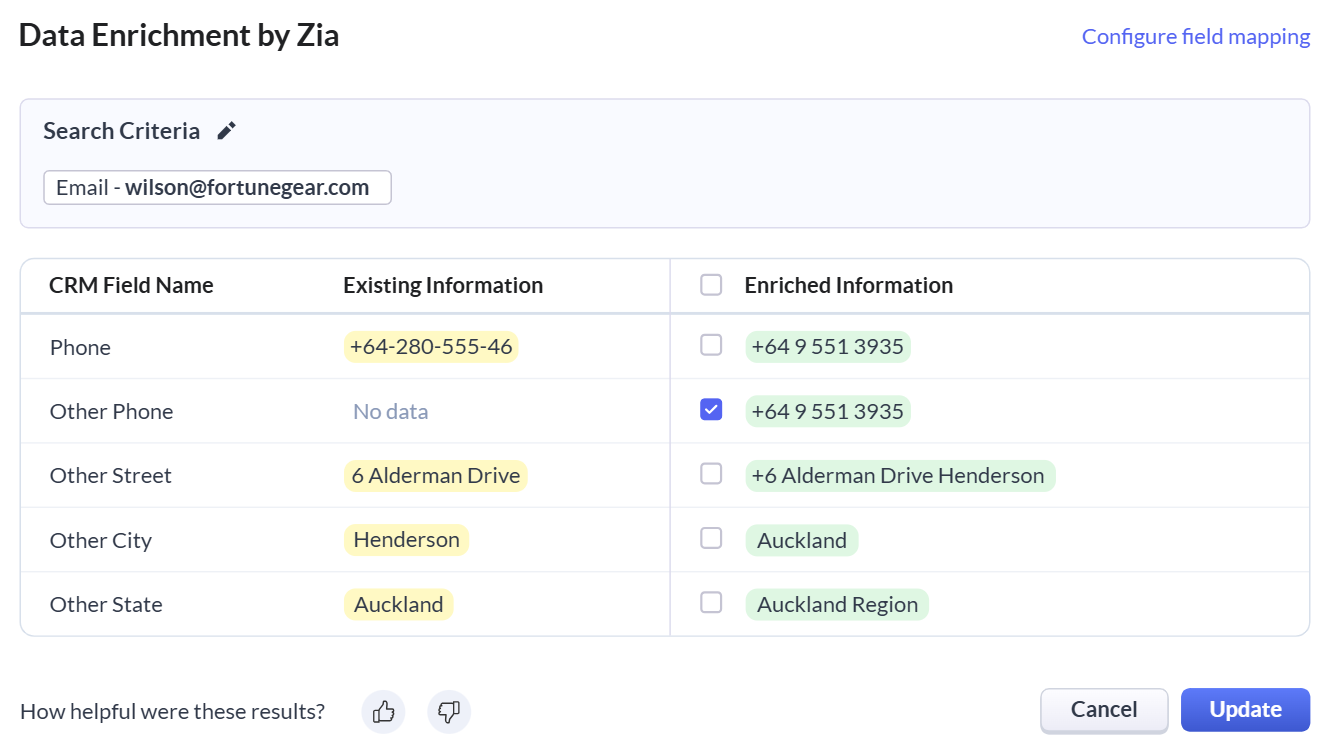
Zoho CRM captures leads that come to you. Web-to-lead forms, a business card scanner, live chat via SalesIQ, and social media integrations bring prospects into the system. Once they're in, Zoho CRM manages them well: scoring, routing, nurturing through cadences, and forecasting when deals will close.
Source: Zoho CRM
But the leads have to arrive first. Zoho CRM doesn't tell you which companies are worth pursuing or when a prospect outside your pipeline is evaluating solutions in your category.
Solve360 takes the same inbound approach on a smaller scale. Incoming web leads automatically create contact records and notify the assigned team member. From there, it's manual: your team decides who to follow up with based on their own knowledge and judgment. There's no lead scoring, no intent detection, no automated prioritization.
ZoomInfo flips the model. Instead of waiting for prospects to find you, it identifies who's already looking. Buyer Intent data tracks signals from 6 trillion+ keyword-to-device pairings sourced monthly, showing which companies are researching topics relevant to your product.
Guided Intent goes further by identifying topics historically correlated with deal success in your business, rather than requiring manual topic selection. When a high-fit company starts researching your category, ZoomInfo surfaces that signal alongside verified contacts in the buying committee (with direct dials and business emails) ready for outreach.

Source: ZoomInfo
WebSights adds another layer by resolving anonymous website traffic to specific companies, including buying team identification and direct contact information, with automatic filtering that distinguishes real visitors from bots.

Source: ZoomInfo
For inbound-heavy businesses, Zoho CRM or Solve360 may be sufficient. For B2B teams running outbound motions, where targeting quality determines pipeline quality, the intelligence ZoomInfo provides is difficult to replicate with a CRM alone.
Seismic's sales team attributed 39% of active pipeline to opportunities identified or influenced by ZoomInfo signals, while boosting productivity by 54% and saving 11.5 hours per week per seller. (Seismic)
Customization runs deep, but in different directions
All three platforms let you shape the system to match your business. They do it at different levels.
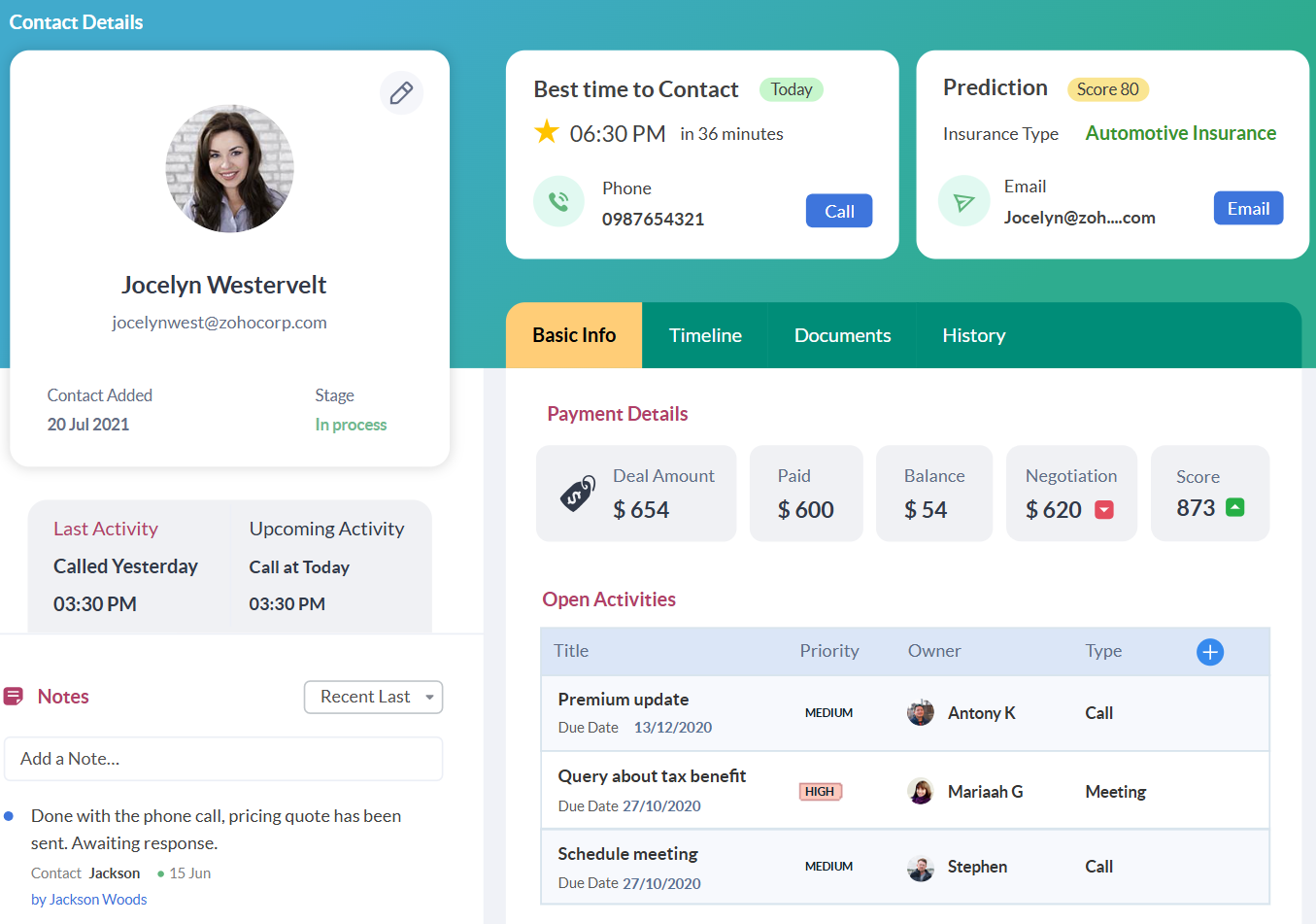
Zoho CRM offers the deepest customization of the three. Canvas Design Studio gives pixel-level control over how CRM records look (colors, typography, section groupings, image placement). Blueprint doesn't just automate workflows; it enforces them, preventing reps from advancing deals without completing required steps, entering required fields, or obtaining approvals.
Source: Zoho CRM
Up to 500 custom modules are available on the Ultimate plan. Kiosk Studio lets admins build guided input flows without code. And Zia can generate entire modules from text descriptions, creating fields and layouts from a plain-language prompt.
The depth is real, but it comes at a cost. G2 reviewers consistently note that while basic setup is accessible, fully configuring Zoho CRM for complex workflows demands significant time. For organizations with a dedicated admin, that investment pays off. For small teams without one, the customization can become overhead.
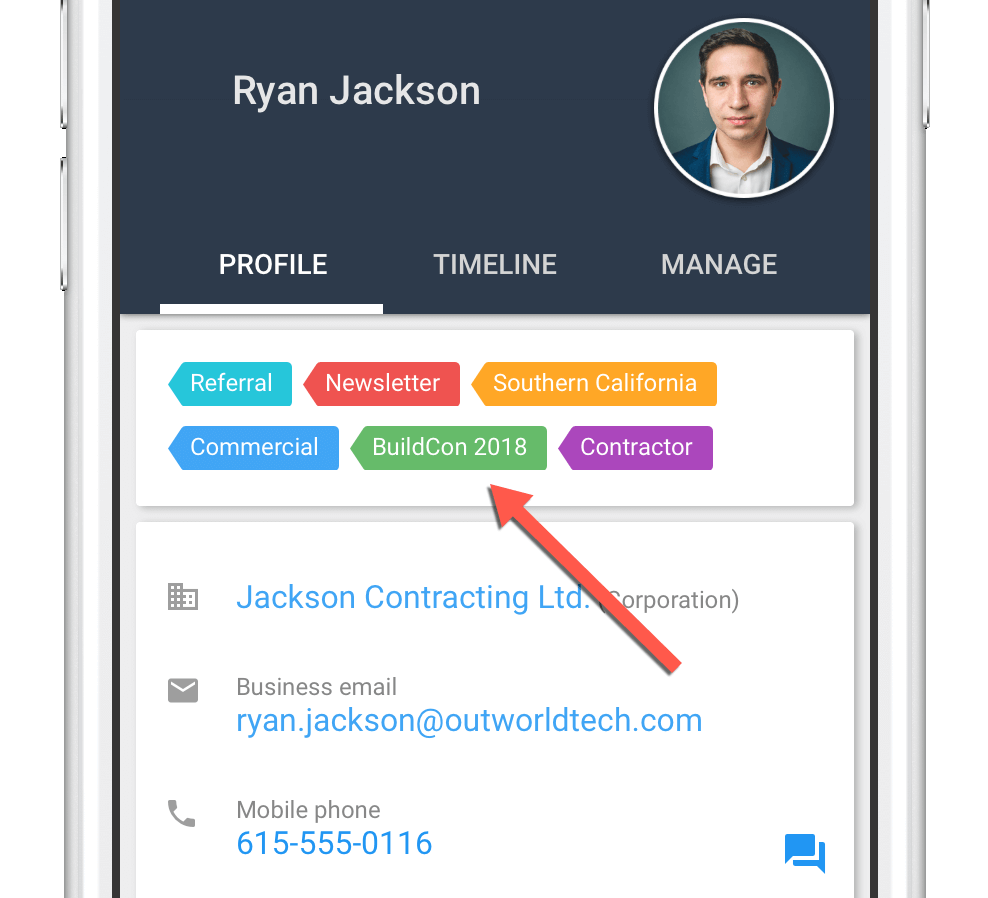
Solve360 approaches flexibility differently. Customization happens through unlimited category tags, custom fields on contacts, companies, tasks, and interactions, and tag-triggered conditional fields that surface automatically when a specific tag is applied.
Source: Solve360
Solve360's workflow engine differs from Zoho's Blueprint in a revealing way. Rather than enforcing a process with gates and approvals, it automates one.
When applied to a record, a workflow template generates task sequences, calculates schedules, and assigns the right people. Only the currently active tasks are visible; the next set appears automatically when preceding steps finish. It reduces cognitive overload rather than enforcing compliance.
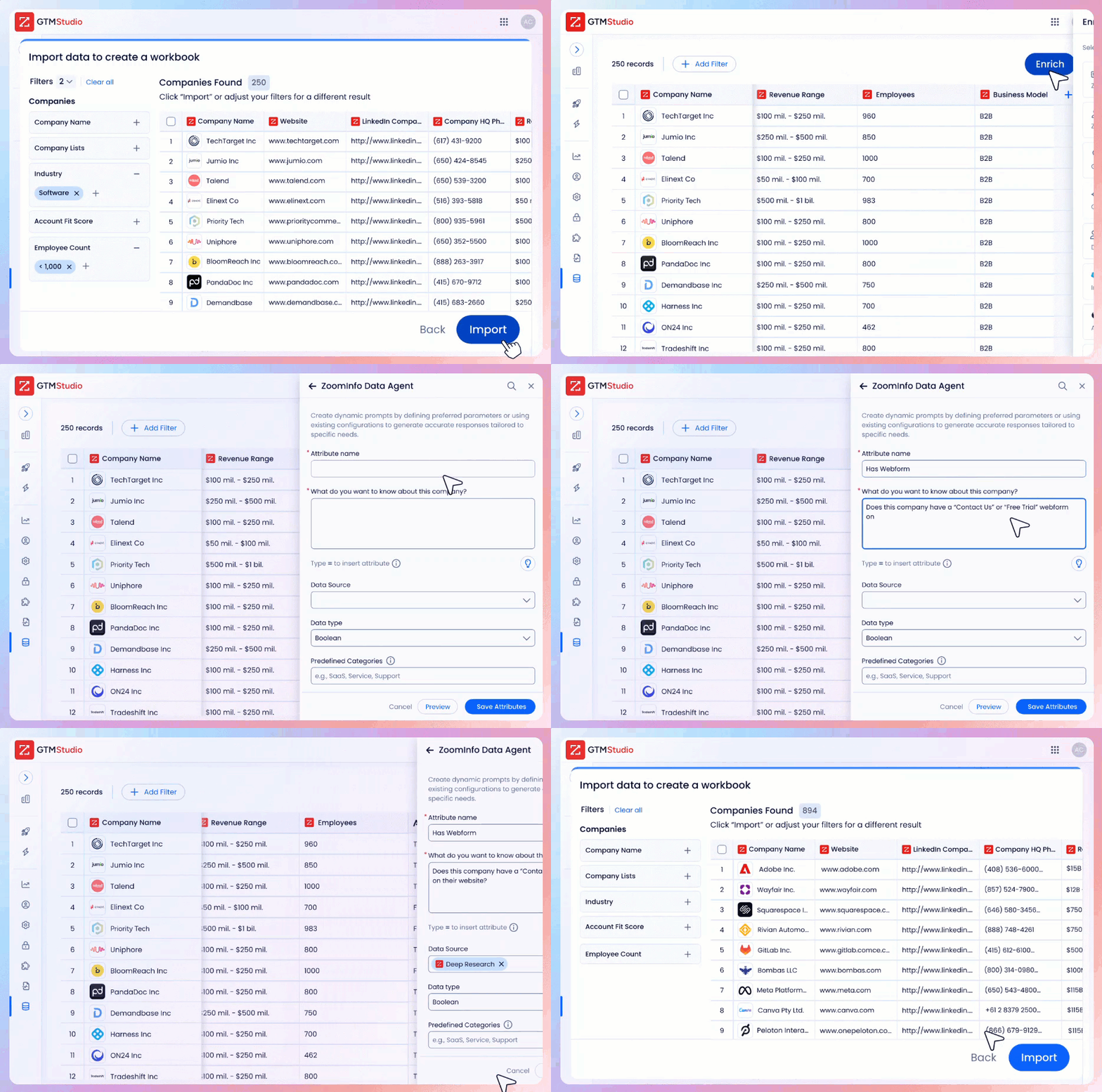
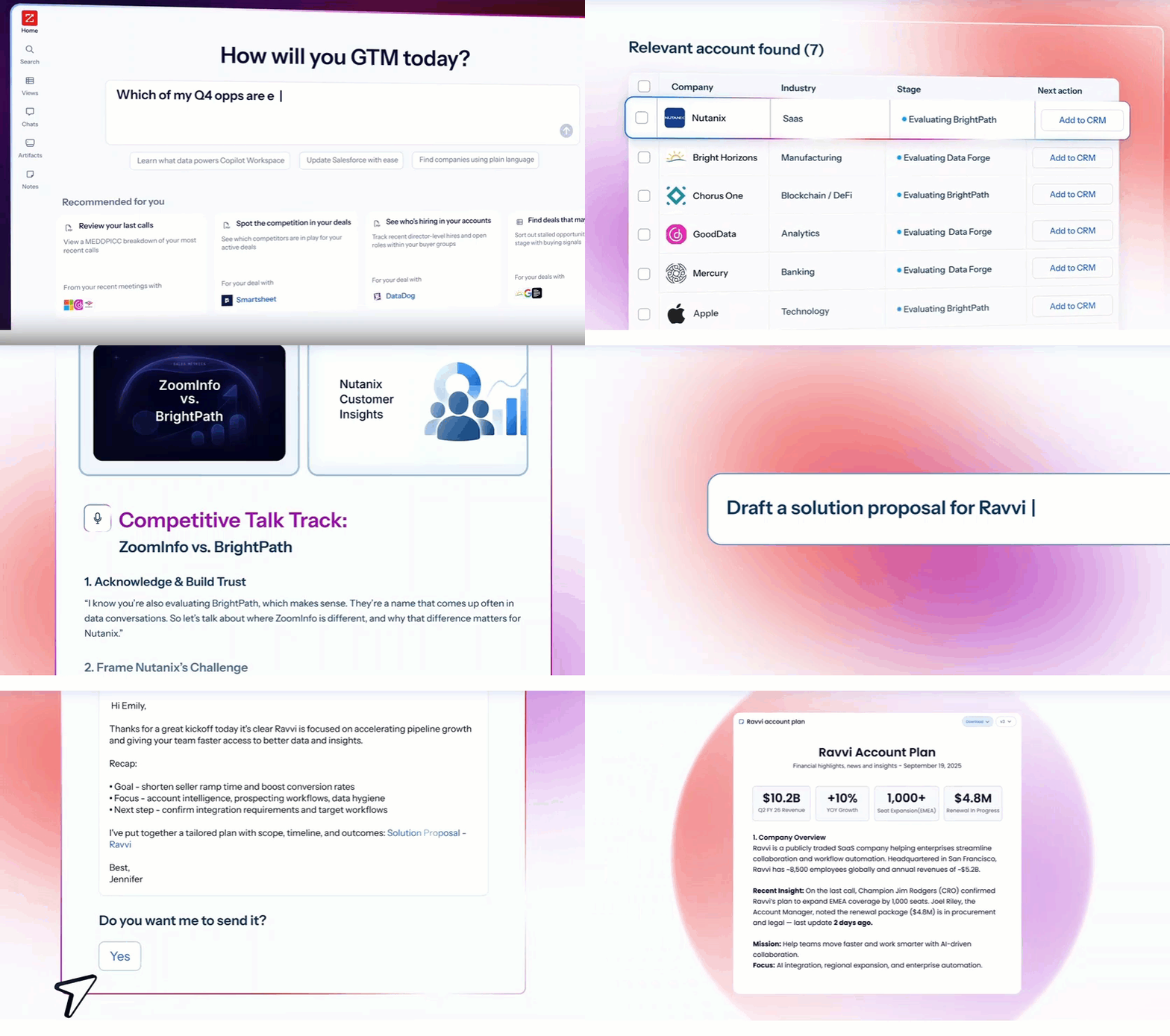
ZoomInfo customizes at a different layer entirely. Rather than reshaping how your team manages records, it customizes which prospects and signals reach them. In GTM Studio, marketers and RevOps teams describe audiences in natural language, build enrichment workflows, and launch plays against accounts matching patterns from closed-won deals.
Source: ZoomInfo
GTM Workspace gives sellers dynamic views that combine CRM data with real-time buying signals, filterable by intent spikes, technology changes, funding events, or personnel movements. The customization isn't about form fields and record layouts. It's about tuning the intelligence that drives daily action.
Source: ZoomInfo
AI capabilities span three generations
AI is now standard in CRM marketing. What that AI actually does varies enormously.
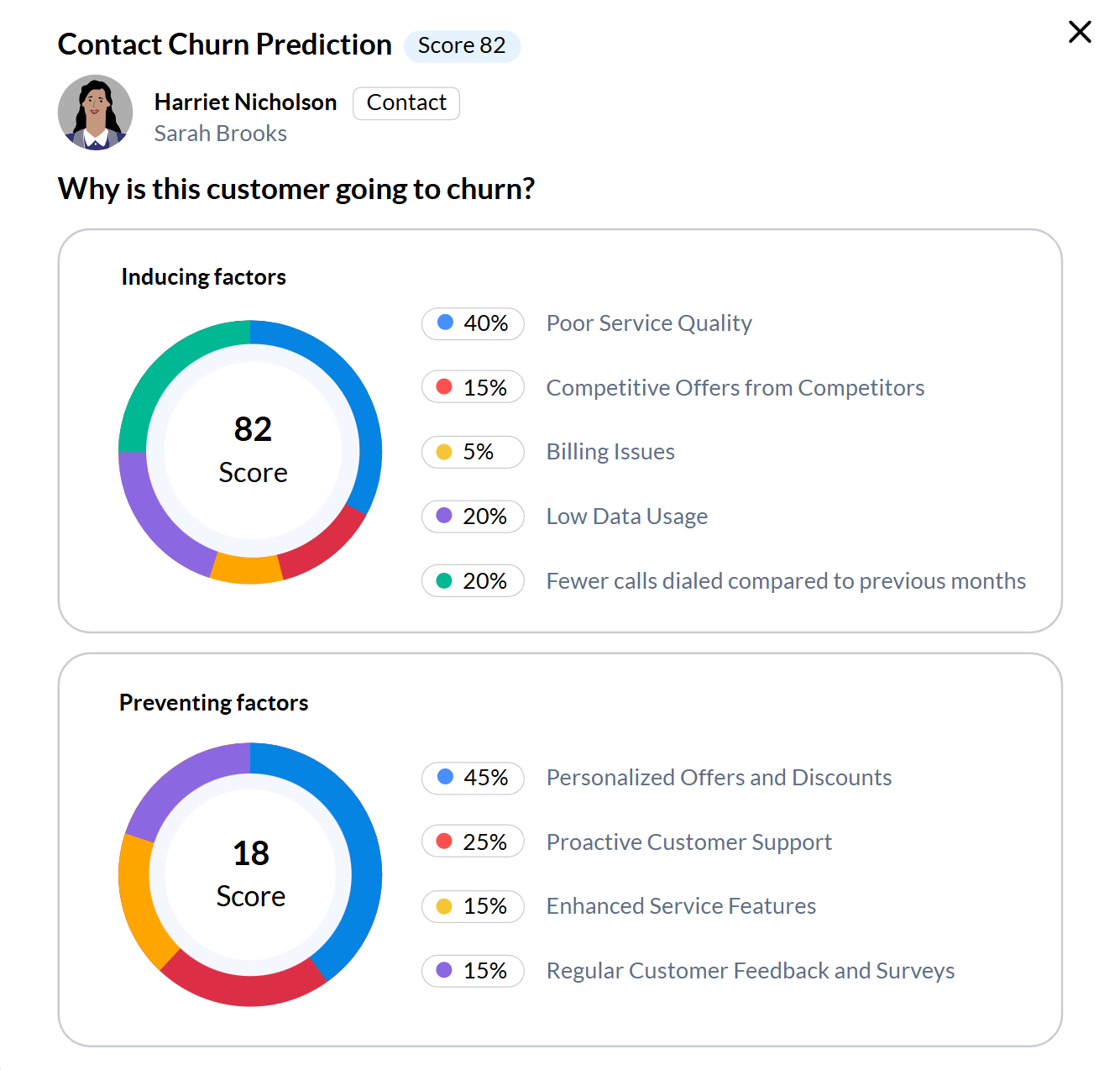
Zoho CRM's Zia covers the broadest range of CRM-specific AI. Predictive lead scoring ranks leads by conversion likelihood. Churn prediction flags at-risk customers and identifies which product is at risk. Email sentiment analysis classifies incoming messages by intent and emotion.
The Zia Agents Store provides seven pre-built agents (SDR, sales coach, deal analyzer, quote generator, follow-up scheduler, revenue growth specialist, and deal closure reminder) that can be deployed as Digital Employees with their own CRM identities.
Source: Zoho CRM
Zia can also build workflow rules and modules from natural language descriptions, turning "create a module for tracking partnership agreements" into a functional CRM component.
The limitation is scope. Zia operates on your internal CRM data. It can predict which existing leads are most likely to convert, but it can't tell you about the thousands of prospects you haven't captured yet.
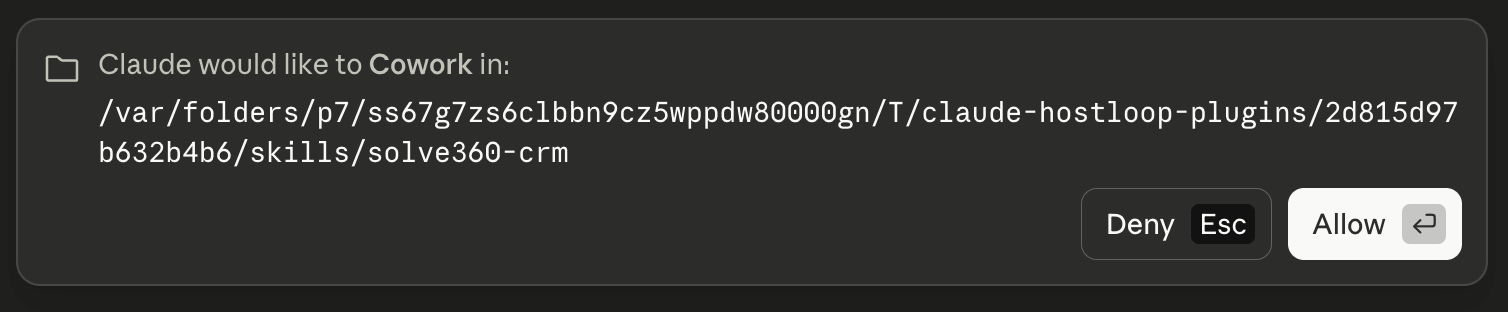
Solve360's AI is early but architecturally interesting. The company has built an MCP server that lets AI assistants like Claude Desktop and ChatGPT Desktop query, search, and write to Solve360 data using natural language. The vision is to make Solve360 a "cognitive layer" between AI models and daily business operations, a structured data backbone that AI can act on reliably.
Source: Solve360
The company positions its 20 years of structured relational data as the kind of governed business memory that AI agents need to do real work, not just answer questions. It's an early-access program rather than a production feature suite, but it signals where the platform is headed.
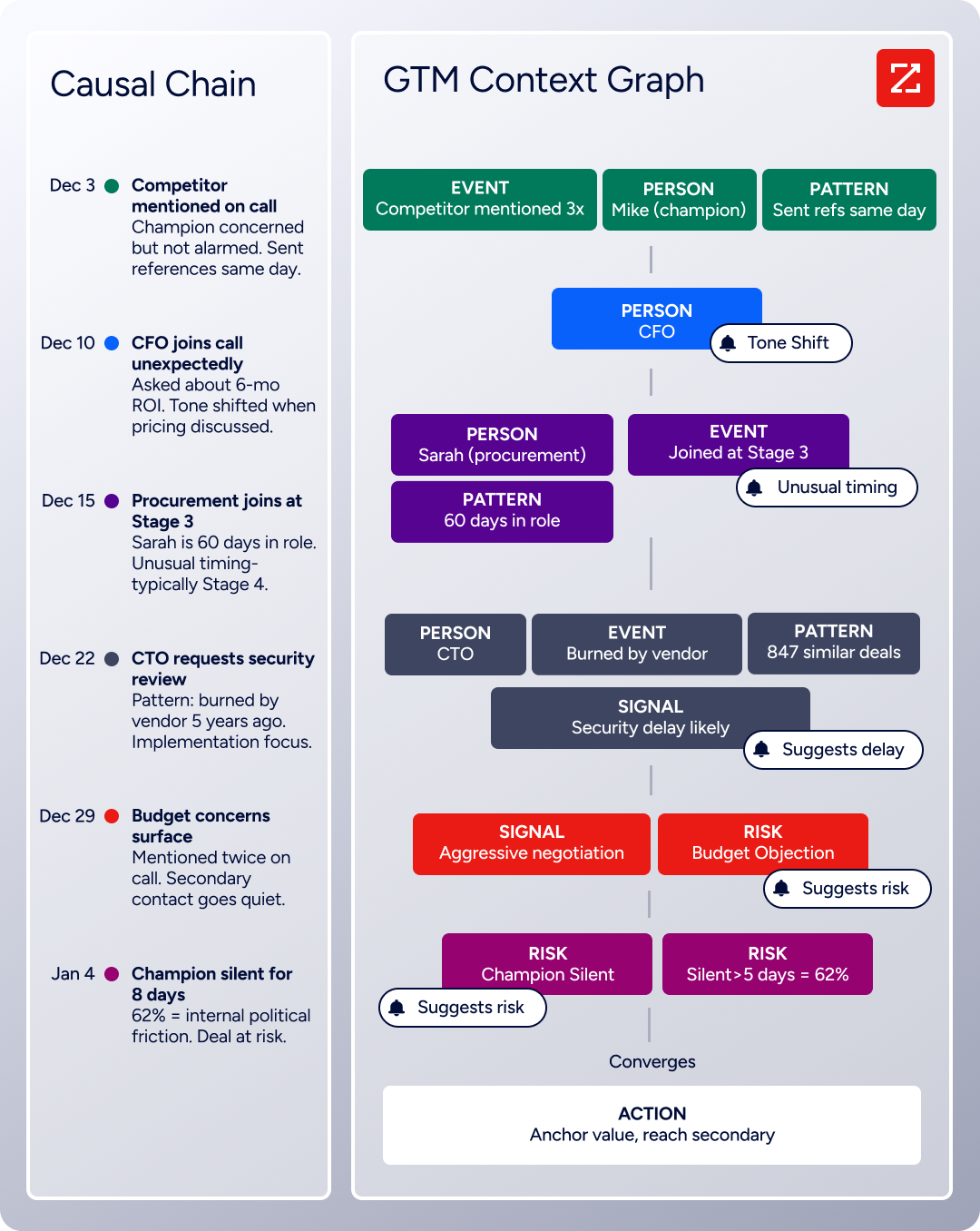
ZoomInfo's AI operates on a different data foundation. The GTM Context Graph processes 1.5B + data points daily, fusing ZoomInfo's third-party B2B intelligence with a customer's CRM records, conversation transcripts, email threads, and behavioral signals. The result isn't pattern matching on CRM fields.
Source: ZoomInfo
As ZoomInfo's CPO Dominik Facher writes, "The CRM recorded the state change. It has no record of why it happened." The GTM Context Graph captures that "why": the CFO joined the call and asked about ROI, the champion went quiet during an internal budget battle, a competitive mention appeared that predicts deal risk.
This context feeds AI agents in GTM Workspace that draft personalized outreach based on full account history, and GTM Studio plays that target accounts matching actual closed-won patterns. Built on Anthropic's Claude, these agents answer three questions for every rep: who to contact, when to engage, and what to say.
"ZoomInfo's not just a contact data company anymore. They've built a full system of execution. GTM Intelligence works the list, writes the outreach, triggers the play, and helps drive predictable growth." Ian Brodie, CEO & Co-Founder (Levanta)
Integrations reveal each platform's center of gravity
Where a platform integrates most deeply tells you who it was built for.
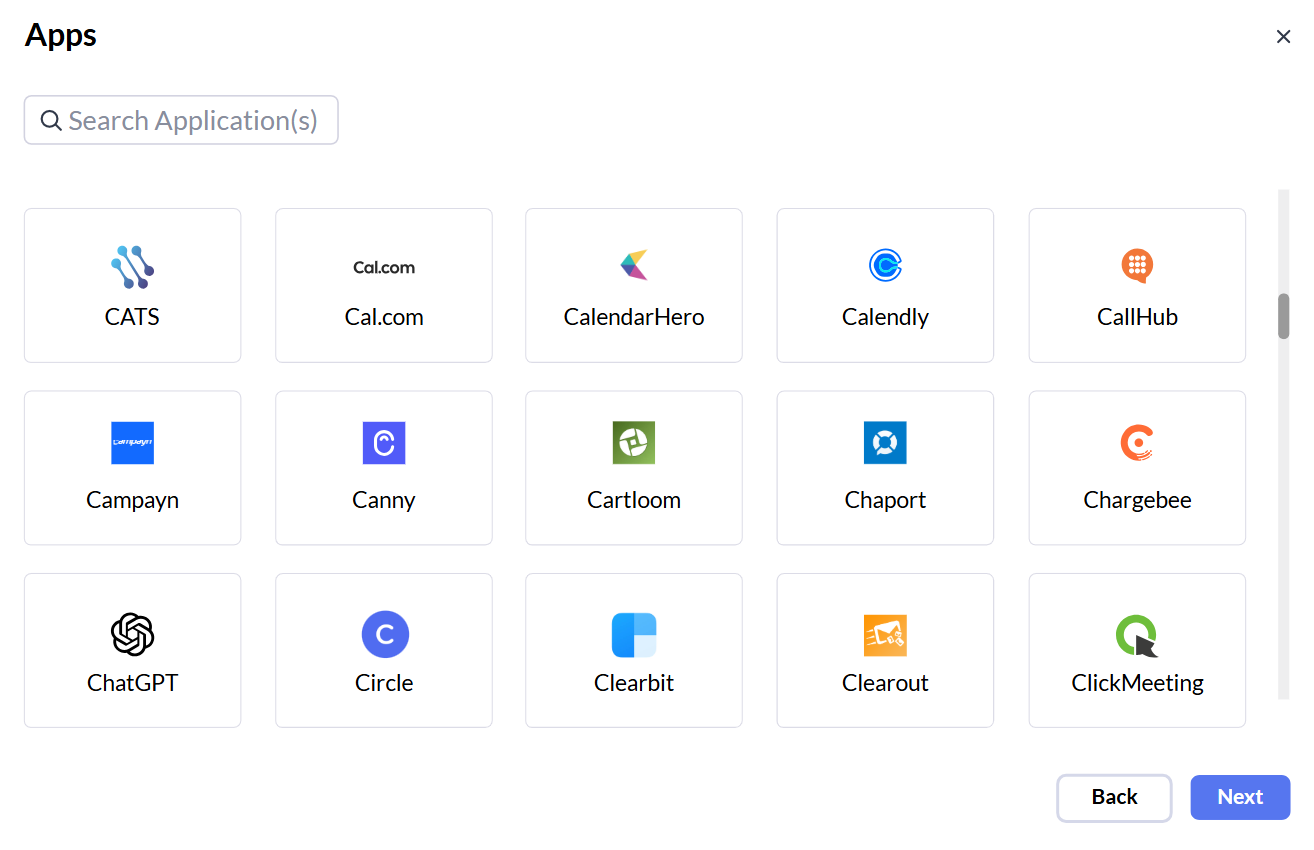
Zoho CRM has the largest integration ecosystem of the three, largely because the Zoho ecosystem itself includes more than 40 integrated applications. Zoho Books for accounting, Zoho Desk for support, Zoho Campaigns for email marketing, Zoho Analytics for BI, Zoho Projects for project management, all designed to work natively together.
Beyond the Zoho ecosystem, the Marketplace offers 1,100+ third-party integrations spanning marketing, sales, finance, and communications. For teams willing to lean into the Zoho ecosystem, the breadth is a real advantage.
Source: Zoho CRM
The risk is ecosystem gravity. G2 users flag integration friction when connecting Zoho CRM to non-Zoho systems, particularly in enterprise environments with established Microsoft, Salesforce, or HubSpot toolchains. Zoho works best when you're willing to let it be your center of gravity.
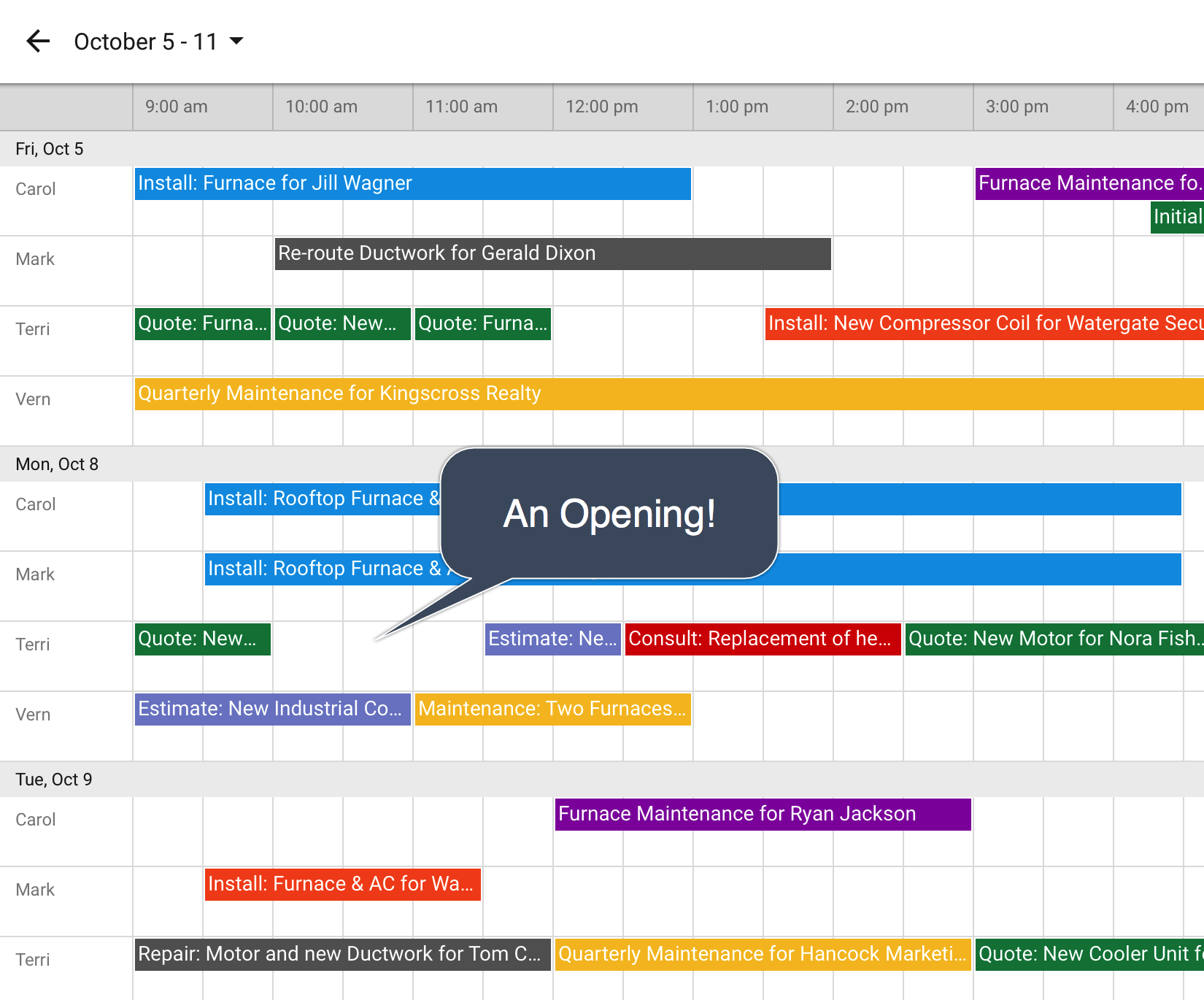
Solve360 is built around Google Workspace, and it shows. The Gmail Add-on puts CRM data inside Gmail's sidebar. Google Calendar integration displays multiple team members' calendars side by side within Solve and writes job details directly into calendar events so field staff can work from their default calendar app.
Source: Solve360
Google Sheets reporting routes CRM data into spreadsheets with full formula and visualization capability. The Google Workspace Marketplace listing shows 39,000+ installs, indicating a real installed base within that ecosystem.
Outside Google, Solve360's options are limited. Users repeatedly request connections to tools like QuickBooks, Zoom Phone, Calendly, and Zapier, none of which are natively available. The REST API works (with 15,000 API calls per 24 hours), but building custom integrations requires developer effort most small teams don't have.
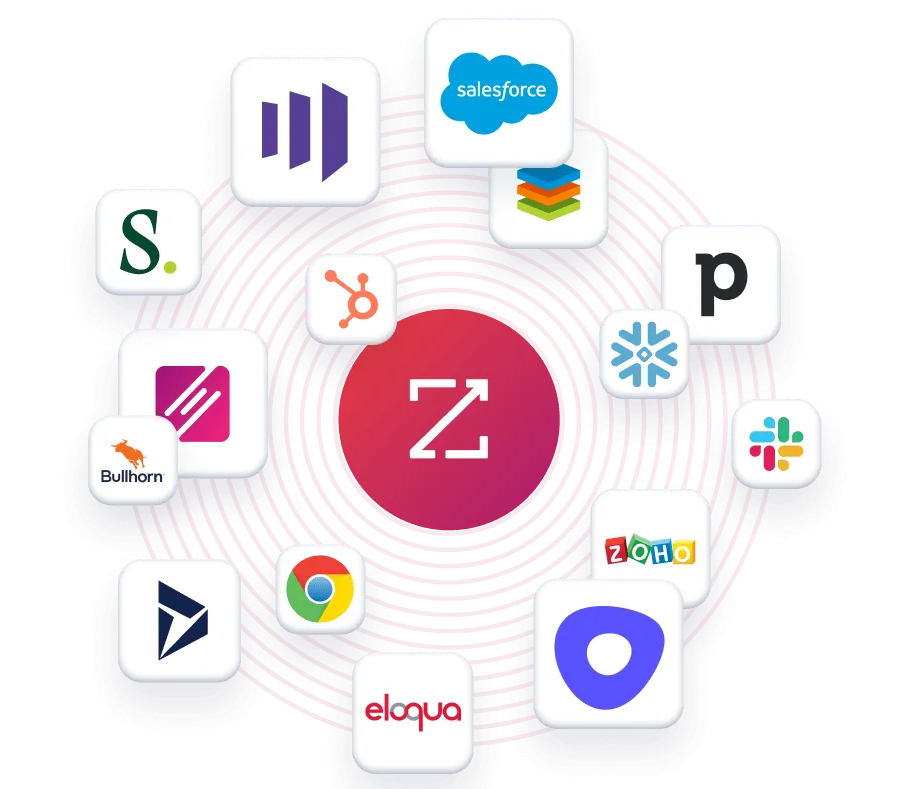
ZoomInfo treats integrations as infrastructure. The App Marketplace lists 120+ partner integrations across CRM, marketing automation, sales engagement, and data warehousing, with native connectors for Salesforce, HubSpot, Microsoft Dynamics 365, and Snowflake.
Source: ZoomInfo
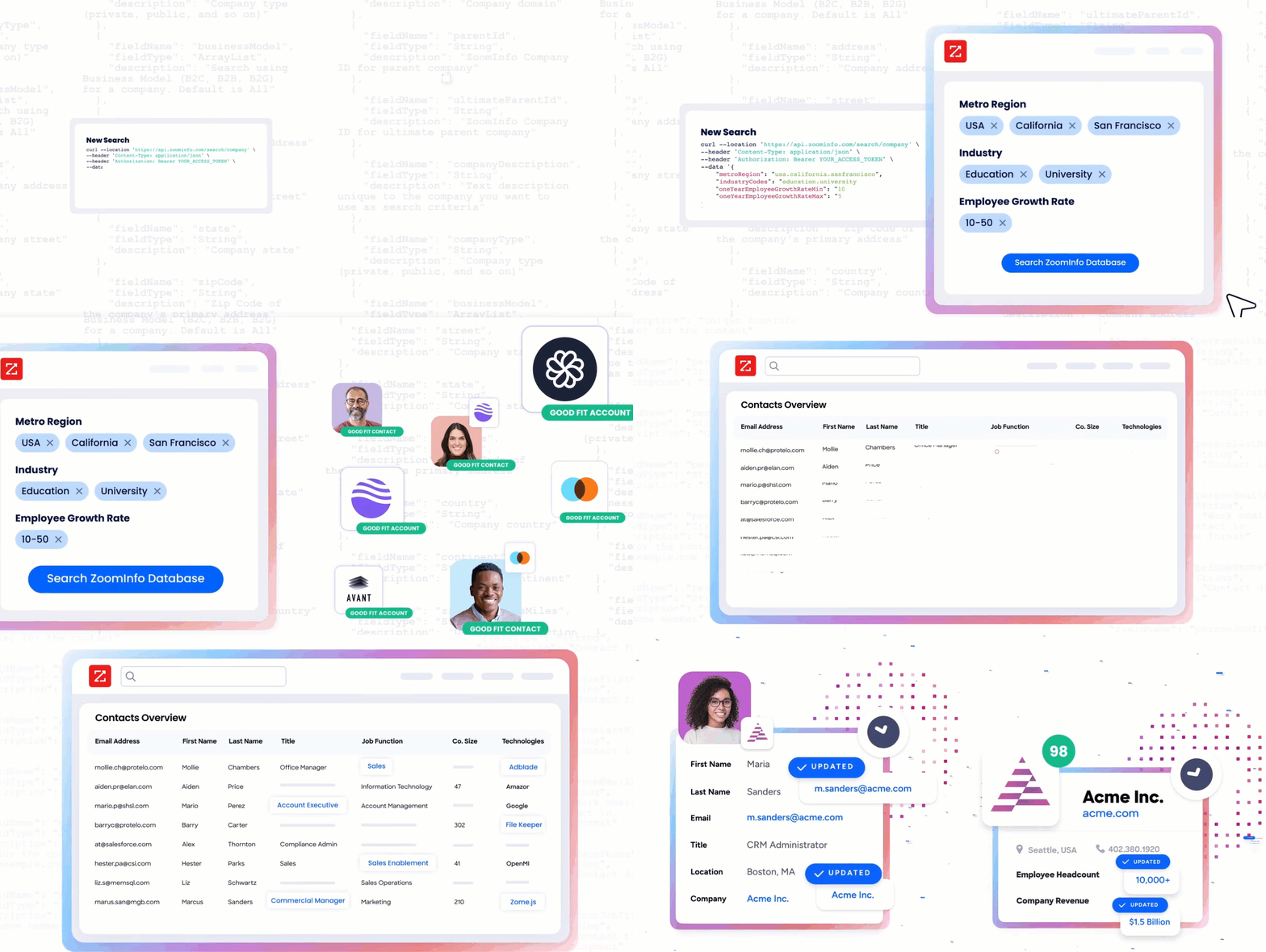
But the defining feature is the open access layer. API access is included in all relevant plans, and the MCP server puts ZoomInfo's intelligence into any AI agent (currently supporting Claude and ChatGPT, with more coming). The same data that powers GTM Workspace and GTM Studio is accessible in any custom workflow, internal tool, or partner platform.
Source: ZoomInfo
"The plug-and-play aspect of the API means I can integrate it into any process and get information at a moment's notice." Jerry Wilson, Senior Marketing Intelligence Analyst at BDO Canada, which saw an 87% reduction in time spent on internal data dashboard updates. (BDO Canada)
Pricing reflects different markets entirely
The three platforms serve different buyers, and their pricing makes that clear.
Zoho CRM competes on value more aggressively than almost any CRM on the market. A permanent free plan supports up to 3 users with core lead, contact, and deal management.
Paid plans start at $14/user/month on the Standard tier (billed annually), scaling through Professional, Enterprise (the most popular tier, which adds Zia AI, territory management, and journey orchestration), and Ultimate.
All plans are available on month-to-month contracts with no multi-year lock-in required.
The feature gating matters. Blueprint process automation requires the Professional tier. Zia AI predictions, territory management, and journey orchestration require Enterprise. QuickML custom AI model building requires Ultimate. Know which tier matches your needs before comparing costs.
Solve360 takes the opposite approach: one price, no tiers. $39/user/month includes full Web and iOS app access for teams of four or more, with a 14-day free trial and no credit card required.
The simplicity is appealing but not always cheaper. At $39/user/month, a 10-person team pays $390/month. The same team on Zoho CRM's Standard plan (billed annually) pays approximately $140/month with more features, though without Solve360's Google Workspace integration depth or simplified workflow engine.
ZoomInfo uses consumption-based pricing with no publicly listed prices. Plans are organized into Sales, Marketing, and Chorus product lines, each with multiple tiers (Professional, Advanced, Enterprise for Sales; Marketing Demand, ABM Lite, ABM Enterprise for Marketing). Pricing scales based on seats, monthly credit volume, features, company size, and contract length.
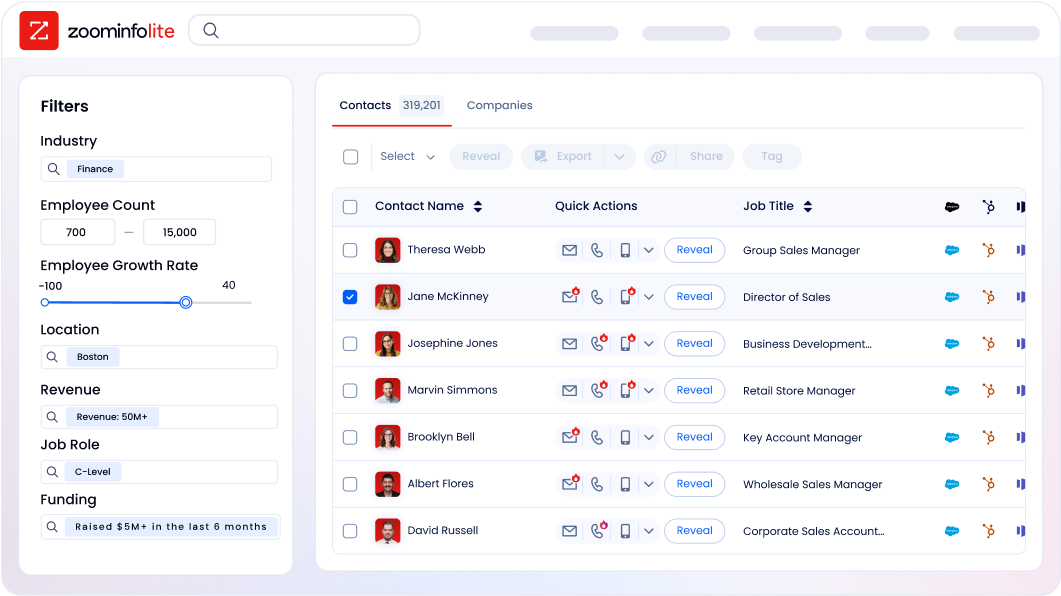
The entry point is lower than most assume. ZoomInfo Lite is a permanent free tier (not a trial) with access to the B2B database, 10 monthly export credits, advanced search filters, a Chrome extension, and HubSpot integration. A 7-day free trial of the full platform is also available with no credit card required. For teams evaluating the platform, both options are low-risk starting points.
Source: ZoomInfo
ZoomInfo is a premium investment. But the comparison isn't apples-to-apples. A CRM manages your existing pipeline. ZoomInfo generates it. The ROI question isn't "what does it cost per seat?" but "what is the revenue value of reaching verified buyers who are already researching your category?"
Zoho CRM vs. Solve360 vs. ZoomInfo: Which should you choose?
The right platform depends on what problem your team needs to solve.
Choose Zoho CRM if:
You need a full CRM with sales automation, process enforcement, and AI
Your team has (or can dedicate) admin capacity for configuration
You value an ecosystem of 60+ integrated Zoho applications
Affordable pricing with month-to-month flexibility matters
You want scalable tiers that grow from free to enterprise-grade
Choose Solve360 if:
Your team does high-touch service work where client details matter most
You live in Google Workspace and want a CRM that extends it natively
Simple, predictable pricing with no tier confusion appeals to you
You prefer a system your team can learn and use daily without heavy training
Customer support quality is a deciding factor
Choose ZoomInfo if:
Your B2B team needs better intelligence about who to target and when
Finding qualified prospects is a bigger challenge than managing existing ones
You want AI that reasons across buying signals, not just CRM fields
Your team needs verified direct dials, business emails, and intent data in one platform
You want the same intelligence accessible in any tool via APIs and MCP
See ZoomInfo in action with a free trial or start with ZoomInfo Lite.
The most telling question isn't which features each platform has. It's which problem costs your team the most. If deals stall because reps skip steps and data is inconsistent, Zoho CRM's process enforcement is the answer.
If your team is drowning in administrative overhead instead of serving clients, Solve360's simplicity clears the path. And if your pipeline is thin because your team doesn't know who to call or when to call them, ZoomInfo's intelligence fills the gap that no CRM can.
For many B2B teams, the answer may be "both." ZoomInfo integrates with major CRMs including Zoho, meaning you can use ZoomInfo to find and prioritize prospects, then manage those relationships in the CRM that fits your operational needs. The intelligence layer and the operational layer solve different problems, and the most effective teams invest in both.
Zoho CRM vs. Solve360 vs. ZoomInfo FAQ
What is the core difference between Zoho CRM, Solve360, and ZoomInfo?
Zoho CRM is a full-featured sales automation platform with process enforcement, AI predictions, and omnichannel engagement, designed for growing B2B teams managing complex pipelines. Solve360 is a client management tool for small service teams, combining relationship tracking, task management, and support in one system tightly integrated with Google Workspace.
ZoomInfo is a B2B intelligence platform that provides verified contact data for 500M contacts, buying intent signals, and an AI-powered GTM Context Graph, focused on helping teams find and engage the right prospects rather than managing internal processes.
Which platform is cheapest for a small B2B team?
Zoho CRM has the lowest entry point, with a permanent free plan for up to 3 users and paid plans starting at $14/user/month billed annually. Solve360 charges a flat $39/user/month with no tiers, for teams of four or more. ZoomInfo Lite is a permanent free tier with 10 monthly export credits and basic database access. For paid ZoomInfo plans, pricing is custom-quoted based on usage.
Can ZoomInfo replace a CRM?
ZoomInfo is not a traditional CRM. It doesn't manage deal stages, enforce sales processes, or track internal tasks. Its GTM Workspace provides a seller workspace with AI-driven account prioritization, outreach drafting, and signal monitoring, but it's designed to complement a CRM rather than replace one.
ZoomInfo integrates natively with Salesforce, HubSpot, Microsoft Dynamics, and other CRMs so the intelligence flows into wherever your team manages deals.
Which platform is best for a small service business on Google Workspace?
Solve360 is the strongest fit. Its Google Workspace integrations go deep: a Gmail Add-on with 39,000+ installs surfaces CRM data inside your inbox, Google Calendar integration provides multi-resource scheduling views, and Google Sheets reporting gives full spreadsheet and Data Studio visualization capability.
Zoho CRM also integrates with Google Workspace, but it is built as a platform-independent system rather than a Google-native one.
How do the AI capabilities compare?
Zoho CRM's Zia covers the broadest range of CRM-specific AI, including predictive lead scoring, churn prediction, email sentiment analysis, and seven pre-built agentic AI assistants that can operate autonomously within the CRM. Solve360 offers an MCP server enabling AI assistants to query and update CRM data through natural language, currently in early access.
ZoomInfo's GTM Context Graph processes 1.5B + data points daily, fusing third-party B2B intelligence with internal CRM and conversation data to power AI-driven outreach, deal analysis, and account prioritization across its GTM Workspace and GTM Studio products.
Which platform has the best data for B2B prospecting?
ZoomInfo is the clear leader. It maintains 500M contacts, 100M companies, 135M+ verified phone numbers, and 200M+ verified business email addresses, with data accuracy reaching up to 95% on first-party data. A Fortune 500 competitive RFP analyzing 25 million contacts across vendors found that no other competitor came close.
Zoho CRM and Solve360 store and manage data you enter, but neither provides a built-in B2B contact database or intent signals.
Is Solve360's dated interface a dealbreaker?
It depends on your priorities. Capterra reviewers consistently describe Solve360's interface as "old fashioned" and "unchanged since the early 2010s." But the same reviewers rate the platform highly for ease of use, customizability, and customer support.
For teams that prioritize daily functionality over visual polish, the interface is a cosmetic issue, not a functional one. For teams where modern UX drives adoption, it may be a barrier.
Can I use ZoomInfo together with Zoho CRM or Solve360?
ZoomInfo integrates with major CRMs and provides API access on all relevant plans. A Zoho CRM integration is available through the ZoomInfo App Marketplace. Solve360 does not have a native ZoomInfo integration, but its REST API and webhook system could support a custom connection.
For teams that need both intelligence (who to target) and operational management (how to manage them), pairing ZoomInfo with a CRM is a common and effective approach.
More Zoho CRM alternatives and comparisons:
