

Email verification tools compared: the short answer
A list that was clean in March isn't clean in October. People change jobs, companies move domains, and every hard bounce counts against the sender reputation your whole team mails from.
The best email verification tool for a B2B team depends on where the bad addresses come from. Contacts you build lists from should arrive verified, which is what ZoomInfo does: its emails pass an SMTP handshake and deliverability testing before they enter the database. Lists collected anywhere else need a list verifier. NeverBounce, ZoomInfo's own verifier, does that job, and so do ZeroBounce, Bouncer, Emailable, Clearout and Kickbox. Hunter and Snov.io are built around an email finder, with verification alongside.
Here's who each one fits:
ZoomInfo for B2B teams that want contacts verified before export, and CRM records that update when people move
NeverBounce for teams that want lists re-verified automatically inside HubSpot, Mailchimp or their CRM
ZeroBounce for marketers who want verification, warm-up, inbox placement tests and DMARC monitoring from one vendor
Bouncer for European teams that need EU data storage and catch-all checks on Google- and Microsoft-hosted addresses
Emailable for high-volume list cleaning against a deadline
Clearout for teams that want an AI accept, reject or review call on every bulk result, plus Form Guard on sign-up forms
Kickbox for developers who want SDKs and pay-as-you-go credits with no subscription
Hunter for reps who find and verify addresses in the same tool
Snov.io for small outbound teams that want finding, verifying and sending in one subscription
ZoomInfo publishes this guide, ZoomInfo is on the list, and ZoomInfo owns NeverBounce. The comparison uses seven criteria, set out below. Every competitor fact comes from the vendor's own site or from G2, checked on October 21, 2026, and every accuracy figure is the vendor's own claim: we didn't run an independent bounce test.
Email verification tools at a glance
Tool | Best for | Free credits | Price to verify 10,000 emails | G2 rating |
|---|---|---|---|---|
ZoomInfo | Contacts verified before they reach your CRM | ZoomInfo Lite free plan, no credit card | Quote-based credits | 4.5 (9,189 reviews, GTM Workspace) |
NeverBounce | Scheduled cleaning inside your CRM and email platform | 10 test credits and a free list analysis | $50 pay-as-you-go; $49 a month on Growth | No live G2 listing |
ZeroBounce | Verification plus deliverability tools | 100 a month with a business email | $129 pay-as-you-go; ZeroBounce ONE $99 a month ($79 billed annually) | 4.7 (1,370 reviews) |
Bouncer | EU data storage and catch-all checks | 100 one-off | $60 pay-as-you-go; subscriptions 20% less | 4.8 (338 reviews) |
Emailable | Fast cleaning of large lists | 250 one-off | $60 pay-as-you-go; $51 a month | 4.8 (277 reviews) |
Clearout | AI Verdict on lists, Form Guard on forms | 100 one-off | $65 one-time; $58 a month, or $32 a month billed annually | 4.6 (601 reviews) |
Kickbox | Developers, pay-as-you-go only | 100 one-off | $70 pay-as-you-go ($80 on its API page) | 4.5 (689 reviews) |
Hunter | Finding and verifying in one tool | 100 verifications a month | $110 pay-as-you-go; Growth $149 a month ($104 billed yearly), covers 20,000 | 4.4 (656 reviews) |
Snov.io | Finding, verifying and cold email | 50 credits a month | Pro M $189 a month ($141.75 billed annually), covers 20,000 | 4.5 (499 reviews) |
Accuracy, guarantees and billing compared
ZoomInfo is left out of this table because its verification covers its own contact data and, through FormComplete, the emails submitted on your forms. List cleaning is NeverBounce's job. The eight verifiers differ most on what they promise and what they charge for.
Tool | Stated accuracy | Guarantee | Unknown results | Credits expire |
|---|---|---|---|---|
NeverBounce | Over 98% | No more than 3% bounce, or a refund of the difference | Not stated; duplicates free | 12 months after purchase |
ZeroBounce | 99.6% (96% on AOL, Yahoo and Office 365) | Refunds 5% of the cost for each 1% below the stated rate | Free, duplicates free | Never while on ZeroBounce ONE; otherwise after two years (accounts opened since June 2026) |
Bouncer | Above 99% | Refund for "deliverable" addresses that hard-bounce within 72 hours of verification | Free, duplicates free | Never |
Emailable | No percentage published | No more than 1% of deliverables bounce (3% on Microsoft), or a refund | Credited back, duplicates too | Never |
Clearout | 99.73% (96% on Yahoo and AOL) | 97% deliverability on Guaranteed Deliverables | Free, duplicates free | Never (some discounted credits can) |
Kickbox | 95% guaranteed on the API page; 99.5% claimed for lists | 95% accuracy, no published refund terms | Refunded | After one year |
Hunter | No percentage published | None | Free | Monthly billing resets; pay-as-you-go lasts 12 months |
Snov.io | 98%+ | None | Free | Roll over on annual plans or with auto-renewal on |
Catch-all results are a separate status. Most of these vendors refund only unknowns and duplicates, so a catch-all result costs a credit, and Clearout and Hunter say so outright. Snov.io returns catch-alls as unknown, so they're free there.
How we evaluated email verification tools
Seven criteria shaped the comparison:
Stated accuracy and guarantee. What accuracy the vendor claims, on which mailbox providers, and whether it refunds when an address marked deliverable bounces.
Price to verify 10,000 emails. The pay-as-you-go price and the cheapest monthly plan that covers 10,000 checks, so the vendors can be compared on the same volume.
Free credits. How many you get, whether they renew each month, and whether a credit card is needed.
Billing rules. Whether unknown, duplicate and catch-all results cost a credit, and whether credits expire.
Real-time API and bulk speed. API response times for form checks, and the vendor's published speed for bulk lists.
Integrations and AI access. Native connectors for your CRM and email platform, plus MCP servers that let AI assistants verify addresses.
Security and data residency. SOC 2 and ISO 27001 status, GDPR posture, and where your list is processed.
Weight them by job. A marketing ops team cleaning a 200,000-address newsletter list should weight price and billing rules. A product team adding a check to a sign-up form should weight API response time. A European team should start with data residency, because it rules tools in or out before anything else matters.
9 best email verification tools for B2B teams
1. ZoomInfo
ZoomInfo is an all-in-one AI GTM platform, and it handles verification upstream, before a contact reaches your CRM. Its data page lists 300M+ verified emails across 500M+ professional profiles. Before an email enters the database, it goes through multi-layer verification, including domain validation, an SMTP handshake and deliverability testing, with ZoomInfo's research team validating the high-stakes and ambiguous records. ZoomInfo states a 96% email deliverability rate. On your own web forms, FormComplete verifies every submitted email and rejects invalid addresses in real time, then fills in the rest of the record from ZoomInfo data when it finds a match.
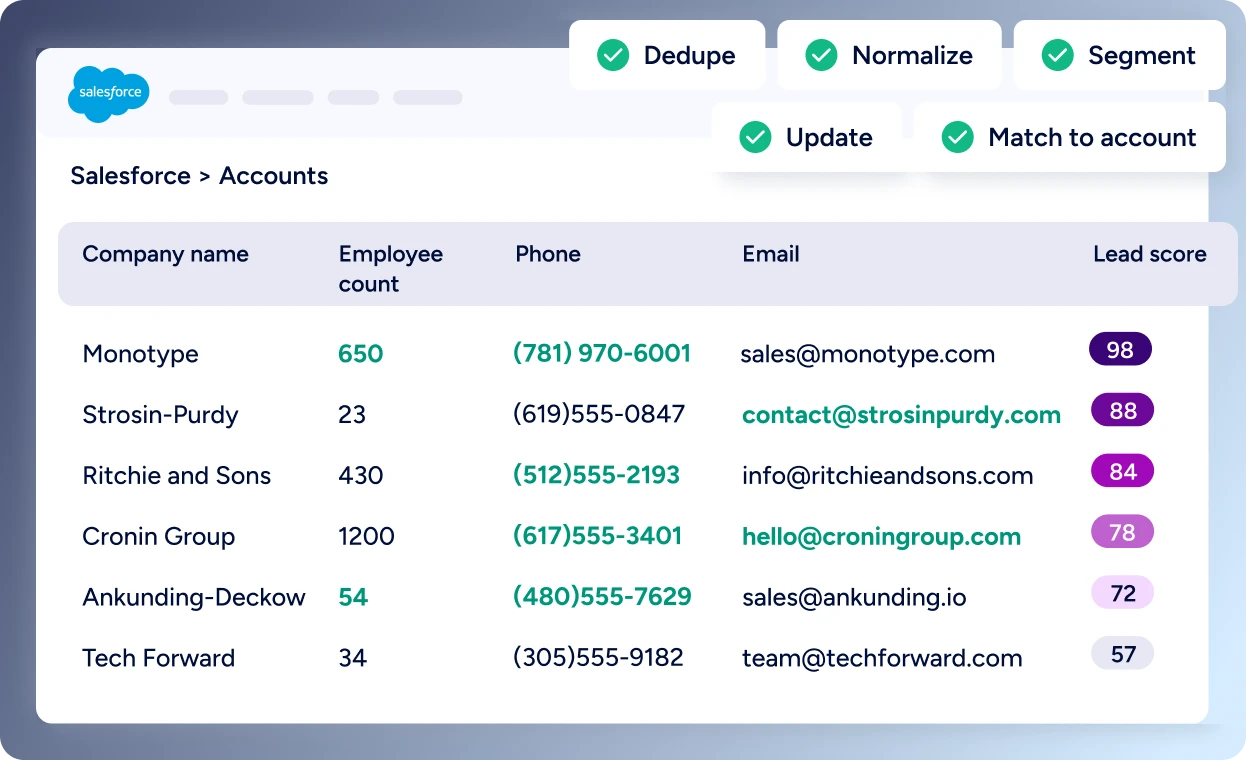
Verification at the source covers new contacts. The bigger leak is the contacts you already have. ZoomInfo Operations monitors CRM records and updates changed information as it happens, and CRM enrichment fills and refreshes CRM records. ZoomInfo integrates natively with Salesforce, HubSpot and Microsoft Dynamics 365. ZoomInfo processes 15-20M job changes a month, which is how a record learns that your champion left.
Dragonfly AI saw a 30% drop in bounce rates after moving its outbound to ZoomInfo data, with NeverBounce verifying addresses automatically. Speakap says its bounce rates dropped to under 1% once it started using ZoomInfo. Sendoso cut inaccurate data by at least 70% with Cleanse and Enrich Essential, saving more than 1,100 hours of manual enrichment. At Exact Media, ZoomInfo Enrich flagged over 4,000 leads as "person moved", meaning the contact no longer worked at the account on the record.
ZoomInfo MCP brings the same verified contact data into Claude, ChatGPT, Perplexity and Replit. GTM AI, ZoomInfo's pay-as-you-go access to that data through API, MCP and CLI, starts free with 1,000 data and 1,000 AI credits, then tops up from $20. ZoomInfo holds ISO 27001 and ISO 27701 certification, a SOC 2 Type II report, and TRUSTe GDPR and CCPA validations. ZoomInfo Agent Teams run complete GTM plays end to end: coordinated specialist agents share context, work from each account's current state, and act within the approvals and limits you set, so a signal like a job change can carry through from verification to outreach, running in GTM Studio and headless through GTM.AI.
Pricing. Free to start with ZoomInfo Lite (10 monthly credits, no credit card); paid plans are custom-quoted on consumption credits.
G2 rating. 4.5 out of 5 from 9,189 reviews for GTM Workspace.
Where it's the harder buy. ZoomInfo verifies the emails in its own database and, through FormComplete, on your forms. For a list collected elsewhere, such as event badge scans or a five-year-old newsletter list, use a list verifier like NeverBounce. A team whose only problem is one dirty list will pay for prospecting and intent capabilities it won't use.
Request a demo to see verified contacts on your own target accounts.

"I’ll never forget when we started using ZoomInfo data, our open rates went through the roof."
2. NeverBounce
NeverBounce is a real-time email verifier and list cleaner, and ZoomInfo owns it. DiscoverOrg, the company that became ZoomInfo, acquired NeverBounce in March 2019, and it still runs as its own product with its own pricing.
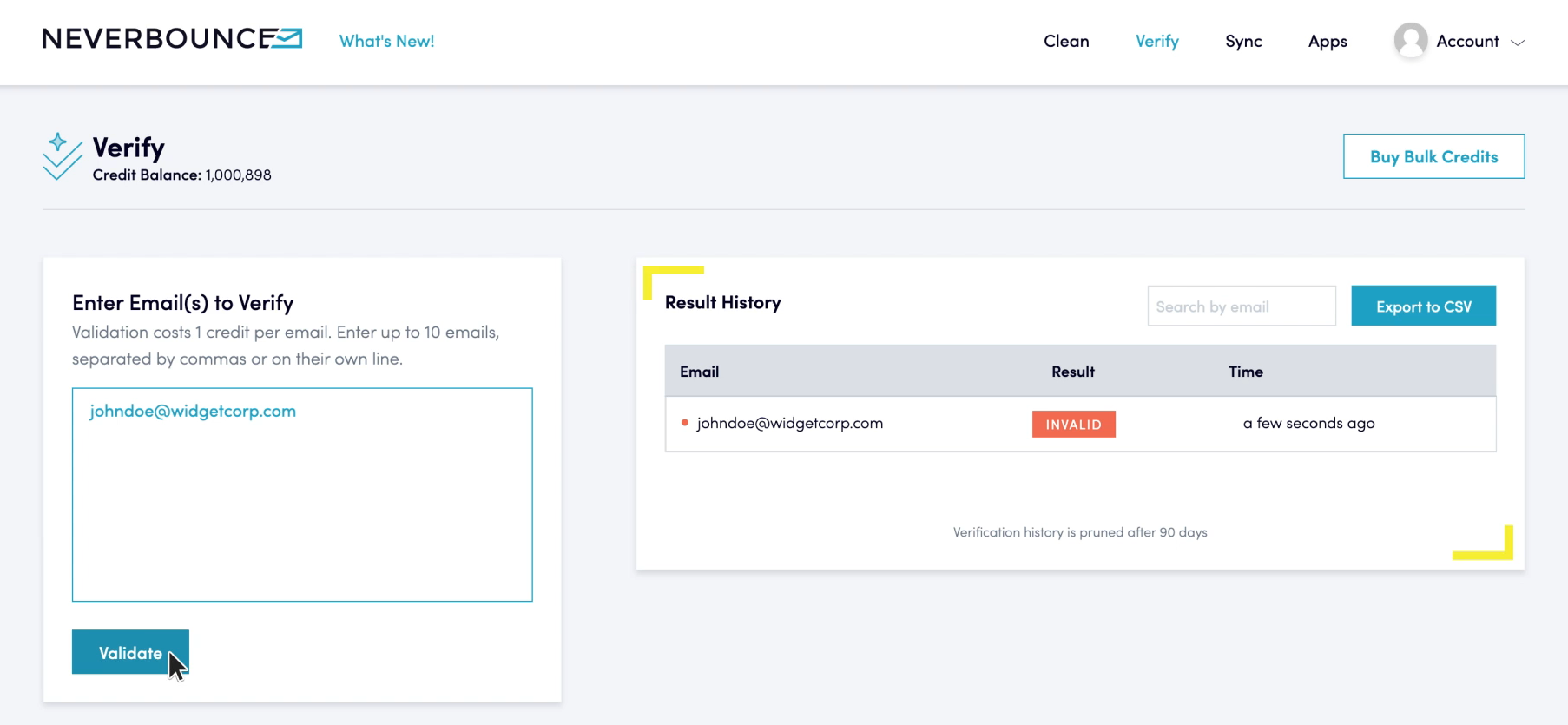
The main reason to pick it is Sync. NeverBounce connects to platforms such as HubSpot, Mailchimp and ActiveCampaign and re-verifies your lists on a schedule you set (daily, weekly or monthly), so nobody has to export, clean and re-import a list before each send. Sync is now part of the Growth plan, which also flags bad emails before they reach your CRM or workflows and adds AI scoring. NeverBounce lists 80+ integrations, including Salesforce, HubSpot, Mailchimp, Marketo, Zapier and n8n.
For bulk lists, NeverBounce processes 10,000 emails in two to 10 minutes on average, removes duplicates and bad syntax at no charge before cleaning, and fixes typos such as "gmai" for "gmail". The real-time API has official wrappers for PHP, Ruby, Node.js, Python, Go, .NET and Java, plus a JavaScript widget for forms. NeverBounce claims over 98% accuracy on its list-cleaning page. Its guarantee is a bounce ceiling: if more than 3% of the deliverable addresses you mail bounce, it refunds the difference, for lists of 500+ unique addresses mailed within 72 hours. NeverBounce follows GDPR and deletes uploaded data after 90 days.
Pricing. Free list analysis and test credits, with no credit card needed to verify your first list. Pay-as-you-go costs $50 for 10,000 credits, falling to $0.002 a credit at 2 million, and credits expire 12 months after purchase. Growth costs $49 a month for up to 10,000 emails and charges only for new, unique emails, so duplicates are free. Enterprise is custom-priced, typically for 250,000+ emails a month.
G2 rating. NeverBounce no longer has a live G2 listing.
Where it's the harder buy. The free credits are a one-off test, and the bounce guarantee excludes freemail addresses such as Gmail and Yahoo, which matters if your list is mostly consumer sign-ups.
How NeverBounce works with ZoomInfo
ZoomInfo verifies the contacts in its own database. NeverBounce verifies the lists that come from anywhere else: event scans, imports, the newsletter list nobody has touched since 2022. ZoomInfo users can run a list through NeverBounce before it's uploaded to the CRM, and Dragonfly AI uses NeverBounce in its outbound alongside ZoomInfo data. Read the NeverBounce review or the NeverBounce API guide.
3. ZeroBounce
ZeroBounce is an email verification and deliverability platform. It claims 99.6% accuracy with real-time validation and a 1.09-second average API response. The guarantee carries a number: if accuracy falls below 99.6% (96% on AOL, Yahoo and Office 365 addresses), ZeroBounce refunds 5% of the validation cost for each 1% it falls short, on opt-in lists of 1,000+ emails sent within 72 hours.
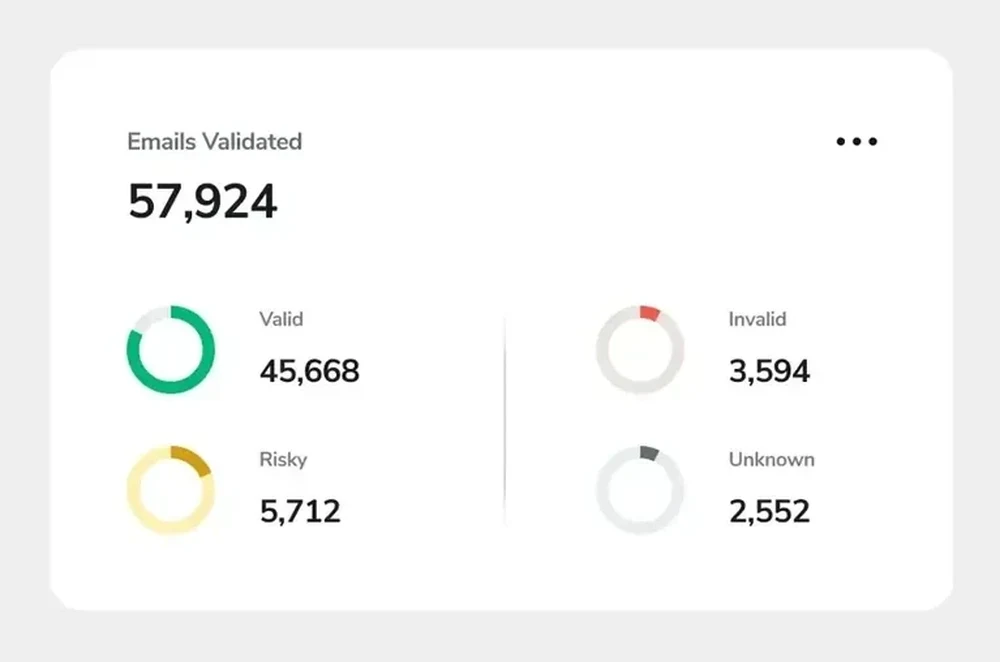
Around verification, ZeroBounce also sells deliverability tools: email warm-up, inbox placement tests, monitoring across 200+ blacklists, and DMARC monitoring. Activity Data shows whether an address was active in the inbox or on the web in the last 30 to 365+ days, and Email Scoring rates catch-all addresses from 1 to 10. ZeroBounce publishes an open-source MCP server and connects to Salesforce, HubSpot, Mailchimp, Marketo and Google Sheets. It holds SOC 2 Type II and ISO 27001 certification, and API calls can be routed through EU-only or US-only endpoints.
Pricing. 100 free credits a month when you sign up with a business email. Pay-as-you-go costs $129 for 10,000 credits, with a $39 minimum for 2,000. ZeroBounce ONE costs $99 a month, or $79 a month billed annually, for 10,000 validations and bundles warm-up, inbox tests, DMARC and blacklist monitoring. Unknown results and duplicates aren't charged.
G2 rating. 4.7 out of 5 from 1,370 reviews.
How ZeroBounce compares against ZoomInfo
ZeroBounce covers more of the sending side: warm-up, inbox tests and DMARC sit in the same plan as verification.
ZoomInfo's edge is the step before the send. Contacts arrive verified, and records update as people change jobs, so fewer bad addresses reach any verifier. Read the ZeroBounce review or NeverBounce vs. ZeroBounce.
4. Bouncer
Bouncer is an EU-based verifier, and its case rests on two things: where your data sits and how it handles catch-alls. Lists are stored only in EU AWS data centers. Deep Catch-All Verification resolves catch-all addresses hosted on Google and Microsoft infrastructure, the ones a standard SMTP check can't confirm.
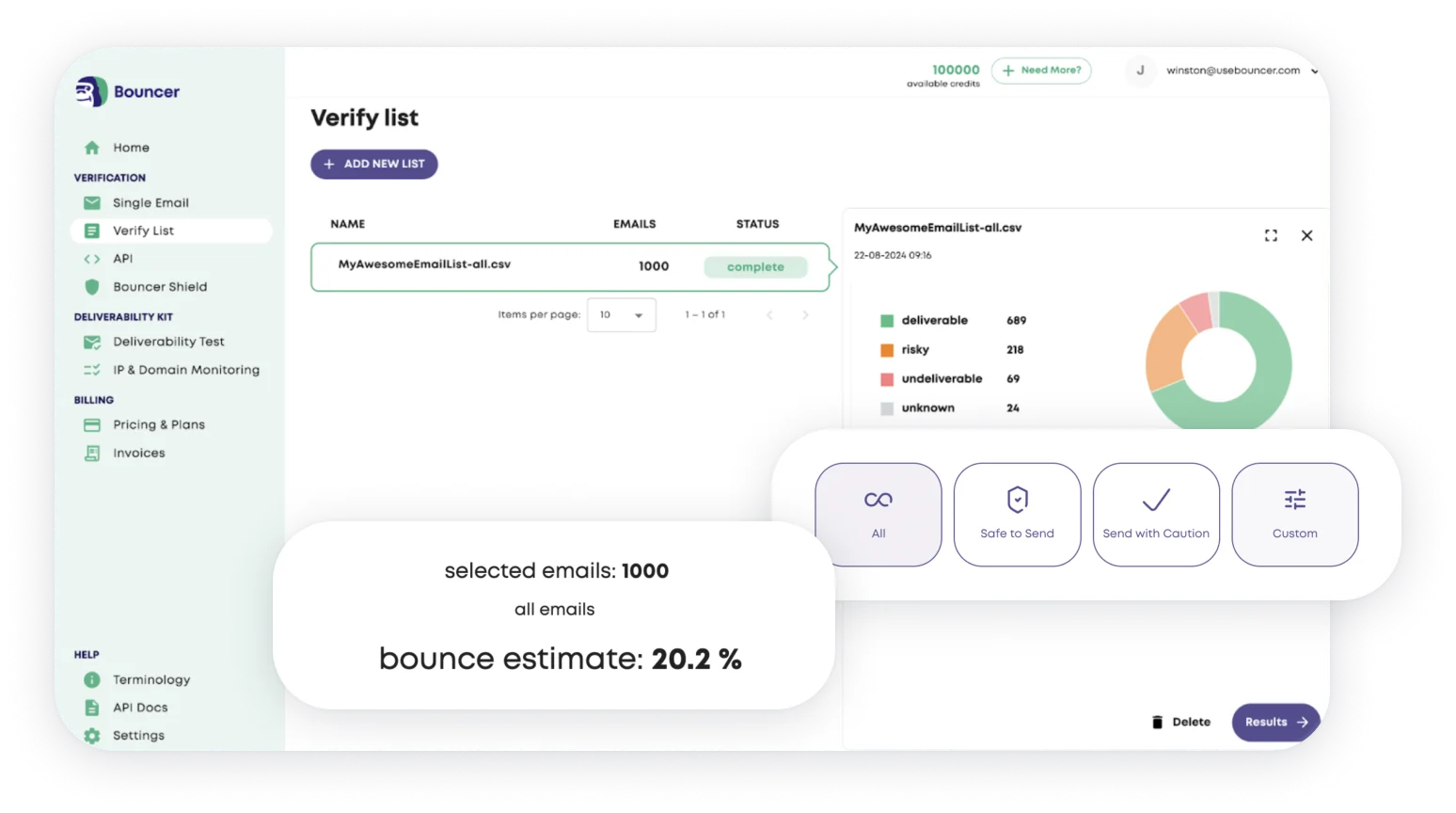
Bouncer says it has verified 5B+ addresses and puts its accuracy above 99%. Its guarantee refunds any address marked deliverable that hard-bounces within 72 hours of verification. Each result carries a score, a toxicity flag, the email provider, and role and disposable flags. The real-time API takes 1,000 requests a minute, and bulk jobs run at 180,000 addresses an hour. Bouncer is SOC 2 certified and GDPR compliant, its MCP server works inside ChatGPT and Claude, and the Deliverability Kit adds inbox placement tests and blocklist monitoring from $25 a month. Integrations include HubSpot, Mailchimp, Klaviyo, Pipedrive and Brevo.
Pricing. 100 free credits, no credit card. Pay-as-you-go costs $60 for 10,000 credits, monthly subscriptions take 20% off, and credits never expire. Duplicates and unknown results are free.
G2 rating. 4.8 out of 5 from 338 reviews.
How Bouncer compares against ZoomInfo
For a European team whose legal review wants list data stored in the EU, Bouncer settles the question at the infrastructure level.
ZoomInfo's edge is that it supplies the contacts as well as checking them: 300M+ verified emails and 135M+ direct dials, with records that update when people move. Read the Bouncer review.
5. Emailable
Emailable is built for big lists on a deadline. It publishes a bulk speed of 40K+ emails a minute, says a 10,000-address list typically finishes in under three minutes, and puts its average API response at 300 milliseconds.
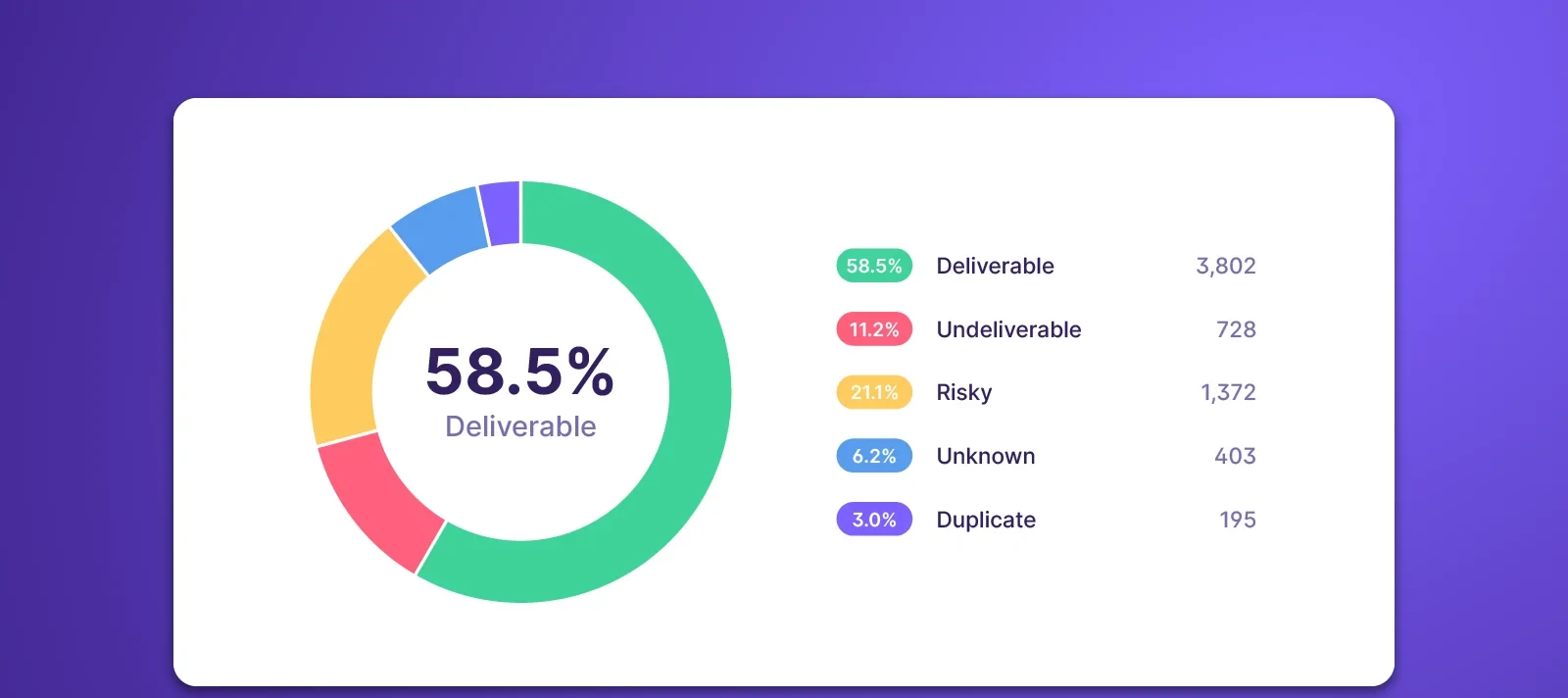
Emailable doesn't publish an accuracy percentage. It guarantees deliverability instead: no more than 1% of addresses marked deliverable will bounce (3% on Microsoft-managed addresses), with a full refund on qualifying emails, for lists of 1,000+ sent within 24 hours. Every address also gets an Email Quality Score from 0 to 100, a confidence figure that sits alongside the result. Emailable connects to 50+ apps, including ActiveCampaign, Brevo, HubSpot, Mailchimp and Salesforce, and gives AI agents such as Claude Code an open-source command-line tool for verification. It's SOC 2 Type II certified and GDPR and CCPA compliant, and Inbox Reports and monitoring across 120+ blacklists cover deliverability.
Pricing. 250 free verifications, no credit card. Pay-as-you-go costs $60 for 10,000, with a 5,000-credit minimum, and a monthly subscription for 10,000 costs $51. Credits never expire, and credits spent on unknowns and duplicates go back to your balance.
G2 rating. 4.8 out of 5 from 277 reviews.
How Emailable compares against ZoomInfo
For a 250,000-address list that has to be clean before this afternoon's send, Emailable's bulk speed is the number to beat.
ZoomInfo's edge is upstream: verified contacts and job-change updates mean fewer addresses go bad between sends. Read the Emailable review.
6. Clearout
Clearout pairs email validation with an email finder and prospecting tools, and it states 99.73% accuracy (96% on Yahoo and AOL). AI Verdict gives every result an accept, reject or review call. Deep Verify mode checks catch-all domains and addresses behind secure email gateways.
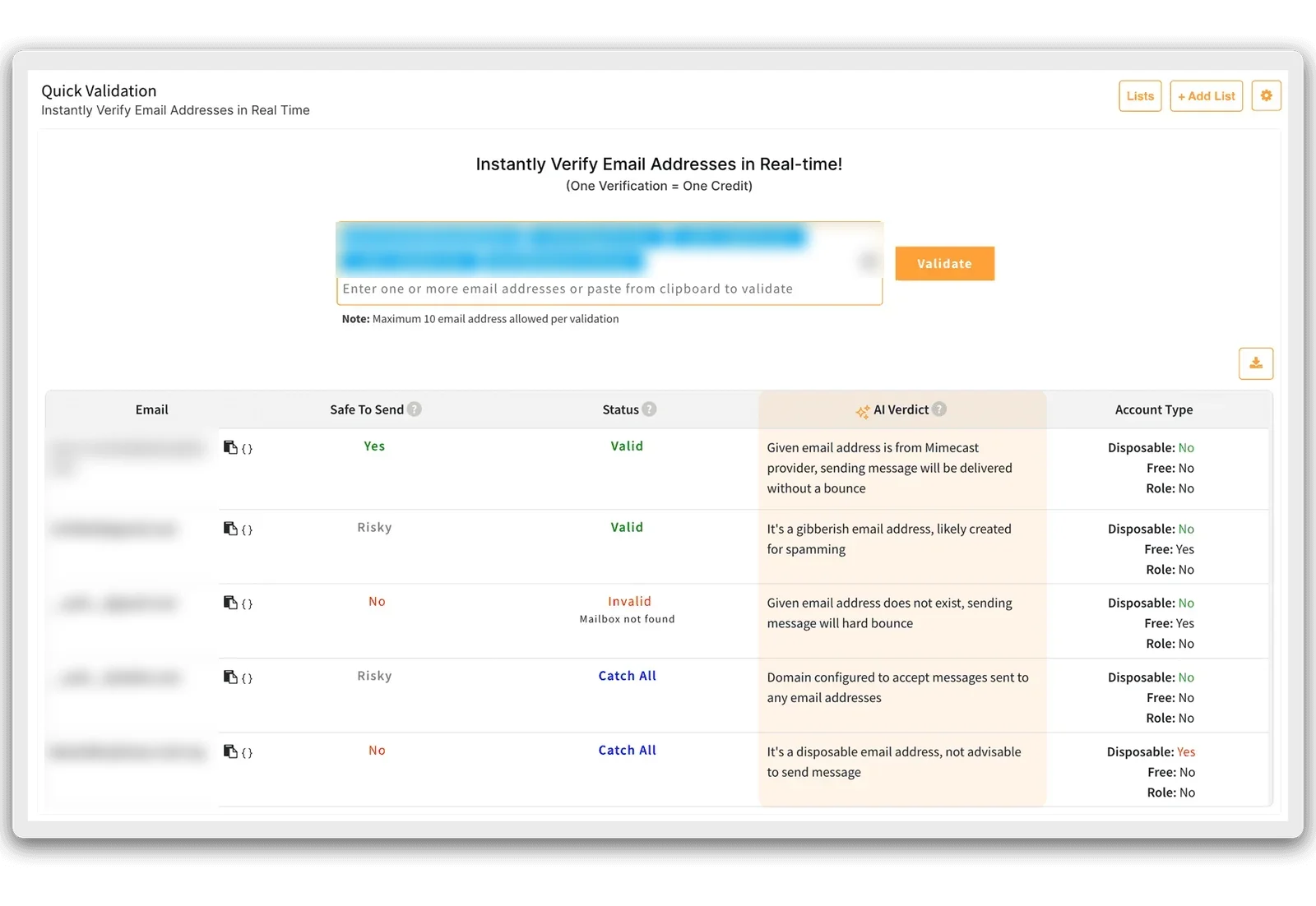
The real-time API answers in under a second for the major free email providers, Form Guard checks addresses on your sign-up forms, and the Google Sheets add-on verifies a list without leaving the sheet. A 10,000-address list takes about three to four minutes. Clearout connects to HubSpot, Salesforce, Mailchimp and Zapier, holds ISO 27001:2022, ISO 27701 and SOC 2 Type II certification, and processes EU data only in its Frankfurt data center. Its guarantee covers results labeled Guaranteed Deliverables: a bounce rate no higher than 3% when you send to an opt-in list within 24 hours, excluding Yahoo, AOL and other free providers, .edu domains, and mail servers behind strict anti-spam settings such as Microsoft 365.
Pricing. 100 free credits, no credit card. A one-time purchase of 10,000 credits costs $65. The Pro plan covers 10,000 a month for $58 billed monthly, or $32 a month billed annually ($384 a year). Unknowns and duplicates in the same list are free, catch-all results cost a credit, and purchased credits don't expire, though some discounted credits can.
G2 rating. 4.6 out of 5 from 601 reviews.
How Clearout compares against ZoomInfo
Clearout's Form Guard checks sign-ups as they arrive and logs a blocked or allowed verdict, with the reason, for every submission.
ZoomInfo's edge is what happens after the check: FormComplete fills in the company and contact details behind the sign-up from ZoomInfo data, and ZoomInfo Operations keeps the record current. Read the Clearout review.
7. Kickbox
Kickbox is built for developers. Official API libraries cover Node.js, PHP, Python and Ruby, and the single-verification endpoint accepts a timeout of up to 30 seconds. Every result carries a Sendex score from 0 to 1 that rates the address's quality. Kickbox guarantees 95% accuracy on its API page and cites 99.5% for list verification. A 100,000-address list takes about an hour.
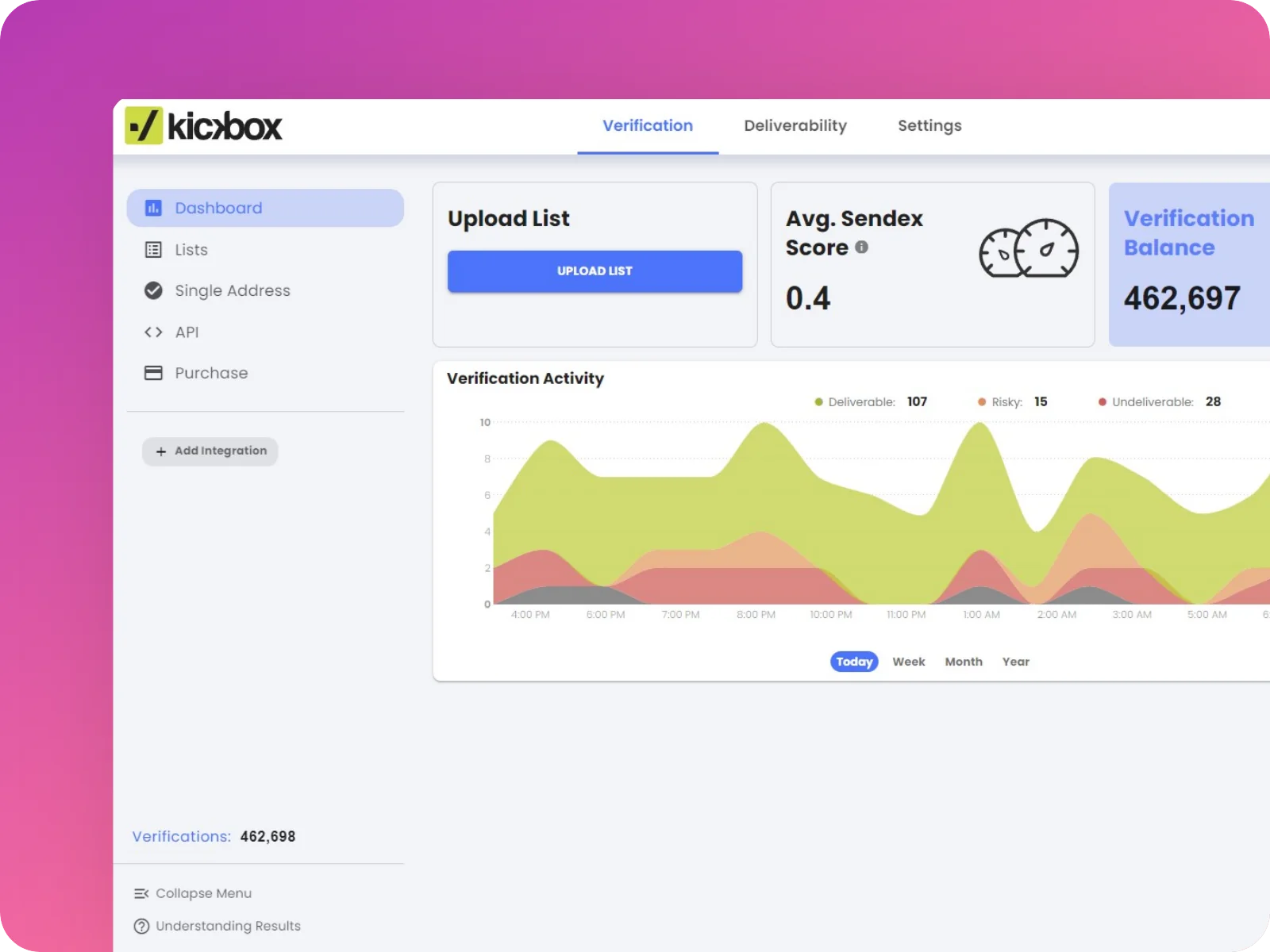
Kickbox lists 30+ email service provider integrations, including Mailchimp, HubSpot, Salesforce, Marketo and Klaviyo, plus Zapier. Its pricing page says it's GDPR compliant and SOC 2 certified, with verification and support in both the US and the EU, and Email Threat Score rates addresses from 0 to 5 for risk.
Pricing. 100 free verifications. Pay-as-you-go only: 10,000 verifications cost $70 on the pricing page and $80 on the API page, there's no subscription, and credits last one year. Unknown results are refunded.
G2 rating. 4.5 out of 5 from 689 reviews.
How Kickbox compares against ZoomInfo
Kickbox suits a team that verifies a few large lists a year and doesn't want a subscription.
ZoomInfo's edge for developers is what comes back: the API and ZoomInfo MCP return the contact, the company and its buying signals, where a verifier returns a verdict on an address you already have. Read Kickbox vs. NeverBounce.
8. Hunter
Hunter finds and verifies emails in one tool. Domain Search returns the known addresses and email pattern for a company, Email Finder works out an address from a name, and the verifier checks it before it goes into Hunter's Sequences or your CRM.
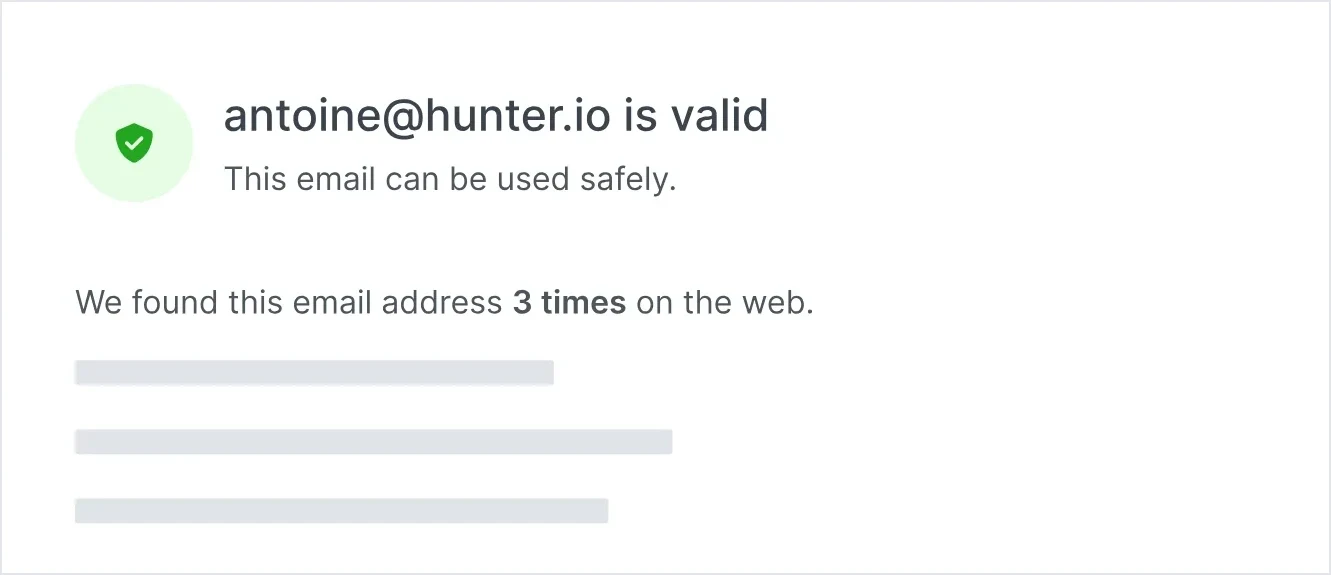
Hunter doesn't publish an accuracy percentage. It says verification is never 100% certain, and that it usually sees bounce rates under 1% for the addresses it marks valid. Unknown and disposable results are free, accept-all results are charged, and Hunter says it can verify accept-all addresses at major email providers with its own method. The Chrome extension, a Google Sheets add-on and native HubSpot, Salesforce, Pipedrive and Zoho CRM integrations cover the prospecting workflow. Hunter's MCP server is included in every plan, and its data is hosted on Google Cloud in Belgium.
Pricing. The free plan gives 50 credits a month, which is 100 verifications, with no credit card. A verification costs half a credit on Hunter's outreach plans, the free plan included. Starter costs $34 a month billed yearly for 2,000 credits (4,000 verifications), and Growth costs $104 a month billed yearly or $149 billed monthly for 10,000 credits (20,000 verifications). On monthly billing, credits reset each month and don't roll over; yearly billing loads the full year's credits upfront. For verification alone, Hunter's Data Platform sells 10,000 verification credits for $110, usable for 12 months.
G2 rating. 4.4 out of 5 from 656 reviews.
How Hunter compares against ZoomInfo
Hunter's free plan and Chrome extension make it a quick start for a single rep who needs a handful of addresses this week.
ZoomInfo's edge is the record behind the email: direct dials, company data and intent signals across 4,500+ topics, on data that 300+ human researchers help verify. Read the Hunter review.
9. Snov.io
Snov.io is a prospecting and outreach platform with verification built in: Email Finder, a Chrome extension, cold email, Email Warmup and a CRM sit in one subscription, with LinkedIn automation as a paid add-on at $59 to $69 a month per LinkedIn account. Each verification costs one credit. Snov.io claims 98%+ accuracy and describes verification as "an essential protection step rather than a guaranteed delivery solution", so there's no guarantee.
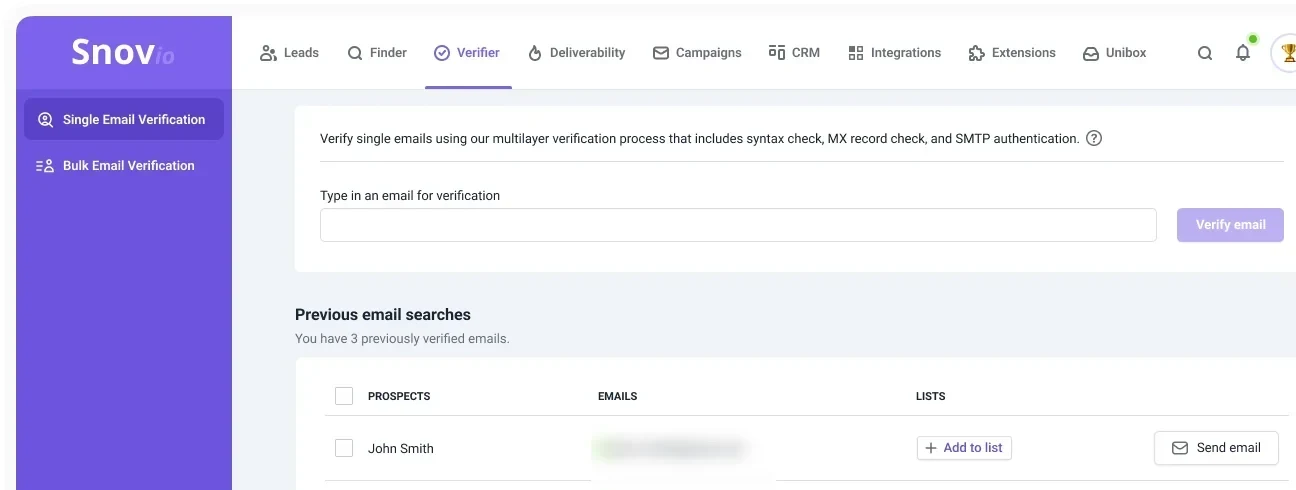
Unknown results aren't charged, and catch-all addresses come back as unknown. The verification API runs as a job you start and then collect, with up to 10 emails at a time. Snov.io's MCP server is available on every plan, including the free trial, and integrations include HubSpot, Pipedrive, Salesforce, Mailchimp and Google Sheets.
Pricing. The free trial gives 50 credits a month with no credit card, but leaves out bulk verification and API access. There are no one-off credit packs. Pro S includes 5,000 credits, so 10,000 verifications a month takes Pro M: 20,000 credits for $189 a month, or $141.75 a month billed annually. Unused credits roll over on annual plans or with auto-renewal on, which is the default; otherwise they expire after 30 days.
G2 rating. 4.5 out of 5 from 499 reviews.
How Snov.io compares against ZoomInfo
Snov.io puts finding, verifying and sending in one subscription, which suits a small outbound team that doesn't want three tools.
ZoomInfo's edge is coverage and upkeep at scale: 500M+ profiles, 135M+ direct dials and CRM records that update as people change jobs. With ZoomInfo Agent Teams, that kind of change can kick off a full play, from research to outreach, rather than ending as a task in the CRM. Read the Snov.io review.
Email validation vs. email verification
Email validation usually means the format and domain checks: is the address written correctly, does the domain exist, and does it have mail exchange (MX) records. Email verification goes one step further and asks the mail server whether the mailbox exists. In practice the two overlap: every verifier on this list does both, and ZoomInfo runs both on its own contact data and, through FormComplete, on form submissions.
Validation catches jane@gmial.com. It takes verification to catch jane@acme.com after Jane has left Acme.
How email verification works
Every verifier on this list runs a similar sequence between upload and result:
Syntax check. The address is checked against email formatting rules, which catches a missing @, a space or a double dot.
Domain lookup. The tool confirms the domain exists in DNS. A misspelled domain that nobody registered fails here.
MX record check. The tool looks up the MX records that name the server receiving mail for the domain. No MX record usually means no working mailbox, which is how a parked typo domain such as gmial.com gets caught.
SMTP handshake. The tool connects to that mail server and issues a RCPT TO command for the address, then disconnects before any email is sent.
Response parsing. A 250 response means the server accepted the recipient. A 550, usually with the enhanced code 5.1.1, means the mailbox doesn't exist, though some servers use 550 for policy blocks too. A 4xx code usually means greylisting or a busy server, so the tool retries later.
Risk checks. The tool flags catch-all domains, disposable and role-based addresses, and at some vendors known spam traps, then returns a status.
A catch-all domain accepts mail for any address, so step five says nothing about the specific mailbox. That's where the tools separate. Bouncer runs Deep Catch-All Verification on Google- and Microsoft-hosted domains, Clearout has Deep Verify, ZeroBounce scores catch-alls from 1 to 10, and Hunter checks accept-all addresses at major providers with its own method.
Understanding email verification results
Status | What it means | What to do |
|---|---|---|
Valid or deliverable | The mail server confirmed the mailbox exists | Send |
Invalid or undeliverable | The domain or mailbox doesn't exist | Remove it |
Catch-all or accept-all | The domain accepts any address, so the mailbox can't be confirmed | Send in small batches and watch bounces, or run a deep catch-all check |
Unknown | The server didn't give a definite answer, often because of greylisting, a block or a timeout | Re-verify later before sending |
Role-based | A shared inbox such as info@ or sales@ | Keep if the address opted in; leave out of cold outreach |
Disposable | A temporary address from a throwaway email service | Remove it from marketing lists |
Spam trap | An address kept to catch senders with poor list hygiene | Remove it immediately |
Send to valid addresses first. Treat catch-alls as a separate segment, and don't let unknowns sit in the list without a second check.
When to verify your email list
Before a large campaign, so the bounces don't land on the send that matters most.
At the point of capture, with a real-time API on sign-up, demo and gated-content forms.
After every import: event leads, purchased lists, a partner's spreadsheet.
On a schedule, quarterly for an active list, because contacts change jobs between sends. The guide to B2B data decay covers how fast that happens.
Before you re-engage a dormant segment that hasn't been mailed in a long while.
For the wider routine of suppression, deduplication and re-engagement, see the email list cleaning tools guide, and for the sending side, how to improve email deliverability.
How to choose an email verification tool
Start with where bad addresses enter. Forms need a real-time API. Imports and old lists need bulk cleaning. Contact data you buy or export is better verified at the source.
Test on your own list. Run the same sample of up to 100 addresses through two or three tools on free credits, and compare how many come back unknown or catch-all, since those are the addresses a tool couldn't confirm.
Price on the same basis. Compare the cost of 10,000 verifications, then check whether unknowns, duplicates and catch-alls cost a credit, and whether credits expire.
Read the guarantee. NeverBounce, ZeroBounce, Bouncer, Emailable, Clearout and Kickbox publish one, and most come with conditions such as a minimum list size or a 24- to 72-hour send window.
Check where your data goes. Bouncer stores data only in the EU, Clearout processes EU data in Frankfurt, ZeroBounce offers EU-only API routing, Kickbox runs verification in the US and the EU, and Hunter hosts in Belgium.
Connect it where the data lives. Look for a native integration with your CRM and email platform, or an MCP server if your team works in Claude or ChatGPT. Developers can compare options in the email verification API guide.
Frequently asked questions
What is the best email verification tool?
For B2B teams, one setup that covers both ends pairs verified source data with a list verifier: ZoomInfo for contacts that arrive verified, and a verifier such as NeverBounce, which ZoomInfo owns, for addresses collected elsewhere. Among the standalone verifiers, ZeroBounce suits teams that want deliverability tools in the same plan, Bouncer suits teams that need EU data storage, Emailable suits large lists on a deadline, Clearout suits teams that want an AI accept, reject or review call on bulk results and Form Guard on forms, and Kickbox suits developers who want pay-as-you-go credits. Hunter and Snov.io suit reps who find and verify in one tool.
What is the difference between email validation and email verification?
Email validation checks that an address is formatted correctly and that its domain exists and can receive mail. Email verification also asks the mail server, through an SMTP handshake, whether the specific mailbox exists. Validation catches typos. Verification can catch the person who left the company. Every verifier in this guide does both, and ZoomInfo runs both on its own contact data and, through FormComplete, on form submissions.
How much does email verification cost?
Verifying 10,000 emails pay-as-you-go costs $50 at NeverBounce (ZoomInfo-owned), $60 at Bouncer and Emailable, $65 at Clearout, $70 to $80 at Kickbox, $110 at Hunter and $129 at ZeroBounce. Subscriptions that cover 10,000 a month cost $48 at Bouncer, $49 at NeverBounce, $51 at Emailable, $58 at Clearout ($32 billed annually) and $99 at ZeroBounce ($79 billed annually). Hunter's Growth plan covers 20,000 verifications for $104 to $149 a month, and Snov.io, which sells no credit packs, needs Pro M at $141.75 to $189 a month.
Are there free email verification tools?
Yes, as free credits. Emailable gives 250 one-off, ZeroBounce gives 100 a month to business-email sign-ups, Hunter's free plan covers 100 verifications a month, Snov.io gives 50 credits a month, and Bouncer, Clearout and Kickbox give 100 one-off. NeverBounce gives 10 test credits and a free list analysis. None of these free tiers is built for a full list, but they're enough to compare results on a sample before you buy.
How accurate are email verification tools?
Vendors claim between 95% and 99.73%, and those figures are their own, not independent audits. ZeroBounce and Clearout also quote a lower 96% for some providers: Yahoo and AOL at both, plus Office 365 at ZeroBounce. Catch-all domains can't be confirmed by a standard SMTP check. The guarantee is the figure to read: it usually tells you what the vendor will refund when an address marked valid bounces.
Does ZoomInfo own NeverBounce?
Yes. DiscoverOrg, the company that became ZoomInfo, acquired NeverBounce in March 2019, and NeverBounce still runs as a standalone verifier. ZoomInfo verifies the emails in its own database with SMTP and deliverability checks, FormComplete verifies emails submitted on your forms, and NeverBounce verifies lists you bring from anywhere else.
How often should you verify your email list?
Verify an active list at least quarterly, verify any imported list before it reaches your CRM, and verify in real time at every form. Contacts change jobs between sends, so a list verified in January will have new bounces by summer. Re-check before any large campaign or re-engagement send.