
AI lead generation tools are the AI-first end of lead generation software. They find the accounts worth pursuing, tell you when they're ready to talk and get the first message out faster. The best ones combine three things: verified contact and company data, buying signals that show timing, and AI that researches, scores and drafts so reps spend their day in conversations.
The 11 tools below are compared on their AI features for lead generation, strengths, limitations, what G2 reviewers say and pricing checked on each vendor's site in November 2026. ZoomInfo publishes this guide, and ZoomInfo is on the list.
AI Lead Generation Tools Compared Side by Side
The tools split by where the lead comes from and what the AI does with it. ZoomInfo, Apollo, Cognism, Lusha, Seamless.AI and LeadIQ start from contact and company data, with AI that finds, researches and drafts. 6sense uses intent to find accounts in market, Leadfeeder identifies the companies already on your website, and Clay lets GTM engineers build their own AI research and enrichment workflows. HubSpot and Salesforce Agentforce Sales put AI agents inside the CRM.
Here's what each tool does best and how to start.
Platform | Best for | AI for lead generation | How to start |
ZoomInfo | B2B teams that want data, signals and AI agents in one platform | Signals, intent and agents that research, enrich and route | Free trial |
Apollo | SMB teams and founders who want data and outreach in one tool | AI Assistant and agents that build lists and sequences | Free plan, then per seat |
Cognism | Teams selling into Europe | Plain-language search and AI account research | Quote-based packages |
Lusha | Reps and small teams that want quick, self-serve lookups | Daily AI lead recommendations | Free plan, then credit-based plans |
6sense | Enterprise teams running account-based programs | Intent, predictive models and AI account research | Custom packages |
Seamless.AI | High-volume outbound teams | AI Assistant, Autopilot workflows and agents | Free credits, then a quote |
Clay | RevOps teams and GTM engineers | Claygent AI research on every row | Free plan, then by usage |
HubSpot | SMB and mid-market teams that run on HubSpot | Prospecting Agent and Breeze Assistant inside the CRM | Free CRM, then per seat |
Salesforce Agentforce Sales | Teams that run on Salesforce | Agents for prospecting and inbound engagement | Per user or on consumption |
Leadfeeder | Marketing and SDR teams working inbound demand | Website visitor identification and AI list enrichment | Free Lite plan |
LeadIQ | SDRs who prospect from LinkedIn | Lando agent, AI message writer and champion tracking | Free plan, then by credit volume |
1. ZoomInfo
ZoomInfo is the all-in-one AI GTM platform, built as three layers that work as one system: a data foundation, agents and a workspace. At the foundation, the GTM Context Graph resolves your CRM records, calls and emails with ZoomInfo's intelligence on 100M+ companies and 500M+ contacts into one current record per account, verified by a multi-source pipeline and 300+ researchers. AI agents act on that record, and your team works it in one workspace. If you'd rather build, the same foundation runs headless through MCP, API and CLI with GTM.AI.
The GTM data layer trusted by over half the Fortune 500, with 8,000+ G2 Reviews and ranked #1 in 142 G2 Reports.
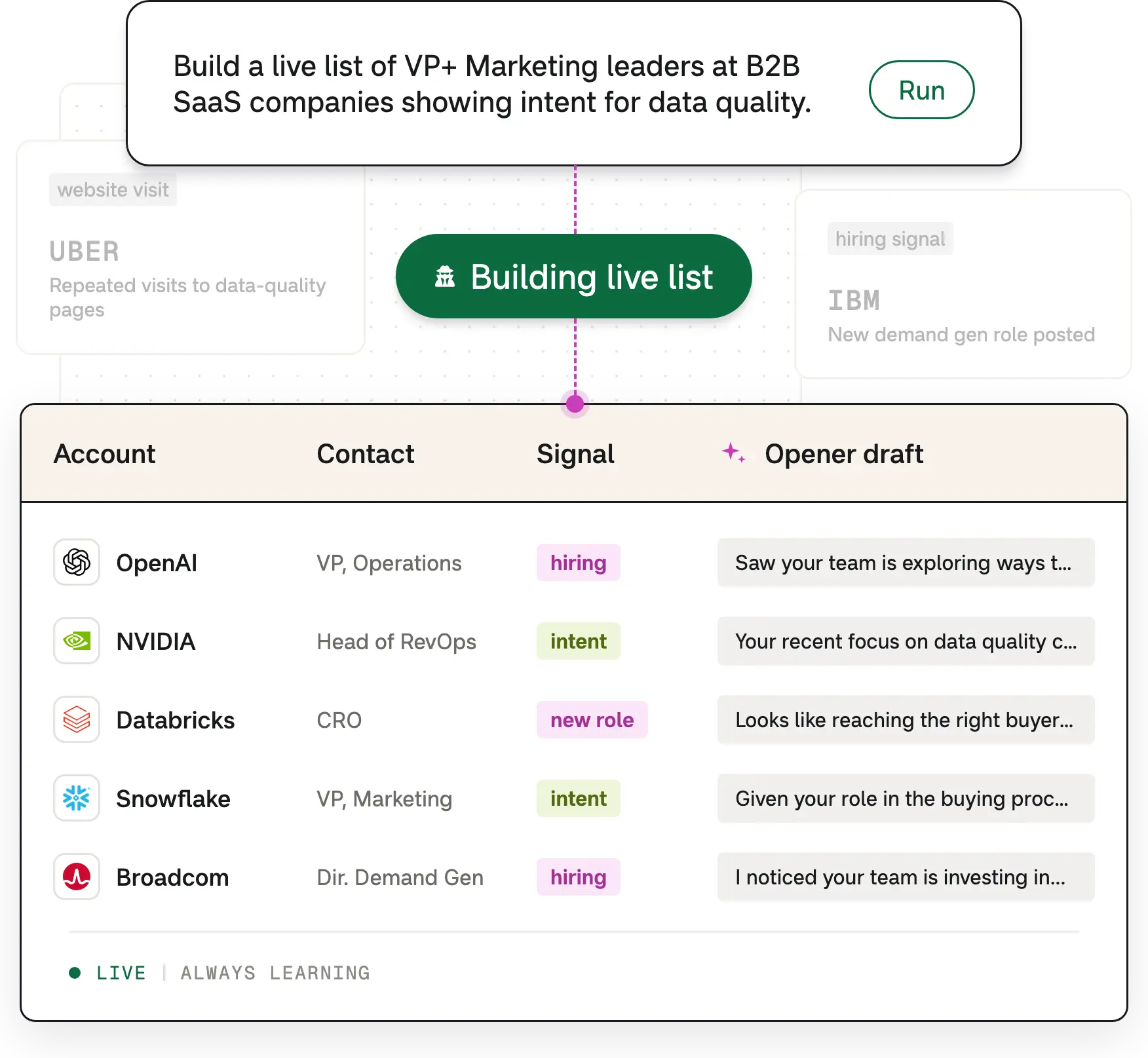
For lead generation, the value is starting every day with the right accounts and a reason to reach out. Signals show which accounts are moving and why, intent shows what they're researching, and agents carry that context into the work: account research, account summaries, audience enrichment and custom signal routing. Outbound reps prioritize the accounts with something new, and marketing and SDR teams score, route and add context to inbound leads before a rep picks them up.
Key AI features:
Signals in the feed, including buying intent spikes, website visitors, form fills, review-site activity, competitive research, earnings and C-suite changes
Intent built into Advanced Search, with intent topics returned as columns
Agents for account research, account summaries, audience enrichment and custom signal routing
Enrichment that resolves records into one per company and person, so scoring and routing run on clean data
Alerts when your champion gets promoted, moves teams or leaves
Strengths:
100M+ companies and 500M+ contacts, validated against 40+ sources
One resolved record per account, shared by every rep, agent and app
Outbound and inbound lead generation from the same data and signals
ISO 27001, ISO 27701, SOC 2 Type II and TRUSTe certifications, plus 20+ native integrations
Limitations:
Built for teams, so solo reps and founders may find GTM.AI a better place to start
The breadth of the platform takes some setup to get full value, especially defining audiences and signals
Snowflake, for example, scores accounts with ZoomInfo data and saw 2x higher new customer conversion rates.

"I give props to the data services team at ZoomInfo. They've done really a great job working with us to get us what we need."
Pricing: ZoomInfo pricing is bespoke and flexible, built around what your team needs. Start a free trial to see ZoomInfo on your own accounts.
2. Apollo
Apollo is a self-serve prospecting platform that pairs its own B2B data with sequences, a dialer and an AI Assistant, so a founder or small SDR team can go from an idea for a list to a running sequence without switching tools.
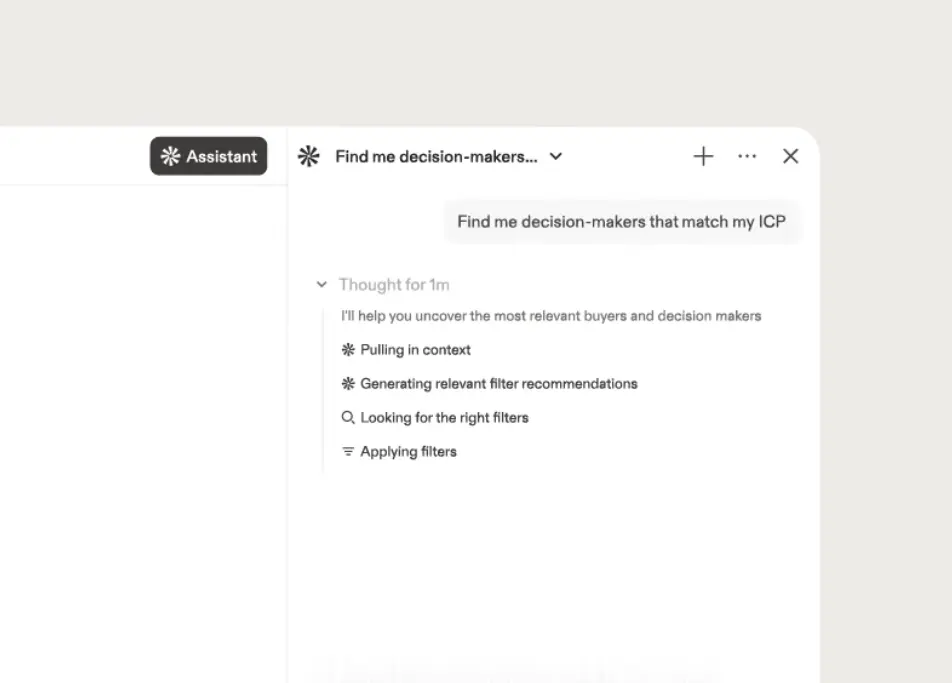
Its AI works like a prospecting assistant. Ask for a list in plain language and the AI Assistant builds it, researches and scores the accounts, writes the messaging and creates the sequence, asking for confirmation before steps that use credits. Lead Discovery, Sequence Creation and Sequence Optimization agents run on a schedule through Apollo's Slack app, and every recommendation waits for your approval.
Key AI features:
AI Assistant for list building, research, scoring and sequence creation
Lead Discovery, Sequence Creation and Sequence Optimization agents
Context Center, which stores your company, buyer and offer details for the AI
Bombora intent, job change alerts and website visitor tracking
Apollo MCP for using its data in outside AI tools
Strengths:
Data, sequences, dialer and AI in one interface
A free plan and published per-seat prices
Agents ask for approval before they act
Limitations:
Phones cost 8 credits each, so a free allowance goes quickly
Reviewers flag data accuracy, so test coverage on your own list first
What users say on G2: "Their AI features actually feel useful for automating the boring grunt work of prospecting," says one reviewer. Another notes that "sometimes the contact information is not fully accurate or up to date, and a few email addresses may not work."
Pricing: The free plan includes 75 credits a month. Basic costs $49 per seat a month billed annually, with Professional and Custom plans above it. Our Apollo pricing guide covers the credit costs.
Compare the two side by side in Apollo vs. ZoomInfo.
3. Cognism
Cognism is a B2B data platform known for European coverage and Diamond Data, its phone-verified mobile numbers, sold as a team contract.
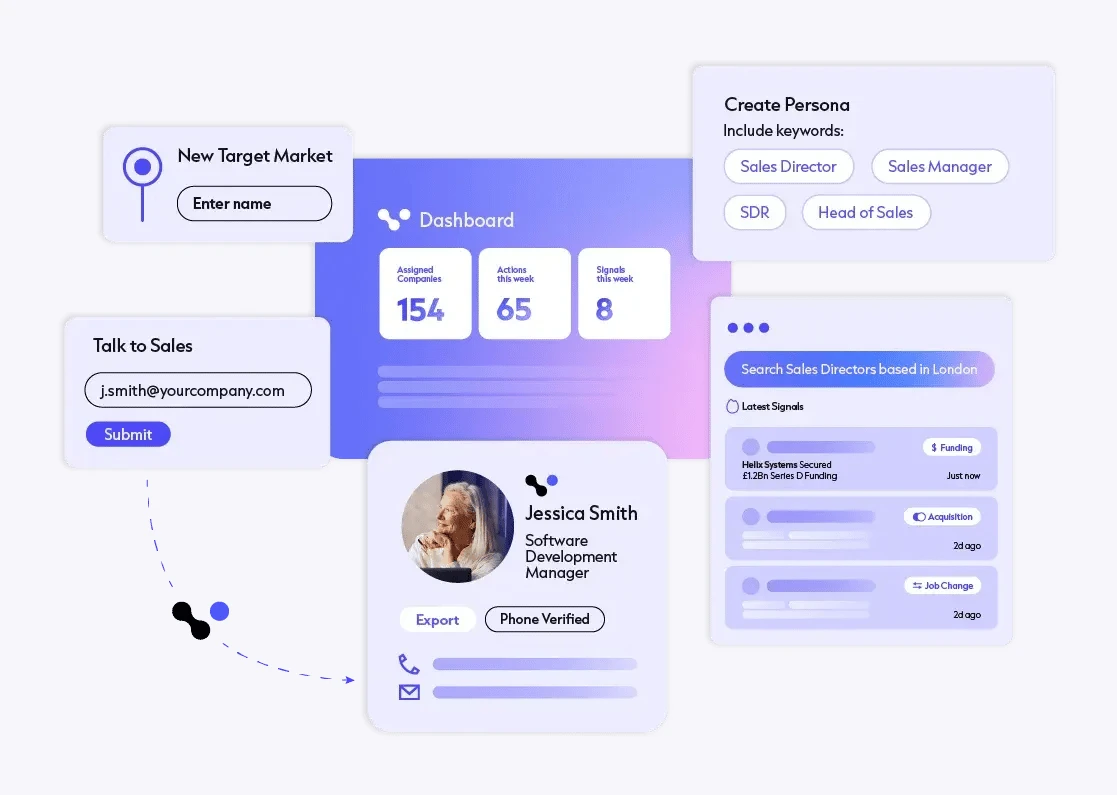
For lead generation, its AI sits in Sales Companion, powered by Cortex AI. Reps describe the prospects they want in plain language and get AI research on accounts and contacts, then call phone-verified mobiles screened against Do Not Call lists. That suits teams whose pipeline depends on reaching UK and European buyers by phone.
Key AI features:
Cortex AI search in plain language
Research by Cortex for account and contact summaries
Bombora intent on the Pro package, with up to 12 topics
A Cognism MCP server for using its data in AI tools
Strengths:
Strong European coverage and phone-verified mobiles
Screening against 16 Do Not Call lists
Five seats included on its packages
Limitations:
Focused on data and research, so outreach runs in your sales engagement tool
Prices aren't published
What users say on G2: One enterprise user highlights "the quality of the contact data and its strong coverage in the European market." A business development executive says "sometimes the phone numbers provided can be incorrect."
Pricing: Quote-based Standard and Pro packages, each with 5 seats included. Our Cognism pricing guide covers what to ask.
Compare the two side by side in Cognism vs. ZoomInfo.
4. Lusha
Lusha is a self-serve contact data platform built around speed, with a browser extension that pulls emails and phone numbers from LinkedIn, company websites and your CRM.
Its AI helps a rep decide who to look up next. Daily leads, Lusha's AI Recommendations, rank new contacts and companies every day from your ICP profiles, your search and reveal history, your CRM data and buying signals such as job changes, hiring growth and intent. A built-in sequence builder writes multi-step emails, so a small team can find, contact and follow up from one tool.
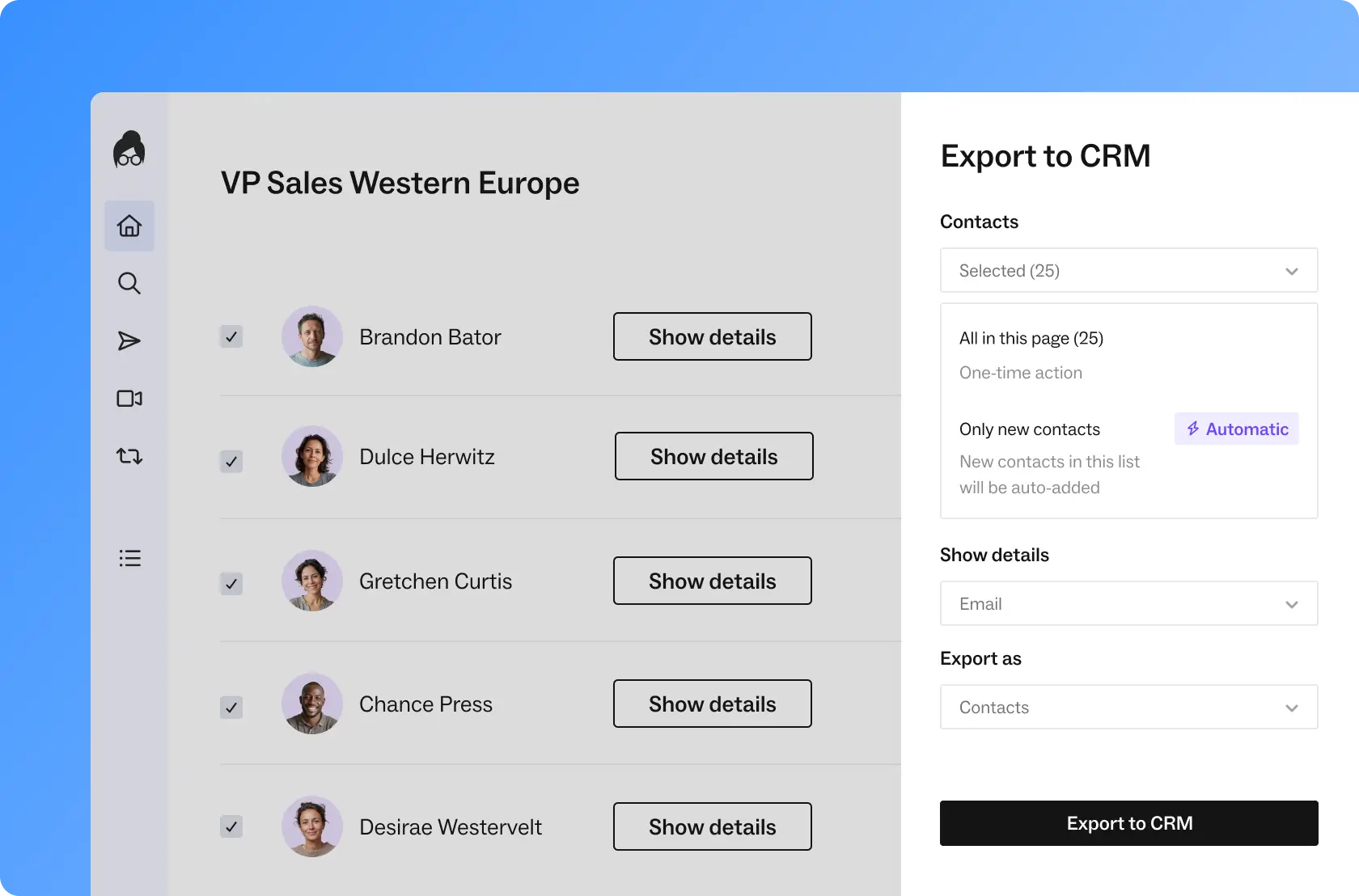
Key AI features:
Daily leads, AI recommendations refreshed every day from your ICP, CRM and buying signals
Email sequences with an AI email assistant
Signals, CSV enrichment and webhooks from Pro
MCP connectors for Claude and ChatGPT, including Daily leads
Strengths:
Fast lookups from the page a rep is already on
A free plan and published prices
Only charges for matches
Limitations:
Phones cost 5 credits each, against 1 for an email
Signals start on the Pro plan
What users say on G2: A PPC account manager likes "how easy and intuitive it is to find contact information for potential customers." A business development rep reports that it "doesn't always provide the correct information for phone numbers and emails."
Pricing: The free plan includes 40 credits a month. Starter costs $37.45 a month billed yearly, or $49.90 monthly, with Pro, Premium and Scale plans above it. Our Lusha pricing guide compares the plans.
Compare the two side by side in Lusha vs. ZoomInfo.
5. 6sense
6sense is an account-based platform that combines intent with your CRM and marketing automation data to find the accounts already in market.
For lead generation, that changes where outreach starts. Marketing can put ad spend behind in-market accounts, and sellers on the Sales Intelligence edition get recommended contacts for each qualified account and RevvyAI, 6sense's conversational AI, for account research and meeting prep. AI Email Agents, sold as an add-on, write and follow up on emails and hand engaged buyers to sales.
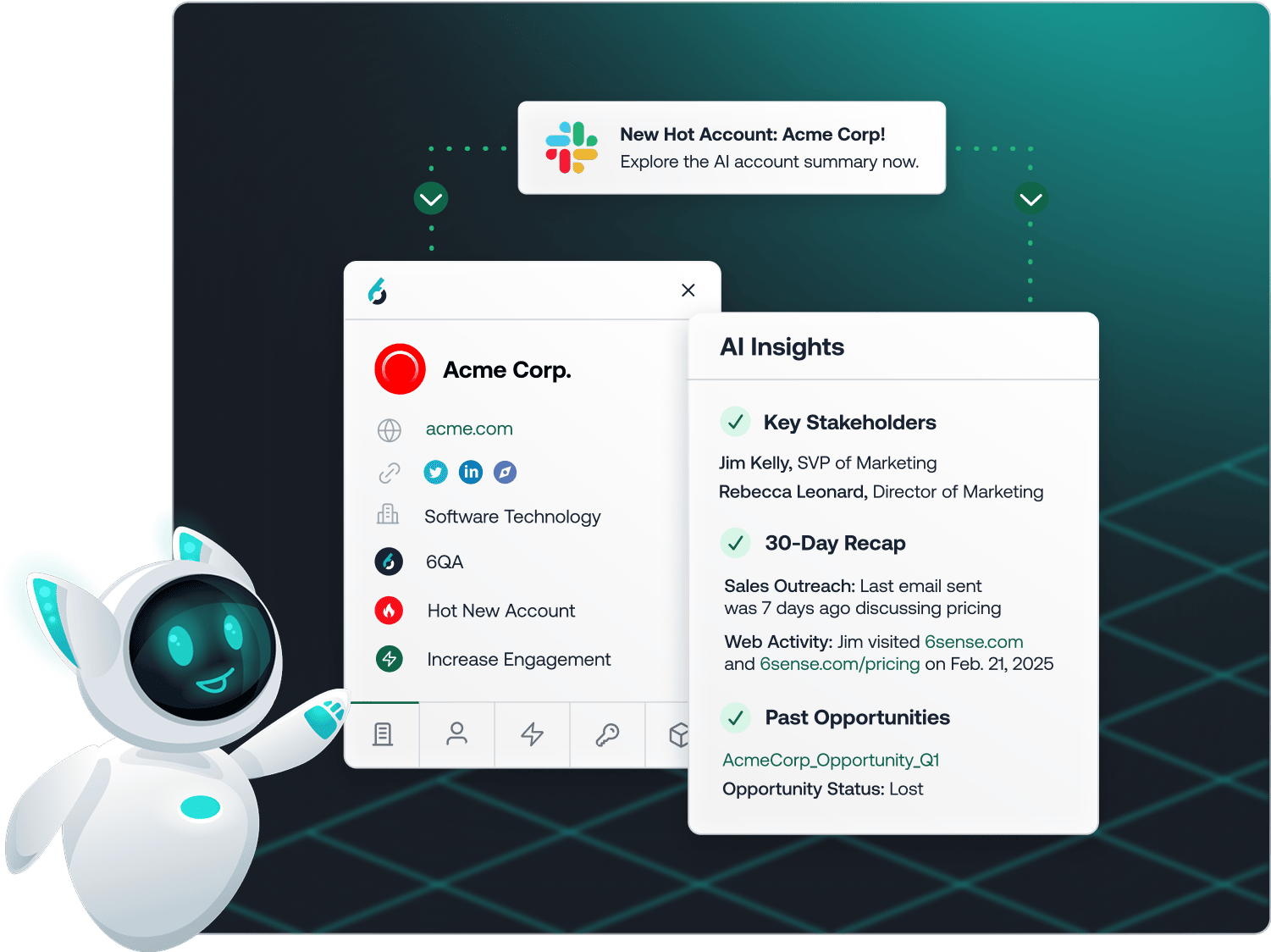
Key AI features:
AI insights that combine signals from your CRM, marketing automation and intent data
Recommended contacts for each qualified account
RevvyAI for account research and meeting prep
AI Email Agents, predictive models and a Bombora topic pack as add-ons
An MCP server, APIs and alerts in every edition
Strengths:
Intent-led prioritization built for ABM
Advertising and sales intelligence in the same platform
Works in 6sense, in your own stack or in AI assistants through MCP
Limitations:
Built for marketing-led ABM, so sales teams may use part of it
Prices aren't published, and credits and predictive models are add-ons
What users say on G2: An AI/ML engineer values the intent data because "instead of guessing who to reach out to, I can easily see which companies are actively searching for solutions like ours." Another reviewer notes that "there are times when intent signals can feel broad and require additional validation before acting on them."
Pricing: Custom packages, built with the 6sense team around your GTM motion. No free plan is listed, and new customers get a test environment during onboarding. Our 6sense pricing guide covers what drives the cost.
Compare the two side by side in 6sense vs. ZoomInfo.
6. Seamless.AI
Seamless.AI researches contact details at the moment you search and wraps them in AI workflows built for high-volume outbound.
The AI is aimed at volume. Autopilot runs list building and outreach workflows on its own, the AI Assistant researches, analyzes and drafts outreach, and AI agents turn buying signals into prioritized outbound and inbound intent into instant, personalized outreach. An AI-powered dialer moves reps straight from a list to calls.
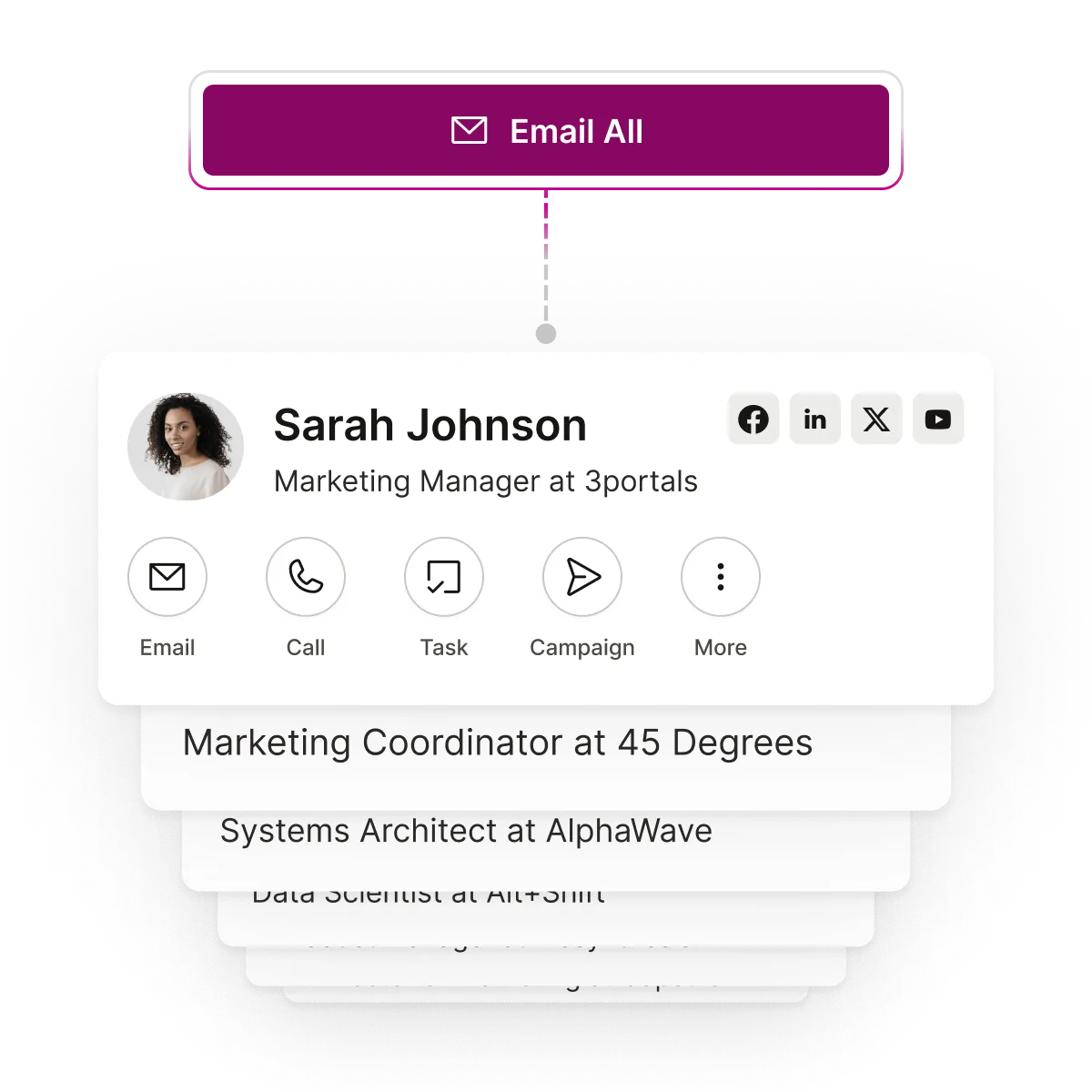
Key AI features:
AI Assistant that researches, analyzes and writes outreach
Autopilot for automated list building and workflows
AI agents that turn buying signals into prioritized outbound and inbound intent into personalized outreach
Buyer Intent, Job Changes, Pitch Intelligence and AI Fields
MCP, plus apps for Claude and ChatGPT
Strengths:
Emails and phones come back together from a search or CSV upload
1.8B+ verified business emails and 414M+ phone numbers, by Seamless.AI's count
A free plan you can start without talking to sales
Limitations:
Phones cost 5 credits each, against 1 for an email
In our Cognism alternatives test, some rows returned personal emails, which you'll want to filter out before B2B outreach
What users say on G2: A technology purchaser values its "more accurate, real-time data." A business development manager notes that "sometimes the contact information is incorrect or isn't available."
Pricing: The free plan includes 50 one-time credits. Paid Basic and Pro plans are quote-based. Our Seamless.AI alternatives guide compares similar tools.
Compare the two side by side in Seamless.AI vs. ZoomInfo.
7. Clay
Clay is a workspace for building your own lead generation workflow, where each table pulls from many data providers, runs AI research on every row and triggers the next step.
The value is control over what qualifies a lead. Claygent, its AI agent, reads a company's website, careers page or news and answers the questions you set for every account, such as whether it's hiring SDRs or sells to enterprise. Multi-provider waterfall enrichment then fills contact details from provider after provider, ZoomInfo among them. It suits teams with a GTM engineer to design and maintain those workflows.
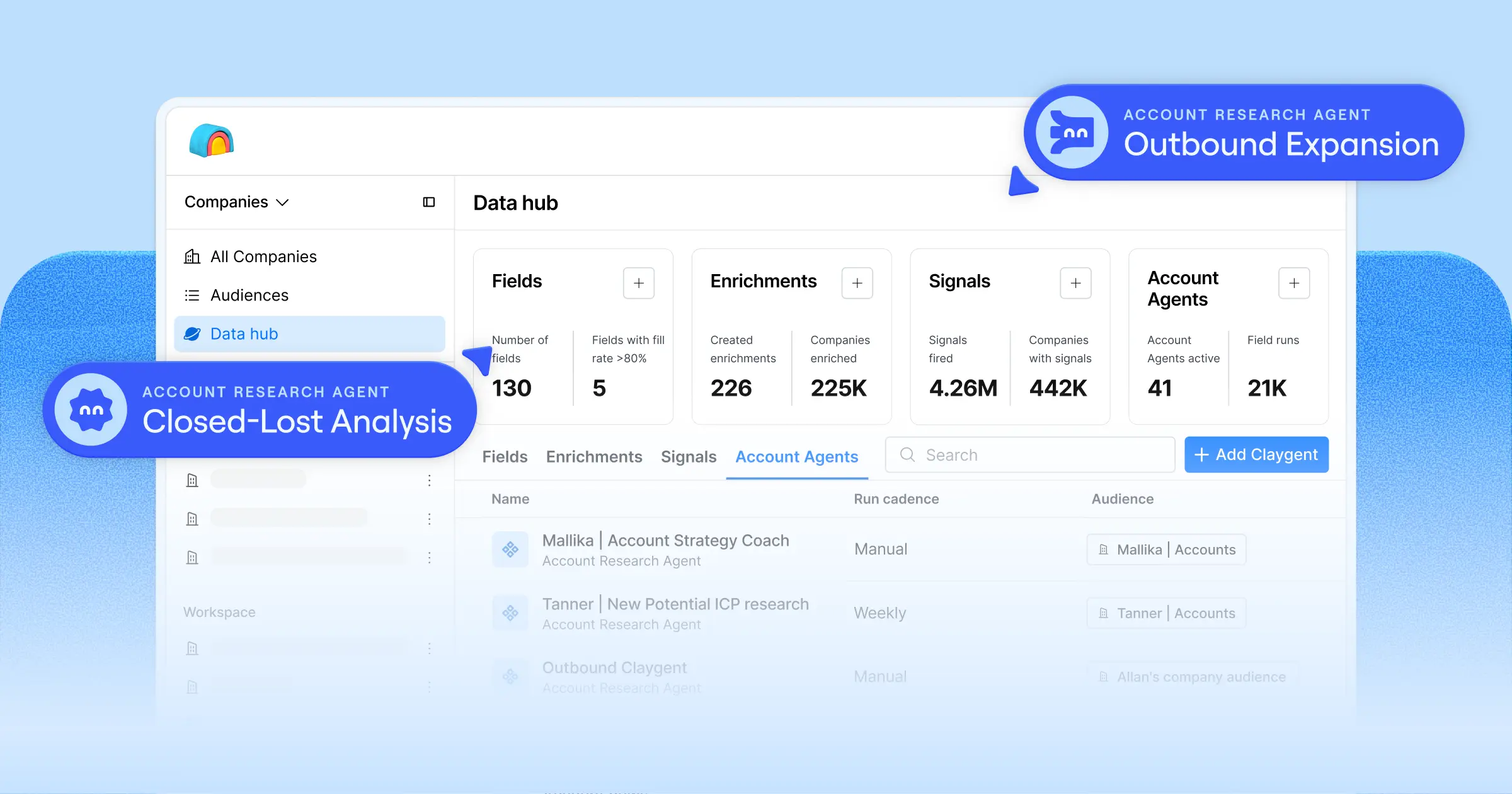
Key AI features:
Claygent for AI web research on every plan, including Free
Multi-provider waterfalls on every plan
Phone enrichment, job change signals and email sending from Launch
CRM auto-sync and enrichment, web intent signals and ad audiences from Growth
Clay MCP, to search, enrich and reach out to leads from your AI chat tool
Strengths:
Custom qualification questions answered for every account in a list
Unlimited seats, even on the free plan
Bring your own provider API keys
Limitations:
Workflows take time to design and maintain
CRM auto-sync starts on Growth, and the free plan doesn't include phone enrichment
What users say on G2: An outbound agency founder says "we can go from a target list of companies to qualified contacts with researched reasons to reach out, in one place." A co-founder points out that it "operates on a usage-based credit model where every data lookup, AI query, and automation step drains credits."
Pricing: The free plan includes 6,000 actions and 1,200 data credits a year. Launch starts at $167 a month and Growth at $446 a month, billed annually with 10% off, and each has a 14-day trial. Enterprise is custom-priced. Our Clay pricing guide covers how credits work.
Compare the two side by side in Clay vs. ZoomInfo.
8. HubSpot
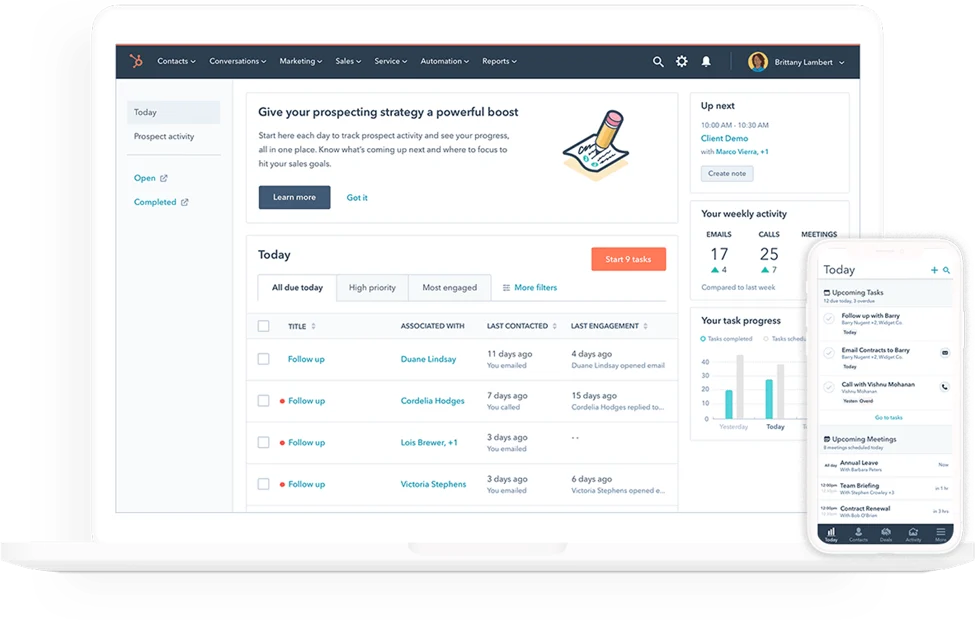
HubSpot brings AI lead generation into the CRM that also runs your forms, landing pages and email marketing, so inbound and outbound leads land on the same record.
Its Prospecting Agent runs AI-powered outreach, researching each lead and delivering a personalized outreach strategy, and it can source contacts from connected data providers, ZoomInfo among them. Breeze Assistant helps across HubSpot on every plan, and Nurture Agent personalizes automated nurture emails for the leads who aren't ready yet. It suits SMB and mid-market teams whose leads start with marketing.
Key AI features:
Prospecting Agent for AI-powered outreach to prospects
Breeze Assistant on every plan, including Free
AI that keeps CRM records up to date, plus Agent Builder for custom agents, from Starter
Nurture Agent for personalized automated nurture emails
Website chat, forms and email marketing for inbound capture
Strengths:
Free CRM for up to 2 users, so small teams can start without a contract
One record across marketing, sales and service
AI agents draw from HubSpot Credits included on paid plans
Limitations:
Heavy AI use needs budget for extra HubSpot Credits
Teams on another CRM get less from it, because the AI works on HubSpot's own records
What users say on G2: "The AI features save time on small tasks, like drafting a first follow-up email or summarising a long contact history before a call," writes one user in apparel and fashion. A real estate user finds it "can seem too complex sometimes due to the vast amount of options."
Pricing: HubSpot is free for up to 2 users. Starter costs $7 per seat a month (a limited-time 65% discount, for up to 10 users), Professional $90 and Enterprise $175 per seat a month, billed annually, with 5,000, 10,000 or 15,000 HubSpot Credits a month included.
Compare the two side by side in HubSpot vs. ZoomInfo.
9. Salesforce Agentforce Sales
Salesforce Agentforce Sales is Sales Cloud with Agentforce agents built in, working from Salesforce records, call recordings, the web and third-party sources.
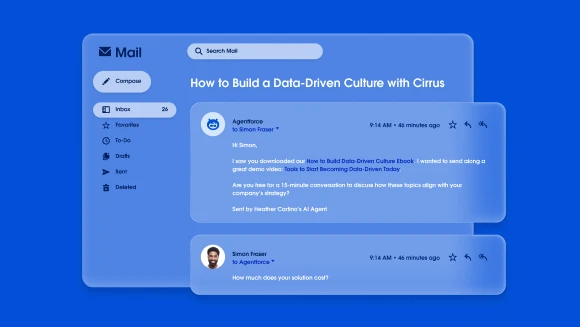
Two agents do the lead generation work. The prospecting agent ranks prospects by intent, researches them and drafts outreach, then delivers lists in Slack. The engagement agent answers website visitors, follows up with inbound leads and books meetings. For teams already on Salesforce, that puts AI lead handling on the objects and permissions they already run, and ZoomInfo data can feed the agents too, as our guide to Agentforce and ZoomInfo shows.
Key AI features:
Prospecting agent that ranks, researches and drafts outreach
Engagement agent that answers website visitors, follows up with inbound leads and books meetings
Pipeline management agent that updates opportunity fields from calls, meetings and emails
Account plans, briefs and pitch coaching
Strengths:
AI agents run inside the CRM, on the objects and permissions you already have
Choice of suggestive or autonomous mode for field updates
Flexible buying models, from consumption to per-user licenses
Limitations:
Built for Salesforce customers, so the value depends on how much of your process runs there
Agent output depends on the Salesforce data underneath, so CRM hygiene comes first
What users say on G2: A project manager says Agentforce is "making sales personnel life easy by enabling them to create quote based on opportunities on a fly, using mobile and voice enablement." A business system analyst warns that "at times it does hallucinate a lot like other agentic AI agents."
Pricing: Salesforce sells Agentforce on consumption or per user. Flex Credits cost $500 per 100,000 credits, and each Agentforce action uses 20 credits. The Agentforce add-on for Sales costs $150 per user a month for unmetered employee use, and Salesforce Foundations lets you start building with Agentforce for free.
10. Leadfeeder
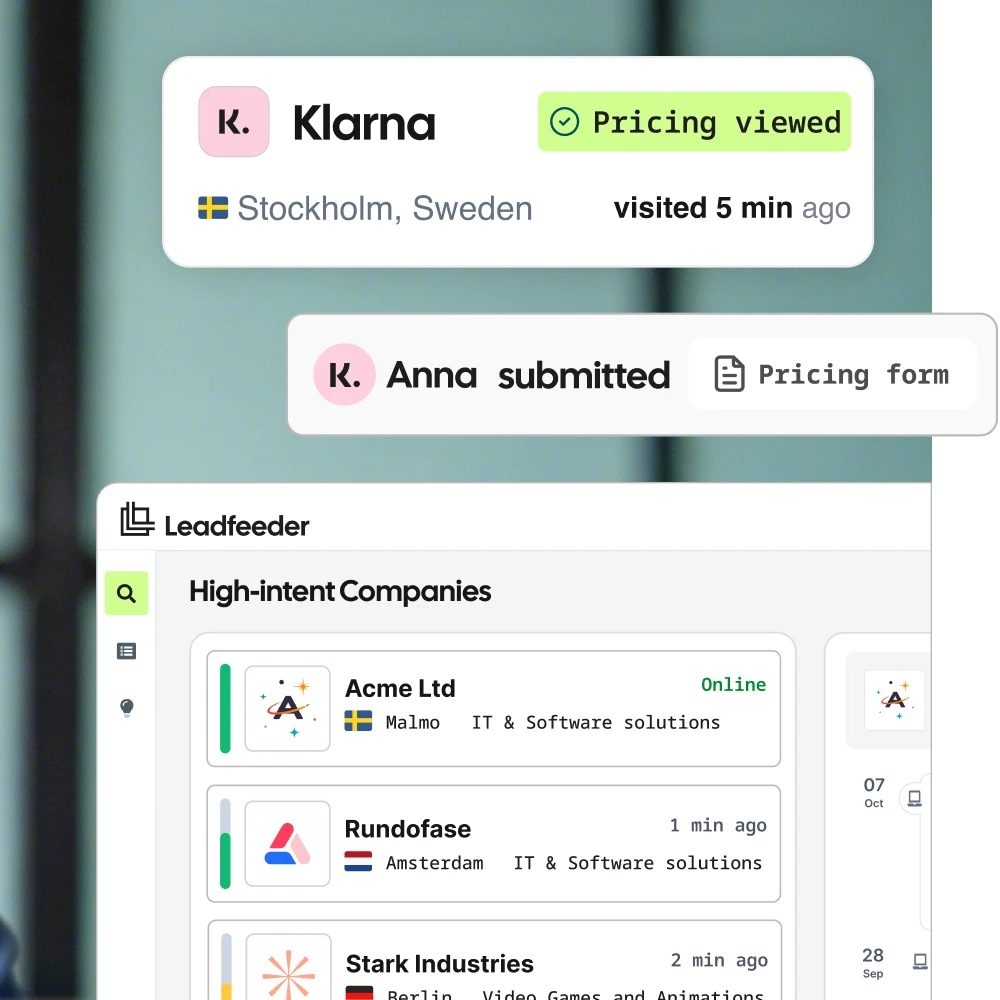
Leadfeeder, formerly Dealfront, captures the leads already on your website. One tracking script identifies the companies behind your traffic and shows the pages they read, an intent score and their ICP fit.
That turns anonymous visits into a lead list sales can act on the same day. Workflows push identified companies into your CRM and alert reps in Slack, and Activate and Scale add verified emails and phones so a rep can move from a visiting company to named people.
Key AI features:
Web Visitors, with company identification from an IP-to-company dataset Leadfeeder refreshes daily
Intent score and ICP fit for each identified company
AI list enrichment and company and contact search
Workflows that update your CRM and send alerts to Slack or by webhook
An API and an MCP server
Strengths:
Setup takes one tracking script, and every plan includes unlimited users and tracked domains
Web Insights ties identified companies back to the campaigns that brought them
GDPR-first, with EU-hosted data
Limitations:
Reviewers find the contact data thinner than the company data
Like any IP-based tool, it can miss visitors on VPNs or shared networks
What users say on G2: A marketing reviewer likes how it "turns anonymous website traffic into actionable business insights." A key account manager enjoys the web tracking but says "the enrichment of contacts should be improved."
Pricing: Lite is free, with the last 100 identified companies a month and 7 days of visitor history. Discover starts at €79 a month billed annually, Activate at €369 a month and Scale at €599 a month, and prices rise with the number of companies identified each month. Every paid plan has a 14-day free trial.
11. LeadIQ
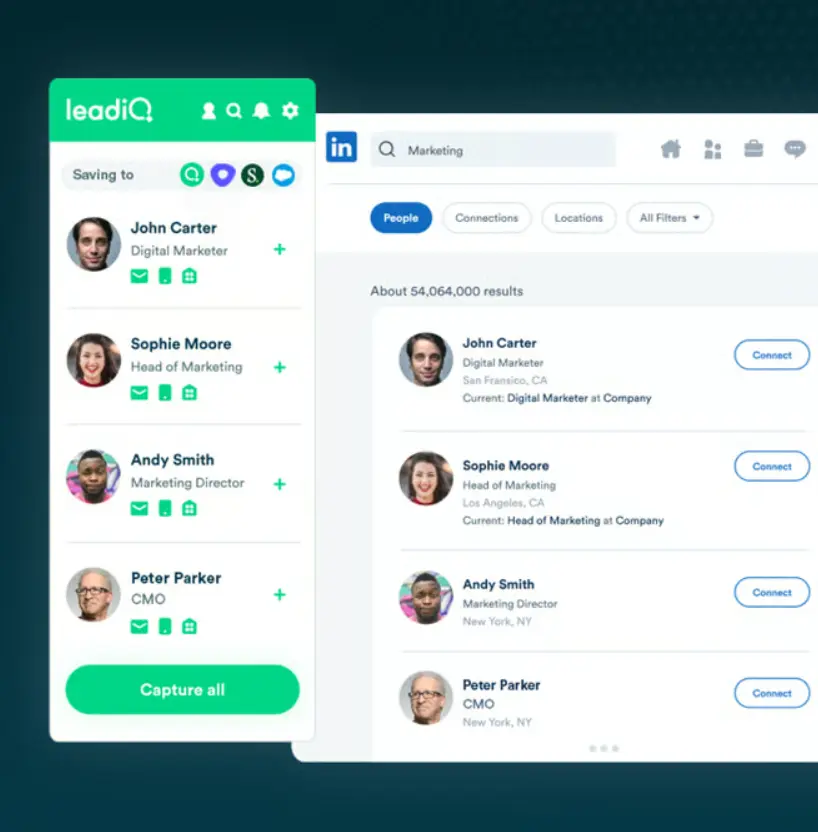
LeadIQ is a prospecting tool for SDRs who work from LinkedIn, built around capturing contacts and catching the moment a past buyer changes jobs.
Its AI turns those moments into outreach. Lando, its AI agent, reads your Salesforce or HubSpot data, finds your ICP on any company website, alerts you when a champion moves and pushes contacts to your CRM or sequencer on command. The AI message writer drafts the first email, so a rep can go from a signal to a sequence without copying details by hand. Our LeadIQ alternatives guide covers similar options.
Key AI features:
Lando, an AI prospecting agent that works from your CRM and any company website
An AI outbound message writer on every plan
Champion tracking and signals such as 10-K filings, podcast mentions and hiring
CRM and webform enrichment on every plan
MCP and API access on every plan
Strengths:
Job change tracking suits account-based sales
Up to 5 users on Pro
Any plan is free for 30 days
Limitations:
Phones cost 10 credits each
Lando is rolling out to customers in waves
What users say on G2: G2's summary of LeadIQ reviews highlights quick setup and helpful support, and notes that phone accuracy varies and AI-drafted outreach often needs editing.
Pricing: The free plan includes 1 user and 50 credits. Pro starts at $15 a month billed annually for up to 5 users, with the price scaling by credit volume, and Enterprise is custom-priced.
Compare the two side by side in LeadIQ vs. ZoomInfo.
How AI Lead Generation Works
AI lead generation runs in four stages, and each one depends on the data from the stage before it.
Enrichment. Your first-party data, such as form fills, CRM records and marketing automation data, is joined with third-party company and contact data, so each lead has a complete profile. Our guide to lead enrichment covers the fields that matter.
Scoring. Models weigh fit (job title, company size, industry, tech stack) against behavior (pricing page visits, content downloads, webinar attendance), weighted by what has preceded closed deals. When a lead crosses your threshold, it moves to sales. Our guide to lead scoring software compares the options.
Signals and intent. Buying signals and intent show which accounts are researching your category before they fill in a form, so outbound reaches them early.
Routing. Lead routing sends each lead to the right rep with the context already in the CRM, so nobody waits on a manual handoff.
Two things decide whether this works. First, enrichment never finishes: people change jobs and companies merge, so teams that refresh records on a schedule keep their scoring accurate. Second, inbound and outbound need the same data. Website visitor identification and form enrichment capture inbound leads before anyone books a call, and the same records feed outbound lead generation.
Recommended AI Lead Generation Stacks
No single tool covers every motion, so teams usually build a stack around one data foundation. Here are three common setups.
Lean outbound: ZoomInfo for verified contacts, direct dials and signals, a sales engagement platform such as Apollo or Outreach for sequences, and your CRM for outcomes.
Enterprise ABM: ZoomInfo as the data foundation, 6sense for account-based advertising and predictive models, and Salesforce as the CRM and forecasting layer.
GTM engineering: ZoomInfo first in a Clay waterfall through Clay's native ZoomInfo actions, Clay for custom research and scoring, and clean records synced to your CRM.
How to Choose an AI Lead Generation Tool
Start with where your leads come from. If your team generates pipeline through outbound, look at data-led tools such as ZoomInfo, Apollo, Cognism, Lusha, Seamless.AI and LeadIQ. If leads come from your website and content, Leadfeeder, HubSpot and Salesforce Agentforce Sales work closer to inbound, and 6sense suits teams that run ABM with ad spend. Clay fits teams with a GTM engineer who wants to design the workflow.
Then test the data. Ask for a sample export against your ICP, measure the hard bounce rate and check phone numbers on accounts you already know. AI that researches, scores and drafts from inaccurate records sends the wrong message to the wrong person faster.
Finally, look at how the AI acts. Some tools suggest and wait for approval, and others run on their own. Check what each agent can do without a rep, where its output lands and how it writes back to your CRM.
Compare your shortlist on the features that decide whether AI turns into pipeline:
Data quality: verification methods, refresh frequency and coverage in your target regions
Signals and intent: buying signals, intent topics and website visitor identification that show timing
AI capabilities: research, automated lead qualification, scoring and drafting, and whether agents ask before they act
CRM integration: two-way sync with Salesforce, HubSpot or Microsoft Dynamics, plus your sequencer
Compliance: GDPR and CCPA controls, opt-out handling and a SOC 2 Type II report
Turn AI Lead Generation Into Pipeline
The right AI lead generation tool depends on where your leads come from, how much of the work you want agents to do and how accurate the data underneath them is. Whichever you choose, AI pays off when it starts from verified data and a real reason to reach out.
ZoomInfo connects your CRM, your conversations and ZoomInfo's intelligence into one record per account, so signals, scoring and agents all work from the same picture of every lead. Same data and same governance, whether you work in ZoomInfo or build on it through GTM.AI.
Book a demo to see ZoomInfo on your own accounts.
AI Lead Generation FAQ
What is AI lead generation?
AI lead generation uses machine learning and AI agents to find, qualify and engage B2B buyers. The software enriches leads with company and contact data, scores them on fit and behavior, detects intent and buying signals, and drafts or sends outreach across email, phone and social. It connects with your CRM, marketing automation and website, so prospecting, scoring and outreach share the same data. Our guide to lead generation covers the wider process.
How do you use AI for lead generation?
Start by checking your data quality, then define your ICP and scoring criteria from the deals you've won. Connect a tool that enriches and scores leads, set the thresholds that route a lead to sales, and let AI research accounts and draft the first message for a rep to review. Track results for a few months before you change the model, since scoring improves as it learns your sales patterns. Our guide to how to use AI for lead generation walks through each step, and generating B2B sales leads covers more tactics.
How accurate is AI lead generation?
Accuracy depends on the data underneath: how the vendor verifies contacts, how often it refreshes them and how well it covers your markets. AI can research and score quickly, but it can't fix a wrong email or an outdated title. Ask each vendor for a sample export against your ICP, measure the hard bounce rate and check phone numbers on accounts you already know before you commit.
What ROI can you expect from AI lead gen tools?
ROI depends on your data quality, team size and motion, so base projections on your own baseline metrics. Published customer results give reference points: Snowflake saw 2x higher new customer conversion rates with ZoomInfo, Integrate saw a 25% improvement in conversion rates, and monday.com reached 4X ABM program scale, cutting time to launch from 4 months to 1 month.
What's the difference between AI and traditional lead generation?
Traditional lead generation relies on manual research, static lists and the same sequence for everyone. AI lead generation enriches and scores leads automatically, updates scores every time a prospect takes an action and routes high-priority leads to the right rep straight away. The best tools also research each account and draft the first message, so reps spend their time on conversations and deal strategy.
Can AI lead generation tools integrate with your CRM?
Yes. ZoomInfo, Apollo, Cognism, Lusha, 6sense, Seamless.AI, Clay, Leadfeeder and LeadIQ all integrate with Salesforce and HubSpot, though some keep CRM sync to higher plans, and HubSpot and Salesforce Agentforce Sales run inside their own CRMs. Before you buy, confirm two-way sync, field mapping, sync frequency and duplicate handling with your CRM version.
How long does it take to see results from AI lead generation?
It depends on how clean your CRM data is and how well your ICP is defined. Teams with clean data and a clear ICP usually see better-targeted outreach within weeks, while scoring models improve over months as they learn which leads convert. Plan to compare results at one month and at six months.
Are there free AI lead generation tools?
Yes. Apollo, Lusha, Seamless.AI, LeadIQ and Clay all have free plans, HubSpot's CRM is free for up to 2 users, Leadfeeder's Lite plan is free, and Salesforce Foundations lets you start building with Agentforce for free. If you're a builder or developer, you can start using ZoomInfo for free with GTM.AI. It's free to start with consumption credits based on usage. Free plans cap data, credits or AI features, so teams with steady outbound volume outgrow them quickly.
What's the best AI lead generation tool for enterprise teams?
Enterprise teams usually need verified global data, intent and governance across many reps, so they pair a data foundation such as ZoomInfo with their CRM and, for ABM programs, a platform such as 6sense. Check security certifications, admin controls and how each tool's agents write back to your CRM.
How do you measure AI lead generation performance?
Track leading indicators such as email deliverability, lead-to-MQL conversion and how many target accounts show signals, and lagging indicators such as pipeline generated, revenue influenced and customer acquisition cost. CRM completeness and enrichment match rate show whether your data foundation is improving.