

Choosing between eWay-CRM and Pipedrive for your sales CRM often comes down to five questions:
Do you live in Microsoft Outlook all day, or are you open to a standalone web app?
Do you need project delivery tracking after the sale closes, or is pipeline management enough?
Is your team small enough that everyone shares one tool, or do you need separate systems for sales, marketing, and ops?
How much do you rely on third-party integrations versus wanting everything built in?
Does your CRM need to feed you qualified leads and buyer signals, or just organize the ones you already have?
In short, here's what we recommend:
eWay-CRM is built for Microsoft-ecosystem SMBs that want a CRM without leaving Outlook. It installs as an Outlook add-in, so contacts, deals, projects, and tasks all live in the same interface your team already uses.
The learning curve is minimal, and moving from a closed deal to project delivery happens inside one tool. However, eWay-CRM is tied to Outlook (no Gmail, no Apple Mail), its reporting requires a separate Power BI setup for anything beyond basics, and the plugin can slow Outlook on older hardware.
Pipedrive is the visual pipeline CRM built for salespeople who want to close deals faster. Its kanban-style board makes every deal's status, value, and next step visible at a glance, and automations handle repetitive work so reps can focus on selling.
With 500+ marketplace integrations and a mobile app built for field selling, Pipedrive is a strong standalone sales tool. But it stops at the sale. Post-sale project delivery, customer service, and deep Microsoft integration are not its strengths.
Both eWay-CRM and Pipedrive organize the deals you already know about. Neither helps you find the right buyers in the first place, understand which accounts are actively in-market, or surface the signals that separate real opportunities from noise. That's where the CRM conversation changes.
ZoomInfo is an AI go-to-market platform that gives your sales reps the context to walk into every call knowing why the deal is moving, who's championing it, and what's likely to happen next. Marketers can describe audiences in plain language and launch plays against accounts that match your proven win patterns. Leaders can see deal risk before it shows up in CRM stage fields.
That depth comes from the GTM Context Graph, an intelligence layer built on ZoomInfo's B2B dataset (500M contacts, 100M companies, 135M+ verified phone numbers, and 200M+ verified business email addresses), unified with your CRM records, conversation transcripts, and behavioral signals.
Your team accesses it through GTM Workspace for sellers, GTM Studio for marketers and RevOps, or APIs and MCP in any front-end.
If knowing who to contact, when to engage, and what to say sounds like the missing layer in your sales process, see how ZoomInfo works.
eWay-CRM vs. Pipedrive vs. ZoomInfo at a glance
eWay-CRM | Pipedrive | ZoomInfo | |
|---|---|---|---|
Core approach | CRM inside Microsoft Outlook | Visual pipeline CRM (web app) | AI go-to-market platform |
Primary strength | Outlook-native workflow, sales-to-project handoff | Pipeline visualization, sales automation | B2B data, buyer intent, AI-driven execution |
Target buyer | Microsoft-ecosystem SMBs | Sales-focused SMBs | Enterprise and upper mid-market GTM teams |
Starting price | Free (unlimited users); paid from $20/user/mo | $14/seat/mo (Lite) | Consumption-based; free tier (ZoomInfo Lite) available |
Free plan | Yes, permanent | No (14-day trial) | Yes (ZoomInfo Lite, permanent) |
Integrations | Microsoft 365, Mailchimp, Zapier, Power Automate | 500+ marketplace apps | 172+ marketplace partners, API/MCP access |
Post-sale project tracking | Full project management with timesheets and budgets | Basic Projects add-on | Not a project management tool |
AI capabilities | Email tone analysis, contact extraction, task suggestions | AI Sales Assistant, AI email writer, AI reports | GTM Context Graph, AI account research, signal-driven automation |
Mobile app | iOS and Android with offline mode | iOS and Android with offline mode, in-app calling | Mobile app with Chrome extension |
Security | ISO 27001, GDPR, on-premise option | ISO 27001, ISO 27701, SOC 2 Type 2 | ISO 27001, ISO 27701, SOC 2 Type II, TRUSTe GDPR/CCPA |
Two different philosophies: Outlook-native vs. standalone web app
eWay-CRM and Pipedrive give different answers to the same question: where should CRM data live?
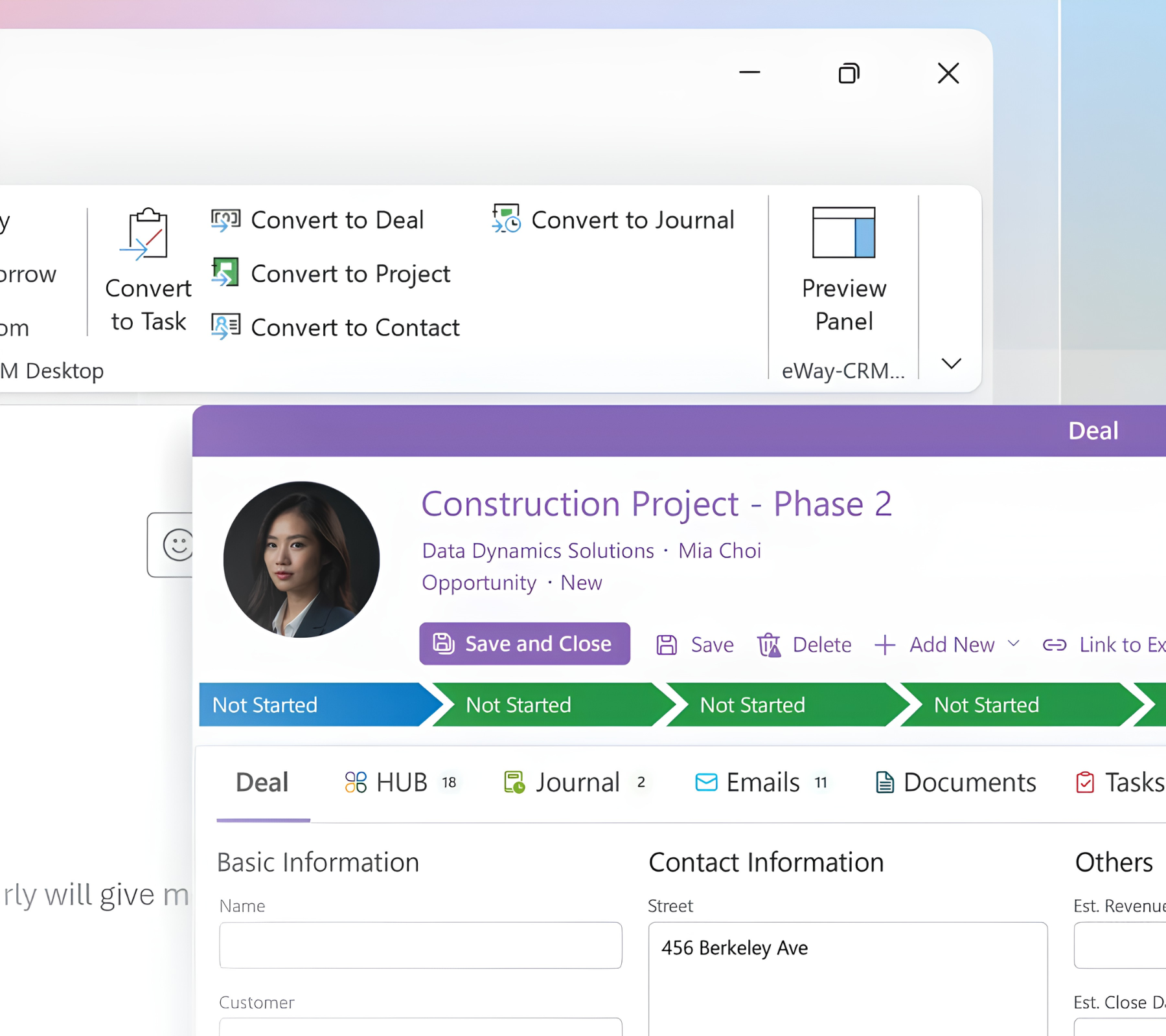
eWay-CRM says it should live where your team already works. The product installs directly inside Microsoft Outlook as a plugin, so contacts, deals, and projects appear in the same pane as your inbox.
Source: eWay-CRM
The interface looks and works like Outlook, which means Outlook-heavy teams can adopt it without learning a new tool. Right-click an email to create a deal. AI extracts the sender's contact details from their signature. Shared emails log against the right contact without manual data entry.
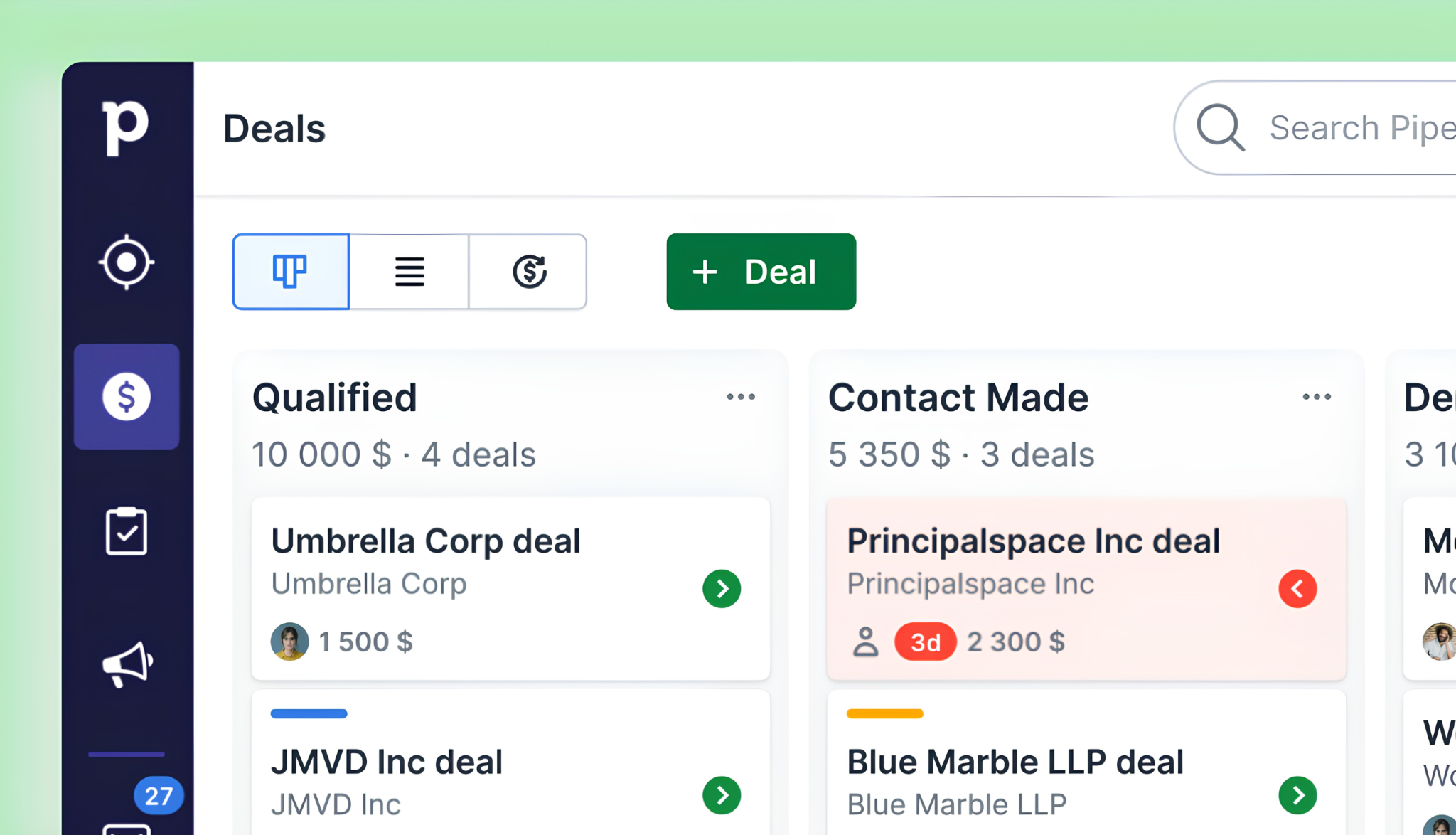
Pipedrive says CRM data deserves its own dedicated environment. The visual pipeline board is the primary workspace: every deal is a card on a kanban board, color-coded to show which ones are going stale.
Source: Pipedrive
Drag a deal to a new stage. Schedule a follow-up. See which reps have the most activity. It's clean, focused, and deliberately separate from email. Email connects through a two-way sync with Gmail, Outlook, or any IMAP account, but the CRM is the center of gravity, not the inbox.
Neither approach is wrong. eWay-CRM eliminates context switching for Outlook-heavy teams. Pipedrive eliminates inbox distraction for reps who need to focus on selling. The right choice depends on where your team actually spends its time.
Pipeline management: visual board vs. Outlook list view
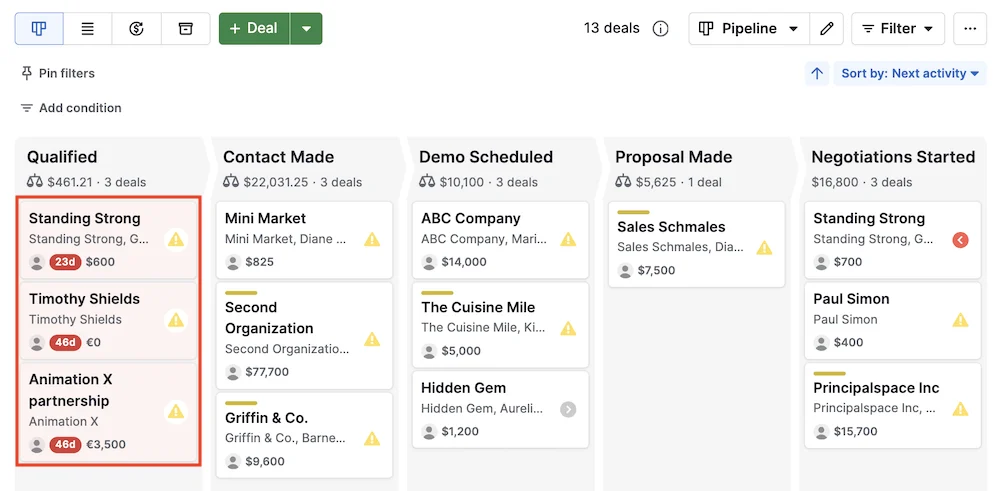
Pipedrive's pipeline is its defining feature. The company pioneered the kanban-style pipeline view in CRM software, and everything in the product is built around it.
Create multiple custom pipelines with their own stages. Watch deals move across the board. Spot deals going cold through "deal rotting" cues before they die. Switch between kanban, list, and forecast views depending on whether you need to act, analyze, or plan.
Source: Pipedrive
Pipedrive offers three views of the pipeline: the default board, a list view, and a forecast dashboard that shows which deals are due to close in a given period and their aggregate value.
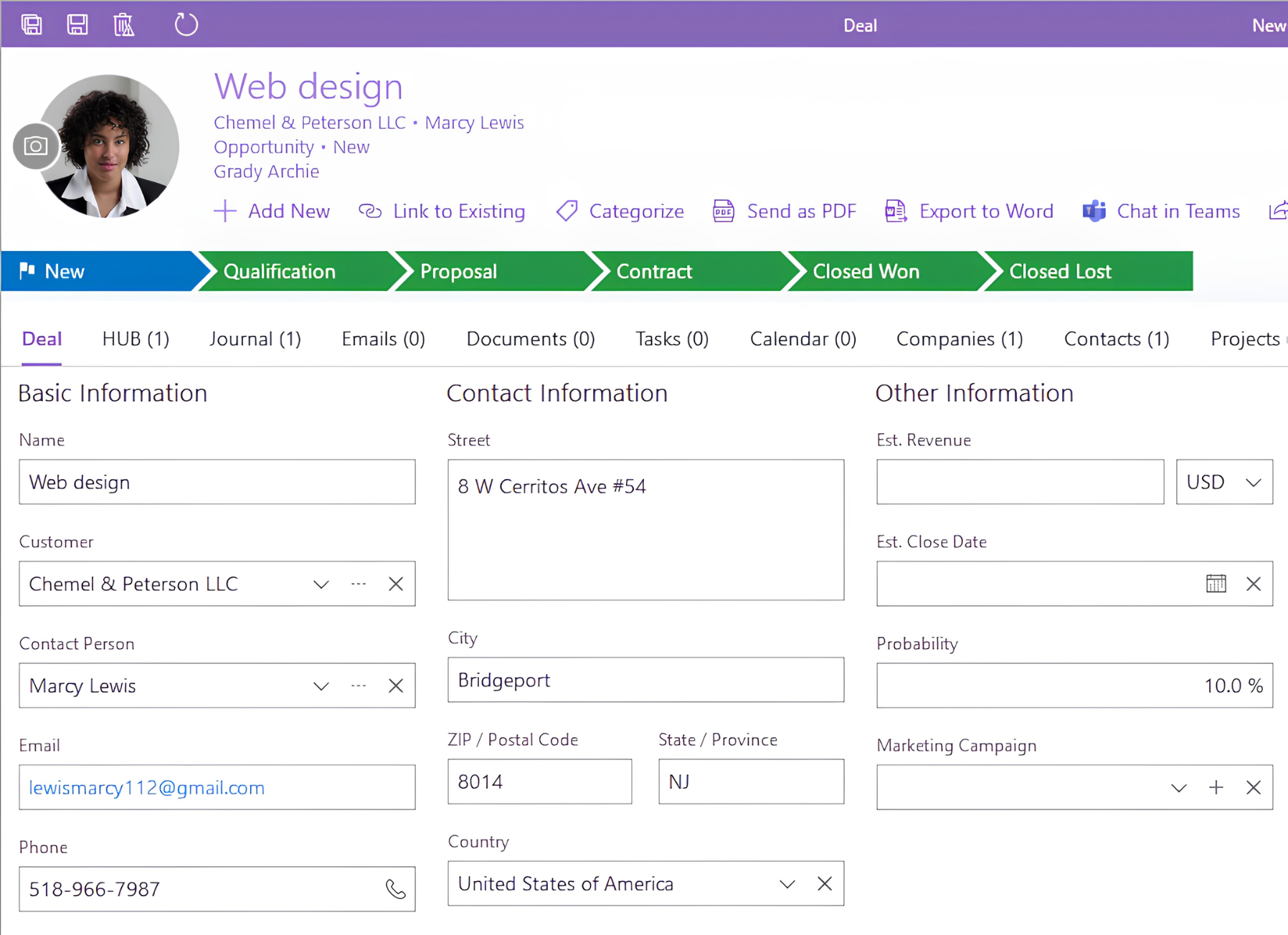
eWay-CRM handles deals through a Deals module inside Outlook. It supports configurable workflow panels with custom stages, estimated revenue, close probability, and weighted pipeline value calculations. Status transitions can enforce field-completion checks and trigger notifications. It ships with two default workflow templates and lets administrators build custom ones.
Source: eWay-CRM
The pipeline works, but it lacks the visual clarity of Pipedrive's board. eWay-CRM's strength is keeping deal data tightly linked to the emails, calendar events, and contacts that surround it. Pipedrive's strength is making the pipeline the command center for sales execution.
Where eWay-CRM pulls ahead: the sales-to-delivery handoff
Most CRMs treat the closed deal as the finish line. eWay-CRM treats it as a starting point.
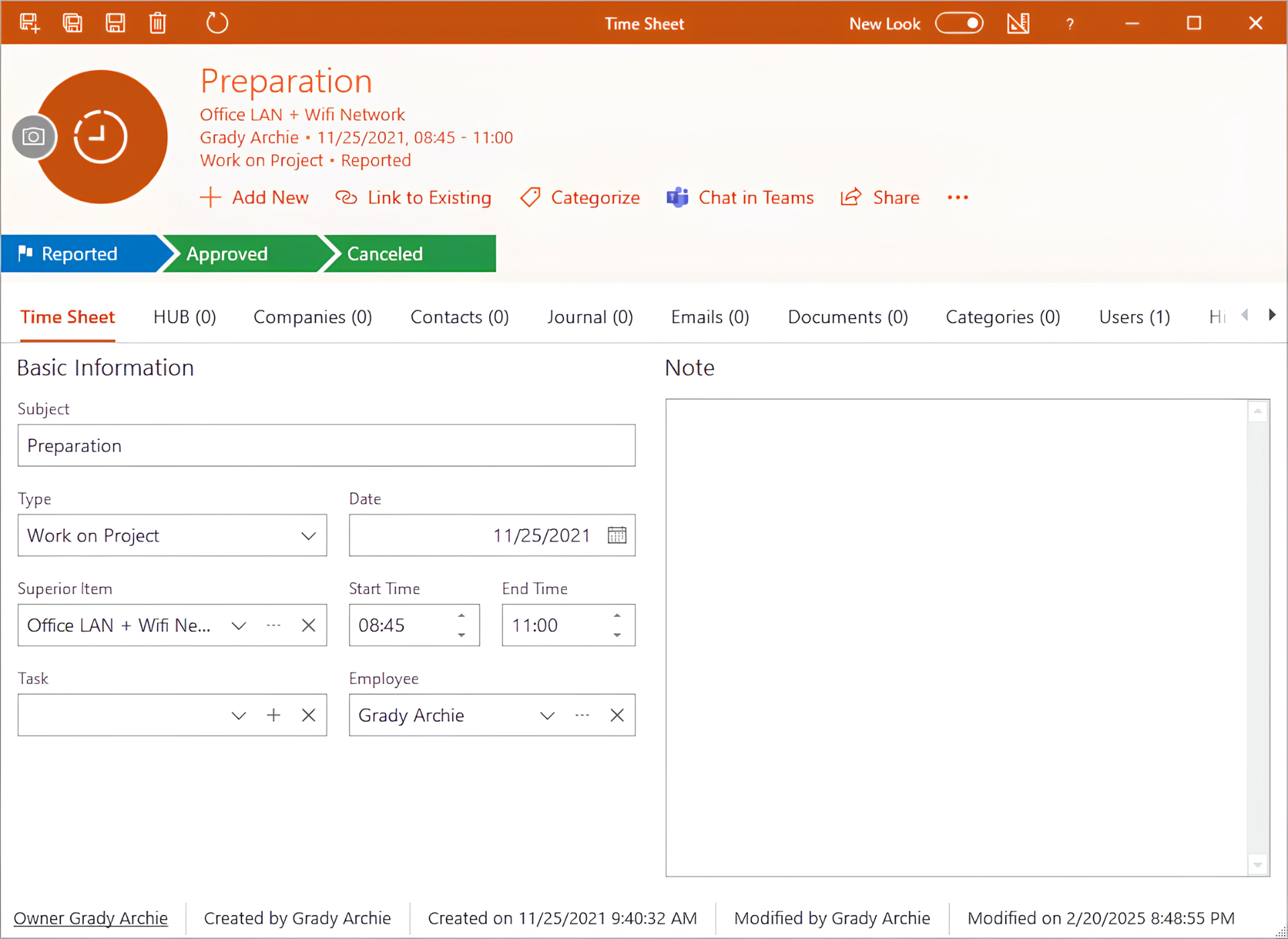
When a deal closes, eWay-CRM's conversion function creates a Project record that carries over all linked emails, notes, documents, and time sheets. The project manager inherits the full pre-sales context without anyone re-entering data or forwarding email threads.
The Projects module goes deeper than basic task tracking. Teams can log timesheets against projects, track estimated and actual hours, costs, revenue, and profit, and use a Resource Plan view that flags overallocation in red.
Source: eWay-CRM
Subprojects roll up costs and revenues to a parent project automatically. For professional services firms, consultancies, and manufacturing teams, this turns the CRM into a lightweight project profitability tool.
If you're weighing eWay-CRM against a broader all-in-one platform, see our eWay-CRM vs. HubSpot breakdown.
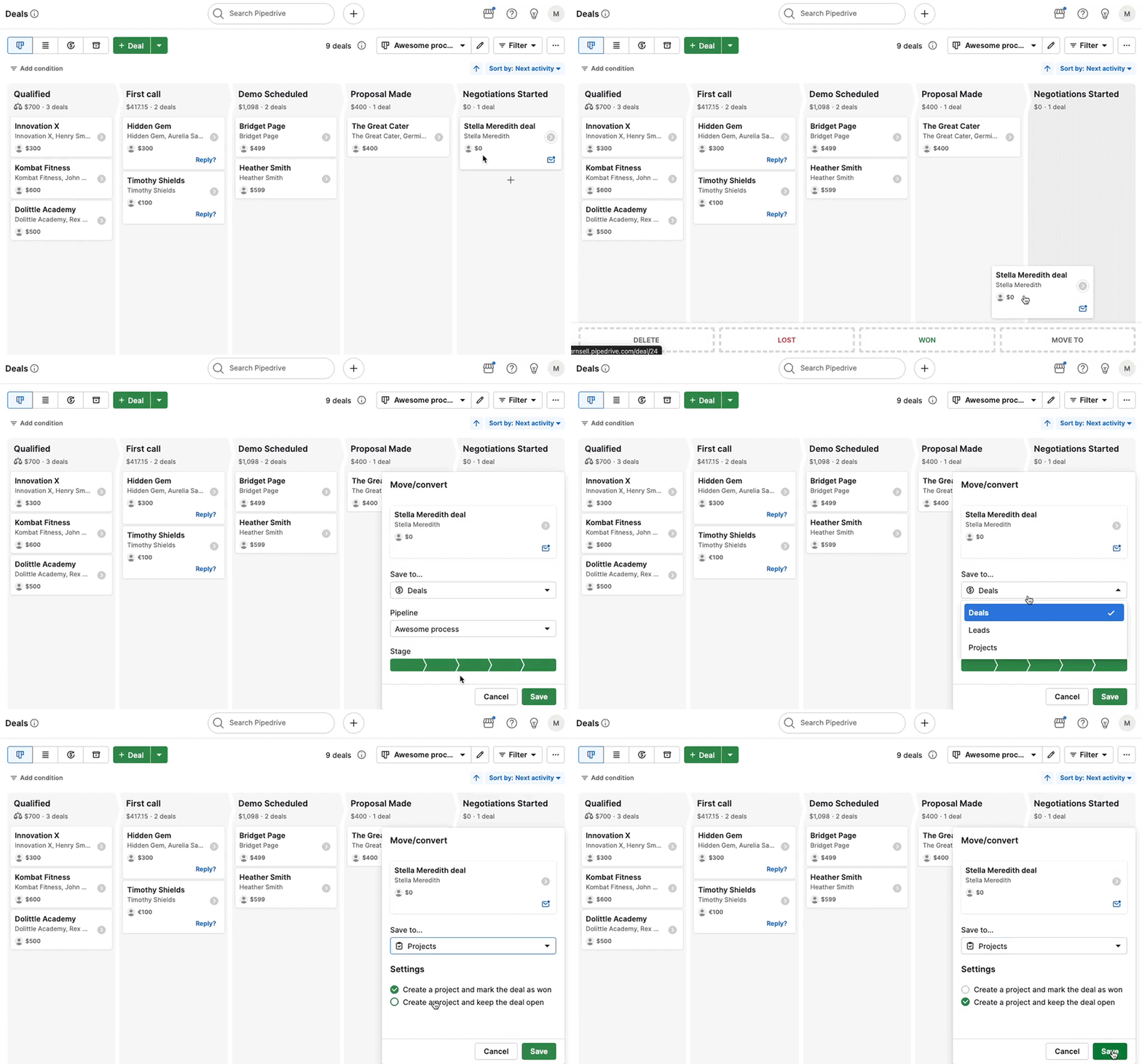
Pipedrive has a Projects feature, but it's an add-on included on Premium and Ultimate plans, not a core part of the architecture. It handles post-sales project tracking at a basic level but lacks timesheet tracking, resource planning, financial rollups, and the Outlook integration that makes eWay-CRM's approach work for service-delivery teams.
Source: Pipedrive
If your business ends at the sale, Pipedrive's project capabilities are adequate. If your business begins at the sale, eWay-CRM's CRM-to-project continuity sets it apart.
Automation and AI: different levels of sophistication
Pipedrive's automation engine is more mature and more flexible than eWay-CRM's.
Automations are available from the Growth plan onward and support event triggers (deal created, stage changed, activity completed), date triggers (fire before or after a date field), and if/else branching for conditional workflows. Actions include creating records, sending emails, firing webhooks, and pushing notifications to Slack, Teams, Trello, or Asana. A library of pre-built templates covers common use cases.
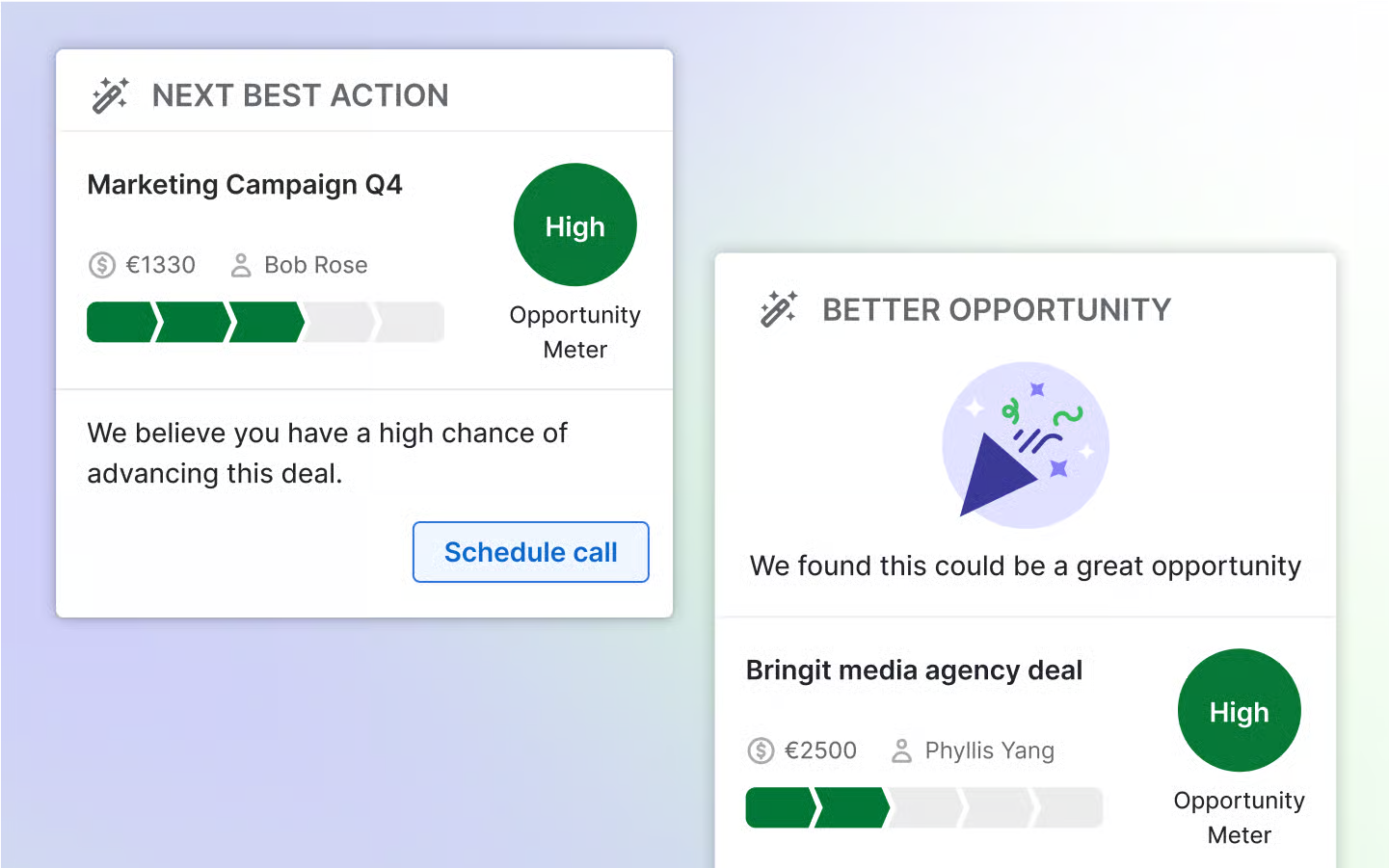
Pipedrive's AI layer includes an AI Sales Assistant that surfaces win probability predictions, deal activity reminders, and next-action recommendations. The AI email writer generates drafts from prompts with configurable tone and length. An AI report generator produces pipeline analyses from natural-language questions. The company frames its current phase as "Pipedrive 3.0", an AI-native CRM vision.
Source: Pipedrive
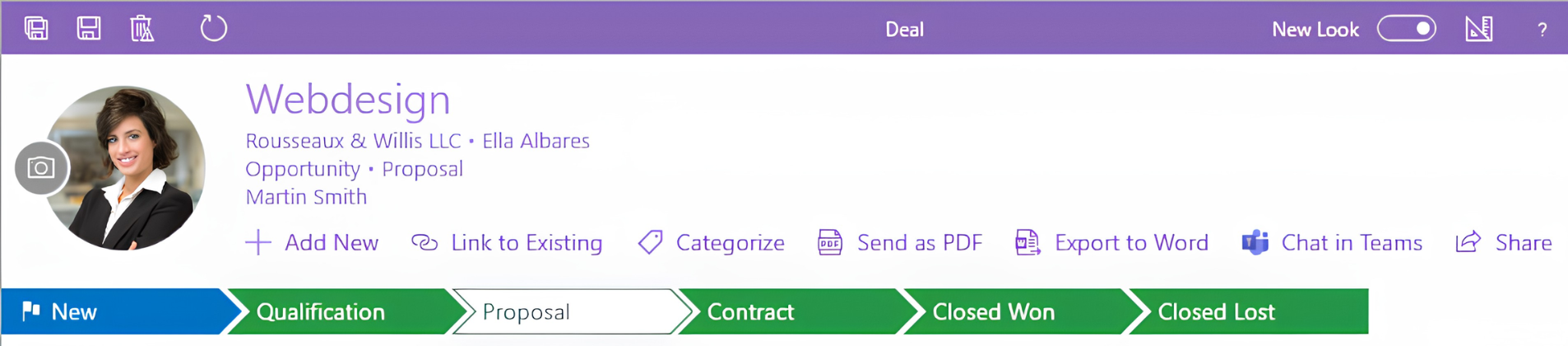
eWay-CRM's automation is more limited. Custom workflows can trigger follow-up reminders, enforce required fields on stage transitions, and send email notifications, but the logic doesn't match Pipedrive's branching and multi-action chains.
Source: eWay-CRM
On the AI front, eWay-CRM offers email tone analysis, urgency highlighting, message summarization, and signature extraction inside Outlook, plus AI-generated task suggestions from emails. These are helpful within the Outlook workflow but narrower in scope than Pipedrive's platform-wide AI features.
ZoomInfo adds the intelligence layer neither CRM provides
eWay-CRM organizes your contacts and deals inside Outlook. Pipedrive gives your pipeline visual clarity and workflow automation. Both work with the leads and contacts your team already has. Neither tells you who to contact next, which accounts are actively researching solutions like yours, or why a deal is moving.
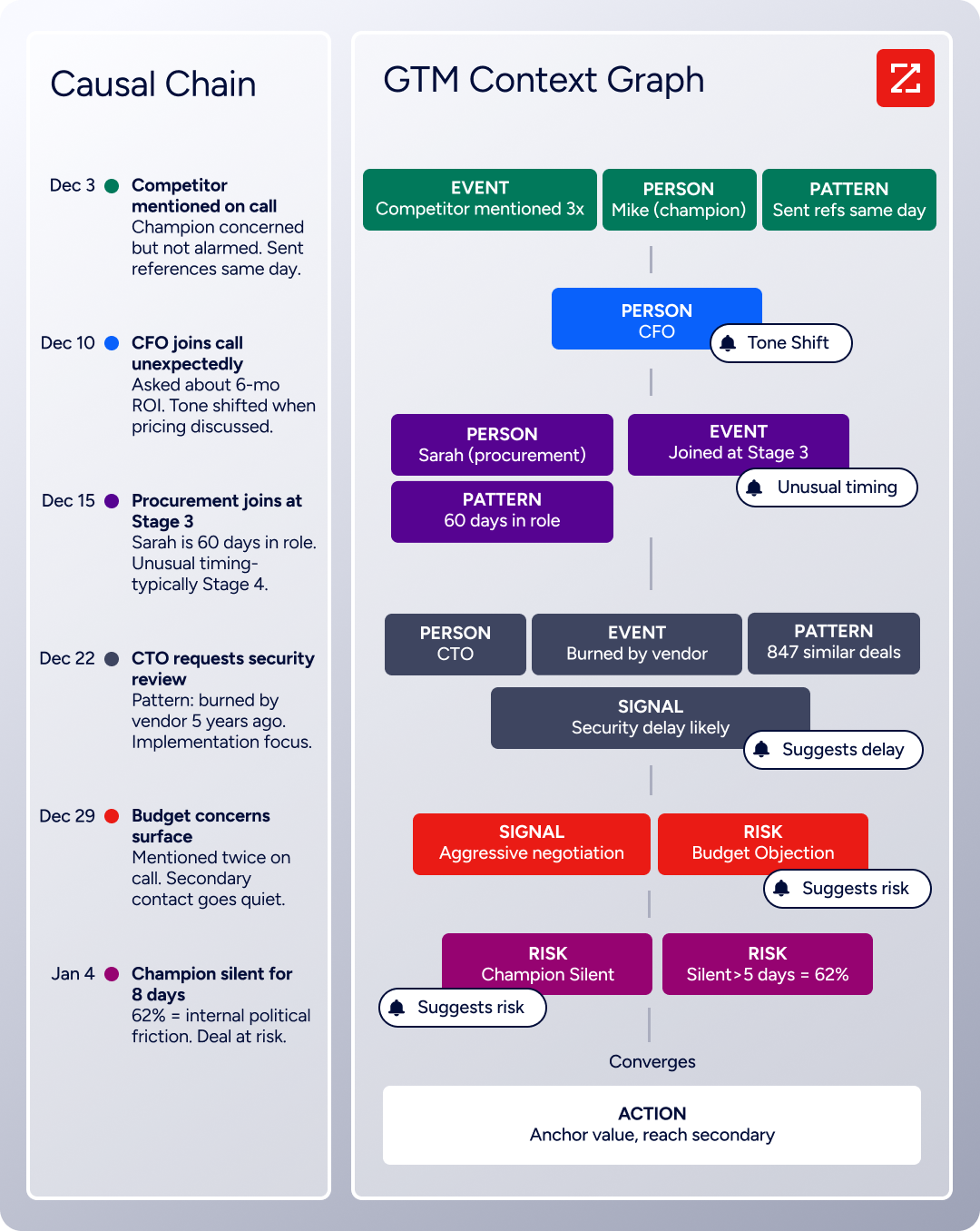
ZoomInfo fills that gap. The GTM Context Graph processes 1.5B + data points daily, combining ZoomInfo's B2B data with your CRM records, conversation transcripts, and behavioral signals. It captures not just what happened in a deal, but why it happened. A CRM records that a deal moved to Stage 4.
Source: ZoomInfo
ZoomInfo can tell you that the CFO joined the last call, asked ROI-focused questions that match patterns behind closed-won deals in your segment, and that the company is hiring three new VPs and researching your competitor.
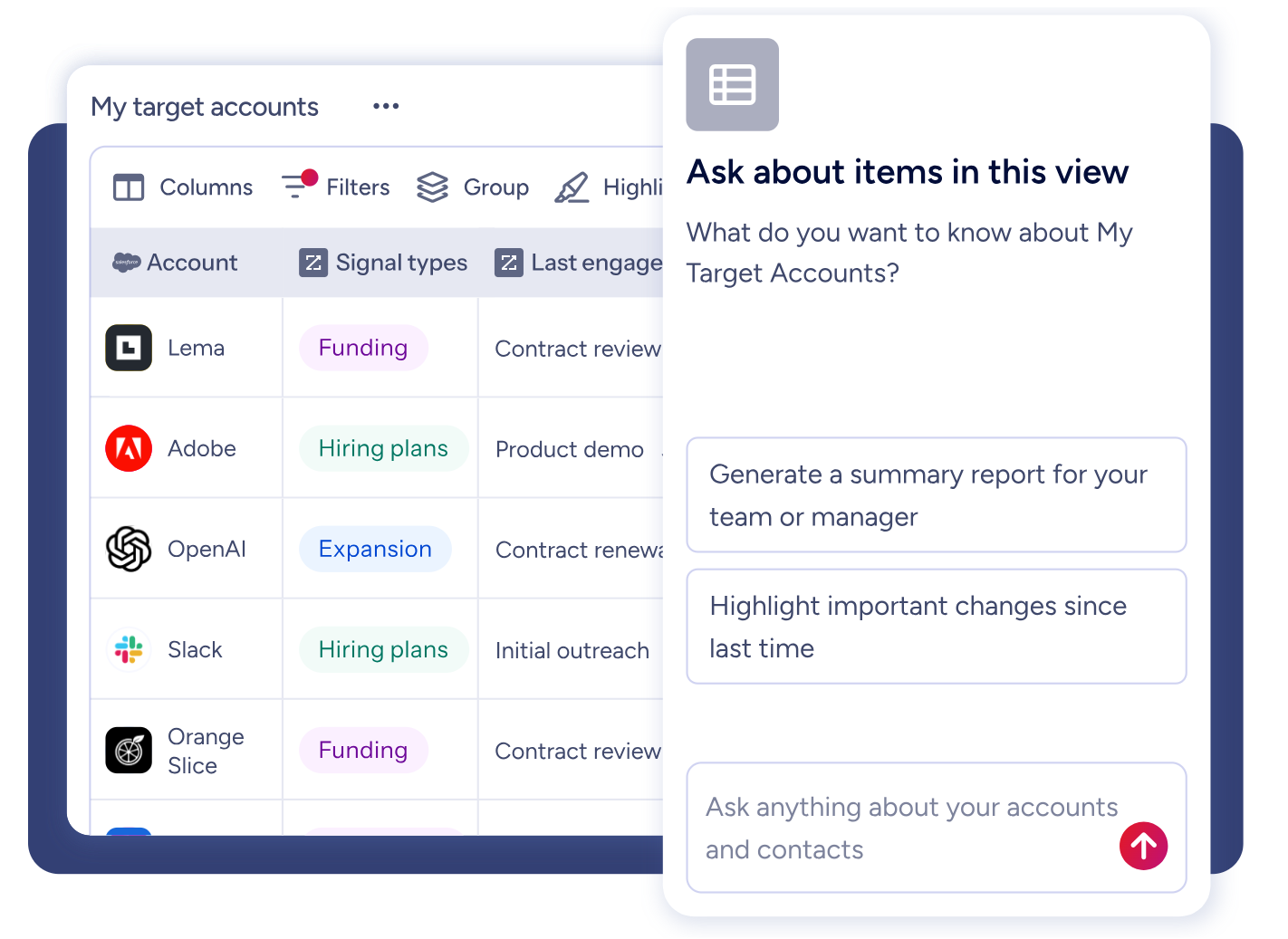
For sellers, GTM Workspace delivers this intelligence as a prioritized account feed with AI-drafted outreach that addresses the specific concerns in each deal. For marketers and RevOps teams, GTM Studio lets you describe audiences in plain language, launch multi-channel plays targeting accounts that match your proven win patterns, and watch pipeline impact in real time.
Source: ZoomInfo
The data foundation holds up to outside scrutiny. In a Fortune 500 competitive RFP analyzing 25 million contacts across vendors, the independent consultant concluded that "no other competitor came even close."
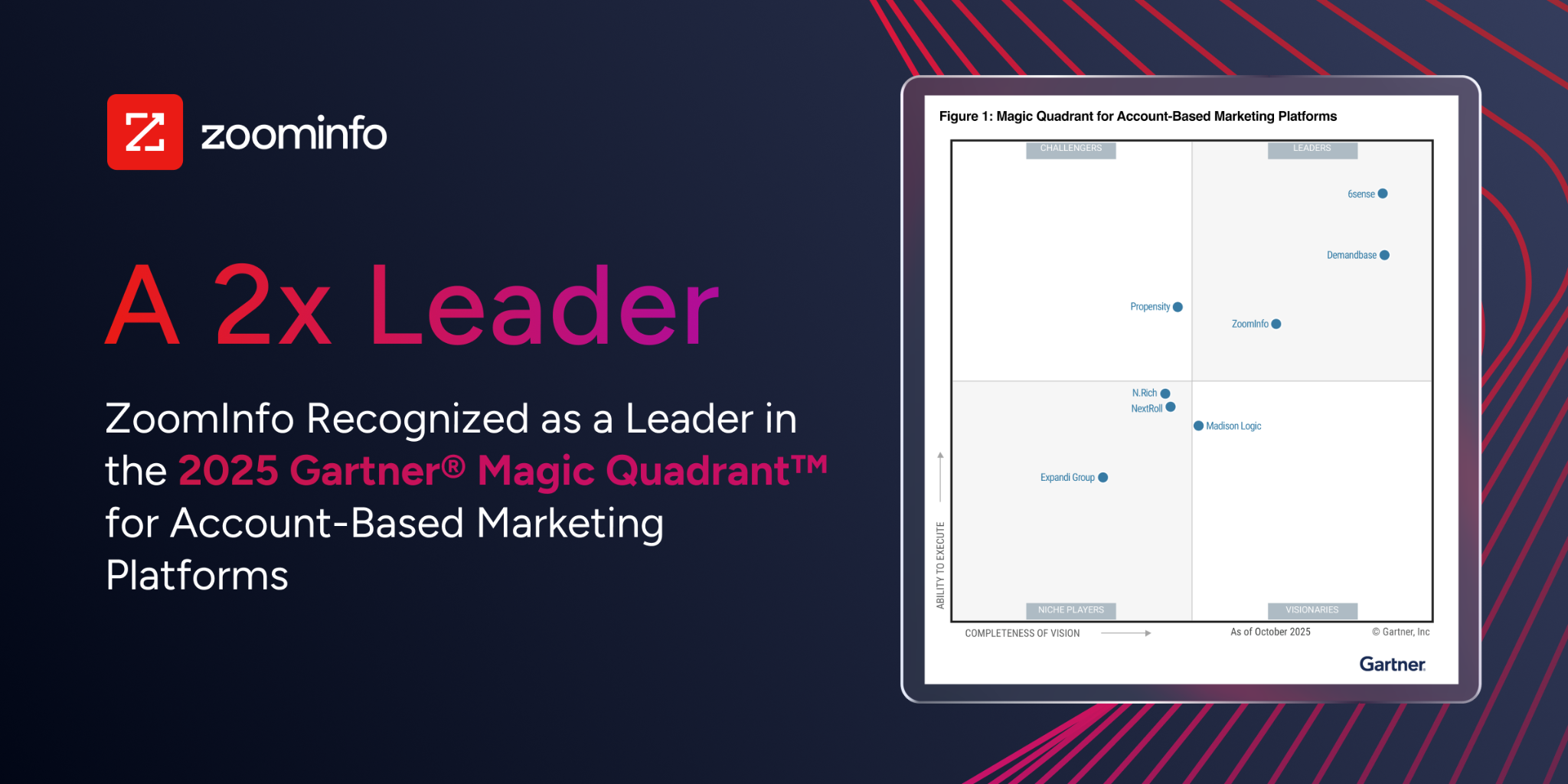
ZoomInfo holds 133 No. 1 rankings on G2 across Sales Intelligence, Buyer Intent, Data Quality, and related categories, and was named a Leader in the Gartner Magic Quadrant for ABM Platforms for the second consecutive year.
Source: ZoomInfo
"ZoomInfo's not just a contact data company anymore. They've built a full system of execution that works the list, writes the outreach, triggers the play, and helps drive predictable growth." (Ian Brodie, CEO & Co-Founder, Levanta)
Pricing comparison: different models for different buyers
The three platforms price themselves for different markets.
eWay-CRM offers the most accessible entry point. The free plan supports unlimited users with core CRM features, though it caps cloud storage at 200 MB and limits workflows to basics. Paid plans start at $20/user/month (Lite), with Standard at $27/user/month and Plus at $40/user/month.
Annual billing saves roughly 10%, and three-year commitments save about 25%. New signups get a 14-day free trial at the Plus tier before dropping to the free plan. Add-ons like QuickBooks integration and custom document templates cost extra.
Pipedrive starts at $14/seat/month (Lite), but the Lite plan lacks email sync, automations, and the meeting scheduler. Most teams need at least the Growth plan. The Premium plan includes Smart Docs, Projects, and LeadBooster (paid add-ons at lower tiers). Annual billing saves up to 42%. There is no free plan, only a 14-day free trial with no credit card required.
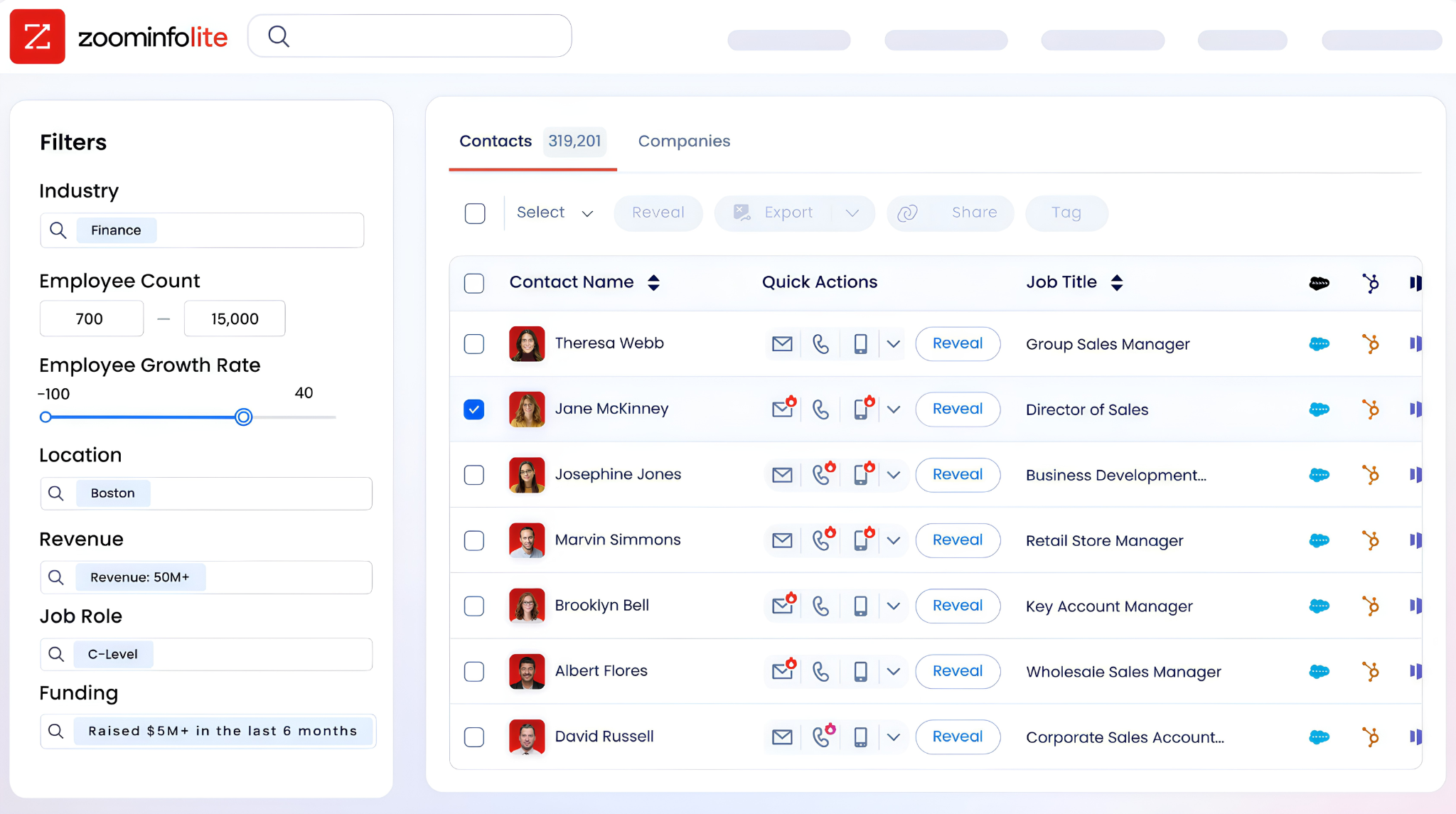
ZoomInfo uses custom-quoted, consumption-based pricing. There are no published dollar amounts for paid tiers. ZoomInfo Lite is a permanent free tier with access to the B2B database, 10 monthly export credits, and features like WebSights Lite and the Chrome extension. Paid plans span Sales, Marketing, and additional products, each with Professional, Advanced, and Enterprise tiers.
Source: ZoomInfo
"It brings time back to our day, something we're all begging for. And it helps us reach the company's goals and get more clients faster." (William Kenimer, VP of Revenue Operations, Vensure)
Integration ecosystems reflect each platform's world
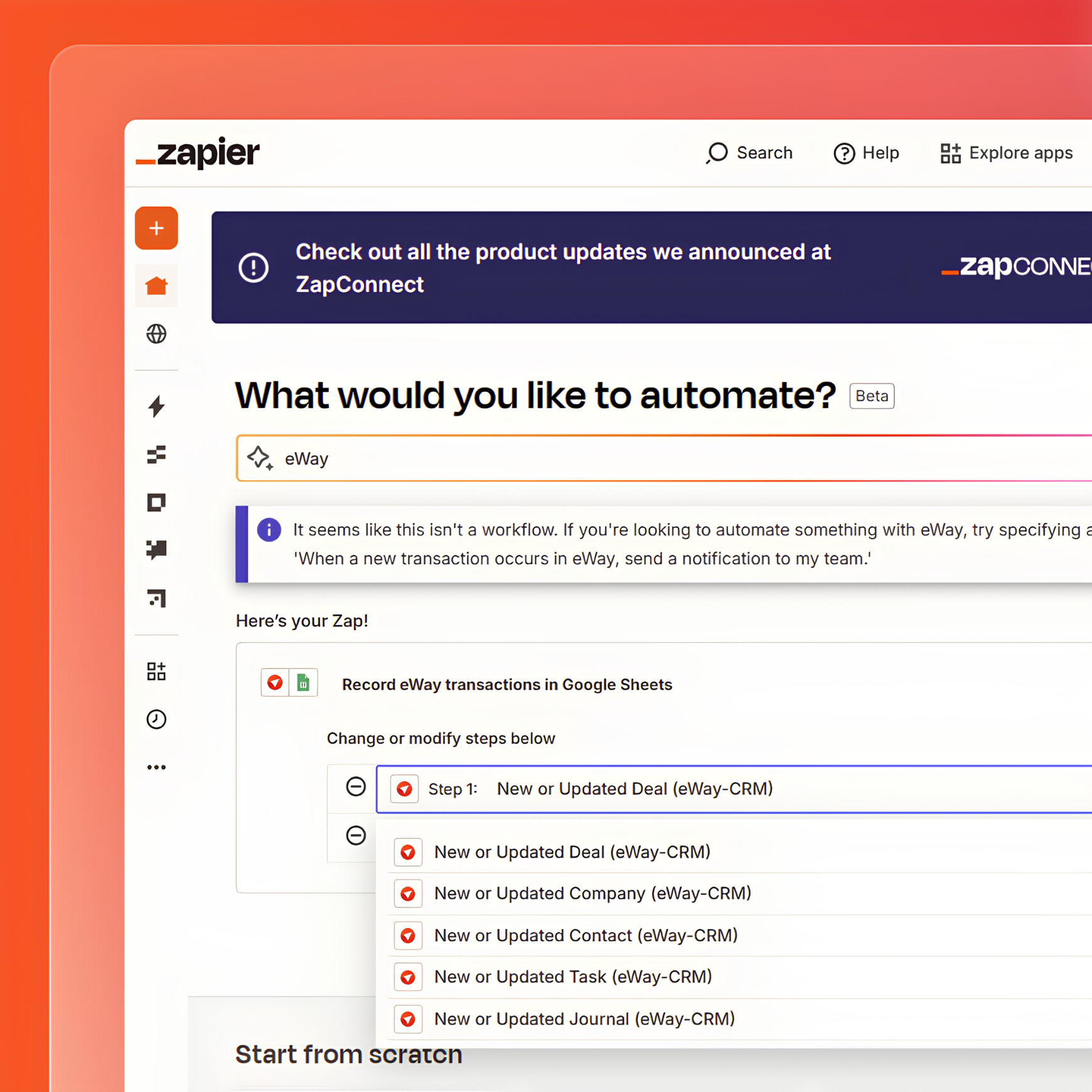
eWay-CRM's integration strategy goes deep on Microsoft. Beyond Outlook, the platform connects natively with Microsoft Teams, Power BI, SharePoint, and Power Automate. Email marketing syncs with Mailchimp and Constant Contact. A WordPress Contact Form 7 extension captures web leads. Zapier and Make provide broader connectivity.
Source: eWay-CRM
For teams living entirely in the Microsoft ecosystem, this coverage works. For teams using tools outside that world, the options thin out.
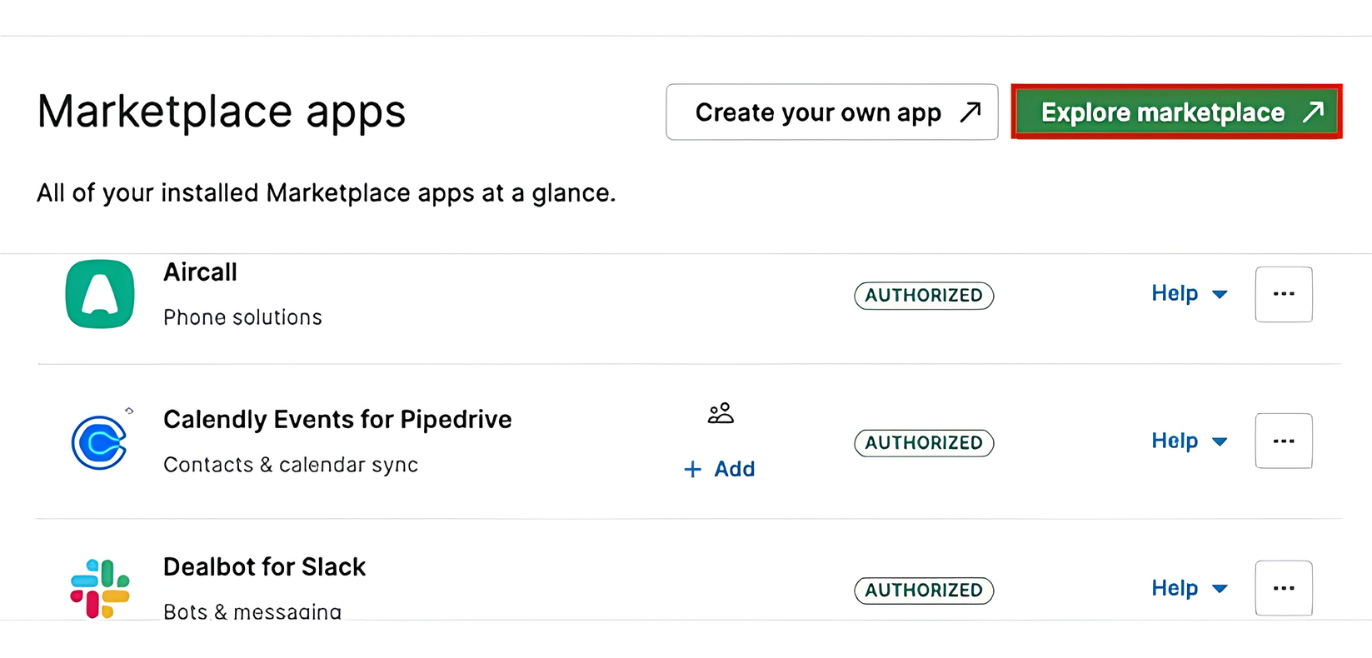
Pipedrive's integration breadth is its edge. The Marketplace lists 500+ integrations organized by revenue cycle stage, from lead generation to customer support. Key connections include Zapier, Google Meet, Microsoft Teams, Mailchimp, PandaDoc, DocuSign, QuickBooks, Xero, Stripe, and Slack.
Source: Pipedrive
A free open API is available on all plans, and the Developer Hub provides documentation, sandbox accounts, and official clients for Node.js and PHP. Webhooks v2 enables real-time event notifications for custom workflows.
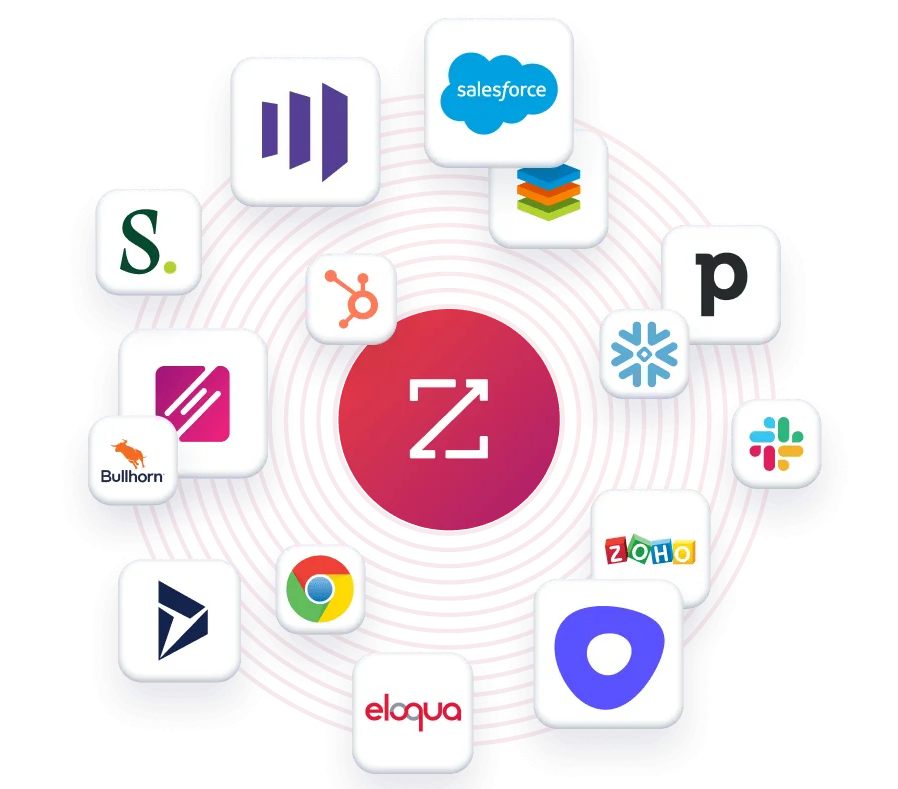
ZoomInfo operates at a different tier. The App Marketplace lists 172+ partners across CRM, marketing automation, sales engagement, data warehouse, and AI categories. Native integrations cover Salesforce, HubSpot, Microsoft Dynamics 365, and cloud data platforms (AWS, Snowflake, Google Cloud, Databricks).
Source: ZoomInfo
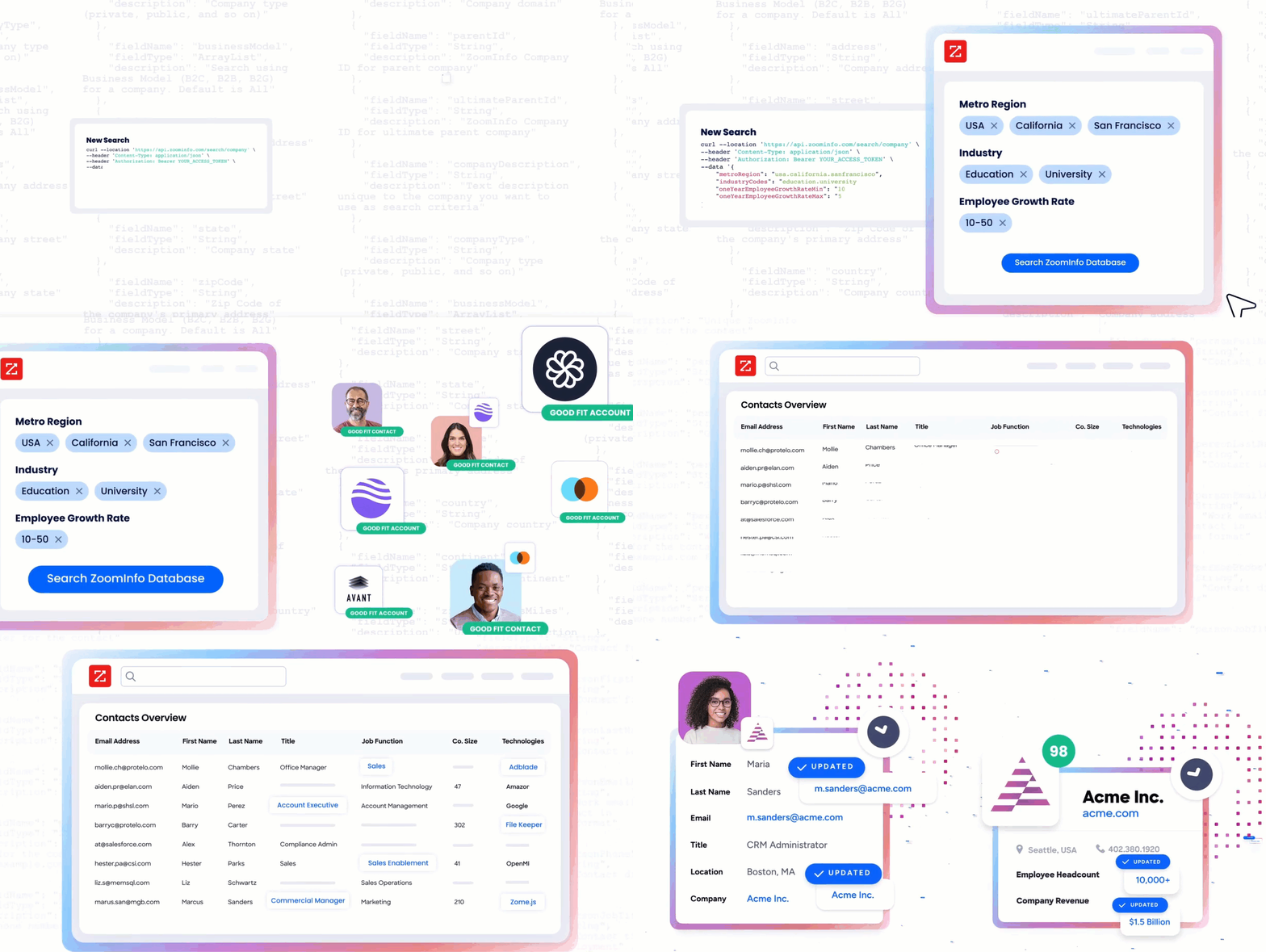
The Enterprise API and MCP server let teams pipe ZoomInfo intelligence into any tool or AI agent, including Claude and ChatGPT. API access is included in all relevant plans.
Source: ZoomInfo
"The plug-and-play aspect of the API means I can integrate it very easily into any process and get information at a moment's notice." (Jerry Wilson, Senior Marketing Intelligence Analyst, BDO Canada)
Email and communication: built-in vs. connected
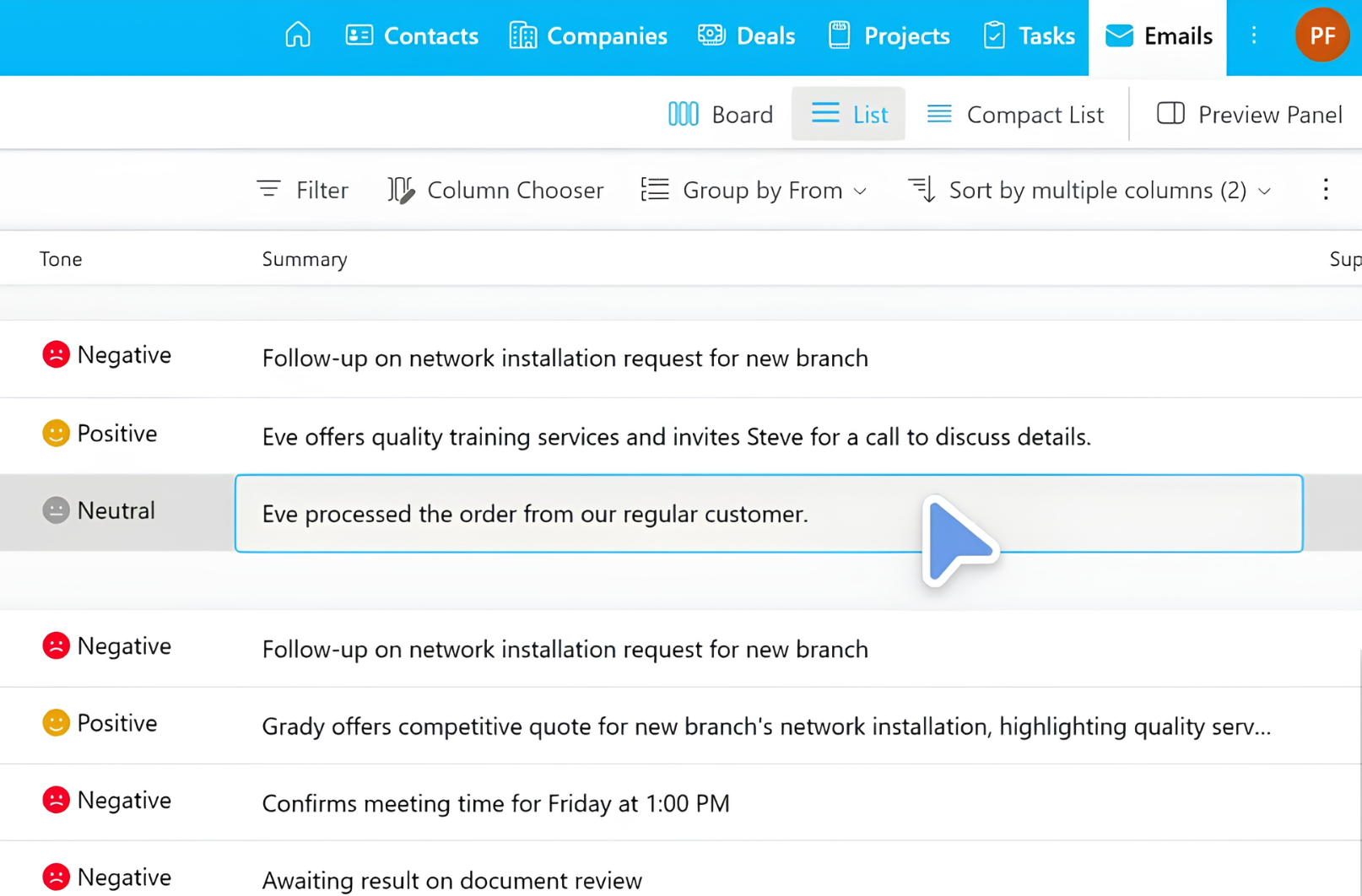
eWay-CRM has a structural advantage in email handling. Because the CRM lives inside Outlook, emails are automatically saved against the relevant contact and company without manual action.
AI analyzes email tonality and summarizes messages, surfacing urgent or frustrated-customer signals in the preview panel. Any email becomes a deal, contact, task, or project with a right-click. The entire team sees the complete communication history for every contact and company.
Source: eWay-CRM
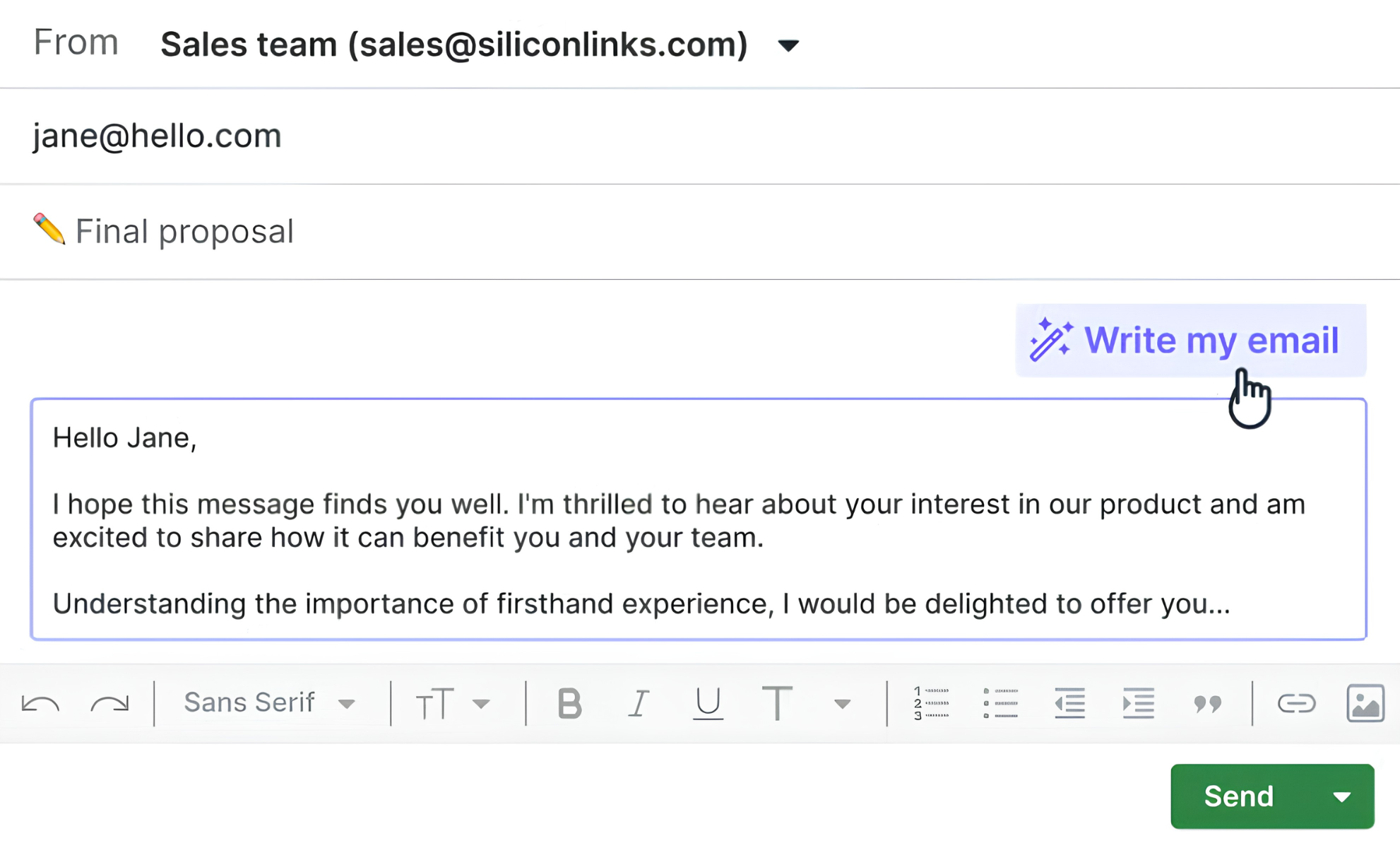
Pipedrive connects to email through a two-way sync with Gmail, Outlook, Office 365, or any IMAP account. Emails automatically link to deals, leads, or projects. The built-in Sales Inbox provides email templates, group email (up to 100 contacts), email scheduling, and real-time open and click tracking.
The AI email writer generates drafts from prompts. A Scheduler feature generates shareable booking links that integrate with Zoom, Teams, and Google Meet.
Source: Pipedrive
Pipedrive's communication tools are broader (scheduling, tracking, templates, group email, calling), but eWay-CRM's email integration is deeper. For teams where the email thread is the primary sales artifact, eWay-CRM's automatic logging and team-wide visibility are hard to match in a standalone CRM.
Mobile access and field selling
Both eWay-CRM and Pipedrive offer mobile apps, but with different emphasis.
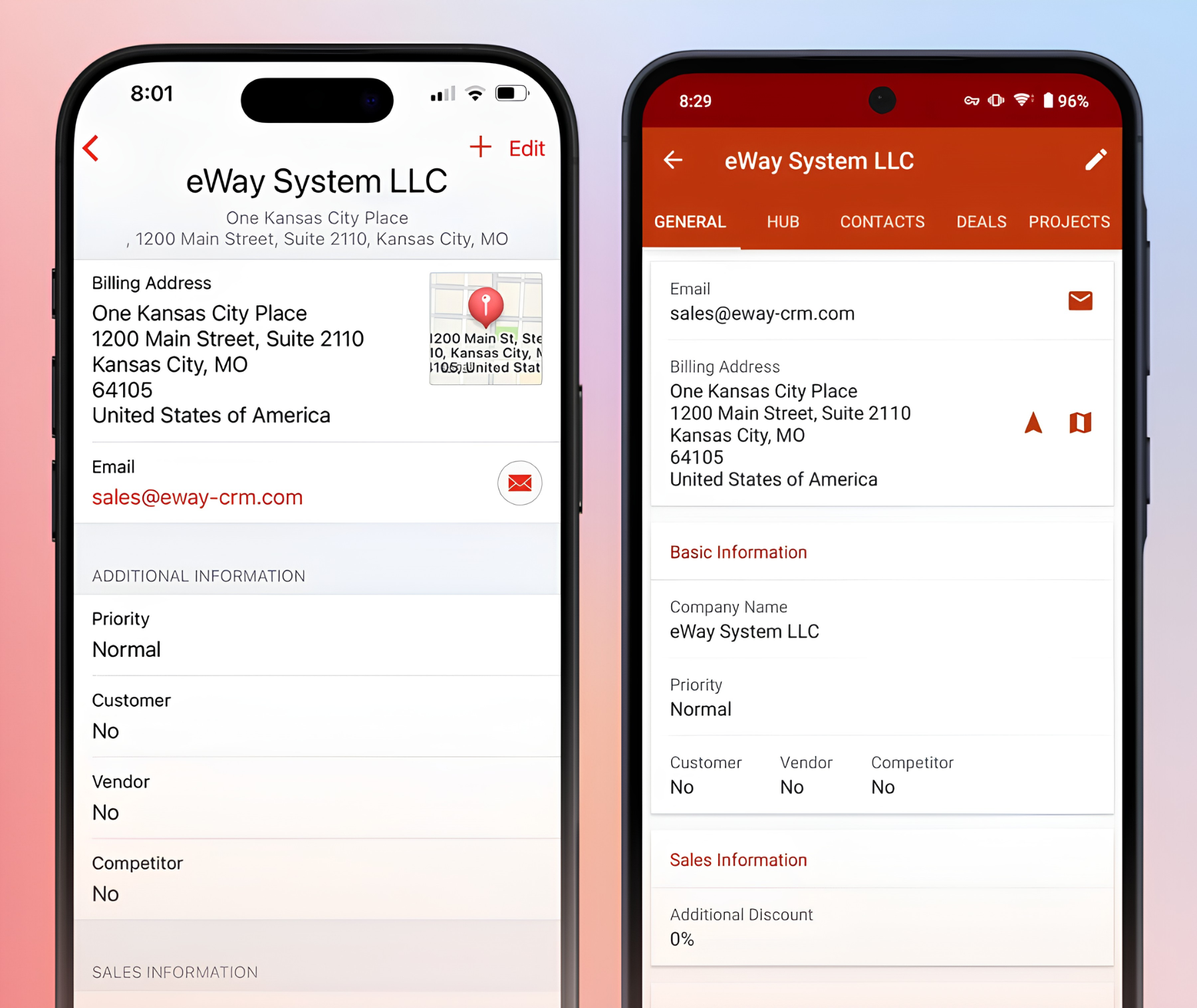
eWay-CRM's iOS and Android apps give access to the full contact, company, deal, and project database with an offline mode that syncs when connectivity returns. The mobile experience extends the Outlook-native workflow, though the product is clearly designed around the desktop Outlook experience.
Source: eWay-CRM
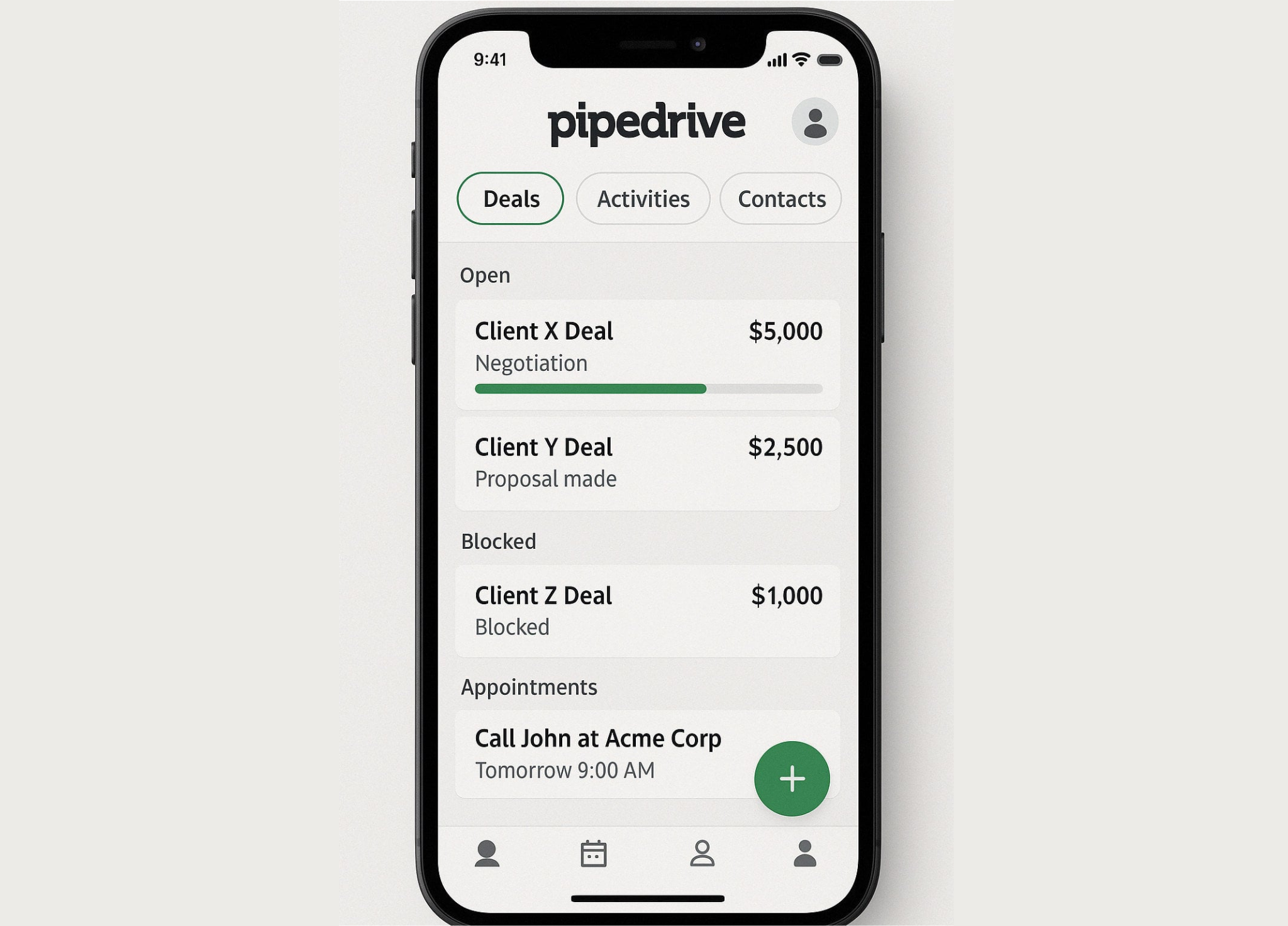
Pipedrive's mobile app is built for reps who sell in the field. It includes the full pipeline view, deal editing, a calendar, in-app calling with automatic call logging, two-way email sync, offline mode, a business card scanner (iOS), audio notes, photo uploads, a "Nearby" feature that shows geographically close clients on a map, and push notifications. For field sales teams, Pipedrive's mobile experience is more thorough.
Source: Pipedrive
Security and compliance
All three platforms hold ISO 27001 certification as a common baseline.
eWay-CRM holds ISO/IEC 27001 certification and is GDPR compliant. Cloud data is secured by SSL with 4096 SHA2 RSA encryption and protected by Cloudflare. A distinguishing feature: eWay-CRM supports on-premise deployment, giving organizations full control over their data. Cloud hosting is split by region (OVH US for North America, Czech Republic for EU clients).
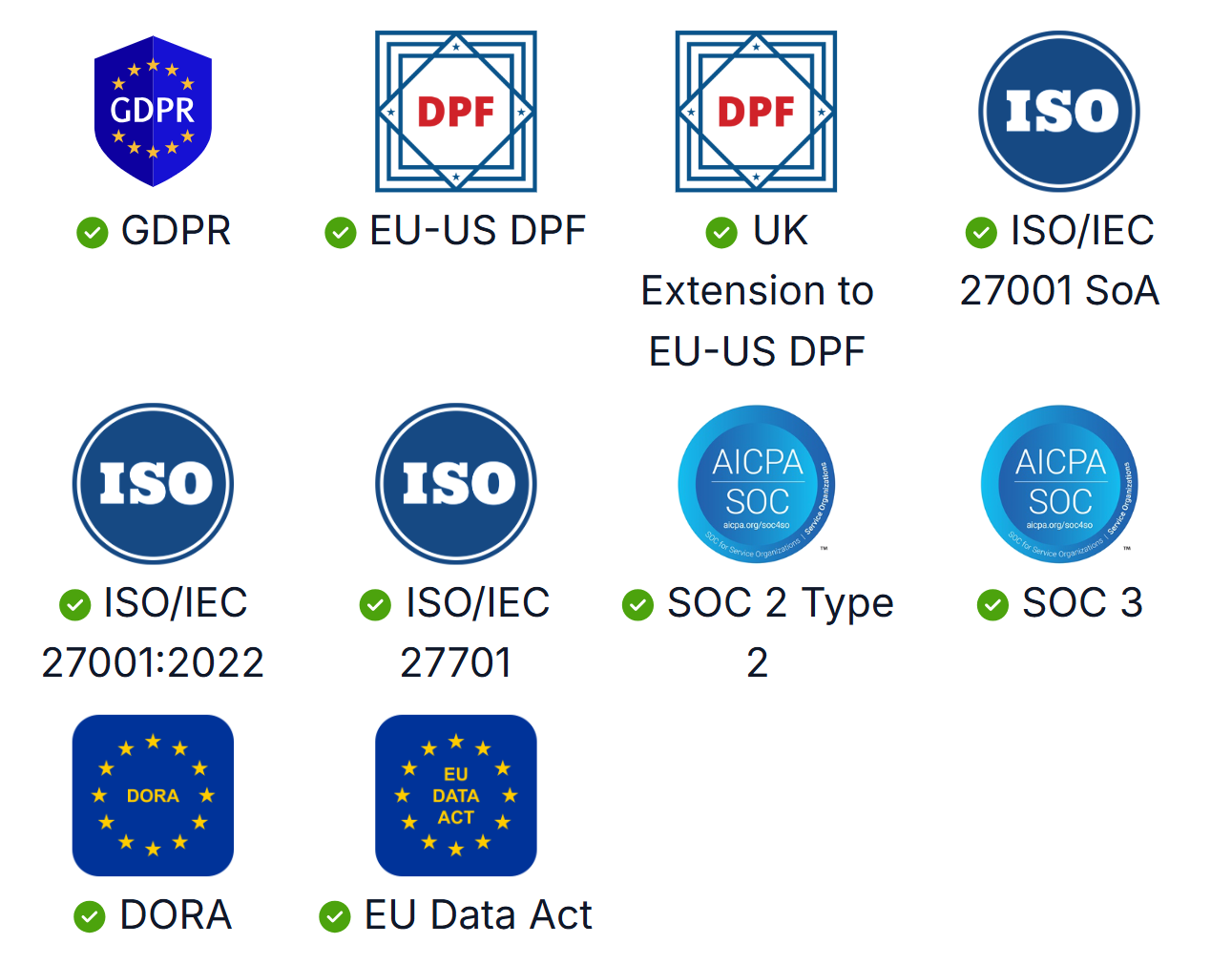
Pipedrive holds ISO/IEC 27001:2022, ISO/IEC 27701:2019, and SOC 2 Type 2 certifications. Data is hosted on AWS with separate databases per customer, daily backups going back three months, and AES-256 encryption. The platform also carries DORA compliance for EU financial sector requirements and a SecurityScorecard grade A.
Source: Pipedrive
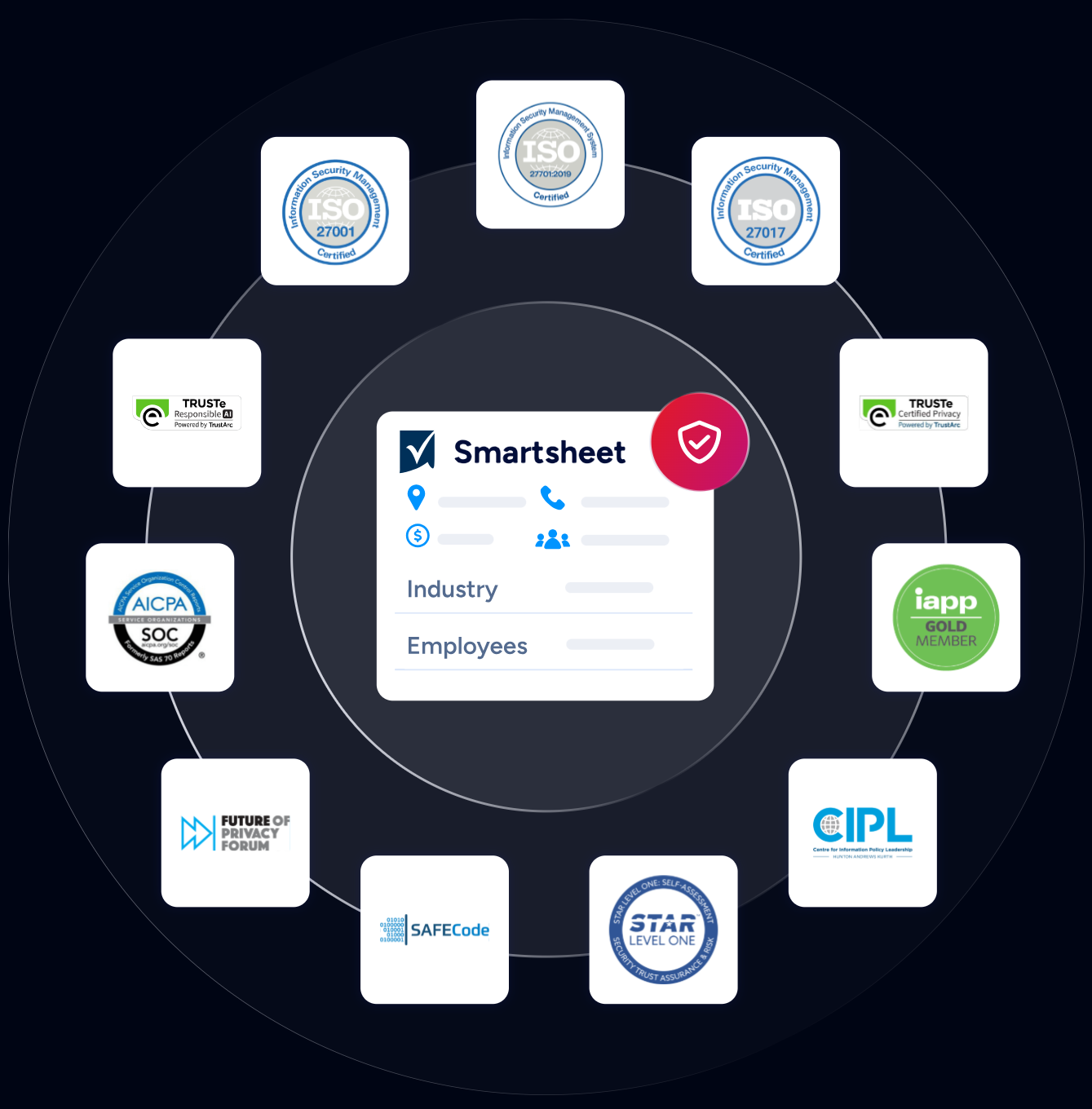
ZoomInfo maintains ISO 27001, ISO 27701, SOC 2 Type II, TRUSTe GDPR, and TRUSTe CCPA certifications, all renewed annually. ZoomInfo is a registered data broker in California and Vermont and operates a dedicated Trust Center. For teams in regulated industries where data provenance and privacy compliance matter, ZoomInfo's certification stack is the broadest of the three.
Source: ZoomInfo
eWay-CRM vs. Pipedrive vs. ZoomInfo: Which should you choose?
The right choice depends on where your sales process needs the most help.
Choose eWay-CRM if:
Your team lives in Microsoft Outlook and doesn't want to adopt a new tool
You need CRM and project management in one system
You deliver services or products after the sale and need to track profitability
You want a permanently free CRM with room to grow into paid tiers
On-premise data hosting is a requirement
Choose Pipedrive if:
Your priority is pipeline visibility and sales execution speed
You need automation to eliminate repetitive sales tasks
Your team uses a mix of tools and needs broad marketplace integrations
Field selling and mobile CRM are important to your workflow
You want a focused sales CRM at an accessible price point
Choose ZoomInfo if:
You need to know who to contact, not just track the ones you already know
Buyer intent signals and in-market account identification are valuable to your process
You want AI that understands your deals, not just records their status
You need verified contact data at scale (direct dials, business emails) with confidence in accuracy
Your sales, marketing, and RevOps teams need a shared intelligence layer
Try the full ZoomInfo platform in action with a free trial or start with ZoomInfo Lite for free.
eWay-CRM and Pipedrive are both good CRMs for organizing sales activity. eWay-CRM is the right pick for Outlook-centric teams that need project delivery tracking. Pipedrive is the right pick for teams that want a visual, automated pipeline and broad integrations.
But if your challenge isn't organizing what you already have (it's finding the right accounts and understanding what's actually driving your deals) ZoomInfo provides an intelligence layer that neither CRM was designed to offer.
"That combination of our internal CRM data, external signals, and AI that's given all that context has helped us craft very specific account- and persona-based messages. And people have responded to them right away." (Toby Carrington, Chief Business Officer, Seismic)
eWay-CRM vs. Pipedrive vs. ZoomInfo FAQ
What is the core difference between eWay-CRM, Pipedrive, and ZoomInfo?
eWay-CRM is a CRM that lives inside Microsoft Outlook, built for teams that want contacts, deals, and project delivery managed without leaving their email. Pipedrive is a standalone visual pipeline CRM built for sales teams that want deal tracking, automation, and a broad integration ecosystem.
ZoomInfo is an AI-powered go-to-market platform that provides B2B intelligence, buyer intent signals, and AI-driven execution on top of its B2B dataset (500M contacts, 100M companies).
Which platform is cheapest to get started with?
eWay-CRM has the most generous free plan, supporting unlimited users with core CRM features at no cost. ZoomInfo Lite offers a permanent free tier with 10 monthly export credits and access to the B2B database. Pipedrive has no free plan, only a 14-day free trial.
For paid plans, Pipedrive starts at $14/seat/month (Lite), eWay-CRM at $20/user/month (Lite), and ZoomInfo uses consumption-based pricing.
Which CRM is best for teams that use Microsoft Outlook?
eWay-CRM is built for Outlook users. It installs as an Outlook add-in, so contacts, deals, projects, and emails all live in the same interface. Emails log against the right contact automatically, without manual action. Pipedrive connects to Outlook through a two-way email sync, but it's a separate web application.
ZoomInfo integrates with Outlook Calendar via its marketplace but is primarily accessed through its own platform.
Can I manage post-sale projects in any of these platforms?
eWay-CRM is the strongest option for post-sale project management. When a deal closes, it converts directly into a project with all emails, notes, and documents intact. The Projects module includes timesheets, budget tracking, resource planning with overallocation detection, and subproject hierarchies with financial rollup.
Pipedrive offers a Projects add-on on Premium and Ultimate plans, but it lacks timesheet tracking, resource planning, and financial reporting. ZoomInfo is not a project management tool.
Which platform has the best AI features?
ZoomInfo's AI capabilities are the broadest. Its GTM Context Graph combines B2B data with CRM records and behavioral signals to provide AI-driven account research, buyer intent identification, and personalized outreach generation.
Pipedrive offers an AI Sales Assistant for deal prioritization, an AI email writer, and AI-generated reports. eWay-CRM's AI focuses on email tone analysis, message summarization, contact extraction from signatures, and task suggestions, all within the Outlook interface.
Which platform is best for lead generation and prospecting?
ZoomInfo is built for prospecting, with 500M contacts, 135M+ verified phone numbers, and 200M+ verified business email addresses. Its buyer intent signals identify companies actively researching relevant topics.
Pipedrive's LeadBooster add-on includes a chatbot, live chat, web forms, and a Prospector tool with access to over 400 million profiles. eWay-CRM does not include native lead generation tools, though it integrates with Mailchimp and Constant Contact for marketing campaigns and offers a WordPress form connector for web leads.
Do any of these platforms offer on-premise deployment?
Only eWay-CRM supports on-premise deployment, allowing organizations to host CRM data entirely on their own servers. Pipedrive is cloud-only, hosted on AWS. ZoomInfo is cloud-based with enterprise data delivery options (Data Cubes via AWS, Snowflake, Google Cloud, and Databricks) but does not offer on-premise installation of the core platform.
How do the platforms handle data security and compliance?
All three hold ISO 27001 certification. Pipedrive adds ISO 27701 and SOC 2 Type 2, with DORA compliance for EU financial sector customers.
ZoomInfo has the broadest certification stack: ISO 27001, ISO 27701, SOC 2 Type II, and TRUSTe validations for both GDPR and CCPA, with a public Trust Center. eWay-CRM is ISO 27001 certified and GDPR compliant, with the added option of on-premise hosting for full data sovereignty.
