
If you're comparing GMass vs. YAMM, you've already decided to send email campaigns from Gmail. Both tools turn Gmail into something it was never designed to be: a mass email platform. But the differences between them matter more than most comparisons suggest.
The questions you should be asking:
Do you want your campaign controls inside Gmail or inside Google Sheets?
How important are automated follow-up sequences and A/B testing to your outreach?
Do you need to exceed Gmail's daily sending limits, or can you work within them?
Does your organization require formal security certifications like ISO 27001 or HIPAA compliance?
Are you sending to contacts you already know, or do you need to find the right contacts first?
In short, here's what we recommend:
GMass is the workhorse for Gmail-based outreach. Its Chrome extension installs in 30 seconds and adds a send button to Gmail's compose window, so you never leave your inbox.
With unlimited follow-up stages, SpinMax AI generating unique wording variations for every email, and multiple mechanisms for bypassing Gmail's daily sending limits via SMTP integration, GMass gives outreach teams more control over campaigns. However, it only works in Chrome with Gmail, lacks native CRM integrations with Salesforce and HubSpot, and holds no formal security certifications.
YAMM is the simplest path from a Google Sheet to a sent campaign. As a Google Sheets add-on, it keeps your contact list and tracking data in the same spreadsheet, with real-time status updates per recipient row.
YAMM is the compliance-ready option: ISO 27001 certified, GDPR compliant, and HIPAA compliant with a BAA available. It also offers native CRM integrations with HubSpot, Salesforce, Copper, and Mailchimp. But YAMM has no way to exceed Gmail's sending quotas, no A/B testing, and no visual email builder.
Both tools solve the same narrow problem well: sending personalized emails from Gmail at moderate scale. But neither answers the question that determines whether those emails work: are you sending to the right people at the right time? That's a data problem, not a sending problem.
ZoomInfo is a B2B data and GTM intelligence platform built on 500M contacts, 100M companies, 135M+ verified phone numbers, and 200M+ verified business email addresses.
While GMass and YAMM handle sending mechanics, ZoomInfo handles everything upstream: identifying which accounts are in-market, surfacing the right contacts within those accounts, and providing the intelligence that makes outreach relevant.
Its GTM Context Graph processes 1.5B + data points daily, combining your CRM records, conversation transcripts, and behavioral signals with ZoomInfo's third-party data to reveal not just who to contact, but why they're worth contacting now. Teams access this intelligence through the GTM Workspace for sellers, GTM Studio for marketers and RevOps, or APIs and MCP to power any third-party tool.
To see how ZoomInfo's intelligence transforms outreach from a volume play to precision targeting, start a free trial here.
GMass vs. YAMM vs. ZoomInfo at a glance
GMass | YAMM | ZoomInfo | |
|---|---|---|---|
Core approach | Gmail Chrome extension for email campaigns | Google Sheets add-on for mail merge | B2B data and GTM intelligence platform |
Primary strength | Advanced follow-ups, AI personalization, SMTP bypass | Simplicity, compliance certifications, CRM integrations | Contact data, buyer intent signals, AI-driven targeting |
Sending limits | Multiple bypass mechanisms via SMTP | Bound by Gmail quotas (max 1,500/day) | Built-in email sending via GTM Workspace; multi-channel outreach |
CRM integrations | Zapier and Google Sheets workarounds | HubSpot, Salesforce, Copper, Mailchimp | 120+ integrations including Salesforce, HubSpot, Dynamics 365 |
AI features | SpinMax, ChatGPT campaign builder, AI Spam Solver | Basic AI writing utilities | GTM Context Graph, AI account prioritization, AI-drafted outreach |
Security certifications | None disclosed | ISO 27001, HIPAA, GDPR, FERPA | ISO 27001, ISO 27701, SOC 2 Type II, TRUSTe GDPR/CCPA |
Free option | Free plan (limited) | Free plan (20 emails/day, permanent) | ZoomInfo Lite (permanent free tier) + 7-day trial |
Starting price | $29.95/month | Annual only (varies by country) | Custom-quoted |
Best for | Solo operators and small teams who need Gmail sending tools | Google Workspace organizations needing simple, compliant mail merge | B2B teams that need verified contact data, intent signals, and AI-driven targeting |
GMass lives in Gmail, YAMM lives in Google Sheets
This is the architectural decision that shapes everything else about these two tools.
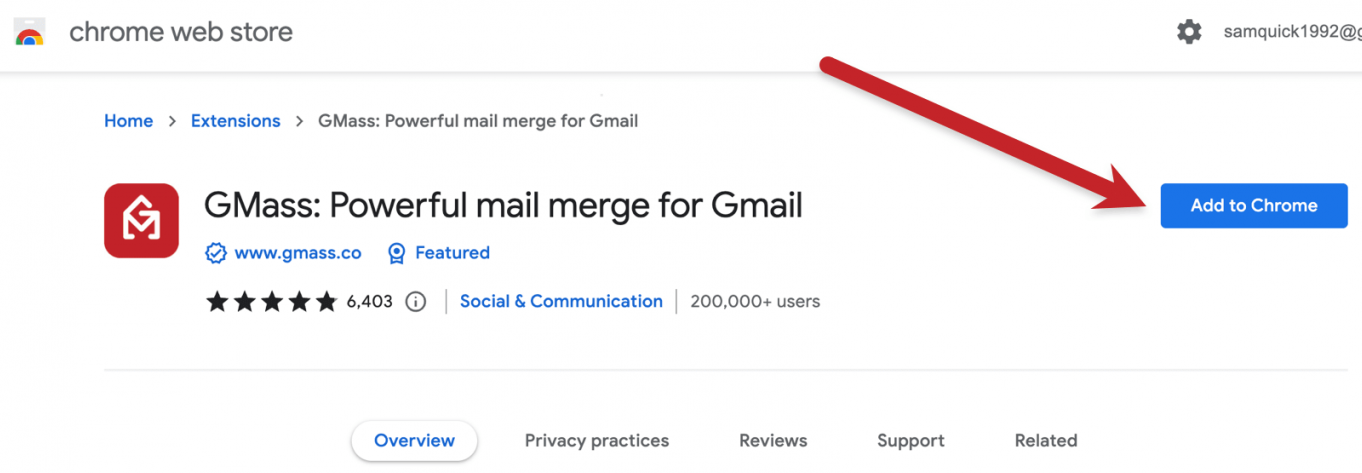
GMass is a Chrome extension that adds a button to Gmail's compose window. You write your email in Gmail, connect a Google Sheet for merge fields, configure follow-ups and scheduling in a settings panel, and click the GMass button instead of Send. The entire experience happens inside your inbox.
Source: GMass
YAMM is a Google Sheets add-on. You prepare your contact list in a spreadsheet, draft your template as a Gmail draft, then return to the spreadsheet and launch the merge from the sidebar. Tracking data writes back to the same sheet. The workflow mirrors existing Gmail habits but centers on the spreadsheet as the control surface.
Source: YAMM
For people who live in Gmail, GMass feels natural. You compose, configure, and send without switching tabs. For people who live in spreadsheets, YAMM makes more sense. Your contact list, campaign settings, and results all exist in one Sheet.
Neither approach is wrong. But GMass's Gmail-native position gives it an advantage for follow-up sequences and campaign iteration, because those controls sit where you're already reading replies. YAMM's spreadsheet-native position works better for teams that manage contacts in Sheets and want tracking data visible in the same grid.
Follow-up sequences separate GMass from YAMM
This is where the gap between the two tools widens.
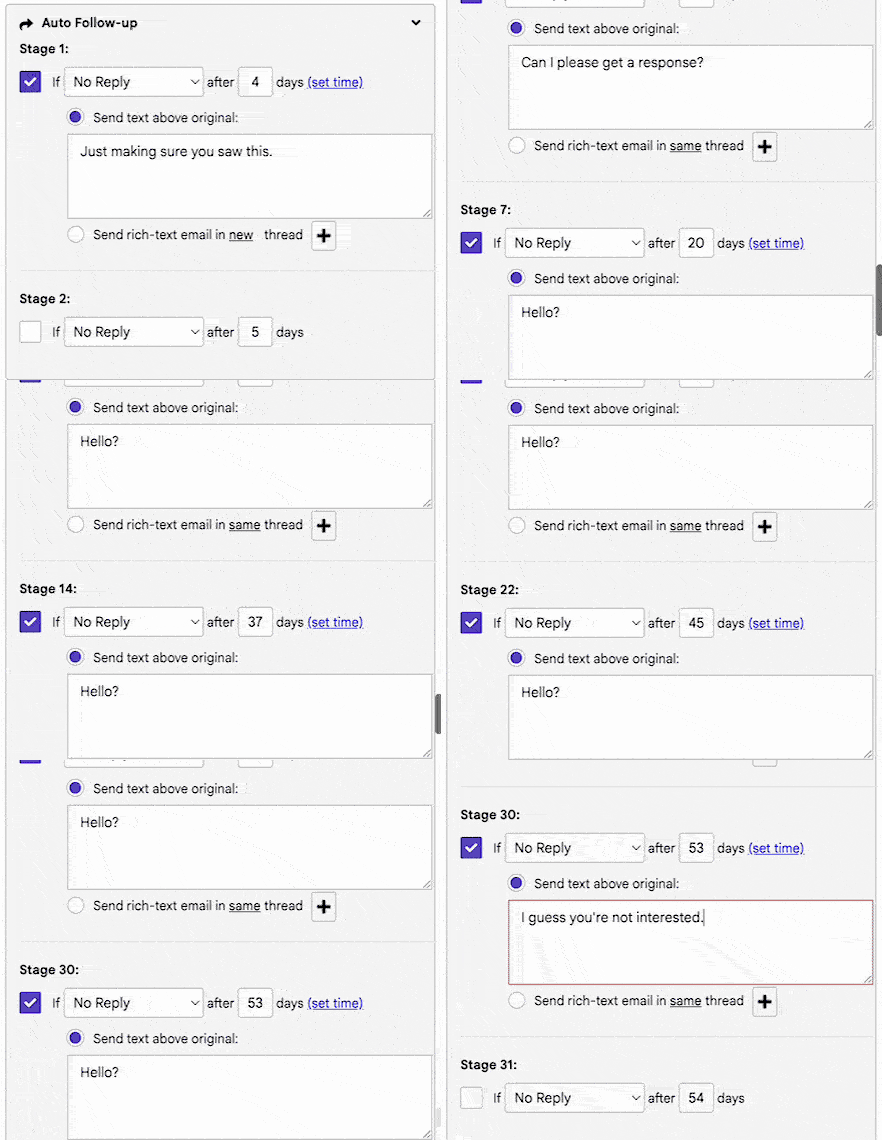
GMass supports unlimited follow-up stages in a single sequence, each with configurable timing, stopping conditions, and content. Follow-ups stop automatically when a recipient replies, opens, clicks, or meets whatever condition you set.
Source: GMass
One useful feature: domain-level stopping removes all contacts at a company domain from remaining stages when any one person at that domain replies. You can add or edit follow-up stages after a campaign has started sending, without disrupting recipients already in the sequence.
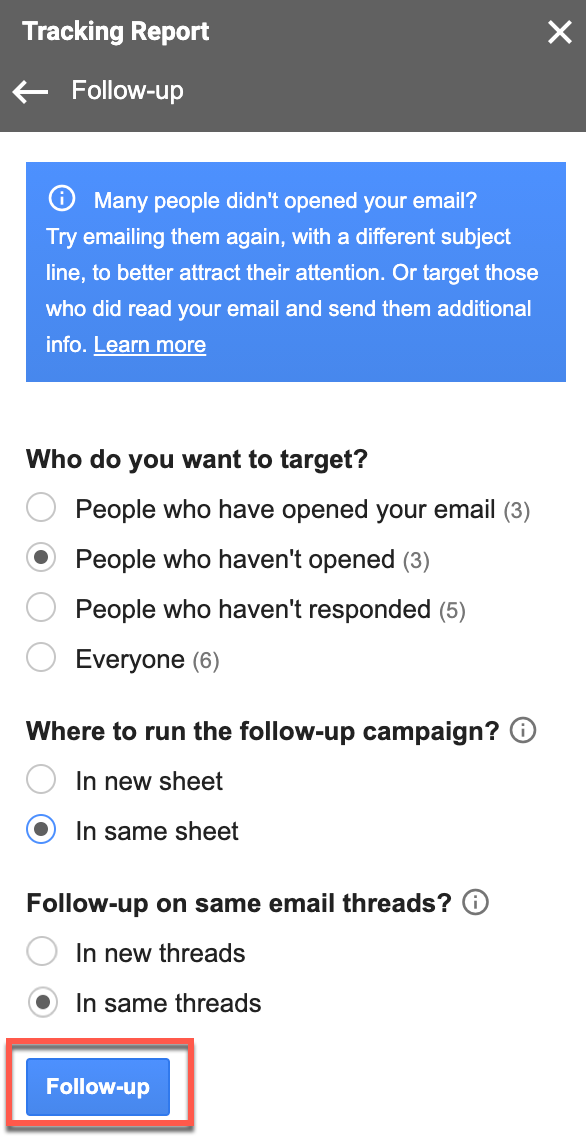
YAMM's follow-up capability is more basic. You can send follow-ups filtered by engagement status (targeting openers, non-openers, or non-responders), and follow-ups can be sent as replies in the same email thread. But each follow-up requires manual initiation from the tracking report sidebar. There's no automated multi-stage sequence.
Source: YAMM
For cold outreach, where most campaigns fail because nobody follows up, this difference matters. GMass lets you build a five-stage sequence that runs for weeks without intervention. YAMM requires you to check back and manually trigger each follow-up round.
GMass breaks Gmail's limits, YAMM works within them
Gmail caps sending at 500 emails per day for free accounts and 2,000 per day for Google Workspace. For small campaigns, that's fine. For anything larger, it's a hard wall.
GMass offers seven mechanisms to exceed these limits: automatic distribution across multiple days, routing overflow through GMass's internal SMTP servers, instant SMTP approval when campaigns hit Gmail limits mid-send, third-party SMTP integration (SendGrid, Mailgun, Amazon SES, and others), multiple SMTP servers per account, and MultiSend inbox rotation across multiple Gmail accounts.
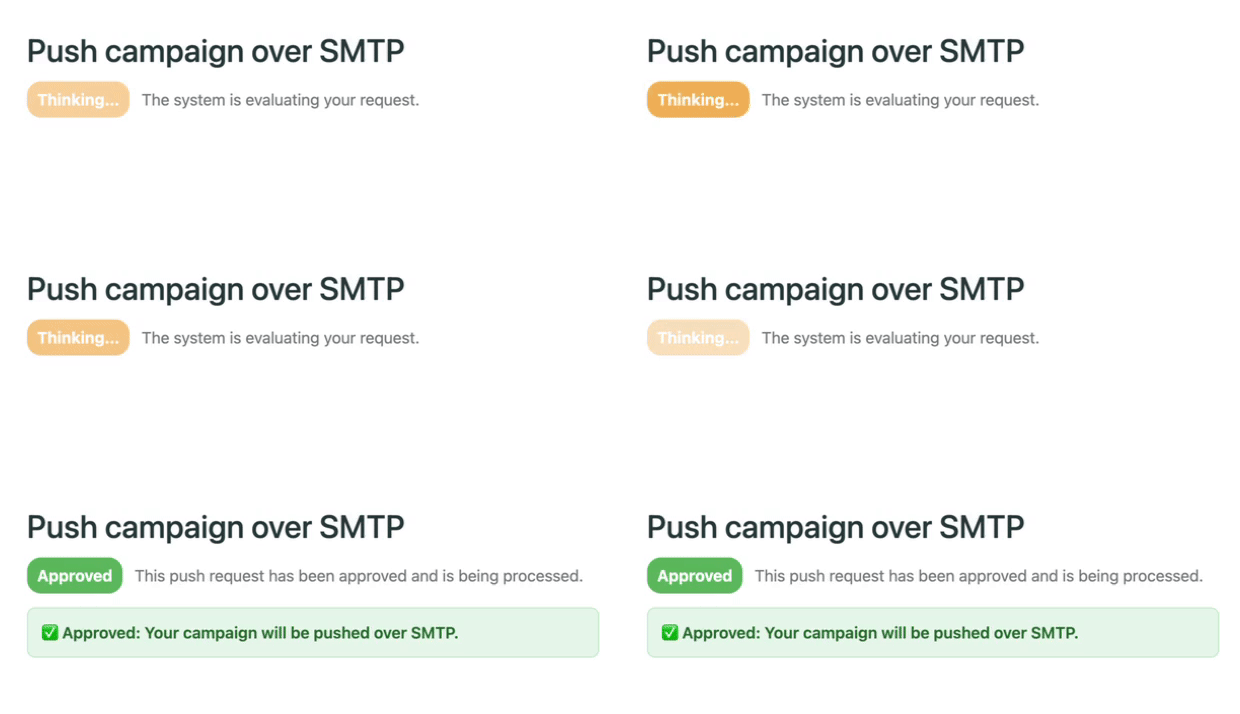
Source: GMass
For dedicated cold emailers, ColdSMTP provides a pre-warmed sending server designed for high-volume outreach.
YAMM accepts Gmail's quotas as a given. Campaigns exceeding the daily limit split automatically and continue when quota renews. The maximum is 1,500 recipients per day for confirmed Google Workspace Pro accounts, with free accounts capped at 20 per day. There is no SMTP bypass, no inbox rotation, no workaround.
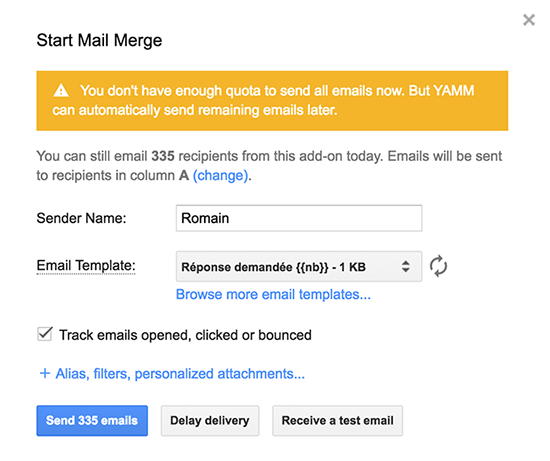
Source: YAMM
For organizations sending a few hundred emails per campaign, YAMM's quota management works. For teams running large-scale outreach, GMass is the only option here.
AI features favor GMass, but both are evolving
GMass has invested heavily in AI. SpinMax generates unique wording variations for every email in a campaign with a single checkbox, making each message distinct without manual spintax writing. The ChatGPT campaign builder generates subject lines, body copy, and all follow-up emails from a one-sentence description.
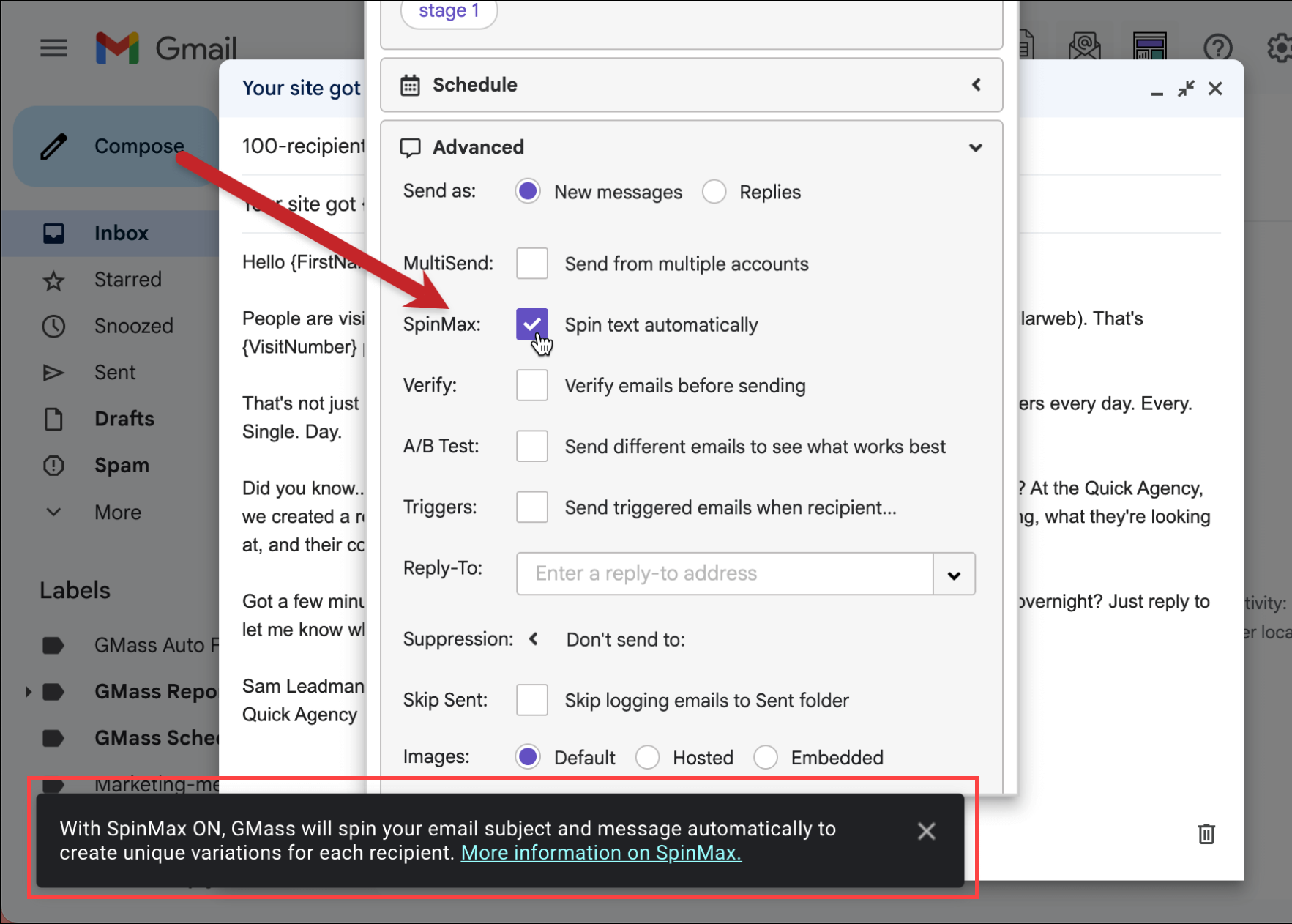
Source: GMass
Spam Solver's AI analyzes campaign content and account health, then recommends changes to improve inbox placement. Sentiment analysis labels incoming replies as positive, negative, or neutral. GMass absorbs the OpenAI API cost for all AI features, requiring no API key from users.
YAMM's AI offerings are more modest: five standalone writing utilities including a Subject Line Generator, Email Writer, Sentiment Analyser, Grammar Fixer, and Tone Rewriter. These help polish individual messages, but they don't automate campaign-level variation or deliverability optimization the way GMass's tools do.
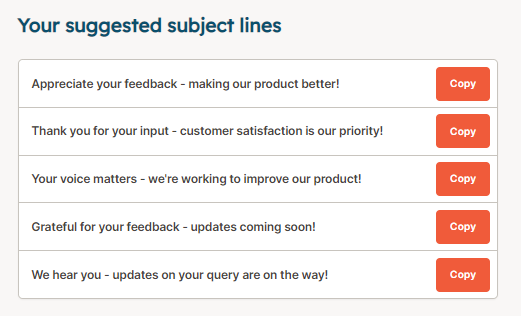
Source: YAMM
The gap reflects different product philosophies. GMass treats AI as a way to scale personalization and solve deliverability problems programmatically. YAMM treats AI as a writing assistant. For high-volume senders who need every email to look unique, GMass's approach delivers more practical value.
Compliance and security: YAMM leads clearly
For regulated industries (education, healthcare) and enterprise organizations with procurement requirements, security certifications matter.
YAMM holds an ISO 27001 certificate, offers HIPAA compliance with a BAA available on request, is GDPR compliant with a Data Processing Addendum, and is FERPA compliant for educational institutions.

Source: YAMM
Its data handling is privacy-conscious: YAMM never stores Gmail draft content, recipient email addresses, or spreadsheet content on its servers.
GMass does not publicly disclose SOC 2, ISO 27001, or HIPAA certifications. It stores recipient email addresses for tracking and unsubscribe management, secured behind two layers of firewalls on AWS infrastructure. GMass acknowledges GDPR and publishes a data deletion request process, but the certification gap is real.
For a freelancer sending cold emails, this difference is irrelevant. For a hospital system or university sending communications to patients or students, it's a dealbreaker that eliminates GMass.
CRM integrations: different starting points
YAMM connects natively with HubSpot, Salesforce, Copper, and Mailchimp, supporting contact import and, for HubSpot and Salesforce, bidirectional campaign activity logging. If your sales team runs on Salesforce and wants campaign results flowing back into contact records, YAMM handles this out of the box.
Source: YAMM
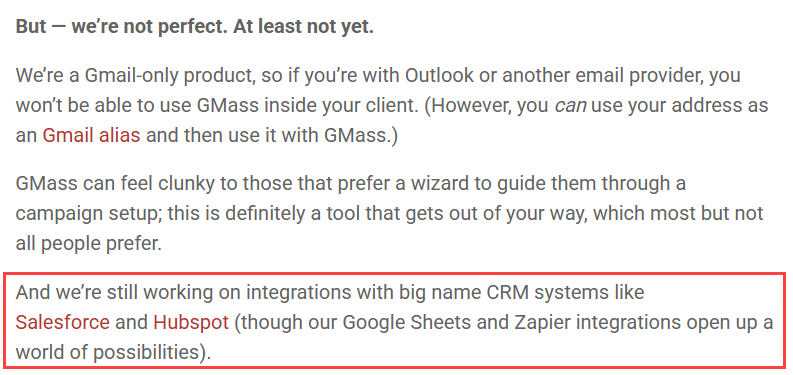
GMass acknowledges it is "still working on integrations with big name CRM systems like Salesforce and HubSpot." Current CRM connectivity depends on Zapier or manual Google Sheets workflows. The REST API and webhook support give technical teams the building blocks to connect GMass to almost anything, but there's no click-and-connect CRM integration.
Source: GMass
This gap matters most for sales teams. If your workflow requires outreach activity to log automatically to Salesforce or HubSpot contact records, YAMM is the simpler choice. If you're comfortable with Zapier or API workarounds, GMass can get there, but it takes more setup.
The upstream problem neither tool solves
GMass and YAMM both assume you already know who to email. You have a Google Sheet full of contacts. You have their email addresses. You're ready to send.
But where did that list come from? How do you know those contacts are still at those companies? How do you know those email addresses are valid? And how do you know those people are in-market for what you're selling right now?
This is where the value equation changes. A well-executed email campaign sent to the wrong people at the wrong time produces nothing. A mediocre email sent to the right person at the right moment produces pipeline.
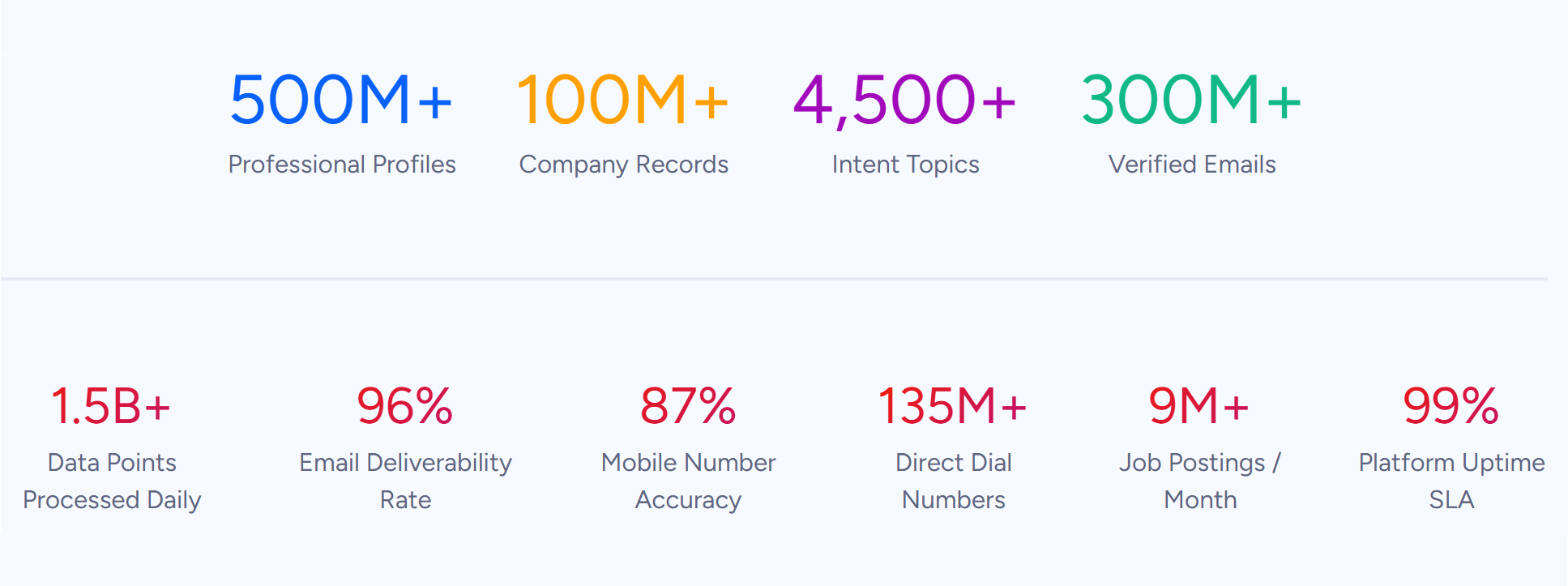
ZoomInfo operates at this layer. Its database spans 500M contacts and 100M companies, verified through a pipeline backed by 300+ human researchers and reaching up to 95% accuracy on first-party data.
Source: ZoomInfo
Buyer Intent data tracks signals from 210 million IP-to-Organization pairings, identifying when companies are researching solutions in your category. Guided Intent, exclusive to ZoomInfo, identifies topics historically correlated with deal success rather than requiring manual topic selection.

Source: ZoomInfo
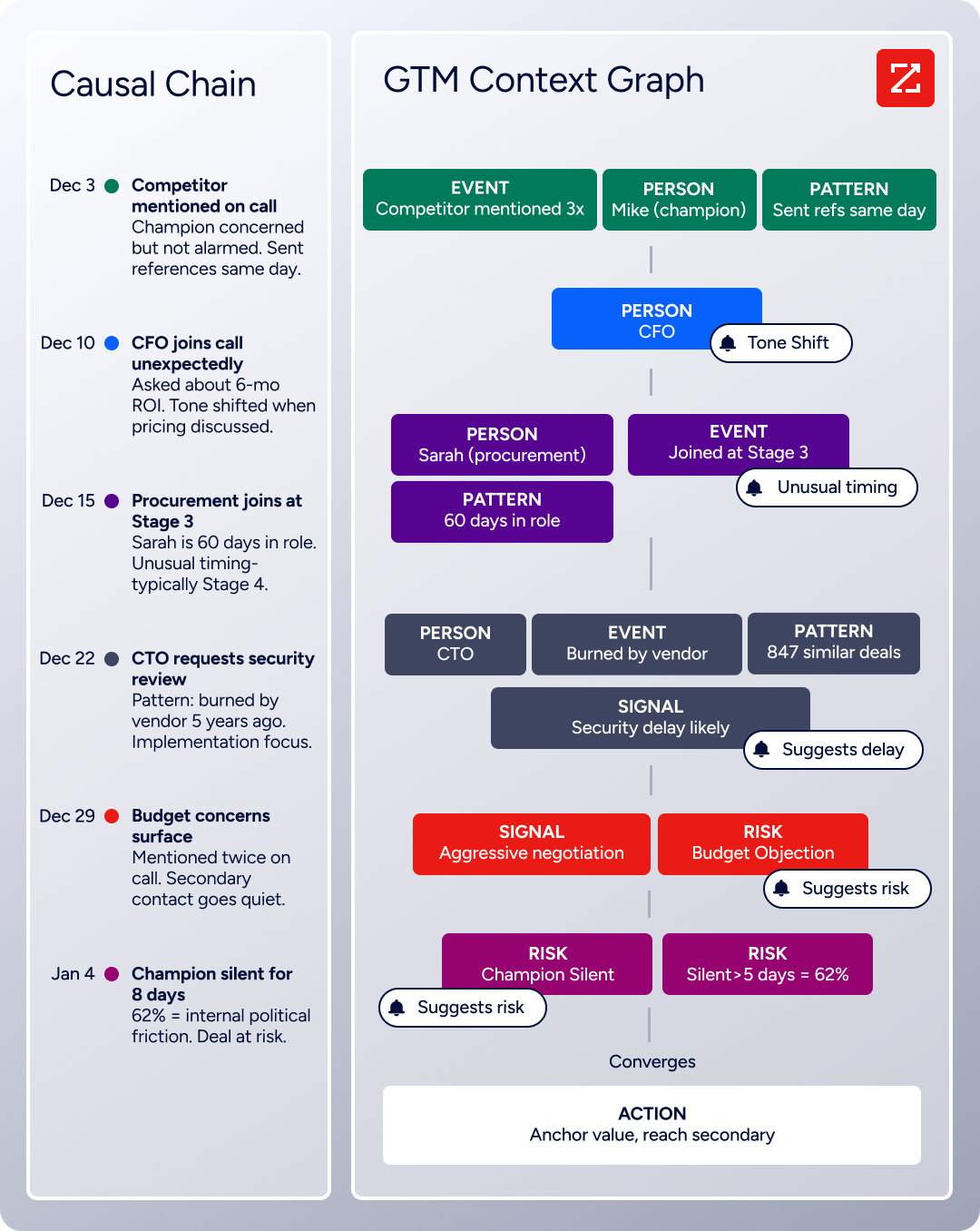
The GTM Context Graph takes this further. It combines ZoomInfo's B2B data with your CRM records, conversation transcripts, and behavioral signals, then reasons across all of it to identify why deals move or stall. The result: your outreach targets accounts whose signal combinations match your actual win patterns, not just accounts that tripped a keyword threshold.
Source: ZoomInfo
"ZoomInfo's not just a contact data company anymore. They've built a full system of execution. GTM Intelligence actually works the list, writes the outreach, triggers the play, and helps drive predictable growth." (Levanta)
Deliverability: GMass invests more, YAMM inherits Gmail's reputation
Both tools send through the user's own Gmail account, which improves inbox placement compared to third-party ESPs with shared sending infrastructure. But they take different approaches to protecting and optimizing deliverability.
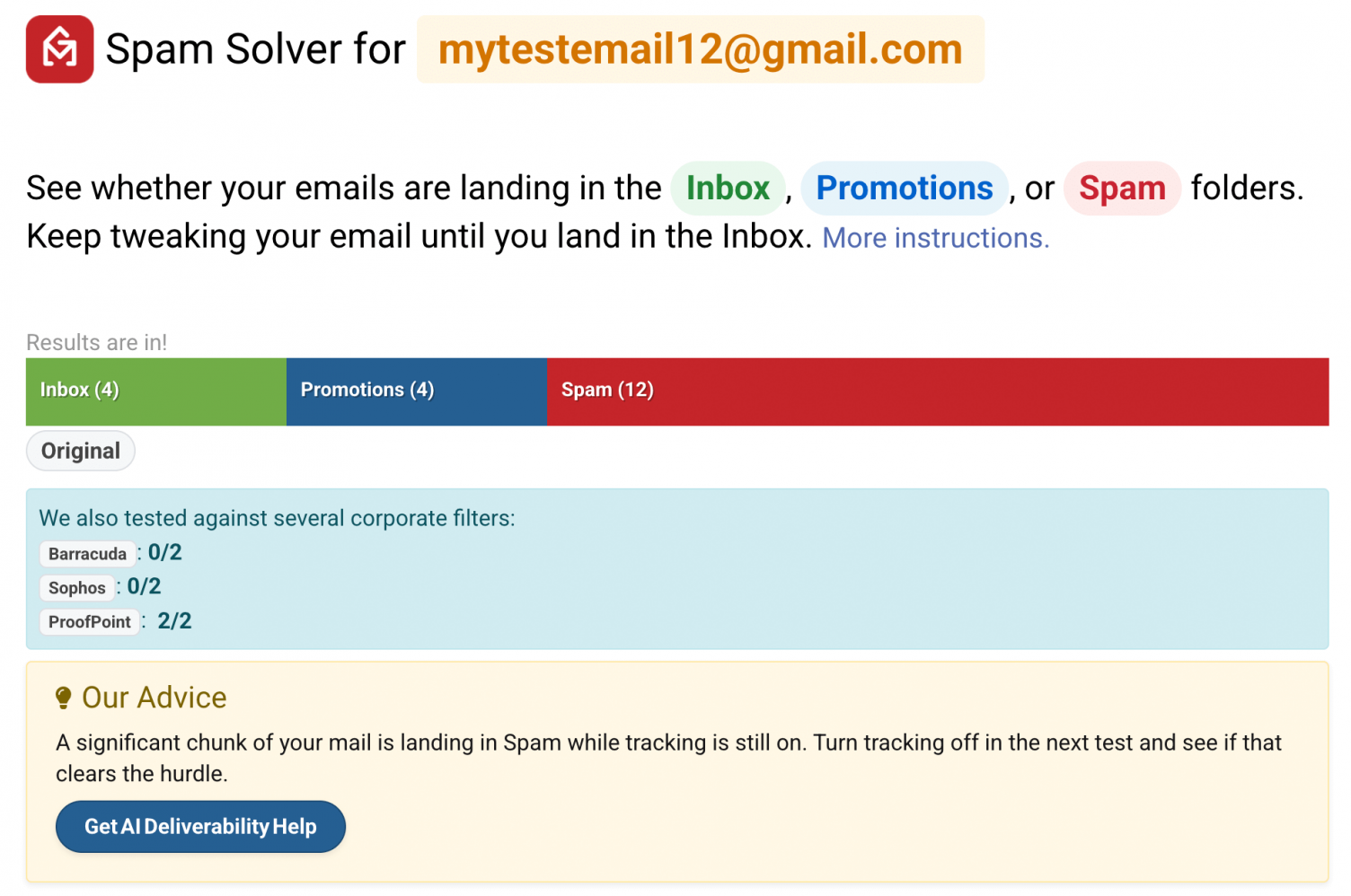
GMass offers a dedicated deliverability toolkit. Spam Solver sends test versions of your campaign to 20 Gmail and Google Workspace seed accounts, including accounts protected by enterprise-grade filters from Barracuda, Sophos, and ProofPoint, then reports placement for each.
Source: GMass
It runs nine test variations to isolate the root cause of spam placement. Email verification validates recipient addresses via SMTP before campaigns send, handling up to 5,000 addresses per hour. Delivery routes let you adjust sending method and tracking settings on a per-domain basis.
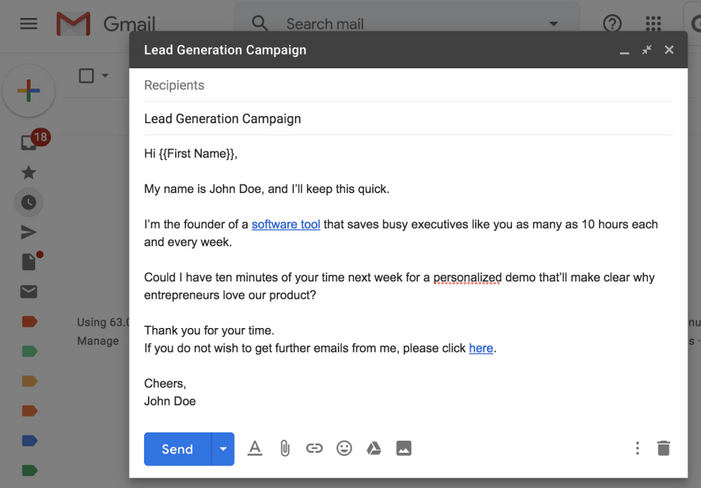
YAMM's deliverability strategy is simpler: because emails send directly from the user's own Gmail account, they carry the sender's personal reputation. YAMM argues this reduces the risk of messages landing in spam.
Source: YAMM
Tracking uses web beacons, and bounce detection works by scanning the sender's Gmail inbox for bounce notifications. YAMM documents the limitations of pixel-based tracking, including Apple Mail Privacy Protection.
For senders running high-volume cold outreach, GMass's proactive testing tools provide a meaningful edge. For senders mailing smaller, opted-in lists, YAMM's inherited Gmail reputation is sufficient.
Tracking and reporting: spreadsheet vs. dashboard
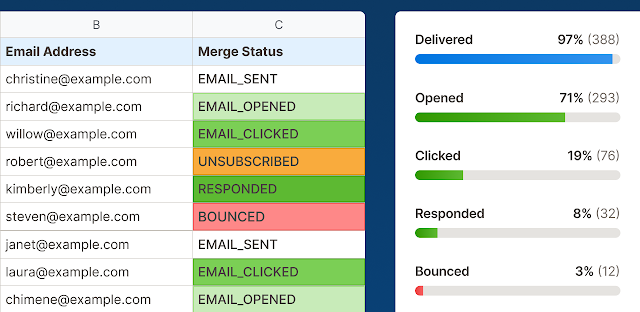
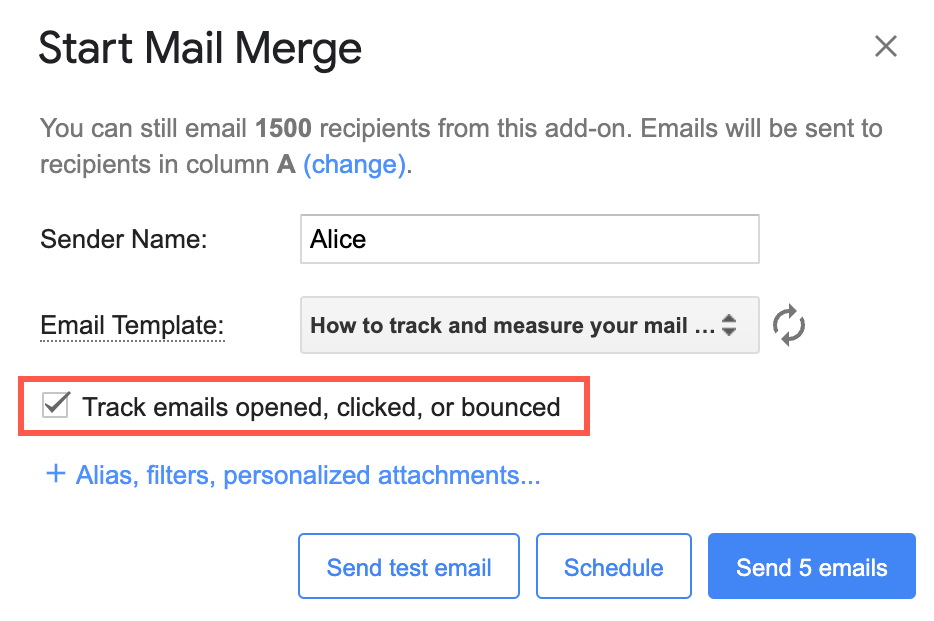
YAMM's tracking writes directly into the Google Sheet. Each recipient row gets a Merge status column updated in real time with statuses like EMAIL_SENT, EMAIL_OPENED, EMAIL_CLICKED, RESPONDED, BOUNCED, or UNSUBSCRIBED.
A Tracking Report sidebar displays aggregate metrics, and clicking any metric filters the spreadsheet to matching rows. YAMM positions response rate tracking as unique: "This is possible only on YAMM and very useful to manage large emailing lists."
Source: YAMM
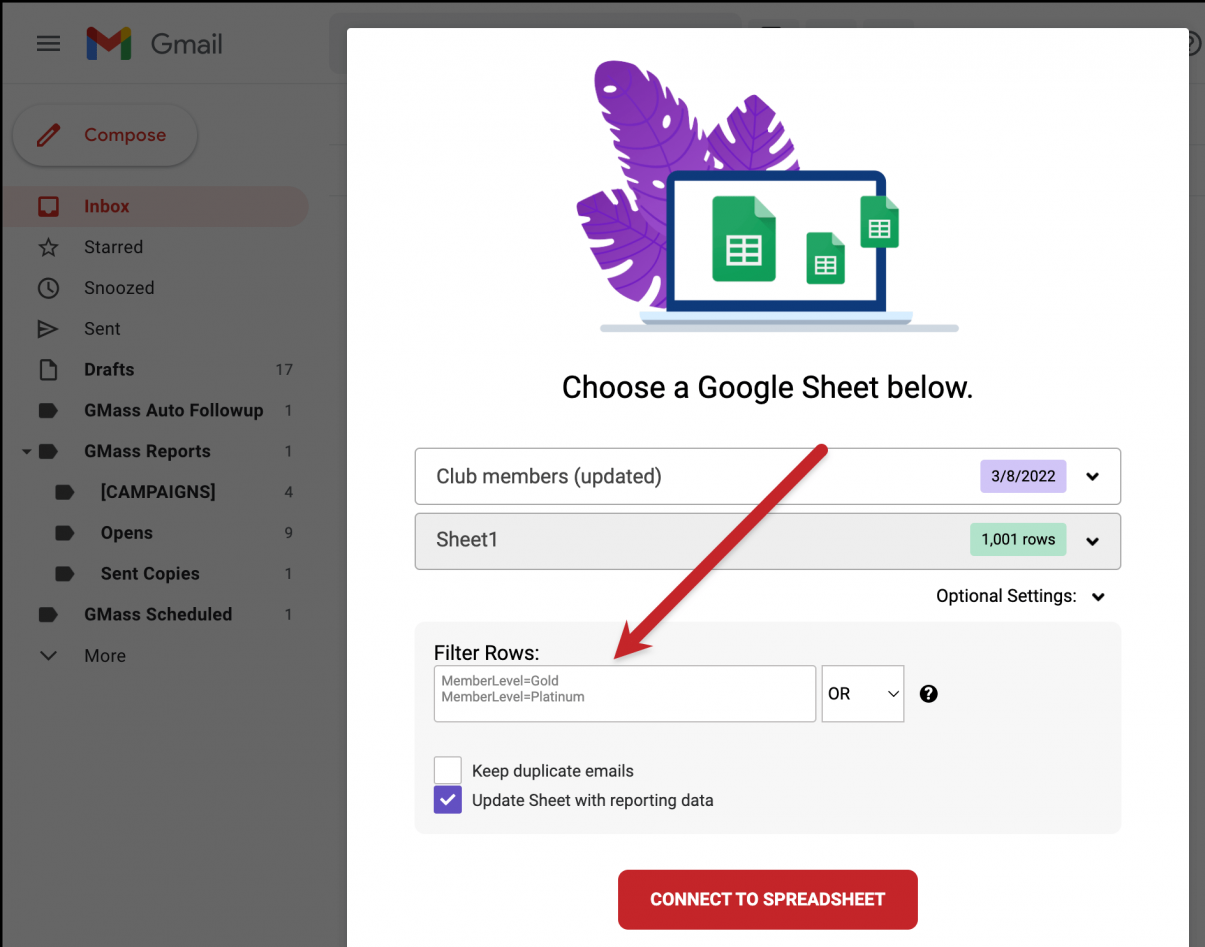
GMass provides campaign reports across three access points: inside Gmail via labels, a web dashboard with campaign comparison views, and shareable live web reports accessible via unique URLs that require no login.
GMass also writes campaign performance data back to the Google Sheet, appending columns for Opened, Clicked, Replied, and Bounced. The reporting includes ML-based bot detection to filter false opens from security scanners.
Source: GMass
YAMM's approach is better for people who want all their data in one spreadsheet. GMass's approach is better for sharing results with stakeholders or comparing campaign performance over time.
What ZoomInfo adds to the outreach stack
The difference between GMass/YAMM and ZoomInfo isn't about features in the same category. It's about solving a different layer of the outreach problem.
GMass and YAMM help you execute. ZoomInfo helps you decide what to execute on.
Through GTM Workspace, sellers see a prioritized account feed where AI-drafted outreach already addresses the concerns the intelligence engine identified.
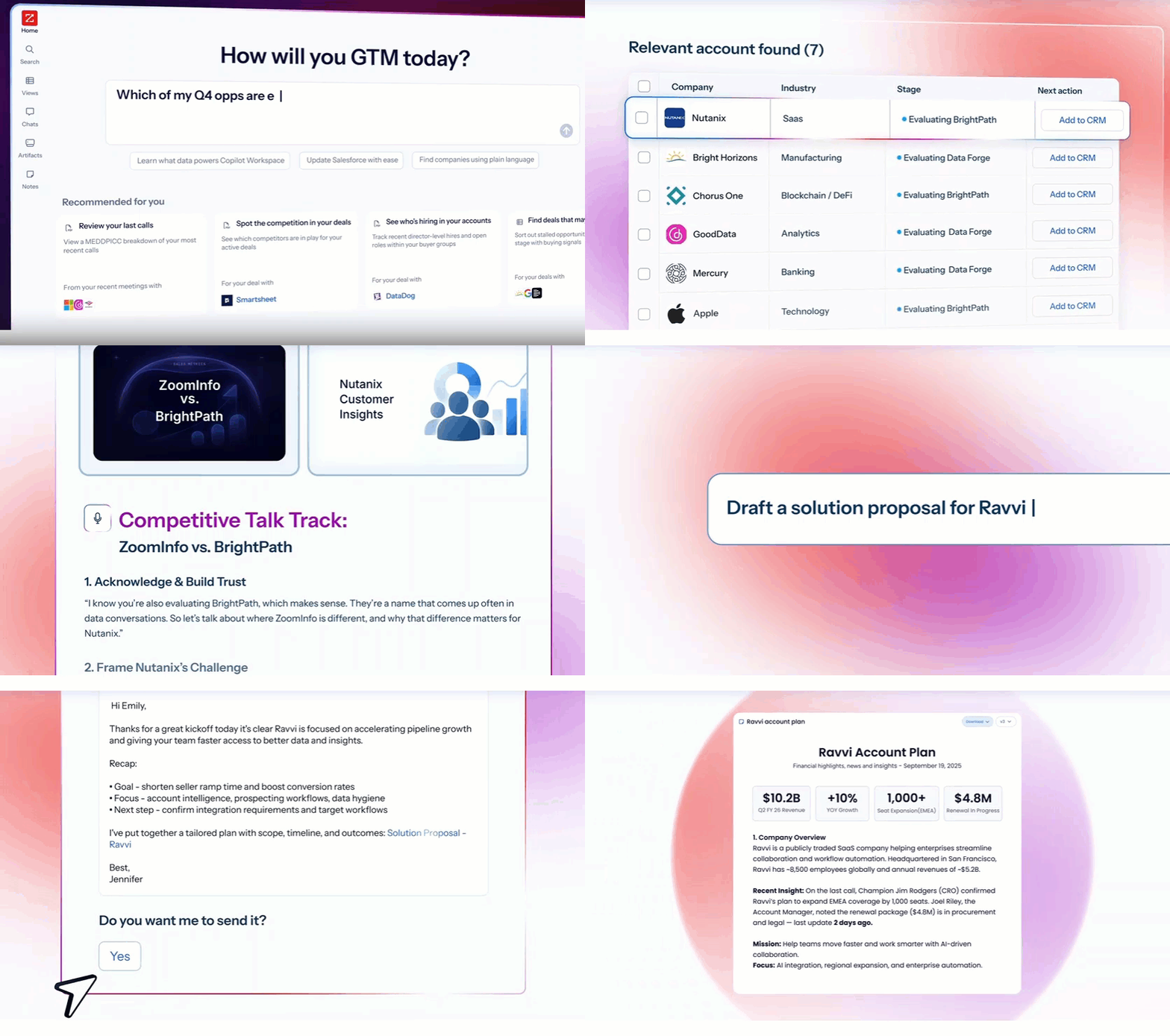
Source: ZoomInfo
Through GTM Studio, marketers and RevOps teams describe audiences in plain language, launch multi-channel plays, and watch pipeline impact without engineering support.
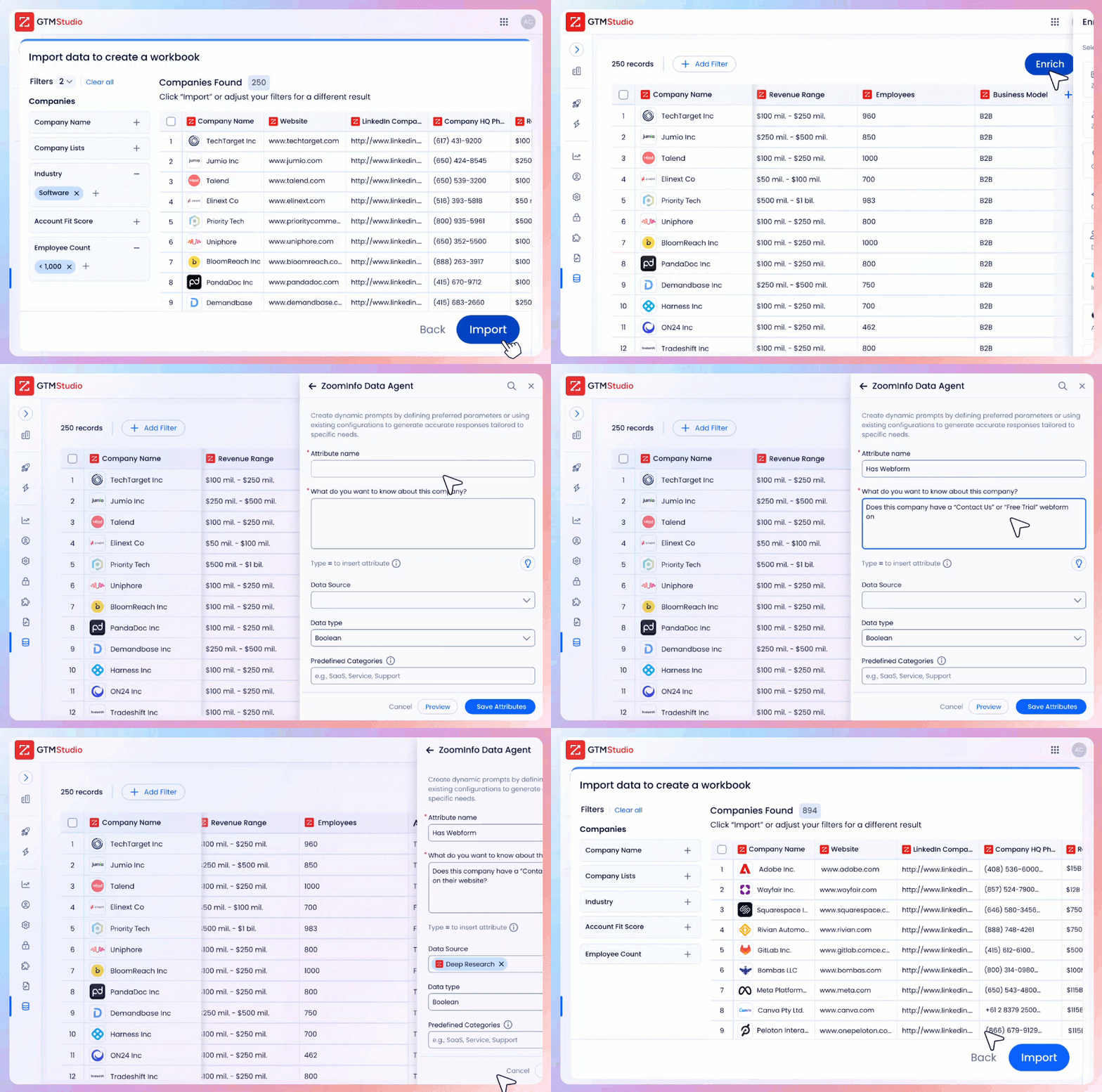
Source: ZoomInfo
For teams that prefer to build beyond ZoomInfo's own products, APIs and MCP expose the same intelligence to any application, including tools like Claude and ChatGPT.
The integration depth matters. ZoomInfo connects natively with Salesforce, HubSpot, Microsoft Dynamics 365, and 120+ additional tools across CRM, marketing automation, sales engagement, and data warehouse categories. In a Fortune 500 competitive RFP analyzing 25 million contacts across vendors, the independent consultant concluded that "no other competitor came even close."
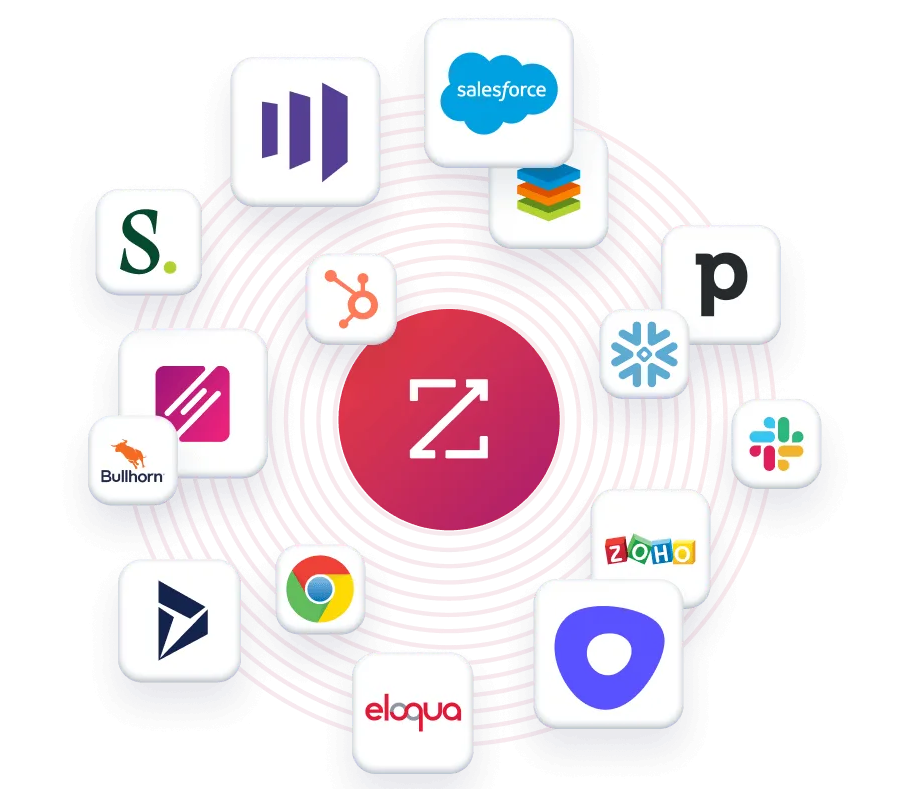
Source: ZoomInfo
"That combination of our internal CRM data, external signals, and AI that's given all that context has helped us craft very specific account- and persona-based messages. And people have responded to them right away." (Seismic)
Pricing models reflect different audiences
GMass uses flat monthly per-seat pricing. The Standard plan costs $29.95/month, Premium $39.95/month, and Professional $59.95/month. Annual billing drops the effective rate to $20.75–$49.92/month. Team plans range from $22–$35 per user per month depending on team size.
All plans include unlimited emails, contacts, and campaigns. SMTP usage beyond the first 10,000 emails per billing period costs $5 per 10,000 additional emails. No setup fees, no implementation costs.
YAMM uses annual billing only, with no monthly option. Exact per-seat pricing varies by billing country and is only revealed during checkout. The permanent free plan allows 20 recipients per day. Pro Gmail accounts get 400 per day; Pro Google Workspace accounts get up to 1,500 per day. Education and non-profit discounts are available for organizations with 25+ users. All fees are non-refundable.
ZoomInfo uses consumption-based pricing with no publicly listed prices. A permanent free tier, ZoomInfo Lite, provides access to the B2B database with 10 monthly export credits at no cost. A 7-day free trial is also available. Paid plans scale based on seats, credit volume, and feature access.
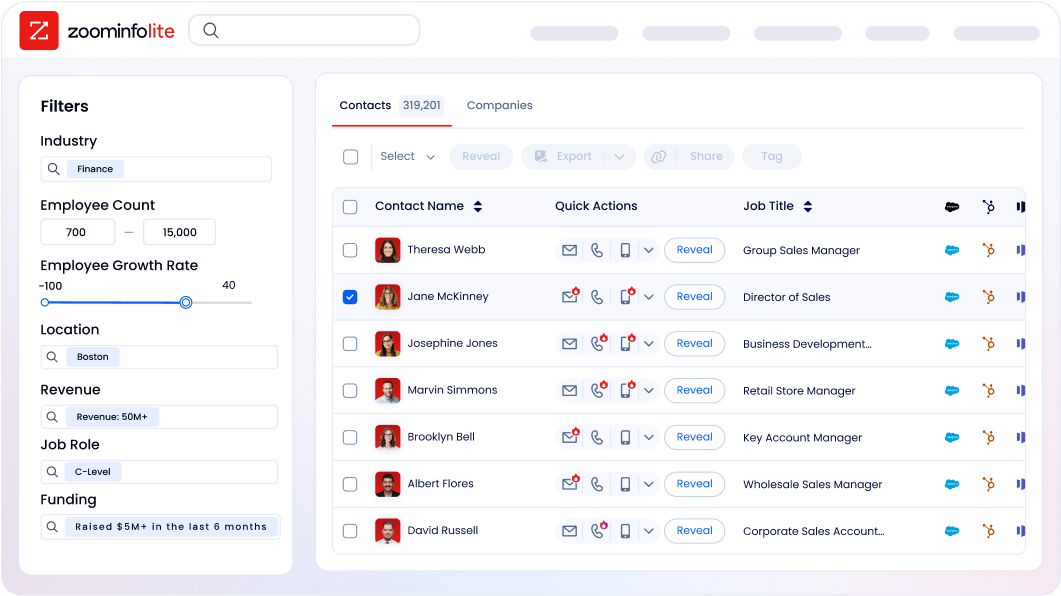
Source: ZoomInfo
GMass is the most transparent on pricing and the cheapest entry point for individual users. YAMM's pricing opacity (country-dependent, annual only) makes direct comparison difficult. ZoomInfo is premium-priced, but its value is measured in pipeline generated, not emails sent.
"It brings time back to our day, something we're all begging for. And it helps us reach the company's goals and get more clients faster." (Vensure)
Support and documentation comparison
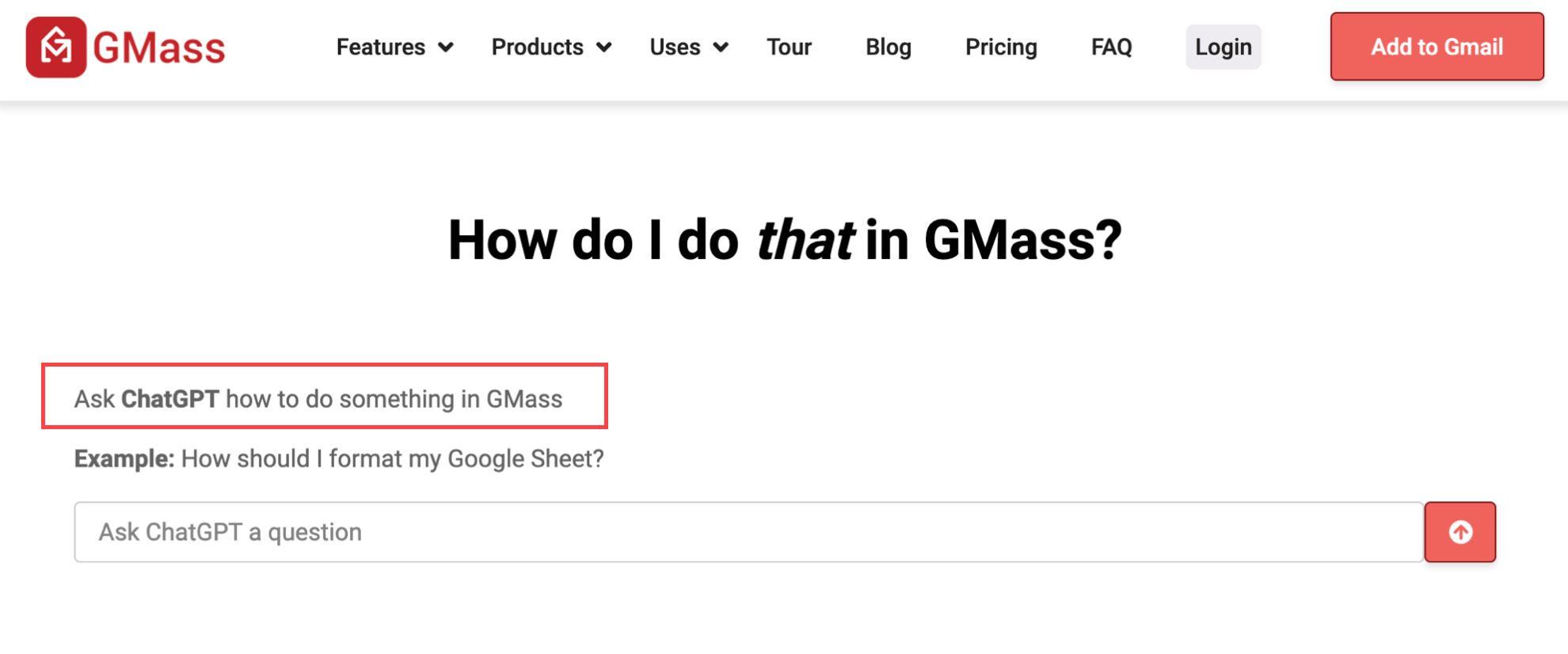
GMass describes itself as a "low-cost, self-service system." Support is via a Zendesk-powered form only, with no phone and no live chat. Not all tickets receive responses. The Support Center has 100+ articles, and a ChatGPT AI assistant answers in-app questions. External Fiverr and Upwork freelancers provide a third-party support layer.
Source: GMass
YAMM tiers support by plan: free users receive "best effort" support; paid users get "priority support." Support is through a Zendesk ticketing portal. No live chat or phone support is referenced. The documentation site is well-structured, covering ten topic areas from Getting Started through Troubleshooting.
ZoomInfo offers the broadest support. Five resources are accessible through the Help Center: Knowledge Center, ZoomInfo University, Release Notes Hub, Resource Center, and Modern GTM Community. Direct support is available via contact form and phone.
ZoomInfo University provides role-specific learning paths and product certifications. Professional services are available through ZoomInfo Labs. Enterprise plans include dedicated customer service managers with hands-on onboarding.

Source: ZoomInfo
GMass vs. YAMM vs. ZoomInfo: Which should you choose?
The right tool depends on where your outreach problem lives.
Choose GMass if:
You need advanced follow-up sequences that run automatically
You want AI personalization and deliverability testing
Your campaigns regularly exceed Gmail's daily sending limits
You're comfortable with Zapier or API workarounds for CRM connectivity
Budget is tight and you need strong features at a low monthly price
Choose YAMM if:
Your team lives in Google Sheets and wants tracking data in the same spreadsheet
You need ISO 27001, HIPAA, or FERPA compliance for regulated-industry use
Native CRM integrations with HubSpot or Salesforce are required
Your campaigns stay within Gmail's daily sending limits
Simplicity matters more than advanced automation
Choose ZoomInfo if:
Your outreach problem isn't sending, it's finding the right contacts and knowing when they're in-market
You need verified B2B data at scale: direct dials, business emails, org charts, and intent signals
You want AI-driven account prioritization, not just AI-written emails
Your GTM strategy spans sales, marketing, and RevOps and needs a single intelligence layer
You want your data and signals accessible in any tool, not locked inside one application
Start with ZoomInfo Lite for free, or request a demo to see the full platform.
GMass and YAMM both do a good job of turning Gmail into something more useful. GMass gives you more control and automation; YAMM gives you more simplicity and compliance.
But the most effective outreach teams don't just optimize how they send. They optimize who they send to, when they send, and why. That's the layer ZoomInfo owns, and it's the layer that determines whether your Gmail campaigns produce replies or silence.
"Without ZoomInfo, it would be extremely difficult to achieve our business objectives. Without it, we wouldn't be able to understand the market, have the right contact data, and make meaningful connections." (Smartsheet)
GMass vs. YAMM vs. ZoomInfo FAQ
What is the core difference between GMass, YAMM, and ZoomInfo?
GMass is a Chrome extension that turns Gmail into a campaign sending tool with advanced automation, AI personalization, and SMTP limit bypass. YAMM is a Google Sheets add-on that runs mail merges from a spreadsheet with tracking written back per row.
ZoomInfo is a B2B data and GTM intelligence platform providing verified contact data (500M contacts, 100M companies), buyer intent signals, and multi-channel outreach capabilities, solving the upstream data and targeting problem that neither sending tool addresses.
Which tool is best for cold email outreach?
For sending mechanics, GMass is the stronger option: unlimited follow-up stages, SpinMax AI variations, A/B testing, and SMTP bypass for high volume. YAMM lacks automated sequences and A/B testing. However, cold email success depends more on list quality and timing than sending features, which is where ZoomInfo's verified contact data and intent signals make the biggest difference.
Can I use GMass or YAMM with Outlook or non-Gmail accounts?
No. GMass requires a Gmail or Google Workspace account and the Chrome browser. YAMM requires Gmail and Google Sheets. Neither works with Outlook, Apple Mail, or non-Google email providers. ZoomInfo is platform-agnostic: it integrates with Salesforce, HubSpot, Microsoft Dynamics 365, and 120+ other tools, and its data is accessible via APIs and MCP in any application.
Which platform has better security and compliance certifications?
YAMM leads among the two mail merge tools with ISO 27001, HIPAA (with BAA), GDPR, and FERPA compliance. GMass does not publicly disclose formal security certifications. ZoomInfo holds the broadest certification stack: ISO 27001, ISO 27701, SOC 2 Type II, and TRUSTe GDPR and CCPA validations, all renewed annually.
How do daily sending limits compare?
YAMM is bound by Gmail quotas: 20 per day on the free plan, 400 per day on Pro Gmail, and 1,500 per day on Pro Google Workspace. GMass starts with the same Gmail limits but offers seven bypass mechanisms including SMTP routing, MultiSend inbox rotation, and ColdSMTP.
ZoomInfo's GTM Workspace includes its own outreach capabilities and multi-channel engagement, separate from Gmail's limits.
Which platform offers the best CRM integration?
ZoomInfo has the deepest CRM integration with native connections to Salesforce, HubSpot, and Microsoft Dynamics 365, plus 120+ additional integrations via its App Marketplace. YAMM offers native integrations with HubSpot, Salesforce, Copper, and Mailchimp. GMass currently relies on Zapier and its API for CRM connectivity, with native Salesforce and HubSpot integrations still in development.
Can I use ZoomInfo's data with GMass or YAMM?
Yes. You can export contacts from ZoomInfo into a Google Sheet, then use that sheet as the recipient list for either GMass or YAMM. ZoomInfo's API can also programmatically push contact data into Google Sheets or any system your sending tool connects to. This combination pairs ZoomInfo's data quality and targeting intelligence with GMass's or YAMM's Gmail-native sending mechanics.
Which is the most affordable option?
GMass offers the lowest transparent starting price at $29.95 per month. YAMM's pricing varies by country and is only available during checkout, but it includes a permanent free tier with 20 emails per day.
ZoomInfo is custom-quoted for paid tiers but offers ZoomInfo Lite as a permanent free tier with 10 monthly export credits. For small-scale sends, YAMM's free plan is the cheapest entry point. For serious B2B outreach, the cost comparison should factor in the value of accurate data and targeting, not just the sending tool subscription.
More GMass comparisons and alternatives:
