

Choosing between LinkedIn Sales Navigator and ZoomInfo comes down to five questions:
Do you need a professional network for social selling, or a data platform for full go-to-market execution?
Is your priority warm introductions through mutual connections, or verified direct dials and business emails at scale?
Do you want buyer intelligence from LinkedIn activity, or multi-source signals spanning web research, technographics, and conversation intelligence?
Does your team operate through LinkedIn outreach, or through multi-channel sequences across email, phone, and ads?
Are you looking for a prospecting layer on top of your existing tools, or one platform that combines data, intelligence, and execution?
In short, here's what we recommend:
LinkedIn Sales Navigator is the prospecting tool built on the world's largest professional network, giving sellers access to 1.3+ billion LinkedIn members through 50+ search filters, 50 monthly InMail credits, and warm introduction paths via TeamLink.
Its strength is relationship-driven selling: finding decision-makers through LinkedIn's self-reported data, identifying warm paths through colleagues' networks, and engaging prospects on the platform where they maintain their professional identity.
A Forrester TEI study found 312% ROI over three years for composite organizations.
But Sales Navigator operates within LinkedIn's ecosystem, with no data export to CSV/XLS, no public API, and a 50 InMail/month cap that limits high-volume outreach.
ZoomInfo is an all-in-one AI GTM Platform built on a B2B data foundation of 500M contacts, 100M companies, 135M+ verified phone numbers, and 200M+ verified business email addresses.
Its GTM Context Graph processes 1.5B+ data points daily and unifies this data with your CRM records, conversation transcripts, and behavioral signals to show the full context of your accounts. That context fuels AI to reveal not just what happened, but why, and which actions to take next.
Your team can run sales motions from the GTM Workspace, build GTM plays in GTM Studio, or power their own tools through the API and MCP.
While ZoomInfo requires custom-quoted pricing and a steeper learning curve, it provides verified contact data you can export, dial, and email directly, plus intent signals, technographics, and multi-channel execution that extend well beyond LinkedIn's walls.
Both platforms deliver sales intelligence, but they draw from different data sources and serve different selling motions.
LinkedIn Sales Navigator vs. ZoomInfo at a glance
LinkedIn Sales Navigator | ZoomInfo | |
|---|---|---|
Core Focus | Social selling on LinkedIn's network | All-in-one AI GTM Platform |
Data Source | Self-reported LinkedIn member profiles | Multi-source verified B2B database |
Contact Database | 500M contacts, 200M+ verified business emails | |
Direct Dials | Not provided | |
Outreach Channels | InMail (50/month) | Email, phone, ads, chat, workflows |
Buyer Intent | ||
Data Export | Full export to CRM, CSV, API | |
API Access | ||
CRM Integration | Advanced Plus only (10+ seats) | Available across tiers |
Starting Price | Custom-quoted | |
Free Tier | Free trial (Core/Advanced) | |
Best For | Relationship-driven sellers on LinkedIn | Full go-to-market teams needing multi-channel execution |
The core difference: LinkedIn's network vs. comprehensive B2B data
The difference between these platforms starts with where their data comes from and what you can do with it.
LinkedIn Sales Navigator runs on LinkedIn's professional network, where 1.3+ billion members maintain their own profiles.
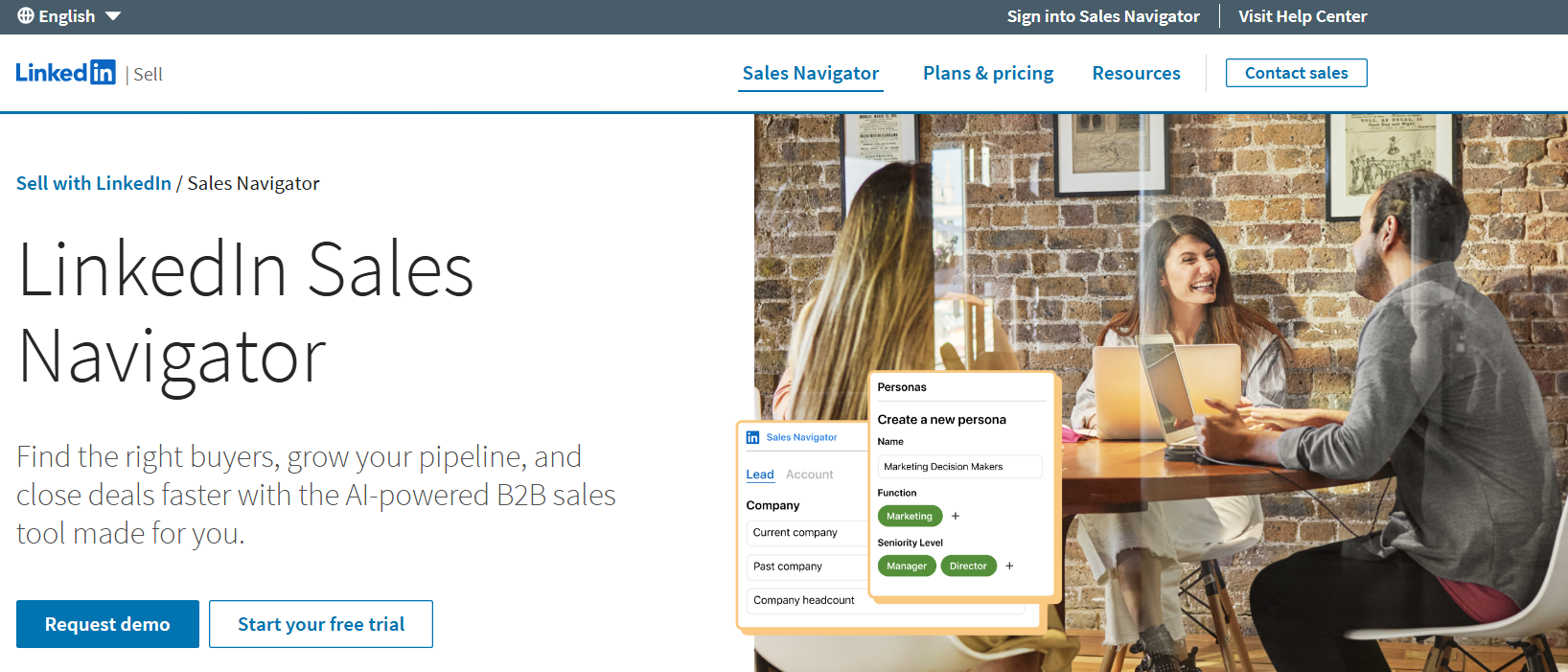
Job titles, company affiliations, and career histories are self-reported and updated by the members themselves, not scraped or purchased from third parties.
LinkedIn positions this as a structural advantage: data that is "self-reported, continuously updated, verified" versus what they call "outdated, static data" from other sales intelligence tools.
The network sees 17K new connections per minute, so job changes, promotions, and company moves appear in real time.
This first-party data model has a clear trade-off. You get accurate profile information, but you don't get direct phone numbers or verified business email addresses. The primary outreach channel is InMail (capped at 50 per month), and you cannot export lead data to a CSV or spreadsheet.
Your prospecting lives inside LinkedIn's walls unless you pay for the Advanced Plus plan (10+ seats, contact sales for pricing) to sync with a CRM.
ZoomInfo takes a different approach.
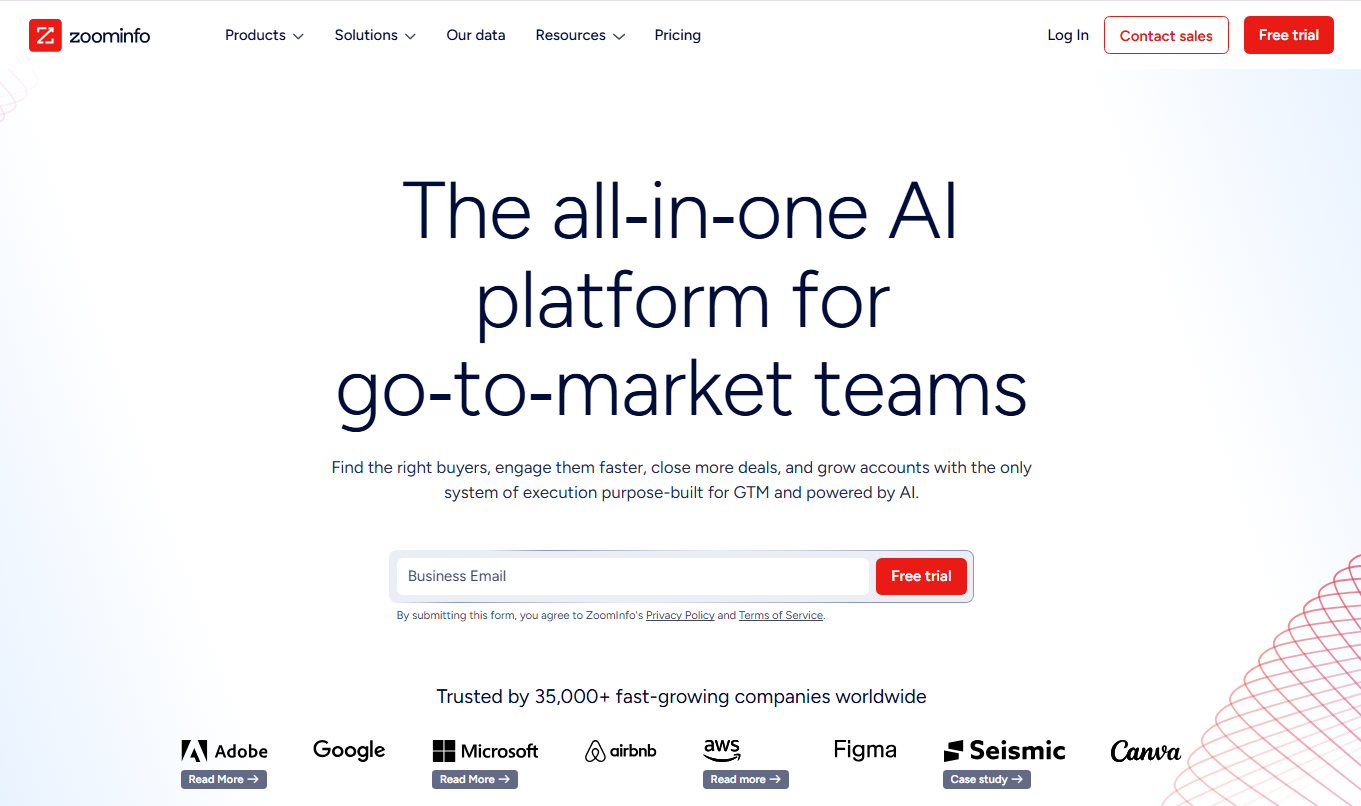
Rather than relying on a single social network, ZoomInfo aggregates data from multiple sources: automated ML scanning of 28 million site domains daily, third-party partner data covering 95 million businesses, a community of 200,000+ ZoomInfo Lite users who share data back, and an in-house Data Training Lab of 300+ human researchers.
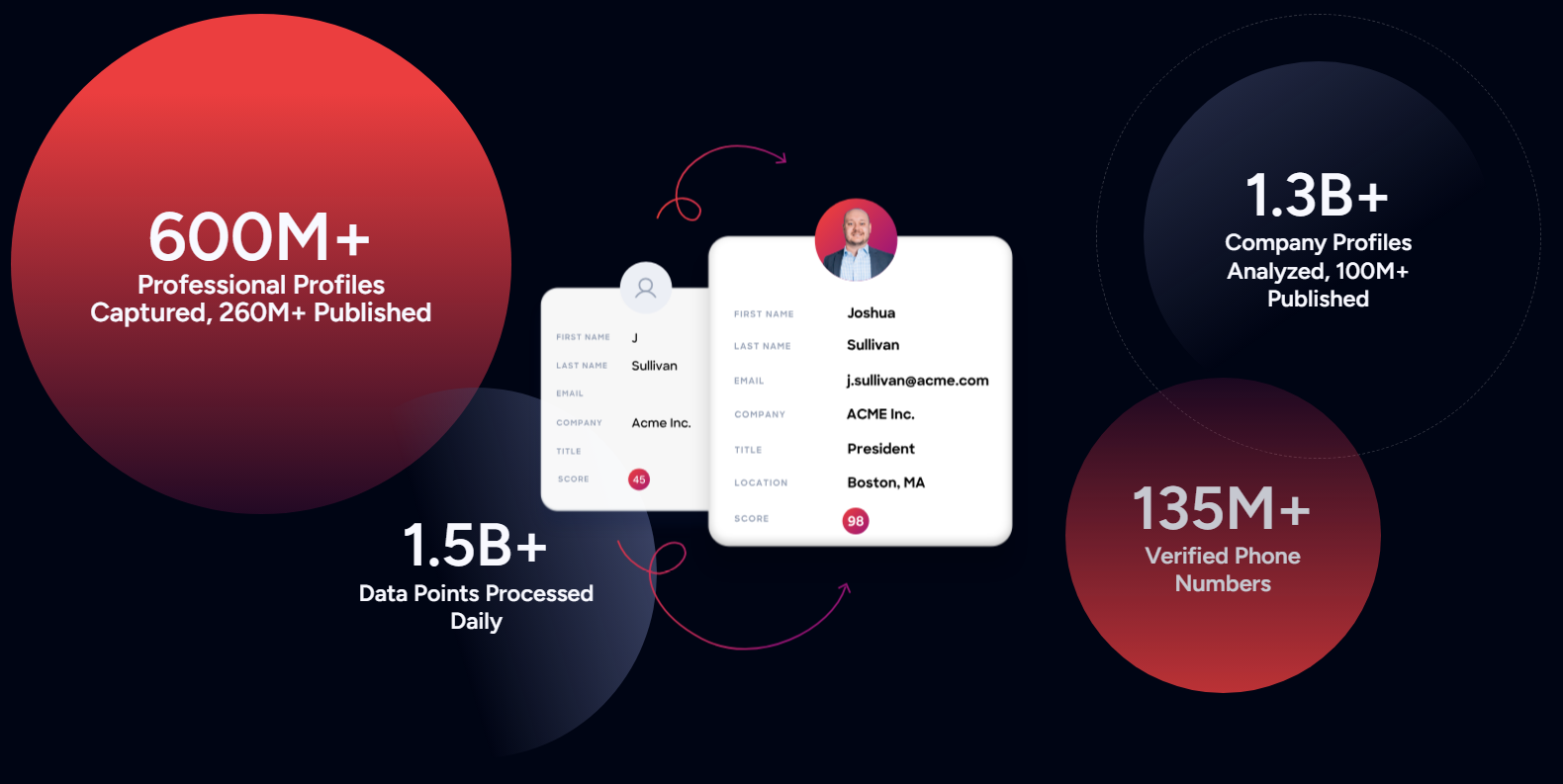
The result is a database of 500M contacts with 135M+ verified phone numbers, 120M direct-dial phone numbers, and 200M+ verified business email addresses, with first-party data reaching up to 95% accuracy.
Source: ZoomInfo
The practical difference: ZoomInfo gives you the direct dial and verified email so you can call or email a prospect right away. Sales Navigator gives you the LinkedIn profile and a path to connect through mutual colleagues.
Both surface the right person, but what happens after you find them differs entirely.
Sales Navigator excels at relationship-driven prospecting
LinkedIn Sales Navigator is built around a selling philosophy that puts relationships ahead of cold outreach. Every feature reinforces this: find the right people, discover warm paths to reach them, and engage through a channel where your professional identity speaks for itself.
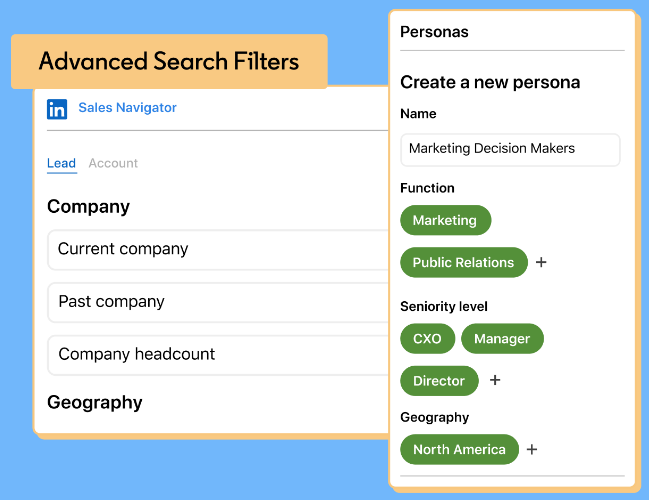
The 50+ search filters are the starting point. Sellers can filter by function, seniority level, company size, geography, department headcount, annual revenue, and buyer intent across LinkedIn's full member base.
Source: LinkedIn Sales Navigator
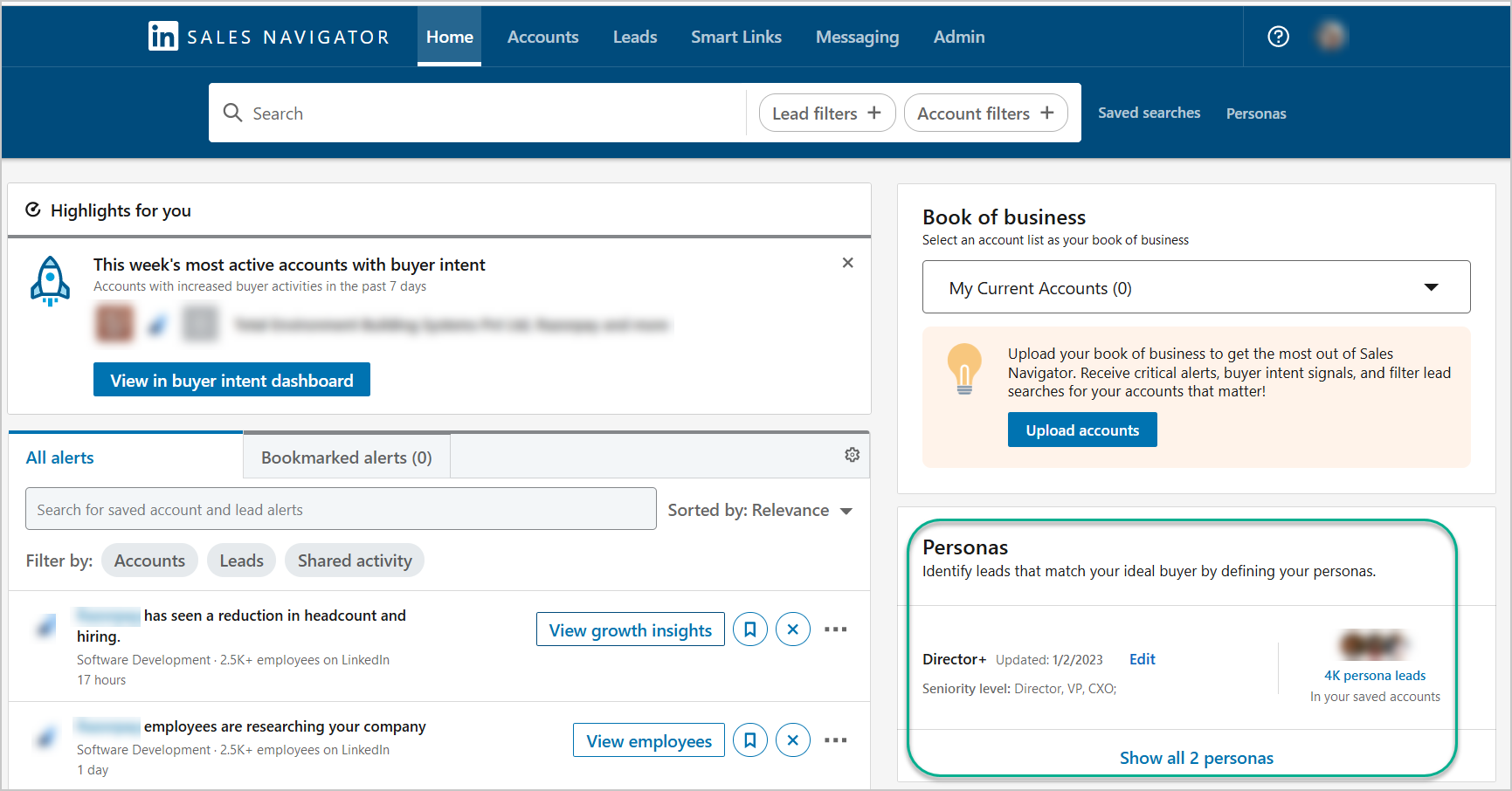
Boolean search supports AND, NOT, OR, quoted phrases, and parenthetical grouping in Company, Title, and Keyword fields. Personas let sellers save ideal customer profile templates (up to five) that carry across search, Relationship Explorer, and Account Pages.
Source: LinkedIn Sales Navigator
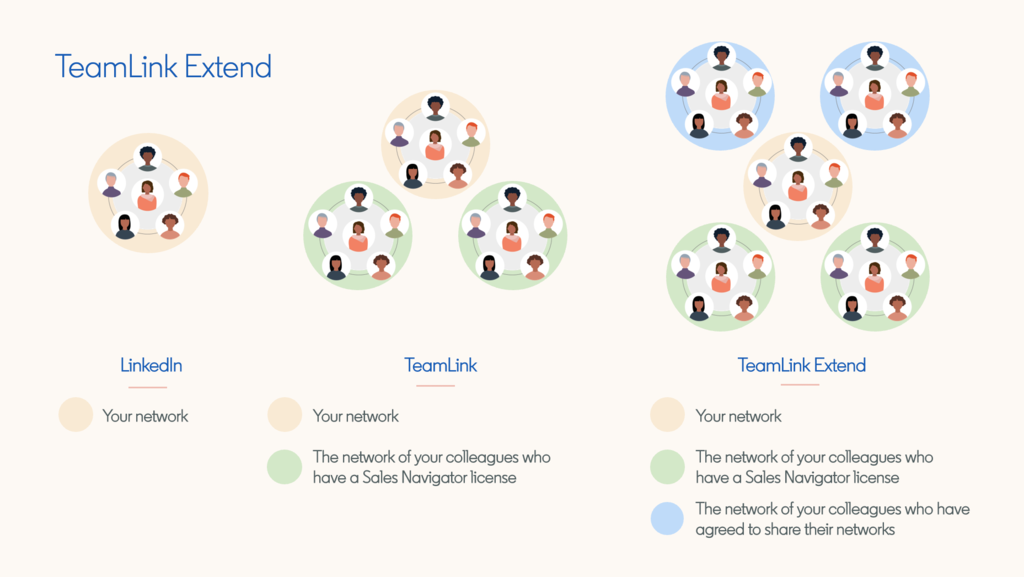
Where Sales Navigator differentiates is warm introductions. TeamLink pools the first-degree LinkedIn connections of every licensed team member and makes them visible to the entire sales team. If your colleague knows the VP of Engineering at a target account, you see that path and can request an introduction.
Source: LinkedIn Sales Navigator
TeamLink Extend goes further, adding non-sales employees' connections to the pool via opt-in. LinkedIn's data shows that sellers with at least four connections at a target account are 16% more likely to close a deal.
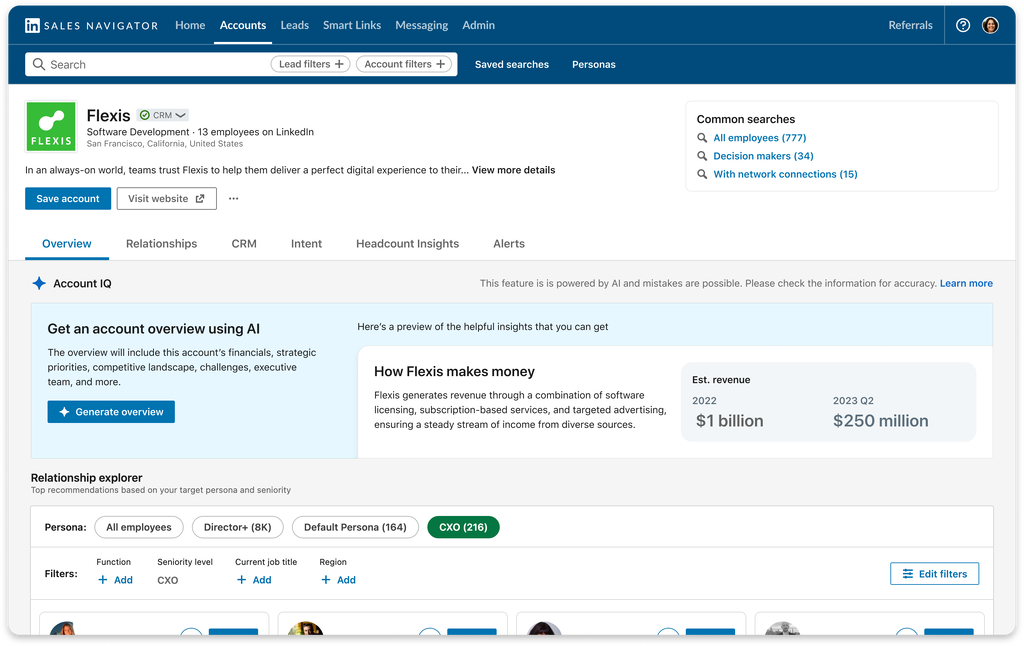
The AI features (available on Advanced and Advanced Plus plans) speed up research.
Account IQ generates one-click account summaries combining LinkedIn data with Bing Search API via Azure OpenAI.
Source: LinkedIn Sales Navigator
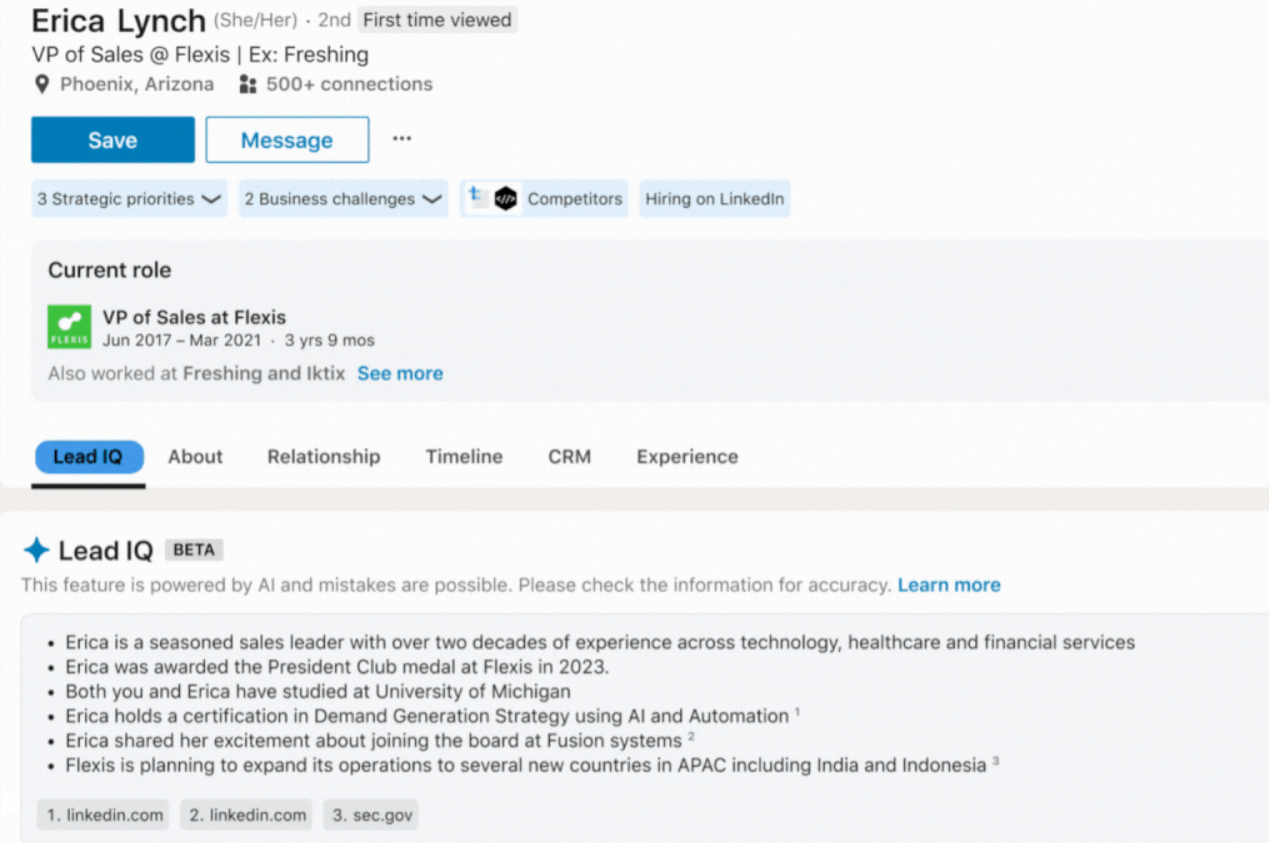
Lead IQ produces prospect briefs via GPT-3.5 Turbo.
Source: LinkedIn Sales Navigator
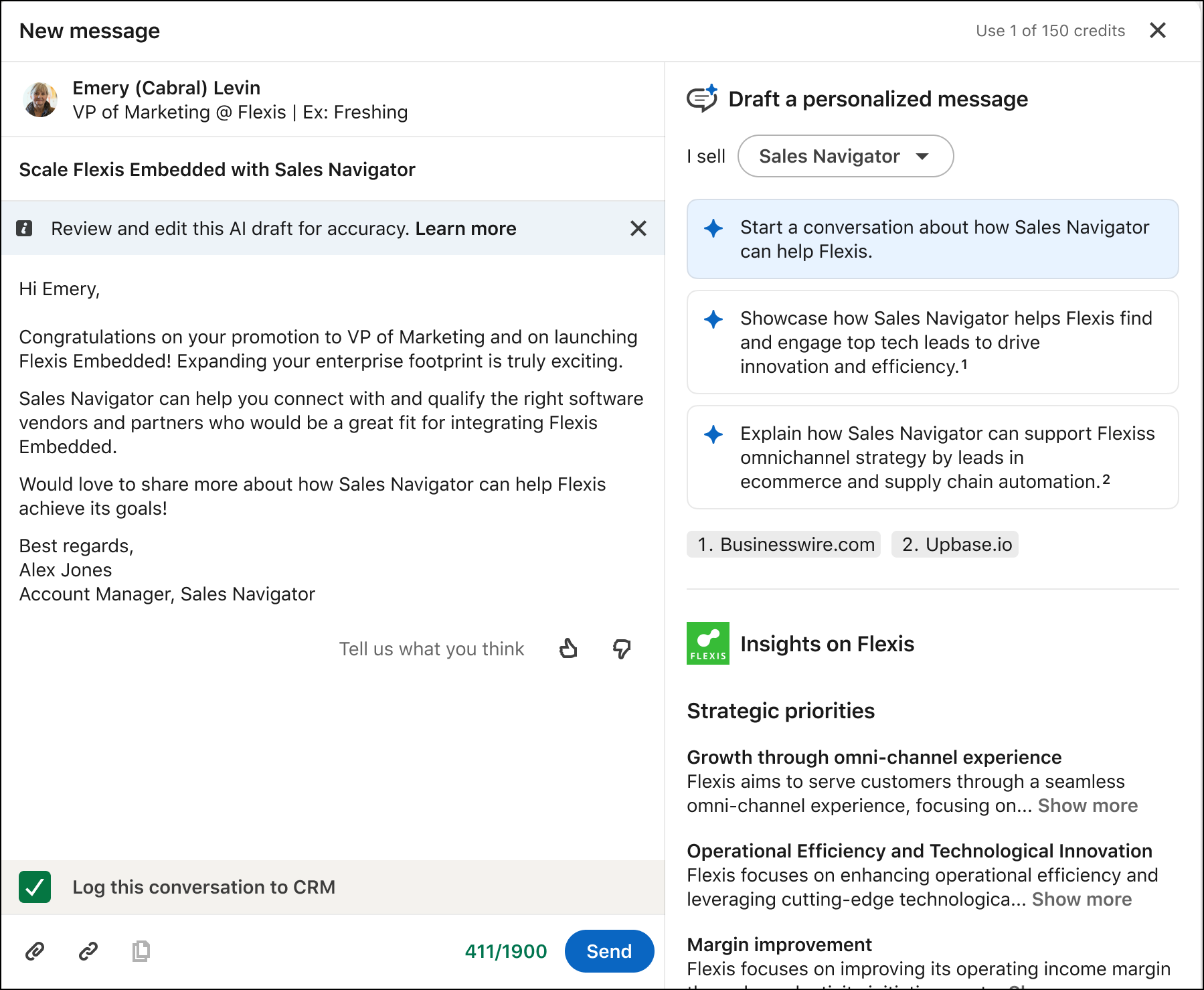
Message Assist drafts personalized InMail using profile and account context. These features cut the manual research hours that precede outreach.
Source: LinkedIn Sales Navigator
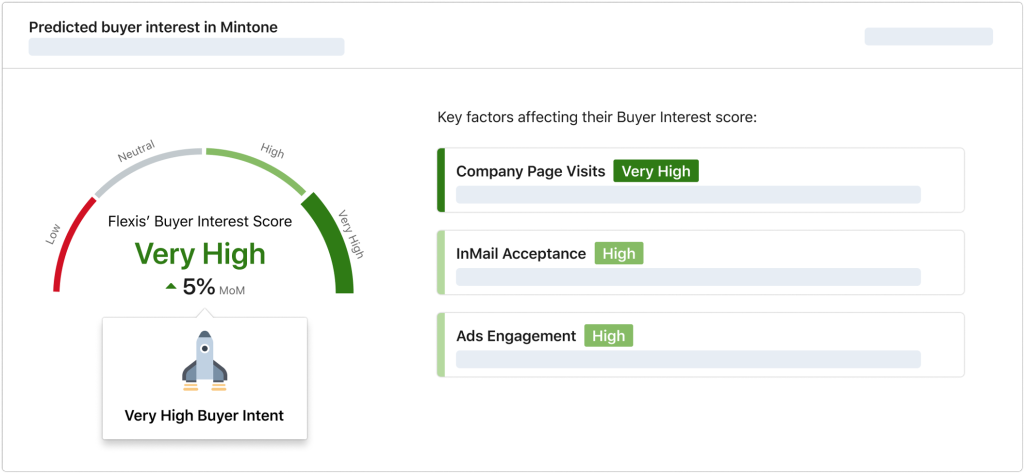
Buyer Intent aggregates 180+ signals from LinkedIn.com activity, ad engagement, InMail responses, and website visits (via the LinkedIn Insight Tag). The signals are scored as Low, Neutral, High, or Very High.
Source: LinkedIn Sales Navigator
Because these signals come from LinkedIn-native behavior (a director following your company page, a VP reacting to your content, a prospect engaging with your LinkedIn ad), no third-party platform can access them.
Sales Navigator has clear boundaries, though. InMails must be sent individually with no bulk messaging. Additional credits cannot be purchased beyond the 50/month allocation. AI features are English-only. And the beta Sales Assistant (an agentic AI that reviews 63M+ decision-makers to surface personalized leads daily) has no published general availability date.
ZoomInfo provides comprehensive data and multi-channel execution
ZoomInfo treats sales intelligence as a data infrastructure problem. Rather than connecting sellers to a social network, it builds and maintains a B2B database, then layers intelligence, automation, and execution on top.
The data spans three dimensions: identity data (who buyers are and how to reach them), company context (revenue, headcount, technographics, org charts), and dynamic signals (intent data, website visitor tracking, job changes).
The scale: 500M contacts, 100M companies, 135M+ verified phone numbers, 120M direct-dial phone numbers, and 200M+ verified business email addresses. Global coverage includes 34M+ company profiles outside North America, 200M+ professional profiles outside NA, and 45M+ mobile numbers outside NA.
A Fortune 500 competitive RFP analyzing 25 million contacts across vendors concluded that "no other competitor came even close."
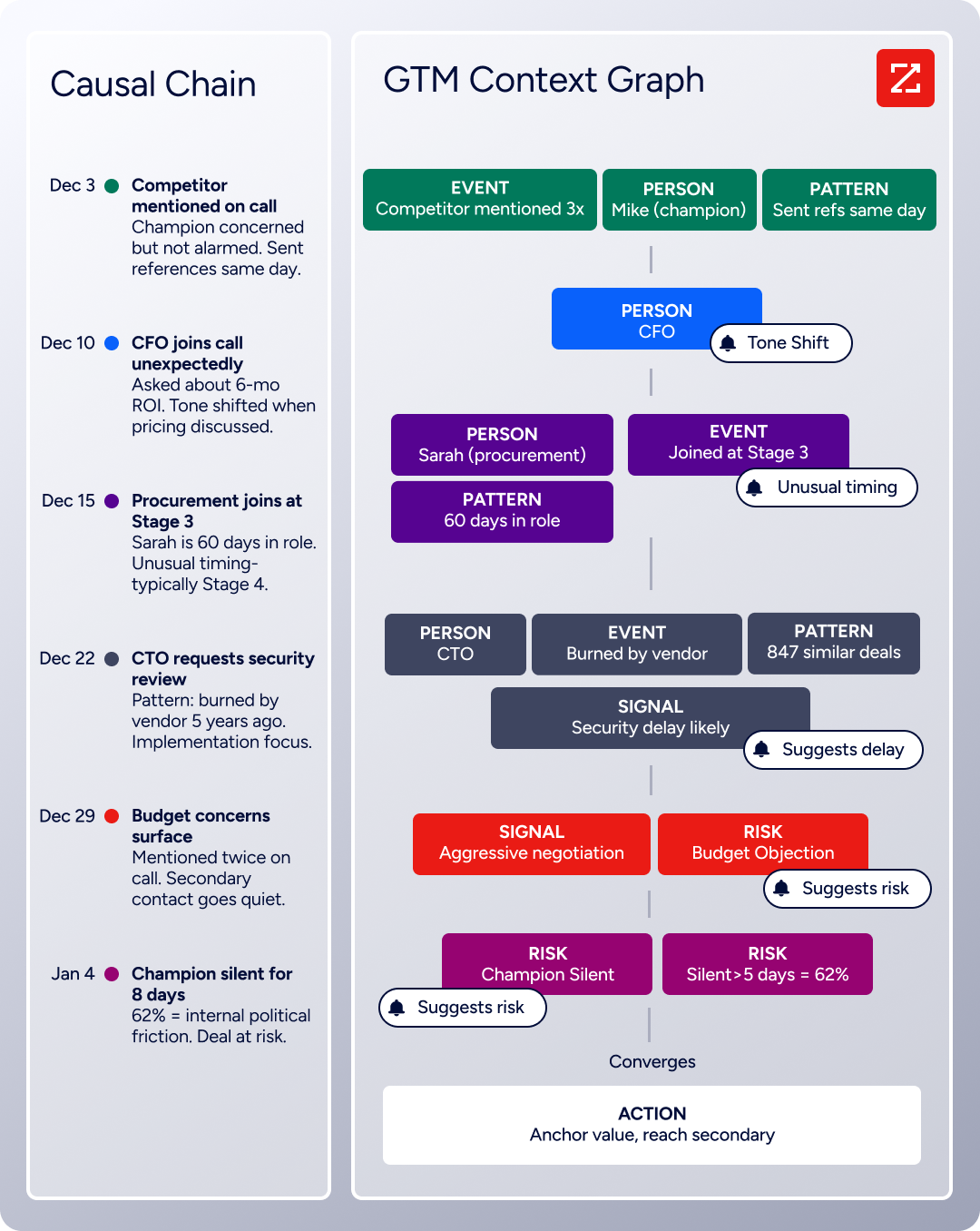
What makes ZoomInfo more than a database is the GTM Context Graph, which processes 1.5B+ data points daily. It fuses ZoomInfo's third-party data with a customer's CRM records, conversation transcripts (via Chorus), and behavioral signals into a single intelligence layer.
As ZoomInfo's CPO Dominik Facher writes: "The CRM recorded the state change. It has no record of why it happened."
The GTM Context Graph captures that missing context, connecting signals to show why deals move or stall.
Source: ZoomInfo
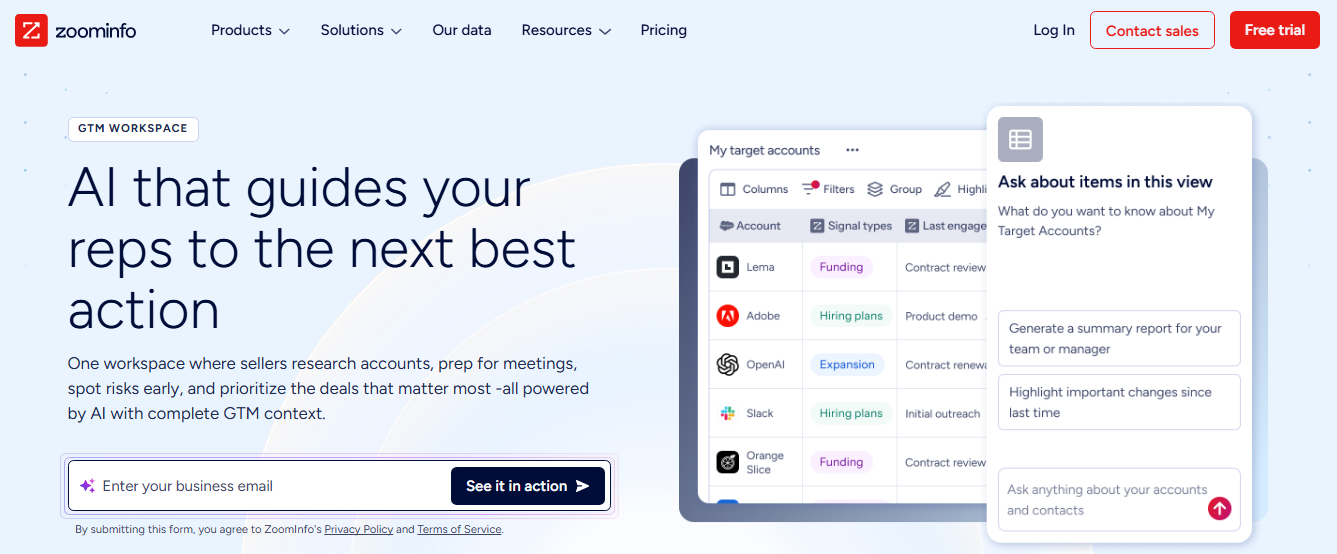
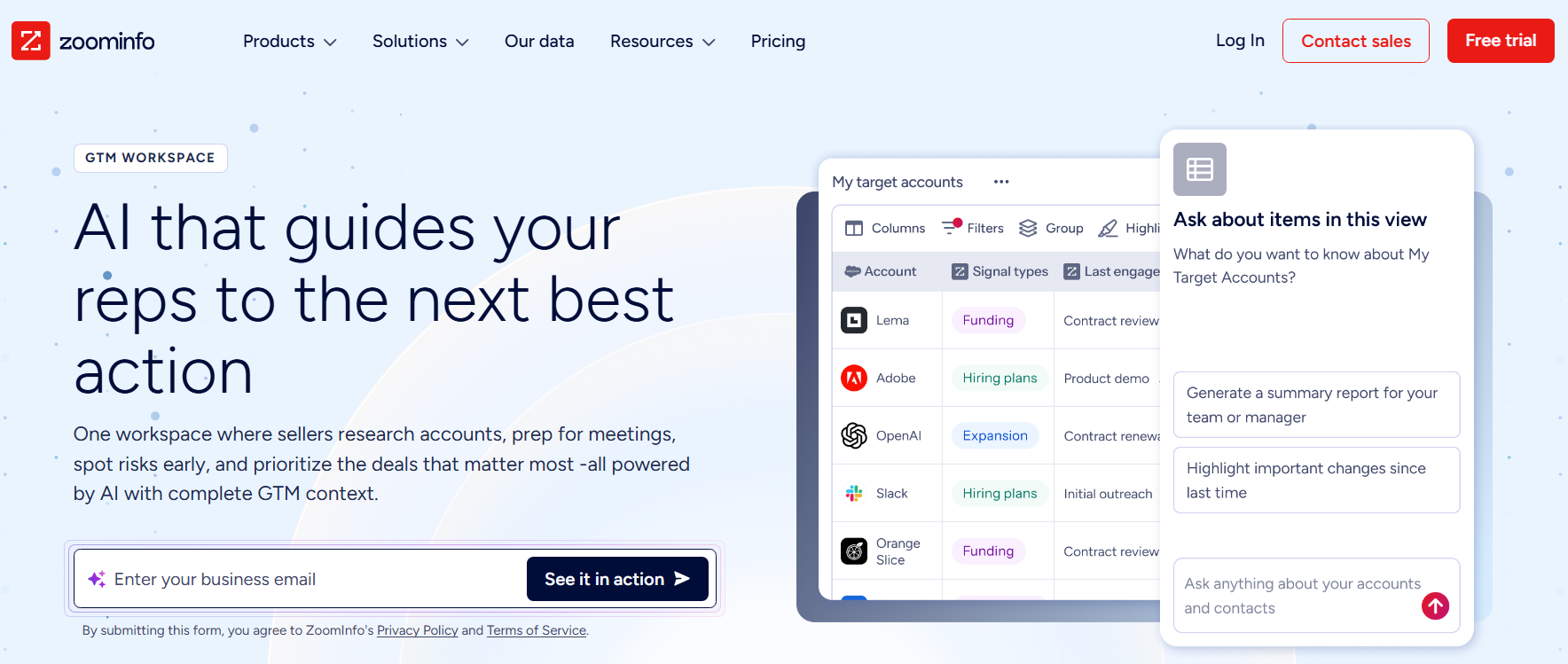
This intelligence reaches teams through three paths. GTM Workspace gives sellers a workspace with AI agents that handle account research, outreach drafting, CRM updates, and signal monitoring.
Source: ZoomInfo
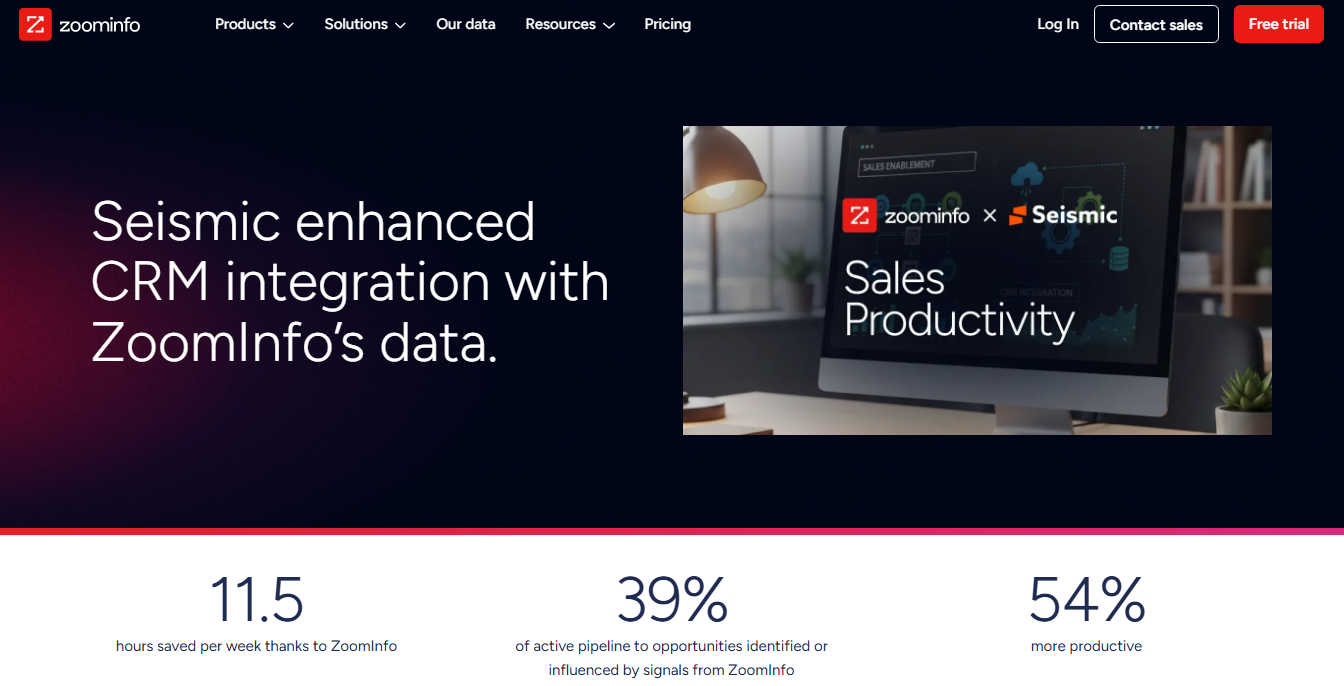
Customer results include Seismic's sales team boosting productivity by 54% and attributing 39% of pipeline to ZoomInfo signals.
Source: ZoomInfo
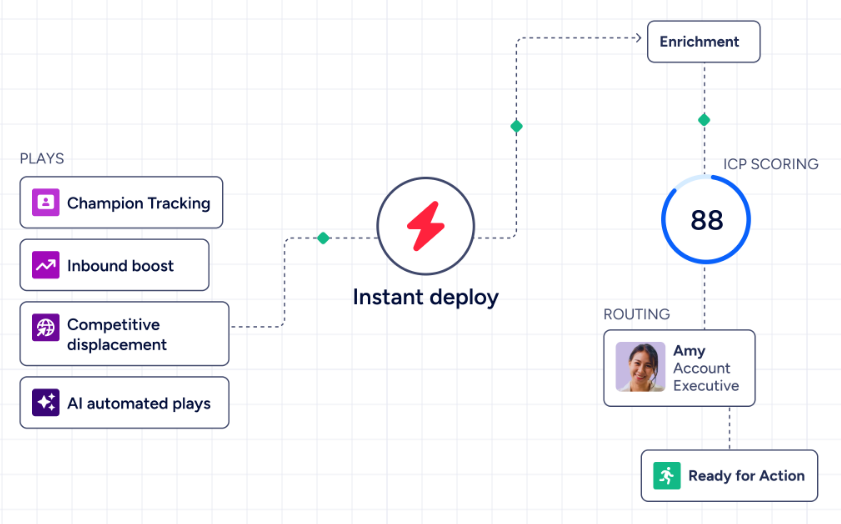
GTM Studio gives marketers, RevOps, and GTM engineers a builder environment where audience definition, campaign orchestration, and pipeline measurement happen through natural language instead of engineering tickets.
Source: ZoomInfo
And APIs and MCP expose the same intelligence to any custom agent, internal tool, or partner platform.
ZoomInfo's intent data also works differently from Sales Navigator's.
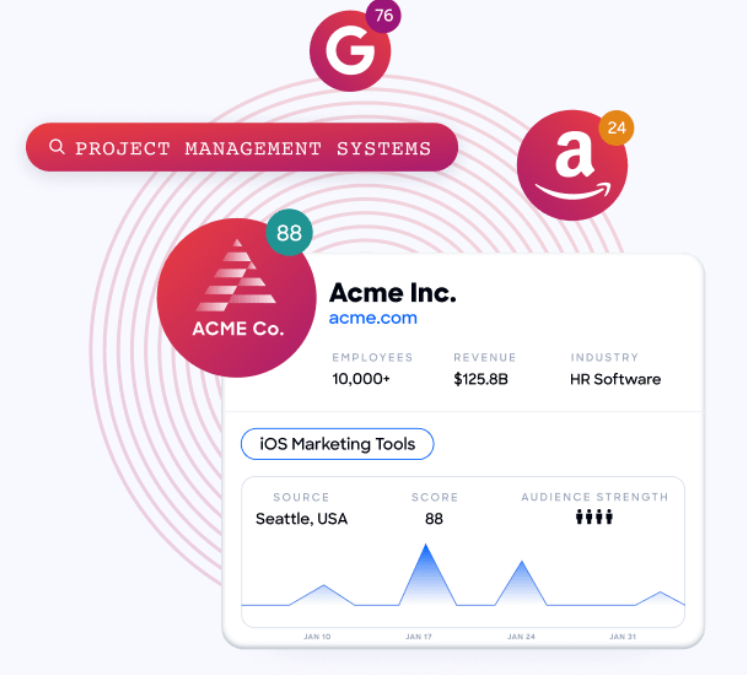
ZoomInfo Intent tracks signals from 210 million IP-to-Organization pairings and 6 trillion+ new keyword-to-device pairings sourced monthly, capturing research activity across the open web.
Source: ZoomInfo
Guided Intent (exclusive to ZoomInfo) identifies topics historically correlated with deal success, rather than requiring manual topic selection. WebSights resolves anonymous website traffic to companies and buying team members. These signals reach far beyond any single platform's activity.
The trade-off: ZoomInfo lacks LinkedIn's first-party social graph. It cannot show you who your colleague knows on LinkedIn or surface warm introduction paths. It cannot deliver messages to LinkedIn inboxes.
And its custom-quoted pricing, while offering a permanent free tier (ZoomInfo Lite) and a 7-day free trial, requires a sales conversation for paid plans.
Data quality: Self-reported profiles vs. multi-source verification
Data quality sits at the center of this comparison because each platform makes a different bet.
Sales Navigator relies on LinkedIn members to maintain their own profiles.
When someone gets promoted, changes companies, or updates their title, that change appears in Sales Navigator as soon as the member updates LinkedIn.
Professionals have career incentives to keep their LinkedIn profiles current, which makes the data reliable for job titles, company affiliations, and career history. LinkedIn frames this as "self-reported and continuously updated by members, making it more accurate and fresher than third-party databases."
The limitation is coverage.
LinkedIn profiles tell you where someone works and what their title is, but they don't include direct phone numbers, verified business email addresses, department budgets, or technology stacks.
Sales Navigator also doesn't cover companies with the same depth: you won't find revenue figures, employee counts by department, or parent-child corporate hierarchies within the platform.
ZoomInfo builds its data through a multi-source pipeline that doesn't depend on any single social network. Automated ML scans 28 million site domains daily.
Third-party partners contribute data on 95 million businesses. A network of 200,000+ ZoomInfo Lite users shares contact information from email signatures. And 300+ human researchers verify and augment the data continuously. First-party data reaches up to 95% accuracy.
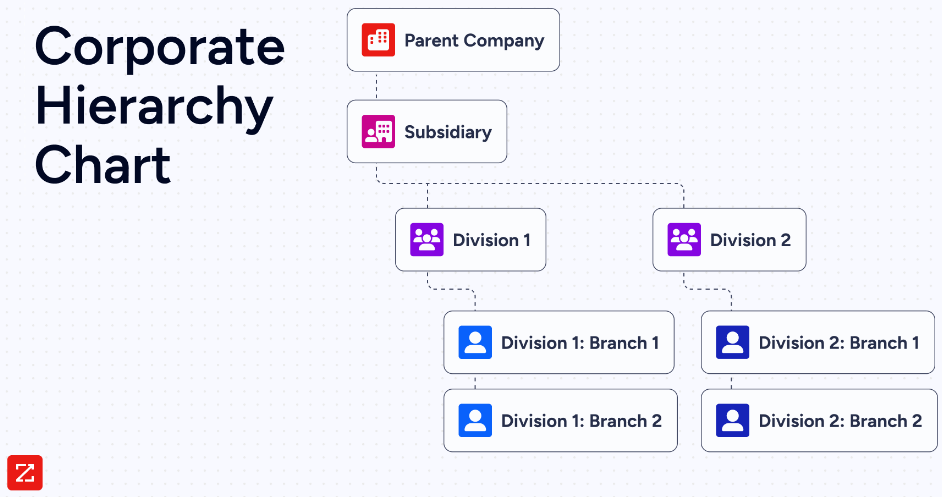
The result is a broader data set that includes not just who someone is, but how to reach them (direct dials and verified emails), what technology their company uses (30,000+ technologies across 200+ categories), what their company's structure looks like (org charts and corporate hierarchies), and what signals suggest they're in-market.
Source: ZoomInfo
In 2025 alone, ZoomInfo added 10.2 million contacts through enhanced title classification, expanded international mobile coverage by 1.8 million numbers across six European markets, and verified location data for 160 million contacts.
The practical distinction: if you need someone's current job title and company, both platforms deliver. If you need their direct phone number, verified email, tech stack, and company financials, ZoomInfo provides that in one place. If you need to see their LinkedIn activity and mutual connections, Sales Navigator is the only option.
Intent signals: LinkedIn activity vs. cross-web research behavior
Both platforms offer buyer intent data, but the signals come from different sources and measure different behaviors.
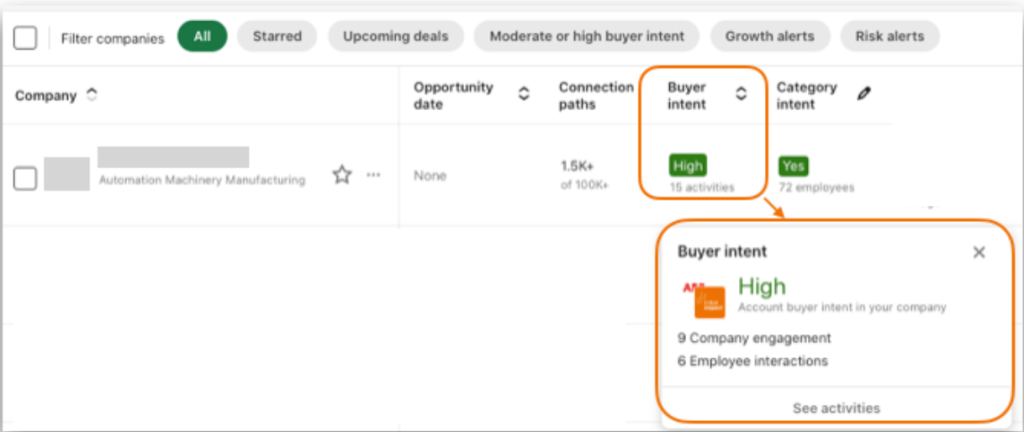
Sales Navigator's Buyer Intent captures 180+ signals from four categories: LinkedIn.com activity (comments, reactions, follows, profile views), LinkedIn advertising (ad engagement, lead gen form completions), messaging (InMail acceptances), and off-LinkedIn behavior (website visits via the LinkedIn Insight Tag).
Source: LinkedIn Sales Navigator
Product Category Intent adds a layer identifying leads researching solutions in a specific category.
The strength of LinkedIn intent is identity resolution: when a VP reacts to your company's post or a director engages with your LinkedIn ad, you know exactly who that person is. No third-party intent vendor can access LinkedIn-native behavioral data.
The weakness is scope. Intent covers only what happens on LinkedIn and your website (if you've installed the Insight Tag). Research activity on third-party review sites, competitor websites, or industry publications goes untracked.
ZoomInfo's intent data covers a wider range.
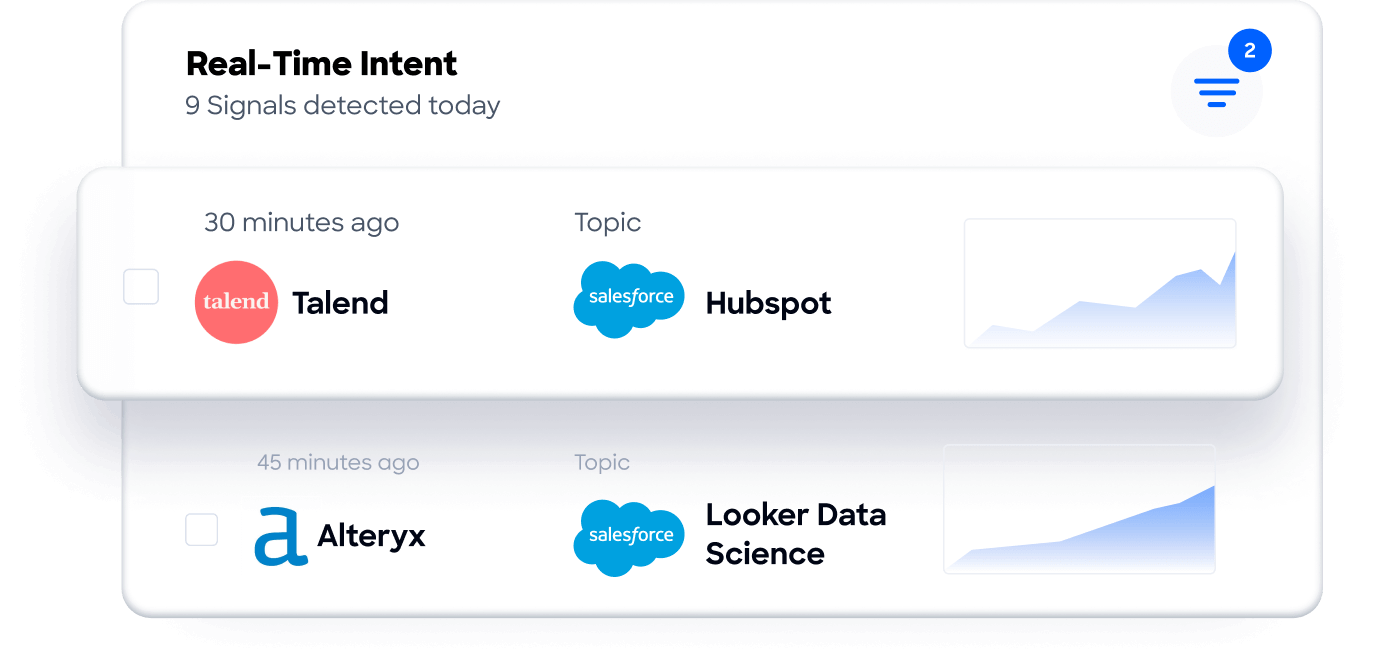
ZoomInfo Intent tracks signals from 210 million IP-to-Organization pairings and 6 trillion+ new keyword-to-device pairings sourced monthly, monitoring research activity across the open web.
Source: ZoomInfo
Guided Intent uses AI to identify which topics correlate with deal success in your specific pipeline, rather than requiring you to guess which keywords matter.
WebSights resolves anonymous website traffic to specific companies and contacts, with Automatic Traffic Filtering that separates real visitors from bots.
ZoomInfo was named a Leader in the Forrester Wave for Intent Data Providers B2B (Q1 2025), receiving the highest possible scores across eight criteria. Forrester noted ZoomInfo had "the largest R&D investment of any provider in this evaluation."
The difference matters for targeting. Sales Navigator tells you who's engaging with your brand on LinkedIn. ZoomInfo tells you which companies are researching your product category across the internet, even before they've visited your website or engaged with your content.
Outreach and engagement capabilities
This is where the platforms diverge most sharply.
Sales Navigator provides one primary outreach channel: InMail. All plans include 50 credits per month with a maximum accumulation of 150. Credits roll over within a 90-day window and are returned when a recipient responds within 90 days.
LinkedIn reports InMail response rates are up to 5x higher than cold email.
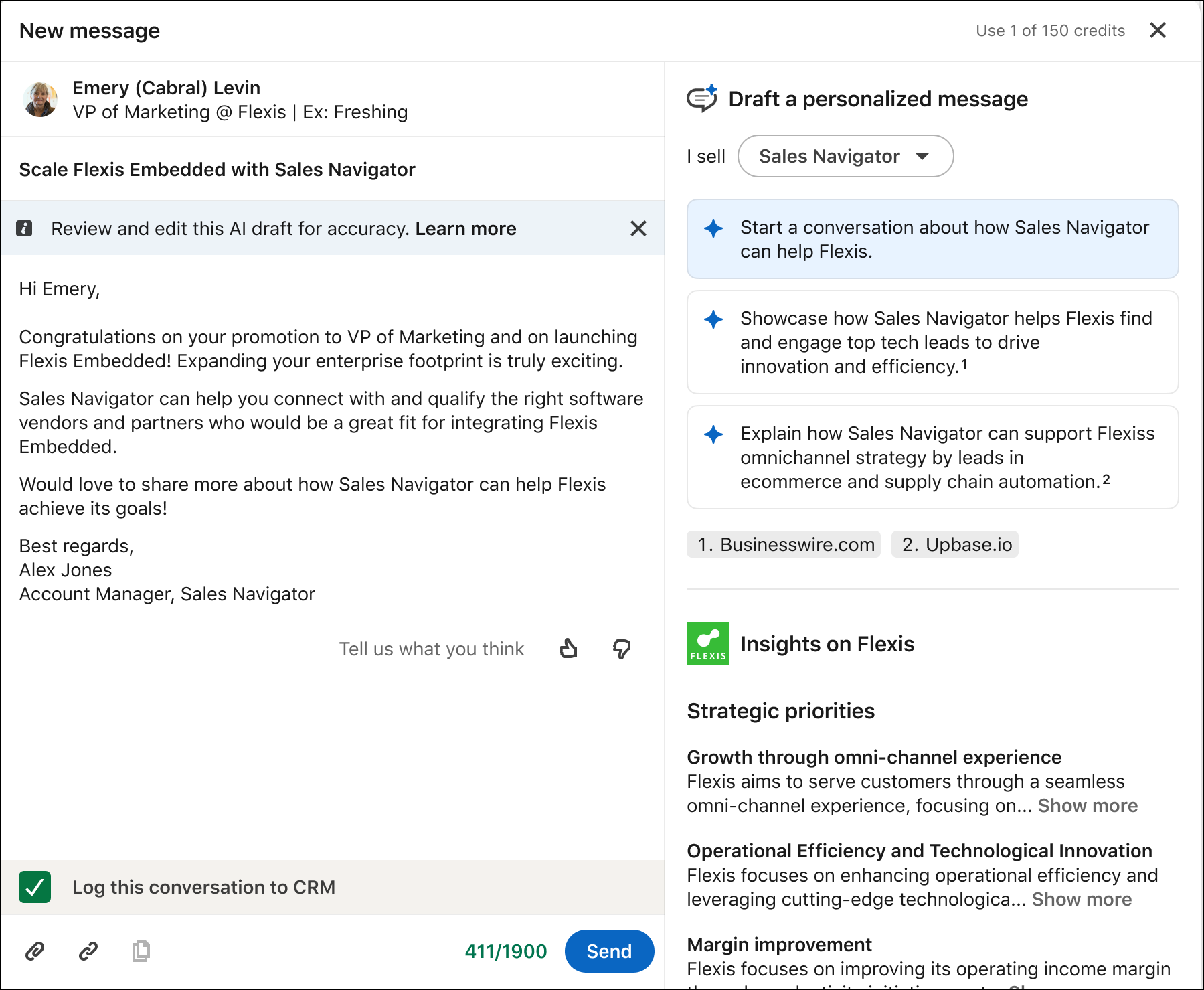
Message Assist (Advanced/Advanced Plus, public beta, English only) drafts personalized InMail using lead and account context, with a limit of 6 AI-assisted messages per minute and 50 per month.
Source: LinkedIn Sales Navigator
Smart Links (Advanced/Advanced Plus) package slides, videos, and documents into trackable links with real-time analytics on viewer identity and engagement.
The constraints are deliberate. InMails must be sent individually ("to help maintain the quality and personalization of messages, bulk messaging isn't available"). Additional credits cannot be purchased. You cannot send a second InMail to the same person until they respond.
These policies favor quality over volume, which works for account executives running relationship-based sales but limits SDR teams doing high-volume outbound.
ZoomInfo enables multi-channel outreach at scale. Because the platform provides verified direct dials and business emails, sellers can call and email prospects without depending on LinkedIn as the delivery channel.
GTM Workspace AI agents draft personalized outreach from full account context, including CRM history, company news, and stakeholder context. The Action Feed surfaces in-market buyers with pre-drafted actions on every signal.
Source: ZoomInfo
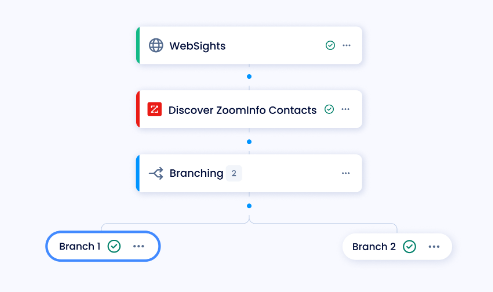
ZoomInfo's sales automation layer (built on a partnership with Salesloft) connects buyer data and intent signals into multi-touch, multi-channel sequences across phone and email.
Workflows automate activities based on buying signals.
Source: ZoomInfo
ZoomInfo Marketing adds cross-channel advertising through a native DSP deploying display ads based on 300+ company attributes, plus Facebook, LinkedIn, and Google advertising.
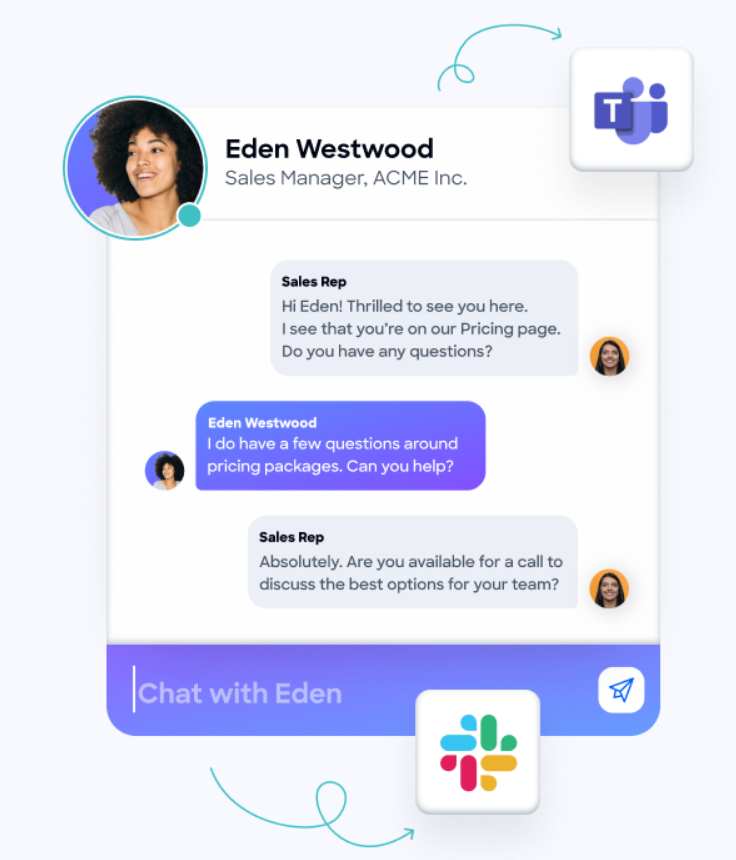
ZoomInfo Chat converts website visitors into conversations by identifying companies before the visitor self-identifies.
Source: ZoomInfo
The difference: Sales Navigator gives you a high-quality, low-volume channel with strong response rates. ZoomInfo gives you the data and tools to reach prospects through whatever channel works best, at whatever volume your team needs.
CRM integration and data portability
How each platform connects to your existing tools reveals different philosophies about data ownership.
Sales Navigator gates CRM integration by plan tier.
The Core plan ($119.99/month) has no CRM integration. The Advanced plan ($159.99/month, 2+ seats) lets you import accounts into Sales Navigator from your CRM, but doesn't sync both ways.
The Advanced Plus plan (contact sales, 10+ seats) unlocks the full integration: bidirectional CRM sync, lead/contact creation from Sales Navigator, activity writeback (logging InMails, messages, call logs, and notes to CRM), and Embedded Experiences that bring Account IQ, Relationship Map, and Find Key People inside Salesforce, HubSpot, Dynamics 365, and Oracle Sales.
Synced users are measurably more productive: 36% more searches per day, 45% more profiles viewed per day, and 25% more content engagement per saved lead. The 65 hours saved annually per user (from Forrester's study) comes mainly from less tool-switching.
The critical limitation: LinkedIn does not let you export account and lead information from Sales Navigator to CSV or XLS. Data portability comes only through CRM Sync on the Advanced Plus plan.
LinkedIn is not accepting new partners for Sales Navigator API access. The data you discover in Sales Navigator stays in Sales Navigator (or your CRM, if you're on Advanced Plus).
ZoomInfo takes the opposite approach to data portability.
The platform pushes data outward: export to CSV, push to CRM, deliver through API, or connect to any tool via MCP. API access is included in all relevant plans. The Enterprise API provides programmatic access through search, enrich, AI intelligence, and marketing endpoints.
The MCP server connects AI models to ZoomInfo's data through natural language, currently supporting Claude and ChatGPT.
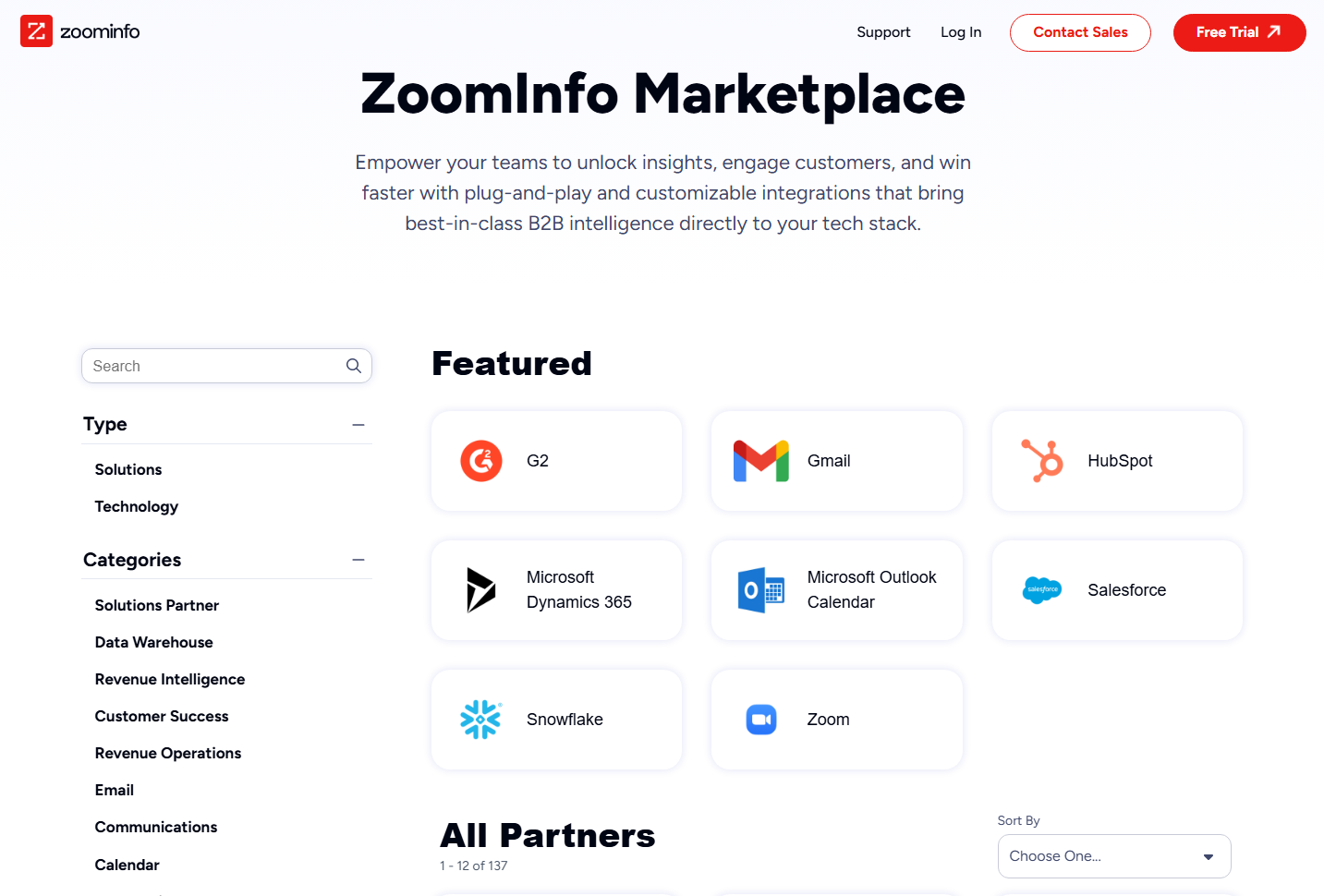
ZoomInfo's App Marketplace lists 120+ partner integrations across CRM (Salesforce, HubSpot, Dynamics 365), marketing automation (Marketo, Eloqua), sales engagement (Outreach, Salesloft), data warehouses (Snowflake, Databricks), and more.
Source: ZoomInfo
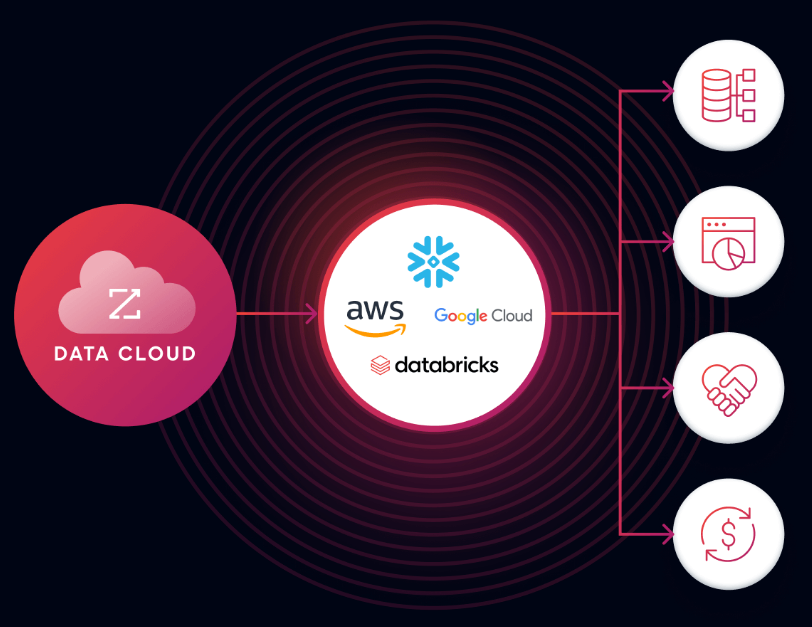
Cloud Partners enables direct data ingestion into AWS, Google Cloud, Snowflake, and Databricks.
Source: ZoomInfo
For teams that need data inside their own systems (CRM, data warehouse, or custom tools), ZoomInfo's open architecture provides more flexibility. For teams that work within LinkedIn and need Sales Navigator intelligence surfaced inside their CRM, Advanced Plus delivers that integration.
Pricing comparison
Sales Navigator offers transparent, published pricing for its first two tiers:
Plan | Monthly (per seat) | Annual (per seat) | Minimum Seats |
|---|---|---|---|
$119.99 | $1,079.88 | 1 | |
$159.99 | $1,799.88 | 2 | |
Contact sales | Contact sales | 10 |
Core provides search filters, InMail, Relationship Explorer, and Relationship Map, but excludes Account IQ, Lead IQ, Message Assist, TeamLink, Buyer Intent, and Smart Links. These features require Advanced or Advanced Plus.
The strongest capabilities (bidirectional CRM sync, Embedded Experiences, activity writeback, ROI Reporting) are locked to Advanced Plus with a 10-seat minimum.
Free trials are available for Core and Advanced, requiring a credit card and auto-converting to paid at trial end.
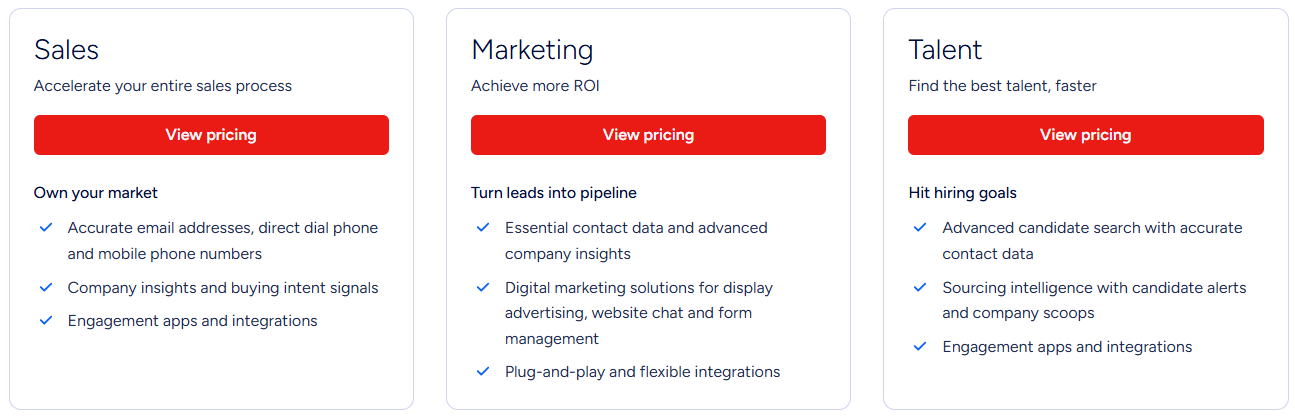
ZoomInfo uses a custom-quoted, seat-and-credit-based subscription model with no publicly listed prices. Costs depend on number of seats, monthly credit volume, features, company size, and contract length.
Source: ZoomInfo
ZoomInfo is shifting toward consumption-based pricing (enterprise license agreements, API consumption, AI activity). Credits work on a 1 credit = 1 export model; searching and viewing within ZoomInfo does not consume credits.
Three sales tiers (Professional, Advanced, Enterprise) gate access to progressively more features. Professional includes contact and company data, search, CRM integrations, and AI-powered email generation.
Advanced adds intent signals, buyer group filters, account fit scoring, website visitor tracking, and automated workflows. Enterprise adds real-time intent, advanced signals, custom integrations, AI account summaries, and dedicated support.
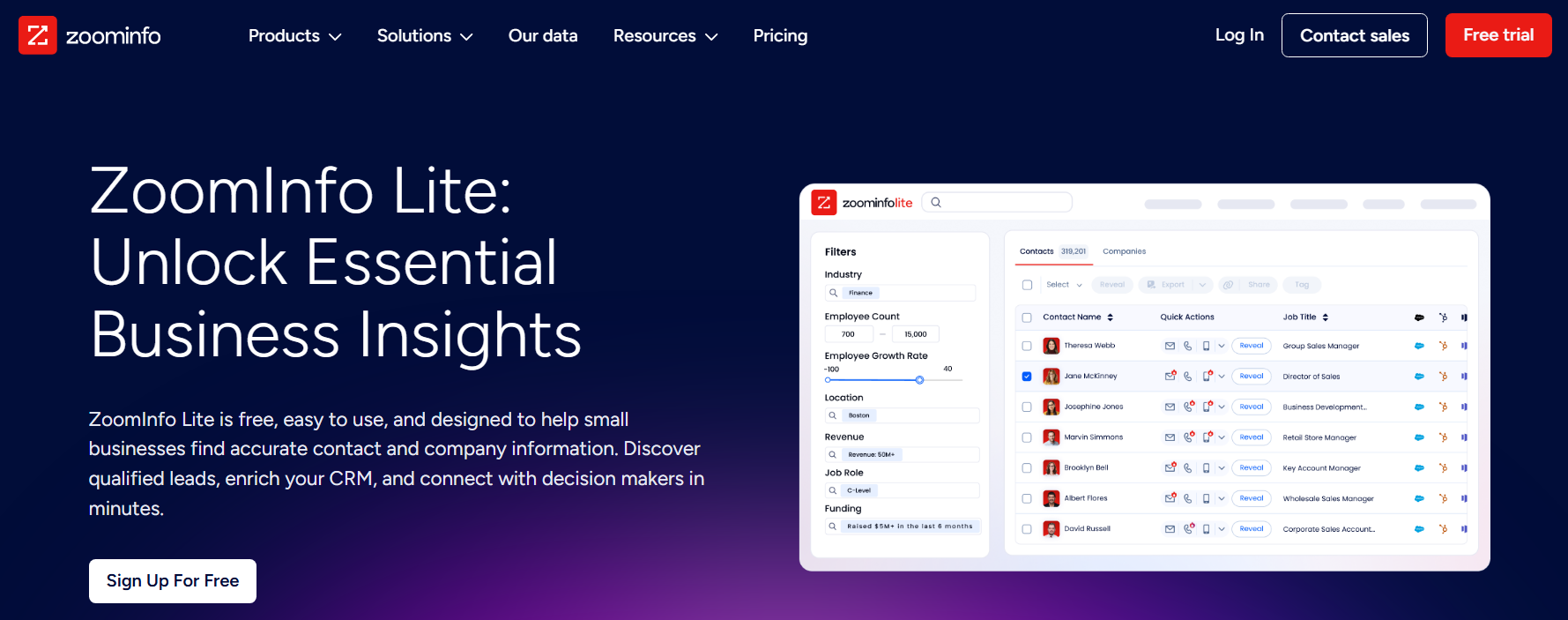
ZoomInfo offers two free entry points: ZoomInfo Lite (permanent free tier with 10 monthly export credits, access to 100M+ verified profiles, WebSights Lite, HubSpot integration, and the Chrome extension) and a 7-day free trial with broader feature access.
Source: ZoomInfo
The pricing comparison isn't straightforward because the platforms deliver different value.
Sales Navigator gives you access to LinkedIn's network and relationship tools at a predictable per-seat cost.
ZoomInfo gives you verified contact data (direct dials, emails), multi-source intent signals, multi-channel execution tools, and open API access, but at a price that requires a sales conversation.
For a team of 10 sellers, Sales Navigator Advanced costs $17,999/year. ZoomInfo's cost for a comparable team depends on credit volume and tier, but it includes capabilities (phone numbers, email addresses, technographics, API access) that Sales Navigator does not provide at any price.
Security, compliance, and enterprise readiness
Both platforms meet enterprise security standards.
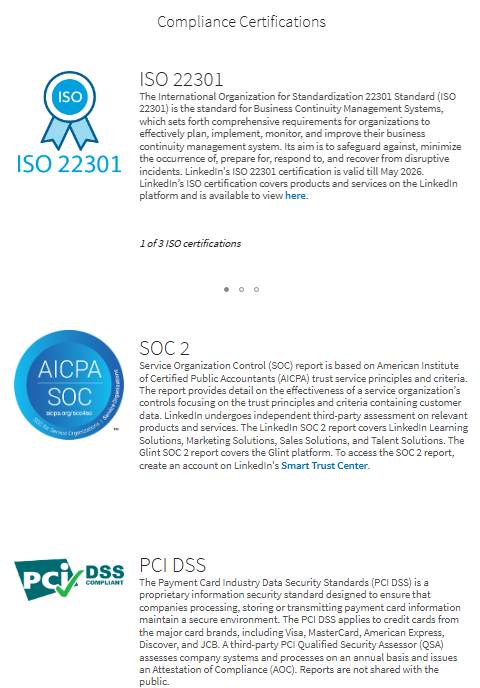
Sales Navigator inherits LinkedIn's security infrastructure, which includes ISO 27001, ISO 27018, ISO 22301, SOC 2, and PCI DSS certifications.
Source: LinkedIn Sales Navigator
Enterprise access controls include SSO via SAML 2.0 and SCIM via Microsoft Entra ID for automated user provisioning. Employee Data Integration syncs with HRIS systems.
All CRM connections use TLS encryption in transit and encryption at rest. LinkedIn guarantees that user data is not used to train OpenAI or Azure OpenAI models.
For regulated industries, 18 compliance partners enable archiving and supervision of LinkedIn communications for FINRA, SEC, and MiFID II compliance.
ZoomInfo holds ISO 27001, ISO 27701, SOC 2 Type II, TRUSTe GDPR, and TRUSTe CCPA certifications, all renewed annually.
The company is a registered data broker in California and Vermont, and maintains a dedicated Trust Center. The ISO 27701 certification (Privacy Information Management System) matters most for organizations operating under GDPR.
Both platforms satisfy enterprise procurement requirements. The real differentiator is data handling philosophy: LinkedIn controls data within its platform (limiting export and API access), while ZoomInfo makes data portable (with compliance guardrails built into the data layer itself).
LinkedIn Sales Navigator vs. ZoomInfo: Which should you choose?
The choice depends on your selling motion, team structure, and what you need from a sales intelligence platform.
Choose LinkedIn Sales Navigator if:
Your sales motion is relationship-driven, with deals that benefit from warm introductions and executive-level networking
Your team sells through LinkedIn as a primary engagement channel
You value self-reported, first-party profile data maintained by the professionals themselves
You want a focused prospecting tool with a predictable per-seat cost ($119.99-$159.99/month)
Your team size and outreach volume fit within the 50 InMail/month cap per user
You're an individual seller or small team that doesn't need CRM integration
LinkedIn adoption is high among your target buyers
You want to use your team's existing LinkedIn network through TeamLink
Choose ZoomInfo if:
You need verified direct phone numbers and business email addresses for multi-channel outreach
Your team runs high-volume outbound sequences across email, phone, and ads
You want cross-web intent data that captures research behavior beyond LinkedIn
Data portability matters: you need to export contacts, push data to CRM, or integrate via API and MCP
You need technographics, company attributes, org charts, and company hierarchies alongside contact data
Your go-to-market strategy spans sales, marketing, and RevOps, and you want them working from one intelligence layer
You want AI-powered execution through GTM Workspace that drafts outreach, monitors signals, and updates CRM
You're building custom tools or AI agents that need programmatic access to B2B data
Many organizations use both platforms together. Sales Navigator provides the relationship layer (warm introductions, LinkedIn engagement, social proof), while ZoomInfo provides the data infrastructure (verified contact details, multi-source intent, multi-channel execution).
The choice isn't necessarily either/or, but which platform serves as your primary intelligence system depends on whether your team leads with relationships or data.
The question is this: does your team need a window into LinkedIn's professional network, or a data platform that powers your entire go-to-market motion?
Sales Navigator gives you the network. ZoomInfo gives you the data, the intelligence, and the execution layer to act on it.
Both LinkedIn Sales Navigator and ZoomInfo solve the same problem (B2B sales intelligence and prospecting) for the same audience (sales teams, SDRs, AEs, and revenue leaders). Their features overlap in contact/company search, buyer intent signals, AI insights, and CRM integration.
But the platforms differ in their data philosophy and scope: Sales Navigator draws from LinkedIn's first-party professional network, while ZoomInfo is an all-in-one AI GTM Platform that fuses third-party B2B data with first-party CRM and conversation intelligence through its GTM Context Graph.
Each platform fits different workflows and organizational needs.
